alarm TOYOTA AVENSIS 2015 User Guide
[x] Cancel search | Manufacturer: TOYOTA, Model Year: 2015, Model line: AVENSIS, Model: TOYOTA AVENSIS 2015Pages: 648, PDF Size: 39.64 MB
Page 154 of 648
1543-2. Opening, closing and locking the doors
AVENSIS_OM_OM20C20E_(EE)■
When the vehicle is not driven for extended periods
To prevent theft of the vehicle, do not leave the electronic key within 2 m (6 ft.)
of the vehicle.
■ To operate the system properly
Make sure to carry the electronic key when operating the system. Do not get
the electronic key too close to the vehicle when operating the system from the
outside of the vehicle.
Depending on the position and holding condition of the electronic key, the key
may not be detected correctly and the system may not operate properly. (The
alarm may go off accidentally, or the door lock prevention may not function.)
■ If the smart entry & start system does not operate properly
●Locking and unlocking the doors: Use the mechanical key. ( →P. 582)
● Starting the engine: →P. 583
■ Customization
Settings (e.g. smart entry & start system) can be changed.
(Customizable features →P. 619)
■ If the smart entry & start system h as been deactivated in a customized
setting
● Locking and unlocking the doors:
Use the wireless remote control or mechanical key. ( →P. 121, 582)
● Starting the engine and changing engine switch modes: →P. 583
● Stopping the engine: →P. 214
AVENSIS_OM_OM20C20E_(EE).book Page 154 Thursday, January 29, 2015 1:47 PM
Page 583 of 648
5838-2. Steps to take in an emergency
AVENSIS_OM_OM20C20E_(EE)
8
When trouble arises
Vehicles with Multidrive: Ensure that the shift lever is in P and apply
the brakes.
Vehicles with manual transmission: Ensure that the shift lever is in
N and depress the clutch pedal.
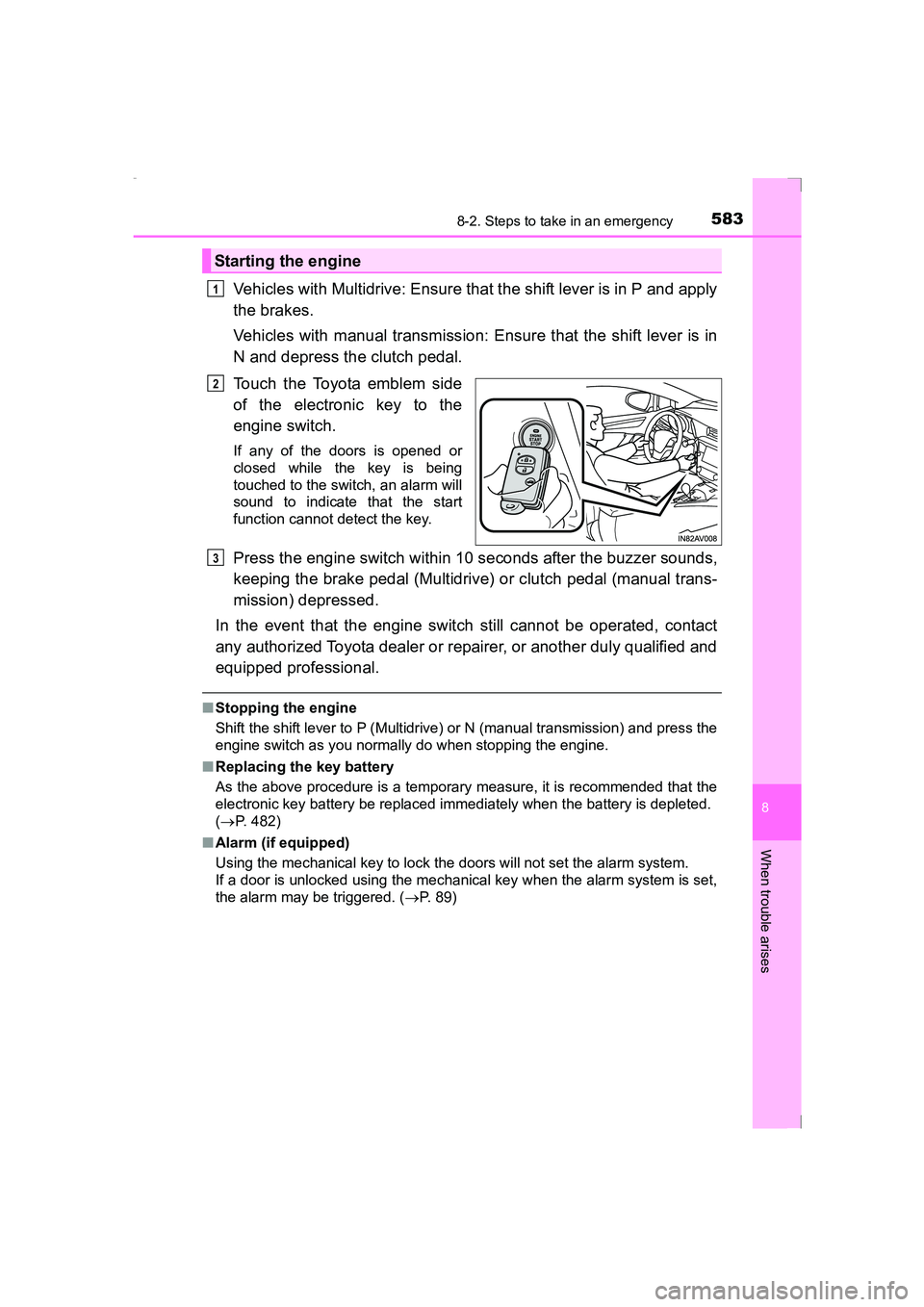
Touch the Toyota emblem side
of the electronic key to the
engine switch.
If any of the doors is opened or
closed while the key is being
touched to the switch, an alarm will
sound to indicate that the start
function cannot detect the key.
Press the engine switch within 10 seconds after the buzzer sounds,
keeping the brake pedal (Multidrive) or clutch pedal (manual trans-
mission) depressed.
In the event that the engine switch still cannot be operated, contact
any authorized Toyota dealer or repairer, or another duly qualified and
equipped professional.
■ Stopping the engine
Shift the shift lever to P (Multidrive) or N (manual transmission) and press the
engine switch as you normally do when stopping the engine.
■ Replacing the key battery
As the above procedure is a temporary measure, it is recommended that the
electronic key battery be replaced imm ediately when the battery is depleted.
( → P. 482)
■ Alarm (if equipped)
Using the mechanical key to lock the doors will not set the alarm system.
If a door is unlocked using the mechanical key when the alarm system is set,
the alarm may be triggered. ( →P. 89)
Starting the engine
1
2
3
AVENSIS_OM_OM20C20E_(EE).book Page 583 Thursday, January 29, 2015 1:47 PM
Page 587 of 648
5878-2. Steps to take in an emergency
AVENSIS_OM_OM20C20E_(EE)
8
When trouble arises
■Starting the engine when the battery is discharged (vehicles with Multid-
rive)
The engine cannot be started by push-starting.
■ To prevent battery discharge
●Turn off the headlights and the audio system while the engine is turned off.
● Turn off any unnecessary electrical components when the vehicle is running
at a low speed for an extended period, such as in heavy traffic, etc.
■ Charging the battery
The electricity stored in the battery will discharge gradually even when the
vehicle is not in use, due to natural discharge and the draining effects of cer-
tain electrical appliances. If the vehicle is left for a long time, the battery may
discharge, and the engine may be unable to start. (The battery recharges
automatically during driving.)
■ When the battery is removed or discharged
●Make sure that the key is not inside the vehicle when recharging or replac-
ing the battery. The key may be locked in the vehicle if the alarm is acti-
vated. ( →P. 90)
● Vehicles with smart entry & start system: In some cases, it may not be pos-
sible to unlock the doors using the smart entry & start system when the bat-
tery is discharged. Use the wireless remote control or the mechanical key to
lock or unlock the doors.
● Vehicles with smart entry & start system: The engine may not start on the
first attempt after the battery has recharged but will start normally after the
second attempt. This is not a malfunction.
● Vehicles with smart entry & start system: The engine switch mode is memo-
rized by the vehicle. When the battery is reconnected, the system will return
to the mode it was in before the battery was discharged. Before disconnect-
ing the battery, turn the engine switch off. If you are unsure what mode the
engine switch was in before the battery discharged, be especially careful
when reconnecting the battery.
● Vehicles with Stop & Start system:
After charging the battery or reconnecting the battery terminals, the Stop &
Start system may not automatically stop the engine for approximately 5 to
40 minutes.
■ When exchanging the battery
●Use a battery with the same case size as the previous battery and an equiv-
alent 20 hour rate capacity (20HR) or greater.
• If the sizes differ, the battery cannot be properly secured.
• If the 20 hour rate capacity is low, even if the time period where the vehi-
cle is not used is a short time, the battery may discharge and the engine
may not be able to start.
AVENSIS_OM_OM20C20E_(EE).book Page 587 Thursday, January 29, 2015 1:47 PM
Page 633 of 648
633What to do if... (Troubleshooting)
AVENSIS_OM_OM20C20E_(EE)
●Did anyone inside the vehicle open a door during setting the alarm?
The sensor detects it and the alarm sounds. (→P. 89)
To stop the alarm, turn the engine switch to IGNITION ON mode or start the
engine.
●Is the message displayed on the multi-information display?
Check the message on the multi-information display. ( →P. 527)
●When a warning light turns on or a warning message is displayed, refer to
P. 520, 527.
●Vehicles without spare tire
Stop the vehicle in a safe place and repair the flat tire temporarily with the
emergency tire puncture repair kit. ( →P. 560)
●Vehicles with spare tire
Stop the vehicle in a safe place and replace the flat tire with the spare tire.
(→ P. 544)
●Try the procedure for when the vehicle becomes stuck in mud, dirt, or
snow. ( →P. 593)
An alarm is activated and the horn sounds (if equipped)
A warning buzzer sounds when leaving the vehicle
(vehicles with smart entry & start system)
A warning light turns on or a warning message is displayed
When a problem has occurred
If you have a flat tire
The vehicle becomes stuck
AVENSIS_OM_OM20C20E_(EE).book Page 633 Thursday, January 29, 2015 1:47 PM
Page 634 of 648
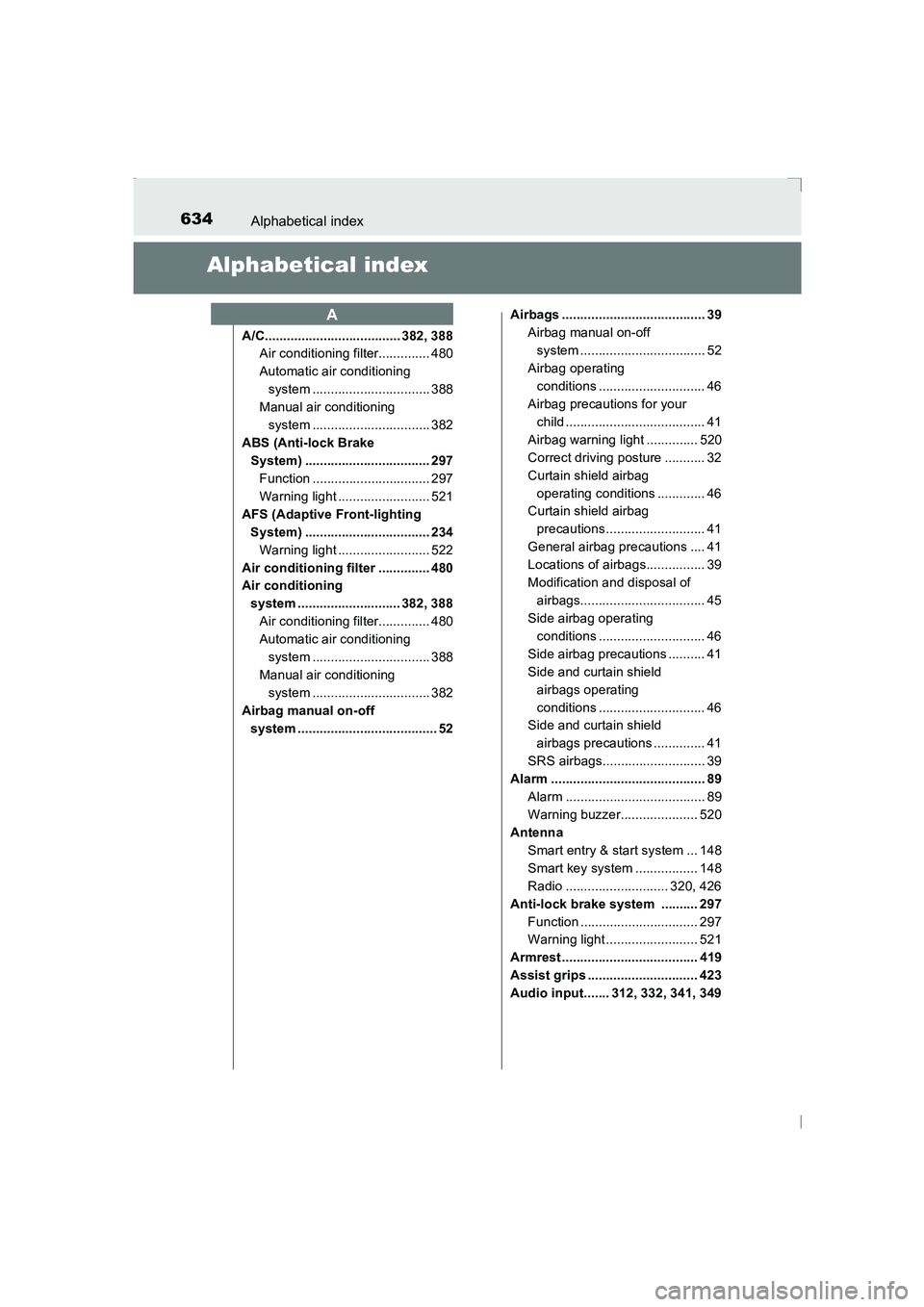
634Alphabetical index
AVENSIS_OM_OM20C20E_(EE)
Alphabetical index
A/C..................................... 382, 388Air conditioning filter.............. 480
Automatic air conditioning
system ................................ 388
Manual air conditioning system ................................ 382
ABS (Anti-lock Brake System) .................................. 297
Function ................................ 297
Warning light ......................... 521
AFS (Adaptive Front-lighting System) .................................. 234Warning light ......................... 522
Air conditioning filter .............. 480
Air conditioning system ............................ 382, 388Air conditioning filter.............. 480
Automatic air conditioning system ................................ 388
Manual air conditioning system ................................ 382
Airbag manual on-off system ...................................... 52 Airbags ....................................... 39
Airbag manual on-off system .................................. 52
Airbag operating conditions ............................. 46
Airbag precautions for your child ...................................... 41
Airbag warning light .............. 520
Correct driving posture ........... 32
Curtain shield airbag operating conditions ............. 46
Curtain shield airbag
precautions........................... 41
General airbag precautions .... 41
Locations of airbags................ 39
Modification and disposal of airbags.................................. 45
Side airbag operating
conditions ............................. 46
Side airbag precautions .......... 41
Side and curtain shield airbags operating
conditions ............................. 46
Side and curtain shield
airbags precautions .............. 41
SRS airbags............................ 39
Alarm .......................................... 89 Alarm ...................................... 89
Warning buzzer..................... 520
Antenna
Smart entry & start system ... 148
Smart key system ................. 148
Radio ............................ 320, 426
Anti-lock brake system .......... 297 Function ................................ 297
Warning light ......................... 521
Armrest ..................................... 419
Assist grips .............................. 423
Audio input....... 312, 332, 341, 349
A
AVENSIS_OM_OM20C20E_(EE).book Page 634 Thursday, January 29, 2015 1:47 PM
Page 645 of 648
645Alphabetical index
AVENSIS_OM_OM20C20E_(EE)
LDA (Lane Departure Alert) ........ 263
Light switches ....................... 232
Meter control switches .......... 112
Outside rear view mirror switches.............................. 179
Odometer/trip meter button ... 107
Paddle shift switches .... 221, 222
Panoramic roof shade switch.................................. 421
Power door lock switch ......... 135
Power heater switch.............. 395
Power window switch ............ 182
Rear window wiper and washer switch ..................... 246
Rear window and outside rear view mirror
defoggers switch......... 384, 391
“SPORT” switch .................... 220
Talk switch
*
Telephone switches .............. 356
TRC OFF switch ................... 298
Trunk opener switch.............. 139
VSC OFF switch ................... 298
Window lock switch ............... 182
Wipers and washer switch.......................... 242, 246
Tachometer .............................. 105
Tail lights Light switch ........................... 232
Replacing light bulbs ............. 504
Wattage................................. 615 Talk switch
*
Telephone switch*.................. 356
Theft deterrent system Alarm ...................................... 89
Double locking system ............ 87
Engine immobilizer system ..... 78
Intrusion sensor ...................... 92
Tire inflation pressure Maintenance data ................. 613
Warning light ......................... 523
Tire pressure warning system
Function ................................ 460
Initializing .............................. 460
Installing tire pressure warning valves and
transmitters......................... 460
Registering ID codes ............ 462
Warning light ......................... 523
Tires .......................................... 458 Chains................................... 304
Checking ............................... 458
If you have a flat tire .............................. 544, 560
Inflation pressure .................. 475
Replacing .............................. 544
Rotating tires......................... 458
Size ....................................... 613
Snow tires ............................. 303
Spare tire .............. 545, 546, 613
Tire pressure warning system ................................ 460
Warning light ......................... 523
Tools ......................... 545, 546, 561
Top strap .................................... 76
T
*: For vehicles with navigation system or multimedia system, refer to
“Navigation and multimedia system Owner’s manual”.
AVENSIS_OM_OM20C20E_(EE).book Page 645 Thursday, January 29, 2015 1:47 PM