bluetooth TOYOTA AVENSIS 2015 User Guide
[x] Cancel search | Manufacturer: TOYOTA, Model Year: 2015, Model line: AVENSIS, Model: TOYOTA AVENSIS 2015Pages: 648, PDF Size: 39.64 MB
Page 357 of 648
357
5
5-6. Using Bluetooth® devices
Audio system
AVENSIS_OM_OM20C20E_(EE)
Registering a Bluetooth® device
Press the “SETUP” button and select “Bluetooth*” using the tune/
scroll knob.
Press the knob and select “Pairing” using the knob.
A passkey will be displayed.
SSP (Secure Simple Pairing) incompatible Bluetooth
® devices:
Input the passkey into the device.
SSP (Secure Simple Pairing) compatible Bluetooth
® devices:
Select “Yes” to register the device. Depending on the type of
device, it may register automatically.
If a Bluetooth
® device has both music player and cellular phone func-
tions, both functions will be registered at the same time. When delet-
ing the device, both functions will be deleted at the same time.
If the off-hook switch is pressed and the “TEL” mode is entered when
no phones have been registered, the registration screen will be auto-
matically displayed.
*: Bluetooth is a registered trademark of Bluetooth SIG, Inc.
Before using the Bluetooth® audio/phone, it is necessary to reg-
ister a Bluetooth® device in the system. Follow the procedure
below to register (pair) a device:
How to register a Bluetooth® device
1
2
3
AVENSIS_OM_OM20C20E_(EE).book Page 357 Thursday, January 29, 2015 1:47 PM
Page 358 of 648
3585-7. “SETUP” menu
AVENSIS_OM_OM20C20E_(EE)
Using the “SETUP” menu (“Bluetooth*”
menu)
∗
Select “Pairing” using the tune/scroll knob (→P. 354), and perform the
procedure for registering a portable player. ( →P. 357)
Select “List phone” using the tune/scroll knob. ( →P. 354) The list of
registered cellular phones will be displayed.
● Connecting the registered cellular phone to the audio system
Select the name of the cellular phone to be connected using the
tune/scroll knob.
Select “Select” using the knob.
● Deleting a registered cellular phone
Select the name of the cellular phone to be deleted using the
tune/scroll knob.
Select “Delete” using the knob.
Press [YES].
∗: Bluetooth is a registered trademark of Bluetooth SIG, Inc.
∗: If equipped
Registering a Bluetooth® device in the system allows the system
to function. The following functions can be used for registered
devices:
Registering a portable player
Listing the registered cellular phones
1
2
1
2
3
AVENSIS_OM_OM20C20E_(EE).book Page 358 Thursday, January 29, 2015 1:47 PM
Page 360 of 648
3605-7. “SETUP” menu
AVENSIS_OM_OM20C20E_(EE)
Select “Bluetooth* info” using the tune/scroll knob. (→P. 354)
● Displaying the device name
Select “Device name” using the knob.
● Displaying the device address
Select “Device address” using the knob.
*: Bluetooth is a registered trademark of Bluetooth SIG, Inc.
If the “Display setting” is set to on, the portable player connection sta-
tus will be displayed when the engine switch is turned to the “ACC” or
“ON” position (vehicles without smart entry & start system), or
ACCESSORY or IGNITION ON mode (vehicles with smart entry &
start system).
Select “Display setting” using the tune/scroll knob. ( →P. 354)
Select “ON” or “OFF” using the knob.
Select “Reset” using the tune/scroll knob. ( →P. 354)
● Initializing the sound settings
Select “Sound Setting” using the knob and press [YES].
For details about sound settings: →P. 313
● Initializing the device information
Select “Car Device Info” using the knob and press [YES].
Automatic connection of a portable device, automatic connection confirma-
tion display and the passkey will be initialized.
●Initializing the all settings
Select “All Initialize” using the knob and press [YES].
Displaying the device status
Setting the automatic connection confirmation display to on or off
Initialization
1
2
AVENSIS_OM_OM20C20E_(EE).book Page 360 Thursday, January 29, 2015 1:47 PM
Page 364 of 648
3645-8. Bluetooth® Audio
AVENSIS_OM_OM20C20E_(EE)
Operating a Bluetooth® enabled por table
player
∗
XTy pe A
∗: If equipped
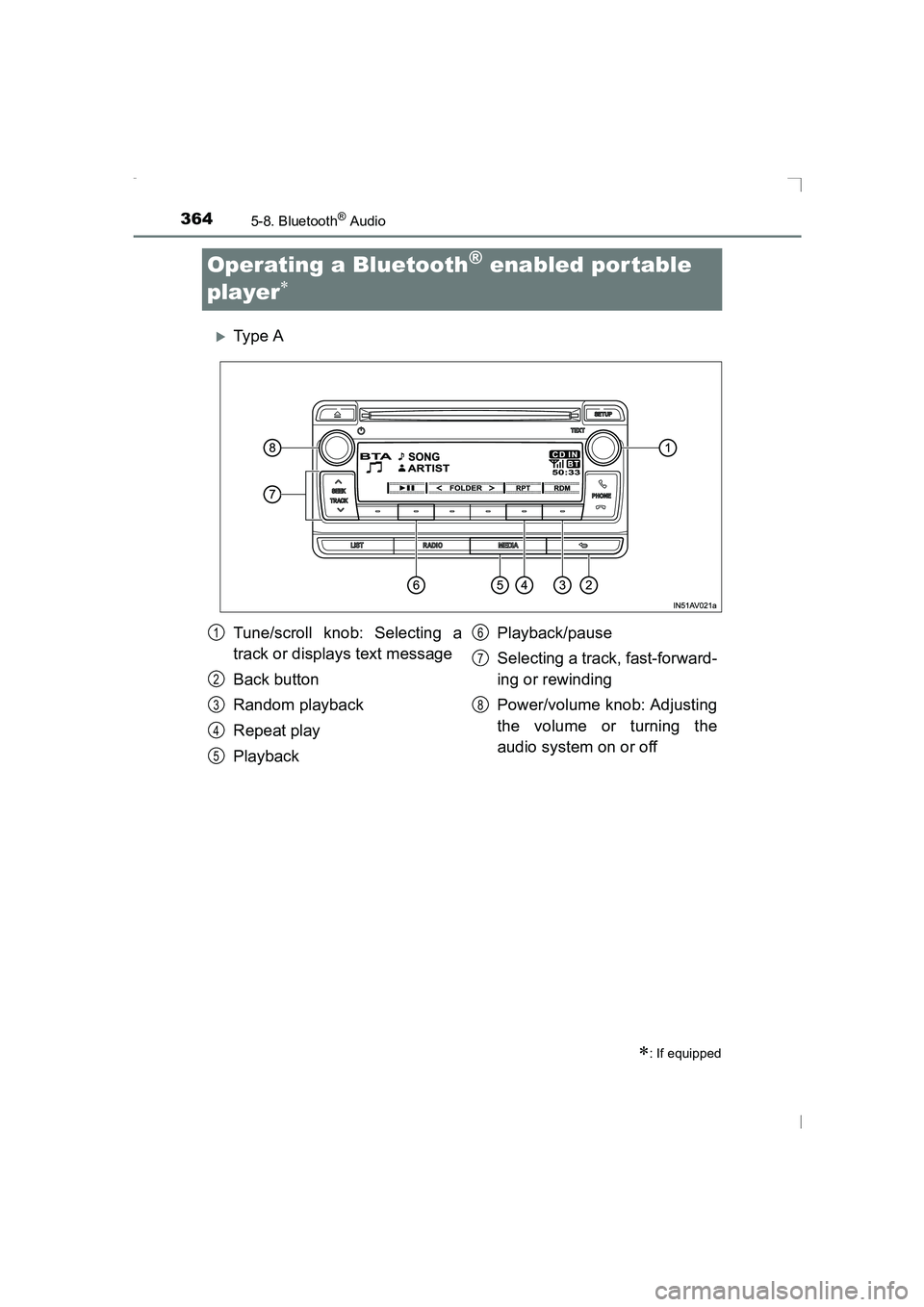
Tune/scroll knob: Selecting a
track or displays text message
Back button
Random playback
Repeat play
Playback Playback/pause
Selecting a track, fast-forward-
ing or rewinding
Power/volume knob: Adjusting
the volume or turning the
audio system on or off1
2
3
4
5
6
7
8
AVENSIS_OM_OM20C20E_(EE).book Page 364 Thursday, January 29,
2015 1:47 PM
Page 365 of 648
3655-8. Bluetooth® Audio
5
Audio system
AVENSIS_OM_OM20C20E_(EE)
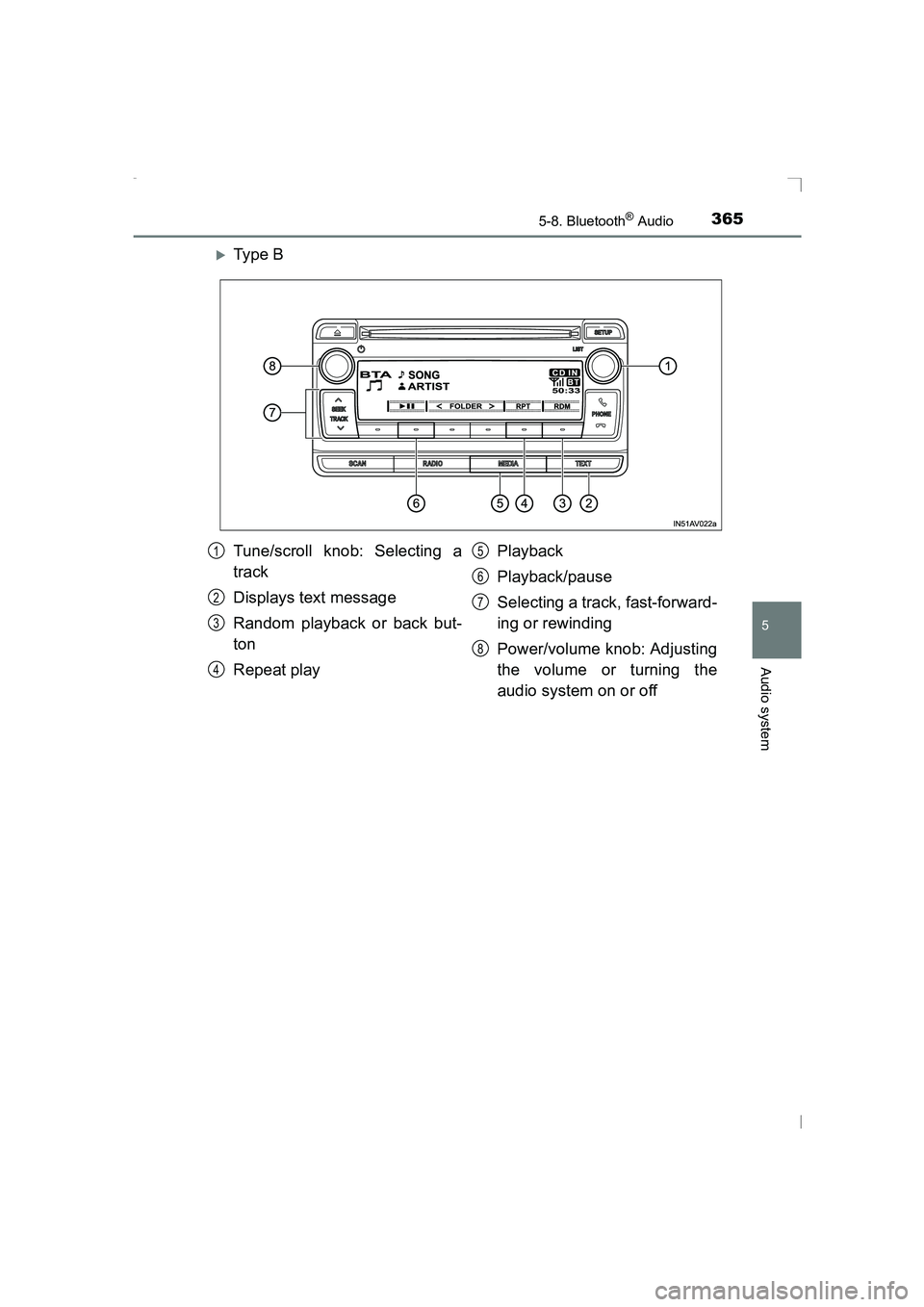
XTy pe B
Tune/scroll knob: Selecting a
track
Displays text message
Random playback or back but-
ton
Repeat playPlayback
Playback/pause
Selecting a track, fast-forward-
ing or rewinding
Power/volume knob: Adjusting
the volume or turning the
audio system on or off1
2
3
4
5
6
7
8
AVENSIS_OM_OM20C20E_(EE).book Page 365 Thursday, January 29,
2015 1:47 PM
Page 366 of 648
![TOYOTA AVENSIS 2015 User Guide 3665-8. Bluetooth® Audio
AVENSIS_OM_OM20C20E_(EE)■
Selecting an album
Press [<] or [>] to select the desired album.
■Scanning the first track of all the album (type B only)
Press and hold the](/img/14/59657/w960_59657-365.png "TOYOTA AVENSIS 2015 User Guide 3665-8. Bluetooth® Audio
AVENSIS_OM_OM20C20E_(EE)■
Selecting an album
Press [<] or [>] to select the desired album.
■Scanning the first track of all the album (type B only)
Press and hold the")
3665-8. Bluetooth® Audio
AVENSIS_OM_OM20C20E_(EE)■
Selecting an album
Press [<] or [>] to select the desired album.
■Scanning the first track of all the album (type B only)
Press and hold the “SCAN” button until you hear a beep.
The first 10 seconds of the first track in each album will be played.
When the desired album is reached, press the button again.
■Selecting a track
Press “ ∧” or “ ∨” on the “SEEK TRACK” button to select the desired
track.
■Scanning the tracks in an album (type B only)
Press the “SCAN” button.
The first 10 seconds of each track will be played.
When the desired track is reached, press the button again.
Press and hold “ ∧” or “ ∨” on the “SEEK TRACK” button.
Pressing [RDM] changes modes in the following order:
Album random →All track random →Off.
Pressing [RPT] changes modes in the following order:
Track repeat →Album repeat →Off.
Selecting and scanning an album
Selecting and scanning tracks
Fast-forwarding and rewinding tracks
Random playback
Repeat play
1
2
1
2
AVENSIS_OM_OM20C20E_(EE).book Page 366 Thursday, January 29, 2015 1:47 PM
Page 367 of 648
3675-8. Bluetooth® Audio
5
Audio system
AVENSIS_OM_OM20C20E_(EE)
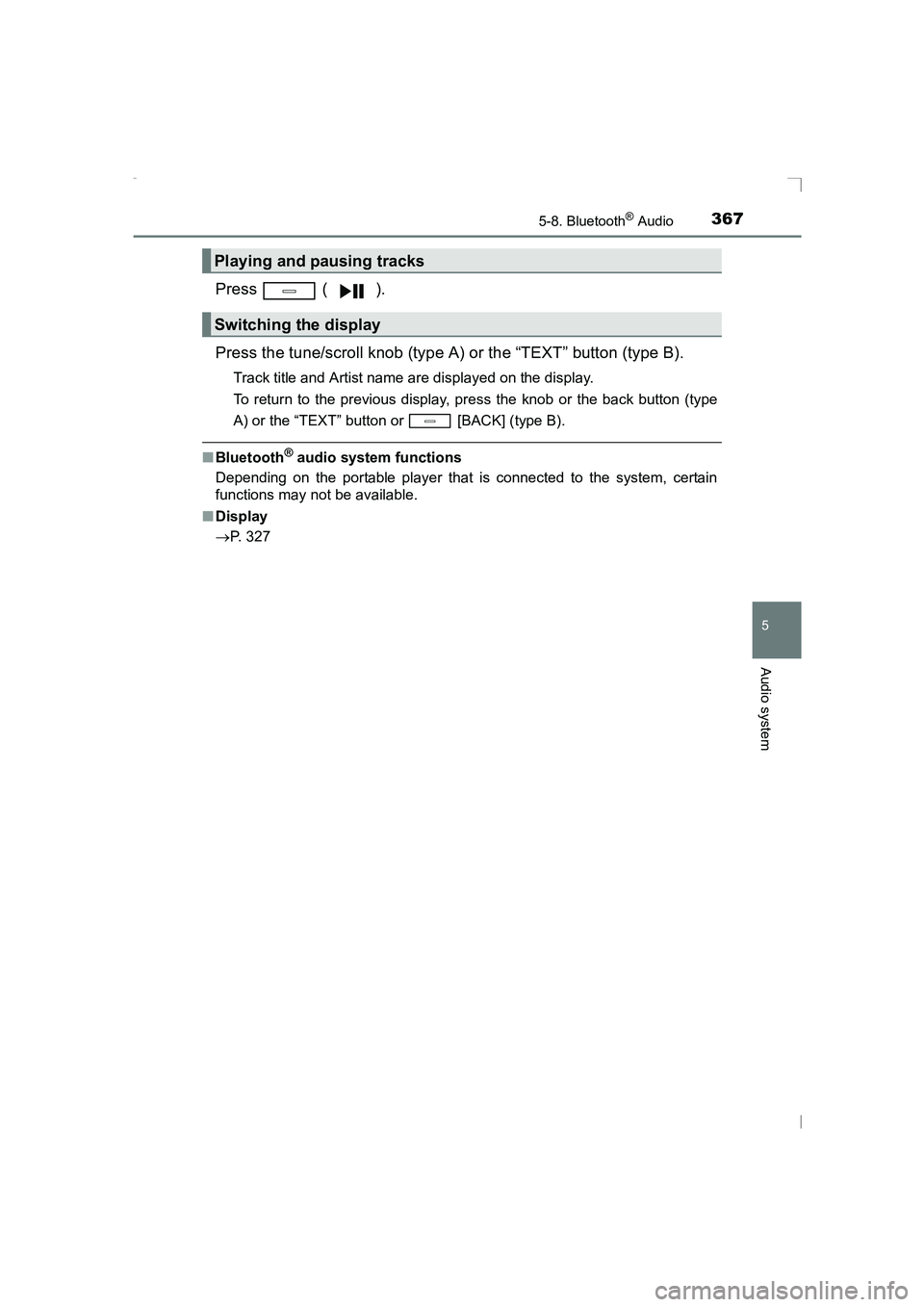
Press ( ).
Press the tune/scroll knob (type A) or the “TEXT” button (type B).
Track title and Artist name are displayed on the display.
To return to the previous display, press the knob or the back button (type
A) or the “TEXT” button or [BACK] (type B).
■Bluetooth® audio system functions
Depending on the portable player that is connected to the system, certain
functions may not be available.
■ Display
→ P. 327
Playing and pausing tracks
Switching the display
AVENSIS_OM_OM20C20E_(EE).book Page 367 Thursday, January 29, 2015 1:47 PM
Page 368 of 648
3685-9. Bluetooth® Phone
AVENSIS_OM_OM20C20E_(EE)
Making a phone call∗
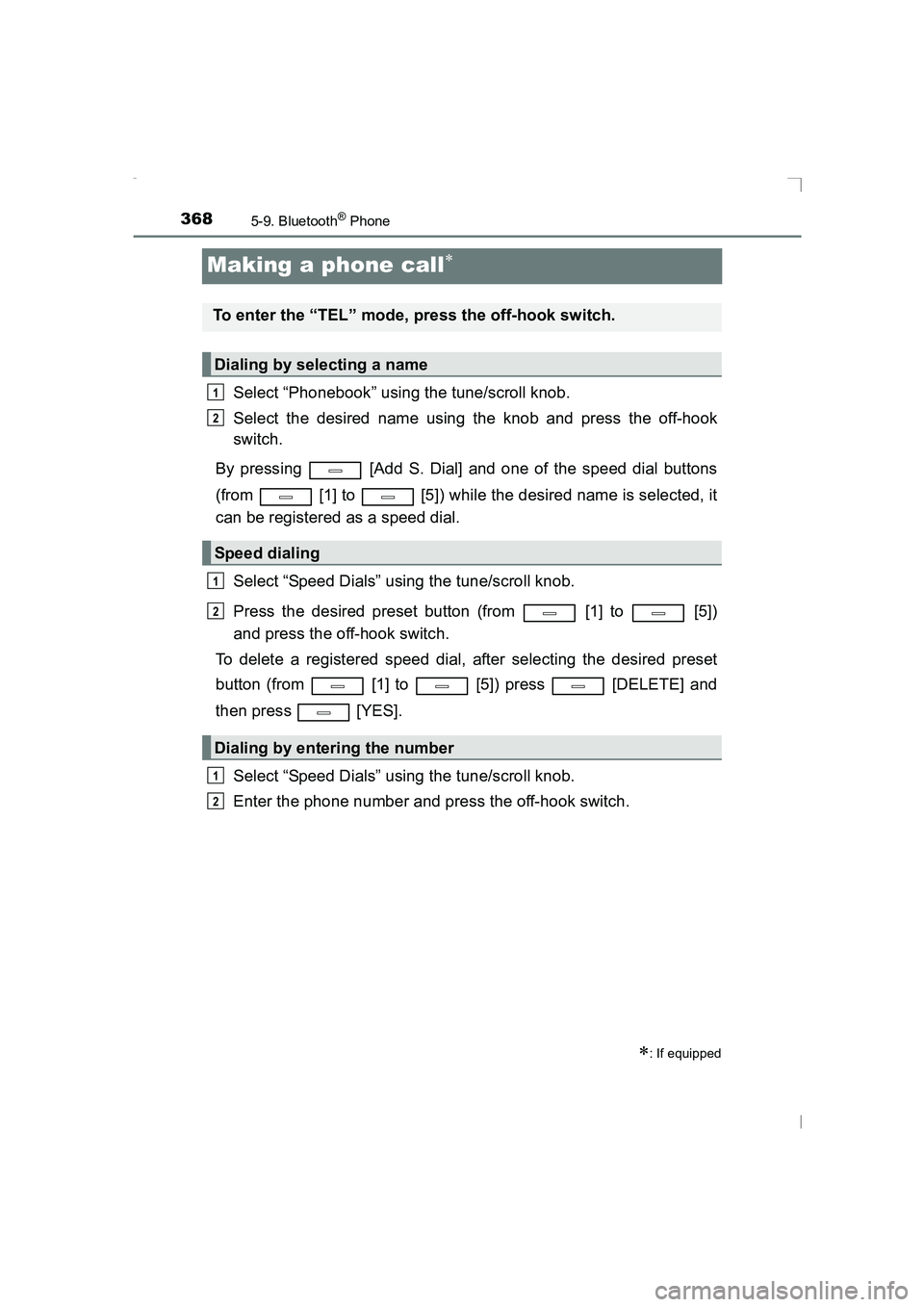
Select “Phonebook” using the tune/scroll knob.
Select the desired name using the knob and press the off-hook
switch.
By pressing [Add S. Dial] and one of the speed dial buttons
(from [1] to [5]) while the desired name is selected, it
can be registered as a speed dial.
Select “Speed Dials” using the tune/scroll knob.
Press the desired preset button (from [1] to [5])
and press the off-hook switch.
To delete a registered speed dial, after selecting the desired preset
button (from [1] to [5]) press [DELETE] and
then press [YES].
Select “Speed Dials” using the tune/scroll knob.
Enter the phone number and press the off-hook switch.
∗: If equipped
To enter the “TEL” mode, press the off-hook switch.
Dialing by selecting a name
Speed dialing
Dialing by entering the number
1
2
1
2
1
2
AVENSIS_OM_OM20C20E_(EE).book Page 368 Thursday, January 29, 2015 1:47 PM
Page 369 of 648
3695-9. Bluetooth® Phone
5
Audio system
AVENSIS_OM_OM20C20E_(EE)
Select “All calls”, “Missed calls”, “Incoming calls” or “Outgoing calls”
using the tune/scroll knob.
Select a desired number using the knob and press the off-hook
switch.
The following operations can be performed:
● Registering a number as a speed dial
Press [Add S. Dial] and then press the desired preset but-
ton (from [1] to [5]).
● Deleting the selected number
Press [DELETE] and press [YES].
Dialing from call histories
1
2
AVENSIS_OM_OM20C20E_(EE).book Page 369 Thursday, January 29, 2015 1:47 PM
Page 370 of 648
3705-9. Bluetooth® Phone
AVENSIS_OM_OM20C20E_(EE)
Receiving a phone call
Press the off-hook switch.
Press the on-hook switch.
Press the off-hook switch.
Pressing the off-hook switch again returns you to the previous call.
To decrease the volume: Turn the power/volume knob counterclock-
wise.
To increase the volume: Turn the power/volume knob clockwise.
Answering the phone
Refusing the call
Receiving a call when on another call
Adjusting the ring tone volume when receiving a call
AVENSIS_OM_OM20C20E_(EE).book Page 370 Thursday, January 29, 2015 1:47 PM