ignition TOYOTA AYGO 2021 Owner's Manual
[x] Cancel search | Manufacturer: TOYOTA, Model Year: 2021, Model line: AYGO, Model: TOYOTA AYGO 2021Pages: 546, PDF Size: 81 MB
Page 278 of 546
2764-6. Using the driving support systems
AYGO_OM_Europe_OM9A012E■The Stop & Start system protection feature
Vehicles without a smart entry & start system: When an excessively loud
sound is being projected by the audio system, the audio system may be auto-
matically cut off in order to maintain power for the Stop & Start system func-
tion.
If this occurs, turning the engine switch to the “LOCK” position then to the
“ACC” or “ON” position re-enables the audio system.
Vehicles with a smart entry & start system: When an excessively loud sound
is being projected by the audio system, the audio system may be automati-
cally cut off in order to maintain power for the Stop & Start system function.
If this occurs, turning the engine switch off then to ACCESSORY mode or
IGNITION ON mode re-enables the audio system.
■Steering wheel operation
When the engine is stopped by the Stop & Start system, the steering wheel
may become heavier than when driving.
■Hood
If the hood is opened while the engine is stopped by the Stop & Start system,
the engine cannot be restarted by the Stop & Start system or the automatic
engine start function. Restart the engine with the engine switch operation.
(P. 214, 217)
■When to use the Stop & Start system
Use the Stop & Start system when stopping the vehicle temporarily at red
lights, intersections, etc. When stopping the vehicle for a longer period of
time, turn off the engine completely.
Page 334 of 546
3325-6. “SETUP” menu
AYGO_OM_Europe_OM9A012E
If the “Display setting” is set to on, the portable player connection sta-
tus will be displayed when the engine switch is turned to the “ACC” or
“ON” position (vehicles without a smart entry & start system) or
ACCESSORY or IGNITION ON mode (vehicles with a smart entry &
start system).
Select “Display setting” using the “MENU” knob.
Select “On” or “Off” using the knob.
Select “Reset” using the “MENU” knob.
●Initializing the all settings
Select “Reset all” using the “MENU” knob and press (Yes).
●Initializing the sound settings
Select “Sound settings” using the “MENU” knob and press
(Yes).
For details about sound settings: P. 333
●Initializing the device information
Select “Car device info” using the “MENU” knob and press
(Yes).
Automatic connection of a portable device, automatic connection confirma-
tion display and the passkey will be initialized.
Setting the automatic connection confirmation display to on or off
Initialization
Page 366 of 546
3646-1. Using the air conditioning system and defogger
AYGO_OM_Europe_OM9A012E
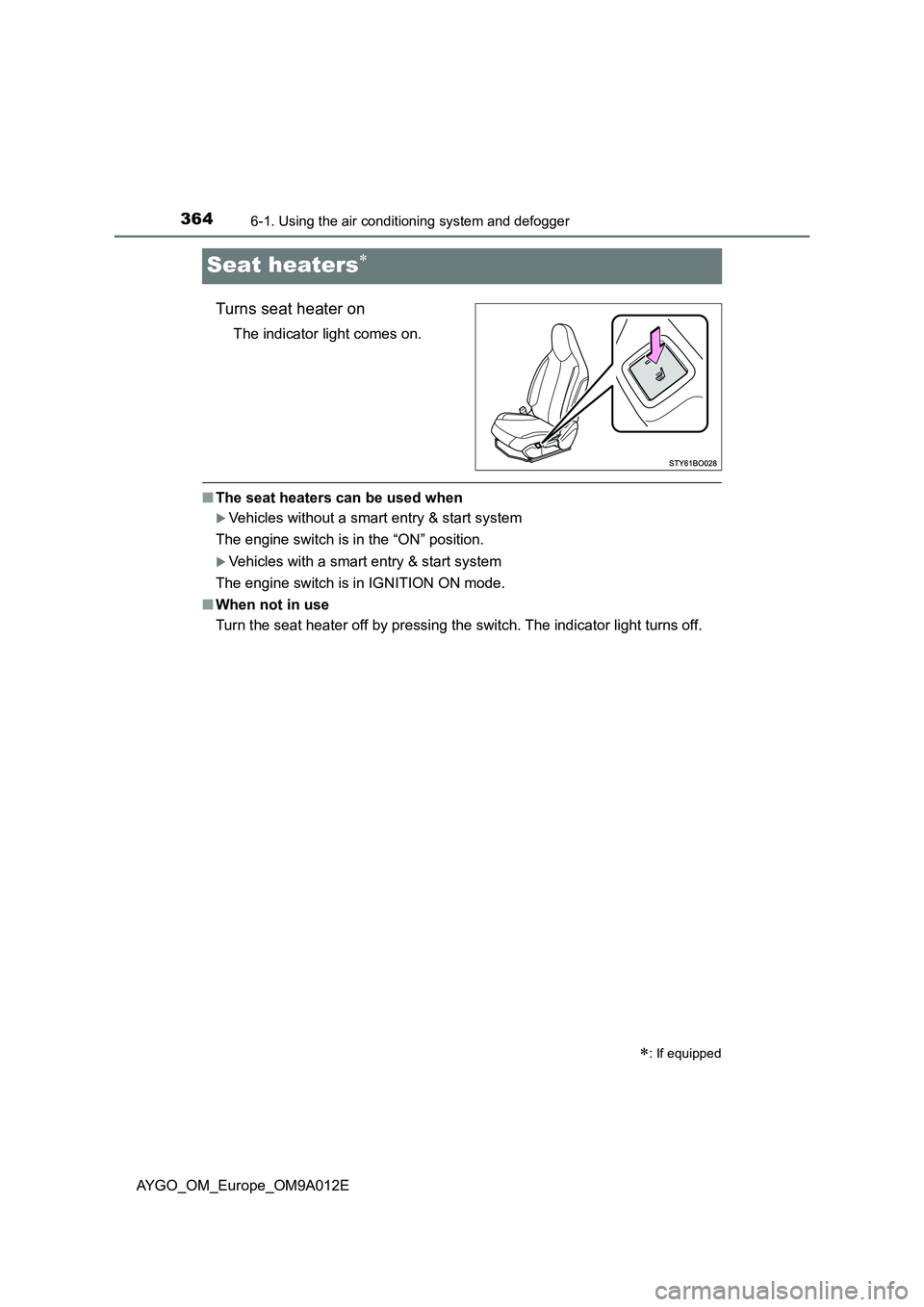
Seat heaters
Turns seat heater on
The indicator light comes on.
■The seat heaters can be used when
Vehicles without a smart entry & start system
The engine switch is in the “ON” position.
Vehicles with a smart entry & start system
The engine switch is in IGNITION ON mode.
■When not in use
Turn the seat heater off by pressing the switch. The indicator light turns off.
: If equipped
Page 376 of 546
3746-4. Other interior features
AYGO_OM_Europe_OM9A012E
Vehicles with a multimedia system
Refer to the “Multimedia owner’s manual”.
Vehicles without a multimedia system
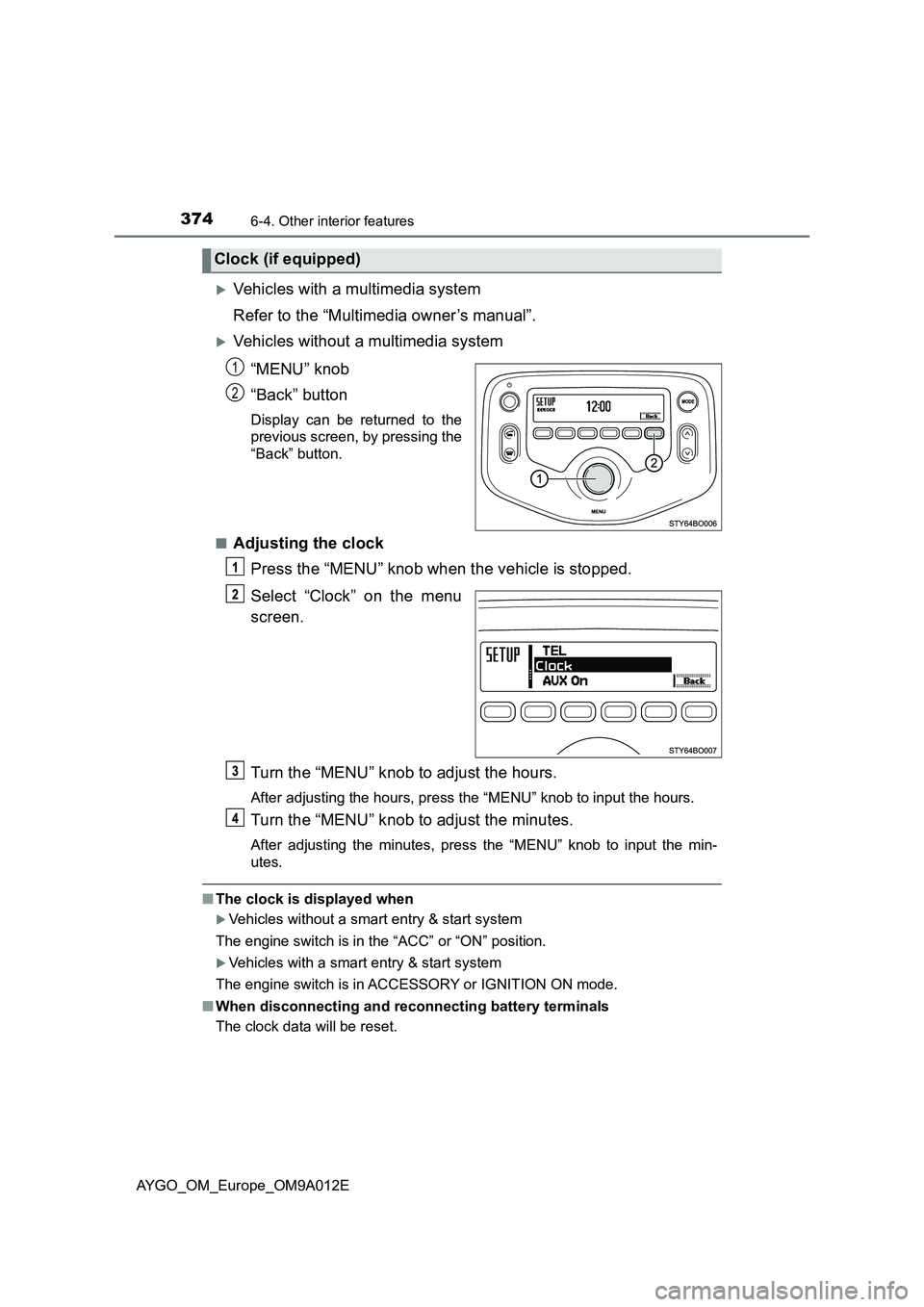
“MENU” knob
“Back” button
Display can be returned to the
previous screen, by pressing the
“Back” button.
■
Adjusting the clock
Press the “MENU” knob when the vehicle is stopped.
Select “Clock” on the menu
screen.
Turn the “MENU” knob to adjust the hours.
After adjusting the hours, press the “MENU” knob to input the hours.
Turn the “MENU” knob to adjust the minutes.
After adjusting the minutes, press the “MENU” knob to input the min-
utes.
■The clock is displayed when
Vehicles without a smart entry & start system
The engine switch is in the “ACC” or “ON” position.
Vehicles with a smart entry & start system
The engine switch is in ACCESSORY or IGNITION ON mode.
■When disconnecting and reconnecting battery terminals
The clock data will be reset.
Clock (if equipped)
1
2
Page 377 of 546
3756-4. Other interior features
6
Interior features
AYGO_OM_Europe_OM9A012E
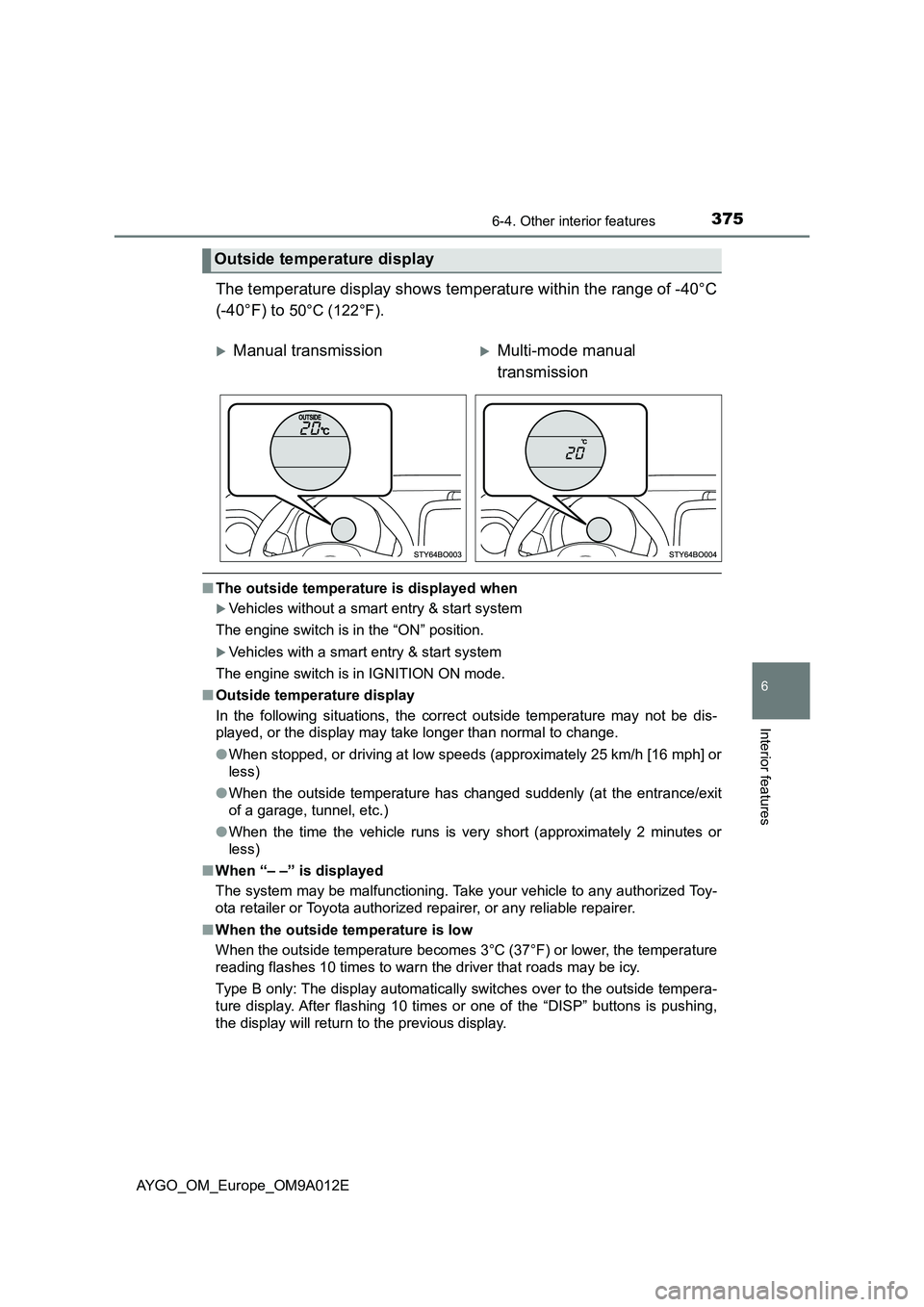
The temperature display shows temperature within the range of -40°C
(-40°F) to
50°C (122°F).
■The outside temperature is displayed when
Vehicles without a smart entry & start system
The engine switch is in the “ON” position.
Vehicles with a smart entry & start system
The engine switch is in IGNITION ON mode.
■Outside temperature display
In the following situations, the correct outside temperature may not be dis-
played, or the display may take longer than normal to change.
●When stopped, or driving at low speeds (approximately 25 km/h [16 mph] or
less)
●When the outside temperature has changed suddenly (at the entrance/exit
of a garage, tunnel, etc.)
●When the time the vehicle runs is very short (approximately 2 minutes or
less)
■When “– –” is displayed
The system may be malfunctioning. Take your vehicle to any authorized Toy-
ota retailer or Toyota authorized repairer, or any reliable repairer.
■When the outside temperature is low
When the outside temperature becomes 3°C (37°F) or lower, the temperature
reading flashes 10 times to warn the driver that roads may be icy.
Type B only: The display automatically switches over to the outside tempera-
ture display. After flashing 10 times or one of the “DISP” buttons is pushing,
the display will return to the previous display.
Outside temperature display
Manual transmissionMulti-mode manual
transmission
Page 378 of 546
3766-4. Other interior features
AYGO_OM_Europe_OM9A012E
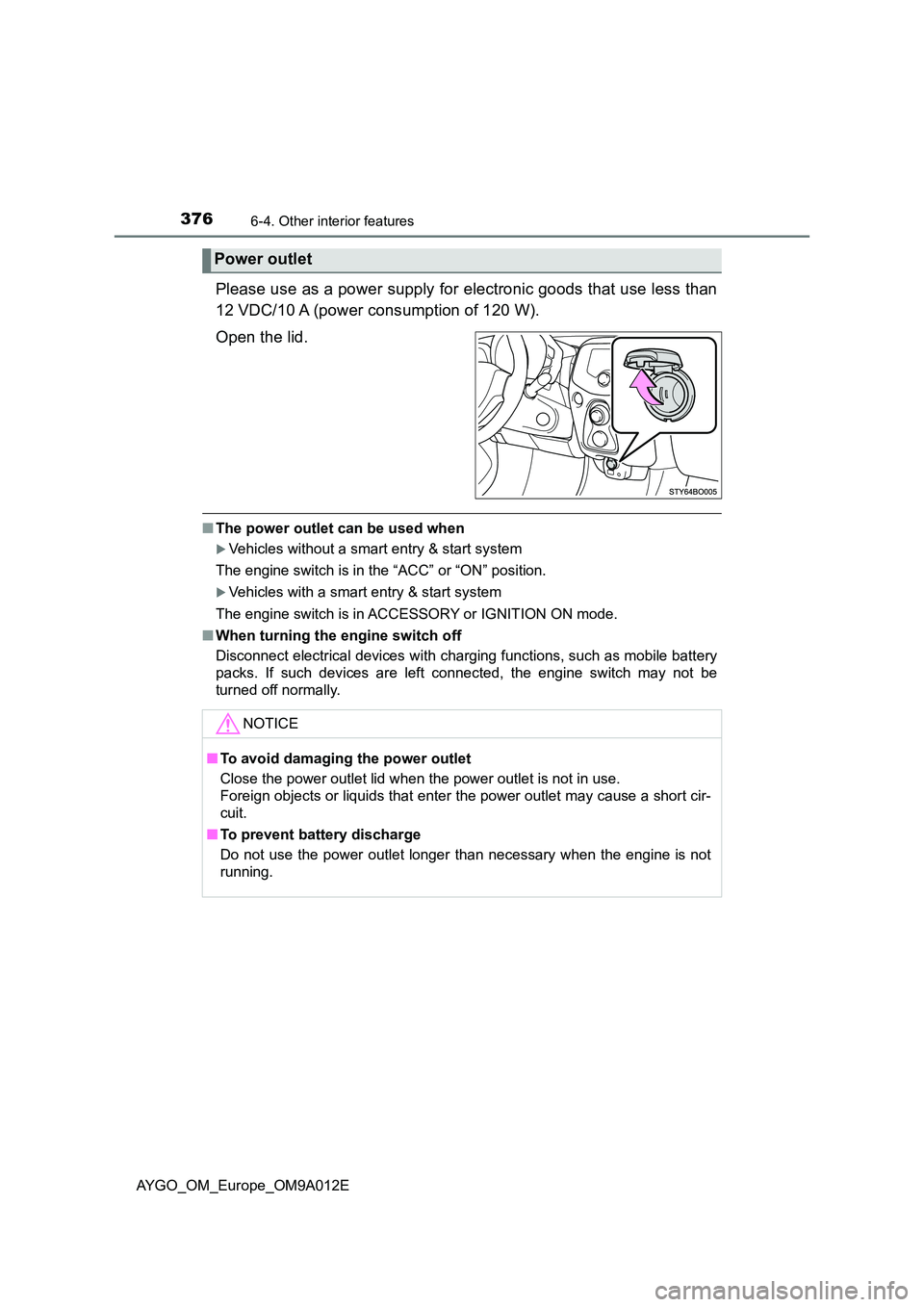
Please use as a power supply for electronic goods that use less than
12 VDC/10 A (power consumption of 120 W).
Open the lid.
■ The power outlet can be used when
Vehicles without a smart entry & start system
The engine switch is in the “ACC” or “ON” position.
Vehicles with a smart entry & start system
The engine switch is in ACCESSORY or IGNITION ON mode.
■ When turning the engine switch off
Disconnect electrical devices with charging functions, such as mobile battery
packs. If such devices are left connected, the engine switch may not be
turned off normally.
Power outlet
NOTICE
■ To avoid damaging the power outlet
Close the power outlet lid when the power outlet is not in use.
Foreign objects or liquids that enter the power outlet may cause a short cir-
cuit.
■ To prevent battery discharge
Do not use the power outlet longer than necessary when the engine is not
running.
Page 390 of 546
3887-3. Do-it-yourself maintenance
AYGO_OM_Europe_OM9A012E
WARNING
The engine compartment contains many mechanisms and fluids that may
move suddenly, become hot, or become el ectrically energized. To avoid death
or serious injury, observe the following precautions.
■ When working on the engine compartment
● Keep hands, clothing and tools away from the moving fan and engine
drive belt.
● Be careful not to touch the engine, radiator, exhaust manifold, etc., right
after driving as they may be hot. Oil and other fluids may also be hot.
● Do not leave anything that may burn easily, such as paper and rags, in the
engine compartment.
● Do not smoke, cause sparks or expose an open flame to fuel or the bat-
tery. Fuel and battery fumes are flammable.
● Be extremely cautious when working on the battery. It contains poisonous
and corrosive sulfuric acid.
● Take care because brake fluid can harm your hands or eyes and damage
painted surfaces. If fluid gets on your hands or in your eyes, flush the
affected area with clean water immediately.
If you still experience discomfort, consult a doctor.
■ When working near the electric cooling fans or radiator grille
Vehicles without a smart entry & start system
Be sure the engine switch is off. With the engine switch in the “ON” position,
the electric cooling fan may automatical ly start to run if the air conditioning
is on and/or the coolant temperature is high. ( P. 398)
Vehicles with a smart entry & start system
Be sure the engine switch is off. With the engine switch in IGNITION ON
mode, the electric cooling fan may automatically start to run if the air condi-
tioning is on and/or the coolant temperature is high. ( P. 398)
■ Safety glasses
Wear safety glasses to prevent flying or falling material, fluid spray, etc.,
from getting in your eyes.
Page 408 of 546
4067-3. Do-it-yourself maintenance
AYGO_OM_Europe_OM9A012E■
How to initialize the tire pressure warning system
Park the vehicle in a safe place and turn the engine switch to the
“LOCK” position (vehicles without a smart entry & start system)
or off (vehicles with a smart entry & start system).
Initialization cannot be performed while the vehicle is moving.
Adjust the tire inflation pressure to the specified cold tire inflation
pressure level. (P. 518)
Make sure to adjust the tire pressure to the specified cold tire inflation
pressure level. The tire pressure warning system will operate based on
this pressure level.
Turn the engine switch to the “ON” position (vehicles without a
smart entry & start system) or IGNITION ON mode (vehicles with
a smart entry & start system).
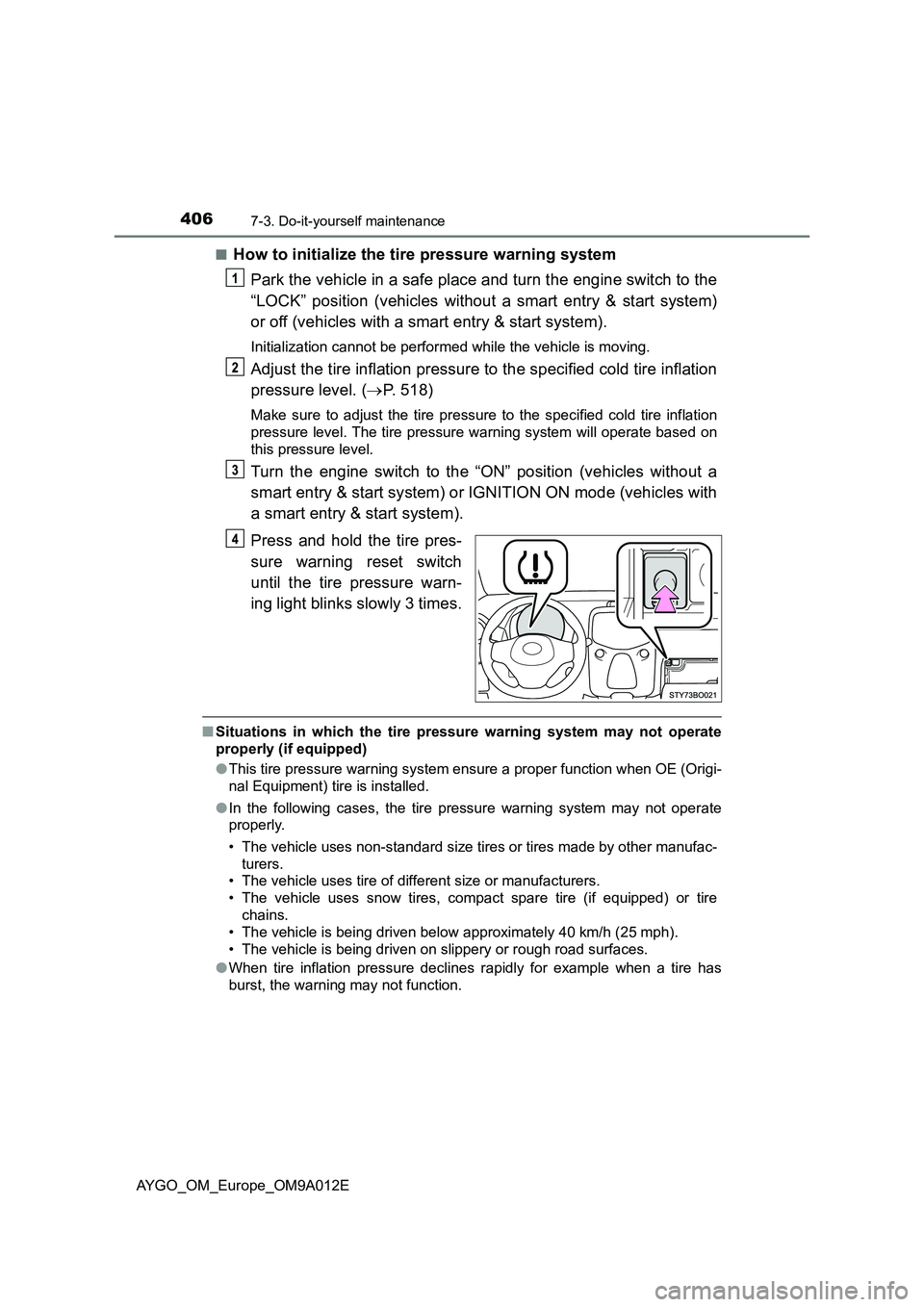
Press and hold the tire pres-
sure warning reset switch
until the tire pressure warn-
ing light blinks slowly 3 times.
■Situations in which the tire pressure warning system may not operate
properly (if equipped)
●This tire pressure warning system ensure a proper function when OE (Origi-
nal Equipment) tire is installed.
●In the following cases, the tire pressure warning system may not operate
properly.
• The vehicle uses non-standard size tires or tires made by other manufac-
turers.
• The vehicle uses tire of different size or manufacturers.
• The vehicle uses snow tires, compact spare tire (if equipped) or tire
chains.
• The vehicle is being driven below approximately 40 km/h (25 mph).
• The vehicle is being driven on slippery or rough road surfaces.
●When tire inflation pressure declines rapidly for example when a tire has
burst, the warning may not function.
Page 448 of 546
4468-2. Steps to take in an emergency
AYGO_OM_Europe_OM9A012E
Securely attach a cables or chains to the towing eyelet.
Take care not to damage the vehicle body.
Vehicles without a smart entry & start system: Enter the vehicle
being towed and start the engine.
If the engine does not start, turn the engine switch to the “ON” position.
Vehicles with a smart entry & start system: Enter the vehicle being
towed and start the engine.
If the engine does not start, turn the engine switch to IGNITION ON mode.
Shift the shift lever to N and release the parking brake.
Vehicles with a multi-mode manual transmission: When the shift
lever cannot be shifted. ( P. 496)
■While towing
If the engine is not running, the power assist for the brakes and steering will
not function, making steering and braking more difficult.
■ Wheel bolt wrench
● Vehicles with a wheel bolt wrench: Wheel bolt wrench is installed in luggage
compartment. ( P. 461, 482)
● Vehicles without a wheel bolt wrench: Wheel bolt wrench can be purchased
at any authorized Toyota retailer or Toyota authorized repairer, or any reli-
able repairer.
Page 500 of 546
4988-2. Steps to take in an emergency
AYGO_OM_Europe_OM9A012E
Ensure that the shift lever is in N and depress the brake pedal
(multi-mode manual transmission) or clutch pedal (manual trans-
mission).
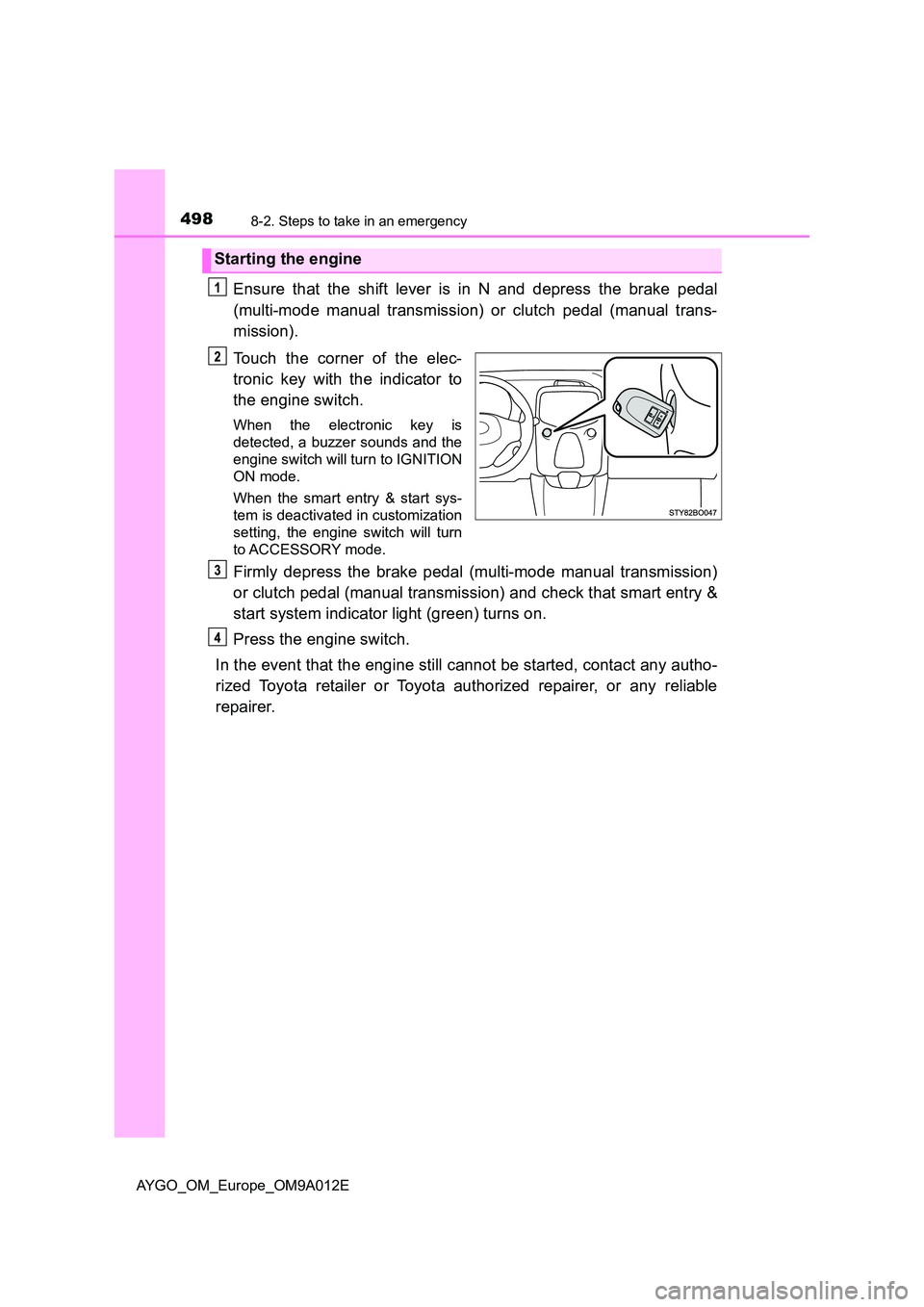
Touch the corner of the elec-
tronic key with the indicator to
the engine switch.
When the electronic key is
detected, a buzzer sounds and the
engine switch will turn to IGNITION
ON mode.
When the smart entry & start sys-
tem is deactivated in customization
setting, the engine switch will turn
to ACCESSORY mode.
Firmly depress the brake pedal (multi-mode manual transmission)
or clutch pedal (manual transmission) and check that smart entry &
start system indicator light (green) turns on.
Press the engine switch.
In the event that the engine still cannot be started, contact any autho-
rized Toyota retailer or Toyota authorized repairer, or any reliable
repairer.
Starting the engine