brakes TOYOTA AYGO X 2022 (in English) User Guide
[x] Cancel search | Manufacturer: TOYOTA, Model Year: 2022, Model line: AYGO X, Model: TOYOTA AYGO X 2022Pages: 494, PDF Size: 92.53 MB
Page 209 of 494
207
4
Owner's Manual_Europe_M99V08_en
4-5. Using the driving support systems
Driving
other systems.
■Objects which the system may not
be properly detected
The shape of the object may prevent the sensor from detecting it. Pay particular
attention to the following objects:
●Wires, fences, ropes, etc.
●Cotton, snow and other materials that absorb sound waves
●Sharply-angled objects
●Low objects
●Tall objects with upper sections pro-
jecting outwards in the direction of your vehicle
■Situations in which the system may not operate properly
Certain vehicle conditions and the sur- rounding environment may affect the ability of a sensor to correctly detect
objects. Particular instances where this may occur are listed below.
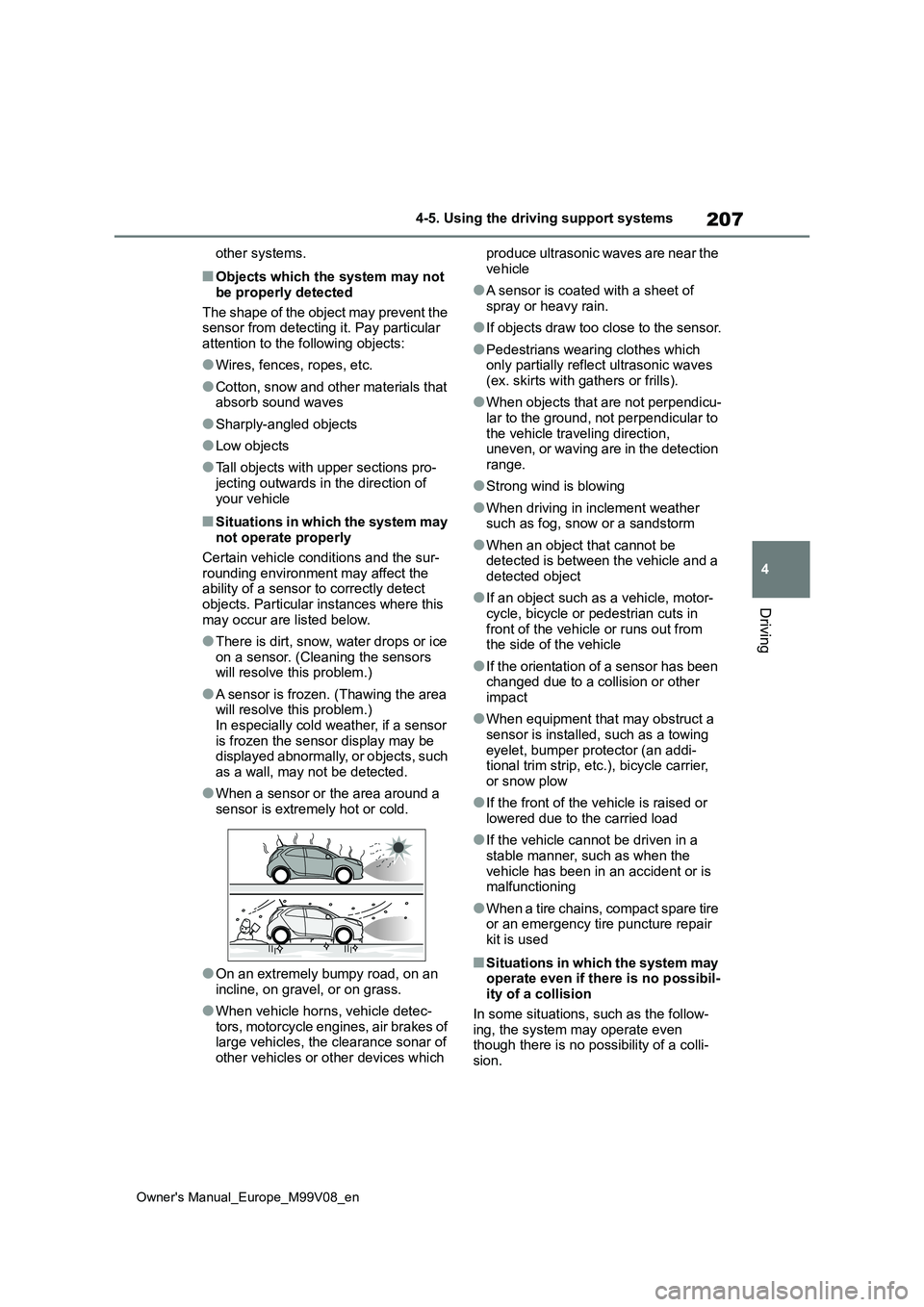
●There is dirt, snow, water drops or ice on a sensor. (Cleaning the sensors will resolve this problem.)
●A sensor is frozen. (Thawing the area will resolve this problem.)
In especially cold weather, if a sensor is frozen the sensor display may be displayed abnormally, or objects, such
as a wall, may not be detected.
●When a sensor or the area around a
sensor is extremely hot or cold.
●On an extremely bumpy road, on an
incline, on gravel, or on grass.
●When vehicle horns, vehicle detec-
tors, motorcycle engines, air brakes of large vehicles, the clearance sonar of other vehicles or other devices which
produce ultrasonic waves are near the
vehicle
●A sensor is coated with a sheet of
spray or heavy rain.
●If objects draw too close to the sensor.
●Pedestrians wearing clothes which only partially reflect ultrasonic waves
(ex. skirts with gathers or frills).
●When objects that are not perpendicu-
lar to the ground, not perpendicular to the vehicle traveling direction, uneven, or waving are in the detection
range.
●Strong wind is blowing
●When driving in inclement weather such as fog, snow or a sandstorm
●When an object that cannot be detected is between the vehicle and a
detected object
●If an object such as a vehicle, motor-
cycle, bicycle or pedestrian cuts in front of the vehicle or runs out from the side of the vehicle
●If the orientation of a sensor has been changed due to a collision or other
impact
●When equipment that may obstruct a
sensor is installed, such as a towing eyelet, bumper protector (an addi-tional trim strip, etc.), bicycle carrier,
or snow plow
●If the front of the vehicle is raised or
lowered due to the carried load
●If the vehicle cannot be driven in a
stable manner, such as when the vehicle has been in an accident or is malfunctioning
●When a tire chains, compact spare tire or an emergency tire puncture repair
kit is used
■Situations in which the system may operate even if there is no possibil-ity of a collision
In some situations, such as the follow- ing, the system may operate even though there is no possibility of a colli-
sion.
Page 210 of 494
208
Owner's Manual_Europe_M99V08_en
4-5. Using the driving support systems
●When driving on a narrow road
●When driving toward a banner, flag, low-hanging branch or boom barrier
(such as those used at railroad cross- ings, toll gates and parking lots)
●When there is a rut or hole in the sur-face of the road
●When driving on a metal cover (grat-ing), such as those used for drainage ditches
●When driving up or down a steep slope
●If a sensor is hit by a large amount of water, such as when driving on a
flooded road
●There is dirt, snow, water drops or ice
on a sensor. (Cleaning the sensors will resolve this problem.)
●A sensor is coated with a sheet of spray or heavy rain
●When driving in inclement weather such as fog, snow or a sandstorm
●When strong winds are blowing
●When vehicle horns, vehicle detec-
tors, motorcycle engines, air brakes of large vehicles, the clearance sonar of other vehicles or other devices which
produce ultrasonic waves are near the vehicle
●If the front of the vehicle is raised or
lowered due to the carried load
●If the orientation of a sensor has been changed due to a collision or other
impact
●The vehicle is approaching a tall or
curved curb
●Driving close to columns (H-shaped
steel beams, etc.) in multi-story park- ing garages, construction sites, etc.
●If the vehicle cannot be driven in a stable manner, such as when the vehicle has been in an accident or is
malfunctioning
●On an extremely bumpy road, on an
incline, on gravel, or on grass
●When a tire chains, compact spare tire
or an emergency tire puncture repair kit is used
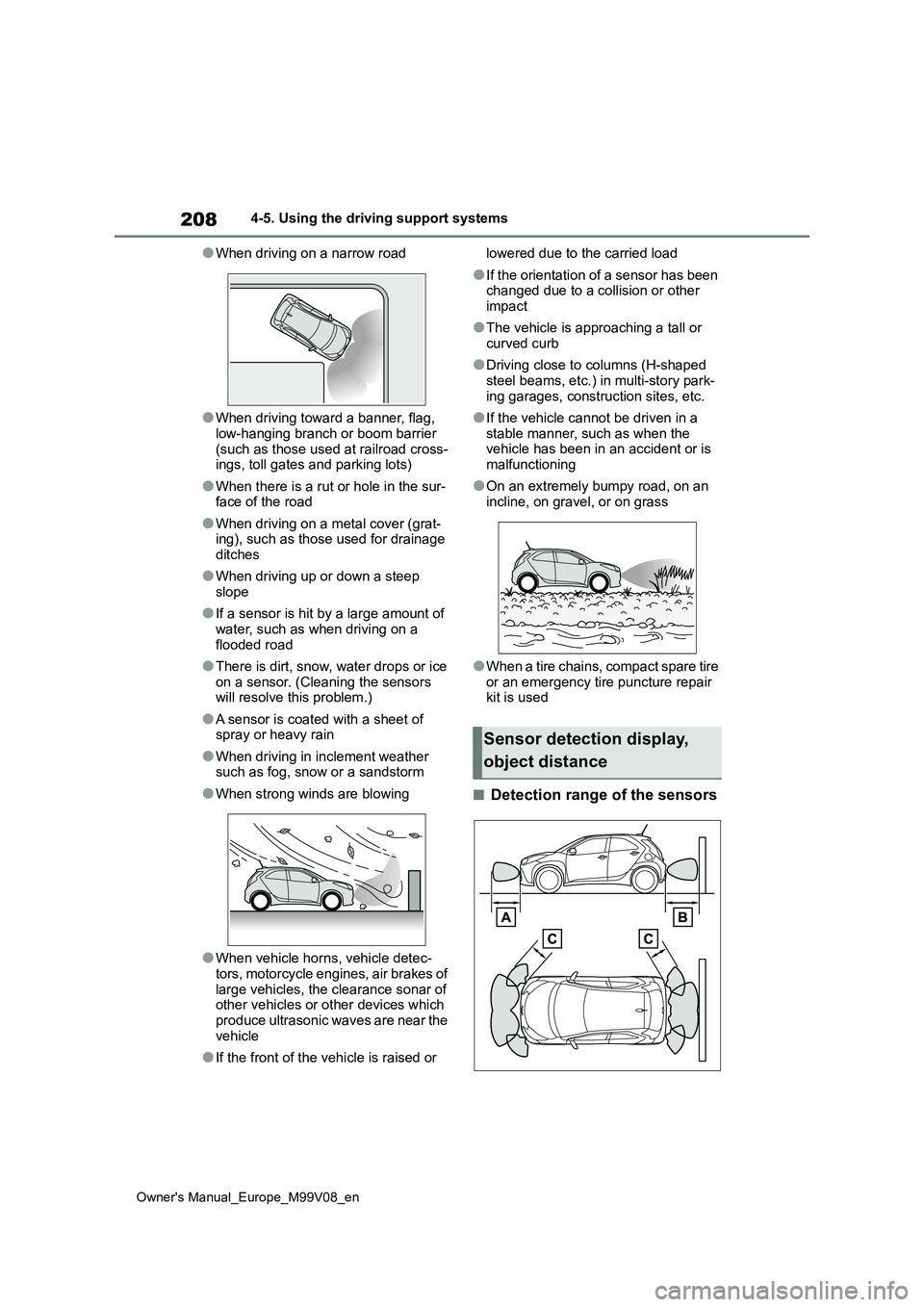
■Detection range of the sensors
Sensor detection display,
object distance
Page 213 of 494
211
4
Owner's Manual_Europe_M99V08_en
4-5. Using the driving support systems
Driving
authorized Toyota retailer or Toyota
authorized repairer, or any reliable repairer immediately.
■ABS (Anti-lock Brake System)
Helps to prevent wheel lock when
the brakes are applied suddenly, or
if the brakes are applied while driv-
ing on a slippery road surface
■Brake assist
Generates an increased level of
braking force after the brake pedal
is depressed when the system
detects a panic stop situation
■VSC (Vehicle Stability Control)
Helps the driver to control skidding
when swerving suddenly or turning
on slippery road surfaces.
■TRC (Traction Control)
Helps to maintain drive power and
prevent the drive wheels from spin-
ning when starting the vehicle or
accelerating on slippery roads
■Active Cornering Assist (ACA)
Helps to prevent the vehicle from
NOTICE
■To prevent the GPF system from
not operating properly
●Do not use fuel other than the spec- ified type
●Do not modify the exhaust pipes
Driving assist systems
To keep driving safety and per-
formance, the following sys-
tems operate automatically in
response to various driving sit-
uations. Be aware, however,
that these systems are supple-
mentary and should not be
relied upon too heavily when
operating the vehicle.
Summary of the driving
assist systems
Page 214 of 494
212
Owner's Manual_Europe_M99V08_en
4-5. Using the driving support systems
drifting to the outer side by perform-
ing inner wheel brake control when
attempting to accelerate while turn-
ing
■Hill-start assist control
Helps to reduce the backward
movement of the vehicle when
starting on an uphill
■EPS (Electric Power Steering)
Employs an electric motor to
reduce the amount of effort needed
to turn the steering wheel.
■Emergency brake signal
When the brakes are applied sud-
denly, the emergency flashers auto-
matically flash to alert the vehicle
behind.
■Secondary Collision Brake
When the SRS airbag sensor
detects a collision and the system
operates, the brakes and brake
lights are automatically controlled
to reduce the vehicle speed and
help reduce the possibility of further
damage due to a secondary colli-
sion.
■When the TRC/VSC systems are
operating
The slip indicator light will flash while the TRC/VSC systems are operating.
■Disabling the TRC system
If the vehicle gets stuck in mud, dirt or
snow, the TRC system may reduce
power from the engine to the wheels.
Pressing to turn the system off may
make it easier for you to rock the vehicle
in order to free it.
To turn the TRC system off, quickly
press and release .
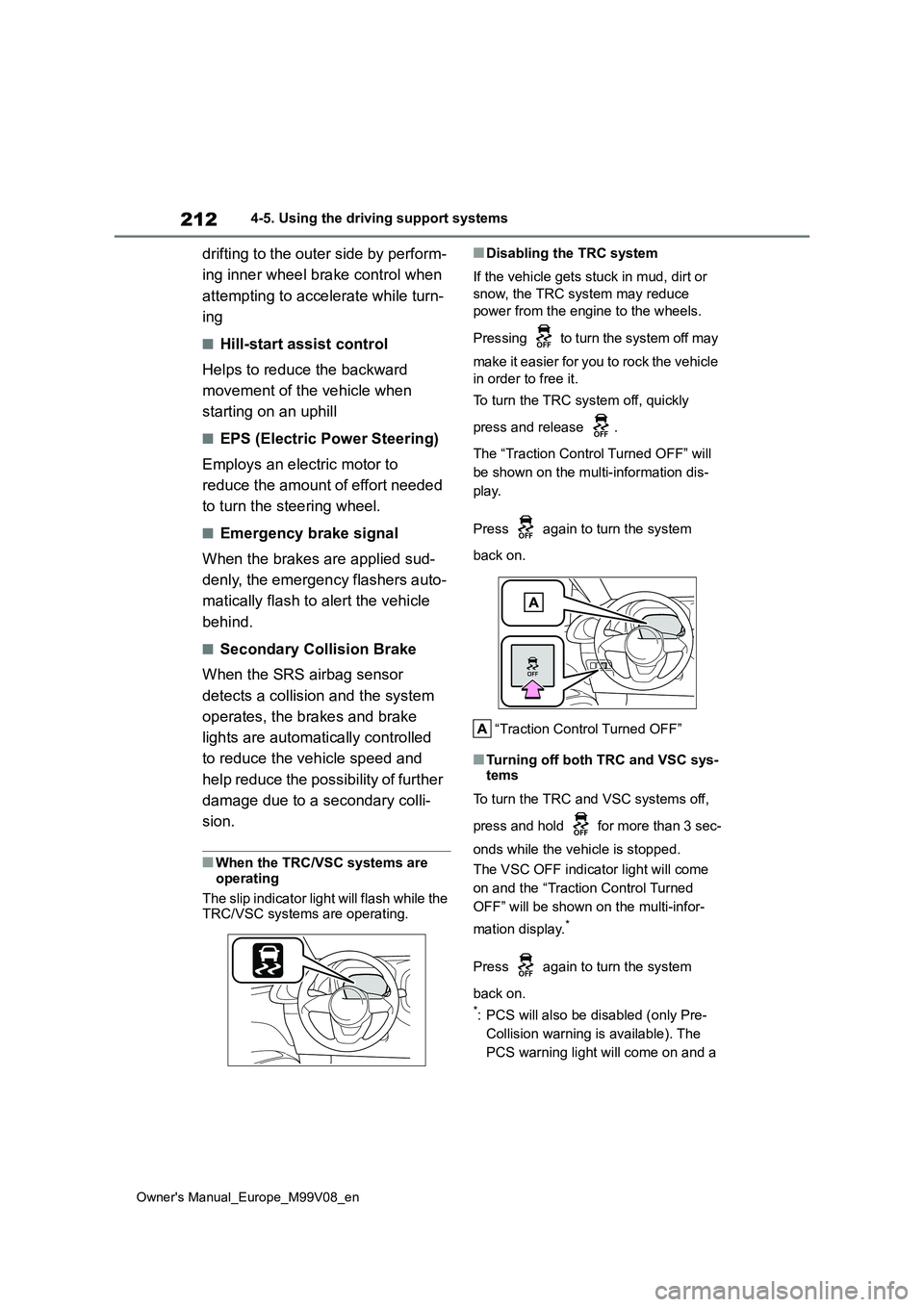
The “Traction Control Turned OFF” will
be shown on the multi-information dis-
play.
Press again to turn the system
back on.
“Traction Control Turned OFF”
■Turning off both TRC and VSC sys- tems
To turn the TRC and VSC systems off,
press and hold for more than 3 sec-
onds while the vehicle is stopped.
The VSC OFF indicator light will come
on and the “Traction Control Turned
OFF” will be shown on the multi-infor-
mation display.*
Press again to turn the system
back on.
*: PCS will also be disabled (only Pre-
Collision warning is available). The
PCS warning light will come on and a
Page 217 of 494
215
4
Owner's Manual_Europe_M99V08_en
4-5. Using the driving support systems
Driving
WARNING
■TRC/VSC may not operate effec- tively when
Directional control and power may not be achievable while driving on slip-pery road surfaces, even if the
TRC/VSC system is operating. Drive the vehicle carefully in conditions where stability and power may be
lost.
■Active Cornering Assist does not
operate effectively when
●Do not overly rely on Active Corner- ing Assist. Active Cornering Assist
may not operate effectively when accelerating down slopes or driving on slippery road surfaces.
●When Active Cornering Assist fre-quently operates, Active Cornering
Assist may temporarily stop operat- ing to ensure proper operation of the brakes, TRC and VSC.
■Hill-start assist control does not operate effectively when
●Do not overly rely on hill-start assist control. Hill-start assist control may not operate effectively on steep
inclines and roads covered with ice.
●Unlike the parking brake, hill-start
assist control is not intended to hold the vehicle stationary for an extended period of time. Do not
attempt to use hill-start assist con- trol to hold the vehicle on an incline, as doing so may lead to an acci-
dent.
■When the TRC/VSC is activated
The slip indicator light flashes. Always drive carefully. Reckless driving may cause an accident. Exercise particular
care when the indicator light flashes.
■When the TRC/VSC systems are turned off
Be especially careful and drive at a
speed appropriate to the road condi- tions. As these are the systems to help ensure vehicle stability and driv-
ing force, do not turn the TRC/VSC systems off unless necessary.
■Replacing tires
Make sure that all tires are of the specified size, brand, tread pattern
and total load capacity. In addition, make sure that the tires are inflated to the recommended tire inflation pres-
sure level. The ABS, TRC and VSC systems will not function correctly if different tires
are installed on the vehicle. Contact any authorized Toyota retailer or Toyota authorized repairer, or any
reliable repairer for further information when replacing tires or wheels.
■Handling of tires and the suspen-sion
Using tires with any kind of problem
or modifying the suspension will affect the driving assist systems, and may cause a system to malfunction.
■Secondary Collision Brake
Do not rely solely upon the Secondary
Collision Brake. This system is designed to help reduce the possibil-ity of further damage due to a second-
ary collision, however, that effect changes according to various condi-tions. Overly relying on the system
may result in death or serious injury.
Page 219 of 494
217
4
Owner's Manual_Europe_M99V08_en
4-6. Driving tips
Driving
Perform the following according to
the driving conditions:
Do not try to forcibly open a win-
dow or move a wiper that is fro-
zen. Pour warm water over the
frozen area to melt the ice. Wipe
away the water immediately to
prevent it from freezing.
To ensure proper operation of
the climate control system fan,
remove any snow that has accu-
mulated on the air inlet vents in
front of the windshield.
Check for and remove any
excess ice or snow that may
have accumulated on the exte-
rior lights, vehicle’s roof, chassis,
around the tires or on the brakes.
Remove any snow or mud from
the bottom of your shoes before
getting in the vehicle.
Accelerate the vehicle slowly, keep
a safe distance between you and
the vehicle ahead, and drive at a
reduced speed suitable to road
conditions.
Park the vehicle and shift the
shift lever to P (Multidrive), or 1
or R (manual transmission) with-
out setting the parking brake.
The parking brake may freeze
up, preventing it from being
released. If the vehicle is parked
without setting the parking brake,
make sure to block the wheels.
Failure to do so may be danger-
ous because it may cause the
vehicle to move unexpectedly,
possibly leading to an accident.
Vehicles with Multidrive: If the
vehicle is parked without setting
the parking brake, confirm that
the shift lever cannot be moved
out of P*.
*: The shift lever will be locked if it is
attempted to be shifted from P to any
other position without depressing the
brake pedal. If the shift lever can be
shifted from P, there may be a prob-
lem with the shift lock system. Have
the vehicle inspected by any autho-
rized Toyota retailer or Toyota autho-
rized repairer, or any reliable repairer
or legitimate tire retailers immedi-
ately.
17-inch tires
Use the correct tire chain size when
mounting the tire chains.
Chain size is regulated for each tire
size.
Before driving the vehicle
When driving the vehicle
When parking the vehicle
Selecting tire chains
Page 247 of 494
245
6
Owner's Manual_Europe_M99V08_en
6-1. Maintenance and care
Maintenance and care
make sure to observe the following
precautions. • Do not use acidic, alkaline or abrasive detergent
• Do not use hard brushes • Do not use detergent on the wheels when they are hot, such as after driv-
ing or parking in hot weather
■Wheels and wheel ornaments (vehi- cles with matte black painted wheels)
As matte black painted wheels require different cleaning methods than conven-tional aluminum wheels, be sure to
observer the following. For details, con- sult any authorized Toyota retailer or Toyota authorized repairer, or any reli-
able repairer.
●Remove dirt using water. If the wheels
are excessively dirty, use a sponge or soft cloth dampened with a diluted neutral detergent to remove the dirt.
●When using detergent, make sure to rinse it off with water immediately.
Then use a soft cloth to wipe off the water.
●To prevent the matte black paint from being damaged, make sure to observe the following precautions:
• Do not scrub or polish the wheels using a brush or dry cloth.• Do not use any wheel coatings or
abrasive detergents. • When using an automatic car wash, disable/do not select the wheel brush
function (if such an option is avail- able).• Do not use a high pressure washer or
steam cleaner. • Do not use detergent on the wheels when they are hot, such as after driv-
ing or parking in hot weather.
■Brake pads and calipers
Rust may form if the vehicle is parked with wet brake pads or disc rotors, caus-
ing them to stick. Before parking the vehicle after it is washed, drive slowly and apply the brakes several times to
dry the parts.
■Bumpers
Do not scrub with abrasive cleaners.
■Plated portions (if equipped)
If dirt cannot be removed, clean the parts as follows:
●Use a soft cloth dampened with an approximately 5% solution of neutral
detergent and water to clean the dirt off.
●Wipe the surface with a dry, soft cloth to remove any remaining moisture.
●To remove oily deposits, use alcohol wet wipes or a similar product.
WARNING
■When washing the vehicle
Do not apply water to the inside of the engine compartment. Doing so may cause the electrical components, etc.
to catch fire.
■When cleaning the windshield
(vehicles with rain-sensing wind- shield wipers)
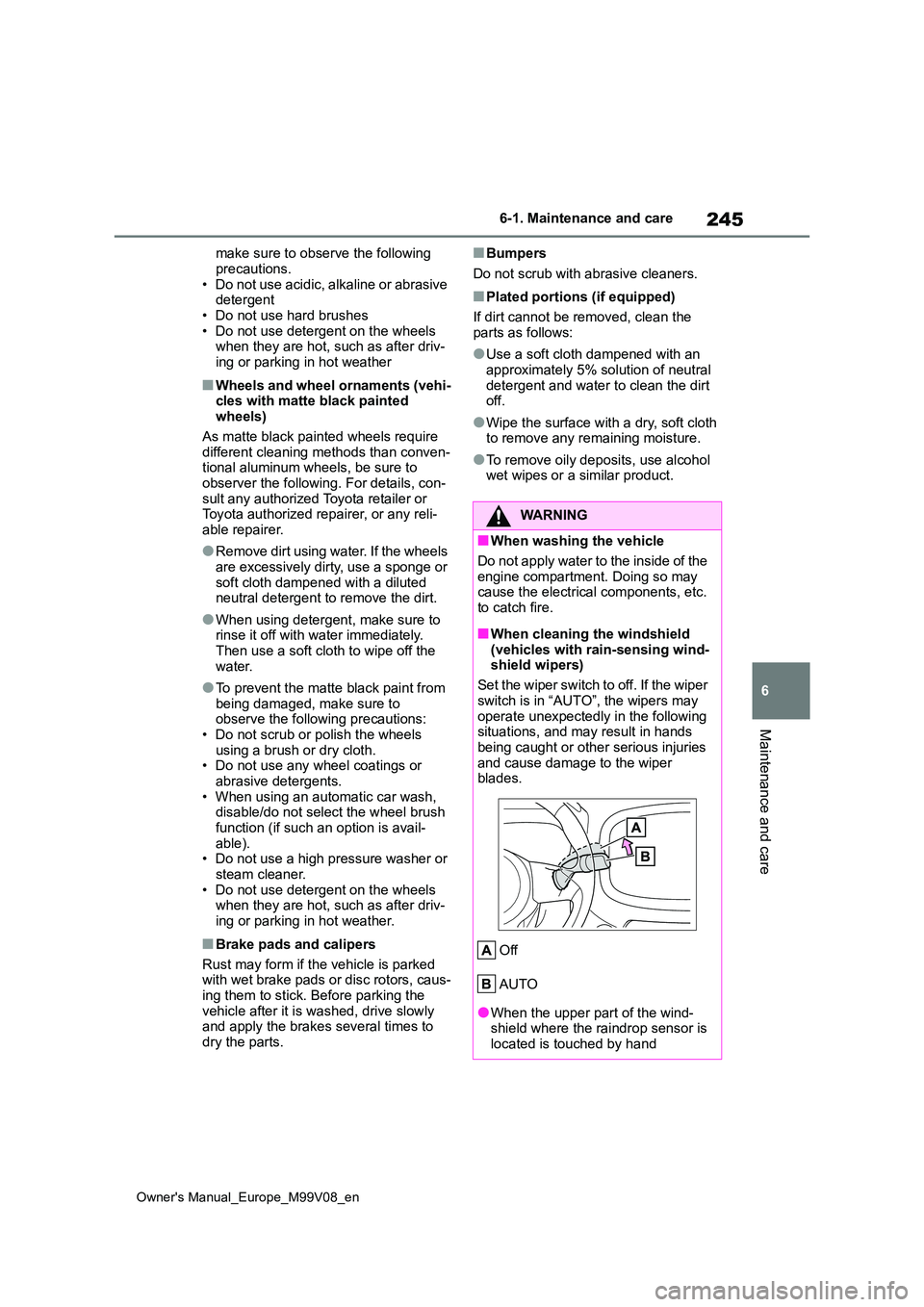
Set the wiper switch to off. If the wiper
switch is in “AUTO”, the wipers may operate unexpectedly in the following situations, and may result in hands
being caught or other serious injuries and cause damage to the wiper blades.
Off
AUTO
●When the upper part of the wind- shield where the raindrop sensor is located is touched by hand
Page 299 of 494
297
7
Owner's Manual_Europe_M99V08_en
7-1. Essential information
When trouble arises
Vehicles with smart entry & start
system
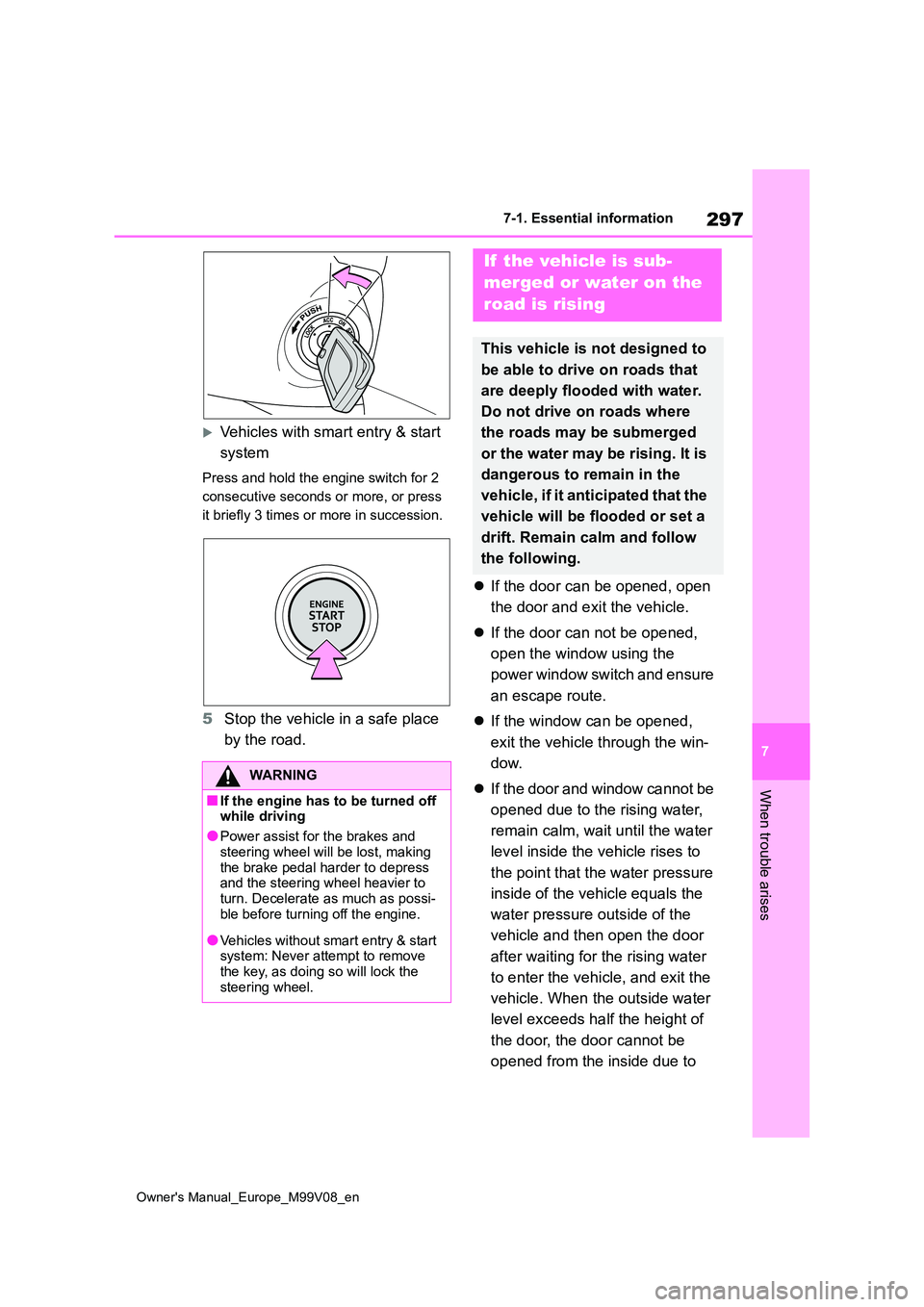
Press and hold the engine switch for 2
consecutive seconds or more, or press
it briefly 3 times or more in succession.
5 Stop the vehicle in a safe place
by the road.
If the door can be opened, open
the door and exit the vehicle.
If the door can not be opened,
open the window using the
power window switch and ensure
an escape route.
If the window can be opened,
exit the vehicle through the win-
dow.
If the door and window cannot be
opened due to the rising water,
remain calm, wait until the water
level inside the vehicle rises to
the point that the water pressure
inside of the vehicle equals the
water pressure outside of the
vehicle and then open the door
after waiting for the rising water
to enter the vehicle, and exit the
vehicle. When the outside water
level exceeds half the height of
the door, the door cannot be
opened from the inside due to
WARNING
■If the engine has to be turned off while driving
●Power assist for the brakes and
steering wheel will be lost, making the brake pedal harder to depress and the steering wheel heavier to
turn. Decelerate as much as possi- ble before turning off the engine.
●Vehicles without smart entry & start system: Never attempt to remove the key, as doing so will lock the
steering wheel.
If the vehicle is sub-
merged or water on the
road is rising
This vehicle is not designed to
be able to drive on roads that
are deeply flooded with water.
Do not drive on roads where
the roads may be submerged
or the water may be rising. It is
dangerous to remain in the
vehicle, if it anticipated that the
vehicle will be flooded or set a
drift. Remain calm and follow
the following.
Page 302 of 494
300
Owner's Manual_Europe_M99V08_en
7-2. Steps to take in an emergency
When using a flat-bed truck to
transport the vehicle, use tire strap-
ping belts. Refer to the owner’s
manual of the flat-bed truck for the
tire strapping method.
In order to suppress vehicle move-
ment during transportation, set the
parking brake and turn the engine
switch off.
If a tow truck is not available in an
emergency, your vehicle may be
temporarily towed using cables or
chains secured to the emergency
towing eyelets. This should only be
attempted on hard surfaced roads
for at most 80 km (50 miles) at
under 30 km/h (18 mph).
A driver must be in the vehicle to
steer and operate the brakes. The
vehicle’s wheels, drivetrain, axles,
steering and brakes must be in
good condition.
For vehicles with Multidrive, only
the front towing eyelets may be
used.
To have your vehicle towed by
another vehicle, the towing eyelet
must be installed to your vehicle.
Install the towing eyelet using the
following procedure.
WARNING
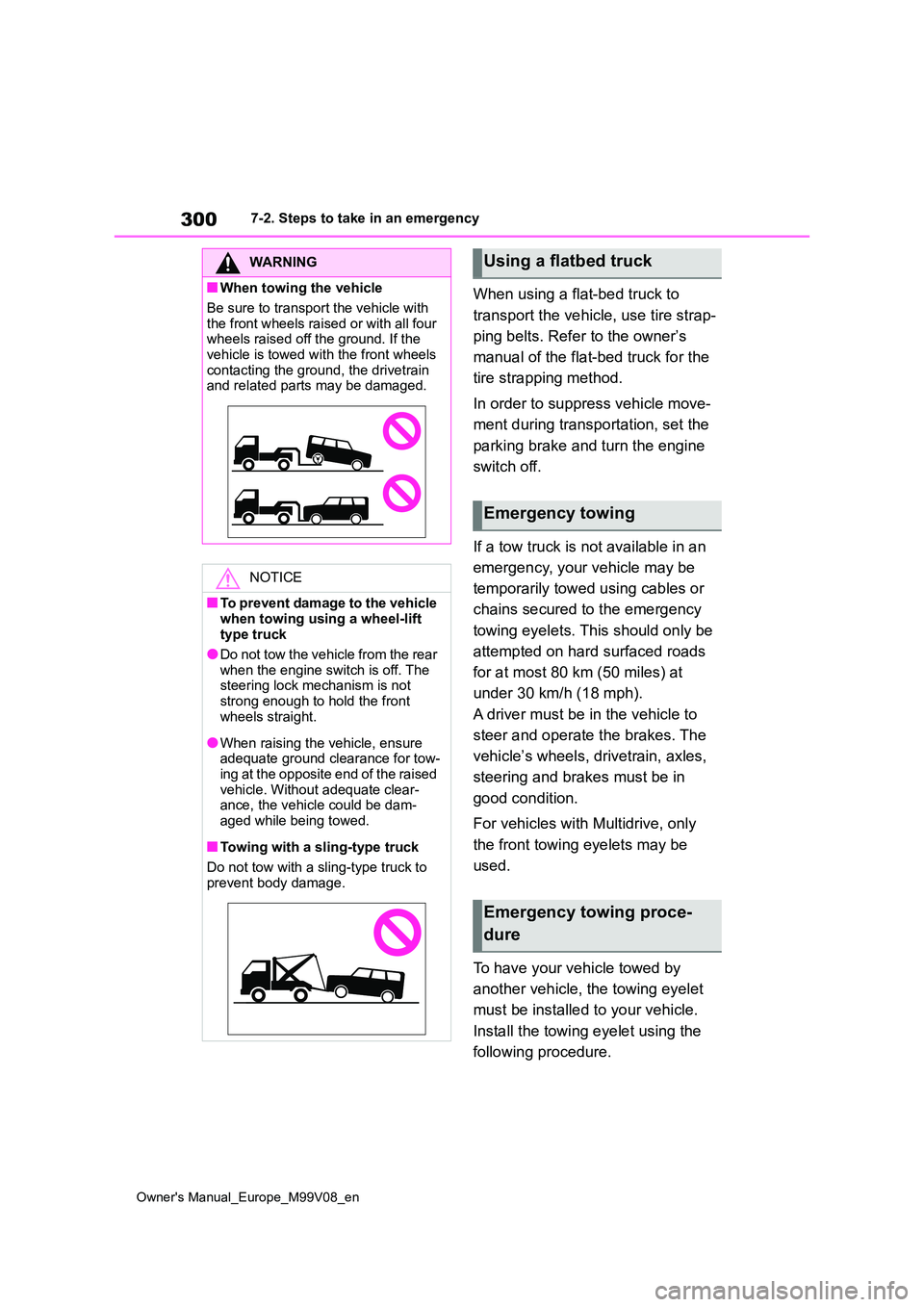
■When towing the vehicle
Be sure to transport the vehicle with
the front wheels raised or with all four wheels raised off the ground. If the vehicle is towed with the front wheels
contacting the ground, the drivetrain and related parts may be damaged.
NOTICE
■To prevent damage to the vehicle
when towing using a wheel-lift type truck
●Do not tow the vehicle from the rear
when the engine switch is off. The steering lock mechanism is not strong enough to hold the front
wheels straight.
●When raising the vehicle, ensure adequate ground clearance for tow-ing at the opposite end of the raised
vehicle. Without adequate clear- ance, the vehicle could be dam-aged while being towed.
■Towing with a sling-type truck
Do not tow with a sling-type truck to
prevent body damage.
Using a flatbed truck
Emergency towing
Emergency towing proce-
dure
Page 303 of 494
301
7
Owner's Manual_Europe_M99V08_en
7-2. Steps to take in an emergency
When trouble arises
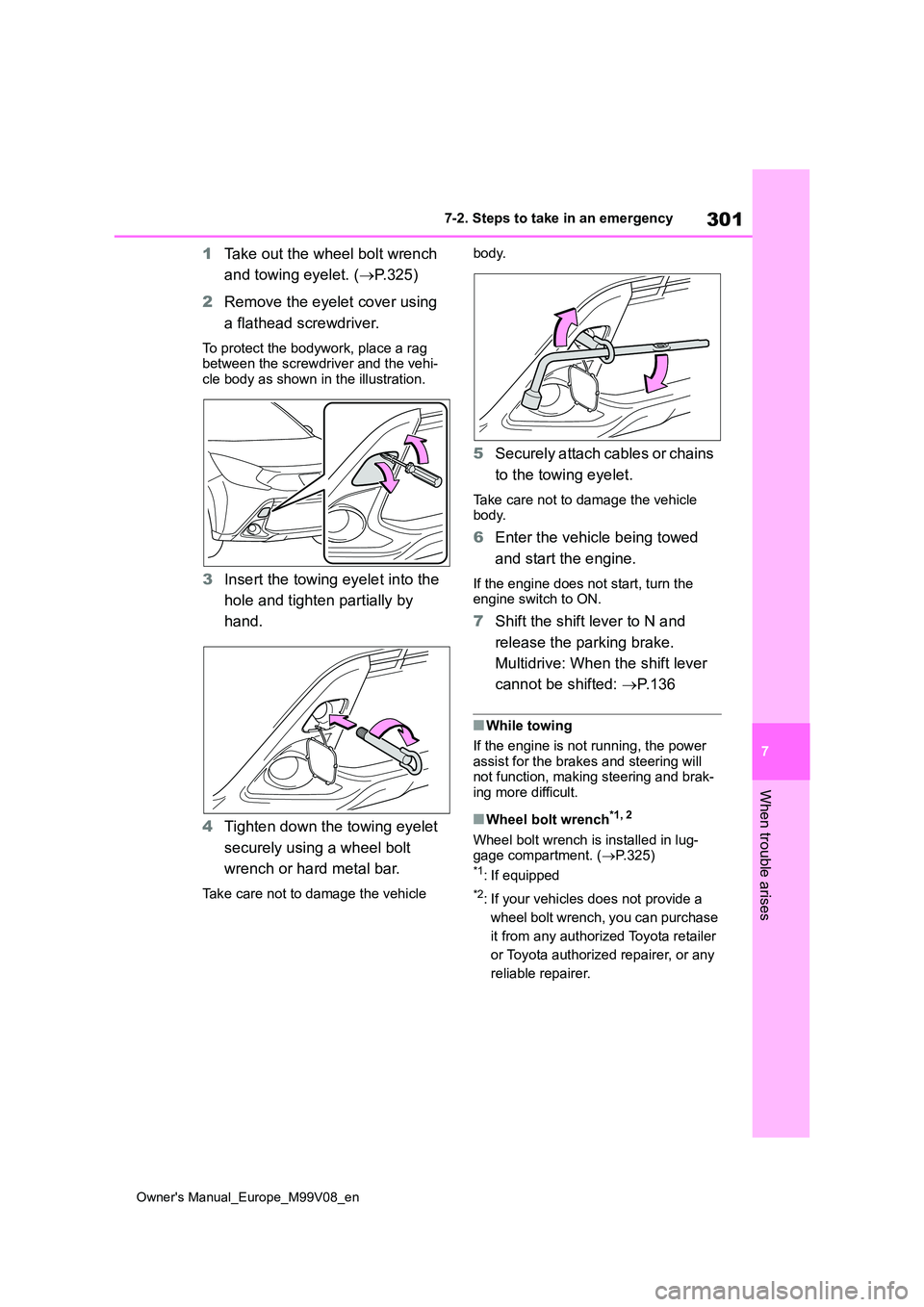
1Take out the wheel bolt wrench
and towing eyelet. ( P.325)
2 Remove the eyelet cover using
a flathead screwdriver.
To protect the bodywork, place a rag between the screwdriver and the vehi-cle body as shown in the illustration.
3 Insert the towing eyelet into the
hole and tighten partially by
hand.
4 Tighten down the towing eyelet
securely using a wheel bolt
wrench or hard metal bar.
Take care not to damage the vehicle
body.
5 Securely attach cables or chains
to the towing eyelet.
Take care not to damage the vehicle body.
6 Enter the vehicle being towed
and start the engine.
If the engine does not start, turn the engine switch to ON.
7 Shift the shift lever to N and
release the parking brake.
Multidrive: When the shift lever
cannot be shifted: P.136
■While towing
If the engine is not running, the power assist for the brakes and steering will not function, making steering and brak-
ing more difficult.
■Wheel bolt wrench*1, 2
Wheel bolt wrench is installed in lug- gage compartment. ( P.325)*1: If equipped
*2: If your vehicles does not provide a
wheel bolt wrench, you can purchase
it from any authorized Toyota retailer
or Toyota authorized repairer, or any
reliable repairer.