tow TOYOTA C-HR 2020 (in English) Owner's Manual
[x] Cancel search | Manufacturer: TOYOTA, Model Year: 2020, Model line: C-HR, Model: TOYOTA C-HR 2020Pages: 536, PDF Size: 11.99 MB
Page 231 of 536

2314-5. Using the driving support systems
4
Driving
C-HR_OM_USA_OM10634U
WARNING
■When to disable the pre-collision system
In the following situations, disable the system, as it may not operate prop-
erly, possibly leading to an accident resulting in death or ser ious injury:
● When the vehicle is being towed
● When your vehicle is towing another vehicle
● When transporting the vehicle via truck, boat, train or similar means of
transportation
● When the vehicle is raised on a lift with the engine running an d the tires
are allowed to rotate freely
● When inspecting the vehicle using a drum tester such as a chass is dyna-
mometer or speedometer tester, or when using an on vehicle whee l bal-
ancer
● When a strong impact is applied to the front bumper or front gr ille, due to
an accident or other reasons
● If the vehicle cannot be driven in a stable manner, such as when the vehi-
cle has been in an accident or is malfunctioning
● When the vehicle is driven in a sporty manner or off-road
● When the tires are not properly inflated
● When the tires are very worn
● When tires of a size other than specified are installed
● When tire chains are installed
● When a compact spare tire or an emergency tire puncture repair kit is used
● If equipment (snow plow, etc.) that may obstruct the radar sens or or cam-
era sensor is temporarily installed to the vehicle
Page 237 of 536
2374-5. Using the driving support systems
4
Driving
C-HR_OM_USA_OM10634U• When rapidly closing on an electric toll gate barrier, parking area barrier,
or other barrier that opens and closes
• When using an automatic car wash
• When the vehicle is hit by water, snow, dust, etc., from a vehicle ahead
• When driving through steam or smoke
• When there are patterns or paint on the road or a wall that may be mis- taken for a vehicle or pedestrian
• When driving near an object that reflects radio waves, such as a large
truck or guardrail
• When driving near a TV tower, broadcasting station, electric power plant, or other location where strong radio waves or electrical noise may be
present
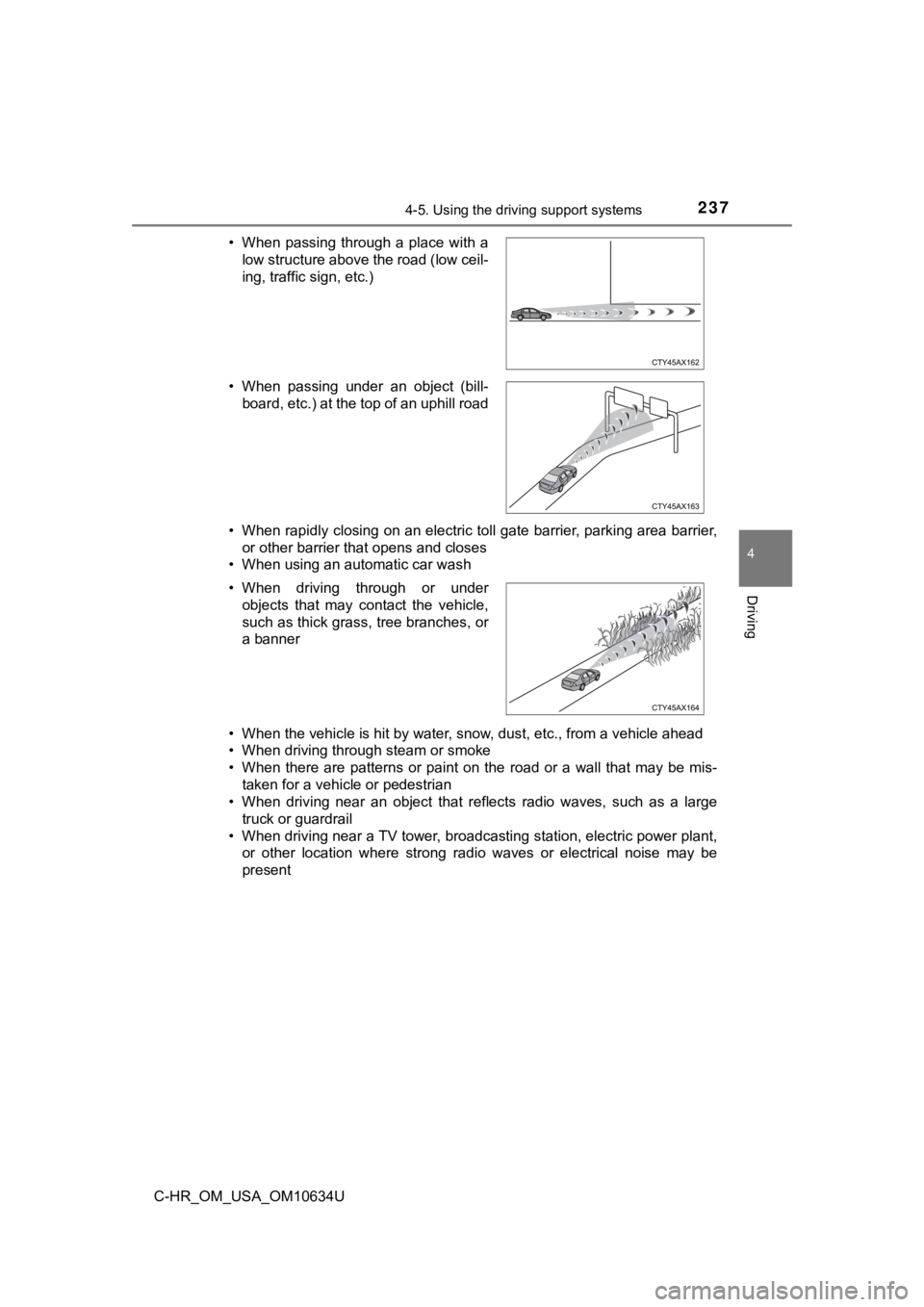
• When passing through a place with a
low structure above the road (low ceil-
ing, traffic sign, etc.)
• When passing under an object (bill- board, etc.) at the top of an uphill road
• When driving through or under objects that may contact the vehicle,
such as thick grass, tree branches, or
a banner
Page 244 of 536
2444-5. Using the driving support systems
C-HR_OM_USA_OM10634U
WARNING
■Before using LDA system
Do not rely solely upon the LDA system. The LDA system does not auto-
matically drive the vehicle or reduce the amount of attention that must be
paid to the area in front of the vehicle. The driver must always assume full
responsibility for driving safely by paying careful attention to the surround-
ing conditions and operating the steering wheel to correct the path of the
vehicle. Also, the driver must take adequate breaks when fatigu ed, such as
from driving for a long period of time.
Failure to perform appropriate driving operations and pay careful attention
may lead to an accident, resulting in death or serious injury.
■ To avoid operating LDA system by mistake
When not using the LDA system, use the LDA switch to turn the s ystem off.
■ Situations unsuitable for LDA system
Do not use the LDA system in the following situations.
The system may not operate properly and lead to an accident, re sulting in
death or serious injury.
● A compact spare tire, tire chains, etc., are equipped.
● When the tires have been excessively worn, or when the tire inf lation pres-
sure is low.
● Tires which differ by structure, manufacturer, brand or tread p attern are
used.
● Objects or patterns that could be mistaken for white (yellow) l ines are
present on the side of the road (guardrails, curbs, reflective poles, etc.).
● Vehicle is driven on a snow-covered road.
● White (yellow) lines are difficult to see due to rain, snow, fo g, dust, etc.
● Asphalt repair marks, white (yellow) line marks, etc., are present due to
road repair.
● Vehicle is driven in a temporary lane or restricted lane due to construction
work.
● Vehicle is driven on a road surface which is slippery due to rainy weather,
fallen snow, freezing, etc.
● Vehicle is driven in traffic lanes other than on highways and freeways.
● Vehicle is driven in a construction zone.
● During emergency towing.
Page 254 of 536

2544-5. Using the driving support systems
C-HR_OM_USA_OM10634U
WARNING
●Assisting the driver to operate the vehicle
The dynamic radar cruise control with full-speed range has limited capabil-
ity to prevent or avoid a collision with a vehicle traveling ahead. Therefore,
if there is ever any danger, the driver must take immediate and direct con-
trol of the vehicle and act appropriately in order to ensure th e safety of all
involved.
■ Situations unsuitable for dynamic radar cruise control with ful l-speed
range
Do not use dynamic radar cruise control with full-speed range in any of the
following situations.
Doing so may result in inappropriate speed control and could ca use an acci-
dent resulting in death or serious injury.
● Roads where there are pedestrians, cyclists, etc.
● In heavy traffic
● On roads with sharp bends
● On winding roads
● On slippery roads, such as those covered with rain, ice or snow
● On steep downhills, or where there are sudden changes between s harp up
and down gradients
Vehicle speed may exceed the set speed when driving down a stee p hill.
● At entrances to freeways and highways
● When weather conditions are bad enough that they may prevent the sen-
sors from detecting correctly (fog, snow, sandstorm, heavy rain, etc.)
● When there is rain, snow, etc., on the front surface of the rad ar sensor or
camera sensor
● In traffic conditions that require frequent repeated acceleration and decel-
eration
● During emergency towing
● When an approach warning buzzer is heard often
Page 260 of 536
2604-5. Using the driving support systems
C-HR_OM_USA_OM10634U
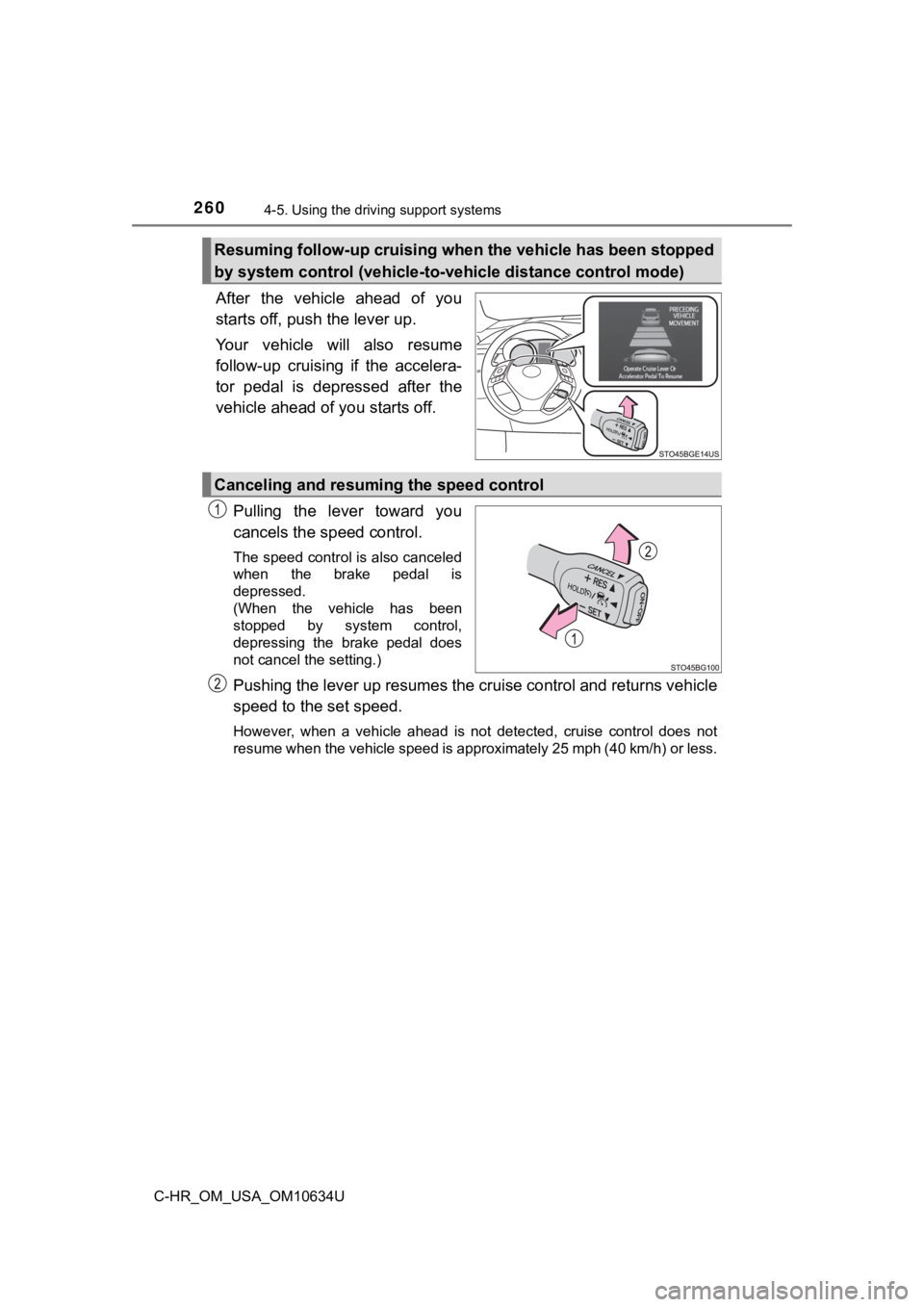
After the vehicle ahead of you
starts off, push the lever up.
Your vehicle will also resume
follow-up cruising if the accelera-
tor pedal is depressed after the
vehicle ahead of you starts off.
Pulling the lever toward you
cancels the speed control.
The speed control is also canceled
when the brake pedal is
depressed.
(When the vehicle has been
stopped by system control,
depressing the brake pedal does
not cancel the setting.)
Pushing the lever up resumes the cruise control and returns veh icle
speed to the set speed.
However, when a vehicle ahead is not detected, cruise control does not
resume when the vehicle speed is approximately 25 mph (40 km/h) or less.
Resuming follow-up cruising when the vehicle has been stopped
by system control (vehicle-to-vehicle distance control mode)
Canceling and resuming the speed control
Page 269 of 536
2694-5. Using the driving support systems
4
Driving
C-HR_OM_USA_OM10634U
BSM (Blind Spot Monitor)
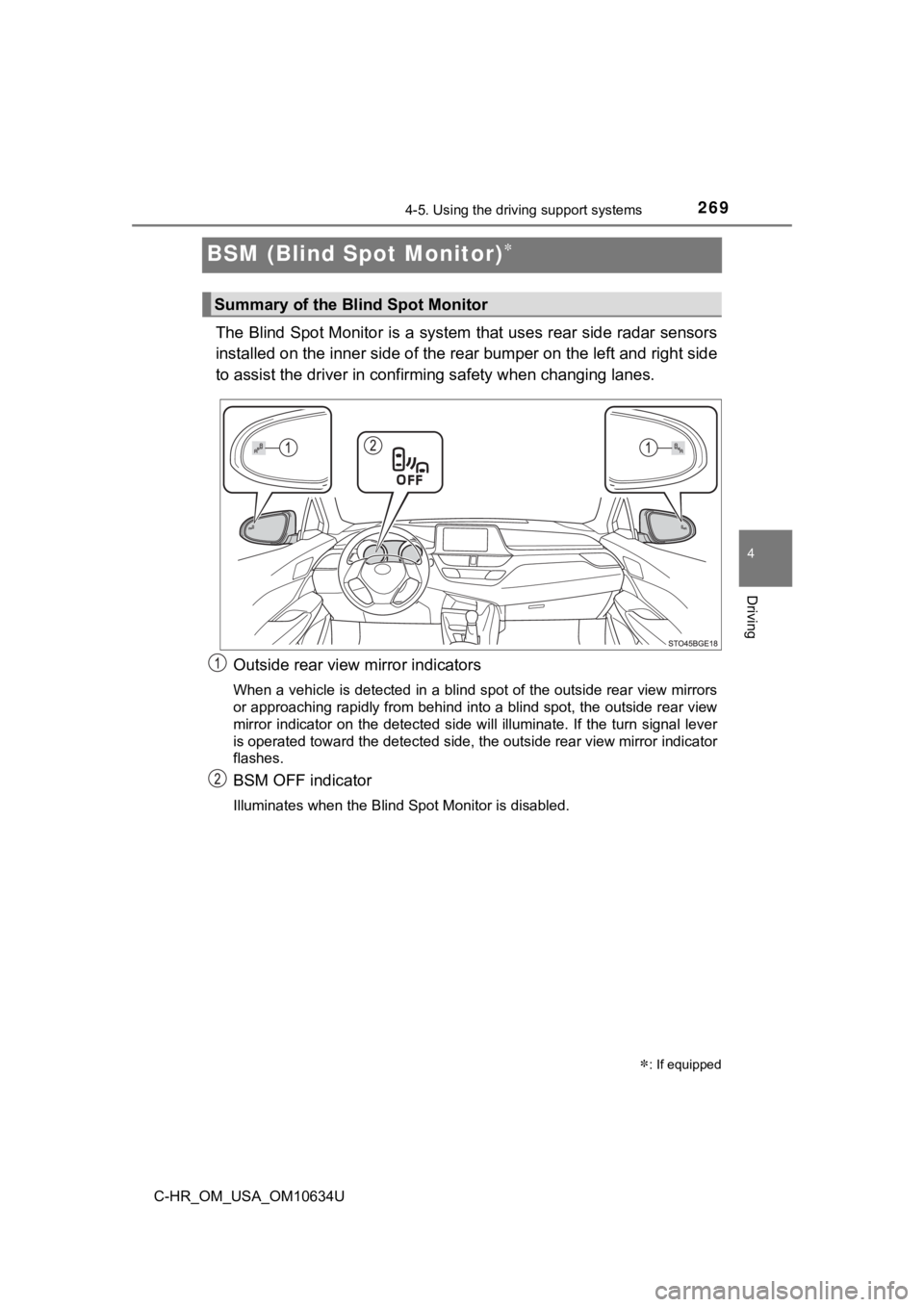
The Blind Spot Monitor is a system that uses rear side radar sensors
installed on the inner side of the rear bumper on the left and right side
to assist the driver in confir ming safety when changing lanes.
Outside rear view mirror indicators
When a vehicle is detected in a blind spot of the outside rear view mirrors
or approaching rapidly from behind into a blind spot, the outsi de rear view
mirror indicator on the detected side will illuminate. If the t urn signal lever
is operated toward the detected side, the outside rear view mir ror indicator
flashes.
BSM OFF indicator
Illuminates when the Blind Spot Monitor is disabled.
: If equipped
Summary of the Blind Spot Monitor
Page 285 of 536
2854-5. Using the driving support systems
4
Driving
C-HR_OM_USA_OM10634U●
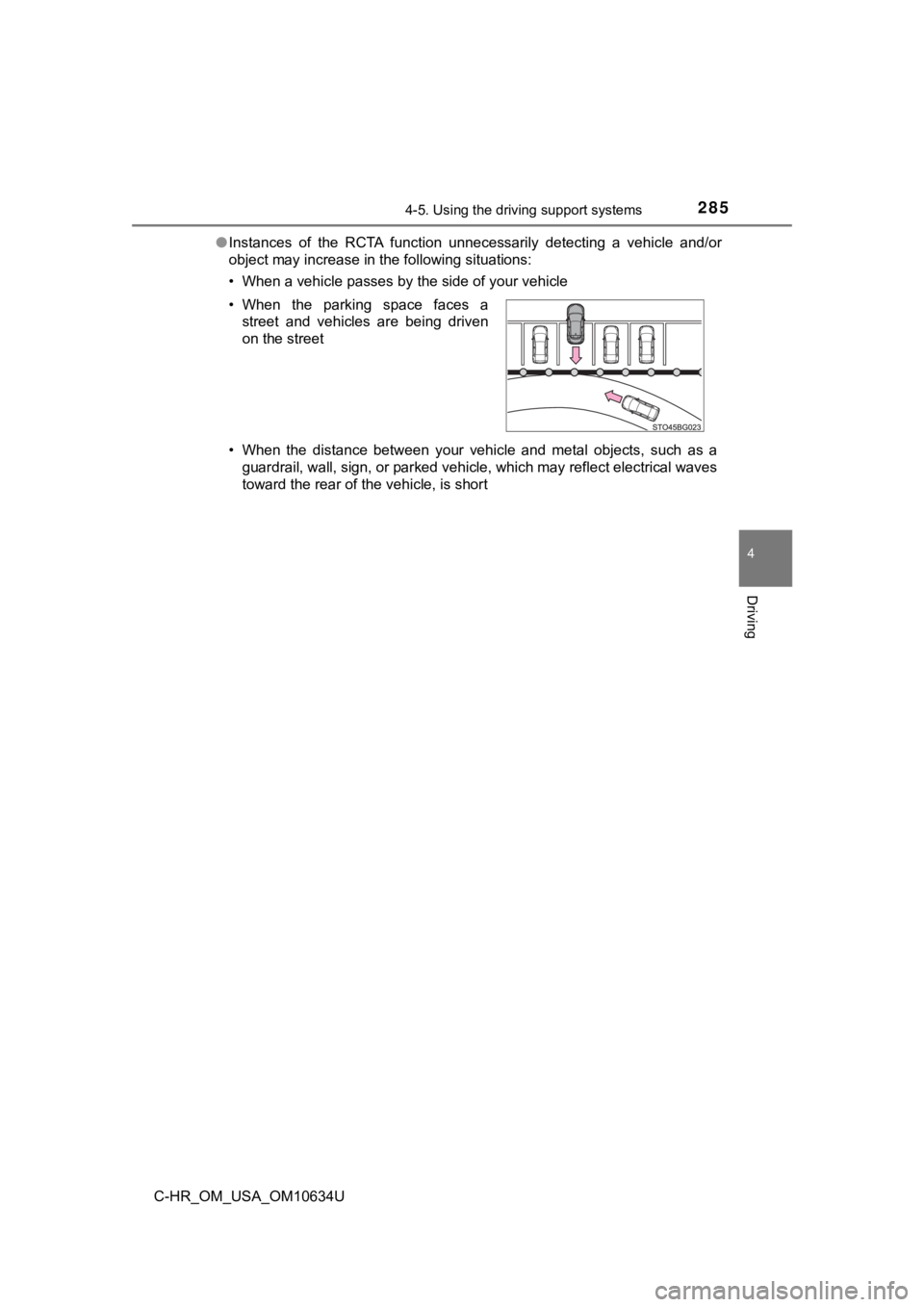
Instances of the RCTA function unnecessarily detecting a vehicl e and/or
object may increase in the following situations:
• When a vehicle passes by the side of your vehicle
• When the distance between your vehicle and metal objects, such as a
guardrail, wall, sign, or parked vehicle, which may reflect electrical waves
toward the rear of the vehicle, is short
• When the parking space faces a
street and vehicles are being driven
on the street
Page 313 of 536
3135-3. Using the storage features
5
Interior features
C-HR_OM_USA_OM10634U
●When storing a bottle, close the cap.
● The bottle may not be stored depending on its size or shape.
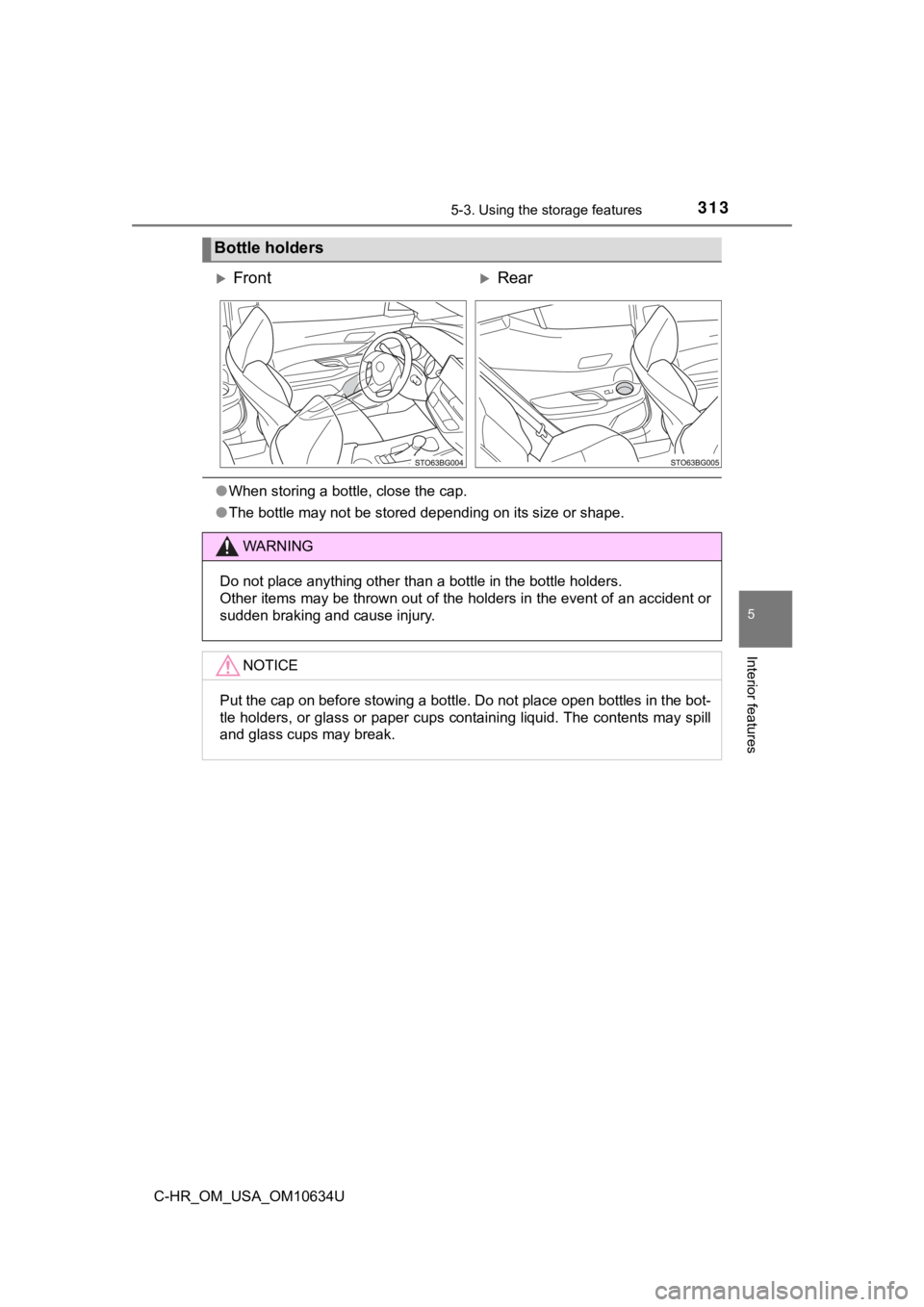
Bottle holders
FrontRear
WARNING
Do not place anything other than a bottle in the bottle holders .
Other items may be thrown out of the holders in the event of an accident or
sudden braking and cause injury.
NOTICE
Put the cap on before stowing a bottle. Do not place open bottl es in the bot-
tle holders, or glass or paper cups containing liquid. The cont ents may spill
and glass cups may break.
Page 316 of 536
3165-3. Using the storage features
C-HR_OM_USA_OM10634U
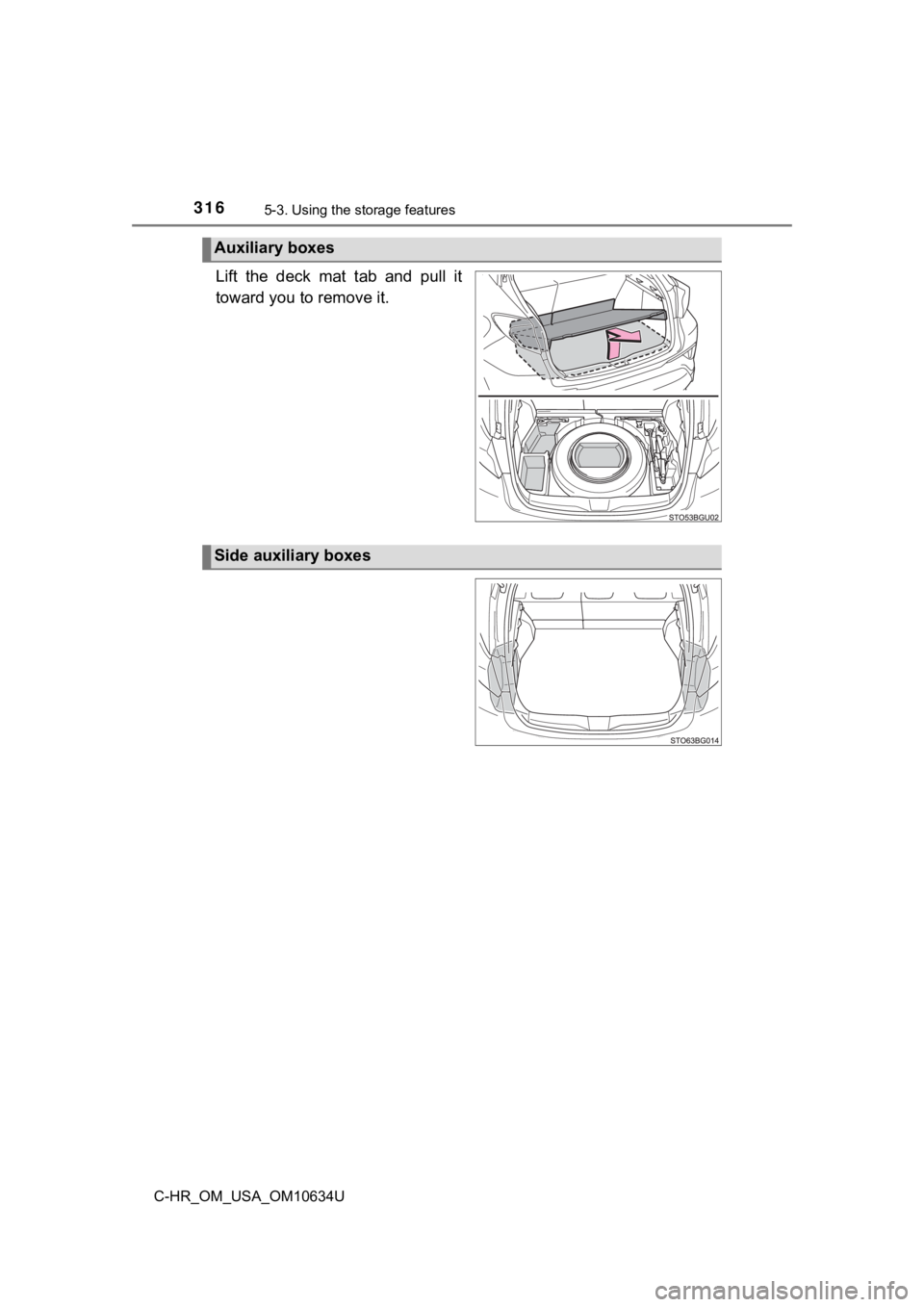
Lift the deck mat tab and pull it
toward you to remove it.
Auxiliary boxes
Side auxiliary boxes
Page 317 of 536
3175-3. Using the storage features
5
Interior features
C-HR_OM_USA_OM10634U
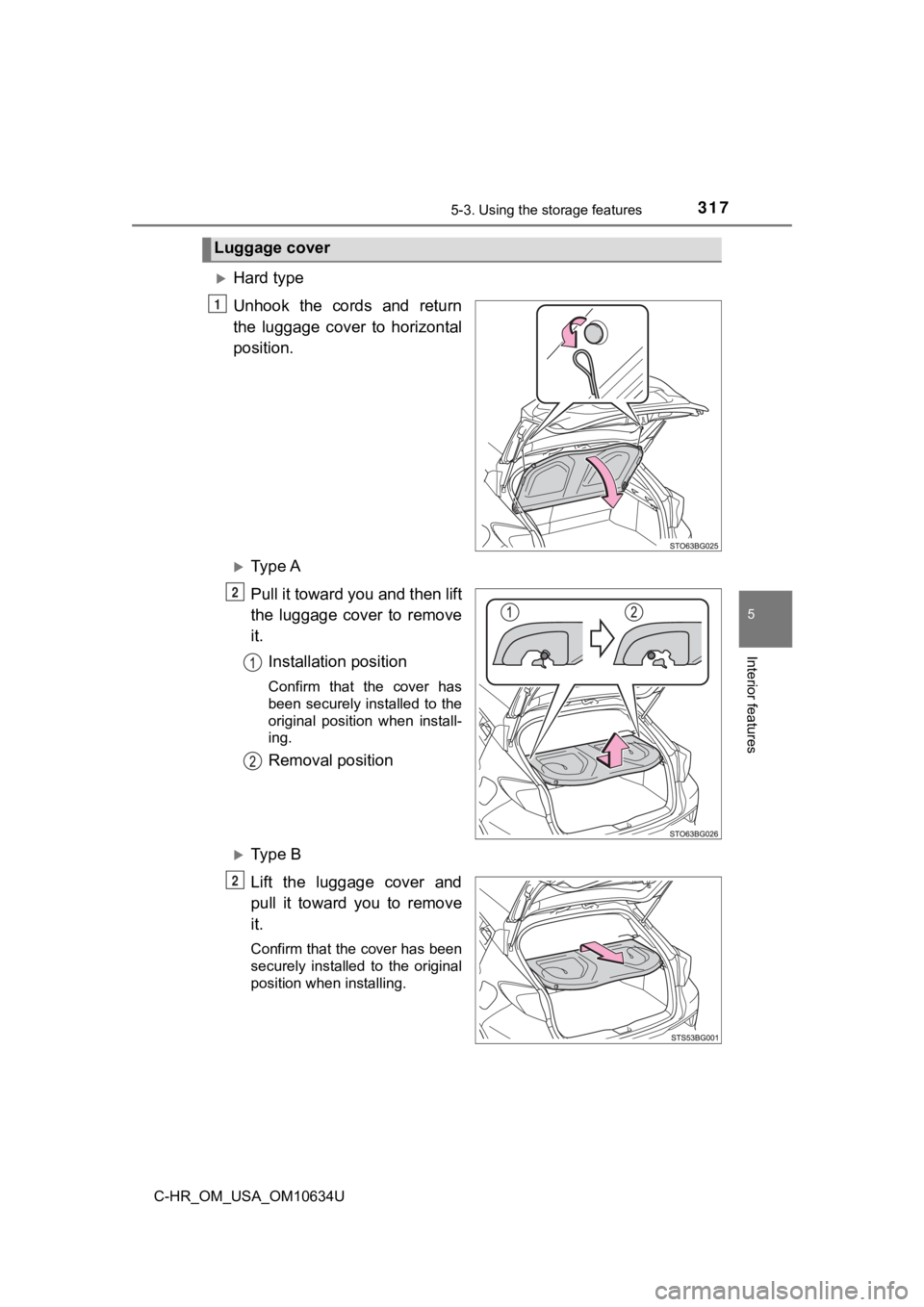
Hard type
Unhook the cords and return
the luggage cover to horizontal
position.
Ty p e A
Pull it toward you and then lift
the luggage cover to remove
it.
Installation position
Confirm that the cover has
been securely installed to the
original position when install-
ing.
Removal position
Ty p e B
Lift the luggage cover and
pull it toward you to remove
it.
Confirm that the cover has been
securely installed to the original
position when installing.
Luggage cover
1
2
2