Front Camera TOYOTA C-HR 2022 User Guide
[x] Cancel search | Manufacturer: TOYOTA, Model Year: 2022, Model line: C-HR, Model: TOYOTA C-HR 2022Pages: 818, PDF Size: 113.75 MB
Page 377 of 818
3754-5. Using the driving support systems
4
Driving
C-HR_HV_OM_Europe_OM10720E
■Enabling/disabling the pre-collision system
The pre-collision system can be enabled/disabled on (P. 787)
of the multi-information display.
The system is automatically enabled each time the power switch is
turned to ON mode.
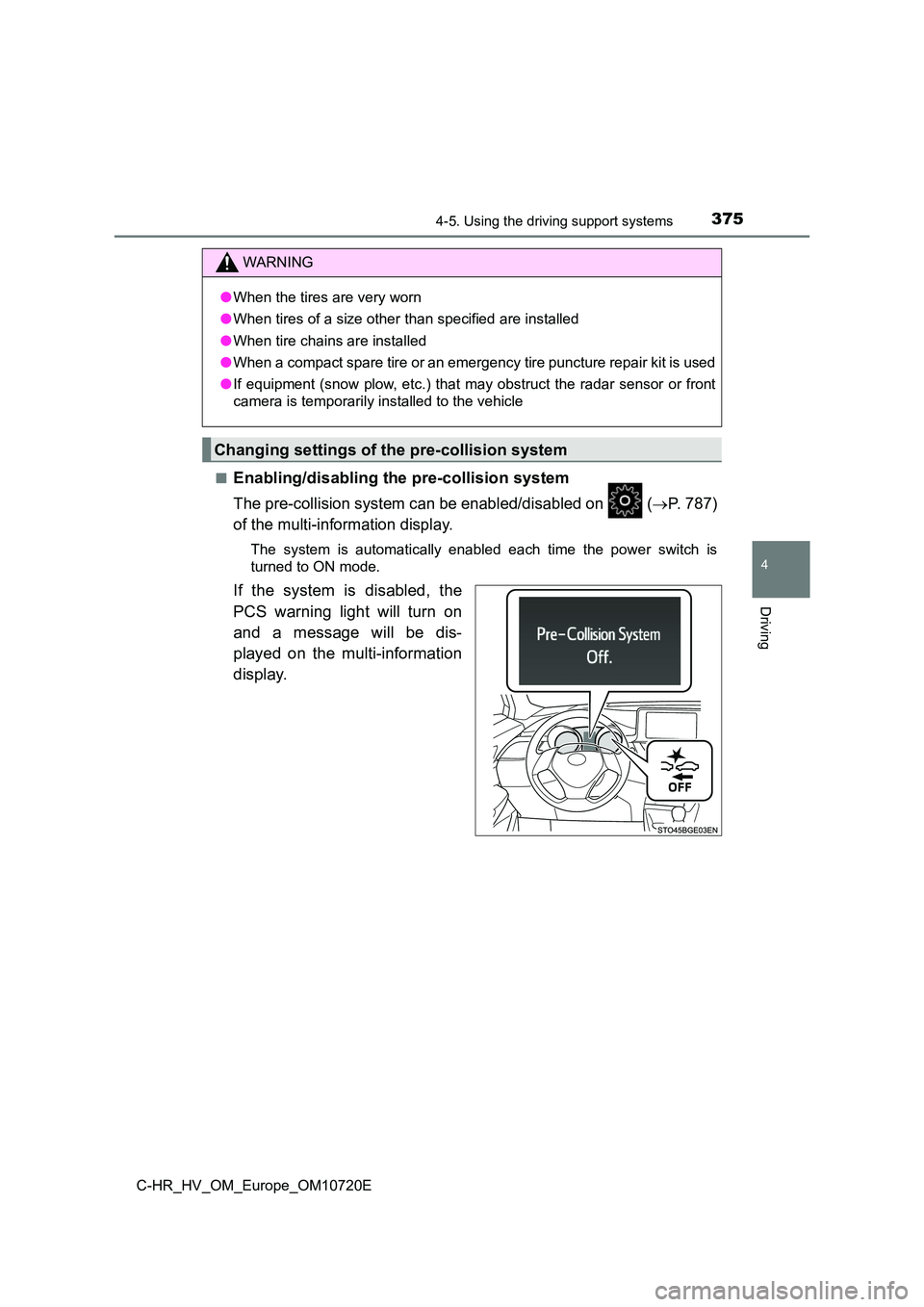
If the system is disabled, the
PCS warning light will turn on
and a message will be dis-
played on the multi-information
display.
WARNING
● When the tires are very worn
● When tires of a size other than specified are installed
● When tire chains are installed
● When a compact spare tire or an emergency tire puncture repair kit is used
● If equipment (snow plow, etc.) that may obstruct the radar sensor or front
camera is temporarily installed to the vehicle
Changing settings of the pre-collision system
Page 385 of 818
3834-5. Using the driving support systems
4
Driving
C-HR_HV_OM_Europe_OM10720E
■ Situations in which the system may not operate properly
● In some situations such as the following, an object may not be detected by
the radar sensor and front camera, preventing the system from o perating
properly:
• When a detectable object is approaching your vehicle
• When your vehicle or a detectable object is wobbling
• If a detectable object makes an abrupt maneuver (such as sudde n swerv-
ing, acceleration or deceleration)
• When your vehicle approaches a detectable object rapidly
• When a detectable object is near a wall, fence, guardrail, man hole cover,
vehicle, steel plate on the road, etc.
• When a detectable object is under a structure
• When part of a detectable object is hidden by an object, such as large
baggage, an umbrella, or guardrail
• When there are many things which can reflect the radio waves o f the
radar in the vicinity (tunnels, truss bridges, gravel roads, sn ow covered
road that have tracks, etc.)
• When there is an effect on the radio waves to the radar that i s installed on
another vehicle
• When multiple detectable objects are close together
• If the sun or other light is shining directly on a detectable object
• When a detectable object is a shade of white and looks extreme ly bright
• When a detectable object appears to be nearly the same color o r bright-
ness as its surroundings
• If a detectable object cuts or suddenly emerges in front of yo ur vehicle
• When the front of your vehicle is hit by water, snow, dust, et c.
• When a very bright light ahead, such as the sun or the headlig hts of
oncoming traffic, shines dir ectly into the front camera
• When approaching the side or front of a vehicle ahead
• If a vehicle ahead is a motorcycle
• If a vehicle ahead is narrow, such as a personal mobility vehi cle
• If a preceding vehicle has a small rear end, such as an unload ed truck
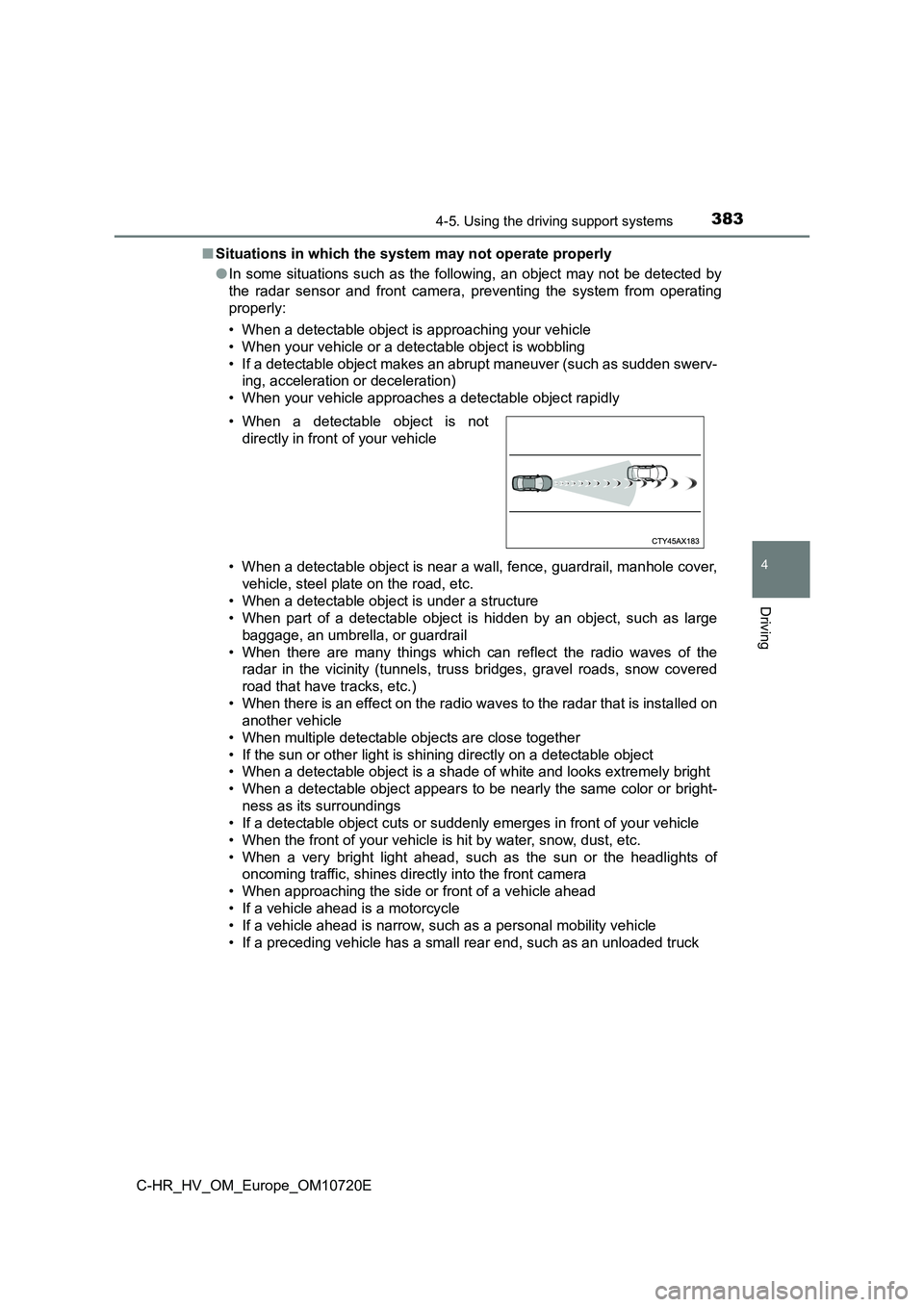
• When a detectable object is not
directly in front of your vehicle
Page 387 of 818
3854-5. Using the driving support systems
4
Driving
C-HR_HV_OM_Europe_OM10720E
• If the wheels are misaligned
• If a wiper blade is blocking the front camera
• The vehicle is being driven at extremely high speeds
• When driving on a hill
• If the radar sensor or front camera is misaligned
• For region A: When driving in a traffic lane separated by more than one
lane where oncoming vehicles are driving while making a right/l eft turn
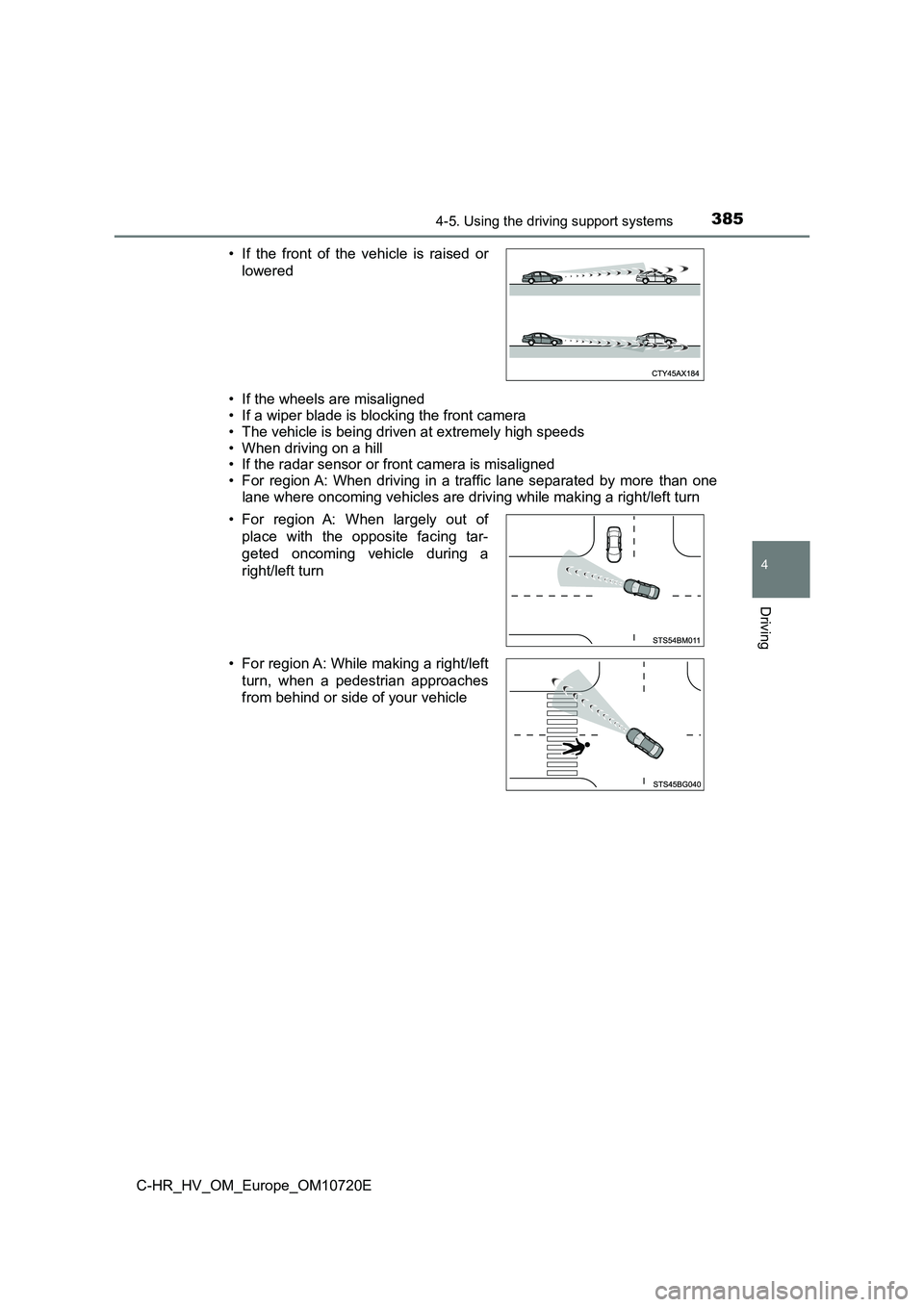
• If the front of the vehicle is raised or
lowered
• For region A: When largely out of
place with the opposite facing tar-
geted oncoming vehicle during a
right/left turn
• For region A: While making a right/left
turn, when a pedestrian approaches
from behind or side of your vehicle
Page 389 of 818
387
4
4-5. Using the driving support systems
Driving
C-HR_HV_OM_Europe_OM10720E
LTA (Lane Tracing Assist)
While driving on a road with clear white (yellow) lane lines, the LTA
system warns the driver if the vehicle may deviate from the cur rent
lane or course*, and also can slightly operate the steering wheel to
help avoid deviation from the lane or course*. Also, while the dynamic
radar cruise control with full-speed range is operating, this s ystem will
operate the steering wheel to maintain the vehicle’s lane posit ion.
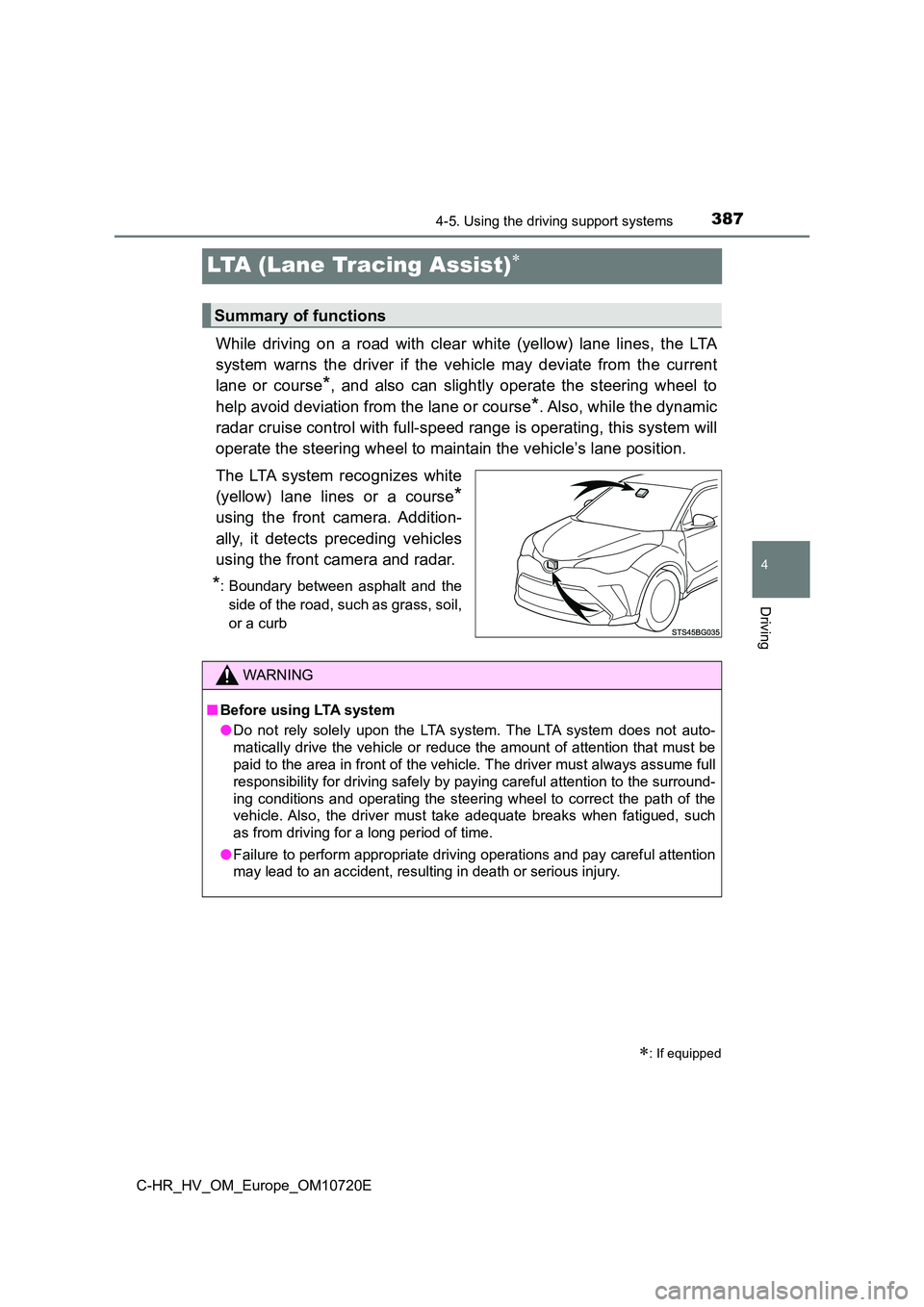
The LTA system recognizes white
(yellow) lane lines or a course*
using the front camera. Addition-
ally, it detects preceding vehicles
using the front camera and radar.
*: Boundary between asphalt and the
side of the road, such as grass, soil,
or a curb
: If equipped
Summary of functions
WARNING
■ Before using LTA system
● Do not rely solely upon the LTA system. The LTA system does not auto-
matically drive the vehicle or reduce the amount of attention t hat must be
paid to the area in front of the vehicle. The driver must always assume full
responsibility for driving safely by paying careful attention t o the surround-
ing conditions and operating the steering wheel to correct the path of the
vehicle. Also, the driver must take adequate breaks when fatigu ed, such
as from driving for a long period of time.
● Failure to perform appropriate driving operations and pay careful attention
may lead to an accident, resulting in death or serious injury.
Page 403 of 818
4014-5. Using the driving support systems
4
Driving
C-HR_HV_OM_Europe_OM10720E
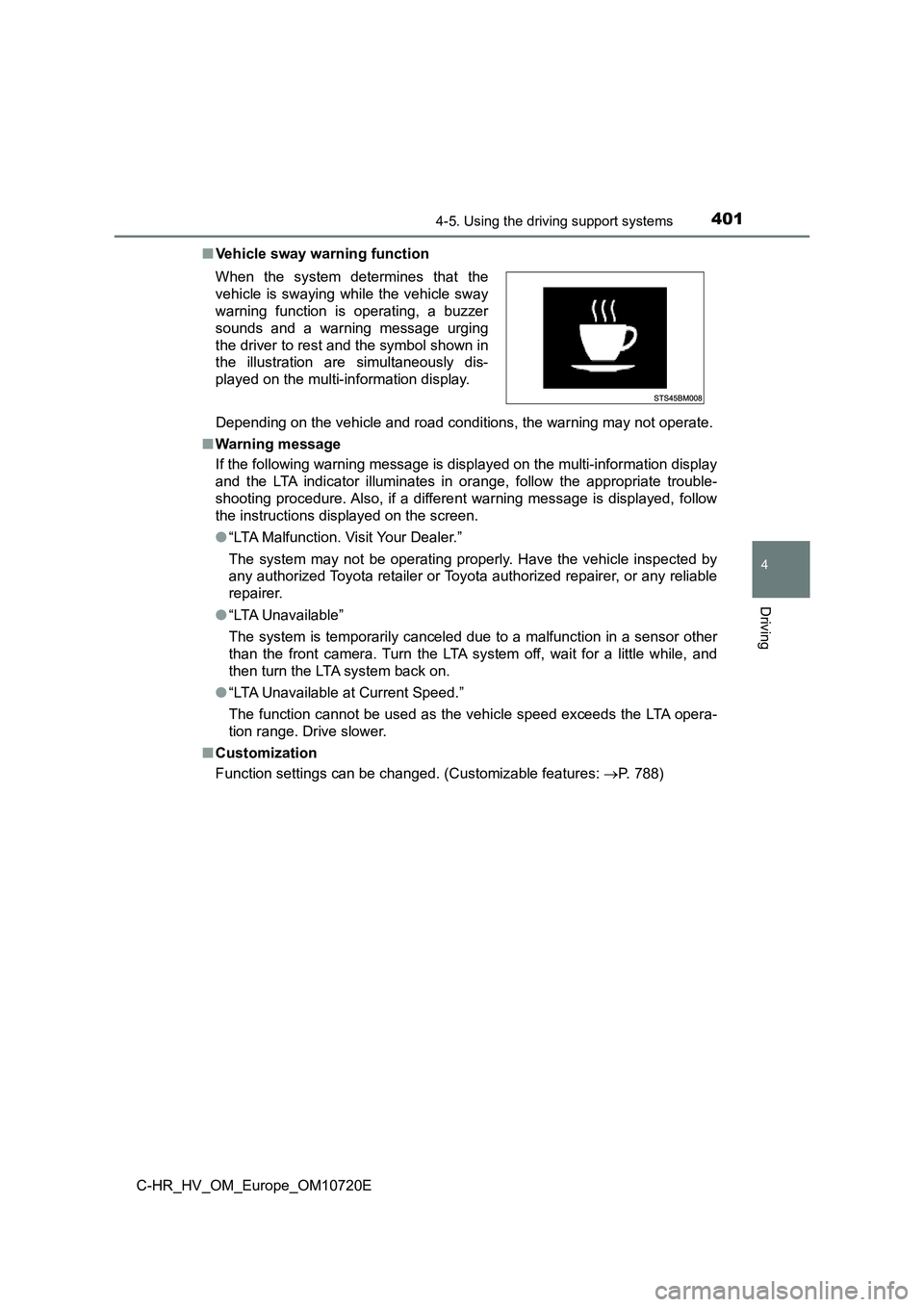
■ Vehicle sway warning function
Depending on the vehicle and road conditions, the warning may n ot operate.
■ Warning message
If the following warning message is displayed on the multi-info rmation display
and the LTA indicator illuminates in orange, follow the appropr iate trouble-
shooting procedure. Also, if a different warning message is dis played, follow
the instructions displayed on the screen.
● “LTA Malfunction. Visit Your Dealer.”
The system may not be operating properly. Have the vehicle insp ected by
any authorized Toyota retailer or Toyota authorized repairer, o r any reliable
repairer.
● “LTA Unavailable”
The system is temporarily canceled due to a malfunction in a se nsor other
than the front camera. Turn the LTA system off, wait for a litt le while, and
then turn the LTA system back on.
● “LTA Unavailable at Current Speed.”
The function cannot be used as the vehicle speed exceeds the LT A opera-
tion range. Drive slower.
■ Customization
Function settings can be changed. (Customizable features: P. 788)
When the system determines that the
vehicle is swaying while the vehicle sway
warning function is operating, a buzzer
sounds and a warning message urging
the driver to rest and the symbol shown in
the illustration are simultaneously dis-
played on the multi-information display.
Page 404 of 818
4024-5. Using the driving support systems
C-HR_HV_OM_Europe_OM10720E
RSA (Road Sign Assist)
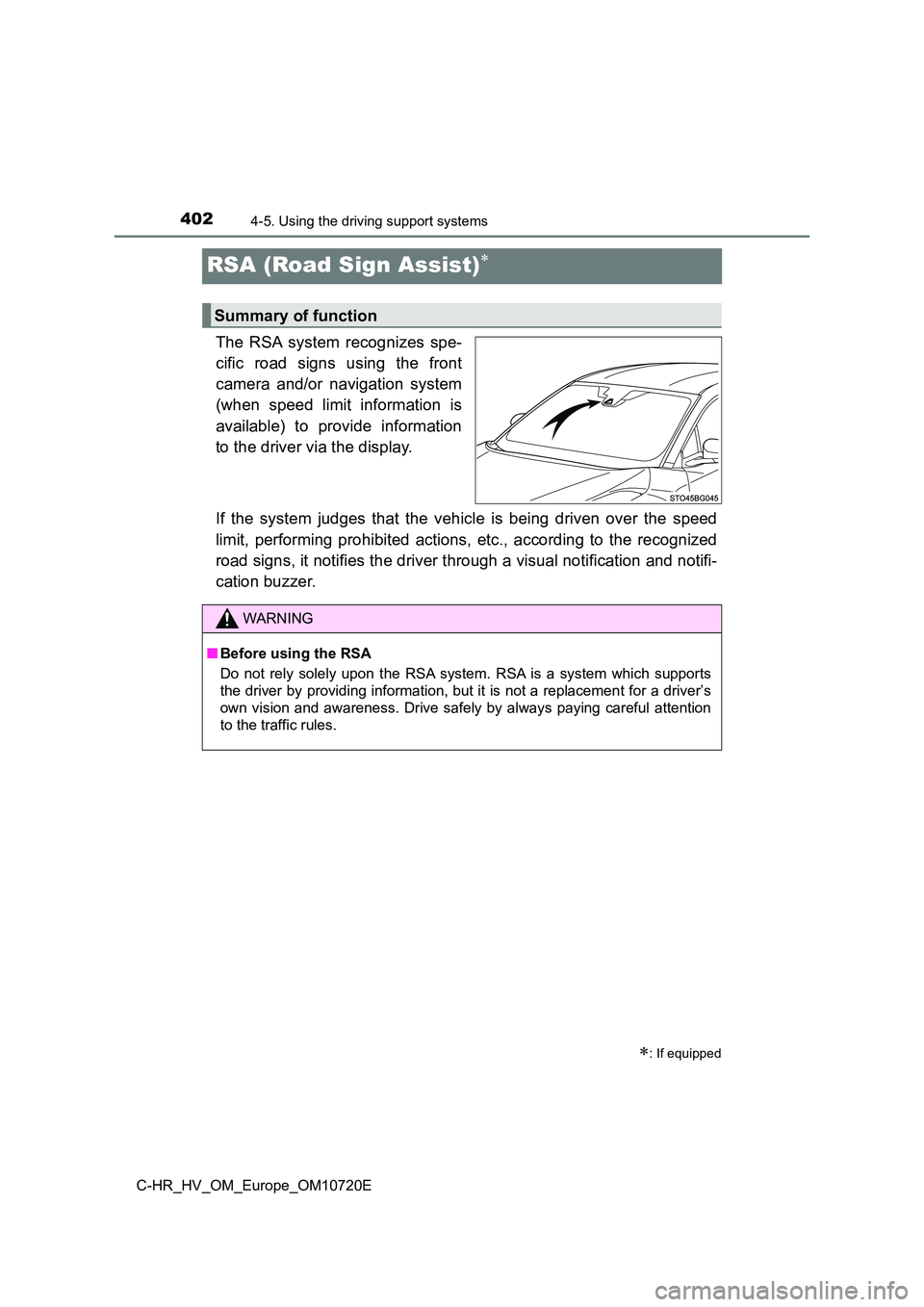
The RSA system recognizes spe-
cific road signs using the front
camera and/or navigation system
(when speed limit information is
available) to provide information
to the driver via the display.
If the system judges that the vehicle is being driven over the speed
limit, performing prohibited actions, etc., according to the re cognized
road signs, it notifies the driver through a visual notificatio n and notifi-
cation buzzer.
: If equipped
Summary of function
WARNING
■ Before using the RSA
Do not rely solely upon the RSA system. RSA is a system which s upports
the driver by providing information, but it is not a replacemen t for a driver’s
own vision and awareness. Drive safely by always paying careful attention
to the traffic rules.
Page 405 of 818
4034-5. Using the driving support systems
4
Driving
C-HR_HV_OM_Europe_OM10720E
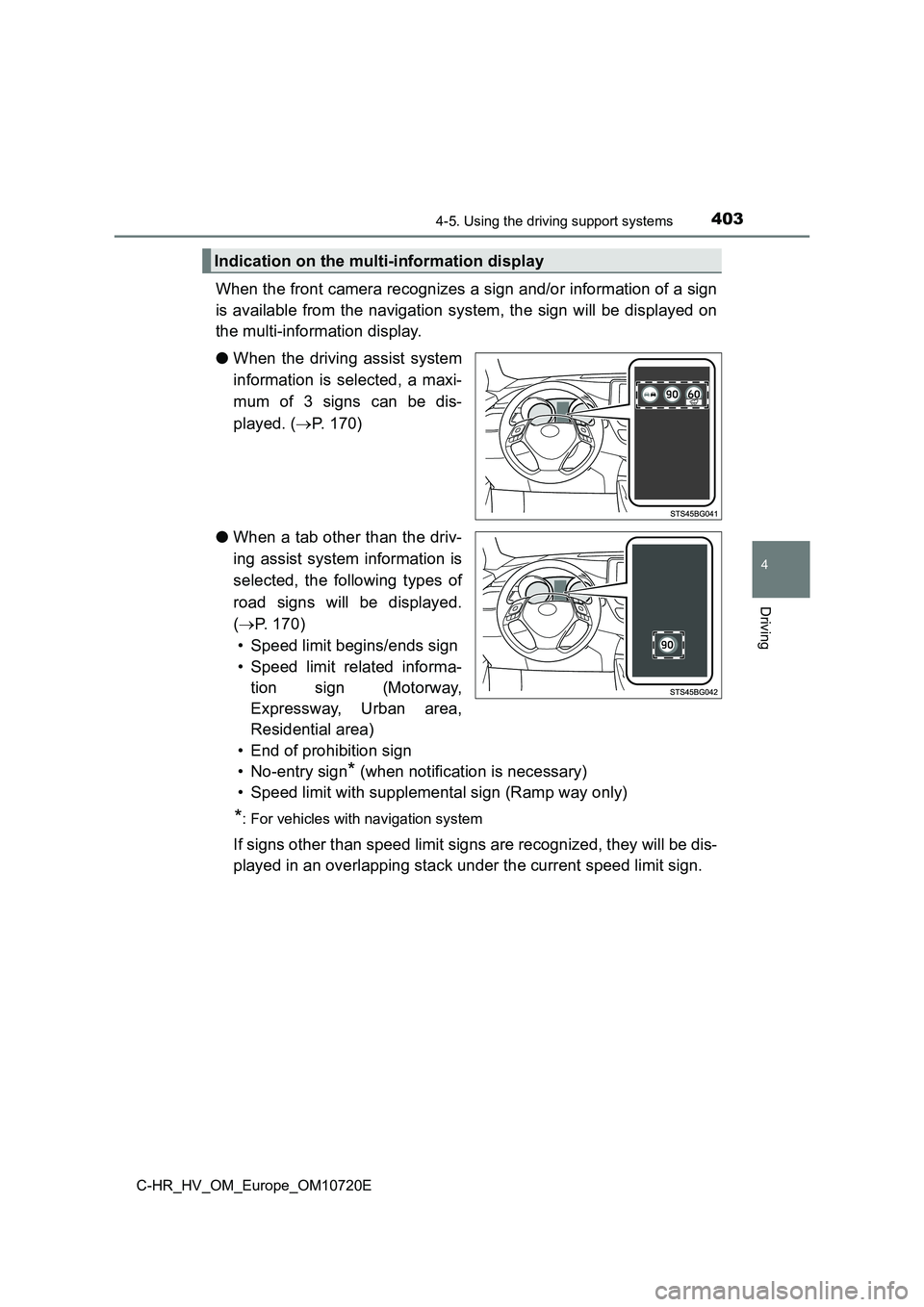
When the front camera recognizes a sign and/or information of a sign
is available from the navigation system, the sign will be displ ayed on
the multi-information display.
● When the driving assist system
information is selected, a maxi-
mum of 3 signs can be dis-
played. ( P. 1 7 0 )
● When a tab other than the driv-
ing assist system information is
selected, the following types of
road signs will be displayed.
( P. 170)
• Speed limit begins/ends sign
• Speed limit related informa-
tion sign (Motorway,
Expressway, Urban area,
Residential area)
• End of prohibition sign
• No-entry sign* (when notification is necessary)
• Speed limit with supplemental sign (Ramp way only)
*: For vehicles with navigation system
If signs other than speed limit signs are recognized, they will be dis-
played in an overlapping stack under the current speed limit si gn.
Indication on the multi-information display
Page 410 of 818
4084-5. Using the driving support systems
C-HR_HV_OM_Europe_OM10720E
■ Conditions in which the function may not operate or detect correctly
In the following situations, RSA does not operate normally and may not rec-
ognize signs, display the incorrect sign, etc. However, this do es not indicate a
malfunction.
● The front camera is misaligned due to a strong impact being applied to the
sensor, etc.
● Dirt, snow, stickers, etc., are on the windshield near the front camera.
● In inclement weather such as heavy rain, fog, snow or sand storms.
● Light from an oncoming vehicle, the sun, etc., enters the front camera.
● The sign is dirty, faded, tilted or bent.
● The contrast of electronic sign is low.
● All or part of the sign is hidden by the leaves of a tree, a pole, etc.
● The sign is only visible to the front camera for a short amount of time.
● The driving scene (turning, lane change, etc.) is judged incorrectly.
● If a sign not appropriate for the currently traveled lane, but the sign exists
directly after a freeway branches, or in an adjacent lane just before merging.
● Stickers are attached to the rear of the preceding vehicle.
● A sign resembling a system compatible sign is recognized.
● Side road speed signs may be detected and displayed (if positioned in sight
of the front camera) while the vehicle is traveling on the main road.
● Roundabout exit road speed signs may be detected and displayed (if posi-
tioned in sight of the front camera) while traveling on a round about.
● The front of the vehicle is raised or lowered due to the carried load
● The surrounding brightness is not sufficient or changes suddenly.
● When a sign intended for trucks, etc. is recognized.
● The vehicle is driven in a country with a different direction of traffic.
● The navigation system map data is outdated. (vehicles with navigation sys-
tem)
● The navigation system is not operating. (vehicles with navigation system)
● The speed information displayed on the meter and on the navigation system
(if equipped) may be different due to the navigation system usi ng map data.
Page 415 of 818
4134-5. Using the driving support systems
4
Driving
C-HR_HV_OM_Europe_OM10720E
WARNING
■Situations unsuitable for dynamic radar cruise control with full-speed
range
Do not use dynamic radar cruise control with full-speed range i n any of the
following situations.
Doing so may result in inappropriate speed control and could ca use an acci-
dent resulting in death or serious injury.
● Roads where there are pedestrians, cyclists, etc.
● In heavy traffic
● On roads with sharp bends
● On winding roads
● On slippery roads, such as those covered with rain, ice or snow
● On steep downhills, or where there are sudden changes between sharp up
and down gradients
Vehicle speed may exceed the set speed when driving down a stee p hill.
● At entrances to freeways and highways
● When weather conditions are bad enough that they may prevent the sen-
sors from detecting correctly (fog, snow, sandstorm, heavy rain , etc.)
● When there is rain, snow, etc., on the front surface of the radar or front
camera
● In traffic conditions that require frequent repeated acceleration and decel-
eration
● When your vehicle is towing a trailer or during emergency towing
● When an approach warning buzzer is heard often
Page 699 of 818
6977-2. Steps to take in an emergency
C-HR_HV_OM_Europe_OM10720E
7
When trouble arises
■If “Auto Power OFF to Conserve Battery” is shown
The power switch has been turned off by the automatic power off function.
When starting the hybrid system next time, operate the hybrid s ystem for
approximately 5 minutes to recharge the 12-volt battery.
■ If “A New Key has been Registered. Contact Your Dealer for Details.” is
shown
This message will be displayed each time the driver’s door is o pened when
the doors are unlocked from the outside for approximately one w eek after a
new electronic key has been registered.
If this message is displayed but you have not had a new electro nic key regis-
tered, ask any authorized Toyota retailer or Toyota authorized repairer, or any
reliable repairer to check if an unknown electronic key (other than those in
your possession) has been registered.
■ If a message that indicates the malfunction of front camera is displayed
The following systems may be suspended until the problem shown in the
message is resolved. ( P. 367, 681)
● PCS (Pre-Collision System)*
●LTA (Lane Tracing Assist)*
●Dynamic radar cruise control with full-speed range*
●RSA (Road Sign Assist)*
●Automatic High Beam*
*: If equipped
■ If a message that indicates the malfunction of radar sensor is displayed
The following systems may be suspended until the problem shown in the
message is resolved. ( P. 367, 681)
● PCS (Pre-Collision system)*
●LTA (Lane Tracing Assist)*
●Dynamic radar cruise control with full-speed range*
*: If equipped