remote control TOYOTA C-HR 2022 Owners Manual
[x] Cancel search | Manufacturer: TOYOTA, Model Year: 2022, Model line: C-HR, Model: TOYOTA C-HR 2022Pages: 818, PDF Size: 113.75 MB
Page 22 of 818
20Pictorial index
C-HR_HV_OM_Europe_OM10720E
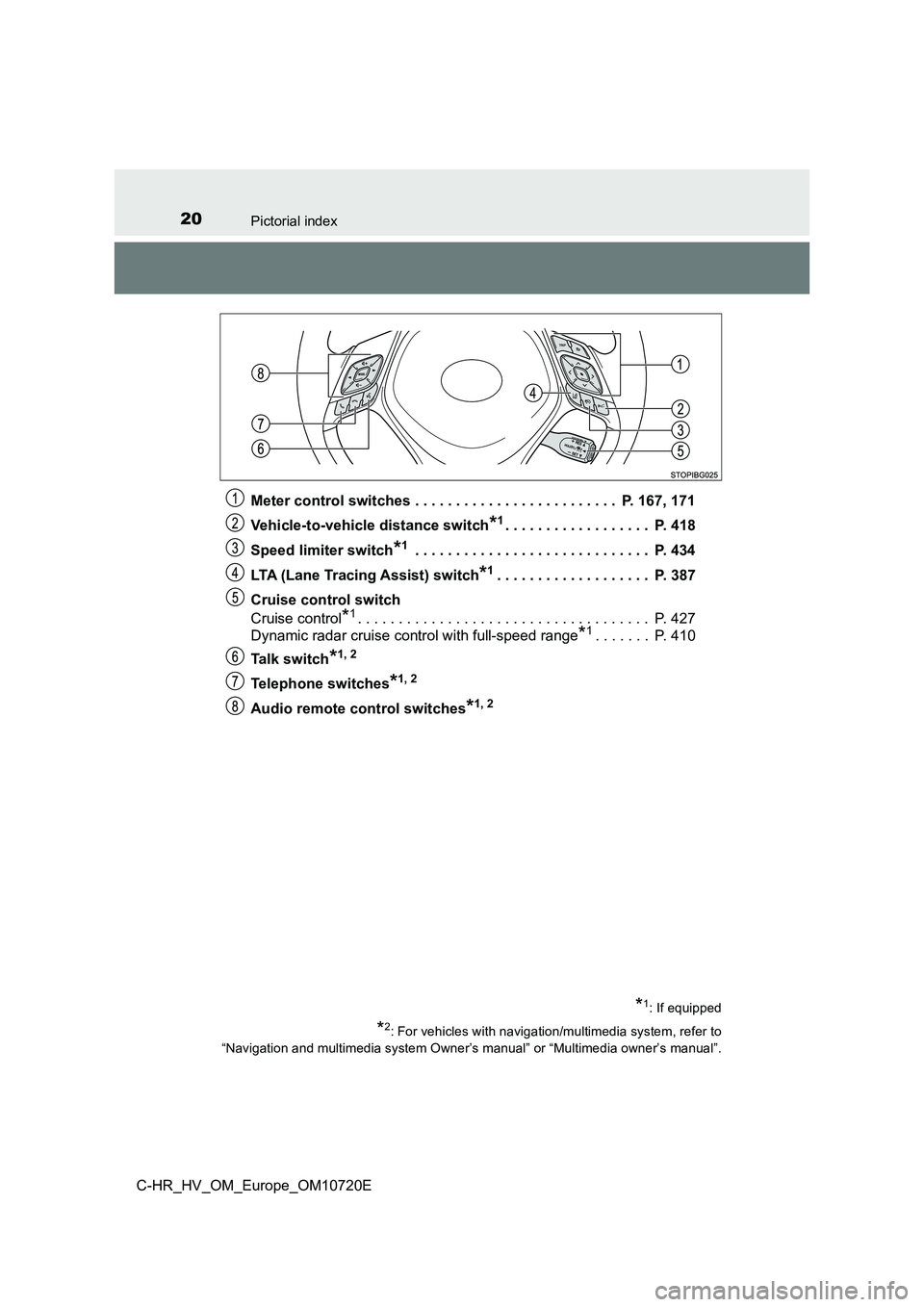
Meter control switches . . . . . . . . . . . . . . . . . . . . . . . . . P. 167, 171
Vehicle-to-vehicle distance switch*1. . . . . . . . . . . . . . . . . . P. 418
Speed limiter switch*1 . . . . . . . . . . . . . . . . . . . . . . . . . . . . . P. 4 34
LTA (Lane Tracing Assist) switch*1. . . . . . . . . . . . . . . . . . . P. 387
Cruise control switch
Cruise control*1. . . . . . . . . . . . . . . . . . . . . . . . . . . . . . . . . . . . P. 427
Dynamic radar cruise control with full-speed range*1. . . . . . . P. 410
Ta l k s w i t c h*1, 2
Telephone switches*1, 2
Audio remote control switches*1, 2
*1: If equipped
*2: For vehicles with navigation/multimedia system, refer to
“Navigation and multimedia system Owner’s manual” or “Multimedi a owner’s manual”.
Page 30 of 818
28Pictorial index
C-HR_HV_OM_Europe_OM10720E
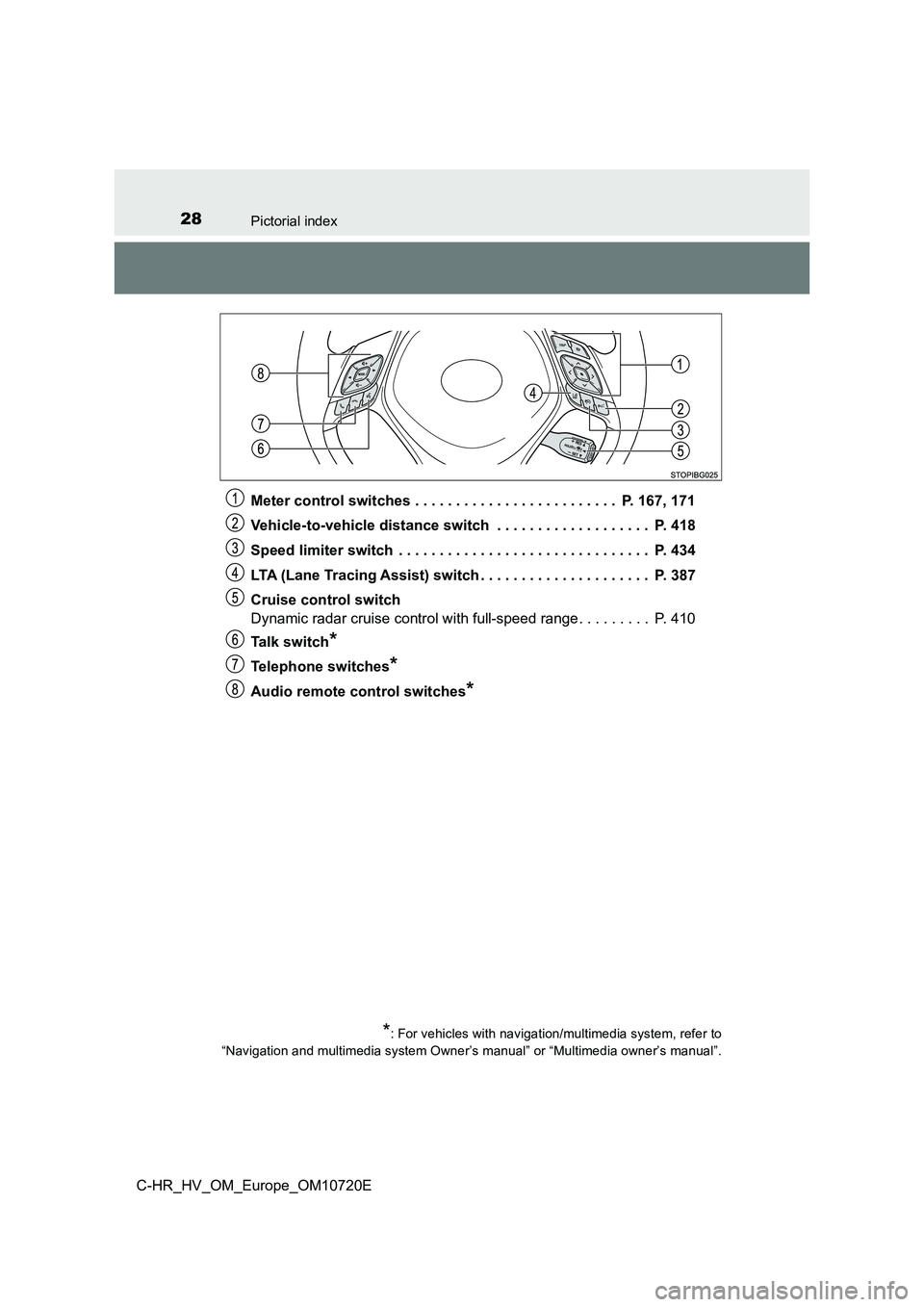
Meter control switches . . . . . . . . . . . . . . . . . . . . . . . . . P. 167, 171
Vehicle-to-vehicle distance switch . . . . . . . . . . . . . . . . . . . P. 418
Speed limiter switch . . . . . . . . . . . . . . . . . . . . . . . . . . . . . . . P. 434
LTA (Lane Tracing Assist) switch . . . . . . . . . . . . . . . . . . . . . P. 387
Cruise control switch
Dynamic radar cruise control with full-speed range. . . . . . . . . P. 410
Ta l k s w i t c h*
Telephone switches*
Audio remote control switches*
*: For vehicles with navigation/multimedia system, refer to
“Navigation and multimedia system Owner’s manual” or “Multimedi a owner’s manual”.
Page 147 of 818
145
1
1-5. Theft deterrent system
For safety and security
C-HR_HV_OM_Europe_OM10720E
Double locking system
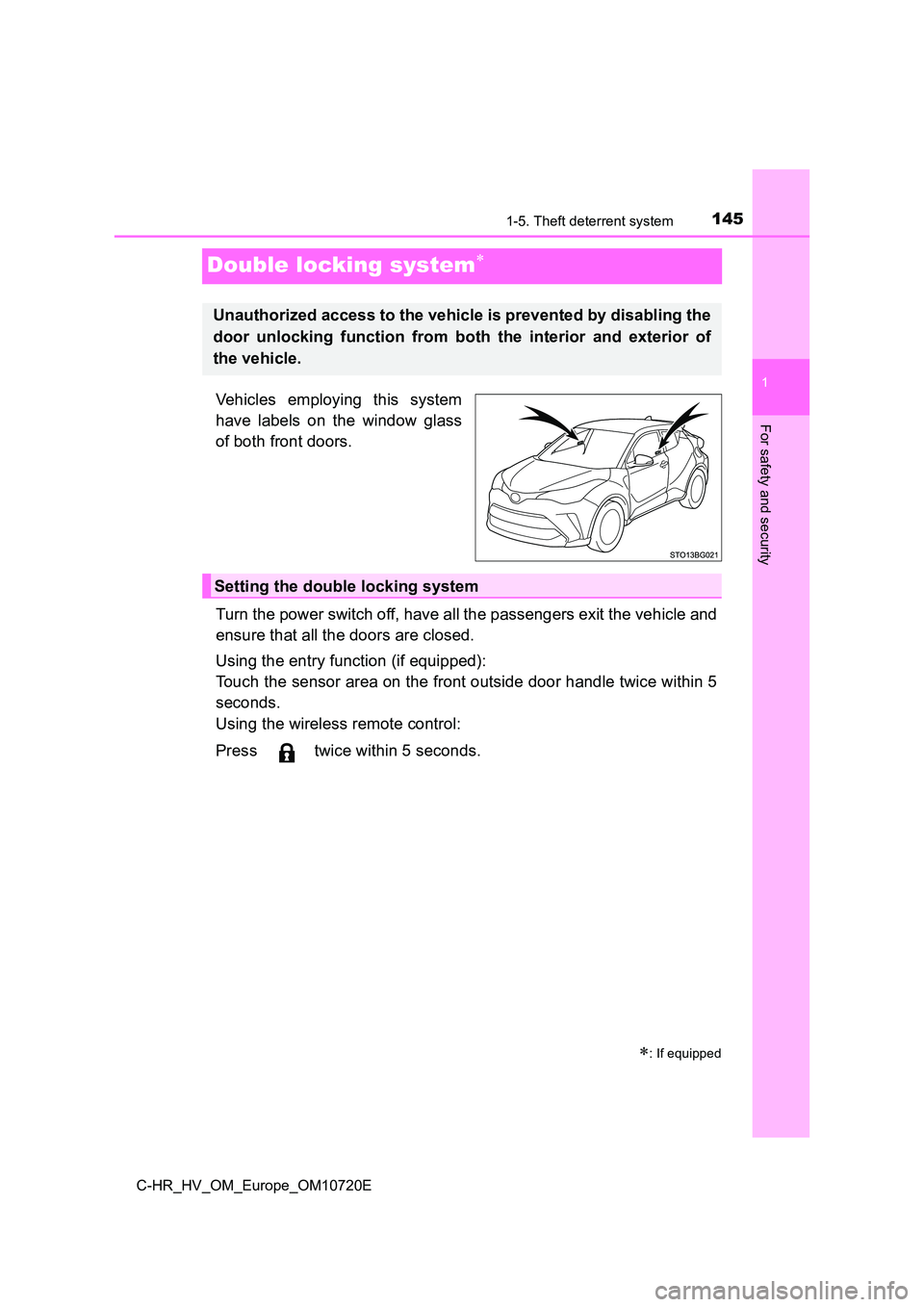
Vehicles employing this system
have labels on the window glass
of both front doors.
Turn the power switch off, have all the passengers exit the veh icle and
ensure that all the doors are closed.
Using the entry function (if equipped):
Touch the sensor area on the front outside door handle twice wi thin 5
seconds.
Using the wireless remote control:
Press twice within 5 seconds.
: If equipped
Unauthorized access to the vehicle is prevented by disabling th e
door unlocking function from both the interior and exterior of
the vehicle.
Setting the double locking system
Page 148 of 818
1461-5. Theft deterrent system
C-HR_HV_OM_Europe_OM10720E
Using the entry function (if equipped): Hold the front outside door han-
dle or press the back door opener button.
Using the wireless remote control: Press .
Canceling the double locking system
WARNING
■ Double locking system precaution
Never activate the double locking system when there are people in the vehi-
cle, because all the doors cannot be opened from inside the veh icle.
Page 149 of 818
147
1
1-5. Theft deterrent system
For safety and security
C-HR_HV_OM_Europe_OM10720E
Alar m
The alarm uses light and sound to give an alert when an intrusion is
detected.
The alarm is triggered in the following situations when the ala rm is
set:
● A locked door or back door is unlocked or opened in any way other
than using the entry function (if equipped) or wireless remote con-
trol. (The doors will lock again automatically.)
● The hood is opened.
● Vehicles with the intrusion sensor: The intrusion sensor detects
something moving inside the vehicle. (An intruder gets in the v ehi-
cle.)
● Vehicles with the glass breakage sensor: The back door window is
tapped or broken.
Close the doors and hood, and
lock all the doors using the entry
function (if equipped) or wireless
remote control. The system will be
set automatically after 30 sec-
onds.
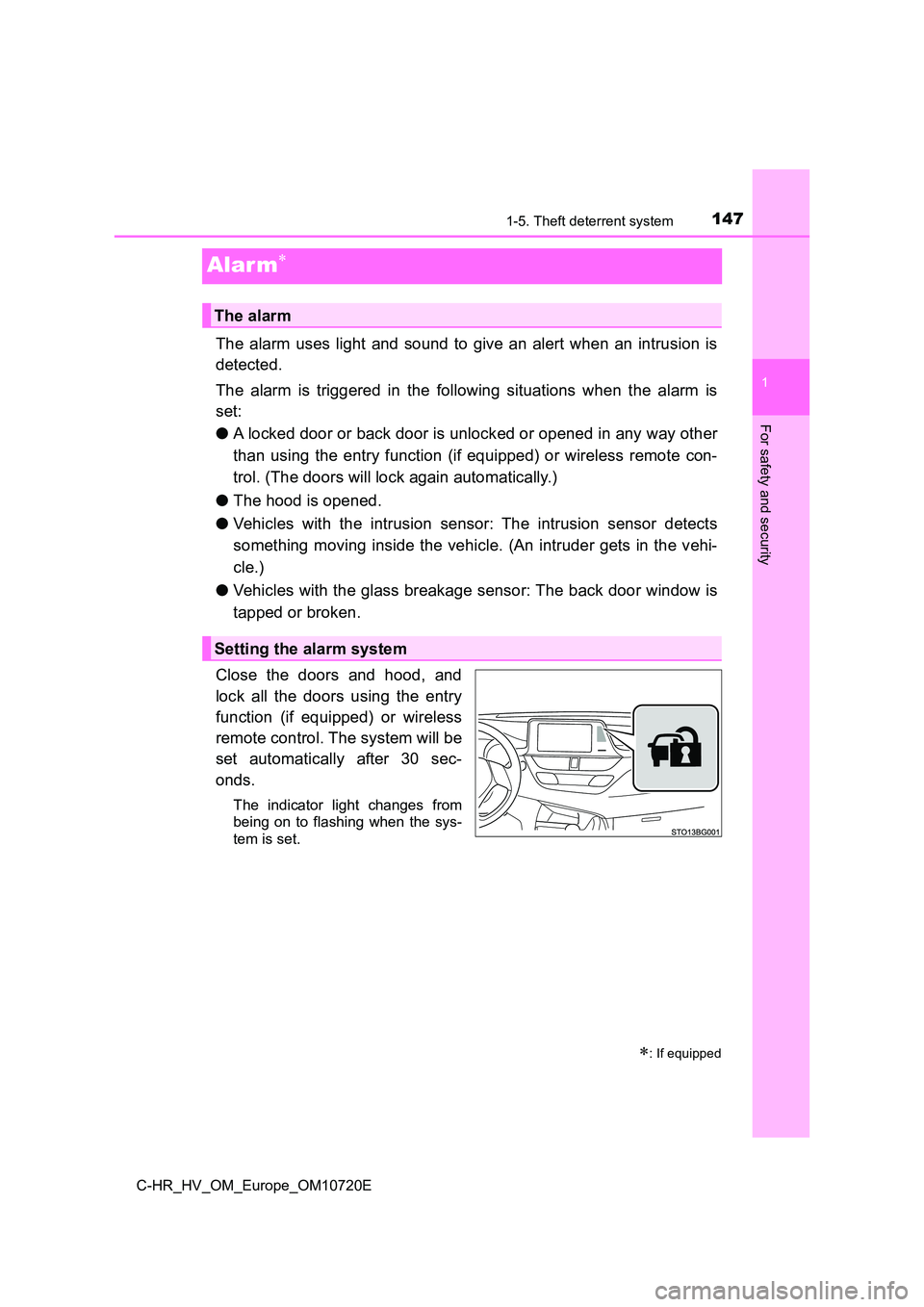
The indicator light changes from
being on to flashing when the sys-
tem is set.
: If equipped
The alarm
Setting the alarm system
Page 150 of 818
1481-5. Theft deterrent system
C-HR_HV_OM_Europe_OM10720E
Do one of the following to deactivate or stop the alarm.
● Unlock the doors using the entry function (if equipped) or wireless
remote control.
● Start the hybrid system. (The alarm will be deactivated or stopped
after a few seconds.)
■ System maintenance
The vehicle has a maintenance-free type alarm system.
■ Items to check before locking the vehicle
To prevent unexpected triggering of the alarm and vehicle theft , make sure of
the following.
● Nobody is in the vehicle.
● The side windows are closed before the alarm is set.
● No valuables or other personal items are left in the vehicle.
Deactivating or stopping the alarm
Page 190 of 818
1883-1. Key information
C-HR_HV_OM_Europe_OM10720E
Keys
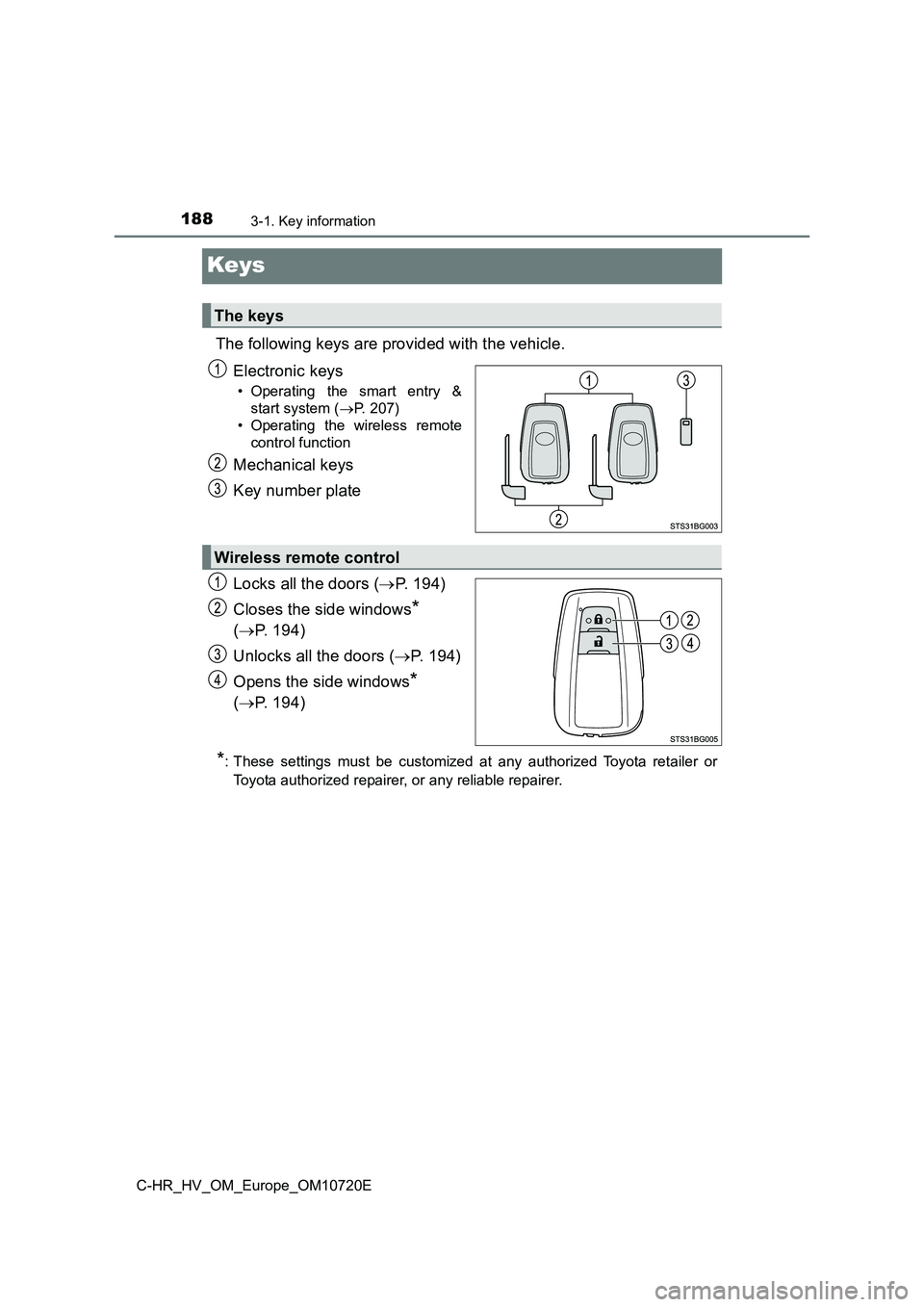
The following keys are provided with the vehicle.
Electronic keys
• Operating the smart entry &
start system ( P. 207)
• Operating the wireless remote
control function
Mechanical keys
Key number plate
Locks all the doors ( P. 194)
Closes the side windows*
( P. 194)
Unlocks all the doors ( P. 1 9 4 )
Opens the side windows*
( P. 194)
*: These settings must be customized at any authorized Toyota retailer or
Toyota authorized repairer, or any reliable repairer.
The keys
Wireless remote control
Page 192 of 818
1903-1. Key information
C-HR_HV_OM_Europe_OM10720E
■ Electronic key battery depletion
● The standard battery life is 1 to 2 years.
● If the battery becomes low, an alarm will sound in the cabin and a message
will be displayed on the multi-information display when the hyb rid system
stops.
● As the electronic key always receives radio waves, the battery will become
depleted even if the electronic key is not used. The following symptoms indi-
cate that the electronic key battery may be depleted. Replace t he battery
when necessary. ( P. 645)
• The smart entry & start system or the wireless remote control does not
operate.
• The detection area becomes smaller.
• The LED indicator on the key surface does not turn on.
The battery can be exchanged by the users. ( P. 645) However, as there
may be damage to the key when exchanging, it is recommended to have
the battery exchanged at any authorized Toyota retailer or Toyo ta autho-
rized repairer, or any reliable repairer.
● To avoid serious deterioration, do not leave the electronic key within 1 m
(3 ft.) of the following electr ical appliances that produce a magnetic field:
•TVs
• Personal computers
• Cellular phones, cordless phones and battery chargers
• Recharging cellular phones or cordless phones
• Table lamps
• Induction cookers
Page 193 of 818
1913-1. Key information
3
Operation of each component
C-HR_HV_OM_Europe_OM10720E
■ When the key battery is fully depleted
P. 645
■ Confirmation of the registered key number
The number of keys already registered to the vehicle can be con firmed. Ask
any authorized Toyota retailer or Toyota authorized repairer, o r any reliable
repairer for details.
■ If a wrong key is used
On some models, the key cylinder rotates freely to isolate insi de mechanism.
■ Customization
Settings (e.g. wireless remote control system) can be changed.
(Customizable features: P. 781)
■ Certification for the wireless remote control
P. 214
Page 196 of 818
1943-2. Opening, closing and locking the doors
C-HR_HV_OM_Europe_OM10720E
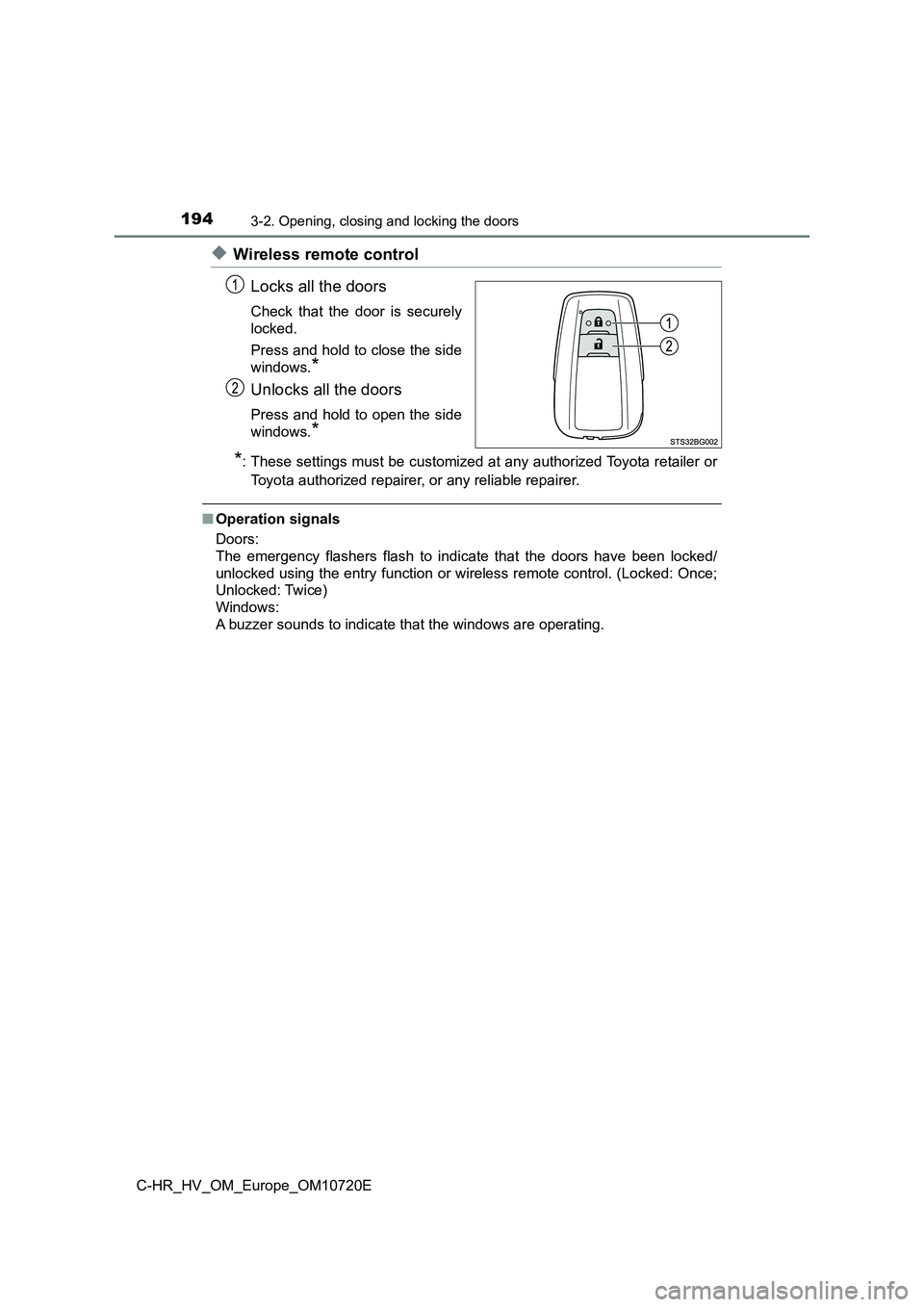
◆Wireless remote control
Locks all the doors
Check that the door is securely
locked.
Press and hold to close the side
windows.*
Unlocks all the doors
Press and hold to open the side
windows.*
*: These settings must be customized at any authorized Toyota ret ailer or
Toyota authorized repairer, or any reliable repairer.
■Operation signals
Doors:
The emergency flashers flash to indicate that the doors have be en locked/
unlocked using the entry function or wireless remote control. ( Locked: Once;
Unlocked: Twice)
Windows:
A buzzer sounds to indicate that the windows are operating.