lights TOYOTA CAMRY 2012 XV50 / 9.G Owners Manual
[x] Cancel search | Manufacturer: TOYOTA, Model Year: 2012, Model line: CAMRY, Model: TOYOTA CAMRY 2012 XV50 / 9.GPages: 532, PDF Size: 6.44 MB
Page 3 of 532

1
2
3
4
5
6
7
3
2-2. Instrument clusterGauges and meters ............ 169
Indicators and warning lights ................................. 179
2-3. Operating the lights and wipers
Headlight switch .................. 185
Fog light switch ................... 192
Windshield wipers and washer .............................. 194
2-4. Using other driving systems
Cruise control ...................... 199
Driving assist systems ........ 203
BSM (Blind Spot Monitor) ... 208
2-5. Driving information Cargo and luggage ............. 213
Vehicle load limits ............... 217
Winter driving tips ............... 218
Trailer towing ...................... 222
Dinghy towing ..................... 223 3-1. Using the air conditioning
system and defogger
Manual air conditioning system .............................. 226
Automatic air conditioning system.......... 233
Rear window and outside rear view mirror
defoggers ......................... 240
3-2. Using the audio system Audio system types ............ 242
Using the radio ................... 248
Using the CD player ........... 251
Playing back MP3 and WMA discs ....................... 257
Operating an iPod .............. 264
Operating a USB memory ............................ 272
Optimal use of the audio system .............................. 280
Using the AUX port............. 283
3-3. Using the interior lights Interior lights list ................. 285
• Interior lights..................... 286
• Personal lights.................. 287
3Interior features
Page 6 of 532
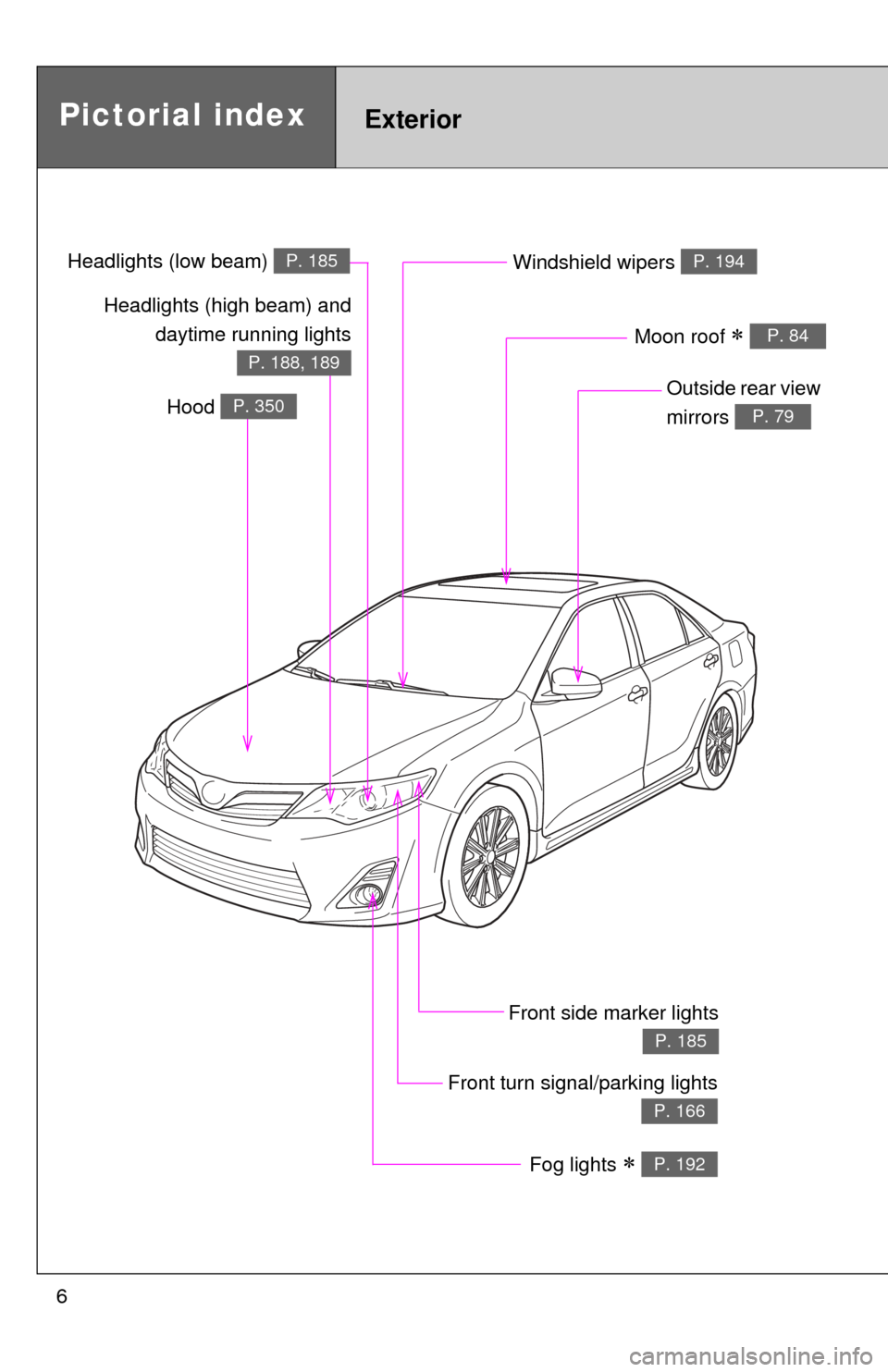
6
Pictorial indexExterior
Fog lights P. 192
Front turn signal/parking lights
P. 166
Windshield wipers P. 194
Outside rear view
mirrors
P. 79
Front side marker lights
P. 185
Moon roof P. 84
Headlights (high beam) anddaytime running lights
P. 188, 189
Hood P. 350
Headlights (low beam) P. 185
Page 7 of 532
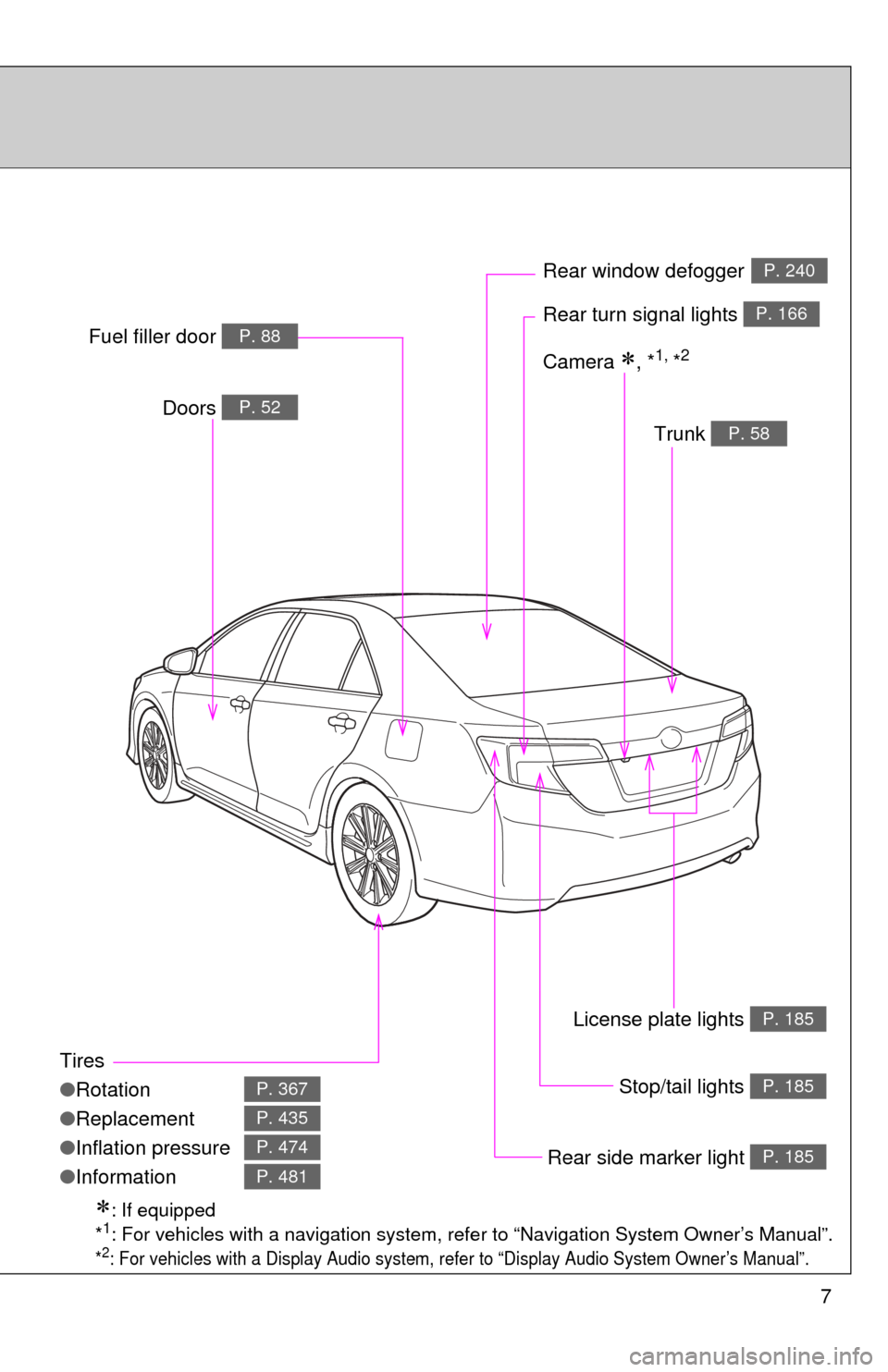
7
Tires
●Rotation
● Replacement
● Inflation pressure
● Information
P. 367
P. 435
P. 474
P. 481
Trunk P. 58
Doors P. 52
Rear turn signal lights P. 166
Rear window defoggerP. 240
Stop/tail lights P. 185
Rear side marker light P. 185
Fuel filler door P. 88
: If equipped
*1: For vehicles with a navigation system, refe r to “Navigation System Owner’s Manual”.
*2: For vehicles with a Display Audio system, re fer to “Display Audio System Owner’s Manual”.
Camera , *1, *2
License plate lights P. 185
Page 9 of 532
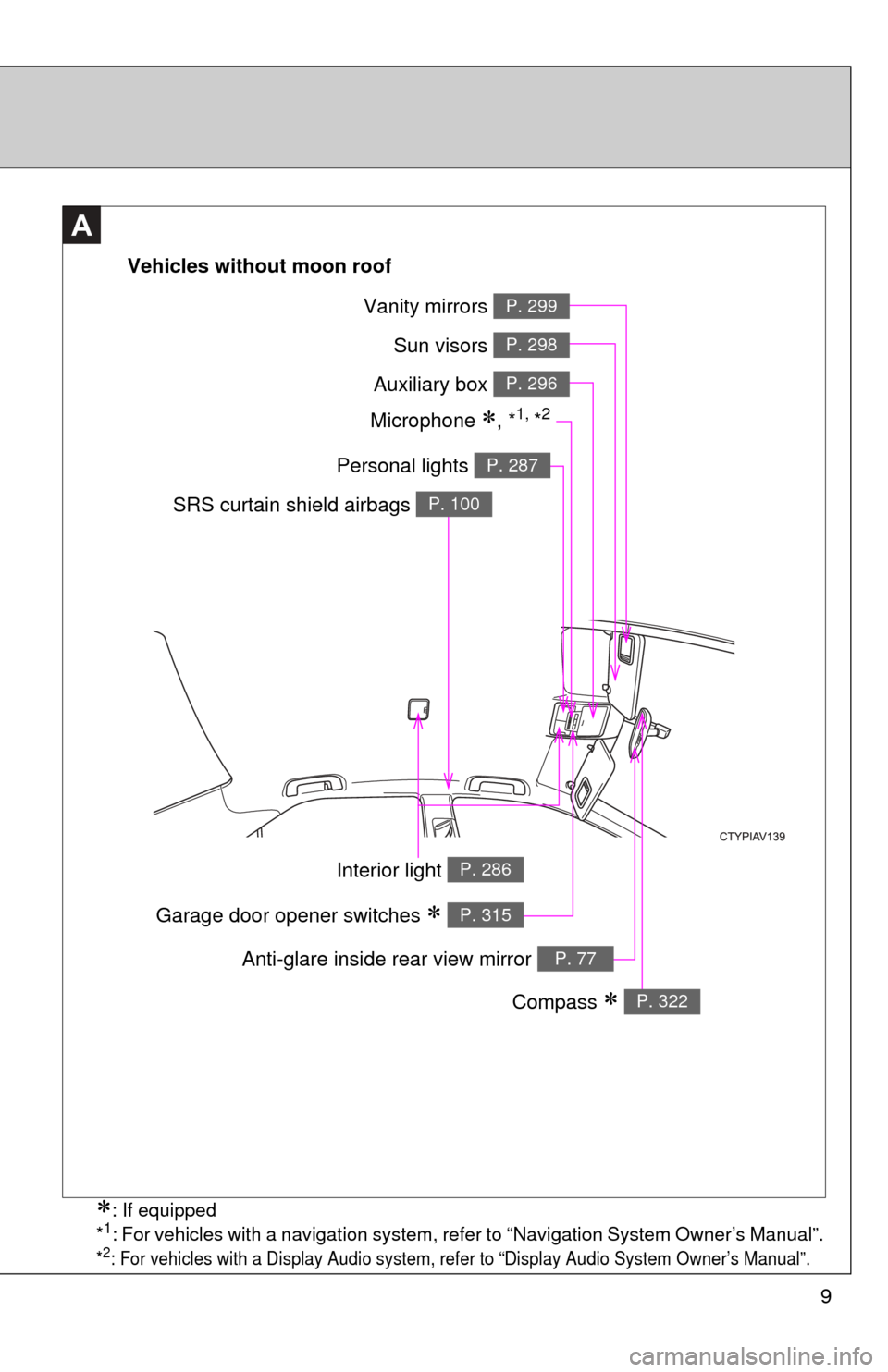
9
A
Vehicles without moon roof
Vanity mirrors P. 299
Sun visors P. 298
Auxiliary box P. 296
Personal lights P. 287
SRS curtain shield airbags P. 100
Interior light P. 286
Compass P. 322
Anti-glare inside rear view mirror P. 77
Garage door opener switches P. 315
Microphone , *1, *2
: If equipped
*1: For vehicles with a navigation system, refer to “Navigation System Owner’s Manual”.
*2: For vehicles with a Display Audio system, refer to “Display Audio System Owner’s Manual”.
Page 10 of 532
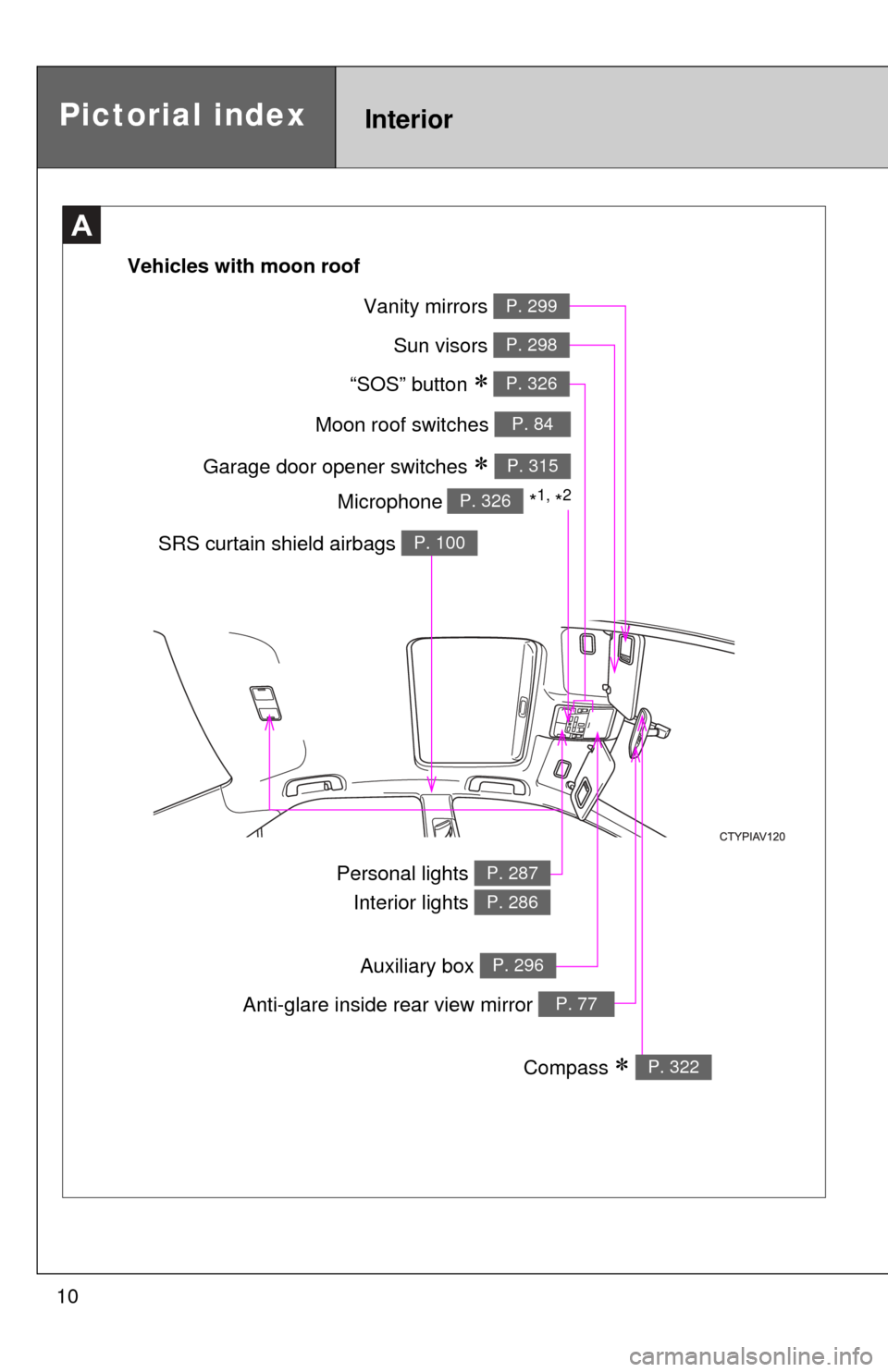
10
A
Moon roof switches P. 84
Garage door opener switches P. 315
“SOS” button P. 326
Sun visors P. 298
Vanity mirrors P. 299
SRS curtain shield airbags P. 100
Personal lights Interior lights P. 287
P. 286
Anti-glare inside rear view mirror P. 77
Compass P. 322
Vehicles with moon roof
Microphone
*1, *2P. 326
Pictorial indexInterior
Auxiliary box P. 296
Page 36 of 532
36 1-2. Opening, closing and locking the doors and trunk
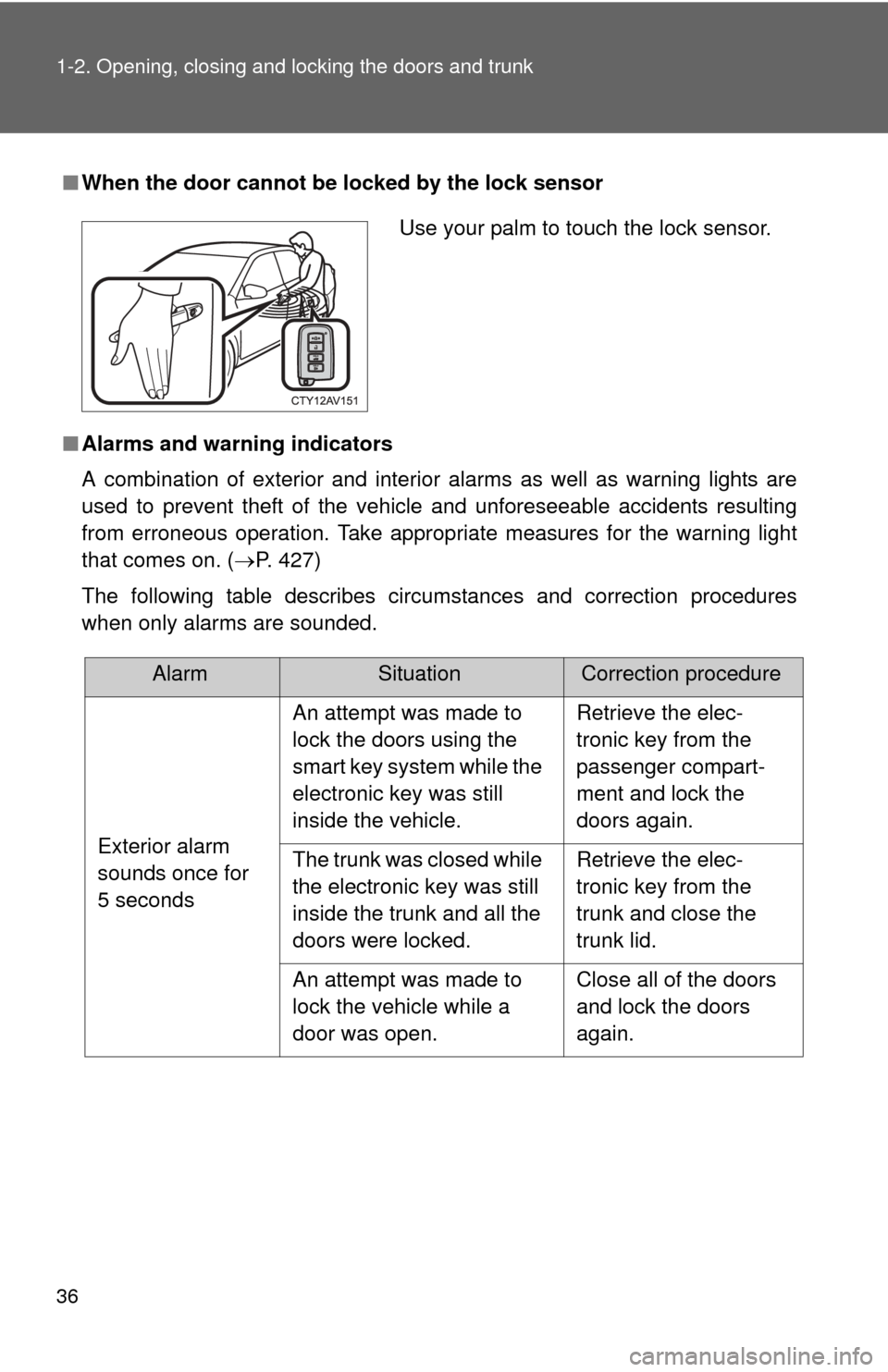
■When the door cannot be locked by the lock sensor
■ Alarms and warning indicators
A combination of exterior and interior alarms as well as warning lights are
used to prevent theft of the vehicle and unforeseeable accidents resulting
from erroneous operation. Take appropria te measures for the warning light
that comes on. ( P. 427)
The following table describes circumstances and correction procedures
when only alarms are sounded.
Use your palm to touch the lock sensor.
AlarmSituationCorrection procedure
Exterior alarm
sounds once for
5 seconds An attempt was made to
lock the doors using the
smart key system while the
electronic key was still
inside the vehicle.
Retrieve the elec-
tronic key from the
passenger compart-
ment and lock the
doors again.
The trunk was closed while
the electronic key was still
inside the trunk and all the
doors were locked. Retrieve the elec-
tronic key from the
trunk and close the
trunk lid.
An attempt was made to
lock the vehicle while a
door was open. Close all of the doors
and lock the doors
again.
Page 48 of 532
48 1-2. Opening, closing and locking the doors and trunk
■Operation signals
Doors: A buzzer sounds and the emergency flashers flash to indicate that
the doors have been locked/unlocked.
(Locked: Once; Unlocked: Twice)
Trunk: A buzzer sounds to indicate that the trunk has been unlocked.
Driver’s window and moon roof: A buzzer sounds to indicate that the driver’s window and moon roof are opening.
■ Door lock buzzer
If an attempt to lock the doors is made when a door is not fully closed, a
buzzer sounds continuously. Fully close the door to stop the buzzer, and lock
the vehicle once more.
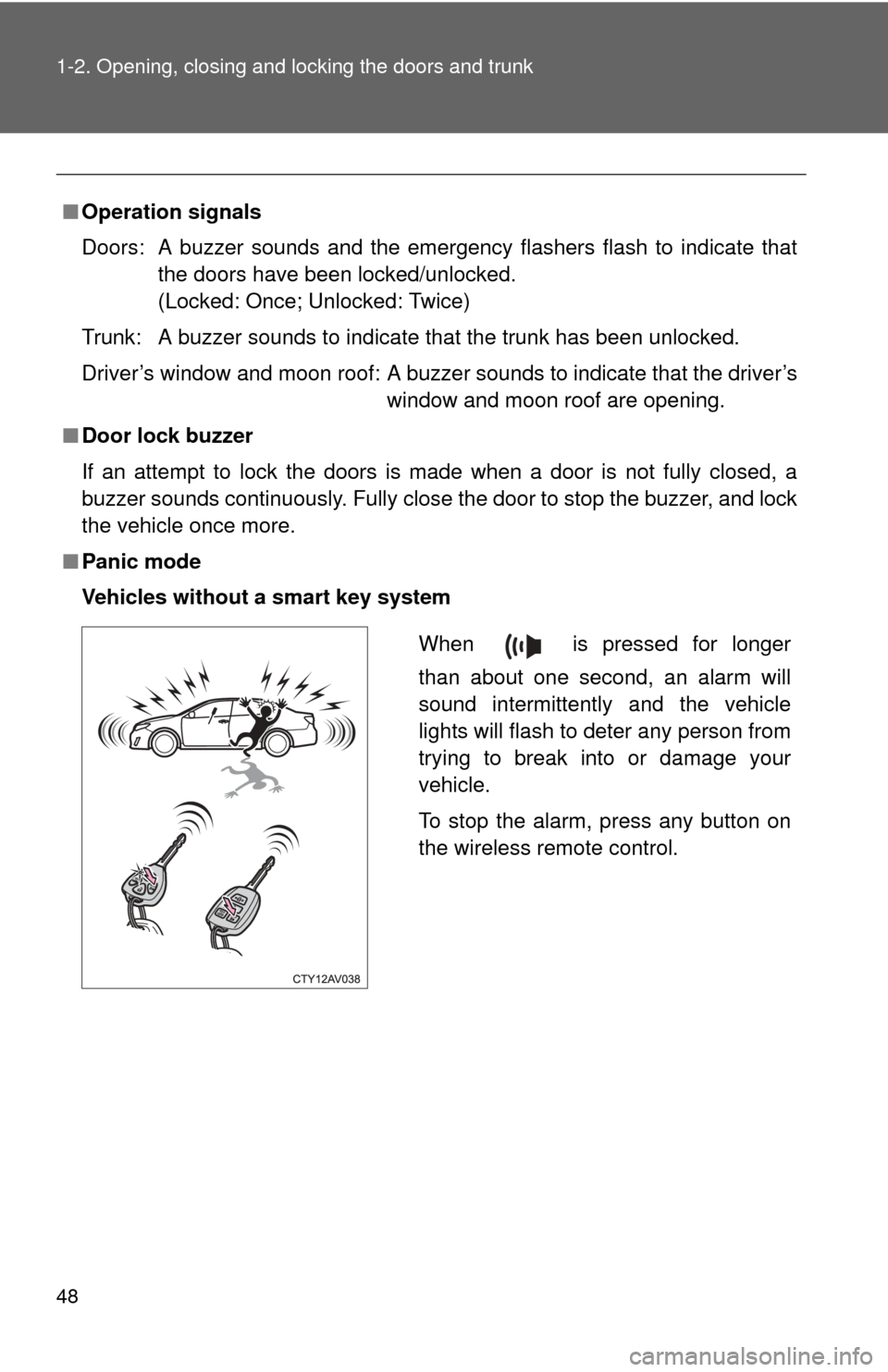
■ Panic mode
Vehicles without a smart key system
When is pressed for longer
than about one second, an alarm will
sound intermittently and the vehicle
lights will flash to deter any person from
trying to break into or damage your
vehicle.
To stop the alarm, press any button on
the wireless remote control.
Page 49 of 532
49
1-2. Opening, closing and locking the doors and trunk
1
Before driving
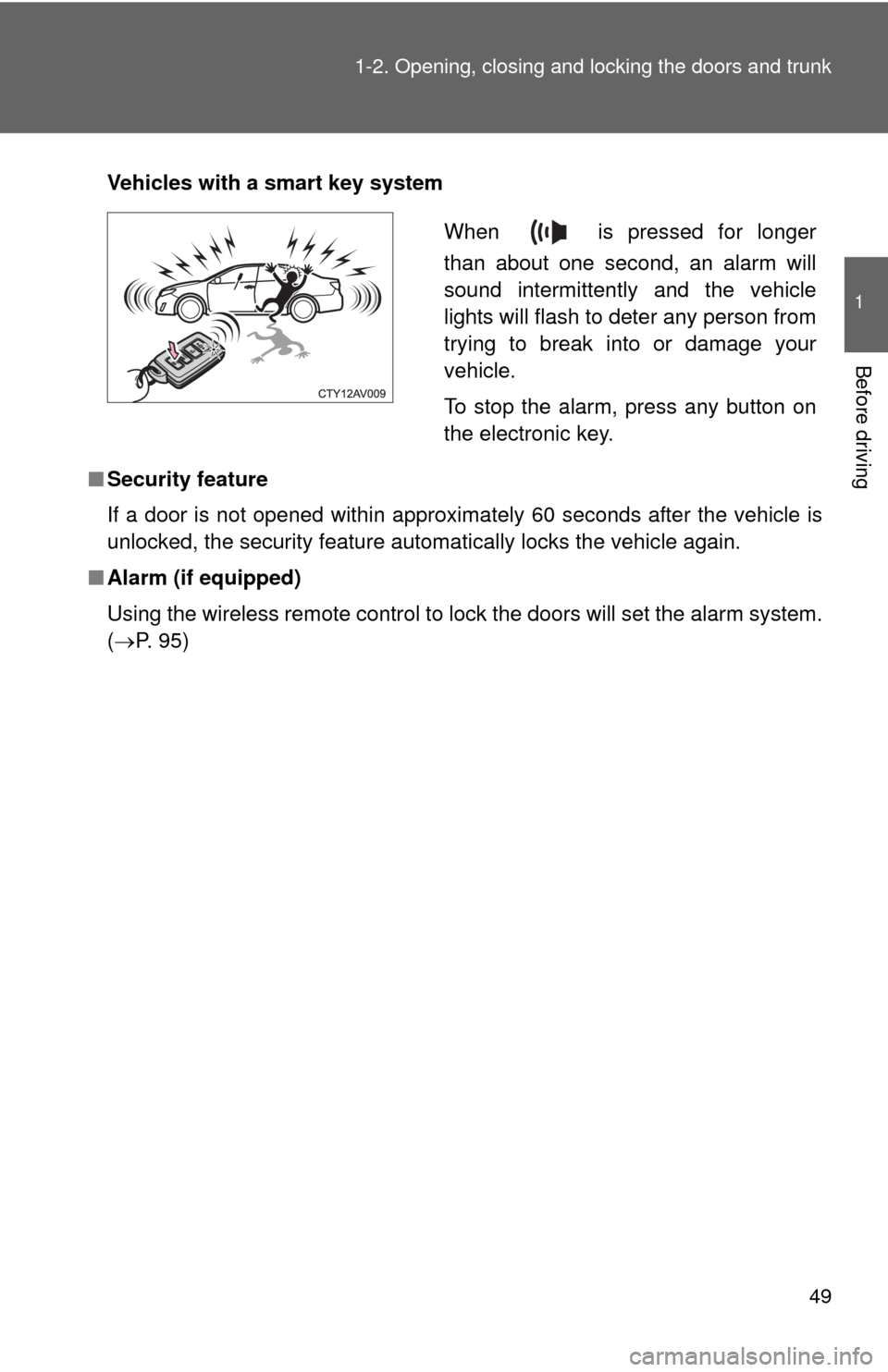
Vehicles with a smart key system
■ Security feature
If a door is not opened within approximately 60 seconds after the vehicle is
unlocked, the security feature automatically locks the vehicle again.
■ Alarm (if equipped)
Using the wireless remote control to lock the doors will set the alarm system.
(P. 95)
When is pressed for longer
than about one second, an alarm will
sound intermittently and the vehicle
lights will flash to deter any person from
trying to break into or damage your
vehicle.
To stop the alarm, press any button on
the electronic key.
Page 77 of 532
77
1
1-3. Adjustable components (seats, mirrors, steering wheel)
Before driving
Anti-glare inside rear view mirror
Glare from the headlights of vehicles behind can be reduced by
using the following functions:
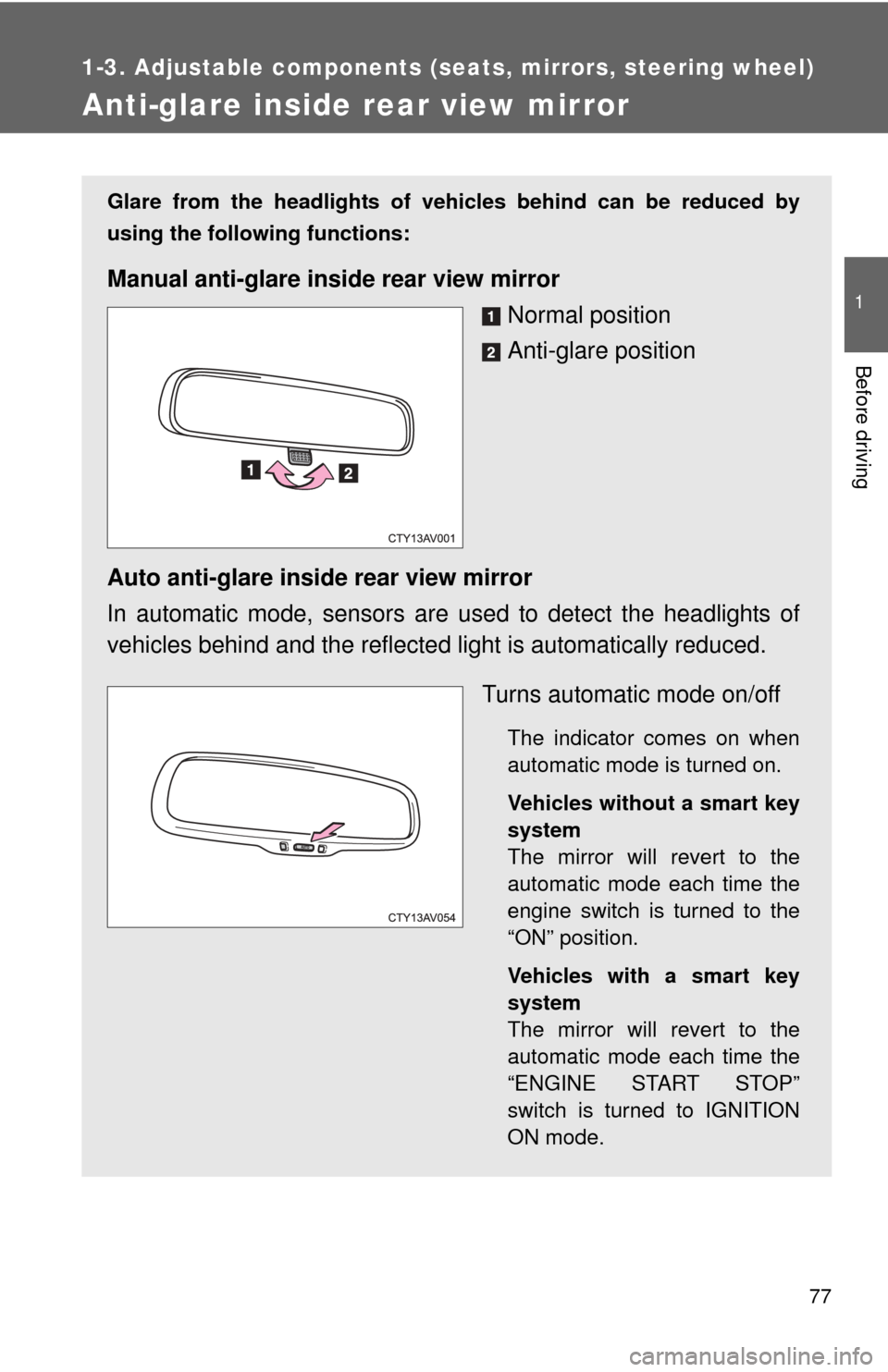
Manual anti-glare inside rear view mirrorNormal position
Anti-glare position
Auto anti-glare inside rear view mirror
In automatic mode, sensors are used to detect the headlights of
vehicles behind and the reflecte d light is automatically reduced.
Turns automatic mode on/off
The indicator comes on when
automatic mode is turned on.
Vehicles without a smart key
system
The mirror will revert to the
automatic mode each time the
engine switch is turned to the
“ON” position.
Vehicles with a smart key
system
The mirror will revert to the
automatic mode each time the
“ENGINE START STOP”
switch is turned to IGNITION
ON mode.
Page 95 of 532
95
1
1-6. Theft deterrent system
Before driving
Alarm
: If equipped
The system sounds the alarm and flashes the lights when forced
entry is detected.
■ Triggering of the alarm
The alarm is triggered in the fo llowing situations when the alarm
is set:
● A locked door or trunk is unlocked or opened in any way other
than using the entry function, wireless remote control or
mechanical key.
● The hood is opened.
● Some models: The window is tapped or broken.
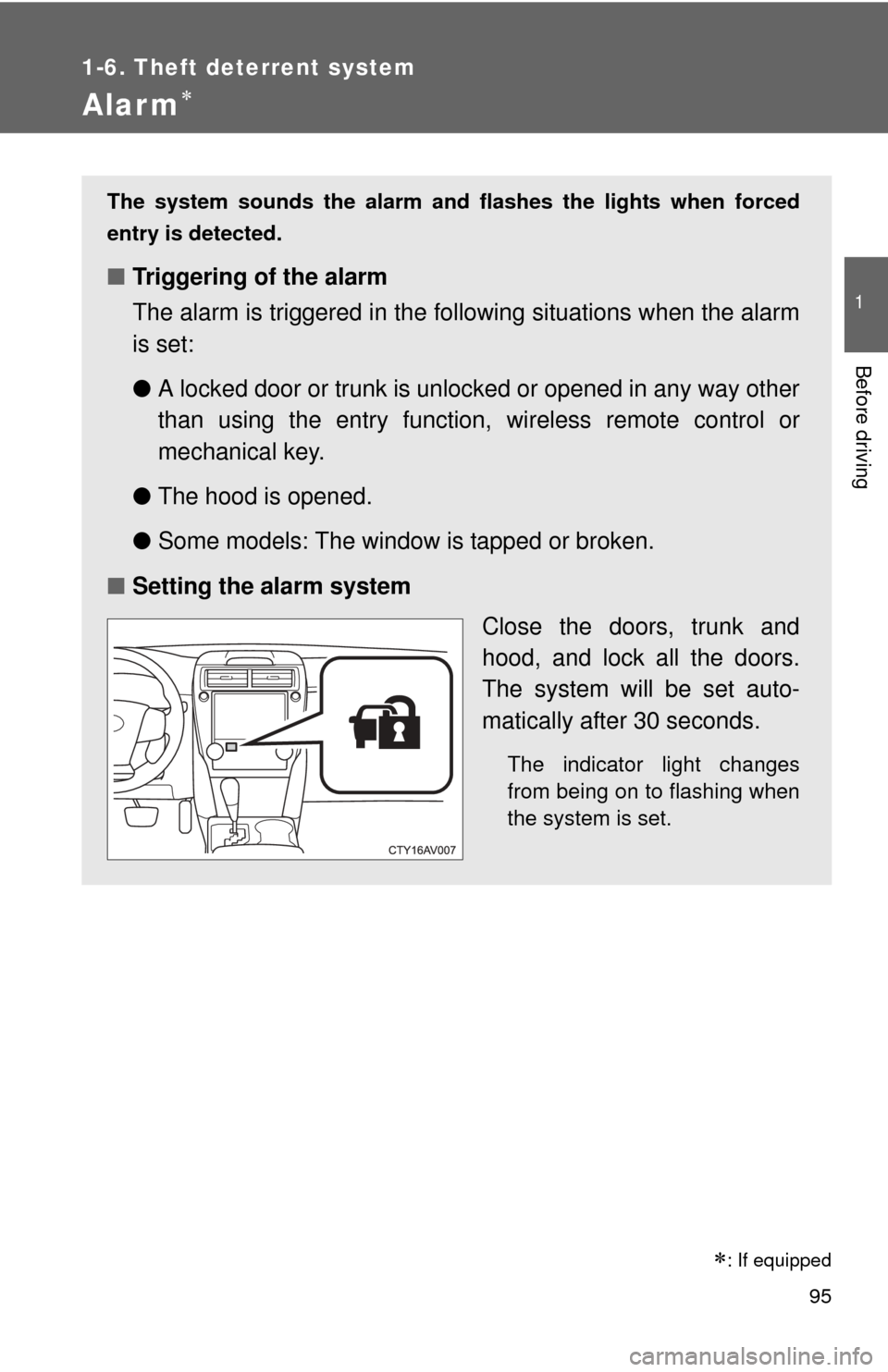
■ Setting the alarm system
Close the doors, trunk and
hood, and lock all the doors.
The system will be set auto-
matically after 30 seconds.
The indicator light changes
from being on to flashing when
the system is set.