light TOYOTA CAMRY 2022 Owners Manual
[x] Cancel search | Manufacturer: TOYOTA, Model Year: 2022, Model line: CAMRY, Model: TOYOTA CAMRY 2022Pages: 664, PDF Size: 11.3 MB
Page 266 of 664
2664-5. Using the driving support systems
CAMRY_U• While steering into the direction of oncoming traffic
■ Situations in which the syst em may not operate properly
● In some situations such as the following, an object may not be detected by
the radar sensor and front camera, preventing the system from operating
properly:
• When a detectable object is approaching your vehicle
• When your vehicle or a detectable object is wobbling
• If a detectable object makes an abrupt maneuver (such as sudde n swerv-
ing, acceleration or deceleration)
• When your vehicle approaches a detectable object rapidly
• When a detectable object is near a wall, fence, guardrail, manhole cover, vehicle, steel plate on the road, etc.
• When a detectable object is under a structure
• When part of a detectable object is hidden by an object, such as large
baggage, an umbrella, or guardrail
• When there are many things which can reflect the radio waves of the radar in the vicinity (tunnels, truss bridges, gravel roads, sn ow covered
road that have tracks, etc.)
• When there is an effect on the radio waves to the radar that i s installed on
another vehicle
• When multiple detectable objects are close together
• If the sun or other light is shining directly on a detectable object
• When a detectable object is a shade of white and looks extremely bright
• When a detectable object appears to be nearly the same color o r bright-
ness as its surroundings
• If a detectable object cuts or suddenly emerges in front of your vehicle
• When the front of your vehicle is hit by water, snow, dust, et c.
• When a very bright light ahead, such as the sun or the headlig hts of
oncoming traffic, shines directly into the front camera
• When approaching the side or front of a vehicle ahead
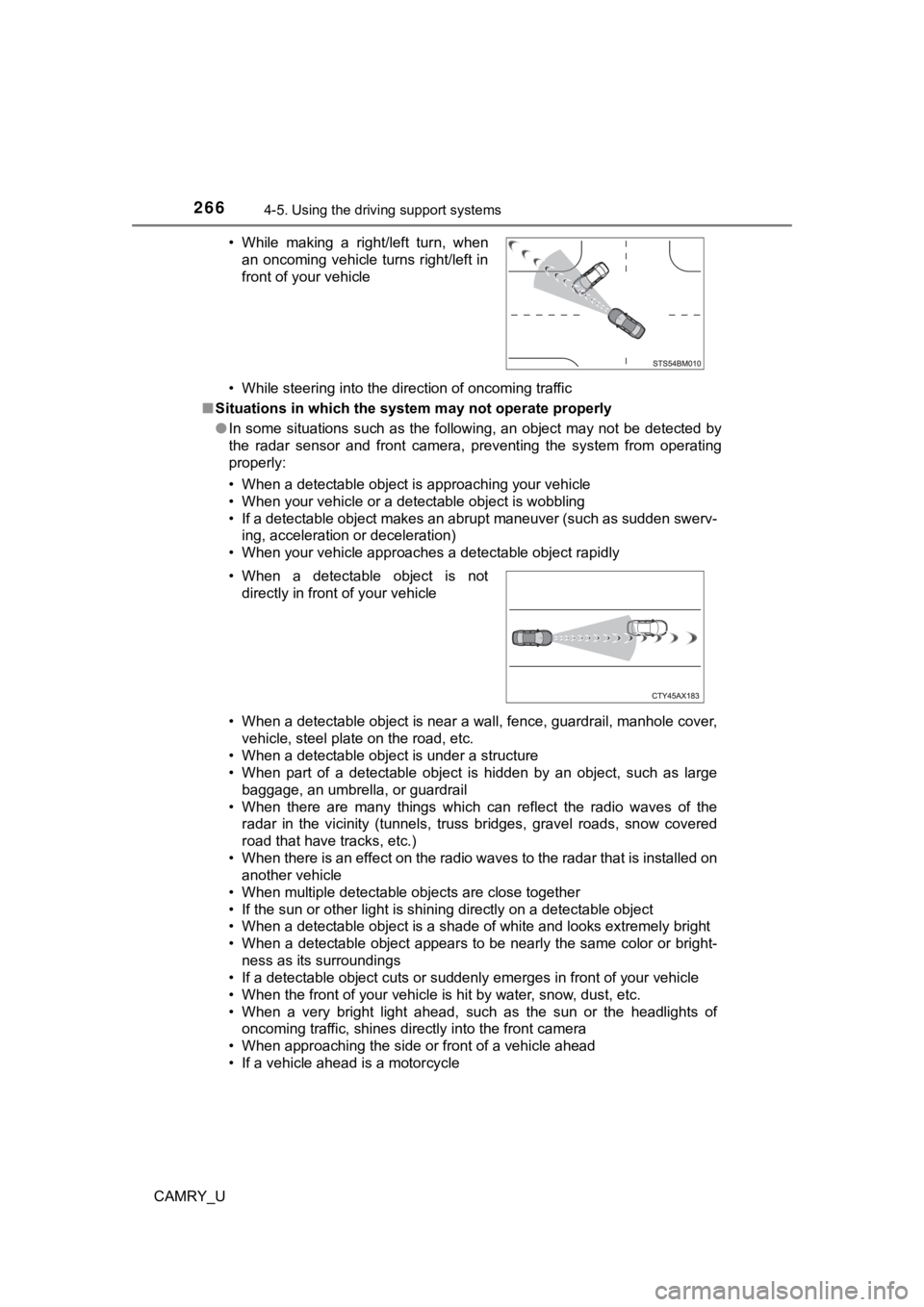
• If a vehicle ahead is a motorcycle • While making a right/left turn, when
an oncoming vehicle turns right/left in
front of your vehicle
• When a detectable object is not directly in front of your vehicle
Page 268 of 664
2684-5. Using the driving support systems
CAMRY_U• If the wheels are misaligned
• If a wiper blade is blocking the front camera
• The vehicle is being driven at extremely high speeds
• When driving on a hill
• If the radar sensor or front camera is misaligned
• When driving in a traffic lane separated by more than one lane
where
oncoming vehicles are driving while making a right/left turn
● In addition to the above, in some situations, such as the follo wing, the emer-
gency steering assist may not operate.
• When the white (yellow) lane lines are difficult to see, such as when they
are faint, diverging/merging, or a shadow is cast upon them
• When the lane is wider or narrower than normal
• When there is a light and dark pattern on the road surface, su ch as due to
road repairs
• When the target is too close
• When there is insufficient safe or unobstructed space for the vehicle to be
steered into
• If oncoming vehicle is present
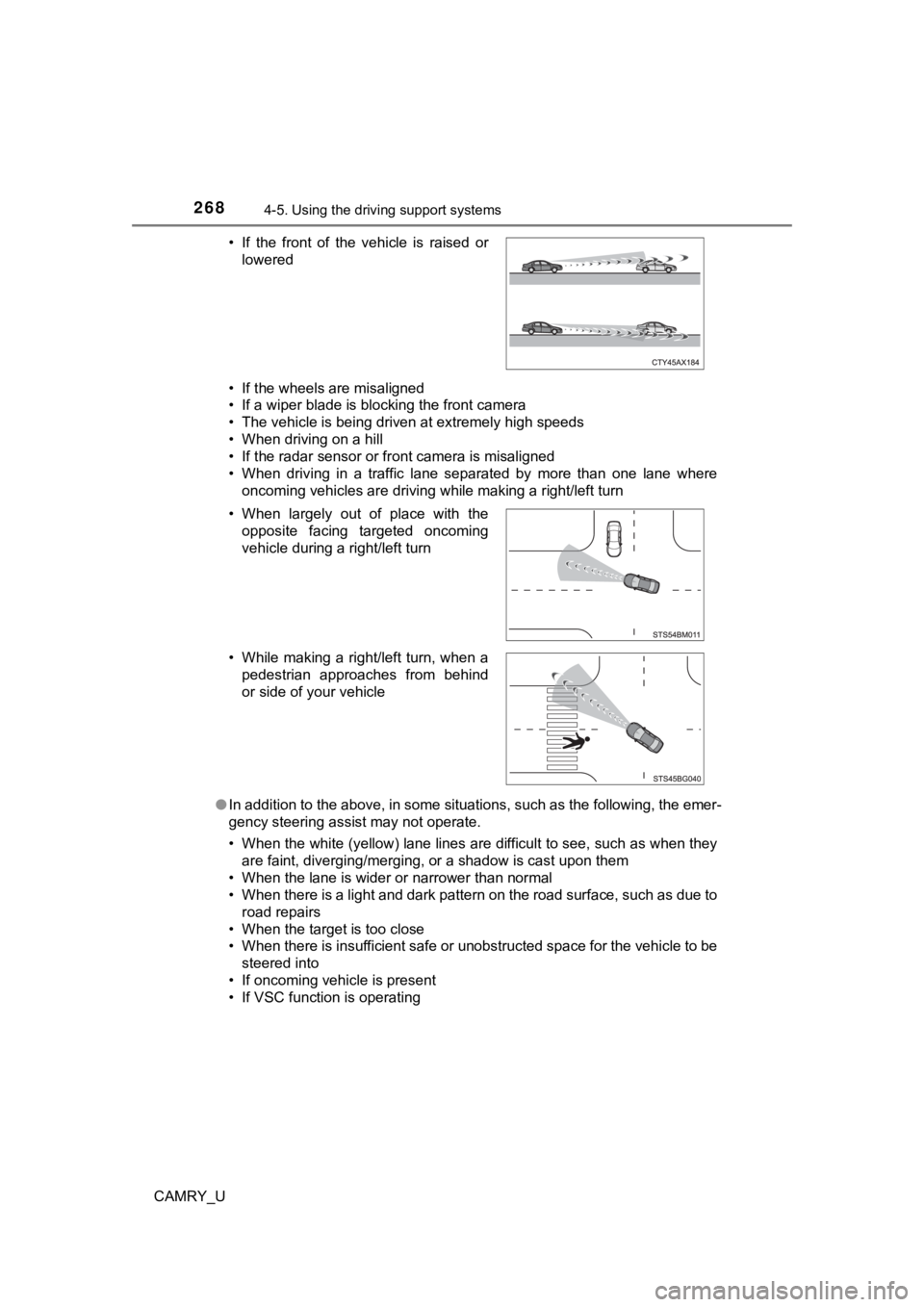
• If VSC function is operating • If the front of the vehicle is raised or
lowered
• When largely out of place with the opposite facing targeted oncoming
vehicle during a right/left turn
• While making a right/left turn, when a pedestrian approaches from behind
or side of your vehicle
Page 269 of 664
2694-5. Using the driving support systems
4
Driving
CAMRY_U●
In some situations such as the following, sufficient braking force or steering
force may not be obtained, preventing the system from performin g properly:
• If the braking functions cannot operate to their full extent, such as when
the brake parts are extremely cold, extremely hot, or wet
• If the vehicle is not properly maintained (brakes or tires are excessively
worn, improper tire inflation pressure, etc.)
• When the vehicle is being driven on a gravel road or other sli ppery sur-
face
• When the road surface has deep wheel tracks
• When driving on a hill road
• When driving on a road that has inclines to the left or right
■ If VSC is disabled
●If VSC is disabled ( P. 324), the pre-collision brake assist and pre-collision
braking functions are also disabled.
● The PCS warning light will turn on and “VSC Turned Off Pre-Coll ision Brake
System Unavailable” will be displayed on the multi-information display.
Page 270 of 664
2704-5. Using the driving support systems
CAMRY_U
While driving on a road with clear white (yellow) lane lines, t he LTA
system warns the driver if the vehicle may deviate from the cur rent
lane or course
*, and also can slightly operate the steering wheel to
help avoid deviation from the lane or course
*. Also, while the dynamic
radar cruise control with full-speed range or dynamic radar cru ise con-
trol is operating, this system will operate the steering wheel to main-
tain the vehicle’s lane position.
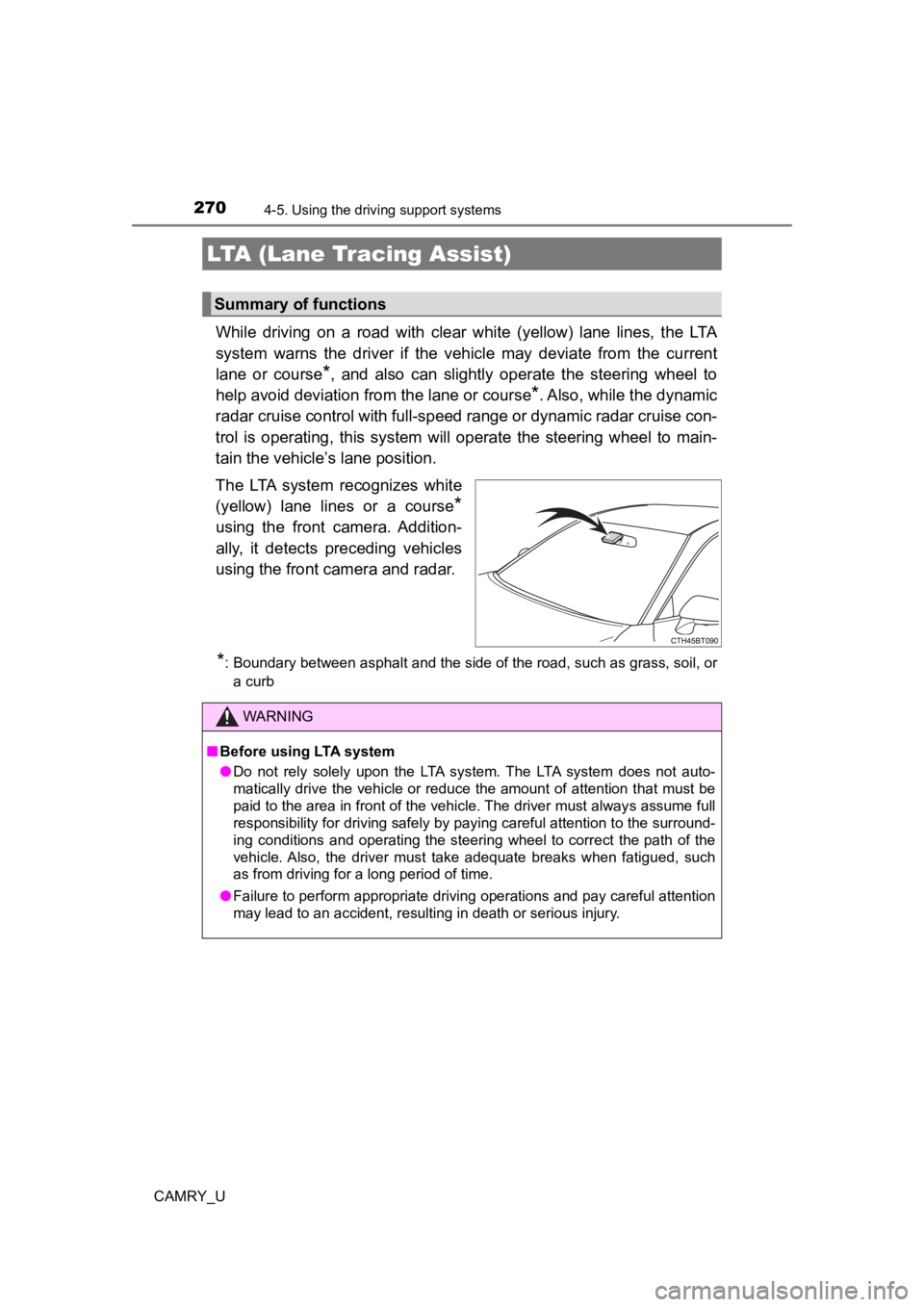
The LTA system recognizes white
(yellow) lane lines or a course
*
using the front camera. Addition-
ally, it detects preceding vehicles
using the front camera and radar.
*: Boundary between asphalt and the side of the road, such as grass, soil, or a curb
LTA (Lane Tracing Assist)
Summary of functions
WARNING
■ Before using LTA system
● Do not rely solely upon the LTA system. The LTA system does not auto-
matically drive the vehicle or reduce the amount of attention that must be
paid to the area in front of the vehicle. The driver must always assume full
responsibility for driving safely by paying careful attention to the surround-
ing conditions and operating the steering wheel to correct the path of the
vehicle. Also, the driver must take adequate breaks when fatigued, such
as from driving for a long period of time.
● Failure to perform appropriate driving operations and pay careful attention
may lead to an accident, resulting in death or serious injury.
Page 271 of 664
2714-5. Using the driving support systems
4
Driving
CAMRY_U
WARNING
■Situations unsuitable for LTA system
In the following situations, use the LTA switch to turn the system off. Failure
to do so may lead to an accident, resulting in death or serious injury.
● Vehicle is driven on a road surface which is slippery due to rainy weather,
fallen snow, freezing, etc.
● Vehicle is driven on a snow-covered road.
● White (yellow) lines are difficult to see due to rain, snow, fog, dust, etc.
● Vehicle is driven in a temporary lane or restricted lane due to construction
work.
● Vehicle is driven in a construction zone.
● A spare tire, tire chains, etc. are equipped.
● When the tires have been excessively worn, or when the tire inf lation pres-
sure is low.
● During emergency towing
■ Preventing LTA system malfunctions and operations performed by
mistake
● Do not modify the headlights or place stickers, etc. on the sur face of the
lights.
● Do not modify the suspension etc. If the suspension etc. needs to be
replaced, contact your Toyota dealer.
● Do not install or place anything on the hood or grille. Also, d o not install a
grille guard (bull bars, kangaroo bar, etc.).
● If your windshield needs repairs, contact your Toyota dealer.
Page 273 of 664
2734-5. Using the driving support systems
4
Driving
CAMRY_U
WARNING
●There are shadows on the road that run parallel with, or cover, the white
(yellow) lines.
● The vehicle is driven in an area without white (yellow) lines, such as in
front of a tollgate or checkpoint, or at an intersection, etc.
● The white (yellow) lines are cracked, “Botts’ dots”, “Raised pa vement
marker” or stones are present.
● The white (yellow) lines cannot be seen or are difficult to see due to sand,
etc.
● The vehicle is driven on a road surface that is wet due to rain , puddles,
etc.
● The traffic lines are yellow (which may be more difficult to recognize than
lines that are white).
● The white (yellow) lines cross over a curb, etc.
● The vehicle is driven on a bright surface, such as concrete.
● If the edge of the road is not clear or straight.
● The vehicle is driven on a surface that is bright due to reflec ted light, etc.
● The vehicle is driven in an area where the brightness changes suddenly,
such as at the entrances and exits of tunnels, etc.
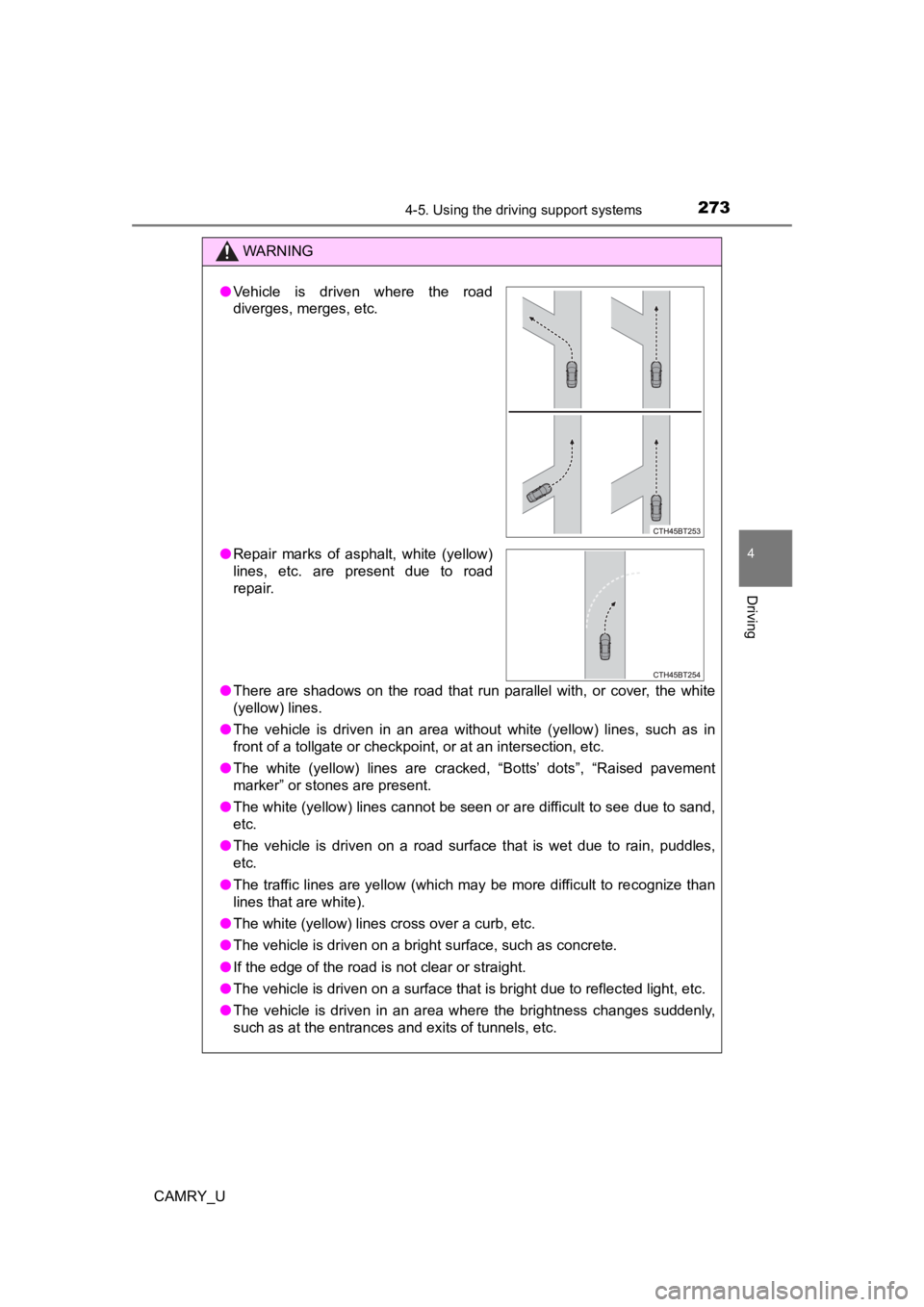
●Vehicle is driven where the road
diverges, merges, etc.
● Repair marks of asphalt, white (yellow)
lines, etc. are present due to road
repair.
Page 274 of 664

2744-5. Using the driving support systems
CAMRY_U
WARNING
●Light from the headlights of an oncoming vehicle, the sun, etc. enters the
camera.
● The vehicle is driven on a slope.
● The vehicle is driven on a road which tilts left or right, or a winding road.
● The vehicle is driven on an unpaved or rough road.
● The traffic lane is excessively narrow or wide.
● The vehicle is extremely tilted due to carrying heavy luggage o r having
improper tire pressure.
● The distance to the preceding vehicle is extremely short.
● The vehicle is moving up and down a large amount due to road conditions
during driving (poor r oads or road seams).
● When driving in a tunnel or at night with the headlights off or when a head-
light is dim due to its lens being dirty or it being misaligned.
● The vehicle is struck by a crosswind.
● The vehicle is affected by wind from a vehicle driven in a nearby lane.
● The vehicle has just changed lanes or crossed an intersection.
● Tires which differ by structure, manufacturer, brand or tread p attern are
used.
● When tires of a size other than specified are installed.
● Snow tires, etc. are equipped.
● The vehicle is being driven at extremely high speeds.
Page 289 of 664
2894-5. Using the driving support systems
4
Driving
CAMRY_U■
Conditions in which the function may not operate or detect correctly
In the following situations, RSA does not operate normally and may not rec-
ognize signs, display the incorrect sign, etc. However, this do es not indicate a
malfunction.
● The front camera is misaligned due to a strong impact being applied to the
sensor, etc.
● Dirt, snow, stickers, etc. are on the windshield near the front camera.
● In inclement weather such as heavy rain, fog, snow or sand storms
● Light from an oncoming vehicle, the sun, etc. enters the front camera.
● The sign is dirty, faded, tilted or bent.
● The contrast of electronic sign is low.
● All or part of the sign is hidden by the leaves of a tree, a pole, etc.
● The sign is only visible to the front camera for a short amount of time.
● The driving scene (turning, lane change, etc.) is judged incorr ectly.
● If a sign not appropriate for the currently traveled lane, but the sign exists
directly after a freeway branches, or in an adjacent lane just before merging.
● Stickers are attached to the rear of the preceding vehicle.
● A sign resembling a system compatible sign is recognized.
● Side road speed signs may be detected and displayed (if positio ned in sight
of the front camera) while the vehicle is traveling on the main road.
● Roundabout exit road speed signs may be detected and displayed (if posi-
tioned in sight of the front camera) while traveling on a round about.
● The front of the vehicle is raised or lowered due to the carried load
● The surrounding brightness is not sufficient or changes suddenly.
● When a sign intended for trucks, etc. is recognized.
● The navigation system map data is outdated.
● The navigation system is not operating.
● The speed information displayed on the meter and on the navigation system
may be different due to the navigation system using map data.
■ Speed limit sign display
If the engine switch was last turned off while a speed limit si gn was displayed
on the multi-information display, the same sign displays again when the
engine switch is turned to ON.
■ If “Road Sign Assist System Malfunction” is shown
The system may be malfunctioning. Have the vehicle inspected by your Toy-
ota dealer.
■ Customization
Some functions can be customized. ( P. 103, 117)
Page 294 of 664
2944-5. Using the driving support systems
CAMRY_U
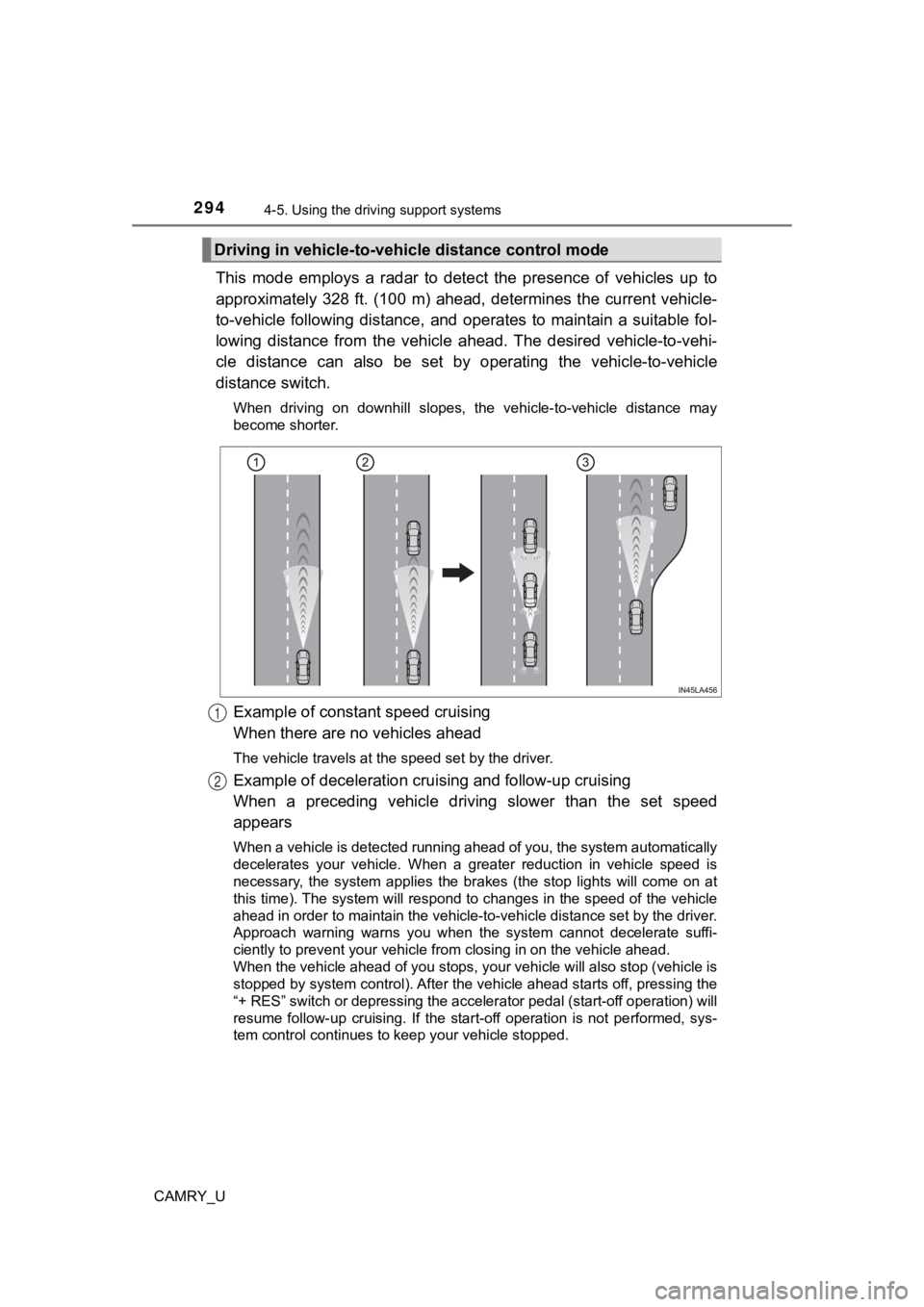
This mode employs a radar to detect the presence of vehicles up to
approximately 328 ft. (100 m) ahead, determines the current veh icle-
to-vehicle following distance, and operates to maintain a suita ble fol-
lowing distance from the vehicle ahead. The desired vehicle-to- vehi-
cle distance can also be set by operating the vehicle-to-vehicl e
distance switch.
When driving on downhill slopes, the vehicle-to-vehicle distance may
become shorter.
Example of constant speed cruising
When there are no vehicles ahead
The vehicle travels at the speed set by the driver.
Example of deceleration crui sing and follow-up cruising
When a preceding vehicle driving slower than the set speed
appears
When a vehicle is detected running ahead of you, the system automatically
decelerates your vehicle. When a greater reduction in vehicle s peed is
necessary, the system applies the brakes (the stop lights will come on at
this time). The system will respond to changes in the speed of the vehicle
ahead in order to maintain the vehicle-to-vehicle distance set by the driver.
Approach warning warns you when the system cannot decelerate su ffi-
ciently to prevent your vehicle fr om closing in on the vehicle ahead.
When the vehicle ahead of you stops, your vehicle will also stop (vehicle is
stopped by system control). After the vehicle ahead starts off, pressing the
“+ RES” switch or depressing the accelerator pedal (start-off o peration) will
resume follow-up cruising. If the start-off operation is not pe rformed, sys-
tem control continues to keep your vehicle stopped.
Driving in vehicle-to-vehi cle distance control mode
1
2
Page 311 of 664

3114-5. Using the driving support systems
4
Driving
CAMRY_U
Example of deceleration cruising and follow-up cruising
When a preceding vehicle driving slower than the set speed
appears
When a vehicle is detected running ahead of you, the system automatically
decelerates your vehicle. When a greater reduction in vehicle s peed is
necessary, the system applies the brakes (the stop lights will come on at
this time). The system will respond to changes in the speed of the vehicle
ahead in order to maintain the vehicle-to-vehicle distance set by the driver.
Approach warning warns you when the system cannot decelerate su ffi-
ciently to prevent your vehicle fr om closing in on the vehicle ahead.
When the turn signal lever is operated and your vehicle moves to an over-
taking lane while driving at 50 mph (80 km/h) or more, the vehi cle will
accelerate to help to overtake a passing vehicle.
The system’s identification of what is an overtaking lane may b e deter-
mined solely based on the location of the steering wheel in the vehicle (left
side driver position versus right side driver position.) If the vehicle is driven
to a region where the overtaking lane is on a different side fr om where the
vehicle is normally driven, the vehicle may accelerate when the turn signal
lever is operated in the opposite direction to the overtaking l ane (e.g., if the
driver normally operates the vehicle in a region where the overtaking lane
is to the right but then drives to a region where the overtaking lane is to the
left, the vehicle may accelerate when the right turn signal is activated).
Example of acceleration
When there are no longer any preceding vehicles driving slower
than the set speed
The system accelerates until the set speed is reached. The syst em then
returns to constant speed cruising.
2
3