light TOYOTA CAMRY 2022 Owners Manual
[x] Cancel search | Manufacturer: TOYOTA, Model Year: 2022, Model line: CAMRY, Model: TOYOTA CAMRY 2022Pages: 664, PDF Size: 11.3 MB
Page 322 of 664
3224-5. Using the driving support systems
CAMRY_U
◆ABS (Anti-lock Brake System)
Helps to prevent wheel lock when the brakes are applied suddenl y,
or if the brakes are applied while driving on a slippery road surface
◆Brake assist
Generates an increased level of braking force after the brake p edal
is depressed when the system de tects a panic stop situation
◆VSC (Vehicle Stability Control)
Helps the driver to control skidding when swerving suddenly or
turning on slippery road surfaces.
◆Enhanced VSC (Enhanced Vehicle Stability Control)
Provides cooperative control of the ABS, TRAC, VSC and EPS.
Helps to maintain directional stability when swerving on slippe ry
road surfaces by controlling steering performance.
◆Secondary Collision Brake
When the airbag sensor detects a collision and the system oper-
ates, the brakes and stop light s are automatically controlled to
reduce the vehicle speed and hel p reduce the possibility of further
damage due to a secondary collision
◆TRAC (Traction Control)
Helps to maintain drive power and prevent the drive wheels from
spinning when starting the vehicl e or accelerating on slippery roads
◆Active Cornering Assist (ACA) (if equipped)
Helps to prevent the vehicle from sliding to the outer side by per-
forming inner wheel brake control when attempting to accelerate
while turning
Driving assist systems
To keep driving safety and perf ormance, the following systems
operate automatically in respon se to various driving situations.
Be aware, however, that these systems are supplementary and
should not be relied upon too heav ily when operating the vehi-
cle.
Page 323 of 664
3234-5. Using the driving support systems
4
Driving
CAMRY_U
◆Hill-start assist control
Helps to reduce the backward movement of the vehicle when start-
ing on an uphill
◆EPS (Electric Power Steering)
Employs an electric motor to reduce the amount of effort needed to
turn the steering wheel
◆BSM (Blind Spot Moni tor) (if equipped)
P. 3 3 0
◆Dynamic Torque Control AWD system (if equipped)
Automatically switches from fron t-wheel drive to all-wheel drive
(AWD) according to the driving conditions, helping to ensure re li-
able handling and stability. Ex amples of conditions where the s ys-
tem will switch to AWD are when cornering, going uphill, starting off
or accelerating, and when the road surface is slippery due to s now,
rain, etc.
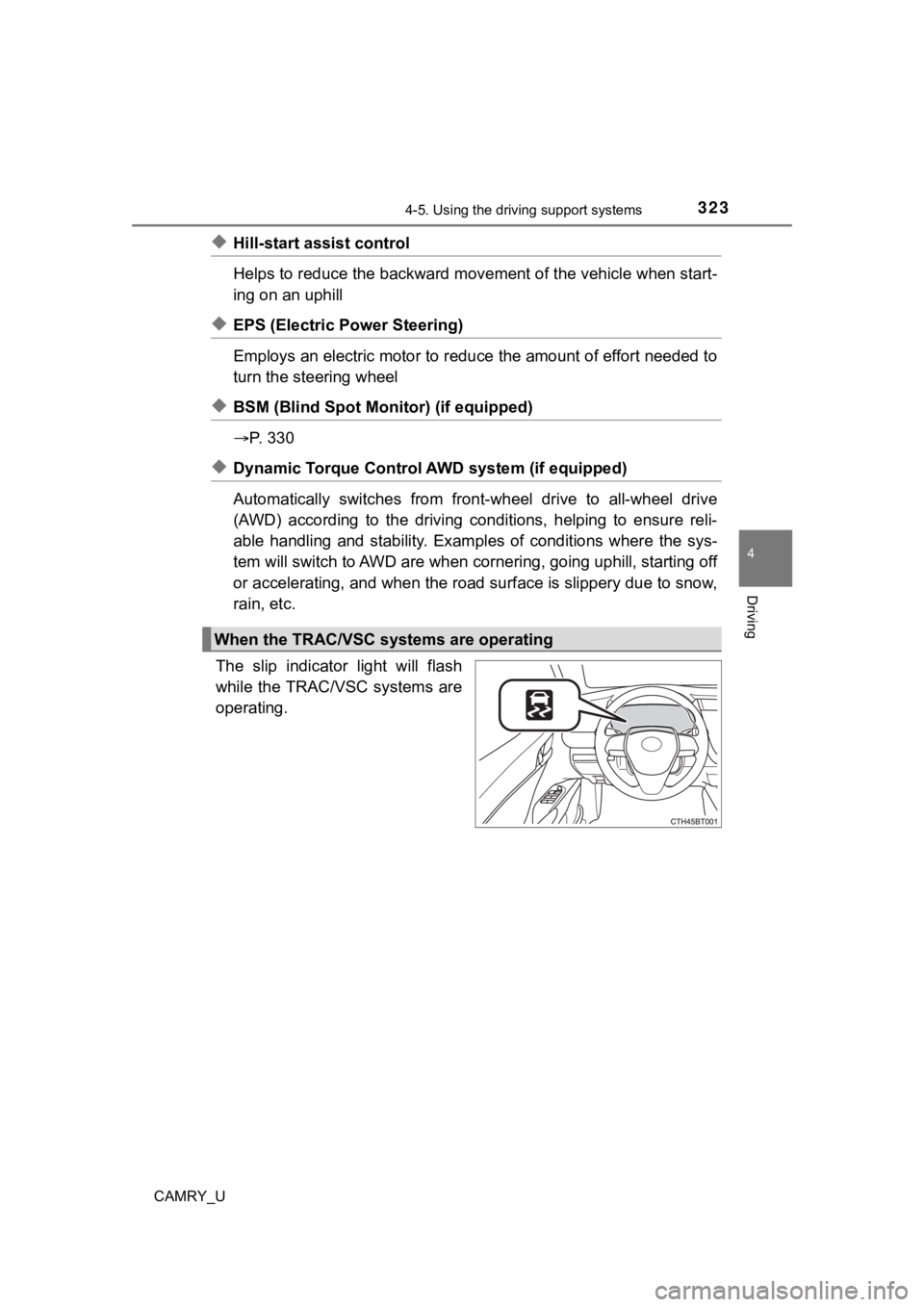
The slip indicator light will flash
while the TRAC/VSC systems are
operating.
When the TRAC/VSC systems are operating
Page 325 of 664
3254-5. Using the driving support systems
4
Driving
CAMRY_U
■Turning off both TRAC and VSC systems
To turn the TRAC and VSC systems off, press and hold for more than 3
seconds while the vehicle is stopped.
The VSC OFF indicator light will come on and the “Traction Cont rol Turned
Off” will be shown on the multi-information display
*.
Press again to turn the systems back on.
*: PCS (Pre-Collision System) will also be disabled (only Pre-Col lision warn-
ing is available). The pre-collision system warning light will come on and
the message will be shown on the multi-information display. ( P. 269)
■ When the message is displayed on the multi-information display show-
ing that TRAC has been disabled even if has not been pressed
TRAC is temporary deactivated. If the information continues to show, contact
your Toyota dealer.
■ Operating conditions of hill-start assist control
When the following four conditions are met, the hill-start assi st control will
operate:
● The shift lever is in a position other than P or N (when starting off forward/
backward on an upward incline)
● The vehicle is stopped
● The accelerator pedal is not depressed
● The parking brake is not engaged
■ Automatic system cancelation of hill-start assist control
The hill-start assist control will turn off in any of the following situations:
● The shift lever is shifted to P or N
● The accelerator pedal is depressed
● The parking brake is engaged
● 2 seconds at maximum elapsed after the brake pedal is released
Page 326 of 664

3264-5. Using the driving support systems
CAMRY_U■
Sounds and vibrations caused by the ABS, brake assist, VSC, TRAC and
hill-start assist control systems
●A sound may be heard from the engine compartment when the brake pedal
is depressed repeatedly, when the engine is started or just aft er the vehicle
begins to move. This sound does not indicate that a malfunction has
occurred in any of these systems.
● Any of the following conditions may occur when the above system s are
operating. None of these indicates that a malfunction has occur red.
• Vibrations may be felt through the vehicle body and steering.
• A motor sound may be heard also after the vehicle comes to a s top.
• The brake pedal may pulsate slightly after the ABS is activate d.
• The brake pedal may move down sli ghtly after the ABS is activated.
■ Active Cornering Assist operation sounds and vibrations
When the Active Cornering Assist is operated, operation sounds and vibra-
tions may be generated from the brake system, but this is not a malfunction.
■ EPS operation sound
When the steering wheel is operated, a motor sound (whirring so und) may be
heard. This does not indicate a malfunction.
■ Automatic reactivation of TRAC and VSC systems
After turning the TRAC and VSC systems off, the systems will be automati-
cally re-enabled in the following situations:
● When the engine switch is turned off
● If only the TRAC system is turned off, the TRAC will turn on wh en vehicle
speed increases
If both the TRAC and VSC systems are turned off, automatic re-e nabling will
not occur when vehicle speed increases.
■ Operating conditions of Active Cornering Assist
The system operates when the following occurs.
●TRAC/VSC can operate
● The driver is attempting to accelerate while turning
● The system detects that the vehicle is sliding to the outer sid e
● The brake pedal is released
■ Secondary Collision Brake operating conditions
The system operates when the SRS airbag sensor detects a collis ion while
the vehicle is in motion.
However, the system does not operate in any of the following si tuations.
● The vehicle speed is below 6 mph (10 km/h)
● Components are damaged
Page 329 of 664
3294-5. Using the driving support systems
4
Driving
CAMRY_U
WARNING
■Hill- start assist control does not operate effectively when
● Do not overly rely on hill-start assist control. Hill-start ass ist control may
not operate effectively on steep inclines and roads covered wit h ice.
● Unlike the parking brake, hill-start assist control is not inte nded to hold the
vehicle stationary for an extended period of time. Do not attempt to use
hill-start assist control to hold the vehicle on an incline, as doing so may
lead to an accident.
■ When the TRAC/VSC is activated
The slip indicator light flashes. Always drive carefully. Reckless driving may
cause an accident. Exercise particular care when the indicator light flashes.
■ When the TRAC/VSC systems are turned off
Be especially careful and drive at a speed appropriate to the r oad condi-
tions. As these are the systems to help ensure vehicle stability and driving
force, do not turn the TRAC/VSC systems off unless necessary.
■ Secondary Collision Brake
Do not overly rely solely upon the Secondary Collision Brake. This system
is designed to help reduce the possibility of further damage du e to a sec-
ondary collision, however, that effect changes according to various condi-
tions. Overly relying on the system may result in death or serious injury.
■ Replacing tires
Make sure that all tires are of the specified size, brand, trea d pattern and
total load capacity. In addition, make sure that the tires are inflated to the
recommended tire inflation pressure level.
The ABS, TRAC and VSC systems will not function correctly if different tires
are installed on the vehicle.
Contact your Toyota dealer for further information when replaci ng tires or
wheels.
■ Handling of tires and the suspension
Using tires with any kind of problem or modifying the suspensio n will affect
the driving assist systems, and may cause a system to malfunction.
Page 331 of 664
3314-5. Using the driving support systems
4
Driving
CAMRY_U
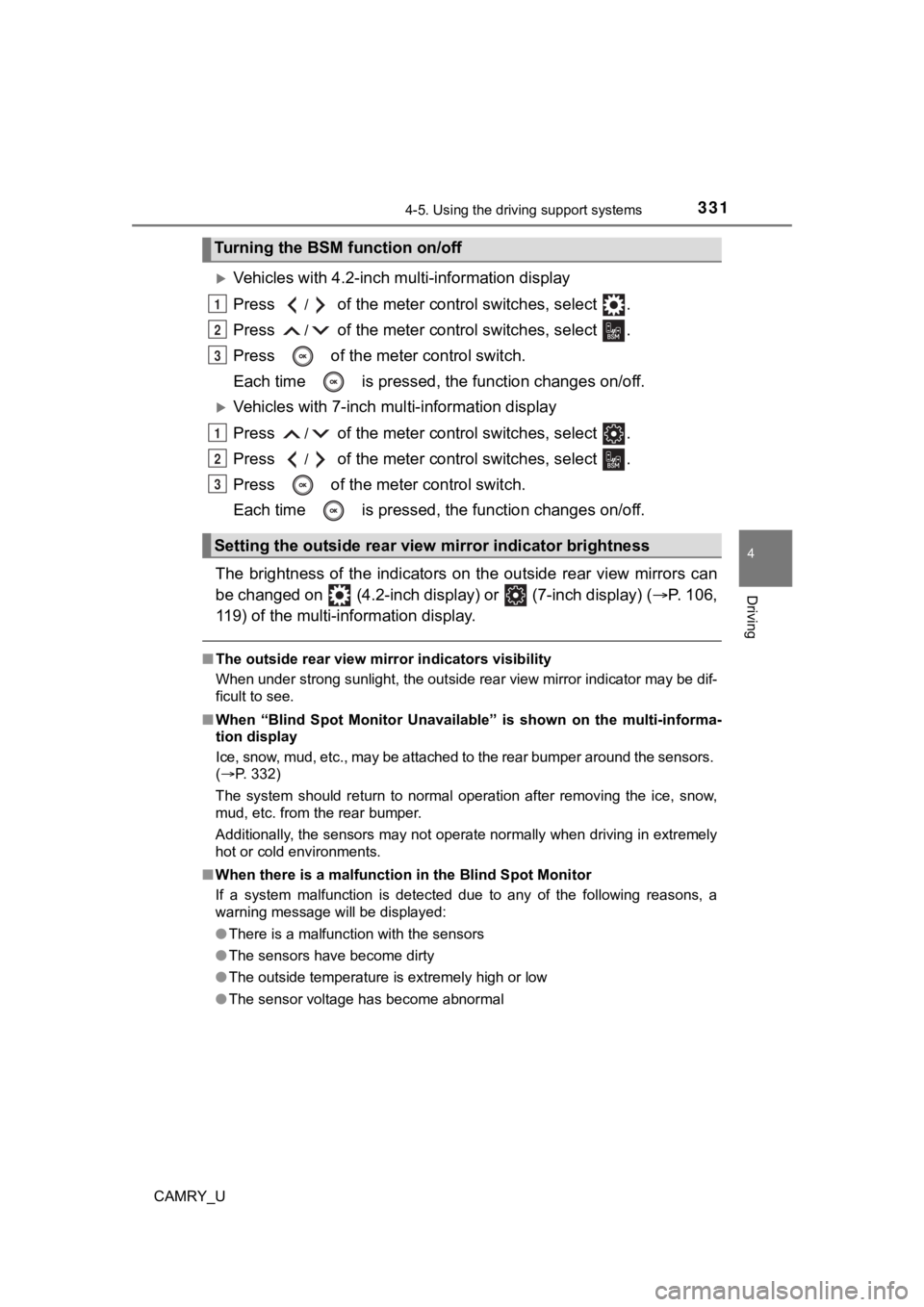
Vehicles with 4.2-inch multi-information display
Press
/ of the meter control switches, select .
Press
/ of the meter control switches, select .
Press of the meter control switch.
Each time is pressed, t he function changes on/off.
Vehicles with 7-inch multi-information display
Press
/ of the meter control switches, select .
Press
/ of the meter control switches, select .
Press of the meter control switch.
Each time is pressed, t he function changes on/off.
The brightness of the indicators on the outside rear view mirro rs can
be changed on (4.2-inch display) or
(7-inch display) ( P. 106,
119) of the multi-information display.
■ The outside rear view mirror indicators visibility
When under strong sunlight, the outside rear view mirror indica tor may be dif-
ficult to see.
■ When “Blind Spot Monitor Unavailable” is shown on the multi-inf orma-
tion display
Ice, snow, mud, etc., may be attached to the rear bumper around the sensors.
( P. 332)
The system should return to normal operation after removing the ice, snow,
mud, etc. from the rear bumper.
Additionally, the sensors may not operate normally when driving in extremely
hot or cold environments.
■ When there is a malfunction in the Blind Spot Monitor
If a system malfunction is detected due to any of the following reasons, a
warning message will be displayed:
●There is a malfunction with the sensors
● The sensors have become dirty
● The outside temperature is extremely high or low
● The sensor voltage has become abnormal
Turning the BSM function on/off
Setting the outside rear view mirror indicator brightness
1
2
3
1
2
3
Page 332 of 664
3324-5. Using the driving support systems
CAMRY_U
WARNING
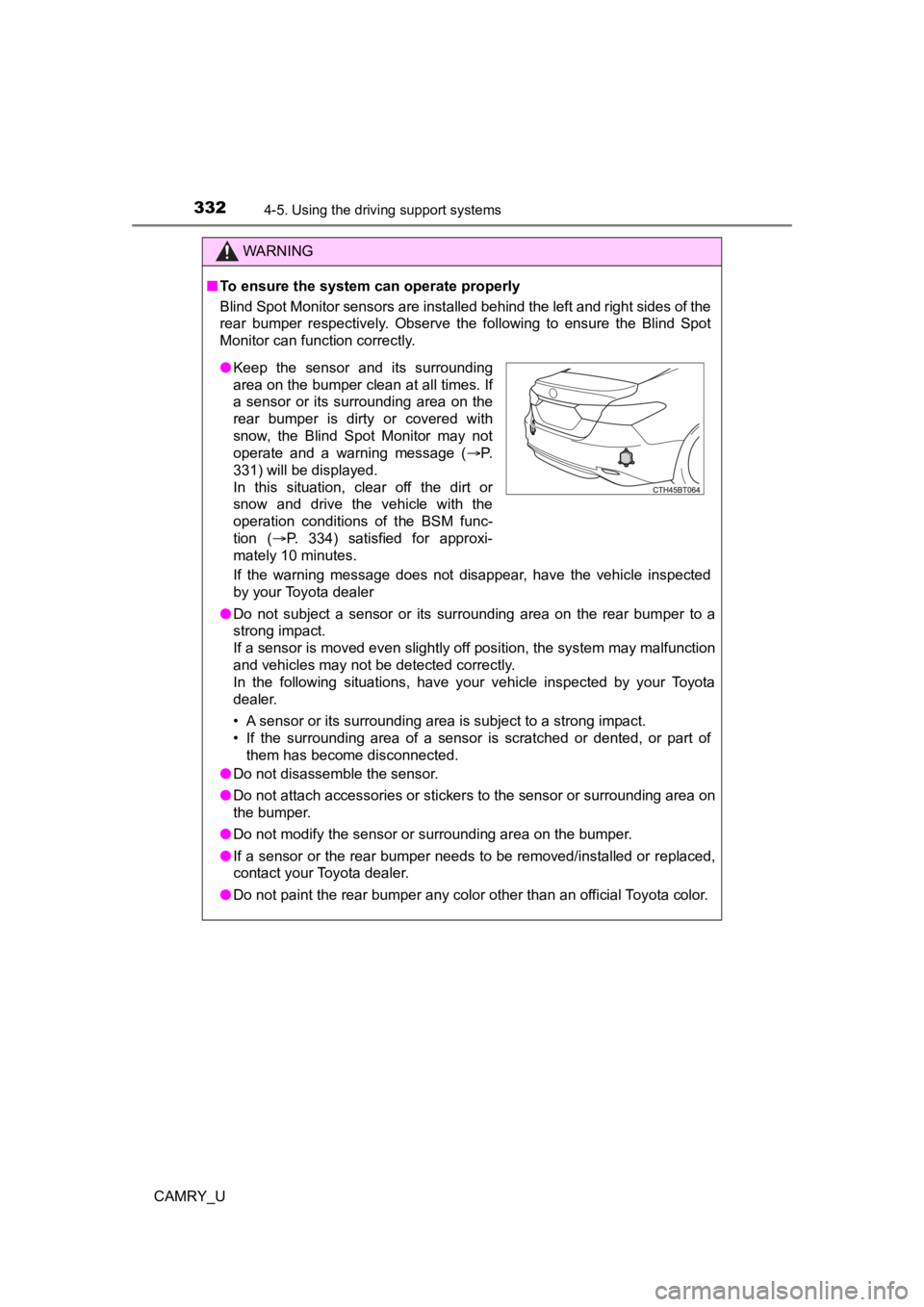
■To ensure the system can operate properly
Blind Spot Monitor sensors are installed behind the left and ri ght sides of the
rear bumper respectively. Observe the following to ensure the Blind Spot
Monitor can function correctly.
If the warning message does not disappear, have the vehicle inspected
by your Toyota dealer
● Do not subject a sensor or its surrounding area on the rear bumper to a
strong impact.
If a sensor is moved even slightly off position, the system may malfunction
and vehicles may not be detected correctly.
In the following situations, have your vehicle inspected by your Toyota
dealer.
• A sensor or its surrounding area is subject to a strong impact .
• If the surrounding area of a sensor is scratched or dented, or part of them has become disconnected.
● Do not disassemble the sensor.
● Do not attach accessories or stickers to the sensor or surrounding area on
the bumper.
● Do not modify the sensor or surrounding area on the bumper.
● If a sensor or the rear bumper needs to be removed/installed or replaced,
contact your Toyota dealer.
● Do not paint the rear bumper any color other than an official Toyota color.
●Keep the sensor and its surrounding
area on the bumper clean at all times. If
a sensor or its surrounding area on the
rear bumper is dirty or covered with
snow, the Blind Spot Monitor may not
operate and a warning message ( P.
331) will be displayed.
In this situation, clear off the dirt or
snow and drive the vehicle with the
operation conditions of the BSM func-
tion ( P. 334) satisfied for approxi-
mately 10 minutes.
Page 344 of 664

3444-5. Using the driving support systems
CAMRY_U
WARNING
■Cautions regarding the use of the system
There is a limit to the degree of recognition accuracy and cont rol perfor-
mance that this system can provide, do not overly rely on this system. The
driver is always responsible for paying attention to the vehicl e’ surroundings
and driving safely.
■ To ensure the system can operate properly
Observe the following precautions.
Failing to do so may result in the vehicle being unable to be driven safely
and possibly cause an accident.
● Do not damage the sensors, and always keep them clean.
● Do not attach a sticker or install an electronic component, such as a backlit
license plate (especially fluorescent type), fog lights, fender pole or wire-
less antenna near a radar sensor.
● Do not subject the surrounding area of the sensor to a strong impact. If
subjected to an impact, have the vehicle inspected by your Toyota dealer.
If the front or rear bumper needs to be removed/installed or replaced, con-
tact your Toyota dealer.
● Do not modify, disassemble or paint the sensors.
● Do not attach a license plate cover.
● Keep your tires properly inflated.
■ When to disable the function
In the following situations, disable the function as it may operate even
though there is no possibility of a collision.
● Failing to observe the warnings above.
● A non-genuine Toyota suspension (lowered suspension, etc.) is installed.
■ Notes when washing the vehicle
Do not apply intensive bursts of water or steam to the sensor a rea.
Doing so may result in the sensor malfunctioning.
● When using a high pressure washer to wash the vehicle, do not spray the
sensors directly, as doing so may cause a sensor to malfunction .
● When using steam to clean the vehicle, do not direct steam too close to
the sensors as doing so may cause a sensor to malfunction.
● When using an automatic car wash, disable the intuitive parking assist
Page 346 of 664
3464-5. Using the driving support systems
CAMRY_U
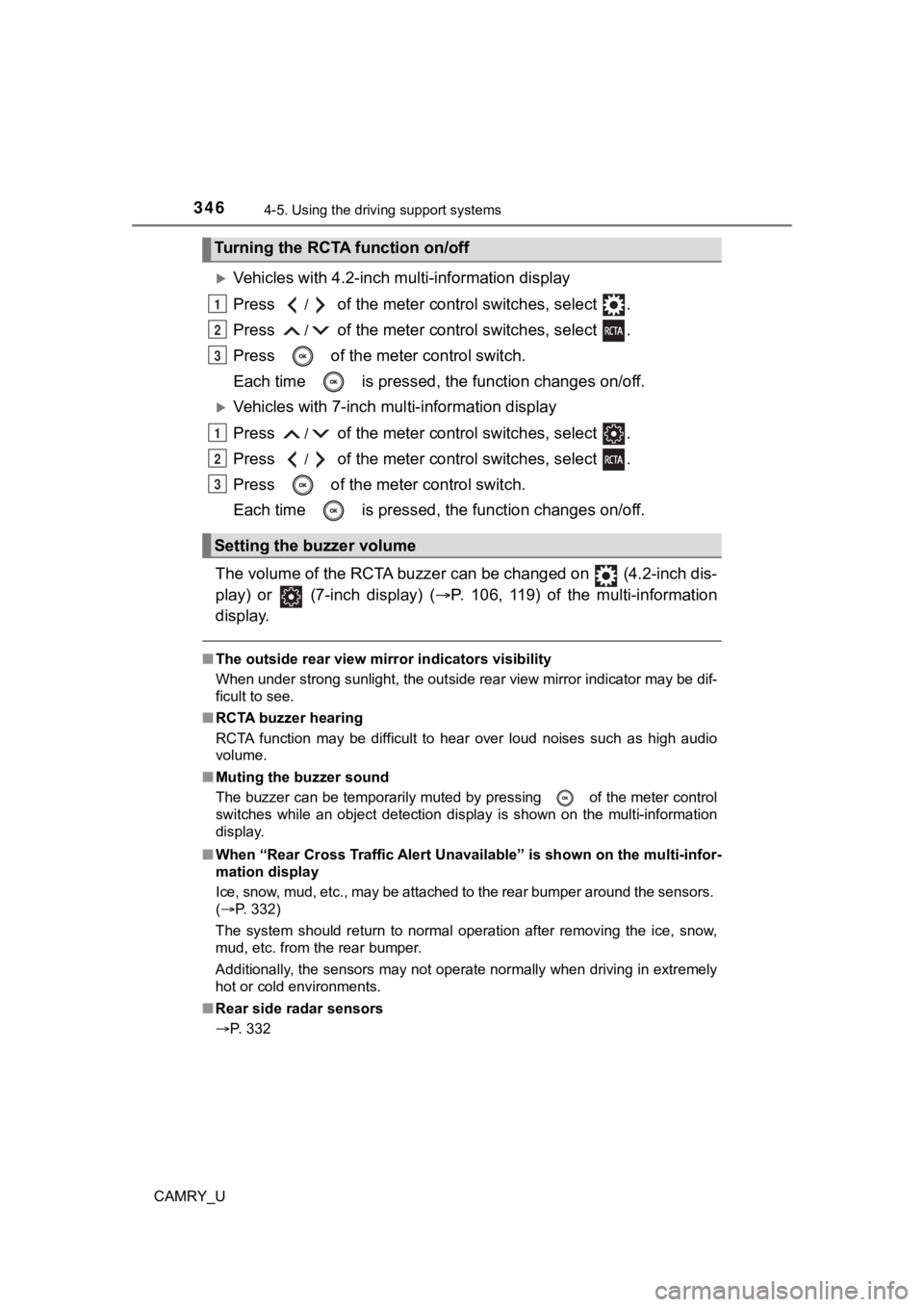
Vehicles with 4.2-inch m ulti-information display
Press
/ of the meter control switches, select .
Press
/ of the meter control switches, select .
Press of the meter control switch.
Each time is pressed, t he function changes on/off.
Vehicles with 7-inch multi-information display
Press
/ of the meter control switches, select .
Press
/ of the meter control switches, select .
Press of the meter control switch.
Each time is pressed, t he function changes on/off.
The volume of the RCTA buzzer can be changed on (4.2-inch dis-
play) or (7-inch display) ( P. 106, 119) of the multi-information
display.
■ The outside rear view mirror indicators visibility
When under strong sunlight, the outside rear view mirror indica tor may be dif-
ficult to see.
■ RCTA buzzer hearing
RCTA function may be difficult to hear over loud noises such as high audio
volume.
■ Muting the buzzer sound
The buzzer can be temporarily muted by pressing
of the meter control
switches while an object detection display is shown on the mult i-information
display.
■ When “Rear Cross Traffic Alert Unavailable” is shown on the mul ti-infor-
mation display
Ice, snow, mud, etc., may be attached to the rear bumper around the sensors.
( P. 332)
The system should return to normal operation after removing the ice, snow,
mud, etc. from the rear bumper.
Additionally, the sensors may not operate normally when driving in extremely
hot or cold environments.
■ Rear side radar sensors
P. 332
Turning the RCTA function on/off
Setting the buzzer volume
1
2
3
1
2
3
Page 357 of 664

3574-5. Using the driving support systems
4
Driving
CAMRY_U■
Situations in which the syst em may not operate properly
● Some pedestrians, such as the following, may not be detected by the rear
camera detection function, preventing the function from operati ng properly:
• Pedestrians who are squatting
• Pedestrians who are lying down
• Pedestrians who are running
• Pedestrians who suddenly enter the detection area
• Pedestrians riding a bicycle, skateboard, or other light vehic le
• Pedestrians wearing unusual clothing, such as a costume
• Pedestrians whose body is partially hidden by a cart or other object
• Pedestrians which are obscured by darkness, such as at night
● In some situations, such as the following, pedestrians may not be detected
by the rear camera detection function, preventing the function from operat-
ing properly:
• When backing up in inclement weather (rain, snow, fog, etc.)
• When the rear camera is obscured (dirt, snow, ice, etc. are at tached) or
scratched
• When a very bright light, such as the sun, or the headlights o f another
vehicle, shines directly into the rear camera
• When backing up in a place where the surrounding brightness ch anges
suddenly, such as at the entrance or exit of a garage or underg round
parking lot
• When backing up in a dim environment such as during dusk or in an
underground parking lot
• When the camera position and direction are deviated
• When a towing hook is attached
• When water droplets are flowing on the camera lens
• When the vehicle height is extremely changed (nose up, nose do wn)
• When tire chains is used