change time TOYOTA CAMRY 2023 Owner's Manual
[x] Cancel search | Manufacturer: TOYOTA, Model Year: 2023, Model line: CAMRY, Model: TOYOTA CAMRY 2023Pages: 664, PDF Size: 11.28 MB
Page 300 of 664
3004-5. Using the driving support systems
CAMRY_U■
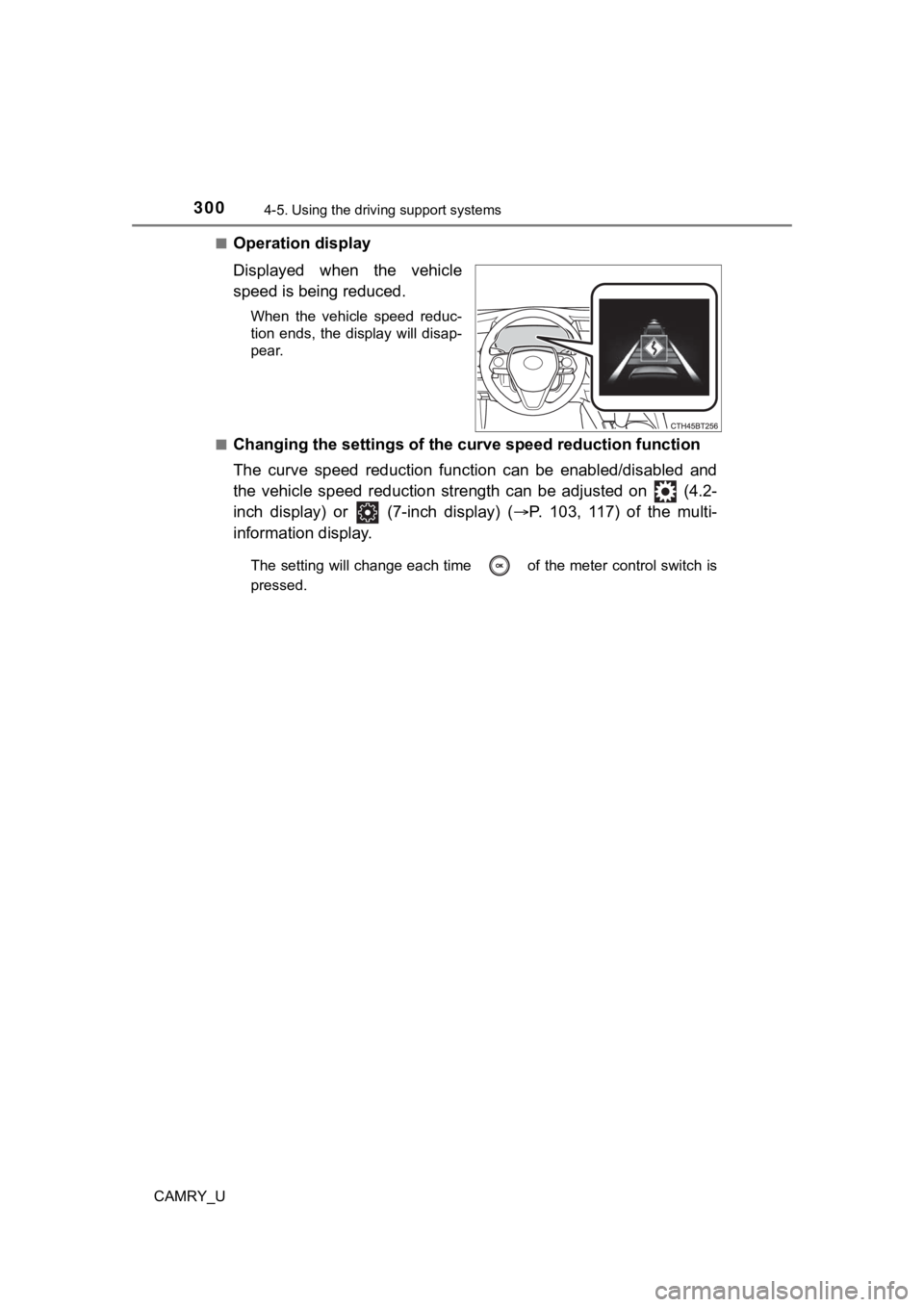
Operation display
Displayed when the vehicle
speed is being reduced.
When the vehicle speed reduc-
tion ends, the display will disap-
pear.
■
Changing the settings of the curve speed reduction function
The curve speed reduction function can be enabled/disabled and
the vehicle speed reduction str ength can be adjusted on (4.2-
inch display) or (7-inch display) ( P. 103, 117) of the multi-
information display.
The setting will change each time of the meter control switch is
pressed.
Page 303 of 664
3034-5. Using the driving support systems
4
Driving
CAMRY_U■
Automatic cancelation of c onstant speed control mode
Constant speed control mode is automatically canceled in the following situa-
tions:
● Actual vehicle speed is more than approximately 10 mph (16 km/h ) below
the set vehicle speed.
● Actual vehicle speed falls below approximately 20 mph (30 km/h) .
● VSC is activated.
● TRAC is activated for a period of time.
● When the VSC or TRAC system is turned off.
● When the brake control or output restriction control of a driving support sys-
tem operates. (For example: Pre-Collision System, Drive-Start C ontrol)
● The parking brake is operated.
If constant speed control mode is automatically canceled for any reasons
other than the above, there may be a malfunction in the system. Contact your
Toyota dealer.
■ Situations in which the curve speed reduction function may not operate
In situations such as the following, the curve speed reduction function may
not operate:
● When the vehicle is being driven around a gentle curve
● When the accelerator pedal is being depressed
● When the vehicle is being driven around an extremely short curv e
■ Brake operation
A brake operation sound may be heard and the brake pedal response may
change, but these are not malfunctions.
■ Warning messages and buzzers for d ynamic radar cruise control with
full-speed range
Warning messages and buzzers are used to indicate a system malfunction or
to inform the driver of the need for caution while driving. If a warning message
is shown on the multi-information display, read the message and follow the
instructions. ( P. 252, 538)
Page 311 of 664

3114-5. Using the driving support systems
4
Driving
CAMRY_U
Example of deceleration cruising and follow-up cruising
When a preceding vehicle driving slower than the set speed
appears
When a vehicle is detected running ahead of you, the system automatically
decelerates your vehicle. When a greater reduction in vehicle s peed is
necessary, the system applies the brakes (the stop lights will come on at
this time). The system will respond to changes in the speed of the vehicle
ahead in order to maintain the vehicle-to-vehicle distance set by the driver.
Approach warning warns you when the system cannot decelerate su ffi-
ciently to prevent your vehicle fr om closing in on the vehicle ahead.
When the turn signal lever is operated and your vehicle moves to an over-
taking lane while driving at 50 mph (80 km/h) or more, the vehi cle will
accelerate to help to overtake a passing vehicle.
The system’s identification of what is an overtaking lane may b e deter-
mined solely based on the location of the steering wheel in the vehicle (left
side driver position versus right side driver position.) If the vehicle is driven
to a region where the overtaking lane is on a different side fr om where the
vehicle is normally driven, the vehicle may accelerate when the turn signal
lever is operated in the opposite direction to the overtaking l ane (e.g., if the
driver normally operates the vehicle in a region where the overtaking lane
is to the right but then drives to a region where the overtaking lane is to the
left, the vehicle may accelerate when the right turn signal is activated).
Example of acceleration
When there are no longer any preceding vehicles driving slower
than the set speed
The system accelerates until the set speed is reached. The syst em then
returns to constant speed cruising.
2
3
Page 313 of 664
3134-5. Using the driving support systems
4
Driving
CAMRY_U
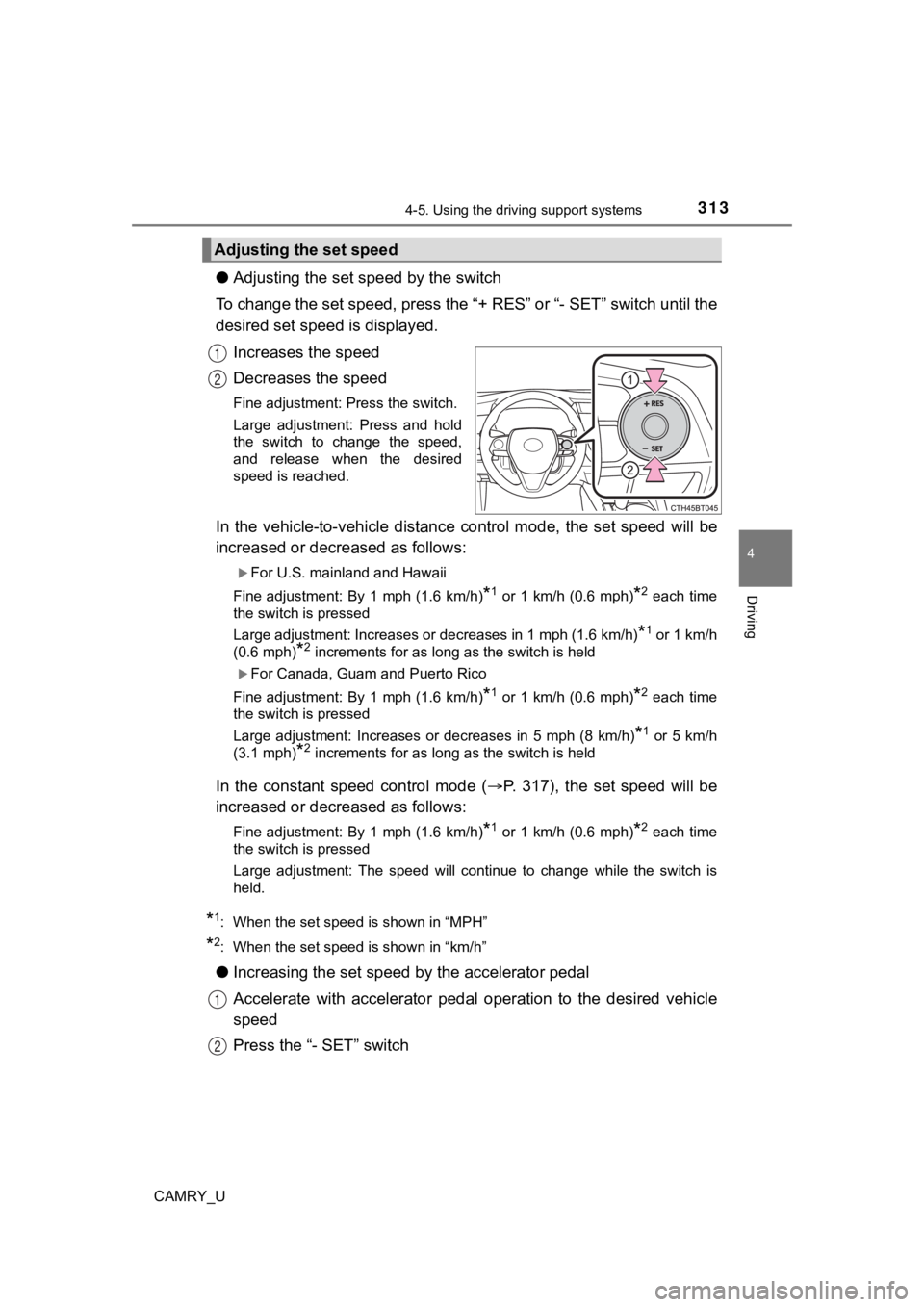
●Adjusting the set speed by the switch
To change the set speed, press the “+ RES” or “- SET” switch un til the
desired set speed is displayed.
Increases the speed
Decreases the speed
Fine adjustment: Press the switch.
Large adjustment: Press and hold
the switch to change the speed,
and release when the desired
speed is reached.
In the vehicle-to-vehicle distance control mode, the set speed will be
increased or decreased as follows:
For U.S. mainland and Hawaii
Fine adjustment: By 1 mph (1.6 km/h)
*1 or 1 km/h (0.6 mph)*2 each time
the switch is pressed
Large adjustment: Increases or decreases in 1 mph (1.6 km/h)
*1 or 1 km/h
(0.6 mph)
*2 increments for as long as the switch is held
For Canada, Guam and Puerto Rico
Fine adjustment: By 1 mph (1.6 km/h)
*1 or 1 km/h (0.6 mph)*2 each time
the switch is pressed
Large adjustment: Increases or decreases in 5 mph (8 km/h)
*1 or 5 km/h
(3.1 mph)
*2 increments for as long as the switch is held
In the constant speed control mode ( P. 317), the set speed will be
increased or decreased as follows:
Fine adjustment: By 1 mph (1.6 km/h)*1 or 1 km/h (0.6 mph)*2 each time
the switch is pressed
Large adjustment: The speed will continue to change while the switch is
held.
*1: When the set speed is shown in “MPH”
*2: When the set speed is shown in “km/h”
● Increasing the set speed b y the accelerator pedal
Accelerate with accelerator pedal operation to the desired vehicle
speed
Press the “- SET” switch
Adjusting the set speed
1
2
1
2
Page 316 of 664
3164-5. Using the driving support systems
CAMRY_U
While driving in vehicle-to-vehi cle distance control mode, this function
will reduce the vehicl e speed, if it is determined to be necess ary.
■Function operation
When the steering wheel begins to be turned, the vehicle speed will
begin being reduced. When the steering wheel is returned to the
center position, the vehicl e speed reduction will end.
Depending on the situat ion, the vehicle speed will then return to the
vehicle-to-vehicle distanc e control mode set speed.
In situations where vehicle-to-v ehicle distance control needs to
operate, such as when a preceding vehicle cuts in front of your
vehicle, the curve speed reduction function will be canceled.
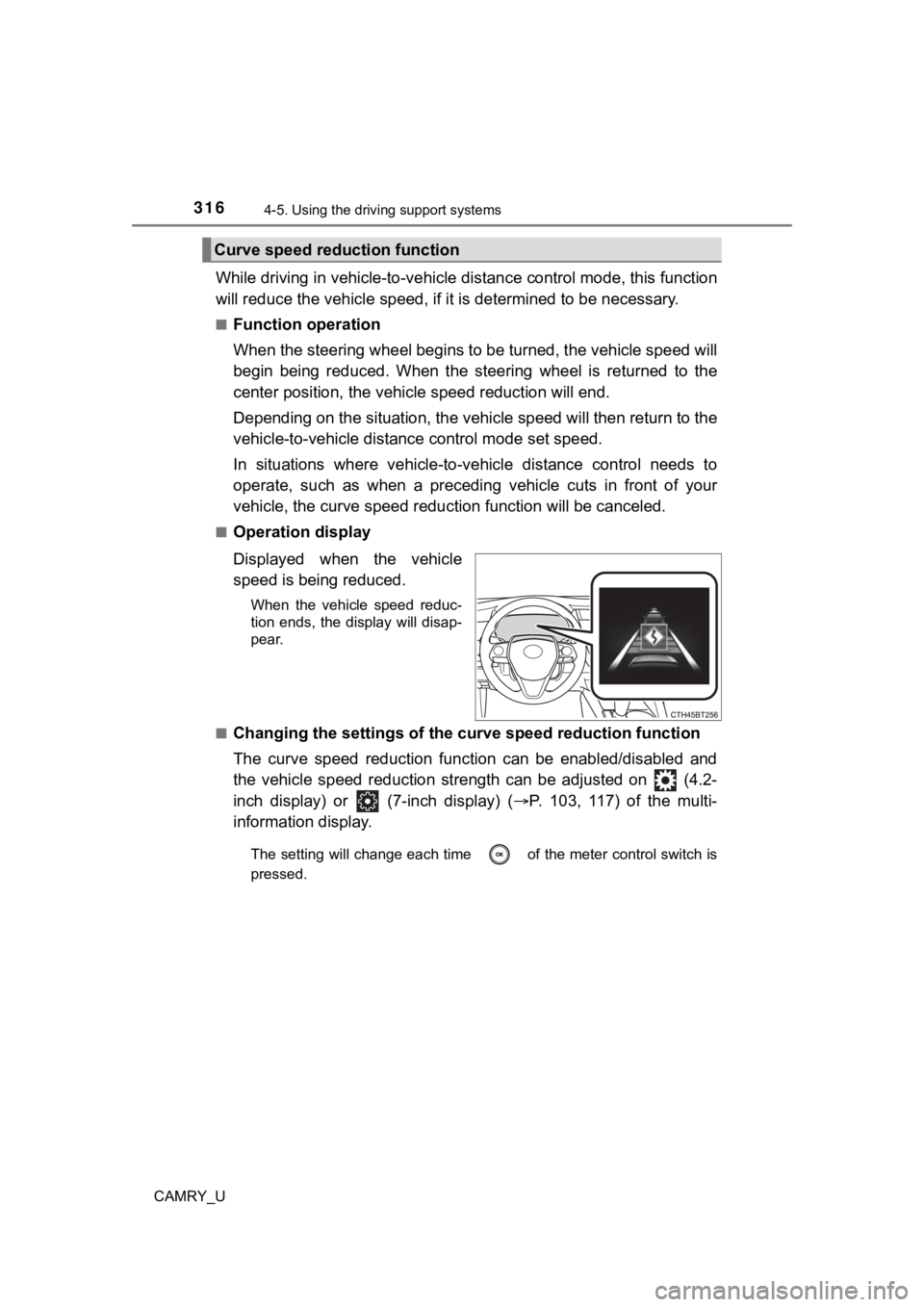
■Operation display
Displayed when the vehicle
speed is being reduced.
When the vehicle speed reduc-
tion ends, the display will disap-
pear.
■
Changing the settings of the curve speed reduction function
The curve speed reduction function can be enabled/disabled and
the vehicle speed reduction str ength can be adjusted on (4.2-
inch display) or (7-inch display) ( P. 103, 117) of the multi-
information display.
The setting will change each time of the meter control switch is
pressed.
Curve speed reduction function
Page 319 of 664
3194-5. Using the driving support systems
4
Driving
CAMRY_U■
Automatic cancelation of c onstant speed control mode
Constant speed control mode is automatically canceled in the following situa-
tions:
● Actual vehicle speed is more than approximately 10 mph (16 km/h ) below
the set vehicle speed.
● Actual vehicle speed falls below approximately 20 mph (30 km/h) .
● VSC is activated.
● TRAC is activated for a period of time.
● When the VSC or TRAC system is turned off.
● When the brake control or output restriction control of a driving support sys-
tem operates. (For example: Pre-Collision System, Drive-Start C ontrol)
● The parking brake is operated.
If constant speed control mode is automatically canceled for any reasons
other than the above, there may be a malfunction in the system. Contact your
Toyota dealer.
■ Situations in which the curve speed reduction function may not operate
In situations such as the following, the curve speed reduction function may
not operate:
● When the vehicle is being driven around a gentle curve
● When the accelerator pedal is being depressed
● When the vehicle is being driven around an extremely short curv e
■ Brake operation
A brake operation sound may be heard and the brake pedal response may
change, but these are not malfunctions.
■ Warning messages and buzzers for d ynamic radar cruise control
Warning messages and buzzers are used to indicate a system malfunction or
to inform the driver of the need for caution while driving. If a warning message
is shown on the multi-information display, read the message and follow the
instructions. ( P. 252, 538)
Page 329 of 664
3294-5. Using the driving support systems
4
Driving
CAMRY_U
WARNING
■Hill- start assist control does not operate effectively when
● Do not overly rely on hill-start assist control. Hill-start ass ist control may
not operate effectively on steep inclines and roads covered wit h ice.
● Unlike the parking brake, hill-start assist control is not inte nded to hold the
vehicle stationary for an extended period of time. Do not attempt to use
hill-start assist control to hold the vehicle on an incline, as doing so may
lead to an accident.
■ When the TRAC/VSC is activated
The slip indicator light flashes. Always drive carefully. Reckless driving may
cause an accident. Exercise particular care when the indicator light flashes.
■ When the TRAC/VSC systems are turned off
Be especially careful and drive at a speed appropriate to the r oad condi-
tions. As these are the systems to help ensure vehicle stability and driving
force, do not turn the TRAC/VSC systems off unless necessary.
■ Secondary Collision Brake
Do not overly rely solely upon the Secondary Collision Brake. This system
is designed to help reduce the possibility of further damage du e to a sec-
ondary collision, however, that effect changes according to various condi-
tions. Overly relying on the system may result in death or serious injury.
■ Replacing tires
Make sure that all tires are of the specified size, brand, trea d pattern and
total load capacity. In addition, make sure that the tires are inflated to the
recommended tire inflation pressure level.
The ABS, TRAC and VSC systems will not function correctly if different tires
are installed on the vehicle.
Contact your Toyota dealer for further information when replaci ng tires or
wheels.
■ Handling of tires and the suspension
Using tires with any kind of problem or modifying the suspensio n will affect
the driving assist systems, and may cause a system to malfunction.
Page 331 of 664
3314-5. Using the driving support systems
4
Driving
CAMRY_U
Vehicles with 4.2-inch multi-information display
Press
/ of the meter control switches, select .
Press
/ of the meter control switches, select .
Press of the meter control switch.
Each time is pressed, t he function changes on/off.
Vehicles with 7-inch multi-information display
Press
/ of the meter control switches, select .
Press
/ of the meter control switches, select .
Press of the meter control switch.
Each time is pressed, t he function changes on/off.
The brightness of the indicators on the outside rear view mirro rs can
be changed on (4.2-inch display) or
(7-inch display) ( P. 106,
119) of the multi-information display.
■ The outside rear view mirror indicators visibility
When under strong sunlight, the outside rear view mirror indica tor may be dif-
ficult to see.
■ When “Blind Spot Monitor Unavailable” is shown on the multi-inf orma-
tion display
Ice, snow, mud, etc., may be attached to the rear bumper around the sensors.
( P. 332)
The system should return to normal operation after removing the ice, snow,
mud, etc. from the rear bumper.
Additionally, the sensors may not operate normally when driving in extremely
hot or cold environments.
■ When there is a malfunction in the Blind Spot Monitor
If a system malfunction is detected due to any of the following reasons, a
warning message will be displayed:
●There is a malfunction with the sensors
● The sensors have become dirty
● The outside temperature is extremely high or low
● The sensor voltage has become abnormal
Turning the BSM function on/off
Setting the outside rear view mirror indicator brightness
1
2
3
1
2
3
Page 346 of 664
3464-5. Using the driving support systems
CAMRY_U
Vehicles with 4.2-inch m ulti-information display
Press
/ of the meter control switches, select .
Press
/ of the meter control switches, select .
Press of the meter control switch.
Each time is pressed, t he function changes on/off.
Vehicles with 7-inch multi-information display
Press
/ of the meter control switches, select .
Press
/ of the meter control switches, select .
Press of the meter control switch.
Each time is pressed, t he function changes on/off.
The volume of the RCTA buzzer can be changed on (4.2-inch dis-
play) or (7-inch display) ( P. 106, 119) of the multi-information
display.
■ The outside rear view mirror indicators visibility
When under strong sunlight, the outside rear view mirror indica tor may be dif-
ficult to see.
■ RCTA buzzer hearing
RCTA function may be difficult to hear over loud noises such as high audio
volume.
■ Muting the buzzer sound
The buzzer can be temporarily muted by pressing
of the meter control
switches while an object detection display is shown on the mult i-information
display.
■ When “Rear Cross Traffic Alert Unavailable” is shown on the mul ti-infor-
mation display
Ice, snow, mud, etc., may be attached to the rear bumper around the sensors.
( P. 332)
The system should return to normal operation after removing the ice, snow,
mud, etc. from the rear bumper.
Additionally, the sensors may not operate normally when driving in extremely
hot or cold environments.
■ Rear side radar sensors
P. 332
Turning the RCTA function on/off
Setting the buzzer volume
1
2
3
1
2
3
Page 367 of 664

3674-5. Using the driving support systems
4
Driving
CAMRY_U
NOTICE
■If “PKSB Unavailable” is displayed on the multi-information dis play
and the PKSB OFF indicator is illuminating
If this message is displayed immediately after the engine switch is changed
to ON, operate the vehicle carefully, paying attention to your surroundings.
It may be necessary to drive the vehicle for a certain amount of time before
the system returns to normal. (If the system is not return to n ormal after
driving for a while, clean the sensors and their surrounding area on the
bumpers.)