ignition TOYOTA CAMRY 2023 Workshop Manual
[x] Cancel search | Manufacturer: TOYOTA, Model Year: 2023, Model line: CAMRY, Model: TOYOTA CAMRY 2023Pages: 664, PDF Size: 11.28 MB
Page 425 of 664

4255-4. Other interior features
CAMRY_U
5
Interior features
■The wireless charger can be operated when
The engine switch is in ACCESSORY or IGNITION ON mode.
■ Portable devices that can be charged
●Portable devices compatible with the Qi wireless charging stand ard can be
charged by the wireless charger. However, compatibility with all devices
which meet the Qi wireless charging standard is not guaranteed.
● The wireless charger is designed to supply low power electricit y (5 W or
less) to a cellular phone, smartphone, or other portable device .
● However, portable devices, such as the following, can be charge d with more
than 5 W.
• 7.5 W charging compatible iPhones can be charged at 7.5 W or l ess.
• Portable devices which conform to WPC Ver 1.2.4 can be charged at 10
W or less.
■ Using the smart key system
During charging, when the smart key system searches for an elec tronic key,
charging may be temporarily suspended.
■ If a cover or accessory is attached to the portable device
Do not charge a portable device if a cover or accessory which i s not Qi com-
patible is attached. Depending on the type of cover and/or acce ssory
attached, it may not be possible to charge the portable device. If the portable
device is placed on the charging area and does not charge, remo ve the cover
and/or accessories.
■ If interference is heard in AM ra dio broadcasts while charging
● Turn off the wireless charger and check if the noise is reduced . If noise is
reduced, press and hold the power supply switch of the wireless charger for
2 seconds. The frequency of the wireless charger is changed and noise may
be reduced. When the frequency is changed, the operation indica tor light
will blink (orange) 2 times.
● Rapid charging for iPhones is performed using a specific radio wave fre-
quency.
Depending on the version of iOS installed, while the frequency is being
changed, rapid charging may not be performed.
■ Charging precautions
While charging, the wireless charger and the portable device wi ll become
warm. This is not a malfunction.
If a portable device becomes warm while charging and charging stops due to
the protection function of the portable device, wait until the portable device
cools down and charge it again.
Also, to decrease the temperature inside the wireless charger, a fan may
operate. This does not indicate a malfunction.
Page 426 of 664

4265-4. Other interior features
CAMRY_U■
Sound generated during operation
Operation sounds may be heard when the power supply switch is p ressed to
turn the wireless charger on, when the engine switch is pressed to change to
ACCESSORY mode or IGNITION ON m ode while the wireless charger is on,
or when a portable device is being detected. This does not indicate a mal-
function.
■ Situations in which the wireless charger may not operate correctly
In the following situations, the wireless charger may not opera te correctly:
● When a portable device is fully charged
● When a portable device is being charged by a wired connection.
● When there is foreign matter between the charging area and portable device
● When the temperature of a portable device becomes high while ch arging
● When the temperature near the charging tray is 95°F (35°C) or m ore due to
being in direct sunlight, etc.
● When a portable device is placed with its charging surface faci ng up
● When a portable device is not centered on the charging area
● When a portable device is larger than the charging tray
● When a foldable portable device is placed outside of the chargi ng area
● When the vehicle is near a TV tower, electric power plant, fuel station, radio
station, large display, airport, or other facility that generat es strong radio
waves or electrical noise
● When the any of the following objects, with a thickness of 0.08 in. (2 mm) or
more, are between the charging surface of a portable device and the
charging area:
• Thick cases or covers
• Thick decorations
• Accessories, such as finger rings, straps, etc.
● When the portable device is in contact with, or is covered by a ny of the fol-
lowing metallic objects:
• Cards covered with metal, such as aluminum foil
• Cigarette boxes that have aluminum foil inside
• Metallic wallets or bags
• Coins
• Heat packs
• Recorded media such as CDs and DVDs
• Metallic decorations
• Metallic cases or covers
● When wireless keys (that emit radio waves) other than those of your vehicle
are being used nearby
Page 456 of 664

4566-3. Do-it-yourself maintenance
CAMRY_U
WARNING
The engine compartment contains many mechanisms and fluids that may
move suddenly, become hot, or become electrically energized. To avoid death
or serious injury, observe the following precautions.
■ When working on the engine compartment
● Keep hands, clothing and tools away from the moving fan and engine
drive belt.
● Be careful not to touch the engine, radiator, exhaust manifold, etc. right
after driving as they may be hot. Oil and other fluids may also be hot.
● Do not leave anything that may burn easily, such as paper and r ags, in the
engine compartment.
● Do not smoke, cause sparks or expose an open flame to fuel or t he bat-
tery. Fuel and battery fumes are flammable.
● Be extremely cautious when working on the battery. It contains poisonous
and corrosive sulfuric acid.
■ When working near the electric cooling fan or radiator grille
Vehicles without a smart key system:
Be sure the engine switch is off. With the engine switch in the “ON” position,
the electric cooling fan may automatically start to run if the air conditioning
is on and/or the coolant temperature is high. ( P. 467)
Vehicles with a smart key system:
Be sure the engine switch is off. With the engine switch in IGNITION ON
mode, the electric cooling fan may automatically start to run if the air condi-
tioning is on and/or the coolant temperature is high. ( P. 467)
■ Safety glasses
Wear safety glasses to prevent flying or falling material, fluid spray, etc.
from getting in your eyes.
NOTICE
■If you remove the air cleaner filter
Driving with the air cleaner filter removed may cause excessive engine wear
due to dirt in the air.
Page 481 of 664

4816-3. Do-it-yourself maintenance
CAMRY_U
6
Maintenance and care
●Performance may be affected in the following situations.
• When driving near a TV tower, electric power plant, gas station, radio
station, large display, airport or other facilit y that generates strong
radio waves or electrical noise
• When carrying a portable radio, cellular phone, cordless phone or
other wireless communication device
Vehicles with a tire inflation pressure display function: If ti re position
information is not correctly displayed due to the radio wave co nditions,
the display may be corrected by changing the location of the ve hicle as
the radio wave conditions may change.
●When the vehicle is stopped, the time taken for the warning to start or
turn off may be longer.
●When the inflation pressure of a tire drops rapidly, for exampl e when a
tire has burst, the warning may not operate.
■Initialization procedure
●Make sure to perform the initialization procedure after adjusti ng the tire
inflation pressure.
Also, make sure the tires are cold before performing the initia lization
procedure or adjusting the tire inflation pressure.
●If the engine switch is turned t o the “LOCK” position (vehicles without a
smart key system) or off (vehicles with a smart key system) dur ing ini-
tialization, it is not necessary to restart the initialization procedure from
the beginning as it will begin aut omatically when the engine switch is
turned back to the “ON” position (vehicles without a smart key system)
or IGNITION ON mode (vehicles with a smart key system).
●If initialization has accidentally been started when it is not necessary,
adjust the tire inflation pressu re to the specified level when the tires are
cold and then perform the ini tialization procedure again.
●Vehicles with a tire inflation p ressure display function: While the position
of each tire is being determined and the inflation pressures are not being
displayed on the multi-information display, if the inflation pr essure of a
tire drops, the tire pressure warning light will come on.
■Warning performance of the tire pressure warning system
The warning of the tire pressu re warning system will change in accor-
dance with the conditions under which it was initialized. For t his reason,
the system may give a warning even if the tire pressure does no t reach a
low enough level, or if the pressure is higher than the pressur e that was
adjusted to when the sys tem was initialized.
Page 483 of 664

4836-3. Do-it-yourself maintenance
CAMRY_U
6
Maintenance and care
■When registering ID codes (vehicles with a tire inflation pressure dis-
play function)
●Before performing ID code registration, make sure that no wheel s with
tire pressure warning valve and transmitters installed are near the vehi-
cle.
●Make sure to initialize the tire pressure warning system after registering
the ID codes. If the system is initialized before registering t he ID codes,
the initialized values will be invalid.
●As the tires will be war m when registration is completed, make sure to
allow the tires to cool befo re performing initialization.
■Canceling ID code registration ( vehicles with a tire inflation pressure
display function)
●To cancel ID code registration after it has been started, turn the engine
switch off before driving the vehicle.
If the vehicle is driven after ID code registration is started, to cancel reg-
istration, perform the ID code r egistration start procedure aga in and turn
the engine switch of f before driving.
●If ID code registration has been canceled, the tire pressure wa rning light
will blink for approximately 1 mi nute when the engine switch is turned to
the “ON” position (vehicles witho ut a smart key system) or IGNITION
ON mode (vehicles with a smart ke y system) and then illuminate. The
tire pressure warning system will be operational when the tire pressure
warning ligh t turns off.
●If the warning light does not turn off even after several minut es have
elapsed, ID code registration may not have been cancelled corre ctly. To
cancel registration, perform the ID code registration start procedure
again and then turn the engine switch off before driving.
Page 532 of 664
5327-2. Steps to take in an emergency
CAMRY_U
*1: This light illuminates on the multi-information display.
*2: Parking brake engaged warning buzzer:A buzzer will sound if the vehicle is driven at a speed of appr oximately 3
mph (5 km/h) or more.
*3: Driver’s seat belt warning buzzer:
Vehicles without a smart key system:
The driver’s seat belt warning buzzer sounds to alert the drive r that his or
her seat belt is not fastened. Once the engine switch is turned to the “ON”
position, the buzzer sounds. If the seat belt is still unfasten ed, the buzzer
sounds intermittently for a certain period of time after the vehicle reaches a
certain speed.
Vehicles with a smart key system:
The driver’s seat belt warning buzzer sounds to alert the drive r that his or
her seat belt is not fastened. Once the engine switch is turned to IGNITION
ON mode, the buzzer sounds. If the seat belt is still unfastene d, the buzzer
sounds intermittently for a certain period of time after the vehicle reaches a
certain speed.
Front passenger’s seat belt warning buzzer:
The front passenger’s seat belt warning buzzer sounds to alert the front
passenger that his or her seat belt is not fastened. If the sea t belt is unfas-
tened, the buzzer sounds intermittently for a certain period of time after the
vehicle reaches a certain speed.
*4: Rear passengers’ seat belt warning buzzer:
The rear passengers’ seat belt warning buzzer sounds to alert t he rear
passenger that his or her seat belt is not fastened. If the sea t belt is unfas-
tened, the buzzer sounds intermittently for a certain period of time, after
the seat belt is fastened and unfastened and the vehicle reache s a certain
speed.
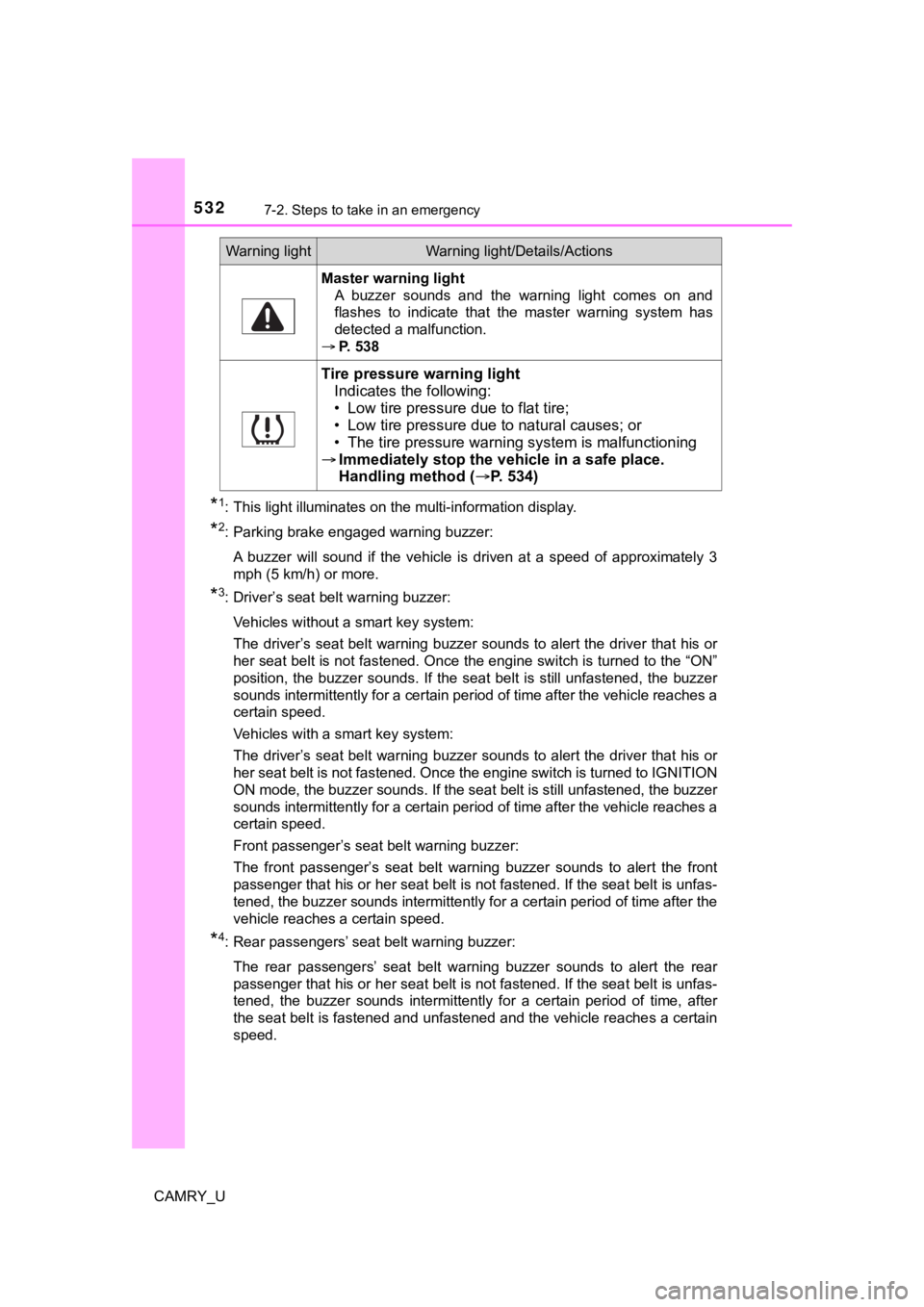
Master warning light A buzzer sounds and the warning light comes on and
flashes to indicate that the master warning system has
detected a malfunction.
P. 538
Tire pressure warning light
Indicates the following:
• Low tire pressure due to flat tire;
• Low tire pressure due to natural causes; or
• The tire pressure warning system is malfunctioning
Immediately stop the veh icle in a safe place.
Handling method ( P. 5 3 4 )
Warning lightWarning light/Details/Actions
Page 534 of 664

5347-2. Steps to take in an emergency
CAMRY_U■
When the tire pressure warning light comes on
Inspect the tires to check if a tire is punctured.
If a tire is punctured:
P. 543
If none of the tires are punctured:
Turn the engine switch off then turn it to the “ON” position (v ehicle without
a smart key system) or IGNITION ON mode (vehicle with a smart k ey
system). Check if the tire press ure warning light comes on or b links.
If the tire pressure warning light comes on
After the temperature of the tires has lowered sufficiently, ch eck the
inflation pressure of each tire and adjust them to the specifie d level.
If the warning light does not turn off even after several minut es have
elapsed, check that the inflation pressure of each tire is at t he specified
level and perform initialization. (P. 4 7 5 )
If the warning light does not tu rn off several minutes after the initialization
has been performed, have the vehi cle inspected by your Toyota dealer
immediately.
If the tire pressure warning light blinks fo r 1 minute then stays on
There may be a malfunction in the tire pressure warning system. Have
the vehicle inspected by you r Toyota dealer immediately.
■The tire pressure warning light may come on due to natural caus es
The tire pressure warning light may come on due to natural caus es such
as natural air leaks and tire inflation pressure changes caused by tem-
perature. In this case, adjusting the tire inflation pressure w ill turn off the
warning light (afte r a few minutes).
■When a tire is replace d with a spare tire
The compact spare tire is not equipped with a tire pressure war ning valve
and transmitter. If a tire goes flat, the tire pressure warning light will not
turn off even though the flat tire has been replaced with the s pare tire.
Replace the spare tire with the repaired tire and adjust the ti re inflation
pressure. The tire pressure war ning light will go off after a few minutes.
■Conditions that the tire pressure warning system may not functi on
properly
P. 4 8 0
■Warning buzzer
In some cases, the buzzer may not be heard because of noisy pla ce or an
audio sound.
1
2
Page 560 of 664
5607-2. Steps to take in an emergency
CAMRY_U■
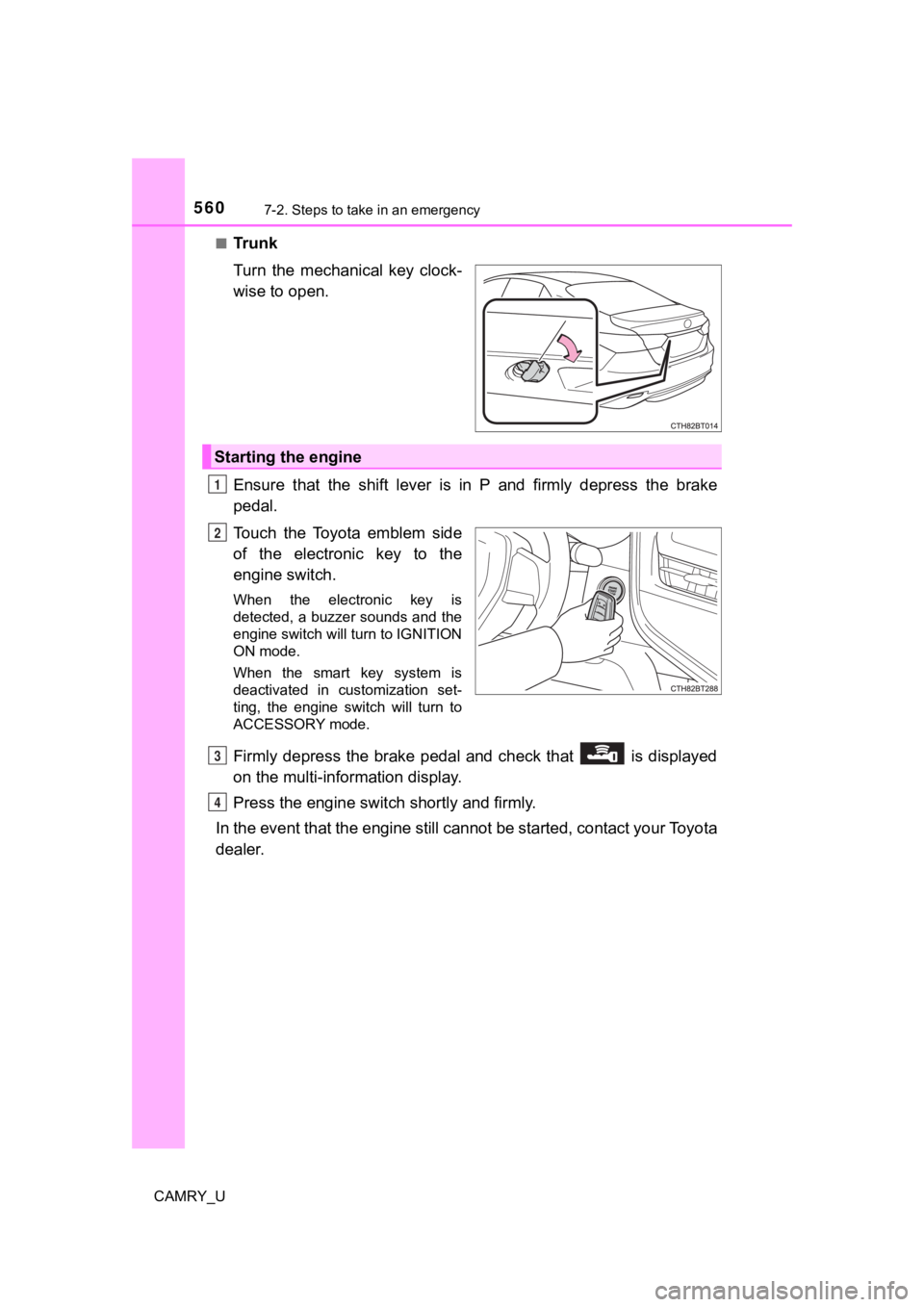
Tr u n k
Turn the mechanical key clock-
wise to open.
Ensure that the shift lever is in P and firmly depress the brak
e
pedal.
Touch the Toyota emblem side
of the electronic key to the
engine switch.
When the electronic key is
detected, a buzzer sounds and the
engine switch will turn to IGNITION
ON mode.
When the smart key system is
deactivated in customization set-
ting, the engine switch will turn to
ACCESSORY mode.
Firmly depress the brake pedal and check that is displayed
on the multi-information display.
Press the engine switch shortly and firmly.
In the event that the engine still cannot be started, contact your Toyota
dealer.
Starting the engine
1
2
3
4
Page 564 of 664

5647-2. Steps to take in an emergency
CAMRY_U
Start the engine of the second vehicle. Increase the engine speed
slightly and maintain at that lev el for approximately 5 minutes to
recharge the batter y of your vehicle.
Vehicles with a smart key syst em: Open and close any of the doo rs
of your vehicle with the engine switch off.
Vehicles without a smart key system:
Maintain the engine speed of the second vehicle and turn the
engine switch to the “ON” posit ion, then start the vehicle's engine.
Vehicles with a smart key system:
Maintain the engine speed of the second vehicle and turn the
engine switch to IGNITION ON mode, then start the vehicle's
engine.
Once the vehicle’s engine has st arted, remove the jumper cables in
the exact reverse order from which they were connected.
Once the engine starts, have the vehicle inspected at your Toyota
dealer as soon as possible.
■ Starting the engine when t he battery is discharged
The engine cannot be started by push-starting.
■ To prevent battery discharge
●Turn off the headlights and the audio system while the engine is off.
● Turn off any unnecessary electrical components when the vehicle is running
at a low speed for an extended period, such as in heavy traffic .
■ When the battery is removed or discharged
●Information stored in the ECU is cleared. When the battery is d epleted, have
the vehicle inspected at your Toyota dealer.
● Some systems may require initialization. (→P. 614)
■ When removing the battery terminals
When the battery terminals are removed, the information stored in the ECU is
cleared. Before removing the battery terminals, contact your Toyota dealer.
■ Charging the battery
The electricity stored in the battery will discharge gradually even when the
vehicle is not in use, due to natural discharge and the draining effects of cer-
tain electrical appliances. If the vehicle is left for a long t ime, the battery may
discharge, and the engine may be unable to start. (The battery recharges
automatically during driving.)
5
6
7
8
Page 580 of 664
5808-1. Specifications
CAMRY_U
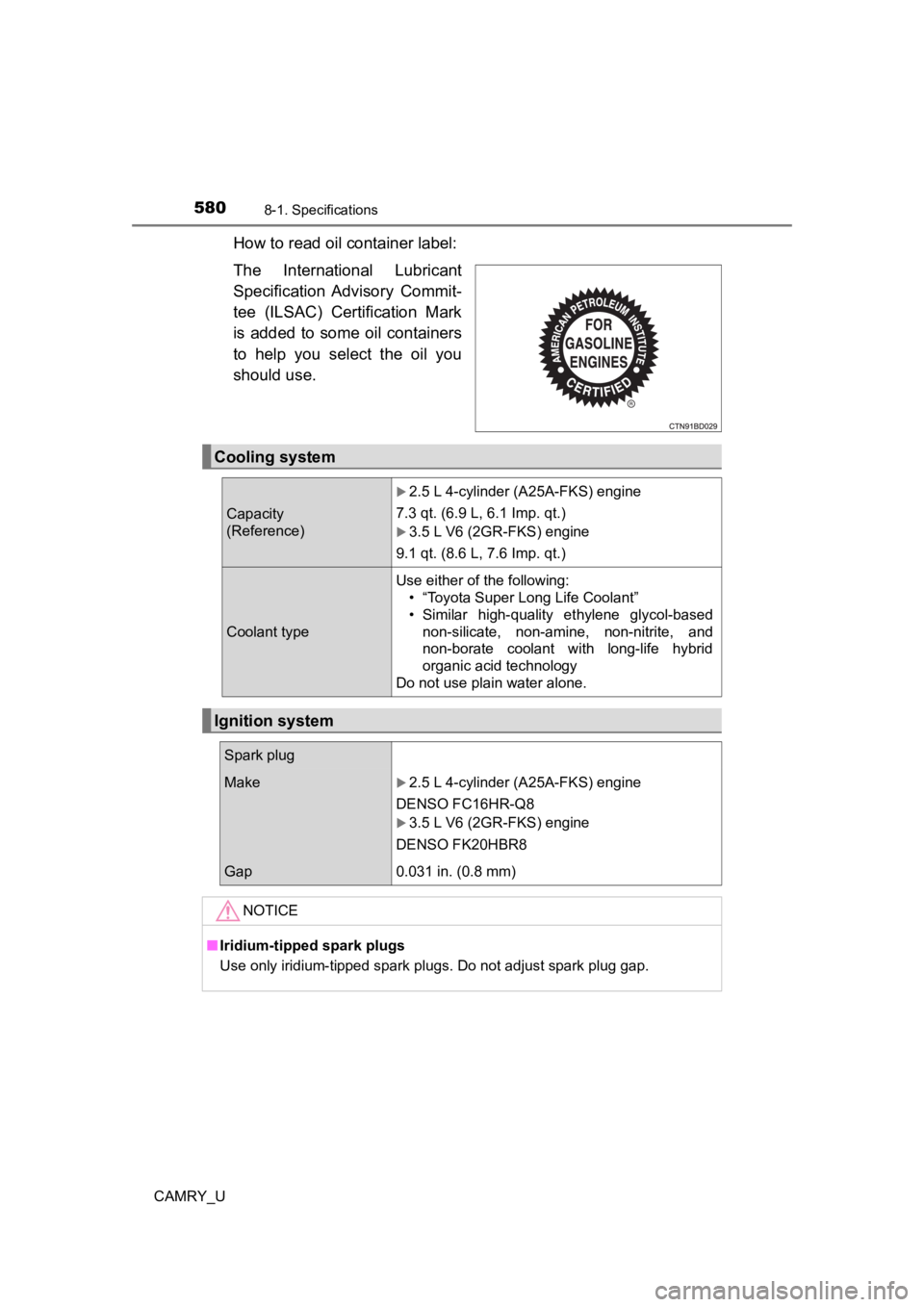
How to read oil container label:
The International Lubricant
Specification Advisory Commit-
tee (ILSAC) Certification Mark
is added to some oil containers
to help you select the oil you
should use.
Cooling system
Capacity
(Reference)
2.5 L 4-cylinder (A25A-FKS) engine
7.3 qt. (6.9 L, 6.1 Imp. qt.)
3.5 L V6 (2GR-FKS) engine
9.1 qt. (8.6 L, 7.6 Imp. qt.)
Coolant type Use either of the following:
• “Toyota Super Long Life Coolant”
• Similar high-quality ethylene glycol-basednon-silicate, non-amine, non-nitrite, and
non-borate coolant with long-life hybrid
organic acid technology
Do not use plain water alone.
Ignition system
Spark plug
Make2.5 L 4-cylinder (A25A-FKS) engine
DENSO FC16HR-Q8
3.5 L V6 (2GR-FKS) engine
DENSO FK20HBR8
Gap0.031 in. (0.8 mm)
NOTICE
■ Iridium-tipped spark plugs
Use only iridium-tipped spark plugs. Do not adjust spark plug g ap.