audio TOYOTA COROLLA 2023 Owner's Manual
[x] Cancel search | Manufacturer: TOYOTA, Model Year: 2023, Model line: COROLLA, Model: TOYOTA COROLLA 2023Pages: 468, PDF Size: 14.4 MB
Page 244 of 468
2444-5. Using the driving support systems
view mirror indicator may be difficult
to see.
■Buzzer
If the volume setting of the audio
system is high or the surrounding
area is loud, it may be difficult to
hear the buzzer.
■Customization
Some functions can be customized.
( P.412)
The safe exit assist can be
enabled/disabled on
(4.2-inch display) or (7-inch
display) of the multi-information
display. ( P.412)
When the safe exit assist is off,
the driving assist information
WARNING
■To ensure the system can
operate properly
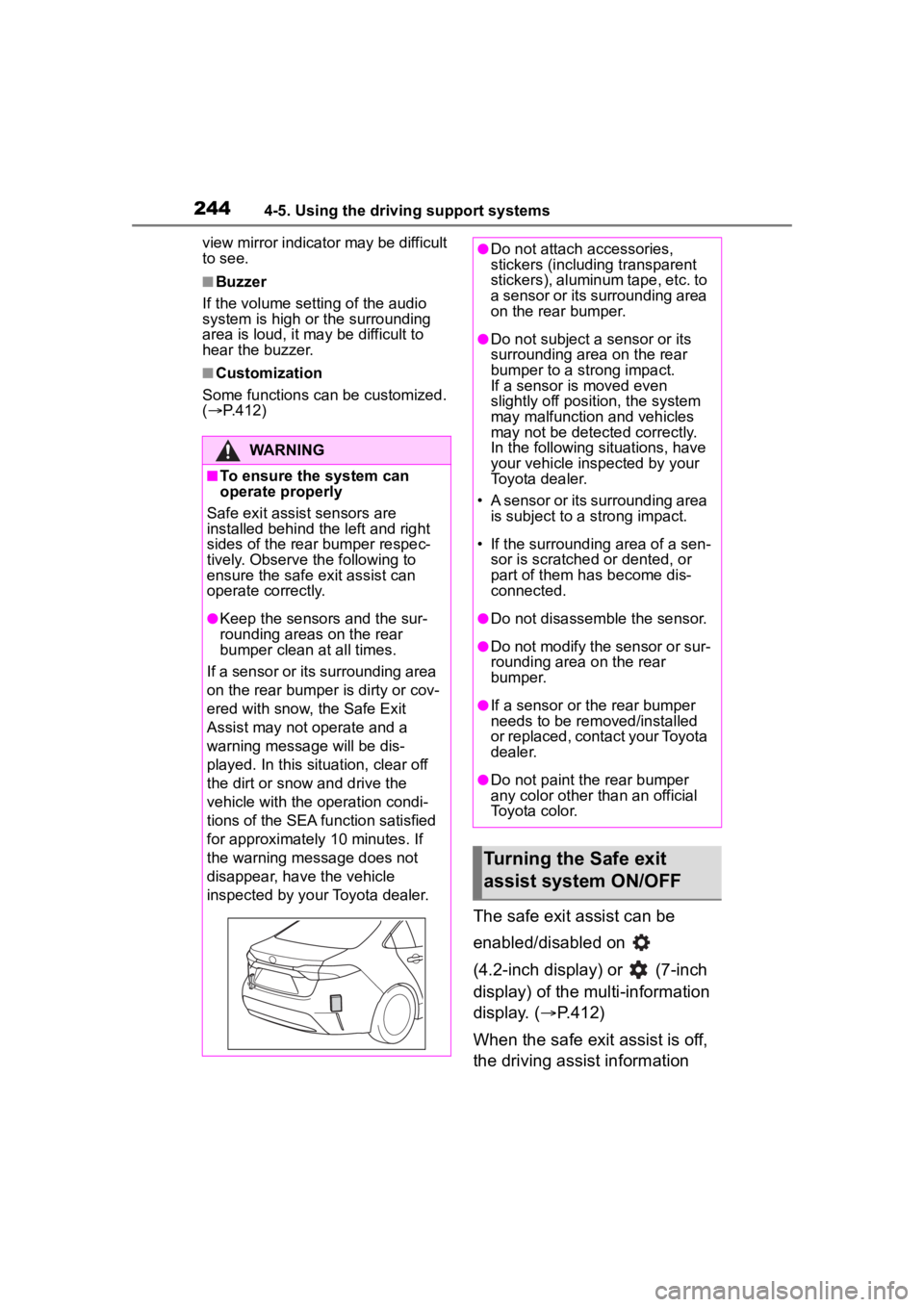
Safe exit assist sensors are
installed behind the left and right
sides of the rear bumper respec-
tively. Observe the following to
ensure the safe exit assist can
operate correctly.
●Keep the sensors and the sur-
rounding areas on the rear
bumper clean at all times.
If a sensor or its surrounding area
on the rear bumper is dirty or cov-
ered with snow, the Safe Exit
Assist may not operate and a
warning message will be dis-
played. In this situation, clear off
the dirt or snow and drive the
vehicle with the operation condi-
tions of the SEA function satisfied
for approximately 10 minutes. If
the warning message does not
disappear, have the vehicle
inspected by your Toyota dealer.
●Do not attach a ccessories,
stickers (including transparent
stickers), aluminum tape, etc. to
a sensor or its surrounding area
on the rear bumper.
●Do not subject a sensor or its
surrounding area on the rear
bumper to a strong impact.
If a sensor is moved even
slightly off position, the system
may malfunction and vehicles
may not be detected correctly.
In the following si tuations, have
your vehicle inspected by your
Toyota dealer.
• A sensor or its surrounding area is subject to a strong impact.
• If the surrounding area of a sen- sor is scratched or dented, or
part of them h as become dis-
connected.
●Do not disassemble the sensor.
●Do not modify the sensor or sur-
rounding area on the rear
bumper.
●If a sensor or the rear bumper
needs to be removed/installed
or replaced, contact your Toyota
dealer.
●Do not paint the rear bumper
any color other t han an official
Toyota color.
Turning the Safe exit
assist system ON/OFF
Page 292 of 468
2926-1. Maintenance and care
Remove dirt using a
water-dampened soft cloth or
synthetic chamois.
Wipe the surface with a dry,
soft cloth to remove any
remaining moisture.
■Cleaning the areas with
satin-finish metal accents
The metal areas use a layer of real
metal for the surface. It is necessary
to clean them regularly. If dirty areas
are left uncleaned for long periods
of time, they may be difficult to
clean.
Remove dirt and dust using a
vacuum cleaner.
Wipe off any excess dirt and
dust with a soft cloth damp-
ened with diluted detergent.
Use a diluted water solution of
approximately 5% neutral wool
NOTICE
• Seats: Alkaline or acidic solu-
tions, such as thinner, benzene,
and alcohol
• Steering wheel: Organic sub- stances, such as thinner, and
cleaner that contains alcohol
●Do not use polish wax or polish
cleaner. The instrument panel’s
or other interior part’s painted
surface may be damaged.
■Preventing damage to leather
surfaces
Observe the following precautions
to avoid damage to and deteriora-
tion of leather surfaces:
●Remove any dust or dirt from
leather surfaces immediately.
●Do not expose the vehicle to
direct sunlight for extended peri-
ods of time. Park the vehicle in
the shade, especially during
summer.
●Do not place items made of
vinyl, plastic, or containing wax
on the upholstery, as they may
stick to the leather surface if the
vehicle interior heats up signifi-
cantly.
■Water on the floor
Do not wash the vehicle floor with
water.
Vehicle systems such as the
audio system may be damaged if
water comes into contact with
electrical components such as the
audio system above or under the
floor of the vehicle. Water may
also cause the body to rust.
■When cleaning the inside of
the windshield
Do not allow glass cleaner to con-
tact the lens. Also, do not touch
the lens. (
P.185)
■Cleaning the inside of the rear
window
●Do not use glass cleaner to
clean the rear window, as this
may cause damage to the rear
window defogger heater wires
or antenna. Use a cloth damp-
ened with lukewarm water to
gently wipe the window clean.
Wipe the window in strokes run-
ning parallel to the heater wires
or antenna.
●Be careful not to scratch or
damage the heater wires or
antenna.
Cleaning the areas with
satin-finish metal accents
Cleaning the leather areas
Page 363 of 468
3637-2. Steps to take in an emergency
7
When trouble arises
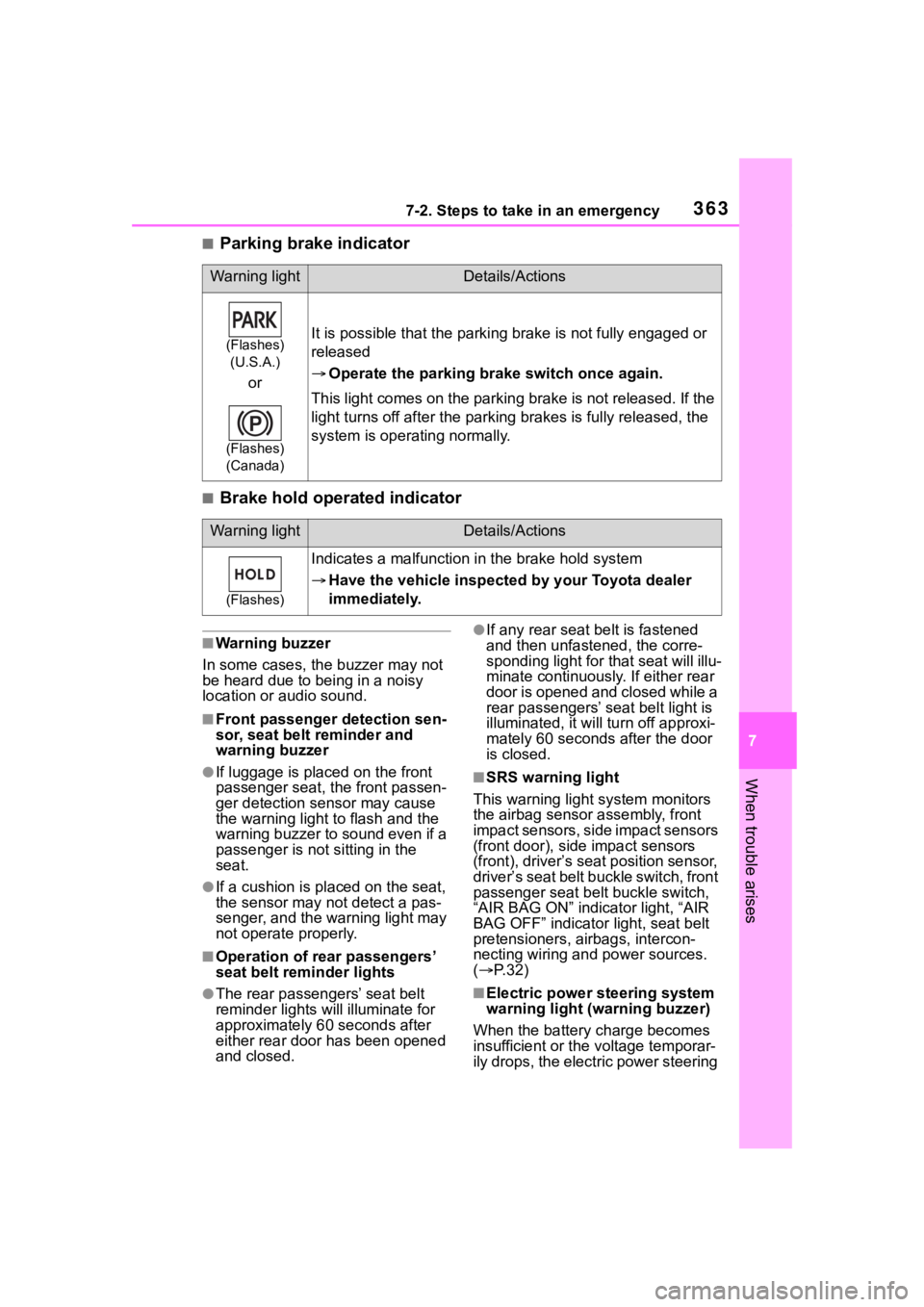
■Parking brake indicator
■Brake hold operated indicator
■Warning buzzer
In some cases, the buzzer may not
be heard due to being in a noisy
location or audio sound.
■Front passenger detection sen-
sor, seat belt reminder and
warning buzzer
●If luggage is placed on the front
passenger seat, the front passen-
ger detection sensor may cause
the warning light to flash and the
warning buzzer to sound even if a
passenger is not sitting in the
seat.
●If a cushion is placed on the seat,
the sensor may n ot detect a pas-
senger, and the warning light may
not operate properly.
■Operation of rear passengers’
seat belt re minder lights
●The rear passengers’ seat belt
reminder lights will illuminate for
approximately 60 seconds after
either rear door has been opened
and closed.
●If any rear seat belt is fastened
and then unfastened, the corre-
sponding light for that seat will illu-
minate continuously . If either rear
door is opened and closed while a
rear passengers’ seat belt light is
illuminated, it will tu rn off approxi-
mately 60 seconds after the door
is closed.
■SRS warning light
This warning light system monitors
the airbag sensor assembly, front
impact sensors, side impact sensors
(front door), side impact sensors
(front), driver’s seat position sensor,
driver’s seat belt buckle switch, front
passenger seat belt buckle switch,
“AIR BAG ON” indicator light, “AIR
BAG OFF” indicator light, seat belt
pretensioners, airbags, intercon-
necting wiring and power sources.
( P. 3 2 )
■Electric power steering system
warning light (warning buzzer)
When the battery charge becomes
insufficient or the voltage temporar-
ily drops, the electric power steering
Warning lightDetails/Actions
(Flashes)
(U.S.A.)
or
(Flashes)
(Canada)
It is possible that the parking brake is not fully engaged or
released
Operate the parking brake switch once again.
This light comes on the parking brake is not released. If the
light turns off after the parking brakes is fully released, the
system is operating normally.
Warning lightDetails/Actions
(Flashes)
Indicates a malfunction in the brake hold system
Have the vehicle inspected by your Toyota dealer
immediately.
Page 366 of 468
3667-2. Steps to take in an emergency
■Warning messages
The warning messages explained
below may differ from the actual
messages according to operation
conditions and vehicle specifica-
tions.
■Warning buzzer
A buzzer may sound when a mes-
sage is displayed.
The buzzer may not be audible if the
vehicle is in a noisy location or if the
audio system volume is high.
■If “Engine Oil Level Low Add or
Replace” is displayed
The engine oil level is low. Check
WARNING
TPMS (tire pressure warning sys-
tem) malfunctions may occur for a
variety of reasons, including the
installation of replacement or
alternate tires or wheels on the
vehicle that prevent the TPMS
(tire pressure warning system)
from functioning properly. Always
check the TPMS (tire pressure
warning system) malfunction tell-
tale after replacing one or more
tires or wheels on your vehicle to
ensure that the r eplacement or
alternate tires and wheels allow
the TPMS (tire pressure warning
system) to continue to function
properly.
NOTICE
■To ensure the tire pressure
warning system operates
properly (vehicles with a tire
pressure warning system)
Do not install tires with different
specifications or makers, as the
tire pressure warning system may
not operate properly.
If a war ning message
is displayed
The multi-information dis-
play shows warnings for
system malfunctions and
incorrectly performed oper-
ations, and messages that
indicate a need for mainte-
nance. When a message is
displayed, perform the
appropriate corrective
action for the message.
If a warning message is dis-
played again after the
appropriate actions have
been performed, contact
your Toyota dealer.
Additionally, if a warning
light comes on or flashes at
the same time that a warn-
ing message is displayed,
take the appropriate correc-
tive action for the warning
light. ( P.356)
Page 385 of 468
3857-2. Steps to take in an emergency
7
When trouble arises
approximately 5 minutes to
recharge the battery of your
vehicle.
5 Vehicles with a smart key
system: Open and close any
of the doors of your vehicle
with the engine switch OFF.
6 Maintain the engine speed of
the second vehicle and start
the engine of your vehicle by
turning the engine switch to
ON.
7 Once the vehicle’s engine
has started, remove the
jumper cables in the exact
reverse order from which
they were connected.
Once the engine starts, have the
vehicle inspected at your Toyota
dealer as soon as possible.
■Starting the engine when the
battery is discharged
The engine cannot be started by
push-starting.
■To prevent battery discharge
●Turn off the headlights and the
audio system while the engine is
off.
●Turn off any unnecessary electri-
cal components when the vehicle
is running at a low speed for an
extended period, such as in heavy
traffic.
■When the battery is removed or
discharged
●Information stor ed in the ECU is
cleared. When the battery is
depleted, have the vehicle
inspected at you r Toyota dealer.
●Some systems may require initial-
ization. ( P.422)
■When removing the battery ter-
minals
When the battery terminals are
removed, the information stored in
the ECU is cleared. Before remov-
ing the battery term inals, contact
your Toyota dealer.
■Charging the battery
The electricity stored in the battery
will discharge grad ually even when
the vehicle is not in use, due to nat-
ural discharge and the draining
effects of certain electrical appli-
ances. If the vehicle is left for a long
time, the battery may discharge,
and the engine may be unable to
start. (The battery recharges auto-
matically during driving.)
■When recharging or replacing
the battery (vehicles with a
smart key system)
●In some cases, it may not be pos-
sible to unlock the doors using the
smart key system when the bat-
tery is discharged. Use the wire-
less remote control or the
mechanical key to lock or unlock
the doors.
●The engine may not start on the
first attempt after the battery has
recharged but will start normally
after the second attempt. This is
not a malfunction.
●The engine switch mode is memo-
rized by the vehicle. When the
battery is reconnected, the system
will return to the mode it was in
before the bat tery was dis-
charged. Before disconnecting the
battery, turn the engine switch off.
If you are unsure what mode the
engine switch wa s in before the
battery discharged, be especially
careful when reconnecting the
battery.
■When replacing the battery
●Use a battery that conforms to
European regulations.
●Use a battery that the case size is
same as the previous one (LN1),
Page 412 of 468
4128-2. Customization
8-2.Customization
■Changing by using the
audio system screen
1 Select on the main menu.
2 Select “Vehicle customize”.
3 Select the item to change the
settings of from the list.
For functions that can be turned
on/off, select (ON)/
(OFF).
■Changing by using the
meter control switches
1 Select (4.2-inch display)
or (7-inch display) of the
multi-information display. 2
4.2-inch display meter: Press
or to select the
desired item to be custom-
ized.
7-inch display meter: Press
or to select the desired item
to be customized.
3 Press or press and hold .
The available settings will differ
depending on if is pressed or
pressed and held. Follow the
instructions on the display.
Some function settings are changed simultaneously with other fu nc-
tions being customized. Contact y our Toyota dealer for further
details.
Settings that can be changed using the audio system screen
Settings that can be changed using the meter control switches
Customizable features
Your vehicle includes a vari-
ety of electronic features
that can be personalized to
suit your preferences. The
settings of these features
can be changed using the
multi-information display,
the audio system screen, or
at your Toyota dealer.
Customizing vehicle fea-
tures
WARNING
■During customization
As the engine needs to be run-
ning during customization, ensure
that the vehicle is parked in a
place with adequate ventilation. In
a closed area such as a garage,
exhaust gases in cluding harmful
carbon monoxide (CO) may col-
lect and enter the vehicle. This
may lead to death or a serious
health hazard.
NOTICE
■During customization
To prevent batte ry discharge,
ensure that the engine is running
while customizing features.
Customizable features
Page 413 of 468
4138-2. Customization
8
Vehicle specifications
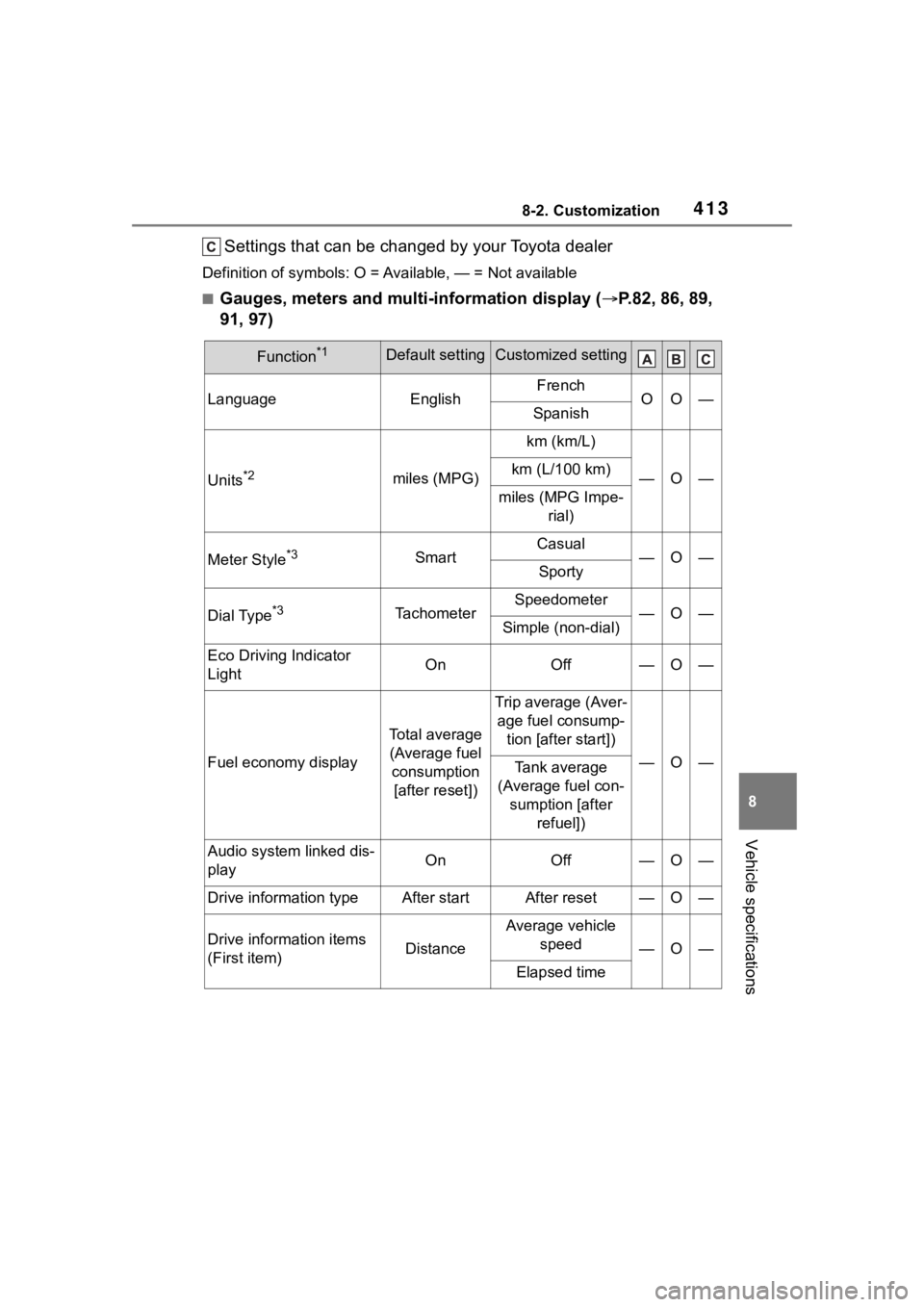
Settings that can be changed by your Toyota dealer
Definition of symbols: O = Available, — = Not available
■Gauges, meters and multi-information display ( P.82, 86, 89,
91, 97)
Function*1Default settingCustomized setting
LanguageEnglishFrenchOO—Spanish
Units*2miles (MPG)
km (km/L)
—O—km (L/100 km)
miles (MPG Impe- rial)
Meter Style*3SmartCasual—O—Sporty
Dial Type*3TachometerSpeedometer—O—Simple (non-dial)
Eco Driving Indicator
LightOnOff—O—
Fuel economy display
Total average (Average fuel consumption [after reset])
Trip average (Aver- age fuel consump- tion [after start])
—O—Tank average
(Average fuel con- sumption [after refuel])
Audio system linked dis-
playOnOff—O—
Drive information typeAfter startAfter reset—O—
Drive information items
(First item)Distance
Average vehicle speed
—O—
Elapsed time
Page 439 of 468
439Alphabetical Index
Alphabetical Index
A
A/CAir conditioning filter ............. 331
Automatic air conditioning sys-tem ..................................... 263
Manual air conditioning system ........................................... 258
ABS (Anti-lock Brake System) ............................................... 248Warning light ........................ 358
ACA (Active Cornering Assist) ............................................... 249
Active Cornering Assist (ACA) ............................................... 249
AHB (Automatic High Beam) . 175
Air conditioning filter ............. 331
Air conditioning system Air conditioning filter ............. 331
Automatic air conditioning sys-tem ..................................... 263
Manual air conditioning system ........................................... 258
Airbags Airbag operating conditions.... 33
Airbag precautions for your child............................................. 36
Correct driving posture ........... 25
Curtain shield airbag operating conditions ............................. 34
Curtain shield airbag precautions ............................................. 36
Front passenger occupant clas- sification system ................... 41
General airbag precautions .... 36
Locations of airbags ............... 31
Modification and disposal of air- bags ..................................... 39
Side airbag operating conditions ............................................. 34
Side airbag precautions ......... 36 Side and curtain shield airbags
operating conditions .............34
Side and curtain shield airbags precautions ...........................36
SRS airbags ...........................31
SRS warning light .................357
Alarm Alarm ......................................78
Warning buzzer ....................356
Anchor brackets ... ..............50, 68
Antennas (smart key system)120
Anti-lock Brake System (ABS) ...............................................248Warning light.........................358
Approach warning ..................226
Armrest ......... ......................... ..285
Assist grips .............................285
Audio system-linked display .95, 100
Automatic air conditioning sys- tem .........................................263
Automatic High Beam ............175
Automatic light control system ...............................................174
Average fuel economy .......93, 98
Average vehicle speed .....95, 100
B
Back-up lights Replacing light bulbs ............345
Wattage ................................398
Battery Battery checking ...................308
If the battery is d ischarged ...383
Preparing and checking before winter ..................................253
Warning light.........................357
Blind Spot Monitor (BSM) ......232
Bottle holders .........................274
Brake Brake hold ............................171
Fluid..............................307, 396
Page 444 of 468
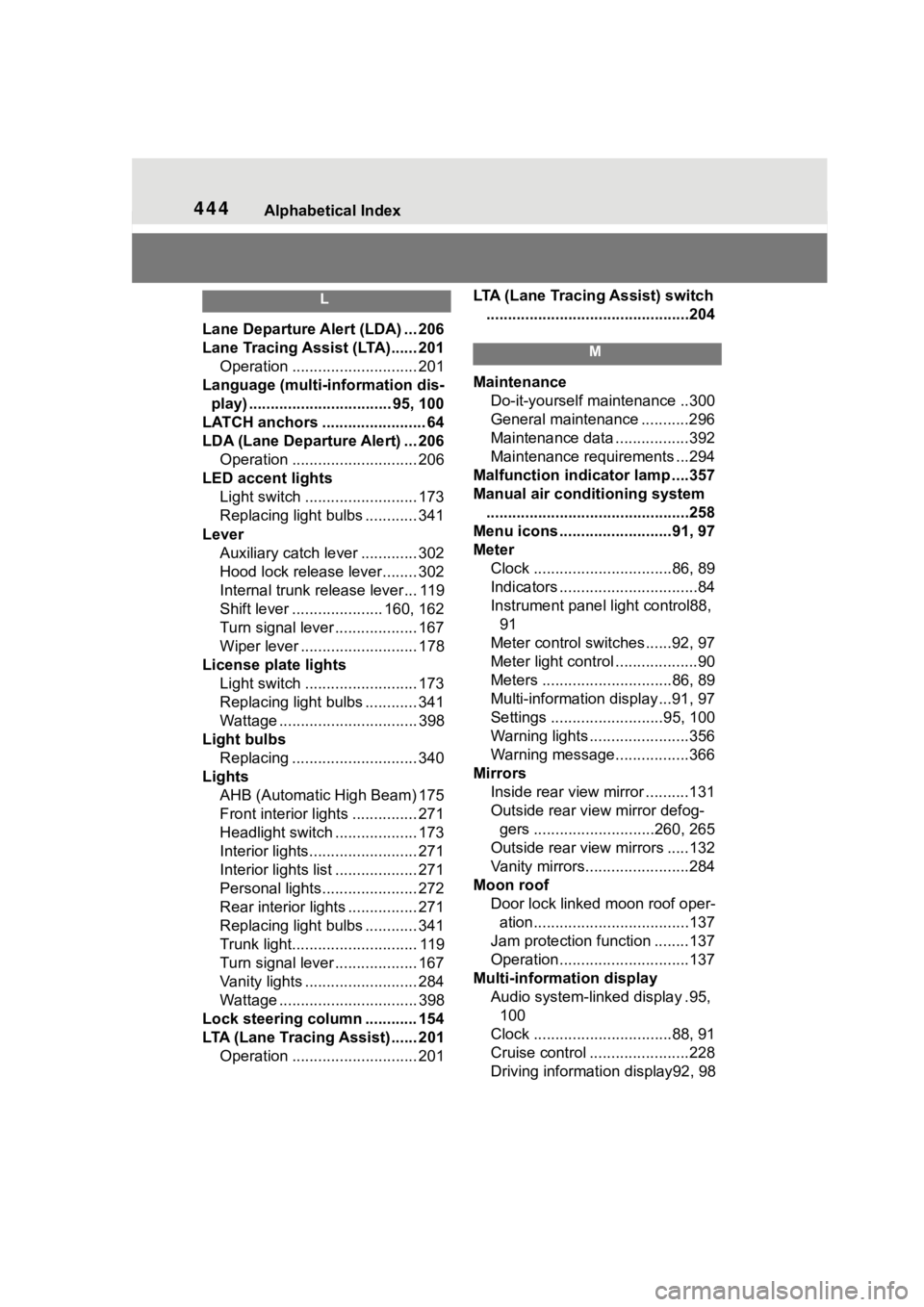
444Alphabetical Index
L
Lane Departure Alert (LDA) ... 206
Lane Tracing Assist (LTA)...... 201 Operation ............................. 201
Language (multi-information dis- play) ................................. 95, 100
LATCH anchors ........................ 64
LDA (Lane Departure Alert) ... 206 Operation ............................. 206
LED accent lights Light switch .......................... 173
Replacing light bulbs ............ 341
Lever Auxiliary catch lever ............. 302
Hood lock release lever........ 302
Internal trunk release lever... 119
Shift lever ..................... 160, 162
Turn signal lever ................... 167
Wiper lever ........................... 178
License plate lights Light switch .......................... 173
Replacing light bulbs ............ 341
Wattage ................................ 398
Light bulbs Replacing ............................. 340
Lights AHB (Automatic High Beam) 175
Front interior lights ............... 271
Headlight switch ................... 173
Interior lights......................... 271
Interior lights list ................... 271
Personal lights...................... 272
Rear interior lights ................ 271
Replacing light bulbs ............ 341
Trunk light............................. 119
Turn signal lever ................... 167
Vanity lights .......................... 284
Wattage ................................ 398
Lock steering column ............ 154
LTA (Lane Tracing Assist) ...... 201 Operation ............................. 201 LTA (Lane Tracing Assist) switch
...............................................204
M
Maintenance Do-it-yourself maintenance ..300
General maintenance ...........296
Maintenance data .................392
Maintenance requirements ...294
Malfunction indicator lamp ....357
Manual air conditioning system ...............................................258
Menu icons ..........................91, 97
Meter Clock ................................86, 89
Indicators ................................84
Instrument panel light control88, 91
Meter control switches......92, 97
Meter light control ...................90
Meters ..............................86, 89
Multi-information display...91, 97
Settings ..........................95, 100
Warning lights .......................356
Warning message.................366
Mirrors Inside rear view mirror ..........131
Outside rear view mirror defog-gers ............................260, 265
Outside rear view mirrors .....132
Vanity mirrors........................284
Moon roof Door lock linked moon roof oper-ation....................................137
Jam protection function ........137
Operation..............................137
Multi-information display Audio system-linked display .95, 100
Clock ................................88, 91
Cruise control .......................228
Driving informati on display92, 98
Page 450 of 468
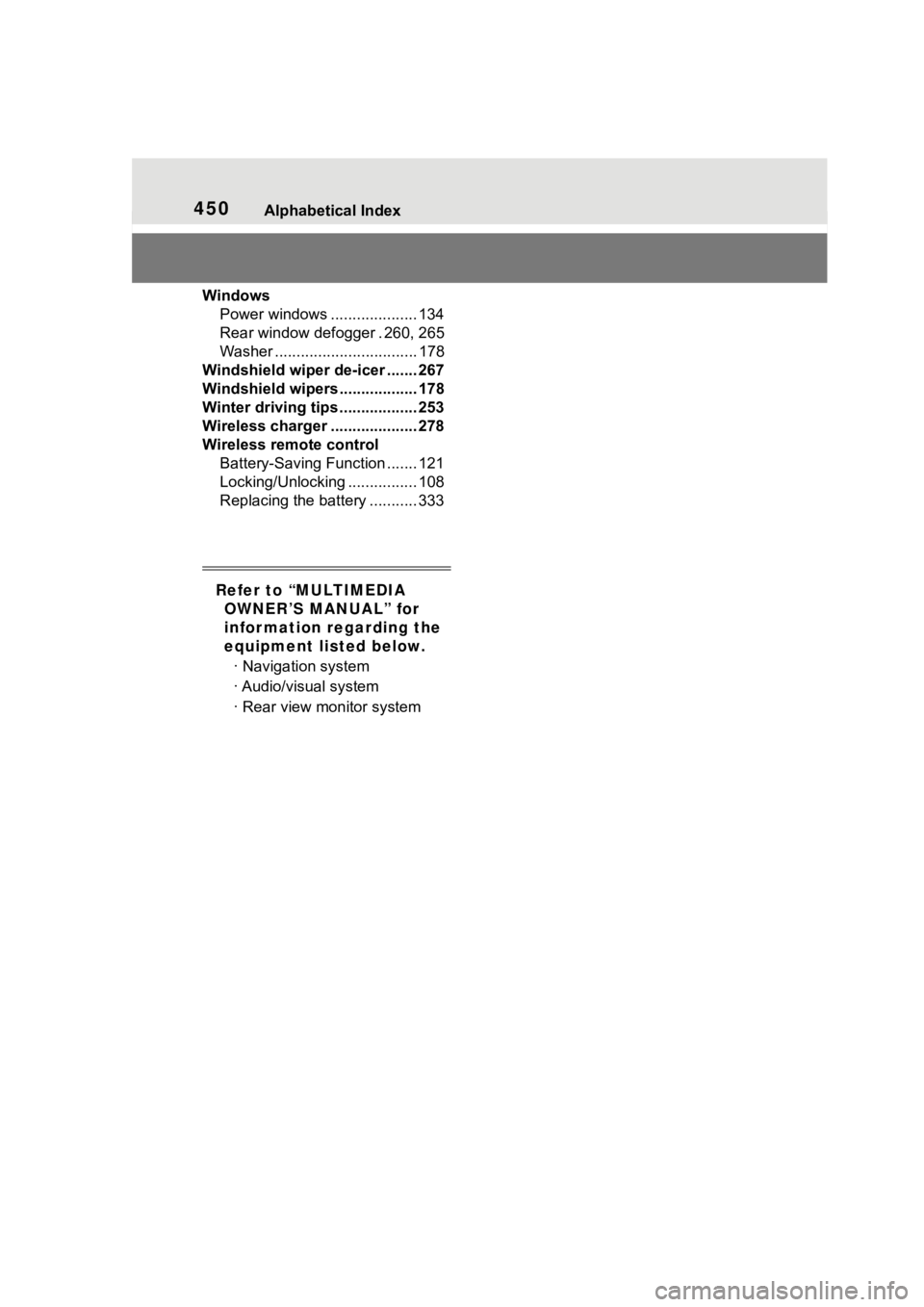
450Alphabetical Index
WindowsPower windows .................... 134
Rear window defogger . 260, 265
Washer ................................. 178
Windshield wiper de-icer ....... 267
Windshield wipers .................. 178
Winter driving tips .................. 253
Wireless charger .................... 278
Wireless remote control Battery-Saving Function ....... 121
Locking/Unlocking ................ 108
Replacing the battery ........... 333
Refer to “MULTIMEDIA OWNER’S MANUAL” for
infor mation regarding the
equipment listed below.
· Navigation system
· Audio/visual system
· Rear view monitor system