light TOYOTA COROLLA CROSS 2023 Service Manual
[x] Cancel search | Manufacturer: TOYOTA, Model Year: 2023, Model line: COROLLA CROSS, Model: TOYOTA COROLLA CROSS 2023Pages: 500, PDF Size: 15.11 MB
Page 93 of 500
932-1. Instrument cluster
2
Vehicle status information and indicators
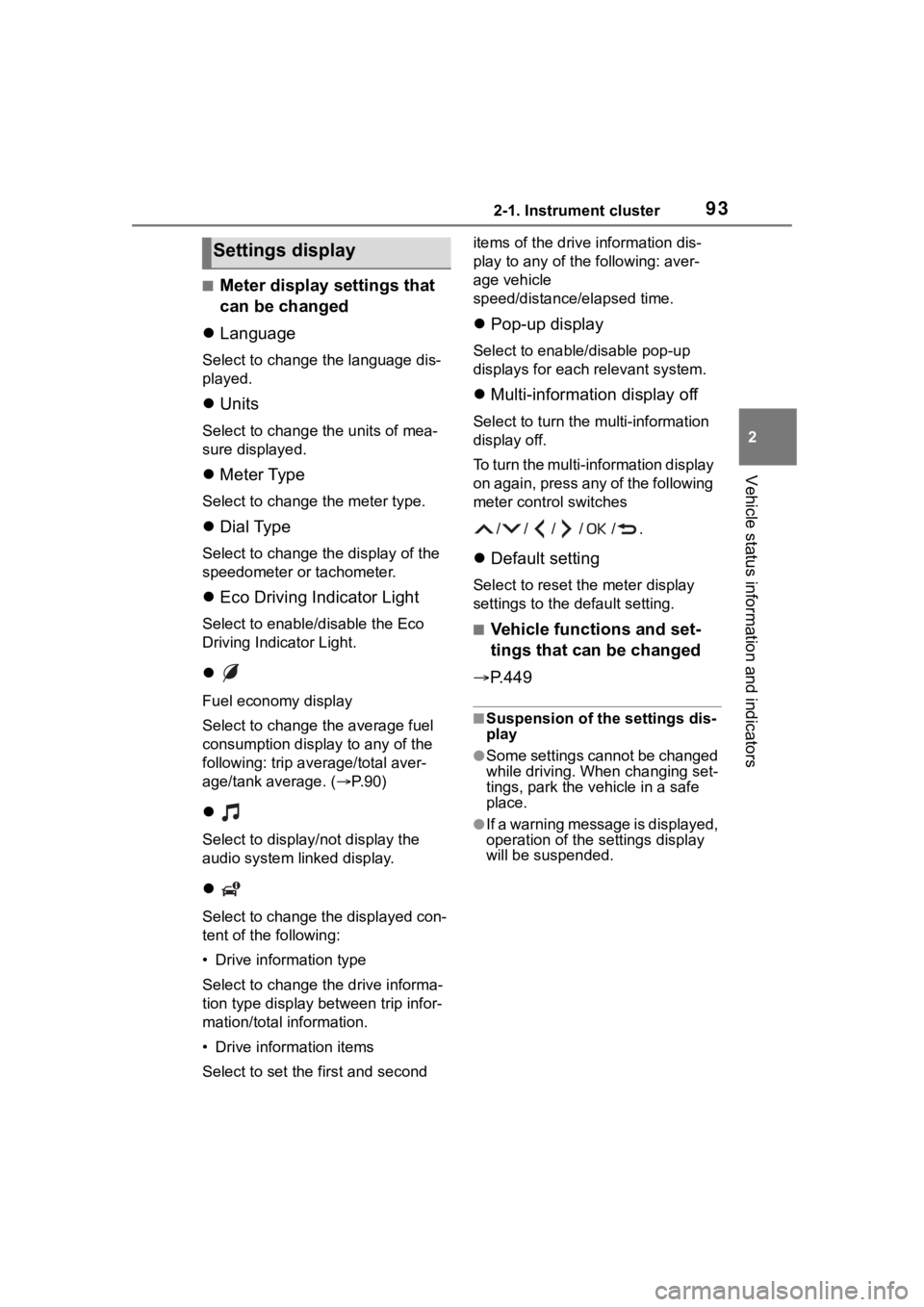
■Meter display settings that
can be changed
Language
Select to change the language dis-
played.
Units
Select to change t he units of mea-
sure displayed.
Meter Type
Select to change the meter type.
Dial Type
Select to change the display of the
speedometer or tachometer.
Eco Driving Indicator Light
Select to enable/disable the Eco
Driving Indicator Light.
Fuel economy display
Select to change the average fuel
consumption display to any of the
following: trip ave rage/total aver-
age/tank average. ( P. 9 0 )
Select to display/not display the
audio system linked display.
Select to change the displayed con-
tent of the following:
• Drive information type
Select to change the drive informa-
tion type display between trip infor-
mation/total information.
• Drive information items
Select to set the first and second items of the drive information dis-
play to any of the following: aver-
age vehicle
speed/distance/elapsed time.
Pop-up display
Select to enable/disable pop-up
displays for each relevant system.
Multi-information display off
Select to turn the multi-information
display off.
To turn the multi-information display
on again, press any of the following
meter control switches
//// /.
Default setting
Select to reset the meter display
settings to the default setting.
■Vehicle functions and set-
tings that can be changed
P.449
■Suspension of the settings dis-
play
●Some settings cannot be changed
while driving. When changing set-
tings, park the vehicle in a safe
place.
●If a warning message is displayed,
operation of the settings display
will be suspended.
Settings display
Page 94 of 500
942-1. Instrument cluster
Displays suggestions to the
driver in the following situations.
To select a response to a dis-
played suggestion, use the
meter control switches.
■Suggestion to enable the
power back door (if
equipped)
If the power back door system is
disabled (setting on set to
off) and the power back door
switch on the instrument panel
is operated, a suggestion mes-
sage will be displayed asking if
you wish to enable the power
back door system.
To enable the power back door system, select “Yes”.
After enabling the power back door
system, press the power back door
switch again to op
en or close the
power back door.
■Suggestion to turn off the
headlights
If the headlights are left on for a
certain amount of time after the
engine switch has been turned
off, if the headlight switch is in
the “AUTO” position, a sugges-
tion message will be displayed
asking if you wish to turn the
headlights off.
To turn the headlights off, select
“Yes”.
If the driver's door is opened after
the engine switch is turned off, this
suggestion message will not be dis-
played.
WARNING
■Cautions during setting up
the display
If the engine is running when
changing the display settings,
ensure that the vehicle is parked
in a place with adequate ventila-
tion. In a closed area such as a
garage, exhaust gases including
harmful carbon monoxide (CO)
may collect and enter the vehicle.
This may lead to death or a seri-
ous health hazard.
NOTICE
■During setting up the display
To prevent battery discharge,
ensure that the engine is running
while setting up the display fea-
tures.
Suggestion function (if
equipped)
Page 95 of 500
952-1. Instrument cluster
2
Vehicle status information and indicators
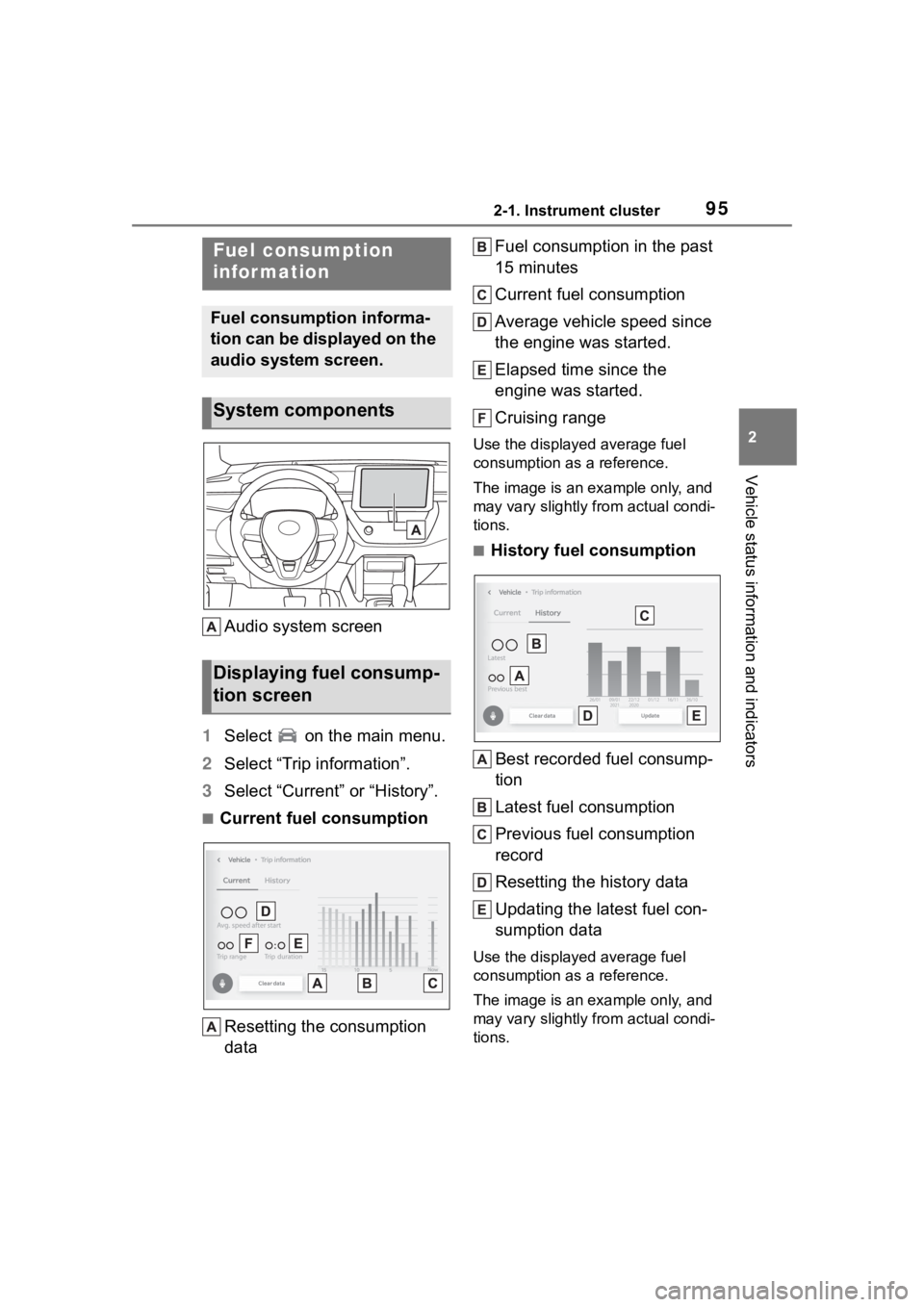
Audio system screen
1 Select on the main menu.
2 Select “Trip information”.
3 Select “Current” or “History”.
■Current fuel consumption
Resetting the consumption
data Fuel consumption in the past
15 minutes
Current fuel consumption
Average vehicle speed since
the engine was started.
Elapsed time since the
engine was started.
Cruising range
Use the displayed average fuel
consumption as a reference.
The image is an example only, and
may vary slightly from actual condi-
tions.
■History fuel consumption
Best recorded fuel consump-
tion
Latest fuel consumption
Previous fuel consumption
record
Resetting the history data
Updating the latest fuel con-
sumption data
Use the displayed average fuel
consumption as a reference.
The image is an example only, and
may vary slightly from actual condi-
tions.
Fuel consumption
infor mation
Fuel consumption informa-
tion can be displayed on the
audio system screen.
System components
Displaying fuel consump-
tion screen
Page 100 of 500
1003-1. Key information
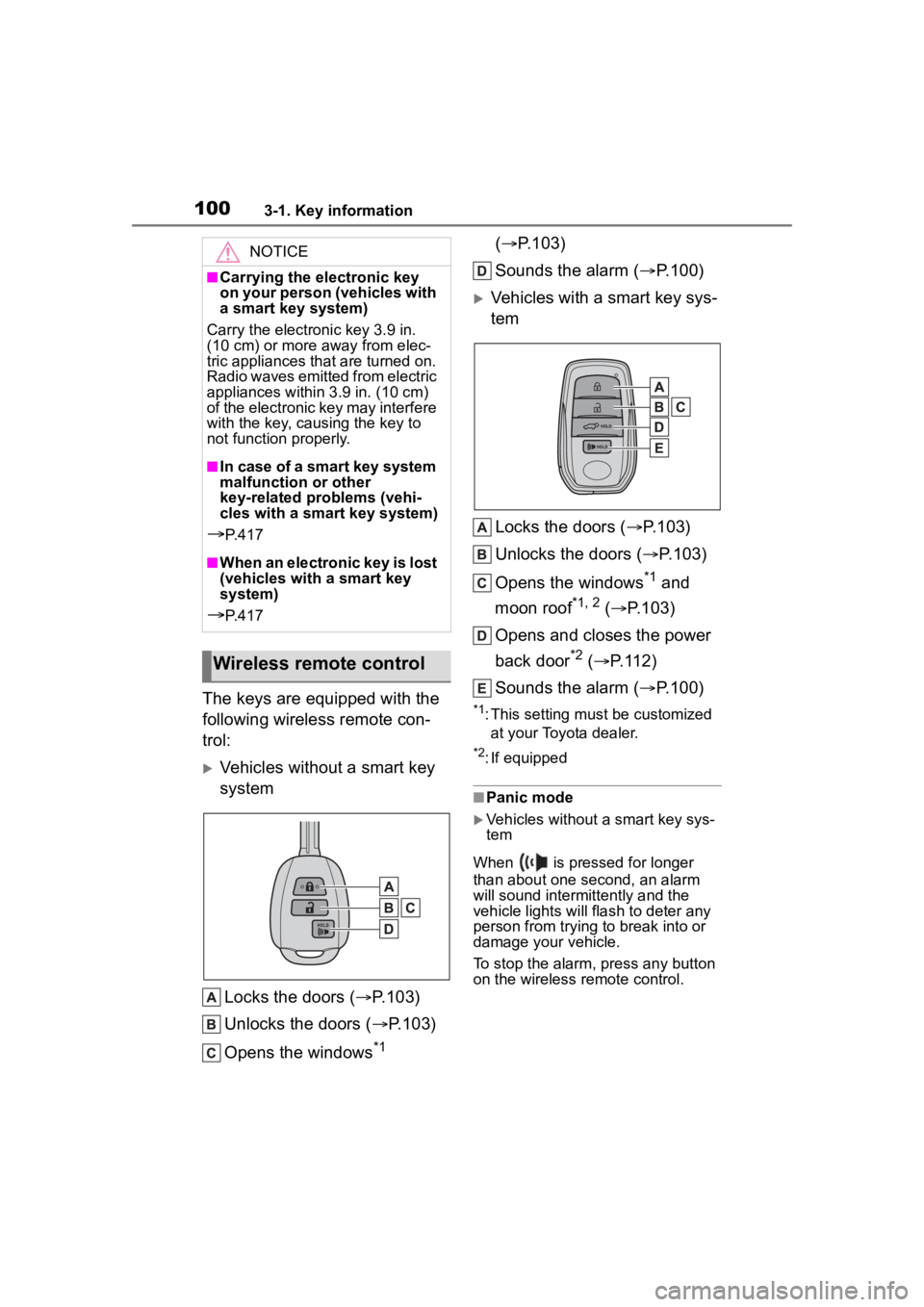
The keys are equipped with the
following wireless remote con-
trol:
Vehicles without a smart key
systemLocks the doors ( P.103)
Unlocks the doors ( P.103)
Opens the windows
*1 (
P.103)
Sounds the alarm ( P.100)
Vehicles with a smart key sys-
tem
Locks the doors ( P.103)
Unlocks the doors ( P.103)
Opens the windows
*1 and
moon roof
*1, 2 ( P.103)
Opens and closes the power
back door
*2 ( P.112)
Sounds the alarm ( P.100)
*1: This setting must be customized
at your Toyota dealer.
*2: If equipped
■Panic mode
Vehicles without a smart key sys-
tem
When is pressed for longer
than about one second, an alarm
will sound intermittently and the
vehicle lights will flash to deter any
person from trying to break into or
damage your vehicle.
To stop the alarm, press any button
on the wireless remote control.
NOTICE
■Carrying the electronic key
on your person (vehicles with
a smart key system)
Carry the electronic key 3.9 in.
(10 cm) or more away from elec-
tric appliances that are turned on.
Radio waves emitted from electric
appliances within 3.9 in. (10 cm)
of the electronic key may interfere
with the key, causing the key to
not function properly.
■In case of a smart key system
malfunction or other
key-related problems (vehi-
cles with a smart key system)
P. 4 1 7
■When an electronic key is lost
(vehicles with a smart key
system)
P. 4 1 7
Wireless remote control
Page 101 of 500
1013-1. Key information
3
Before driving
Vehicles with a smart key system
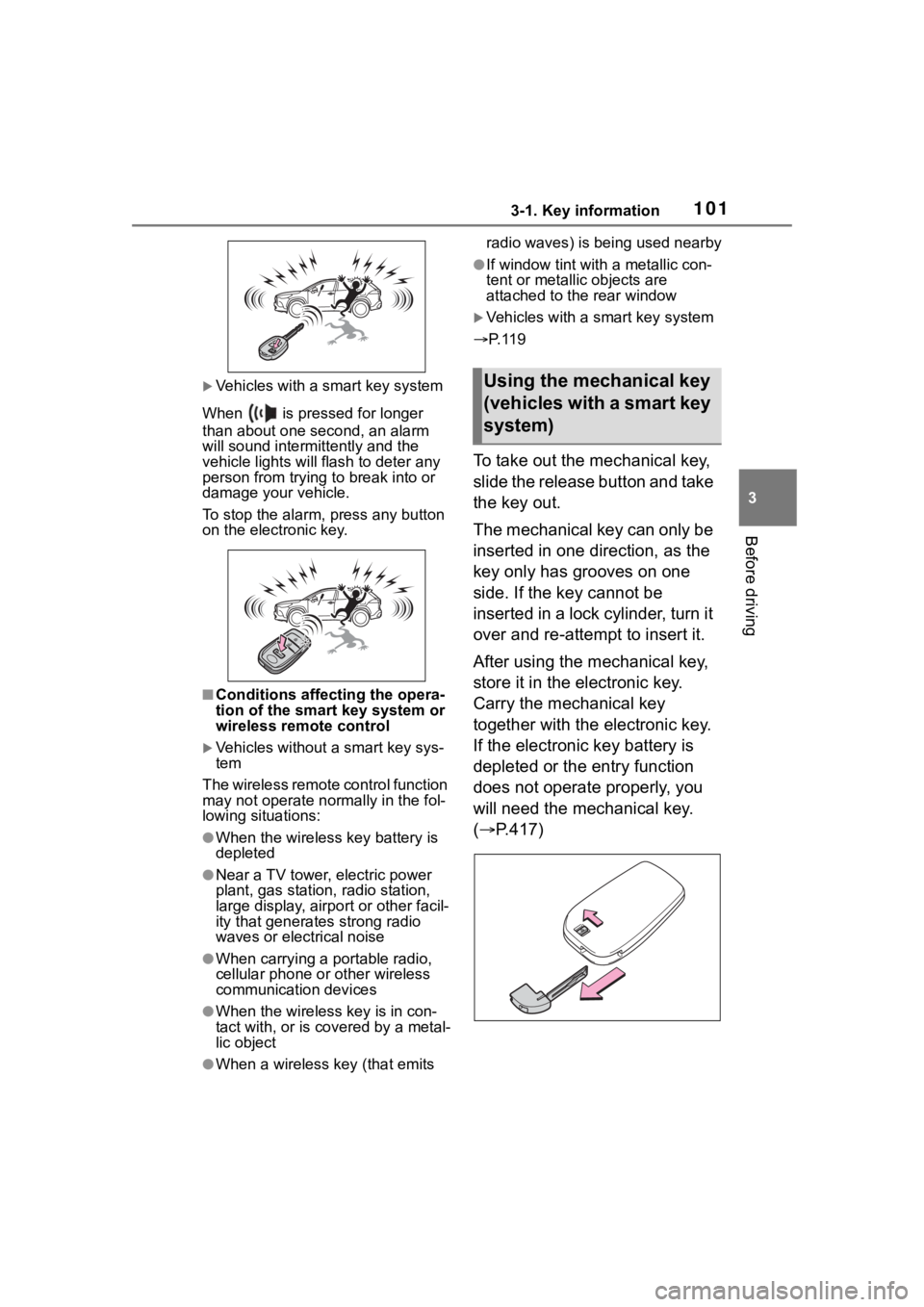
When is pressed for longer
than about one second, an alarm
will sound intermittently and the
vehicle lights will f lash to deter any
person from trying to break into or
damage your vehicle.
To stop the alarm, press any button
on the electronic key.
■Conditions affect ing the opera-
tion of the smart key system or
wireless remo te control
Vehicles without a smart key sys-
tem
The wireless remote control function
may not operate normally in the fol-
lowing situations:
●When the wireless key battery is
depleted
●Near a TV tower, electric power
plant, gas station , radio station,
large display, airpo rt or other facil-
ity that generates strong radio
waves or electrical noise
●When carrying a portable radio,
cellular phone or other wireless
communication devices
●When the wireles s key is in con-
tact with, or is covered by a metal-
lic object
●When a wireless key (that emits radio waves) is being used nearby
●If window tint wit
h a metallic con-
tent or metallic objects are
attached to the rear window
Vehicles with a smart key system
P. 1 1 9
To take out the mechanical key,
slide the release button and take
the key out.
The mechanical key can only be
inserted in one direction, as the
key only has grooves on one
side. If the key cannot be
inserted in a lock cylinder, turn it
over and re-attempt to insert it.
After using the mechanical key,
store it in the electronic key.
Carry the mechanical key
together with the electronic key.
If the electronic key battery is
depleted or the entry function
does not operate properly, you
will need the mechanical key.
( P.417)
Using the mechanical key
(vehicles with a smart key
system)
Page 104 of 500
1043-2. Opening, closing and locking the doors
other doors.
Press and hold to open the win-
dows
*1and moon roof*1, 2.
*1:This setting must be customized
at your Toyota dealer.
*2: If equipped
■Key
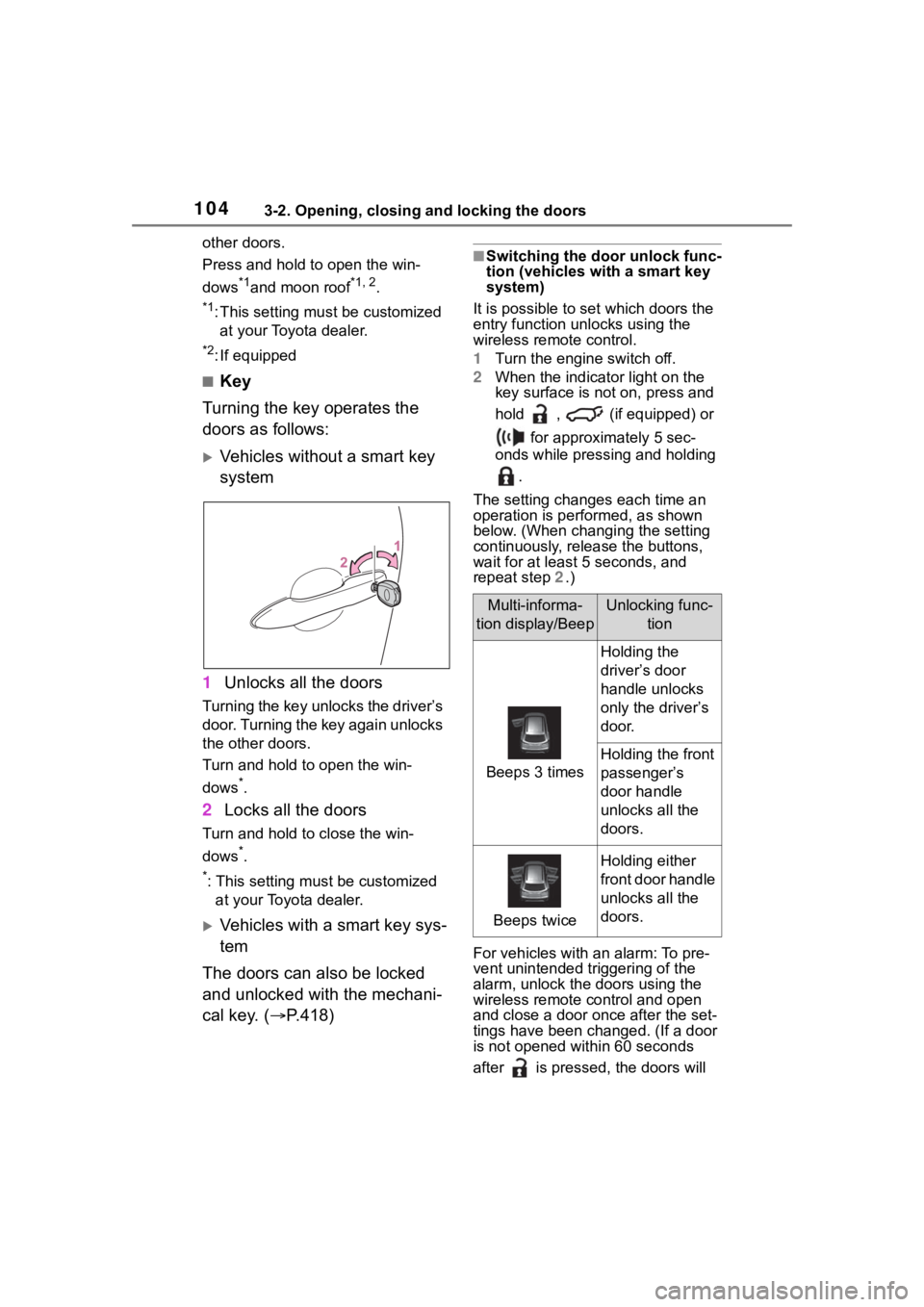
Turning the key operates the
doors as follows:
Vehicles without a smart key
system
1 Unlocks all the doors
Turning the key unlocks the driver’s
door. Turning the key again unlocks
the other doors.
Turn and hold to open the win-
dows
*.
2Locks all the doors
Turn and hold to close the win-
dows
*.
*: This setting must be customized
at your Toyota dealer.
Vehicles with a smart key sys-
tem
The doors can also be locked
and unlocked with the mechani-
cal key. ( P.418)
■Switching the door unlock func-
tion (vehicles with a smart key
system)
It is possible to set which doors the
entry function unlocks using the
wireless remote control.
1 Turn the engine switch off.
2 When the indicator light on the
key surface is not on, press and
hold , (if equipped) or
for approximately 5 sec-
onds while pressing and holding
.
The setting changes each time an
operation is per formed, as shown
below. (When changing the setting
continuously, release the buttons,
wait for at least 5 seconds, and
repeat step 2 .)
For vehicles with an alarm: To pre-
vent unintended triggering of the
alarm, unlock the doors using the
wireless remote control and open
and close a door once after the set-
tings have been ch anged. (If a door
is not opened within 60 seconds
after is presse d, the doors will
Multi-informa-
tion display/BeepUnlocking func- tion
Beeps 3 times
Holding the
driver’s door
handle unlocks
only the driver’s
door.
Holding the front
passenger’s
door handle
unlocks all the
doors.
Beeps twice
Holding either
front door handle
unlocks all the
doors.
Page 110 of 500
1103-2. Opening, closing and locking the doors
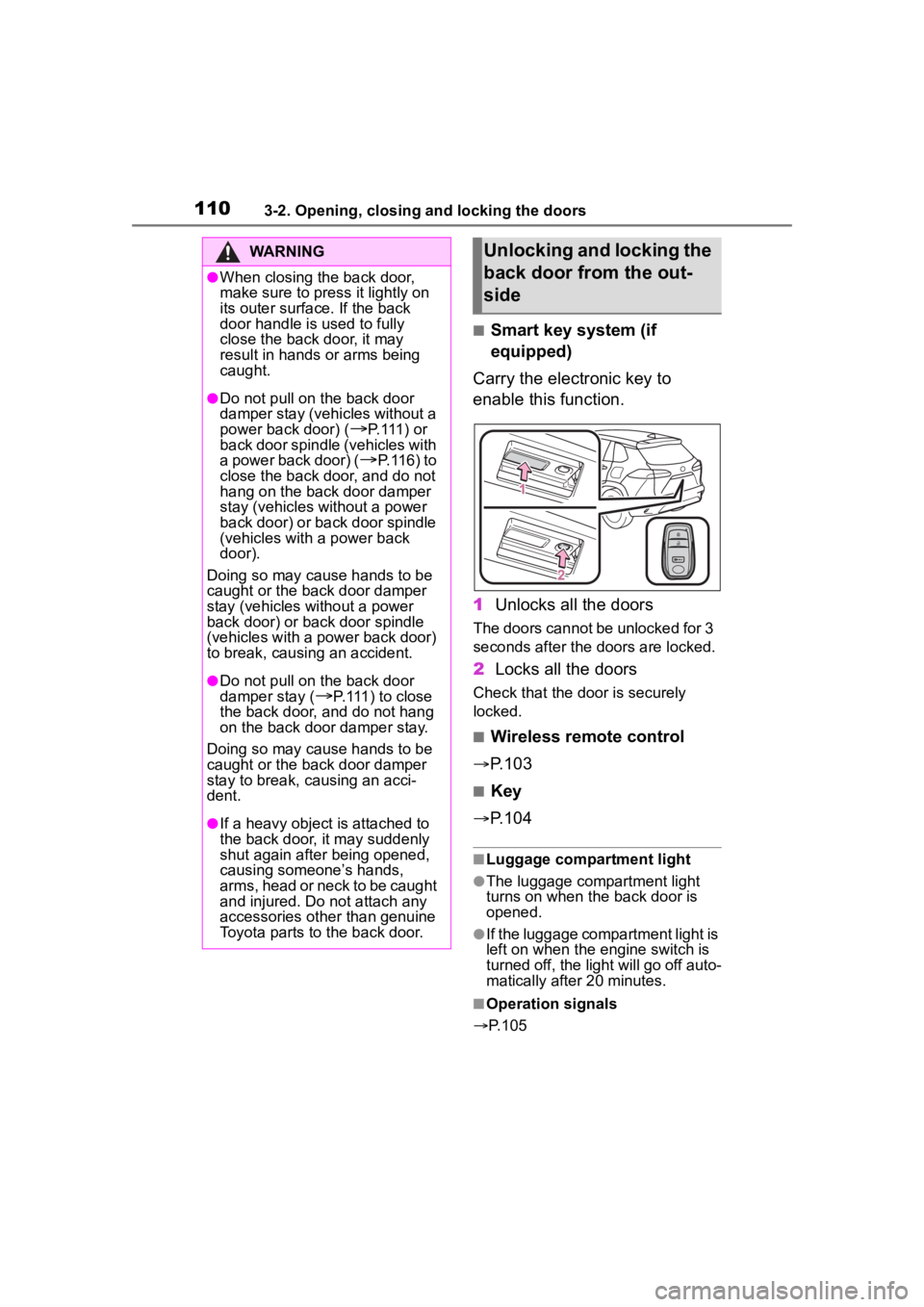
■Smart key system (if
equipped)
Carry the electronic key to
enable this function.
1 Unlocks all the doors
The doors cannot be unlocked for 3
seconds after the doors are locked.
2Locks all the doors
Check that the d oor is securely
locked.
■Wireless remote control
P.103
■Key
P.104
■Luggage compartment light
●The luggage compartment light
turns on when the back door is
opened.
●If the luggage compartment light is
left on when the engine switch is
turned off, the light will go off auto-
matically after 20 minutes.
■Operation signals
P.105
WARNING
●When closing the back door,
make sure to press it lightly on
its outer surface. If the back
door handle is used to fully
close the back door, it may
result in hands or arms being
caught.
●Do not pull on the back door
damper stay (vehicles without a
power back door) (
P.111) or
back door spindle (vehicles with
a power back door) (
P.116) to
close the back door, and do not
hang on the back door damper
stay (vehicles without a power
back door) or back door spindle
(vehicles with a power back
door).
Doing so may cause hands to be
caught or the back door damper
stay (vehicles without a power
back door) or back door spindle
(vehicles with a power back door)
to break, causing an accident.
●Do not pull on the back door
damper stay (
P.111) to close
the back door, and do not hang
on the back door damper stay.
Doing so may cause hands to be
caught or the back door damper
stay to break, causing an acci-
dent.
●If a heavy object is attached to
the back door, it may suddenly
shut again after being opened,
causing someone’s hands,
arms, head or neck to be caught
and injured. Do not attach any
accessories other than genuine
Toyota parts to the back door.
Unlocking and locking the
back door from the out-
side
Page 113 of 500
1133-2. Opening, closing and locking the doors
3
Before driving
again will operate the back door in
the opposite direction.
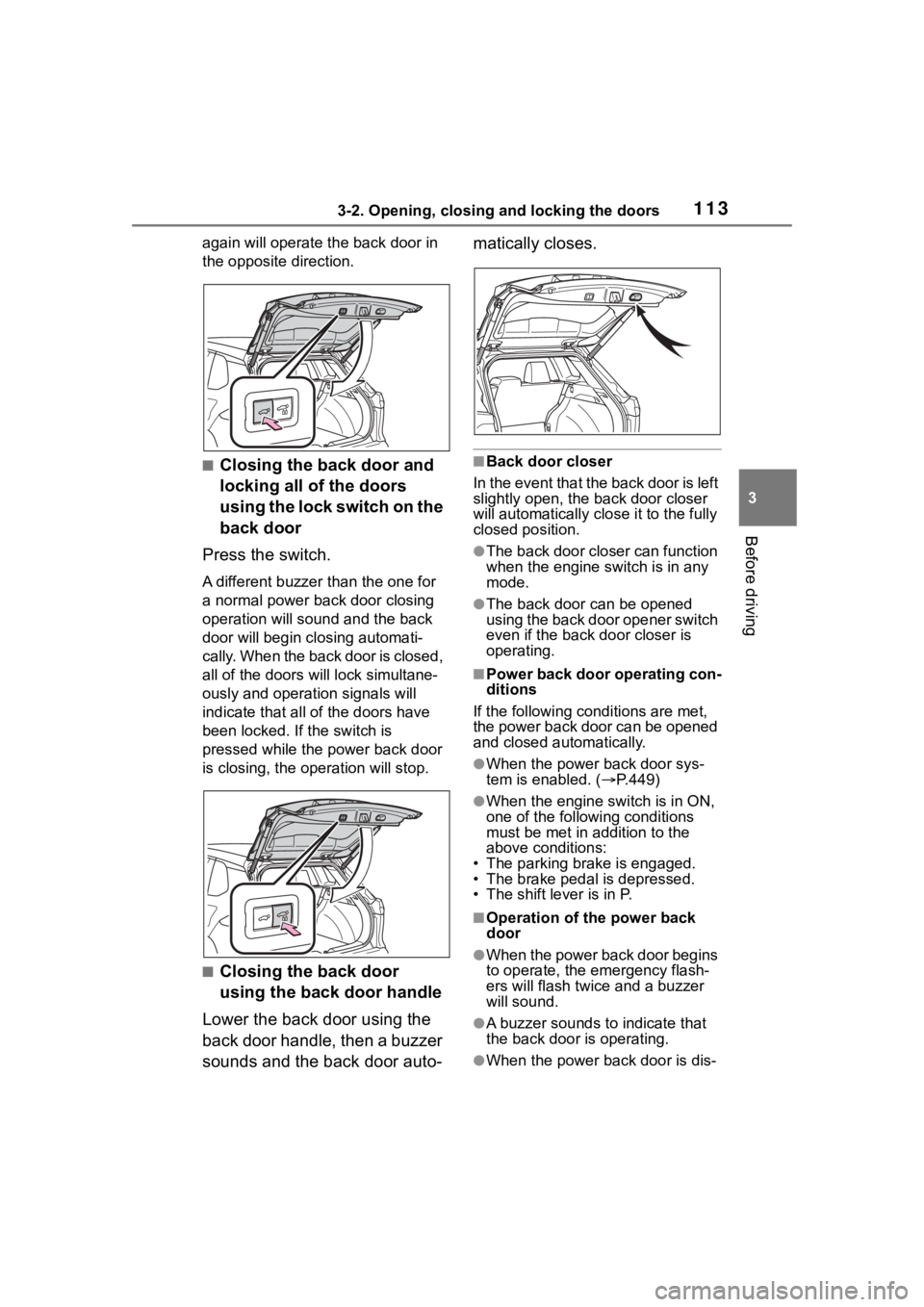
■Closing the back door and
locking all of the doors
using the lock switch on the
back door
Press the switch.
A different buzzer than the one for
a normal power back door closing
operation will sound and the back
door will begin closing automati-
cally. When the back door is closed,
all of the doors w ill lock simultane-
ously and operation signals will
indicate that all of the doors have
been locked. If the switch is
pressed while the power back door
is closing, the operation will stop.
■Closing the back door
using the back door handle
Lower the back door using the
back door handle, then a buzzer
sounds and the back door auto- matically closes.
■Back door closer
In the event that the back door is left
slightly open, the back door closer
will automatically clo se it to the fully
closed position.
●The back door closer can function
when the engine switch is in any
mode.
●The back door can be opened
using the back door opener switch
even if the back door closer is
operating.
■Power back door operating con-
ditions
If the following conditions are met,
the power back door can be opened
and closed automatically.
●When the power back door sys-
tem is enabled. ( P.449)
●When the engine s witch is in ON,
one of the following conditions
must be met in a ddition to the
above conditions:
• The parking brake is engaged.
• The brake pedal is depressed.
• The shift lever is in P.
■Operation of the power back
door
●When the power back door begins
to operate, the emergency flash-
ers will flash twice and a buzzer
will sound.
●A buzzer sounds to indicate that
the back door is operating.
●When the power back door is dis-
Page 114 of 500
1143-2. Opening, closing and locking the doors
abled, the power back door will
not operate but can be opened
and closed manually.
●When the power back door is
opening/closing, if the power back
door becomes obstructed, opera-
tion will stop.
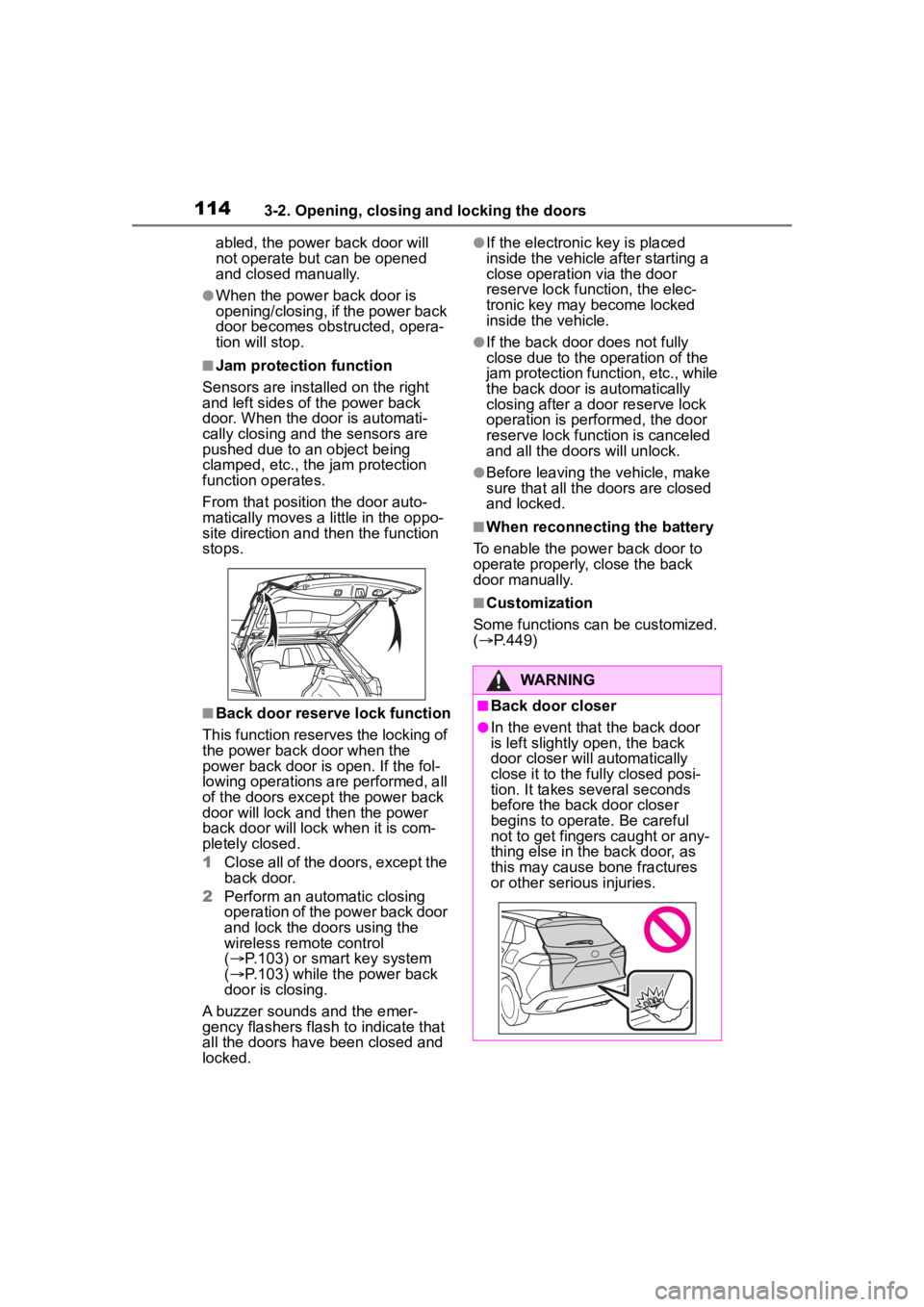
■Jam protection function
Sensors are installed on the right
and left sides of the power back
door. When the door is automati-
cally closing and the sensors are
pushed due to an object being
clamped, etc., the jam protection
function operates.
From that position the door auto-
matically moves a little in the oppo-
site direction and then the function
stops.
■Back door reserve lock function
This function reserves the locking of
the power back door when the
power back door is open. If the fol-
lowing operations are performed, all
of the doors except the power back
door will lock and then the power
back door will lock when it is com-
pletely closed.
1 Close all of the doors, except the
back door.
2 Perform an automatic closing
operation of the power back door
and lock the doors using the
wireless remote control
( P.103) or smart key system
( P.103) while the power back
door is closing.
A buzzer sounds and the emer-
gency flashers flash to indicate that
all the doors have been closed and
locked.
●If the electronic key is placed
inside the vehicle after starting a
close operation via the door
reserve lock function, the elec-
tronic key may become locked
inside the vehicle.
●If the back door does not fully
close due to the o peration of the
jam protection function, etc., while
the back door is automatically
closing after a do or reserve lock
operation is performed, the door
reserve lock function is canceled
and all the doors will unlock.
●Before leaving the vehicle, make
sure that all the doors are closed
and locked.
■When reconnecting the battery
To enable the power back door to
operate properly, close the back
door manually.
■Customization
Some functions can be customized.
( P.449)
WARNING
■Back door closer
●In the event that the back door
is left slightly open, the back
door closer will automatically
close it to the fu lly closed posi-
tion. It takes several seconds
before the back door closer
begins to operate. Be careful
not to get fingers caught or any-
thing else in the back door, as
this may cause bone fractures
or other serious injuries.
Page 121 of 500
1213-2. Opening, closing and locking the doors
3
Before driving
●If the wireless remote control is
used to lock the doors when the
electronic key is near the vehicle,
there is a possib ility that the door
may not be unlocke d by the entry
function. (Use the wireless remote
control to unloc k the doors.)
●If the doors have been locked
from outside of the vehicle and are
then not unlocked using the wire-
less remote contr ol or smart key
system, the engine cannot be
started using the smart key sys-
tem. (However, if the doors have
been locked from inside the vehi-
cle, the engine can be started
using the smart key system.)
If it is necessary to start the
engine, it can be started using the
procedure in “If the electronic key
dose not operate properly”
( P.418).
●Touching the door lock or unlock
sensor while wearing gloves may
prevent lock or unlock operation.
●When the lock op eration is per-
formed using the lock sensor, rec-
ognition signals will be shown up
to two consecutive times. After
this, no recogniti on signals will be
given.
●If the door handle becomes wet
while the electronic key is within
the effective ran ge, the door may
lock and unlock repeatedly. In that
case, follow the fo llowing correc-
tion procedures to wash the vehi-
cle:
• Place the electronic key in a loca- tion 6 ft. (2 m) or more away from
the vehicle. (Take care to ensure
that the key is not stolen.)
• Set the electronic key to bat- tery-saving mode to disable the
smart key system. ( P. 1 1 9 )
●If the electronic key is inside the
vehicle and a door handle
becomes wet during a car wash, a
message may be shown on the
multi-information display and a
buzzer will sound outside the vehi-
cle. To turn off the alarm, lock all the doors.
●The lock sensor may not work
properly if it comes into contact
with ice, snow, m
ud, etc. Clean
the lock sensor and attempt to
operate it again.
●A sudden handle operation or a
handle operation immediately
after entering the effective range
may prevent the doors from being
unlocked. Touch the door unlock
sensor and check that the doors
are unlocked befo re pulling the
door handle again.
●If there is another electronic key in
the detection area, it may take
slightly longer to unlock the doors
after the door handle is gripped.
●Fingernails may scrape against
the door during operation of the
door handle. Be careful not to
injure fingernails or damage the
surface of the door.
■When the vehicle is not driven
for extended periods
●To prevent theft of the vehicle, do
not leave the electronic key within
6 ft. (2 m) of the vehicle.
●The smart key system can be
deactivated in advance. ( P.449)
●Setting the electronic key to bat-
tery-saving mode helps to reduce
key battery depletion. ( P. 1 1 9 )
■To operate the system properly
Make sure to carry the electronic
key when operating the system. Do
not get the electronic key too close
to the vehicle when operating the
system from the out side of the vehi-
cle.
Depending on the position and hold-
ing condition of the electronic key,
the key may not be detected cor-
rectly and the system may not oper-
ate properly. (The alarm may go off
accidentally, or the door lock pre-
vention function m ay not operate.)