windshield wipers TOYOTA COROLLA HATCHBACK 2022 (in English) User Guide
[x] Cancel search | Manufacturer: TOYOTA, Model Year: 2022, Model line: COROLLA HATCHBACK, Model: TOYOTA COROLLA HATCHBACK 2022Pages: 758, PDF Size: 155.26 MB
Page 209 of 758
207
4
4-3. Operating the lights and wipers
Driving
pulled and held, the headlight cleaners
will operate once. After this, the head-
light cleaners will operate every 5th
time the lever is pulled.
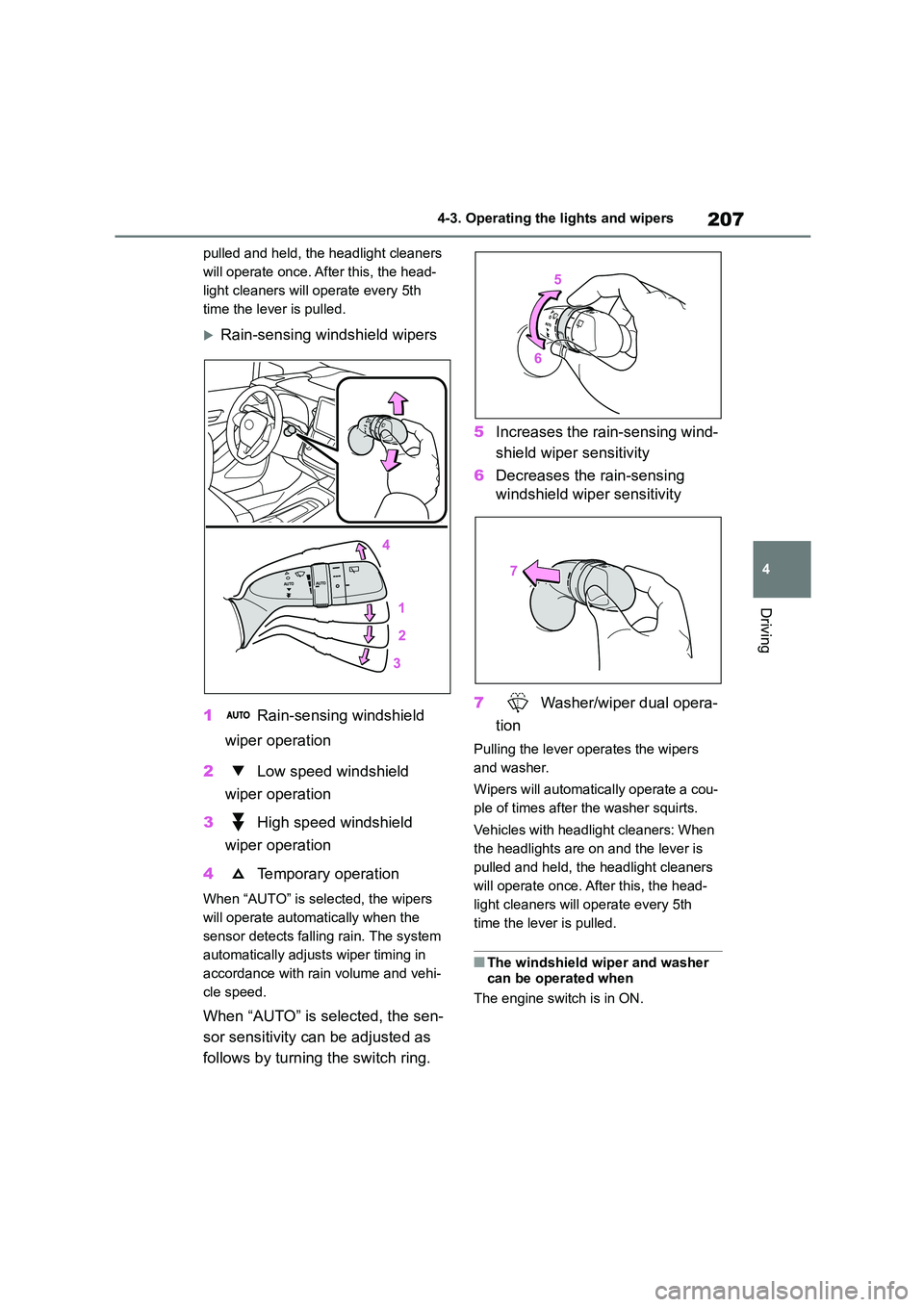
Rain-sensing wi ndshield wipers
1 Rain-sensing windshield
wiper operation
2 Low speed windshield
wiper operation
3 High speed windshield
wiper operation
4 Temporary operation
When “AUTO” is selected, the wipers
will operate automat ically when the
sensor detects falling rain. The system
automatically adjust s wiper timing in
accordance with rain volume and vehi-
cle speed.
When “AUTO” is selected, the sen-
sor sensitivity can be adjusted as
follows by turning the switch ring.
5 Increases the rain-sensing wind-
shield wiper sensitivity
6 Decreases the rain-sensing
windshield wiper sensitivity
7 Washer/wiper dual opera-
tion
Pulling the lever operates the wipers
and washer.
Wipers will automatical ly operate a cou-
ple of times after the washer squirts.
Vehicles with headlight cleaners: When
the headlights are on and the lever is
pulled and held, the headlight cleaners
will operate once. After this, the head-
light cleaners will operate every 5th
time the lever is pulled.
■The windshield wiper and washer can be operated when
The engine switch is in ON.
Page 210 of 758
2084-3. Operating the lights and wipers
■Effects of vehicle speed on wiper
operation (vehicles with rain-sens- ing windshield wipers)
Vehicle speed affects the Intermittent
wiper interval.
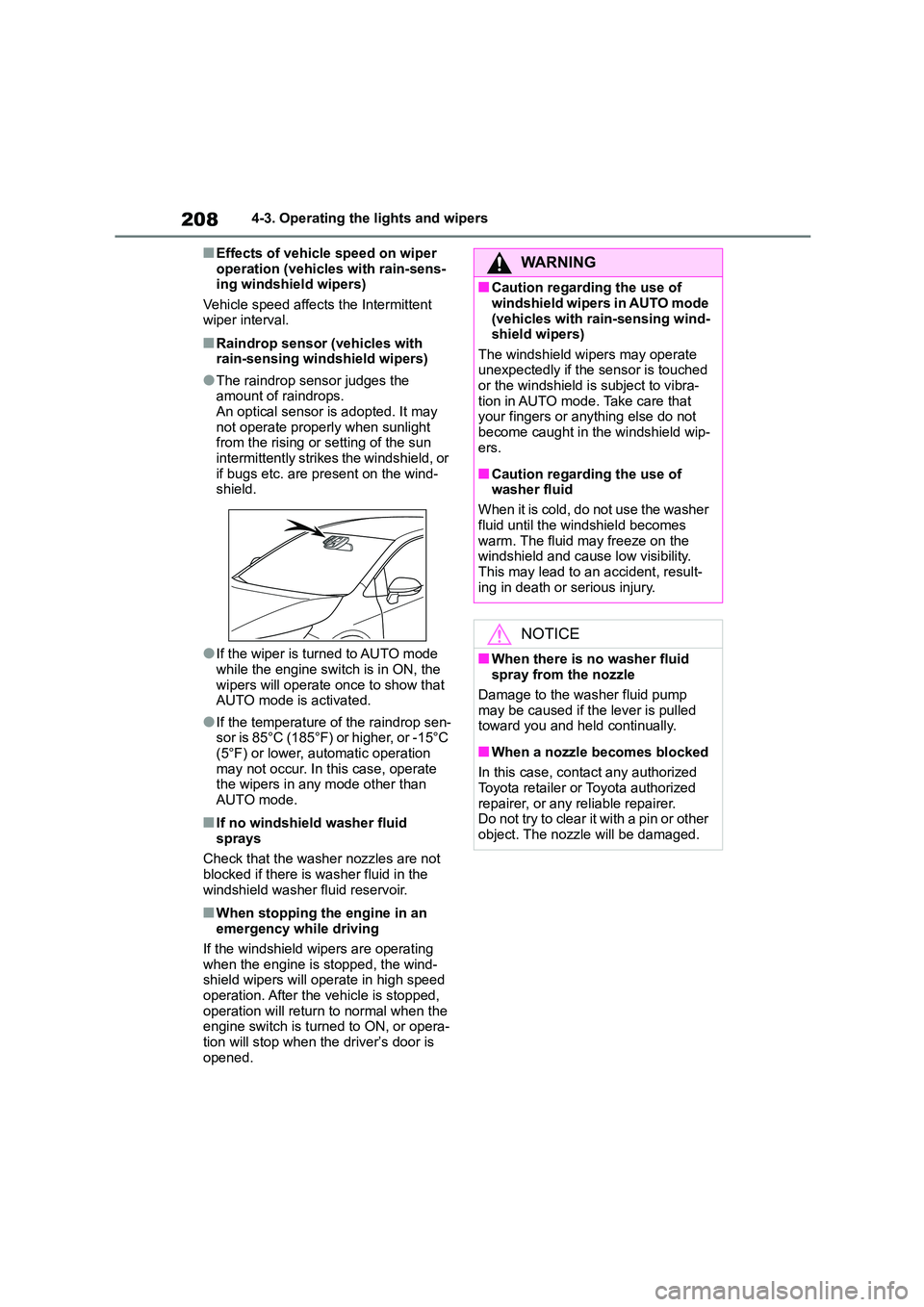
■Raindrop sensor (vehicles with rain-sensing windshield wipers)
●The raindrop sensor judges the amount of raindrops.
An optical sensor is adopted. It may
not operate properly when sunlight from the rising or setting of the sun
intermittently strikes the windshield, or
if bugs etc. are present on the wind- shield.
●If the wiper is turned to AUTO mode while the engine switch is in ON, the
wipers will operate once to show that
AUTO mode is activated.
●If the temperature of the raindrop sen-
sor is 85°C (185°F) or higher, or -15°C (5°F) or lower, automatic operation
may not occur. In this case, operate
the wipers in any mode other than AUTO mode.
■If no windshield washer fluid
sprays
Check that the washer nozzles are not blocked if there is washer fluid in the
windshield washer fluid reservoir.
■When stopping the engine in an
emergency while driving
If the windshield wipers are operating when the engine is stopped, the wind-
shield wipers will operate in high speed
operation. After the vehicle is stopped, operation will return to normal when the
engine switch is turned to ON, or opera-
tion will stop when the driver’s door is opened.
WA R N I N G
■Caution regarding the use of
windshield wipers in AUTO mode
(vehicles with rain-sensing wind- shield wipers)
The windshield wipers may operate
unexpectedly if the sensor is touched or the windshield is subject to vibra-
tion in AUTO mode. Take care that
your fingers or anything else do not
become caught in the windshield wip- ers.
■Caution regarding the use of washer fluid
When it is cold, do not use the washer
fluid until the windshield becomes warm. The fluid may freeze on the
windshield and cause low visibility.
This may lead to an accident, result- ing in death or serious injury.
NOTICE
■When there is no washer fluid spray from the nozzle
Damage to the washer fluid pump
may be caused if the lever is pulled
toward you and held continually.
■When a nozzle becomes blocked
In this case, contact any authorized Toyota retailer or Toyota authorized
repairer, or any reliable repairer.
Do not try to clear it with a pin or other object. The nozzle will be damaged.
Page 211 of 758
209
4
4-3. Operating the lights and wipers
Driving
*: If equipped
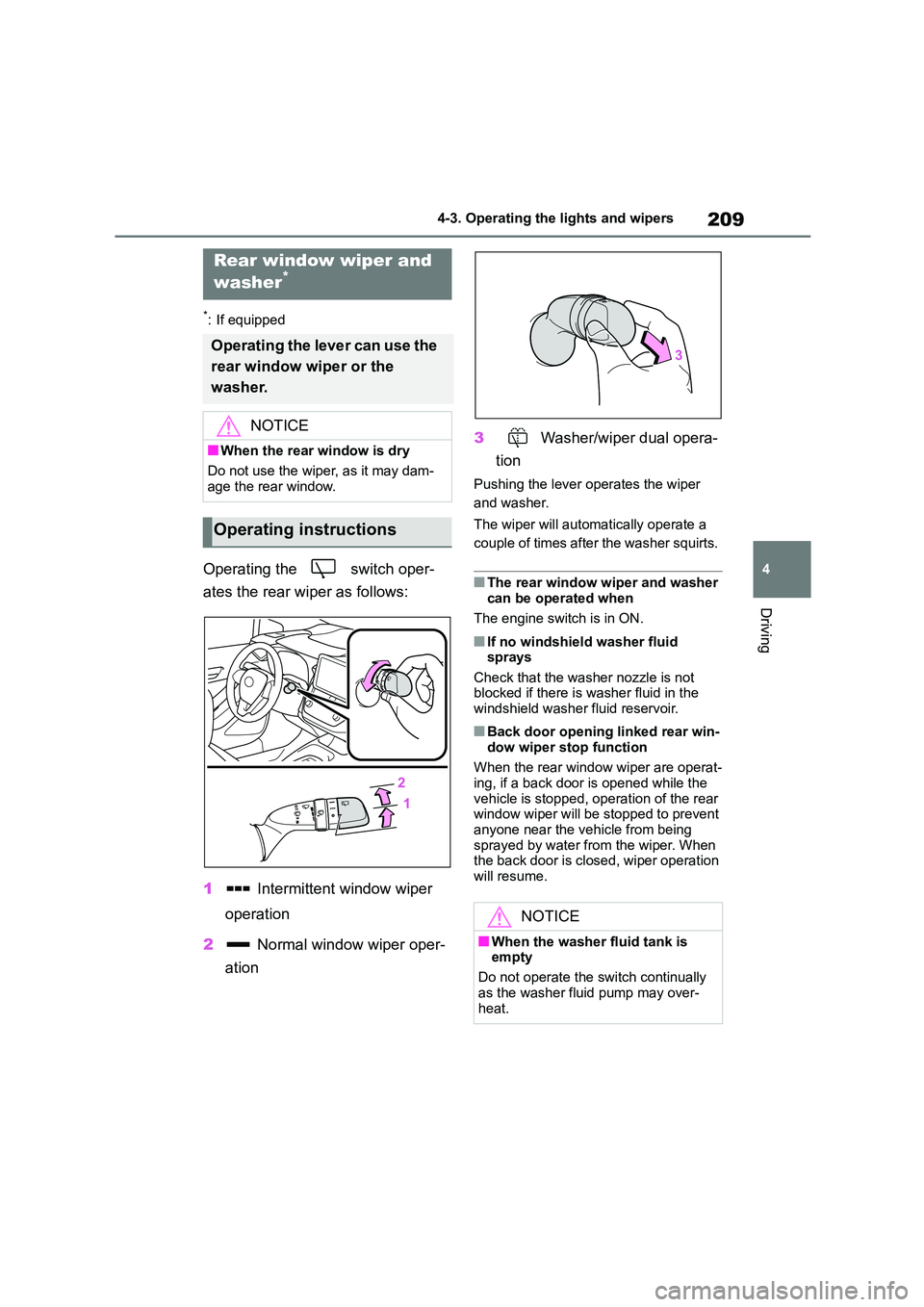
Operating the switch oper-
ates the rear wiper as follows:
1 Intermittent window wiper
operation
2 Normal window wiper oper-
ation
3 Washer/wiper dual opera-
tion
Pushing the lever operates the wiper
and washer.
The wiper will automatically operate a
couple of times after the washer squirts.
■The rear window wiper and washer
can be operated when
The engine switch is in ON.
■If no windshield washer fluid
sprays
Check that the washer nozzle is not blocked if there is washer fluid in the
windshield washer fluid reservoir.
■Back door opening linked rear win-
dow wiper stop function
When the rear window wiper are operat-
ing, if a back door is opened while the
vehicle is stopped, operation of the rear window wiper will be stopped to prevent
anyone near the vehicle from being
sprayed by water from the wiper. When the back door is closed, wiper operation
will resume.
Rear window wiper and
washer*
Operating the lever can use the
rear window wiper or the
washer.
NOTICE
■When the rear window is dry
Do not use the wiper, as it may dam-
age the rear window.
Operating instructions
NOTICE
■When the washer fluid tank is
empty
Do not operate the switch continually
as the washer fluid pump may over-
heat.
Page 216 of 758
2144-5. Using the driving support systems
WA R N I N G
■To avoid malfunction of the radar
sensor
Observe the following precautions. Otherwise, the radar sensor may not
operate properly, possibly leading to
an accident resulting in death or seri- ous injury.
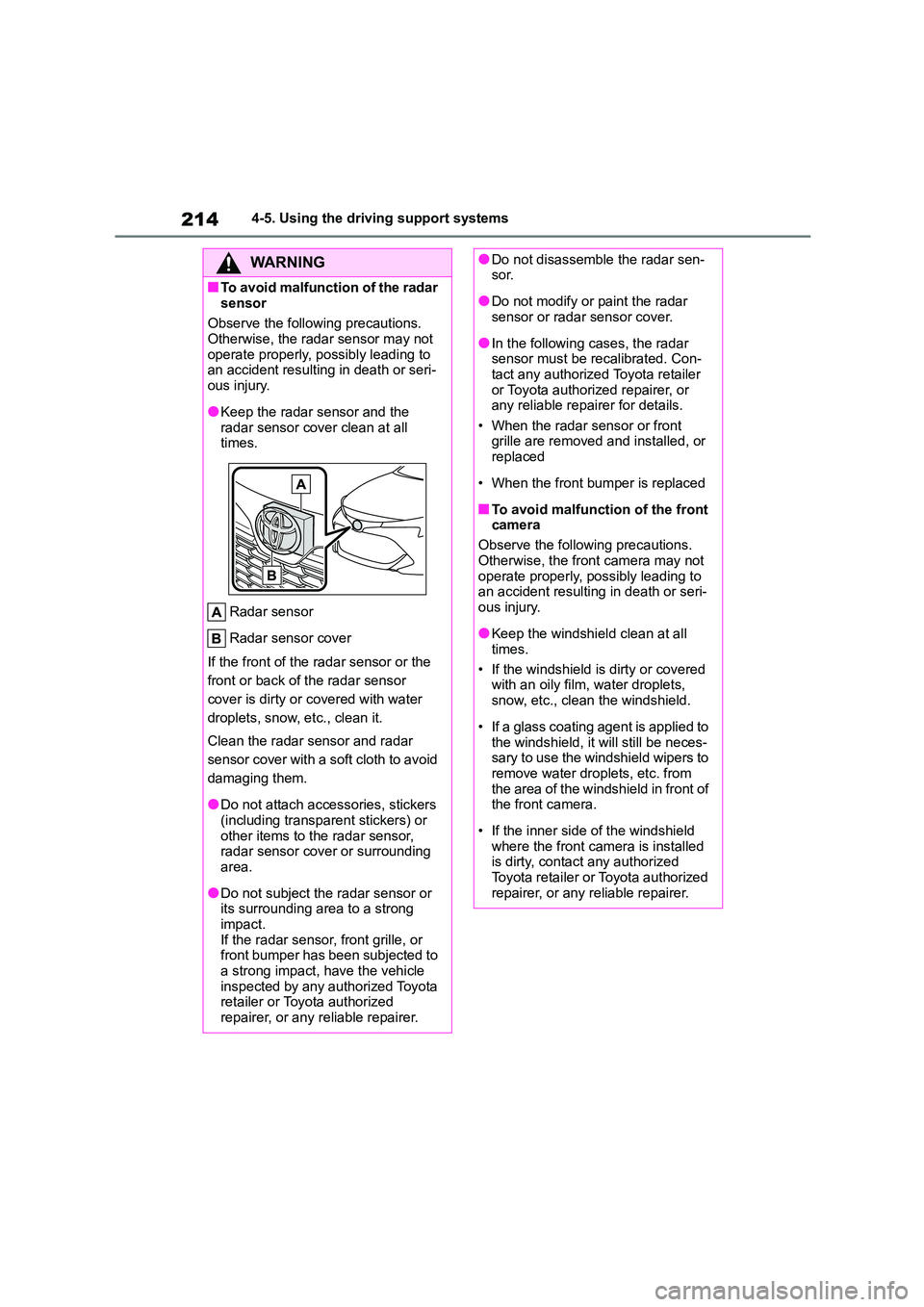
●Keep the radar sensor and the
radar sensor cover clean at all times.
Radar sensor
Radar sensor cover
If the front of the radar sensor or the
front or back of the radar sensor
cover is dirty or covered with water
droplets, snow, etc., clean it.
Clean the radar sensor and radar
sensor cover with a soft cloth to avoid
damaging them.
●Do not attach accessories, stickers
(including transparent stickers) or
other items to the radar sensor, radar sensor cover or surrounding
area.
●Do not subject the radar sensor or
its surrounding area to a strong
impact. If the radar sensor, front grille, or
front bumper has been subjected to
a strong impact, have the vehicle inspected by any authorized Toyota
retailer or Toyota authorized
repairer, or any reliable repairer.
●Do not disassemble the radar sen- sor.
●Do not modify or paint the radar sensor or radar sensor cover.
●In the following cases, the radar sensor must be recalibrated. Con-
tact any authorized Toyota retailer
or Toyota authorized repairer, or any reliable repairer for details.
• When the radar sensor or front
grille are removed and installed, or replaced
• When the front bumper is replaced
■To avoid malfunction of the front
camera
Observe the following precautions.
Otherwise, the front camera may not
operate properly, possibly leading to an accident resulting in death or seri-
ous injury.
●Keep the windshield clean at all
times.
• If the windshield is dirty or covered with an oily film, water droplets,
snow, etc., clean the windshield.
• If a glass coating agent is applied to
the windshield, it will still be neces-
sary to use the windshield wipers to remove water droplets, etc. from
the area of the windshield in front of
the front camera.
• If the inner side of the windshield
where the front camera is installed is dirty, contact any authorized
Toyota retailer or Toyota authorized
repairer, or any reliable repairer.
Page 217 of 758
215
4
4-5. Using the driving support systems
Driving
WA R N I N G
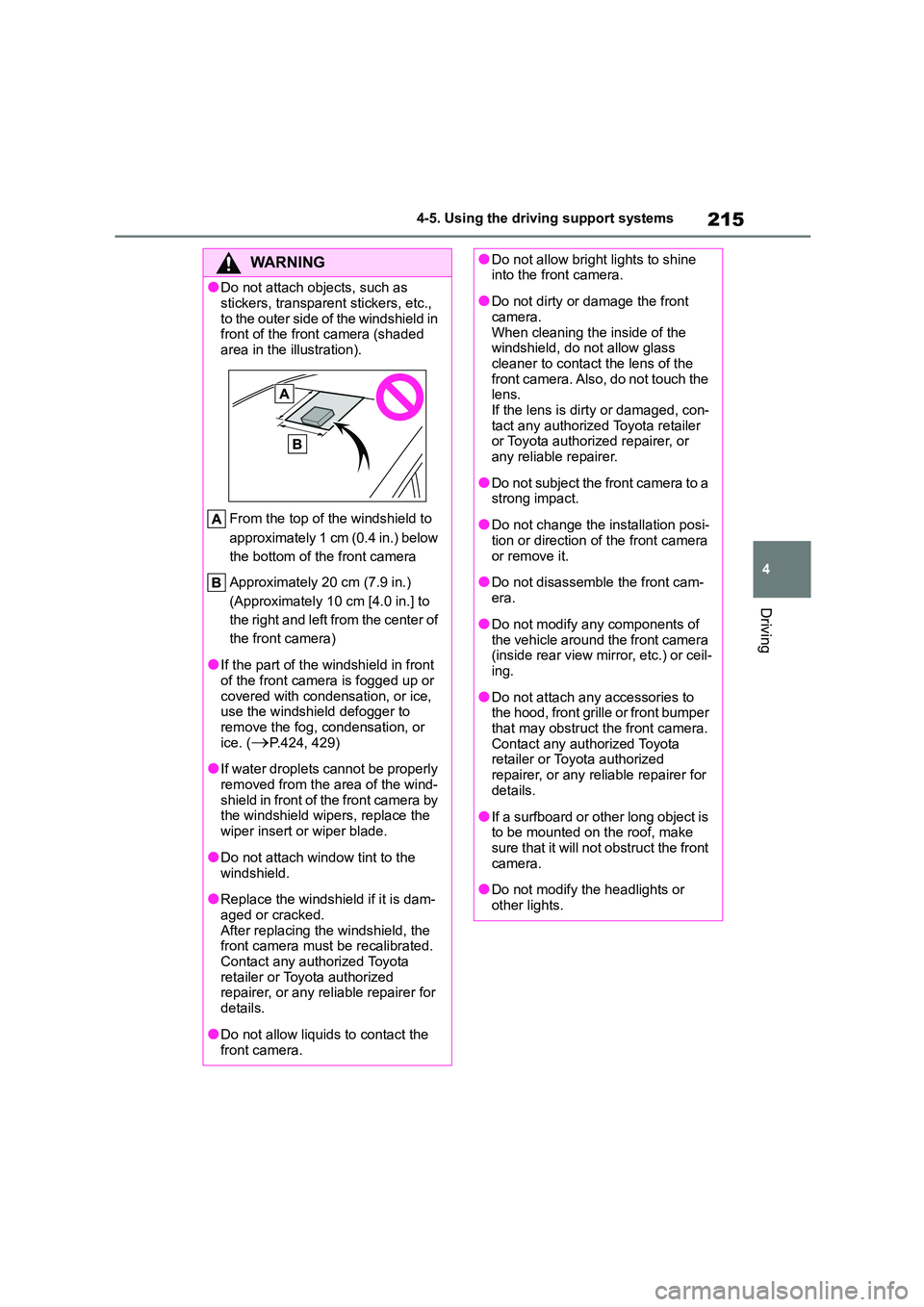
●Do not attach ob jects, such as
stickers, transparent stickers, etc.,
to the outer side of the windshield in front of the front camera (shaded
area in the illustration).
From the top of the windshield to
approximately 1 cm (0.4 in.) below
the bottom of the front camera
Approximately 20 cm (7.9 in.)
(Approximately 10 cm [4.0 in.] to
the right and left from the center of
the front camera)
●If the part of the windshield in front
of the front camera is fogged up or
covered with condensation, or ice, use the windshield defogger to
remove the fog, condensation, or
ice. (P.424, 429)
●If water droplets cannot be properly
removed from the area of the wind- shield in front of the front camera by
the windshield wipers, replace the
wiper insert or wiper blade.
●Do not attach window tint to the
windshield.
●Replace the windshield if it is dam-
aged or cracked. After replacing the windshield, the
front camera must be recalibrated.
Contact any authorized Toyota retailer or Toyota authorized
repairer, or any reliable repairer for
details.
●Do not allow liquids to contact the
front camera.
●Do not allow bright lights to shine into the front camera.
●Do not dirty or damage the front camera.
When cleaning the inside of the
windshield, do not allow glass cleaner to contact the lens of the
front camera. Also, do not touch the
lens. If the lens is dirty or damaged, con-
tact any authorized Toyota retailer
or Toyota authorized repairer, or any reliable repairer.
●Do not subject the front camera to a strong impact.
●Do not change the installation posi-tion or direction of the front camera
or remove it.
●Do not disassemble the front cam-
era.
●Do not modify any components of
the vehicle around the front camera
(inside rear view mirror, etc.) or ceil- ing.
●Do not attach any accessories to the hood, front grille or front bumper
that may obstruct the front camera.
Contact any authorized Toyota retailer or Toyota authorized
repairer, or any reliable repairer for
details.
●If a surfboard or other long object is
to be mounted on the roof, make sure that it will not obstruct the front
camera.
●Do not modify the headlights or
other lights.
Page 225 of 758
223
4
4-5. Using the driving support systems
Driving
●In the following situations, if the situation has changed (or the vehicle has been
driven for some time) and the normal operating conditions are detected, the mes- sage will disappear and the system will become operational.
If the message does not disappear, contact any authorized Toyota retailer or Toyota authorized repairer, or any reliable repairer.
• When the temperature around t he radar sensor is outside of the operational range,
such as when the vehicle is in the sun or in an extremely cold environment
• When the front camera cannot detect objects in front of the vehicle, such as when driving in the dark, snow, or fog, or when bright lights are shining into the front
camera
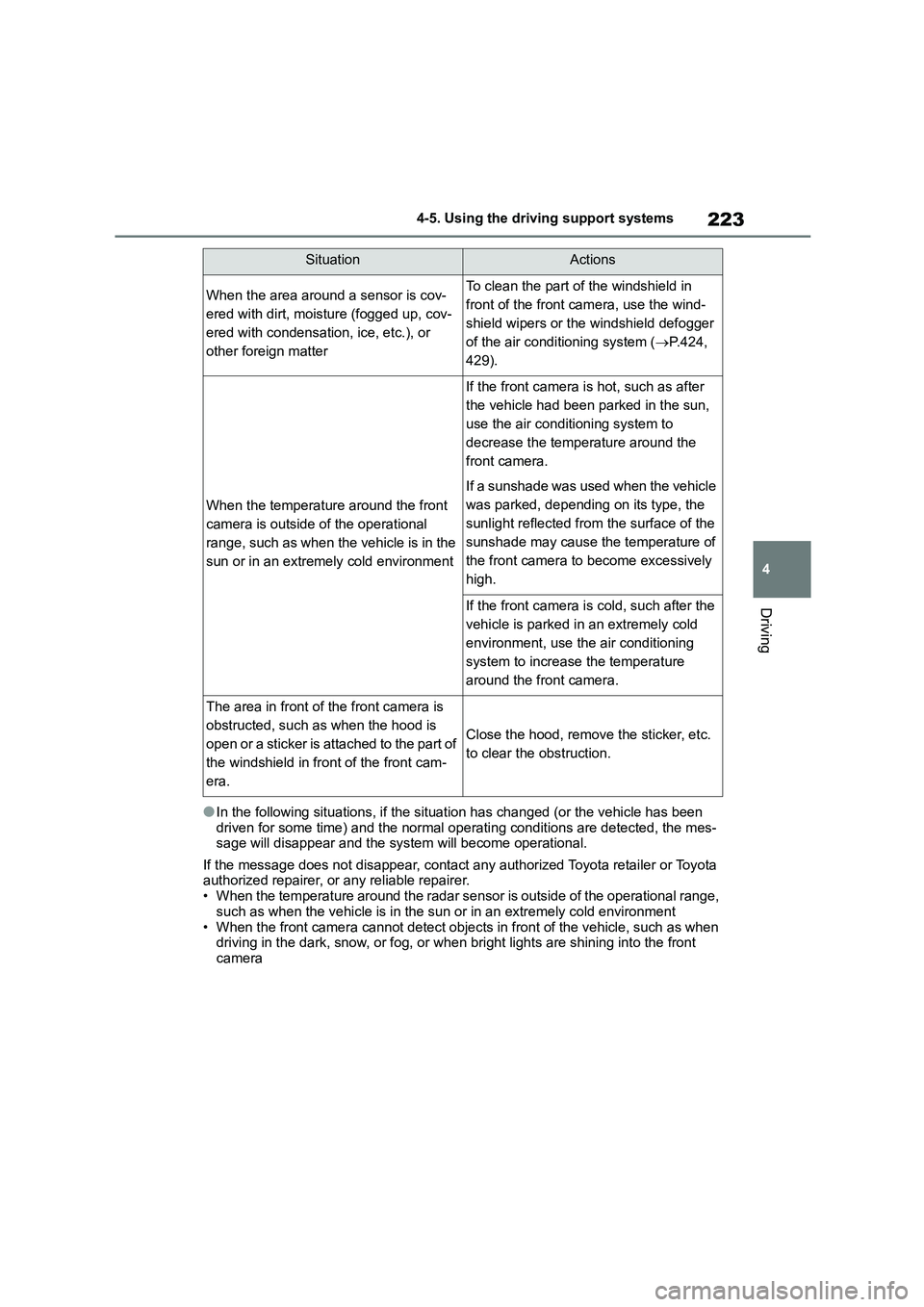
SituationActions
When the area around a sensor is cov-
ered with dirt, moisture (fogged up, cov-
ered with condensation, ice, etc.), or
other foreign matter
To clean the part of the windshield in
front of the front camera, use the wind-
shield wipers or the windshield defogger
of the air conditioning system ( P.424,
429).
When the temperature around the front
camera is outside of the operational
range, such as when the vehicle is in the
sun or in an extremely cold environment
If the front camera is hot, such as after
the vehicle had been parked in the sun,
use the air conditi oning system to
decrease the temperature around the
front camera.
If a sunshade was used when the vehicle
was parked, depending on its type, the
sunlight reflected from the surface of the
sunshade may cause the temperature of
the front camera to become excessively
high.
If the front camera is cold, such after the
vehicle is parked in an extremely cold
environment, use the air conditioning
system to increase the temperature
around the front camera.
The area in front of the front camera is
obstructed, such as when the hood is
open or a sticker is attached to the part of
the windshield in front of the front cam-
era.
Close the hood, remove the sticker, etc.
to clear the obstruction.
Page 463 of 758
461
7
7-1. Maintenance and care
Maintenance and care
■Bumpers
Do not scrub with abrasive cleaners.
■Plated portions
If dirt cannot be removed, clean the
parts as follows:
●Use a soft cloth dampened with an
approximately 5% solution of neutral
detergent and water to clean the dirt off.
●Wipe the surface with a dry, soft cloth to remove any remaining moisture.
●To remove oily deposits, use alcohol wet wipes or a similar product.
WA R N I N G
■When washing the vehicle
Do not apply water to the inside of the
engine compartment. Doing so may cause the electrical components, etc.
to catch fire.
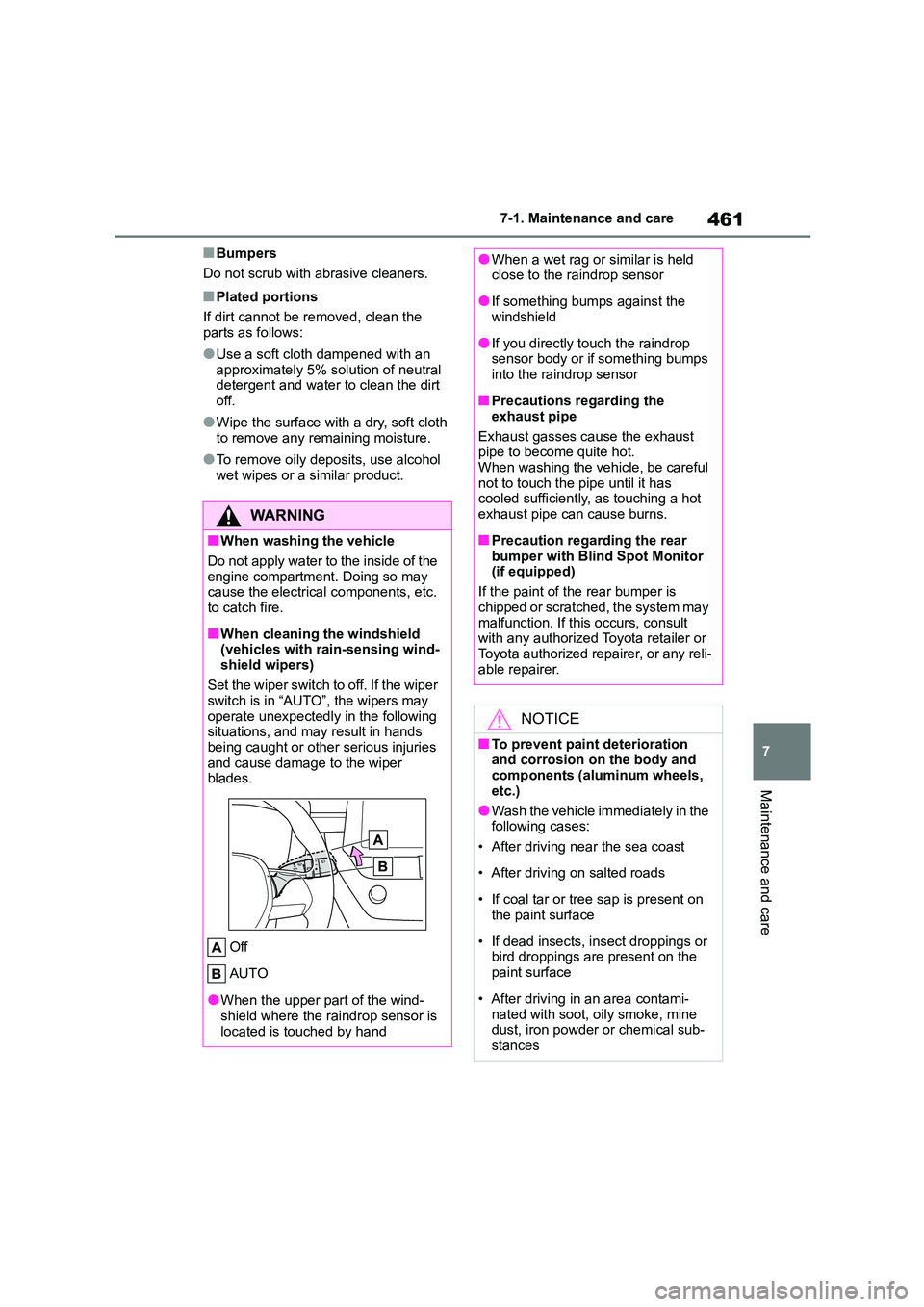
■When cleaning the windshield
(vehicles with rain-sensing wind-
shield wipers)
Set the wiper switch to off. If the wiper
switch is in “AUTO”, the wipers may
operate unexpectedly in the following situations, and may result in hands
being caught or other serious injuries
and cause damage to the wiper blades.
Off
AUTO
●When the upper part of the wind-
shield where the raindrop sensor is
located is touched by hand
●When a wet rag or similar is held close to the raindrop sensor
●If something bumps against the windshield
●If you directly touch the raindrop sensor body or if something bumps
into the raindrop sensor
■Precautions regarding the
exhaust pipe
Exhaust gasses cause the exhaust pipe to become quite hot.
When washing the vehicle, be careful
not to touch the pipe until it has cooled sufficiently, as touching a hot
exhaust pipe can cause burns.
■Precaution regarding the rear
bumper with Blind Spot Monitor
(if equipped)
If the paint of the rear bumper is
chipped or scratche d, the system may
malfunction. If this occurs, consult with any authorized Toyota retailer or
Toyota authorized repairer, or any reli-
able repairer.
NOTICE
■To prevent paint deterioration and corrosion on the body and
components (aluminum wheels,
etc.)
●Wash the vehicle immediately in the
following cases:
• After driving near the sea coast
• After driving on salted roads
• If coal tar or tree sap is present on
the paint surface
• If dead insects, in sect droppings or
bird droppings are present on the
paint surface
• After driving in an area contami-
nated with soot, oily smoke, mine dust, iron powder or chemical sub-
stances
Page 464 of 758
4627-1. Maintenance and care
NOTICE
• If the vehicle becomes heavily
soiled with dust or mud
• If liquids such as benzene and gas-
oline are spilled on the paint sur-
face
●If the paint is chipped or scratched,
have it repaired immediately.
●To prevent the wheels from corrod-
ing, remove any dirt and store in a
place with low humidity when stor- ing the wheels.
■Cleaning the exterior lights
●Wash carefully. Do not use organic
substances or scrub with a hard
brush. This may damage the surfaces of
the lights.
●Do not apply wax to the surfaces of
the lights.
Wax may cause damage to the lenses.
■To prevent damage to the wind-shield wiper arms
When lifting the wiper arms away
from the windshield, pull the driver side wiper arm upward first, and
repeat for the passenger side. When
returning the wipers to their original position, do so from the passenger
side first.
■When using an automatic car
wash (vehicles with rain-sensing
windshield wipers)
Set the wiper switch to the off posi-
tion. If the wiper switch is in “AUTO”,
the wipers may operate and the wiper blades may be damaged.
■When using a high pressure car wash
●Vehicles with rear view monitor sys-
tem: When washing the vehicle, do not spray the camera or its sur-
rounding area directly with a high
pressure washer. Shock applied from high pressure water may
cause the device to not operate
normally.
●Do not bring the nozzle tip close to
boots (rubber or resin manufac- tured cover), connectors or the fol-
lowing parts. The parts may be
damaged if they come into contact with high-pressure water.
• Traction related parts
• Steering parts
• Suspension parts
•Brake parts
●Keep the cleaning nozzle at least
30 cm (11.9 in.) away from the vehi-
cles body. Otherwise resin section, such as moldings and bumpers,
may be deformed and damaged.
Also, do not continuously hold the nozzle in the same place.
●Do not spray the lower part of the windshield continuously. If water
enters the air c onditioning system
intake located near the lower part of the windshield, the air conditioning
system may not operate correctly.
Page 603 of 758
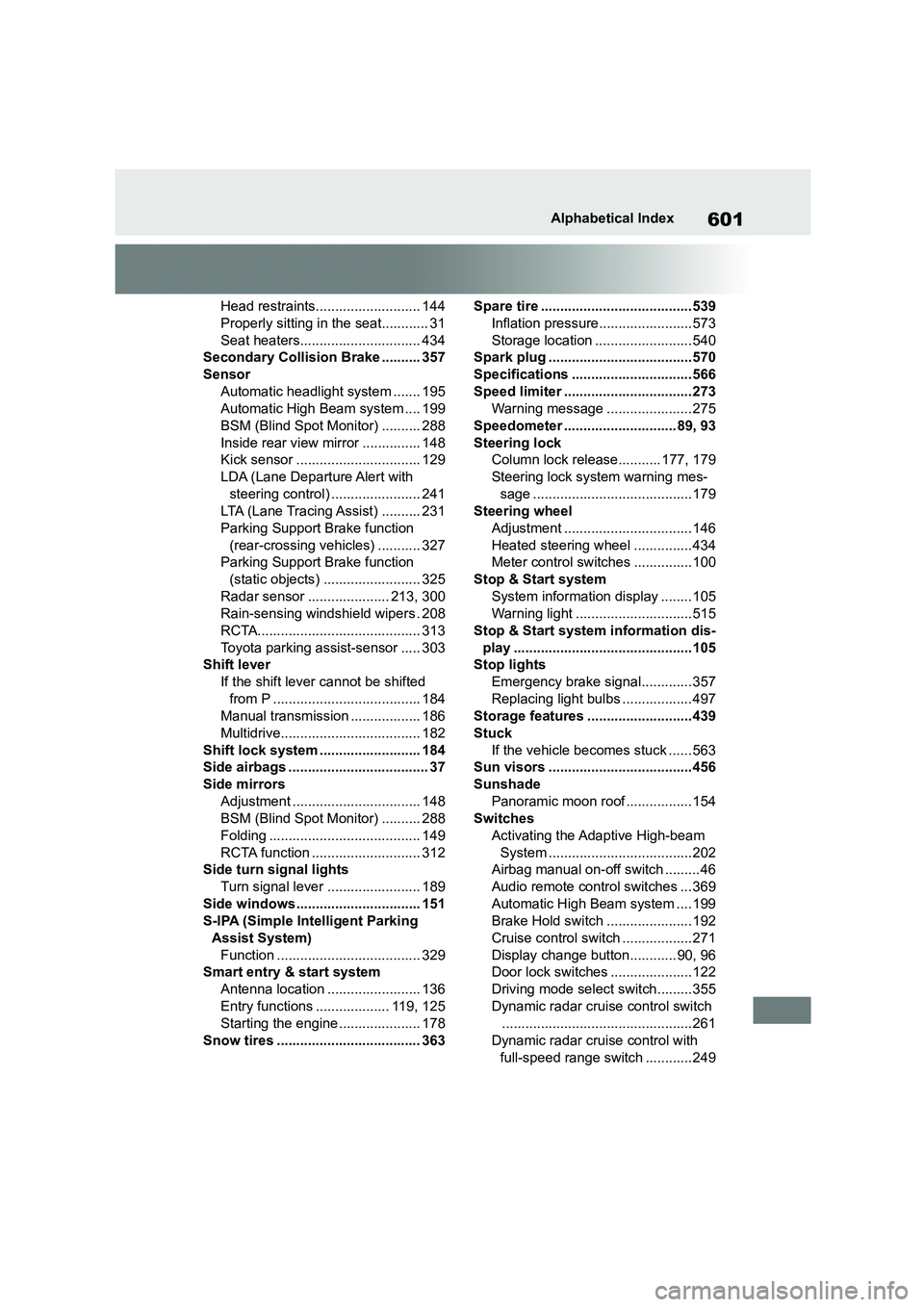
601Alphabetical Index
Head restraints........................... 144
Properly sitting in the seat............ 31
Seat heaters............................... 434
Secondary Collision Brake .......... 357
Sensor
Automatic headlight system ....... 195
Automatic High Beam system .... 199
BSM (Blind Spot Monitor) .......... 288
Inside rear view mirror ............... 148
Kick sensor ................................ 129
LDA (Lane Departure Alert with
steering control) ....................... 241
LTA (Lane Tracing Assist) .......... 231
Parking Support Brake function
(rear-crossing vehicles) ........... 327
Parking Support Brake function
(static objects) ......................... 325
Radar sensor ..................... 213, 300
Rain-sensing windshield wipers . 208
RCTA.......................................... 313
Toyota parking assist-sensor ..... 303
Shift lever
If the shift lever cannot be shifted
from P ...................................... 184
Manual transmission .................. 186
Multidrive.................................... 182
Shift lock system .......................... 184
Side airbags .................................... 37
Side mirrors
Adjustment ................................. 148
BSM (Blind Spot Monitor) .......... 288
Folding ....................................... 149
RCTA function ............................ 312
Side turn signal lights
Turn signal lever ........................ 189
Side windows................................ 151
S-IPA (Simple Intelligent Parking
Assist System)
Function ..................................... 329
Smart entry & start system
Antenna location ........................ 136
Entry functions ................... 119, 125
Starting the engine ..................... 178
Snow tires ..................................... 363
Spare tire ....................................... 539
Inflation pressure........................573
Storage location ......................... 540
Spark plug .....................................570
Specifications ............................... 566
Speed limiter ................................. 273
Warning message ...................... 275
Speedometer ............................. 89, 93
Steering lock
Column lock release........... 177, 179
Steering lock system warning mes-
sage .........................................179
Steering wheel
Adjustment ................................. 146
Heated steering wheel ...............434
Meter control switches ...............100
Stop & Start system
System information display ........ 105
Warning light ..............................515
Stop & Start system information dis-
play ..............................................105
Stop lights
Emergency brake signal............. 357
Replacing light bulbs ..................497
Storage features ...........................439
Stuck
If the vehicle becomes stuck ...... 563
Sun visors .....................................456
Sunshade
Panoramic moon roof ................. 154
Switches
Activating the Adaptive High-beam
System .....................................202
Airbag manual on-off switch ......... 46
Audio remote control switches ... 369
Automatic High Beam system ....199
Brake Hold switch ...................... 192
Cruise control switch ..................271
Display change button............ 90, 96
Door lock switches .....................122
Driving mode select switch.........355
Dynamic radar cruise control switch
.................................................261
Dynamic radar cruise control with
full-speed range switch ............249
Page 606 of 758
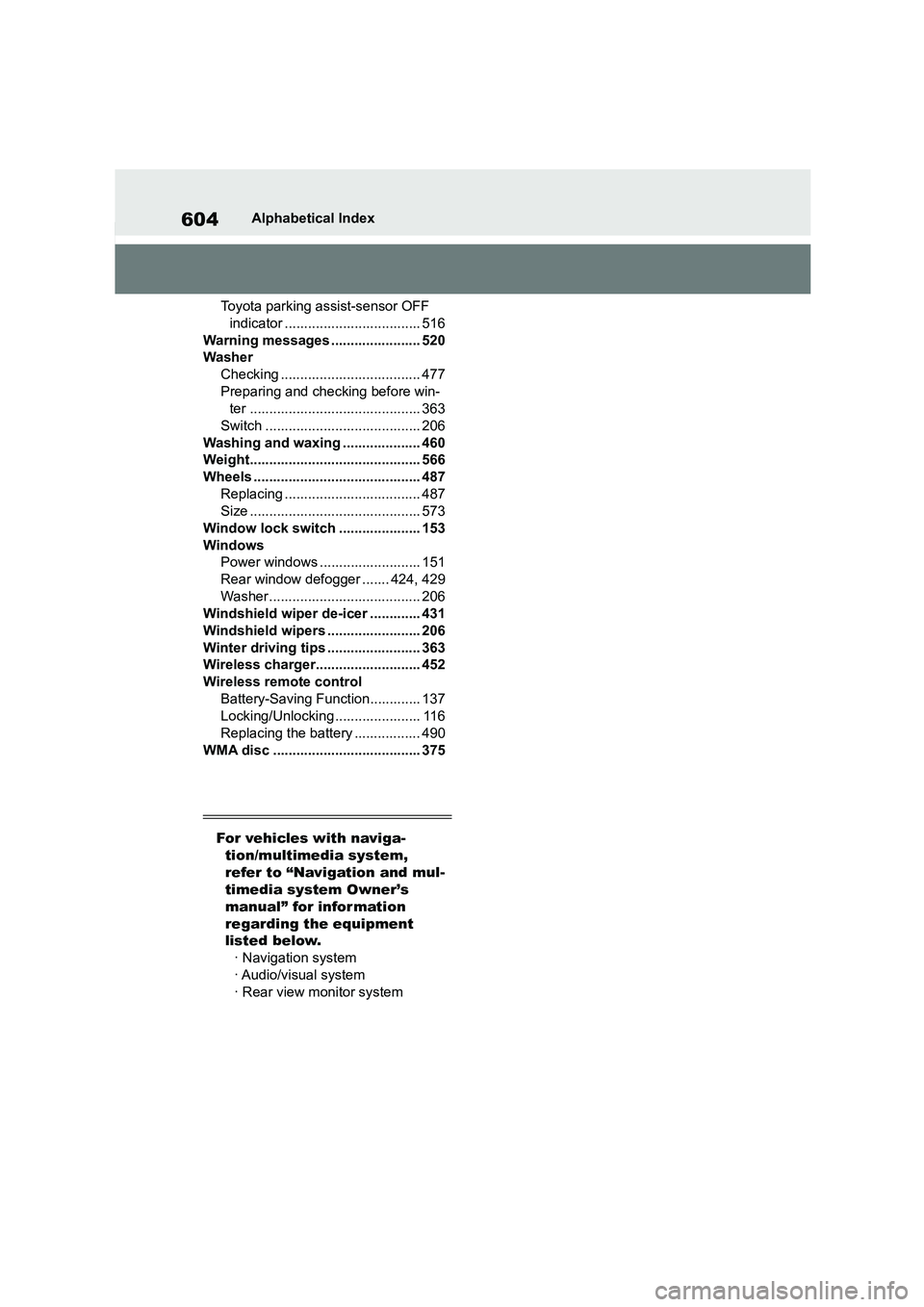
604Alphabetical Index
Toyota parking assist-sensor OFF
indicator ................................... 516
Warning messages ....................... 520
Washer
Checking .................................... 477
Preparing and checking before win-
ter ............................................ 363
Switch ........................................ 206
Washing and waxing .................... 460
Weight............................................ 566
Wheels ........................................... 487
Replacing ................................... 487
Size ............................................ 573
Window lock switch ..................... 153
Windows
Power windows .......................... 151
Rear window defogger ....... 424, 429
Washer....................................... 206
Windshield wiper de-icer ............. 431
Windshield wipers ........................ 206
Winter driving tips ........................ 363
Wireless charger........................... 452
Wireless remote control
Battery-Saving Function............. 137
Locking/Unlocking ...................... 116
Replacing the battery ................. 490
WMA disc ...................................... 375
For vehicles with naviga-
tion/multimedia system,
refer to “Navigation and mul-
timedia system Owner’s
manual” for information
regarding the equipment
listed below.
· Navigation system
· Audio/visual system
· Rear view monitor system