camera TOYOTA COROLLA HATCHBACK 2022 Owners Manual (in English)
[x] Cancel search | Manufacturer: TOYOTA, Model Year: 2022, Model line: COROLLA HATCHBACK, Model: TOYOTA COROLLA HATCHBACK 2022Pages: 758, PDF Size: 155.26 MB
Page 9 of 758
7
RF-transmitters, is available on
request at any authorized Toyota
retailer or Toyota authorized
repairer, or any reliable repairer.
The vehicle is equipped with
sophisticated comp uters that will
record certain data, such as:
• Engine speed/Electric motor
speed (traction motor speed)
• Accelerator status
• Brake status
• Vehicle speed
• Operation status of the driving
assist systems
• Images from the cameras
Your vehicle is equipped with cameras.
Contact any authorized Toyota retailer
or Toyota authorized repairer, or any
reliable repairer for the location of
recording cameras.
The recorded data varies according
to the vehicle grade level, options
and destinations with which it is
equipped.
These computers do not record
conversations or sounds, and only
record images outside of the vehi-
cle in certain situations.
Data usage
Toyota may use the data recorded in
this computer to diagnose malfunc-
tions, conduct research and develop-
ment, and improve quality.
Toyota will not disclose the recorded
data to a third party except:
• With the consent of the vehicle owner
or with the consent of the lessee if
the vehicle is leased
• In response to an official request by
the police, a court of law or a govern-
ment agency
• For use by Toyota in a lawsuit
• For research purposes where the
data is not tied to a specific vehicle or
vehicle owner
Recorded image information can
be erased by any authorized
Toyota retailer or Toyota author-
ized repairer, or any reliable
repairer.
The image recording function can be
disabled. However, if the function is dis-
abled, data from when the system oper-
ates will not be available.
The SRS airbag and seat belt
pretensioner devices in your Toyota
contain explosive c hemicals. If the
vehicle is scrapped with the airbags
and seat belt pretensioners left as
they are, this may cause an acci-
dent such as fire. Be sure to have
the systems of the SRS airbag and
seat belt pretensioner removed and
disposed of by a qualified service
shop or by any authorized Toyota
retailer or Toyota authorized
repairer, or any reliable repairer
before you scrap your vehicle.
Vehicle data recording
Scrapping of your Toyota
Page 201 of 758
199
4
4-3. Operating the lights and wipers
Driving
*: If equipped
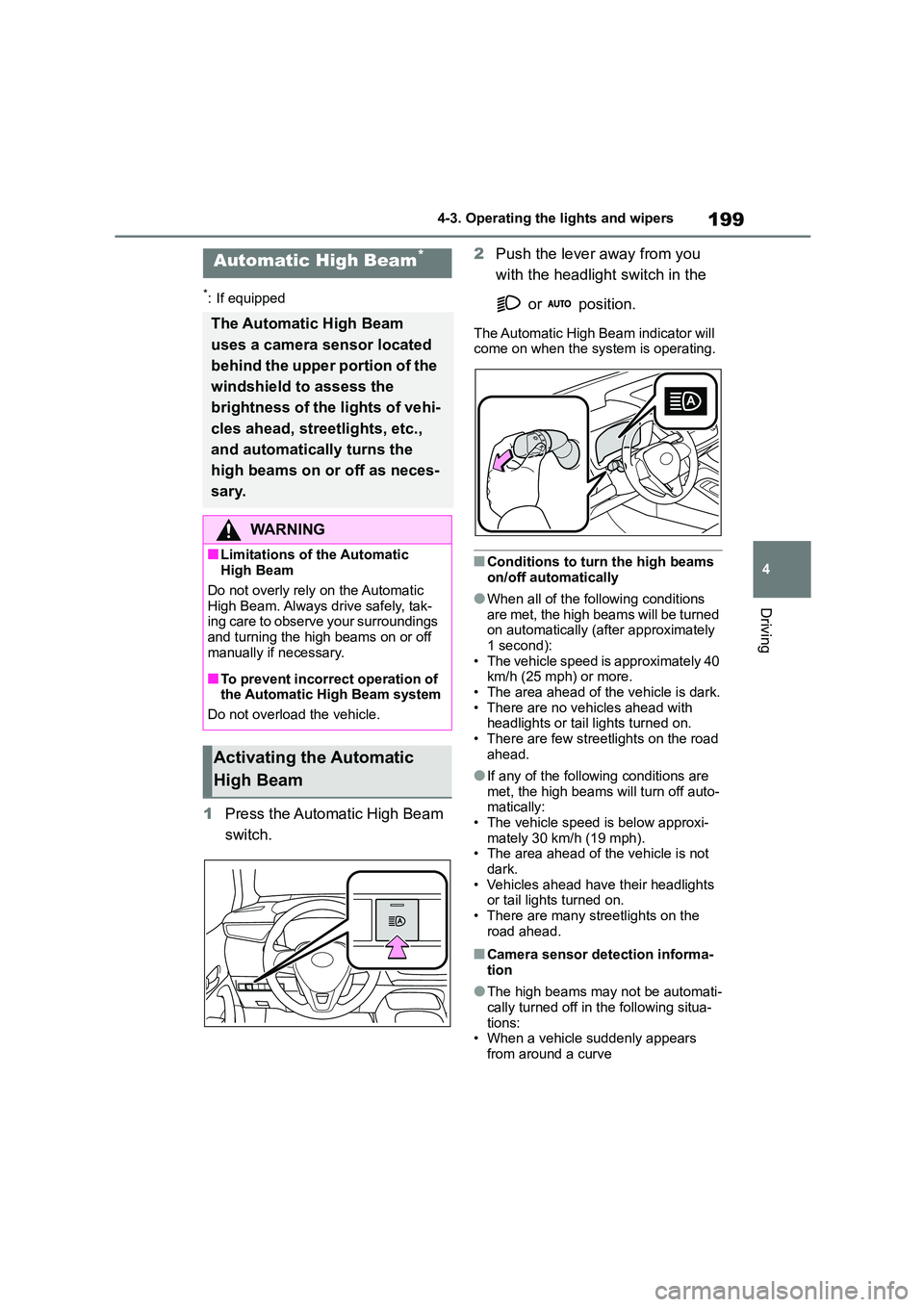
1 Press the Automatic High Beam
switch.
2 Push the lever away from you
with the headlight switch in the
or position.
The Automatic High Beam indicator will
come on when the system is operating.
■Conditions to turn the high beams
on/off automatically
●When all of the following conditions
are met, the high beams will be turned on automatically (after approximately
1 second):
• The vehicle speed is approximately 40 km/h (25 mph) or more.
• The area ahead of the vehicle is dark.
• There are no vehicles ahead with headlights or tail lights turned on.
• There are few streetlights on the road
ahead.
●If any of the following conditions are
met, the high beams will turn off auto- matically:
• The vehicle speed is below approxi-
mately 30 km/h (19 mph). • The area ahead of the vehicle is not
dark.
• Vehicles ahead have their headlights or tail lights turned on.
• There are many streetlights on the
road ahead.
■Camera sensor detection informa-
tion
●The high beams may not be automati-
cally turned off in the following situa- tions:
• When a vehicle suddenly appears
from around a curve
Automatic High Beam*
The Automatic High Beam
uses a camera sensor located
behind the upper portion of the
windshield to assess the
brightness of the lights of vehi-
cles ahead, streetlights, etc.,
and automatically turns the
high beams on or off as neces-
sary.
WA R N I N G
■Limitations of the Automatic
High Beam
Do not overly rely on the Automatic High Beam. Always drive safely, tak-
ing care to observe your surroundings
and turning the high beams on or off manually if necessary.
■To prevent incorrect operation of the Automatic High Beam system
Do not overload the vehicle.
Activating the Automatic
High Beam
Page 202 of 758
2004-3. Operating the lights and wipers
• When the vehicle is cut in front of by
another vehicle • When vehicles ahead cannot be
detected due to repeated curves, road
dividers or roadside trees • When vehicles ahead appear in a far-
away lane on a wide road
• When the lights of vehicles ahead are not on
●The high beams may be turned off if a vehicle ahead that is using fog lights
without its headlights turned on is
detected.
●House lights, streetlights, traffic sig-
nals, and illuminated billboards or signs and other reflective objects may
cause the high beams to change to
the low beams, or the low beams to remain on.
●The following factors may affect the amount of time taken for the high
beams to turn on or off:
• The brightness of the headlights, fog lights, and tail lights of vehicles ahead
• The movement and direction of vehi-
cles ahead • When a vehicle ahead only has oper-
ational lights on one side
• When a vehicle ahead is a two-wheeled vehicle
• The condition of the road (gradient,
curve, condition of the road surface, etc.)
• The number of passengers and
amount of luggage in the vehicle
●The high beams may turn on or off
unexpectedly.
●Bicycles or similar vehicles may not
be detected.
●In the following sit uations the system
may not be able to correctly detect the
surrounding brightness level. This may cause the low beams to remain
on or the high beams to flash or daz-
zle pedestrians or vehicles ahead. In such a case, it is necessary to manu-
ally switch between the high and low
beams. • When driving in inclement weather
(heavy rain, snow, fog, sandstorms,
etc.)
• When the windshield is obscured by fog, mist, ice, dirt, etc.
• When the windshield is cracked or
damaged • When the camera sensor is deformed
or dirty
• When the temperature of the camera sensor is extremely high
• When the surrounding brightness
level is equal to that of headlights, tail lights or fog lights
• When headlights or tail lights of vehi-
cles ahead are turned off, dirty, chang- ing color, or not aimed properly
• When the vehicle is hit by water,
snow, dust, etc. from a preceding vehicle
• When driving through an area of inter-
mittently changing brightness and darkness
• When frequently and repeatedly driv-
ing ascending/descending roads, or roads with rough, bumpy or uneven
surfaces (such as stone-paved roads,
gravel roads, etc.) • When frequently and repeatedly tak-
ing curves or driving on a winding
road • When there is a highly reflective
object ahead of the vehicle, such as a
sign or mirror • When the back of a preceding vehicle
is highly reflective, such as a con-
tainer on a truck • When the vehicle’s headlights are
damaged or dirty, or are not aimed
properly • When the vehicle is listing or titling
due to a flat tire, a trailer being towed,
etc. • When the headlights are changed
between the high beams and low
beams repeatedly in an abnormal
manner • When the driver believes that the high
beams may be flashing or dazzling
pedestrians or other drivers
Page 203 of 758
201
4
4-3. Operating the lights and wipers
Driving
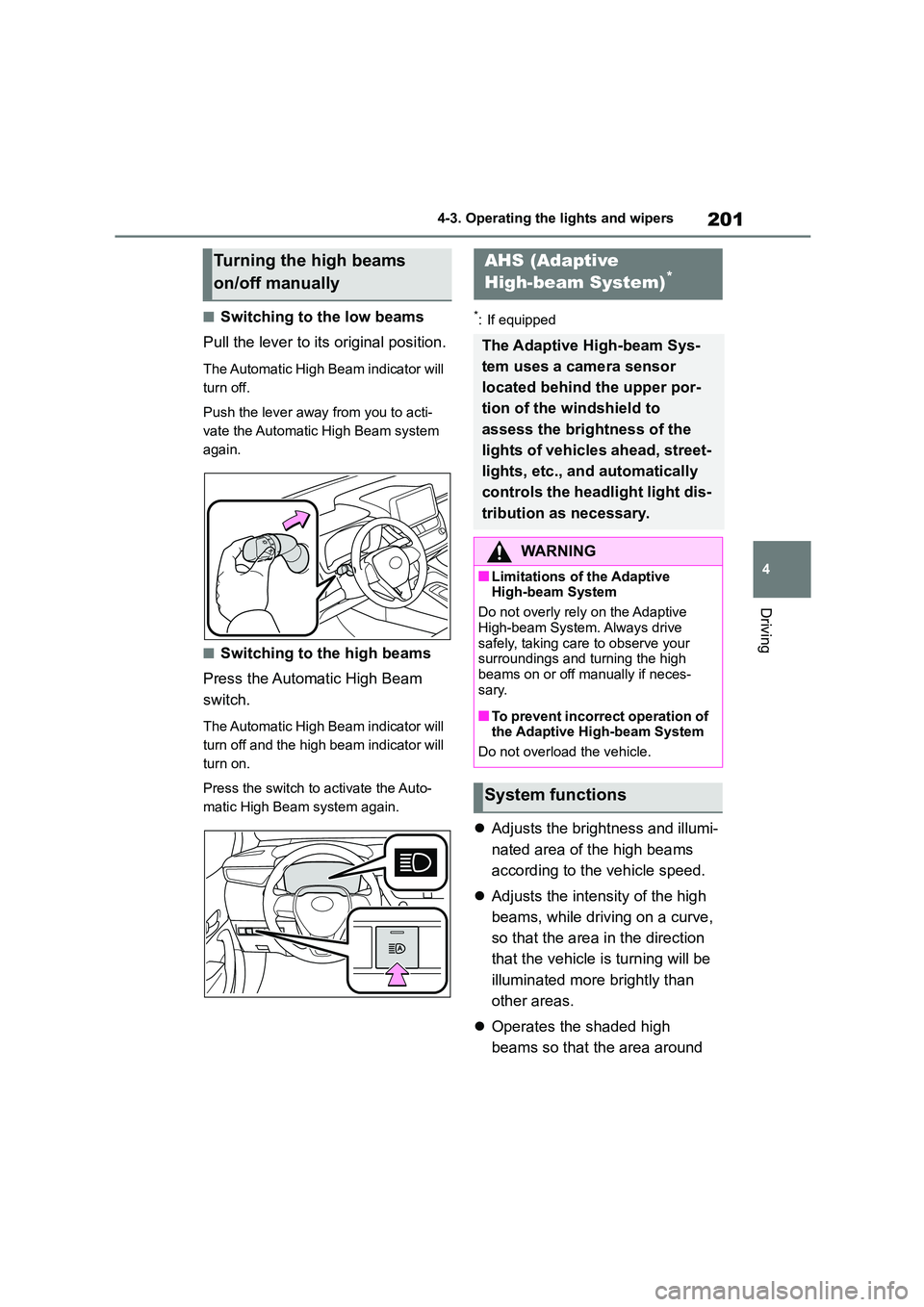
■Switching to the low beams
Pull the lever to its original position.
The Automatic High Beam indicator will
turn off.
Push the lever away from you to acti-
vate the Automatic High Beam system
again.
■Switching to the high beams
Press the Automatic High Beam
switch.
The Automatic High Beam indicator will
turn off and the high beam indicator will
turn on.
Press the switch to activate the Auto-
matic High Beam system again.
*: If equipped
Adjusts the brightness and illumi-
nated area of the high beams
according to the vehicle speed.
Adjusts the intensity of the high
beams, while driving on a curve,
so that the area in the direction
that the vehicle is turning will be
illuminated more brightly than
other areas.
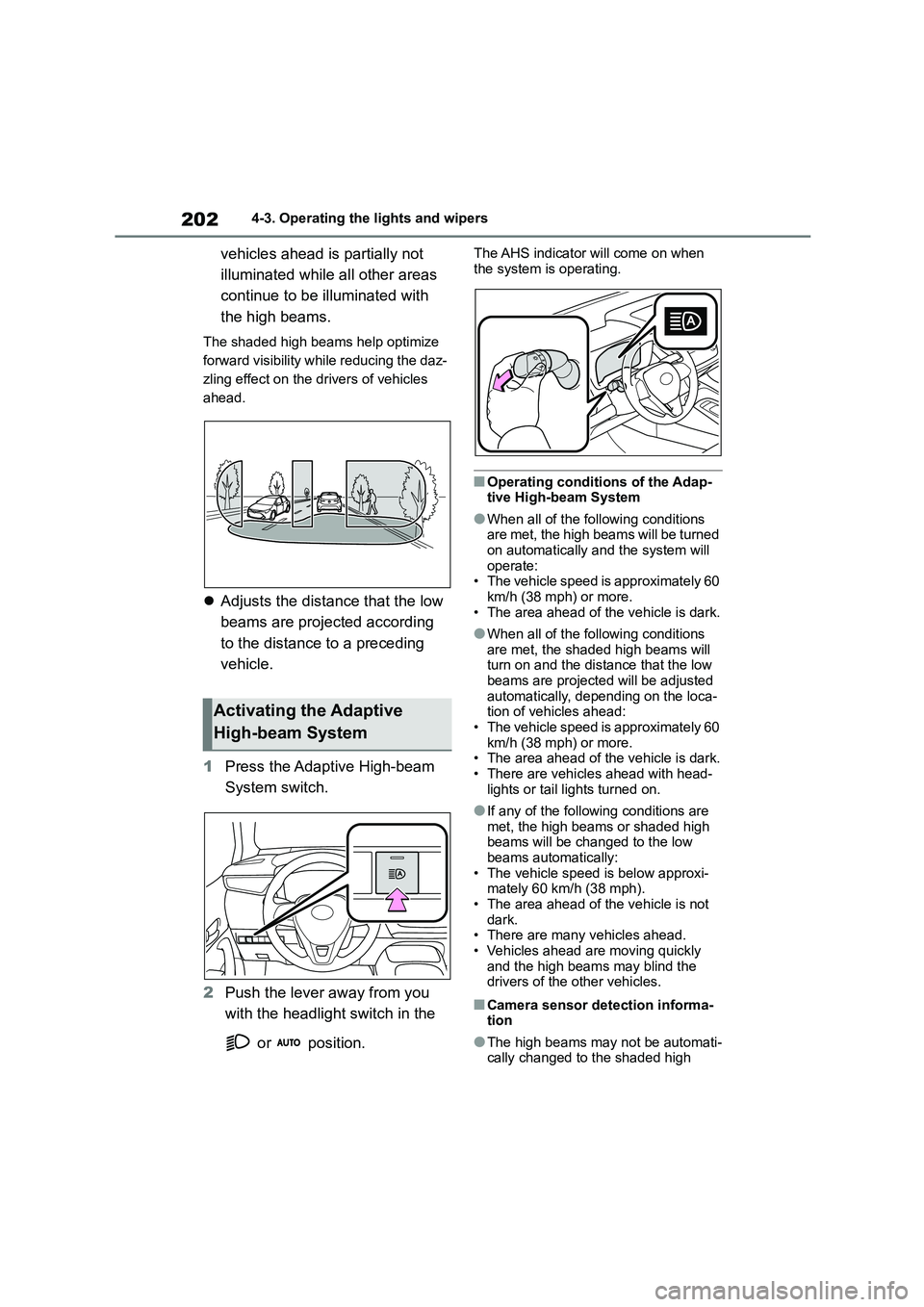
Operates the shaded high
beams so that the area around
Turning the high beams
on/off manually
AHS (Adaptive
High-beam System)*
The Adaptive High-beam Sys-
tem uses a camera sensor
located behind the upper por-
tion of the windshield to
assess the brightness of the
lights of vehicles ahead, street-
lights, etc., and automatically
controls the headlight light dis-
tribution as necessary.
WA R N I N G
■Limitations of the Adaptive High-beam System
Do not overly rely on the Adaptive
High-beam System. Always drive safely, taking care to observe your
surroundings and turning the high
beams on or off manually if neces- sary.
■To prevent incorrect operation of the Adaptive High-beam System
Do not overload the vehicle.
System functions
Page 204 of 758
2024-3. Operating the lights and wipers
vehicles ahead is partially not
illuminated while all other areas
continue to be illuminated with
the high beams.
The shaded high beams help optimize
forward visibility while reducing the daz-
zling effect on the drivers of vehicles
ahead.
Adjusts the distance that the low
beams are projected according
to the distance to a preceding
vehicle.
1 Press the Adaptive High-beam
System switch.
2 Push the lever away from you
with the headlight switch in the
or position.
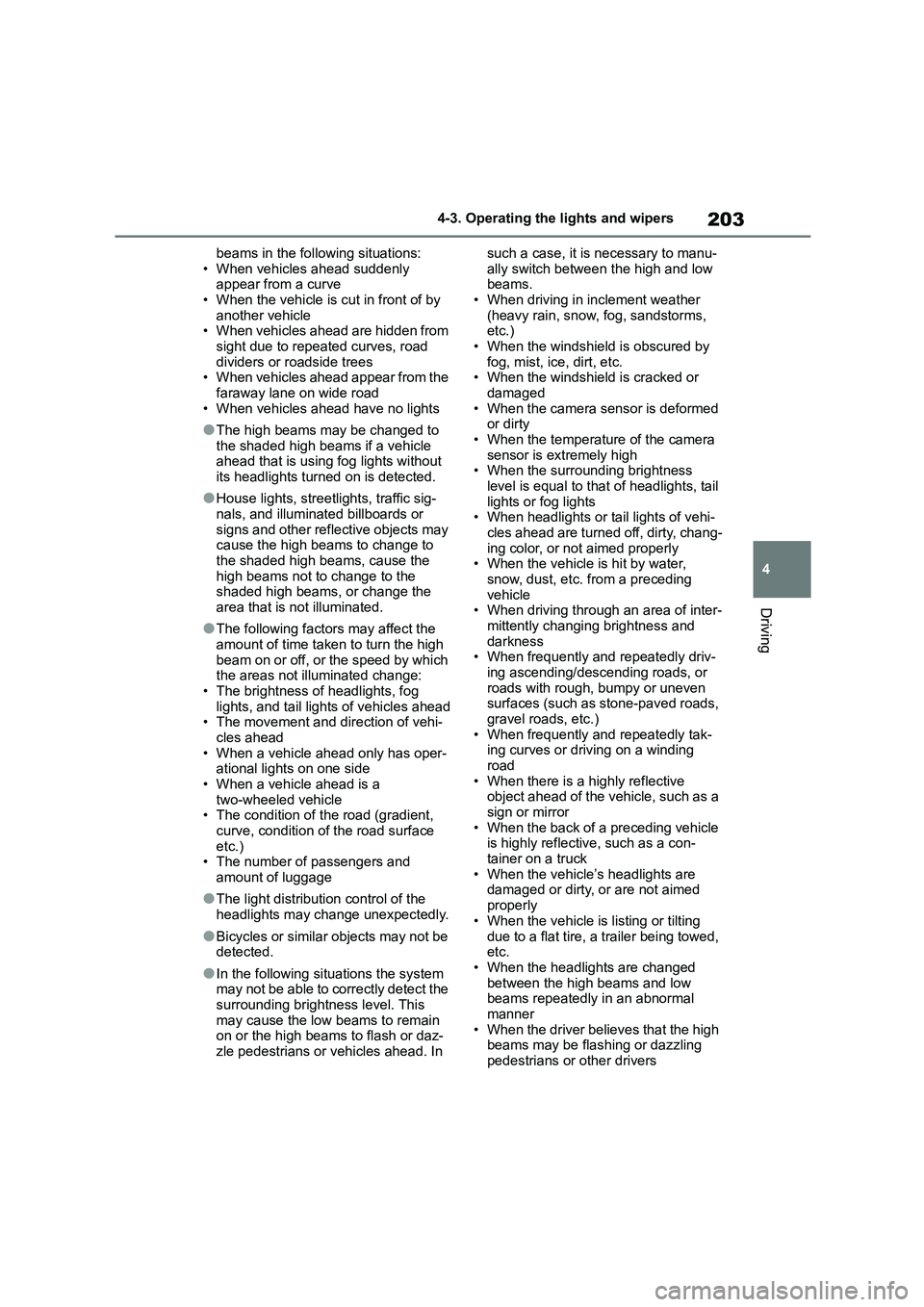
The AHS indicator will come on when
the system is operating.
■Operating conditions of the Adap- tive High-beam System
●When all of the following conditions are met, the high beams will be turned
on automatically and the system will
operate: • The vehicle speed is approximately 60
km/h (38 mph) or more.
• The area ahead of the vehicle is dark.
●When all of the following conditions
are met, the shaded high beams will turn on and the distance that the low
beams are projected will be adjusted
automatically, depending on the loca- tion of vehicles ahead:
• The vehicle speed is approximately 60
km/h (38 mph) or more. • The area ahead of the vehicle is dark.
• There are vehicles ahead with head-
lights or tail lights turned on.
●If any of the following conditions are
met, the high beams or shaded high beams will be changed to the low
beams automatically:
• The vehicle speed is below approxi- mately 60 km/h (38 mph).
• The area ahead of the vehicle is not
dark.
• There are many vehicles ahead. • Vehicles ahead are moving quickly
and the high beams may blind the
drivers of the other vehicles.
■Camera sensor detection informa- tion
●The high beams may not be automati-cally changed to the shaded high
Activating the Adaptive
High-beam System
Page 205 of 758
203
4
4-3. Operating the lights and wipers
Driving
beams in the following situations:
• When vehicles ahead suddenly appear from a curve
• When the vehicle is cut in front of by
another vehicle • When vehicles ahead are hidden from
sight due to repeated curves, road
dividers or roadside trees • When vehicles ahead appear from the
faraway lane on wide road
• When vehicles ahead have no lights
●The high beams may be changed to
the shaded high beams if a vehicle ahead that is using fog lights without
its headlights turned on is detected.
●House lights, streetlights, traffic sig-
nals, and illuminated billboards or
signs and other reflective objects may cause the high beams to change to
the shaded high beams, cause the
high beams not to change to the shaded high beams, or change the
area that is not illuminated.
●The following factors may affect the
amount of time taken to turn the high
beam on or off, or the speed by which the areas not illuminated change:
• The brightness of headlights, fog
lights, and tail lights of vehicles ahead • The movement and direction of vehi-
cles ahead
• When a vehicle ahead only has oper- ational lights on one side
• When a vehicle ahead is a
two-wheeled vehicle • The condition of the road (gradient,
curve, condition of the road surface
etc.) • The number of passengers and
amount of luggage
●The light distribution control of the
headlights may change unexpectedly.
●Bicycles or similar objects may not be detected.
●In the following sit uations the system may not be able to correctly detect the
surrounding brightness level. This
may cause the low beams to remain on or the high beams to flash or daz-
zle pedestrians or vehicles ahead. In
such a case, it is necessary to manu-
ally switch between the high and low beams.
• When driving in inclement weather
(heavy rain, snow, fog, sandstorms, etc.)
• When the windshield is obscured by
fog, mist, ice, dirt, etc. • When the windshield is cracked or
damaged
• When the camera sensor is deformed or dirty
• When the temperature of the camera
sensor is extremely high • When the surrounding brightness
level is equal to that of headlights, tail
lights or fog lights • When headlights or tail lights of vehi-
cles ahead are turned off, dirty, chang-
ing color, or not aimed properly • When the vehicle is hit by water,
snow, dust, etc. from a preceding
vehicle • When driving through an area of inter-
mittently changing brightness and
darkness • When frequently and repeatedly driv-
ing ascending/descending roads, or
roads with rough, bumpy or uneven surfaces (such as stone-paved roads,
gravel roads, etc.)
• When frequently and repeatedly tak- ing curves or driving on a winding
road
• When there is a highly reflective object ahead of the vehicle, such as a
sign or mirror
• When the back of a preceding vehicle is highly reflective, such as a con-
tainer on a truck
• When the vehicle’s headlights are damaged or dirty, or are not aimed
properly
• When the vehicle is listing or tilting
due to a flat tire, a trailer being towed, etc.
• When the headlights are changed
between the high beams and low beams repeatedly in an abnormal
manner
• When the driver believes that the high beams may be flashing or dazzling
pedestrians or other drivers
Page 215 of 758
213
4
4-5. Using the driving support systems
Driving
4-5.Using the driving support systems
*: If equipped
■PCS (Pre-Collision System)
P. 2 2 4
■LTA (Lane Tracing Assist)*
P. 2 3 1
*: If equipped
■LDA (Lane Departure Alert
with steering control)*
P. 2 4 1
*: If equipped
■AHS (Adaptive High-beam
System)*
P. 2 0 1
*: If equipped
■AHB (Automatic High Beam)*
P. 1 9 9
*: If equipped
■RSA (Road Sign Assist)*
P. 2 7 6
*: If equipped
■Dynamic radar cruise control
with full-speed range*
P. 2 4 9
*: If equipped
■Dynamic radar cruise control*
P.260
*: If equipped
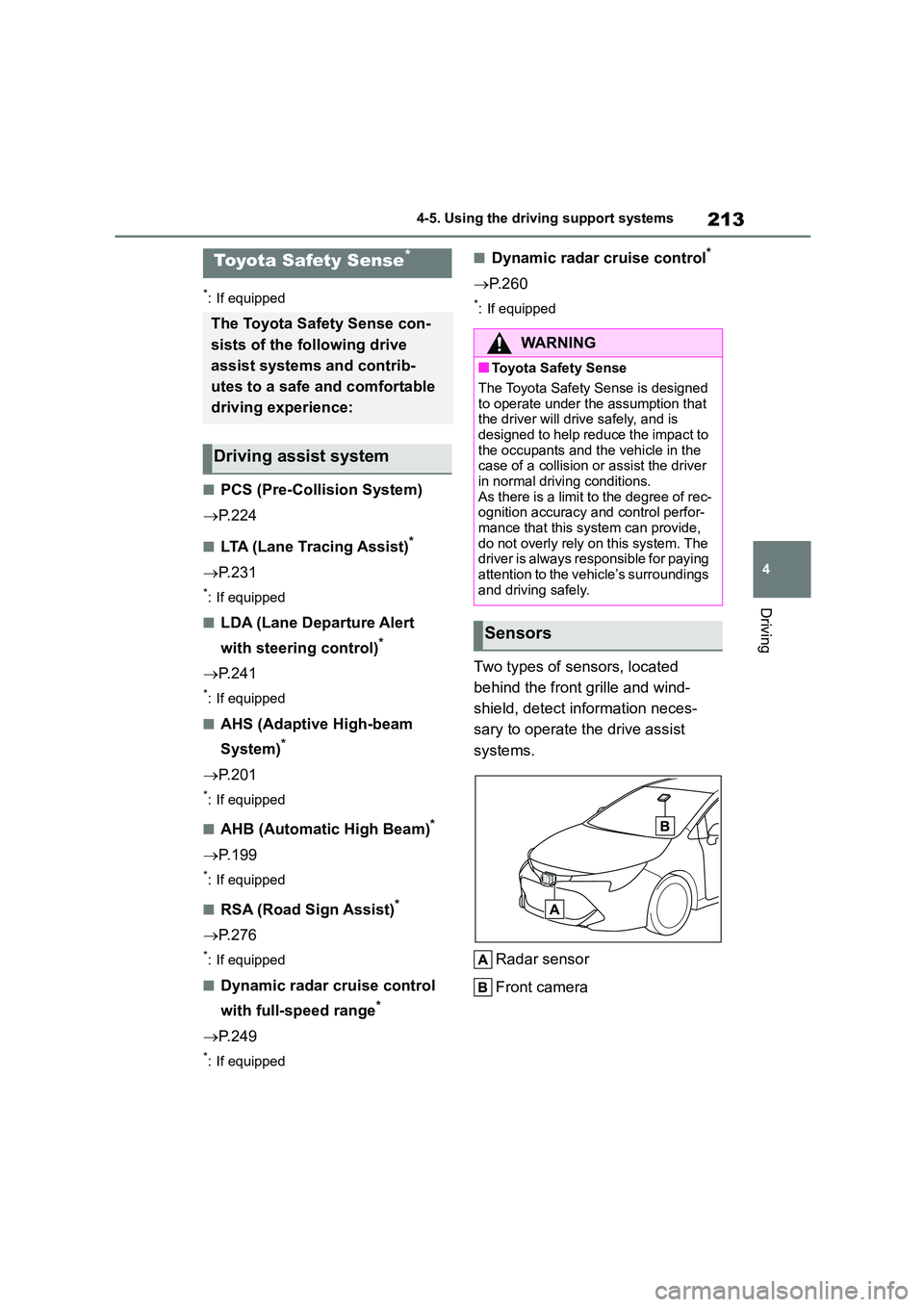
Two types of sensors, located
behind the front grille and wind-
shield, detect in formation neces-
sary to operate the drive assist
systems.
Radar sensor
Front camera
Toyota Safety Sense*
The Toyota Safety Sense con-
sists of the following drive
assist systems and contrib-
utes to a safe and comfortable
driving experience:
Driving assist system
WA R N I N G
■Toyota Safety Sense
The Toyota Safety Sense is designed
to operate under the assumption that
the driver will drive safely, and is designed to help reduce the impact to
the occupants and the vehicle in the
case of a collision or assist the driver in normal driving conditions.
As there is a limit to the degree of rec-
ognition accuracy and control perfor- mance that this system can provide,
do not overly rely on this system. The
driver is always responsible for paying attention to the vehicle’s surroundings
and driving safely.
Sensors
Page 216 of 758
2144-5. Using the driving support systems
WA R N I N G
■To avoid malfunction of the radar
sensor
Observe the following precautions. Otherwise, the radar sensor may not
operate properly, possibly leading to
an accident resulting in death or seri- ous injury.
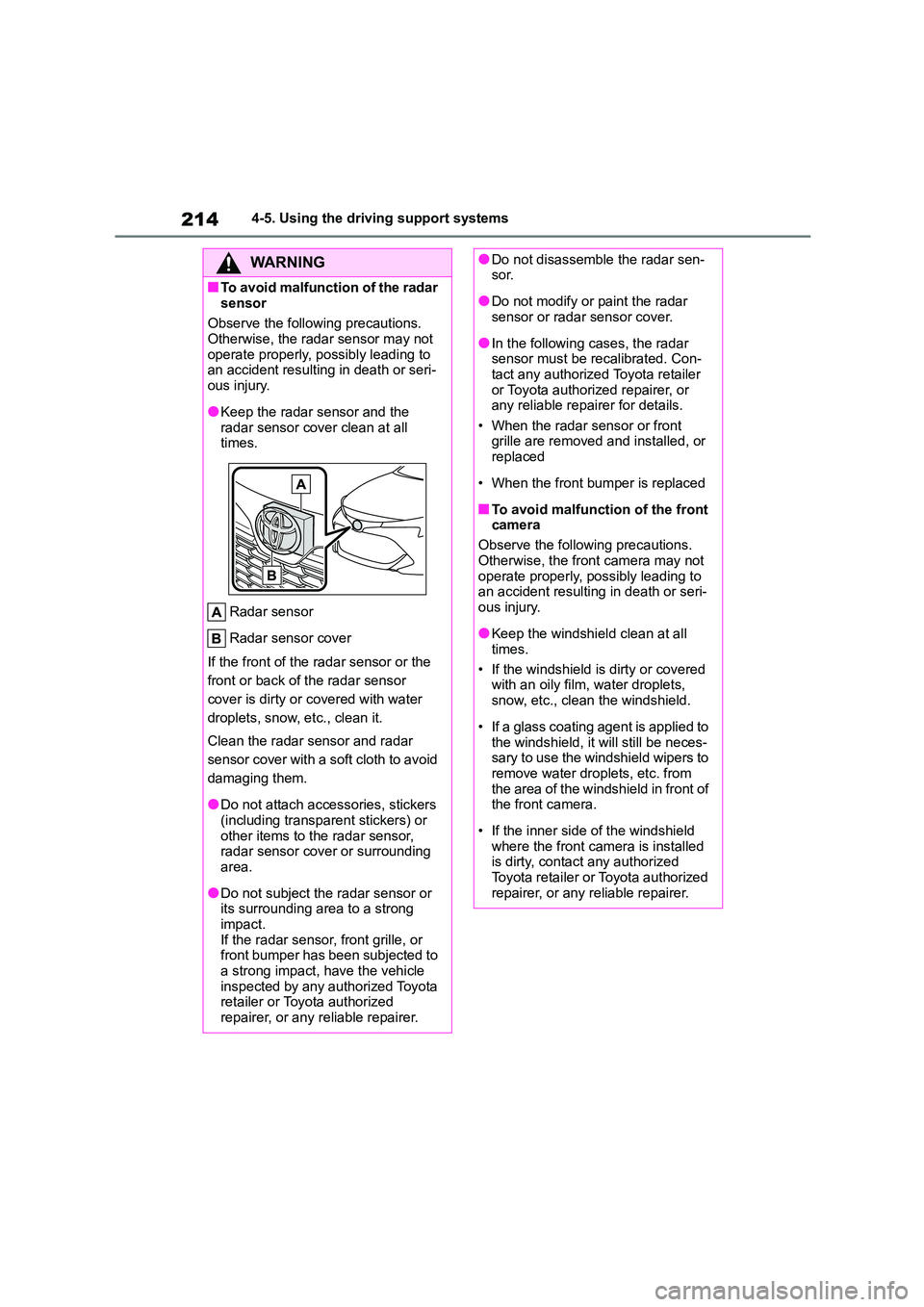
●Keep the radar sensor and the
radar sensor cover clean at all times.
Radar sensor
Radar sensor cover
If the front of the radar sensor or the
front or back of the radar sensor
cover is dirty or covered with water
droplets, snow, etc., clean it.
Clean the radar sensor and radar
sensor cover with a soft cloth to avoid
damaging them.
●Do not attach accessories, stickers
(including transparent stickers) or
other items to the radar sensor, radar sensor cover or surrounding
area.
●Do not subject the radar sensor or
its surrounding area to a strong
impact. If the radar sensor, front grille, or
front bumper has been subjected to
a strong impact, have the vehicle inspected by any authorized Toyota
retailer or Toyota authorized
repairer, or any reliable repairer.
●Do not disassemble the radar sen- sor.
●Do not modify or paint the radar sensor or radar sensor cover.
●In the following cases, the radar sensor must be recalibrated. Con-
tact any authorized Toyota retailer
or Toyota authorized repairer, or any reliable repairer for details.
• When the radar sensor or front
grille are removed and installed, or replaced
• When the front bumper is replaced
■To avoid malfunction of the front
camera
Observe the following precautions.
Otherwise, the front camera may not
operate properly, possibly leading to an accident resulting in death or seri-
ous injury.
●Keep the windshield clean at all
times.
• If the windshield is dirty or covered with an oily film, water droplets,
snow, etc., clean the windshield.
• If a glass coating agent is applied to
the windshield, it will still be neces-
sary to use the windshield wipers to remove water droplets, etc. from
the area of the windshield in front of
the front camera.
• If the inner side of the windshield
where the front camera is installed is dirty, contact any authorized
Toyota retailer or Toyota authorized
repairer, or any reliable repairer.
Page 217 of 758
215
4
4-5. Using the driving support systems
Driving
WA R N I N G
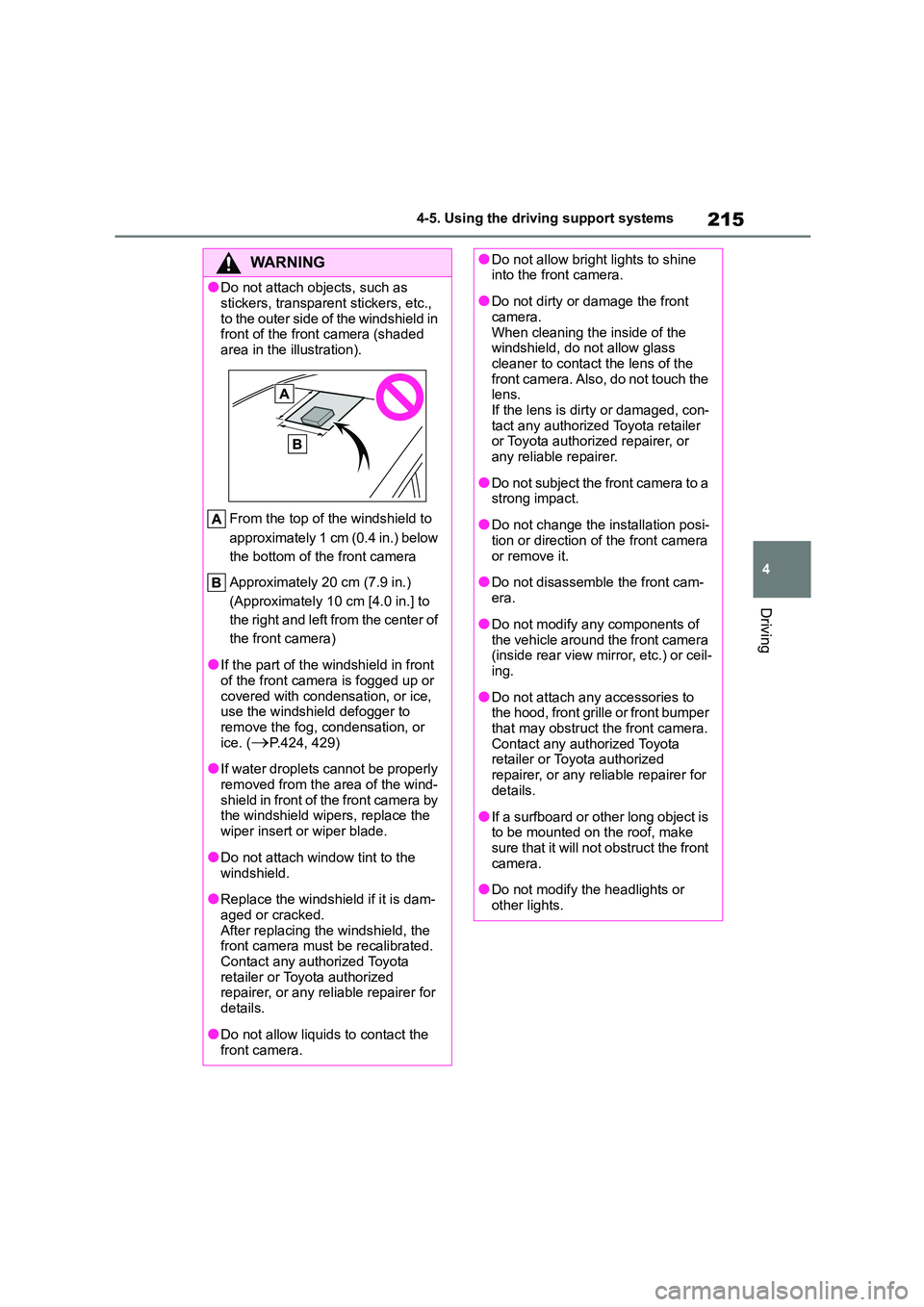
●Do not attach ob jects, such as
stickers, transparent stickers, etc.,
to the outer side of the windshield in front of the front camera (shaded
area in the illustration).
From the top of the windshield to
approximately 1 cm (0.4 in.) below
the bottom of the front camera
Approximately 20 cm (7.9 in.)
(Approximately 10 cm [4.0 in.] to
the right and left from the center of
the front camera)
●If the part of the windshield in front
of the front camera is fogged up or
covered with condensation, or ice, use the windshield defogger to
remove the fog, condensation, or
ice. (P.424, 429)
●If water droplets cannot be properly
removed from the area of the wind- shield in front of the front camera by
the windshield wipers, replace the
wiper insert or wiper blade.
●Do not attach window tint to the
windshield.
●Replace the windshield if it is dam-
aged or cracked. After replacing the windshield, the
front camera must be recalibrated.
Contact any authorized Toyota retailer or Toyota authorized
repairer, or any reliable repairer for
details.
●Do not allow liquids to contact the
front camera.
●Do not allow bright lights to shine into the front camera.
●Do not dirty or damage the front camera.
When cleaning the inside of the
windshield, do not allow glass cleaner to contact the lens of the
front camera. Also, do not touch the
lens. If the lens is dirty or damaged, con-
tact any authorized Toyota retailer
or Toyota authorized repairer, or any reliable repairer.
●Do not subject the front camera to a strong impact.
●Do not change the installation posi-tion or direction of the front camera
or remove it.
●Do not disassemble the front cam-
era.
●Do not modify any components of
the vehicle around the front camera
(inside rear view mirror, etc.) or ceil- ing.
●Do not attach any accessories to the hood, front grille or front bumper
that may obstruct the front camera.
Contact any authorized Toyota retailer or Toyota authorized
repairer, or any reliable repairer for
details.
●If a surfboard or other long object is
to be mounted on the roof, make sure that it will not obstruct the front
camera.
●Do not modify the headlights or
other lights.
Page 225 of 758
223
4
4-5. Using the driving support systems
Driving
●In the following situations, if the situation has changed (or the vehicle has been
driven for some time) and the normal operating conditions are detected, the mes- sage will disappear and the system will become operational.
If the message does not disappear, contact any authorized Toyota retailer or Toyota authorized repairer, or any reliable repairer.
• When the temperature around t he radar sensor is outside of the operational range,
such as when the vehicle is in the sun or in an extremely cold environment
• When the front camera cannot detect objects in front of the vehicle, such as when driving in the dark, snow, or fog, or when bright lights are shining into the front
camera
SituationActions
When the area around a sensor is cov-
ered with dirt, moisture (fogged up, cov-
ered with condensation, ice, etc.), or
other foreign matter
To clean the part of the windshield in
front of the front camera, use the wind-
shield wipers or the windshield defogger
of the air conditioning system ( P.424,
429).
When the temperature around the front
camera is outside of the operational
range, such as when the vehicle is in the
sun or in an extremely cold environment
If the front camera is hot, such as after
the vehicle had been parked in the sun,
use the air conditi oning system to
decrease the temperature around the
front camera.
If a sunshade was used when the vehicle
was parked, depending on its type, the
sunlight reflected from the surface of the
sunshade may cause the temperature of
the front camera to become excessively
high.
If the front camera is cold, such after the
vehicle is parked in an extremely cold
environment, use the air conditioning
system to increase the temperature
around the front camera.
The area in front of the front camera is
obstructed, such as when the hood is
open or a sticker is attached to the part of
the windshield in front of the front cam-
era.
Close the hood, remove the sticker, etc.
to clear the obstruction.