garage door opener TOYOTA COROLLA HYBRID 2021 Owners Manual (in English)
[x] Cancel search | Manufacturer: TOYOTA, Model Year: 2021, Model line: COROLLA HYBRID, Model: TOYOTA COROLLA HYBRID 2021Pages: 584, PDF Size: 19.59 MB
Page 4 of 584
4TABLE OF CONTENTS
COROLLA HV_U
Command list .....................337
5-12. Mobile Assistant operation Mobile Assistant ................. 341
5-13. Phone operation (Hands-free system for cellular phones)
Quick reference .................. 343
Some basics ...................... 344
Placing a call using the Blue-
tooth
® hands-free system 348
Receiving a call using the Blue-
tooth
® hands-free system 351
Talking on the Bluetooth
®
hands-free system ........... 352
Bluetooth
® phone message
function ............................ 354
5-14. Phone settings Setup .................................. 358
5-15. What to do if... (Bluetooth
®)
Troubleshooting ................. 368
5-16. Connected Services Overview Functional overview ........... 372
Type A: Function achieved by using a smart phone or DCM......................................... 373
Type B: Function achieved by using DCM and the system
......................................... 376
Type C: Function achieved by using DCM ....................... 377
Type D: Function achieved by using DCM and a smartphone
......................................... 377
5-17. Connected Services Opera- tion
Toyota apps ........................ 379
5-18. Toyota apps settings Setup .................................. 3836-1. Using the air conditioning
system and defogger
Automatic air conditioning sys-tem ................................... 386
Heated steering wheel/seat heaters ............................. 393
6-2. Using the interior lights Interior lights list ................. 395
6-3. Using the storage features List of storage features ...... 397
Trunk features .................... 400
6-4. Other interior features Other interior features ........ 401
Garage door opener........... 411
7-1. Maintenance and care Cleaning and protecting the vehicle exterior................. 420
Cleaning and protecting the vehicle interior.................. 422
7-2. Maintenance Maintenance requirements......................................... 425
General maintenance......... 426
Emission inspection and mainte- nance (I/M) programs ...... 429
7-3. Do-it-yourself maintenance Do-it-yourself service precau-tions ................................. 430
Hood .................................. 432
Positioning a floor jack ....... 433
Engine compartment .......... 434
Tires ................................... 441
Tire inflation pressure......... 450
Wheels ............................... 452
Air conditioning filter........... 454
6Interior features
7Maintenance and care
Page 385 of 584
385
COROLLA HV_U
6
6
Interior features
Interior features
.6-1. Using the air conditioning system and defogger
Automatic air conditioning system ....................... 386
Heated steering wheel/seat heaters ...................... 393
6-2. Using the interior lights Interior lights list .......... 395
6-3. Using the storage features List of storage features.................................. 397
Trunk features ............. 400
6-4. Other interior features Other interior features . 401
Garage door opener.... 411
Page 411 of 584
4116-4. Other interior features
COROLLA HV_U
6
Interior features
*: If equipped
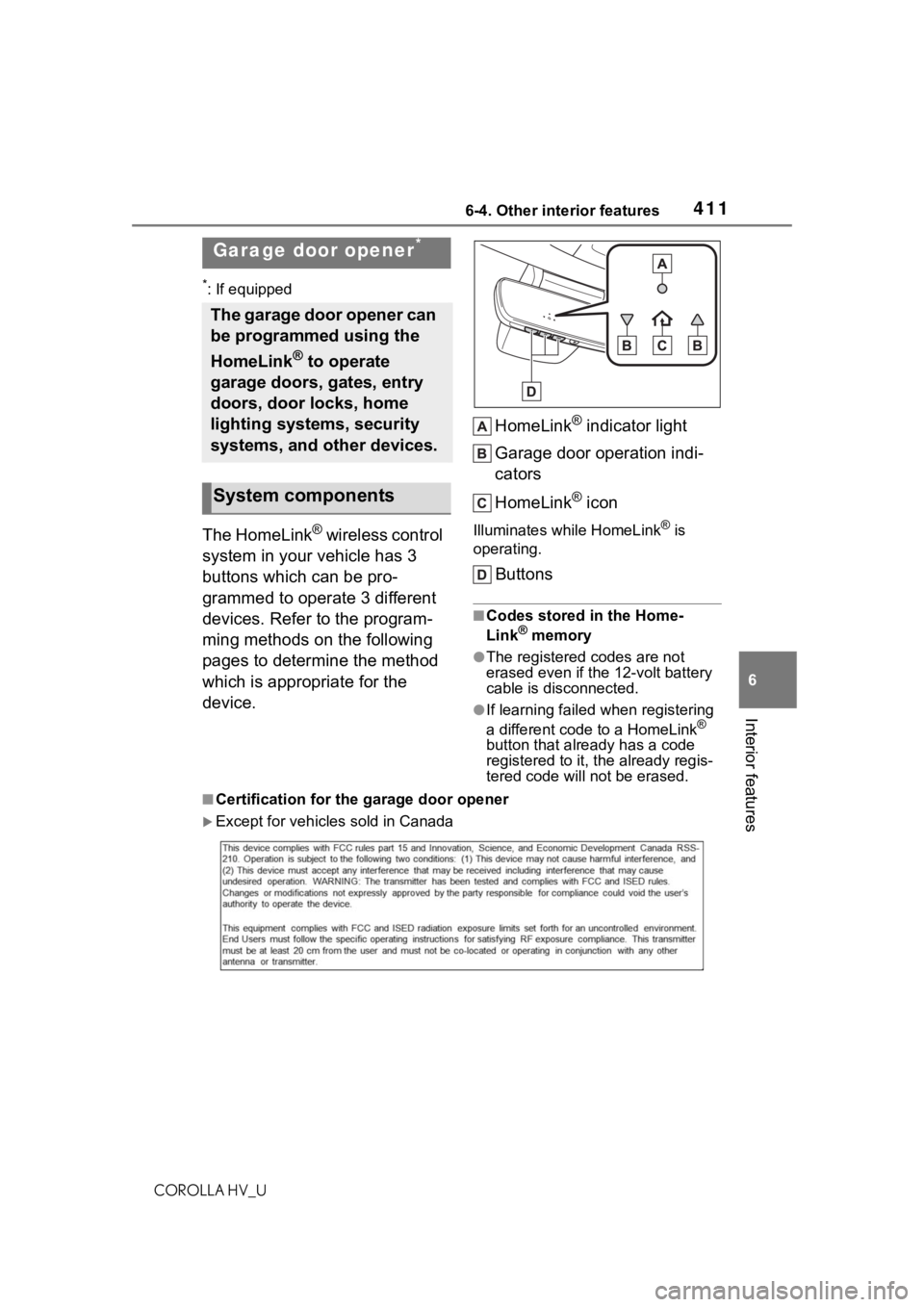
The HomeLink® wireless control
system in your vehicle has 3
buttons which can be pro-
grammed to operate 3 different
devices. Refer to the program-
ming methods on the following
pages to determine the method
which is appropriate for the
device. HomeLink
® indicator light
Garage door operation indi-
cators
HomeLink
® icon
Illuminates while HomeLink® is
operating.
Buttons
■Codes stored in the Home-
Link® memory
●The registered codes are not
erased even if the 12-volt battery
cable is disconnected.
●If learning failed when registering
a different code to a HomeLink®
button that already has a code
registered to it, the already regis-
tered code will not be erased.
■Certification for the garage door opener
Except for vehicles sold in Canada
Garage door opener*
The garage door opener can
be programmed using the
HomeLink
® to operate
garage doors, gates, entry
doors, door locks, home
lighting systems, security
systems, and other devices.
System components
Page 412 of 584
4126-4. Other interior features
COROLLA HV_U
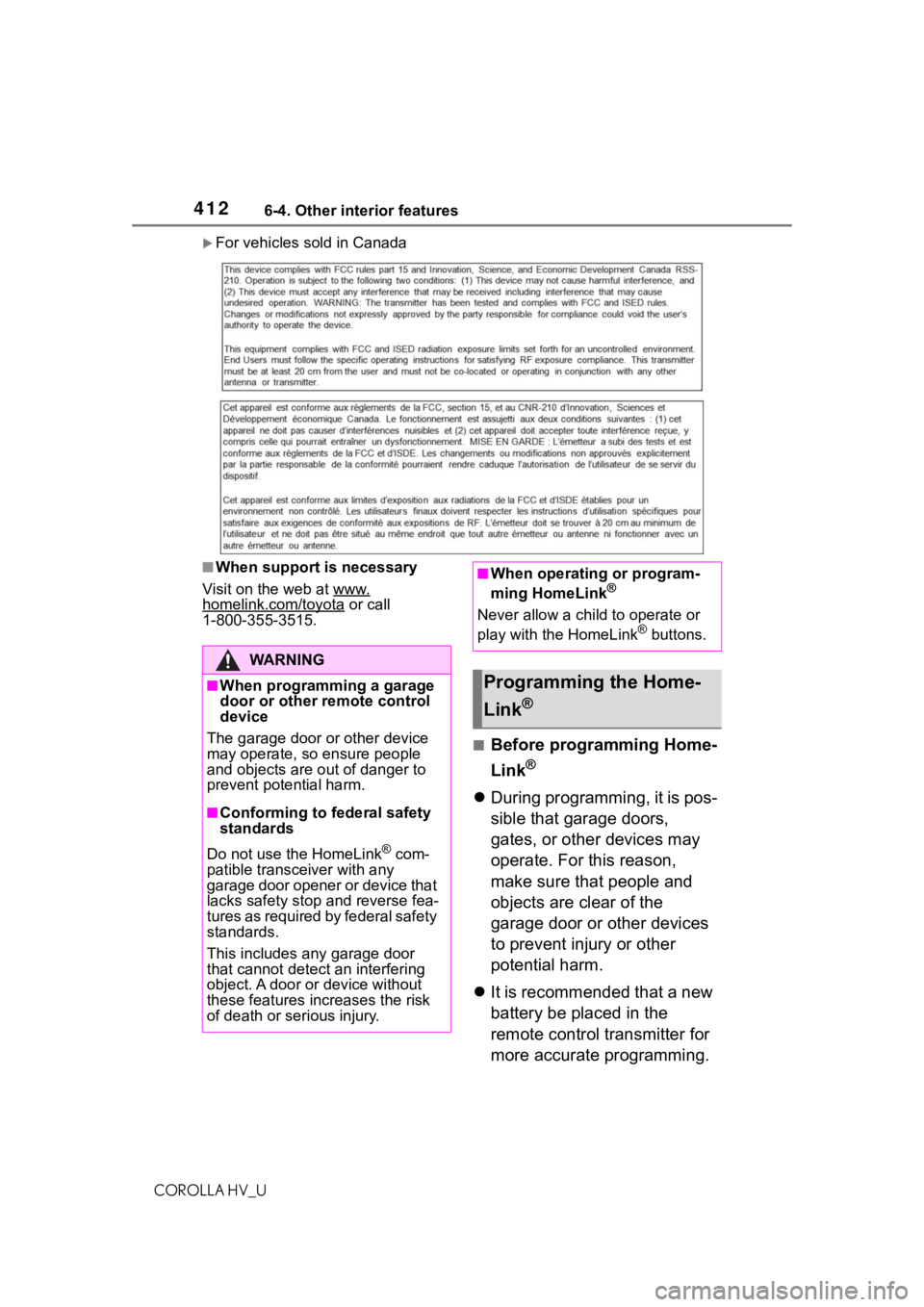
For vehicles sold in Canada
■When support is necessary
Visit on the web at www.
homelink.com/toyota or call
1-800-355-3515.
■Before programming Home-
Link
®
During programming, it is pos-
sible that garage doors,
gates, or other devices may
operate. For this reason,
make sure that people and
objects are clear of the
garage door or other devices
to prevent injury or other
potential harm.
It is recommended that a new
battery be placed in the
remote control transmitter for
more accurate programming.
WA R N I N G
■When programming a garage
door or other remote control
device
The garage door o r other device
may operate, so ensure people
and objects are out of danger to
prevent potential harm.
■Conforming to federal safety
standards
Do not use the HomeLink
® com-
patible transceiver with any
garage door opener or device that
lacks safety stop and reverse fea-
tures as required by federal safety
standards.
This includes any garage door
that cannot detect an interfering
object. A door or device without
these features increases the risk
of death or serious injury.
■When operating or program-
ming HomeLink®
Never allow a child to operate or
play with the HomeLink® buttons.
Programming the Home-
Link
®
Page 413 of 584
4136-4. Other interior features
COROLLA HV_U
6
Interior features
Garage door opener motors
manufactured after 1995 may
be equipped with rolling code
protection. If this is the case,
you may need a stepladder or
other sturdy, safe device to
reach the “Learn” or “Smart”
button on the garage door
opener motor.
■Programming HomeLink®
Steps 1 through 3 must be per-
formed within 60 seconds, oth-
erwise the indicator light will
stop flashing and programming
will not be able to be completed.
1 Press and release the Home-
Link
® button you want to pro-
gram and check that the
HomeLink
® indicator light
flashes (orange).
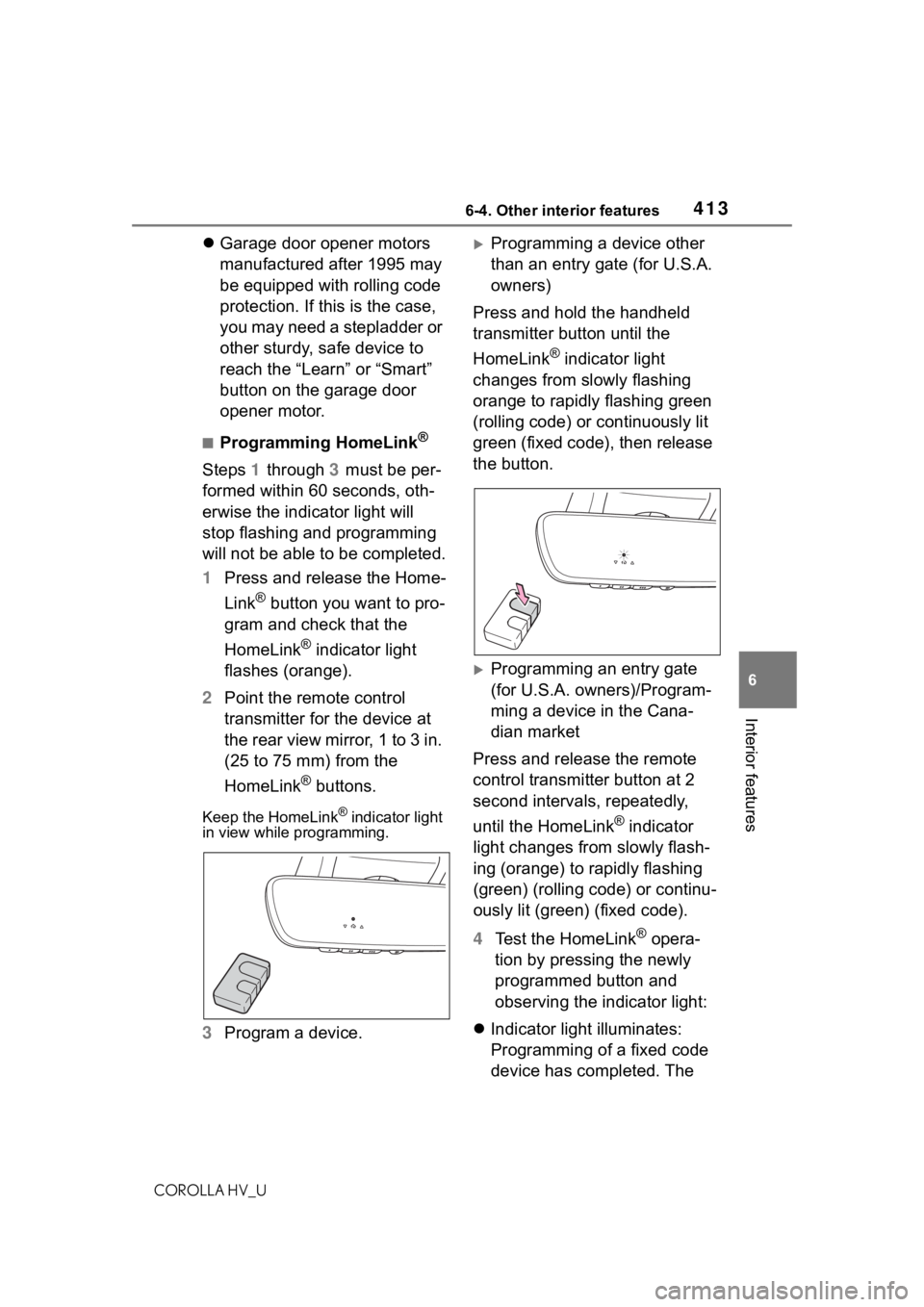
2 Point the remote control
transmitter for the device at
the rear view mirror, 1 to 3 in.
(25 to 75 mm) from the
HomeLink
® buttons.
Keep the HomeLink® indicator light
in view while programming.
3 Program a device.
Programming a device other
than an entry gate (for U.S.A.
owners)
Press and hold the handheld
transmitter button until the
HomeLink
® indicator light
changes from slowly flashing
orange to rapidly flashing green
(rolling code) or continuously lit
green (fixed code), then release
the button.
Programming an entry gate
(for U.S.A. owners)/Program-
ming a device in the Cana-
dian market
Press and release the remote
control transmitter button at 2
second intervals, repeatedly,
until the HomeLink
® indicator
light changes from slowly flash-
ing (orange) to rapidly flashing
(green) (rolling code) or continu-
ously lit (green) (fixed code).
4 Test the HomeLink
® opera-
tion by pressing the newly
programmed button and
observing the indicator light:
Indicator light illuminates:
Programming of a fixed code
device has completed. The
Page 414 of 584
4146-4. Other interior features
COROLLA HV_U
garage door or other device
should operate when a Home-
Link
® button is pressed and
released.
Indicator light flashes rapidly:
The garage door opener
motor or other device is
equipped with a rolling code.
To complete programming,
firmly press and hold the
HomeLink
® button for 2 sec-
onds then release it.
If the garage door or other
device does not operate, pro-
ceed to “Programming a roll-
ing code system”.
5 Repeat the steps above to
program another device for
any of the remaining Home-
Link
® buttons.
■Programming a rolling code
system
2 or more people may be neces-
sary to complete rolling code
programming.
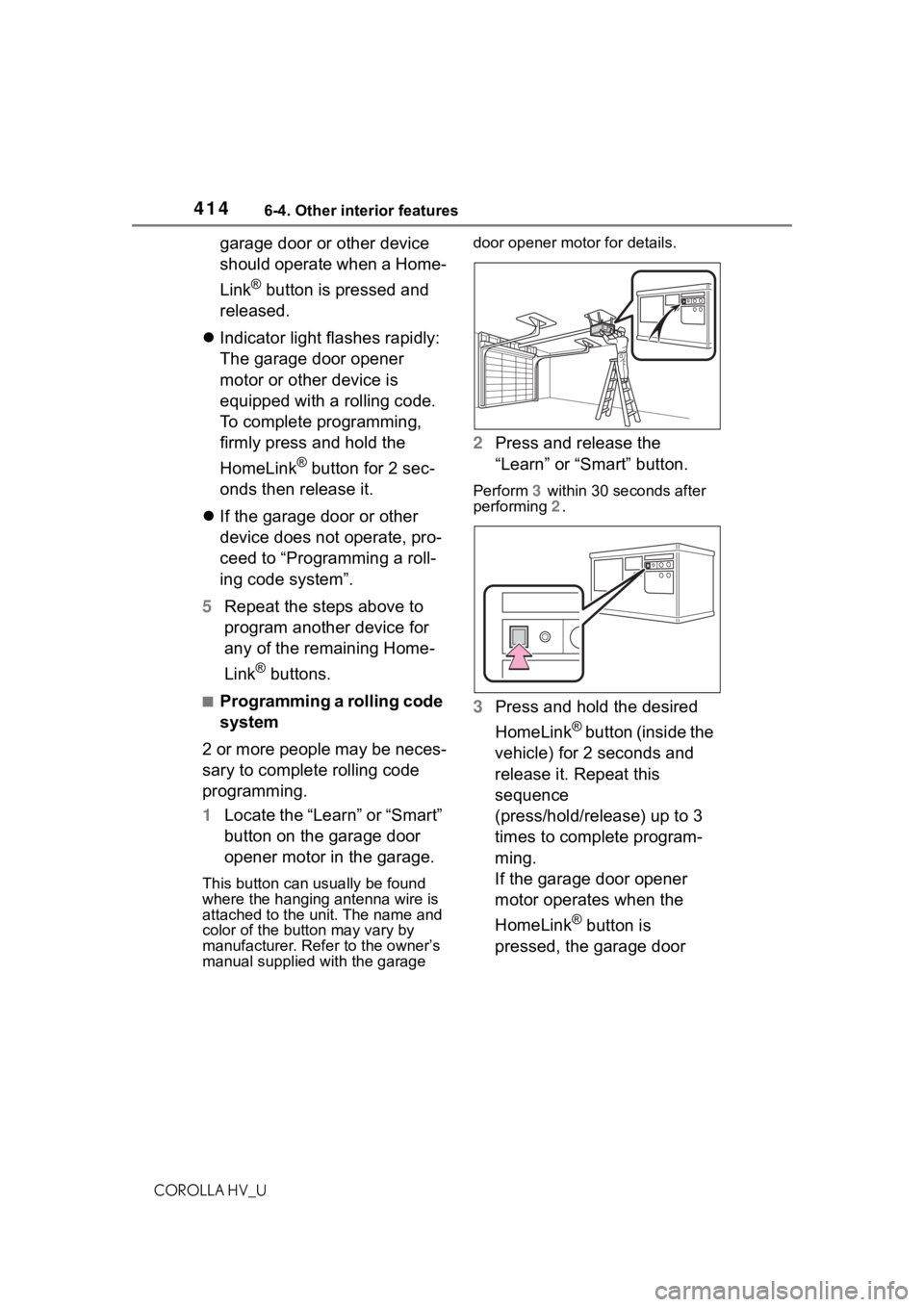
1 Locate the “Learn” or “Smart”
button on the garage door
opener motor in the garage.
This button can usually be found
where the hanging antenna wire is
attached to the unit. The name and
color of the button may vary by
manufacturer. Ref er to the owner’s
manual supplied with the garage door opener motor for details.
2
Press and release the
“Learn” or “Smart” button.
Perform 3 within 30 seconds after
performing 2 .
3Press and hold the desired
HomeLink
® button (inside the
vehicle) for 2 seconds and
release it. Repeat this
sequence
(press/hold/release) up to 3
times to complete program-
ming.
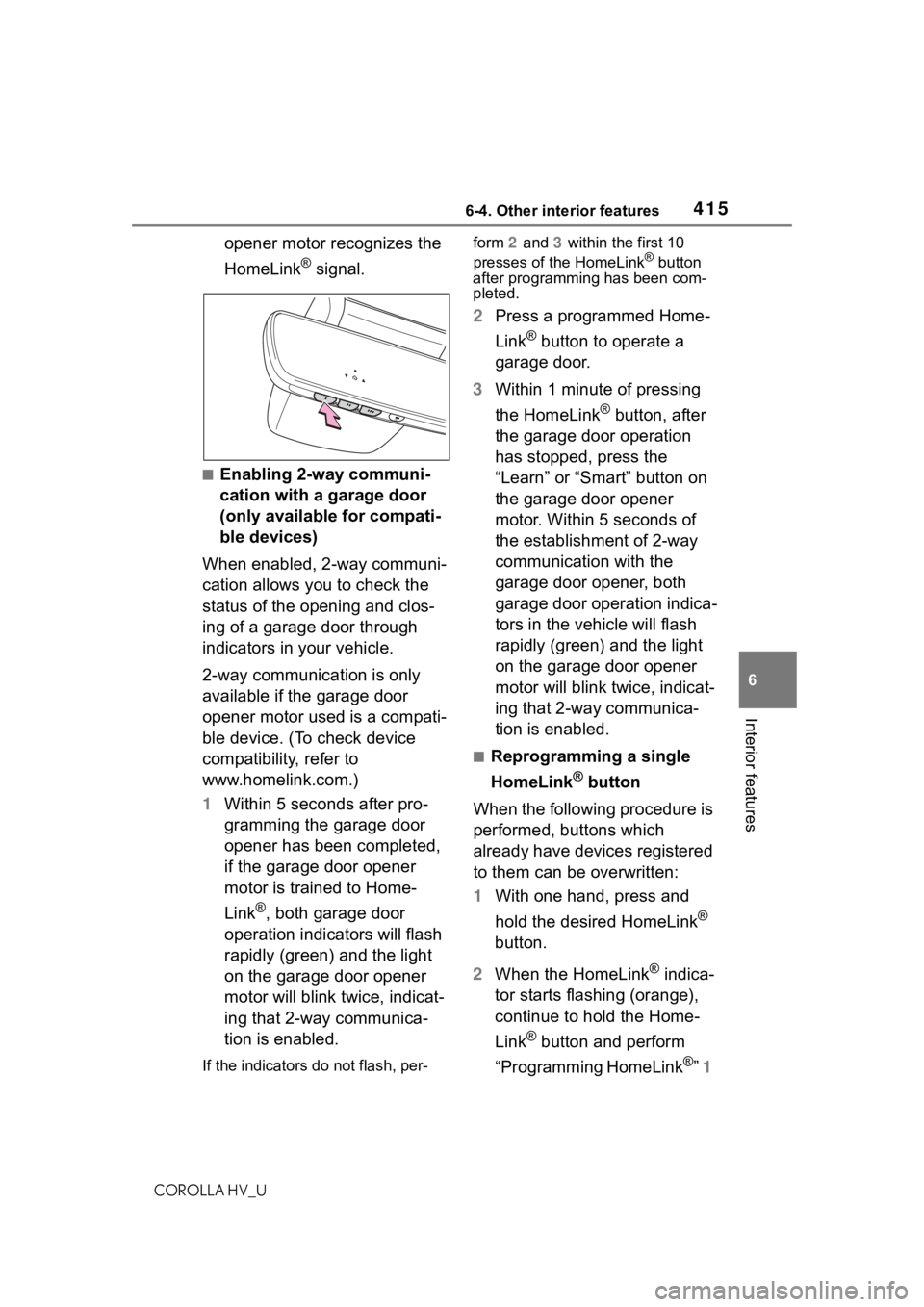
If the garage door opener
motor operates when the
HomeLink
® button is
pressed, the garage door
Page 415 of 584
4156-4. Other interior features
COROLLA HV_U
6
Interior features
opener motor recognizes the
HomeLink
® signal.
■Enabling 2-way communi-
cation with a garage door
(only available for compati-
ble devices)
When enabled, 2-way communi-
cation allows you to check the
status of the opening and clos-
ing of a garage door through
indicators in your vehicle.
2-way communication is only
available if the garage door
opener motor used is a compati-
ble device. (To check device
compatibility, refer to
www.homelink.com.)
1 Within 5 seconds after pro-
gramming the garage door
opener has been completed,
if the garage door opener
motor is trained to Home-
Link
®, both garage door
operation indicators will flash
rapidly (green) and the light
on the garage door opener
motor will blink twice, indicat-
ing that 2-way communica-
tion is enabled.
If the indicators do not flash, per- form
2 and 3 within the first 10
presses of the HomeLink
® button
after programming has been com-
pleted.
2 Press a programmed Home-
Link
® button to operate a
garage door.
3 Within 1 minute of pressing
the HomeLink
® button, after
the garage door operation
has stopped, press the
“Learn” or “Smart” button on
the garage door opener
motor. Within 5 seconds of
the establishment of 2-way
communication with the
garage door opener, both
garage door operation indica-
tors in the vehicle will flash
rapidly (green) and the light
on the garage door opener
motor will blink twice, indicat-
ing that 2-way communica-
tion is enabled.
■Reprogramming a single
HomeLink
® button
When the following procedure is
performed, buttons which
already have devices registered
to them can be overwritten:
1 With one hand, press and
hold the desired HomeLink
®
button.
2 When the HomeLink
® indica-
tor starts flashing (orange),
continue to hold the Home-
Link
® button and perform
“Programming HomeLink
®” 1
Page 416 of 584
4166-4. Other interior features
COROLLA HV_U
(it takes 20 seconds for the
HomeLink
® indicator to start
flashing).
■Before programming
●Install a new battery in the trans-
mitter.
●The battery side of the transmitter
must be pointed away from the
HomeLink
®.
Press the appropriate Home-
Link
® button. The HomeLink®
indicator light should turn on.
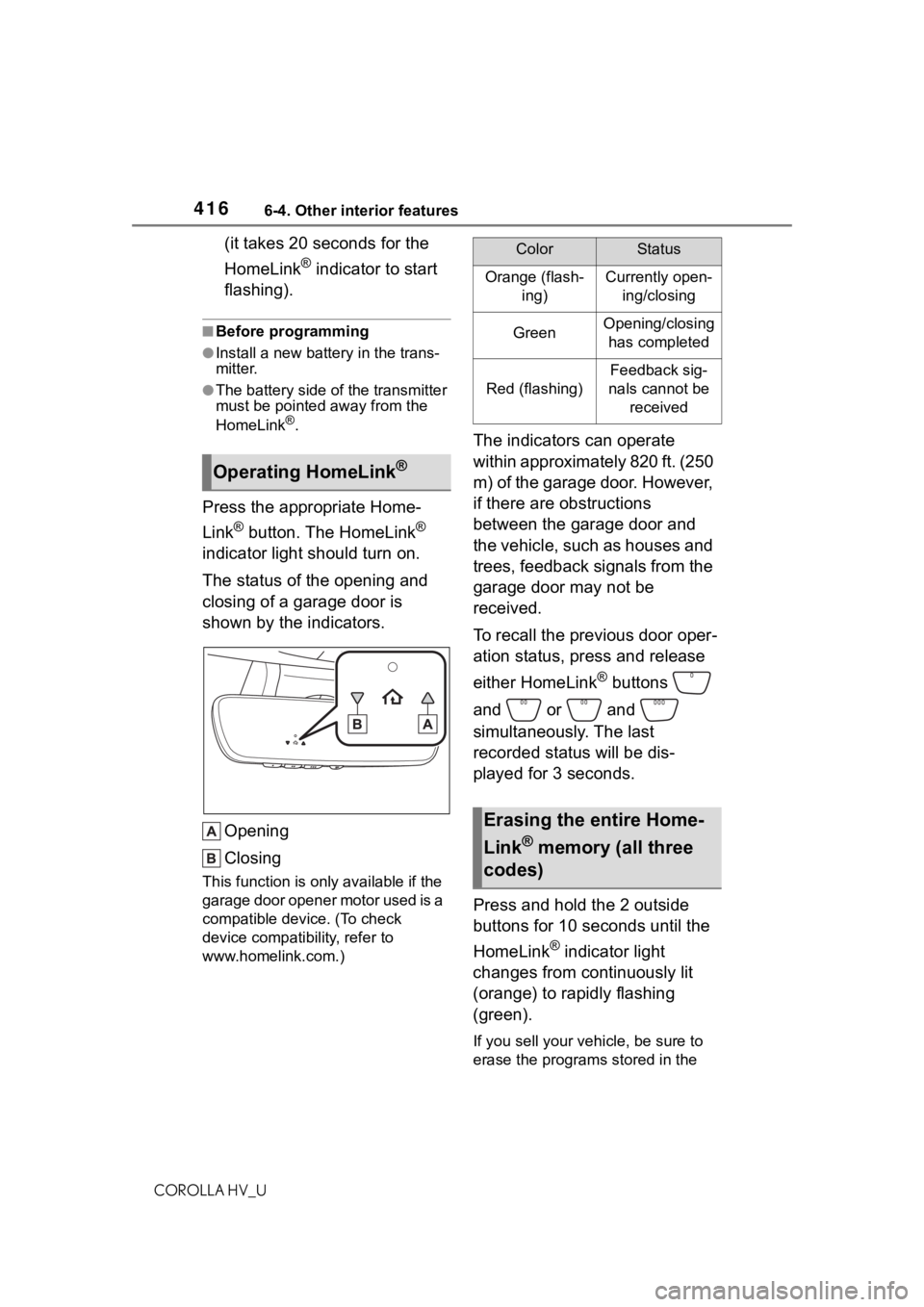
The status of the opening and
closing of a garage door is
shown by the indicators.
Opening
Closing
This function is onl y available if the
garage door opener motor used is a
compatible device. (To check
device compatib ility, refer to
www.homelink.com.)
The indicators can operate
within approximately 820 ft. (250
m) of the garage door. However,
if there are obstructions
between the garage door and
the vehicle, such as houses and
trees, feedback signals from the
garage door may not be
received.
To recall the previous door oper-
ation status, press and release
either HomeLink
® buttons
and or and
simultaneously. The last
recorded status will be dis-
played for 3 seconds.
Press and hold the 2 outside
buttons for 10 seconds until the
HomeLink
® indicator light
changes from continuously lit
(orange) to rapidly flashing
(green).
If you sell your vehicle, be sure to
erase the programs stored in the
Operating HomeLink®
ColorStatus
Orange (flash-
ing)Currently open-ing/closing
GreenOpening/closing has completed
Red (flashing)
Feedback sig-
nals cannot be received
Erasing the entire Home-
Link
® memory (all three
codes)
Page 577 of 584
577Alphabetical Index
COROLLA HV_U
Setup screen ........................... 258
Shift lever Hybrid transmission.............. 164
If the shift lever cannot be shifted from P................................. 165
Shift lock system .................... 165
Side airbags .............................. 31
Side marker lights Light switch .......................... 173
Replacing light bulbs .... 464, 465
Wattage ................................ 530
Side mirrors Adjustment ........................... 140
BSM (Blind Spot Monitor)..... 221
Folding ................................. 141
RCTA function ...................... 226
Side turn signal lights Replacing light bulbs ............ 464
Turn signal lever ................... 166
Side windows ...... ................... 142
SiriusXM (SXM) ....................... 303
Smart key system Antenna location .................. 125
Entry functions ..................... 119
Starting the hybrid system.... 157
Snow tires ............................... 247
Spare tire ................................. 501 Inflation pressure.................. 529
Storage location ................... 502
Spark plug ............................... 527
Specifications ......................... 524
Speedometer ............................ 98
Status icon .............................. 256 Status icon explanation ........ 256
Steering lock Column lock release............. 158
Steering lock system warning message............................. 158
Steering switch ............... 319, 334 Audio switch ......................... 319
Talk switch ............................ 334 Steering wheel
Adjustment ...........................138
Heated steering wheel..........393
Meter control switches..........103
Stop lights Replacing light bulbs ............464
Storage features ... ..................397
Stuck If the vehicle becomes stuck 520
Sun visors ...............................409
Switches Automatic High Beam system...........................................175
Brake Hold switch .................170
Display change button ..........100
Door lock switches ...............121
Driving mode select switch ...239
Dynamic radar cruise control with full-speed range switch207
Emergency flashers switch...470
EV drive mode switch ...........162
Garage door opener switches ........................................... 411
Heated steering wheel switch ...........................................393
Ignition switch .......................157
Instrument panel light control switches..............................101
Light switches .......................173
LTA (Lane Tracing Assist) switch ...........................................202
Meter control switches..........103
Outside rear v iew mirror
switches..............................140
Parking brake switch ............167
Power door lock switch.........121
Power switch ........................157
Power window switches .......142
Rear window and outside rear view mirror defoggers switch...........................................386
Seat heater switches ............393