warning TOYOTA COROLLA iM 2018 Owners Manual (in English)
[x] Cancel search | Manufacturer: TOYOTA, Model Year: 2018, Model line: COROLLA iM, Model: TOYOTA COROLLA iM 2018Pages: 36, PDF Size: 1.57 MB
Page 3 of 36
1
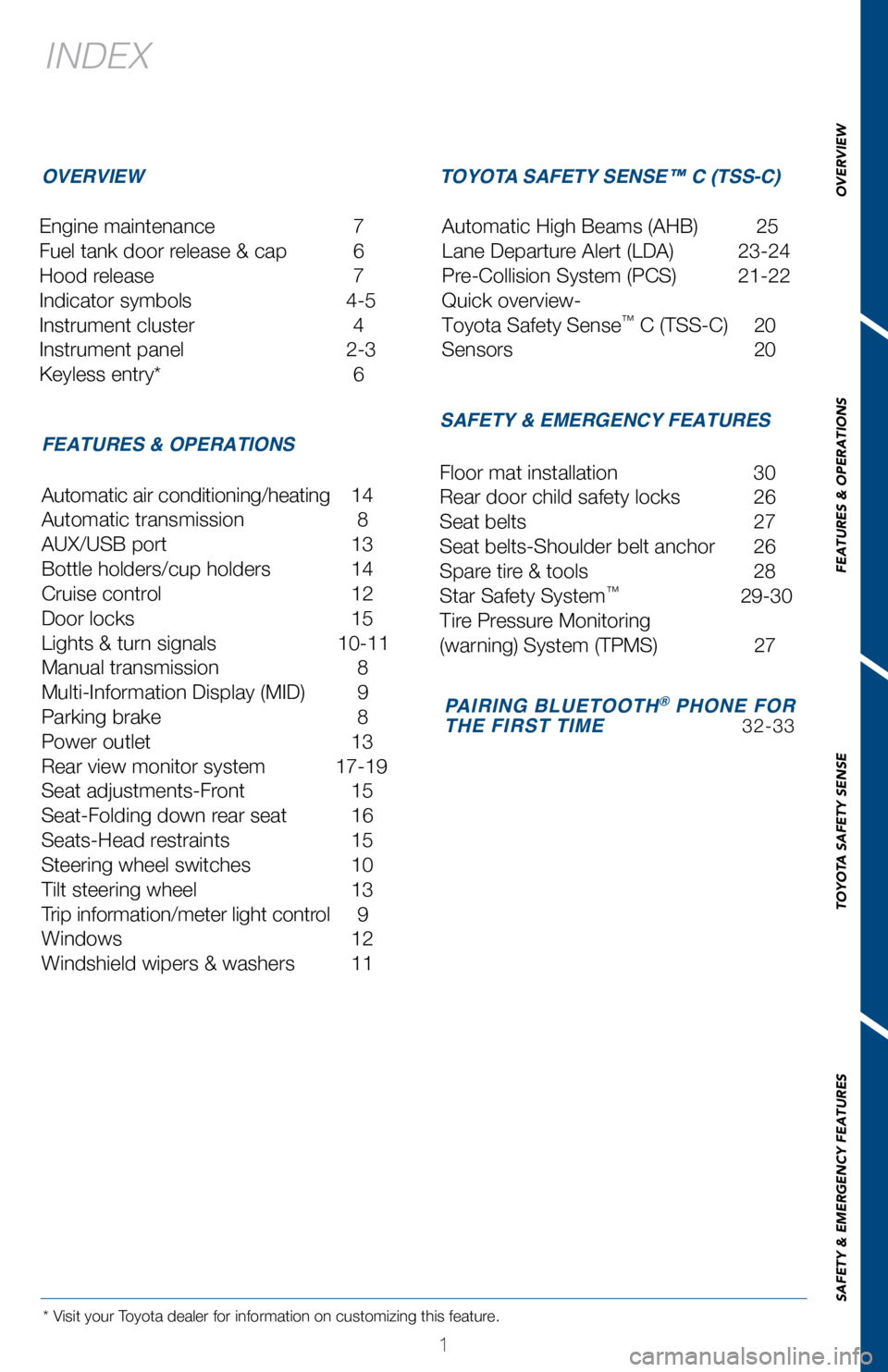
INDEX
Engine maintenance 7
Fuel tank door release & cap
6
Hood release
7
Indicator symbols
4-5
Instrument cluster
4
Instrument panel
2-3
Keyless entry*
6
* Visit your Toyota dealer for information on customizing this feature.
OVERVIEW
FEATURES & OPERATIONS TOYOTA SAFETY SENSE™ C (TSS-C)
SAFETY & EMERGENCY FEATURES
Automatic air conditioning/heating 14
Automatic transmission
8
AUX/USB port
13
Bottle holders/cup holders
14
Cruise control
12
Door locks
15
Lights & turn signals
10-11
Manual transmission
8
Multi-Information Display (MID)
9
Parking brake
8
Power outlet
13
Rear view monitor system
17-19
Seat adjustments-Front
15
Seat-Folding down rear seat
16
Seats-Head restraints
15
Steering wheel switches
10
Tilt steering wheel
13
Trip information/meter light contr
ol
9
Windows
12
W
indshield wipers & washers
11 Floor mat installation
30
Rear door child safety locks
26
Seat belts
27
Seat belts-Shoulder belt anchor
26
Spare tir
e & tools
28
Star Safety System™ 29-30
Tir
e Pressure Monitoring
(warning) System (TPMS)
27
Automatic High Beams (AHB)
25
Lane Departure Alert (LDA)
23-24
Pre-Collision System (PCS)
21-22
Quick overview-
Toyota Safety Sense
™ C (TSS-C) 20
Sensors
20
PAIRING BLUETOOTH® PHONE FOR
THE FIRST TIME 32-33
OVERVIEW
FEATURES & OPERATIONS
TOYOTA SAFETY SENSE
SAFETY & EMERGENCY FEATURES
Page 5 of 36
3
OVERVIEW
FEATURES & OPERATIONS
TOYOTA SAFETY SENSE
SAFETY & EMERGENCY FEATURES
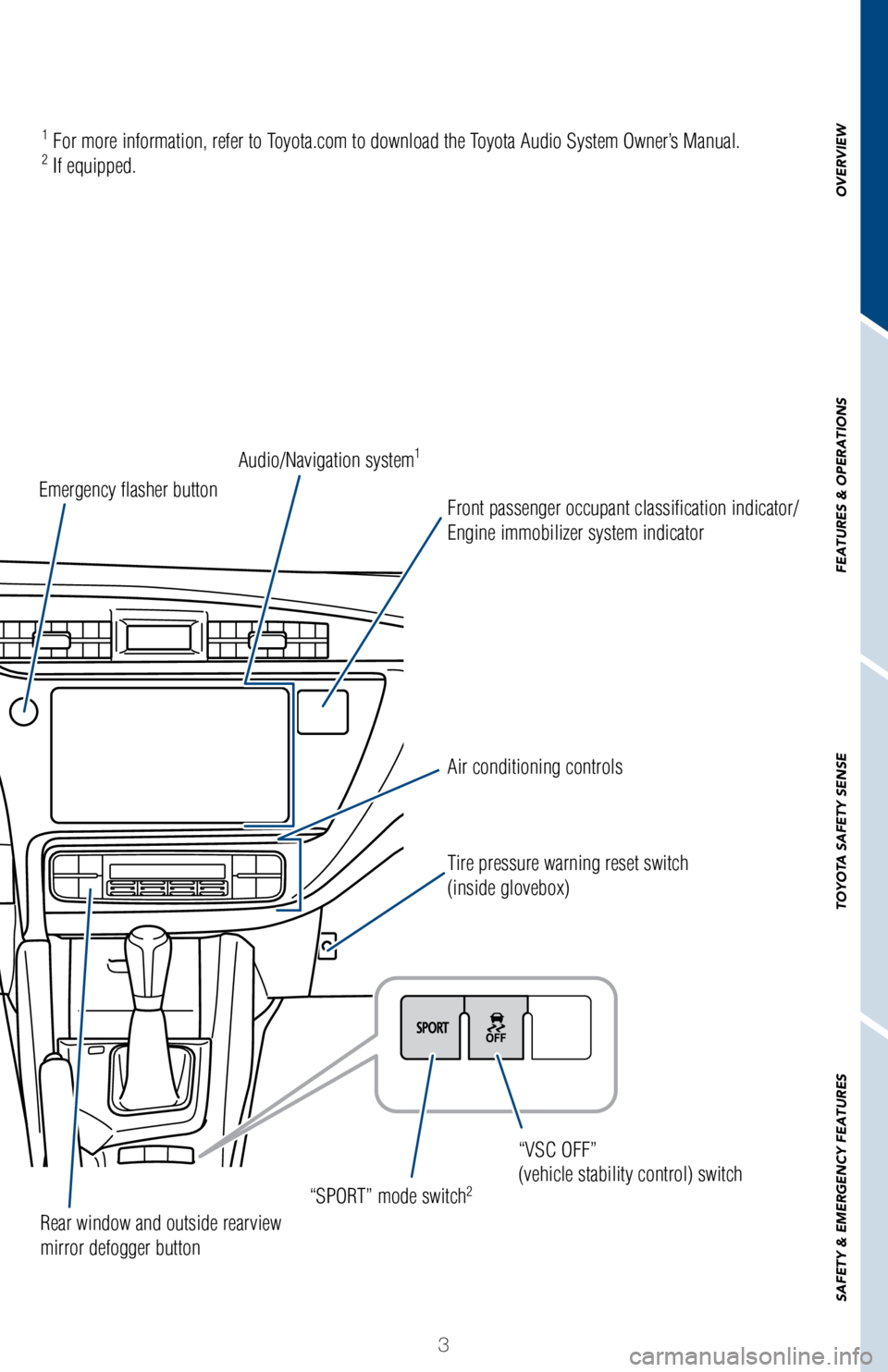
Air conditioning controls
“SPORT” mode switch
2
Tire pressure warning reset switch
(inside glovebox) “VSC OFF”
(vehicle stability control) switch
Rear window and outside rearview
mirror defogger button
Emergency flasher button
Audio/Navigation system
1
Front passenger occupant classification indicator/
Engine immobilizer system indicator
1 For more information, refer to Toyota.com to download the Toyota Audio System Owner’s Manual.2 If equipped.
Page 6 of 36
 4
OVERVIEWInstrument cluster
For details, refer to “Indicators and warning lights,” Section 2-2\
, 2018 Owner’s
Manual.
Cruise control indicator
Anti-lock Brake System (ABS)
warning
1
Brake s")
4
OVERVIEWInstrument cluster
For details, refer to “Indicators and warning lights,” Section 2-2\
, 2018 Owner’s
Manual.
Cruise control indicator
Anti-lock Brake System (ABS)
warning
1
Brake system warning1
Airbag SRS warning1
Automatic High Beam indicator1
Cruise control SET indicator Tachometer
Speedometer
Outside temperature
Engine coolant temperature gauge Shift and gear position indicator (if equipped)
Fuel gauge
Multi-Information Display (MID) Odometer and trip meter display
Indicator symbols
Service indicators and reminders
Page 7 of 36
5
OVERVIEW
FEATURES & OPERATIONS
TOYOTA SAFETY SENSE
SAFETY & EMERGENCY FEATURES
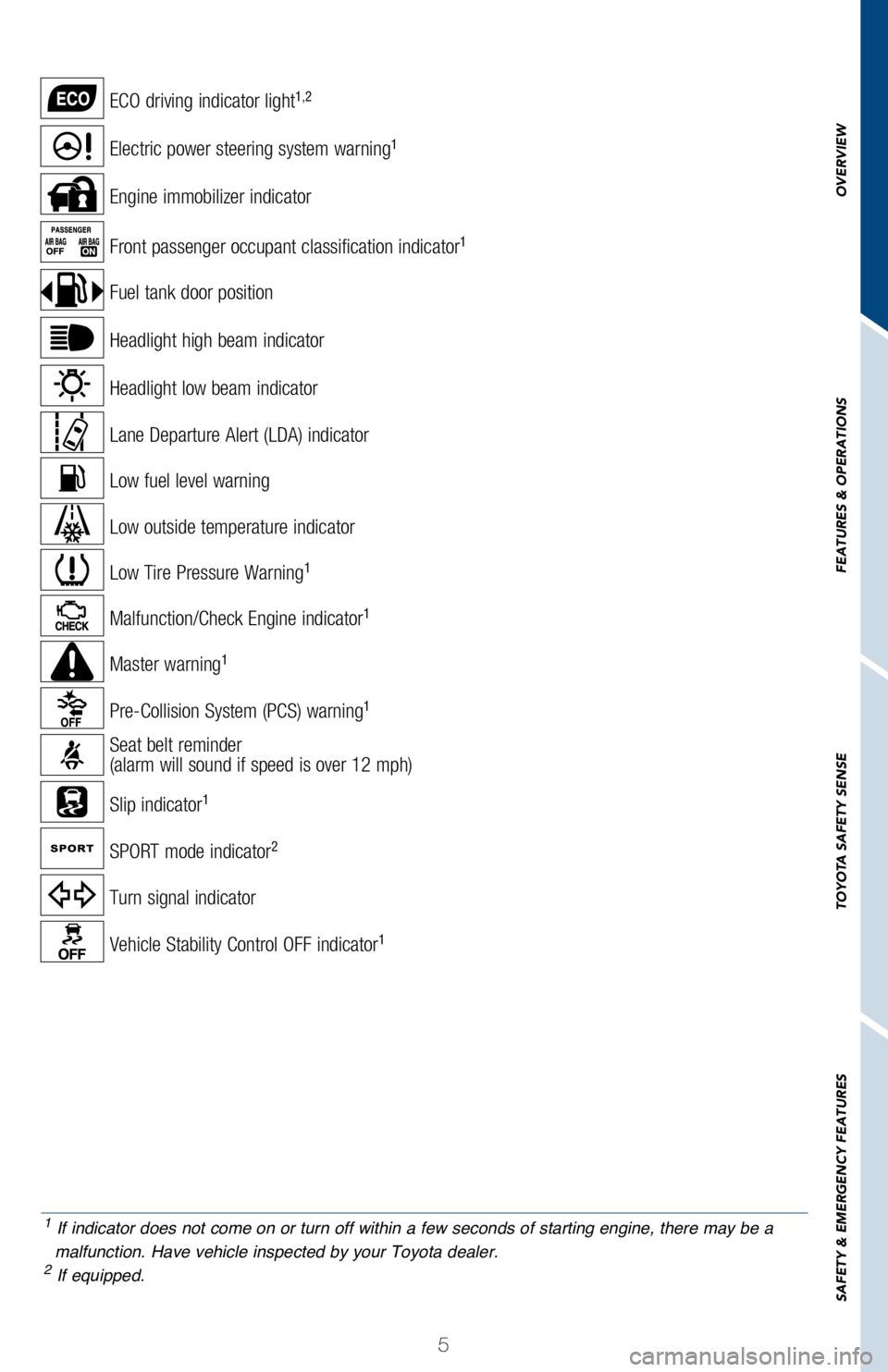
Headlight low beam indicator
Turn signal indicator
Headlight high beam indicator
Electric power steering system warning1
Slip indicator1
Vehicle Stability Control OFF indicator1
Low fuel level warning
Front passenger occupant classification indicator1
Seat belt reminder
(alarm will sound if speed is over 12 mph)
Malfunction/Check Engine indicator1
Low Tire Pressure Warning1
Low outside temperature indicator
Engine immobilizer indicator
ECO driving indicator light1,2
Master warning1
SPORT mode indicator2
Lane Departure Alert (LDA) indicator
Pre-Collision System (PCS) warning1
Fuel tank door position
1 If indicator does not come on or turn off within a few seconds of starting engine, there may be a
malfunction. Have vehicle inspected by your Toyota dealer.
2 If equipped.
Page 11 of 36
9
OVERVIEW
FEATURES & OPERATIONS
TOYOTA SAFETY SENSE
SAFETY & EMERGENCY FEATURES
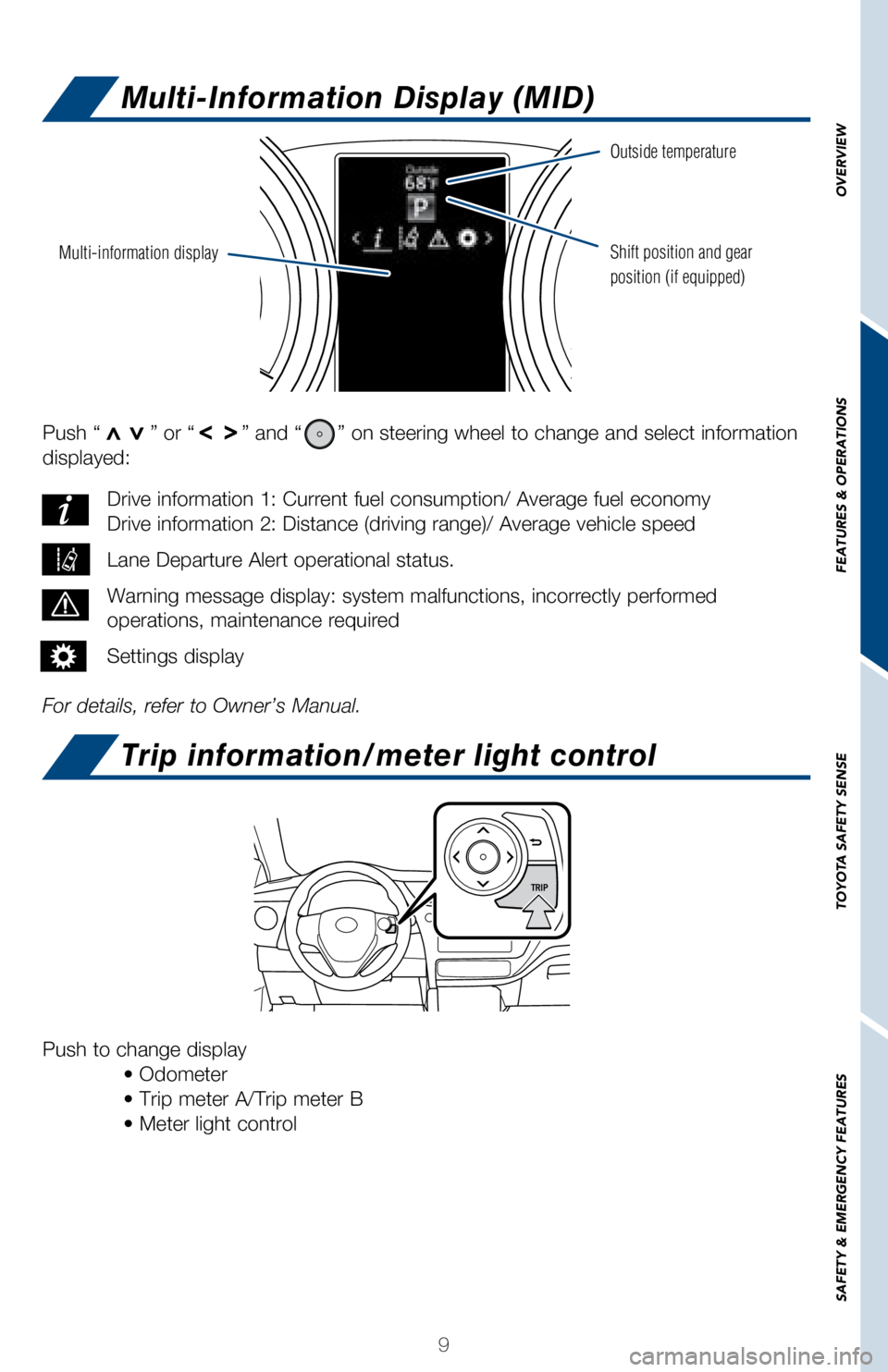
Push “>>” or “>>” and “” on steering wheel to change and select information
displayed:
For details, refer to Owner’s Manual. Drive information 1: Current fuel consumption/ Average fuel economy
Drive information 2: Distance (driving range)/ Average vehicle speed
Lane Departure Alert operational status.
Warning message display: system malfunctions, incorrectly performed
operations, maintenance required
Settings display
Push to change display
• Odometer
• Trip meter A/Trip meter B
• Meter light control
Multi-information display
Outside temperature
Shift position and gear
position (if equipped)
Multi-Information Display (MID)
Trip information/meter light control
Page 23 of 36
 21
OVERVIEW
FEATURES & OPERATIONS
TOYOTA SAFETY SENSE
SAFETY & EMERGENCY FEATURES
Pre-Collision System (PCS)
The Pre-Collision System uses a laser sensor and camera sensor to help d\
etect a
vehicle")
21
OVERVIEW
FEATURES & OPERATIONS
TOYOTA SAFETY SENSE
SAFETY & EMERGENCY FEATURES
Pre-Collision System (PCS)
The Pre-Collision System uses a laser sensor and camera sensor to help d\
etect a
vehicle in front of your vehicle.
As there is a limit to the degree of recognition accuracy and control pe\
rformance that
this system can provide, do not overly rely on this system. This system \
will not prevent
collisions or lessen collision damage or injury in every situation. Do n\
ot use PCS
instead of normal braking operations under any circumstances. Do not att\
empt to test
the operation of the Pre-Collision System yourself, as the system may no\
t operate or
engage, possibly leading to an accident. In some situations, such as whe\
n driving in
inclement weather such as heavy rain, fog, snow or a sandstorm or while \
driving on a
curve and for a few seconds after driving on a curve, a vehicle may not \
be detected
by the laser and camera sensors, preventing the system from operating or\
engaging
properly.
Refer to a Toyota Owner’s Manual for a list of additional situations \
in which the
system may not operate properly.
Refer to the Toyota Owner’s Manual for additional information on PCS \
operation,
settings adjustments, limitations, and precautions before attempting to \
use it. Pre-Collision Warning
When the system determines that the possibility of a frontal collision i\
s high, a buzzer
will sound and a warning message will be displayed on the Multi-Informat\
ion Display
(MID) to urge the driver to take evasive action.
Pre-Collision Brake Assist
If the driver notices the hazard and brakes, the system may provide addi\
tional braking
force using Brake Assist. This system may prime the brakes and may apply\
greater
braking force in relation to how strongly the brake pedal is depressed.
Pre-Collision Braking
If the driver does not brake in a set time and the system determines tha\
t the possibility
of a frontal collision with a preceding vehicle is extremely high, the s\
ystem may
automatically apply the brakes, reducing speed in order to help the driv\
er reduce the
impact and in certain cases avoid the collision.
Page 29 of 36
27
OVERVIEW
FEATURES & OPERATIONS
TOYOTA SAFETY SENSE
SAFETY & EMERGENCY FEATURES
Seat belts
Tire Pressure Monitoring (warning) System (TPMS)
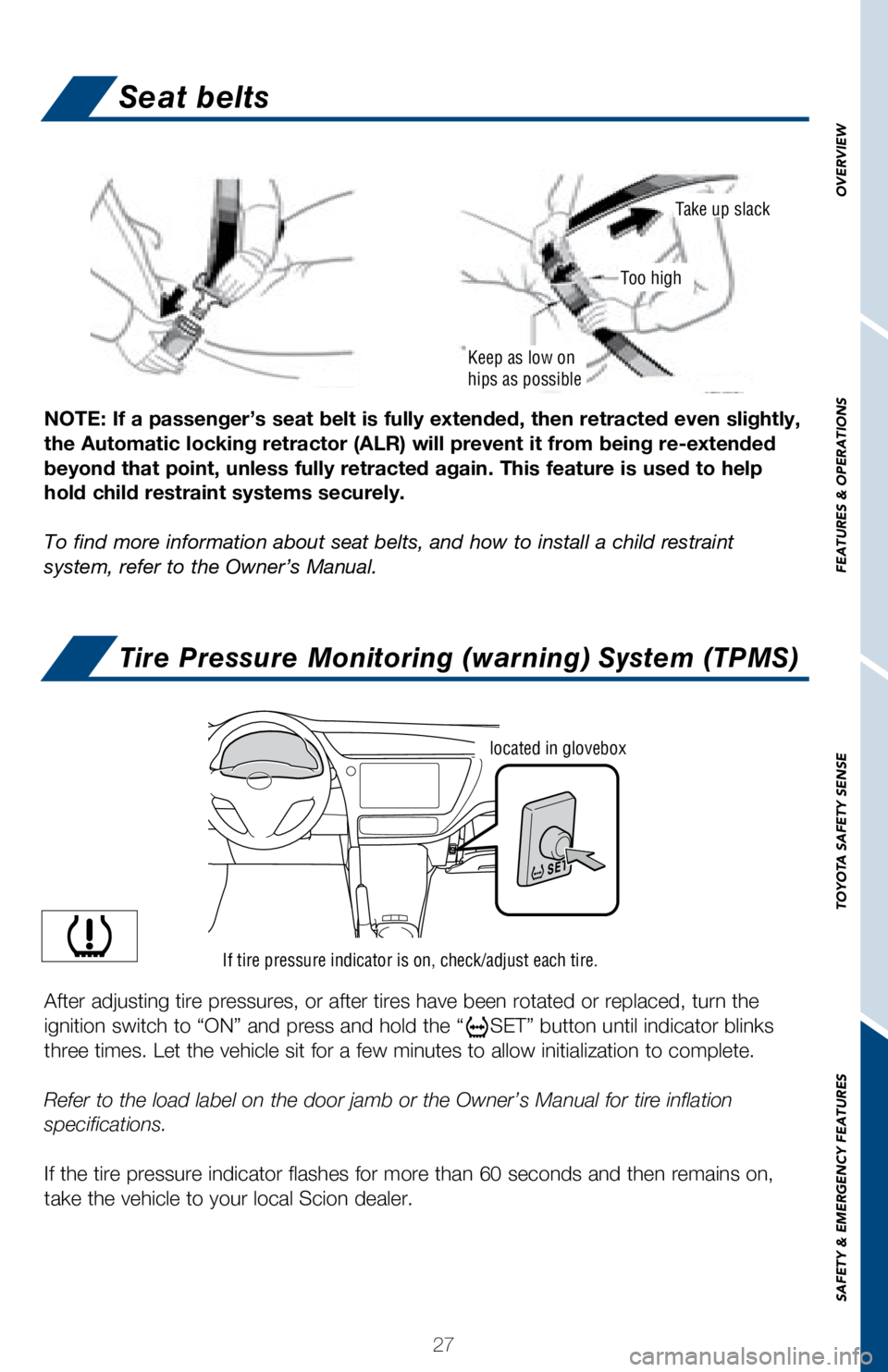
NOTE: If a passenger’s seat belt is fully extended, then retracted ev\
en slightly,
the Automatic locking retractor (ALR) will prevent it from being re-ex\
tended
beyond that point, unless fully retracted again. This feature is used to\
help
hold child restraint systems securely.
To find more information about seat belts, and how to install a child re\
straint
system, refer to the Owner’s Manual.
Keep as low on
hips as possible
Take up slack
Too high
If tire pressure indicator is on, check/adjust each tire.
located in glovebox
After adjusting tire pressures, or after tires have been rotated or repl\
aced, turn the
ignition switch to “ON” and press and hold the “
SET” button until indicator blinks
three times. Let the vehicle sit for a few minutes to allow initializati\
on to complete.
Refer to the load label on the door jamb or the Owner’s Manual for ti\
re inflation
specifications.
If the tire pressure indicator flashes for more than 60 seconds and then\
remains on,
take the vehicle to your local Scion dealer.