lane assist TOYOTA GR YARIS 2020 User Guide
[x] Cancel search | Manufacturer: TOYOTA, Model Year: 2020, Model line: GR YARIS, Model: TOYOTA GR YARIS 2020Pages: 458, PDF Size: 105.69 MB
Page 169 of 458
167
4
YARIS(GR) Owner's Manual_Europe_M52L09_en
4-5. Using the driving support systems
Driving
• The brake pedal is depressed.
●Intersection right/left turn assistance (pre-collision warning) (for region A)
When the turn signal lights are not flashing, support for turning left or right at an inter-
section which targets oncoming vehicles does not work.
●Intersection right/left turn assistance (pre-collision braking) (for region A)
When the turn signal lights are not flashing, support for turning left or right at an inter-
section which targets oncoming vehicles does not work.
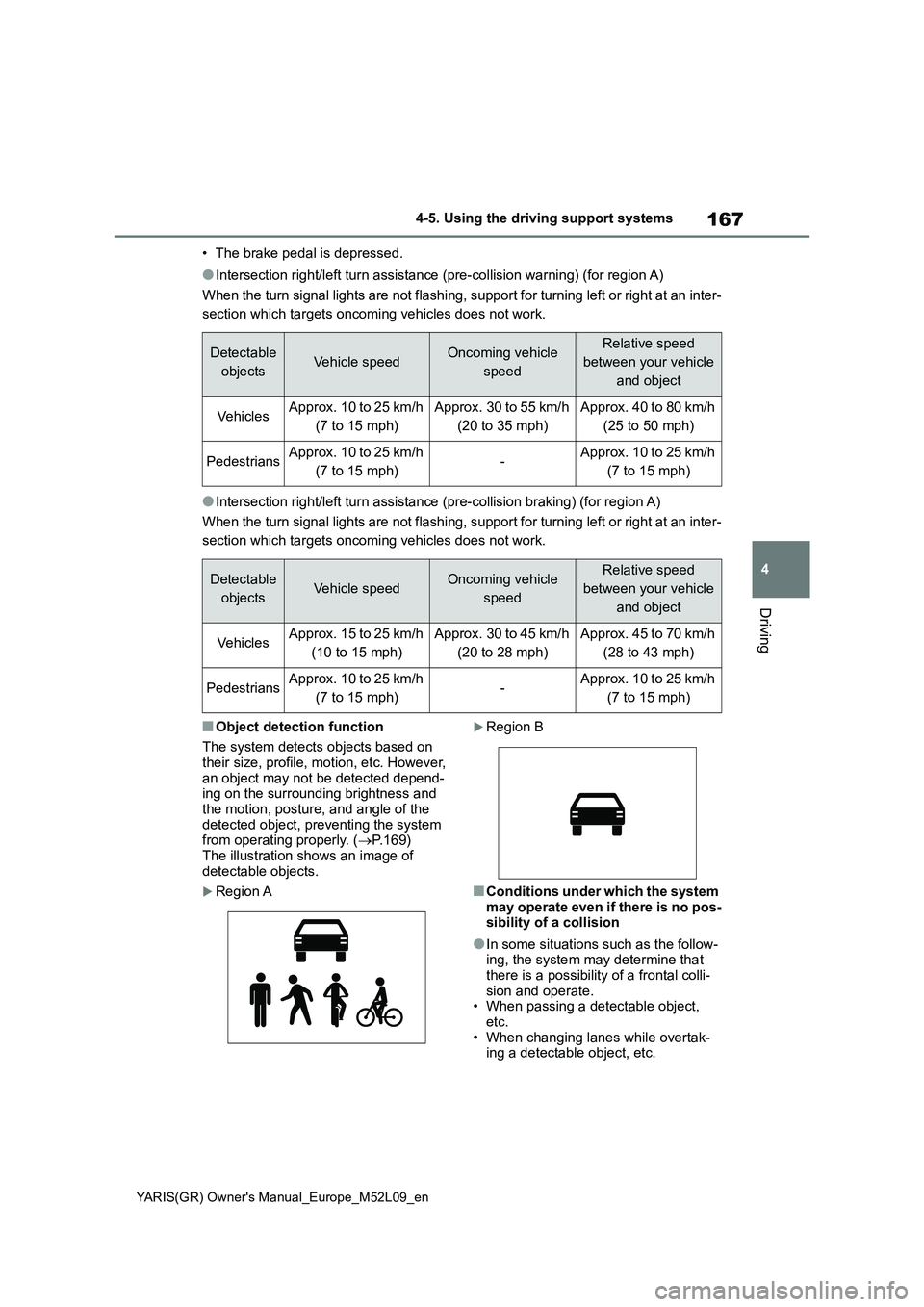
■Object detection function
The system detects objects based on
their size, profile, motion, etc. However,
an object may not be detected depend-
ing on the surrounding brightness and
the motion, posture, and angle of the
detected object, preventing the system
from operating properly. (→P.169)
The illustration shows an image of
detectable objects.
Region A
Region B
■Conditions under which the system
may operate even if there is no pos-
sibility of a collision
●In some situations such as the follow-
ing, the system may determine that
there is a possibility of a frontal colli-
sion and operate.
• When passing a detectable object,
etc.
• When changing lanes while overtak-
ing a detectable object, etc.
Detectable
objectsVehicle speedOncoming vehicle
speedRelative speed
between your vehicle
and object
Ve hi cl e sApprox. 10 to 25 km/h
(7 to 15 mph)Approx. 30 to 55 km/h
(20 to 35 mph)Approx. 40 to 80 km/h
(25 to 50 mph)
PedestriansApprox. 10 to 25 km/h
(7 to 15 mph)-Approx. 10 to 25 km/h
(7 to 15 mph)
Detectable
objectsVehicle speedOncoming vehicle
speedRelative speed
between your vehicle
and object
Ve hi cl e sApprox. 15 to 25 km/h
(10 to 15 mph)Approx. 30 to 45 km/h
(20 to 28 mph)Approx. 45 to 70 km/h
(28 to 43 mph)
PedestriansApprox. 10 to 25 km/h
(7 to 15 mph)-Approx. 10 to 25 km/h
(7 to 15 mph)
Page 173 of 458
171
4
YARIS(GR) Owner's Manual_Europe_M52L09_en
4-5. Using the driving support systems
Driving
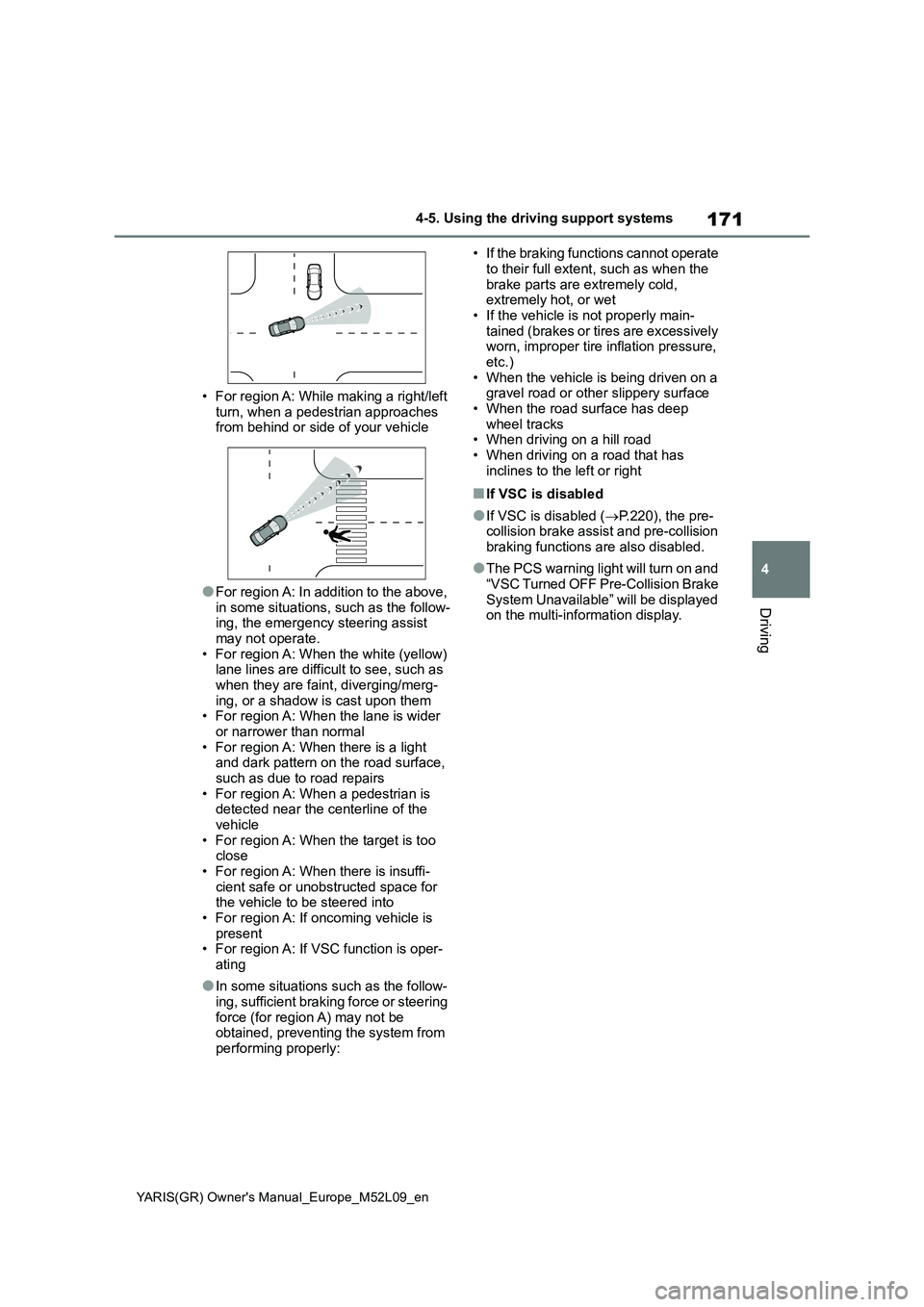
• For region A: While making a right/left
turn, when a pedestrian approaches
from behind or side of your vehicle
●For region A: In addition to the above,
in some situations, such as the follow-
ing, the emergency steering assist
may not operate.
• For region A: When the white (yellow)
lane lines are difficult to see, such as
when they are faint, diverging/merg-
ing, or a shadow is cast upon them
• For region A: When the lane is wider
or narrower than normal
• For region A: When there is a light
and dark pattern on the road surface,
such as due to road repairs
• For region A: When a pedestrian is
detected near the centerline of the
vehicle
• For region A: When the target is too
close
• For region A: When there is insuffi-
cient safe or unobstructed space for
the vehicle to be steered into
• For region A: If oncoming vehicle is
present
• For region A: If VSC function is oper-
ating
●In some situations such as the follow-
ing, sufficient braking force or steering
force (for region A) may not be
obtained, preventing the system from
performing properly:• If the braking functions cannot operate
to their full extent, such as when the
brake parts are extremely cold,
extremely hot, or wet
• If the vehicle is not properly main-
tained (brakes or tires are excessively
worn, improper tire inflation pressure,
etc.)
• When the vehicle is being driven on a
gravel road or other slippery surface
• When the road surface has deep
wheel tracks
• When driving on a hill road
• When driving on a road that has
inclines to the left or right
■If VSC is disabled
●If VSC is disabled (→P.220), the pre-
collision brake assist and pre-collision
braking functions are also disabled.
●The PCS warning light will turn on and
“VSC Turned OFF Pre-Collision Brake
System Unavailable” will be displayed
on the multi-information display.
Page 174 of 458
172
YARIS(GR) Owner's Manual_Europe_M52L09_en
4-5. Using the driving support systems
*: If equipped
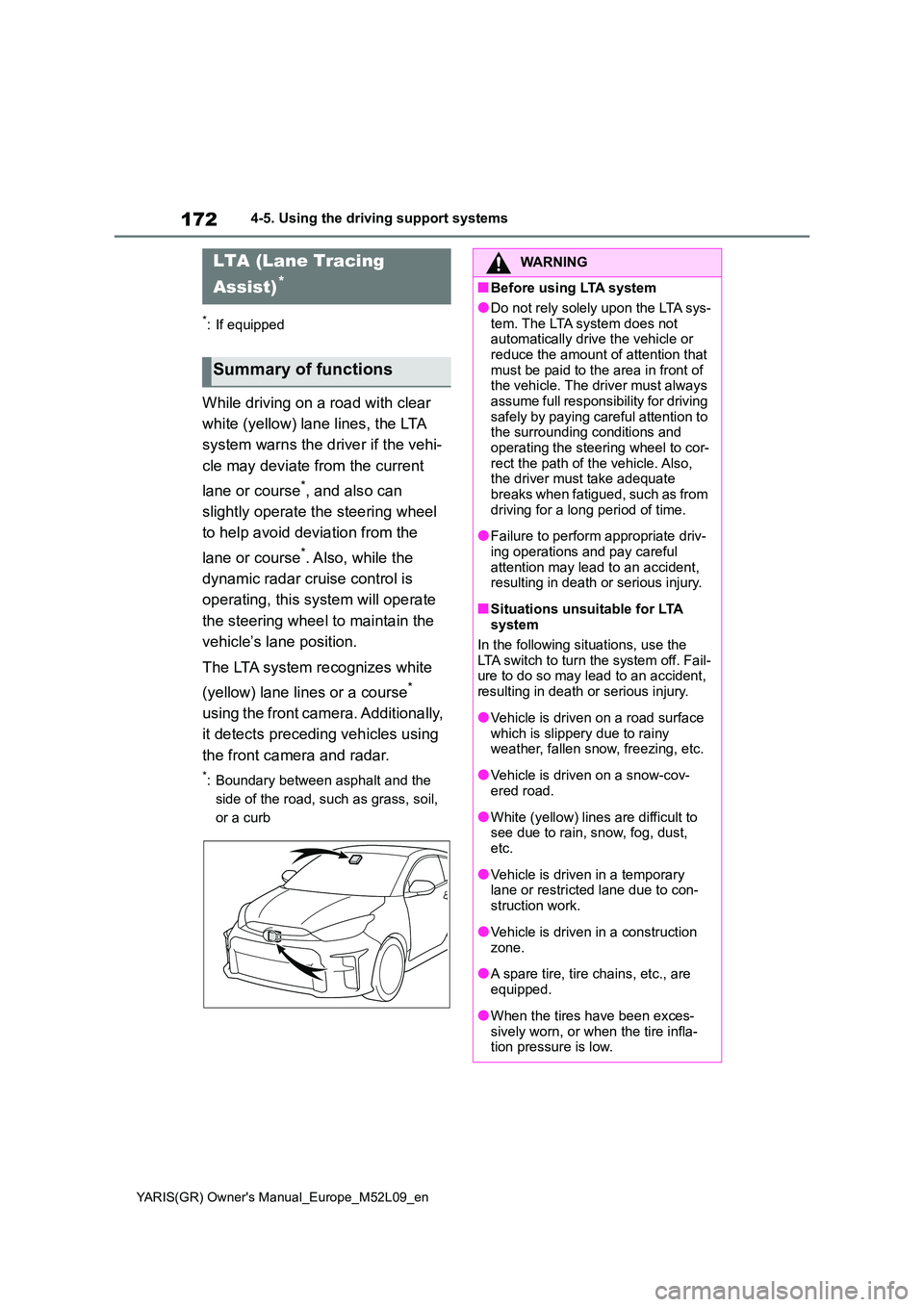
While driving on a road with clear
white (yellow) lane lines, the LTA
system warns the driver if the vehi-
cle may deviate from the current
lane or course*, and also can
slightly operate the steering wheel
to help avoid deviation from the
lane or course*. Also, while the
dynamic radar cruise control is
operating, this system will operate
the steering wheel to maintain the
vehicle’s lane position.
The LTA system recognizes white
(yellow) lane lines or a course*
using the front camera. Additionally,
it detects preceding vehicles using
the front camera and radar.
*: Boundary between asphalt and the
side of the road, such as grass, soil,
or a curb
LTA (Lane Tracing
Assist)*
Summary of functions
WARNING
■Before using LTA system
●Do not rely solely upon the LTA sys-
tem. The LTA system does not automatically drive the vehicle or reduce the amount of attention that
must be paid to the area in front of the vehicle. The driver must always assume full responsibility for driving
safely by paying careful attention to the surrounding conditions and operating the steering wheel to cor-
rect the path of the vehicle. Also, the driver must take adequate breaks when fatigued, such as from
driving for a long period of time.
●Failure to perform appropriate driv-
ing operations and pay careful attention may lead to an accident, resulting in death or serious injury.
■Situations unsuitable for LTA system
In the following situations, use the LTA switch to turn the system off. Fail-ure to do so may lead to an accident,
resulting in death or serious injury.
●Vehicle is driven on a road surface
which is slippery due to rainy weather, fallen snow, freezing, etc.
●Vehicle is driven on a snow-cov-ered road.
●White (yellow) lines are difficult to see due to rain, snow, fog, dust, etc.
●Vehicle is driven in a temporary lane or restricted lane due to con-
struction work.
●Vehicle is driven in a construction
zone.
●A spare tire, tire chains, etc., are
equipped.
●When the tires have been exces-
sively worn, or when the tire infla- tion pressure is low.
Page 177 of 458
175
4
YARIS(GR) Owner's Manual_Europe_M52L09_en
4-5. Using the driving support systems
Driving
■Lane departure alert function
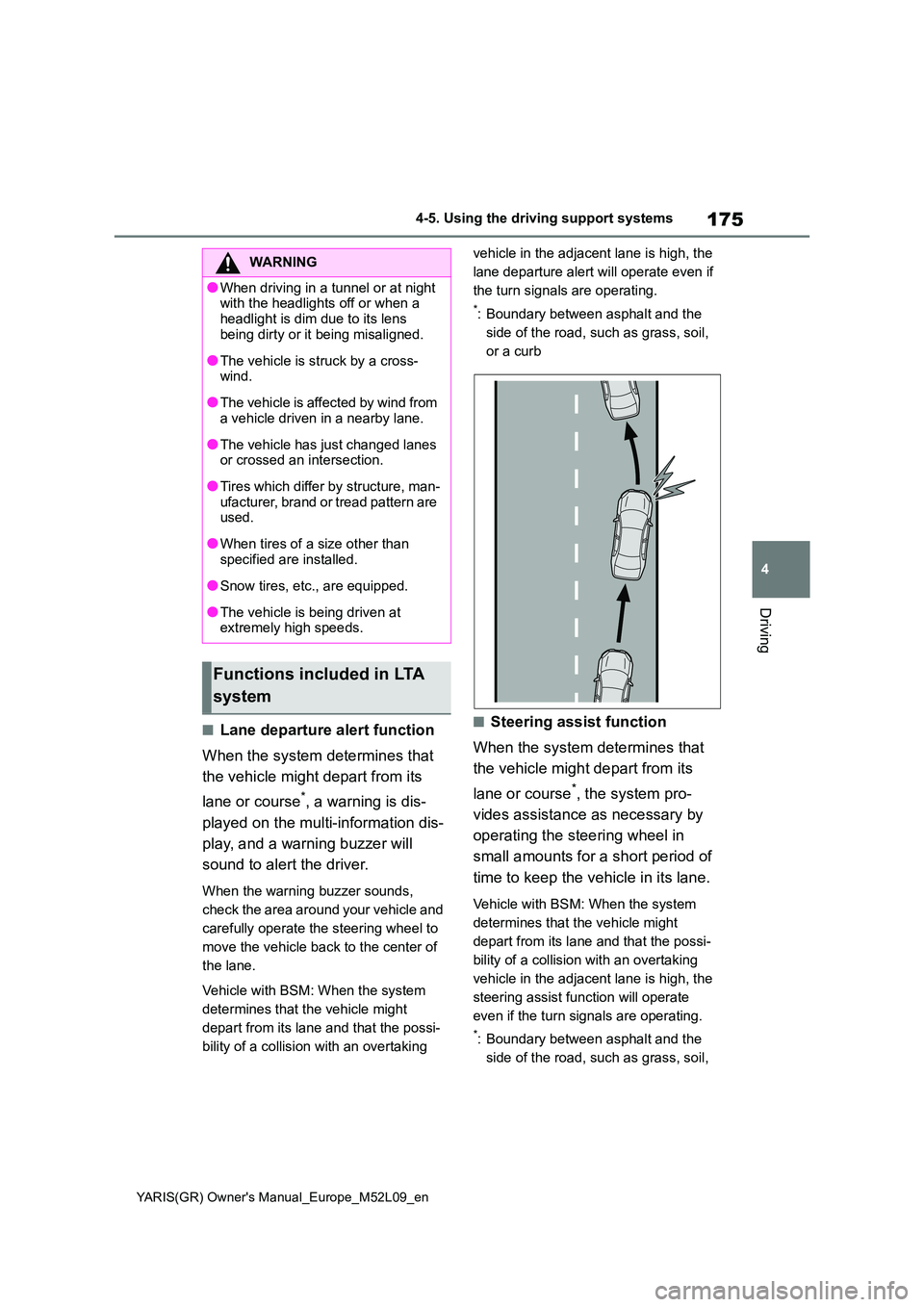
When the system determines that
the vehicle might depart from its
lane or course*, a warning is dis-
played on the multi-information dis-
play, and a warning buzzer will
sound to alert the driver.
When the warning buzzer sounds,
check the area around your vehicle and
carefully operate the steering wheel to
move the vehicle back to the center of
the lane.
Vehicle with BSM: When the system
determines that the vehicle might
depart from its lane and that the possi-
bility of a collision with an overtaking
vehicle in the adjacent lane is high, the
lane departure alert will operate even if
the turn signals are operating.
*: Boundary between asphalt and the
side of the road, such as grass, soil,
or a curb
■Steering assist function
When the system determines that
the vehicle might depart from its
lane or course*, the system pro-
vides assistance as necessary by
operating the steering wheel in
small amounts for a short period of
time to keep the vehicle in its lane.
Vehicle with BSM: When the system
determines that the vehicle might
depart from its lane and that the possi-
bility of a collision with an overtaking
vehicle in the adjacent lane is high, the
steering assist function will operate
even if the turn signals are operating.
*: Boundary between asphalt and the
side of the road, such as grass, soil,
WARNING
●When driving in a tunnel or at night with the headlights off or when a
headlight is dim due to its lens being dirty or it being misaligned.
●The vehicle is struck by a cross-wind.
●The vehicle is affected by wind from a vehicle driven in a nearby lane.
●The vehicle has just changed lanes or crossed an intersection.
●Tires which differ by structure, man-ufacturer, brand or tread pattern are used.
●When tires of a size other than specified are installed.
●Snow tires, etc., are equipped.
●The vehicle is being driven at extremely high speeds.
Functions included in LTA
system
Page 178 of 458
176
YARIS(GR) Owner's Manual_Europe_M52L09_en
4-5. Using the driving support systems
or a curb
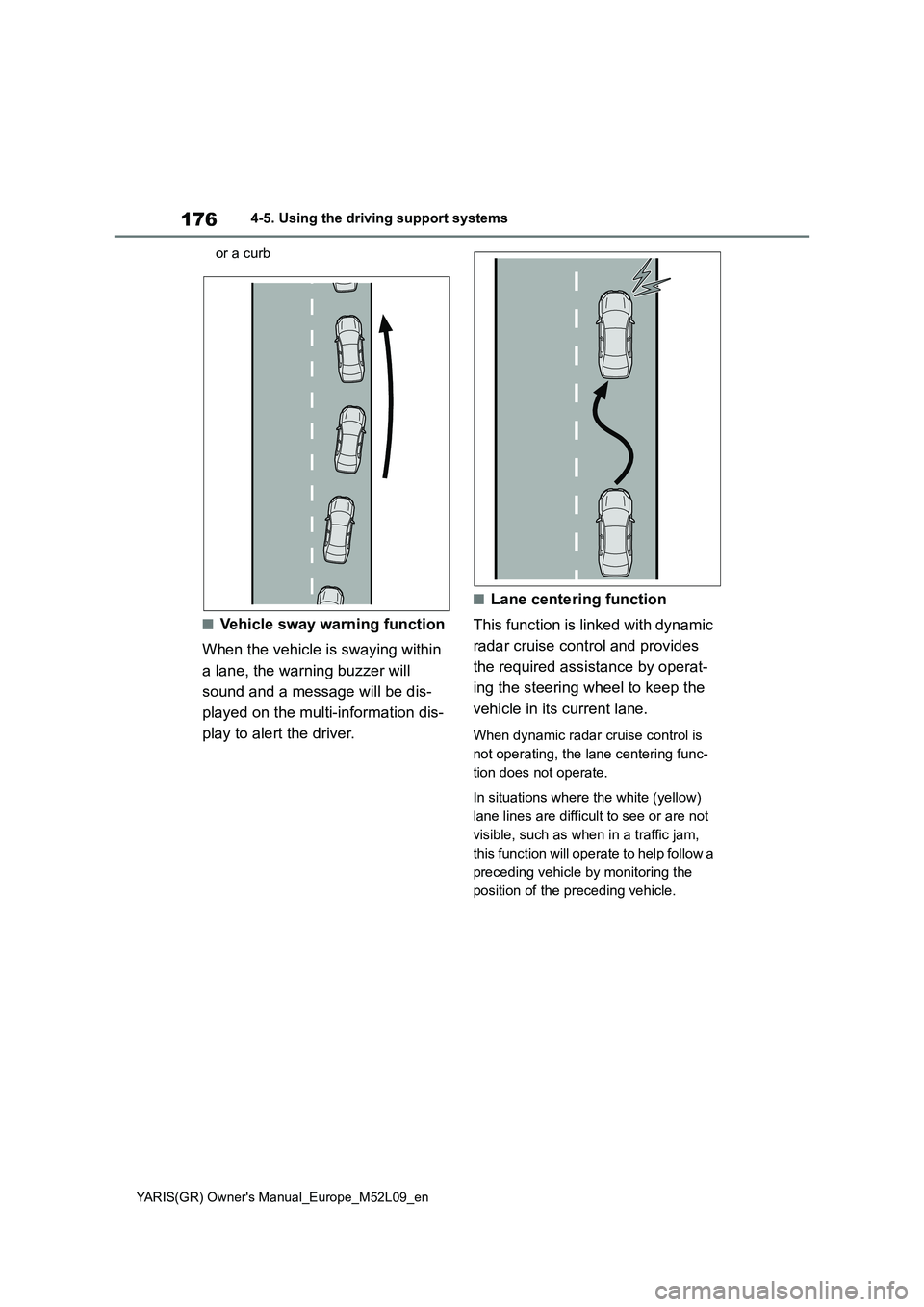
■Vehicle sway warning function
When the vehicle is swaying within
a lane, the warning buzzer will
sound and a message will be dis-
played on the multi-information dis-
play to alert the driver.
■Lane centering function
This function is linked with dynamic
radar cruise control and provides
the required assistance by operat-
ing the steering wheel to keep the
vehicle in its current lane.
When dynamic radar cruise control is
not operating, the lane centering func-
tion does not operate.
In situations where the white (yellow)
lane lines are difficult to see or are not
visible, such as when in a traffic jam,
this function will operate to help follow a
preceding vehicle by monitoring the
position of the preceding vehicle.
Page 179 of 458
177
4
YARIS(GR) Owner's Manual_Europe_M52L09_en
4-5. Using the driving support systems
Driving
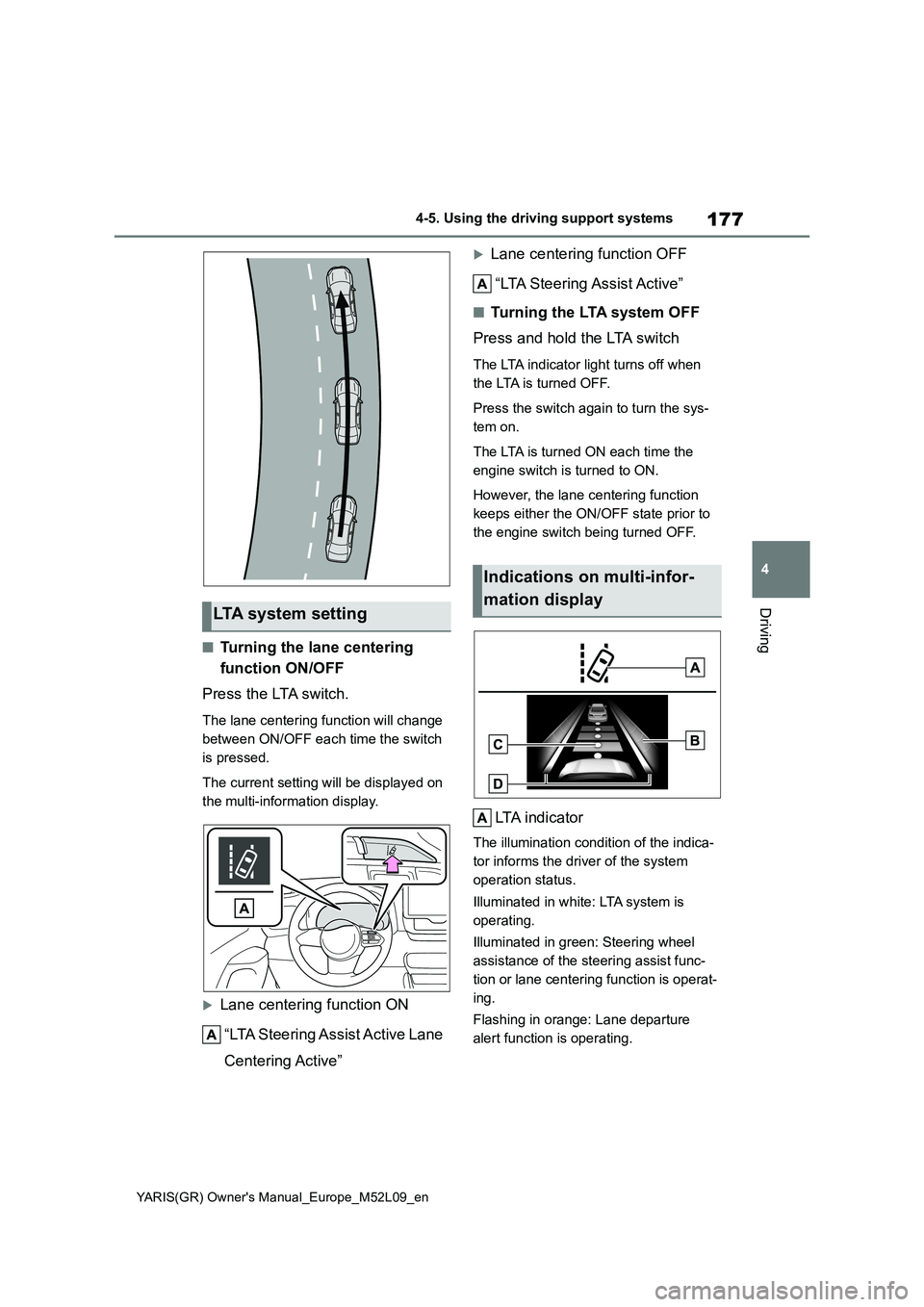
■Turning the lane centering
function ON/OFF
Press the LTA switch.
The lane centering function will change
between ON/OFF each time the switch
is pressed.
The current setting will be displayed on
the multi-information display.
Lane centering function ON
“LTA Steering Assist Active Lane
Centering Active”
Lane centering function OFF
“LTA Steering Assist Active”
■Turning the LTA system OFF
Press and hold the LTA switch
The LTA indicator light turns off when
the LTA is turned OFF.
Press the switch again to turn the sys-
tem on.
The LTA is turned ON each time the
engine switch is turned to ON.
However, the lane centering function
keeps either the ON/OFF state prior to
the engine switch being turned OFF.
LTA indicator
The illumination condition of the indica-
tor informs the driver of the system
operation status.
Illuminated in white: LTA system is
operating.
Illuminated in green: Steering wheel
assistance of the steering assist func-
tion or lane centering function is operat-
ing.
Flashing in orange: Lane departure
alert function is operating.
LTA system setting
Indications on multi-infor-
mation display
Page 180 of 458
178
YARIS(GR) Owner's Manual_Europe_M52L09_en
4-5. Using the driving support systems
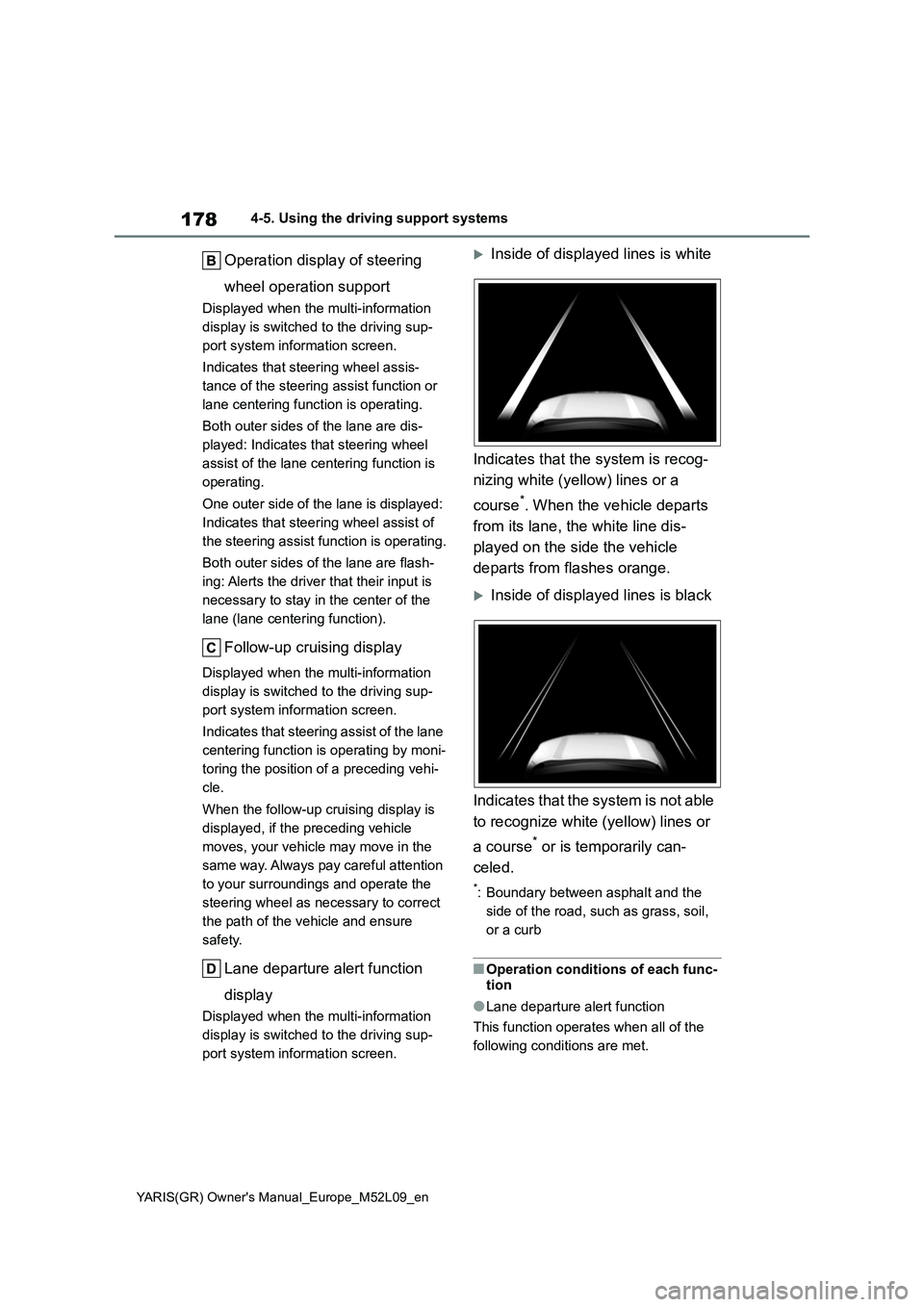
Operation display of steering
wheel operation support
Displayed when the multi-information
display is switched to the driving sup-
port system information screen.
Indicates that steering wheel assis-
tance of the steering assist function or
lane centering function is operating.
Both outer sides of the lane are dis-
played: Indicates that steering wheel
assist of the lane centering function is
operating.
One outer side of the lane is displayed:
Indicates that steering wheel assist of
the steering assist function is operating.
Both outer sides of the lane are flash-
ing: Alerts the driver that their input is
necessary to stay in the center of the
lane (lane centering function).
Follow-up cruising display
Displayed when the multi-information
display is switched to the driving sup-
port system information screen.
Indicates that steering assist of the lane
centering function is operating by moni-
toring the position of a preceding vehi-
cle.
When the follow-up cruising display is
displayed, if the preceding vehicle
moves, your vehicle may move in the
same way. Always pay careful attention
to your surroundings and operate the
steering wheel as necessary to correct
the path of the vehicle and ensure
safety.
Lane departure alert function
display
Displayed when the multi-information
display is switched to the driving sup-
port system information screen.
Inside of displayed lines is white
Indicates that the system is recog-
nizing white (yellow) lines or a
course
*. When the vehicle departs
from its lane, the white line dis-
played on the side the vehicle
departs from flashes orange.
Inside of displayed lines is black
Indicates that the system is not able
to recognize white (yellow) lines or
a course
* or is temporarily can-
celed.
*: Boundary between asphalt and the
side of the road, such as grass, soil,
or a curb
■Operation conditions of each func-
tion
●Lane departure alert function
This function operates when all of the
following conditions are met.
Page 181 of 458
179
4
YARIS(GR) Owner's Manual_Europe_M52L09_en
4-5. Using the driving support systems
Driving
• LTA is turned on.
• Vehicle speed is approximately 50
km/h (32 mph) or more.
*1
• System recognizes white (yellow) lane
lines or a course*2. (When a white
[yellow] line or course*2 is recognized
on only one side, the system will oper-
ate only for the recognized side.)
• Width of traffic lane is approximately 3
m (9.8 ft.) or more.
• Turn signal lever is not operated.
(Vehicle with BSM: Except when
another vehicle is in the lane on the side
where the turn signal was operated)
• Vehicle is not being driven around a
sharp curve.
• No system malfunctions are detected.
(→P.181)
*1: The function operates even if the
vehicle speed is less than approxi-
mately 50 km/h (32 mph) when the
lane centering function is operating.
*2: Boundary between asphalt and the
side of the road, such as grass, soil,
or a curb
●Steering assist function
This function operates when all of the
following conditions are met in addition
to the operation conditions for the lane
departure alert function.
• Vehicle is not accelerated or deceler-
ated by a fixed amount or more.
• Steering wheel is not operated with a
steering force level suitable for chang-
ing lanes.
• ABS, VSC, TRC and PCS are not
operating.
• TRC or VSC is not turned off.
• Hands off steering wheel warning is
not displayed. (→P.180)
●Vehicle sway warning function
This function operates when all of the
following conditions are met.
• Setting for “Sway Warning” in of
the multi-information display is set to
“ON”. (→P.361)• Vehicle speed is approximately 50
km/h (32 mph) or more.
• Width of traffic lane is approximately 3
m (9.8 ft.) or more.
• No system malfunctions are detected.
(→P.181)
●Lane centering function
This function operates when all of the
following conditions are met.
• LTA is turned on.
• Setting for “Lane Center” in of the
multi-information display is set to “ON”
(→P.361)
• This function recognizes white (yel-
low) lane lines or the position of a pre-
ceding vehicle (except when the
preceding vehicle is small, such as a
motorcycle).
• The dynamic radar cruise control is
operating in vehicle-to-vehicle dis-
tance control mode.
• Width of traffic lane is approximately 3
to 4 m (10 to 13 ft.).
• Turn signal lever is not operated.
• Vehicle is not being driven around a
sharp curve.
• No system malfunctions are detected.
(→P.181)
• Vehicle does not accelerate or decel-
erate by a fixed amount or more.
• Steering wheel is not operated with a
steering force level suitable for chang-
ing lanes.
• ABS, VSC, TRC and PCS are not
operating.
• TRC or VSC is not turned off.
• Hands off steering wheel warning is
not displayed. (→P.180)
• The vehicle is being driven in the
center of a lane.
• Steering assist function is not operat-
ing.
■Temporary cancelation of functions
●When operation conditions are no lon-
ger met, a function may be temporar-
ily canceled. However, when the
operation conditions are met again,
operation of the function is automati-
cally restored. (→P.178)
Page 182 of 458
180
YARIS(GR) Owner's Manual_Europe_M52L09_en
4-5. Using the driving support systems
●If the operation conditions (→P.178)
are no longer met while the lane cen-
tering function is operating, the buzzer
may sound to indicate that the func-
tion has been temporarily canceled.
■Steering assist function/lane cen-
tering function
●Depending on the vehicle speed, lane
departure situation, road conditions,
etc., the driver may not feel the func-
tion is operating or the function may
not operate at all.
●The steering control of the function is
overridden by the driver’s steering
wheel operation.
●Do not attempt to test the operation of
the steering assist function.
■Lane departure alert function
●The warning buzzer may be difficult to
hear due to external noise, audio play-
back, etc.
●If the edge of the course* is not clear
or straight, the lane departure alert
function may not operate.
●Vehicle with BSM: It may not be possi-
ble for the system to determine if there
is a danger of a collision with a vehicle
in an adjacent lane.
●Do not attempt to test the operation of
the lane departure alert function.
*: Boundary between asphalt and the
side of the road, such as grass, soil,
or a curb
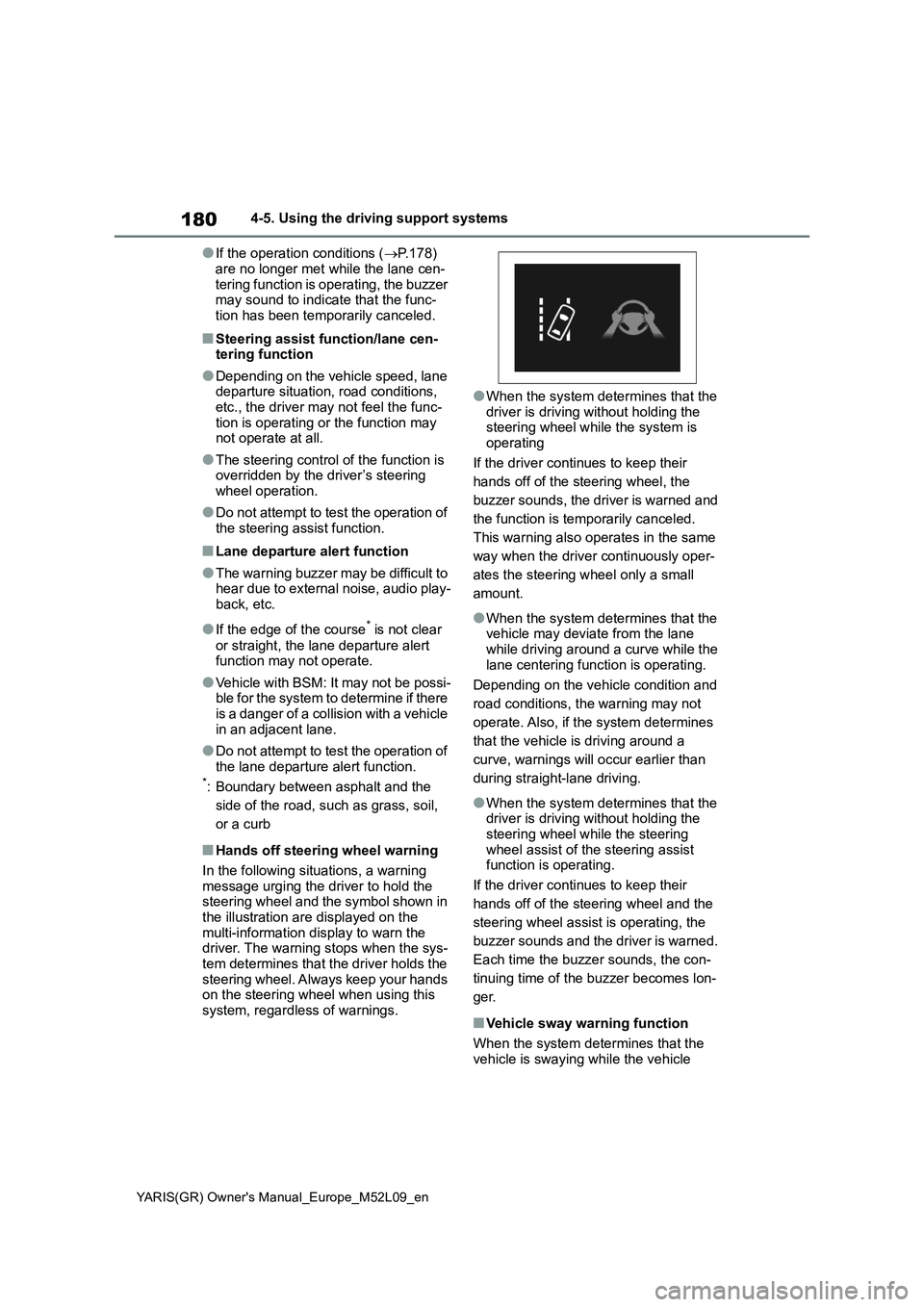
■Hands off steering wheel warning
In the following situations, a warning
message urging the driver to hold the
steering wheel and the symbol shown in
the illustration are displayed on the
multi-information display to warn the
driver. The warning stops when the sys-
tem determines that the driver holds the
steering wheel. Always keep your hands
on the steering wheel when using this
system, regardless of warnings.
●When the system determines that the
driver is driving without holding the
steering wheel while the system is
operating
If the driver continues to keep their
hands off of the steering wheel, the
buzzer sounds, the driver is warned and
the function is temporarily canceled.
This warning also operates in the same
way when the driver continuously oper-
ates the steering wheel only a small
amount.
●When the system determines that the
vehicle may deviate from the lane
while driving around a curve while the
lane centering function is operating.
Depending on the vehicle condition and
road conditions, the warning may not
operate. Also, if the system determines
that the vehicle is driving around a
curve, warnings will occur earlier than
during straight-lane driving.
●When the system determines that the
driver is driving without holding the
steering wheel while the steering
wheel assist of the steering assist
function is operating.
If the driver continues to keep their
hands off of the steering wheel and the
steering wheel assist is operating, the
buzzer sounds and the driver is warned.
Each time the buzzer sounds, the con-
tinuing time of the buzzer becomes lon-
ger.
■Vehicle sway warning function
When the system determines that the
vehicle is swaying while the vehicle
Page 192 of 458
190
YARIS(GR) Owner's Manual_Europe_M52L09_en
4-5. Using the driving support systems
matically canceled in the following situa-
tions:
●Actual vehicle speed is more than
approximately 16 km/h (10 mph)
below the set vehicle speed.
●Actual vehicle speed falls below
approximately 30 km/h (20 mph).
●VSC is activated.
●TRC is activated for a period of time.
●When the VSC or TRC system is
turned off.
●Pre-collision braking is activated.
●When the shift lever is in N or the
clutch pedal is depressed for a certain
amount of time or more.
●The parking brake is operated.
If constant speed control mode is auto-
matically canceled for any reasons other
than the above, there may be a malfunc-
tion in the system. Contact any autho-
rized Toyota retailer or Toyota
authorized repairer, or any reliable
repairer.
■The Dynamic Radar Cruise Control
with Road Sign Assist may not
operate properly when
As the Dynamic Radar Cruise Control
with Road Sign Assist may not operate
properly in conditions in which RSA may
not operate or detect correctly
(→P.194), when using this function,
make sure to check the speed limit sign
displayed.
In the following situations, the set speed
may not be changed to the recognized
speed limit by pressing and holding the
“+RES”/“-SET” switch.
●If speed limit information is not avail-
able
●When the recognized speed limit is
the same as the set speed
●When the recognized speed limit is
outside of the speed range that the
dynamic radar cruise control system
can operate
■Brake operation
A brake operation sound may be heard
and the brake pedal response may
change, but these are not malfunctions.
■Warning messages and buzzers for
dynamic radar cruise control
Warning messages and buzzers are
used to indicate a system malfunction or
to inform the driver of the need for cau-
tion while driving. If a warning message
is shown on the multi-information dis-
play, read the message and follow the
instructions. (→P.158, 323)
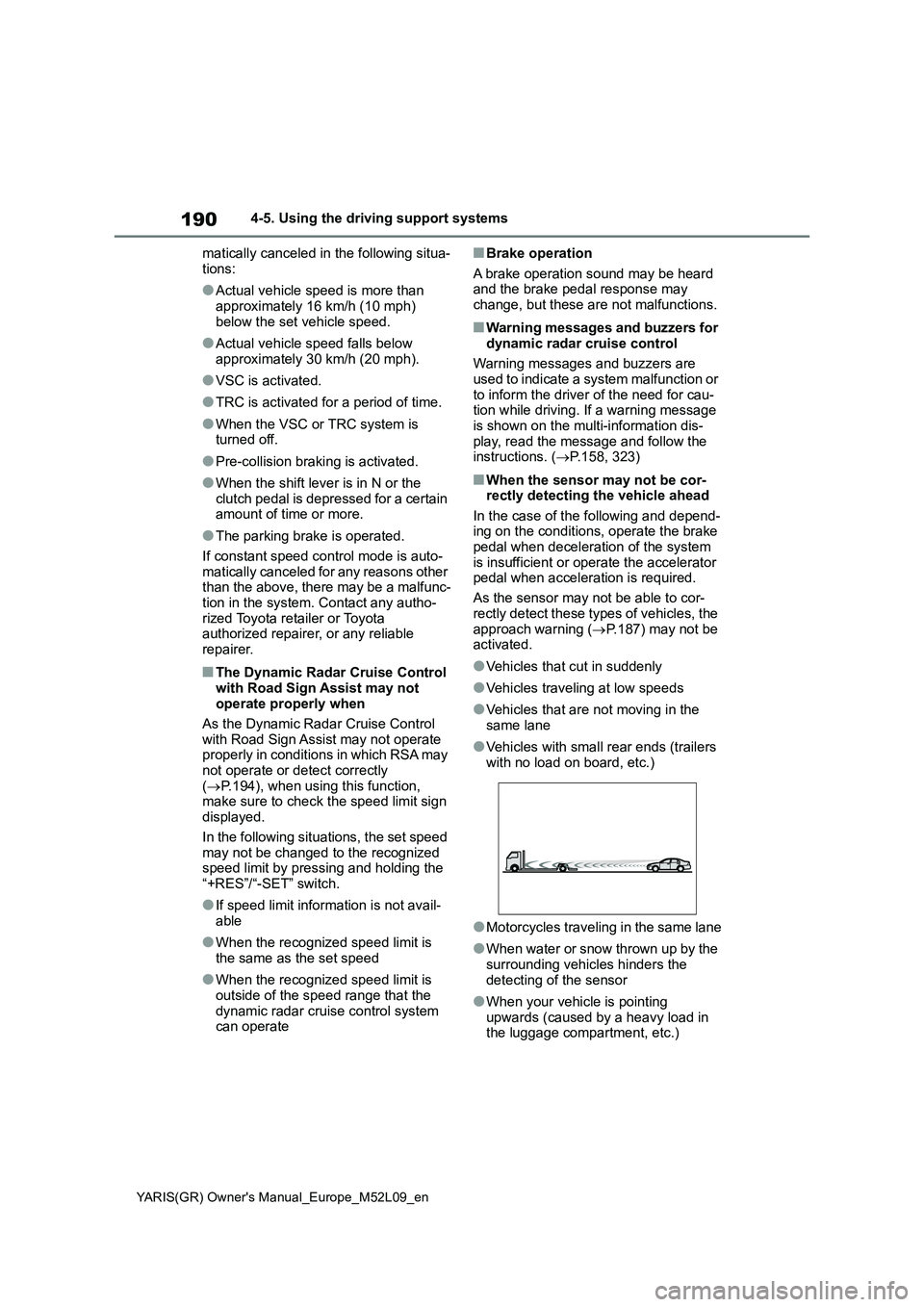
■When the sensor may not be cor-
rectly detecting the vehicle ahead
In the case of the following and depend-
ing on the conditions, operate the brake
pedal when deceleration of the system
is insufficient or operate the accelerator
pedal when acceleration is required.
As the sensor may not be able to cor-
rectly detect these types of vehicles, the
approach warning (→P.187) may not be
activated.
●Vehicles that cut in suddenly
●Vehicles traveling at low speeds
●Vehicles that are not moving in the
same lane
●Vehicles with small rear ends (trailers
with no load on board, etc.)
●Motorcycles traveling in the same lane
●When water or snow thrown up by the
surrounding vehicles hinders the
detecting of the sensor
●When your vehicle is pointing
upwards (caused by a heavy load in
the luggage compartment, etc.)