audio TOYOTA HIGHLANDER 2020 Owners Manual (in English)
[x] Cancel search | Manufacturer: TOYOTA, Model Year: 2020, Model line: HIGHLANDER, Model: TOYOTA HIGHLANDER 2020Pages: 560, PDF Size: 14.42 MB
Page 15 of 560
15Pictorial index
HIGHLANDER_U
Turn signal lever................................................................. P.208
Headlight switch ................................................................ P.214
Headlights/side marker lights/park ing lights/tail lights/license plate
lights/daytime running lights ................................................. P.214
Front fog lights
*1................................................................... P.220
Windshield wiper and washer switch....................... P.220, 223
Usage........................................................................... P.220, 223
Adding washer fluid .............................................................. P.410
Warning messages .............................................................. P.460
Emergency flasher switch ................................................. P.442
Hood lock releas e lever .............................................. ....... P.402
Tilt and telescopic steering lo ck release lever ................ P.150
Adjustment ........................................................................... P.150
Air conditioning system ................................. ........... P.328, 333
Usage........................................................................... P.328, 333
Rear window defogger ................................................. P.329, 335
Windshield wiper de-icer
*1........................................... P.330, 335
Audio system
*2
Fuel filler door opener switch ........................................... P.225
*1: If equipped
*2: Refer to “NAVIGATION AND MU LTIMEDIA SYSTEM OWNER’S MAN-
UAL”.
Page 17 of 560
17Pictorial index
HIGHLANDER_U
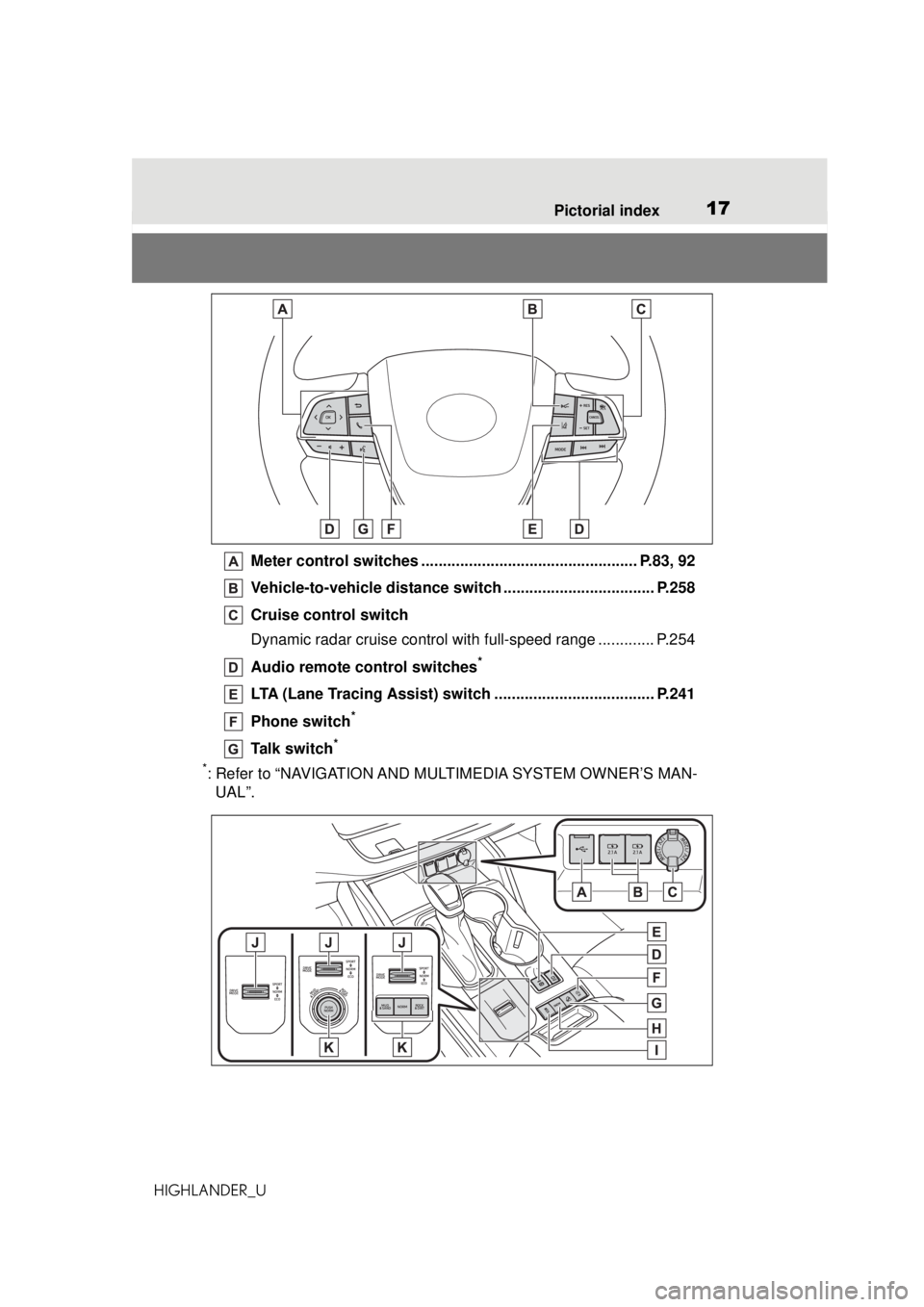
Meter control switches ............... ................................... P.83, 92
Vehicle-to-vehicle distance swit ch ................................... P.258
Cruise control switch
Dynamic radar cruise control wit h full-speed range ............. P.254
Audio remote control switches
*
LTA (Lane Tracing Assist) switch ..................................... P.241
Phone switch
*
Talk switch*
*
: Refer to “NAVIGATION AND MULTIMEDIA SYSTEM OWNER’S MAN- UAL”.
Page 82 of 560
822-1. Instrument cluster
HIGHLANDER_UThis image is for example only, and
may differ from the actual vehicle.
1
Darker
2 Brighter
■Brightness of the meters (day
mode and night mode)
The brightness of the meters is
changed between day mode and
night mode.
●Day mode: When the surrounding
area is bright
●Night mode: When the surround-
ing area is dark
The clocks can be adjusted on
the audio system screen.
Refer to “NAVIGATION AND
MULTIMEDIA SYSTEM
OWNER’S MANUAL”.
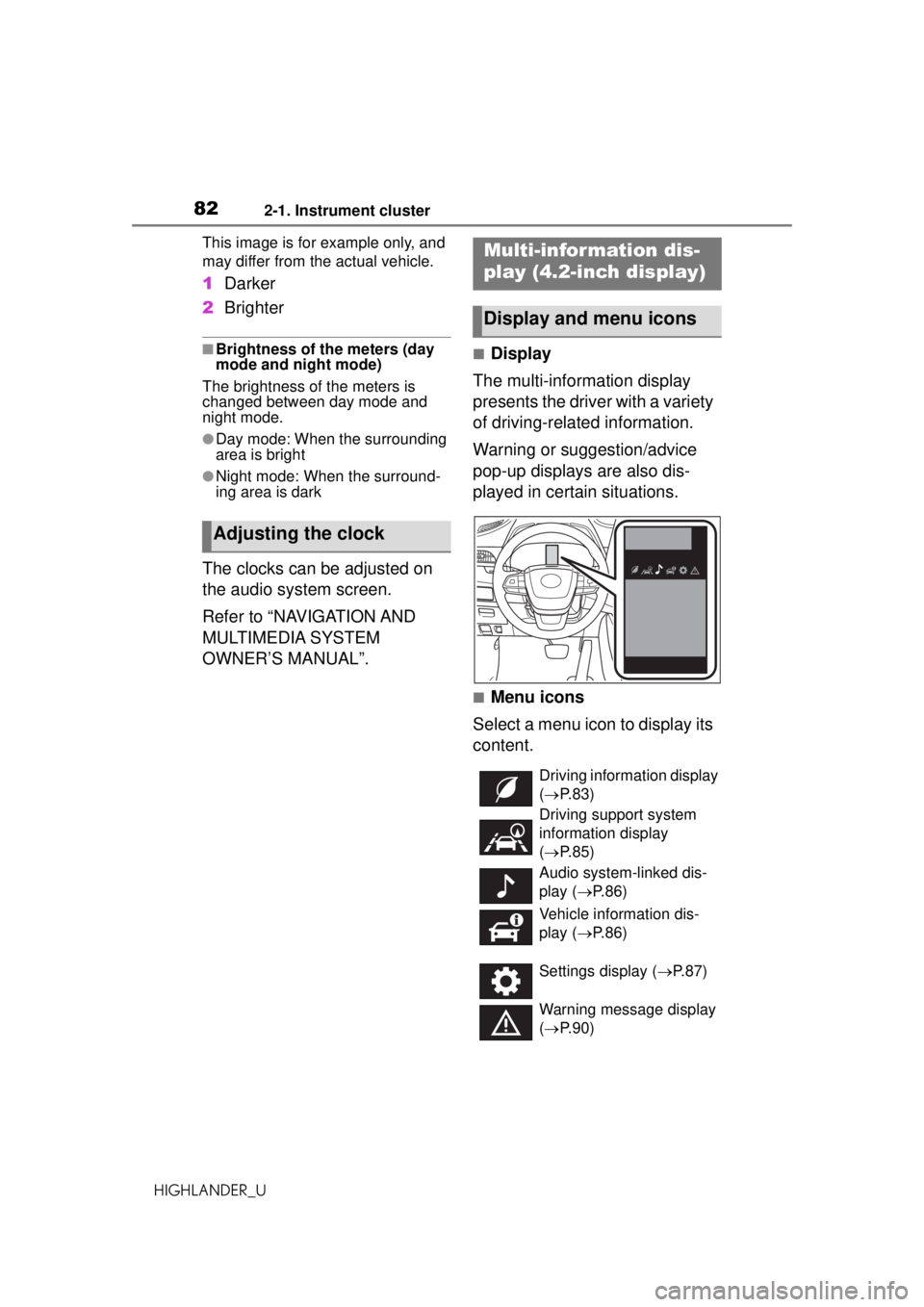
■Display
The multi-information display
presents the driver with a variety
of driving-related information.
Warning or suggestion/advice
pop-up displays are also dis-
played in certain situations.
■Menu icons
Select a menu icon to display its
content.
Adjusting the clock
Multi-infor mation dis-
play (4.2-inch display)
Display and menu icons
Driving information display
( P. 8 3 )
Driving support system
information display
( P. 8 5 )
Audio system-linked dis-
play ( P. 8 6 )
Vehicle information dis-
play ( P. 8 6 )
Settings display ( P.87)
Warning message display
( P. 9 0 )
Page 86 of 560
862-1. Instrument cluster
HIGHLANDER_U
Dynamic radar cruise control
with full-speed range
( P.254)
■Navigation system-linked
display (if equipped)
Select to display the following
navigation system-linked infor-
mation:
Route guidance to destination
Compass display (head-
ing-up display)
■Route guidance to destination
display
When the route guidance to destina-
tion display is enabled on the
head-up display, it will not be dis-
played on the multi-information dis-
play. ( P.103)
Select to enable selection of an
audio source or track on the
meter using the meter control
switches.
This menu icon can be set to be
displayed/not displayed in .
■Drive information
2 items that are selected using
the “Drive Info Items” setting
(average speed, distance and
total time) can be displayed ver-
tically. The displayed information
changes according to the “Drive
Info Type” setting (since the sys-
tem was started or between
resets). (
P. 8 7 )
Use the displayed information
as a reference only.
Following items will be dis-
played.
“Trip”
• “Average Speed”: Displays the
average vehicle speed since
engine start
*
• “Distance”: Displays the distance
driven since engine start
*
• “Total Time”: Displays the elapsed time since engine start
*
*
: These items are reset each time the engine stops.
“Total”
• “Average Speed”: Displays the
average vehicle speed since the
display was reset
*
• “Distance”: Displays the distance driven since the display was
reset
*
• “Total Time”: Displays the elapsed
time since the display was reset
*
*
: To reset, display the desired item and press and hold .
■Tire pressure
P.414
Audio system-linked dis-
play ( )
Vehicle information dis-
play ( )
Page 90 of 560
902-1. Instrument cluster
HIGHLANDER_U
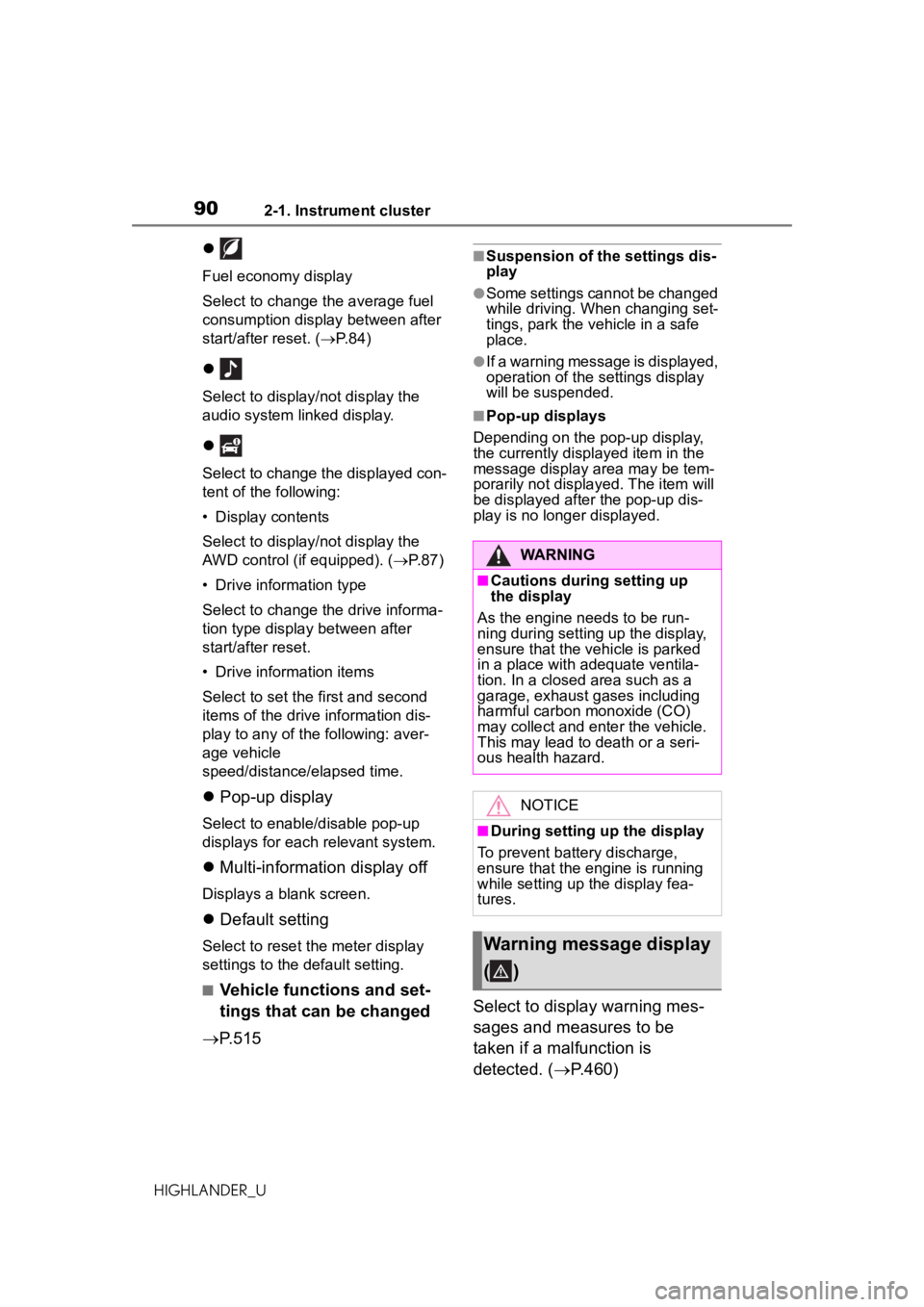
Fuel economy display
Select to change the average fuel
consumption display between after
start/after reset. (P. 8 4 )
Select to display/not display the
audio system linked display.
Select to change the displayed con-
tent of the following:
• Display contents
Select to display/not display the
AWD control (if equipped). ( P. 8 7 )
• Drive information type
Select to change the drive informa-
tion type display between after
start/after reset.
• Drive information items
Select to set the first and second
items of the drive information dis-
play to any of the following: aver-
age vehicle
speed/distance/elapsed time.
Pop-up display
Select to enable/disable pop-up
displays for each relevant system.
Multi-information display off
Displays a blank screen.
Default setting
Select to reset the meter display
settings to the default setting.
■Vehicle functions and set-
tings that can be changed
P.515
■Suspension of the settings dis-
play
●Some settings cannot be changed
while driving. When changing set-
tings, park the vehicle in a safe
place.
●If a warning message is displayed,
operation of the settings display
will be suspended.
■Pop-up displays
Depending on the pop-up display,
the currently displayed item in the
message display area may be tem-
porarily not displayed. The item will
be displayed after the pop-up dis-
play is no longer displayed.
Select to display warning mes-
sages and measures to be
taken if a malfunction is
detected. ( P.460)
WARNING
■Cautions during setting up
the display
As the engine needs to be run-
ning during setting up the display,
ensure that the vehicle is parked
in a place with adequate ventila-
tion. In a closed area such as a
garage, exhaust gases including
harmful carbon monoxide (CO)
may collect and enter the vehicle.
This may lead to death or a seri-
ous health hazard.
NOTICE
■During setting up the display
To prevent battery discharge,
ensure that the engine is running
while setting up the display fea-
tures.
Warning message display
()
Page 91 of 560
912-1. Instrument cluster
HIGHLANDER_U
2
Vehicle status information and indicators
Displays suggestions to the
driver in the following situations.
To select a response to a dis-
played suggestion, use the
meter control switches.
■Suggestion to turn off the
headlights
If the headlights are left on for a
certain amount of time after the
engine switch has been turned
off, if the headlight switch is in
the “AUTO” position, a sugges-
tion message will be displayed
asking if you wish to turn the
headlights off.
To turn the headlights off, select
“Yes”.
If the driver's door is opened after
the engine switch is turned off, this
suggestion message will not be dis-
played.
■Customization
Some functions can be customized.
( P.515)
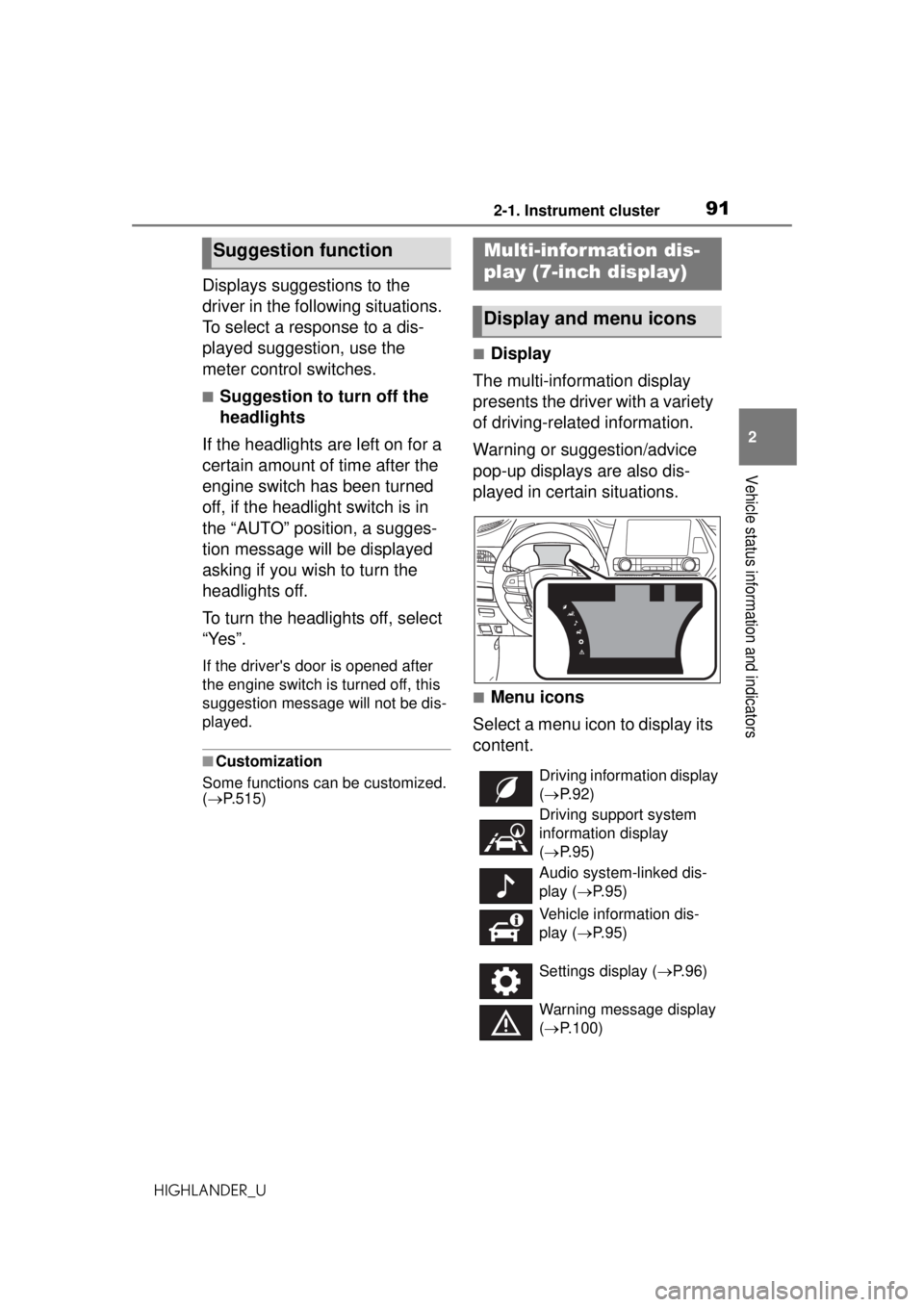
■Display
The multi-information display
presents the driver with a variety
of driving-related information.
Warning or suggestion/advice
pop-up displays are also dis-
played in certain situations.
■Menu icons
Select a menu icon to display its
content.
Suggestion functionMulti-infor mation dis-
play (7-inch display)
Display and menu icons
Driving information display
( P. 9 2 )
Driving support system
information display
( P. 9 5 )
Audio system-linked dis-
play ( P. 9 5 )
Vehicle information dis-
play ( P. 9 5 )
Settings display ( P.96)
Warning message display
( P.100)
Page 95 of 560
952-1. Instrument cluster
HIGHLANDER_U
2
Vehicle status information and indicators
When “Refuel” is displayed, the
remaining fuel amount is low and
the distance that can be driven with
the remaining fuel cannot be calcu-
lated.
Refuel immediately.
■Eco Driving Indicator
Eco Driving Indicator will not oper-
ate under the following conditions:
●The shift lever is in any position
other than D.
●The driving mode is set to sport
mode.
●The vehicle speed is approxi-
mately 80 mph (130 km/h) or
higher.
■Driving support system
information
Select to display the operational
status of the following systems:
LTA (Lane Tracing Assist)
( P.241)
RSA (Road Sign Assist) (if
equipped) ( P.251)
Dynamic radar cruise control
with full-speed range
( P.254)
■Navigation system-linked
display (if equipped)
Select to display the following
navigation system-linked infor-
mation:
Route guidance to destination
Compass display (head-
ing-up display)
■Route guidance to destination
display
When the route guidance to destina-
tion display is enabled on the
head-up display, it will not be dis-
played on the multi-information dis-
play. ( P.103)
Select to enable selection of an
audio source or track on the
meter using the meter control
switches.
This menu icon can be set to be
displayed/not displayed in .
■Tire pressure
P.414
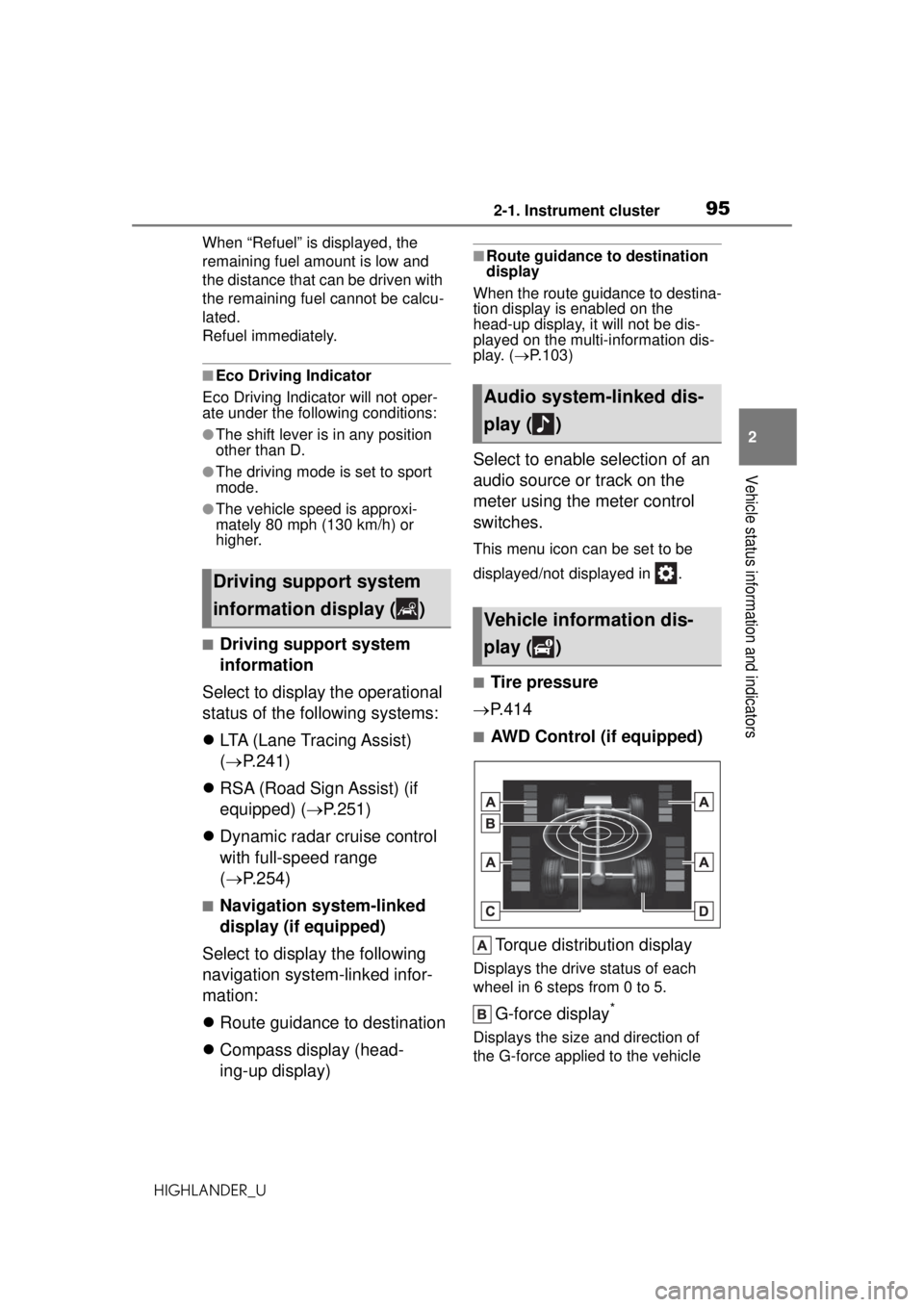
■AWD Control (if equipped)
Torque distribution display
Displays the drive status of each
wheel in 6 steps from 0 to 5.
G-force display*
Displays the size and direction of
the G-force applied to the vehicle
Driving support system
information display ( )
Audio system-linked dis-
play ( )
Vehicle information dis-
play ( )
Page 102 of 560
1022-1. Instrument cluster
HIGHLANDER_U
Message display area (P.105)
The following pop-up displays will be displayed in certain situations:
• Warning/message
• Hands-free system status
• Audio system operation status
■Head-up display will operate
when
The engine switch is in ON.
■When using the head-up dis-
play
The head-up display may seem
dark or hard to see when viewed
through sunglasses, especially
polarized sunglasses. Adjust the
brightness of the head-up display or
remove your sunglasses.
■Outside temperature display
If the outside temperature becomes
approximately 37°F (3°C) or lower,
the low outside temperature indica-
tor will flash for 10 seconds then the
low outside temperature indicator
and outside temperature display will
turn off. The low outside tempera-
ture indicator will operate again if
the outside temperature becomes
approximately 41°F (5°C) or more
and then decreases to 37°F (3°C) or
lower.
■Changing settings of the
head-up display
Select on the multi-informa-
WARNING
■Before using the head-up dis-
play
●Check that the position and
brightness of the head-up dis-
play image does not interfere
with safe driving. Incorrect
adjustment of the image’s posi-
tion or brightness may obstruct
the driver’s view and lead to an
accident, resulting in death or
serious injury.
●Do not continuously look at the
head-up display while driving as
you may fail to see pedestrians,
objects on the road, etc. ahead
of the vehicle.
NOTICE
■To prevent damage to compo-
nents
●Do not place any drinks near
the head-up display projector. If
the projector gets wet, electrical
malfunctions may result.
●Do not place anything on or put
stickers onto the head-up dis-
play projector. Doing so could
interrupt head-up display indica-
tions.
●Do not touch the inside of the
head-up display projector or
thrust sharp edges or the like
into the projector. Doing so
could cause mechanical mal-
functions.
Using the head -up display
Page 103 of 560
1032-1. Instrument cluster
HIGHLANDER_U
2
Vehicle status information and indicators
tion display ( P.515) and then
.
■Enabling/disabling the
head-up display
Press to enable/disable the
head-up display.
■Changing the head-up dis-
play settings
Press and hold to display the
following settings.
“HUD Brightness/Position”
Select to adjust the brightness and
vertical position of the head-up dis-
play.
“HUD Driving Support”
• Tachometer Settings
Blank/Eco Indicator/Tachometer
Select to change the display to
blank (no display)/Eco Driving Indi-
cator/tachometer.
Select to enable/d isable the follow-
ing items:
• Navigation (if equipped)
• Driving Assist
• Compass (if equipped)
• Audio
“HUD Rotation”
Select to adjust the angle of the
head-up display.
Press the or switch to
adjust the angle of the head-up dis-
play.
■Enabling/disabling of the
head-up display
If the head-up display is disabled, it will remain disabled when the
engine switch is turned off then back
to ON.
■Display brightness
The brightness of the head-up dis-
play can be adjusted on of the
multi-information disp lay. Also, it is
automatically adjusted according to
the ambient brightness.
■Automatic adjustment of the
head-up display position (vehi-
cles with driving position mem-
ory)
A desired head-up display position
can be entered to memory and
recalled automatically by the driving
position memory system. ( P.144)
■When the battery is discon-
nected
The customize settings of the
head-up display will be reset.
■Customization
Some functions can be customized.
( P.515)
WARNING
■Caution for changing settings
of the head-up display
As the engine needs to be run-
ning while changing the settings
of the head-up display, ensure
that the vehicle is parked in a
place with adequate ventilation. In
a closed area such as a garage,
exhaust gases including harmful
carbon monoxide (CO) may col-
lect and enter the vehicle. This
may lead to death or a serious
health hazard.
Page 105 of 560
1052-1. Instrument cluster
HIGHLANDER_U
2
Vehicle status information and indicators
■Street name display (vehicles
with a navigation system)
Depending on the situation, such as
when no information is available in
map data, etc., the street names of
an intersection may not be dis-
played.
Displays the operational status
of the following systems:
LTA (Lane Tracing Assist)
( P.241)
Dynamic radar cruise control
with full-speed range
( P.254)
PCS (Pre-Collision System)
( P.233)
Parking Support Brake func-
tion (for static objects) (if
equipped) ( P.296)
Intuitive parking assist (if
equipped) ( P.276)
Drive-Start Control ( P.178)
Brake Override System
( P.178)
Displayed content is the same as
that displayed on the multi-informa-
tion display. For details, refer to the
explanations of each system.
Displays the following
multi-information display linked
icons and a message: : Master warning icon
Displayed when a warning mes-
sage is displayed
on the multi-infor-
mation display. ( P.460)
: Information icon
Displayed when a sugges-
tion/advice pop-up display is dis-
played on the multi-information
display. ( P.91, 100)
Depending on the situation, the
following will be displayed:
■Warning/Message
Depending on the situation, a
warning message or other mes-
sage will be displayed.
Warning messages
Certain warning messages can be
displayed.
Pop-up displays
When the driving assist system
operates, some of the information
displayed on the multi-information
display will be displayed on the
head-up display as a pop-up dis-
play.
■Hands-free system status
Displayed when the hands-free
system is operated.
(Refer to “NAVIGATION AND
MULTIMEDIA SYSTEM
OWNER’S MANUAL”.)
■Audio system operation
status
Displayed when the audio sys-
Driving assist system sta-
tus display area
/ icons
Message display area