battery TOYOTA HIGHLANDER 2020 Owners Manual (in English)
[x] Cancel search | Manufacturer: TOYOTA, Model Year: 2020, Model line: HIGHLANDER, Model: TOYOTA HIGHLANDER 2020Pages: 560, PDF Size: 14.42 MB
Page 1 of 560
1
2
3
4
5
6
7
8
9
9
HIGHLANDER_U
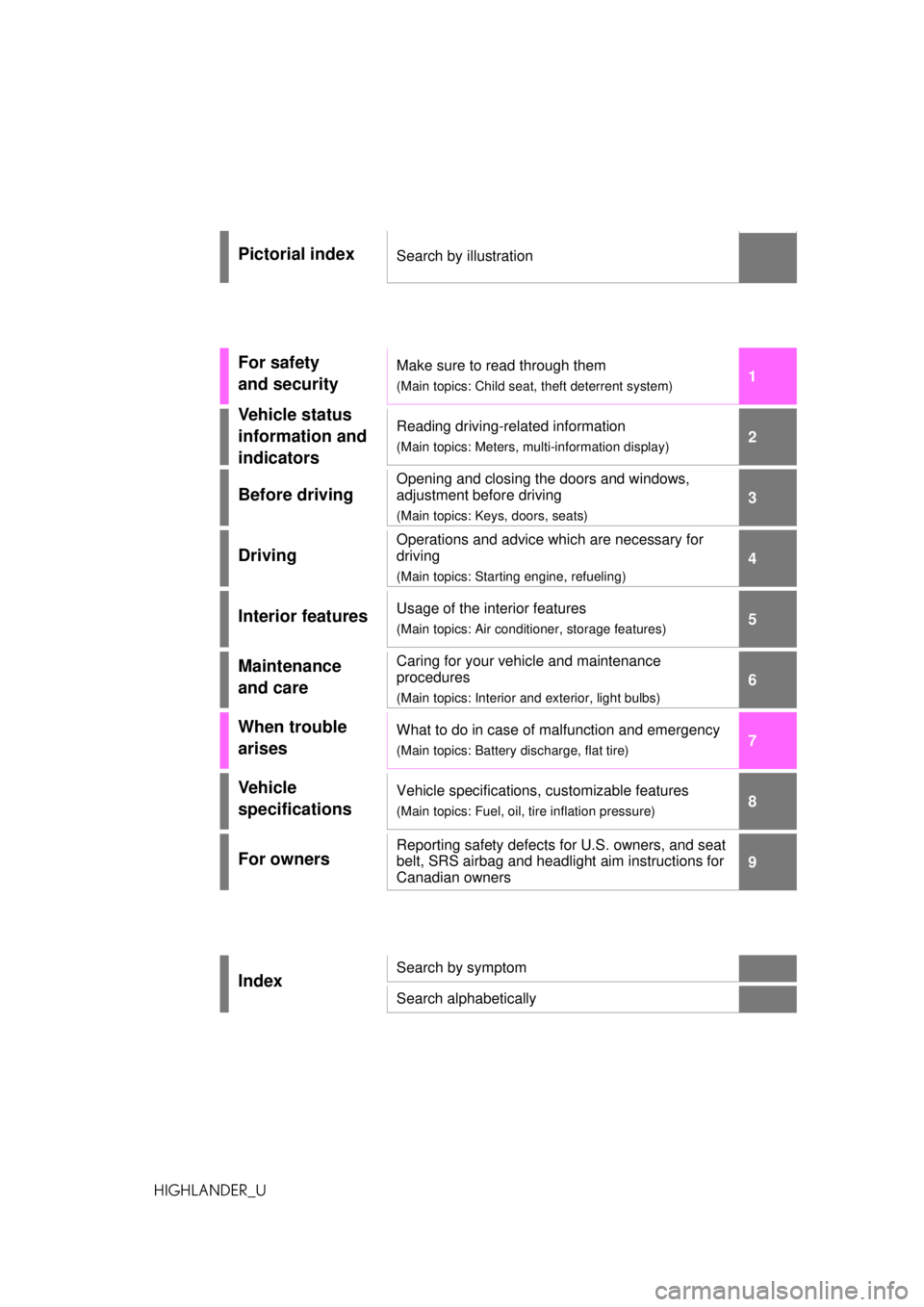
Pictorial indexSearch by illustration
For safety
and securityMake sure to read through them
(Main topics: Child seat, theft deterrent system)
Vehicle status
information and
indicatorsReading driving-related information
(Main topics: Meters, multi-information display)
Before driving
Opening and closing the doors and windows,
adjustment before driving
(Main topics: Keys, doors, seats)
Driving
Operations and advice which are necessary for
driving
(Main topics: Starting engine, refueling)
Interior featuresUsage of the interior features
(Main topics: Air conditioner, storage features)
Maintenance
and careCaring for your vehicle and maintenance
procedures
(Main topics: Interior and exterior, light bulbs)
When trouble
arisesWhat to do in case of malfunction and emergency
(Main topics: Battery discharge, flat tire)
Vehicle
specificationsVehicle specifications, customizable features
(Main topics: Fuel, oil, tire inflation pressure)
For ownersReporting safety defects for U.S. owners, and seat
belt, SRS airbag and headlight aim instructions for
Canadian owners
IndexSearch by symptom
Search alphabetically
Page 4 of 560
4TABLE OF CONTENTS
HIGHLANDER_U
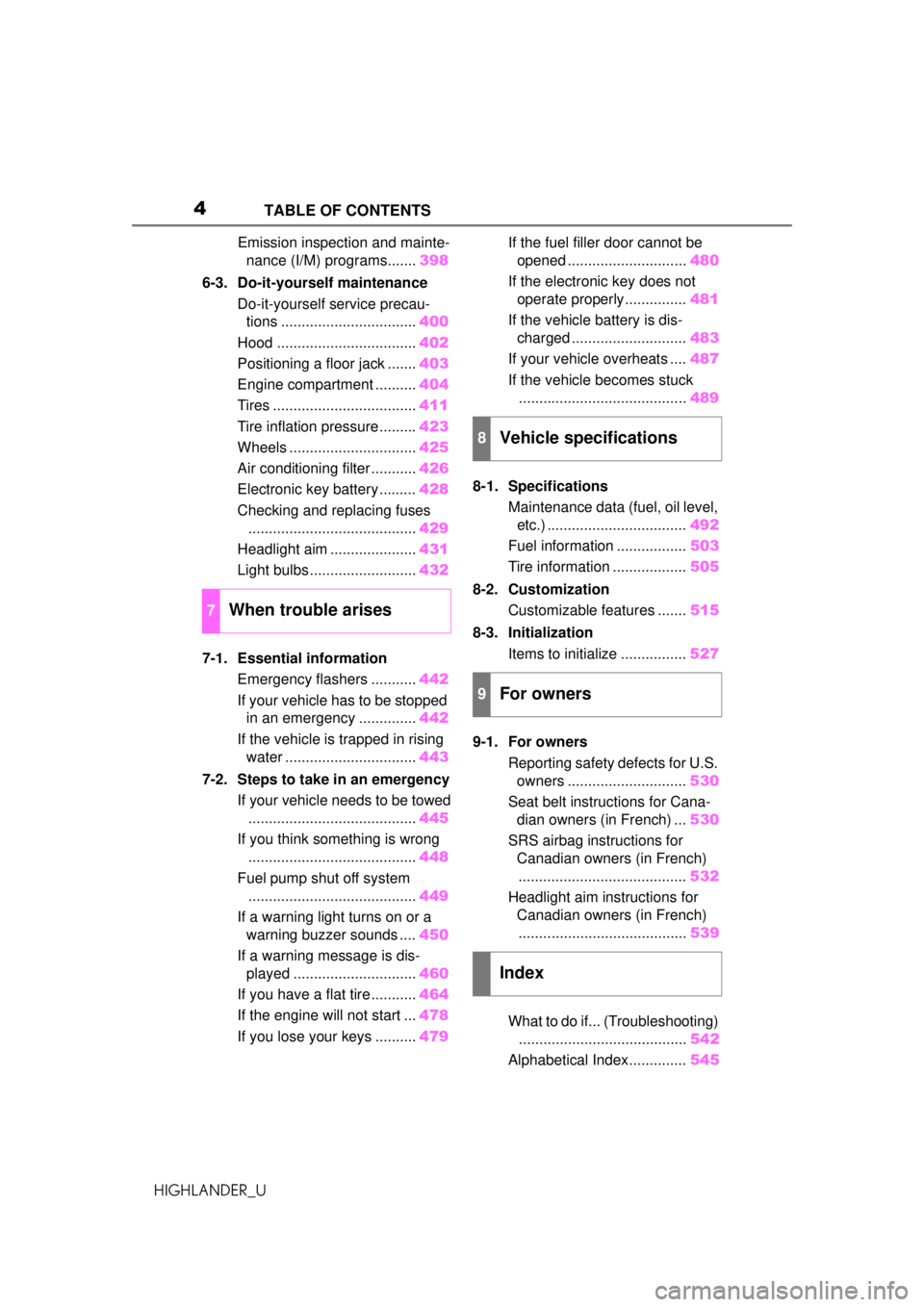
Emission inspection and mainte-nance (I/M) programs....... 398
6-3. Do-it-yourself maintenance Do-it-yourself service precau-tions ................................. 400
Hood .................................. 402
Positioning a floor jack ....... 403
Engine compartment .......... 404
Tires ................................... 411
Tire inflation pressure......... 423
Wheels ............................... 425
Air conditioning filter ........... 426
Electronic key battery ......... 428
Checking and replacing fuses ......................................... 429
Headlight aim ..................... 431
Light bulbs .......................... 432
7-1. Essential information Emergency flashers ........... 442
If your vehicle has to be stopped in an emergency .............. 442
If the vehicle is trapped in rising water ................................ 443
7-2. Steps to take in an emergency If your vehicle needs to be towed......................................... 445
If you think something is wrong ......................................... 448
Fuel pump shut off system ......................................... 449
If a warning light turns on or a warning buzzer sounds .... 450
If a warning message is dis- played .............................. 460
If you have a flat tire ........... 464
If the engine will not start ... 478
If you lose your keys .......... 479If the fuel filler door cannot be
opened ............................. 480
If the electronic key does not operate properly............... 481
If the vehicle battery is dis- charged ............................ 483
If your vehicle overheats .... 487
If the vehicle becomes stuck ......................................... 489
8-1. Specifications Maintenance data (fuel, oil level, etc.) .................................. 492
Fuel information ................. 503
Tire information .................. 505
8-2. Customization Customizable features ....... 515
8-3. Initialization Items to initialize ................ 527
9-1. For owners Reporting safety defects for U.S. owners ............................. 530
Seat belt instructions for Cana- dian owners (in French) ... 530
SRS airbag instructions for Canadian owners (in French)......................................... 532
Headlight aim instructions for Canadian owners (in French)
........ ................................. 53
9
What to do if... (Troubleshooting) ......................................... 542
Alphabetical Index.............. 545
7When trouble arises
8Vehicle specifications
9For owners
Index
Page 72 of 560
721-4. Theft deterrent system
HIGHLANDER_U
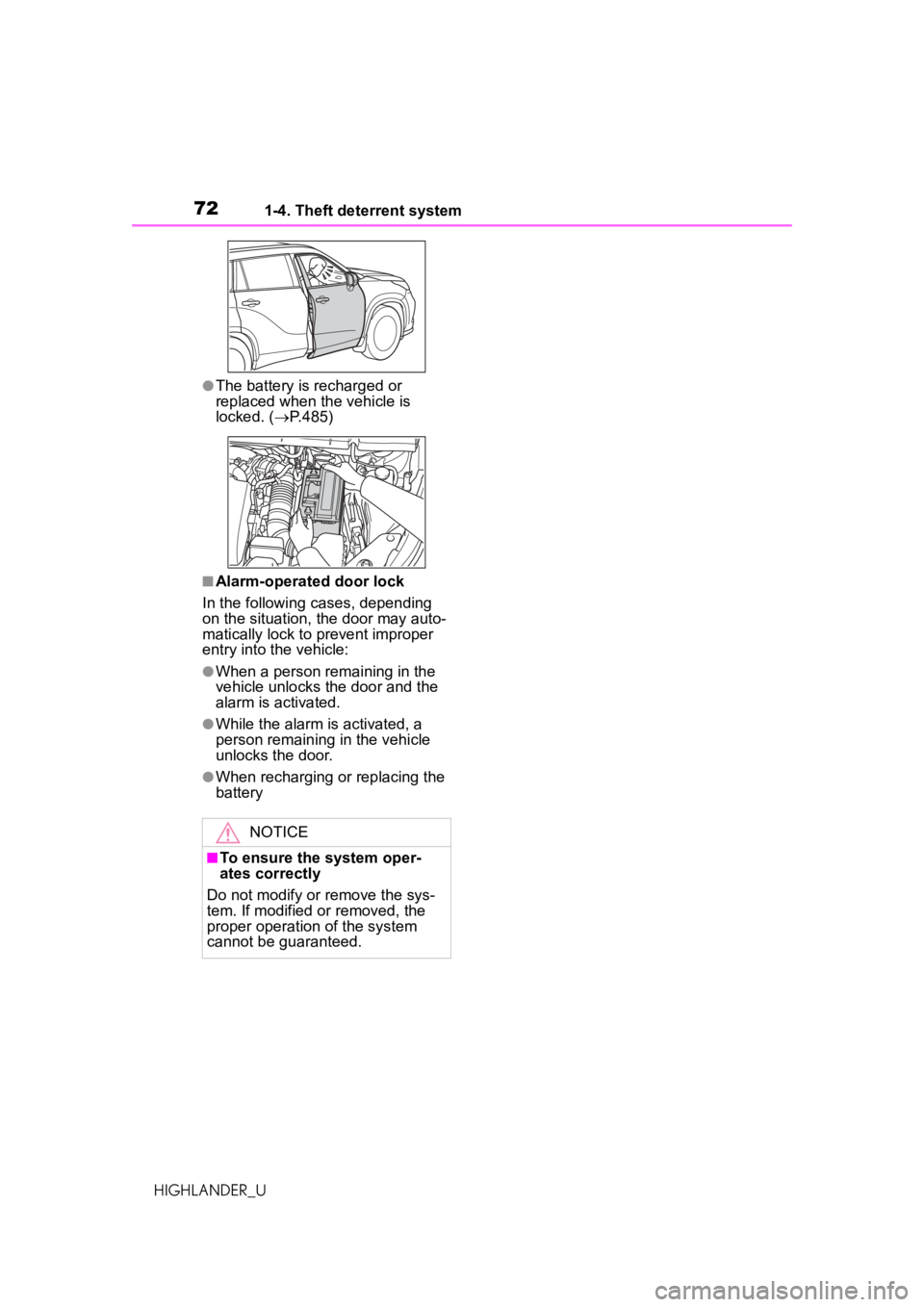
●The battery is recharged or
replaced when the vehicle
islocked.
( P.485)
■Alarm-operated door lock
In the following cases, depending
on the situation, the door may auto-
matically lock to prevent improper
entry into the vehicle:
●When a person remaining in the
v
ehicle unlocks the door and the
alarm is activated.
●While the alarm is activated, a
pe
rson remaining in the
vehicleun
locks the door.
●When recharging or replacing thebattery
NOTICE
■To ensure the system oper-
ates correctly
Do not modify or remove the sys-
tem. If modified or removed, the
proper operation of the system
cannot be guaranteed.
Page 90 of 560
902-1. Instrument cluster
HIGHLANDER_U
Fuel economy display
Select to change the average fuel
consumption display between after
start/after reset. (P. 8 4 )
Select to display/not display the
audio system linked display.
Select to change the displayed con-
tent of the following:
• Display contents
Select to display/not display the
AWD control (if equipped). ( P. 8 7 )
• Drive information type
Select to change the drive informa-
tion type display between after
start/after reset.
• Drive information items
Select to set the first and second
items of the drive information dis-
play to any of the following: aver-
age vehicle
speed/distance/elapsed time.
Pop-up display
Select to enable/disable pop-up
displays for each relevant system.
Multi-information display off
Displays a blank screen.
Default setting
Select to reset the meter display
settings to the default setting.
■Vehicle functions and set-
tings that can be changed
P.515
■Suspension of the settings dis-
play
●Some settings cannot be changed
while driving. When changing set-
tings, park the vehicle in a safe
place.
●If a warning message is displayed,
operation of the settings display
will be suspended.
■Pop-up displays
Depending on the pop-up display,
the currently displayed item in the
message display area may be tem-
porarily not displayed. The item will
be displayed after the pop-up dis-
play is no longer displayed.
Select to display warning mes-
sages and measures to be
taken if a malfunction is
detected. ( P.460)
WARNING
■Cautions during setting up
the display
As the engine needs to be run-
ning during setting up the display,
ensure that the vehicle is parked
in a place with adequate ventila-
tion. In a closed area such as a
garage, exhaust gases including
harmful carbon monoxide (CO)
may collect and enter the vehicle.
This may lead to death or a seri-
ous health hazard.
NOTICE
■During setting up the display
To prevent battery discharge,
ensure that the engine is running
while setting up the display fea-
tures.
Warning message display
()
Page 100 of 560
1002-1. Instrument cluster
HIGHLANDER_Uoperation of the settings display
will be suspended.
■Pop-up displays
Depending on the pop-up display,
the currently displayed item in the
message display area may be tem-
porarily not displayed. The item will
be displayed after the pop-up dis-
play is no longer displayed.
Select to display warning mes-
sages and measures to be
taken if a malfunction is
detected. ( P.460)
Displays suggestions to the
driver in the following situations.
To select a response to a dis- played suggestion, use the
meter control switches.
■Suggestion to turn off the
headlights
If the headlights are left on for a
certain amount of time after the
engine switch has been turned
off, if the headlight switch is in
the “AUTO” position, a sugges-
tion message will be displayed
asking if you wish to turn the
headlights off.
To turn the headlights off, select
“Yes”.
If the driver's door is opened after
the engine switch is turned off, this
suggestion message will not be dis-
played.
■Customization
Some functions can be customized.
( P.515)
WARNING
■Cautions during setting up
the display
As the engine needs to be run-
ning during setting up the display,
ensure that the vehicle is parked
in a place with adequate ventila-
tion. In a closed area such as a
garage, exhaust gases including
harmful carbon monoxide (CO)
may collect and enter the vehicle.
This may lead to death or a seri-
ous health hazard.
NOTICE
■During setting up the display
To prevent battery discharge,
ensure that the engine is running
while setting up the display fea-
tures.
Warning message display
()
Suggestion function
Page 103 of 560
1032-1. Instrument cluster
HIGHLANDER_U
2
Vehicle status information and indicators
tion display ( P.515) and then
.
■Enabling/disabling the
head-up display
Press to enable/disable the
head-up display.
■Changing the head-up dis-
play settings
Press and hold to display the
following settings.
“HUD Brightness/Position”
Select to adjust the brightness and
vertical position of the head-up dis-
play.
“HUD Driving Support”
• Tachometer Settings
Blank/Eco Indicator/Tachometer
Select to change the display to
blank (no display)/Eco Driving Indi-
cator/tachometer.
Select to enable/d isable the follow-
ing items:
• Navigation (if equipped)
• Driving Assist
• Compass (if equipped)
• Audio
“HUD Rotation”
Select to adjust the angle of the
head-up display.
Press the or switch to
adjust the angle of the head-up dis-
play.
■Enabling/disabling of the
head-up display
If the head-up display is disabled, it will remain disabled when the
engine switch is turned off then back
to ON.
■Display brightness
The brightness of the head-up dis-
play can be adjusted on of the
multi-information disp lay. Also, it is
automatically adjusted according to
the ambient brightness.
■Automatic adjustment of the
head-up display position (vehi-
cles with driving position mem-
ory)
A desired head-up display position
can be entered to memory and
recalled automatically by the driving
position memory system. ( P.144)
■When the battery is discon-
nected
The customize settings of the
head-up display will be reset.
■Customization
Some functions can be customized.
( P.515)
WARNING
■Caution for changing settings
of the head-up display
As the engine needs to be run-
ning while changing the settings
of the head-up display, ensure
that the vehicle is parked in a
place with adequate ventilation. In
a closed area such as a garage,
exhaust gases including harmful
carbon monoxide (CO) may col-
lect and enter the vehicle. This
may lead to death or a serious
health hazard.
Page 104 of 560
1042-1. Instrument cluster
HIGHLANDER_U
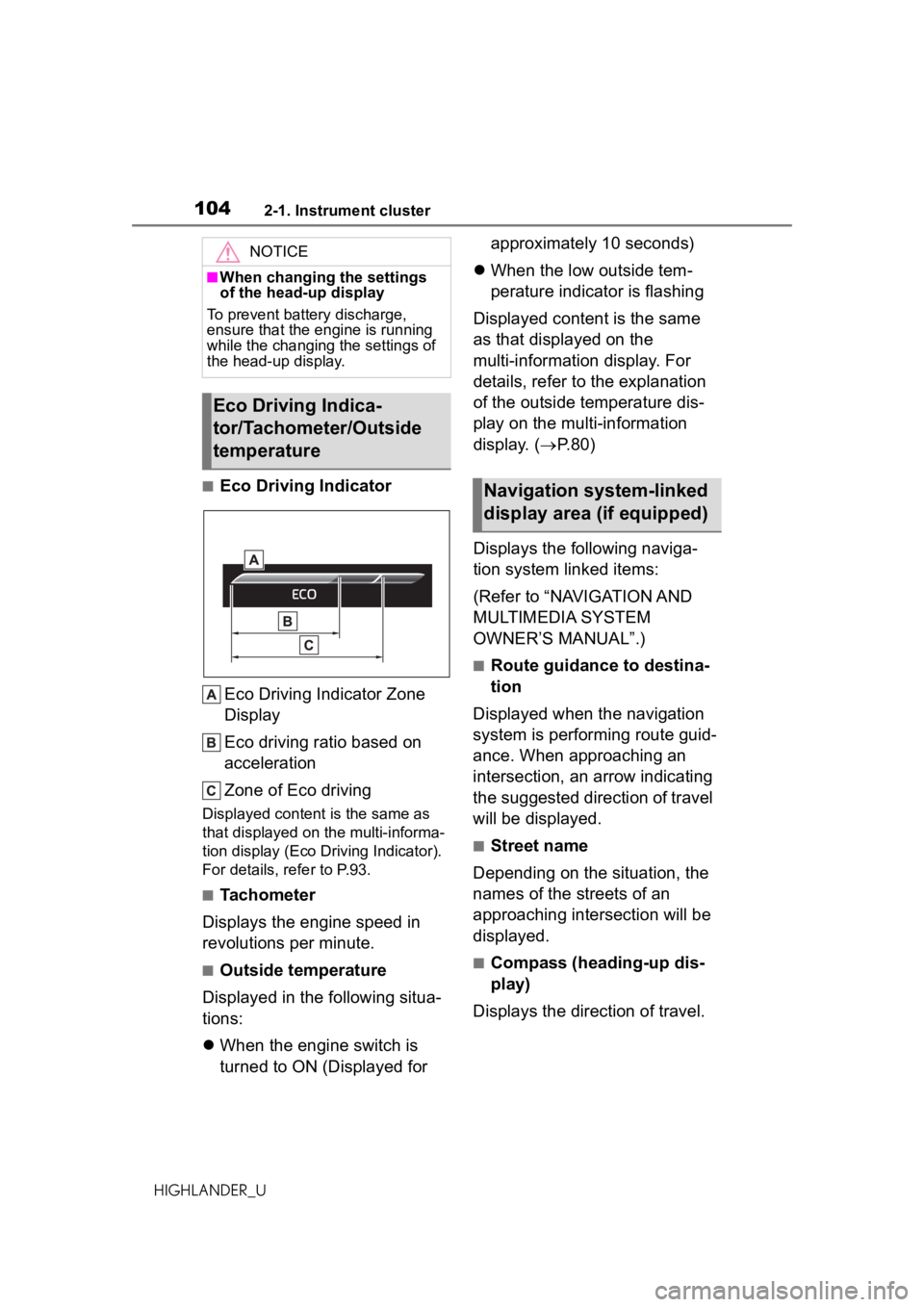
■Eco Driving IndicatorEco Driving Indicator Zone
Display
Eco driving ratio based on
acceleration
Zone of Eco driving
Displayed content is the same as
that displayed on the multi-informa-
tion display (Eco Driving Indicator).
For details, re fer to P.93.
■Tachometer
Displays the engine speed in
revolutions per minute.
■Outside temperature
Displayed in the following situa-
tions:
When the engine switch is
turned to ON (Displayed for approximately 10 seconds)
When the low outside tem-
perature indicator is flashing
Displayed content is the same
as that displayed on the
multi-information display. For
details, refer to the explanation
of the outside temperature dis-
play on the multi-information
display. ( P.80)
Displays the following naviga-
tion system linked items:
(Refer to “NAVIGATION AND
MULTIMEDIA SYSTEM
OWNER’S MANUAL”.)
■Route guidance to destina-
tion
Displayed when the navigation
system is performing route guid-
ance. When approaching an
intersection, an arrow indicating
the suggested direction of travel
will be displayed.
■Street name
Depending on the situation, the
names of the streets of an
approaching intersection will be
displayed.
■Compass (heading-up dis-
play)
Displays the direction of travel.
NOTICE
■When changing the settings
of the head-up display
To prevent battery discharge,
ensure that the engine is running
while the changing the settings of
the head-up display.
Eco Driving Indica-
tor/Tachometer/Outside
temperature
Navigation system-linked
display area (if equipped)
Page 112 of 560
1123-1. Key information
HIGHLANDER_U
3-1.Key information
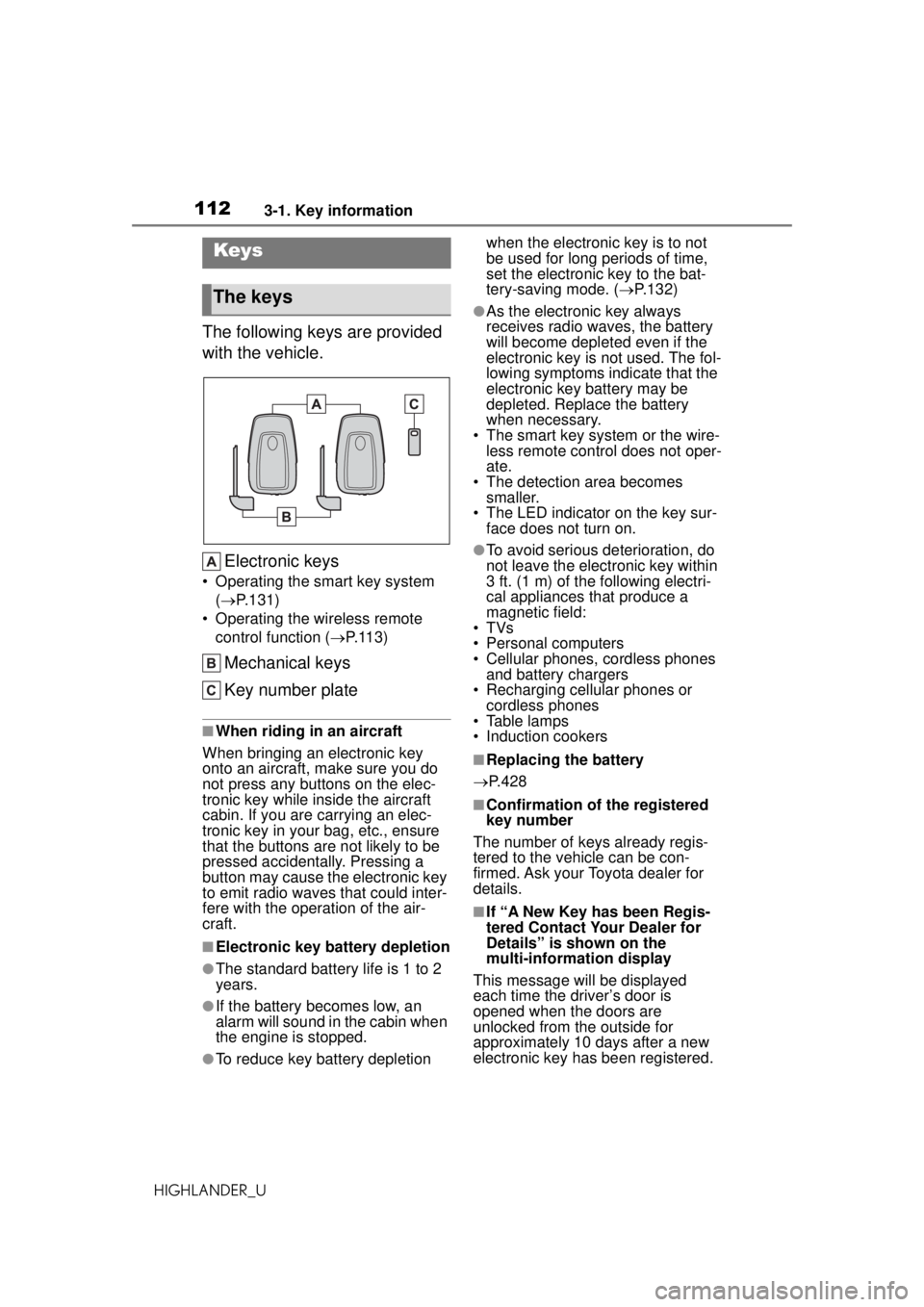
The following keys are provided
with the vehicle.Electronic keys
• Operating the smart key system
( P
.131)
• Operating the wireless remo
te
contro
l function ( P. 1 1 3 )
Mechanical keys
Key number plate
■When riding in an aircraft
When bringing an electronic key
onto an aircraft, make sure you do
not press any buttons on the elec-
tronic key while inside the aircraft
cabin. If you are carrying an elec-
tronic key in your bag, etc., ensure
that the buttons are not likely to be
pressed accidentally. Pressing a
button may cause the electronic key
to emit radio waves that could inter-
fere with the oper ation of the air-
craft.
■Electronic key battery depletion
●The standard battery life is 1 to 2
years.
●If the battery becomes low, an
alarm will sound in the cabin wh
enth
e engine is stopped.
●To reduce key battery depletion
whe
n the electronic key is to not
be used for long periods of time,
set the electronic key to the bat-
tery-saving mode. ( P.132)
●As the electronic key always
r
eceives radio wa ves, the battery
will become depleted even
if thee
lectronic key is not used. The fol-
lowing symptoms indicate that the
electronic key battery may be
depleted. Replace the battery
when necessary.
• The smart key system or the wire- less remote control does not oper-
ate.
• The detection area become
ssmaller
.
• The LED indicator on the key sur- face does not turn on.
●To avoid serious deterioration, do
not leave the electron
ic key within3
ft. (1 m) of the following electri-
cal appliances that produce
a
ma
gnetic field:
•TVs
• Personal computers
• Cellular phones, cordless phone
sa
nd battery chargers
• Recharging cellular phon
es or
cor
dless phones
• Table lamps
• Induction cookers
■Replacing the battery
P.428
■Confirmation of the registered
k
ey number
The number of keys already regis-
tered to the vehicle can be con-
firmed. Ask your Toyota dealer for
details.
■If “A New Key has been Regis-
tered Contact Your Dealer f
or
Details” is
show
n on the
mul
ti-information display
This message will be displayed
each time the driver’s door is
opened when the doors are
unlocked from the outside for
approximately 10 days after a new
electronic key has been registered.
Keys
The keys
Page 114 of 560
1143-1. Key information
HIGHLANDER_U
*2: If equipped
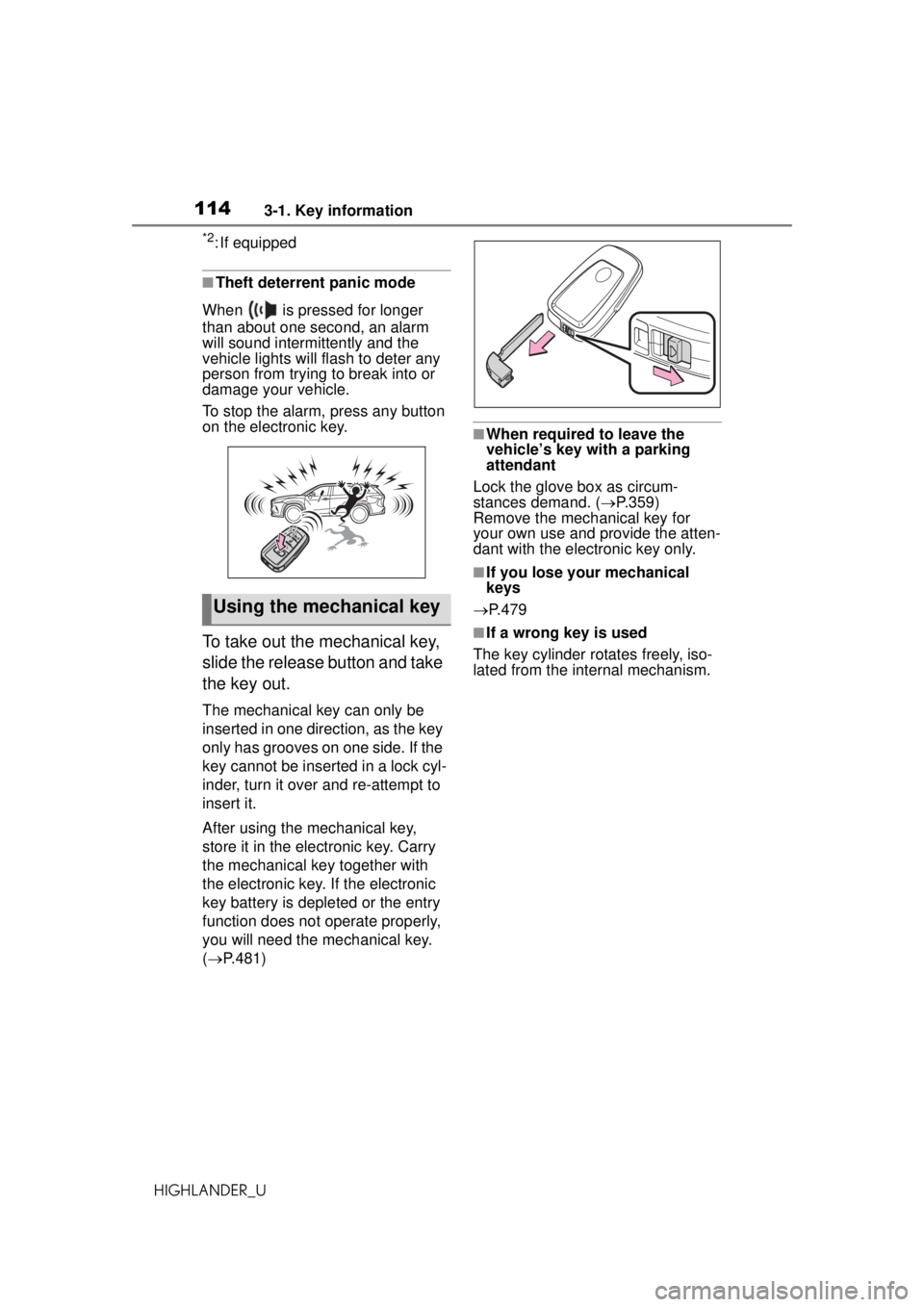
■Theft deterrent panic mode
When is pressed for longer
than about one second, an alarm
will sound intermittently and the
vehicle lights will flash to deter any
person from trying to break into or
damage your vehicle.
To stop the alarm, press any button
on the electronic key.
To take out the mechanical key,
slide the release button and take
the key out.
The mechanical key can only be
inserted in one direction, as the key
only has grooves on one side. If the
key cannot be inserted in a lock cyl-
inder, turn it over and re-attempt to
insert it.
After using the mechanical key,
store it in the electronic key. Carry
the mechanical key together with
the electronic key. If the electronic
key battery is depleted or the entry
function does not operate properly,
you will need the mechanical key.
( P.481)
■When required to leave thev
ehicle’s key with a parking
a
ttendant
Lock the glove box as circum-
stances demand. ( P.359)
Remove the mech anical key for
your own use and provide the atten-
dant with the electronic key only.
■If you lose your mechanical
keys
P.479
■If a wrong key is used
The key cylinder rotates freely, iso-
lated from the internal mechanism.
Using the mechanical key
Page 117 of 560
1173-2. Opening, closing and locking the doors
HIGHLANDER_U
3
Before driving
■Conditions affecting the opera-
tion of the smart key system or
wireless remo te control
P. 1 3 2
■If the smart key system or the
wireless remote control does
not operate properly
Use the mechanical key to lock and
unlock the doors. ( P.481)
Replace the key battery with a new
one if it is depleted. ( P.428)
■If the battery is discharged
The doors cannot be locked and
unlocked using the smart key sys-
tem or wireless remote control. Lock
or unlock the doors using the
mechanical key. ( P.481)
■Rear seat reminder function
In order to remind you not to forget
luggage, etc. in the rear seat, when
the engine switch is turned off after
any of the following conditions are
met, a buzzer will sound and a mes-
sage will be displayed on the
multi-information display for approx-
imately 6 seconds.
●The engine is started within 10
minutes after opening and closing
a rear door.
●A rear door has been opened and
closed after the engine was
started.
However, if a rear door is opened
and then closed within approxi-
mately 2 seconds, the rear seat
reminder function may not operate.
The rear seat reminder function
determines that luggage, etc. has
been placed in a rear seat based on
opening and closing of a rear door.
Therefore, depending on the situa-
tion, the rear seat reminder function
may not operate and you may still
forget luggage, etc. in the rear seat,
or it may operate unnecessarily.
The rear seat reminder function can
be enabled/disabled. ( P.515)
■Customization
Some functions can be customized.
( P.515)
WARNING
■To prevent an accident
Observe the following precautions
while driving the vehicle. Failure
to do so may result in a door
opening and an occupant falling
out, resulting in death or serious
injury.
●Ensure that all doors are prop-
erly closed and locked.
●Do not pull the inside handle of
the doors while driving.
Be especially care ful for the front
doors, as the doors may be
opened even if the inside lock but-
tons are in locked position.
●Set the rear door child-protector
locks when children are seated
in the rear seats.
■When opening or closing a
door
Check the surroundings of the
vehicle such as whether the vehi-
cle is on an incline, whether there
is enough space for a door to
open and whether a strong wind
is blowing. When opening or clos-
ing the door, hold the door handle
tightly to prepare for any unpre-
dictable movement.