light TOYOTA HIGHLANDER 2023 Owners Manual
[x] Cancel search | Manufacturer: TOYOTA, Model Year: 2023, Model line: HIGHLANDER, Model: TOYOTA HIGHLANDER 2023Pages: 552, PDF Size: 13.36 MB
Page 302 of 552
3024-5. Using the driving support systems
Control that is suitable for the
following road conditions can be
performed by switching to either
of the two modes. Select a
mode that is appropriate for the
road condition.
■Mud & Sand mode
Suitable for driving on roads
with increased driving resis-
tance such as sandy roads,
muddy roads, etc.
■Rock & Dirt mode
Suitable for driving in bumpy
road conditions, such as on
unpaved forest roads.
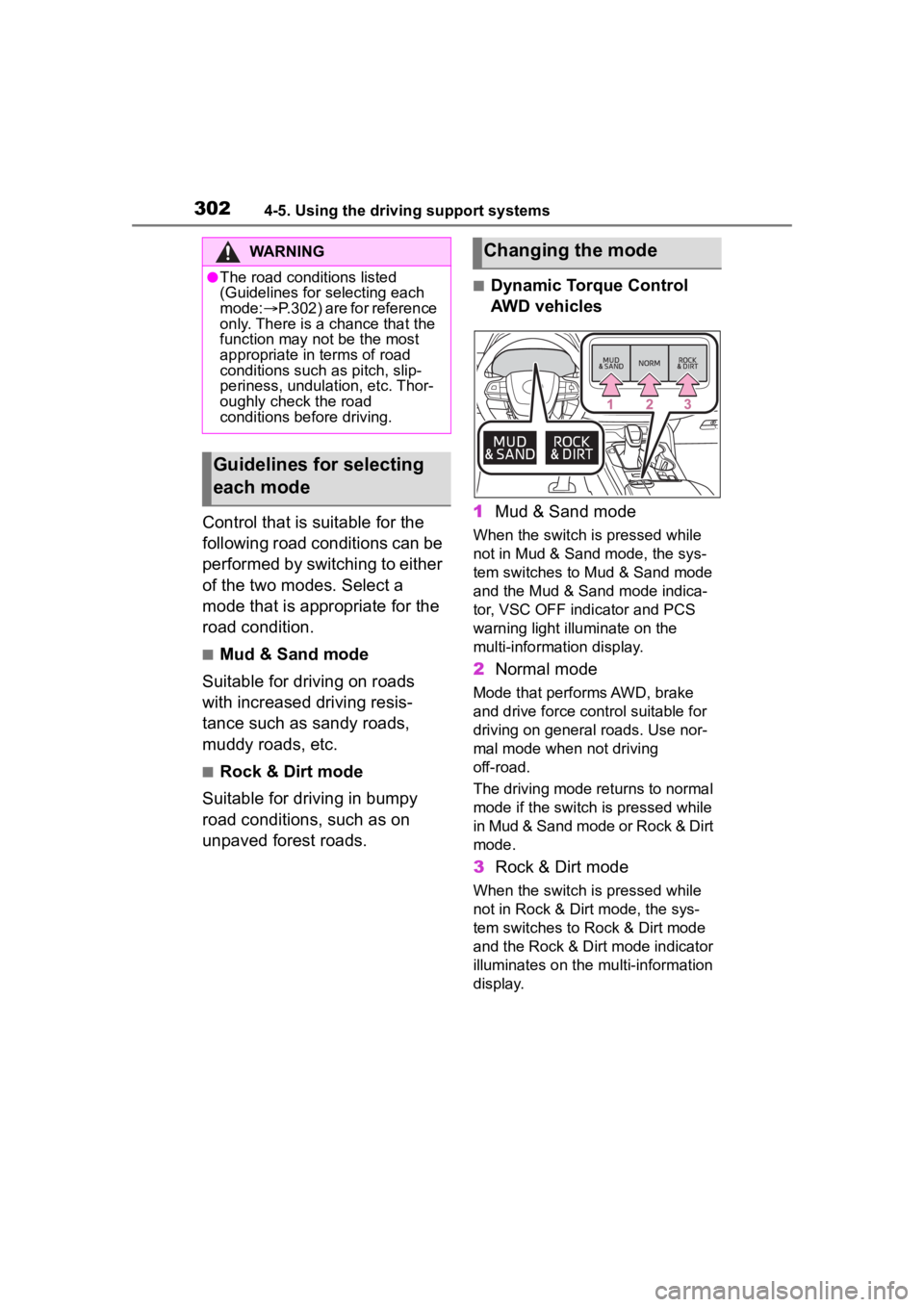
■Dynamic Torque Control
AWD vehicles
1 Mud & Sand mode
When the switch is pressed while
not in Mud & Sand mode, the sys-
tem switches to Mud & Sand mode
and the Mud & Sand mode indica-
tor, VSC OFF indi cator and PCS
warning light illuminate on the
multi-information display.
2 Normal mode
Mode that performs AWD, brake
and drive force cont rol suitable for
driving on general roads. Use nor-
mal mode when not driving
off-road.
The driving mode returns to normal
mode if the switch i s pressed while
in Mud & Sand mode or Rock & Dirt
mode.
3 Rock & Dirt mode
When the switch is pressed while
not in Rock & Dirt mode, the sys-
tem switches to Rock & Dirt mode
and the Rock & Dirt mode indicator
illuminates on the mu lti-information
display.
WARNING
●The road conditions listed
(Guidelines for selecting each
mode: P.302) are for reference
only. There is a chance that the
function may not be the most
appropriate in terms of road
conditions such as pitch, slip-
periness, undulation, etc. Thor-
oughly check the road
conditions before driving.
Guidelines for selecting
each mode
Changing the mode
Page 303 of 552
3034-5. Using the driving support systems
4
Driving
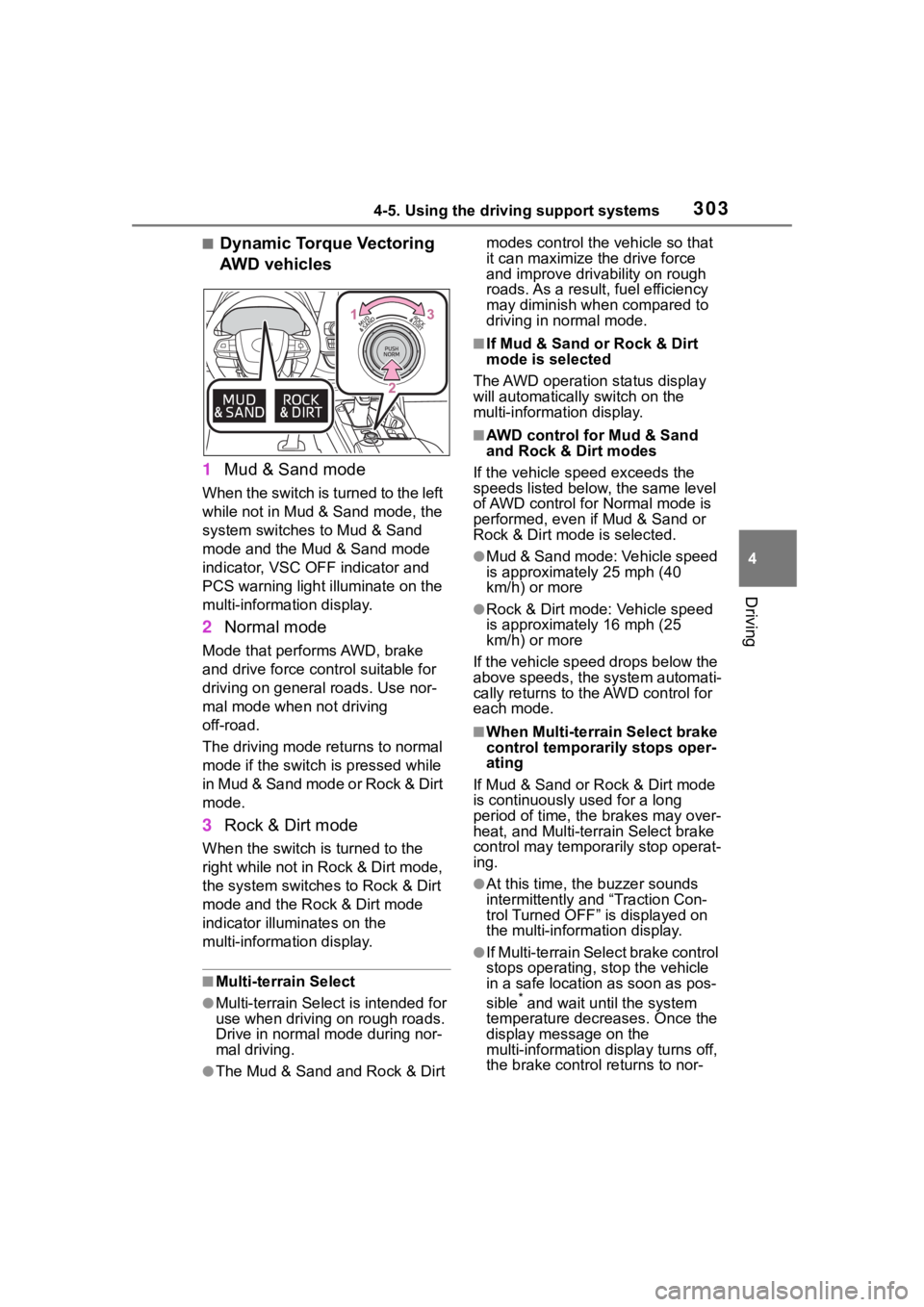
■Dynamic Torque Vectoring
AWD vehicles
1 Mud & Sand mode
When the switch is turned to the left
while not in Mud & Sand mode, the
system switches to Mud & Sand
mode and the Mud & Sand mode
indicator, VSC OFF indicator and
PCS warning light illuminate on the
multi-information display.
2Normal mode
Mode that performs AWD, brake
and drive force control suitable for
driving on general roads. Use nor-
mal mode when not driving
off-road.
The driving mode returns to normal
mode if the switch is pressed while
in Mud & Sand mode or Rock & Dirt
mode.
3Rock & Dirt mode
When the switch is turned to the
right while not in Rock & Dirt mode,
the system switches to Rock & Dirt
mode and the Rock & Dirt mode
indicator illuminates on the
multi-information display.
■Multi-terrain Select
●Multi-terrain Sele ct is intended for
use when driving on rough roads.
Drive in normal mode during nor-
mal driving.
●The Mud & Sand and Rock & Dirt modes control the
vehicle so that
it can maximize the drive force
and improve driv ability on rough
roads. As a result, fuel efficiency
may diminish when compared to
driving in normal mode.
■If Mud & Sand or Rock & Dirt
mode is selected
The AWD operation status display
will automatically switch on the
multi-information display.
■AWD control for Mud & Sand
and Rock & Dirt modes
If the vehicle speed exceeds the
speeds listed below, the same level
of AWD control for Normal mode is
performed, even if Mud & Sand or
Rock & Dirt mode is selected.
●Mud & Sand mode: Vehicle speed
is approximately 25 mph (40
km/h) or more
●Rock & Dirt mode: Vehicle speed
is approximately 16 mph (25
km/h) or more
If the vehicle speed drops below the
above speeds, the system automati-
cally returns to the AWD control for
each mode.
■When Multi-terrain Select brake
control temporarily stops oper-
ating
If Mud & Sand or Rock & Dirt mode
is continuously used for a long
period of time, th e brakes may over-
heat, and Multi-terrain Select brake
control may temporarily stop operat-
ing.
●At this time, the buzzer sounds
intermittently and “Traction Con-
trol Turned OFF” is displayed on
the multi-information display.
●If Multi-terrain Sele ct brake control
stops operating, stop the vehicle
in a safe location as soon as pos-
sible
* and wait until the system
temperature decreases. Once the
display message on the
multi-information d isplay turns off,
the brake control returns to nor-
Page 304 of 552
3044-5. Using the driving support systems
mal. Note that normal driving is
still possible even when Multi-ter-
rain Select brake control is not
operating.
*: After stopping the vehicle, do not stop the engine until the display
message has turned off.
■When Mud & Sand or Rock &
Dirt mode is canceled
In the following situations, Mud &
Sand mode or Rock & Dirt mode are
automatically canceled even if they
are selected.
●When the driving mode is
changed ( P.300)
●When the engine switch is turned
off
■Driving in Mud & Sand or Rock
& Dirt mode
The following types of situations
may occur, but they are not malfunc-
tions.
●Vibrations may be felt throughout
the vehicle or steering wheel
●Operating noise may be heard
from the engine compartment
■When an inspection at your
Toyota dealer is necessary
In the following si tuations, the sys-
tem may be malfunctioning. Have
the vehicle inspected by your Toyota
dealer immediately.
●When the slip indic ator light illumi-
nates while Mud & Sand or Rock
& Dirt mode is selected
●When the indicator for each mode
does not illuminate even though
Mud & Sand or Rock & Dirt mode
is selected
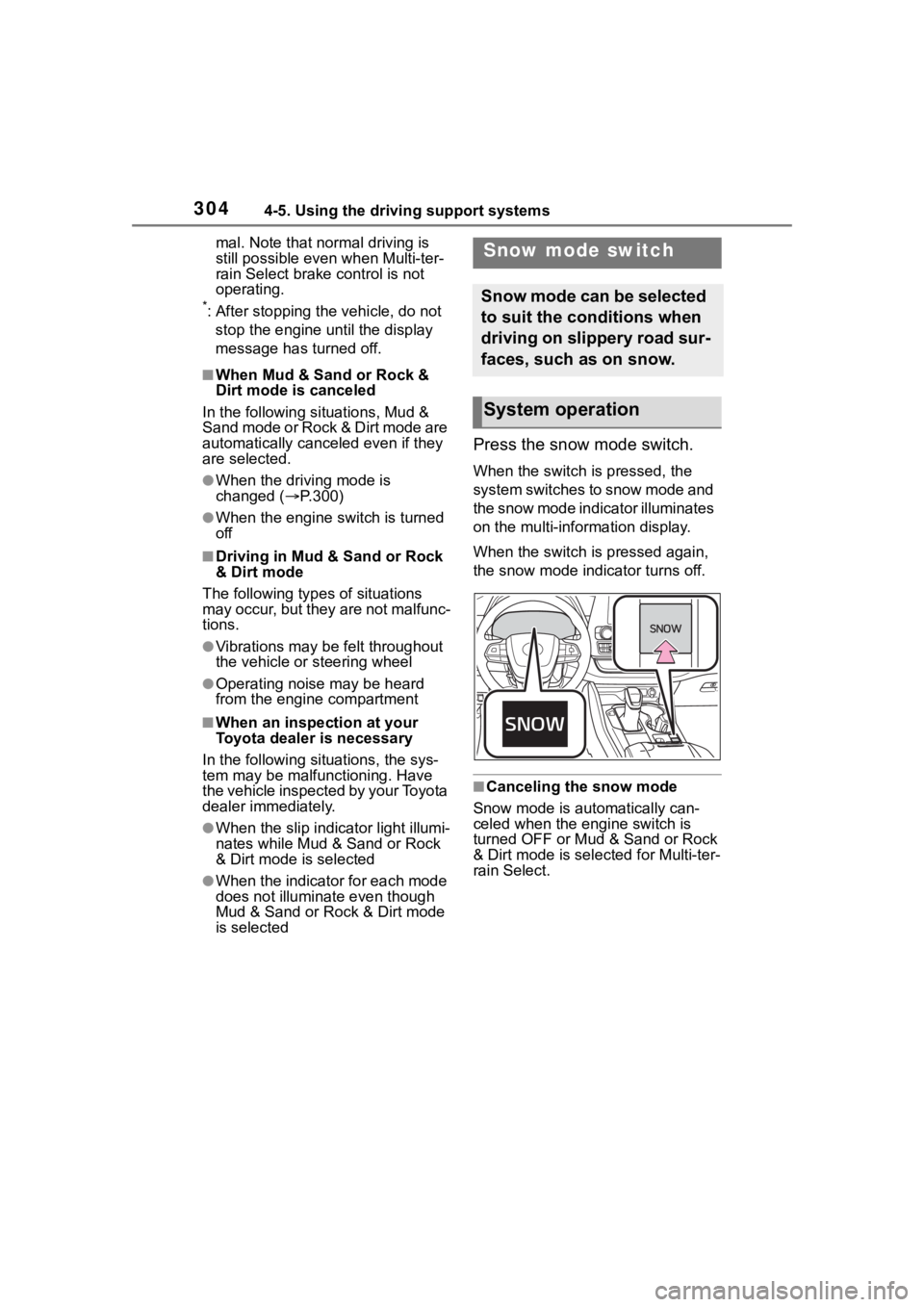
Press the snow mode switch.
When the switch is pressed, the
system switches to snow mode and
the snow mode indi cator illuminates
on the multi-information display.
When the switch is pressed again,
the snow mode indicator turns off.
■Canceling the snow mode
Snow mode is automatically can-
celed when the engine switch is
turned OFF or Mud & Sand or Rock
& Dirt mode is selec ted for Multi-ter-
rain Select.
Snow mode switch
Snow mode can be selected
to suit the conditions when
driving on slippery road sur-
faces, such as on snow.
System operation
Page 305 of 552
3054-5. Using the driving support systems
4
Driving
*: If equipped
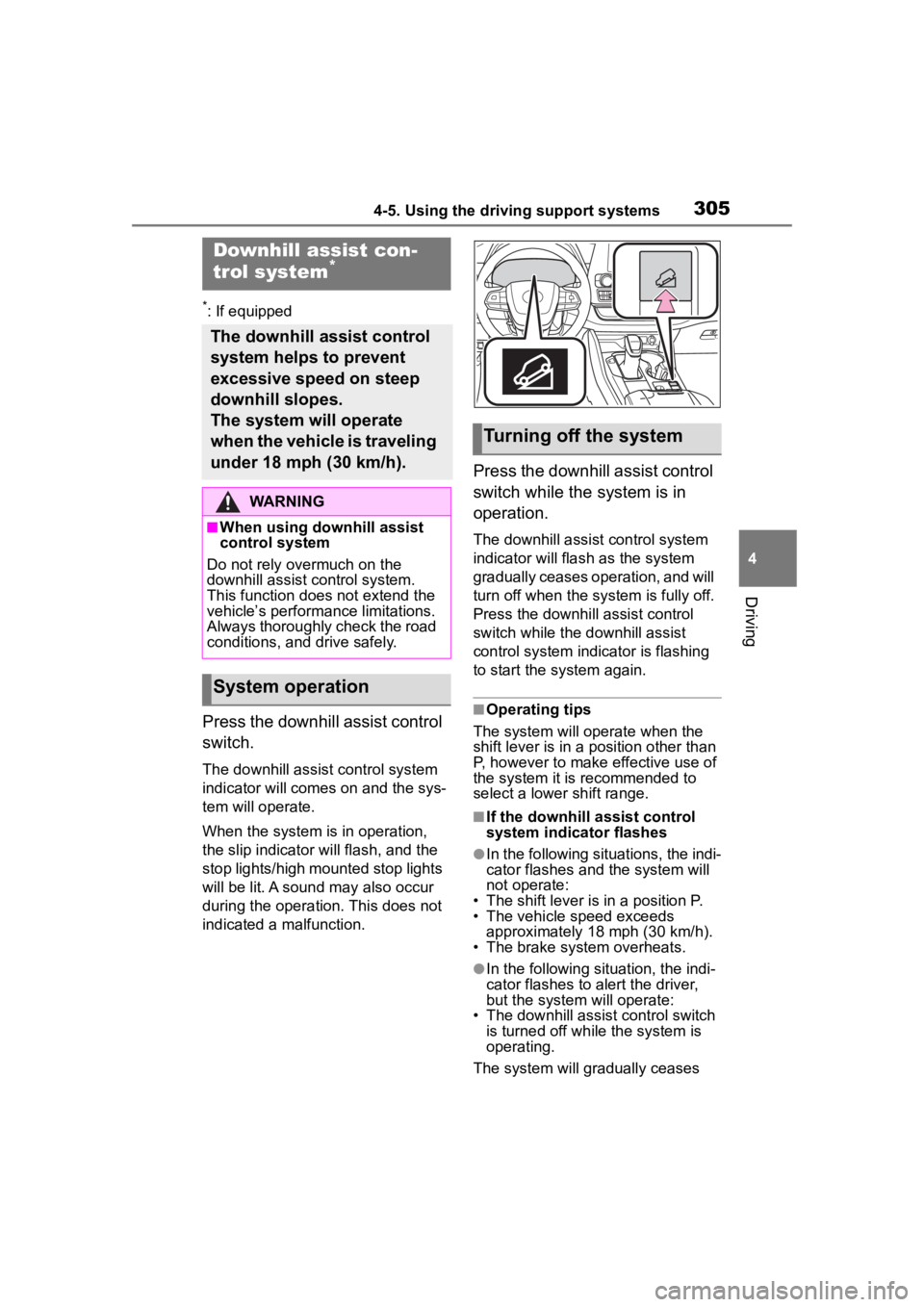
Press the downhill assist control
switch.
The downhill assist control system
indicator will comes on and the sys-
tem will operate.
When the system is in operation,
the slip indicator will flash, and the
stop lights/high mounted stop lights
will be lit. A sound may also occur
during the operation. This does not
indicated a malfunction.
Press the downhill assist control
switch while the system is in
operation.
The downhill assist control system
indicator will flash as the system
gradually ceases operation, and will
turn off when the system is fully off.
Press the downhill assist control
switch while the downhill assist
control system indicator is flashing
to start the system again.
■Operating tips
The system will o perate when the
shift lever is in a position other than
P, however to make effective use of
the system it is recommended to
select a lower shift range.
■If the downhill assist control
system indicator flashes
●In the following situ ations, the indi-
cator flashes and the system will
not operate:
• The shift lever is in a position P.
• The vehicle speed exceeds approximately 18 mph (30 km/h).
• The brake system overheats.
●In the following situation, the indi-
cator flashes to alert the driver,
but the system will operate:
• The downhill assist control switch is turned off while the system is
operating.
The system will gradually ceases
Downhill assist con-
trol system*
The downhill assist control
system helps to prevent
excessive speed on steep
downhill slopes.
The system will operate
when the vehicle is traveling
under 18 mph (30 km/h).
WARNING
■When using downhill assist
control system
Do not rely overmuch on the
downhill assist control system.
This function does not extend the
vehicle’s performance limitations.
Always thoroughly check the road
conditions, and drive safely.
System operation
Turning off the system
Page 308 of 552
3084-5. Using the driving support systems
wheel
■Dynamic Torque Control
AWD system (AWD models)
Automatically controls the drive
system such as to front-wheel
drive or AWD (all wheel drive)
according to various running
conditions including normal driv-
ing, during cornering, on a
uphill, when starting off, during
acceleration, on a slippery roads
due to snow or rain, thus con-
tributing to stable operability and
driving stability.
■Dynamic Torque Vectoring
AWD system (AWD models)
Automatically controls the drive
system such as to front-wheel
drive or AWD (all wheel drive)
according to various running
conditions including normal driv-
ing, during cornering, on a
uphill, when starting off, during
acceleration, on a slippery roads
due to snow or rain, thus con-
tributing to stable operability and
driving stability.
Also, drive torque distribution is
precisely controlled during cor-
nering, contributing to improve-
ments in operability and stability.
■The Secondary Collision
Brake
When the SRS airbag sensor
detects a collision and the sys-
tem operates, the brakes and
brake lights are automatically
controlled to reduce the vehicle speed and help reduce the pos-
sibility of further damage due to
a secondary collision.
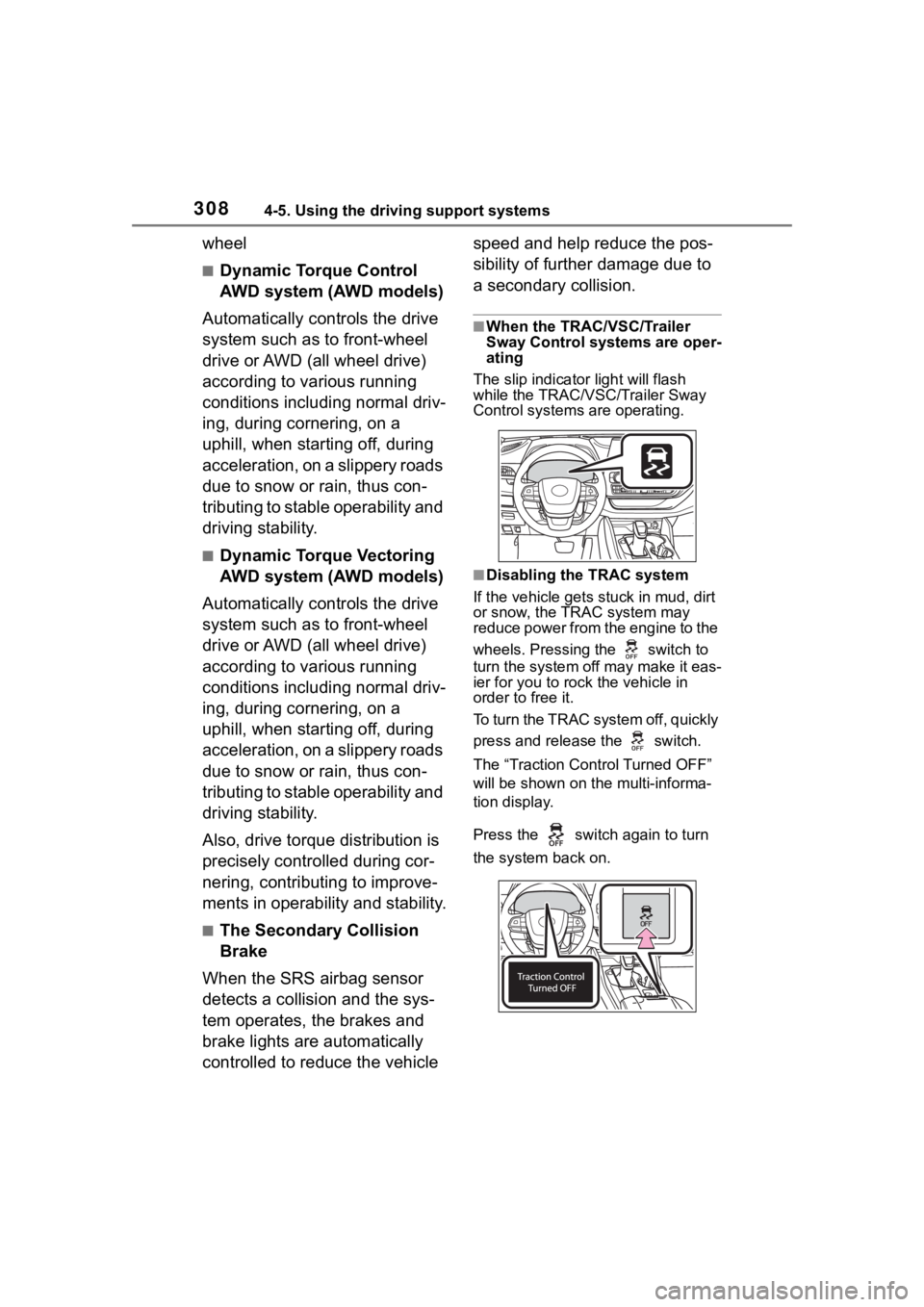
■When the TRAC/VSC/Trailer
Sway Control systems are oper-
ating
The slip indicator light will flash
while the TRAC/VSC/Trailer Sway
Control systems are operating.
■Disabling the TRAC system
If the vehicle gets stuck in mud, dirt
or snow, the TRAC system may
reduce power from the engine to the
wheels. Pressing the switch to
turn the system off may make it eas-
ier for you to rock the vehicle in
order to free it.
To turn the TRAC system off, quickly
press and release the switch.
The “Traction Cont rol Turned OFF”
will be shown on the multi-informa-
tion display.
Press the switch again to turn
the system back on.
Page 309 of 552
3094-5. Using the driving support systems
4
Driving
■Turning off both TRAC, VSC
and Trailer Sway Control sys-
tems
To turn the TRAC, VSC and Trailer
Sway Control systems off, press
and hold the switch for more
than 3 seconds while the vehicle is
stopped.
The VSC OFF indicator light will
come on and the “Traction Control
Turned OFF” will be shown on the
multi-information display.
*
Press the switch again to turn
the system back on.
*: On vehicles with PCS (Pre-Colli- sion System), PCS will also be
disabled (only Pre-Collision warn-
ing is available). The PCS warning
light will come on and a message
will be display ed on the
multi-informat ion display.
( P.228)
■When the message is dis-
played on the multi-information
display showing that TRAC has
been disabled even if the
switch has not been pressed
TRAC is temporary deactivated. If
the information continues to show,
contact your Toyota dealer.
■Operating conditions of
hill-start assist control
When the following four conditions
are met, the hill-start assist control
will operate:
●The shift lever is in a position
other than P or N (when starting
off forward/backward on an
upward incline)
●The vehicle is stopped
●The accelerator pedal is not
depressed
●The parking brake is not engaged
●The engine switch is in ON
■Automatic system cancelation
of hill-start assist control
The hill-start assist control will turn
off in any of the fo llowing situations:
●The shift lever is shifted to P or N
●The accelerator pedal is
depressed
●The brake pedal is depressed and
the parking brake is engaged
●2 seconds at maximum elapsed
after the brake pedal is released
●The engine switch is turned OFF
■Sounds and vibrations caused
by the ABS, brake assist, VSC,
Trailer Sway Control, TRAC and
hill-start assist control systems
●A sound may be heard from the
engine compartment when the
brake pedal is depressed repeat-
edly, when the engine is started or
just after the vehicle begins to
move. This sound does not indi-
cate that a malfunction has
occurred in any of these systems.
●Any of the following conditions
may occur when the above sys-
tems are operating. None of these
indicates that a malfunction has
occurred.
• Vibrations may be felt through the
vehicle body and steering.
• A motor sound may be heard also
after the vehicle comes to a stop.
• The brake pedal may pulsate
slightly after the ABS is activated.
• The brake pedal may move down slightly after the ABS is activated.
■Active Cornering Assist opera-
tion sounds and vibrations
When the Active Cornering Assist is
operated, operation sounds and
vibrations may be generated from
the brake system, but this is not a
malfunction.
Page 312 of 552
3124-5. Using the driving support systems
WARNING
■When the TRAC/VSC/Trailer
Sway Control is activated
The slip indicator light flashes.
Always drive carefully. Reckless
driving may cause an accident.
Exercise particular care when the
indicator light flashes.
■When the TRAC/VSC/Trailer
Sway Control systems are
turned off
●Be especially careful and drive
at a speed appropriate to the
road conditions. As these are
the systems to help ensure
vehicle stability and driving
force, do not turn the
TRAC/VSC/Trailer Sway Con-
trol systems off unless neces-
sary.
●Trailer Sway Control is part of
the VSC system and will not
operate if VSC is turned off or
experiences a malfunction.
■Dynamic Torque Vectoring
AWD system
The cornering performance of the
AWD system has been improved.
However, do not overly rely on the
system and drive with caution.
■Replacing tires
Make sure that all tires are of the
specified size, brand, tread pat-
tern and total load capacity. In
addition, make sure that the tires
are inflated to the recommended
tire inflation pressure level.
The ABS, TRAC, Trailer Sway
Control and VSC systems will not
function correctly if different tires
are installed on the vehicle.
Contact your Toyota dealer for fur-
ther information when replacing
tires or wheels.
■Handling of tires and the sus-
pension
Using tires with any kind of prob-
lem or modifying the suspension
will affect the driving assist sys-
tems, and may cause a system to
malfunction.
■Trailer Sway Control precau-
tion
The Trailer Sway Control system
is not able to red uce trailer sway
in all situations. Depending on
many factors such as the condi-
tions of the vehicle, trailer, road
surface and driving environment,
the Trailer Sway Control system
may not be effective. Refer to
your trailer owner’s manual for
information on how to tow your
trailer properly.
■If trailer sway occurs
Observe the following precau-
tions.
Failing to do so may cause death
or serious injury.
●Firmly grip the steering wheel.
Steer straight ahead. Do not try
to control trailer sway by turning
the steering wheel.
●Begin releasing the accelerator
pedal immediately but very
gradually to reduce speed.
Do not increase speed. Do not
apply vehicle brakes.
If you make no extreme correction
with the steering or brakes, your
vehicle and traile r should stabi-
lize. ( P.186)
Page 315 of 552
3154-6. Driving tips
4
Driving
Do not try to forcibly open a
window or move a wiper that
is frozen. Pour warm water
over the frozen area to melt
the ice. Wipe away the water
immediately to prevent it from
freezing.
To ensure proper operation of
the climate control system
fan, remove any snow that
has accumulated on the air
inlet vents in front of the wind-
shield.
Check for and remove any
excess ice or snow that may
have accumulated on the
exterior lights, vehicle’s roof,
chassis, around the tires or on
the brakes.
Remove any snow or mud
from the bottom of your shoes
before getting in the vehicle.
Accelerate the vehicle slowly,
keep a safe distance between
you and the vehicle ahead, and
drive at a reduced speed suit-
able to road conditions.
Park the vehicle and move
the shift lever to P without set-
ting the parking brake. The
parking brake may freeze up,
preventing it from being
released. If the vehicle is parked without setting the
parking brake, make sure to
block the wheels. Failure to
do so may be dangerous
because it may cause the
vehicle to move unexpectedly,
possibly leading to an acci-
dent.
When the parking
brake is in auto-
matic mode, release the parking
brake after shifting the shift lever to
P. ( P.205)
If the vehicle is parked without
setting the parking brake,
confirm that the shift lever
cannot be moved out of P
*.
*: The shift lever will be locked if it is
attempted to be sh ifted from P to
any other position without
depressing the brake pedal. If the
shift lever can be shifted from P,
there may be a problem with the
shift lock system. Have the vehi-
cle inspected by your Toyota
dealer immediately.
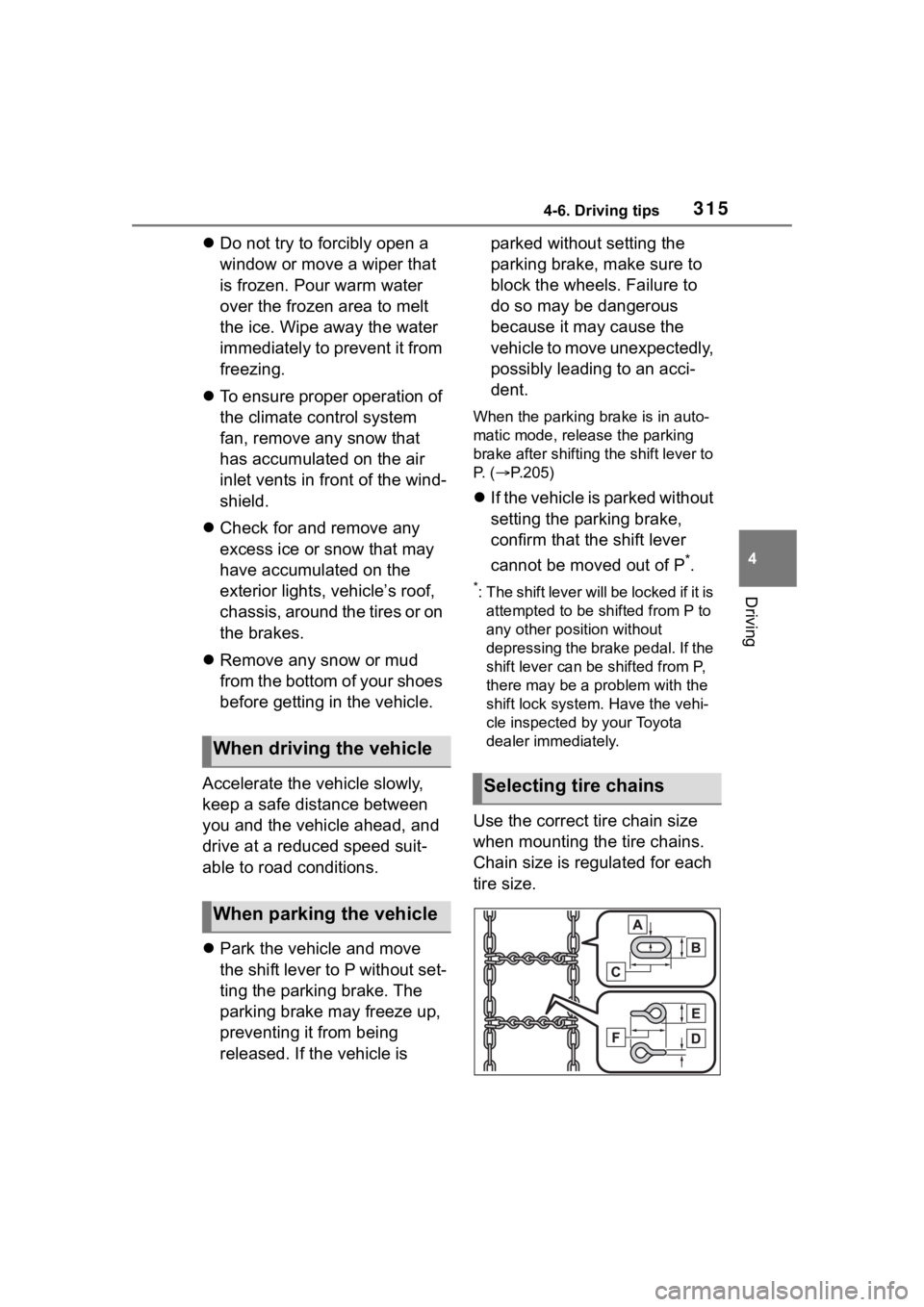
Use the correct tire chain size
when mounting the tire chains.
Chain size is regulated for each
tire size.
When driving the vehicle
When parking the vehicle
Selecting tire chains
Page 321 of 552
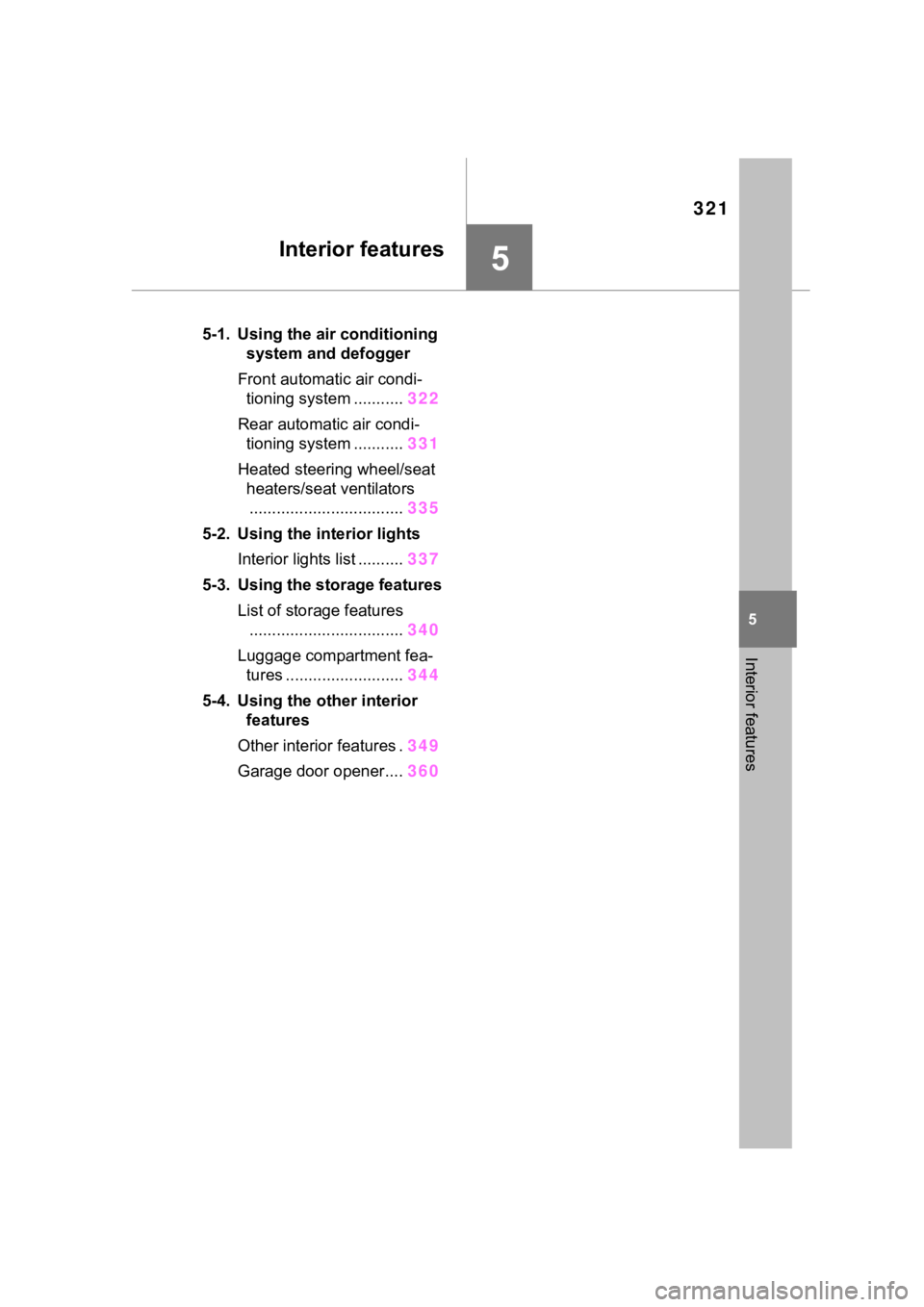
321
5
5
Interior features
Interior features
.5-1. Using the air conditioning system and defogger
Front automatic air condi- tioning system ........... 322
Rear automatic air condi- tioning system ........... 331
Heated steering wheel/seat heaters/seat ventilators.................................. 335
5-2. Using the interior lights Interior lights list .......... 337
5-3. Using the storage features List of storage features.................................. 340
Luggage compartment fea- tures .......................... 344
5-4. Using the other interior features
Other interior features . 349
Garage door opener.... 360
Page 335 of 552
3355-1. Using the air conditioning system and defogger
5
Interior features
*: If equipped
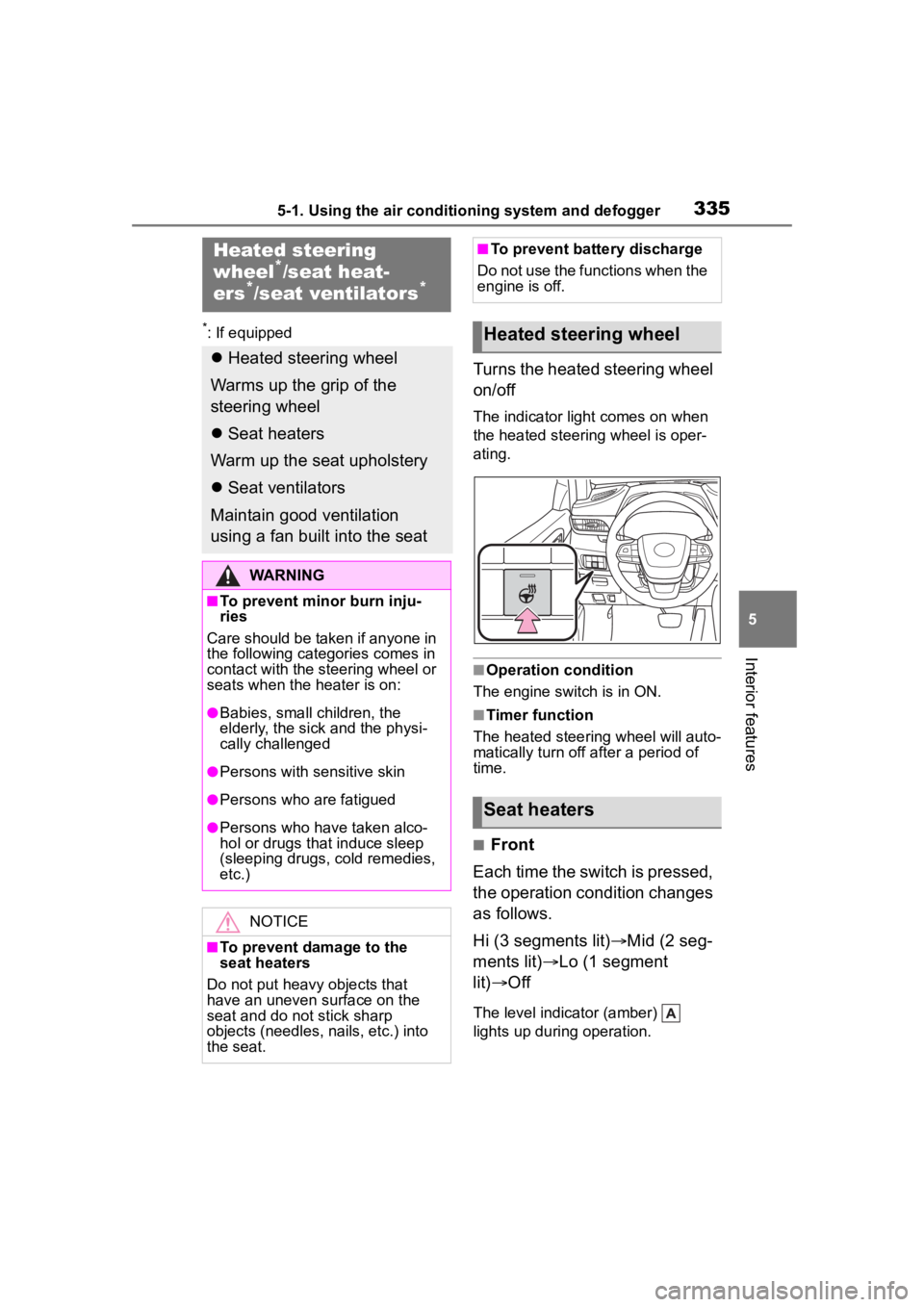
Turns the heated steering wheel
on/off
The indicator light comes on when
the heated steering wheel is oper-
ating.
■Operation condition
The engine switch is in ON.
■Timer function
The heated steering wheel will auto-
matically turn off after a period of
time.
■Front
Each time the switch is pressed,
the operation condition changes
as follows.
Hi (3 segments lit) Mid (2 seg-
ments lit) Lo (1 segment
lit) Off
The level indicator (amber)
lights up during operation.
Heated steering
wheel*/seat heat-
ers*/seat ventilators*
Heated steering wheel
Warms up the grip of the
steering wheel
Seat heaters
Warm up the seat upholstery
Seat ventilators
Maintain good ventilation
using a fan built into the seat
WARNING
■To prevent minor burn inju-
ries
Care should be taken if anyone in
the following categories comes in
contact with the steering wheel or
seats when the heater is on:
●Babies, small children, the
elderly, the sick and the physi-
cally challenged
●Persons with sensitive skin
●Persons who are fatigued
●Persons who have taken alco-
hol or drugs that induce sleep
(sleeping drugs, cold remedies,
etc.)
NOTICE
■To prevent damage to the
seat heaters
Do not put heavy objects that
have an uneven surface on the
seat and do not stick sharp
objects (needles, nails, etc.) into
the seat.
■To prevent battery discharge
Do not use the functions when the
engine is off.
Heated steering wheel
Seat heaters