display TOYOTA HIGHLANDER 2023 Manual Online
[x] Cancel search | Manufacturer: TOYOTA, Model Year: 2023, Model line: HIGHLANDER, Model: TOYOTA HIGHLANDER 2023Pages: 552, PDF Size: 13.36 MB
Page 253 of 552
2534-5. Using the driving support systems
4
Driving
When the turn signal lever is operated and your vehicle moves to an over-
taking lane while driving at 50 mph (80 km/h) or more, the vehi cle will accel-
erate to help to overt ake a passing vehicle.
The system’s identification of what is an overtaking lane may be determined
solely based on the location of the steering wheel in the vehicle (left side
driver position versus right side driver position.) If the vehi cle is driven to a
region where the overtaking lane is on a different side from wh ere the vehi-
cle is normally driven, the vehicle may accelerate when the tur n signal lever
is operated in the opposite direction to the overtaking lane (e .g., if the driver
normally operates the vehicle in a region where the overtaking lane is to the
right but then drives to a region where the overtaking lane is to the left, the
vehicle may accelerate when the right turn signal is activated).
Example of acceleration
When there are no longer any preceding vehicles driving slower
than the set speed
The system accelerates until the set speed is reached. The system then
returns to constan t speed cruising.
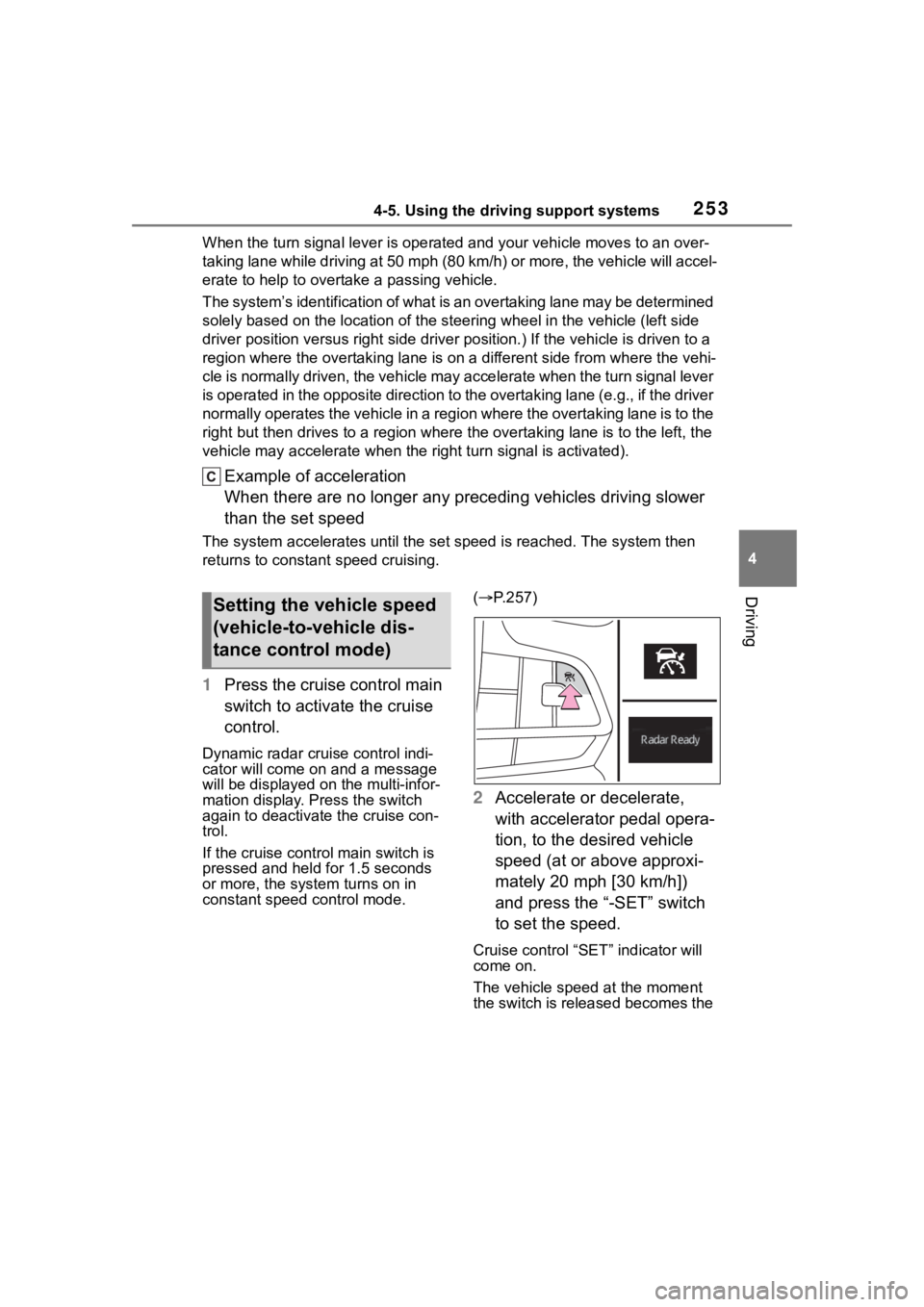
1Press the cruise control main
switch to activate the cruise
control.
Dynamic radar cruise control indi-
cator will come on and a message
will be displayed on the multi-infor-
mation display. Press the switch
again to deactivate the cruise con-
trol.
If the cruise cont rol main switch is
pressed and held for 1.5 seconds
or more, the syste m turns on in
constant speed control mode. (
P.257)
2 Accelerate or decelerate,
with accelerator pedal opera-
tion, to the desired vehicle
speed (at or above approxi-
mately 20 mph [30 km/h])
and press the “-SET” switch
to set the speed.
Cruise control “SET” indicator will
come on.
The vehicle speed at the moment
the switch is released becomes the
Setting the vehicle speed
(vehicle-to-vehicle dis-
tance control mode)
Page 254 of 552
2544-5. Using the driving support systems
set speed.
Adjusting the set speed by the
switch
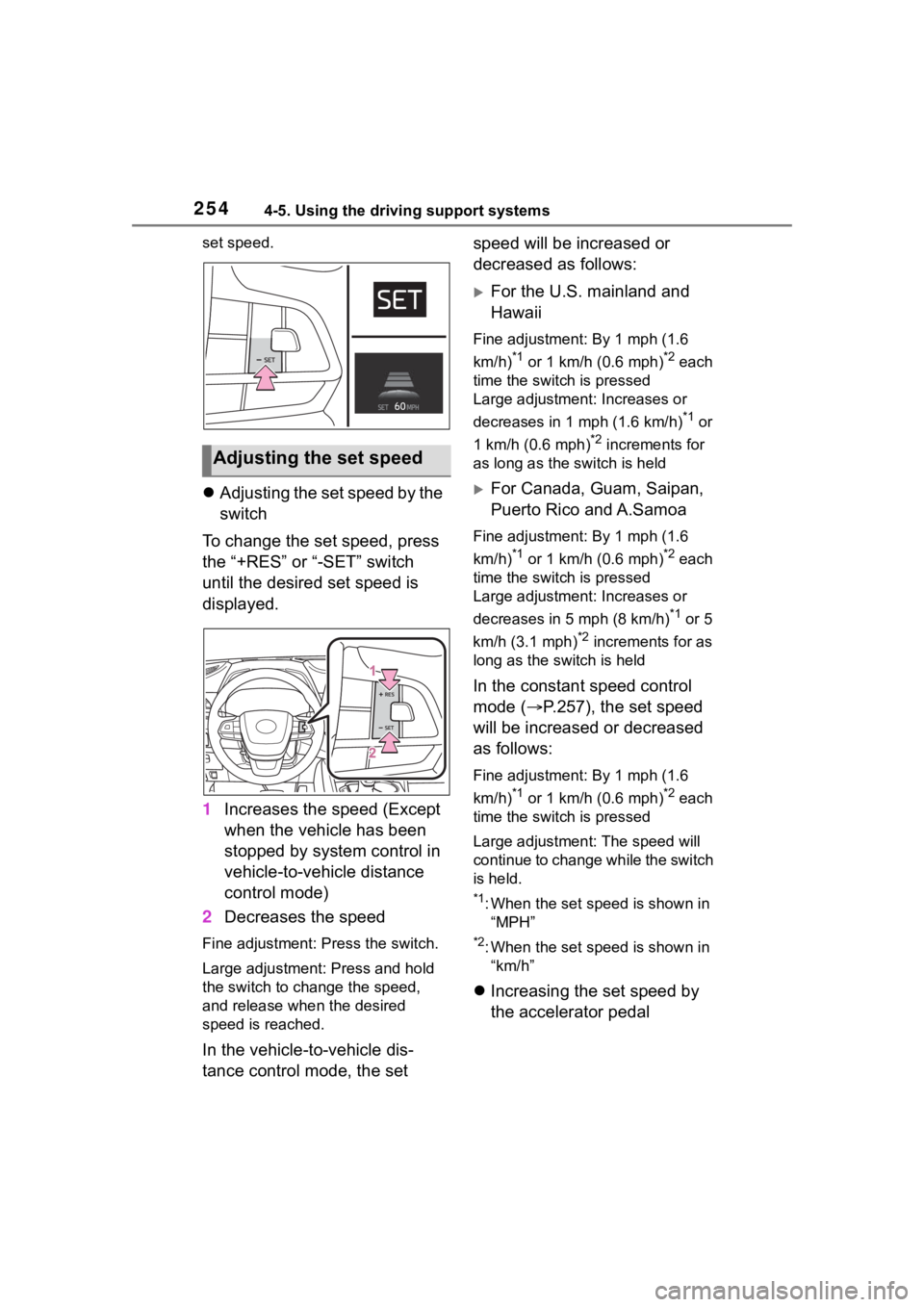
To change the set speed, press
the “+RES” or “-SET” switch
until the desired set speed is
displayed.
1 Increases the speed (Except
when the vehicle has been
stopped by system control in
vehicle-to-vehicle distance
control mode)
2 Decreases the speed
Fine adjustment: Press the switch.
Large adjustment: Press and hold
the switch to change the speed,
and release when the desired
speed is reached.
In the vehicle-to-vehicle dis-
tance control mode, the set speed will be increased or
decreased as follows:
For the U.S. mainland and
Hawaii
Fine adjustment: By 1 mph (1.6
km/h)
*1 or 1 km/h (0.6 mph)*2 each
time the switch is pressed
Large adjustment: Increases or
decreases in 1 mph (1.6 km/h)
*1 or
1 km/h (0.6 mph)
*2 increments for
as long as the switch is held
For Canada, Guam, Saipan,
Puerto Rico and A.Samoa
Fine adjustment: By 1 mph (1.6
km/h)
*1 or 1 km/h (0.6 mph)*2 each
time the switch is pressed
Large adjustment: Increases or
decreases in 5 mph (8 km/h)
*1 or 5
km/h (3.1 mph)
*2 increments for as
long as the switch is held
In the constant speed control
mode ( P.257), the set speed
will be increased or decreased
as follows:
Fine adjustment: By 1 mph (1.6
km/h)
*1 or 1 km/h (0.6 mph)*2 each
time the switch is pressed
Large adjustmen t: The speed will
continue to change while the switch
is held.
*1: When the set speed is shown in “MPH”
*2: When the set speed is shown in “km/h”
Increasing the set speed by
the accelerator pedal
Adjusting the set speed
Page 255 of 552
2554-5. Using the driving support systems
4
Driving
1Accelerate with accelerator
pedal operation to the
desired vehicle speed
2 Press the “-SET” switch
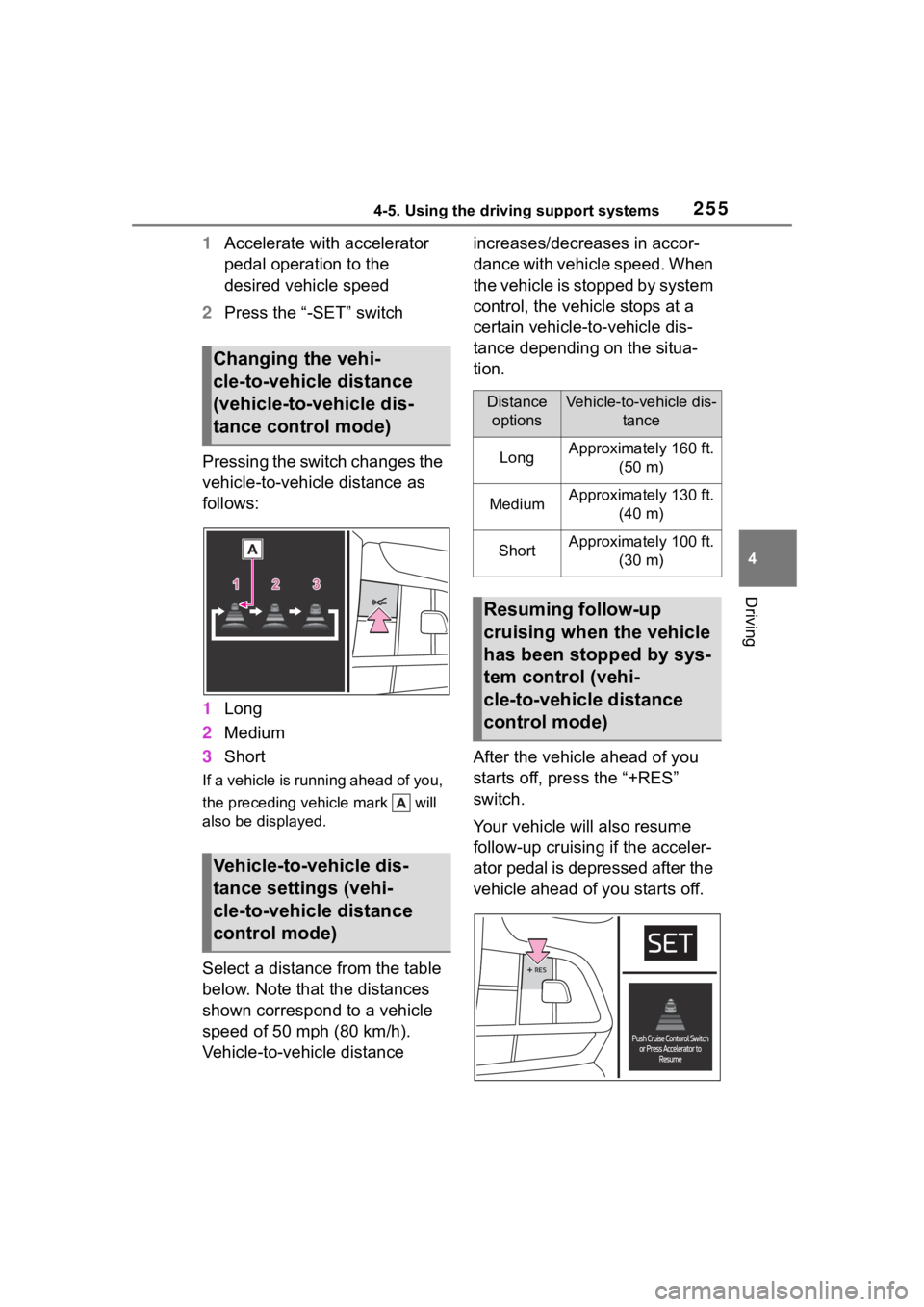
Pressing the switch changes the
vehicle-to-vehicle distance as
follows:
1 Long
2 Medium
3 Short
If a vehicle is running ahead of you,
the preceding vehicle mark will
also be displayed.
Select a distance from the table
below. Note that the distances
shown correspond to a vehicle
speed of 50 mph (80 km/h).
Vehicle-to-vehicle distance increases/decreases in accor-
dance with vehicle speed. When
the vehicle is stopped by system
control, the vehicle stops at a
certain vehicle-to-vehicle dis-
tance depending on the situa-
tion.
After the vehicle ahead of you
starts off, press the “+RES”
switch.
Your vehicle will also resume
follow-up cruising if the acceler-
ator pedal is depressed after the
vehicle ahead of you starts off.
Changing the vehi-
cle-to-vehicle distance
(vehicle-to-vehicle dis-
tance control mode)
Vehicle-to-vehicle dis-
tance settings (vehi-
cle-to-vehicle distance
control mode)
Distance
optionsVehicle-to-vehicle dis- tance
LongApproximately 160 ft. (50 m)
MediumApproximately 130 ft. (40 m)
ShortApproximately 100 ft. (30 m)
Resuming follow-up
cruising when the vehicle
has been stopped by sys-
tem control (vehi-
cle-to-vehicle distance
control mode)
Page 256 of 552
2564-5. Using the driving support systems
1Pressing the cancel switch
cancels the speed control.
The speed control is also canceled
when the brake pedal is depressed.
(When the vehicle has been
stopped by system control,
depressing the brake pedal does
not cancel the setting.)
2Pressing the “+RES” switch
resumes the cruise control
and returns vehicle speed to
the set speed.
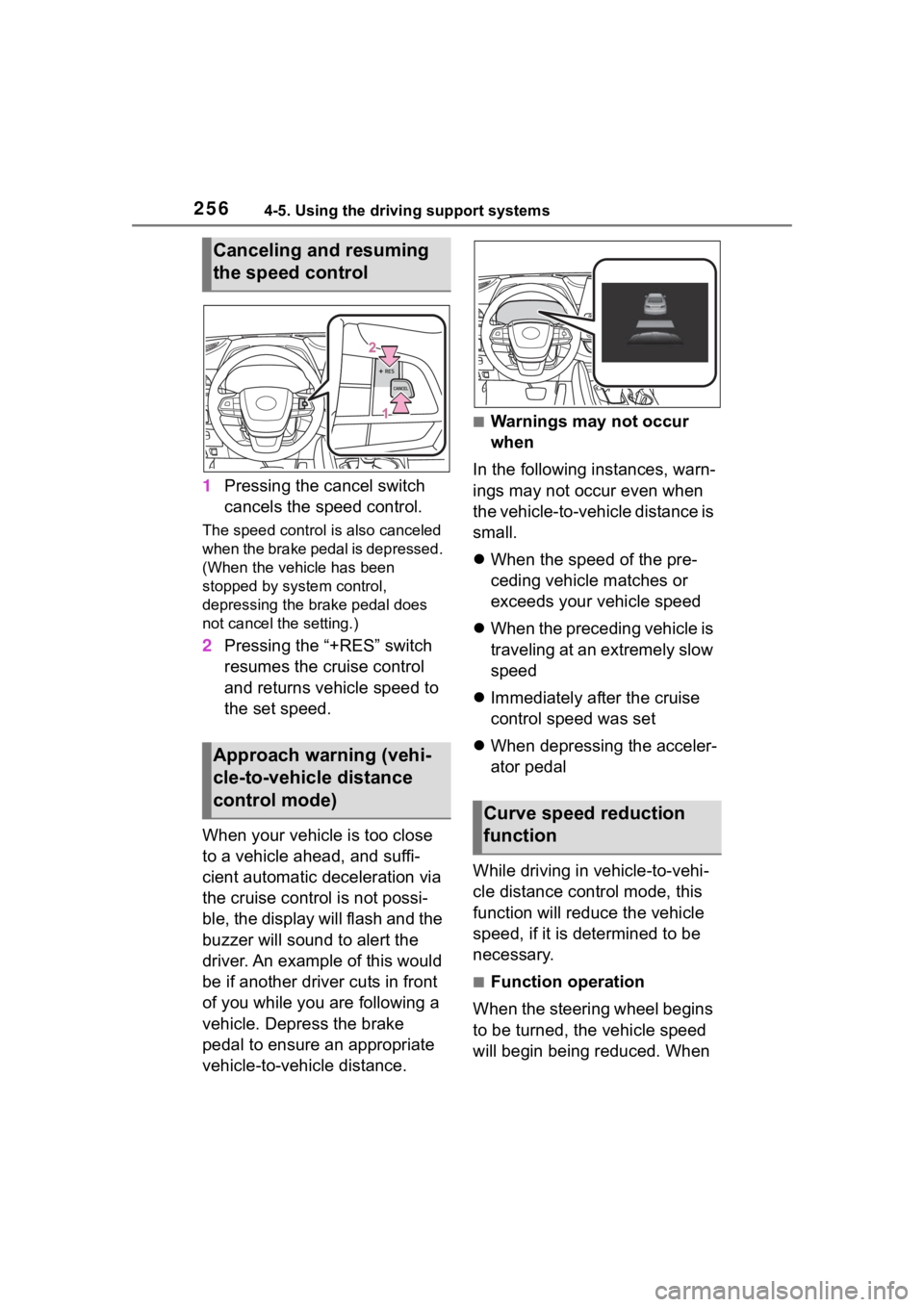
When your vehicle is too close
to a vehicle ahead, and suffi-
cient automatic deceleration via
the cruise control is not possi-
ble, the display will flash and the
buzzer will sound to alert the
driver. An example of this would
be if another driver cuts in front
of you while you are following a
vehicle. Depress the brake
pedal to ensure an appropriate
vehicle-to-vehicle distance.
■Warnings may not occur
when
In the following instances, warn-
ings may not occur even when
the vehicle-to-vehicle distance is
small.
When the speed of the pre-
ceding vehicle matches or
exceeds your vehicle speed
When the preceding vehicle is
traveling at an extremely slow
speed
Immediately after the cruise
control speed was set
When depressing the acceler-
ator pedal
While driving in vehicle-to-vehi-
cle distance control mode, this
function will reduce the vehicle
speed, if it is determined to be
necessary.
■Function operation
When the steering wheel begins
to be turned, the vehicle speed
will begin being reduced. When
Canceling and resuming
the speed control
Approach warning (vehi-
cle-to-vehicle distance
control mode)
Curve speed reduction
function
Page 257 of 552
2574-5. Using the driving support systems
4
Driving
the steering wheel is returned to
the center position, the vehicle
speed reduction will end.
Depending on the situation, the
vehicle speed will then return to
the vehicle-to-vehicle distance
control mode set speed.
In situations where vehi-
cle-to-vehicle distance control
needs to operate, such as when
a preceding vehicle cuts in front
of your vehicle, the curve speed
reduction function will be can-
celed.
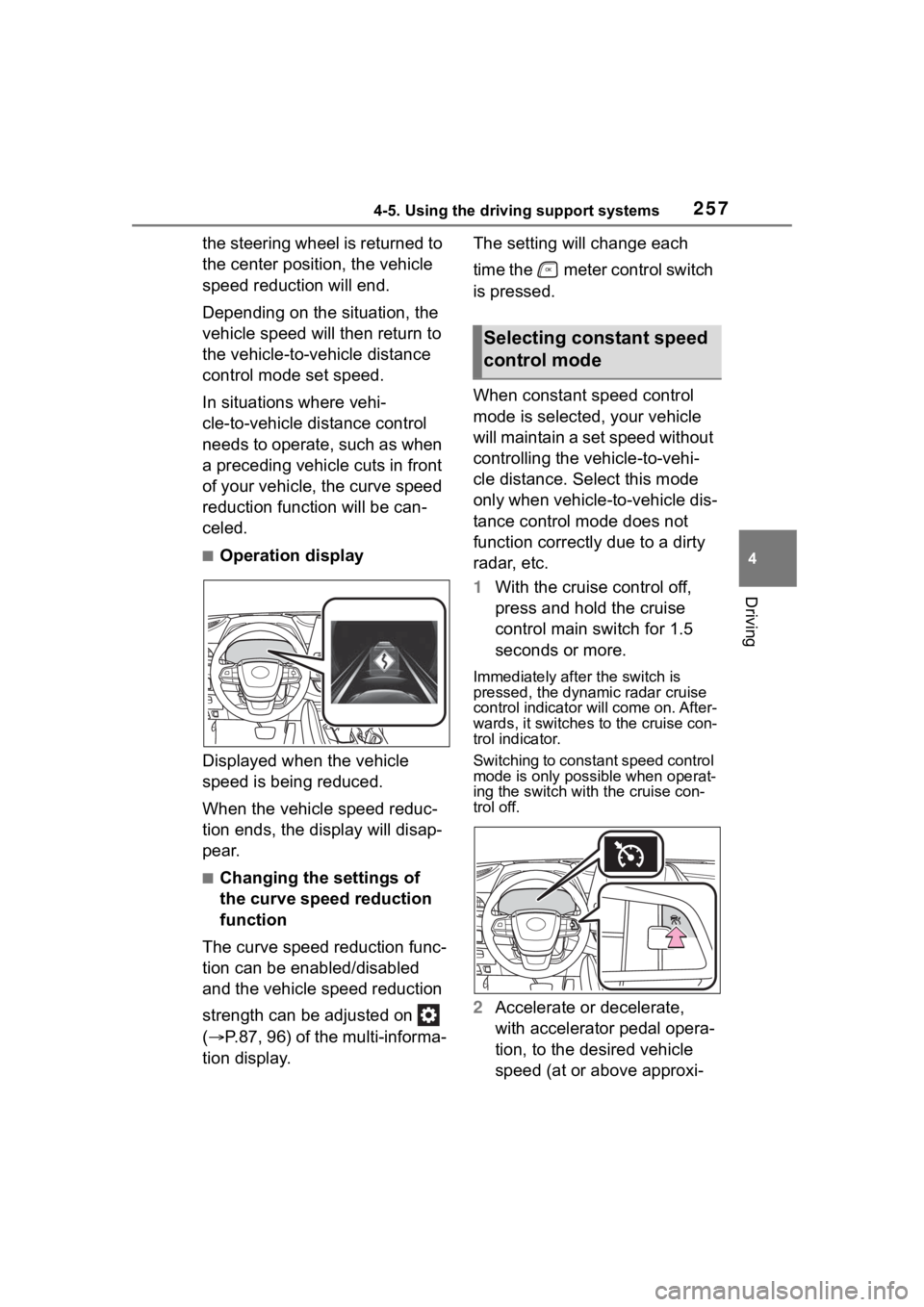
■Operation display
Displayed when the vehicle
speed is being reduced.
When the vehicle speed reduc-
tion ends, the display will disap-
pear.
■Changing the settings of
the curve speed reduction
function
The curve speed reduction func-
tion can be enabled/disabled
and the vehicle speed reduction
strength can be adjusted on
( P.87, 96) of the multi-informa-
tion display. The setting will change each
time the meter control switch
is pressed.
When constant speed control
mode is selected, your vehicle
will maintain a set speed without
controlling the vehicle-to-vehi-
cle distance. Select this mode
only when vehicle-
to-vehicle dis-
tance control mode does not
function correctly due to a dirty
radar, etc.
1 With the cruise control off,
press and hold the cruise
control main switch for 1.5
seconds or more.
Immediately after the switch is
pressed, the dynamic radar cruise
control indicator will come on. After-
wards, it switches to the cruise con-
trol indicator.
Switching to const ant speed control
mode is only possible when operat-
ing the switch with the cruise con-
trol off.
2 Accelerate or decelerate,
with accelerator pedal opera-
tion, to the desired vehicle
speed (at or above approxi-
Selecting constant speed
control mode
Page 259 of 552
2594-5. Using the driving support systems
4
Driving
■Automatic cancelation of con-
stant speed control mode
Constant speed control mode is
automatically cance led in the follow-
ing situations:
●Actual vehicle speed is more than
approximately 10 mph (16 km/h)
below the set vehicle speed.
●Actual vehicle speed falls below
approximately 20 mph (30 km/h).
●VSC is activated.
●TRAC is activated for a period of
time.
●When the VSC or TRAC system is
turned off.
●When the brake control or output
restriction control of a driving sup-
port system operates.
(For example: Pre-Collision Sys-
tem, Drive-Start Control)
●The parking brake is operated.
If constant speed control mode is
automatically canceled for any rea-
sons other than the above, there
may be a malfunction in the system.
Contact your Toyota dealer.
■Situations in which the curve
speed reduction function may
not operate
In situations such as the following,
the curve speed r eduction function
may not operate:
●When the vehicle is being driven
around a gentle curve
●When the accelerator pedal is
being depressed
●When the vehicle is being driven
around an extremely short curve
■Brake operation
A brake operation sound may be
heard and the brake pedal response
may change, but the se are not mal-
functions.
■Warning messages and buzzers
for dynamic radar cruise con-
trol with full-speed range
Warning messages and buzzers are
used to indicate a system malfunc-
tion or to inform the driver of the
need for caution while driving. If a
warning message is shown on the
multi-information display, read the
message and follow the instructions.
( P.226, 442)
■When the sensor may not be
correctly detecting the vehicle
ahead
In the case of the following and
depending on the conditions, oper-
ate the brake pedal when decelera-
tion of the system is insufficient or
operate the accelerator pedal when
acceleration is required.
As the sensor may not be able to
correctly detect th ese types of vehi-
cles, the approach warning
( P.256) may not be activated.
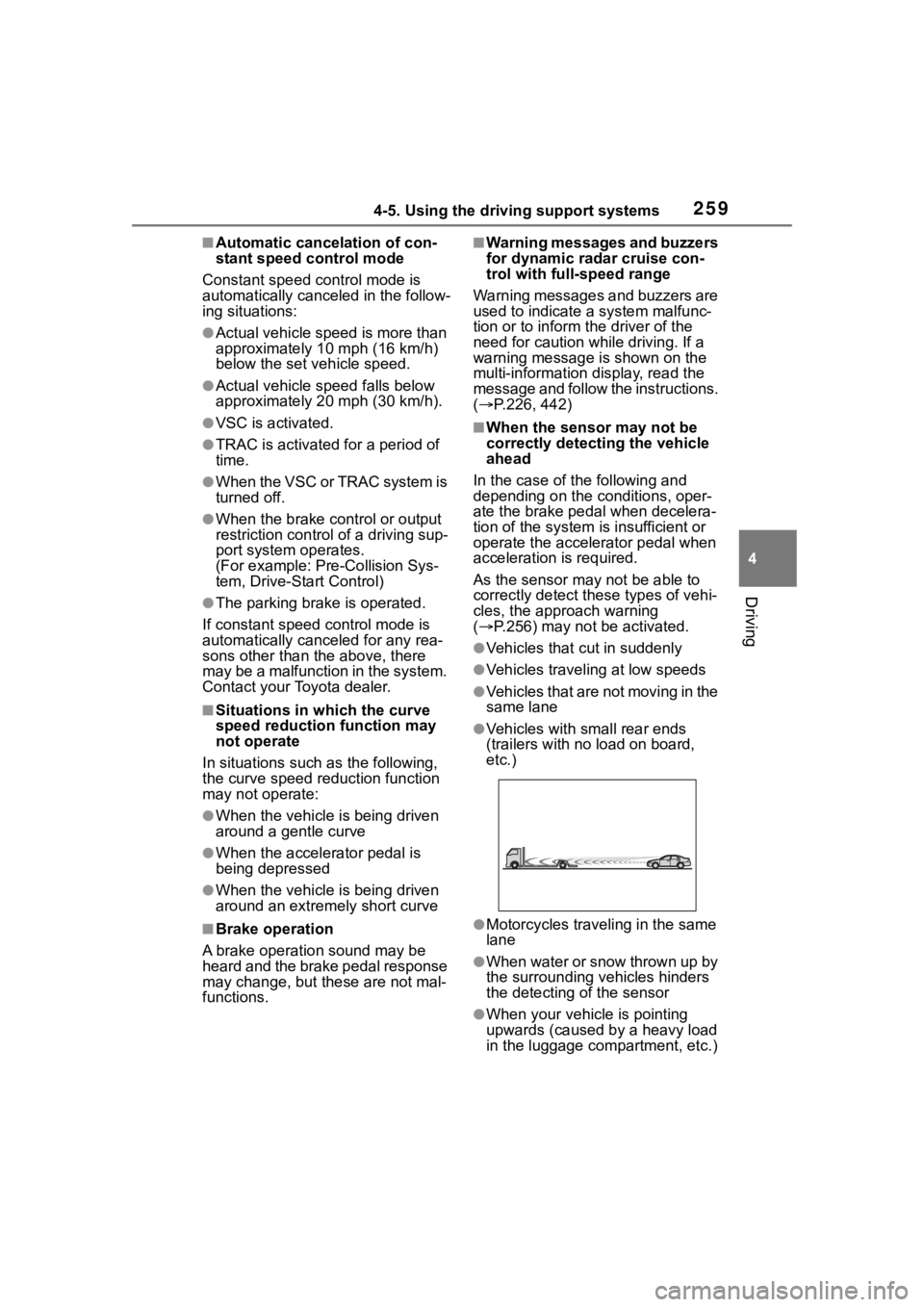
●Vehicles that cut in suddenly
●Vehicles traveling at low speeds
●Vehicles that are not moving in the
same lane
●Vehicles with small rear ends
(trailers with no load on board,
etc.)
●Motorcycles traveling in the same
lane
●When water or snow thrown up by
the surrounding vehicles hinders
the detecting of the sensor
●When your vehicle is pointing
upwards (caused by a heavy load
in the luggage compartment, etc.)
Page 261 of 552
2614-5. Using the driving support systems
4
Driving
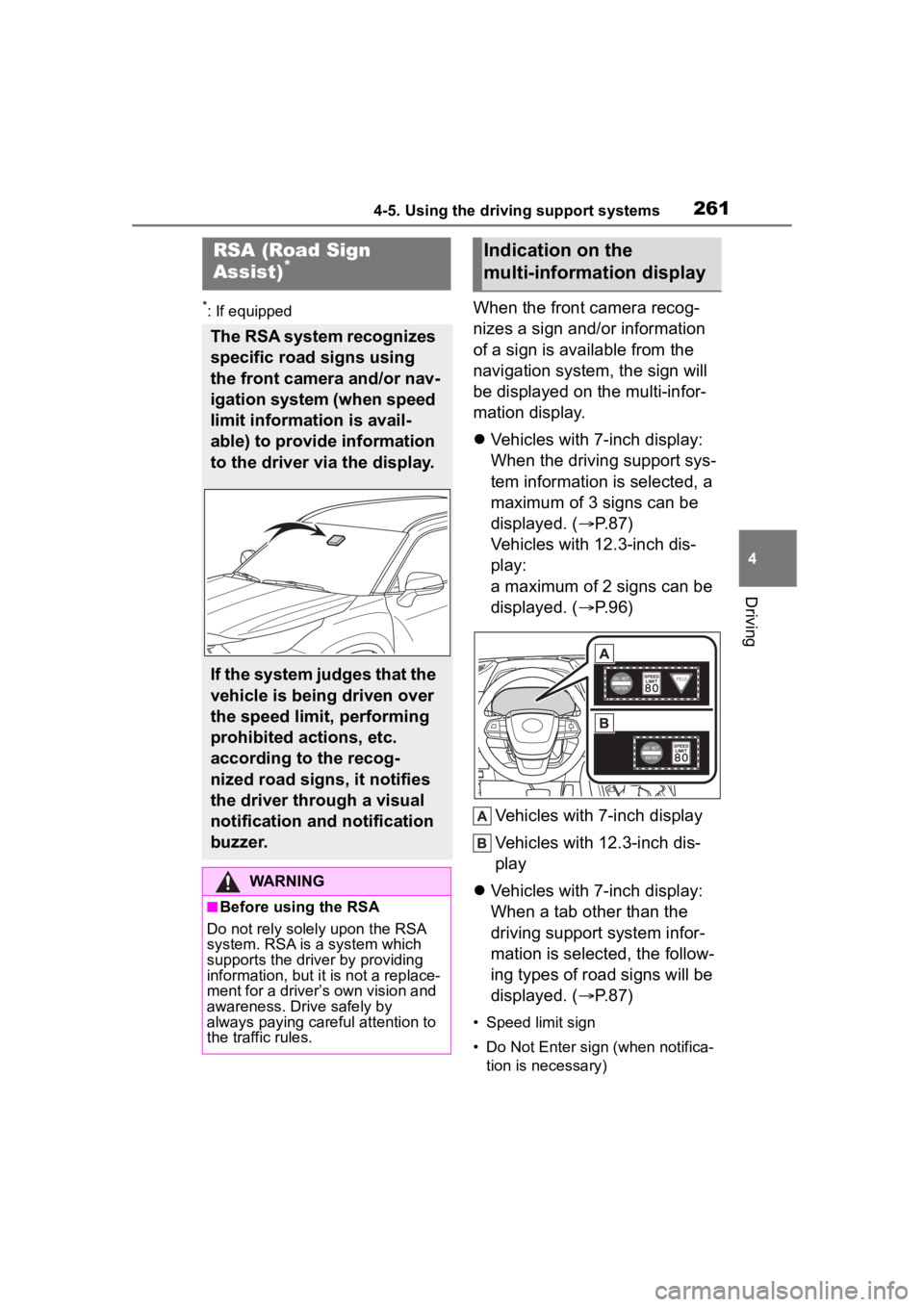
*: If equippedWhen the front camera recog-
nizes a sign and/or information
of a sign is available from the
navigation system, the sign will
be displayed on the multi-infor-
mation display.
Vehicles with 7-inch display:
When the driving support sys-
tem information is selected, a
maximum of 3 signs can be
displayed. ( P.87)
Vehicles with 12.3-inch dis-
play:
a maximum of 2 signs can be
displayed. ( P.96)
Vehicles with 7-inch display
Vehicles with 12.3-inch dis-
play
Vehicles with 7-inch display:
When a tab other than the
driving support system infor-
mation is selected, the follow-
ing types of road signs will be
displayed. ( P.87)
• Speed limit sign
• Do Not Enter sign (when notifica-
tion is necessary)
RSA (Road Sign
Assist)*
The RSA system recognizes
specific road signs using
the front camera and/or nav-
igation system (when speed
limit information is avail-
able) to provide information
to the driver via the display.
If the system judges that the
vehicle is being driven over
the speed limit, performing
prohibited actions, etc.
according to the recog-
nized road signs, it notifies
the driver through a visual
notification and notification
buzzer.
WARNING
■Before using the RSA
Do not rely solely upon the RSA
system. RSA is a system which
supports the driver by providing
information, but it is not a replace-
ment for a driver’s own vision and
awareness. Drive safely by
always paying careful attention to
the traffic rules.
Indication on the
multi-information display
Page 262 of 552
2624-5. Using the driving support systems
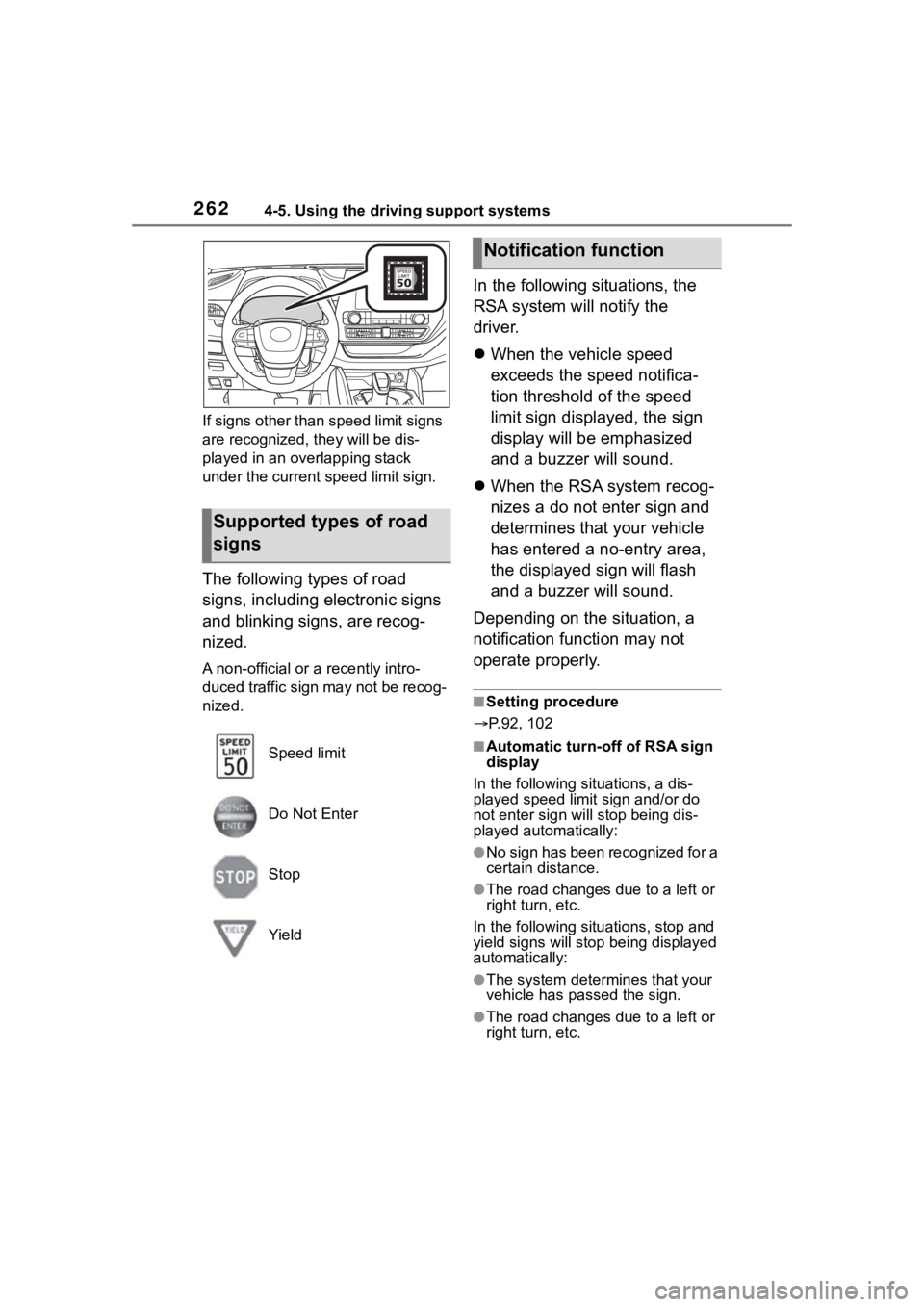
If signs other than speed limit signs
are recognized, they will be dis-
played in an overlapping stack
under the current speed limit sign.
The following types of road
signs, including electronic signs
and blinking signs, are recog-
nized.
A non-official or a recently intro-
duced traffic sign may not be recog-
nized.
In the following situations, the
RSA system will notify the
driver.
When the vehicle speed
exceeds the speed notifica-
tion threshold of the speed
limit sign displayed, the sign
display will be emphasized
and a buzzer will sound.
When the RSA system recog-
nizes a do not enter sign and
determines that your vehicle
has entered a no-entry area,
the displayed sign will flash
and a buzzer will sound.
Depending on the situation, a
notification function may not
operate properly.
■Setting procedure
P.92, 102
■Automatic turn-off of RSA sign
display
In the following si tuations, a dis-
played speed limit sign and/or do
not enter sign will stop being dis-
played automatically:
●No sign has been recognized for a
certain distance.
●The road changes due to a left or
right turn, etc.
In the following situations, stop and
yield signs will stop being displayed
automatically:
●The system determines that your
vehicle has passed the sign.
●The road changes due to a left or
right turn, etc.
Supported types of road
signs
Speed limit
Do Not Enter
Stop
Yield
Notification function
Page 263 of 552
2634-5. Using the driving support systems
4
Driving
■Conditions in which the func-
tion may not operate or detect
correctly
In the following situations, RSA
does not operate normally and may
not recognize signs, display the
incorrect sign, etc. However, this
does not indicate a malfunction.
●The front camera is misaligned
due to a strong impact being
applied to the sensor, etc.
●Dirt, snow, stickers, etc. are on the
windshield near the front camera.
●In inclement weather such as
heavy rain, fog, snow or sand
storms.
●Light from an oncoming vehicle,
the sun, etc. enters the front cam-
era.
●The sign is dirty, faded, tilted or
bent.
●The contrast of electronic sign is
low.
●All or part of the sign is hidden by
the leaves of a tree, a pole, etc.
●The sign is only visible to the front
camera for a short amount of time.
●The driving scene (turning, lane
change, etc.) is judged incorrectly.
●If a sign not appropriate for the
currently traveled lane, but the
sign exists directly after a freeway
branches, or in an adjacent lane
just before merging.
●Stickers are attached to the rear of
the preceding vehicle.
●A sign resembling a system com-
patible sign is recognized.
●Side road speed signs may be
detected and displayed (if posi-
tioned in sight of the front camera)
while the vehicle is traveling on
the main road.
●Roundabout exit road speed signs
may be detected and displayed (if
positioned in sight of the front
camera) while traveling on a
roundabout.
●The front of the vehicle is raised or
lowered due to the carried load.
●The surrounding brightness is not
sufficient or changes suddenly.
●When a sign inte nded for trucks,
etc. is recognized.
●The navigation system map data
is outdated.
●The navigation system is not oper-
ating.
●The speed information displayed
on the meter and on the naviga-
tion system may be different due
to the navigation system using
map data.
■Speed limit sign display
If the engine switch was last turned
off while a speed limit sign was dis-
played on the multi-information dis-
play, the same sig n displays again
when the engine switch is turned to
ON.
■If “RSA Malfunction Visit Your
Dealer” is shown
The system may be malfunctioning.
Have the vehicle inspected by your
Toyota dealer.
■Customization
Some functions can be customized.
(Customizable features: P.494)
Page 267 of 552
2674-5. Using the driving support systems
4
Driving
ing system is operated (windshield
defogger switch, etc.).
• If the battery charge becomes low.
■When the hood is opened
●If the hood is opened while the
engine is stopped by the Stop &
Start system, the engine will stall
and will not be able to be restarted
by the automatic engine start
function. In this case, restart the
engine using the normal engine
starting procedure. ( P.197)
●If the hood is closed after the
engine is started with the hood
open, the Stop & Start system will
not operate. Close the hood, turn
the engine switch off, wait 30 sec-
onds or more, and then start the
engine.
■Air conditioning system opera-
tion while the engine is stopped
by the Stop & Start system
When the air conditioning is in auto-
matic mode and the engine is
stopped by the Stop & Start system,
the fan may operate at a low speed
in order to prevent the temperature
in the cabin fro m increasing or
decreasing or may be stopped.
To prioritize air conditioning system
performance when the vehicle is
stopped, disable the Stop & Start
system by pressing the Stop & Start
cancel switch.
●If the windshield is fogged up
Turn the windshield defogger on.
( P.322)
If the windshield fogs up frequently,
press the Stop & Start cancel switch
to disable the Stop & Start system.
●If an odor is emitted from the air
conditioning system
Press the Stop & Start cancel switch
to deactivate the Stop & Start sys-
tem.
■Changing the idling stop time
with the air conditioning system
on
The length of time the Stop & Start
system will operate when the air
conditioning system is on can be
changed in of th e multi-informa-
tion display ( P.92, 102). (The
length of time the Stop & Start sys-
tem will operate when the air condi-
tioning system is off cannot be
changed.)
■Displaying the Stop & Start sys-
tem status
P.92, 102
■Multi-information display mes-
sages
If the following situations, and a
message may be displayed on the
multi-information display.
●When the engine cannot be
stopped by the Stop & Start sys-
tem “Press brake mo re to activate”
• The brake pedal is not sufficiently depressed.
If the brake pedal is depressed
further, the system will operate.
“Non-Dedicated Battery”
• A battery not designed for use with a Stop & Start system may
have been installed.
Have the vehicle inspected by
your Toyota dealer.
“Battery Charging”
• The battery charge may be low.
Stopping of the engine is tempo-
rarily prohibited to prioritize charging
of the battery. Afte r the engine runs
for a certain amount of time, the sys-
tem will be enabled.
• A refresh charge may be occur- ring