turn signal TOYOTA HIGHLANDER HYBRID 2019 Owners Manual (in English)
[x] Cancel search | Manufacturer: TOYOTA, Model Year: 2019, Model line: HIGHLANDER HYBRID, Model: TOYOTA HIGHLANDER HYBRID 2019Pages: 716, PDF Size: 14.31 MB
Page 3 of 716
3
1
9 8 6 5
4
3
2
HIGHLANDER_HV_U
10
7
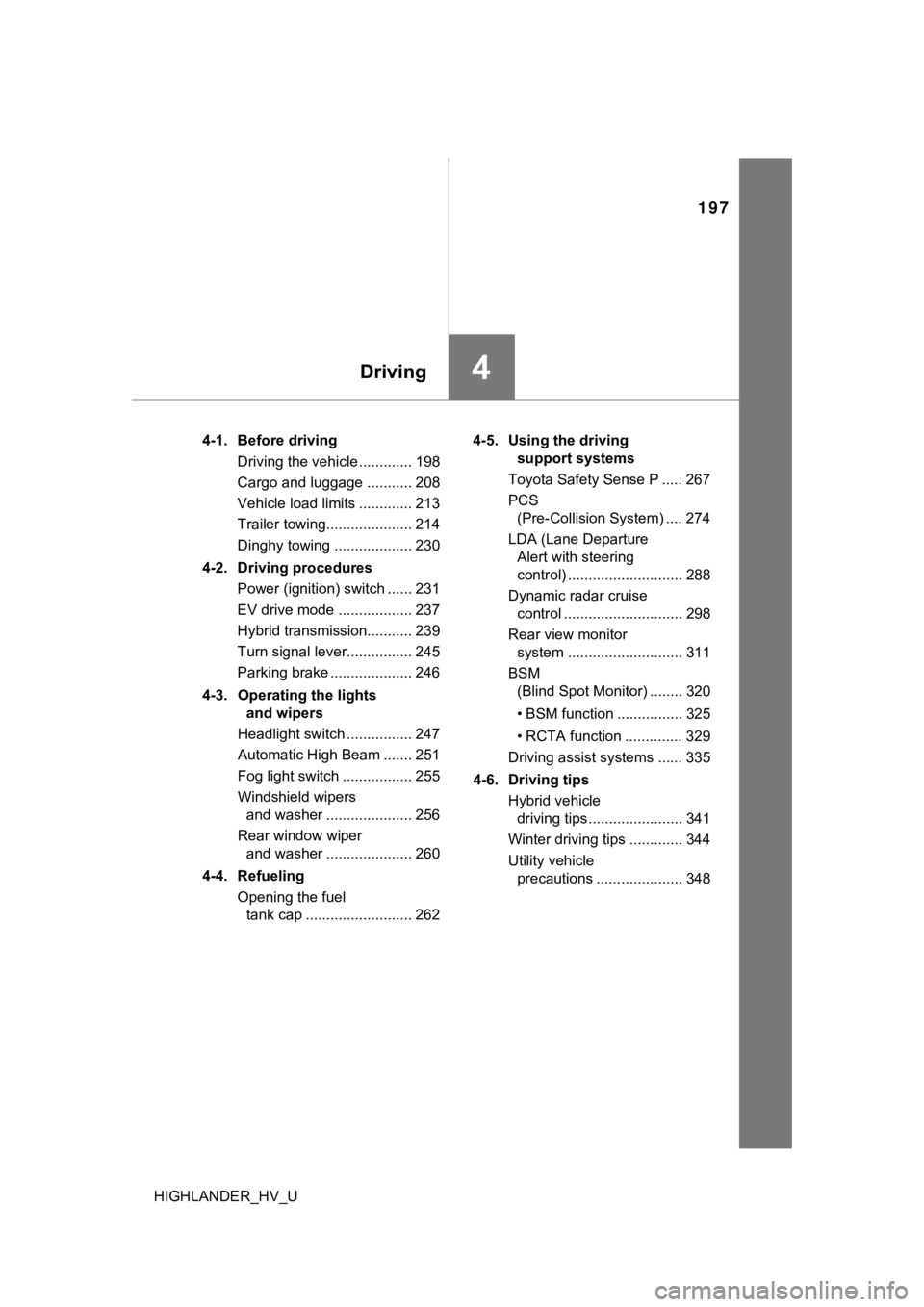
4-1. Before drivingDriving the vehicle ............. 198
Cargo and luggage............ 208
Vehicle load limits ............. 213
Trailer towing..................... 214
Dinghy towing.................... 230
4-2. Driving procedures Power (ignition) switch ...... 231
EV drive mode................... 237
Hybrid transmission........... 239
Turn signal lever................ 245
Parking brake .................... 246
4-3. Operating the lights and wipers
Headlight switch ................ 247
Automatic High Beam ....... 251
Fog light switch ................. 255
Windshield wipers and washer ..................... 256
Rear window wiper and washer ..................... 260
4-4. Refueling Opening the fuel tank cap .......................... 262 4-5. Using the driving
support systems
Toyota Safety Sense P ...... 267
PCS (Pre-Collision System)..... 274
LDA (Lane Departure Alert with steering
control) ............................ 288
Dynamic radar cruise control.............................. 298
Rear view monitor system ............................. 311
BSM (Blind Spot Monitor)......... 320
• BSM function ................. 325
• RCTA function ............... 329
Driving assist systems ....... 335
4-6. Driving tips Hybrid vehicle driving tips ....................... 341
Winter driving tips .............. 344
Utility vehicle precautions ...................... 348
4Driving
Page 17 of 716
17Pictorial index
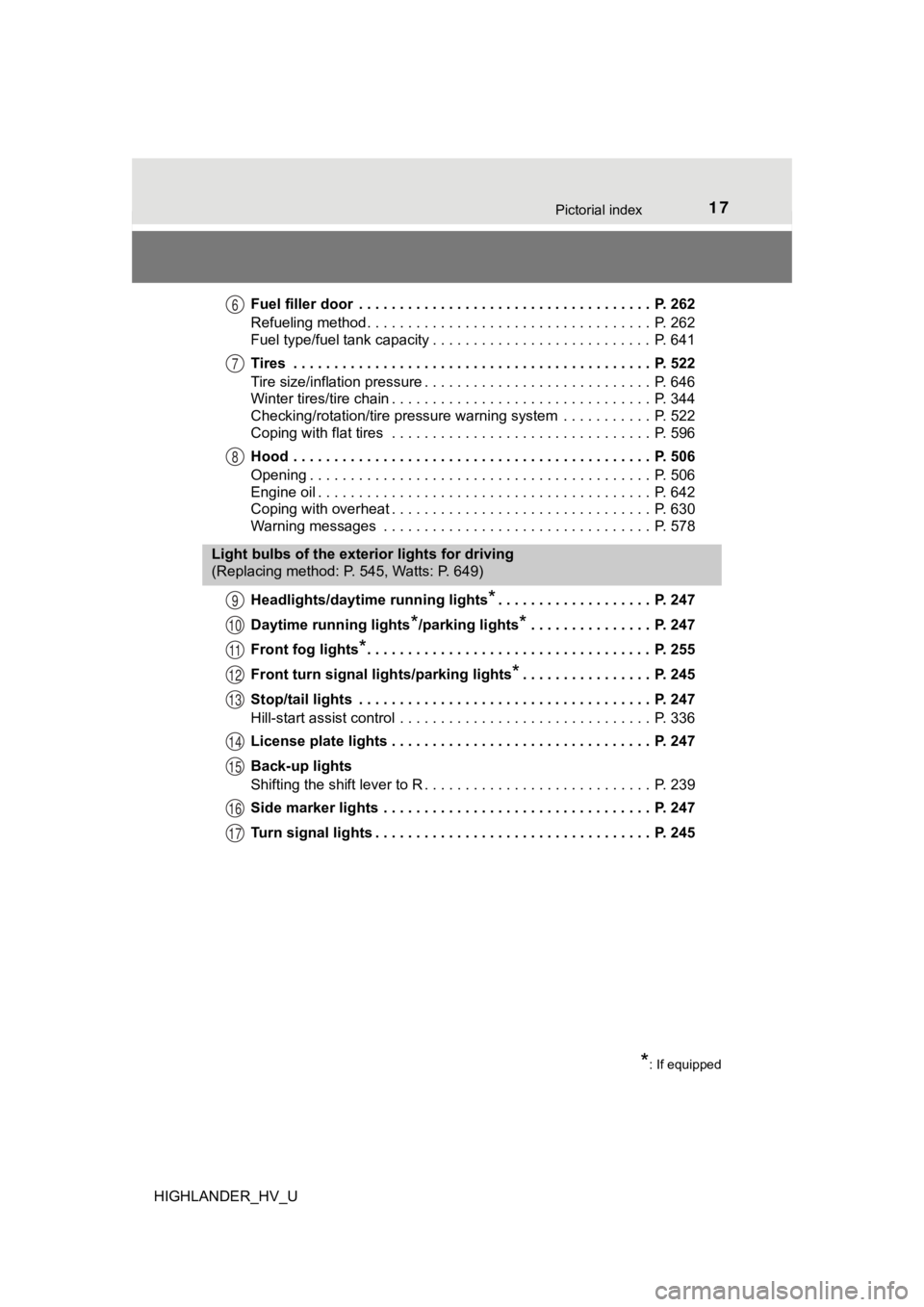
HIGHLANDER_HV_UFuel filler door . . . . . . . . . . . . . . . . . . . . . . . . . . . . . . . . . . . . P. 262
Refueling method . . . . . . . . . . . . . . . . . . . . . . . . . . . . . . . . . . . P. 262
Fuel type/fuel tank capacity . . . . . . . . . . . . . . . . . . . . . . . . . . . P. 641
Tires . . . . . . . . . . . . . . . . . . . . . . . . . . . . . . . . . . . . . . . . . . . . P. 522
Tire size/inflation pressure . . . . . . . . . . . . . . . . . .
. . . . . . . . . . P. 646
Winter tires/tire chain . . . . . . . . . . . . . . . . . . . . . . . . . . . . . . . . P. 344
Checking/rotation/tire pressure warning system . . . . . . . . . . . P. 522
Coping with flat tires . . . . . . . . . . . . . . . . . . . . . . . . . . . . . . . . P. 596
Hood . . . . . . . . . . . . . . . . . . . . . . . . . . . . . . . . . . . . . . . . . . . . P. 506
Opening . . . . . . . . . . . . . . . . . . . . . . . . . . . . . . . . . . . . . . . . . . P. 506
Engine oil . . . . . . . . . . . . . . . . . . . . . . . . . . . . . . . . . . . . . . . . . P. 642
Coping with overheat . . . . . . . . . . . . . . . . . . . . . . . . . . . . . . . . P. 630
Warning messages . . . . . . . . . . . . . . . . . . . . . . . . . . . . . . . . . P. 578
Headlights/daytime running lights
*. . . . . . . . . . . . . . . . . . . P. 247
Daytime running lights
*/parking lights*. . . . . . . . . . . . . . . P. 247
Front fog lights
*. . . . . . . . . . . . . . . . . . . . . . . . . . . . . . . . . . . P. 255
Front turn signal lig hts/parking lights
*. . . . . . . . . . . . . . . . P. 245
Stop/tail lights . . . . . . . . . . . . . . . . . . . . . . . . . . . . . . . . . . . . P. 247
Hill-start assist control . . . . . . . . . . . . . . . . . . . . . . . . . . . . . . . P. 336
License plate lights . . . . . . . . . . . . . . . . . . . . . . . . . . . . . . . . P. 247
Back-up lights
Shifting the shift lever to R . . . . . . . . . . . . . . . . . . . . . . . . . . . . P. 239
Side marker lights . . . . . . . . . . . . . . . . . . . . . . . . . . . . . . . . . P. 247
Turn signal lights . . . . . . . . . . . . . . . . . . . . . . . . . . . . . . . . . . P. 245
6
7
8
Light bulbs of the exterior lights for driving
(Replacing method: P. 545, Watts: P. 649)
*: If equipped
9
10
11
12
13
14
15
16
17
Page 19 of 716
19Pictorial index
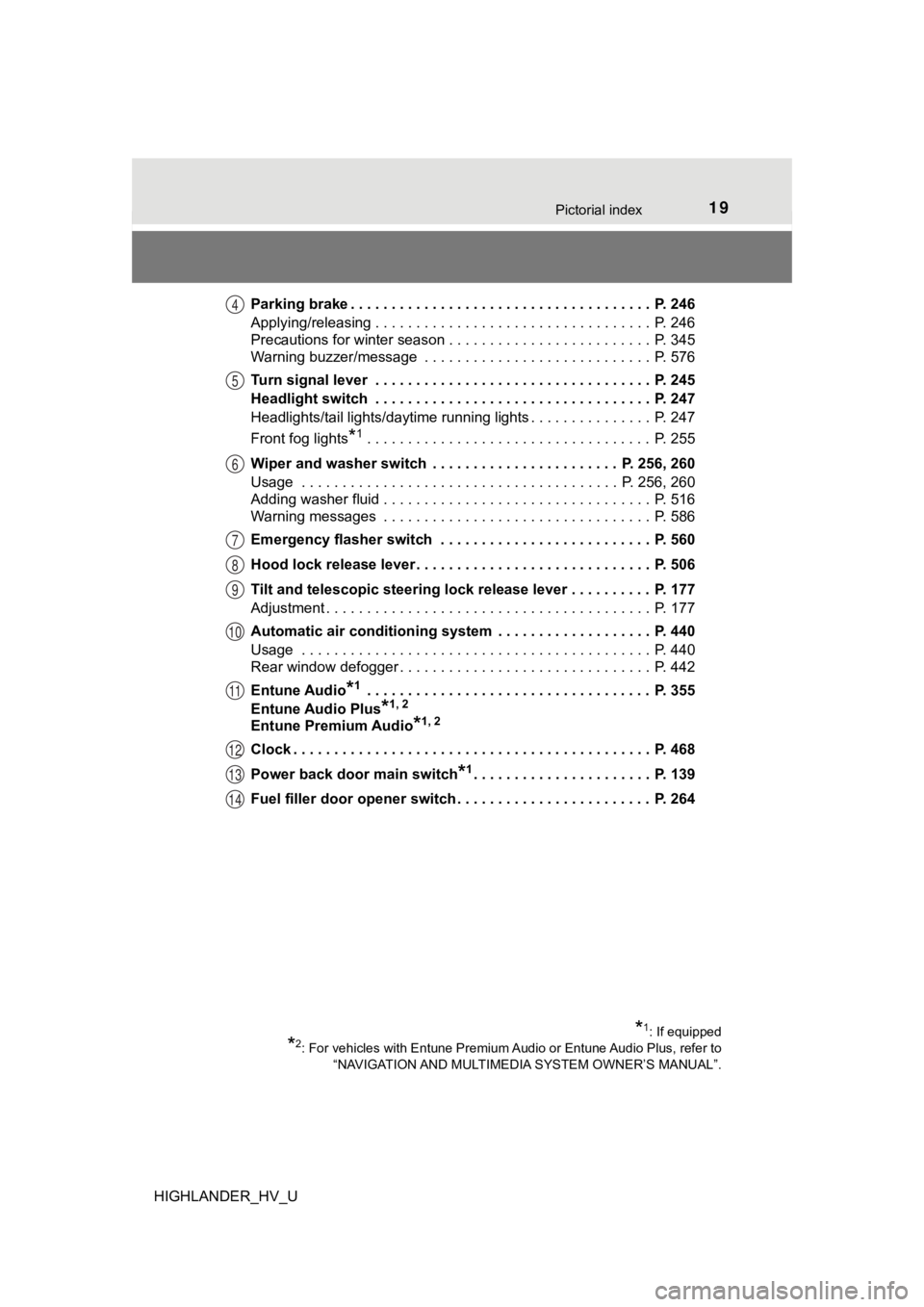
HIGHLANDER_HV_UParking brake . . . . . . . . . . . . . . . . . . . . . . . . . . . . . . . . . . . . . P. 246
Applying/releasing . . . . . . . . . . . . . . . . . . . . . . . . . . . . . . . . . . P. 246
Precautions for winter season . . . . . . . . . . . . . . . . . . . . . . . . . P. 345
Warning buzzer/message . . . . . . . . . . . . . . . . . . . . . . . . . . . . P. 576
Turn signal lever . . . . . . . . . . . . . . . . . . . . . . . . . . . . . . . . . . P. 245
Headlight switch . . . . . . . . . . . . . . . . . . . . . . . . . . . . . . . . . . P. 247
Headlights/tail lights/daytime running lights . . . . . . . . .
. . . . . . P. 247
Front fog lights
*1 . . . . . . . . . . . . . . . . . . . . . . . . . . . . . . . . . . . P. 255
Wiper and washer switch . . . . . . . . . . . . . . . . . . . . . . . P. 256, 260
Usage . . . . . . . . . . . . . . . . . . . . . . . . . . . . . . . . . . . . . . . P. 256, 260
Adding washer fluid . . . . . . . . . . . . . . . . . . . . . . . . . . . . . . . . . P. 516
Warning messages . . . . . . . . . . . . . . . . . . . . . . . . . . . . . . . . . P. 586
Emergency flasher switch . . . . . . . . . . . . . . . . . . . . . . . . . . P. 560
Hood lock release lever. . . . . . . . . . . . . . . . . . . . . . . . . . . . . P. 506
Tilt and telescopic steering lock release lever . . . . . . . . . . P. 177
Adjustment . . . . . . . . . . . . . . . . . . . . . . . . . . . . . . . . . . . . . . . . P. 177
Automatic air conditioning system . . . . . . . . . . . . . . . . . . . P. 440
Usage . . . . . . . . . . . . . . . . . . . . . . . . . . . . . . . . . . . . . . . . . . . P. 440
Rear window defogger . . . . . . . . . . . . . . . . . . . . . . . . . . . . . . . P. 442
Entune Audio
*1 . . . . . . . . . . . . . . . . . . . . . . . . . . . . . . . . . . . P. 355
Entune Audio Plus
*1, 2
Entune Premium Audio*1, 2
Clock . . . . . . . . . . . . . . . . . . . . . . . . . . . . . . . . . . . . . . . . . . . . P. 468
Power back door main switch
*1. . . . . . . . . . . . . . . . . . . . . . P. 139
Fuel filler door opener switch . . . . . . . . . . . . . . . . . . . . . . . . P. 264
*1: If equipped
*2: For vehicles with Entune Premium Audio or Entune Audio Plus, refer to
“NAVIGATION AND MULTIMEDIA SYSTEM OWNER’S MANUAL”.
4
5
6
7
8
9
10
11
12
13
14
Page 107 of 716
1072. Instrument cluster
2
Instrument cluster
HIGHLANDER_HV_U
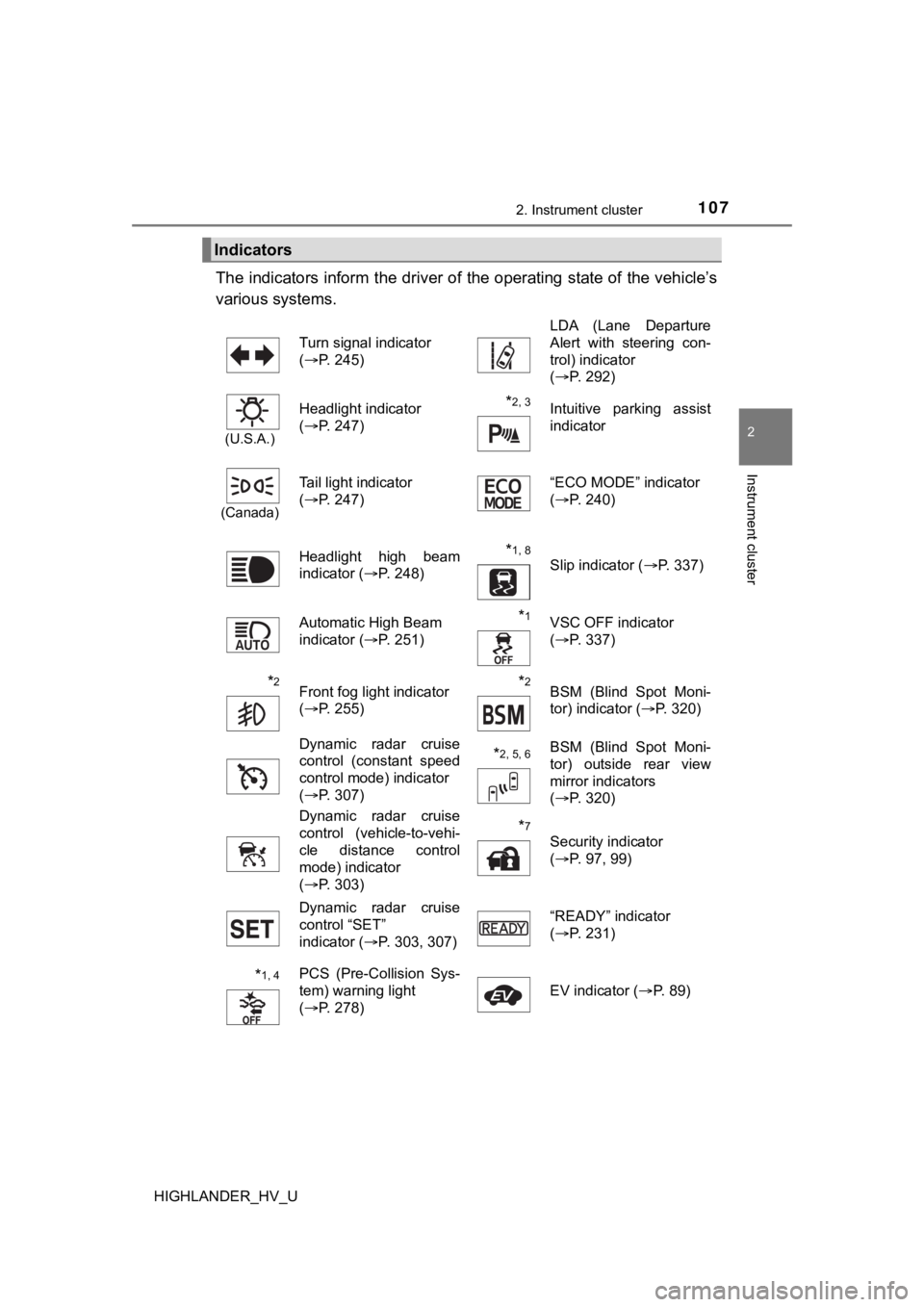
The indicators inform the driver of the operating state of the vehicle’s
various systems.
Indicators
Turn signal indicator
( P. 245) LDA (Lane Departure
Alert with steering con-
trol) indicator
(
P. 292)
(U.S.A.)
Headlight indicator
(P. 247)*2, 3 Intuitive parking assist
indicator
(Canada)
Tail light indicator
(P. 247) “ECO MODE” indicator
(
P. 240)
Headlight high beam
indicator ( P. 248)
*1, 8 Slip indicator ( P. 337)
Automatic High Beam
indicator ( P. 251)
*1VSC OFF indicator
(P. 337)
*2Front fog light indicator
(P. 255)*2BSM (Blind Spot Moni-
tor) indicator ( P. 320)
Dynamic radar cruise
control (constant speed
control mode) indicator
( P. 307)
*2, 5, 6BSM (Blind Spot Moni-
tor) outside rear view
mirror indicators
(P. 320)
Dynamic radar cruise
control (vehicle-to-vehi-
cle distance control
mode) indicator
( P. 303)
*7
Security indicator
(P. 97, 99)
Dynamic radar cruise
control “SET”
indicator ( P. 303, 307) “READY” indicator
(
P. 231)
*1, 4PCS (Pre-Collision Sys-
tem) warning light
(P. 278) EV indicator (
P. 89)
Page 197 of 716
197
4Driving
HIGHLANDER_HV_U4-1. Before driving
Driving the vehicle ............. 198
Cargo and luggage ........... 208
Vehicle load limits ............. 213
Trailer towing..................... 214
Dinghy towing ................... 230
4-2. Driving procedures Power (ignition) switch ...... 231
EV drive mode .................. 237
Hybrid transmission........... 239
Turn signal lever................ 245
Parking brake .................... 246
4-3. Operating the lights and wipers
Headlight switch ................ 247
Automatic High Beam ....... 251
Fog light switch ................. 255
Windshield wipers and washer ..................... 256
Rear window wiper and washer ..................... 260
4-4. Refueling Opening the fuel tank cap .......................... 262 4-5. Using the driving
support systems
Toyota Safety Sense P ..... 267
PCS (Pre-Collision System) .... 274
LDA (Lane Departure Alert with steering
control) ............................ 288
Dynamic radar cruise control ............................. 298
Rear view monitor system ............................ 311
BSM (Blind Spot Monitor) ........ 320
• BSM function ................ 325
• RCTA function .............. 329
Driving assist systems ...... 335
4-6. Driving tips Hybrid vehicle driving tips ....................... 341
Winter driving tips ............. 344
Utility vehicle precautions ..................... 348
Page 245 of 716
2454-2. Driving procedures
4
Driving
HIGHLANDER_HV_U
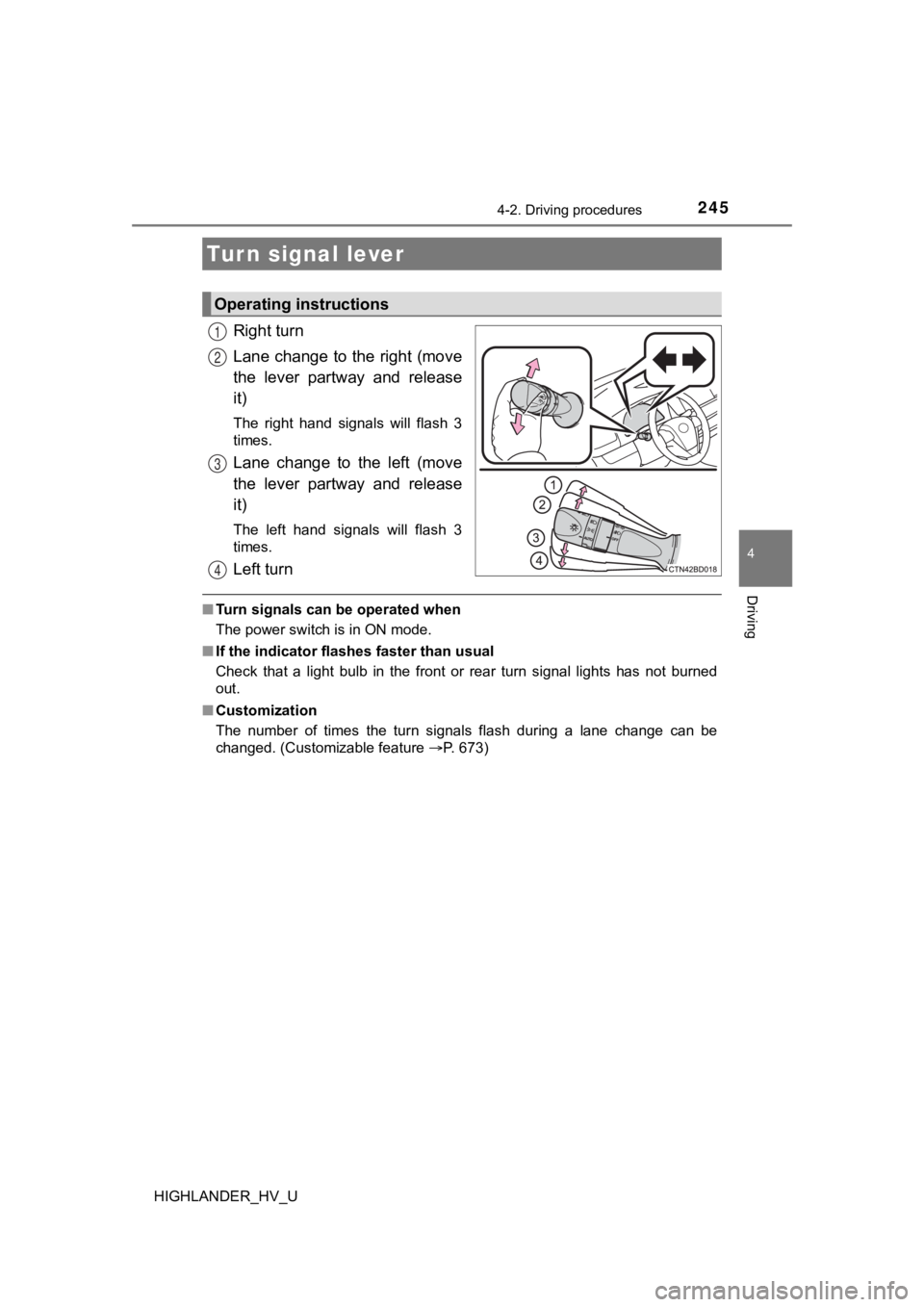
Right turn
Lane change to the right (move
the lever partway and release
it)
The right hand signals will flash 3
times.
Lane change to the left (move
the lever partway and release
it)
The left hand signals will flash 3
times.
Left turn
■Turn signals can be operated when
The power switch is in ON mode.
■ If the indicator flashes faster than usual
Check that a light bulb in the front or rear turn signal lights has not burned
out.
■ Customization
The number of times the turn signals flash during a lane change can be
changed. (Customizable feature P. 673)
Turn signal lever
Operating instructions
1
2
3
4
Page 253 of 716
2534-3. Operating the lights and wipers
4
Driving
HIGHLANDER_HV_U■
Camera sensor detection information
●The high beams may not be automatically turned off in the follo wing situa-
tions:
• When a vehicle suddenly appears from around a curve
• When the vehicle is cut in front of by another vehicle
• When vehicles ahead cannot be detected due to repeated curves, road
dividers or roadside trees
• When vehicles ahead appear in a faraway lane on a wide road
• When the lights of vehicles ahead are not on
● The high beams may be turned off if a vehicle ahead that is usi ng fog lights
without its headlights turned on is detected.
● House lights, street lights, traffic signals, and illuminated billboards or signs
and other reflective objects may cause the high beams to change to the low
beams, or the low beams to remain on.
● The following factors may affect the amount of time taken for t he high
beams to turn on or off:
• The brightness of the headlights, fog lights, and tail lights of vehicles
ahead
• The movement and direction of vehicles ahead
• When a vehicle ahead only has operational lights on one side
• When a vehicle ahead is a two-wheeled vehicle
• The condition of the road (gradient, curve, condition of the r oad surface,
etc.)
• The number of passengers and amount of luggage in the vehicle
● The high beams may turn on or off unexpectedly.
● Bicycles or similar vehicles may not be detected.
● In the following situations the system may not be able to correctly detect the
surrounding brightness level. This may cause the low beams to r emain on
or the high beams to flash or dazzle pedestrians or vehicles ah ead. In such
a case, it is necessary to manually switch between the high and low beams.
• When driving in inclement weather (heavy rain, snow, fog, sand storms,
etc.)
• When the windshield is obscured by fog, mist, ice, dirt, etc.
• When the windshield is cracked or damaged
• When the camera sensor is deformed or dirty
• When the temperature of the camera sensor is extremely high
• When the surrounding brightness level is equal to that of head lights, tail
lights or fog lights
• When headlights or tail lights of vehicles ahead are turned off, dirty, changing color, or not aimed properly
• When the vehicle is hit by water, snow, dust, etc. from a prec eding vehi-
cle
• When driving through an area of intermittently changing brightness and
darkness
• When frequently and repeatedly driving ascending/descending roads, or roads with rough, bumpy or uneven surfaces (such as stone-paved
roads, gravel roads, etc.)
Page 294 of 716
2944-5. Using the driving support systems
HIGHLANDER_HV_U
■Operation conditions of each function
●Lane departure alert function
This function operates when all of the following conditions are met.
• LDA is turned on.
• Vehicle speed is approximately 32 mph (50 km/h) or more.
• System recognizes white (yellow) lines.
• Width of traffic lane is approximately 9.8 ft. (3 m) or more.
• Turn signal lever is not operated.
• Vehicle is driven on a straight road or around a gentle curve with a radius
of more than approximately 492 ft. (150 m).
• No system malfunctions are detected. ( P. 567)
● Steering control function
This function operates when all of the following conditions are met in addi-
tion to the operation conditions for the lane departure alert function.
• Setting for “Steering Assist” on of the multi-information dis play is set
to “On”.( P. 116)
• Vehicle is not accelerated or decelerated by a certain amount or more.
• Steering wheel is not operated with a steering force level suitable for changing lanes.
• ABS, VSC, TRAC and PCS (Pre-Collision System) are not operatin g.
• TRAC or VSC is not turned off.
● Vehicle sway warning function
This function operates when all of the following conditions are met.
• Setting for “Sway Warning” on of the multi-information displa y is set to
“On”. ( P. 116)
• Vehicle speed is approximately 32 mph (50 km/h) or more.
• Width of traffic lane is approximately 9.8 ft. (3 m) or more.
• No system malfunctions are detected. ( P. 567)
Page 321 of 716
3214-5. Using the driving support systems
4
Driving
HIGHLANDER_HV_U
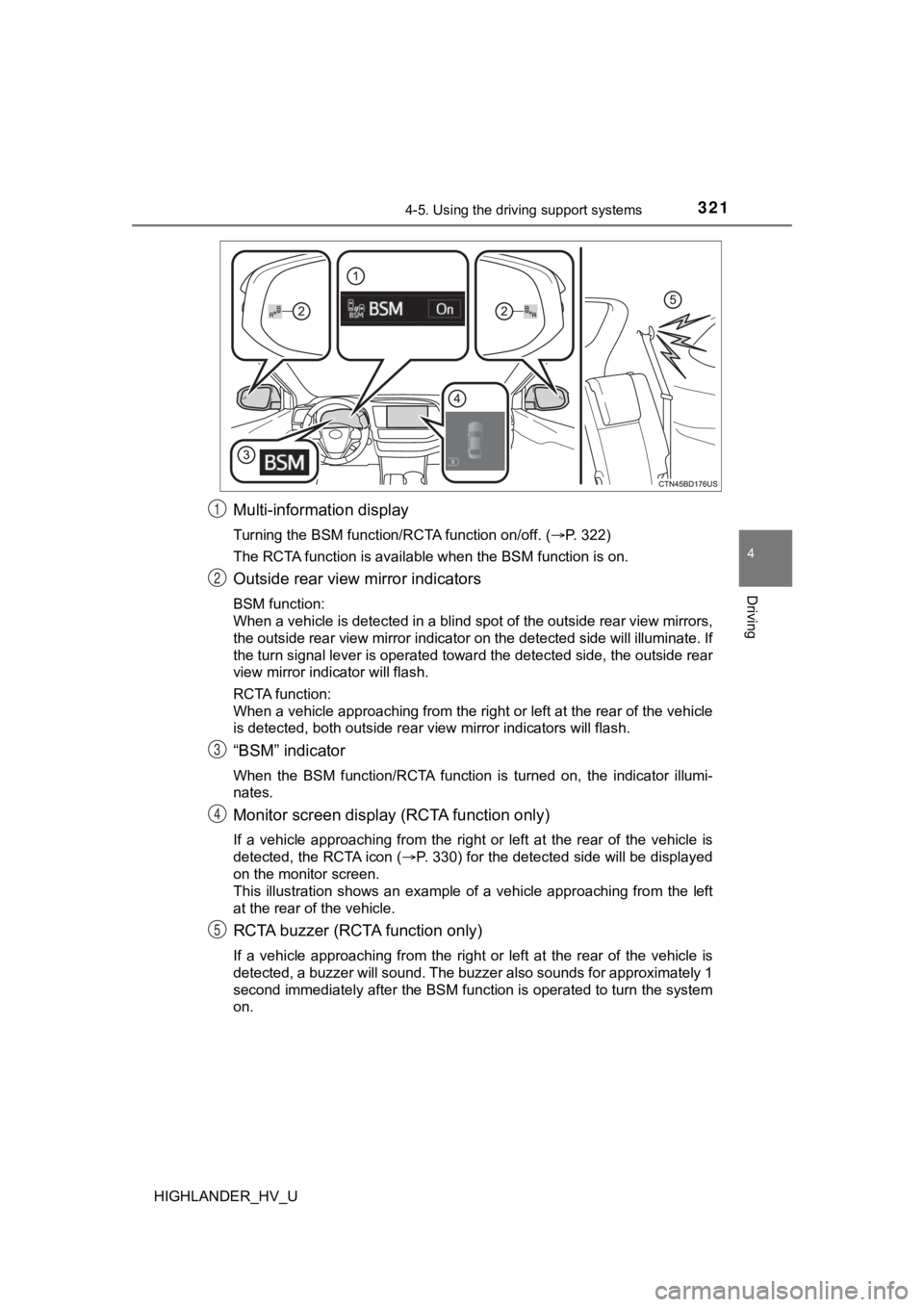
Multi-information display
Turning the BSM function/RCTA function on/off. (P. 322)
The RCTA function is available when the BSM function is on.
Outside rear view mirror indicators
BSM function:
When a vehicle is detected in a blind spot of the outside rear view mirrors,
the outside rear view mirror indicator on the detected side will illuminate. If
the turn signal lever is operated toward the detected side, the outside rear
view mirror indicator will flash.
RCTA function:
When a vehicle approaching from the right or left at the rear o f the vehicle
is detected, both outside rear view mirror indicators will flas h.
“BSM” indicator
When the BSM function/RCTA function is turned on, the indicator illumi-
nates.
Monitor screen display (RCTA function only)
If a vehicle approaching from the right or left at the rear of the vehicle is
detected, the RCTA icon ( P. 330) for the detected side will be displayed
on the monitor screen.
This illustration shows an example of a vehicle approaching fro m the left
at the rear of the vehicle.
RCTA buzzer (RCTA function only)
If a vehicle approaching from the right or left at the rear of the vehicle is
detected, a buzzer will sound. The buzzer also sounds for approximately 1
second immediately after the BSM function is operated to turn t he system
on.
1
2
3
4
5
Page 372 of 716
3725-4. Using the radio
HIGHLANDER_HV_U
Search for desired stations by turning the “TUNE·SCROLL” knob or
pressing the “ ” or “ ” button on “SEEK/TRACK”.
Select “(add new)”.
To change the preset station to a different one, select and hol d the preset
station.
Select “Yes”.
Select “OK” after setting the new preset station.
■Refreshing the station list
Select “Refresh” on the “Station List” screen.
To cancel the refresh, select “Cancel Refresh”.
■Reception sensitivity
●Maintaining perfect radio reception at all times is difficult d ue to the continu-
ally changing position of the antenna, differences in signal strength and sur-
rounding objects, such as trains, transmitters, etc.
● The radio antenna is mounted inside the rear quarter window. To maintain
clear radio reception, do not attach metallic window tinting or other metallic
objects to the antenna wire mounted inside the rear window.
Setting station presets
1
2
3
4
1