change time TOYOTA iQ EV 2013 Owners Manual (in English)
[x] Cancel search | Manufacturer: TOYOTA, Model Year: 2013, Model line: iQ EV, Model: TOYOTA iQ EV 2013Pages: 36, PDF Size: 2.62 MB
Page 12 of 36
121. EV system
By using the charging timer function, deterioration of the traction bat-
tery charge can be suppressed, and off-peak electricity
* can be used
effectively.
*: Since electricity rates change based on contractual coverage, please con-
firm with the contracted electric power company about off-peak rates.
●A charging time can be assigned by setting the charging start time
or finish time.
●Once the time has been set, timer charging can be scheduled with
the previously set time at the next time.
●The settings of the charging timer function schedule is automati-
cally turns off, when charge has started.
■Setting the charging timer function
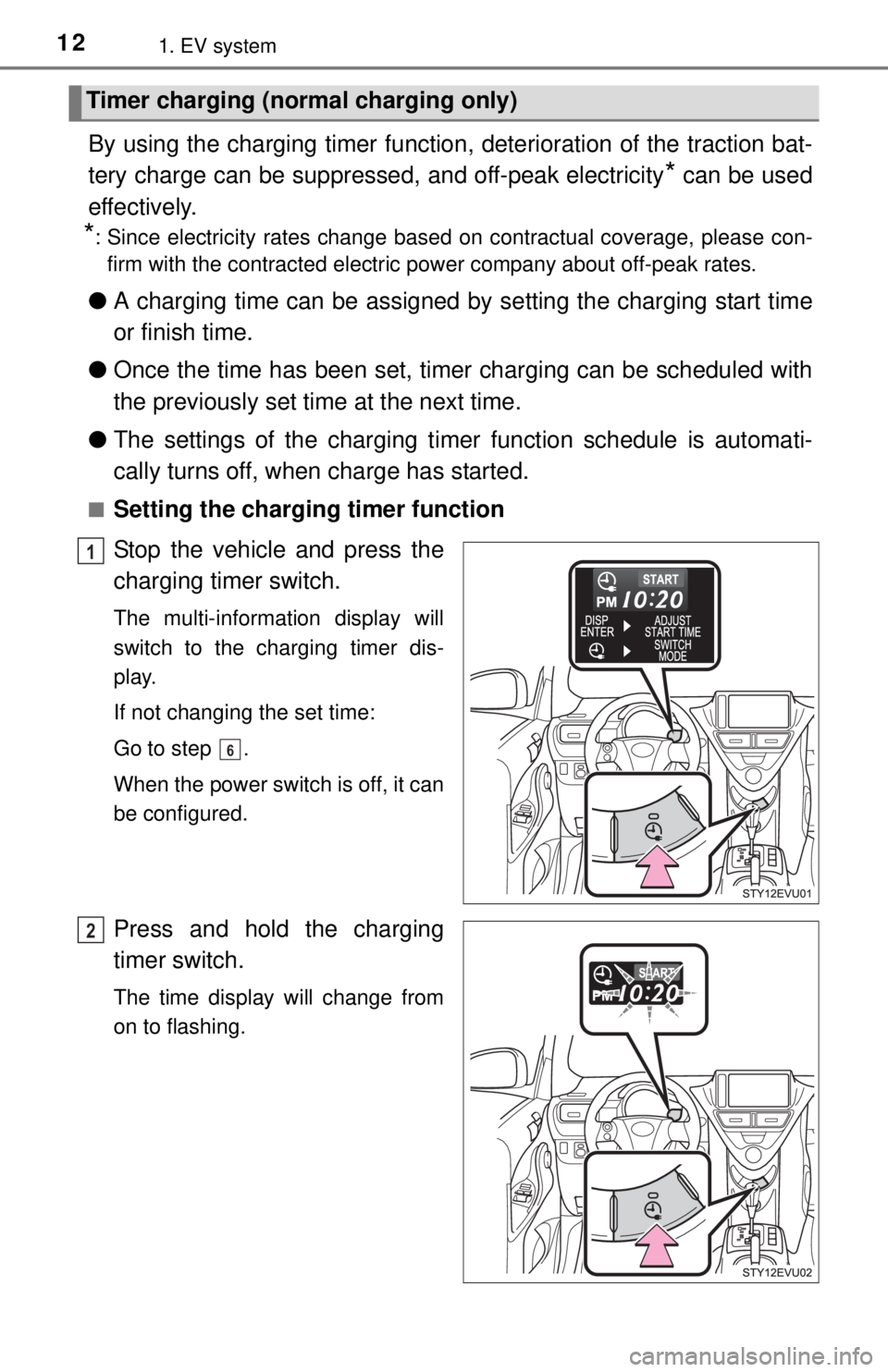
Stop the vehicle and press the
charging timer switch.
The multi-information display will
switch to the charging timer dis-
play.
If not changing the set time:
Go to step .
When the power switch is off, it can
be configured.
Press and hold the charging
timer switch.
The time display will change from
on to flashing.
Timer charging (normal charging only)
1
6
2
Page 13 of 36
131. EV system
1
EV system
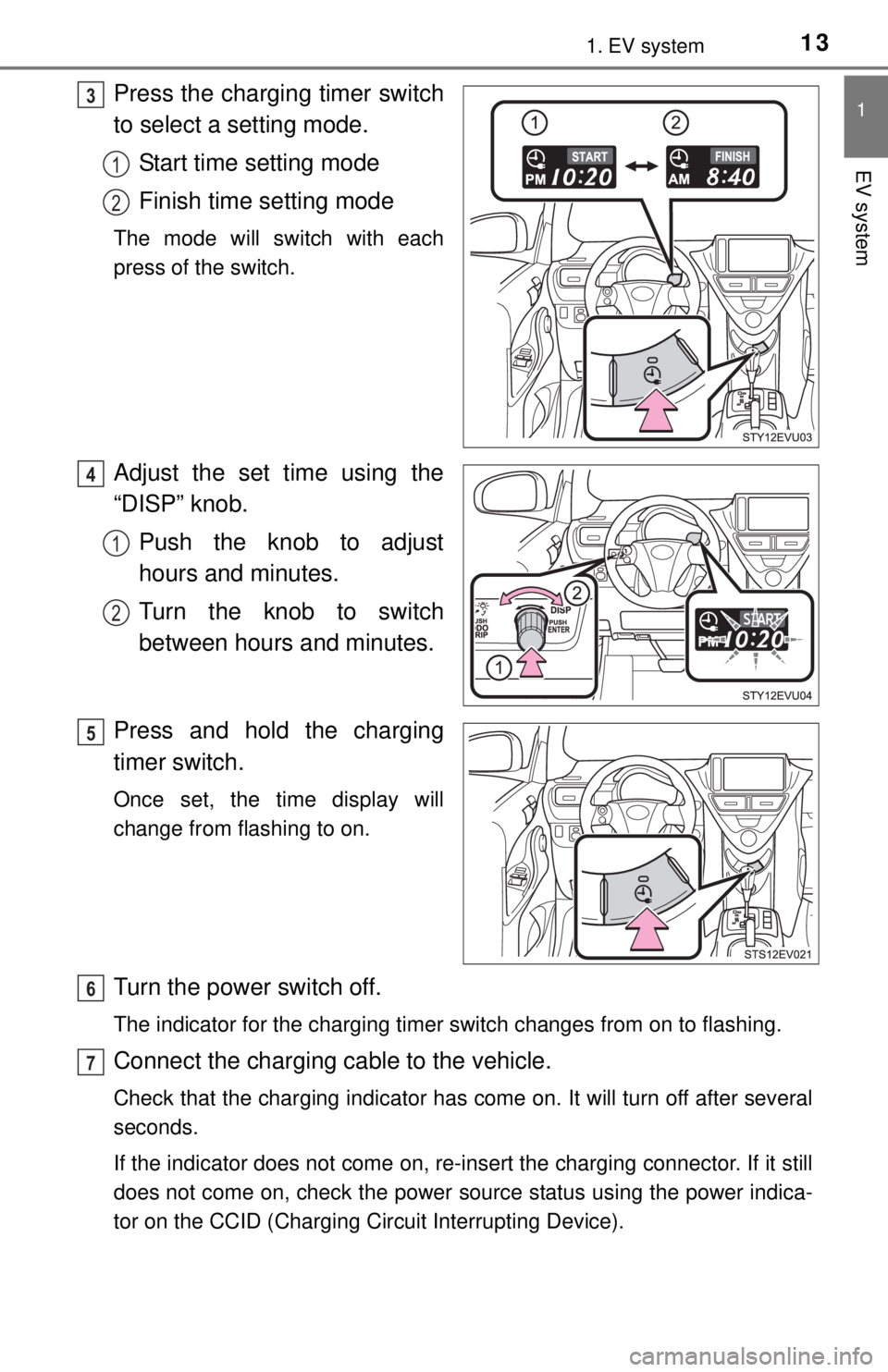
Press the charging timer switch
to select a setting mode.
Start time setting mode
Finish time setting mode
The mode will switch with each
press of the switch.
Adjust the set time using the
“DISP” knob.
Push the knob to adjust
hours and minutes.
Turn the knob to switch
between hours and minutes.
Press and hold the charging
timer switch.
Once set, the time display will
change from flashing to on.
Turn the power switch off.
The indicator for the charging timer switch changes from on to flashing.
Connect the charging cable to the vehicle.
Check that the charging indicator has come on. It will turn off after several
seconds.
If the indicator does not come on, re-insert the charging connector. If it still
does not come on, check the power source status using the power indica-
tor on the CCID (Charging Circuit Interrupting Device).
3
1
2
4
1
2
5
6
7
Page 22 of 36
222. Operation of each component
Depress the brake pedal until the vehicle comes to a complete
stop.
Set the parking brake.
Shift the shift lever to P.
Press the power switch.
Slowly release the brake pedal and check that the indicator on the
power switch is off.
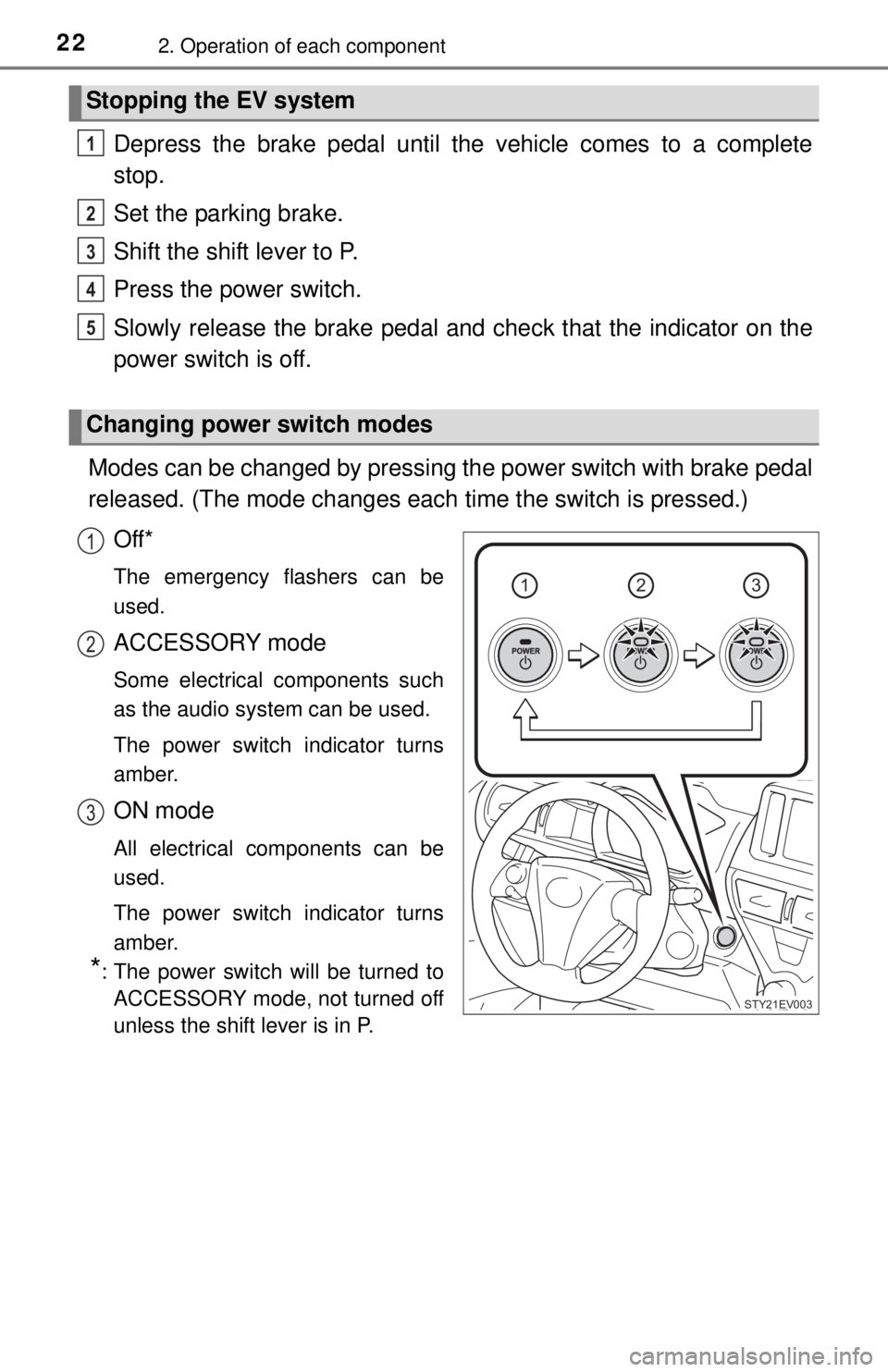
Modes can be changed by pressing the power switch with brake pedal
released. (The mode changes each time the switch is pressed.)
Off*
The emergency flashers can be
used.
ACCESSORY mode
Some electrical components such
as the audio system can be used.
The power switch indicator turns
amber.
ON mode
All electrical components can be
used.
The power switch indicator turns
amber.
*: The power switch will be turned to
ACCESSORY mode, not turned off
unless the shift lever is in P.
Stopping the EV system
Changing power switch modes
1
2
3
4
5
123
STY21EV003
1
2
3
Page 35 of 36
354. What to do if...
4
What to do if...
Ensure that the shift lever is in P and depress the brake pedal.
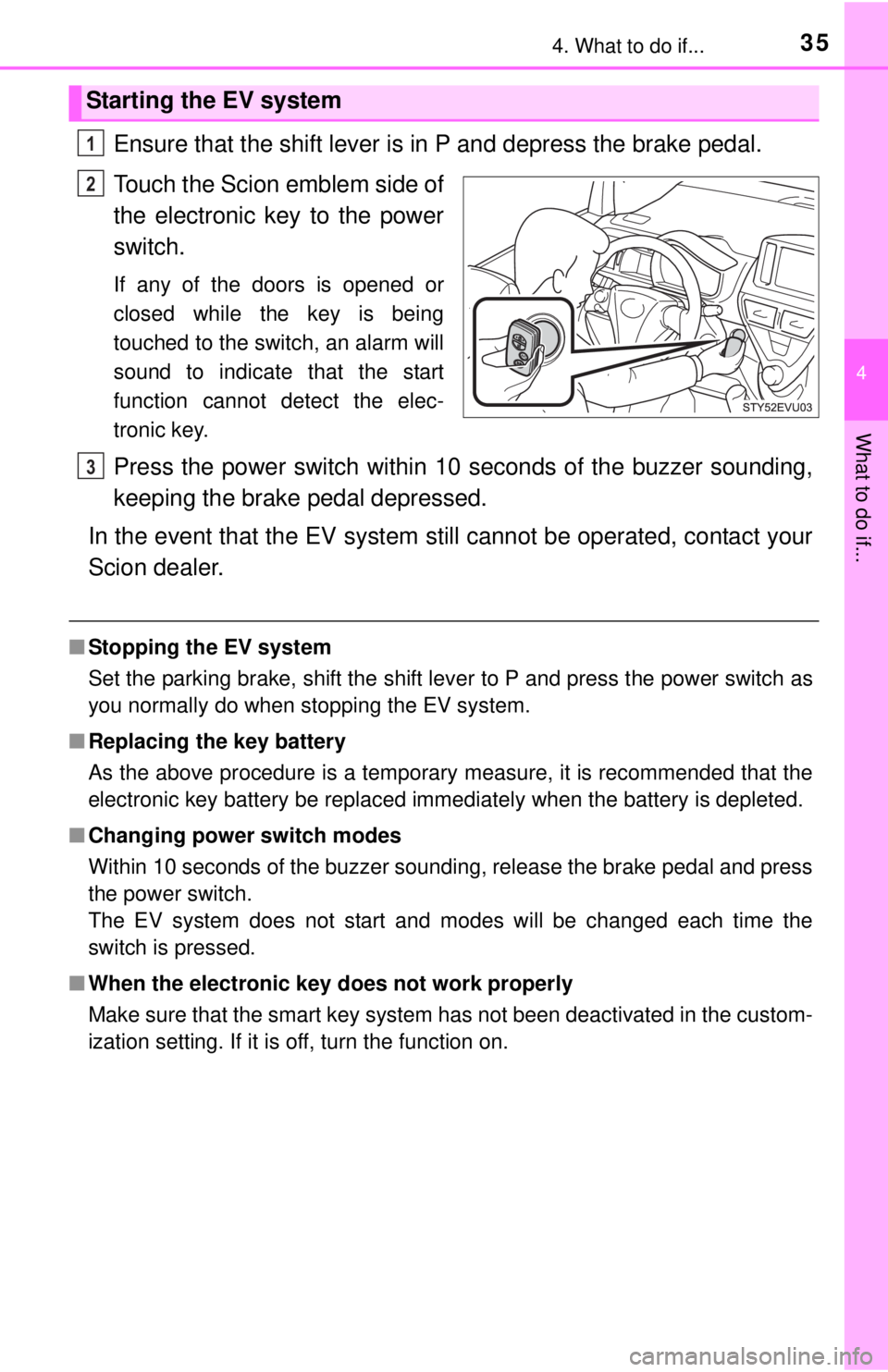
Touch the Scion emblem side of
the electronic key to the power
switch.
If any of the doors is opened or
closed while the key is being
touched to the switch, an alarm will
sound to indicate that the start
function cannot detect the elec-
tronic key.
Press the power switch within 10 seconds of the buzzer sounding,
keeping the brake pedal depressed.
In the event that the EV system still cannot be operated, contact your
Scion dealer.
■Stopping the EV system
Set the parking brake, shift the shift lever to P and press the power switch as
you normally do when stopping the EV system.
■Replacing the key battery
As the above procedure is a temporary measure, it is recommended that the
electronic key battery be replaced immediately when the battery is depleted.
■Changing power switch modes
Within 10 seconds of the buzzer sounding, release the brake pedal and press
the power switch.
The EV system does not start and modes will be changed each time the
switch is pressed.
■When the electronic key does not work properly
Make sure that the smart key system has not been deactivated in the custom-
ization setting. If it is off, turn the function on.
Starting the EV system
1
2
3