door lock TOYOTA LAND CRUISER 2012 Owner's Manual
[x] Cancel search | Manufacturer: TOYOTA, Model Year: 2012, Model line: LAND CRUISER, Model: TOYOTA LAND CRUISER 2012Pages: 692, PDF Size: 29.3 MB
Page 54 of 692
54 1-2. Opening, closing and locking the doors
L/C200_EE (OM60G38E)
CAUTION
Caution regarding interference with electronic devices
People with implanted pacemakers or cardiac defibrillators should main-
tain a reasonable distance between themselves and the smart entry &
start system antennas. (P. 43) The radio waves may affect the operation
of such devices. If necessary, the entry function can be disabled. Ask any
authorized Toyota dealer or repairer, or another duly qualified and
equipped professional for details, such as the frequency of radio waves
and timing of emitting the radio waves. Then, consult your doctor to see if
you should disable the entry function.
Users of any electrical medical device other than implanted pacemakers
and implanted cardiac defibrillators should consult the manufacturer of the
device for information about its operation under the influence of radio
waves. Radio waves could have unexpected effects on the operation of
such medical devices.
Ask any authorized Toyota dealer or repairer, or another duly qualified and
equipped professional for details for disabling smart entry & start system.
Page 55 of 692
55
1
1-2. Opening, closing and locking the doors
Before driving
L/C200_EE (OM60G38E)
Wireless remote control
Operation signals
The emergency flashers flash to indicate that the doors have been locked/
unlocked. (Locked: Once; Unlocked: Twice)
Operating conditions
The wireless remote control will not operate when the “ENGINE START
STOP” switch is in any position other than OFF.
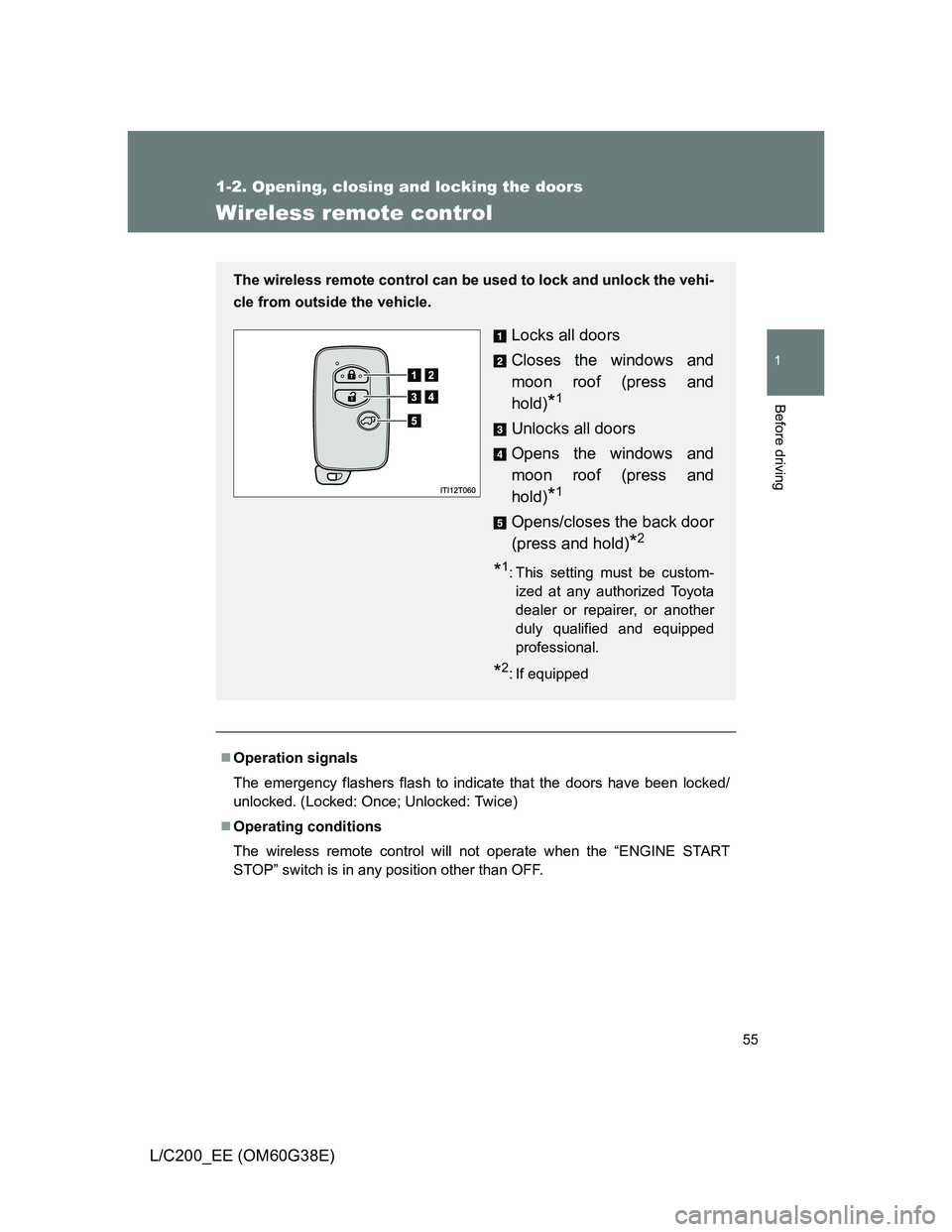
The wireless remote control can be used to lock and unlock the vehi-
cle from outside the vehicle.
Locks all doors
Closes the windows and
moon roof (press and
hold)
*1
Unlocks all doors
Opens the windows and
moon roof (press and
hold)
*1
Opens/closes the back door
(press and hold)
*2
*1: This setting must be custom-
ized at any authorized Toyota
dealer or repairer, or another
duly qualified and equipped
professional.
*2: If equipped
Page 56 of 692
56 1-2. Opening, closing and locking the doors
L/C200_EE (OM60G38E)
Door lock buzzer
If a door is not fully closed, a buzzer sounds continuously for 5 seconds if an
attempt to lock the door is made. Fully close the door to stop the buzzer, and
lock the vehicle once more.
Power back door operation (if equipped)
The power back door can be opened while the vehicle is locked. (one
motion)
Alarm
Using the wireless remote control to lock the door will set the alarm system.
Electronic key battery depletion
P. 4 6
Security feature
P. 4 8
If the wireless remote control does not operate properly
Locking and unlocking the doors: Use the mechanical key. (P. 627)
Starting the engine: P. 628
When the electronic key battery is fully depleted
P. 528
Conditions affecting operation
P. 4 4
Customization that can be configured at any authorized Toyota dealer
or repairer, or another duly qualified and equipped professional
Settings (e.g. unlocking function) can be changed.
(Customizable features P. 665)
Page 57 of 692
57 1-2. Opening, closing and locking the doors
1
Before driving
L/C200_EE (OM60G38E)
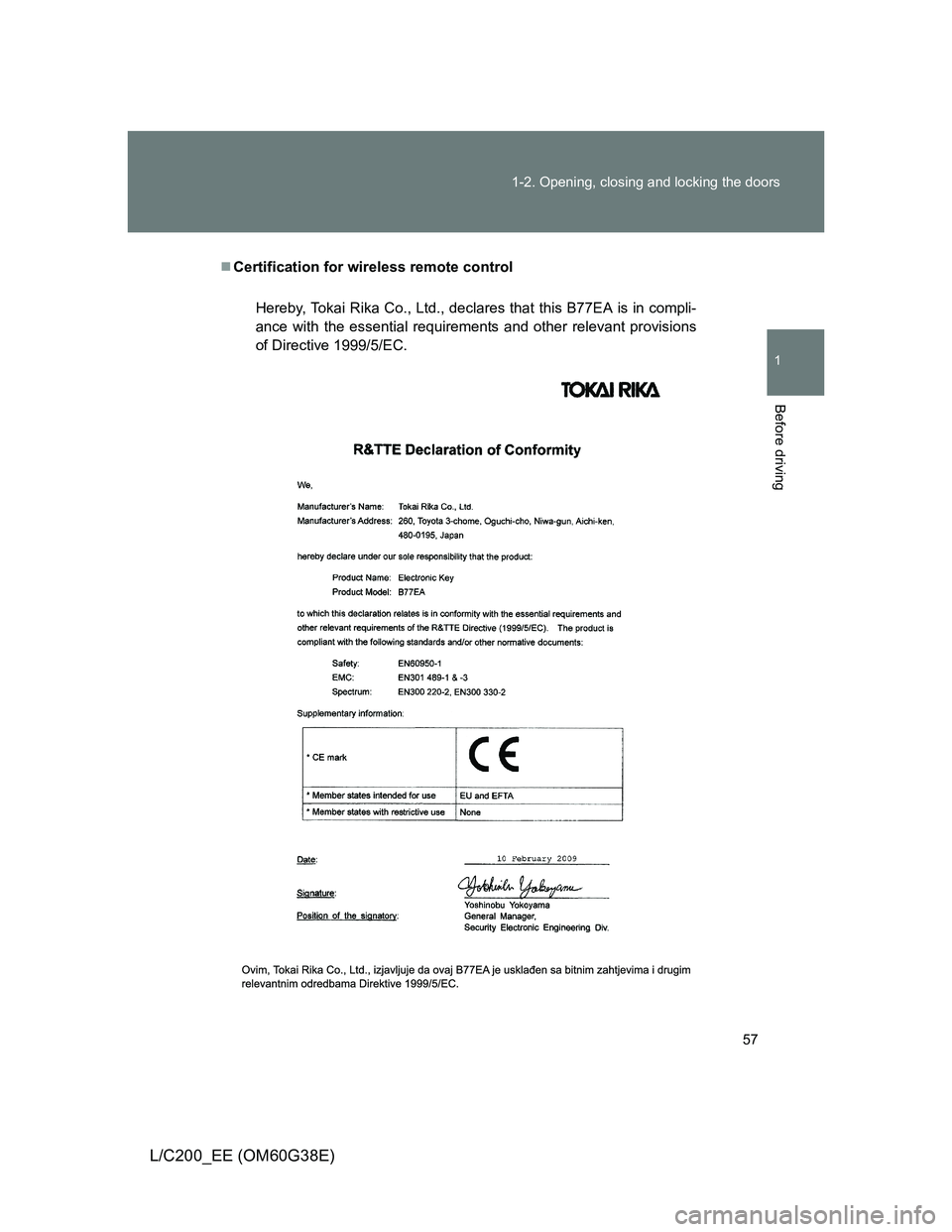
Certification for wireless remote control
Hereby, Tokai Rika Co., Ltd., declares that this B77EA is in compli-
ance with the essential requirements and other relevant provisions
of Directive 1999/5/EC.
Page 58 of 692
58 1-2. Opening, closing and locking the doors
L/C200_EE (OM60G38E)
Hereby, Tokai Rika Co., Ltd., declares that this B51UA is in compli-
ance with the essential requirements and other relevant provisions
of Directive 1999/5/EC.
Page 59 of 692
59 1-2. Opening, closing and locking the doors
1
Before driving
L/C200_EE (OM60G38E)
CAUTION
When closing the windows or moon roof using wireless remote control
Observe the following precautions.
Failing to do so may result in death or serious injury.
Check to make sure that all passengers do not have any part of their body
in a position where it could be caught when a window or moon roof is
being operated.
To prevent inadvertent power windows and moon roof operation, never let
a small child have and use the wireless remote control.
Jam protection function
Never try jamming any part of your body to activate the jam protection
function intentionally.
The jam protection function may not work if something gets caught just
before the window or moon roof fully closes.
Page 60 of 692
60
1-2. Opening, closing and locking the doors
L/C200_EE (OM60G38E)
Side doors
The vehicle can be locked and unlocked using the entry function,
wireless remote control or door lock switch.
Entry function
P. 4 1
Wireless remote control
P. 5 5
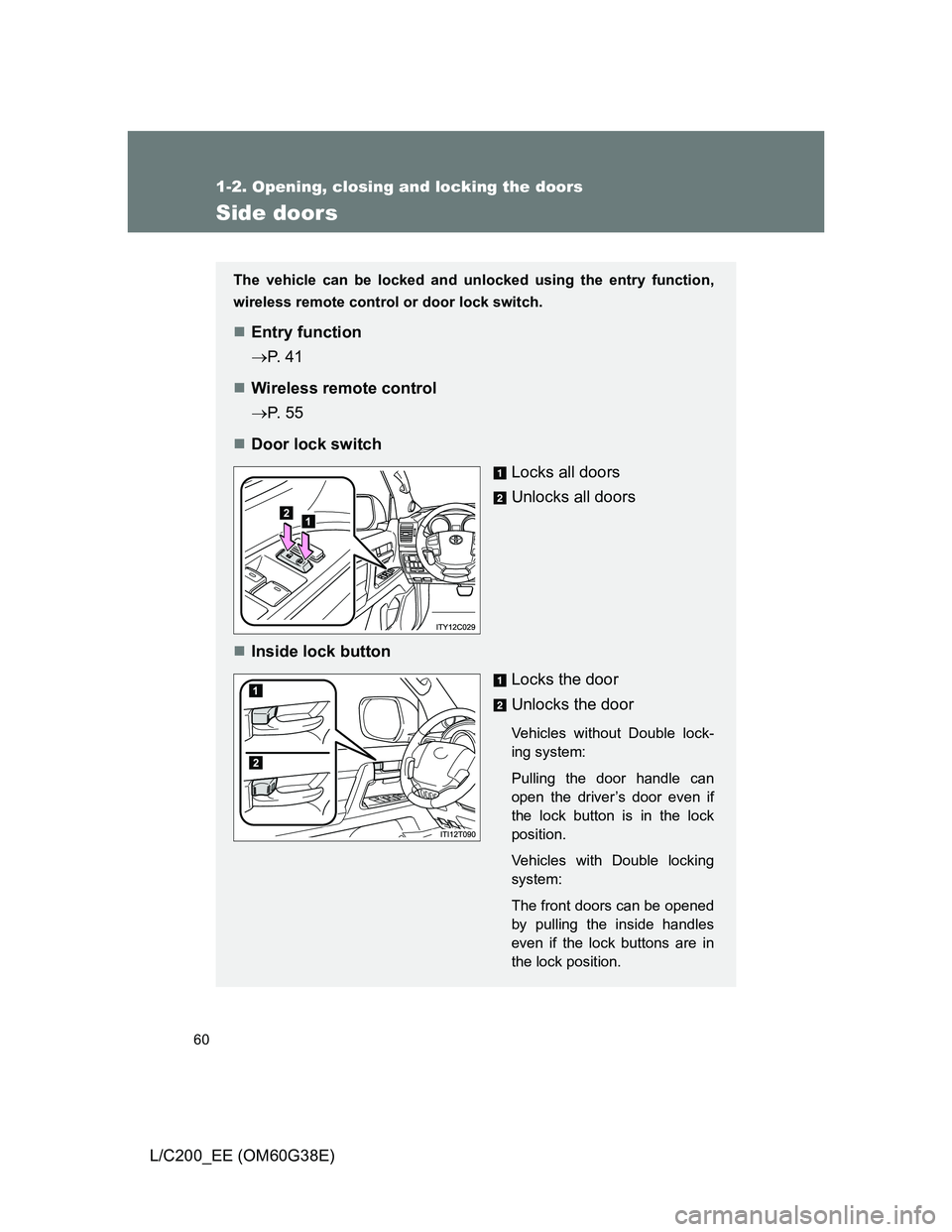
Door lock switch
Locks all doors
Unlocks all doors
Inside lock button
Locks the door
Unlocks the door
Vehicles without Double lock-
ing system:
Pulling the door handle can
open the driver’s door even if
the lock button is in the lock
position.
Vehicles with Double locking
system:
The front doors can be opened
by pulling the inside handles
even if the lock buttons are in
the lock position.
Page 61 of 692
61 1-2. Opening, closing and locking the doors
1
Before driving
L/C200_EE (OM60G38E)
Locking the front doors from the outside without a key
Move the inside lock button to the lock position.
Close the door while pulling the door handle.
The door cannot be locked if the “ENGINE START STOP” switch is in
ACCESSORY or IGNITION ON mode, or the electronic key is left
inside the vehicle.
Depending on the position of the electronic key, the key may not be
detected correctly and the door may be locked.
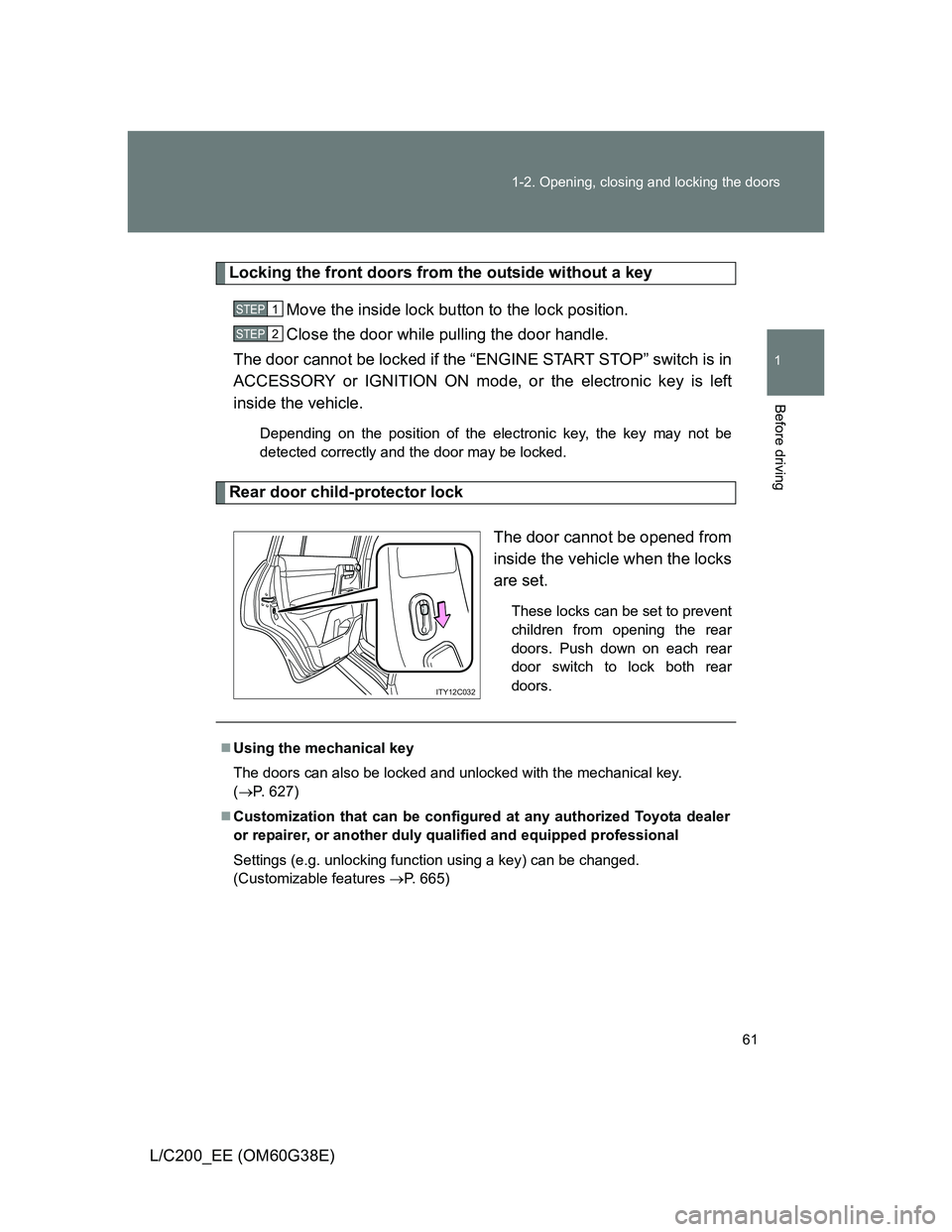
Rear door child-protector lock
The door cannot be opened from
inside the vehicle when the locks
are set.
These locks can be set to prevent
children from opening the rear
doors. Push down on each rear
door switch to lock both rear
doors.
STEP1
STEP2
ITY12C032
Using the mechanical key
The doors can also be locked and unlocked with the mechanical key.
(P. 627)
Customization that can be configured at any authorized Toyota dealer
or repairer, or another duly qualified and equipped professional
Settings (e.g. unlocking function using a key) can be changed.
(Customizable features P. 665)
Page 62 of 692
62 1-2. Opening, closing and locking the doors
L/C200_EE (OM60G38E)
CAUTION
To prevent an accident
Observe the following precautions while driving the vehicle.
Failing to do so may result in a door opening and an occupant falling out,
resulting in death or serious injury.
Always use a seat belt.
Ensure that all doors are properly closed.
Do not pull the inside handle of the doors while driving.
The doors may be opened and the passengers are thrown out of the vehi-
cle and it may result in death or serious injury.
Be especially careful for the driver’s door, as the door may be opened
even if the inside lock button is in locked position.
Set the rear door child-protector locks when children are seated in the rear
seat.
Page 63 of 692
63
1
1-2. Opening, closing and locking the doors
Before driving
L/C200_EE (OM60G38E)
Back door
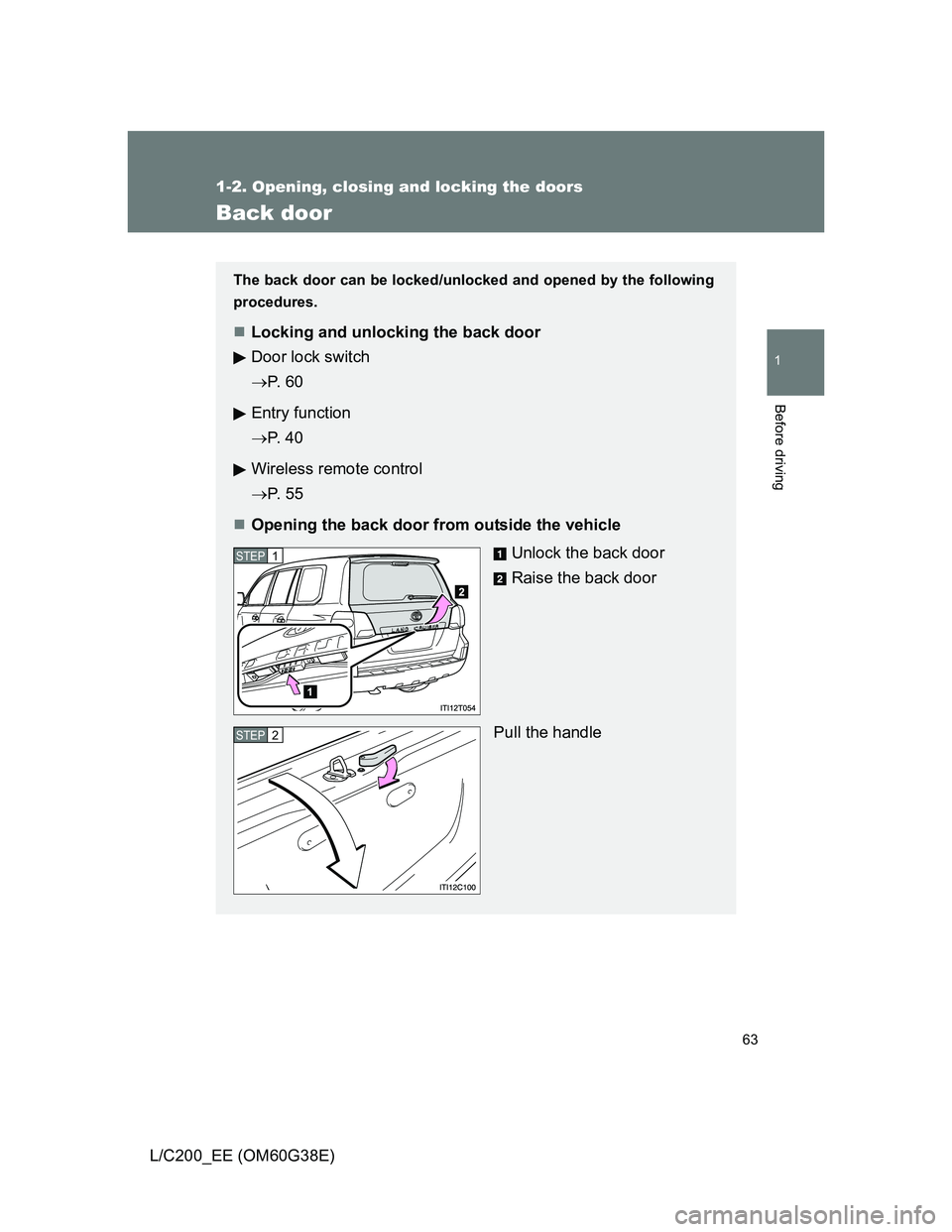
The back door can be locked/unlocked and opened by the following
procedures.
Locking and unlocking the back door
Door lock switch
P. 6 0
Entry function
P. 4 0
Wireless remote control
P. 5 5
Opening the back door from outside the vehicle
Unlock the back door
Raise the back door
Pull the handle
STEP1
STEP2