engine TOYOTA LAND CRUISER 2012 Manual PDF
[x] Cancel search | Manufacturer: TOYOTA, Model Year: 2012, Model line: LAND CRUISER, Model: TOYOTA LAND CRUISER 2012Pages: 692, PDF Size: 29.3 MB
Page 214 of 692
214 2-2. Instrument cluster
L/C200_EE (OM60G38E)
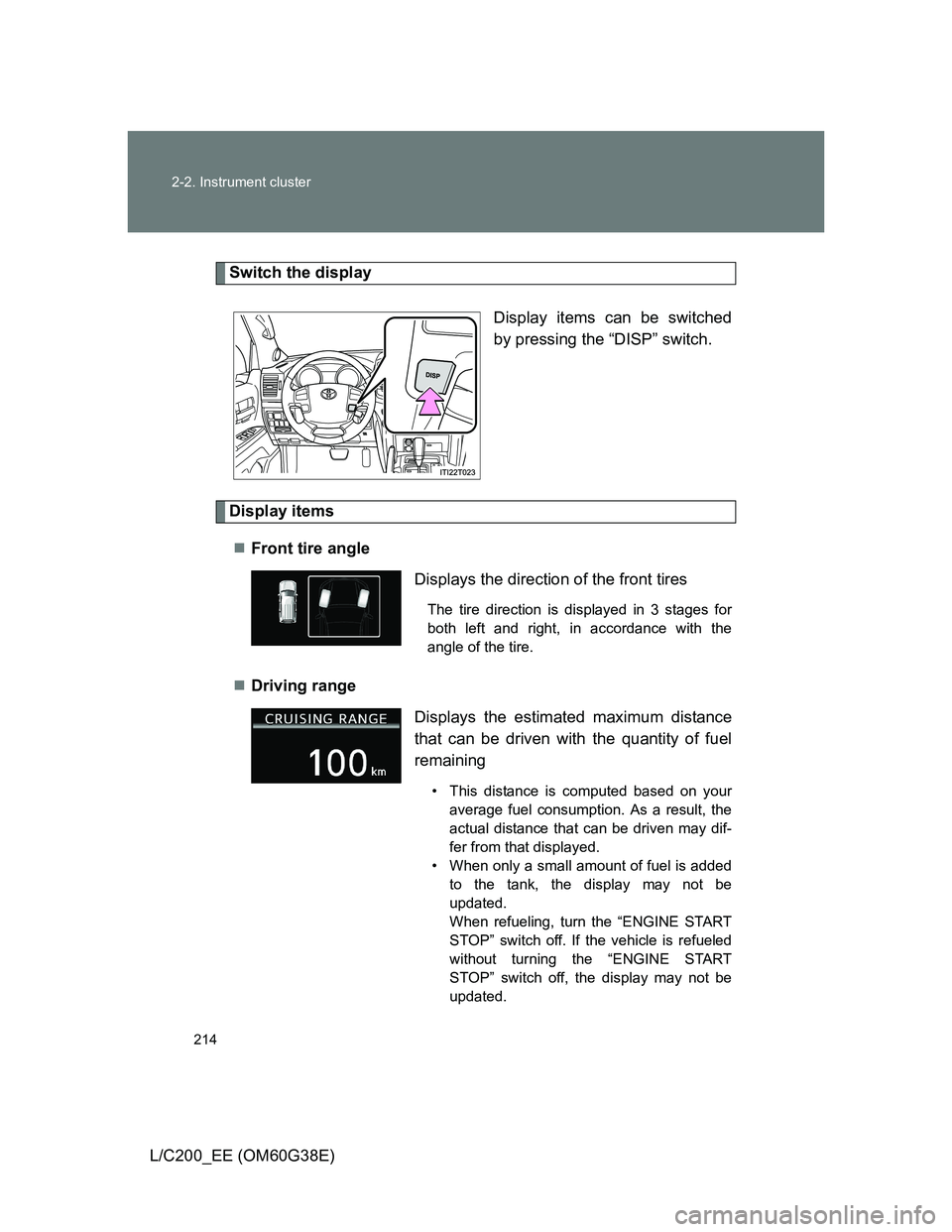
Switch the display
Display items can be switched
by pressing the “DISP” switch.
Display items
Front tire angle
Driving range
Displays the direction of the front tires
The tire direction is displayed in 3 stages for
both left and right, in accordance with the
angle of the tire.
Displays the estimated maximum distance
that can be driven with the quantity of fuel
remaining
• This distance is computed based on your
average fuel consumption. As a result, the
actual distance that can be driven may dif-
fer from that displayed.
• When only a small amount of fuel is added
to the tank, the display may not be
updated.
When refueling, turn the “ENGINE START
STOP” switch off. If the vehicle is refueled
without turning the “ENGINE START
STOP” switch off, the display may not be
updated.
Page 215 of 692
215 2-2. Instrument cluster
2
When driving
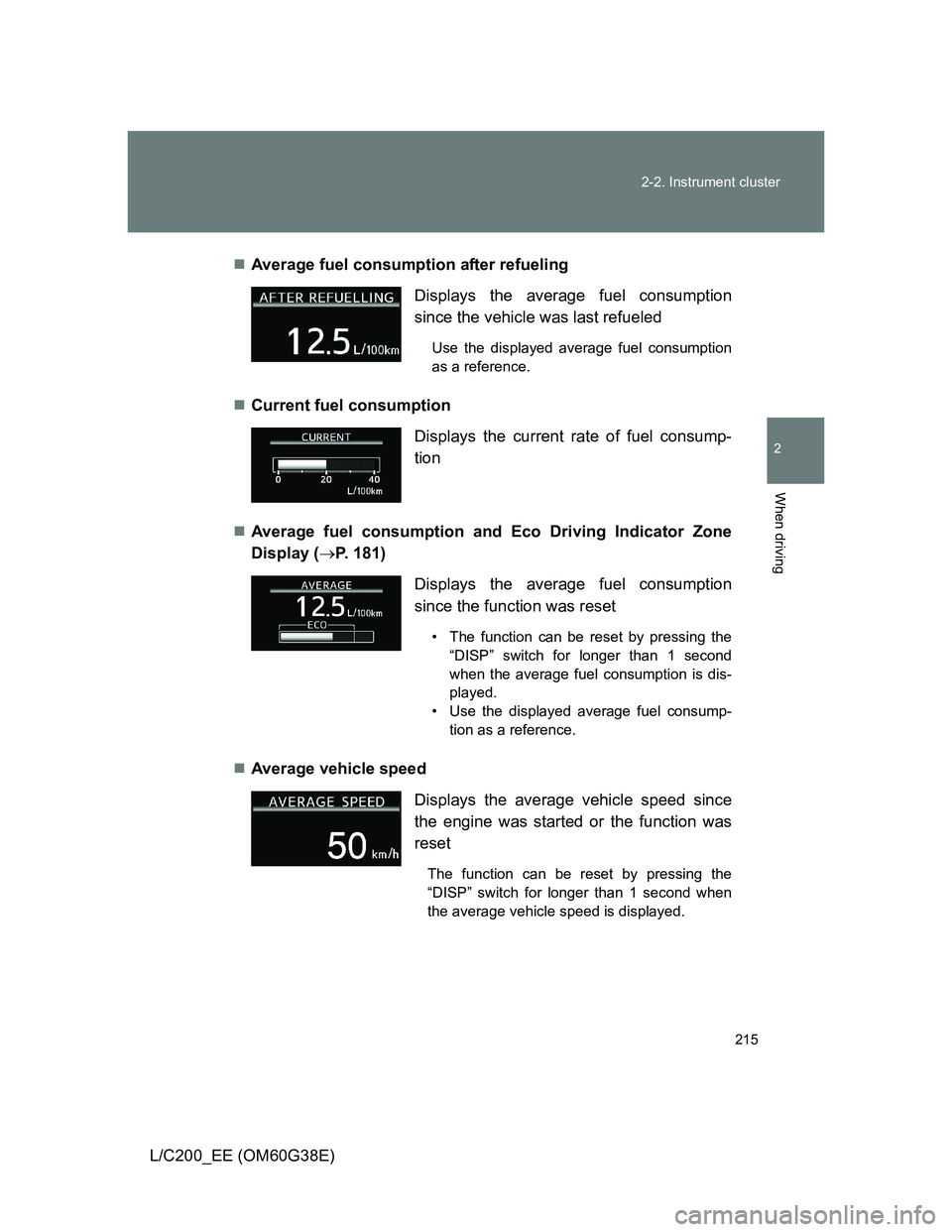
L/C200_EE (OM60G38E)Average fuel consumption after refueling
Current fuel consumption
Average fuel consumption and Eco Driving Indicator Zone
Display (P. 181)
Average vehicle speed Displays the average fuel consumption
since the vehicle was last refueled
Use the displayed average fuel consumption
as a reference.
Displays the current rate of fuel consump-
tion
Displays the average fuel consumption
since the function was reset
• The function can be reset by pressing the
“DISP” switch for longer than 1 second
when the average fuel consumption is dis-
played.
• Use the displayed average fuel consump-
tion as a reference.
Displays the average vehicle speed since
the engine was started or the function was
reset
The function can be reset by pressing the
“DISP” switch for longer than 1 second when
the average vehicle speed is displayed.
Page 216 of 692

216 2-2. Instrument cluster
L/C200_EE (OM60G38E)Speedometer
Turn-by-turn navigation (vehicles with a navigation system)
Display off
A blank screen is displayed
Displays the vehicle speed.
The speed units (MPH or km/h) can be
selected by pressing the “DISP” switch for
longer than 1 second when the speedometer
is displayed.
The turn-by-turn navigation can be set to on
or off.
The function can be activated or deactivated
by pressing the “DISP” switch for longer than
1 second when turn-by-turn navigation setting
screen is displayed.
System check display
After turning the “ENGINE START STOP” switch to IGNITION ON mode,
“LAND CRUISER” is displayed while system operation is checked. When the
system check is complete, the normal screen will return.
Page 217 of 692
217 2-2. Instrument cluster
2
When driving
L/C200_EE (OM60G38E)
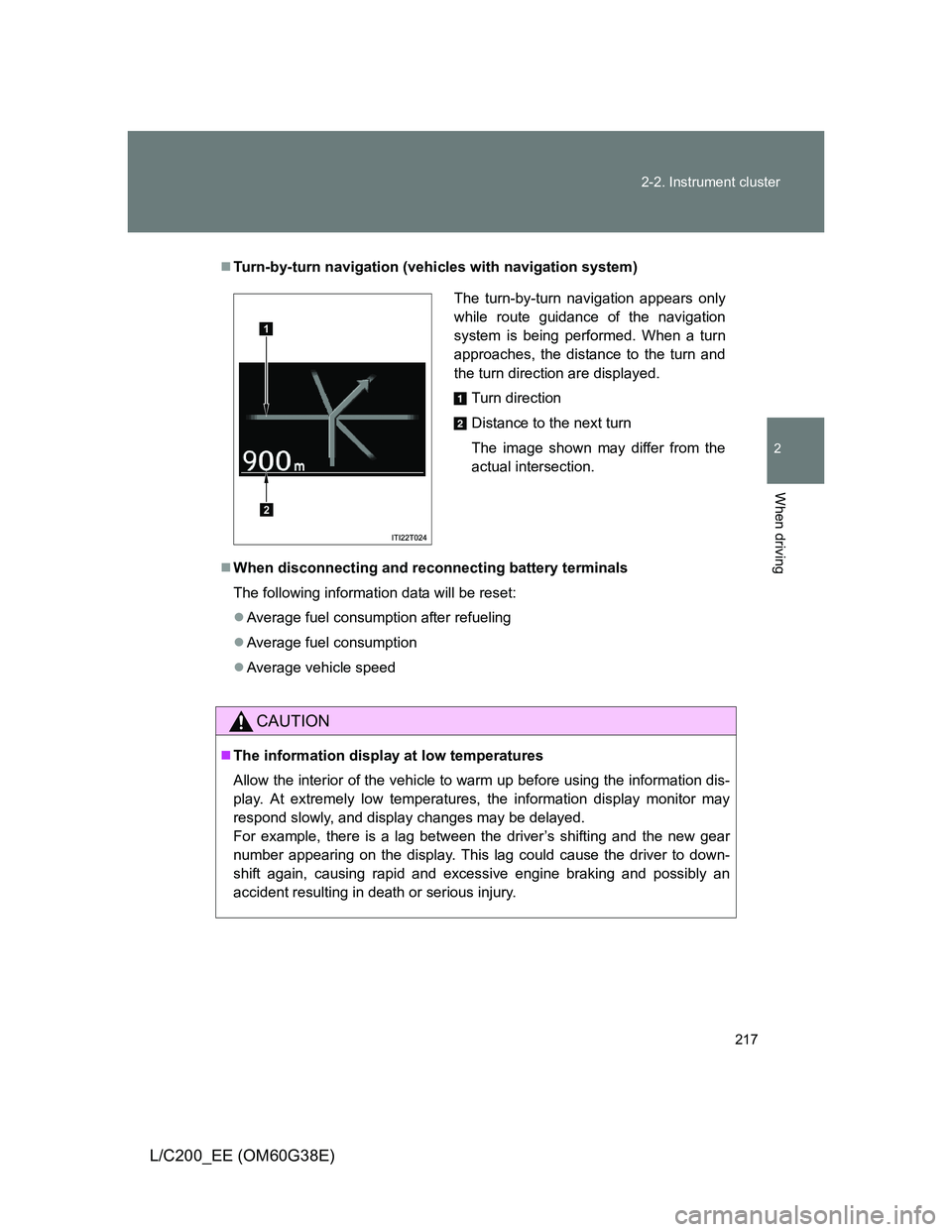
Turn-by-turn navigation (vehicles with navigation system)
When disconnecting and reconnecting battery terminals
The following information data will be reset:
Average fuel consumption after refueling
Average fuel consumption
Average vehicle speed
CAUTION
The information display at low temperatures
Allow the interior of the vehicle to warm up before using the information dis-
play. At extremely low temperatures, the information display monitor may
respond slowly, and display changes may be delayed.
For example, there is a lag between the driver’s shifting and the new gear
number appearing on the display. This lag could cause the driver to down-
shift again, causing rapid and excessive engine braking and possibly an
accident resulting in death or serious injury.
The turn-by-turn navigation appears only
while route guidance of the navigation
system is being performed. When a turn
approaches, the distance to the turn and
the turn direction are displayed.
Turn direction
Distance to the next turn
The image shown may differ from the
actual intersection.
1
2
Page 218 of 692
218
L/C200_EE (OM60G38E)
2-3. Operating the lights and wipers
Headlight switch
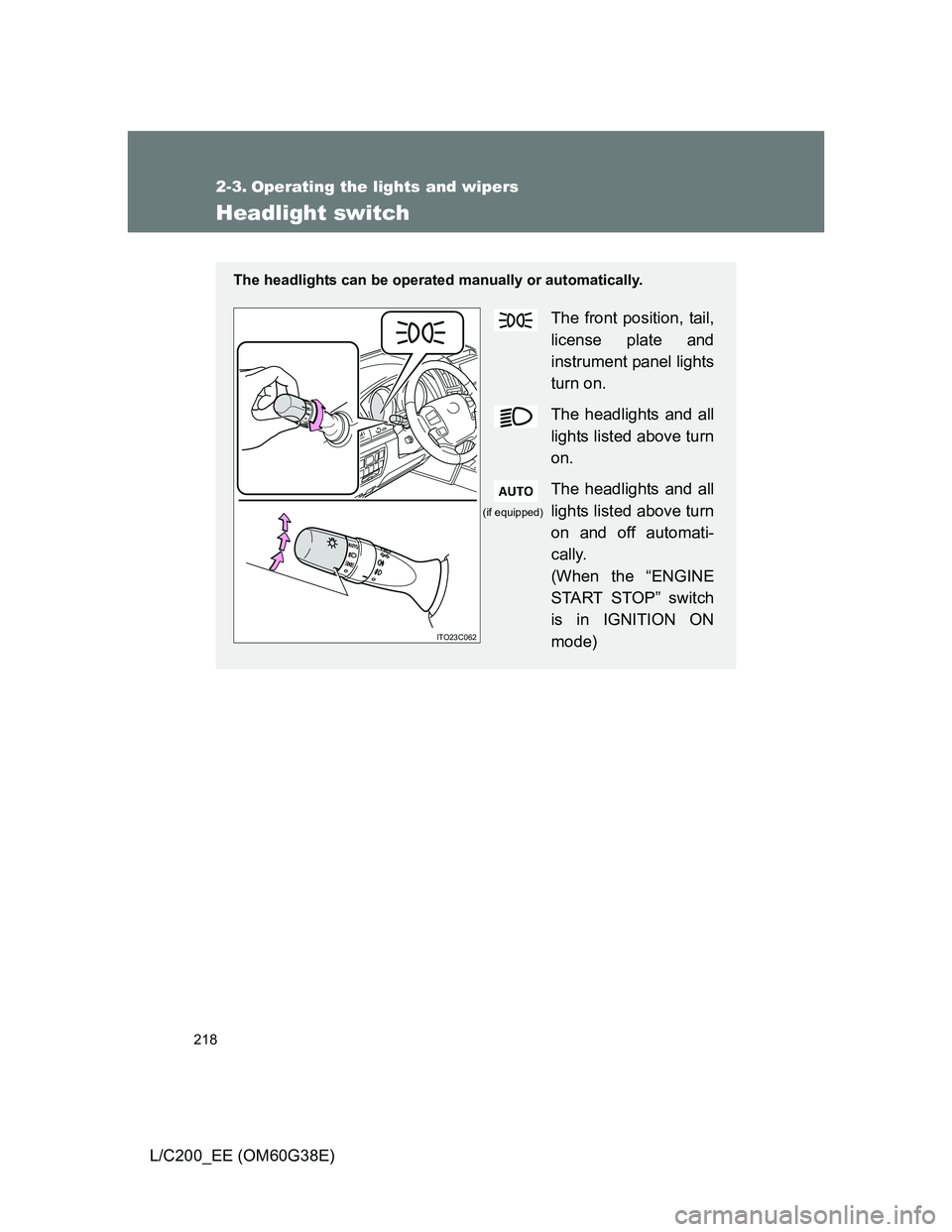
The headlights can be operated manually or automatically.
The front position, tail,
license plate and
instrument panel lights
turn on.
The headlights and all
lights listed above turn
on.
The headlights and all
lights listed above turn
on and off automati-
cally.
(When the “ENGINE
START STOP” switch
is in IGNITION ON
mode)
ITO23C062
(if equipped)
Page 219 of 692
219 2-3. Operating the lights and wipers
2
When driving
L/C200_EE (OM60G38E)
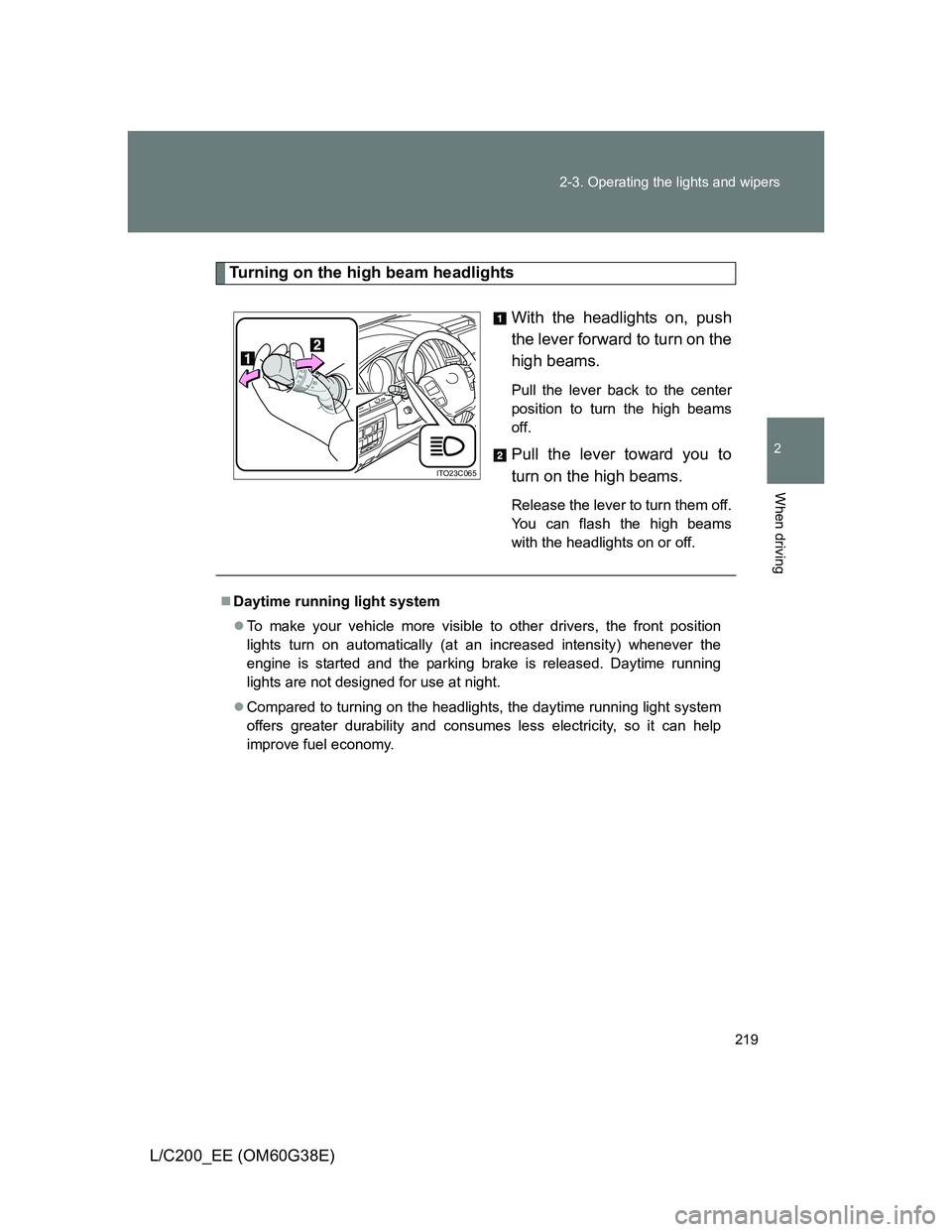
Turning on the high beam headlights
With the headlights on, push
the lever forward to turn on the
high beams.
Pull the lever back to the center
position to turn the high beams
off.
Pull the lever toward you to
turn on the high beams.
Release the lever to turn them off.
You can flash the high beams
with the headlights on or off.
ITO23C065
Daytime running light system
To make your vehicle more visible to other drivers, the front position
lights turn on automatically (at an increased intensity) whenever the
engine is started and the parking brake is released. Daytime running
lights are not designed for use at night.
Compared to turning on the headlights, the daytime running light system
offers greater durability and consumes less electricity, so it can help
improve fuel economy.
Page 220 of 692
220 2-3. Operating the lights and wipers
L/C200_EE (OM60G38E)
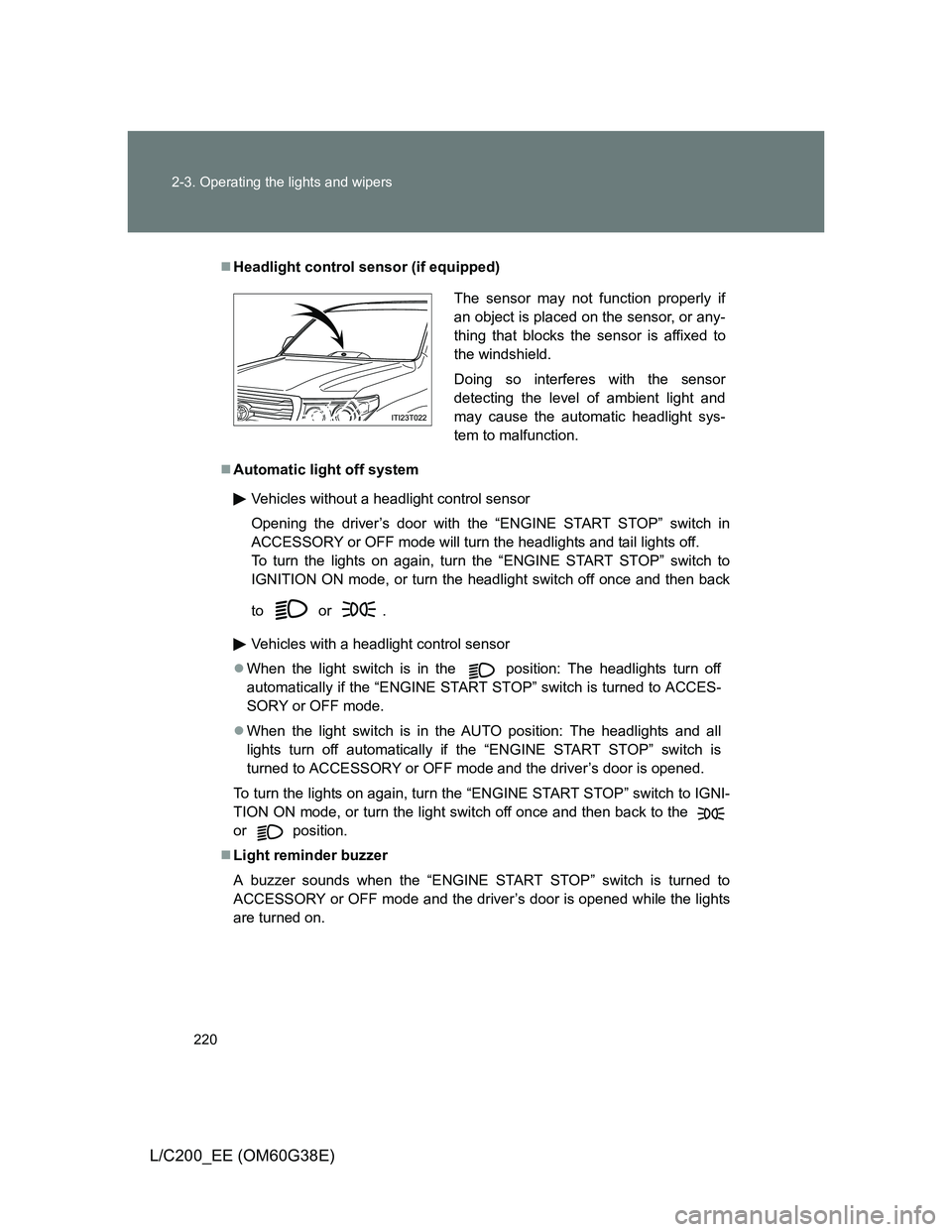
Headlight control sensor (if equipped)
Automatic light off system
Vehicles without a headlight control sensor
Opening the driver’s door with the “ENGINE START STOP” switch in
ACCESSORY or OFF mode will turn the headlights and tail lights off.
To turn the lights on again, turn the “ENGINE START STOP” switch to
IGNITION ON mode, or turn the headlight switch off once and then back
to or .
Vehicles with a headlight control sensor
When the light switch is in the
position: The headlights turn off
automatically if the “ENGINE START STOP” switch is turned to ACCES-
SORY or OFF mode.
When the light switch is in the
AUTO position: The headlights and all
lights turn off automatically if the “ENGINE START STOP” switch is
turned to ACCESSORY or OFF mode and the driver’s door is opened.
To turn the lights on again, turn the “ENGINE START STOP” switch to IGNI-
TION ON mode, or turn the light switch off once and then back to the
or position.
Light reminder buzzer
A buzzer sounds when the “ENGINE START STOP” switch is turned to
ACCESSORY or OFF mode and the driver’s door is opened while the lights
are turned on.
The sensor may not function properly if
an object is placed on the sensor, or any-
thing that blocks the sensor is affixed to
the windshield.
Doing so interferes with the sensor
detecting the level of ambient light and
may cause the automatic headlight sys-
tem to malfunction.
Page 221 of 692
221 2-3. Operating the lights and wipers
2
When driving
L/C200_EE (OM60G38E)
Automatic headlight leveling system
The level of the headlights is automatically adjusted according to the number
of passengers and the loading condition of the vehicle to ensure that the
headlights do not interfere with other road users.
Customization
Settings (e.g. light sensor sensitivity) can be changed.
(Customizable features P. 665)
NOTICE
To prevent battery discharge
Do not leave the lights on longer than necessary when the engine is not run-
ning.
Page 228 of 692
228 2-3. Operating the lights and wipers
L/C200_EE (OM60G38E)
The windshield wiper and washer can be operated when
The “ENGINE START STOP” switch is in IGNITION ON mode.
Effects of vehicle speed on wiper operation (vehicles equipped with
rain-sensing windshield wipers)
Vehicle speed affects the wiper operation when the washer is being used
(delay until drip prevention wiper sweep occurs) even when the wipers are
not in “AUTO” mode.
With “ ” selected, wiper operation will be switched from low speed to inter-
mittent wiper operation only when the vehicle is stationary.
(However, when the sensor sensitivity is adjusted to the highest level, the
mode cannot be switched.)
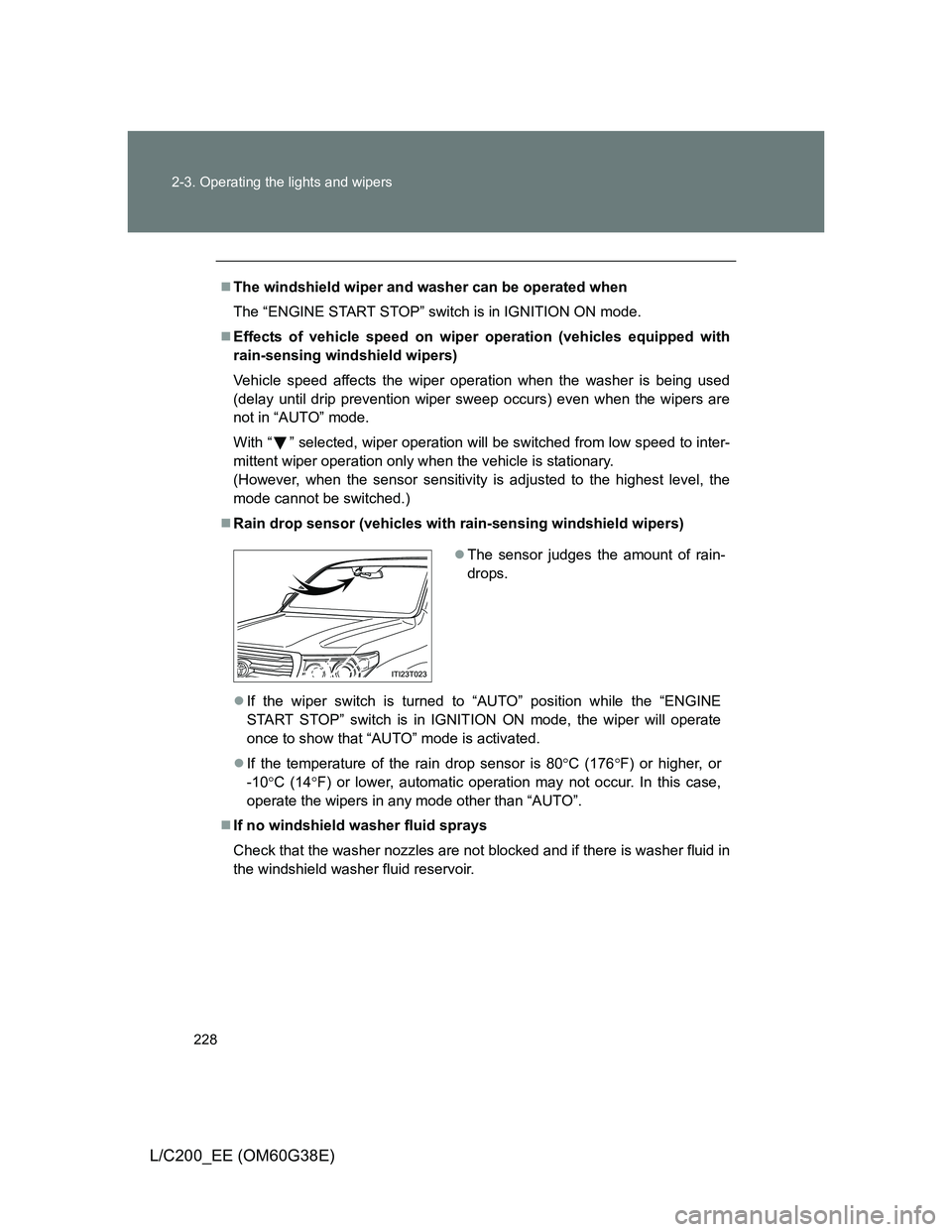
Rain drop sensor (vehicles with rain-sensing windshield wipers)
If the wiper switch is turned to “AUTO” position while the “ENGINE
START STOP” switch is in IGNITION ON mode, the wiper will operate
once to show that “AUTO” mode is activated.
If the temperature of the rain drop sensor is 80C (176F) or higher, or
-10C (14F) or lower, automatic operation may not occur. In this case,
operate the wipers in any mode other than “AUTO”.
If no windshield washer fluid sprays
Check that the washer nozzles are not blocked and if there is washer fluid in
the windshield washer fluid reservoir.
The sensor judges the amount of rain-
drops.
Page 231 of 692
231
2-3. Operating the lights and wipers
2
When driving
L/C200_EE (OM60G38E)
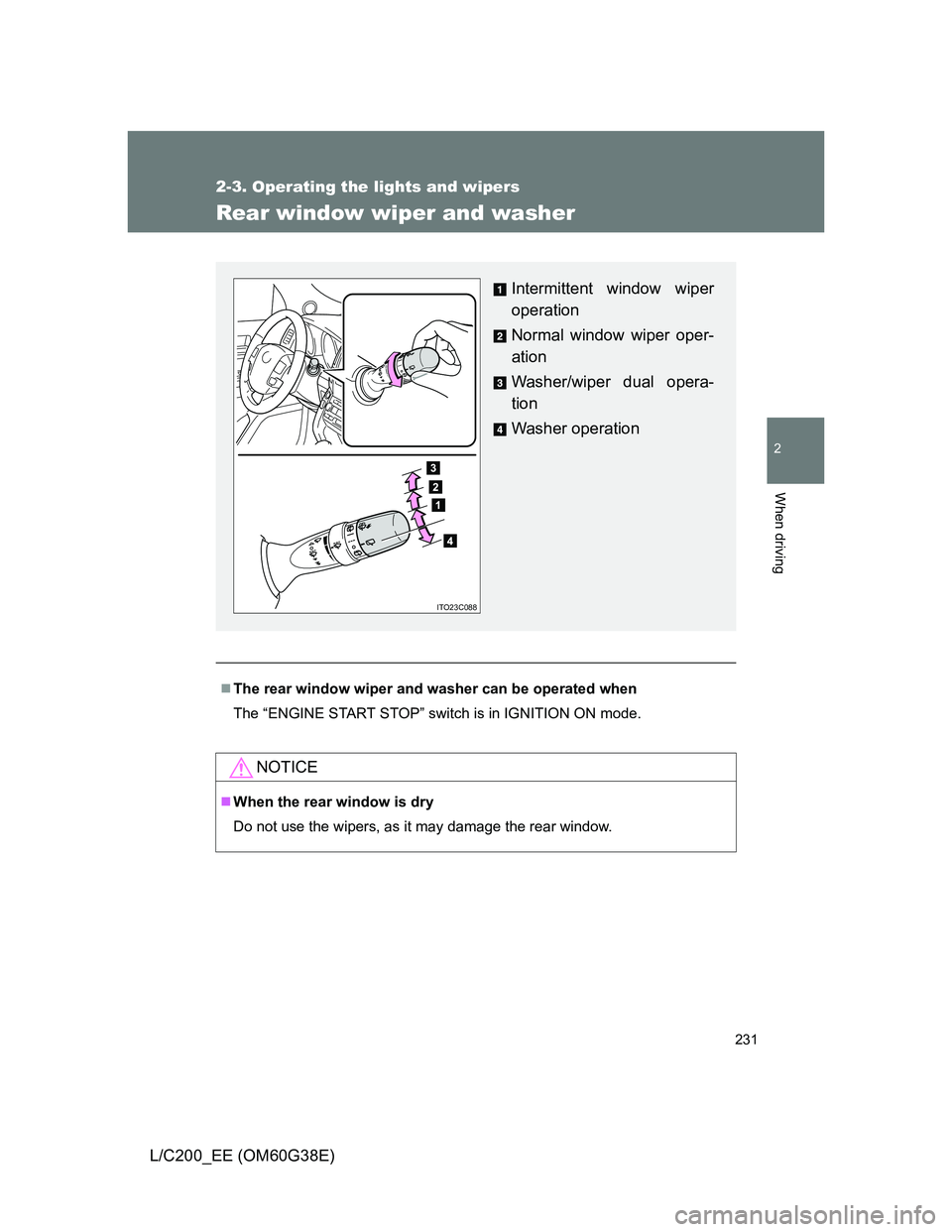
Rear window wiper and washer
The rear window wiper and washer can be operated when
The “ENGINE START STOP” switch is in IGNITION ON mode.
NOTICE
When the rear window is dry
Do not use the wipers, as it may damage the rear window.
Intermittent window wiper
operation
Normal window wiper oper-
ation
Washer/wiper dual opera-
tion
Washer operation
ITO23C088