ECU TOYOTA LAND CRUISER 2012 Owners Manual
[x] Cancel search | Manufacturer: TOYOTA, Model Year: 2012, Model line: LAND CRUISER, Model: TOYOTA LAND CRUISER 2012Pages: 692, PDF Size: 29.3 MB
Page 4 of 692
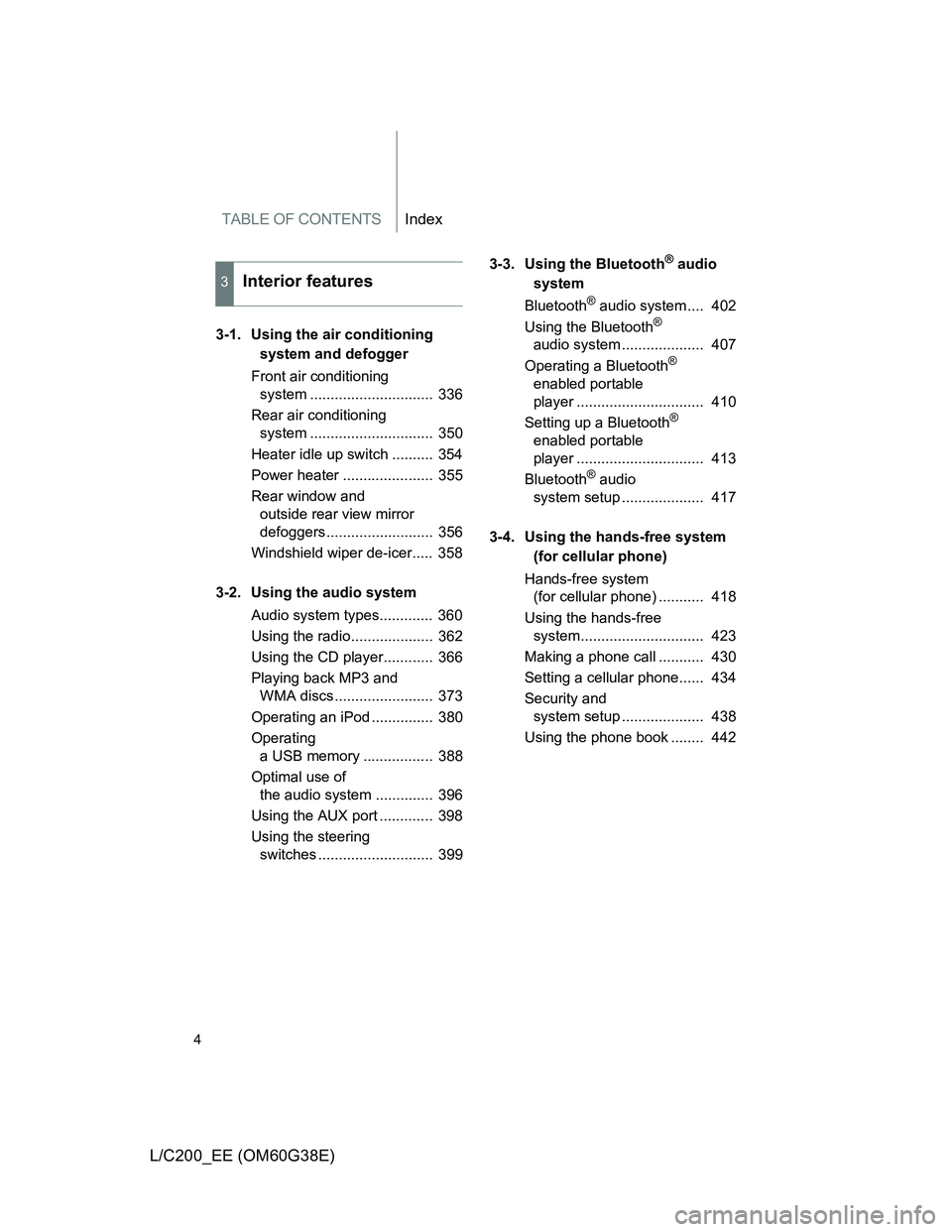
TABLE OF CONTENTSIndex
4
L/C200_EE (OM60G38E)
3-1. Using the air conditioning
system and defogger
Front air conditioning
system .............................. 336
Rear air conditioning
system .............................. 350
Heater idle up switch .......... 354
Power heater ...................... 355
Rear window and
outside rear view mirror
defoggers.......................... 356
Windshield wiper de-icer..... 358
3-2. Using the audio system
Audio system types............. 360
Using the radio.................... 362
Using the CD player............ 366
Playing back MP3 and
WMA discs........................ 373
Operating an iPod ............... 380
Operating
a USB memory ................. 388
Optimal use of
the audio system .............. 396
Using the AUX port ............. 398
Using the steering
switches ............................ 3993-3. Using the Bluetooth
® audio
system
Bluetooth
® audio system .... 402
Using the Bluetooth®
audio system .................... 407
Operating a Bluetooth
®
enabled portable
player ............................... 410
Setting up a Bluetooth
®
enabled portable
player ............................... 413
Bluetooth
® audio
system setup .................... 417
3-4. Using the hands-free system
(for cellular phone)
Hands-free system
(for cellular phone) ........... 418
Using the hands-free
system.............................. 423
Making a phone call ........... 430
Setting a cellular phone...... 434
Security and
system setup .................... 438
Using the phone book ........ 442
3Interior features
Page 15 of 692
15
L/C200_EE (OM60G38E)
A
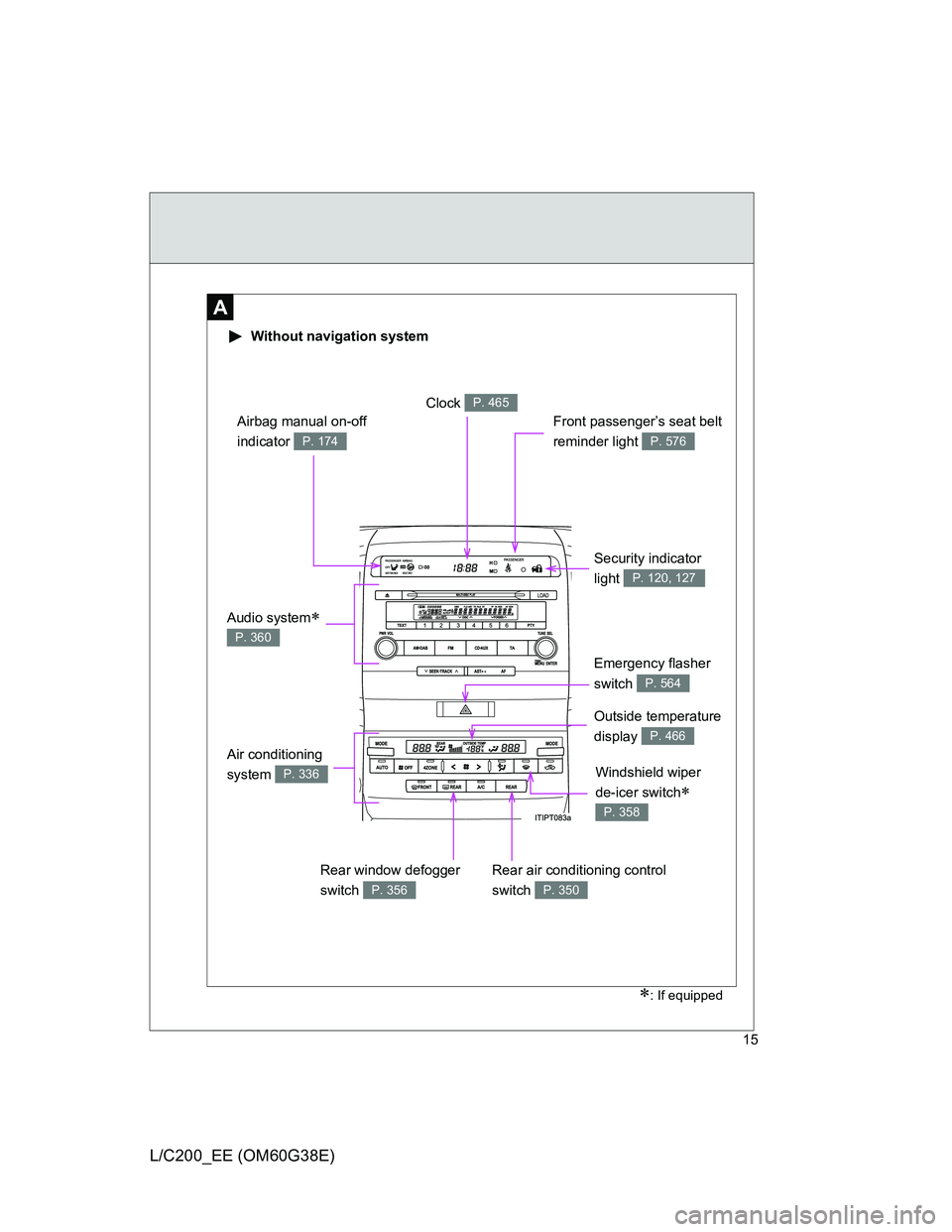
Without navigation system
: If equipped
Security indicator
light
P. 120, 127
Air conditioning
system
P. 336
Clock P. 465
Front passenger’s seat belt
reminder light
P. 576
Airbag manual on-off
indicator
P. 174
Emergency flasher
switch
P. 564
Audio system
P. 360
Outside temperature
display
P. 466
Rear window defogger
switch
P. 356
Rear air conditioning control
switch
P. 350
Windshield wiper
de-icer switch
P. 358
Page 16 of 692
16
L/C200_EE (OM60G38E)
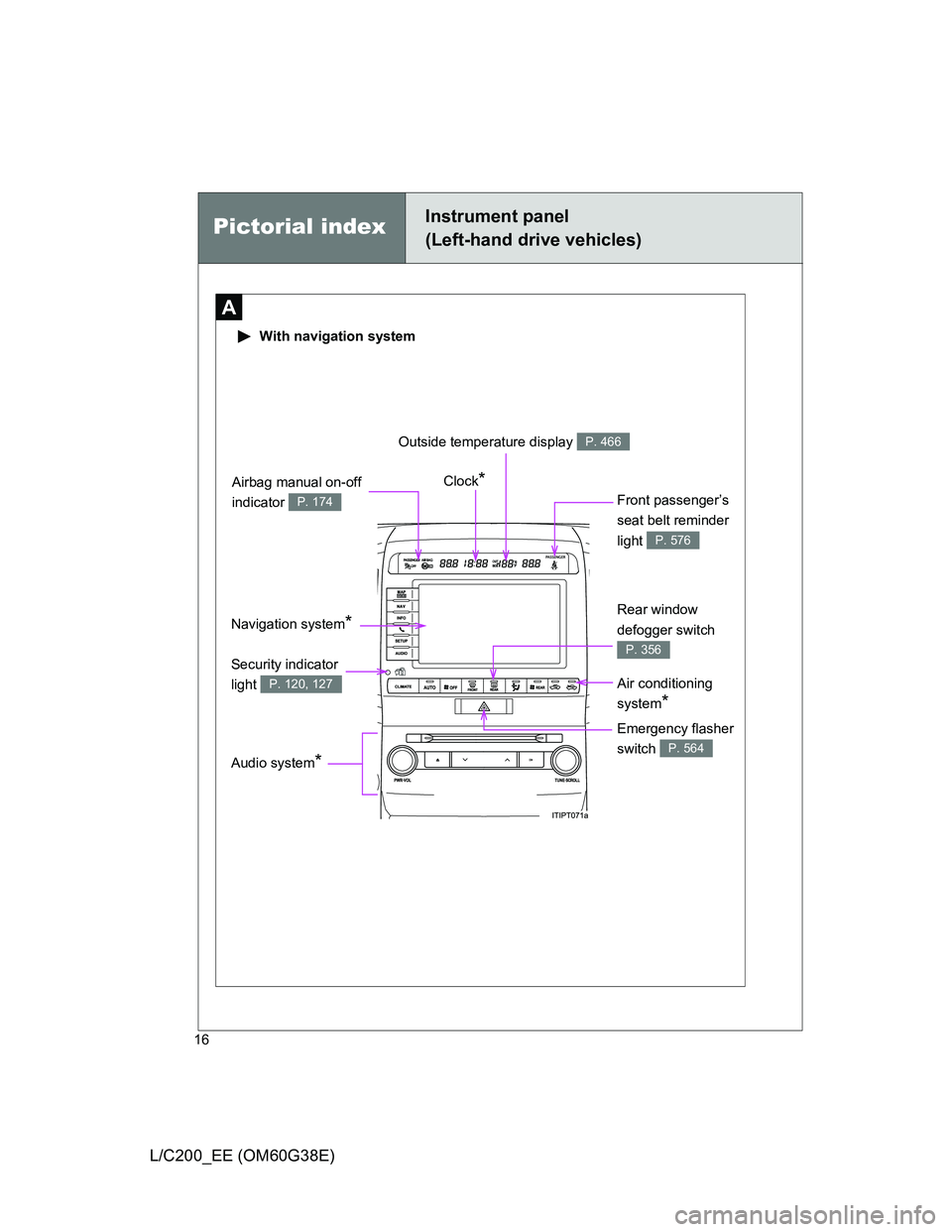
Pictorial indexInstrument panel
(Left-hand drive vehicles)
A
With navigation system
Navigation system* Clock
*
Front passenger’s
seat belt reminder
light
P. 576
Audio system*
Air conditioning
system
*
Emergency flasher
switch
P. 564
Security indicator
light
P. 120, 127
Outside temperature display P. 466
Rear window
defogger switch
P. 356
Airbag manual on-off
indicator
P. 174
Page 25 of 692
25
L/C200_EE (OM60G38E)
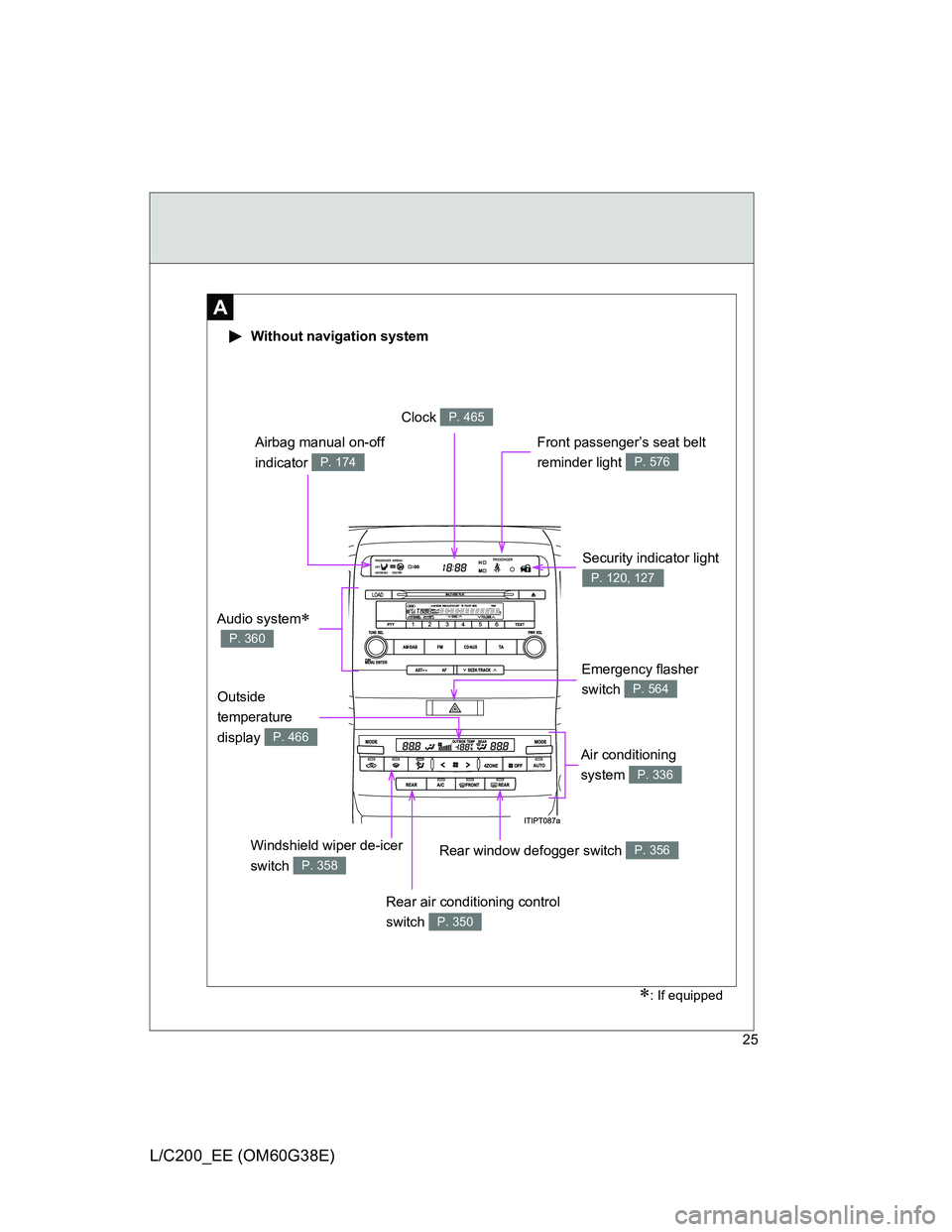
Security indicator light
P. 120, 127
A
Without navigation system
Clock P. 465
Air conditioning
system
P. 336
Front passenger’s seat belt
reminder light
P. 576
Emergency flasher
switch
P. 564
Airbag manual on-off
indicator
P. 174
Audio system
P. 360
Windshield wiper de-icer
switch
P. 358
Rear air conditioning control
switch
P. 350
Outside
temperature
display
P. 466
Rear window defogger switch P. 356
: If equipped
Page 26 of 692
26
L/C200_EE (OM60G38E)
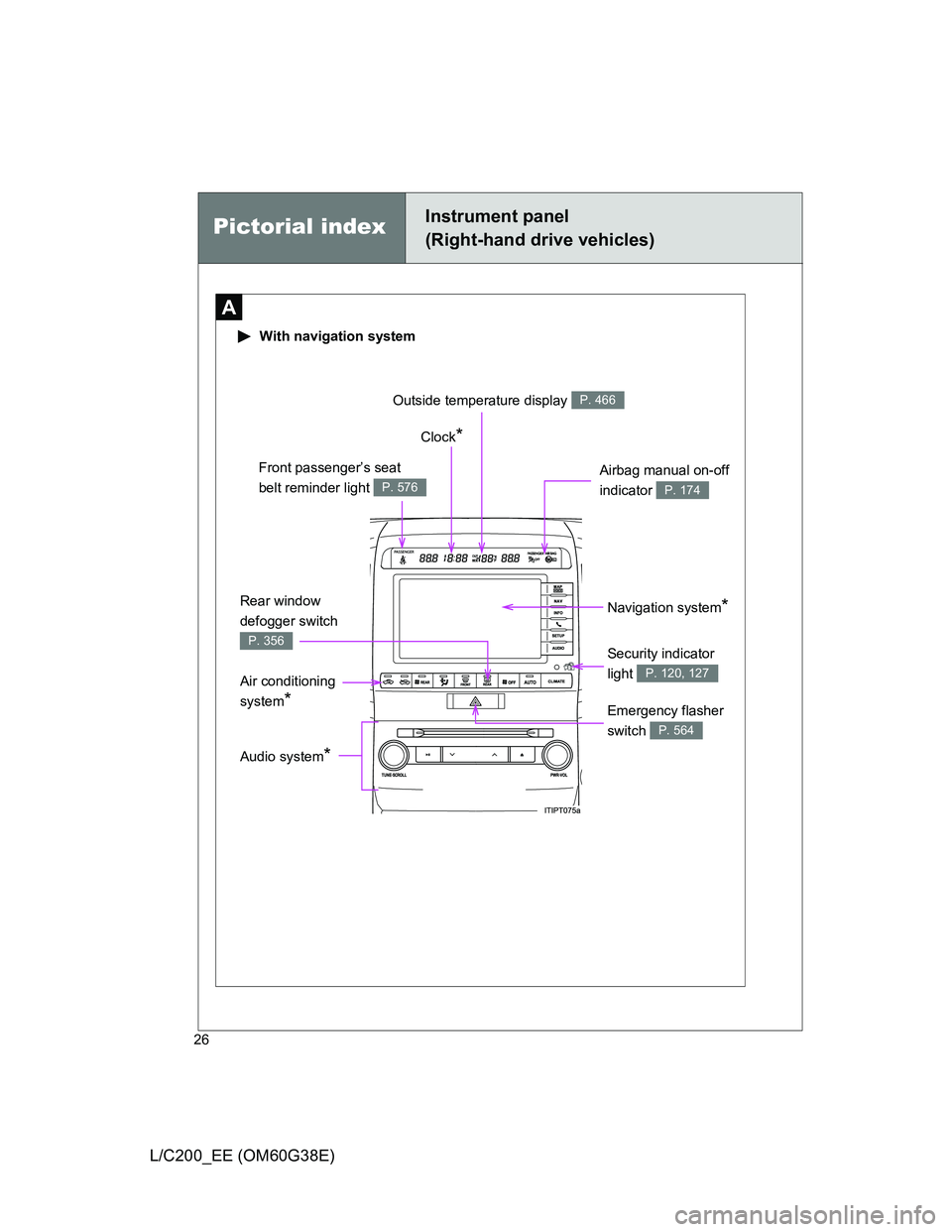
Pictorial indexInstrument panel
(Right-hand drive vehicles)
A
With navigation system
Navigation system* Clock
*
Front passenger’s seat
belt reminder light
P. 576
Audio system*
Air conditioning
system
*Emergency flasher
switch
P. 564
Security indicator
light
P. 120, 127
Outside temperature display P. 466
Rear window
defogger switch
P. 356
Airbag manual on-off
indicator
P. 174
Page 48 of 692
48 1-2. Opening, closing and locking the doors
L/C200_EE (OM60G38E)
The doors may unlock if a large amount of water splashes on the door
handle, such as in the rain or in a car wash. (The doors will automatically
be locked after approximately 30 seconds if the doors are not opened
and closed.)
Gripping the door handle when wearing a glove may not unlock the door.
If the wireless remote control is used to lock the doors when the elec-
tronic key is near the vehicle, there is a possibility that the door may not
be unlocked by the entry function. (Use the wireless remote control to
unlock the doors.)
A sudden approach to the effective range or door handle operation may
prevent the doors from being unlocked. In this case, return the door han-
dle to the original position and check that the doors unlock before pulling
the door handle.
When the vehicle is not driven for extended periods
To prevent theft of the vehicle, do not leave the electronic key within 2 m (6
ft.) of the vehicle.
Security feature
If a door is not opened within approximately 30 seconds after the vehicle is
unlocked, the security feature automatically locks the vehicle again.
Page 56 of 692
56 1-2. Opening, closing and locking the doors
L/C200_EE (OM60G38E)
Door lock buzzer
If a door is not fully closed, a buzzer sounds continuously for 5 seconds if an
attempt to lock the door is made. Fully close the door to stop the buzzer, and
lock the vehicle once more.
Power back door operation (if equipped)
The power back door can be opened while the vehicle is locked. (one
motion)
Alarm
Using the wireless remote control to lock the door will set the alarm system.
Electronic key battery depletion
P. 4 6
Security feature
P. 4 8
If the wireless remote control does not operate properly
Locking and unlocking the doors: Use the mechanical key. (P. 627)
Starting the engine: P. 628
When the electronic key battery is fully depleted
P. 528
Conditions affecting operation
P. 4 4
Customization that can be configured at any authorized Toyota dealer
or repairer, or another duly qualified and equipped professional
Settings (e.g. unlocking function) can be changed.
(Customizable features P. 665)
Page 70 of 692
70 1-2. Opening, closing and locking the doors
L/C200_EE (OM60G38E)
CAUTION
Operating the back door
Observe the following precautions.
Failure to do so may cause parts of the body to be caught, resulting in death
or serious injury.
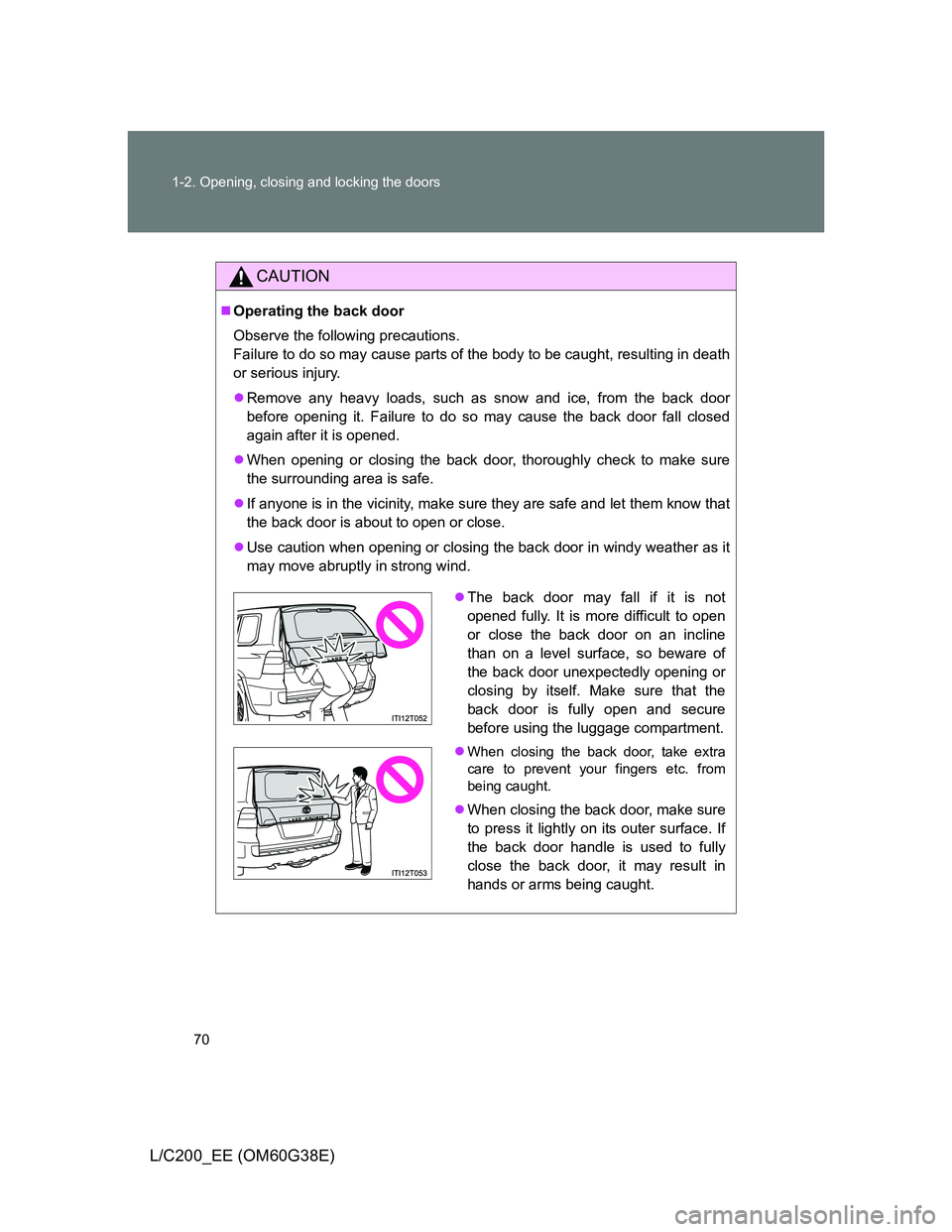
Remove any heavy loads, such as snow and ice, from the back door
before opening it. Failure to do so may cause the back door fall closed
again after it is opened.
When opening or closing the back door, thoroughly check to make sure
the surrounding area is safe.
If anyone is in the vicinity, make sure they are safe and let them know that
the back door is about to open or close.
Use caution when opening or closing the back door in windy weather as it
may move abruptly in strong wind.
The back door may fall if it is not
opened fully. It is more difficult to open
or close the back door on an incline
than on a level surface, so beware of
the back door unexpectedly opening or
closing by itself. Make sure that the
back door is fully open and secure
before using the luggage compartment.
When closing the back door, take extra
care to prevent your fingers etc. from
being caught.
When closing the back door, make sure
to press it lightly on its outer surface. If
the back door handle is used to fully
close the back door, it may result in
hands or arms being caught.
Page 72 of 692
72 1-2. Opening, closing and locking the doors
L/C200_EE (OM60G38E)
CAUTION
Power back door (vehicles with power back door)
Observe the following precautions when operating the power back door.
Failure to do so may cause death or serious injury.
Check the safety of the surrounding area to make sure there are no obsta-
cles or anything that could cause any of your belongings to get caught.
If anyone is in the vicinity, make sure they are safe and let them know that
the back door is about to open or close.
If the power back door main switch is turned off while the back door is
operating during automatic operation, the back door stops operating. Take
extra care when on an incline, as the back door may open or close sud-
denly.
If the operating conditions of the power back door are no longer met, a
buzzer may sound and the back door may stop opening or closing. The
back door then has to be operated manually. Take extra care in this situa-
tion, as the back door may move abruptly.
On an incline, the back door may fall after it opens automatically. Make
sure the back door is fully open and secure.
In the following situations, the power back door may detect an abnormality
and automatic operation may be stopped. In this case, the back door has
to be operated manually. Take extra care in this situation, as the stopped
back door may suddenly fall, causing an accident.
• When the back door contacts an obstacle
• When the battery voltage suddenly drops, such as when the “ENGINE
START STOP” switch is turned to the IGNITION ON mode or the
engine is started during automatic operation
Do not attach any accessories other than genuine Toyota parts to the back
door. The power back door may not operate, causing itself to malfunction,
or the back door may fall closed again it is opened.
In cases such as when replacing tires, make sure to turn off the power
back door main switch. Failure to do so may cause the back door to oper-
ate unintentionally if the power back door switch is accidentally touched,
resulting in hands and fingers being caught and injured.
Page 79 of 692
79 1-3. Adjustable components (seats, mirrors, steering wheel)
1
Before driving
L/C200_EE (OM60G38E)
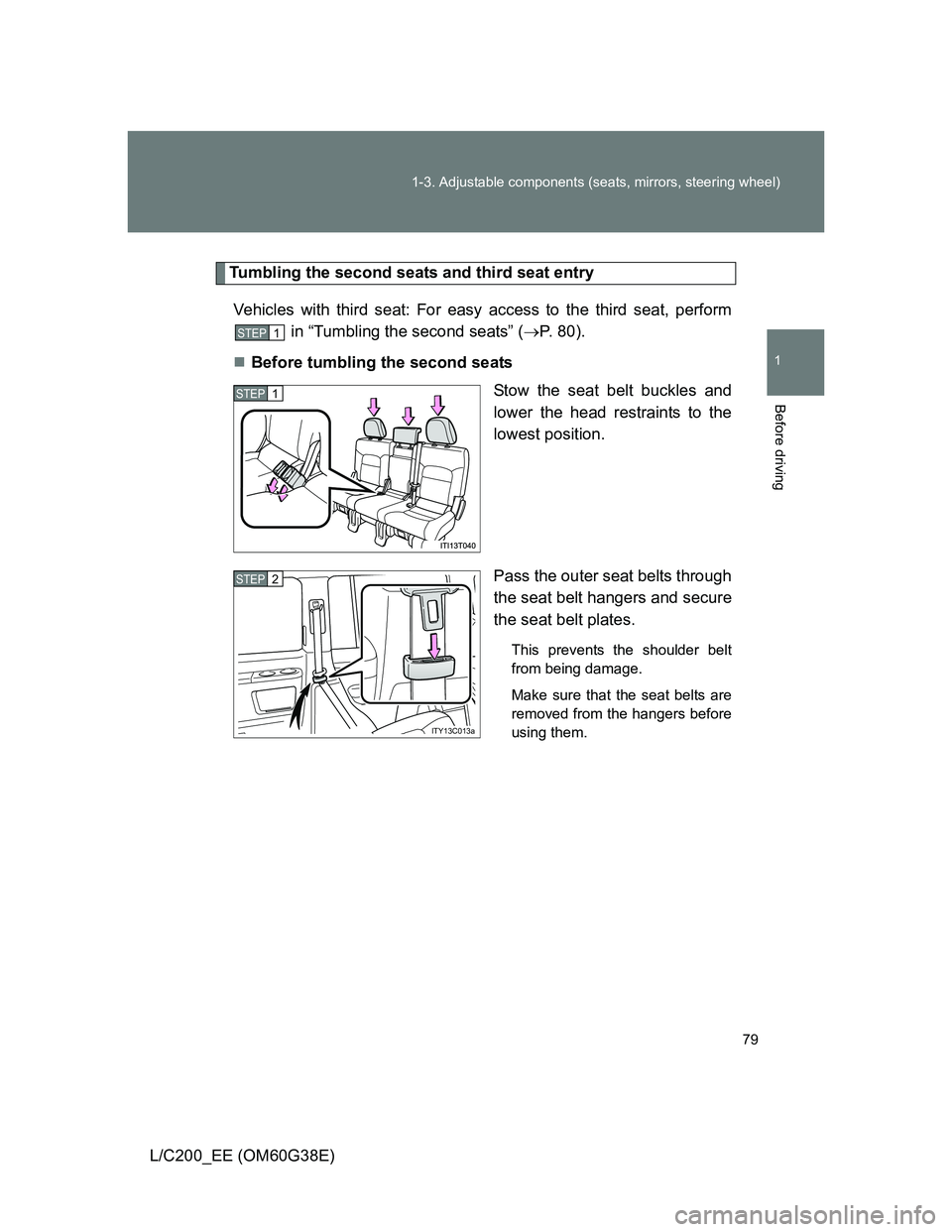
Tumbling the second seats and third seat entry
Vehicles with third seat: For easy access to the third seat, perform
in “Tumbling the second seats” (P. 8 0 ) .
Before tumbling the second seats
Stow the seat belt buckles and
lower the head restraints to the
lowest position.
Pass the outer seat belts through
the seat belt hangers and secure
the seat belt plates.
This prevents the shoulder belt
from being damage.
Make sure that the seat belts are
removed from the hangers before
using them.
STEP1
STEP1
ITY13C013a
STEP2