Disc TOYOTA LAND CRUISER 2014 J200 Navigation Manual
[x] Cancel search | Manufacturer: TOYOTA, Model Year: 2014, Model line: LAND CRUISER, Model: TOYOTA LAND CRUISER 2014 J200Pages: 427, PDF Size: 25.75 MB
Page 186 of 427
186
2. SETUP
L/C200_Navi_OM60L27U_(U)
13.06.03 19:43
■CHANGING “Bluetooth* Power”
When “Bluetooth* Power” is “On”:
The Bluetooth® device is automatically
connected when the “ENGINE START
STOP” switch is in ACCESSORY or IGNI-
TION ON mode.
When “Bluetooth* Power” is “Off”:
The Bluetooth
® device is disconnected,
and the system will not connect to it next
time.
The “Bluetooth* Power” auto connection
state can be set on or off.
•“On”: The auto connection is turned on.
•“Off”: The auto connection is turned off.
The auto connection state cannot be
changed from “On” to “Off” while driving,
but it can be changed from “Off” to “On”.
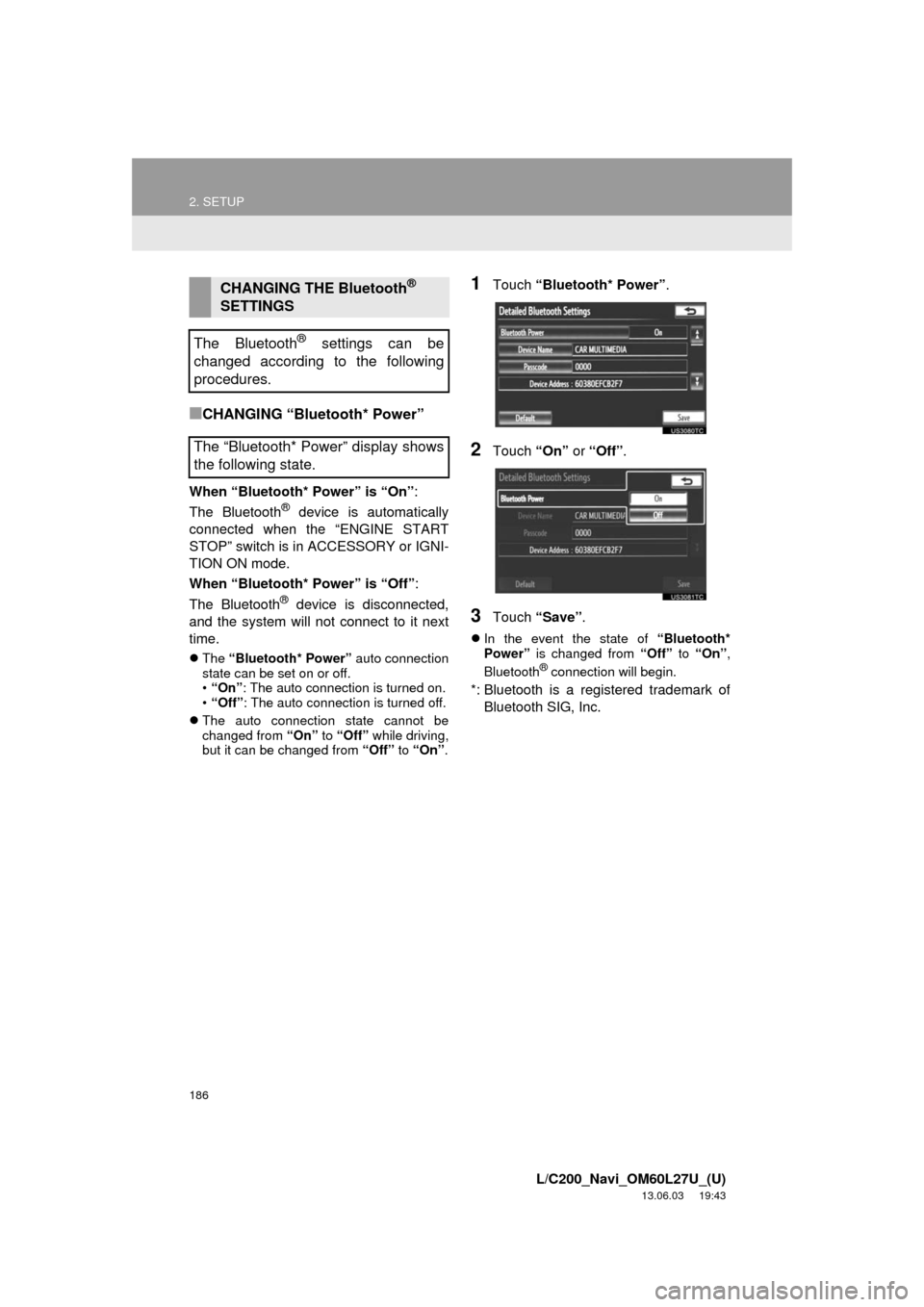
1Touch “Bluetooth* Power”.
2Touch “On” or “Off”.
3Touch “Save”.
In the event the state of “Bluetooth*
Power” is changed from “Off” to “On”,
Bluetooth
® connection will begin.
*: Bluetooth is a registered trademark of
Bluetooth SIG, Inc.
CHANGING THE Bluetooth®
SETTINGS
The Bluetooth
® settings can be
changed according to the following
procedures.
The “Bluetooth* Power” display shows
the following state.
Page 190 of 427
190
L/C200_Navi_OM60L27U_(U)
13.06.03 19:43
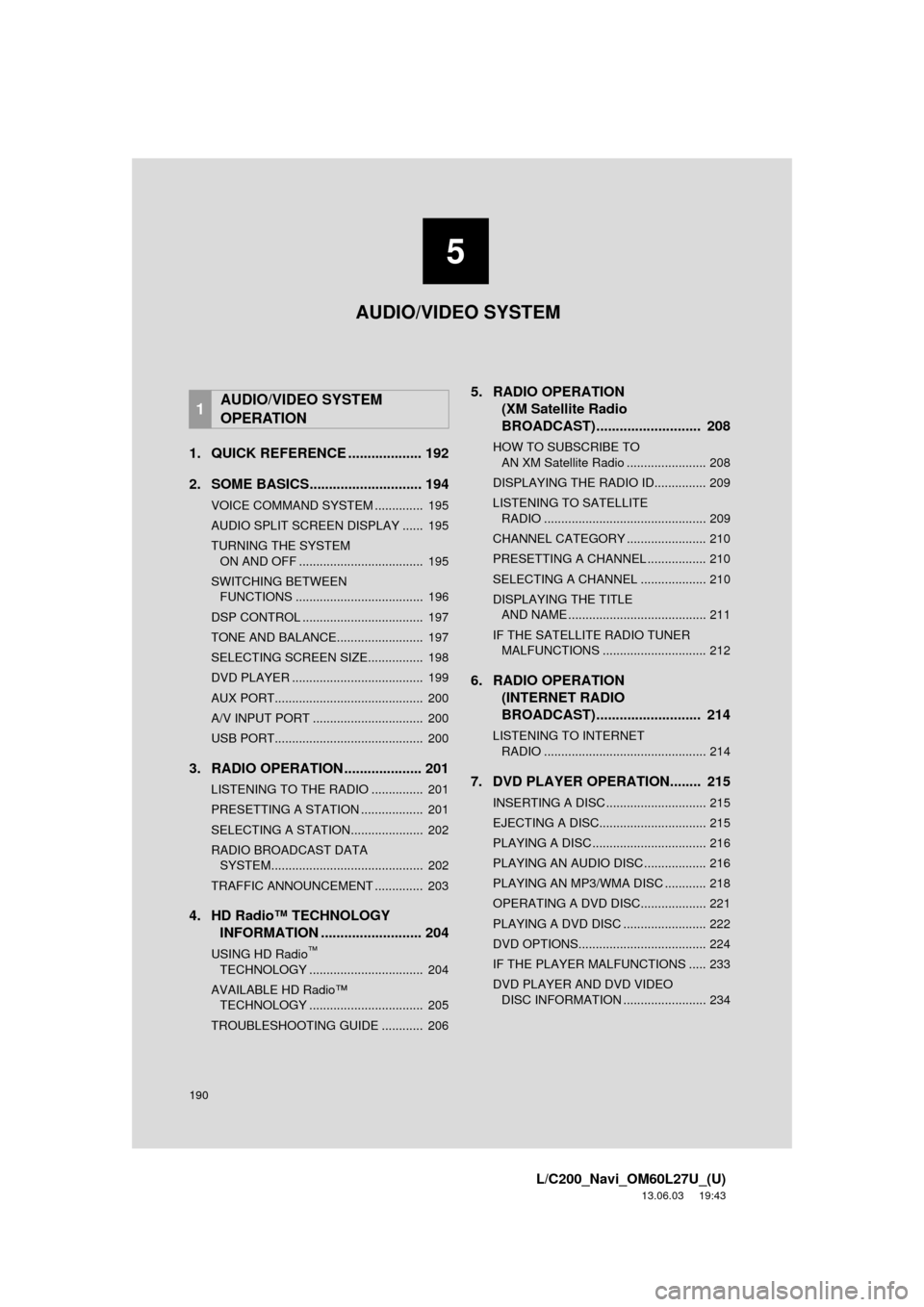
1. QUICK REFERENCE ................... 192
2. SOME BASICS............................. 194
VOICE COMMAND SYSTEM .............. 195
AUDIO SPLIT SCREEN DISPLAY ...... 195
TURNING THE SYSTEM ON AND OFF .................................... 195
SWITCHING BETWEEN FUNCTIONS ..................................... 196
DSP CONTROL ................................... 197
TONE AND BALANCE......................... 197
SELECTING SCREEN SIZE................ 198
DVD PLAYER ...................................... 199
AUX PORT........................................... 200
A/V INPUT PORT ................................ 200
USB PORT........................................... 200
3. RADIO OPERATION .................... 201
LISTENING TO THE RADIO ............... 201
PRESETTING A STATION .................. 201
SELECTING A STATION..................... 202
RADIO BROADCAST DATA SYSTEM............................................ 202
TRAFFIC ANNOUNCEMENT .............. 203
4. HD Radio™ TECHNOLOGY INFORMATION .......................... 204
USING HD Radio™
TE
CHNOLOGY ................................. 204
AVAILABLE HD Radio™ TECHNOLOGY ................................. 205
TROUBLESHOOTING GUIDE ............ 206
5. RADIO OPERATION (XM Satellite Radio
BROADCAST) ............. .............. 208
HOW TO SUBSCRIBE TO
AN XM Satellite Radio ....................... 208
DISPLAYING THE RADIO ID............... 209
LISTENING TO SATELLITE RADIO ............................................... 209
CHANNEL CATEGORY ....................... 210
PRESETTING A CHANNEL ................. 210
SELECTING A CHANNEL ................... 210
DISPLAYING THE TITLE AND NAME ........................................ 211
IF THE SATELLITE RADIO TUNER MALFUNCTIONS .............................. 212
6. RADIO OPERATION (INTERNET RADIO
BROADCAST) ............. .............. 214
LISTENING TO INTERNET
RADIO ............................................... 214
7. DVD PLAYER OPERATION........ 215
INSERTING A DISC ............................. 215
EJECTING A DISC............................... 215
PLAYING A DISC ................................. 216
PLAYING AN AUDIO DISC .................. 216
PLAYING AN MP3/WMA DISC ............ 218
OPERATING A DVD DISC................... 221
PLAYING A DVD DISC ........................ 222
DVD OPTIONS..................................... 224
IF THE PLAYER MALFUNCTIONS ..... 233
DVD PLAYER AND DVD VIDEO DISC INFORMATION ........................ 234
1AUDIO/VIDEO SYSTEM
OPERATION
5
AUDIO/VIDEO SYSTEM
Page 191 of 427
5
191
1
2
3
4
5
6
7
8
L/C200_Navi_OM60L27U_(U)
13.06.03 19:43
9
10
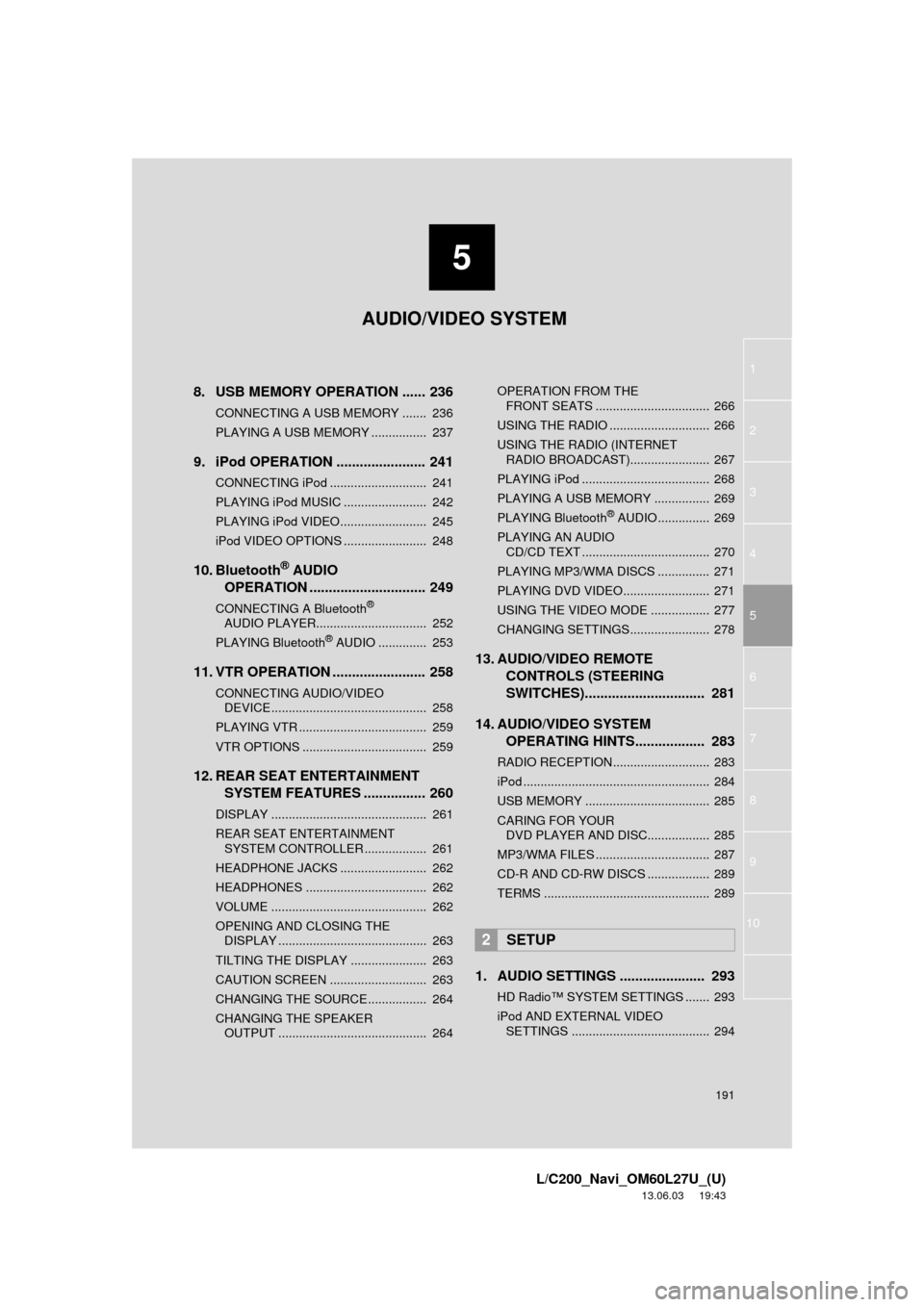
8. USB MEMORY OPERATION ...... 236
CONNECTING A USB MEMORY ....... 236
PLAYING A USB MEMORY ................ 237
9. iPod OPERATION ....................... 241
CONNECTING iPod ............................ 241
PLAYING iPod MUSIC ........................ 242
PLAYING iPod VIDEO......................... 245
iPod VIDEO OPTIONS ........................ 248
10. Bluetooth® AUDIO
OPERATION .............................. 249
CONNECTING A Bluetooth®
AUDIO PLAYE
R................................ 252
PLAYING Bluetooth
® AUDIO .............. 253
11. VTR OPERATION ........................ 258
CONNECTING AUDIO/VIDEO DEVICE ............................................. 258
PLAYING VTR ..................................... 259
VTR OPTIONS .................................... 259
12. REAR SEAT ENTERTAINMENT SYSTEM FEATURES ................ 260
DISPLAY ............................................. 261
REAR SEAT ENTERTAINMENT SYSTEM CONTROLLER .................. 261
HEADPHONE JACKS ......................... 262
HEADPHONES ................................... 262
VOLUME ............................................. 262
OPENING AND CLOSING THE DISPLAY ........................................... 263
TILTING THE DISPLAY ...................... 263
CAUTION SCREEN ............................ 263
CHANGING THE SOURCE ................. 264
CHANGING THE SPEAKER OUTPUT ........................................... 264 OPERATION FROM THE
FRONT SEATS ................................. 266
USING THE RADIO ............................. 266
USING THE RADIO (INTERNET RADIO BROADCAST)....................... 267
PLAYING iPod ..................................... 268
PLAYING A USB MEMORY ................ 269
PLAYING Bluetooth
® AUDIO ............... 269
PLAYING AN AUDIO CD/CD TEXT ..................................... 270
PLAYING MP3/WMA DISCS ............... 271
PLAYING DVD VIDEO......................... 271
USING THE VIDEO MODE ................. 277
CHANGING SETTINGS....................... 278
13. AUDIO/VIDEO REMOTE CONTROLS (STEERING
SWITCHES)............................... 281
14. AUDIO/VIDEO SYSTEM OPERATING HINTS.................. 283
RADIO RECEPTION............................ 283
iPod ...................................................... 284
USB MEMORY .................................... 285
CARING FOR YOUR DVD PLAYER AND DISC.................. 285
MP3/WMA FILES ................................. 287
CD-R AND CD-RW DISCS .................. 289
TERMS ................................................ 289
1. AUDIO SETTINGS ...................... 293
HD Radio™ SYSTEM SETTINGS ....... 293
iPod AND EXTERNAL VIDEO SETTINGS ........................................ 294
2SETUP
AUDIO/VIDEO SYSTEM
Page 193 of 427
193
1. AUDIO/VIDEO SYSTEM OPERATION
5
AUDIO/VIDEO SYSTEM
L/C200_Navi_OM60L27U_(U)
13.06.03 19:41
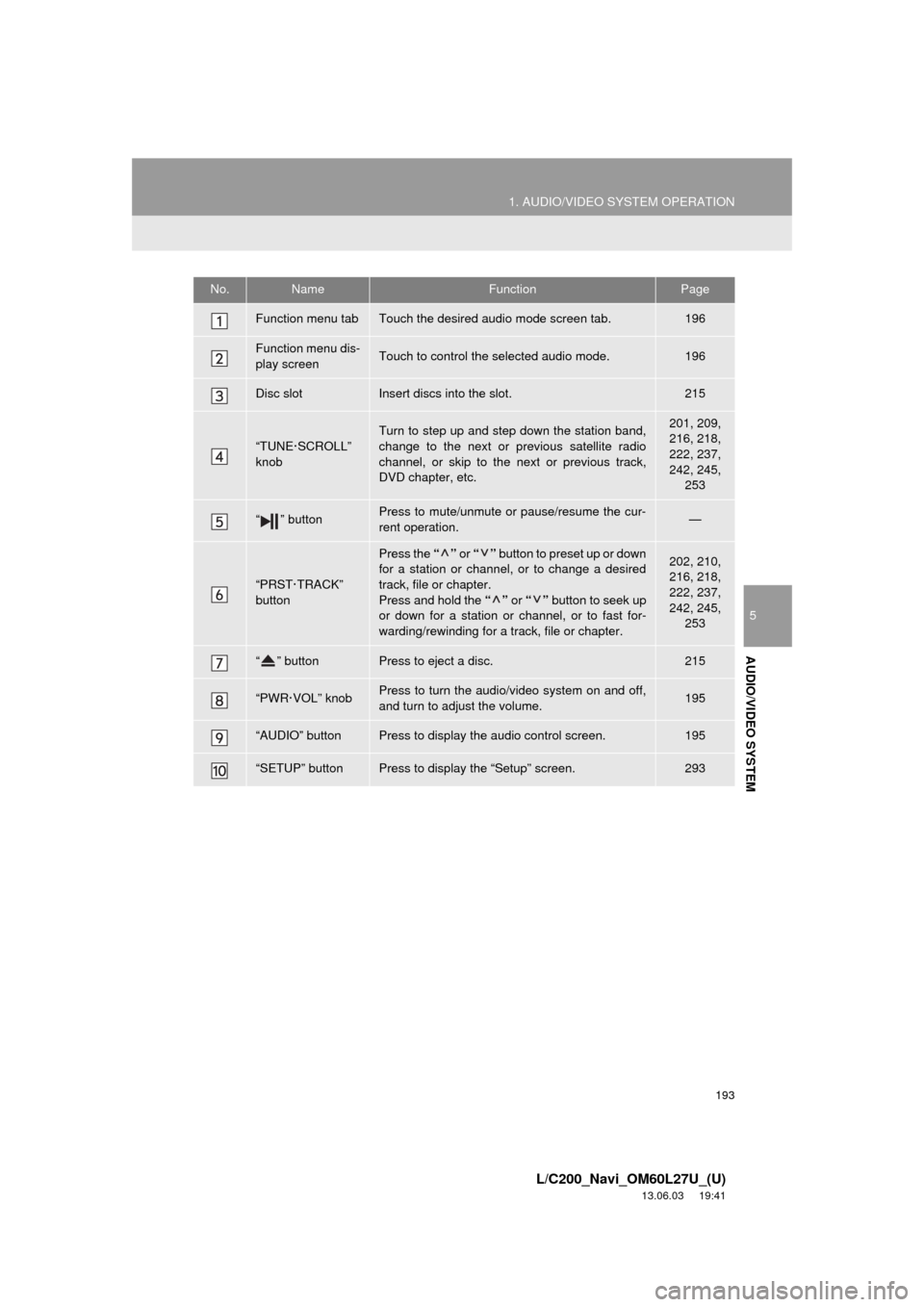
No.NameFunctionPage
Function menu tabTouch the desired audio mode screen tab.196
Function menu dis-
play screenTouch to control the selected audio mode.196
Disc slotInsert discs into the slot.215
“TUNE·SCROLL”
knob
Turn to step up and step down the station band,
change to the next or previous satellite radio
channel, or skip to the next or previous track,
DVD chapter, etc.201, 209,
216, 218,
222, 237,
242, 245,
253
“ ” buttonPress to mute/unmute or pause/resume the cur-
rent operation.—
“PRST·TRACK”
button
Press the “” or “” button to preset up or down
for a station or channel, or to change a desired
track, file or chapter.
Press and hold the “” or “” button to seek up
or down for a station or channel, or to fast for-
warding/rewinding for a track, file or chapter.202, 210,
216, 218,
222, 237,
242, 245,
253
“ ” buttonPress to eject a disc.215
“PWR·VOL” knobPress to turn the audio/video system on and off,
and turn to adjust the volume.195
“AUDIO” buttonPress to display the audio control screen.195
“SETUP” buttonPress to display the “Setup” screen.293
Page 196 of 427
196
1. AUDIO/VIDEO SYSTEM OPERATION
L/C200_Navi_OM60L27U_(U)
13.06.03 19:41
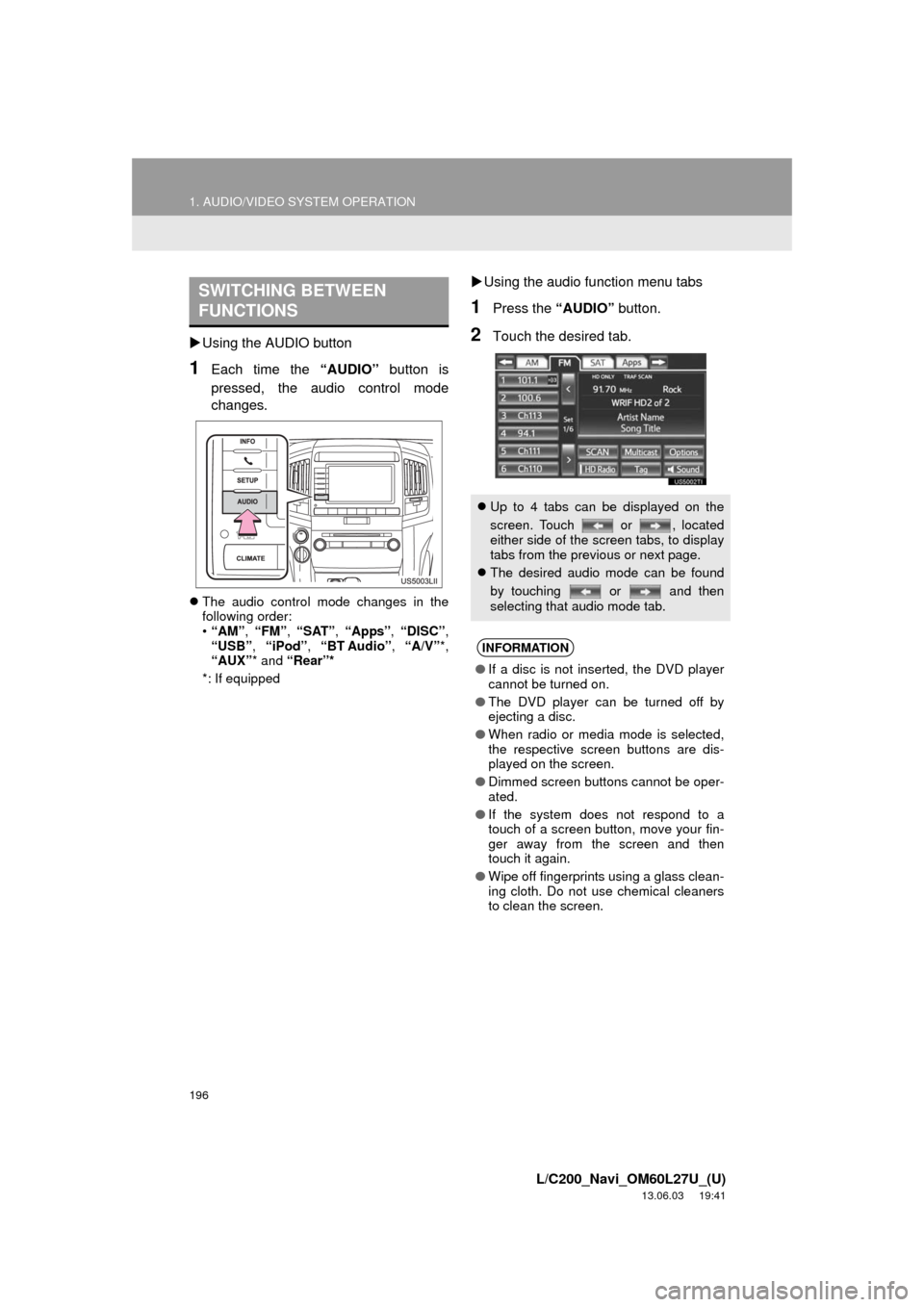
Using the AUDIO button
1Each time the “AUDIO” button is
pressed, the audio control mode
changes.
The audio control mode changes in the
following order:
•“AM”, “FM”, “SAT”, “Apps”, “DISC”,
“USB”, “iPod”, “BT Audio”, “A/V”*,
“AUX”* and “Rear”*
*: If equipped
Using the audio function menu tabs
1Press the “AUDIO” button.
2Touch the desired tab.
SWITCHING BETWEEN
FUNCTIONS
Up to 4 tabs can be displayed on the
screen. Touch or , located
either side of the screen tabs, to display
tabs from the previous or next page.
The desired audio mode can be found
by touching or and then
selecting that audio mode tab.
INFORMATION
●If a disc is not inserted, the DVD player
cannot be turned on.
●The DVD player can be turned off by
ejecting a disc.
●When radio or media mode is selected,
the respective screen buttons are dis-
played on the screen.
●Dimmed screen buttons cannot be oper-
ated.
●If the system does not respond to a
touch of a screen button, move your fin-
ger away from the screen and then
touch it again.
●Wipe off fingerprints using a glass clean-
ing cloth. Do not use chemical cleaners
to clean the screen.
Page 198 of 427
198
1. AUDIO/VIDEO SYSTEM OPERATION
L/C200_Navi_OM60L27U_(U)
13.06.03 19:41
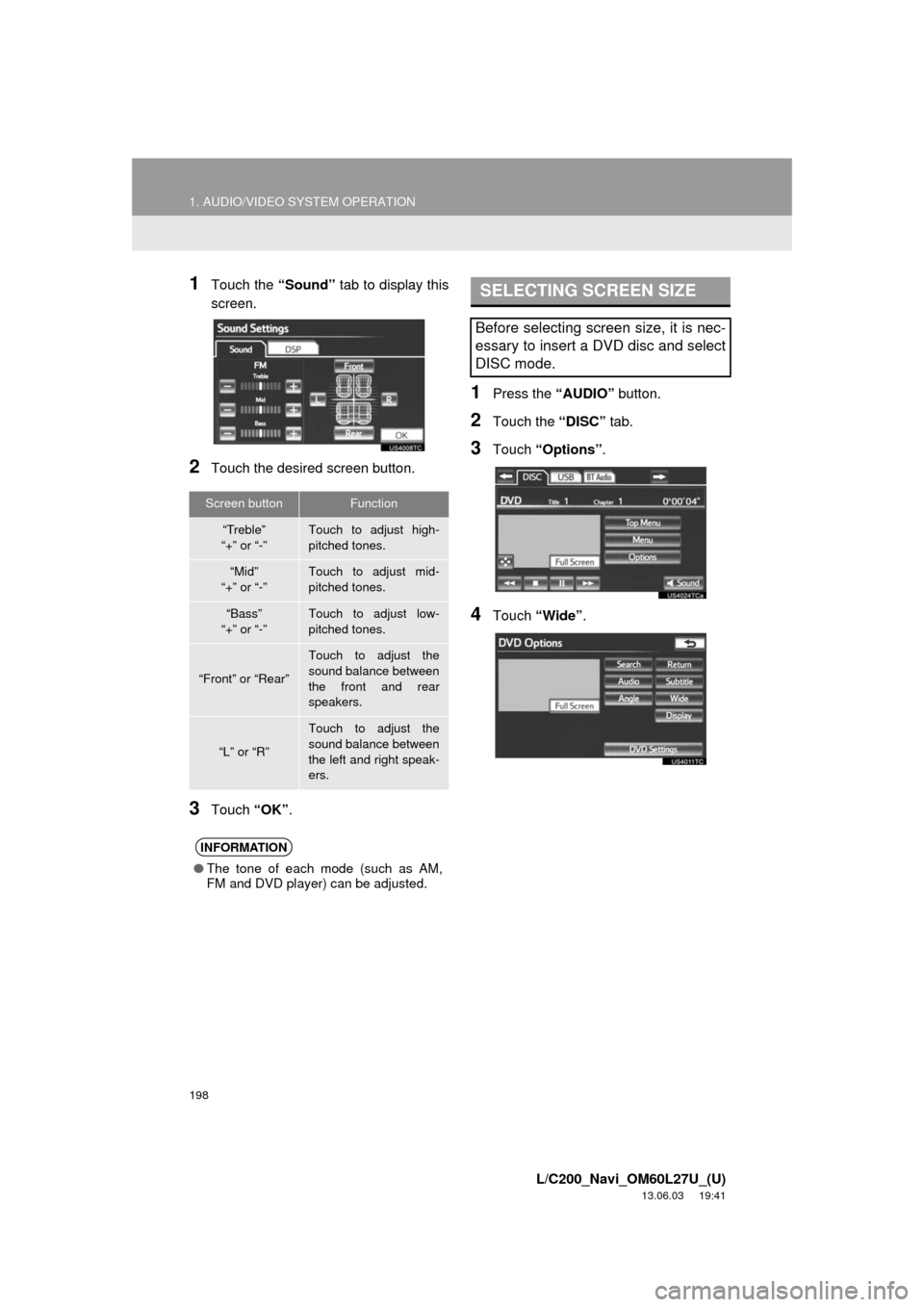
1Touch the “Sound” tab to display this
screen.
2Touch the desired screen button.
3Touch “OK”.
1Press the “AUDIO” button.
2Touch the “DISC” tab.
3Touch “Options”.
4Touch “Wide”.
Screen buttonFunction
“Treble”
“+” or “-”Touch to adjust high-
pitched tones.
“Mid”
“+” or “-”Touch to adjust mid-
pitched tones.
“Bass”
“+” or “-”Touch to adjust low-
pitched tones.
“Front” or “Rear”
Touch to adjust the
sound balance between
the front and rear
speakers.
“L” or “R”
Touch to adjust the
sound balance between
the left and right speak-
ers.
INFORMATION
●The tone of each mode (such as AM,
FM and DVD player) can be adjusted.
SELECTING SCREEN SIZE
Before selecting screen size, it is nec-
essary to insert a DVD disc and select
DISC mode.
Page 199 of 427
199
1. AUDIO/VIDEO SYSTEM OPERATION
5
AUDIO/VIDEO SYSTEM
L/C200_Navi_OM60L27U_(U)
13.06.03 19:41
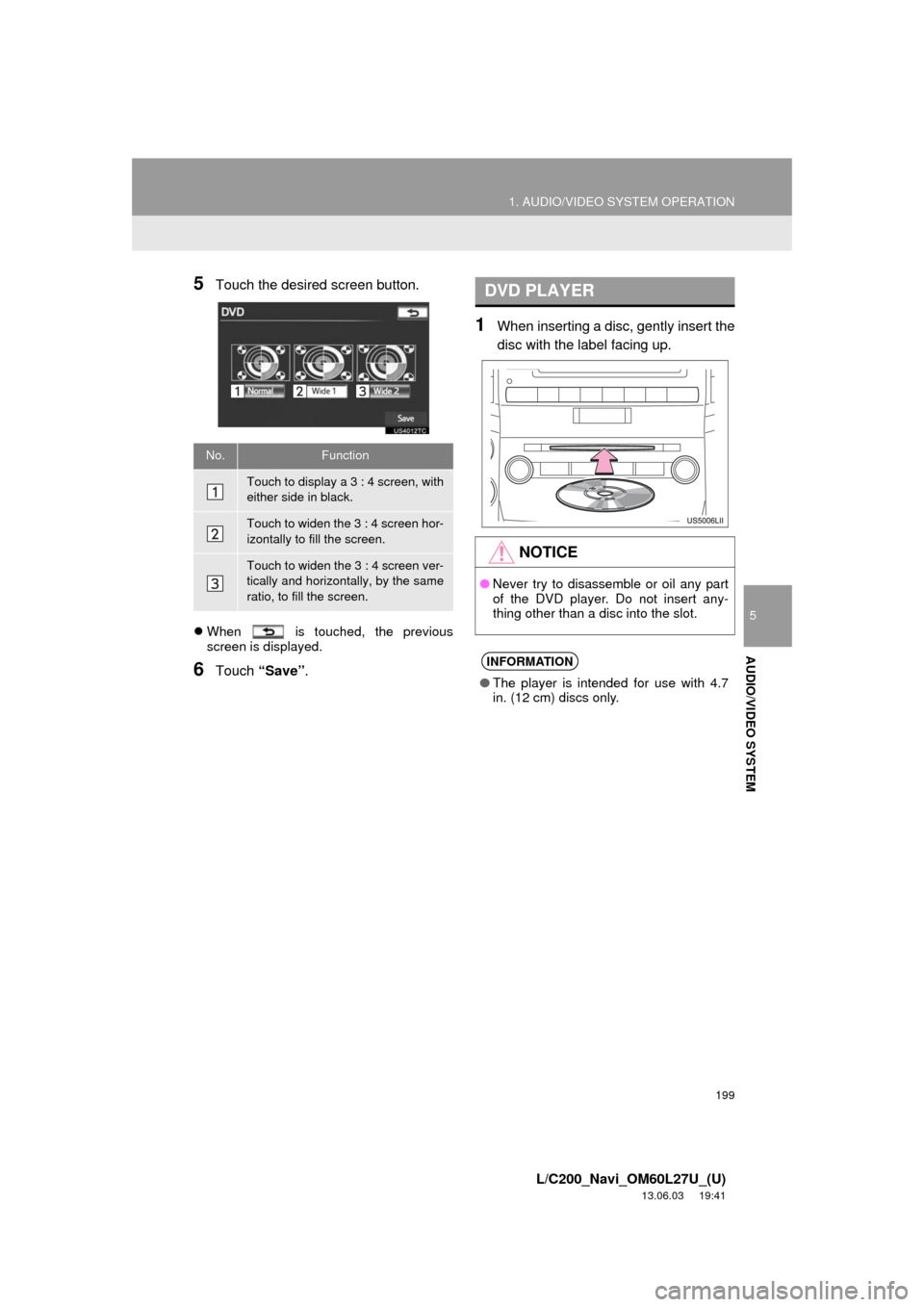
5Touch the desired screen button.
When is touched, the previous
screen is displayed.
6Touch “Save”.
1When inserting a disc, gently insert the
disc with the label facing up.
No.Function
Touch to display a 3 : 4 screen, with
either side in black.
Touch to widen the 3 : 4 screen hor-
izontally to fill the screen.
Touch to widen the 3 : 4 screen ver-
tically and horizontally, by the same
ratio, to fill the screen.
DVD PLAYER
NOTICE
●Never try to disassemble or oil any part
of the DVD player. Do not insert any-
thing other than a disc into the slot.
INFORMATION
●The player is intended for use with 4.7
in. (12 cm) discs only.
Page 215 of 427
215
1. AUDIO/VIDEO SYSTEM OPERATION
5
AUDIO/VIDEO SYSTEM
L/C200_Navi_OM60L27U_(U)
13.06.03 19:41
7. DVD PLAYER OPERATION
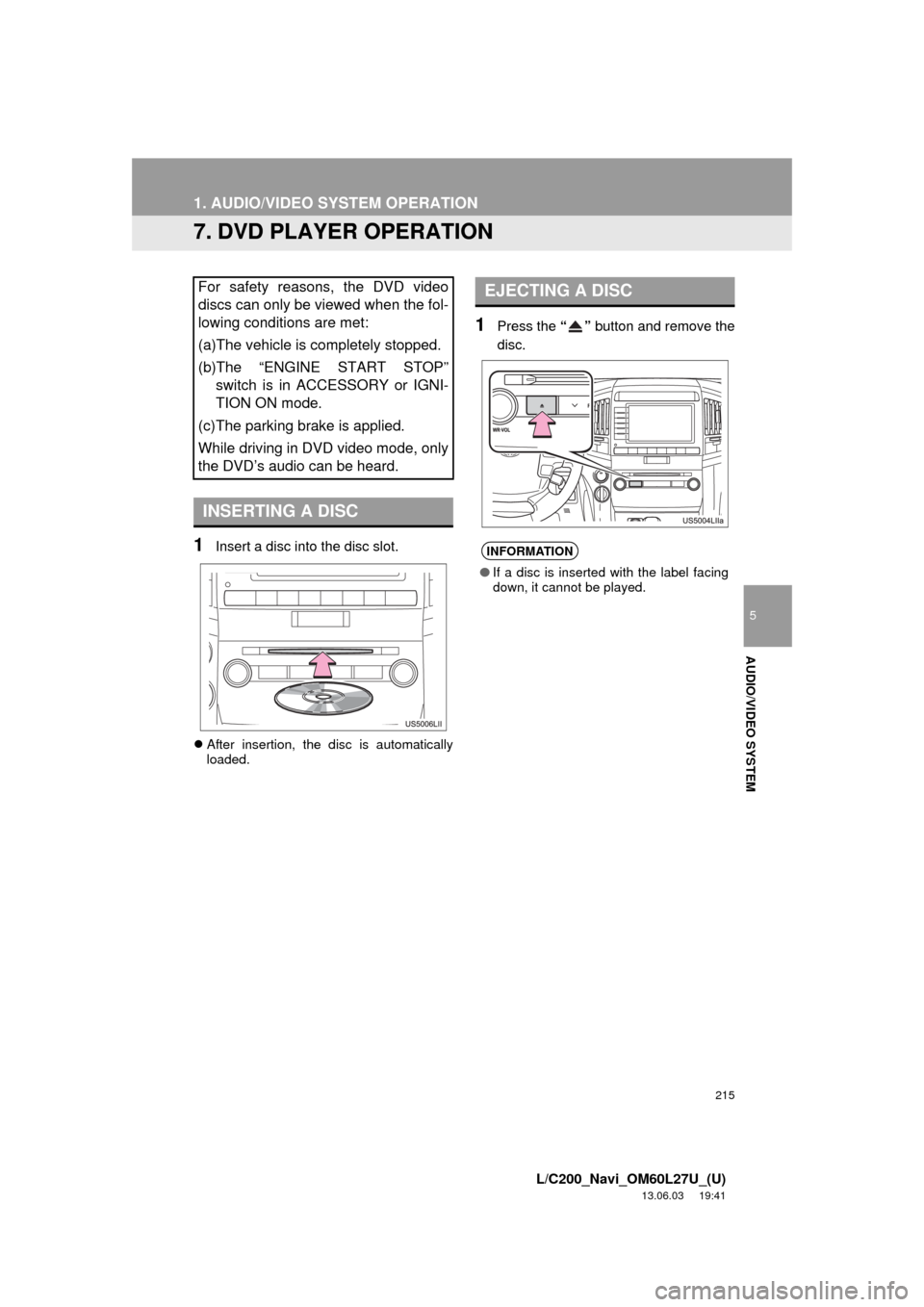
1Insert a disc into the disc slot.
After insertion, the disc is automatically
loaded.
1Press the “” button and remove the
disc.
For safety reasons, the DVD video
discs can only be viewed when the fol-
lowing conditions are met:
(a)The vehicle is completely stopped.
(b)The “ENGINE START STOP”
switch is in ACCESSORY or IGNI-
TION ON mode.
(c)The parking brake is applied.
While driving in DVD video mode, only
the DVD’s audio can be heard.
INSERTING A DISC
EJECTING A DISC
INFORMATION
●If a disc is inserted with the label facing
down, it cannot be played.
Page 216 of 427
216
1. AUDIO/VIDEO SYSTEM OPERATION
L/C200_Navi_OM60L27U_(U)
13.06.03 19:41
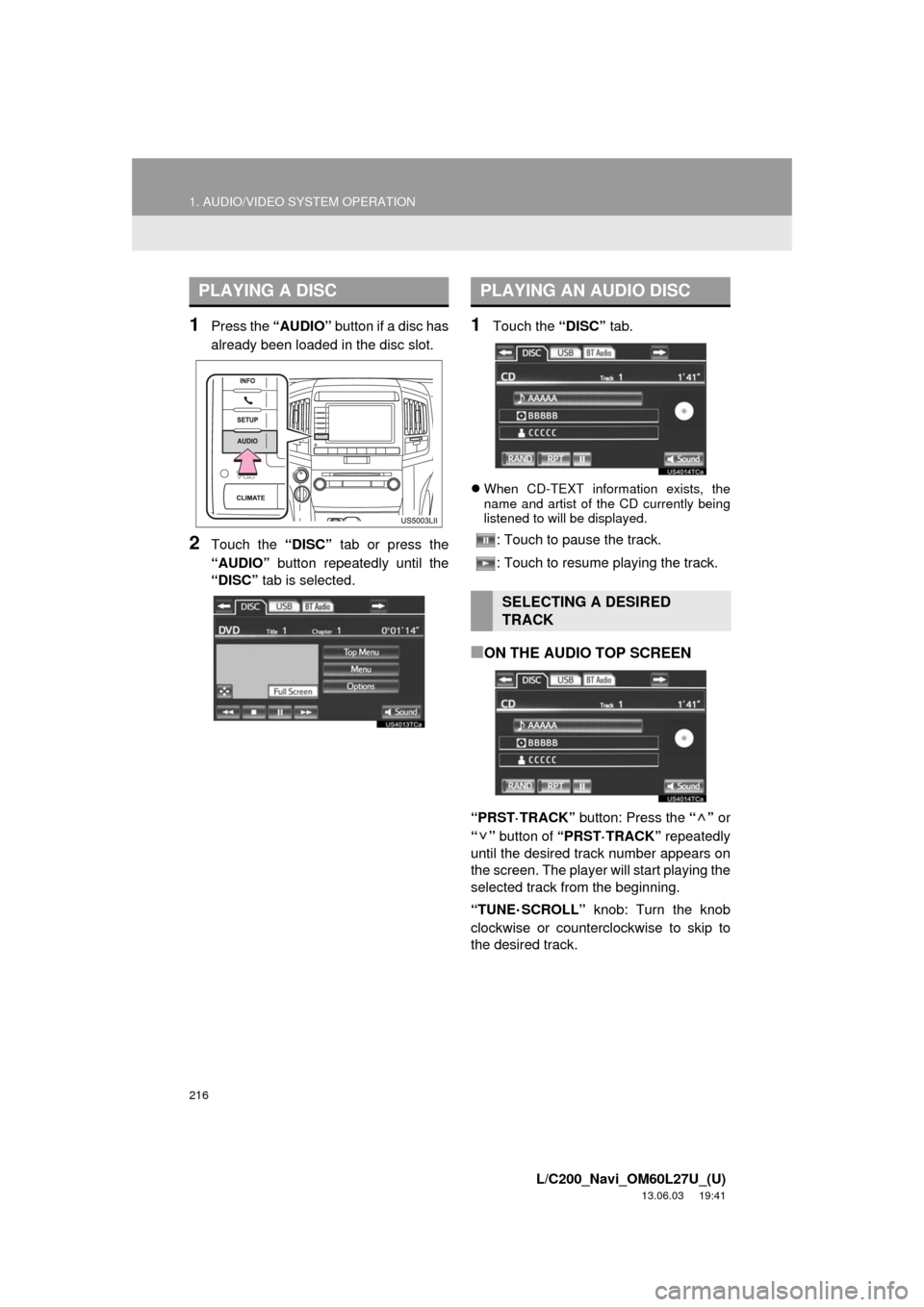
1Press the “AUDIO” button if a disc has
already been loaded in the disc slot.
2Touch the “DISC” tab or press the
“AUDIO” button repeatedly until the
“DISC” tab is selected.
1Touch the “DISC” tab.
When CD-TEXT information exists, the
name and artist of the CD currently being
listened to will be displayed.
: Touch to pause the track.
: Touch to resume playing the track.
■ON THE AUDIO TOP SCREEN
“PRST·TRACK” button: Press the “” or
“” button of “PRST·TRACK” repeatedly
until the desired track number appears on
the screen. The player will start playing the
selected track from the beginning.
“TUNE
·SCROLL” knob: Turn the knob
clockwise or counterclockwise to skip to
the desired track.
PLAYING A DISCPLAYING AN AUDIO DISC
SELECTING A DESIRED
TRACK
Page 217 of 427
217
1. AUDIO/VIDEO SYSTEM OPERATION
5
AUDIO/VIDEO SYSTEM
L/C200_Navi_OM60L27U_(U)
13.06.03 19:41
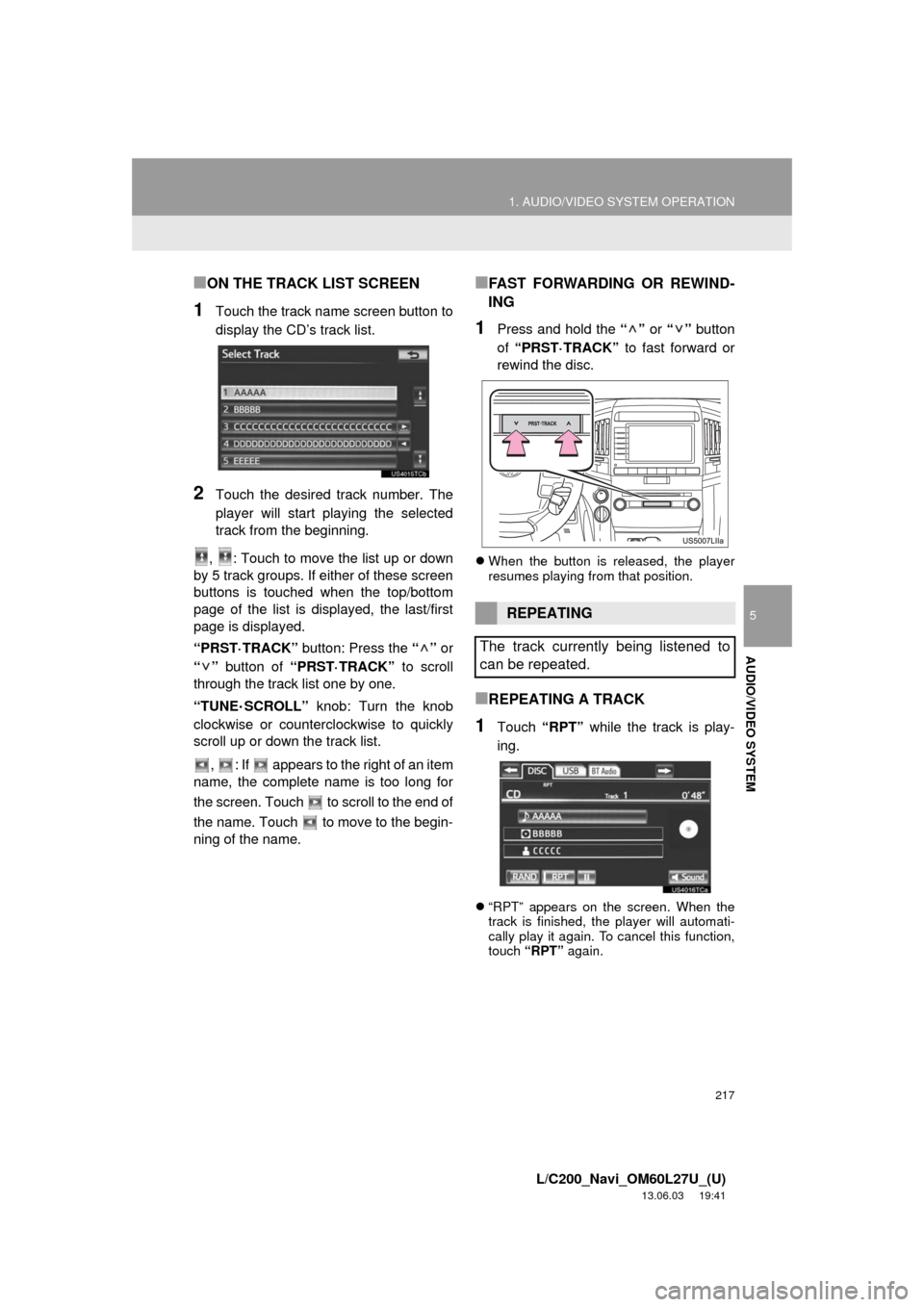
■ON THE TRACK LIST SCREEN
1Touch the track name screen button to
display the CD’s track list.
2Touch the desired track number. The
player will start playing the selected
track from the beginning.
, : Touch to move the list up or down
by 5 track groups. If either of these screen
buttons is touched when the top/bottom
page of the list is displayed, the last/first
page is displayed.
“PRST·TRACK” button: Press the “” or
“” button of “PRST·TRACK” to scroll
through the track list one by one.
“TUNE
·SCROLL” knob: Turn the knob
clockwise or counterclockwise to quickly
scroll up or down the track list.
, : If appears to the right of an item
name, the complete name is too long for
the screen. Touch to scroll to the end of
the name. Touch to move to the begin-
ning of the name.
■FAST FORWARDING OR REWIND-
ING
1Press and hold the “” or “” button
of “PRST·TRACK” to fast forward or
rewind the disc.
When the button is released, the player
resumes playing from that position.
■REPEATING A TRACK
1Touch “RPT” while the track is play-
ing.
“RPT” appears on the screen. When the
track is finished, the player will automati-
cally play it again. To cancel this function,
touch “RPT” again.
REPEATING
The track currently being listened to
can be repeated.