change time TOYOTA MIRAI 2019 Owners Manual (in English)
[x] Cancel search | Manufacturer: TOYOTA, Model Year: 2019, Model line: MIRAI, Model: TOYOTA MIRAI 2019Pages: 528, PDF Size: 11.84 MB
Page 6 of 528
6
MIRAI_OM_USA_OM62054U(18MY)_O
M62048U(19MY)
For your infor mation
Please note that this manual applies to all models and explains all equipment,
including options. Therefore, you may find some explanations fo r equipment
not installed on your vehicle.
All specifications provided in this manual are current at the t ime of printing.
However, because of the Toyota policy of continual product impr ovement, we
reserve the right to make changes at any time without notice.
Depending on specifications, the vehicle shown in the illustrat ions may differ
from your vehicle in terms of color and equipment.
A wide variety of non-genuine spare parts and accessories for T oyota vehi-
cles are currently available in the market. You should know tha t Toyota does
not warrant these products and is not responsible for their per formance,
repair, or replacement, or for any damage they may cause to, or adverse
effect they may have on, your Toyota vehicle.
This vehicle should not be modified with non-genuine Toyota pro ducts. Modi-
fication with non-genuine Toyota products could affect its perf ormance, safety
or durability, and may even violate governmental regulations. In addition,
damage or performance problems resulting from the modification may not be
covered under warranty.
Main Owner’s Manual
Accessories, spare parts and m odification of your Toyota
Page 115 of 528
1153. Instrument cluster
3
Instrument cluster
MIRAI_OM_USA_OM62054U(18MY)_O
M62048U(19MY)
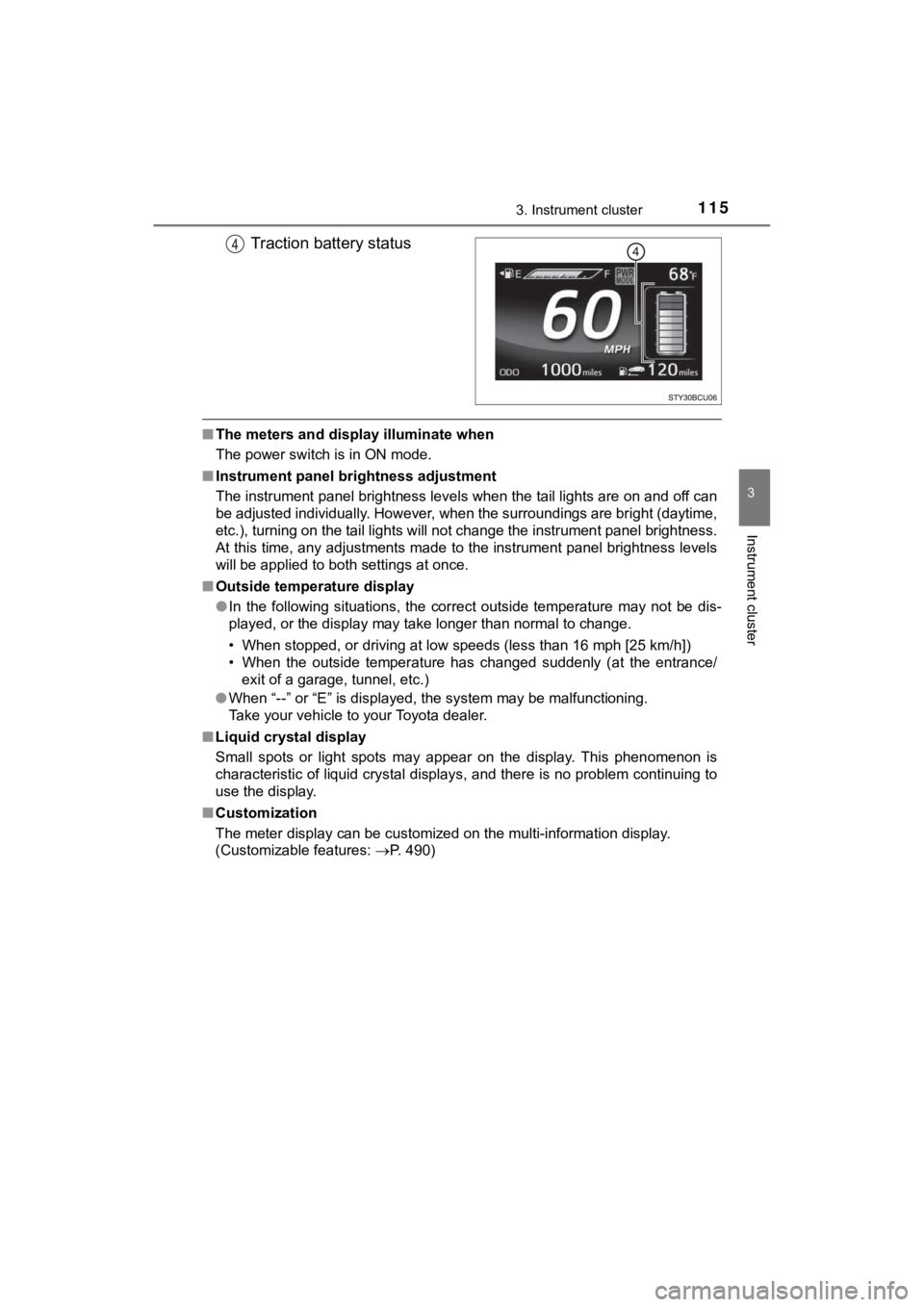
Traction battery status
■The meters and display illuminate when
The power switch is in ON mode.
■ Instrument panel bri ghtness adjustment
The instrument panel brightness levels when the tail lights are on and off can
be adjusted individually. However, when the surroundings are br ight (daytime,
etc.), turning on the tail lights will not change the instrumen t panel brightness.
At this time, any adjustments made to the instrument panel brig htness levels
will be applied to both settings at once.
■ Outside temperature display
●In the following situations, the correct outside temperature ma y not be dis-
played, or the display may take longer than normal to change.
• When stopped, or driving at low speeds (less than 16 mph [25 k m/h])
• When the outside temperature has changed suddenly (at the entr ance/
exit of a garage, tunnel, etc.)
● When “--” or “E” is displayed, the system may be malfunctioning .
Take your vehicle to your Toyota dealer.
■ Liquid crystal display
Small spots or light spots may appear on the display. This phen omenon is
characteristic of liquid crystal displays, and there is no prob lem continuing to
use the display.
■ Customization
The meter display can be customized on the multi-information di splay.
(Customizable features: P. 490)
Page 124 of 528
1243. Instrument cluster
MIRAI_OM_USA_OM62054U(18MY)_O
M62048U(19MY)
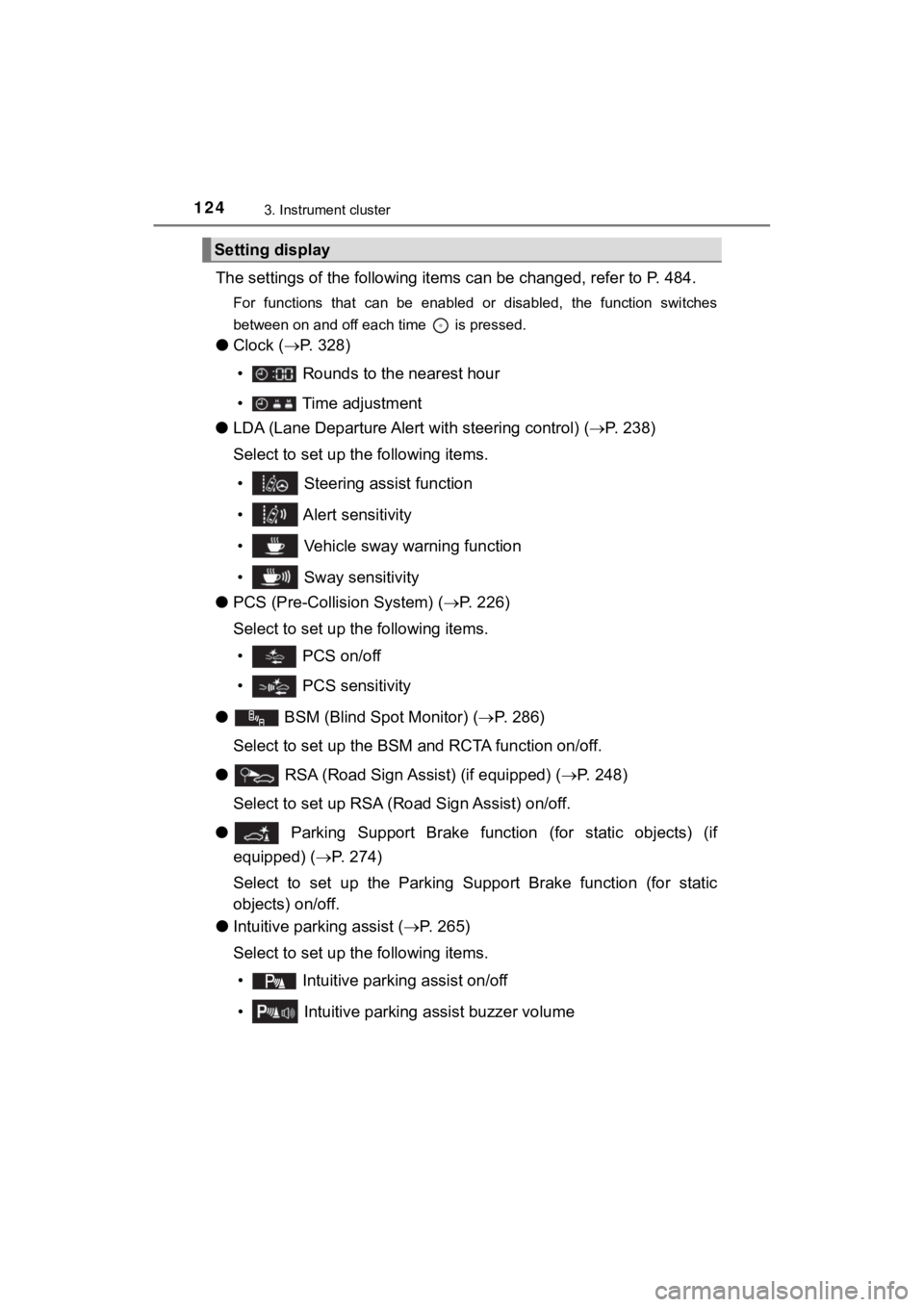
The settings of the following items can be changed, refer to P. 484.
For functions that can be enabled or disabled, the function swi tches
between on and off each time is pressed.
● Clock ( P. 328)
• Rounds to the nearest hour
• Time adjustment
● LDA (Lane Departure Alert with steering control) (P. 2 3 8 )
Select to set up the following items.
• Steering assist function
• Alert sensitivity
• Vehicle sway warning function
• Sway sensitivity
● PCS (Pre-Collis ion System) (P. 226)
Select to set up the following items.
• PCS on/off
• PCS sensitivity
●
BSM (Blind Spot Monitor) ( P. 286)
Select to set up the BSM and RCTA function on/off.
● RSA (Road Sign Assist) (if equipped) ( P. 248)
Select to set up RSA (Ro ad Sign Assist) on/off.
●
Parking Support Brake function (for static objects) (if
equipped) ( P. 274)
Select to set up the Parking Supp ort Brake function (for static
objects) on/off.
● Intuitive parking assist ( P. 265)
Select to set up the following items.
• Intuitive parkin g assist on/off
• Intuitive parking assist buzzer volume
Setting display
Page 125 of 528

1253. Instrument cluster
3
Instrument cluster
MIRAI_OM_USA_OM62054U(18MY)_O
M62048U(19MY)
● Units
Select to change the unit.
●
Meter settings
Select the menu to set up the following items ( P. 490)
• RSA notification method (if equipped)
Select to change the RSA notification method.
• RSA notification level (if equipped)
Select to change the RSA notification level.
• Time for exchanging the ion filter
Select to initialize the time for exchanging the ion filter.
• Language
Select to change the language on the display.
• Interruption display
Select to set the Interruption displays (navigation system rout e guid-
ance, Instrument panel brightness adjustment), which may appear in
some situations, on/off.
• Return to initial settings
Registered or changed meter settings will be deleted or returne d to
their default setting.
• Main display split screen (if equipped)
Select to change the main display to split screen.
• Monthly history of fuel economy history
Select to clear the history.
• Daily history of ECO log
Select to clear the log.
• Monthly history of ECO log
Select to clear the log.
• Calendar date
Select to set the date.
• Erase screen
Select to display a blank screen.
Page 136 of 528
1364-2. Opening, closing and locking the doors
MIRAI_OM_USA_OM62054U(18MY)_O
M62048U(19MY)
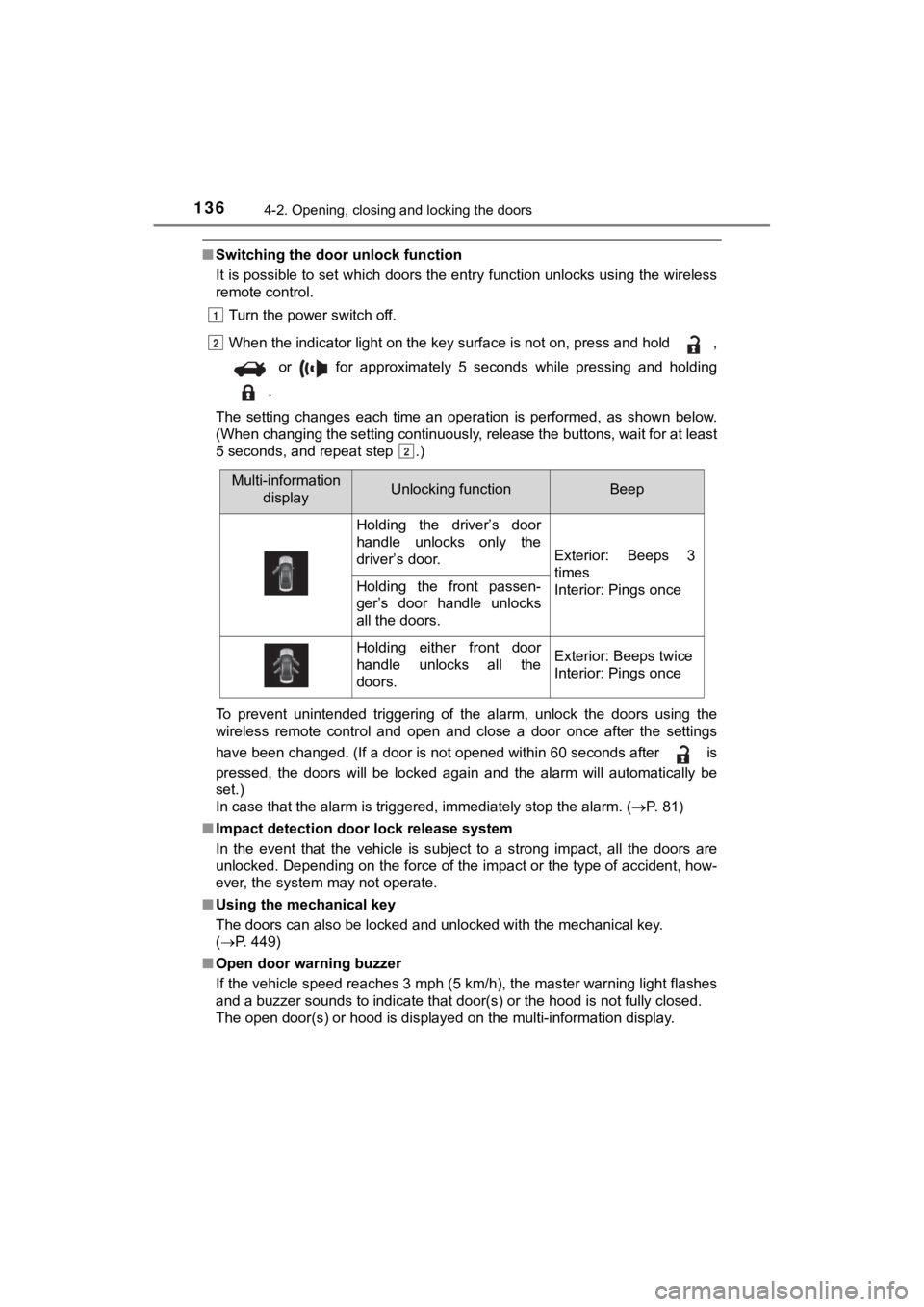
■Switching the door unlock function
It is possible to set which doors the entry function unlocks using the wireless
remote control.
Turn the power switch off.
When the indicator light on the key surface is not on, press and hold ,
or for approximately 5 seconds while pressing and holding
.
The setting changes each time an operation is performed, as sho wn below.
(When changing the setting continuously, release the buttons, w ait for at least
5 seconds, and repeat step .)
To prevent unintended triggering of the alarm, unlock the doors using the
wireless remote control and open and close a door once after th e settings
have been changed. (If a door is not opened within 60 seconds a fter is
pressed, the doors will be locked again and the alarm will auto matically be
set.)
In case that the alarm is triggered, immediately stop the alarm . ( P. 81)
■ Impact detection door lock release system
In the event that the vehicle is subject to a strong impact, all the doors are
unlocked. Depending on the force of the impact or the type of a ccident, how-
ever, the system may not operate.
■ Using the mechanical key
The doors can also be locked and unlocked with the mechanical k ey.
( P. 449)
■ Open door warning buzzer
If the vehicle speed reaches 3 mph (5 km/h), the master warning light flashes
and a buzzer sounds to indicate that door(s) or the hood is not fully closed.
The open door(s) or hood is displayed on the multi-information display.
1
2
2
Multi-information
displayUnlocking functionBeep
Holding the driver’s door
handle unlocks only the
driver’s door.
Exterior: Beeps 3
times
Interior: Pings once
Holding the front passen-
ger’s door handle unlocks
all the doors.
Holding either front door
handle unlocks all the
doors.Exterior: Beeps twice
Interior: Pings once
Page 140 of 528
1404-2. Opening, closing and locking the doors
MIRAI_OM_USA_OM62054U(18MY)_O
M62048U(19MY)
■Tr u n k l i g h t
The trunk light turns on when the trunk is opened.
■ Function to prevent th e trunk being locked with the electronic key inside
● When all doors are locked, closing the trunk lid with the elect ronic key left
inside the trunk will sound an alarm.
In this case, the trunk lid can be opened by pressing the trunk release but-
ton on the trunk lid.
● If the spare electronic key is put in the trunk with all the doors locked, the
key confinement prevention function is activated so the trunk can be
opened. In order to prevent theft, take all electronic keys wit h you when
leaving the vehicle.
● If the electronic key is put in the trunk with all the doors lo cked, the key may
not be detected depending on the location of the key and the su rrounding
radio wave conditions. In this case, the key confinement preven tion function
cannot be activated, causing the doors to lock when the trunk i s closed.
Make sure to check where the key is before closing the trunk.
● The key confinement prevention function cannot be activated if any one of
the doors is unlocked. In this case, open the trunk using the t runk opener
switch.
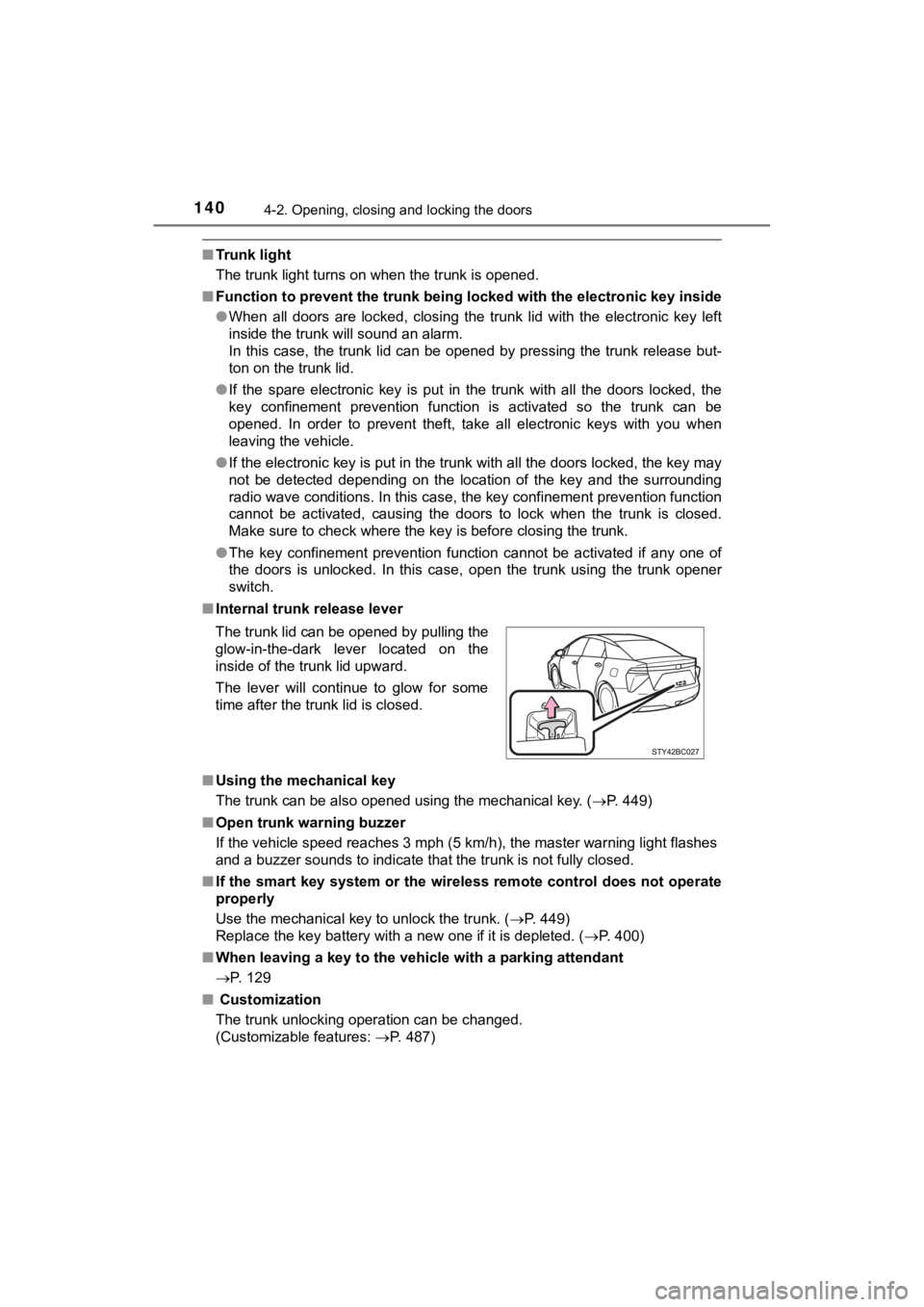
■ Internal trunk release lever
■ Using the mechanical key
The trunk can be also opened using the mechanical key. ( P. 449)
■ Open trunk warning buzzer
If the vehicle speed reaches 3 mph (5 km/h), the master warning light flashes
and a buzzer sounds to indicate that the trunk is not fully clo sed.
■ If the smart key system or the wireless remote control does not operate
properly
Use the mechanical key to unlock the trunk. ( P. 449)
Replace the key battery with a new one if it is depleted. ( P. 400)
■ When leaving a key to the vehicle with a parking attendant
P. 129
■ Customization
The trunk unlocking operation can be changed.
(Customizable features: P. 487)
The trunk lid can be opened by pulling the
glow-in-the-dark lever located on the
inside of the trunk lid upward.
The lever will continue to glow for some
time after the trunk lid is closed.
Page 147 of 528

1474-2. Opening, closing and locking the doors
4
Operation of each component
MIRAI_OM_USA_OM62054U(18MY)_O
M62048U(19MY)■
Note for the entry function
●Even when the electronic key is within the effective range (det ection areas),
the system may not operate properly in the following cases:
• The electronic key is too close to the window or outside door handle, near
the ground, or in a high place when the doors are locked or unl ocked.
• The electronic key is near the ground or in a high place, or t oo close to
the rear bumper center when the trunk is opened.
• The electronic key is on the instrument panel, rear package tr ay or floor,
or in the door pockets or glove box when the fuel cell system i s started or
power switch modes are changed.
● Do not leave the electronic key on top of the instrument panel or near the
door pockets when exiting the vehicle. Depending on the radio w ave recep-
tion conditions, it may be detected by the antenna outside the cabin and the
door will become lockable from the outside, possibly trapping the electronic
key inside the vehicle.
● As long as the electronic key is within the effective range, th e doors may be
locked or unlocked by anyone. However, only the doors detecting the elec-
tronic key can be used to unlock the vehicle.
● Even if the electronic key is not inside the vehicle, it may be possible to start
the fuel cell system if the electronic key is near the window.
● The doors may unlock or lock if a large amount of water splashe s on the
door handle, such as in the rain or in a car wash when the elec tronic key is
within the effective range. (The doors will automatically be lo cked after
approximately 60 seconds if the doors are not opened and closed.)
● If the wireless remote control is used to lock the doors when t he electronic
key is near the vehicle, there is a possibility that the door m ay not be
unlocked by the entry function. (Use the wireless remote contro l to unlock
the doors.)
● Touching the door lock or unlock sensor while wearing gloves ma y prevent
lock or unlock operation.
● When the lock operation is performed using the lock sensor, rec ognition sig-
nals will be shown up to two consecutive times. After this, no recognition
signals will be given.
● If the door handle becomes wet while the electronic key is with in the effec-
tive range, the door may lock and unlock repeatedly. In this ca se, follow the
following correction procedures to wash the vehicle:
• Place the electronic key in a location 6 ft. (2 m) or more awa y from the
vehicle. (Take care to ensure that the key is not stolen.)
• Set the electronic key to battery-saving mode to disable the s mart key
system. ( P. 145)
● If the electronic key is inside the vehicle and a door handle b ecomes wet
during a car wash, a message may be shown on the multi-informat ion dis-
play and a buzzer will sound outside the vehicle. To turn off t he alarm, lock
all the doors.
Page 159 of 528
1594-3. Adjusting the seats
4
Operation of each component
MIRAI_OM_USA_OM62054U(18MY)_O
M62048U(19MY)
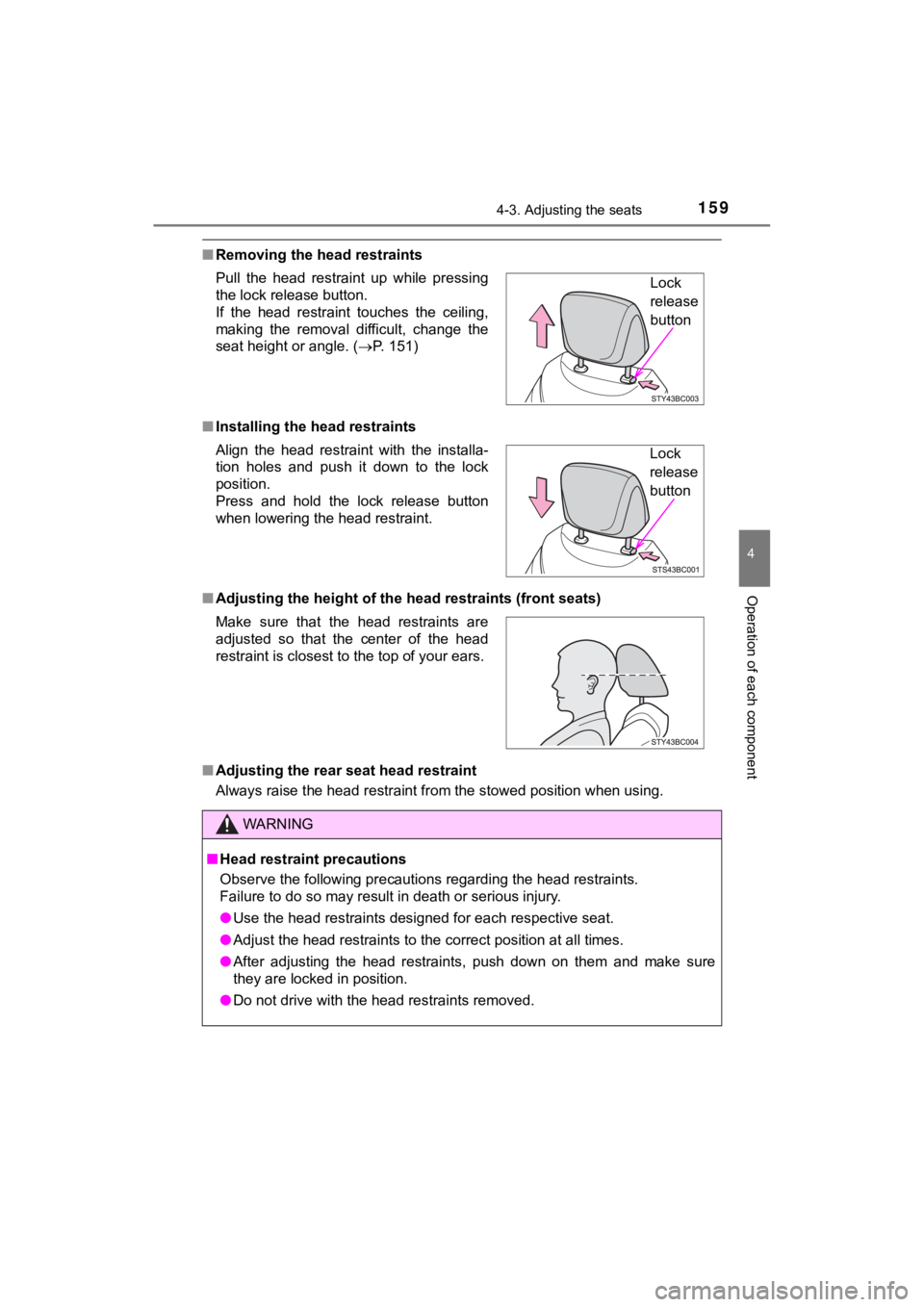
■Removing the head restraints
■ Installing the head restraints
■ Adjusting the height of the head restraints (front seats)
■ Adjusting the rear seat head restraint
Always raise the head restraint from the stowed position when u sing.
Pull the head restraint up while pressing
the lock release button.
If the head restraint touches the ceiling,
making the removal difficult, change the
seat height or angle. (
P. 151)
Align the head restraint with the installa-
tion holes and push it down to the lock
position.
Press and hold the lock release button
when lowering the head restraint.
Make sure that the head restraints are
adjusted so that the center of the head
restraint is closest to the top of your ears.
WARNING
■ Head restraint precautions
Observe the following precautions regarding the head restraints.
Failure to do so may result in death or serious injury.
● Use the head restraints designed for each respective seat.
● Adjust the head restraints to the correct position at all times.
● After adjusting the head restraints, push down on them and make sure
they are locked in position.
● Do not drive with the head restraints removed.
Lock
release
button
Lock
release
button
Page 165 of 528
1654-4. Adjusting the steering wheel and mirrors
4
Operation of each component
MIRAI_OM_USA_OM62054U(18MY)_O
M62048U(19MY)
When the mirror select switch is in the “L” or “R” position, th e outside
rear view mirrors will automati cally angle downwards when the v ehicle
is reversing in order to give a better view of the ground.
To disable this function, move the mirror select switch to the neutral
position (between “L” or “R”)
■Adjusting the mirror angle when the vehicle is reversing
With the shift position in R, adjust the mirror angle at a desi red posi-
tion.
The adjusted angle will be memori zed and the mirror will automati-
cally tilt to the memorized angle whenever the shift position i s
shifted to R from next time.
The memorized downward tilt position of the mirror is linked to the nor-
mal position (angle adjusted with the shift position in other t han R).
Therefore, if the normal position is changed after adjustment, the tilt
position will also change.
When the normal position is changed, readjust the angle in reversing.
■ Mirror angle can be adjusted when
The power switch is in ACCESSORY or ON mode.
■ Rain clearing mirrors
The coating on the mirror has the rain clearing (hydrophilic) e ffect to make the
rear view clearer in raining. When water droplets collect on th e mirror surface,
this effect causes the droplets to be spread out into a film.
● The rain clearing effect will be reduced temporarily, when the dirt is adhered
to the mirror or after your vehicle is parked for a long time in underground or
indoor parking lots, etc., where there is no direct sunlight.
However, the effect will gradually recover after 1- or 2-day ex posure to direct
sunlight.
● If you want to restore the rain clearing effect immediately, co nduct the resto-
ration work. ( P. 353)
■ When the mirrors are fogged up
The outside rear view mirrors can be cleared using the mirror d efoggers. Turn
on the rear window defogger to turn on the outside rear view mi rror defog-
gers. ( P. 309)
■ Automatic adjustment of the mirror angle
A desired mirror face angle can be entered to memory and recall ed automati-
cally by the driving position memory. ( P. 154)
Linked mirror function when reversing
Page 179 of 528
1795-1. Before driving
5
Driving
MIRAI_OM_USA_OM62054U(18MY)_O
M62048U(19MY)
NOTICE
■Avoiding damage to vehicle parts
● Do not turn the steering wheel fully in either direction and ho ld it there for
an extended period of time.
Doing so may damage the power steering motor.
● When driving over bumps in the road, drive as slowly as possibl e to avoid
damaging the wheels, underside of the vehicle, etc.
■ If you get a flat tire while driving
A flat or damaged tire may cause the following situations. Hold the steering
wheel firmly and gradually depress the brake pedal to slow down the vehi-
cle.
● It may be difficult to control your vehicle.
● The vehicle will make abnormal sounds or vibrations.
● The vehicle will lean abnormally.
Information on what to do in case of a flat tire ( P. 432)
■ When encountering flooded roads
Do not drive on a road that has flooded after heavy rain, etc. Doing so may
cause the following serious damage to the vehicle:
● Fuel cell system stalling
● Short in electrical components
● Fuel cell system damage caused by water immersion
In the event that you drive on a flooded road and the vehicle i s flooded, be
sure to have your Toyota dealer check the following:
● Fuel cell system
● Brake function
● Changes in quantity and quality of transmission fluid, etc.
● Lubricant condition for the bearings and suspension joints (whe re possi-
ble), and the function of all joints, bearings, etc.
If the shift control system is damaged by flooding, it may not be possible to
shift the shift position to P, or from P to other positions. Wh en the shift posi-
tion cannot be changed from P to any other position, the front wheels will
lock, and you will be unable to tow the vehicle with the front wheels on the
ground, as the front wheels may be locked. In this case, transp ort the vehi-
cle with both front wheels or all four wheels lifted.
■ If the vehicle will not shift out of the P position
There is a possibility that the 12-volt battery is discharged. Check the
12-volt battery in this situation.