warning TOYOTA MIRAI 2022 Owners Manual
[x] Cancel search | Manufacturer: TOYOTA, Model Year: 2022, Model line: MIRAI, Model: TOYOTA MIRAI 2022Pages: 556, PDF Size: 17.34 MB
Page 274 of 556
2745-5. Using the driving support systems
Owners Manual_USA_M62084_en
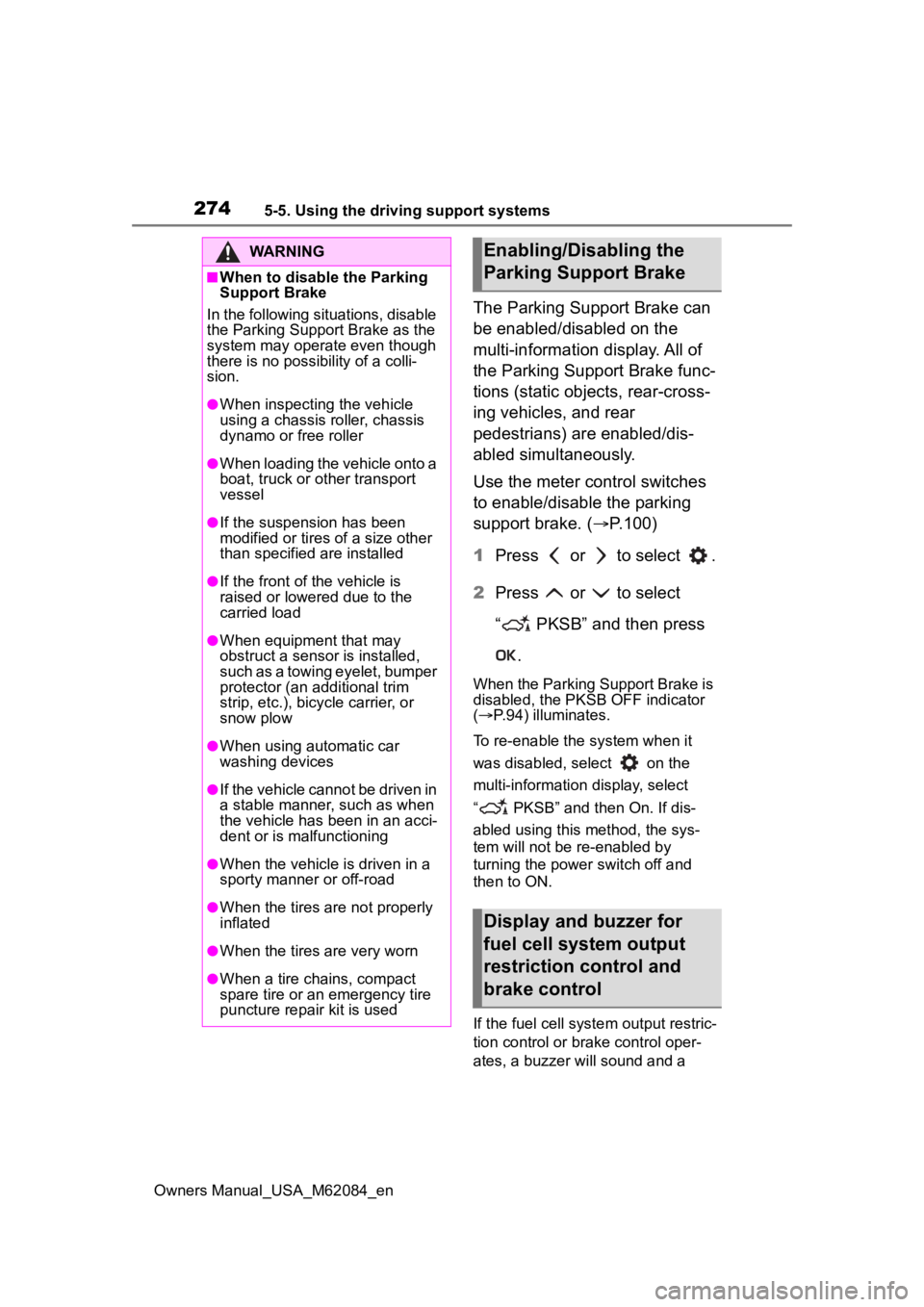
The Parking Support Brake can
be enabled/disabled on the
multi-information display. All of
the Parking Support Brake func-
tions (static objects, rear-cross-
ing vehicles, and rear
pedestrians) are enabled/dis-
abled simultaneously.
Use the meter control switches
to enable/disable the parking
support brake. (P.100)
1 Press or to select .
2 Press or to select
“ PKSB” and then press
.
When the Parking Support Brake is
disabled, the PKSB OFF indicator
( P.94) illuminates.
To re-enable the system when it
was disabled, select on the
multi-information display, select
“ PKSB” and then On. If dis-
abled using this method, the sys-
tem will not be re-enabled by
turning the power switch off and
then to ON.
If the fuel cell system output restric-
tion control or brake control oper-
ates, a buzzer will sound and a
WARNING
■When to disable the Parking
Support Brake
In the following situations, disable
the Parking Support Brake as the
system may operate even though
there is no poss ibility of a colli-
sion.
●When inspecting the vehicle
using a chassis roller, chassis
dynamo or free roller
●When loading the vehicle onto a
boat, truck or other transport
vessel
●If the suspension has been
modified or tires of a size other
than specified are installed
●If the front of the vehicle is
raised or lowered due to the
carried load
●When equipment that may
obstruct a sensor is installed,
such as a towing eyelet, bumper
protector (an additional trim
strip, etc.), bicycle carrier, or
snow plow
●When using automatic car
washing devices
●If the vehicle cannot be driven in
a stable manner, such as when
the vehicle has been in an acci-
dent or is malfunctioning
●When the vehicle is driven in a
sporty manner or off-road
●When the tires are not properly
inflated
●When the tires are very worn
●When a tire chains, compact
spare tire or an emergency tire
puncture repair kit is used
Enabling/Disabling the
Parking Support Brake
Display and buzzer for
fuel cell system output
restriction control and
brake control
Page 275 of 556

2755-5. Using the driving support systems
Owners Manual_USA_M62084_en
5
Driving
message will be dis played on the
multi-information display and head-
up display (if equipped), multimedia
display, to alert the driver.
Depending on the situation, fuel cell
system output restriction control will
operate to either limit acceleration
or restrict output as much as possi-
ble.
Fuel cell system output
restriction control is operating
(acceleration restriction)
Acceleration greater than a certain
amount is restricted by the system.
Multimedia display: No warning dis-
played
Multi-information display: “Object
Detected Acceleration Reduced”
Head-up display (if equipped): No
warning displayed
PKSB OFF indicator: Not illumi-
nated
Buzzer: Does not sound
Fuel cell system output
restriction control is operating
(output restricted as much as
possible)
The system has determined that
stronger-than-normal brake opera-
tion is necessary.
Multimedia display: “BRAKE!”
Multi-information display: “BRAKE!”
Head-up display (if equipped):
“BRAKE!”
PKSB OFF indicator: Not illumi-
nated
Buzzer: Short beep
Brake control is operating
The system determined that emer-
gency braking is necessary.
Multimedia display: “BRAKE!”
Multi-information display: “BRAKE!”
Head-up display (if equipped):
“BRAKE!”
PKSB OFF indicator: Not illumi-
nated
Buzzer: Short beep
Vehicle stopped by system
operation
The vehicle has been stopped by
brake control operation.
Multimedia display: “Press Brake
Pedal”
Multi-information display: “Switch to
Brake” (If the acce lerator pedal is
not depressed, “Br ake” will be dis-
played.)
Head-up display (if equipped):
“Switch to Brake” (If the accelerator
pedal is not depressed, “Press
Brake Pedal” will be displayed.)
PKSB OFF indicato r: Illuminated
Buzzer: Short beep
If the Parking Support Brake
determines that a collision with a
detected object or pedestrian is
possible, the fuel cell system
output will be restricted to
restrain any increase in the vehi-
cle speed. (Fuel cell system out-
put restriction control: See figure
2.)
Additionally, if the accelerator
pedal continues to be
System overview
Page 279 of 556
2795-5. Using the driving support systems
Owners Manual_USA_M62084_en
5
Driving
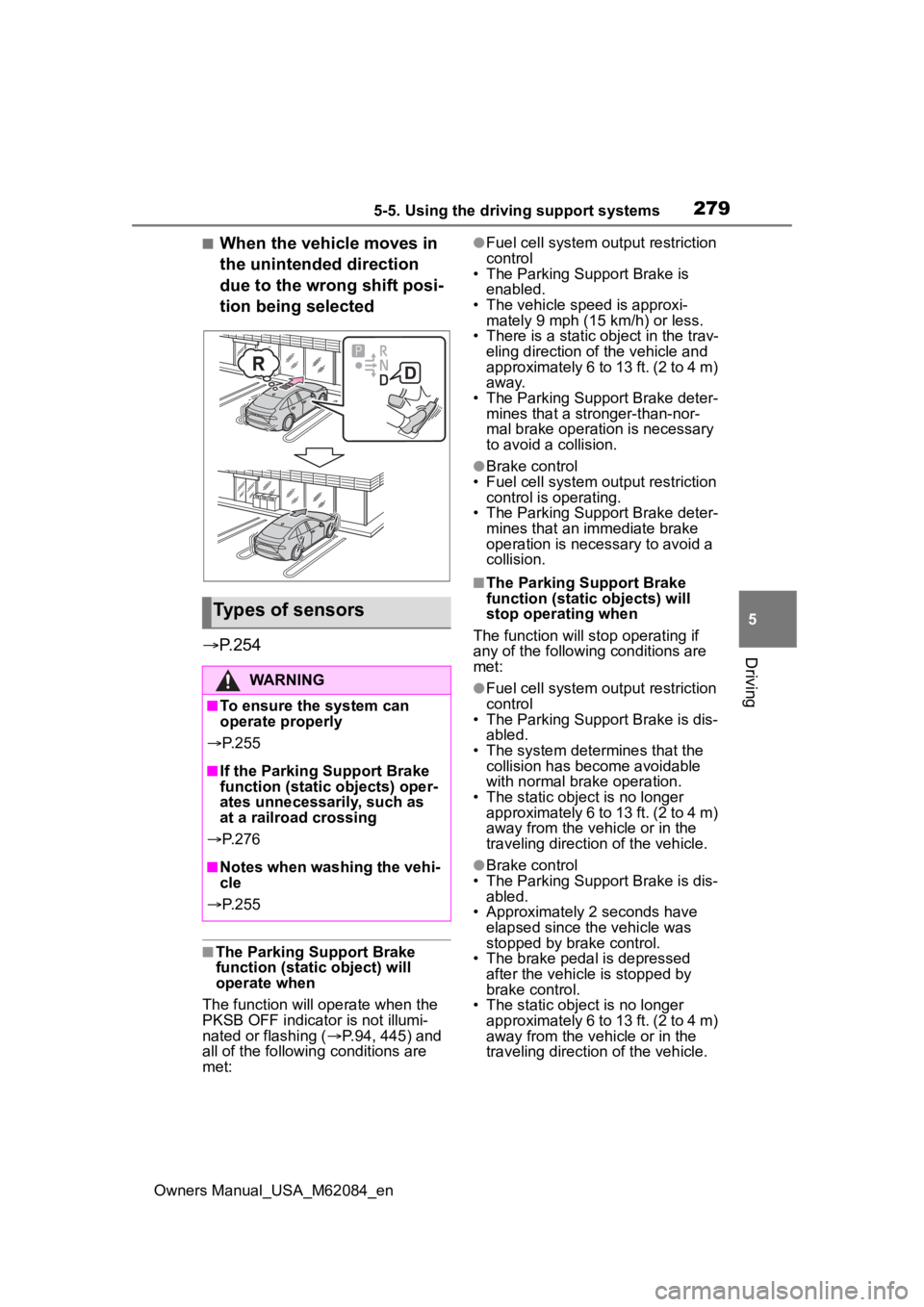
■When the vehicle moves in
the unintended direction
due to the wrong shift posi-
tion being selected
P.254
■The Parking Support Brake
function (static object) will
operate when
The function will operate when the
PKSB OFF indicator is not illumi-
nated or flashing ( P.94, 445) and
all of the followin g conditions are
met:
●Fuel cell system output restriction
control
• The Parking Support Brake is
enabled.
• The vehicle speed is approxi- mately 9 mph (15 km/h) or less.
• There is a static object in the trav- eling direction of the vehicle and
approximately 6 to 13 ft. (2 to 4 m)
away.
• The Parking Support Brake deter- mines that a stronger-than-nor-
mal brake operation is necessary
to avoid a collision.
●Brake control
• Fuel cell system output restriction control is operating.
• The Parking Support Brake deter- mines that an immediate brake
operation is necessary to avoid a
collision.
■The Parking Support Brake
function (static objects) will
stop operating when
The function will stop operating if
any of the following conditions are
met:
●Fuel cell system output restriction
control
• The Parking Support Brake is dis- abled.
• The system determines that the collision has become avoidable
with normal brake operation.
• The static object is no longer approximately 6 to 13 ft. (2 to 4 m)
away from the vehicle or in the
traveling direction of the vehicle.
●Brake control
• The Parking Support Brake is dis- abled.
• Approximately 2 seconds have
elapsed since the vehicle was
stopped by brake control.
• The brake pedal is depressed after the vehicle is stopped by
brake control.
• The static object is no longer approximately 6 to 13 ft. (2 to 4 m)
away from the vehicle or in the
traveling direction of the vehicle.
Types of sensors
WARNING
■To ensure the system can
operate properly
P. 2 5 5
■If the Parking Support Brake
function (static objects) oper-
ates unnecessarily, such as
at a railroad crossing
P. 2 7 6
■Notes when washing the vehi-
cle
P. 2 5 5
Page 280 of 556
2805-5. Using the driving support systems
Owners Manual_USA_M62084_en
■Detection range of the Parking
Support Brake function (static
objects)
The detection range of the Parking
Support Brake function (static
objects) differs from the detection
range of the intuitive parking assist.
( P.259) Therefore, even if the intu-
itive parking assist detects an object
and provides a warning, the Parking
Support Brake function (static
objects) may not start operating.
■Situations in which the system
may not operate properly
P. 2 5 7
■Situations in which the system
may operate even if there is no
possibility of a collision
P. 2 5 7
*: If equipped
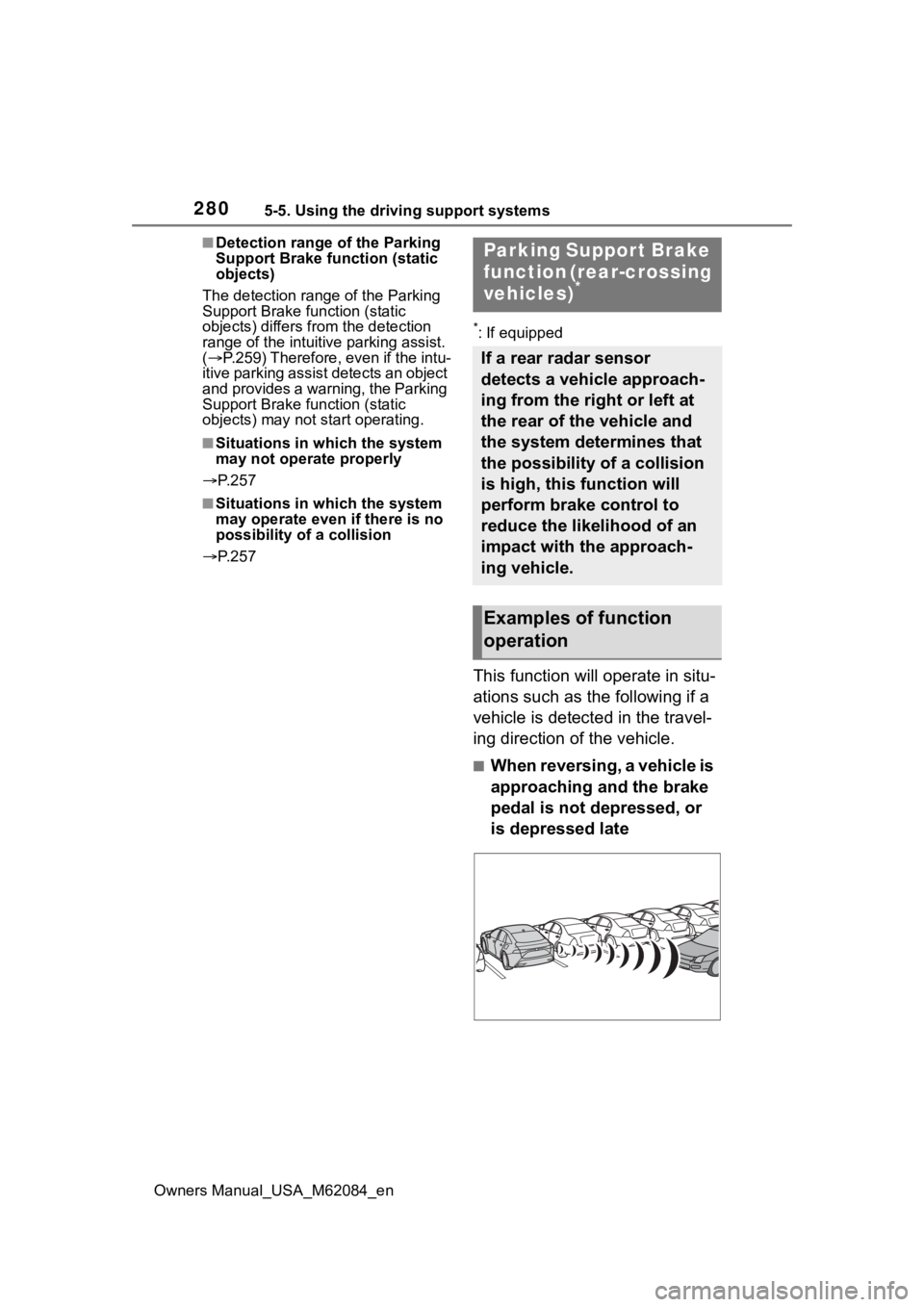
This function will operate in situ-
ations such as the following if a
vehicle is detected in the travel-
ing direction of the vehicle.
■When reversing, a vehicle is
approaching and the brake
pedal is not depressed, or
is depressed late
Parking Support Brake
function (rear-crossing
vehicles)
*
If a rear radar sensor
detects a vehicle approach-
ing from the right or left at
the rear of the vehicle and
the system determines that
the possibility of a collision
is high, this function will
perform brake control to
reduce the likelihood of an
impact with the approach-
ing vehicle.
Examples of function
operation
Page 281 of 556
2815-5. Using the driving support systems
Owners Manual_USA_M62084_en
5
Driving
P.250
■The Parking Support Brake
function (rear-crossing vehi-
cles) will operate when
The function will operate when the
PKSB OFF indicator is not illumi-
nated or flashing ( P.94, 445) and
all of the followin g conditions are
met:
●Fuel cell system output restriction
control
• The Parking Support Brake is enabled.
• The vehicle speed is approxi- mately 9 mph (15 km/h) or less.
• Vehicles are approaching from the
right or left at th e rear of the vehi-
cle at a traveling speed of approx-
imately 5 mph (8 km/h) or more.
• The shift position is in R.
• The Parking Support Brake deter- mines that a stronger than normal
brake operation is necessary to
avoid a collision with an approach-
ing vehicle.
●Brake control
• Fuel cell system ou tput restriction
control is operating.
• The Parking Support Brake deter- mines that an emergency brake
operation is necessary to avoid a
collision with an approaching vehi-
cle.
■The Parking Support Brake
function (rear-crossing vehi-
cles) will stop operating when
The function will st op operating if
any of the following conditions are
met:
●Fuel cell system output restriction control
• The Parking Support Brake is dis- abled.
• The collision becomes avoidable with normal brake operation.
• A vehicle is no longer approaching
from the right or left at the rear of
the vehicle.
●Brake control
• The Parking Support Brake is dis- abled.
• Approximately 2 seconds have elapsed since the vehicle was
stopped by brake control.
• The brake pedal is depressed after the vehicle is stopped by
brake control.
• A vehicle is no longer approaching from the right or left at the rear of
the vehicle.
■Detection area of the Parking
Support Brake function (rear-
crossing vehicles)
The detection area of the Parking
Support Brake function (rear-cross-
ing vehicles) differs from the detec-
tion area of the RCTA function
( P.265). Therefor e, even if the
RCTA function detects a vehicle and
provides an alert, the Parking Sup-
port Brake function (rear-crossing
vehicles) may not start operating.
■Situations in which the system
may not operate properly
P.266
■Situations in which the system
may operate even if there is no
possibility of a collision
P.267
Types of sensors
WARNING
■To ensure the system can
operate properly
P. 2 5 0
Page 282 of 556
2825-5. Using the driving support systems
Owners Manual_USA_M62084_en
*: If equipped
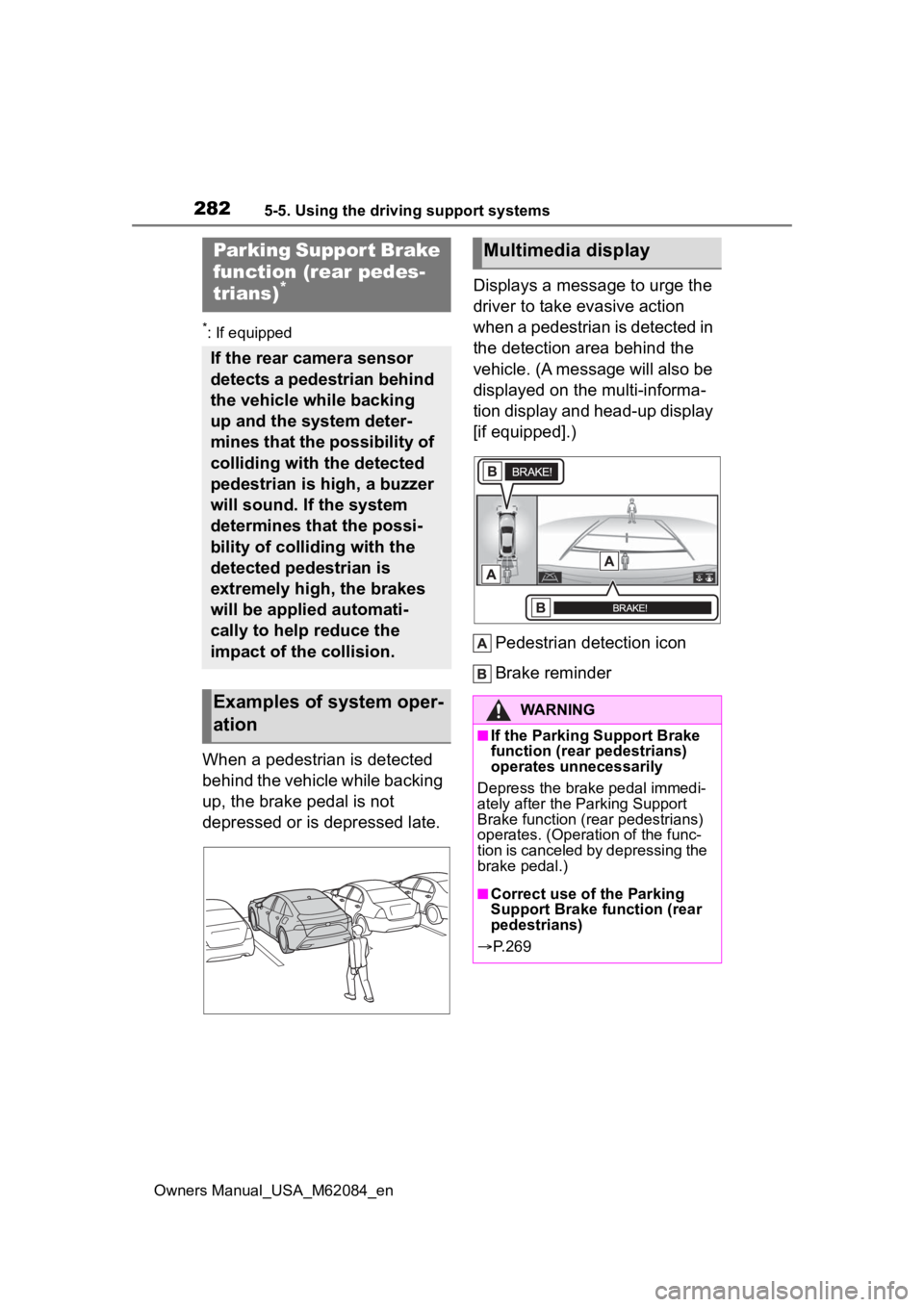
When a pedestrian is detected
behind the vehicle while backing
up, the brake pedal is not
depressed or is depressed late.Displays a message to urge the
driver to take evasive action
when a pedestrian is detected in
the detection area behind the
vehicle. (A message will also be
displayed on the multi-informa-
tion display and head-up display
[if equipped].)
Pedestrian detection icon
Brake reminder
Parking Suppor t Brake
function (rear pedes-
trians)
*
If the rear camera sensor
detects a pedestrian behind
the vehicle while backing
up and the system deter-
mines that the possibility of
colliding with the detected
pedestrian is high, a buzzer
will sound. If the system
determines that the possi-
bility of colliding with the
detected pedestrian is
extremely high, the brakes
will be applied automati-
cally to help reduce the
impact of the collision.
Examples of system oper-
ation
Multimedia display
WARNING
■If the Parking Support Brake
function (rear pedestrians)
operates unnecessarily
Depress the brake pedal immedi-
ately after the Parking Support
Brake function (rear pedestrians)
operates. (Operation of the func-
tion is canceled by depressing the
brake pedal.)
■Correct use of the Parking
Support Brake function (rear
pedestrians)
P. 2 6 9
Page 284 of 556
2845-5. Using the driving support systems
Owners Manual_USA_M62084_en
*: If equipped
■Function description
The Advanced Park assists in
backing into or parallel parking
in a spot selected on the multi-
media display, or departing from
a parking space, by delivering
operation guidance through dis-
plays and buzzer operation, as
well as changing the shift posi-
tion, operating the steering
wheel, accelerator pedal, and
brake pedal.
Additionally, the panoramic view
monitor can display the area in
front, behind, and from above
the vehicle, helping confirm the
condition of the area around the
vehicle. For details on the pan-
oramic view monitor refer to the
“NAVIGATION AND MULTIME-
DIA SYSTEM OWNER’S MAN-
UAL”.
Depending on the condition of
the road surface or the vehicle,
the distance between the vehi-
cle and a parking space, etc., it
may not be possible to assist in
parking in the target space.
Toyota Teammate
Advanced Park*
Advanced Park
WARNING
■When using the Advanced
Park
●Do not overly rely on the
Advanced Park. As with a nor-
mal vehicle, take care to
observe your surroundings
while the vehicle is moving.
●Always pay attention to the
vehicle’s surroundings while
operating.
●The Advanced Park supports
the driver when parking and
leaving a parking space. While
checking the safety of the area
around the vehicle, make sure
to depress the brake pedal as
necessary to slow or stop the
vehicle.
●As low objects (curb stones,
parking blocks, etc.) may not be
detected, make sure to check
the safety of the area around
your vehicle and depress the
brake pedal to stop the vehicle if
it may collide with an object.
●While the Advanced Park is
operating, if it is likely that your
vehicle will collide with a nearby
vehicle, parking block, object, or
person, depress the brake
pedal to stop the vehicle and
press the advance park main
switch to disable.
●Never use only the multimedia
display to view the area behind
the vehicle. The image dis-
played may dif fer than the
actual situation. Using only the
screen when backing up may
lead to an accident, such as a
collision with another vehicle.
When backing up, make sure to
look directly or use the mirrors
to check the safe ty of the area
around your vehicle, especially
behind the vehicle.
Page 285 of 556
2855-5. Using the driving support systems
Owners Manual_USA_M62084_en
5
Driving
■Perpendicular parking func-
tion
Assistance is provided from the
position the vehicle is stopped
near the target parking space
until the vehicle is in the parking
space. ( P.290)
■Parallel parking function
Assistance is provided from the
position the vehicle is stopped
near the target parking space
until the vehicle is in the parking
space. ( P.292)
■Parallel parking departure
function
Assistance is provided from the
parked position until the vehicle
is in a position where you can
easily depart from the parking
space. ( P.295)
■Memory function
Assistance is provided until the
vehicle is guided into a previ-
ously registered parking space.
( P.297)
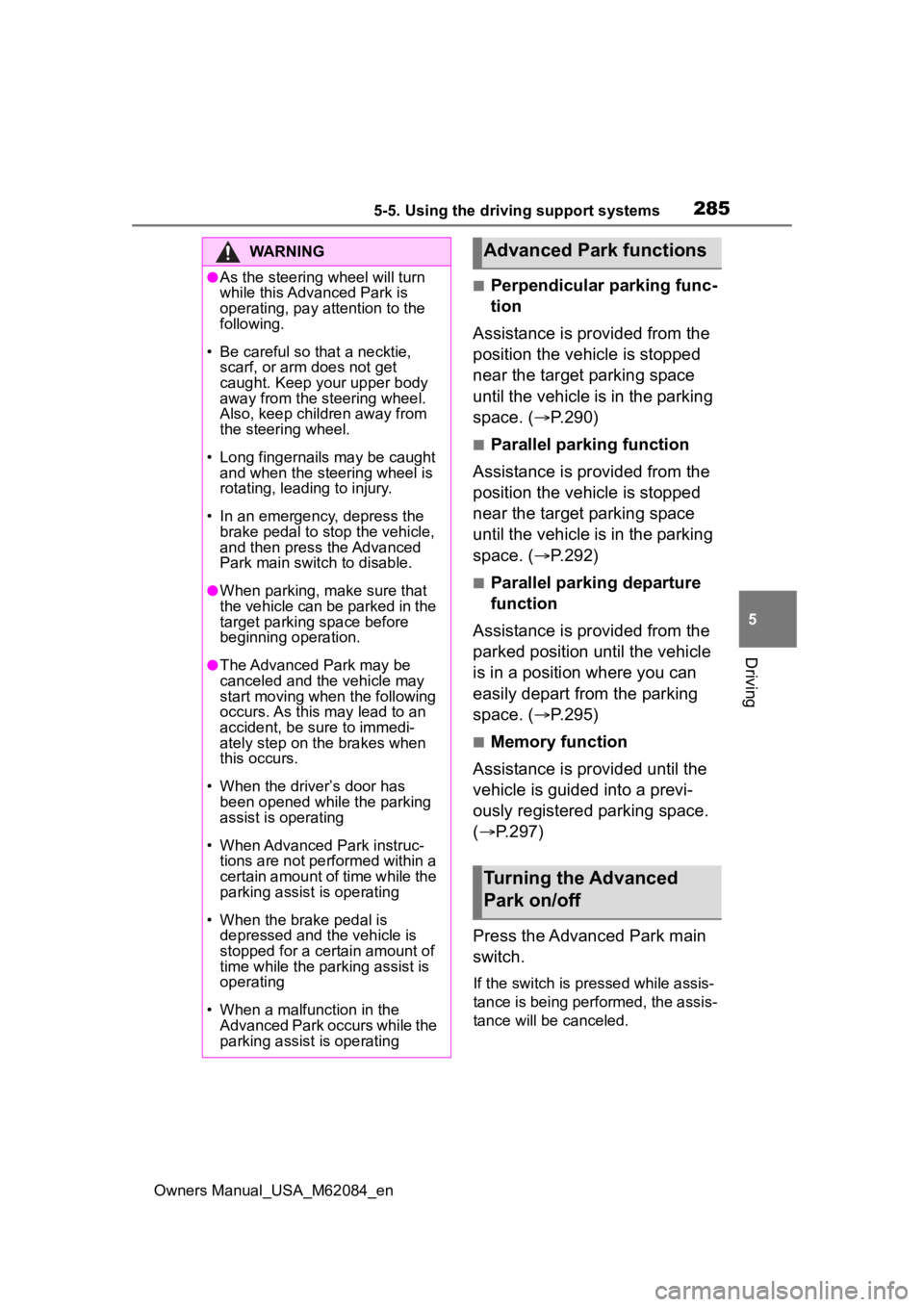
Press the Advanced Park main
switch.
If the switch is pressed while assis-
tance is being performed, the assis-
tance will be canceled.
WARNING
●As the steering wheel will turn
while this Advanced Park is
operating, pay attention to the
following.
• Be careful so that a necktie, scarf, or arm does not get
caught. Keep your upper body
away from the steering wheel.
Also, keep children away from
the steering wheel.
• Long fingernails may be caught
and when the steering wheel is
rotating, leading to injury.
• In an emergency, depress the brake pedal to stop the vehicle,
and then press the Advanced
Park main swit ch to disable.
●When parking, make sure that
the vehicle can be parked in the
target parking space before
beginning operation.
●The Advanced Park may be
canceled and the vehicle may
start moving when the following
occurs. As this may lead to an
accident, be sure to immedi-
ately step on th e brakes when
this occurs.
• When the driver’s door has been opened while the parking
assist is operating
• When Advanced Park instruc- tions are not performed within a
certain amount of time while the
parking assist is operating
• When the brake pedal is depressed and the vehicle is
stopped for a certain amount of
time while the parking assist is
operating
• When a malfunction in the Advanced Park occurs while the
parking assist is operating
Advanced Park functions
Turning the Advanced
Park on/off
Page 286 of 556
2865-5. Using the driving support systems
Owners Manual_USA_M62084_en
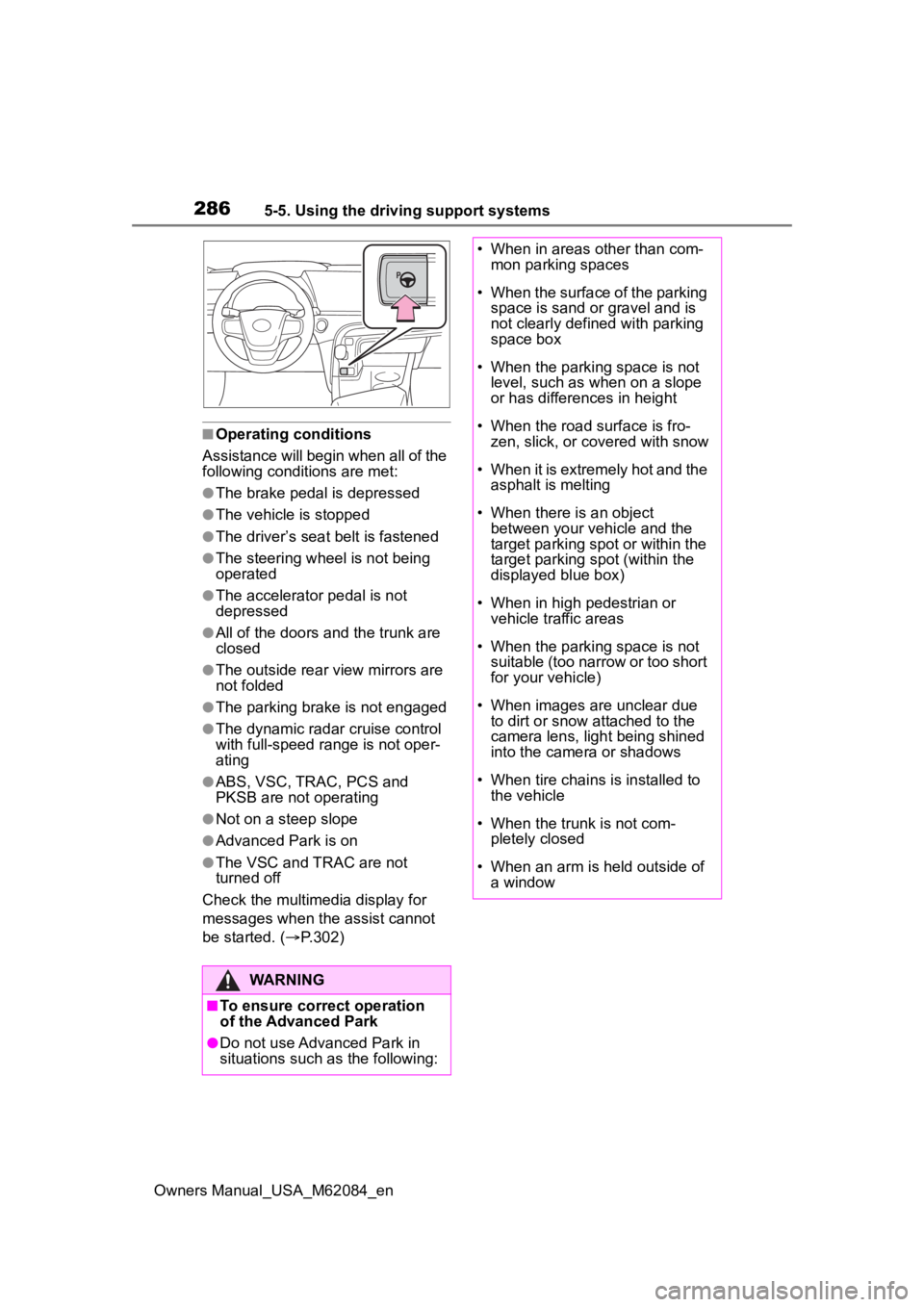
■Operating conditions
Assistance will begin when all of the
following condit ions are met:
●The brake pedal is depressed
●The vehicle is stopped
●The driver’s seat belt is fastened
●The steering wheel is not being
operated
●The accelerator pedal is not
depressed
●All of the doors and the trunk are
closed
●The outside rear view mirrors are
not folded
●The parking brake is not engaged
●The dynamic radar cruise control
with full-speed range is not oper-
ating
●ABS, VSC, TRAC, PCS and
PKSB are not operating
●Not on a steep slope
●Advanced Park is on
●The VSC and TRAC are not
turned off
Check the multimedia display for
messages when the assist cannot
be started. ( P.302)
WARNING
■To ensure correct operation
of the Advanced Park
●Do not use Advanced Park in
situations such as the following:
• When in areas other than com-
mon parking spaces
• When the surface of the parking space is sand or gravel and is
not clearly defined with parking
space box
• When the parking space is not level, such as when on a slope
or has differences in height
• When the road surface is fro- zen, slick, or covered with snow
• When it is extremely hot and the asphalt is melting
• When there is an object between your vehicle and the
target parking spot or within the
target parking spot (within the
displayed blue box)
• When in high pedestrian or vehicle traffic areas
• When the parking space is not suitable (too narrow or too short
for your vehicle)
• When images are unclear due to dirt or snow attached to the
camera lens, light being shined
into the camera or shadows
• When tire chains is installed to the vehicle
• When the trunk is not com- pletely closed
• When an arm is h eld outside of
a window
Page 287 of 556
2875-5. Using the driving support systems
Owners Manual_USA_M62084_en
5
Driving
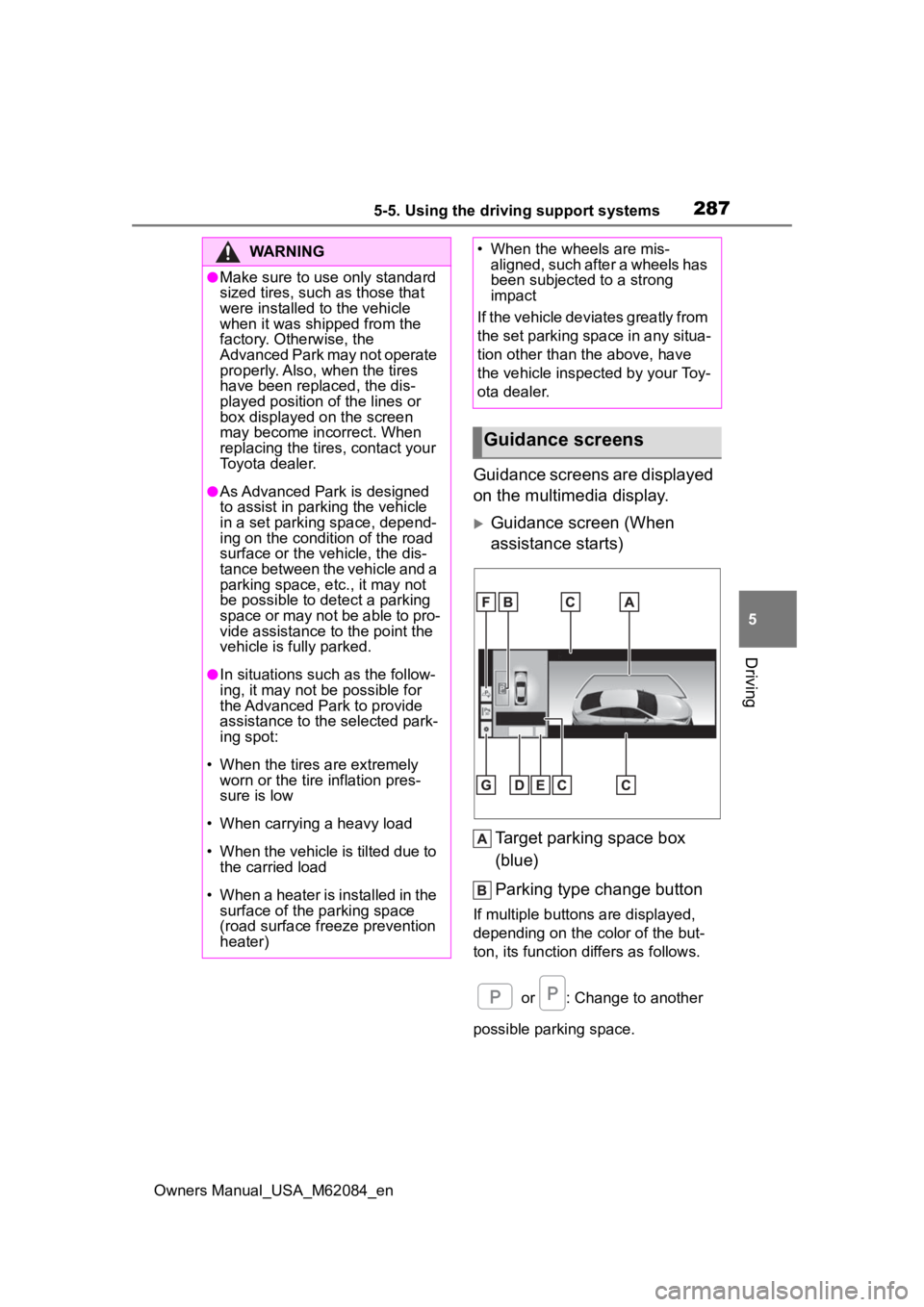
Guidance screens are displayed
on the multimedia display.
Guidance screen (When
assistance starts) Target parking space box
(blue)
Parking type change button
If multiple button s are displayed,
depending on the color of the but-
ton, its function differs as follows.
or : Change to another
possible parking space.
WARNING
●Make sure to use only standard
sized tires, such as those that
were installed to the vehicle
when it was shipped from the
factory. Otherwise, the
Advanced Park may not operate
properly. Also, when the tires
have been replaced, the dis-
played position of the lines or
box displayed on the screen
may become incorrect. When
replacing the tires, contact your
Toyota dealer.
●As Advanced Park is designed
to assist in parking the vehicle
in a set parking space, depend-
ing on the condition of the road
surface or the vehicle, the dis-
tance between the vehicle and a
parking space, etc., it may not
be possible to detect a parking
space or may not be able to pro-
vide assistance to the point the
vehicle is fully parked.
●In situations such as the follow-
ing, it may not be possible for
the Advanced Park to provide
assistance to the selected park-
ing spot:
• When the tires are extremely worn or the tire inflation pres-
sure is low
• When carrying a heavy load
• When the vehicle is tilted due to the carried load
• When a heater is installed in the surface of the parking space
(road surface freeze prevention
heater)
• When the wheels are mis- aligned, such after a wheels has
been subjected to a strong
impact
If the vehicle deviates greatly from
the set parking space in any situa-
tion other than the above, have
the vehicle inspected by your Toy-
ota dealer.
Guidance screens