warning TOYOTA MIRAI 2023 Owners Manual
[x] Cancel search | Manufacturer: TOYOTA, Model Year: 2023, Model line: MIRAI, Model: TOYOTA MIRAI 2023Pages: 572, PDF Size: 17.71 MB
Page 270 of 572
2705-5. Using the driving support systems
Owners Manual_USA_M62064_en
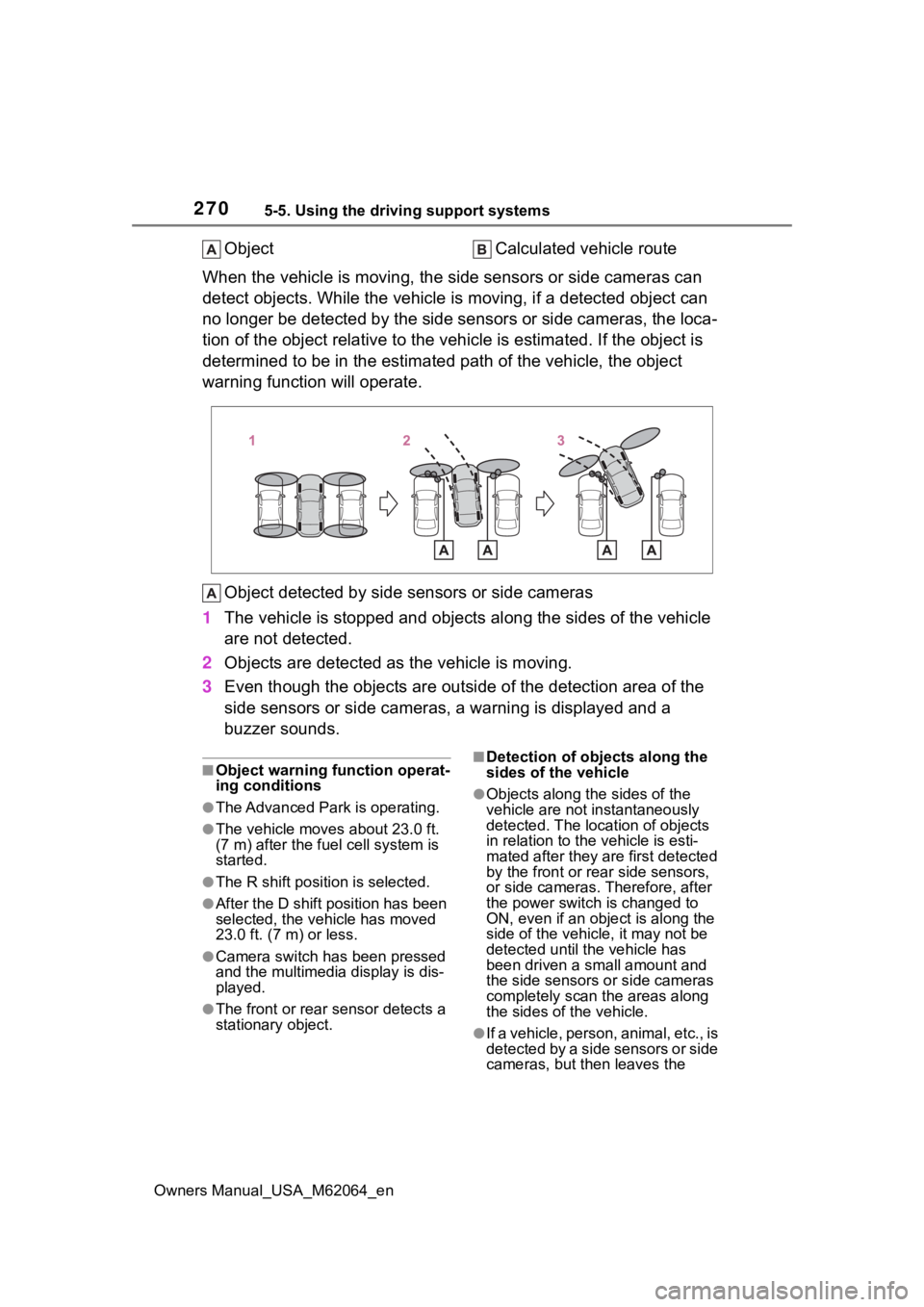
ObjectCalculated vehicle route
When the vehicle is moving, the side sensors or side cameras ca n
detect objects. While the vehicle is moving, if a detected obje ct can
no longer be detected by the side sensors or side cameras, the loca-
tion of the object relative to the vehicle is estimated. If the object is
determined to be in the estimated path of the vehicle, the obje ct
warning function will operate.
Object detected by side sensors or side cameras
1 The vehicle is stopped and objects along the sides of the vehic le
are not detected.
2 Objects are detected as the vehicle is moving.
3 Even though the objects are out side of the detection area of the
side sensors or side cameras, a warning is displayed and a
buzzer sounds.
■Object warning function operat-
ing conditions
●The Advanced Park is operating.
●The vehicle moves about 23.0 ft.
(7 m) after the fuel cell system is
started.
●The R shift position is selected.
●After the D shift position has been
selected, the vehicle has moved
23.0 ft. (7 m) or less.
●Camera switch has been pressed
and the multimedia display is dis-
played.
●The front or rear s ensor detects a
stationary object.
■Detection of objects along the
sides of the vehicle
●Objects along the sides of the
vehicle are not instantaneously
detected. The location of objects
in relation to the vehicle is esti-
mated after they are first detected
by the front or rear side sensors,
or side cameras. Therefore, after
the power switch is changed to
ON, even if an object is along the
side of the vehicle, it may not be
detected until the vehicle has
been driven a small amount and
the side sensors o r side cameras
completely scan the areas along
the sides of the vehicle.
●If a vehicle, person, animal, etc., is
detected by a side sensors or side
cameras, but then leaves the
Page 271 of 572
2715-5. Using the driving support systems
Owners Manual_USA_M62064_en
5
Driving
detection area of the side sensors
or side cameras, the system will
assume the object has not moved.
WARNING
■Side sensors and side cam-
eras
In situations such as the following,
the function may n ot operate cor-
rectly, possibly leading to an acci-
dent. Proceed carefully.
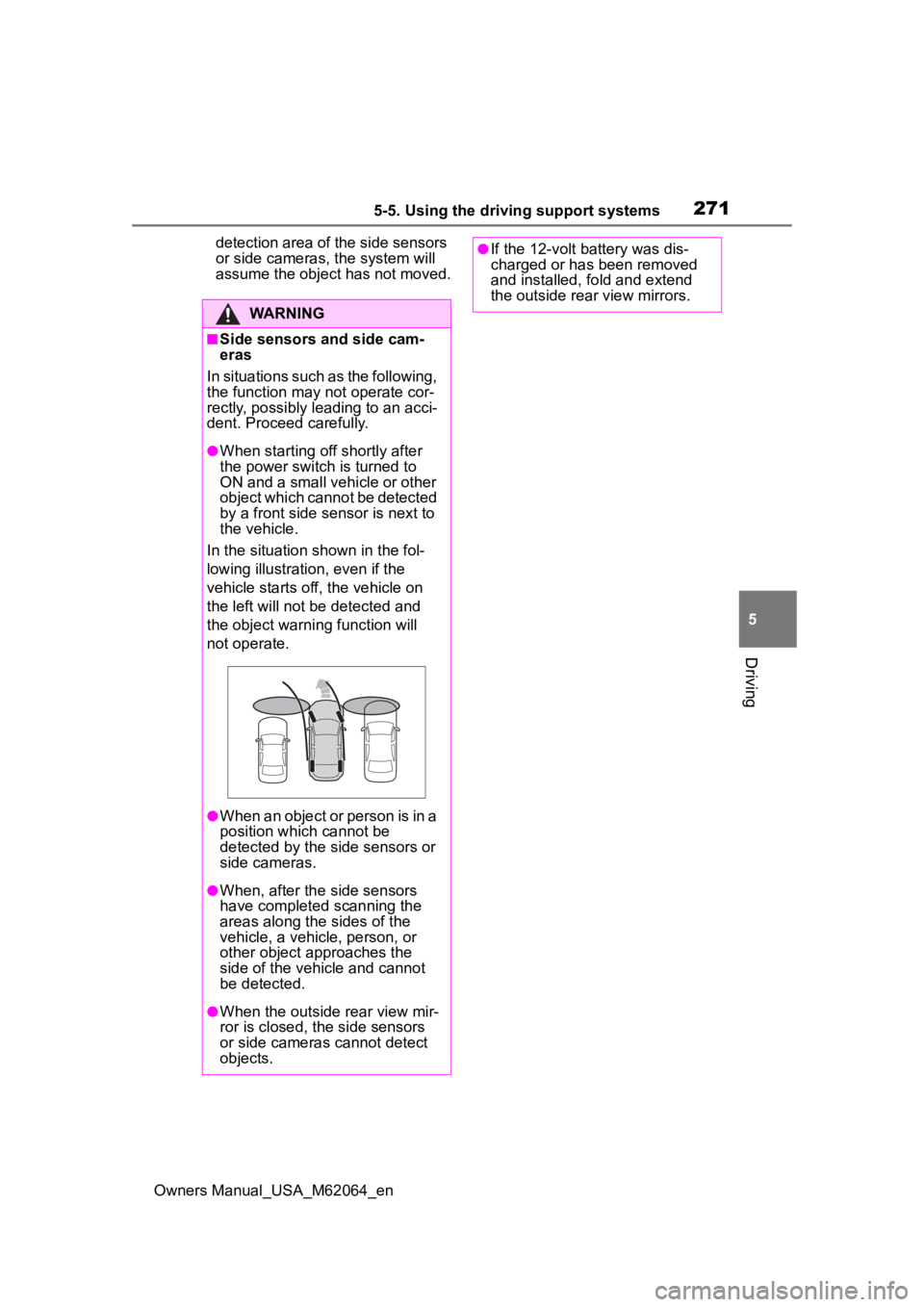
●When starting off shortly after
the power switch is turned to
ON and a small vehicle or other
object which cannot be detected
by a front side sensor is next to
the vehicle.
In the situation shown in the fol-
lowing illustration, even if the
vehicle starts off, the vehicle on
the left will not be detected and
the object warni ng function will
not operate.
●When an object or person is in a
position which cannot be
detected by the side sensors or
side cameras.
●When, after the side sensors
have completed scanning the
areas along the sides of the
vehicle, a vehicle, person, or
other object approaches the
side of the vehic le and cannot
be detected.
●When the outside rear view mir-
ror is closed, the side sensors
or side cameras cannot detect
objects.
●If the 12-volt battery was dis-
charged or has been removed
and installed, fold and extend
the outside rear view mirrors.
Page 272 of 572
2725-5. Using the driving support systems
Owners Manual_USA_M62064_en
*: If equipped
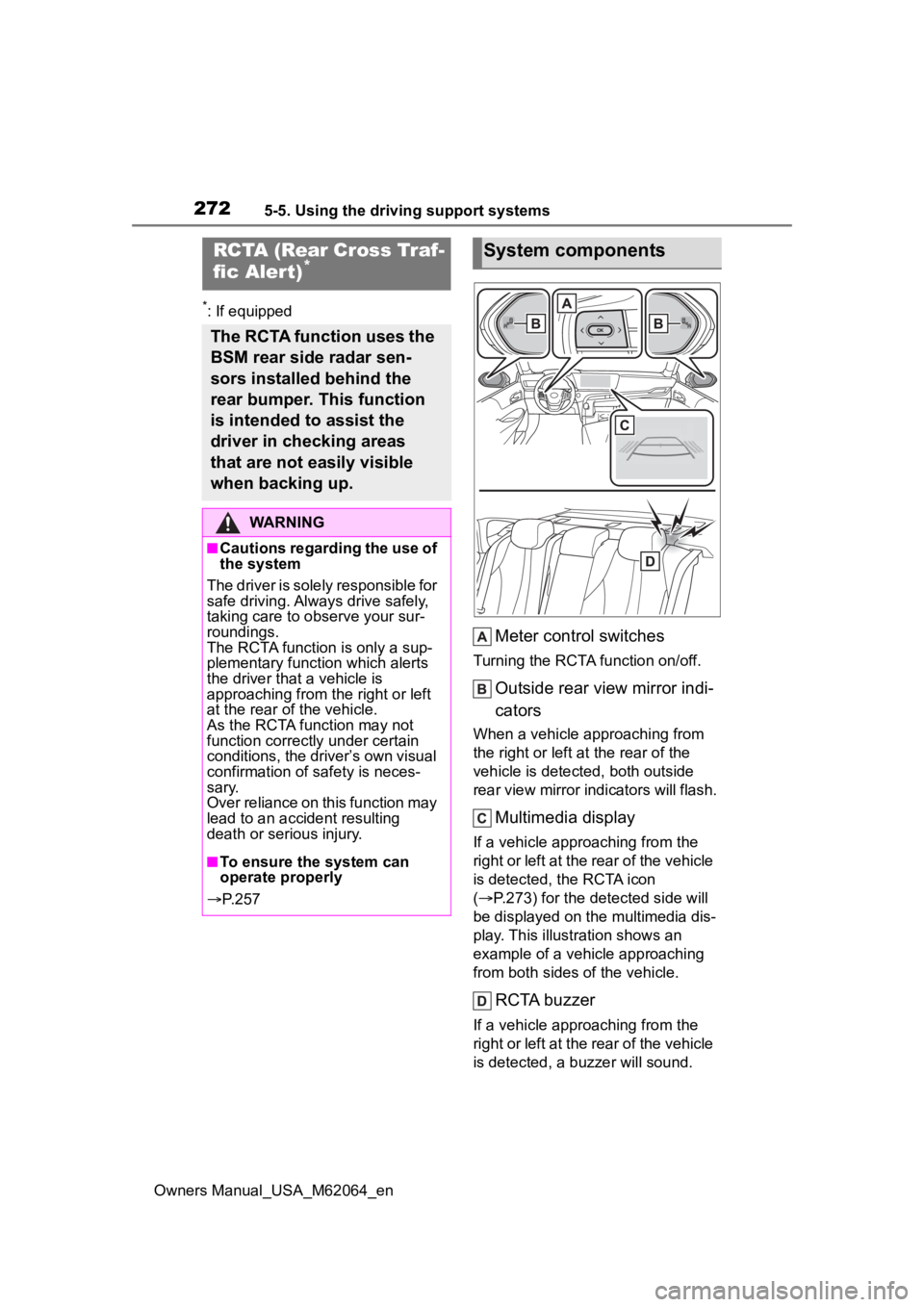
Meter control switches
Turning the RCTA function on/off.
Outside rear view mirror indi-
cators
When a vehicle approaching from
the right or left at the rear of the
vehicle is detected, both outside
rear view mirror indicators will flash.
Multimedia display
If a vehicle approaching from the
right or left at the rear of the vehicle
is detected, the RCTA icon
( P.273) for the detected side will
be displayed on the multimedia dis-
play. This illustration shows an
example of a vehicle approaching
from both sides of the vehicle.
RCTA buzzer
If a vehicle approaching from the
right or left at the rear of the vehicle
is detected, a buzzer will sound.
RCTA (Rear Cross Traf-
fic Aler t)*
The RCTA function uses the
BSM rear side radar sen-
sors installed behind the
rear bumper. This function
is intended to assist the
driver in checking areas
that are not easily visible
when backing up.
WARNING
■Cautions regarding the use of
the system
The driver is solely responsible for
safe driving. Always drive safely,
taking care to o bserve your sur-
roundings.
The RCTA functi on is only a sup-
plementary function which alerts
the driver tha t a vehicle is
approaching from the right or left
at the rear of the vehicle.
As the RCTA function may not
function correctly under certain
conditions, the driver’s own visual
confirmation of safety is neces-
sary.
Over reliance on this function may
lead to an accident resulting
death or serious injury.
■To ensure the system can
operate properly
P. 2 5 7
System components
Page 277 of 572
2775-5. Using the driving support systems
Owners Manual_USA_M62064_en
5
Driving
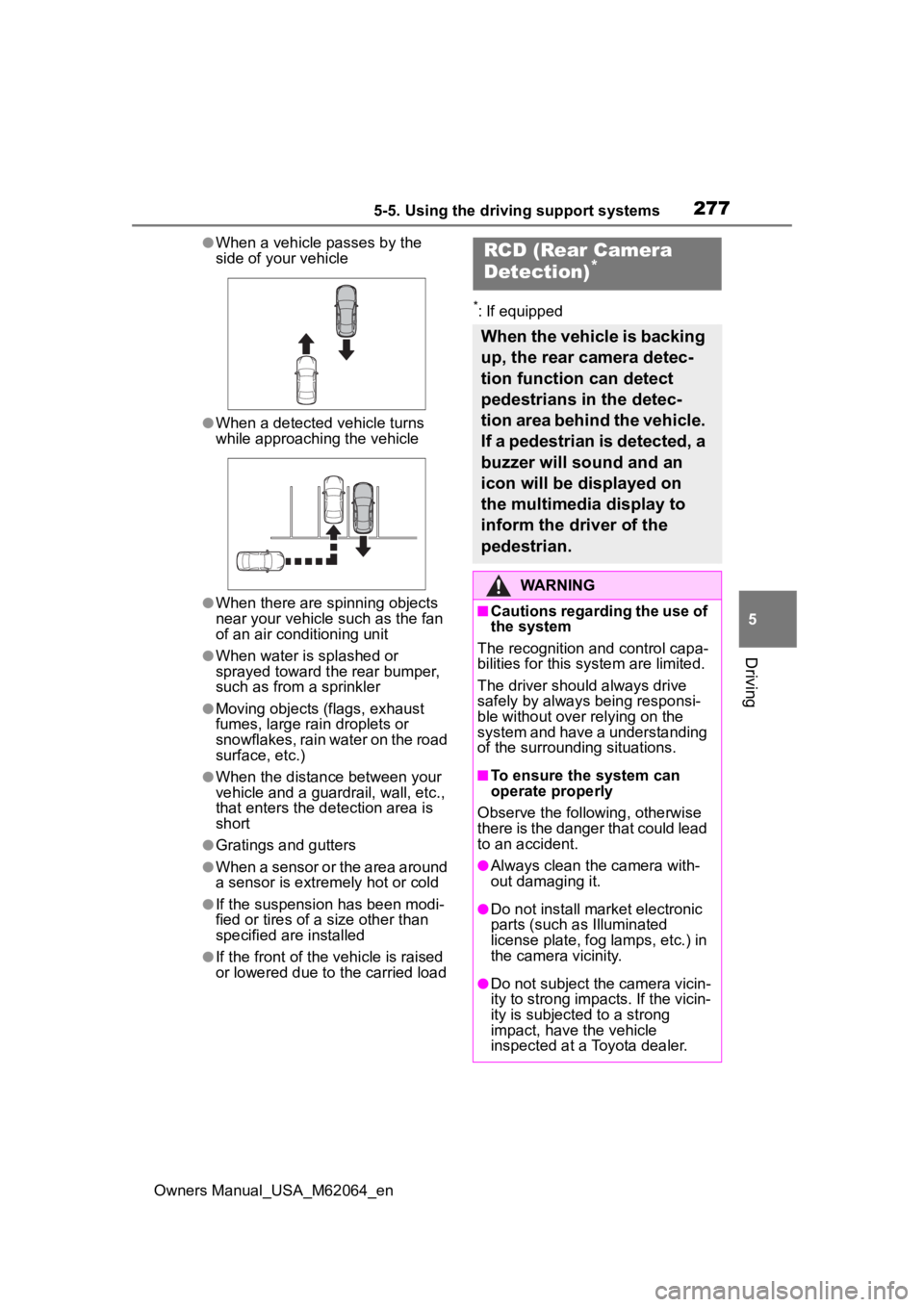
●When a vehicle passes by the
side of your vehicle
●When a detected vehicle turns
while approaching the vehicle
●When there are spinning objects
near your vehicle such as the fan
of an air conditioning unit
●When water is splashed or
sprayed toward t he rear bumper,
such as from a sprinkler
●Moving objects (flags, exhaust
fumes, large rain droplets or
snowflakes, rain water on the road
surface, etc.)
●When the distance between your
vehicle and a guardrail, wall, etc.,
that enters the detection area is
short
●Gratings and gutters
●When a sensor or the area around
a sensor is extremely hot or cold
●If the suspension has been modi-
fied or tires of a size other than
specified are installed
●If the front of the vehicle is raised
or lowered due to the carried load
*: If equipped
RCD (Rear Camera
Detection)*
When the vehicle is backing
up, the rear camera detec-
tion function can detect
pedestrians in the detec-
tion area behind the vehicle.
If a pedestrian is detected, a
buzzer will sound and an
icon will be displayed on
the multimedia display to
inform the driver of the
pedestrian.
WARNING
■Cautions regarding the use of
the system
The recognition and control capa-
bilities for this system are limited.
The driver should always drive
safely by always being responsi-
ble without over relying on the
system and have a understanding
of the surrounding situations.
■To ensure the system can
operate properly
Observe the following, otherwise
there is the danger that could lead
to an accident.
●Always clean the camera with-
out damaging it.
●Do not install market electronic
parts (such as Illuminated
license plate, fog lamps, etc.) in
the camera vicinity.
●Do not subject the camera vicin-
ity to strong impacts. If the vicin-
ity is subjected to a strong
impact, have the vehicle
inspected at a Toyota dealer.
Page 278 of 572
2785-5. Using the driving support systems
Owners Manual_USA_M62064_en
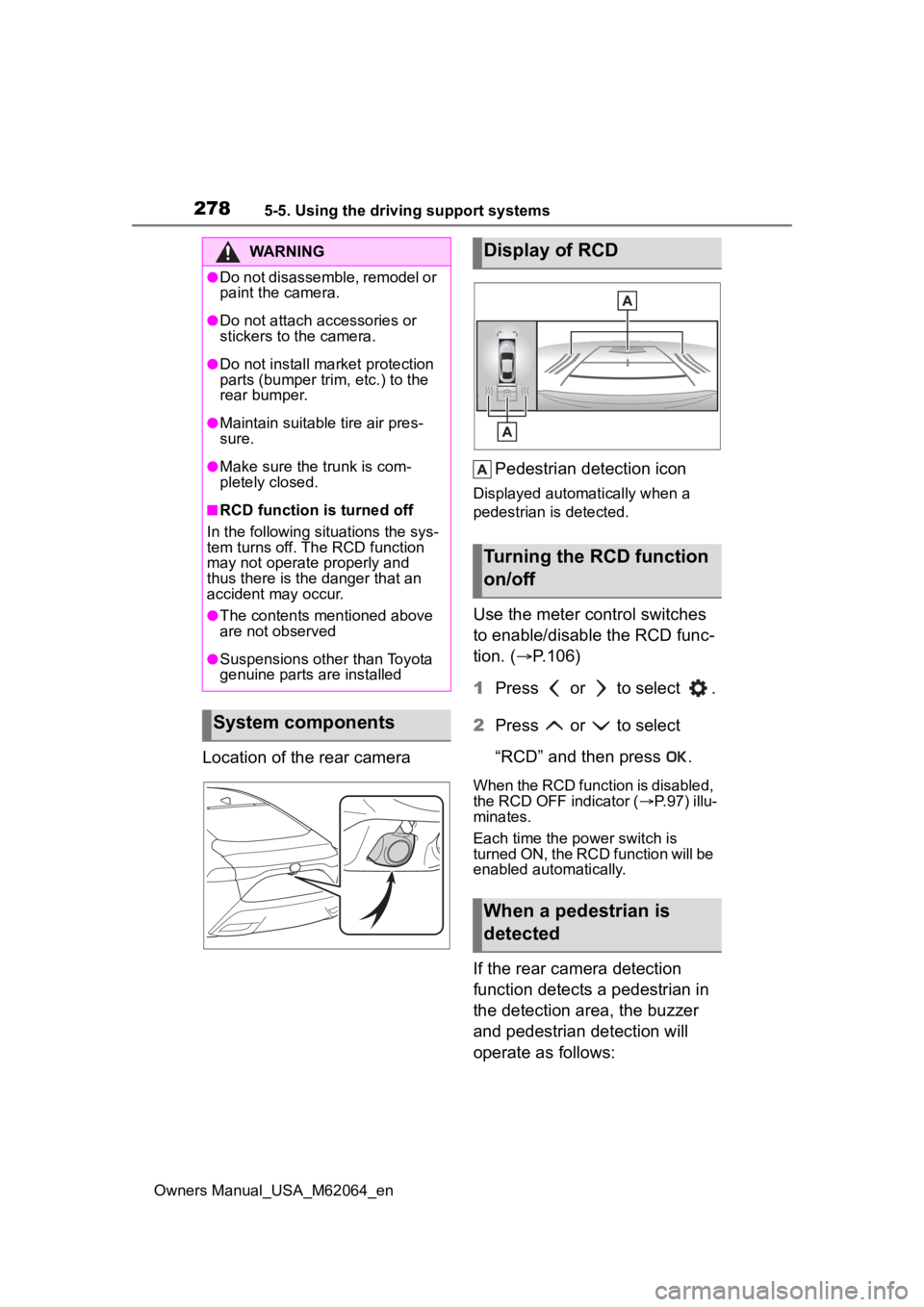
Location of the rear cameraPedestrian detection icon
Displayed automatically when a
pedestrian is detected.
Use the meter control switches
to enable/disable the RCD func-
tion. (
P.106)
1 Press or to select .
2 Press or to select
“RCD” and then press .
When the RCD function is disabled,
the RCD OFF indicator ( P.97) illu-
minates.
Each time the power switch is
turned ON, the RCD function will be
enabled automatically.
If the rear camera detection
function detects a pedestrian in
the detection area, the buzzer
and pedestrian detection will
operate as follows:
WARNING
●Do not disassemble, remodel or
paint the camera.
●Do not attach accessories or
stickers to the camera.
●Do not install ma rket protection
parts (bumper trim, etc.) to the
rear bumper.
●Maintain suitable tire air pres-
sure.
●Make sure the trunk is com-
pletely closed.
■RCD function is turned off
In the following situations the sys-
tem turns off. The RCD function
may not operate properly and
thus there is the danger that an
accident may occur.
●The contents mentioned above
are not observed
●Suspensions other than Toyota
genuine parts are installed
System components
Display of RCD
Turning the RCD function
on/off
When a pedestrian is
detected
Page 282 of 572
2825-5. Using the driving support systems
Owners Manual_USA_M62064_en
■Parking Support Brake
function (moving vehicles
rear of the vehicle)
P.290
■Parking Support Brake
function (pedestrians rear
of the vehicle)
P.291
*: If equipped
WARNING
■Cautions regarding the use of
the system
Do not overly rely on the system,
as doing so may lead to an acci-
dent.
Always drive while checking the
safety of the surroundings of the
vehicle.
Depending on the vehicle and
road conditions, weather, etc., the
system may not operate.
The detection capa bilities of sen-
sors and radars are limited.
Always drive while checking the
safety of the surroundings of the
vehicle.
●The driver is solely responsible
for safe driving. Always drive
carefully, taking care to observe
your surroundings. The Parking
Support Brake system is
designed to provide support to
lessen the severity of collisions.
However, it may not operate in
some situations.
●The Parking Support Brake sys-
tem is not designed to stop the
vehicle completely. Additionally,
even if the system has stopped
the vehicle, it is necessary to
depress the brake pedal imme-
diately as brake control will be
canceled after approximately 2
seconds.
●It is extremely dangerous to
check the system operations by
intentionally driving the vehicle
into the direction of a wall, etc.
Never attempt such actions.
■When to disable the Parking
Support Brake
In the following situations, disable
the Parking Suppor t Brake as the
system may opera te even though
there is no possibility of a colli-
sion.
●When inspecting the vehicle
using a chassis roller, chassis
dynamo or free roller
●When loading the vehicle onto a
boat, truck or other transport
vessel
●If the suspension has been
modified or tires of a size other
than specified are installed
●If the front of the vehicle is
raised or lowered due to the
carried load
●When equipment that may
obstruct a sensor is installed,
such as a towing eyelet, bumper
protector (an additional trim
strip, etc.), bicycle carrier, or
snow plow
●When using automatic car
washing devices
●If the vehicle cannot be driven in
a stable manner, such as when
the vehicle has been in an acci-
dent or is malfunctioning
●When the vehicle is driven in a
sporty manner or off-road
●When the tires are not properly
inflated
●When the tires are very worn
Page 283 of 572
2835-5. Using the driving support systems
Owners Manual_USA_M62064_en
5
Driving
The Parking Support Brake can
be enabled/disabled on the
multi-information display. All of
the Parking Support Brake func-
tions (static objects front and
rear of the vehicle, moving vehi-
cles rear of the vehicle, pedestri-
ans rear of the vehicle and static
objects around the vehicle) are
enabled/disabled simultane-
ously.
Use the meter control switches
to enable/disable the parking
support brake. ( P.106)
1 Press or to select .
2 Press or to select
“ PKSB” and then press
.
When the Parking Support Brake is
disabled, the PKSB OFF indicator
( P.97) illuminates. To re-enable the
system when it
was disabled, select on the
multi-information display, select
“ PKSB” and then On. If dis-
abled using this method, the sys-
tem will not be re-enabled by
turning the power switch off and
then to ON.
If the fuel cell system output restric-
tion control or brake control oper-
ates, a buzzer will sound and a
message will be displayed on the
multi-information display and head-
up display (if equipped), multimedia
display, to alert the driver.
Depending on the situation, fuel cell
system output restriction control will
operate to either limit acceleration
or restrict output as much as possi-
ble.
Fuel cell system output
restriction control is operating
(acceleration restriction)
Acceleration greater than a certain
amount is restric ted by the system.
Multimedia display: No warning dis-
played
Multi-information display: “Object
Detected Acceleration Reduced”
Head-up display (if equipped): No
warning displayed
PKSB OFF indicator: Not illumi-
nated
Buzzer: Does not sound
WARNING
●When a tire chains, compact
spare tire or an emergency tire
puncture repair kit is used
●When towing with the vehicle
■Precautions for the suspen-
sion
Do not modify the suspension of
the vehicle. If the height or tilt of
the vehicle is changed, the sen-
sors may not be able to detect
detectable objects and the system
may not operate correctly, possi-
bly leading to an accident.
Enabling/Disabling the
Parking Support Brake
Display and buzzer for
fuel cell system output
restriction control and
brake control
Page 288 of 572
2885-5. Using the driving support systems
Owners Manual_USA_M62064_en
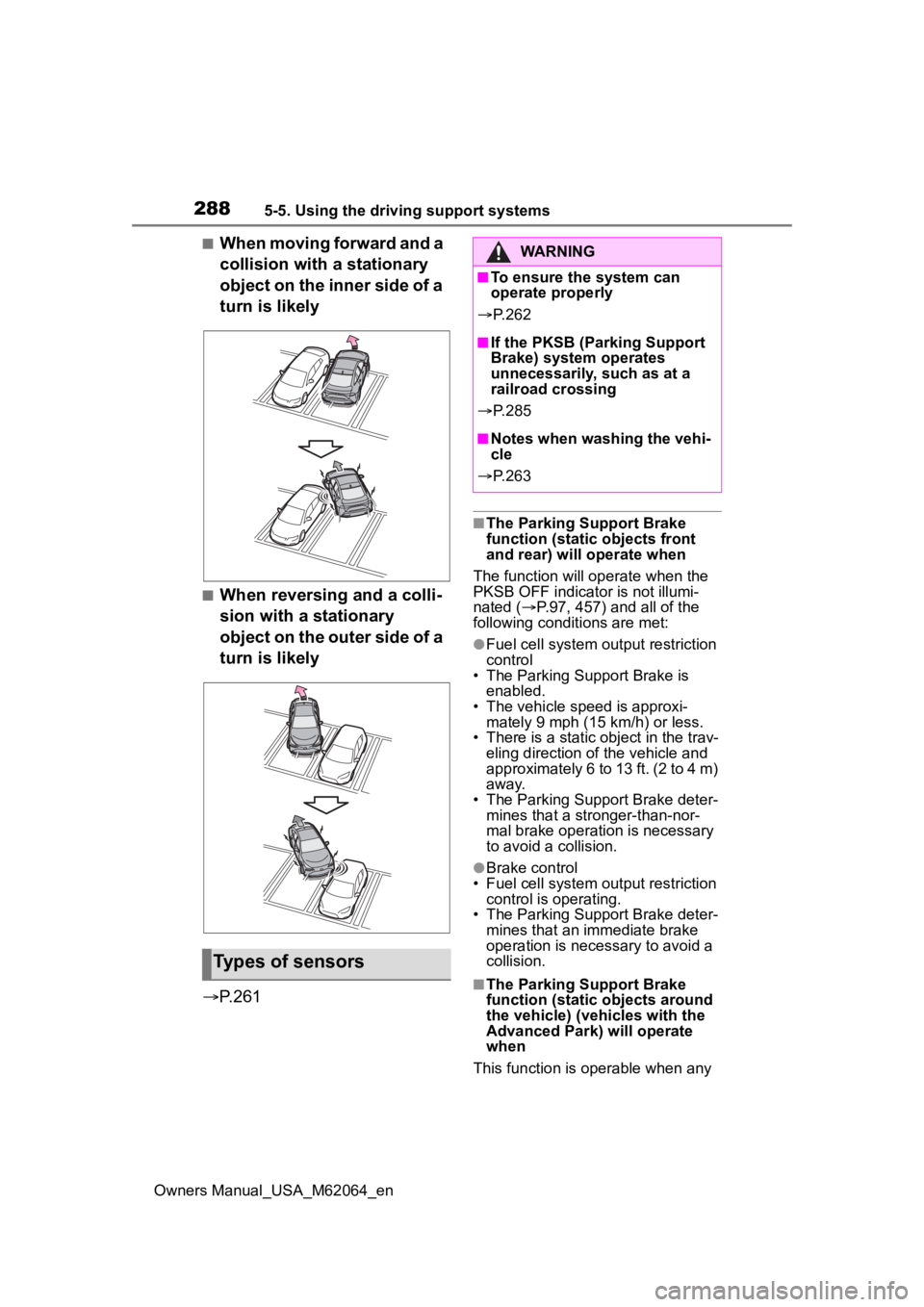
■When moving forward and a
collision with a stationary
object on the inner side of a
turn is likely
■When reversing and a colli-
sion with a stationary
object on the outer side of a
turn is likely
P.261
■The Parking Support Brake
function (static objects front
and rear) will operate when
The function will op erate when the
PKSB OFF indicator is not illumi-
nated ( P.97, 457) and all of the
following conditi ons are met:
●Fuel cell system output restriction
control
• The Parking Support Brake is enabled.
• The vehicle speed is approxi- mately 9 mph (15 km/h) or less.
• There is a static object in the trav-
eling direction of the vehicle and
approximately 6 to 13 ft. (2 to 4 m)
away.
• The Parking Support Brake deter- mines that a stronger-than-nor-
mal brake operation is necessary
to avoid a collision.
●Brake control
• Fuel cell system output restriction control is operating.
• The Parking Support Brake deter-
mines that an immediate brake
operation is necessary to avoid a
collision.
■The Parking Support Brake
function (static objects around
the vehicle) (ve hicles with the
Advanced Park) will operate
when
This function is operable when any
Types of sensors
WARNING
■To ensure the system can
operate properly
P. 2 6 2
■If the PKSB (Parking Support
Brake) system operates
unnecessarily, such as at a
railroad crossing
P. 2 8 5
■Notes when washing the vehi-
cle
P. 2 6 3
Page 289 of 572
2895-5. Using the driving support systems
Owners Manual_USA_M62064_en
5
Driving
of the following conditions are met in
addition to the operating conditions
for stationary objects front and rear.
●After the fuel cell system has been
started, the vehicle has moved
approximately 23.0 ft. (7 m) or
less
●The R shift position is selected
●After the shift position has been
changed from R to D, the vehicle
has moved approximately 23.0 ft.
(7 m) or less
■The Parking Support Brake
function (static objects front
and rear/static objects around
the vehicle) will stop operating
when
The function will st op operating if
any of the following conditions are
met:
●Fuel cell system output restriction
control
• The Parking Support Brake is dis-
abled.
• The system determines that the collision has beco me avoidable
with normal brake operation.
• The static object is no longer approximately 6 to 13 ft. (2 to 4 m)
away from the vehicle or in the
traveling directi on of the vehicle.
●Brake control
• The Parking Support Brake is dis- abled.
• Approximately 2 seconds have elapsed since the vehicle was
stopped by brake control.
• The brake pedal is depressed after the vehicle is stopped by
brake control.
• The static object is no longer approximately 6 to 13 ft. (2 to 4 m)
away from the vehicle or in the
traveling directi on of the vehicle.
■Detection range
The detection range of the Parking
Support Brake function (static
objects front and r ear of the vehi-
cle/static objects around the vehicle)
differs from the detection range of the intuitive parking assist. (
P.266)
Therefore, even if the intuitive park-
ing assist detects an object and pro-
vides a warning, the PKSB (Parking
Support Brake) may not start oper-
ating.
■Objects which the system may
not be properly detected
P.264
■Side sensors and side cameras
P.271
■Situations in which the system
may not operate properly
P.264
■Situations in which the system
may operate even if there is no
possibility of a collision
P.265
■Situations in which the system
may operate even though there
is no possibility of a collision
(static objects around the vehi-
cle) (vehicle with the Advanced
Park)
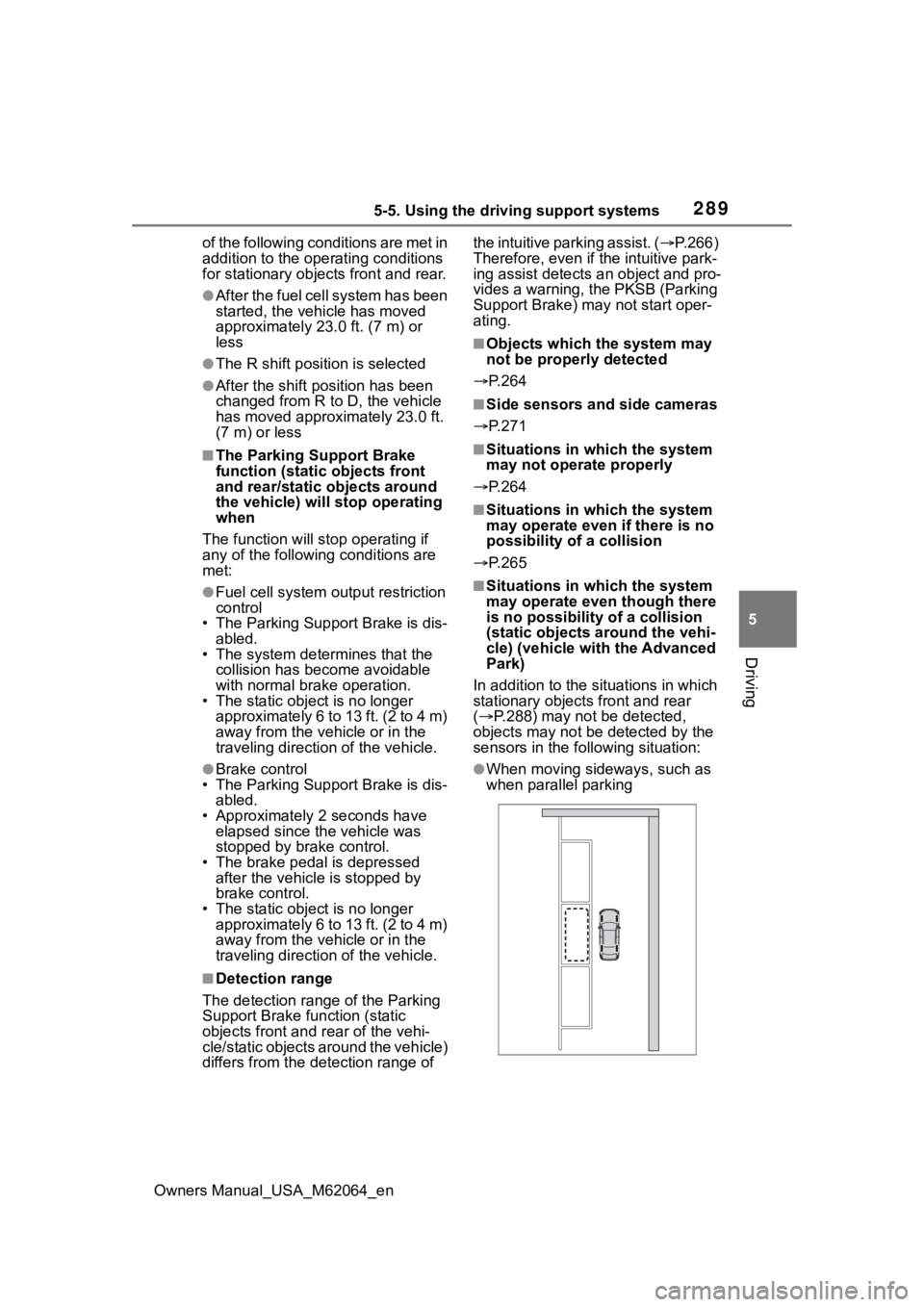
In addition to the situations in which
stationary objects front and rear
( P.288) may not be detected,
objects may not be detected by the
sensors in the fo llowing situation:
●When moving sideways, such as
when parallel parking
Page 290 of 572
2905-5. Using the driving support systems
Owners Manual_USA_M62064_en
*: If equipped
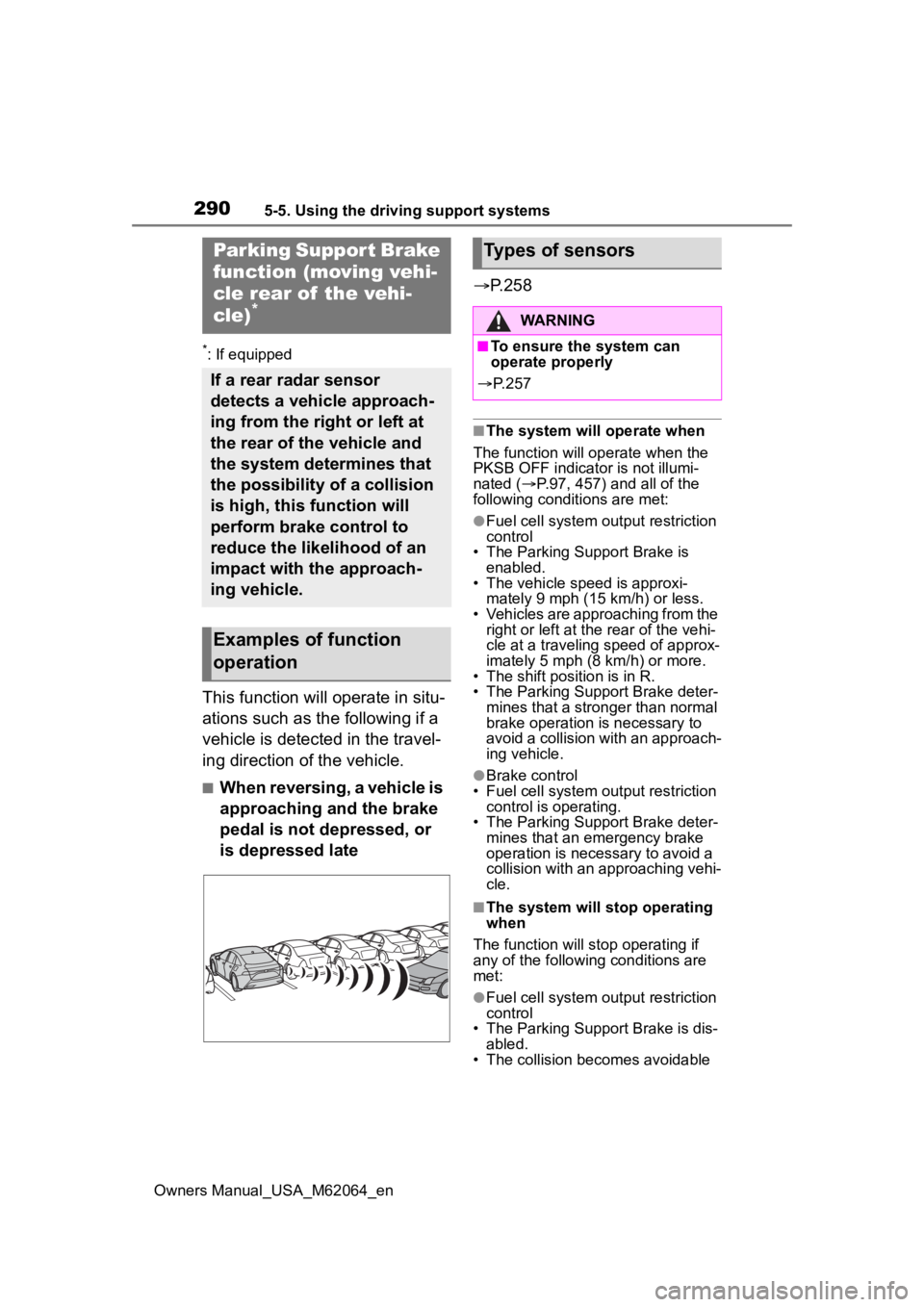
This function will operate in situ-
ations such as the following if a
vehicle is detected in the travel-
ing direction of the vehicle.
■When reversing, a vehicle is
approaching and the brake
pedal is not depressed, or
is depressed late
P.258
■The system will operate when
The function will op erate when the
PKSB OFF indicator is not illumi-
nated ( P.97, 457) and all of the
following conditi ons are met:
●Fuel cell system output restriction
control
• The Parking Support Brake is enabled.
• The vehicle speed is approxi- mately 9 mph (15 km/h) or less.
• Vehicles are approaching from the
right or left at the rear of the vehi-
cle at a traveling speed of approx-
imately 5 mph (8 km/h) or more.
• The shift position is in R.
• The Parking Support Brake deter- mines that a stronger than normal
brake operation is necessary to
avoid a collision with an approach-
ing vehicle.
●Brake control
• Fuel cell system output restriction
control is operating.
• The Parking Support Brake deter- mines that an emergency brake
operation is necessary to avoid a
collision with an approaching vehi-
cle.
■The system will stop operating
when
The function will stop operating if
any of the following conditions are
met:
●Fuel cell system output restriction
control
• The Parking Support Brake is dis-
abled.
• The collision becomes avoidable
Parking Suppor t Brake
function (moving vehi-
cle rear of the vehi-
cle)
*
If a rear radar sensor
detects a vehicle approach-
ing from the right or left at
the rear of the vehicle and
the system determines that
the possibility of a collision
is high, this function will
perform brake control to
reduce the likelihood of an
impact with the approach-
ing vehicle.
Examples of function
operation
Types of sensors
WARNING
■To ensure the system can
operate properly
P. 2 5 7