display TOYOTA PRIUS 2012 3.G Manual PDF
[x] Cancel search | Manufacturer: TOYOTA, Model Year: 2012, Model line: PRIUS, Model: TOYOTA PRIUS 2012 3.GPages: 636, PDF Size: 11.02 MB
Page 289 of 636
289
2-4. Using other
driving systems
2
When driving
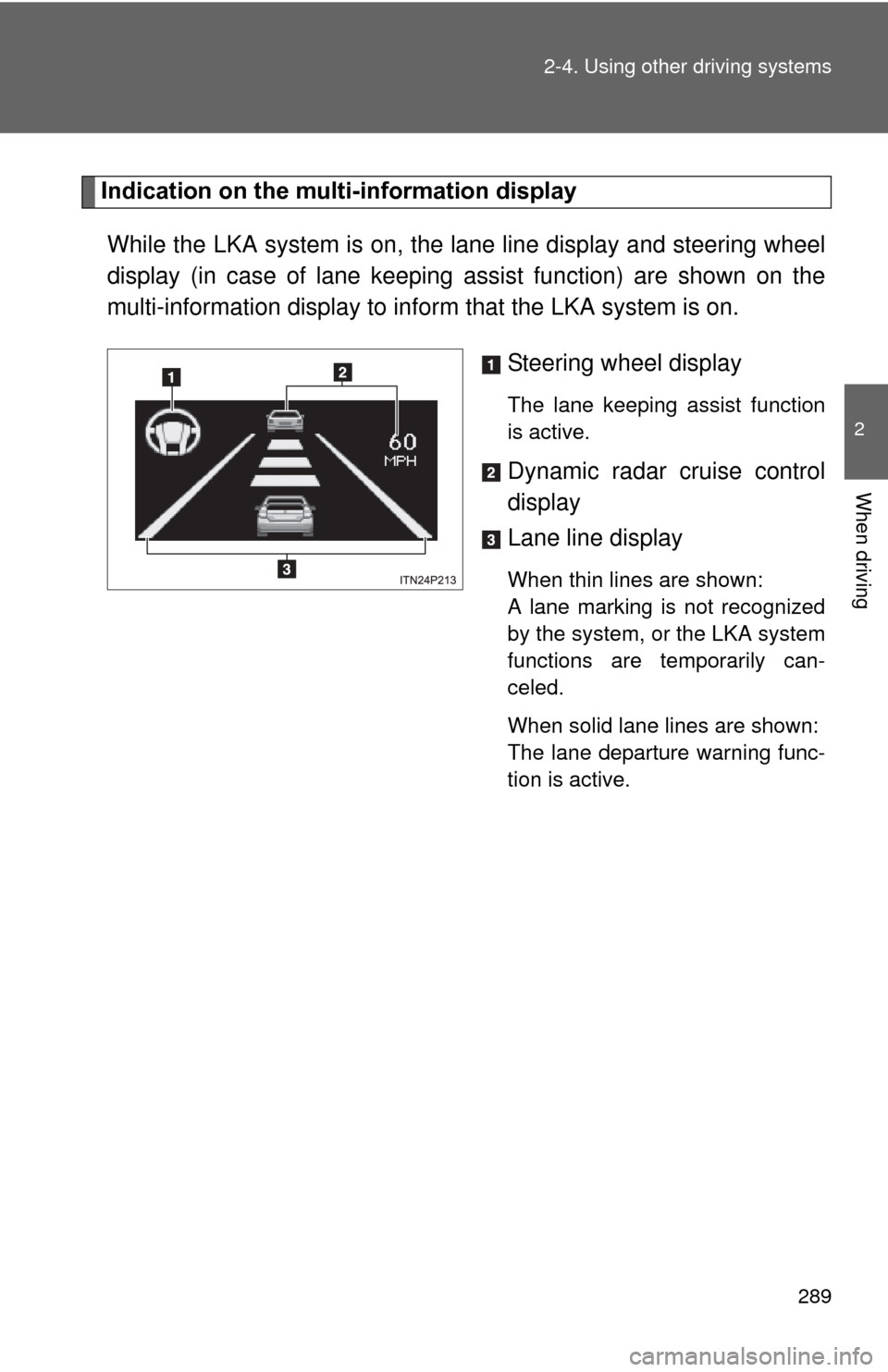
Indication on the multi-information display
While the LKA system is on, the lane line display and steering wheel
display (in case of lane keeping assist function) are shown on the
multi-information display to info rm that the LKA system is on.
Steering wheel display
The lane keeping assist function
is active.
Dynamic radar cruise control
display
Lane line display
When thin lines are shown:
A lane marking is not recognized
by the system, or the LKA system
functions are temporarily can-
celed.
When solid lane lines are shown:
The lane departure warning func-
tion is active.
Page 291 of 636
291
2-4. Using other
driving systems
2
When driving
■No-handed driving warning
If the steering wheel is not operated for about 15 seconds on a straight road
or about 5 seconds on a curve, the buzzer will beep twice, indicators on the
multi-information display will flash, and the lane keeping assist function will
be temporarily canceled. If you drive the vehicle with your hands lightly
touching the steering wheel, this may also be detected as no-handed driv-
ing.
■ When the vehicle has been parked in the sun
The LKA system functions may not be available for a while after driving has
started. In such cases, turn the LKA system off and turn it on again after nor-
mal temperature returns. When the temperature in the cabin decreases and
the temperature around the camera sensor becomes suitable for its opera-
tion, the functions will begin to operate.
■ Warning lights and warning messages for LKA
Warning lights and messages are used to indicate a system malfunction or
to inform the driver of the need for caution while driving. ( P. 496, 510)
CAUTION
■Before using the LKA system
Do not rely on the LKA system to remain within a selected lane. The LKA
system is not designed to enable inattentive driving. The steering wheel
should be operated by the driver to mainta in the vehicle in a suitable position
within its lane. Always drive carefully.
Page 303 of 636
303
2-4. Using other driving systems
2
When driving
PCS (Pre-Collision System)
: If equipped
When the radar sensor detects possibility of a frontal collision, the
pre-collision systems such as the brakes and seat belts are automat-
ically engaged to lessen impact as well as vehicle damage.
■ Pre-collision seat belts (front seat belts only)
If the pre-collision sensor detects t hat a collision is unavoidable, the
pre-collision system will retract the seat belt before the collision occurs.
The same will happen if the driver makes an emergency braking or
loses control of the vehicle. ( P. 1 11 )
However, when the VSC system is disabled, the system will not oper-
ate in the event of skidding.
■ Pre-collision brake assist
When there is a high possibility of a frontal collision, the system applies
greater braking force in relation to how strongly the brake pedal is
depressed.
■Pre-collision braking
When there is a high possibility of a frontal collision, the system warns
the driver using a warning light, warning display and buzzer. If the sys-
tem determines that a collision is unavoidable, the brakes are automat-
ically applied to reduce the collision speed. Pre-collision braking can be
disabled using the pre-collision braking off switch.
Page 325 of 636
Interior features3
325
3-1. Using the air conditioning system and defogger
Air conditioning system ........................... 326
Using the steering wheel climate remote control
switches ......................... 337
Solar Ventilation System ........................... 339
Remote Air Conditioning System ........................... 342
Rear window and outside rear view mirror defogger
switch ............................. 346
3-2. Using the audio system Audio system types .......... 347
Using the AUX port/USB port................................. 352 3-3. Using the interior lights
Interior lights list ............... 353
• Front interior lights ......... 354
• Personal lights ............... 355
• Rear interior light ........... 355
3-4. Using the storage features List of storage features .... 357
• Glove boxes ................... 358
• Console box ................... 359
• Cup holders ................... 360
• Bottle holders ................. 362
• Auxiliary boxes ............... 363
3-5. Other interior features Sun visors ........................ 364
Vanity mirrors ................... 365
Outside temperature display............................ 366
Power outlets ................... 367
Seat heaters..................... 369
Armrest ............................ 371
Floor mats ........................ 372
Luggage compartment features .......................... 374
Garage door opener......... 380
Safety Connect ................ 388
Page 326 of 636
326
3-1. Using the air conditioning system and defogger
Air conditioning system
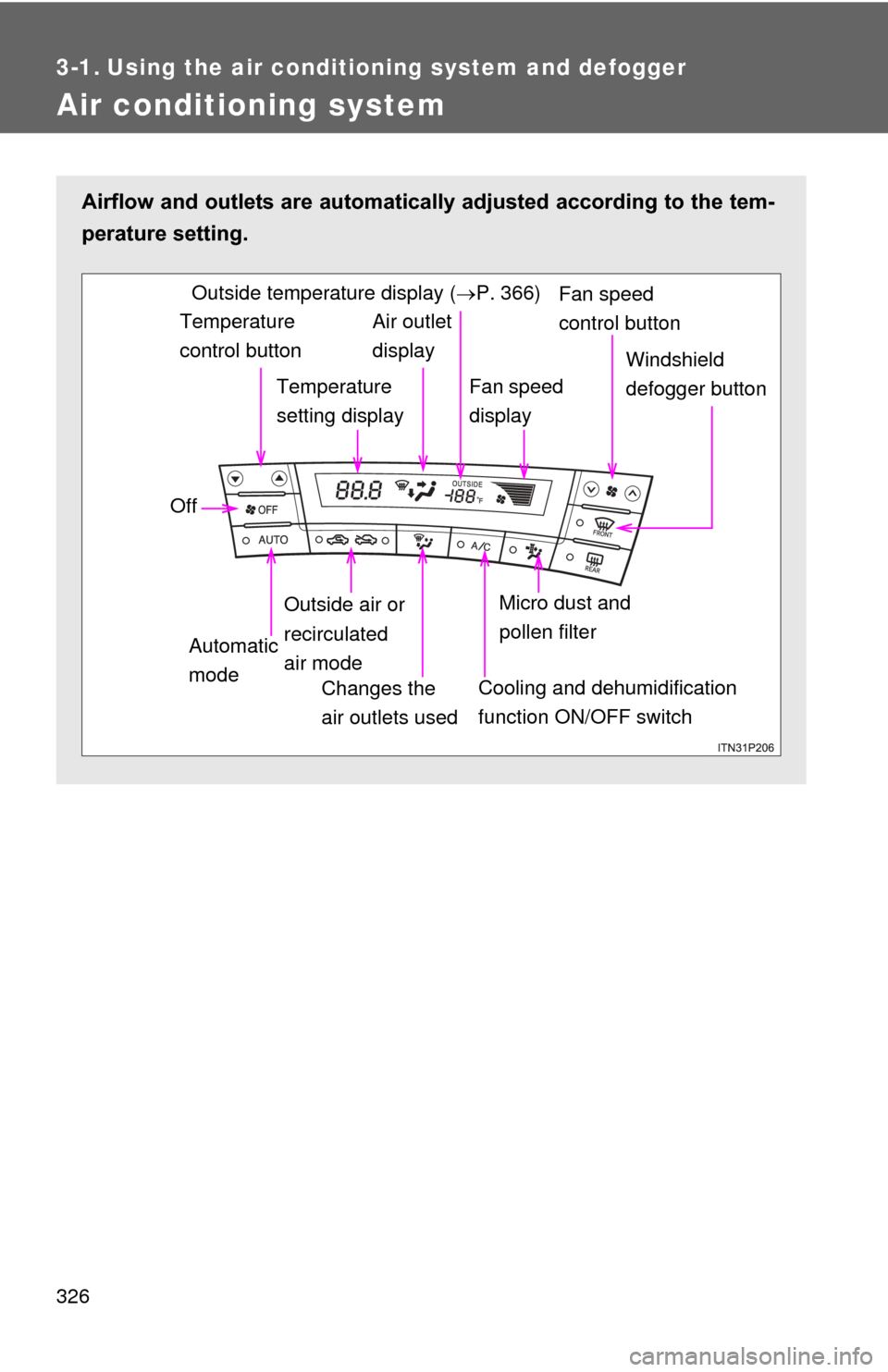
Airflow and outlets are automatically adjusted according to the tem-
perature setting.
Temperature
control button
Temperature
setting displayAir outlet
display
Fan speed
display Windshield
defogger button
Off
Automatic
mode Outside air or
recirculated
air mode
Changes the
air outlets used
Fan speed
control buttonOutside temperature display ( P. 366)
Micro dust and
pollen filter
Cooling and dehumidification
function ON/OFF switch
Page 327 of 636
327
3-1. Using the air conditioning system
and defogger
3
Interior features
Using the automatic mode
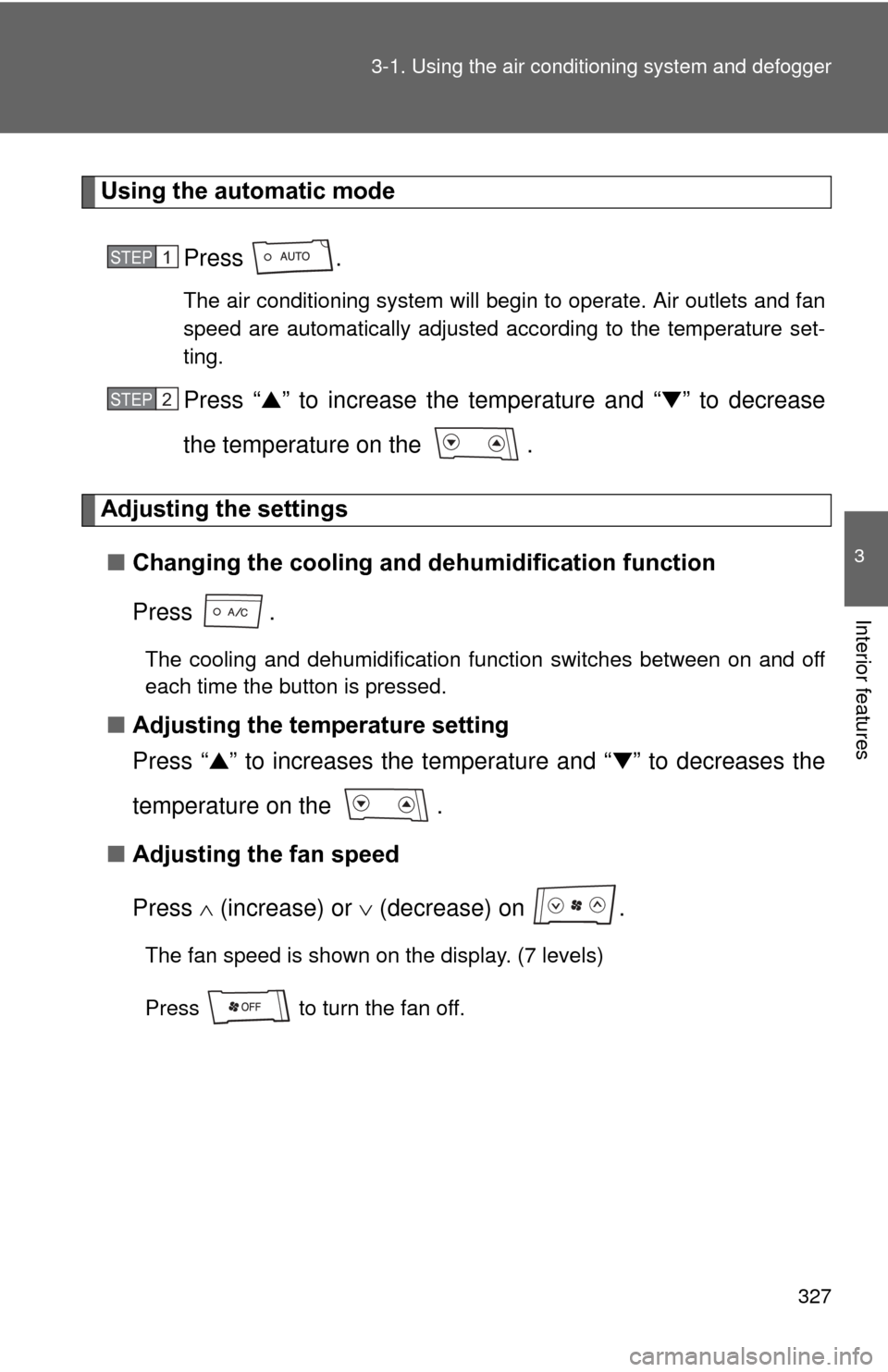
Press .
The air conditioning system will begin to operate. Air outlets and fan
speed are automatically adjusted according to the temperature set-
ting.
Press “▲” to increase the temperature and “ ▼” to decrease
the temperature on the .
Adjusting the settings
■ Changing the cooling and dehumidification function
Press .
The cooling and dehumidification function switches between on and off
each time the button is pressed.
■Adjusting the temperature setting
Press “ ▲” to increases the temperature and “ ▼” to decreases the
temperature on the .
■ Adjusting the fan speed
Press (increase) or (decrease) on .
The fan speed is shown on the display. (7 levels)
Press to turn the fan off.
STEP 1
STEP 2
Page 338 of 636
338 3-1. Using the air conditioning system and defogger
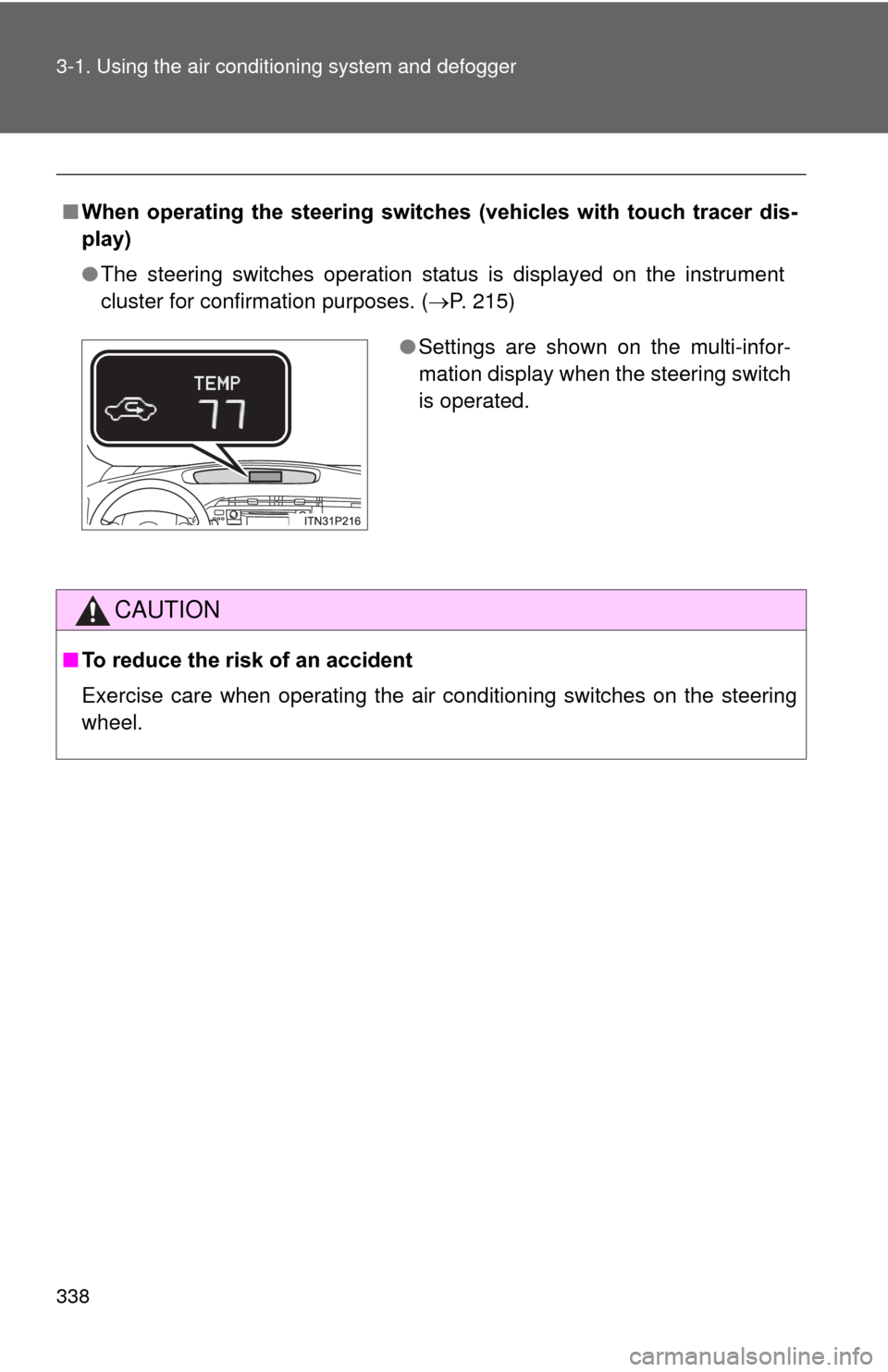
■When operating the steering switches (vehicles with touch tracer dis-
play)
●The steering switches operation status is displayed on the instrument
cluster for confirmation purposes. ( P. 215)
CAUTION
■To reduce the risk of an accident
Exercise care when operating the air conditioning switches on the steering
wheel.
●Settings are shown on the multi-infor-
mation display when the steering switch
is operated.
Page 347 of 636
347
3
Interior features
3-2. Using the audio system
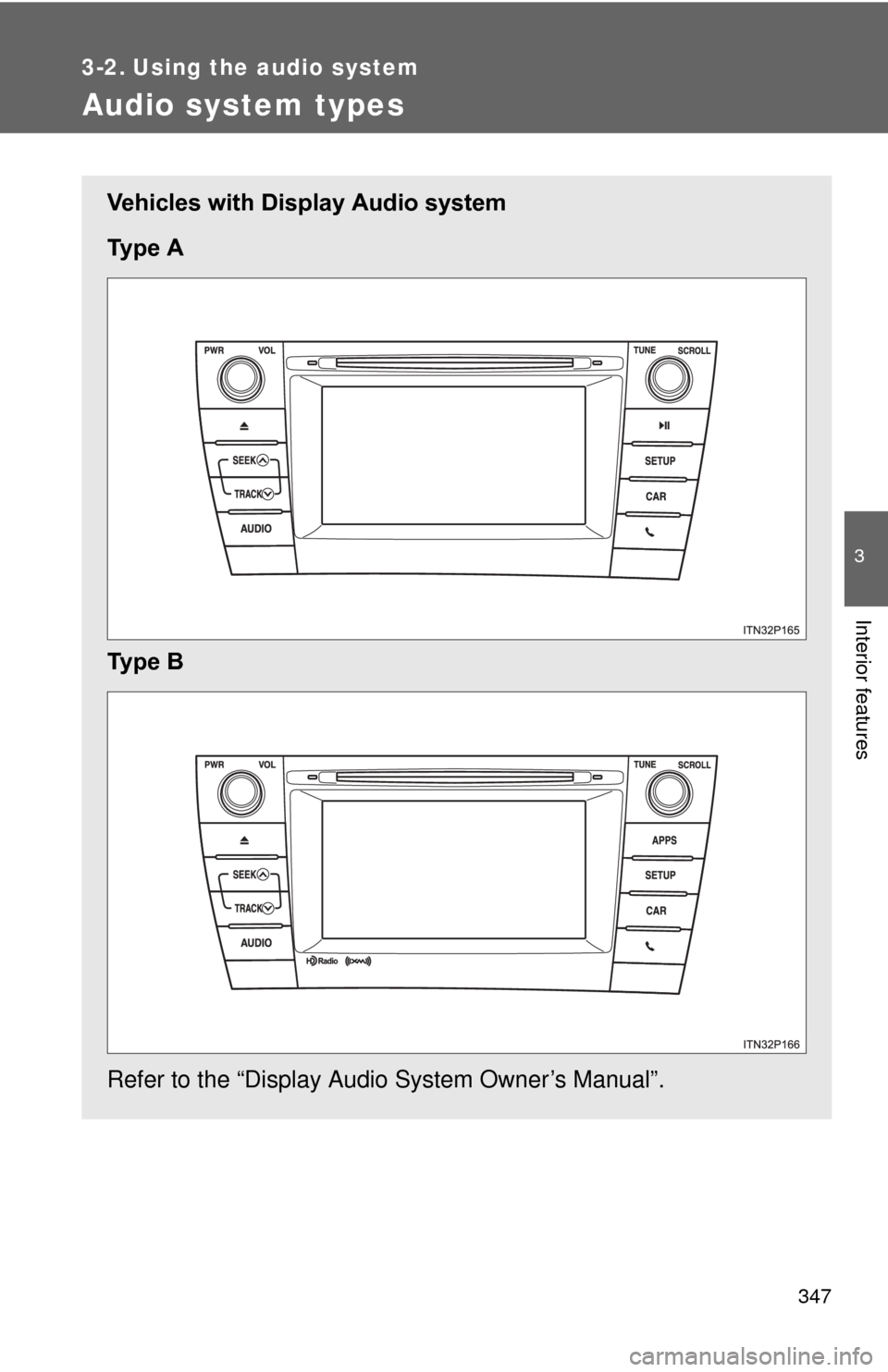
Audio system types
Vehicles with Display Audio system
Ty p e A
Ty p e B
Refer to the “Display Audio System Owner’s Manual”.
Page 348 of 636
348 3-2. Using the audio system
Steering wheel audio switchesSome audio features can be contro lled using the switches on the
steering wheel. For details, refer to the “Display Audio System
Owner’s Manual” or “Navigation System Owner’s Manual”.
Operation may differ and usage may not be possible with audio/navi-
gation systems that are not compatible with the steering switches in
this vehicle.
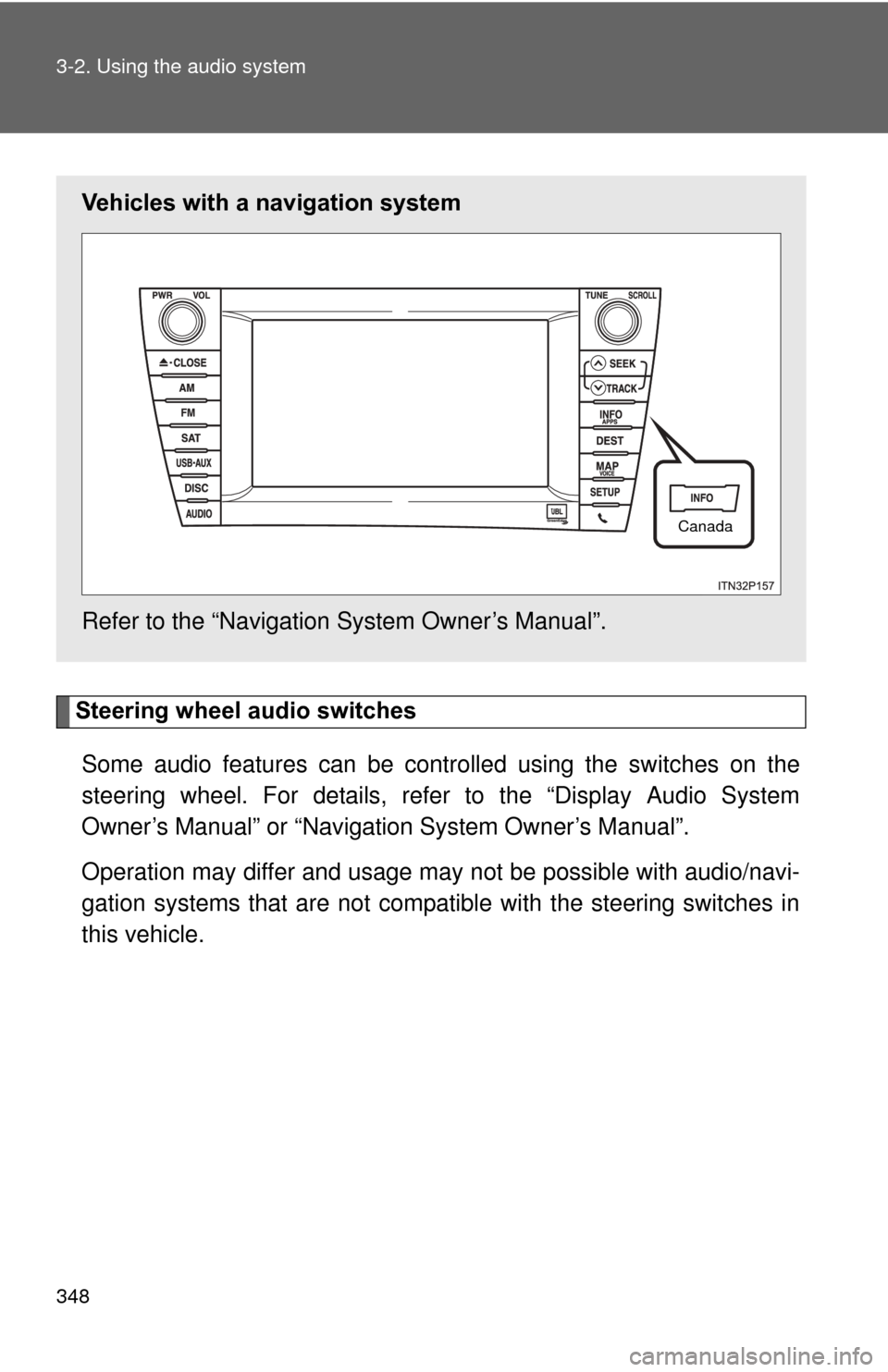
Vehicles with a navigation system
Refer to the “Navigation System Owner’s Manual”.
Canada
Page 349 of 636
349
3-2. Using the audio system
3
Interior features
■
About Bluetooth® (vehicles with Display Audio system)
CAUTION
■Certification for the Display Audio system
FCC ID: ACJ932CQ-US70G0
●Part 15 of the FCC Rules
FCC Warning:
Any unauthorized changes or modifications to this equipment will void the
user’s authority to operate this device.
● Laser products
• Do not take this unit apart or attempt to make any changes by yourself.
This is an intricate unit that uses a laser pickup to retrieve information
from the surface of compact discs. The laser is carefully shielded so
that its rays remain inside the cabinet. Therefore, never try to disas-
semble the player or alter any of its parts since you may be exposed to
laser rays and dangerous voltages.
• This product utilizes a laser. Use of controls or adjustments or performance of procedures other
than those specified herein may result in hazardous radiation expo-
sure.
Bluetooth is a registered trade mark of
Bluetooth SIG. Inc.
The Bluetooth word mark and logos are
owned by the Bluetooth SIG, Inc. and any
use of such marks by Panasonic Corpo-
ration is under license.
Other trademarks and trade names are
those of their respective owners.