TOYOTA PRIUS 2012 3.G Workshop Manual
PRIUS 2012 3.G
TOYOTA
TOYOTA
https://www.carmanualsonline.info/img/14/6598/w960_6598-0.png
TOYOTA PRIUS 2012 3.G Workshop Manual
Page 232 of 636
232 2-2. Instrument cluster
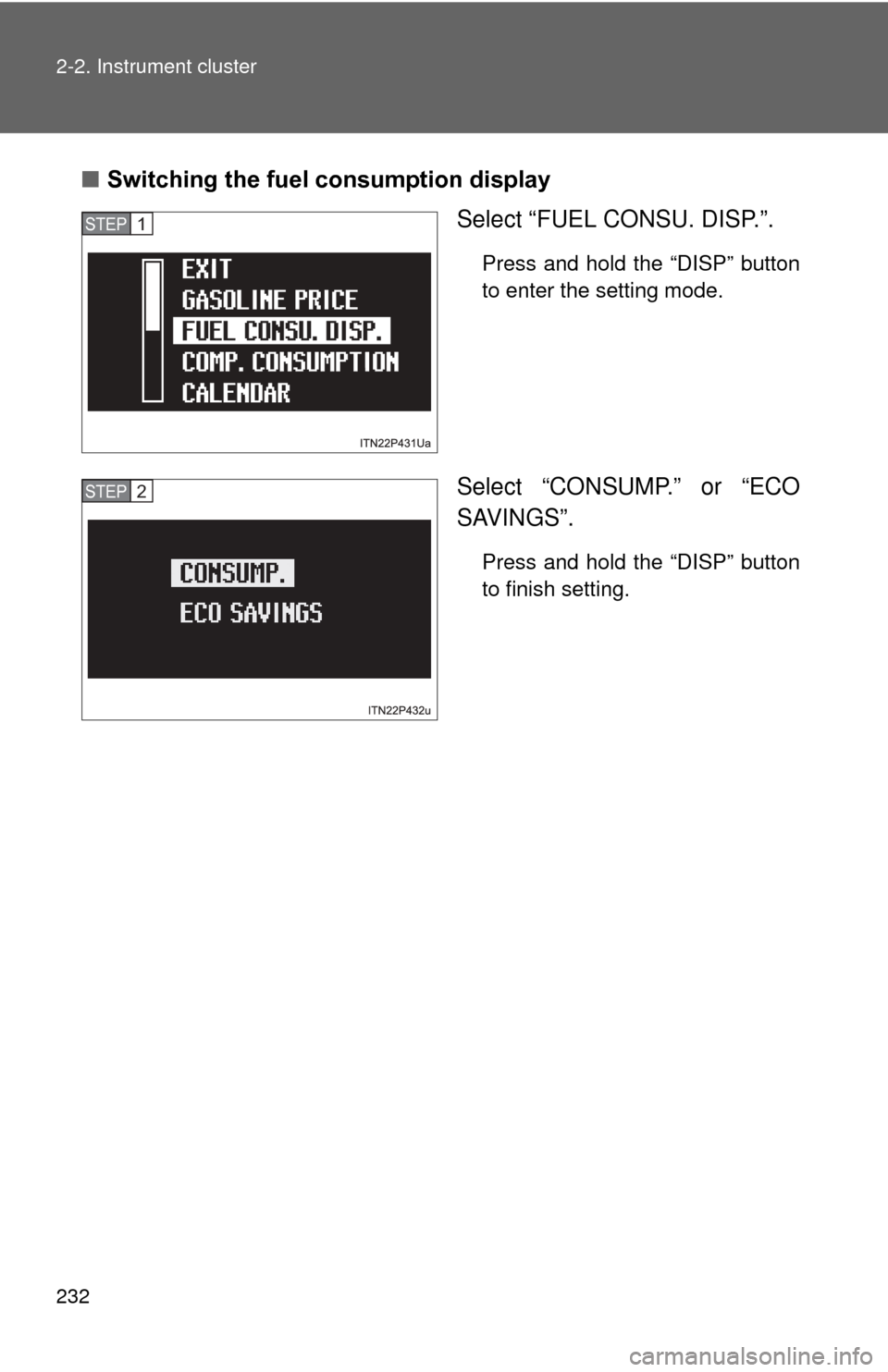
■Switching the fuel consumption display
Select “FUEL CONSU. DISP.”.
Press and hold the “DISP” button
to enter the setting mode.
Select “CONSUMP.” or “ECO
SAVINGS”.
Press and hold the “DISP” button
to finish setting.
STEP 1
STEP 2
Page 233 of 636
233
2-2. Instrument cluster
2
When driving
■
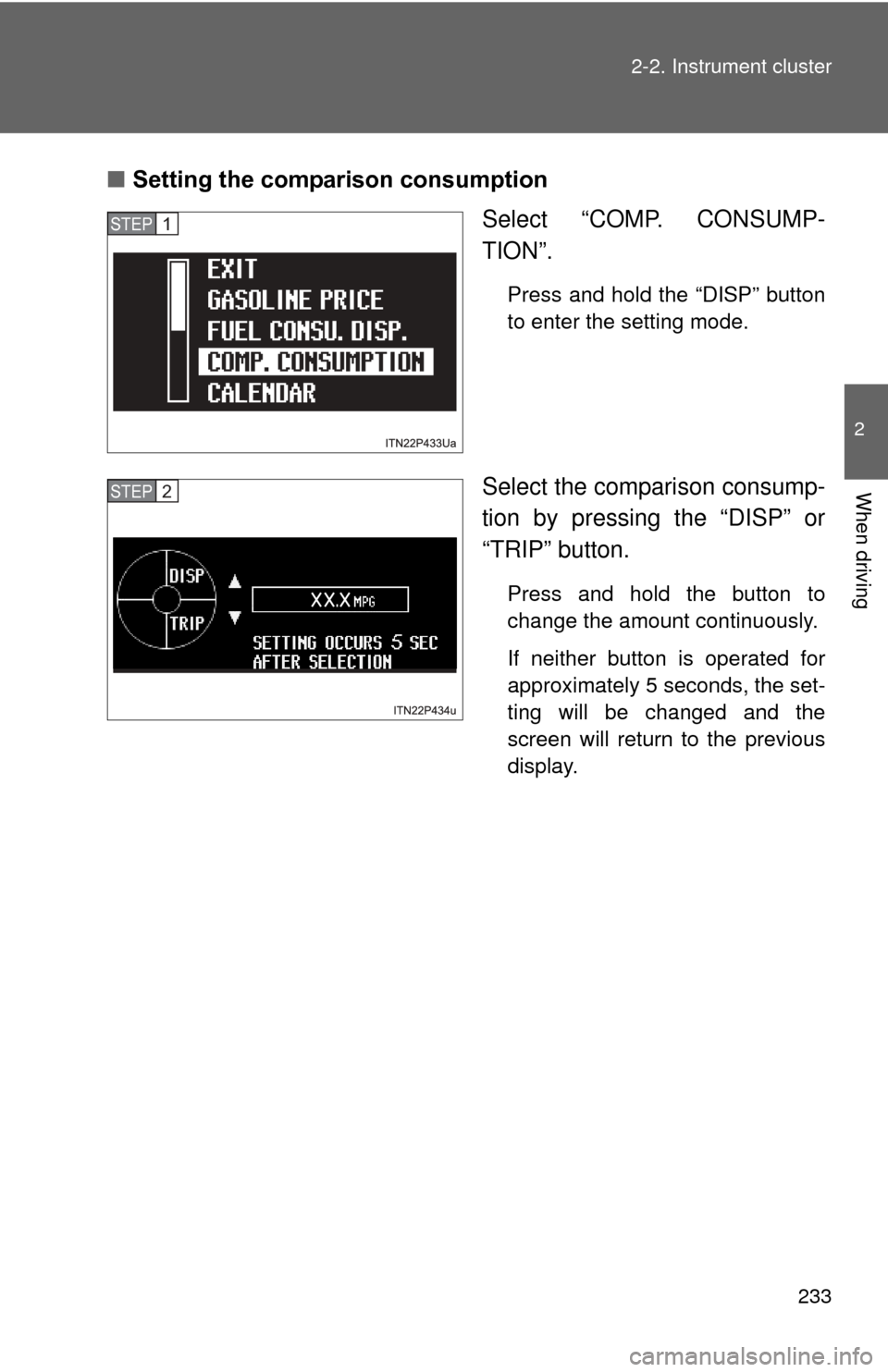
Setting the comparison consumption
Select “COMP. CONSUMP-
TION”.
Press and hold the “DISP” button
to enter the setting mode.
Select the comparison consump-
tion by pressing the “DISP” or
“TRIP” button.
Press and hold the button to
change the amount continuously.
If neither button is operated for
approximately 5 seconds, the set-
ting will be changed and the
screen will return to the previous
display.
STEP 1
STEP 2
Page 234 of 636
234 2-2. Instrument cluster
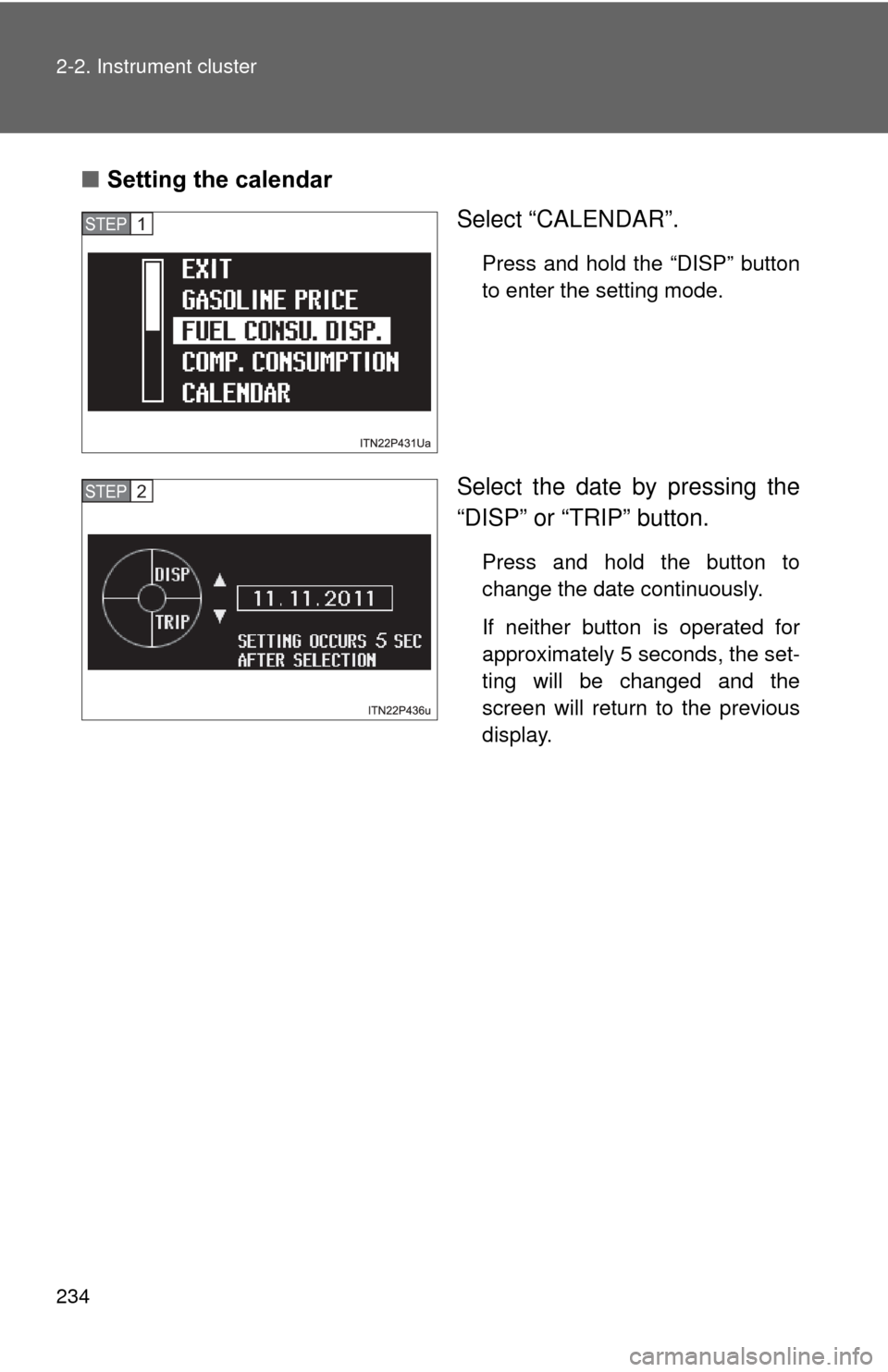
■Setting the calendar
Select “CALENDAR”.
Press and hold the “DISP” button
to enter the setting mode.
Select the date by pressing the
“DISP” or “TRIP” button.
Press and hold the button to
change the date continuously.
If neither button is operated for
approximately 5 seconds, the set-
ting will be changed and the
screen will return to the previous
display.
STEP 1
STEP 2
Page 236 of 636
236 2-2. Instrument cluster
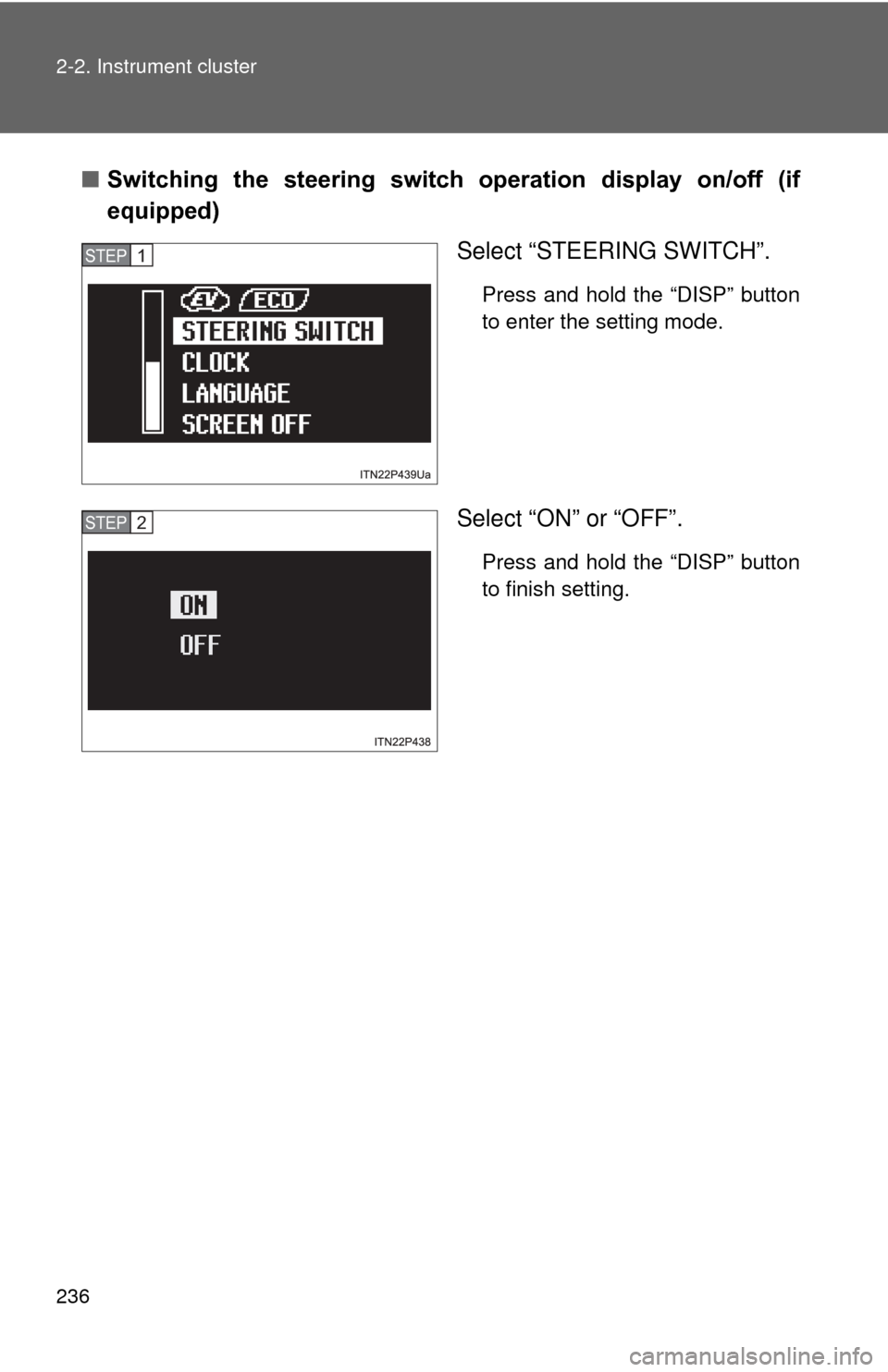
■Switching the steering switch operation display on/off (if
equipped)
Select “STEERING SWITCH”.
Press and hold the “DISP” button
to enter the setting mode.
Select “ON” or “OFF”.
Press and hold the “DISP” button
to finish setting.
STEP 1
STEP 2
Page 237 of 636
237
2-2. Instrument cluster
2
When driving
■
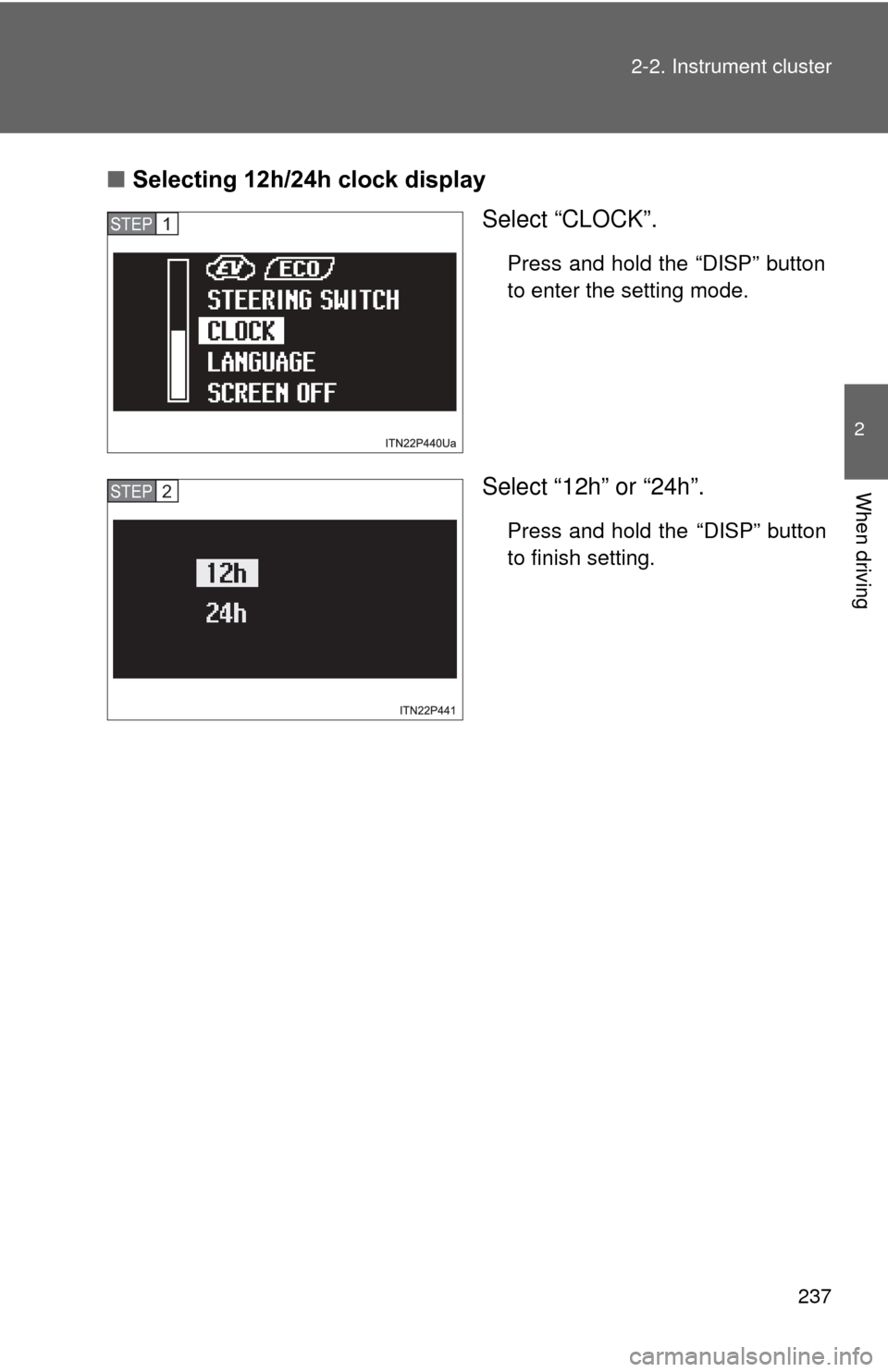
Selecting 12h/24h clock display
Select “CLOCK”.
Press and hold the “DISP” button
to enter the setting mode.
Select “12h” or “24h”.
Press and hold the “DISP” button
to finish setting.
STEP 1
STEP 2
Page 239 of 636
239
2-2. Instrument cluster
2
When driving
■
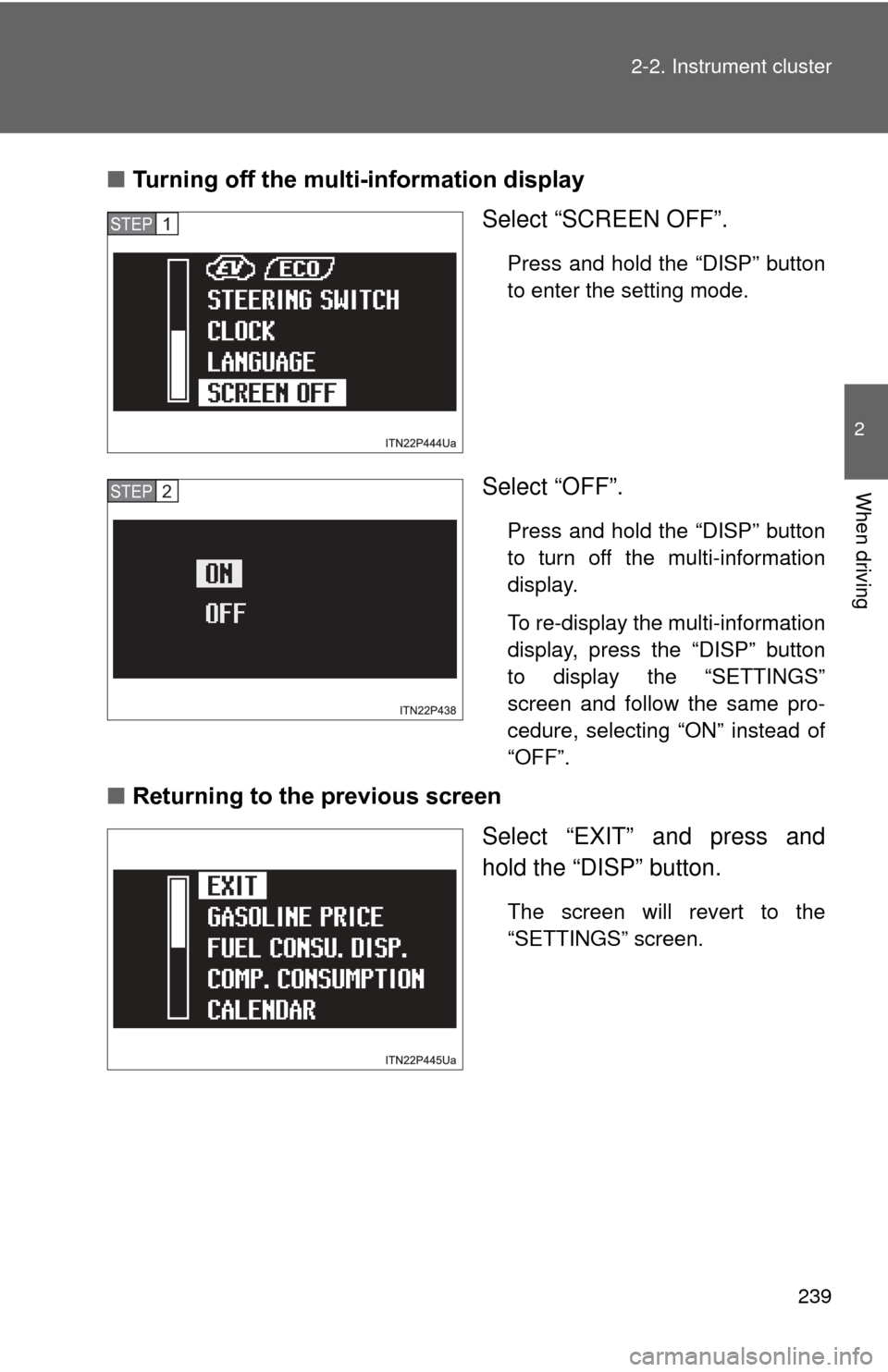
Turning off the multi-information display
Select “SCREEN OFF”.
Press and hold the “DISP” button
to enter the setting mode.
Select “OFF”.
Press and hold the “DISP” button
to turn off the multi-information
display.
To re-display the multi-information
display, press the “DISP” button
to display the “SETTINGS”
screen and follow the same pro-
cedure, selecting “ON” instead of
“OFF”.
■Returning to the previous screen
Select “EXIT” and press and
hold the “DISP” button.
The screen will revert to the
“SETTINGS” screen.
STEP 1
STEP 2
Page 240 of 636
240 2-2. Instrument cluster
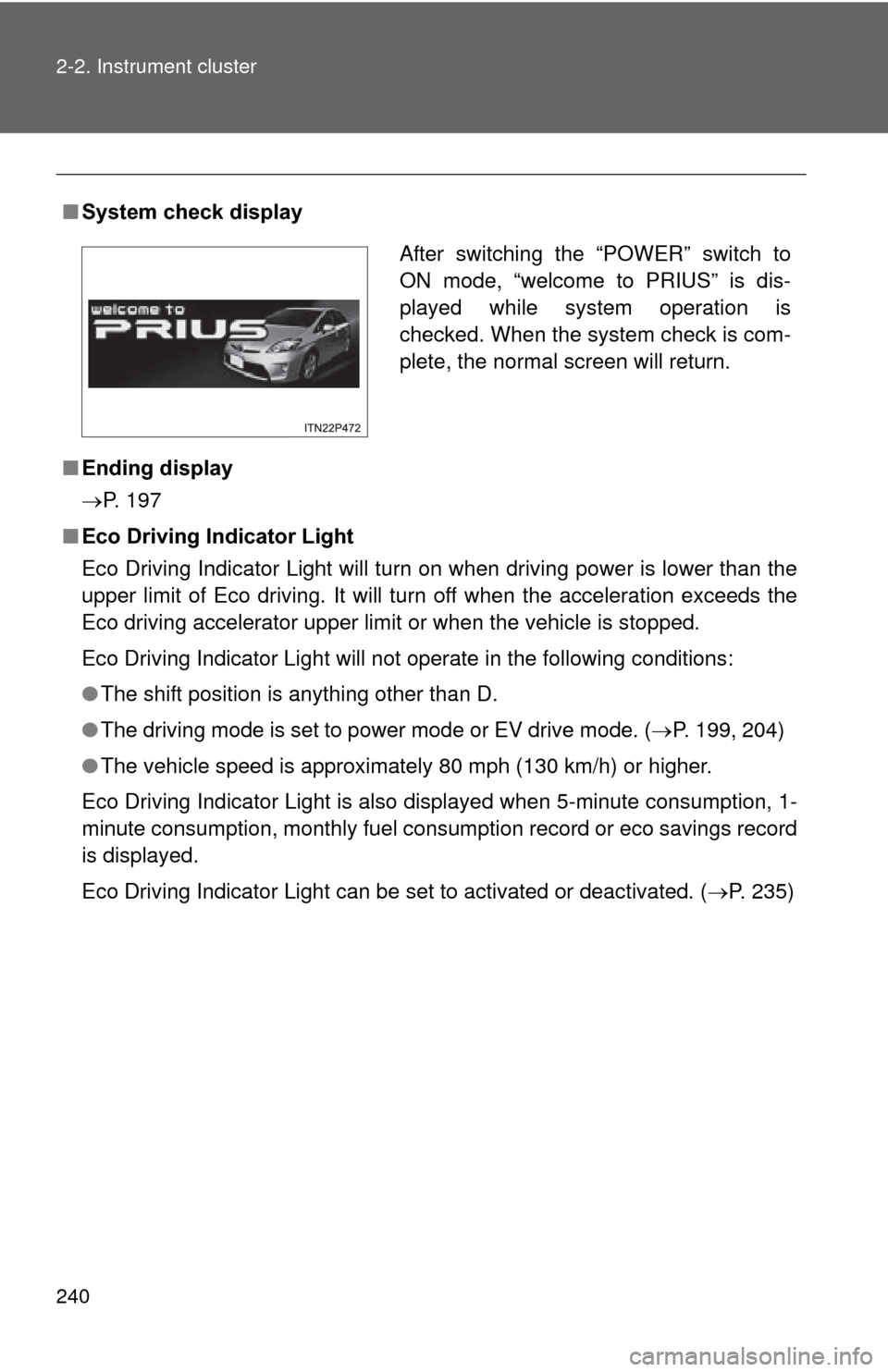
■System check display
■ Ending display
P. 197
■ Eco Driving Indicator Light
Eco Driving Indicator Light will turn on when driving power is lower than the
upper limit of Eco driving. It will turn off when the acceleration exceeds the
Eco driving accelerator upper limit or when the vehicle is stopped.
Eco Driving Indicator Light will not operate in the following conditions:
●The shift position is anything other than D.
● The driving mode is set to power mode or EV drive mode. ( P. 199, 204)
● The vehicle speed is approximately 80 mph (130 km/h) or higher.
Eco Driving Indicator Light is also displayed when 5-minute consumption, 1-
minute consumption, monthly fuel cons umption record or eco savings record
is displayed.
Eco Driving Indicator Light can be set to activated or deactivated. ( P. 235)
After switching the “POWER” switch to
ON mode, “welcome to PRIUS” is dis-
played while system operation is
checked. When the system check is com-
plete, the normal screen will return.
Page 241 of 636
241
2-2. Instrument cluster
2
When driving
■
Driving in Eco drive mode
The multi-information display will automatically switch the display to Hybrid
System Indicator, regardless of which display is currently being shown.
(P. 225)
■ Touch tracer display
●The touch tracer display can be set to not display even if the steering
switches are touched.
● Only the circular, rubber-covered switches have a built-in touch sensor.
Touching any of the other switches will not display the touch tracer dis-
play.
■ Display settings can be changed when
The vehicle speed is less than approximately 5 mph (8 km/h).
■ Engine speed
On hybrid vehicles, engine speed is precisely controlled in order to help
improve fuel efficiency and reduce exhaust emissions etc. There are times
when the engine speed that is displayed may differ even when vehicle oper-
ation and driving conditions are the same.
■ When the 12-volt battery is disconnected
The following data will be reset.
●Average fuel consumption
● Distance to empty
● Average vehicle speed
● Clock
● Display settings
● Trip meter
Page 242 of 636
242 2-2. Instrument cluster
■Vacuum fluorescent display
Small spots or light spots may appear on the display. This phenomenon is
characteristic of vacuum fluorescent displays, and there is no problem to
continue using the display.
NOTICE
■Steering switches
To prevent damage to the steering switches, observe the following precau-
tions.
●Do not touch the steering switches with wet hands
● Do not push hard or sharp objects into the steering switches
● Do not subject the steering switches to strong impacts
● Do not allow organic solvents containing thinner, benzene or gasoline, or
acidic/alkaline soap to adhere to the surfaces of the steering switches
Page 243 of 636
243
2-2. Instrument cluster
2
When driving
Head-up display
: If equipped
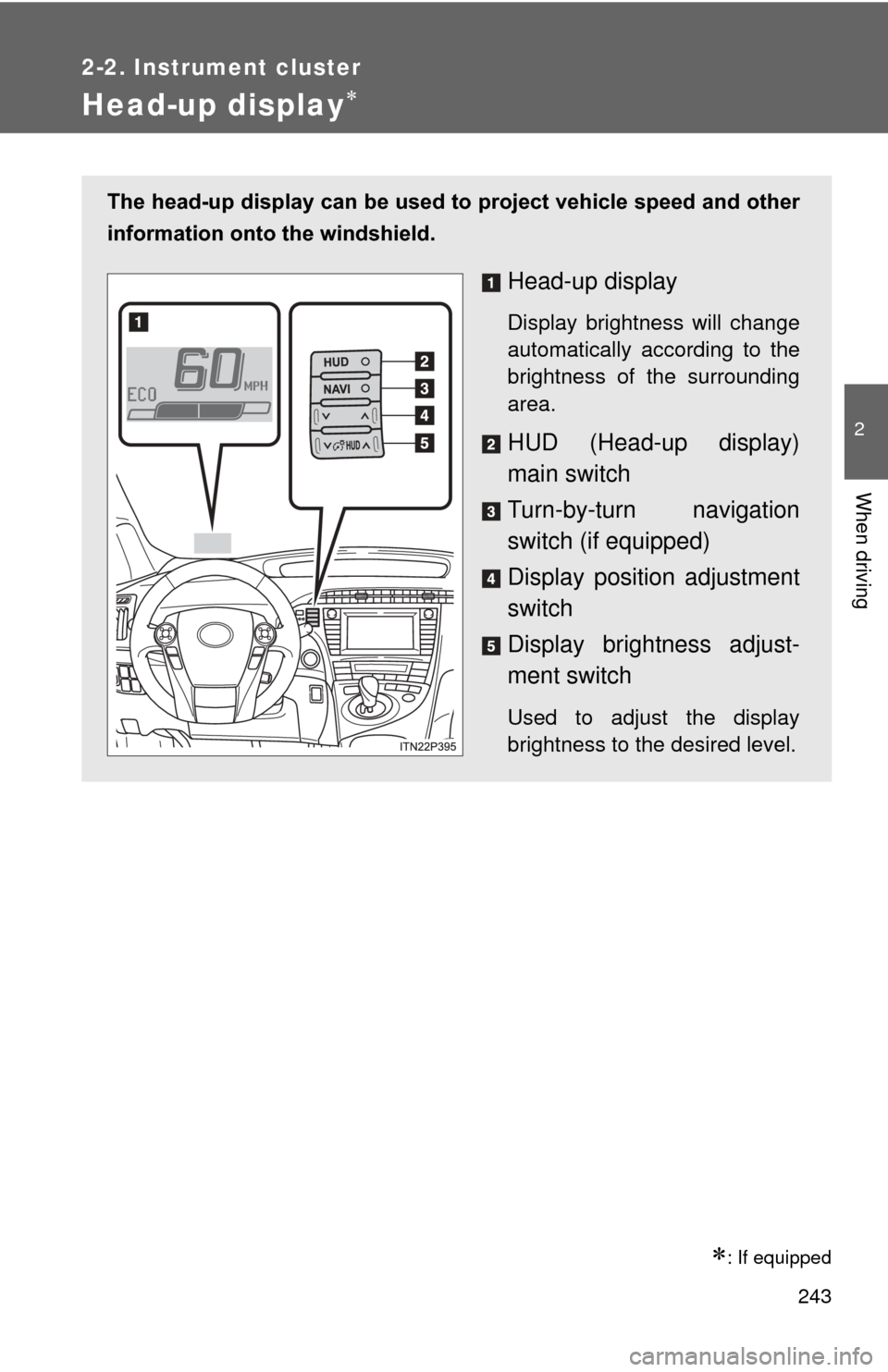
The head-up display can be used to project vehicle speed and other
information onto the windshield.
Head-up display
Display brightness will change
automatically according to the
brightness of the surrounding
area.
HUD (Head-up display)
main switch
Turn-by-turn navigation
switch (if equipped)
Display position adjustment
switch
Display bright ness adjust-
ment switch
Used to adjust the display
brightness to the desired level.