ev mode TOYOTA PRIUS 2013 3.G Manual Online
[x] Cancel search | Manufacturer: TOYOTA, Model Year: 2013, Model line: PRIUS, Model: TOYOTA PRIUS 2013 3.GPages: 640, PDF Size: 11.67 MB
Page 343 of 640
343
3-1. Using the air conditioning system and defogger
PRIUS_OM_OM47791U_(U)
3
Interior features
Solar Ventilation System
: If equipped
The Solar Ventilation System uses energy provided by solar panel
built into the roof to operate a fa n contained within the air condition-
ing system, allowing ventilation of the vehicle interior when the vehi-
cle is parked in direct sunlight.
■ Activating the Solar Ventilation System
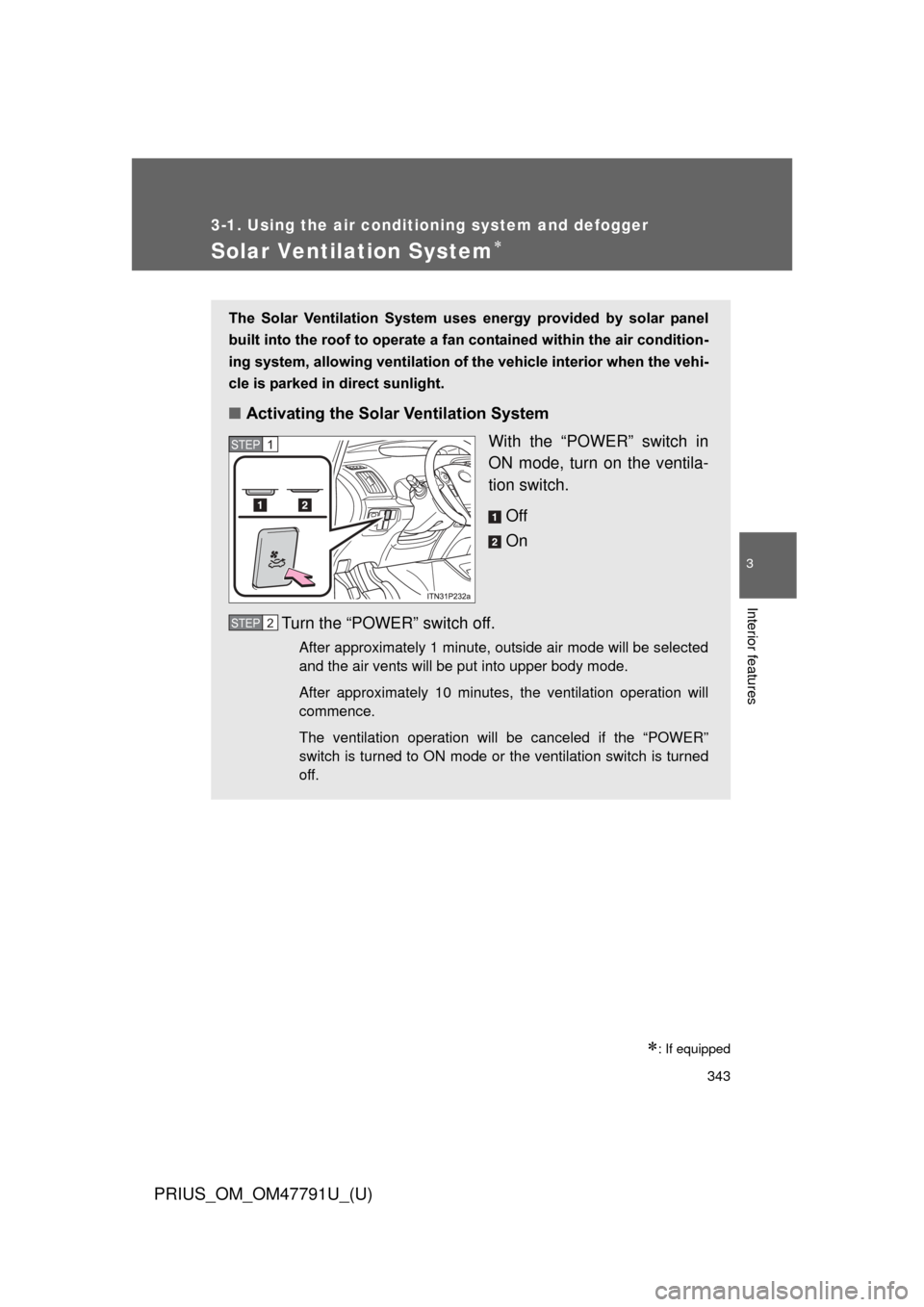
With the “POWER” switch in
ON mode, turn on the ventila-
tion switch.
Off
On
Turn the “POWER” switch off.
After approximately 1 minute, outside air mode will be selected
and the air vents will be put into upper body mode.
After approximately 10 minutes, the ventilation operation will
commence.
The ventilation operation will be canceled if the “POWER”
switch is turned to ON mode or the ventilation switch is turned
off.
STEP 1
STEP 2
Page 344 of 640

344 3-1. Using the air conditioning system and defogger
PRIUS_OM_OM47791U_(U)
■Operating conditions
The Solar Ventilation System may not operate under the following circum-
stances due to a lack of power from the solar panel:
● Low amount of sunlight
● Ever when a part of the solar panel is cast by a shadow.
● Ever when a part of the solar panel is covered by fallen leaves or dirt.
● The solar panel is not at a high temperature.
■ Before using the Solar Ventilation System
Remove dirt or fallen leaves from the solar panel in order to ensure sufficient
electrical output.
■ Efficient use of the So lar Ventilation System
Efficient control of temperature increase can be achieved by using the sys-
tem in conjunction with the Remote Air Conditioning System. ( P. 346)
■ When using the Sola r Ventilation System
● Make sure that the “POWER” switch is in ON mode when turning the
ventilation switch on. If the ventilation switch is turned on while the
“POWER” switch is OFF, the air mode and the status of the air vents will
remain unchanged.
● If the Solar Ventilation System is not needed, be sure to turn the ventila-
tion switch off.
Dirty air and exhaust fumes from other vehicles may be drawn from out-
side. Also, use in winter may cause heated interior air to leave the vehi-
cle, thus leading to a drop in temperature.
■ Sounds when using the Solar Ventilation System
If the amount of sunlight is insufficient, you may hear a sound coming from
the air conditioning system. This is the sound of a control function to pre-
serve the fan and does not indicate a malfunction.
Page 350 of 640
350
3-1. Using the air conditioning system and defogger
PRIUS_OM_OM47791U_(U)
Rear window and outside rear view mirror defoggers switch
■Operating conditions
The “POWER” switch is in ON mode.
■ The outside rear view mirr or defoggers (if equipped)
Turning the rear window defogger on will turn the outside rear view mirror
defoggers on.
CAUTION
■ When the outside rear view mirr or defoggers are on (if equipped)
Do not touch the outside surface of the rear view mirrors, as they can
become very hot and burn you.
NOTICE
■ To prevent 12-volt battery discharge
Do not leave the rear window defogger on longer than necessary when the
hybrid system is off.
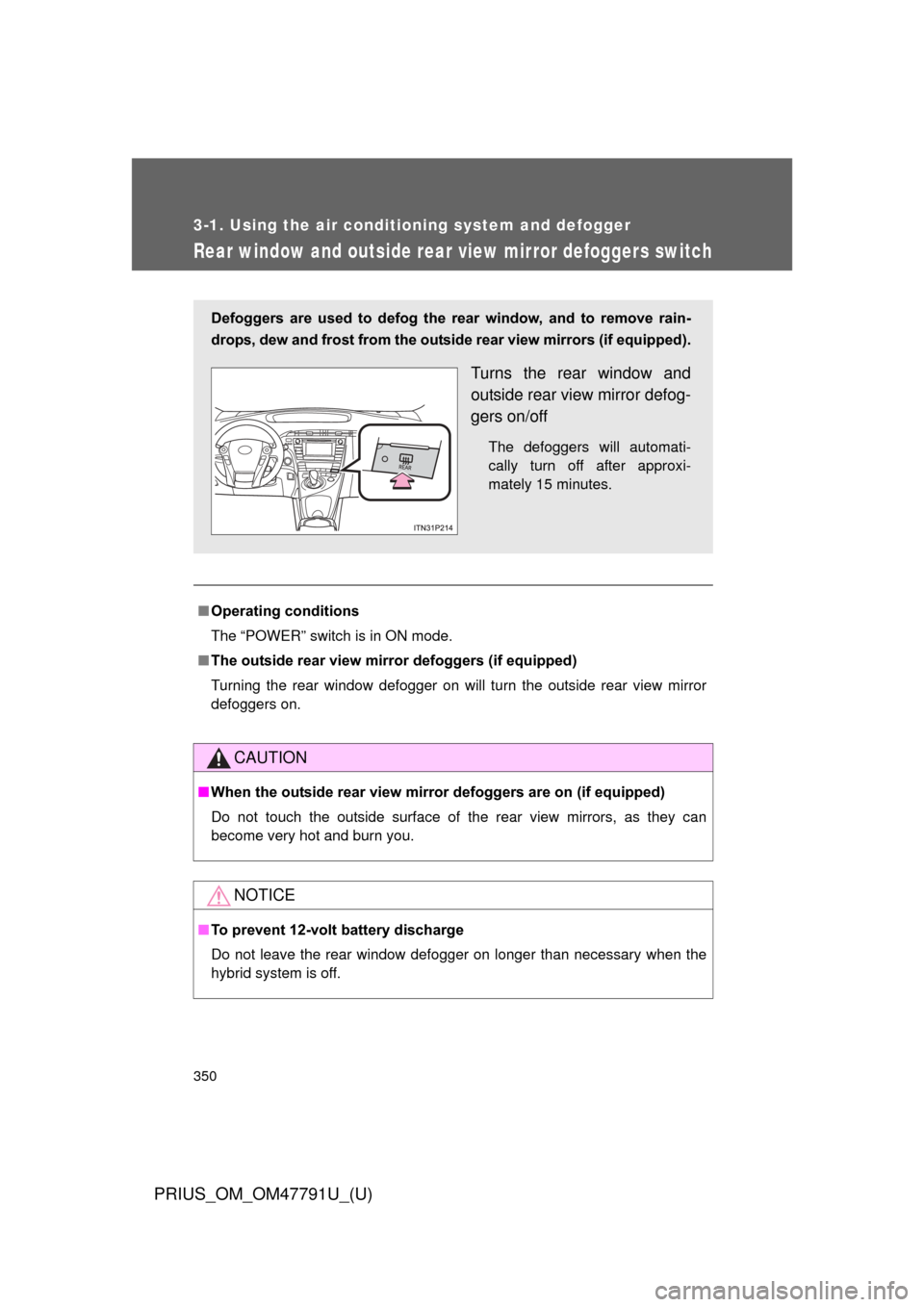
Defoggers are used to defog the rear window, and to remove rain-
drops, dew and frost from the outsid e rear view mirrors (if equipped).
Turns the rear window and
outside rear view mirror defog-
gers on/off
The defoggers will automati-
cally turn off after approxi-
mately 15 minutes.
Page 360 of 640

360 3-3. Using the interior lights
PRIUS_OM_OM47791U_(U)
■Illuminated entry system
The lights automatically turn on/off according to “POWER” switch mode, the
presence of the electronic key, whether the doors are locked/unlocked, and
whether the doors are opened/closed.
■ To prevent 12-volt battery discharge
If the interior lights remain on when the door is not fully closed and the inte-
rior light switch (door position on/off) is on, the lights will go off automatically
after 20 minutes.
■ Customization
Setting (e.g. The time elapsed before lights turn off) can be changed.
(Customizable features P. 600)
NOTICE
■To prevent 12-volt battery discharge
Do not leave the lights on longer than necessary when the hybrid system is
off.
Rear interior light
Page 370 of 640
370
3-5. Other interior features
PRIUS_OM_OM47791U_(U)
Outside temperature display
■Operating conditions
The “POWER” switch is in ON mode.
■ Display
In the following situations, the correct outside temperature may not be dis-
played, or the display may take longer than normal to change.
● When stopped, or driving at low speeds (less than 16 mph [25 km/h])
● When the outside temperature has changed suddenly (at the entrance/
exit of a garage, tunnel, etc.)
■ When -- is displayed
The system may be malfunctioning. Take your vehicle to your Toyota dealer.
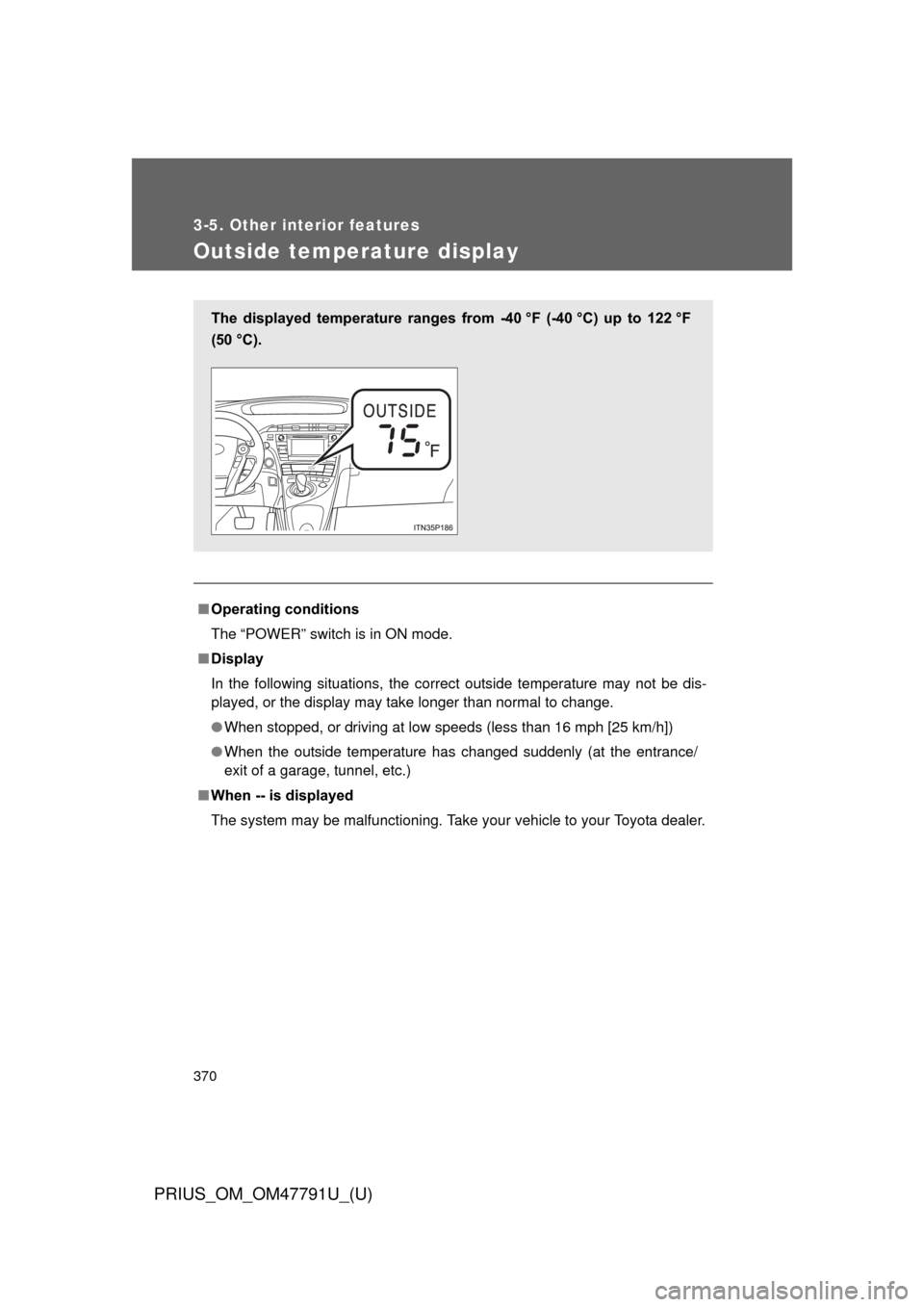
The displayed temperature ranges from -40 °F (-40 °C) up to 122 °F
(50 °C).
Page 371 of 640
371
3-5. Other interior features
PRIUS_OM_OM47791U_(U)
3
Interior features
Power outlets
■The power outlets can be used when
The “POWER” switch is in ACCESSORY or ON mode.
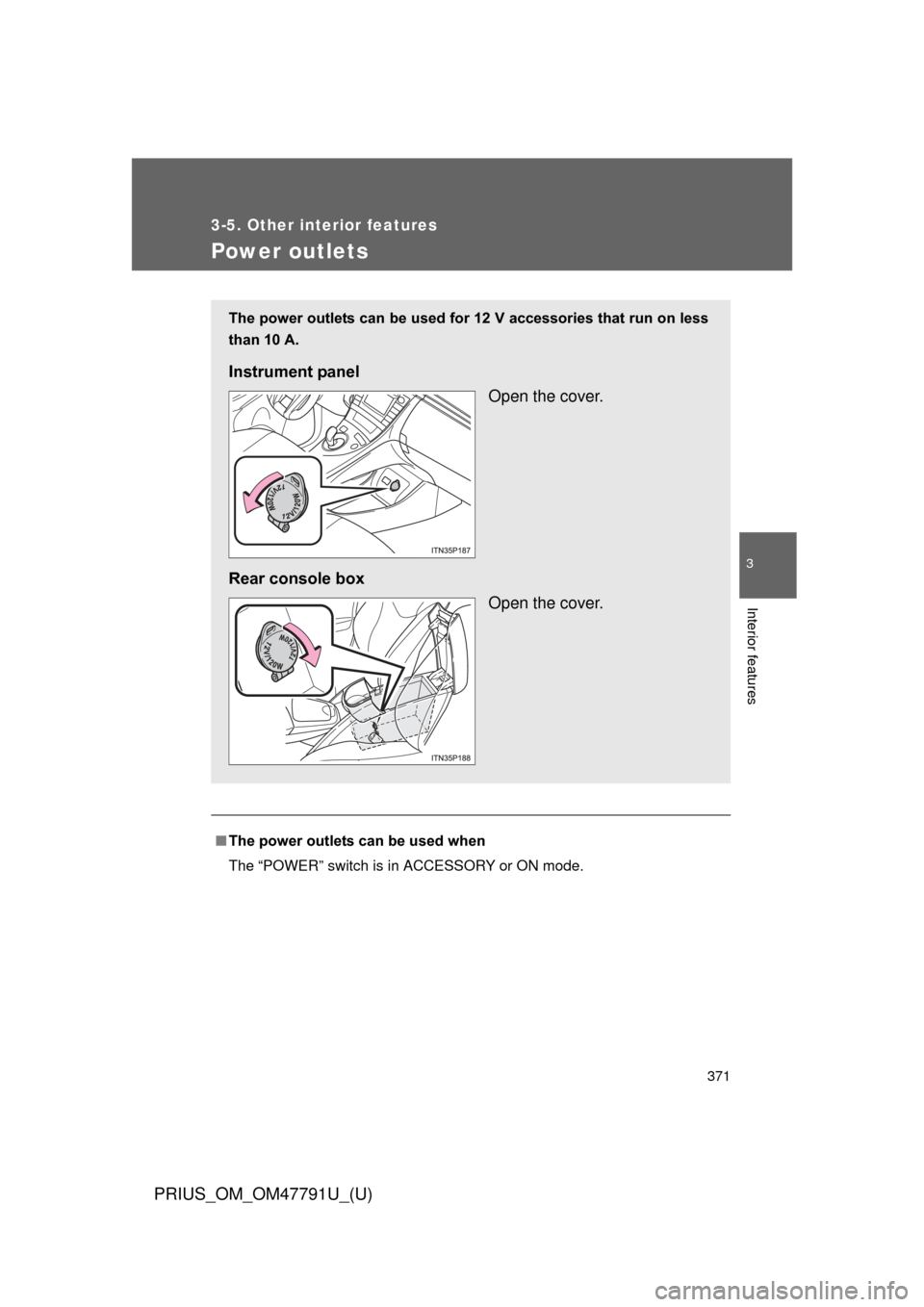
The power outlets can be used for 12 V accessories that run on less
than 10 A.
Instrument panel
Open the cover.
Rear console box Open the cover.
Page 373 of 640
373
3-5. Other interior features
PRIUS_OM_OM47791U_(U)
3
Interior features
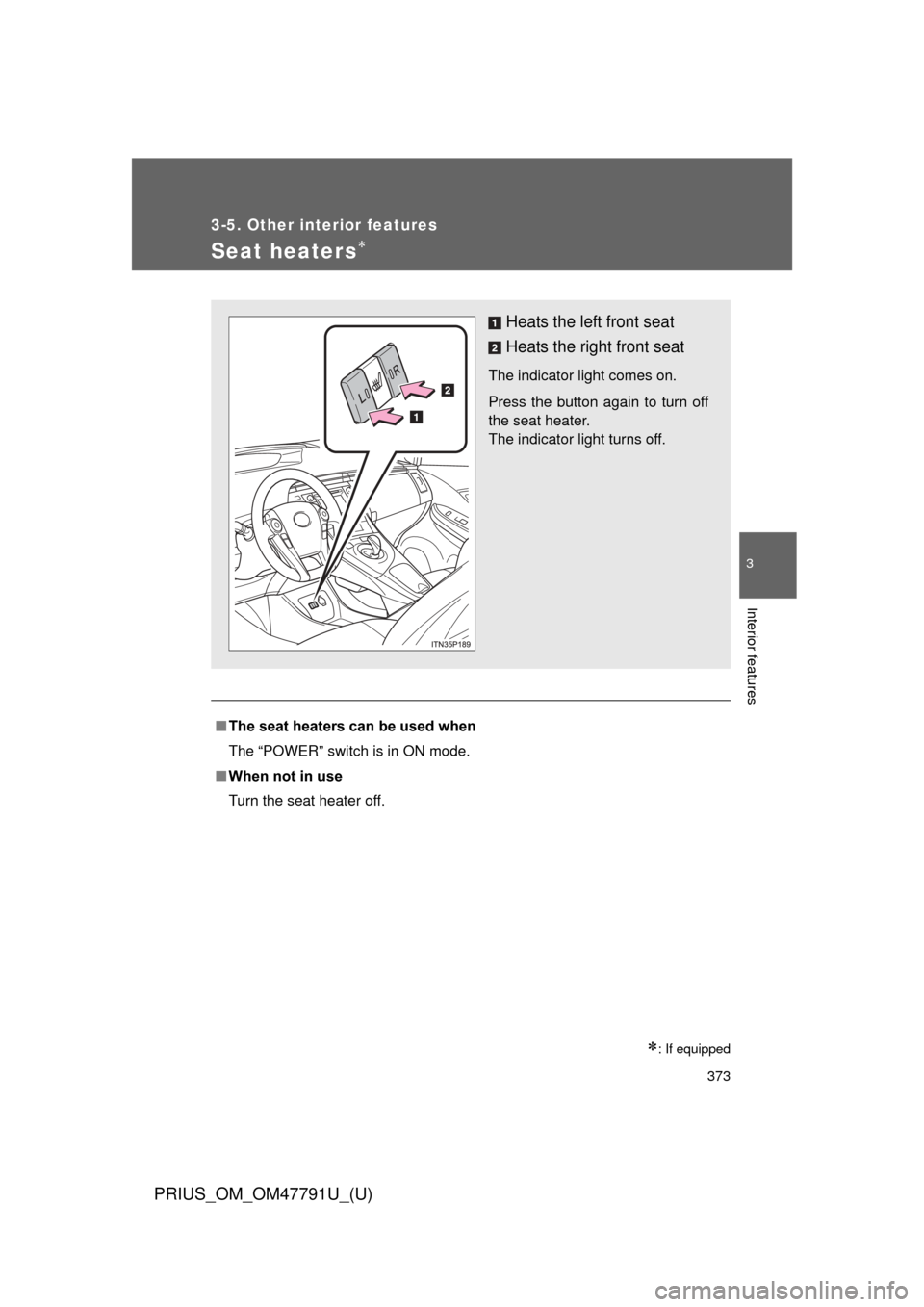
Seat heaters
: If equipped
■The seat heaters can be used when
The “POWER” switch is in ON mode.
■ When not in use
Turn the seat heater off.
Heats the left front seat
Heats the right front seat
The indicator light comes on.
Press the button again to turn off
the seat heater.
The indicator light turns off.
Page 377 of 640
377
3-5. Other interior features
PRIUS_OM_OM47791U_(U)
3
Interior features
Floor mats
Use only floor mats designed specifically for vehicles of the same
model and model year as your vehicle. Fix them securely in place
onto the carpet.
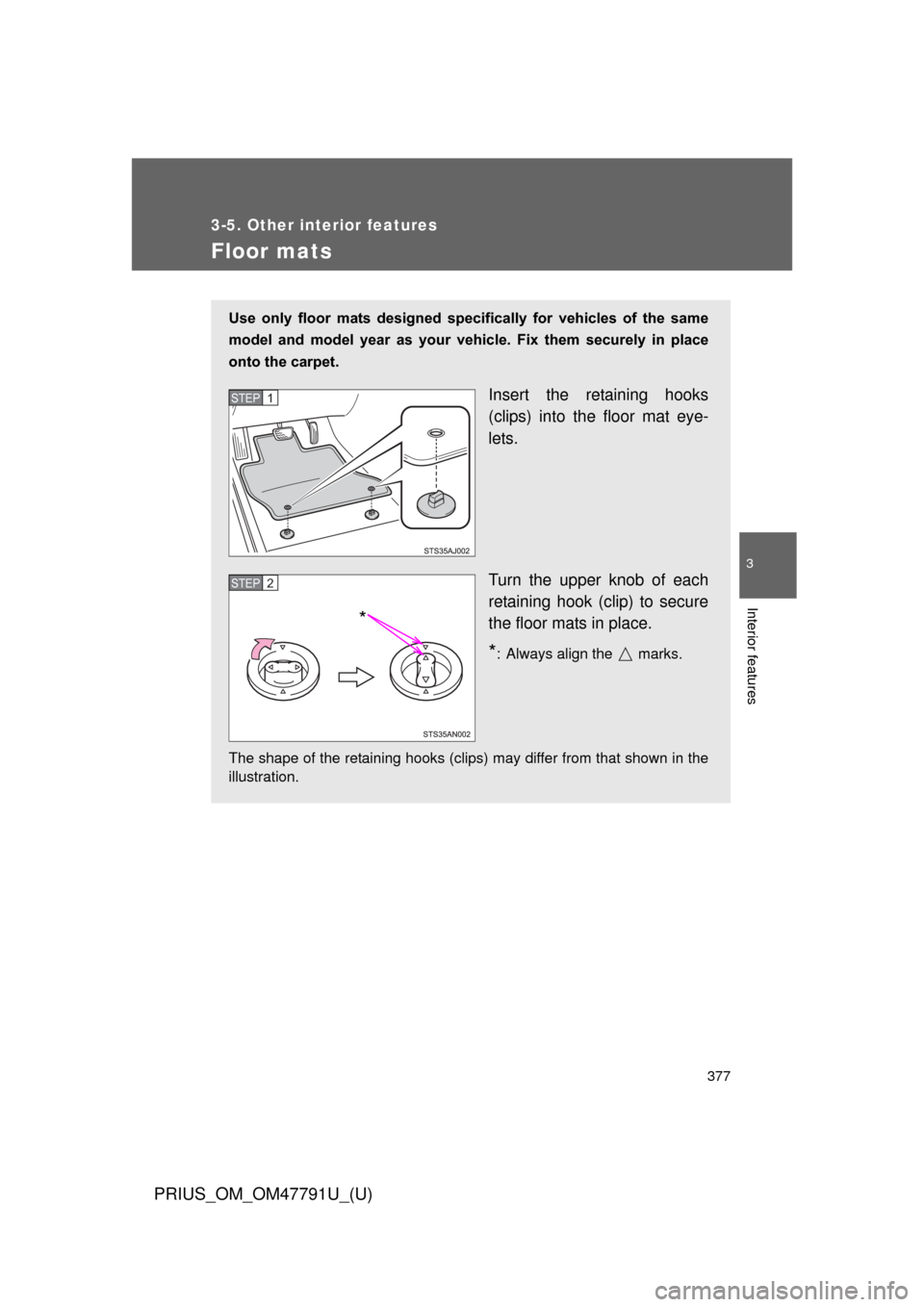
Insert the retaining hooks
(clips) into the floor mat eye-
lets.
Turn the upper knob of each
retaining hook (clip) to secure
the floor mats in place.
*: Always align the marks.
The shape of the retaining hooks (clips) may differ from that shown in the
illustration.
STEP 1
STEP 2
*
Page 378 of 640
378 3-5. Other interior features
PRIUS_OM_OM47791U_(U)
CAUTION
Observe the following precautions.
Failure to do so may cause the driver’s floor mat to slip, possibly interfering
with the pedals while driving. An unexpectedly high speed may result or it may
become difficult to stop the vehicle, leading to a serious accident.
■When installing the driver’s floor mat
● Do not use floor mats designed for other models or different model year
vehicles, even if they are Toyota Genuine floor mats.
● Only use floor mats designed for the driver’s seat.
● Always install the floor mat securely using the retaining hooks (clips) pro-
vided.
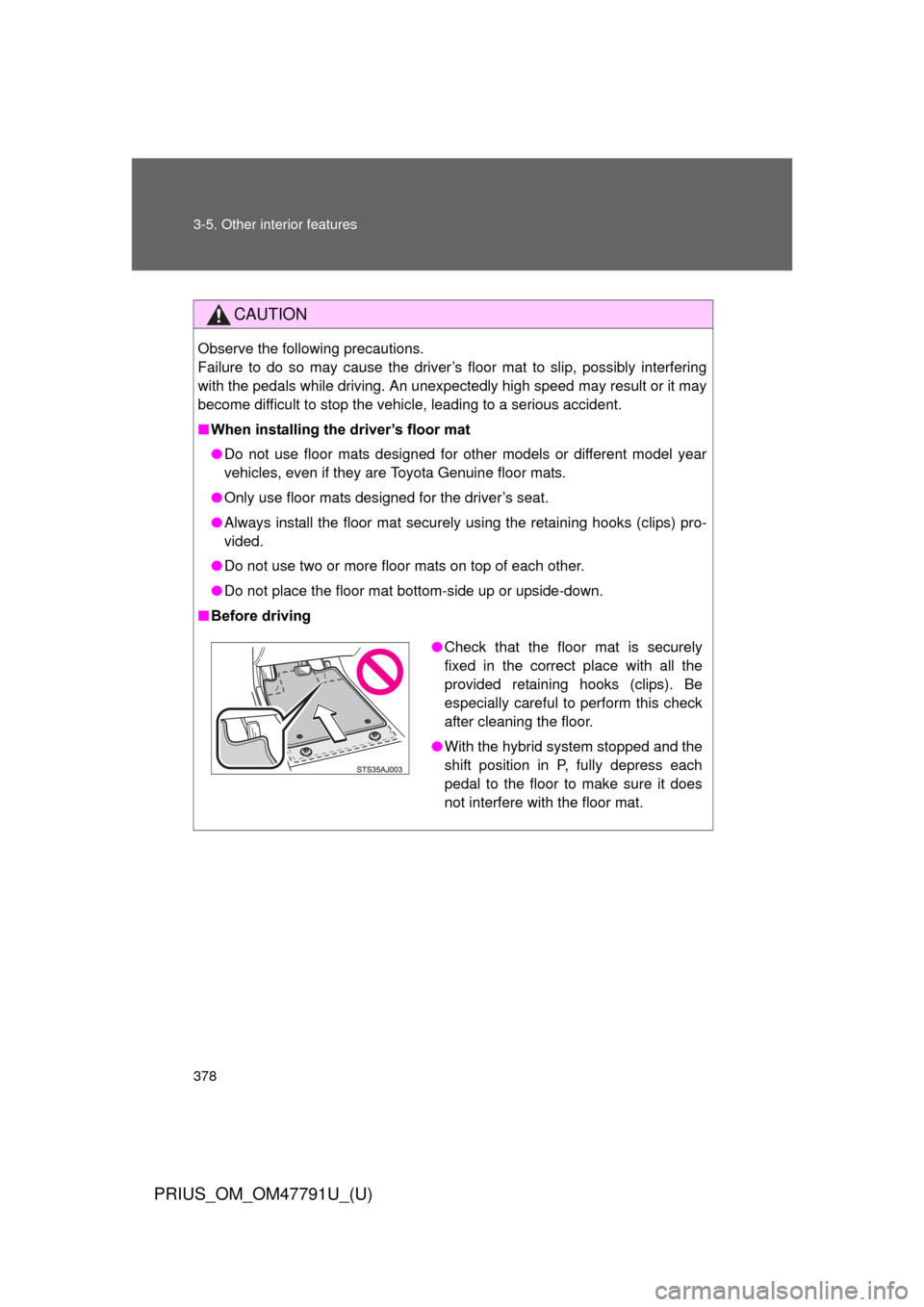
● Do not use two or more floor mats on top of each other.
● Do not place the floor mat bottom-side up or upside-down.
■ Before driving
● Check that the floor mat is securely
fixed in the correct place with all the
provided retaining hooks (clips). Be
especially careful to perform this check
after cleaning the floor.
● With the hybrid system stopped and the
shift position in P, fully depress each
pedal to the floor to make sure it does
not interfere with the floor mat.
Page 395 of 640
395
3-5. Other interior features
PRIUS_OM_OM47791U_(U)
3
Interior features
■
Safety Connect Services Information
● Phone calls using the vehicles Bluetooth
® technology will not be possible
during Safety Connect.
● Safety Connect is available beginning Fall 2009 on select Toyota models.
Contact with the Safety Connect response center is dependent upon the
telematics device being in operative condition, cellular connection avail-
ability, and GPS satellite signal reception, which can limit the ability to
reach the response center or receive emergency service support. Enroll-
ment and Telematics Subscription Service Agreement required. A variety
of subscription terms is available; charges vary by subscription term
selected.
● Automatic Collision Notification, Emergency Assistance, Stolen Vehicle
Location, and Enhanced Roadside Assistance will function in the United
States, including Hawaii and Alaska, and in Canada. No Safety Connect
services will function outside of the United States in countries other than
Canada.
● Safety Connect services are not subject to section 255 of the Telecom-
munications Act and the device is not TTY compatible.
■ Languages
The Safety Connect response center will offer support in multiple languages.
The Safety Connect system will offer voice prompts in English and Spanish.
Please indicate your language of choice when enrolling.
■ When contacting the response center
You may be unable to contact the response center if the network is busy.
■ Safety Connect backup battery depletion
An exclusive backup battery is built in to assist the Automatic Collision Noti-
fication, which is activated when impact above a certain level is applied to
the vehicle, or when the airbags operate. This battery is a primary battery,
and cannot be recharged. The red LED indicator will flash to indicate that the
battery should be replaced.
The backup battery will need to be replaced if the Automatic Collision
Notification operates for 60 seconds or more. For replacement, consult your
Toyota dealer.