ev mode TOYOTA PRIUS 2013 3.G Repair Manual
[x] Cancel search | Manufacturer: TOYOTA, Model Year: 2013, Model line: PRIUS, Model: TOYOTA PRIUS 2013 3.GPages: 640, PDF Size: 11.67 MB
Page 272 of 640
272
2-4. Using other driving systems
PRIUS_OM_OM47791U_(U)
Dynamic radar cruise control
: If equipped
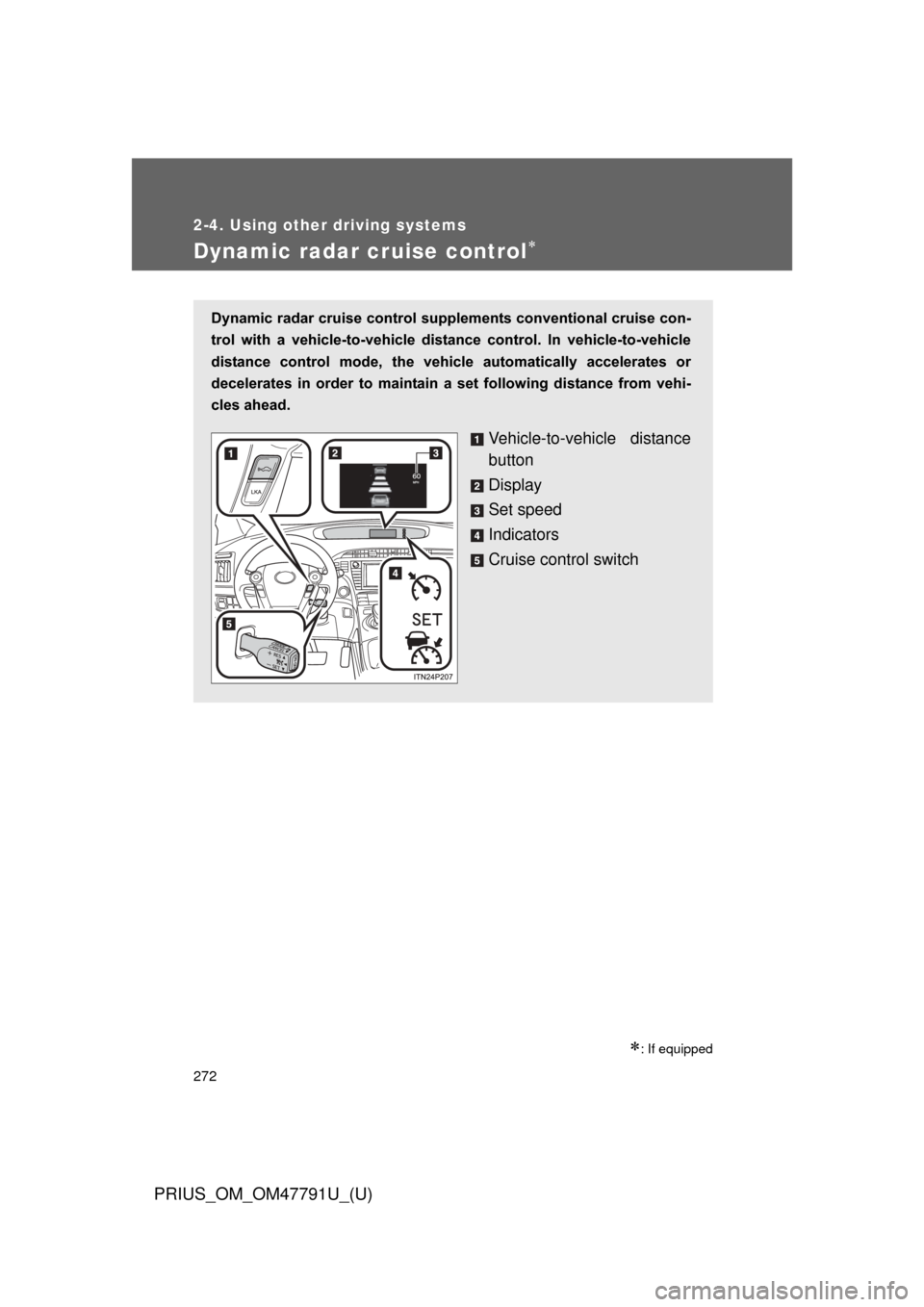
Dynamic radar cruise control supplements conventional cruise con-
trol with a vehicle-to-vehicle dist ance control. In vehicle-to-vehicle
distance control mode, the vehicle automatically accelerates or
decelerates in order to maintain a set following distance from vehi-
cles ahead.
Vehicle-to-vehicle distance
button
Display
Set speed
Indicators
Cruise control switch
Page 273 of 640
273
2-4. Using other
driving systems
PRIUS_OM_OM47791U_(U)
2
When driving
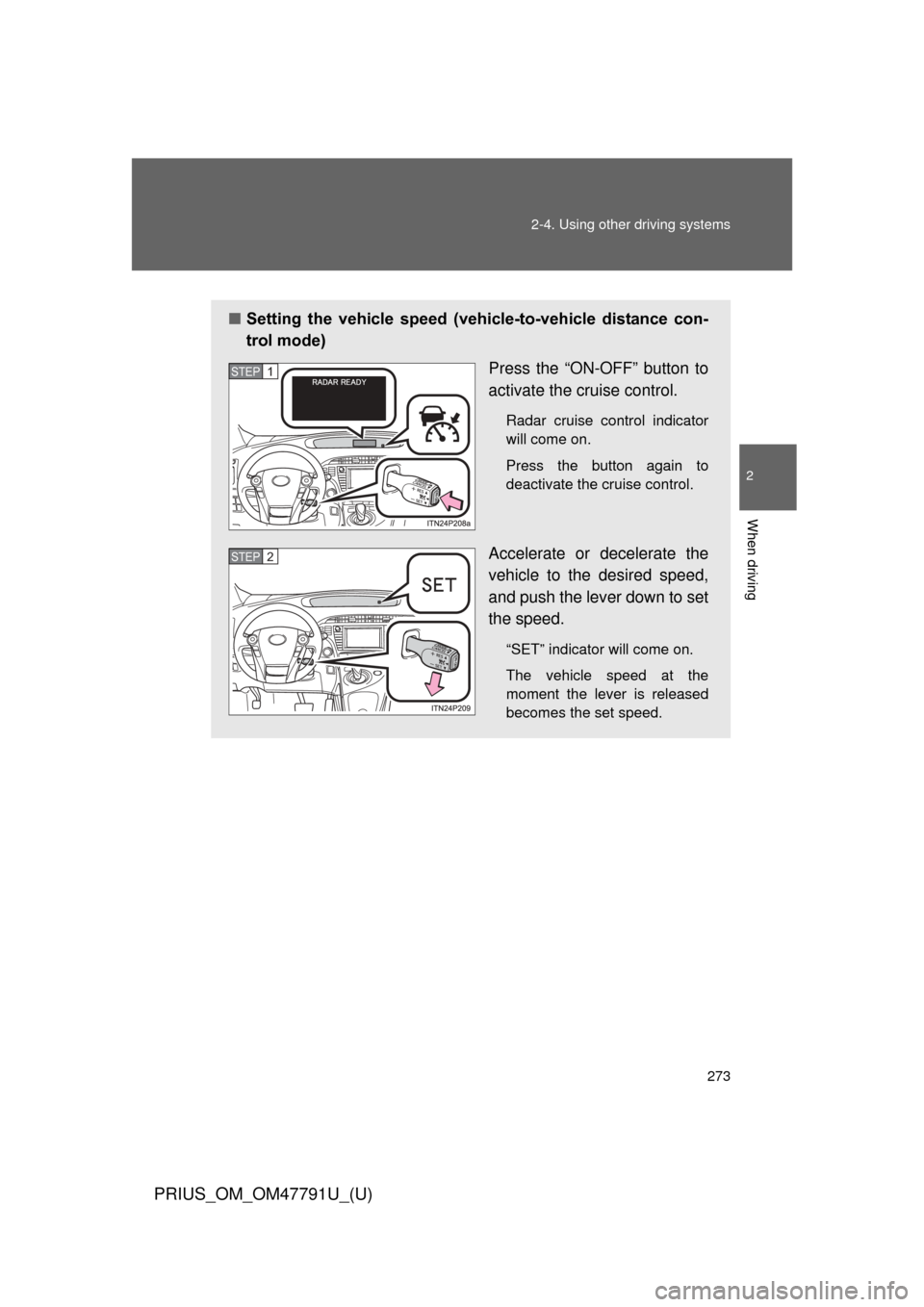
■Setting the vehicle speed (vehicle-to-vehicle distance con-
trol mode)
Press the “ON-OFF” button to
activate the cruise control.
Radar cruise control indicator
will come on.
Press the button again to
deactivate the cruise control.
Accelerate or decelerate the
vehicle to the desired speed,
and push the lever down to set
the speed.
“SET” indicator will come on.
The vehicle speed at the
moment the lever is released
becomes the set speed.
STEP 1
STEP 2
Page 274 of 640
274 2-4. Using other driving systems
PRIUS_OM_OM47791U_(U)
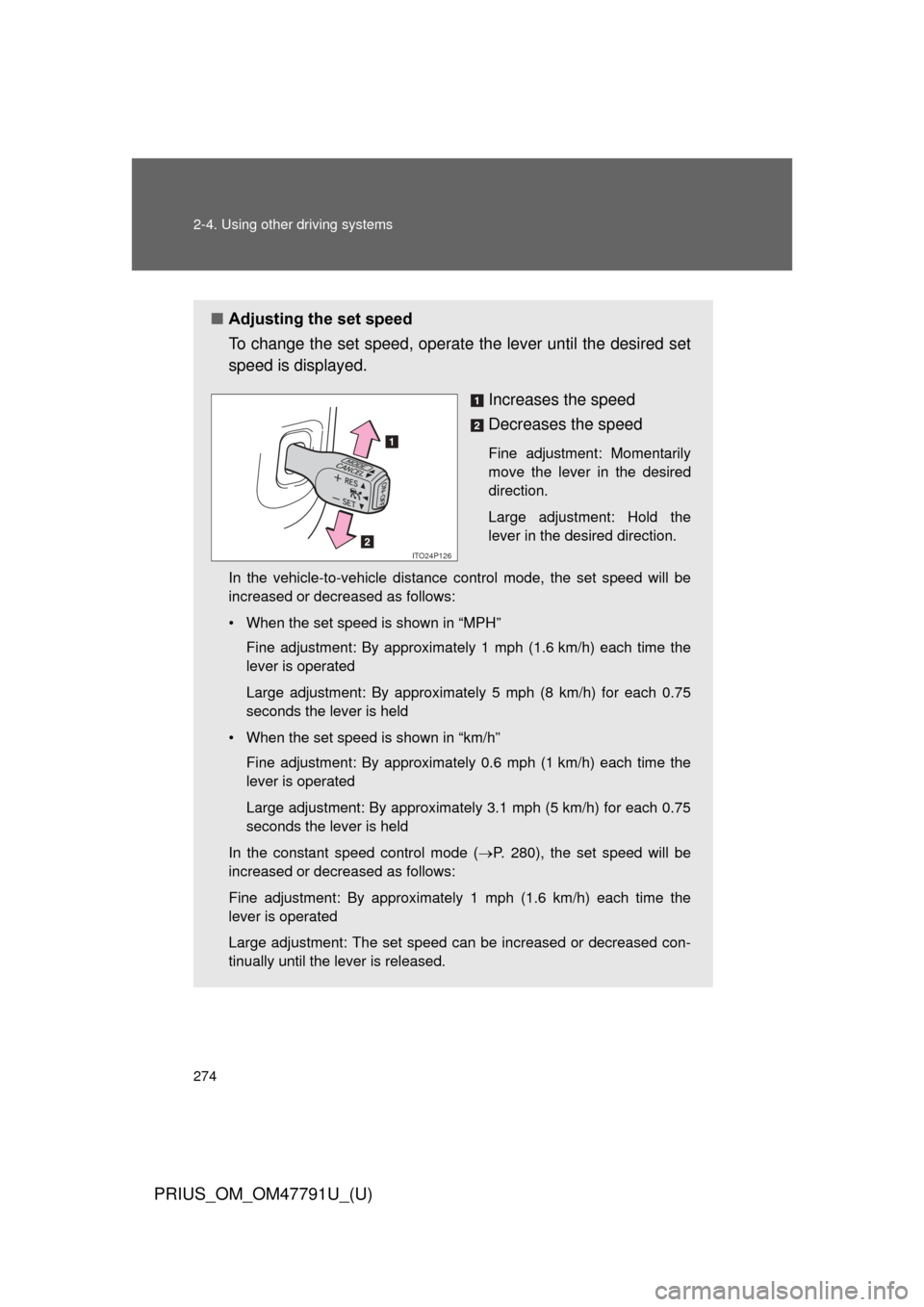
■Adjusting the set speed
To change the set speed, operate the lever until the desired set
speed is displayed.
Increases the speed
Decreases the speed
Fine adjustment: Momentarily
move the lever in the desired
direction.
Large adjustment: Hold the
lever in the desired direction.
In the vehicle-to-vehicle distance control mode, the set speed will be
increased or decreased as follows:
• When the set speed is shown in “MPH” Fine adjustment: By approximately 1 mph (1.6 km/h) each time the
lever is operated
Large adjustment: By approximately 5 mph (8 km/h) for each 0.75
seconds the lever is held
• When the set speed is shown in “km/h” Fine adjustment: By approximately 0.6 mph (1 km/h) each time the
lever is operated
Large adjustment: By approximately 3.1 mph (5 km/h) for each 0.75
seconds the lever is held
In the constant speed control mode ( P. 280), the set speed will be
increased or decreased as follows:
Fine adjustment: By approximately 1 mph (1.6 km/h) each time the
lever is operated
Large adjustment: The set speed can be increased or decreased con-
tinually until the lever is released.
ITO24P126
Page 275 of 640
275
2-4. Using other
driving systems
PRIUS_OM_OM47791U_(U)
2
When driving
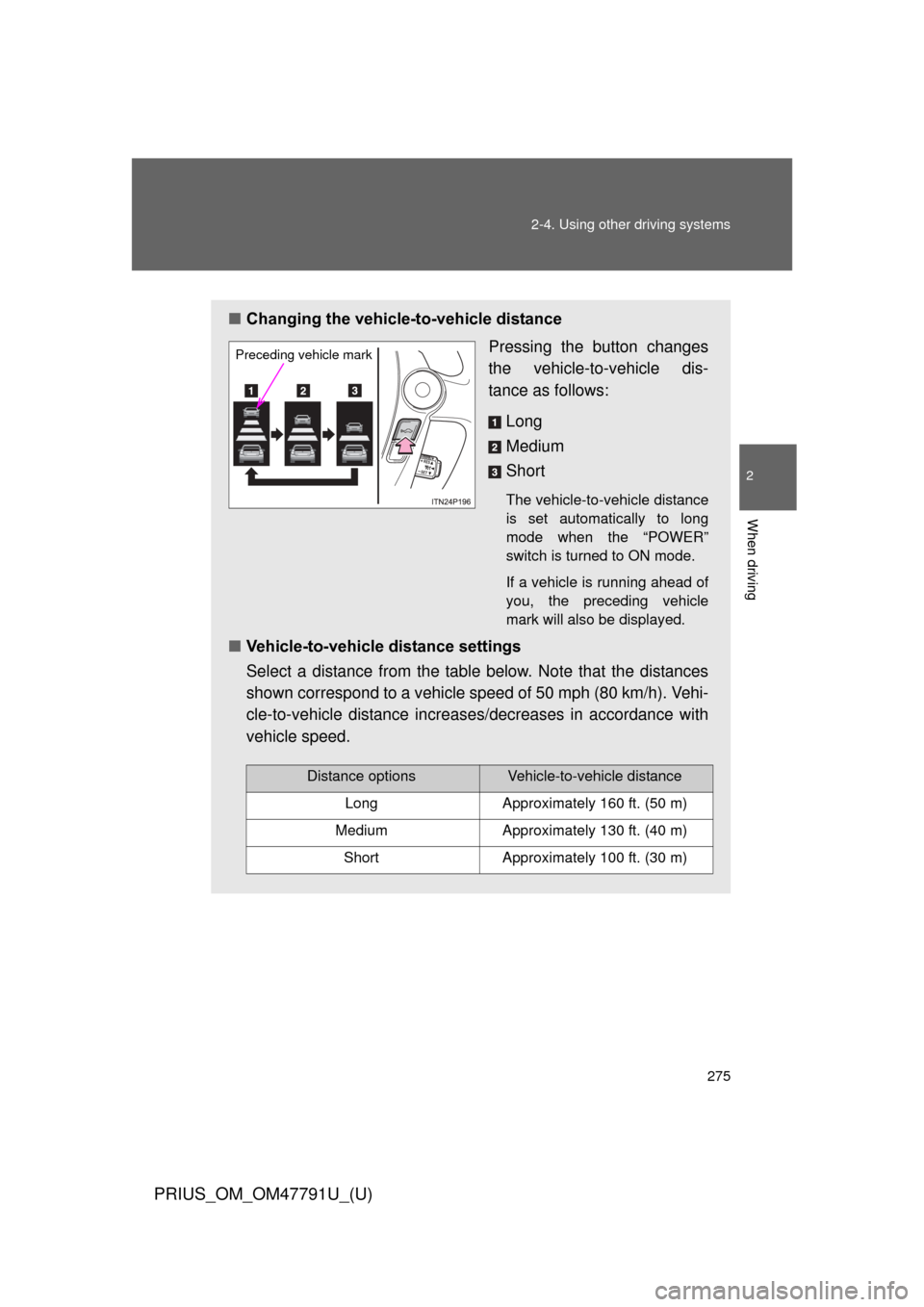
■Changing the vehicle -to-vehicle distance
Pressing the button changes
the vehicle-to-vehicle dis-
tance as follows:
Long
Medium
Short
The vehicle-to-vehicle distance
is set automatically to long
mode when the “POWER”
switch is turned to ON mode.
If a vehicle is running ahead of
you, the preceding vehicle
mark will also be displayed.
■Vehicle-to-vehicle distance settings
Select a distance from the table below. Note that the distances
shown correspond to a vehicle speed of 50 mph (80 km/h). Vehi-
cle-to-vehicle distance increases/decreases in accordance with
vehicle speed.
Preceding vehicle mark
Distance optionsVehicle-to-vehicle distance
LongApproximately 160 ft. (50 m)
MediumApproximately 130 ft. (40 m)
ShortApproximately 100 ft. (30 m)
Page 277 of 640
277
2-4. Using other
driving systems
PRIUS_OM_OM47791U_(U)
2
When driving
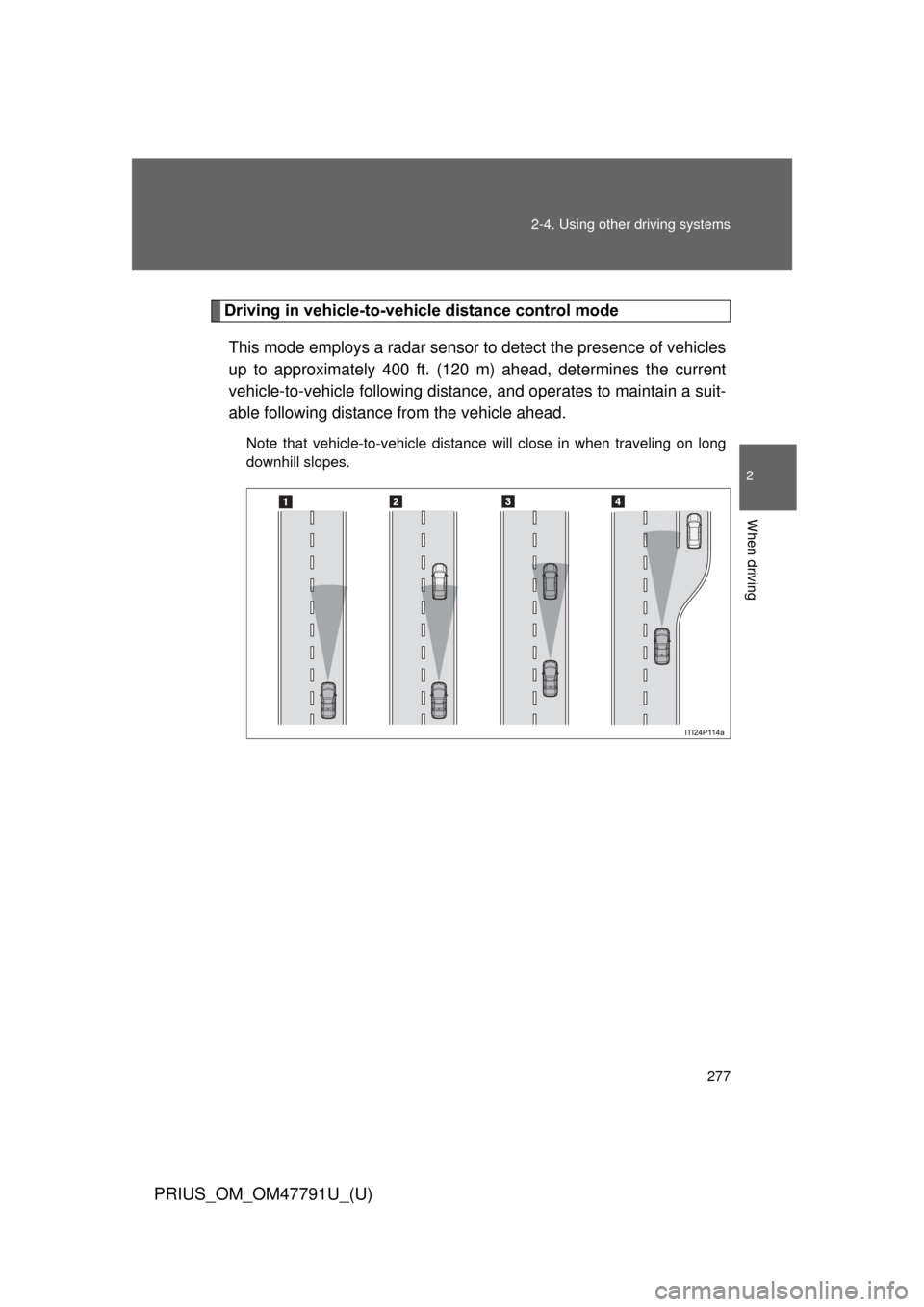
Driving in vehicle-to-vehicle distance control mode
This mode employs a radar sensor to detect the presence of vehicles
up to approximately 400 ft. (120 m) ahead, determines the current
vehicle-to-vehicle following distance, and operates to maintain a suit-
able following distance from the vehicle ahead.
Note that vehicle-to-vehicle distance will close in when traveling on long
downhill slopes.
Page 280 of 640
280 2-4. Using other driving systems
PRIUS_OM_OM47791U_(U)
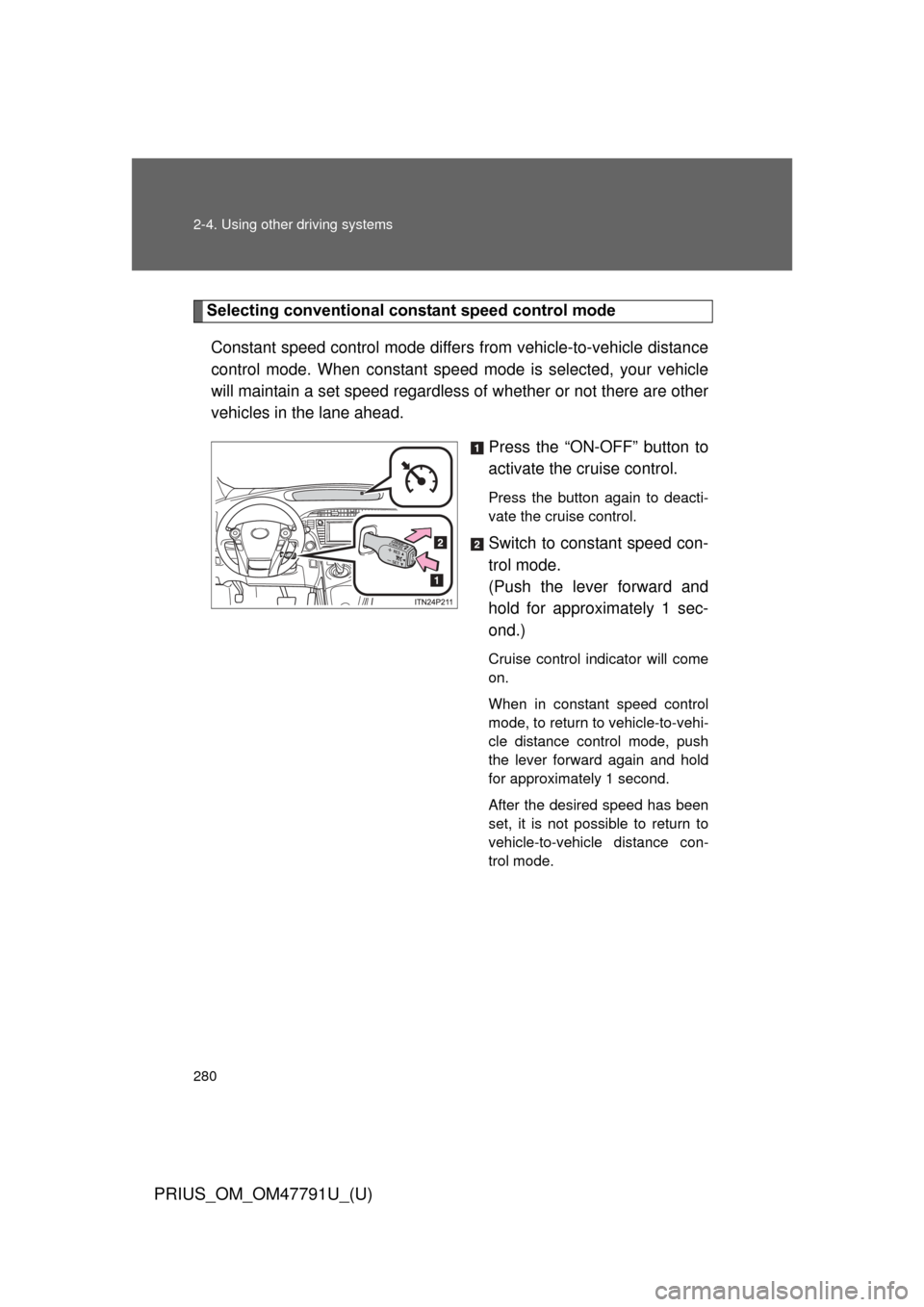
Selecting conventional constant speed control modeConstant speed control mode differ s from vehicle-to-vehicle distance
control mode. When constant speed mode is selected, your vehicle
will maintain a set speed regardless of whether or not there are other
vehicles in the lane ahead.
Press the “ON-OFF” button to
activate the cruise control.
Press the button again to deacti-
vate the cruise control.
Switch to constant speed con-
trol mode.
(Push the lever forward and
hold for approximately 1 sec-
ond.)
Cruise control indicator will come
on.
When in constant speed control
mode, to return to vehicle-to-vehi-
cle distance control mode, push
the lever forward again and hold
for approximately 1 second.
After the desired speed has been
set, it is not possible to return to
vehicle-to-vehicle distance con-
trol mode.
Page 281 of 640
281
2-4. Using other
driving systems
PRIUS_OM_OM47791U_(U)
2
When driving
If the “POWER” switch is turned
off and then turned to ON mode
again, the vehicle will automati-
cally return to vehicle-to-vehicle
distance control mode.
Adjusting the speed setting:
P. 274
Canceling and resuming the
speed setting: P. 276
■Dynamic radar cruise control can be set when
● The shift position is in D.
● Vehicle speed is above approximately 30 mph (50 km/h).
■ Accelerating after setting the vehicle speed
The vehicle can accelerate normally. After acceleration, the set speed
resumes. However, during vehicle-to-vehicle distance control mode, the
vehicle speed may decrease below the set speed in order to maintain the
distance to the vehicle ahead.
■ Set speed
The set speed may be unsustainable depending on driving circumstances.
Page 283 of 640

2
When driving
■Radar sensor and grille cover
Always keep the sensor and grille cover clean to ensure that the vehicle-t\
o-
vehicle dista")
283
2-4. Using other
driving systems
PRIUS_OM_OM47791U_(U)
2
When driving
■Radar sensor and grille cover
Always keep the sensor and grille cover clean to ensure that the vehicle-t\
o-
vehicle distance control operates properly. (Some obstructions, such as
snow, ice and plastic objects, cannot be detected by the obstruction sensor.)
Dynamic radar cruise control (vehicle-to-vehicle distance control mode) will
be canceled if dirt is detected. (Constant speed control mode can be used).
■ Warning lights, messages and buzzers for dynamic radar cruise con-
trol
Warning lights, warning messages and buzzers are used to indicate a sys-
tem malfunction or to inform the driver of the need for caution while driving.
Grille cover
Radar sensor
Page 290 of 640
290 2-4. Using other driving systems
PRIUS_OM_OM47791U_(U)
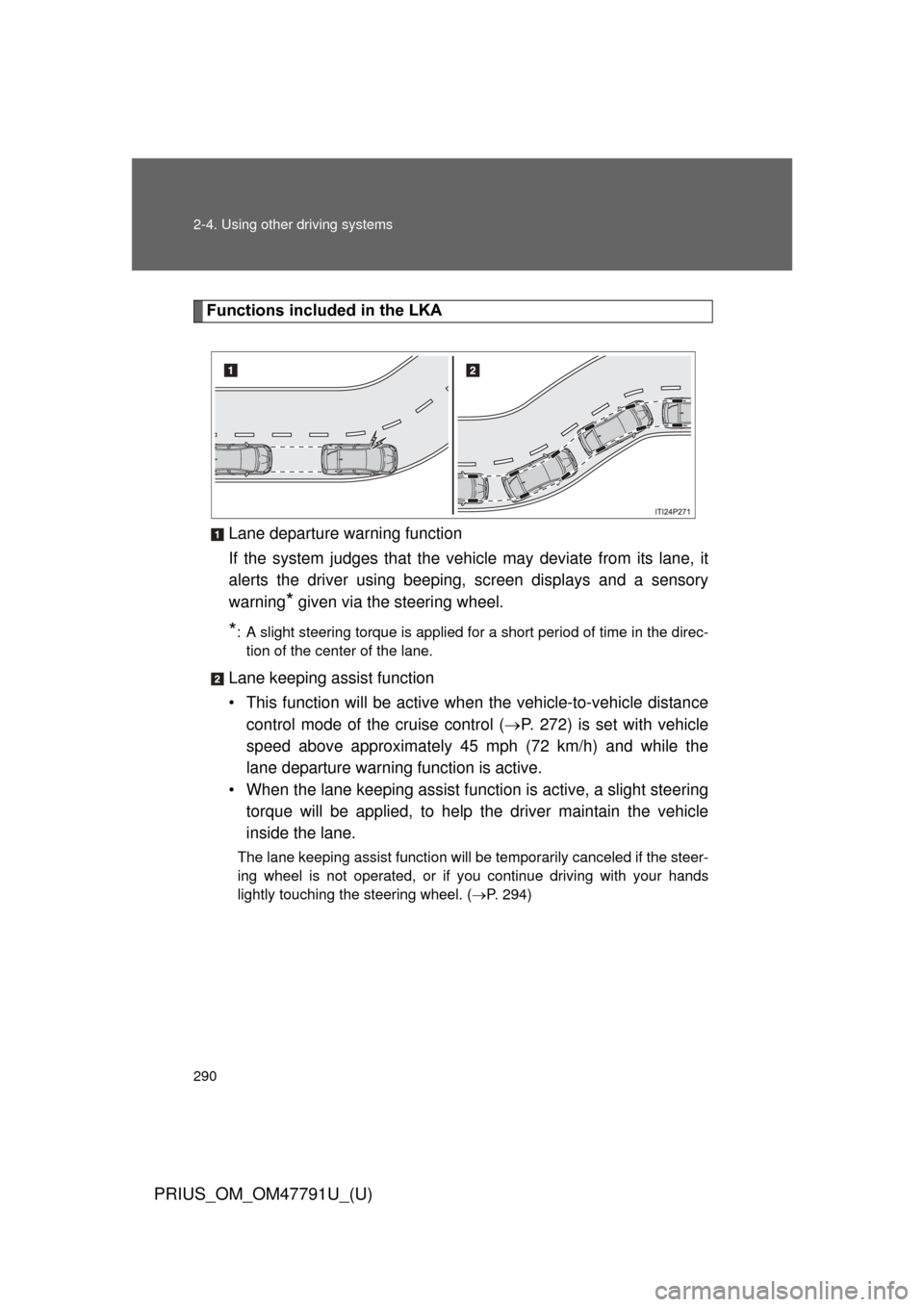
Functions included in the LKALane departure warning function
If the system judges th at the vehicle may deviate from its lane, it
alerts the driver using beeping, screen displays and a sensory
warning
* given via the steering wheel.
*: A slight steering torque is applied for a short period of time in the direc- tion of the center of the lane.
Lane keeping assist function
• This function will be active wh en the vehicle-to-vehicle distance
control mode of the cruise control ( P. 272) is set with vehicle
speed above approximately 45 mph (72 km/h) and while the
lane departure warning function is active.
• When the lane keeping assist function is active, a slight steering torque will be applied, to help the driver maintain the vehicle
inside the lane.
The lane keeping assist function will be temporarily canceled if the steer-
ing wheel is not operated, or if you continue driving with your hands
lightly touching the steering wheel. ( P. 294)
Page 291 of 640
291
2-4. Using other
driving systems
PRIUS_OM_OM47791U_(U)
2
When driving
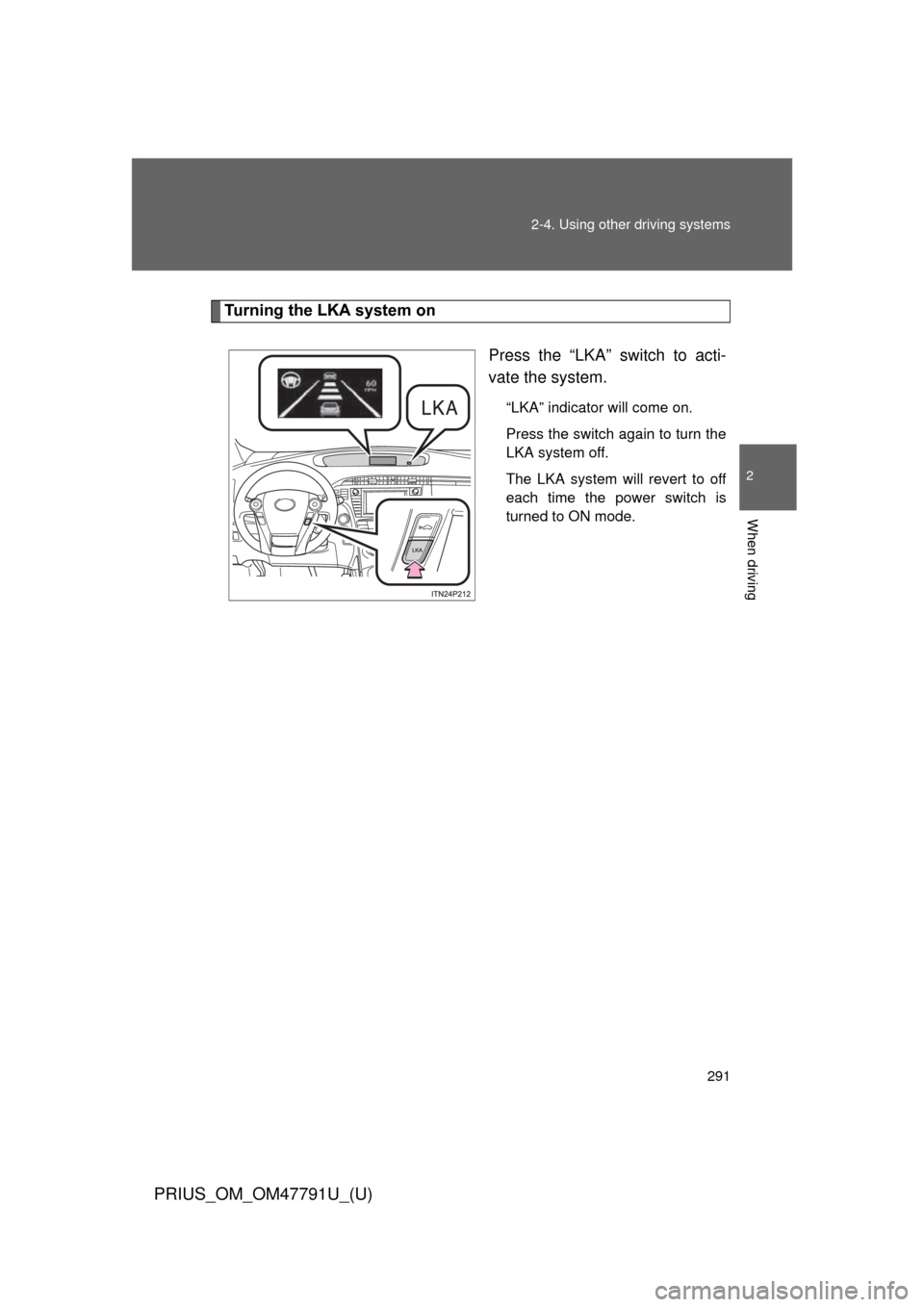
Turning the LKA system on
Press the “LKA” switch to acti-
vate the system.
“LKA” indicator will come on.
Press the switch again to turn the
LKA system off.
The LKA system will revert to off
each time the power switch is
turned to ON mode.