ev mode TOYOTA PRIUS 2013 3.G Workshop Manual
[x] Cancel search | Manufacturer: TOYOTA, Model Year: 2013, Model line: PRIUS, Model: TOYOTA PRIUS 2013 3.GPages: 640, PDF Size: 11.67 MB
Page 241 of 640
241
2-2. Instrument cluster
PRIUS_OM_OM47791U_(U)
2
When driving
■
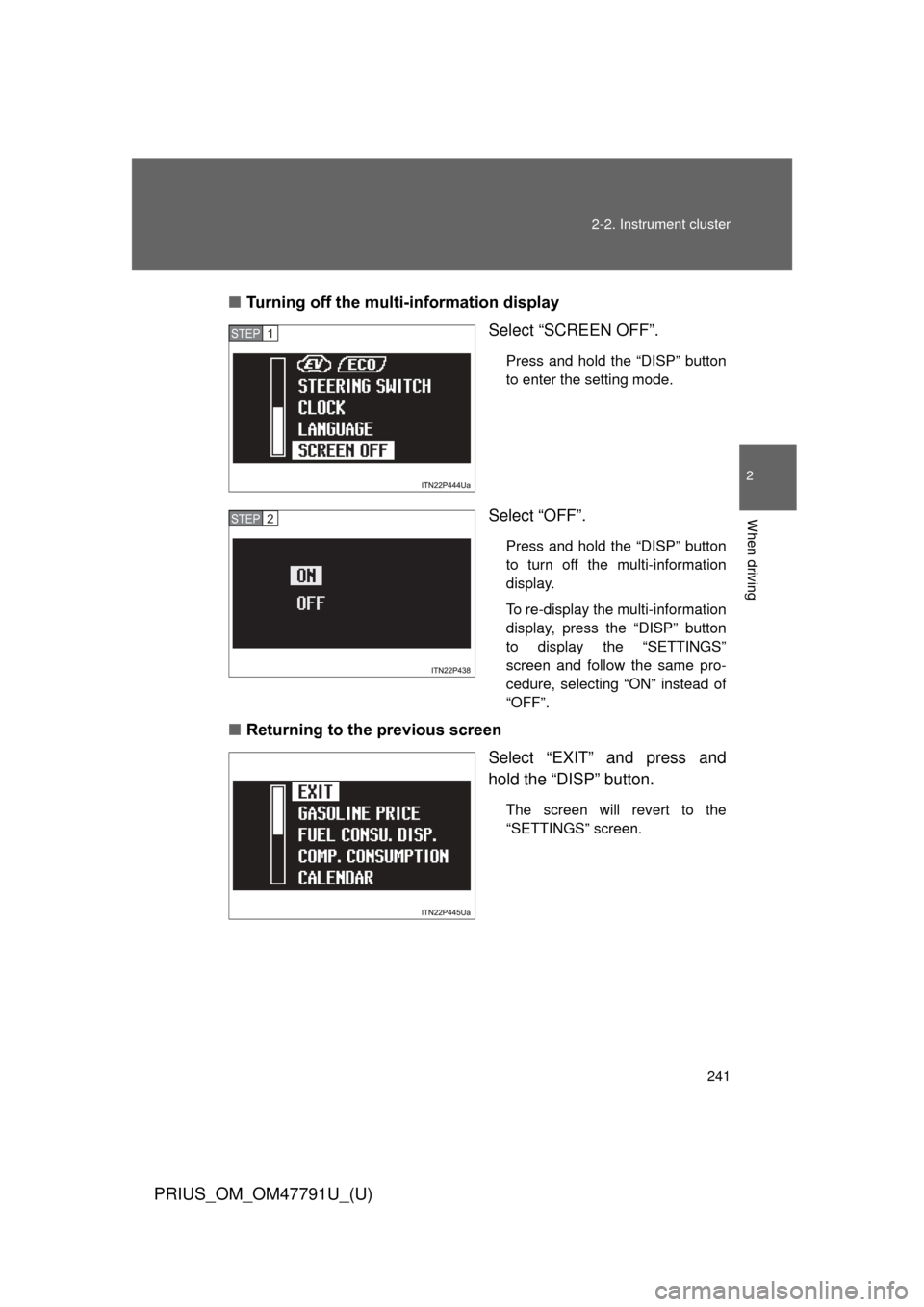
Turning off the multi-information display
Select “SCREEN OFF”.
Press and hold the “DISP” button
to enter the setting mode.
Select “OFF”.
Press and hold the “DISP” button
to turn off the multi-information
display.
To re-display the multi-information
display, press the “DISP” button
to display the “SETTINGS”
screen and follow the same pro-
cedure, selecting “ON” instead of
“OFF”.
■Returning to the previous screen
Select “EXIT” and press and
hold the “DISP” button.
The screen will revert to the
“SETTINGS” screen.
STEP 1
STEP 2
Page 242 of 640
242 2-2. Instrument cluster
PRIUS_OM_OM47791U_(U)
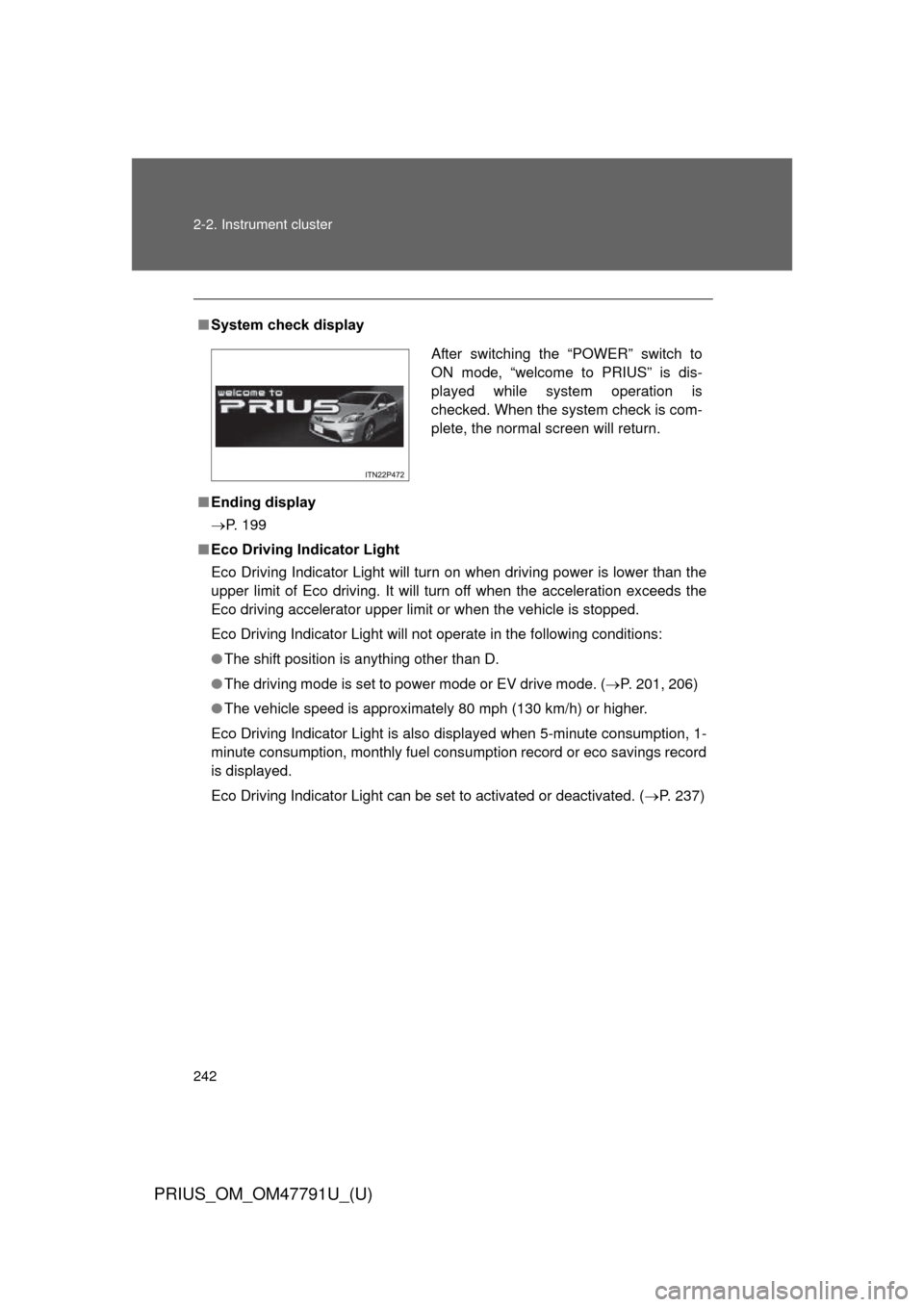
■System check display
■ Ending display
P. 199
■ Eco Driving Indicator Light
Eco Driving Indicator Light will turn on when driving power is lower than the
upper limit of Eco driving. It will turn off when the acceleration exceeds the
Eco driving accelerator upper limit or when the vehicle is stopped.
Eco Driving Indicator Light will not operate in the following conditions:
● The shift position is anything other than D.
● The driving mode is set to power mode or EV drive mode. ( P. 201, 206)
● The vehicle speed is approximately 80 mph (130 km/h) or higher.
Eco Driving Indicator Light is also displayed when 5-minute consumption, 1-
minute consumption, monthly fuel cons umption record or eco savings record
is displayed.
Eco Driving Indicator Light can be set to activated or deactivated. ( P. 237)
After switching the “POWER” switch to
ON mode, “welcome to PRIUS” is dis-
played while system operation is
checked. When the system check is com-
plete, the normal screen will return.
Page 243 of 640
243
2-2. Instrument cluster
PRIUS_OM_OM47791U_(U)
2
When driving
■
Driving in Eco drive mode
The multi-information display will automatically switch the display to Hybrid
System Indicator, regardless of which display is currently being shown.
(P. 226)
■ Touch tracer display (if equipped)
● The touch tracer display can be set to not display even if the steering
switches are touched.
● Only the circular, rubber-covered switches have a built-in touch sensor.
Touching any of the other switches will not display the touch tracer dis-
play.
■ Display settings can be changed when
The vehicle speed is less than approximately 5 mph (8 km/h).
■ Engine speed
On hybrid vehicles, engine speed is precisely controlled in order to help
improve fuel efficiency and reduce exhaust emissions etc. There are times
when the engine speed that is displayed may differ even when vehicle oper-
ation and driving conditions are the same.
■ When the 12-volt battery is disconnected
The following data will be reset.
● Average fuel consumption
● Distance to empty
● Average vehicle speed
● Clock
● Display settings
● Trip meter
Page 249 of 640
249
2-2. Instrument cluster
PRIUS_OM_OM47791U_(U)
2
When driving
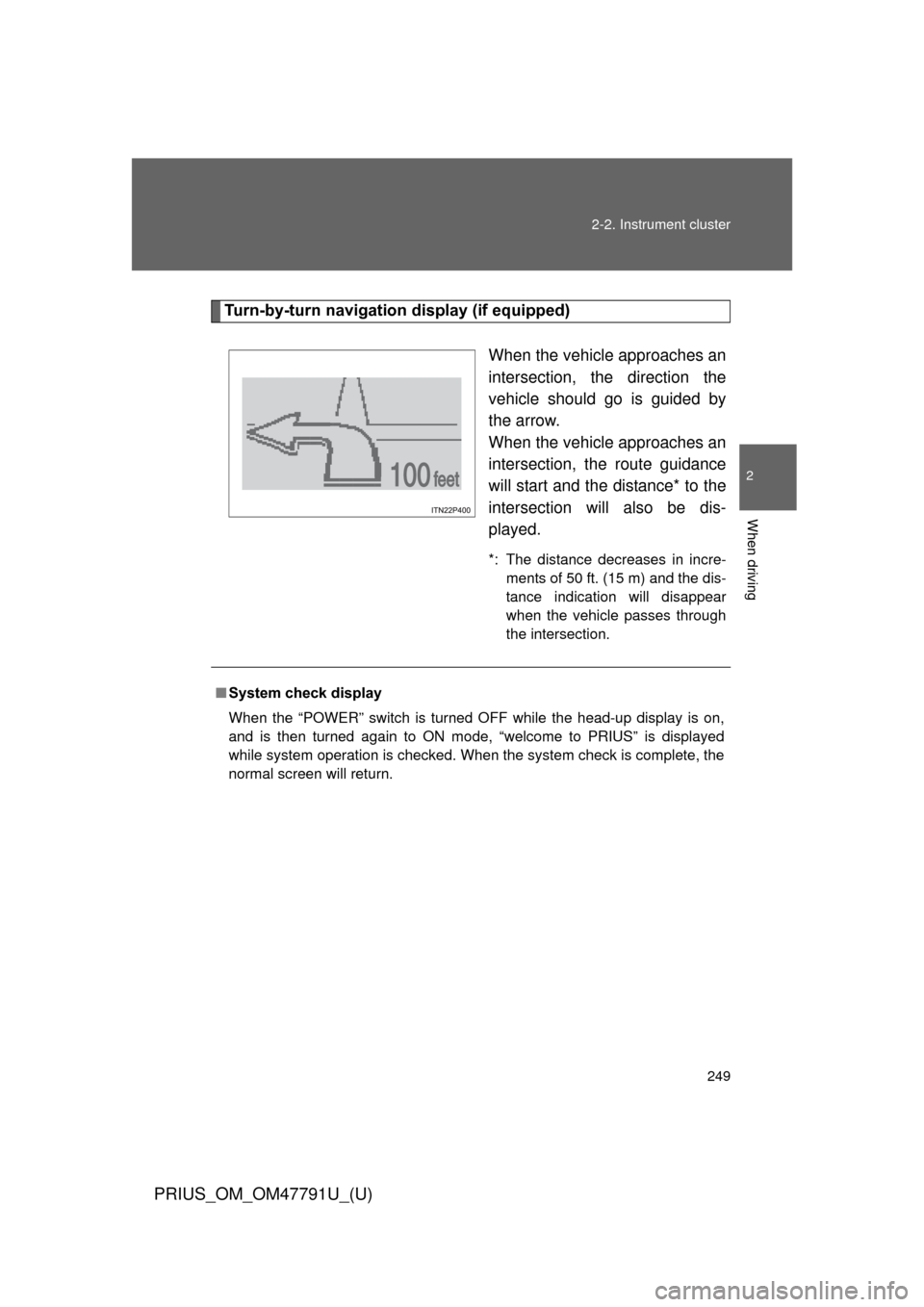
Turn-by-turn navigati
on display (if equipped)
When the vehicle approaches an
intersection, the direction the
vehicle should go is guided by
the arrow.
When the vehicle approaches an
intersection, the route guidance
will start and the distance* to the
intersection will also be dis-
played.
*: The distance decreases in incre-ments of 50 ft. (15 m) and the dis-
tance indication will disappear
when the vehicle passes through
the intersection.
■System check display
When the “POWER” switch is turned OFF while the head-up display is on,
and is then turned again to ON mode, “welcome to PRIUS” is displayed
while system operation is checked. When the system check is complete, the
normal screen will return.
Page 252 of 640
252
PRIUS_OM_OM47791U_(U)
2-3. Operating the lights and windshield wipers
Headlight switch
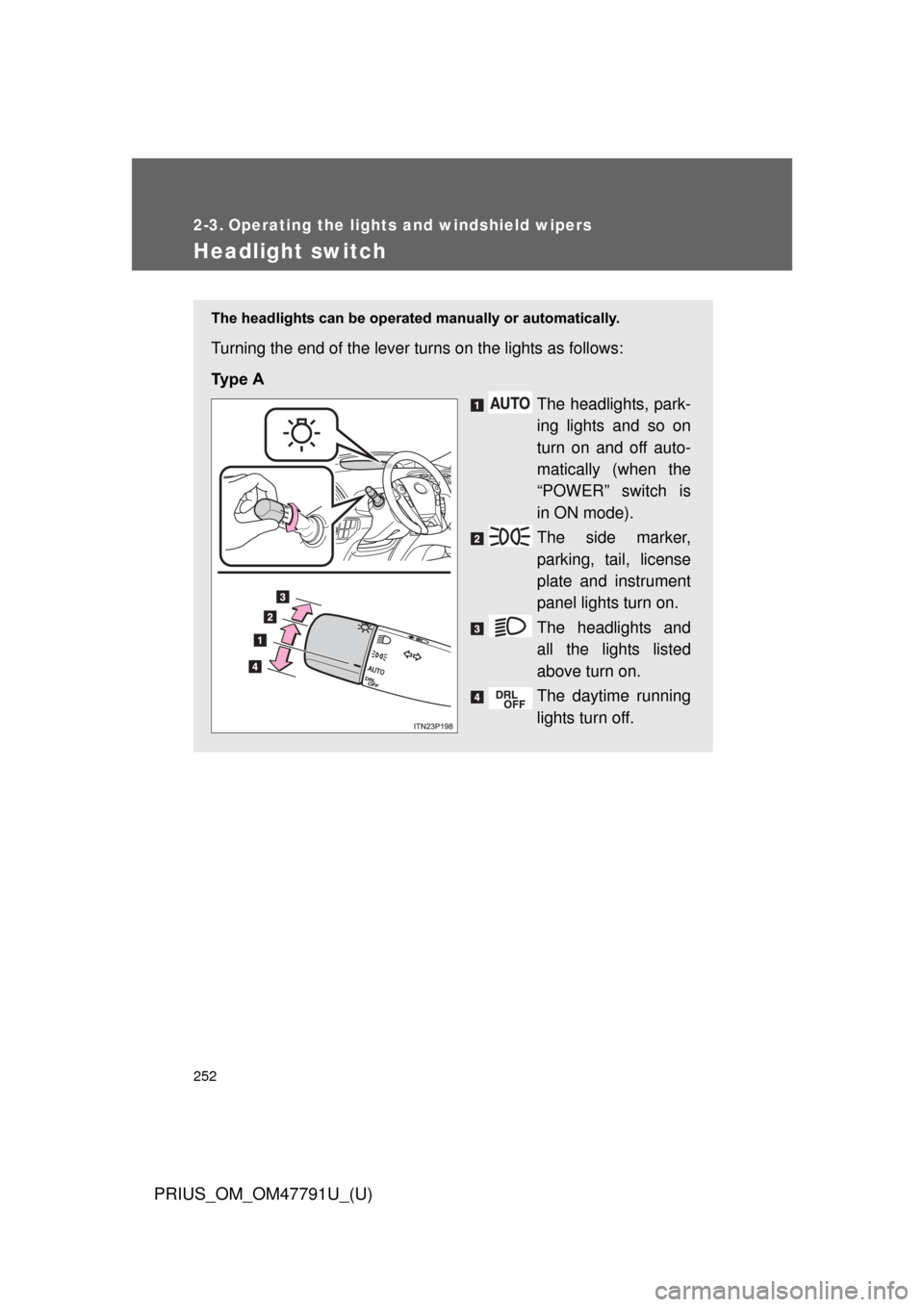
The headlights can be operated manually or automatically.
Turning the end of the lever turns on the lights as follows:
Ty p e A
The headlights, park-
ing lights and so on
turn on and off auto-
matically (when the
“POWER” switch is
in ON mode).
The side marker,
parking, tail, license
plate and instrument
panel lights turn on.
The headlights and
all the lights listed
above turn on.
The daytime running
lights turn off.
Page 254 of 640
254 2-3. Operating the lights and windshield wipers
PRIUS_OM_OM47791U_(U)
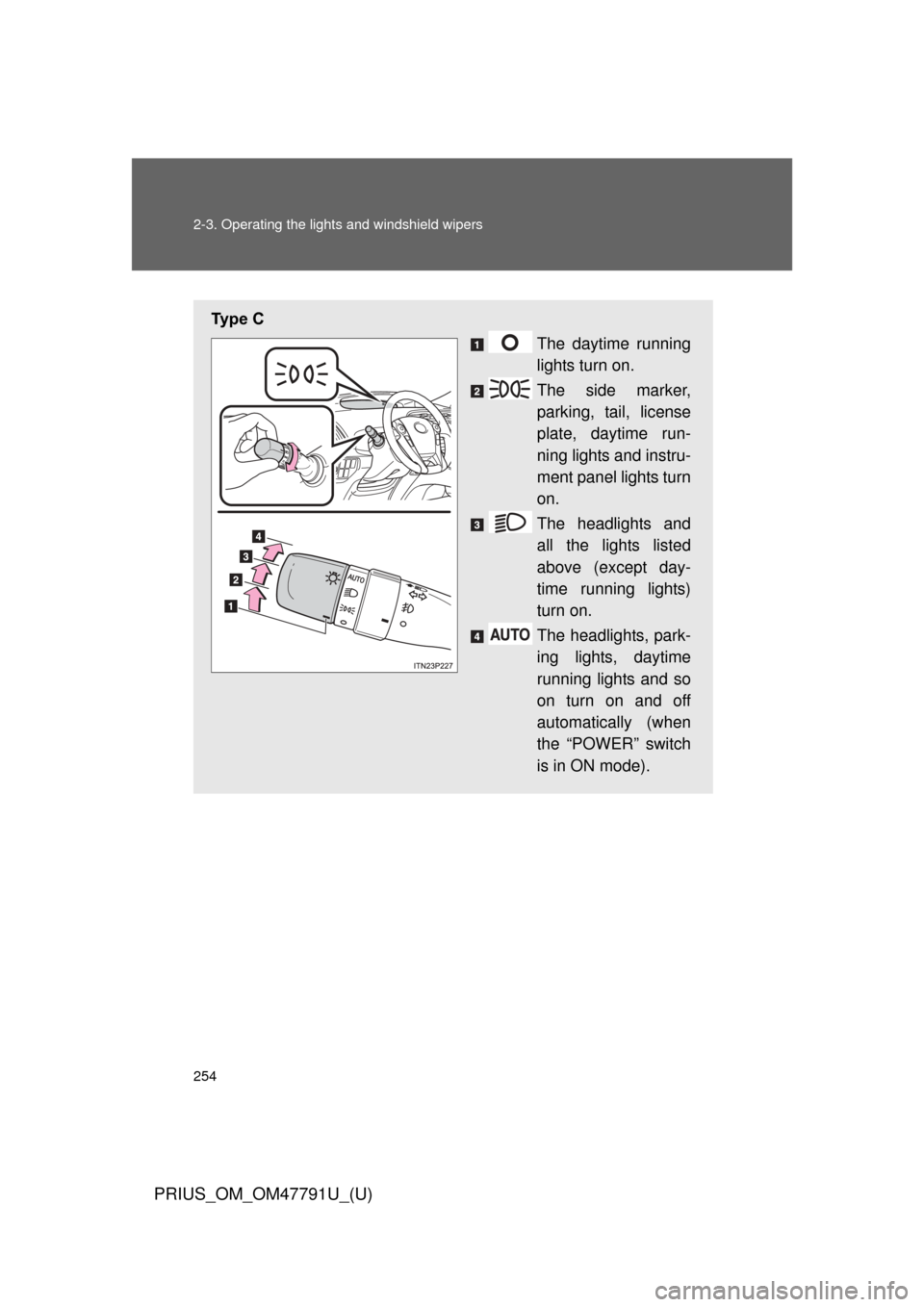
Ty p e C
The daytime running
lights turn on.
The side marker,
parking, tail, license
plate, daytime run-
ning lights and instru-
ment panel lights turn
on.
The headlights and
all the lights listed
above (except day-
time running lights)
turn on.
The headlights, park-
ing lights, daytime
running lights and so
on turn on and off
automatically (when
the “POWER” switch
is in ON mode).
Page 256 of 640
256 2-3. Operating the lights and windshield wipers
PRIUS_OM_OM47791U_(U)
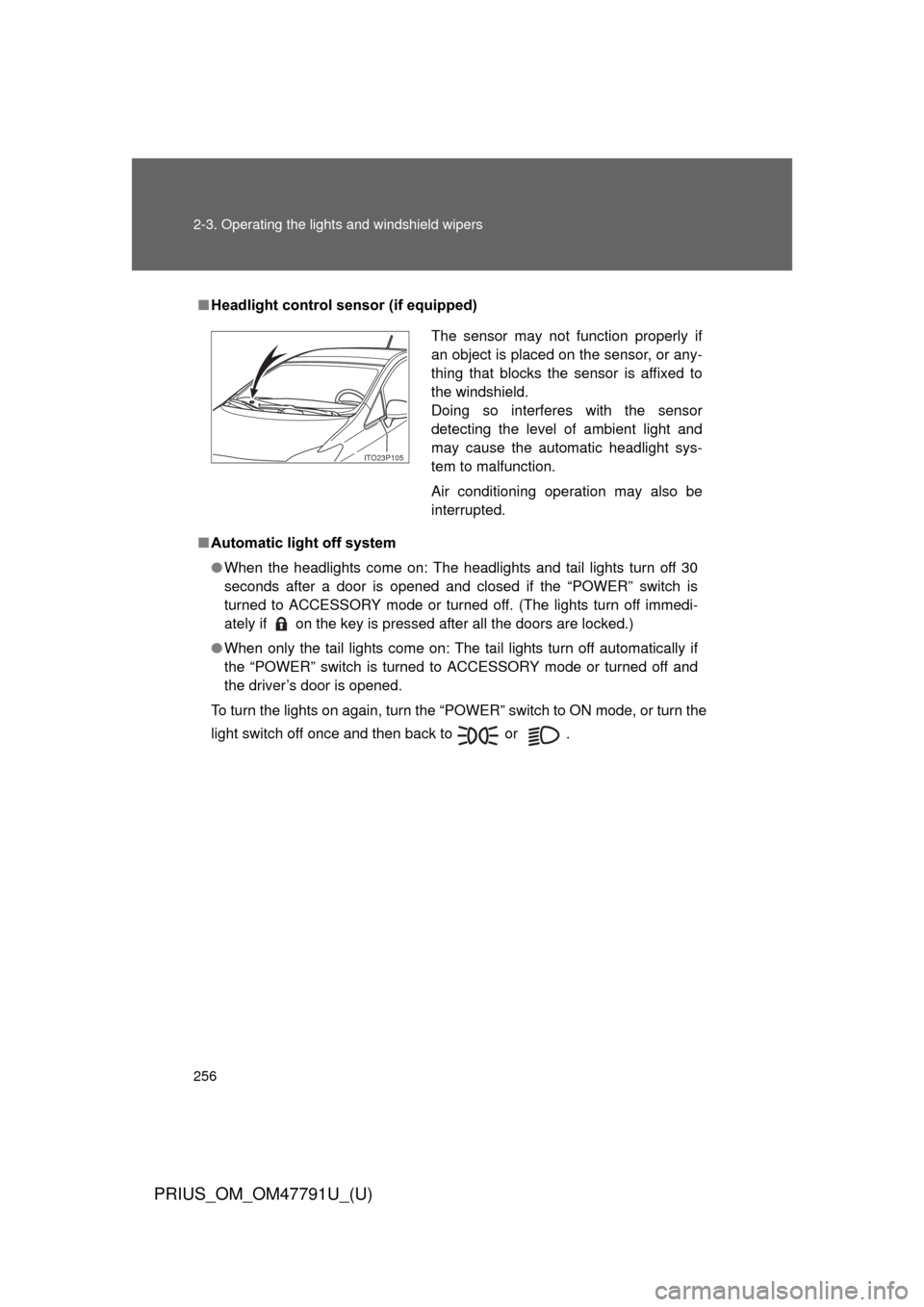
■Headlight control sensor (if equipped)
■ Automatic light off system
● When the headlights come on: The headlights and tail lights turn off 30
seconds after a door is opened and closed if the “POWER” switch is
turned to ACCESSORY mode or turned off. (The lights turn off immedi-
ately if on the key is pressed after all the doors are locked.)
● When only the tail lights come on: The tail lights turn off automatically if
the “POWER” switch is turned to ACCESSORY mode or turned off and
the driver’s door is opened.
To turn the lights on again, turn the “POWER” switch to ON mode, or turn the
light switch off once and then back to or .
The sensor may not function properly if
an object is placed on the sensor, or any-
thing that blocks the sensor is affixed to
the windshield.
Doing so interferes with the sensor
detecting the level of ambient light and
may cause the automatic headlight sys-
tem to malfunction.
Air conditioning operation may also be
interrupted.
ITO23P105
Page 262 of 640
262 2-3. Operating the lights and windshield wipers
PRIUS_OM_OM47791U_(U)
■The windshield wipers and washer can be operated when
The “POWER” switch is in ON mode.
■ If no windshield washer fluid sprays
Check that the washer nozzle is not blocked if there is washer fluid in the
washer fluid tank.
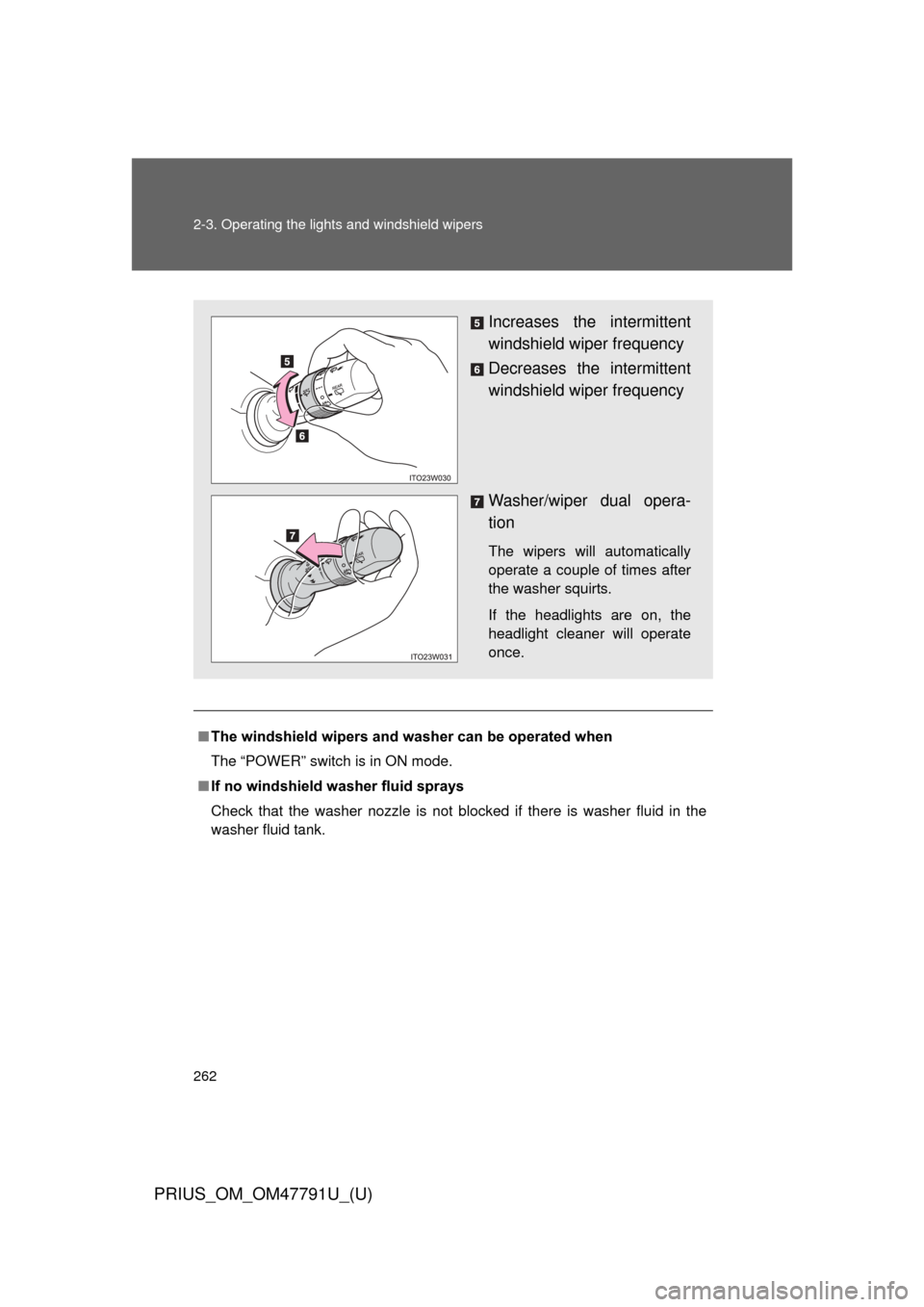
Increases the intermittent
windshield wiper frequency
Decreases the intermittent
windshield wiper frequency
Washer/wiper dual opera-
tion
The wipers will automatically
operate a couple of times after
the washer squirts.
If the headlights are on, the
headlight cleaner will operate
once.
Page 265 of 640
265
2-3. Operating the lights and windshield wipers
PRIUS_OM_OM47791U_(U)
2
When driving
■
The rear window wiper and w asher can be operated when
The “POWER” switch is in ON mode.
■ If no washer fluid sprays
Check that the washer nozzles are not blocked if there is washer fluid in the
washer fluid reservoir.
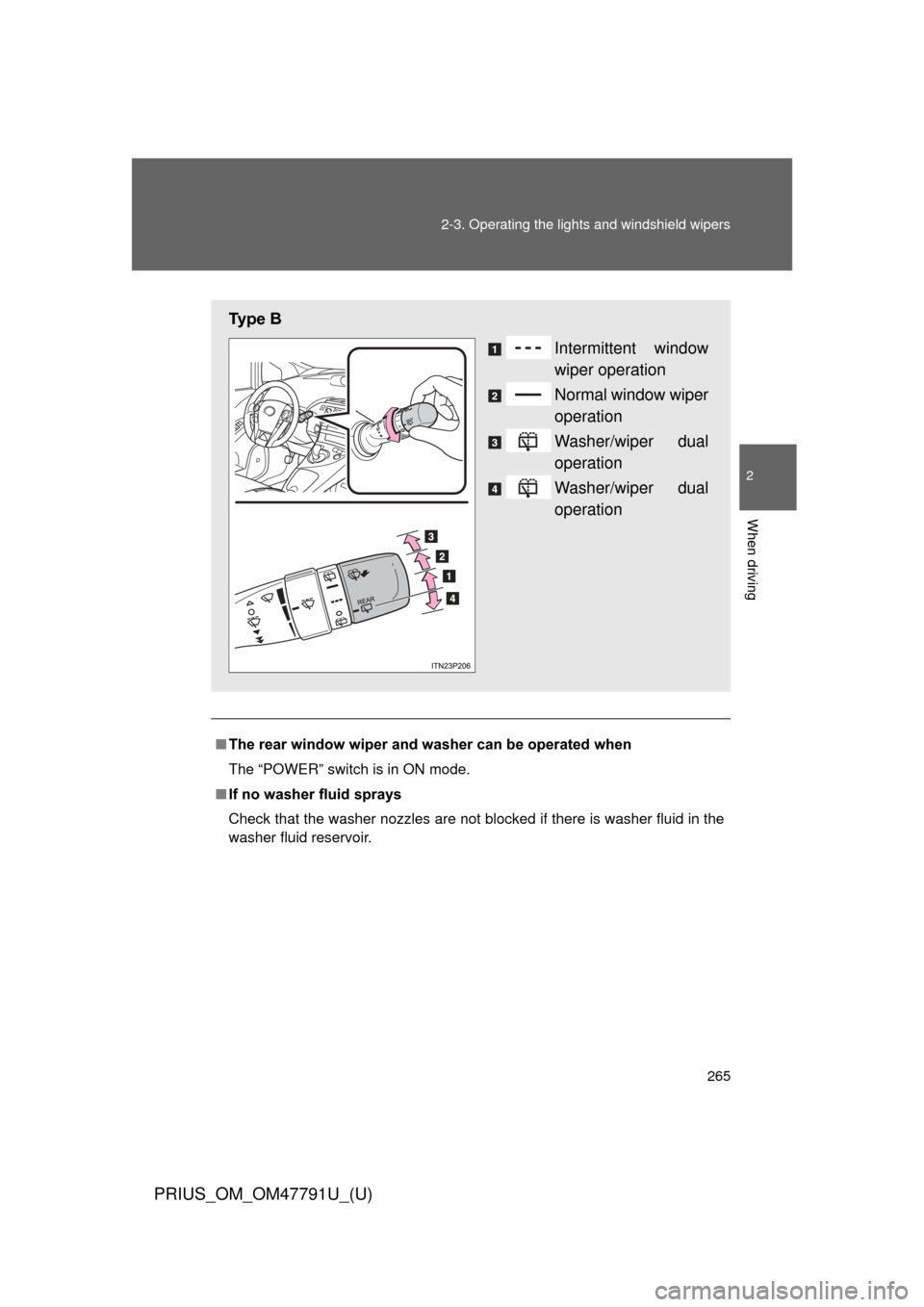
Ty p e B
Intermittent window
wiper operation
Normal window wiper
operation
Washer/wiper dual
operation
Washer/wiper dual
operation
Page 267 of 640
267
2-3. Operating the lights and windshield wipers
PRIUS_OM_OM47791U_(U)
2
When driving
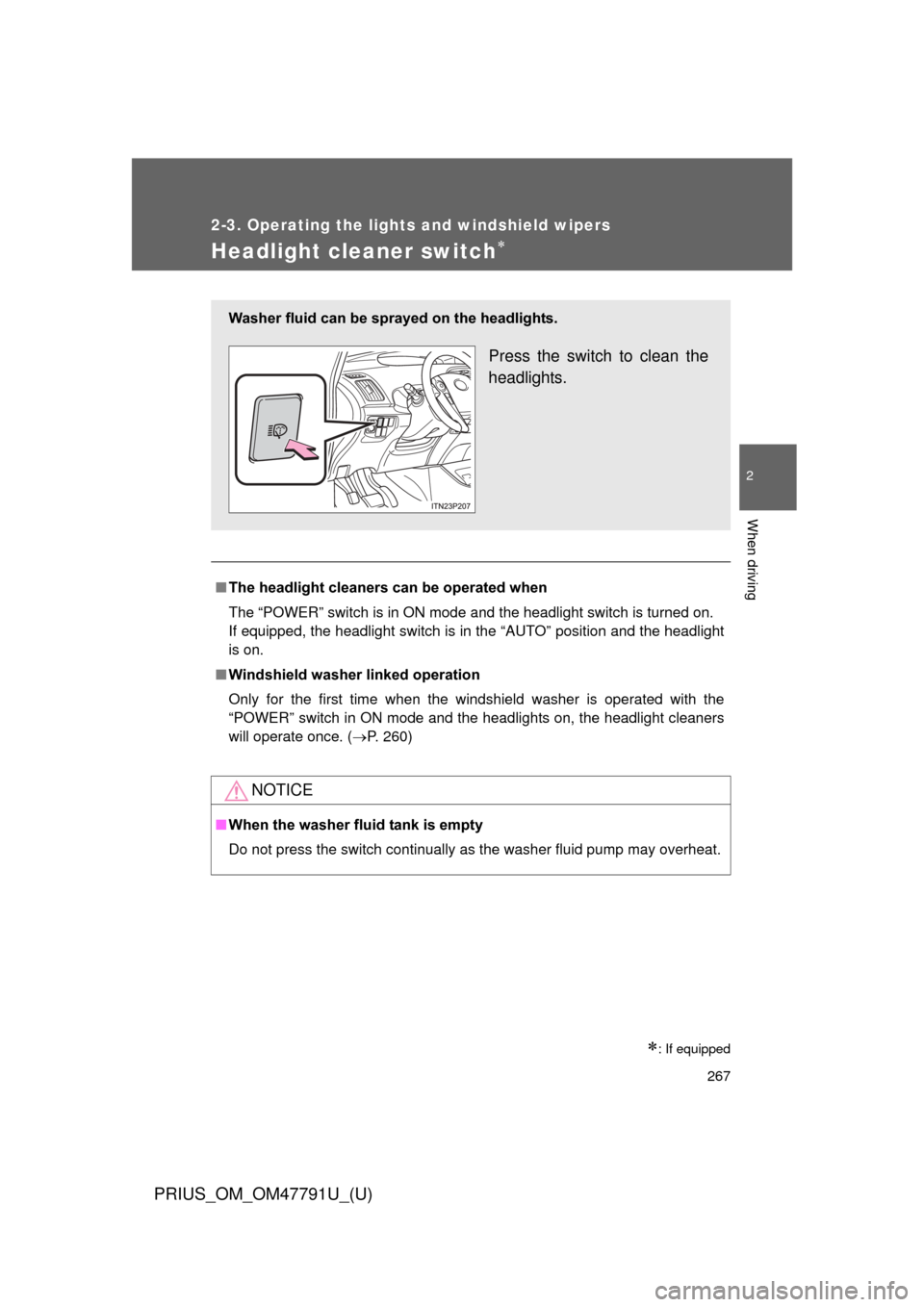
Headlight cleaner switch
: If equipped
■The headlight cleaners can be operated when
The “POWER” switch is in ON mode and the headlight switch is turned on.
If equipped, the headlight switch is in the “AUTO” position and the headlight
is on.
■ Windshield washer linked operation
Only for the first time when the windshield washer is operated with the
“POWER” switch in ON mode and the headlights on, the headlight cleaners
will operate once. ( P. 260)
NOTICE
■When the washer fluid tank is empty
Do not press the switch continually as the washer fluid pump may overhea\
t.
Washer fluid can be sprayed on the headlights.
Press the switch to clean the
headlights.