button TOYOTA PRIUS 2017 4.G Workshop Manual
[x] Cancel search | Manufacturer: TOYOTA, Model Year: 2017, Model line: PRIUS, Model: TOYOTA PRIUS 2017 4.GPages: 796, PDF Size: 20.13 MB
Page 478 of 796
478
PRIUS_OM_OM47B54U_(U)
5-9. Bluetooth® phone
Bluetooth® phone message function
Press button.
Select .
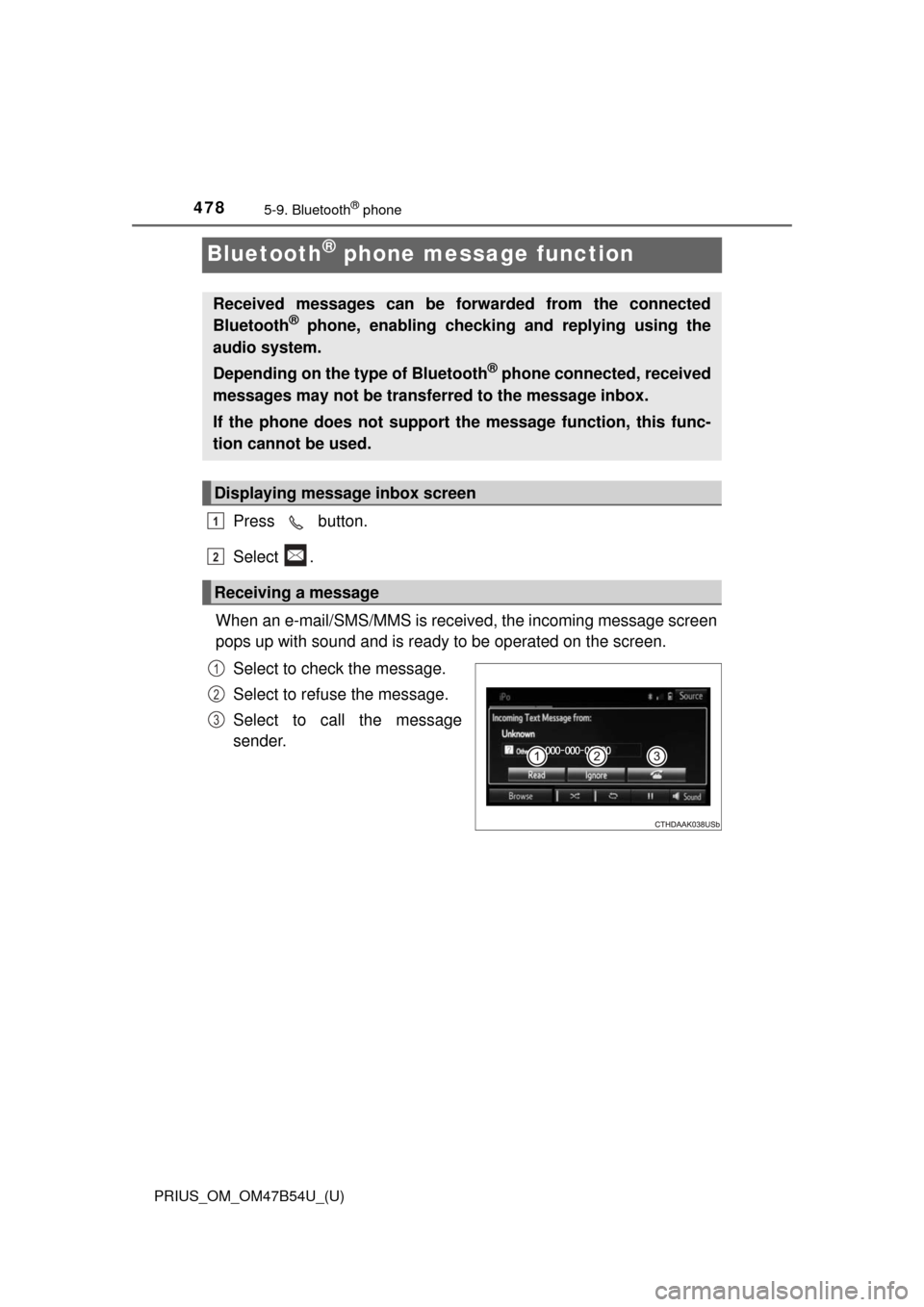
When an e-mail/SMS/MMS is received, the incoming message screen
pops up with sound and is ready to be operated on the screen. Select to check the message.
Select to refuse the message.
Select to call the message
sender.
Received messages can be forwarded from the connected
Bluetooth® phone, enabling checking and replying using the
audio system.
Depending on the type of Bluetooth
® phone connected, received
messages may not be transf erred to the message inbox.
If the phone does not support the message function, this func-
tion cannot be used.
Displaying message inbox screen
Receiving a message
1
2
1
2
3
Page 483 of 796
483
PRIUS_OM_OM47B54U_(U)
5-9. Bluetooth® phone
5
Audio system
Bluetooth® phone settings
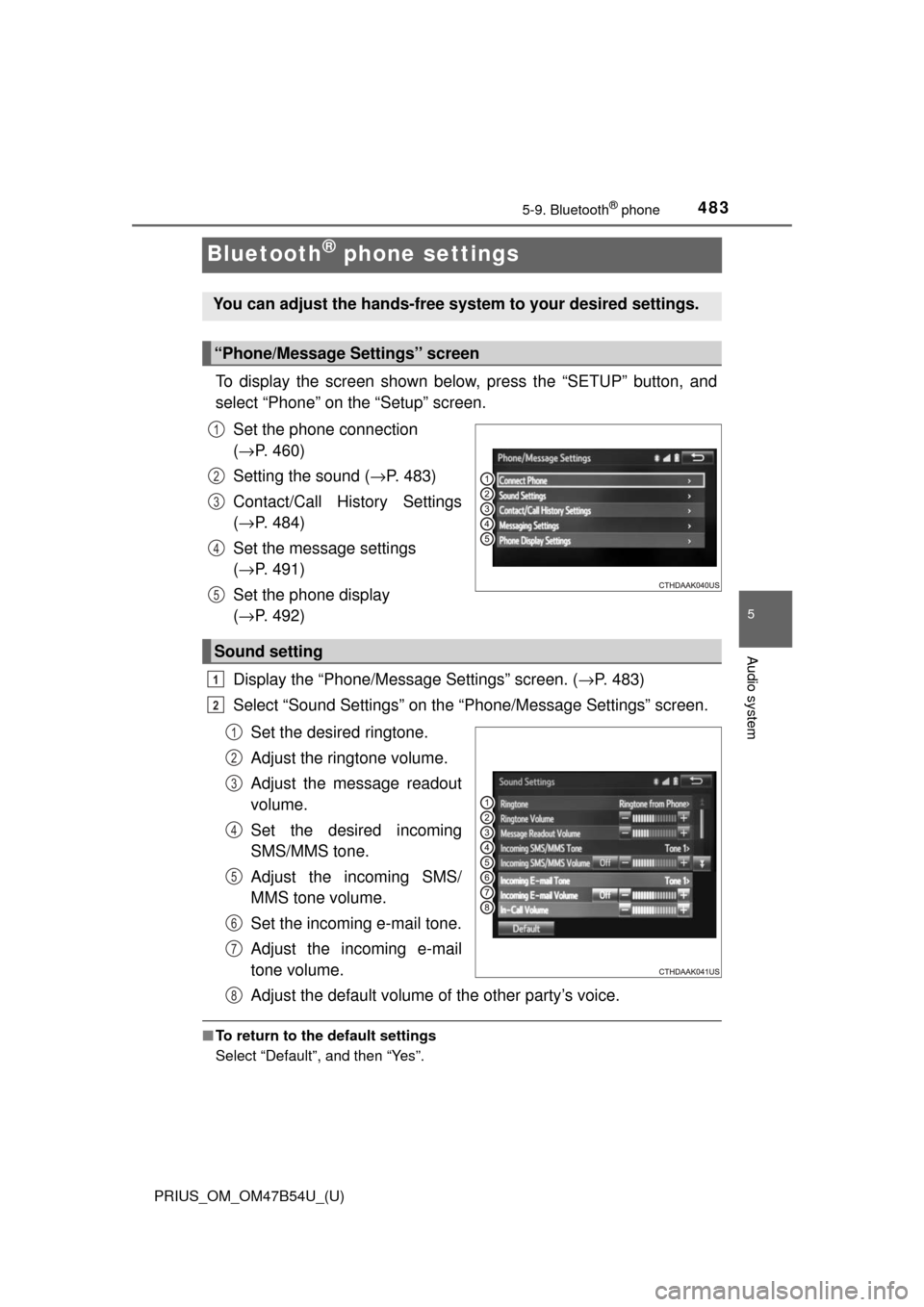
To display the screen shown below, press the “SETUP” button, and
select “Phone” on the “Setup” screen.Set the phone connection
(→ P. 460)
Setting the sound ( →P. 483)
Contact/Call History Settings
( → P. 484)
Set the message settings
( → P. 491)
Set the phone display
( → P. 492)
Display the “Phone/Message Settings” screen. ( →P. 483)
Select “Sound Settings” on the “Phone/Message Settings” screen.
Set the desired ringtone.
Adjust the ringtone volume.
Adjust the message readout
volume.
Set the desired incoming
SMS/MMS tone.
Adjust the incoming SMS/
MMS tone volume.
Set the incoming e-mail tone.
Adjust the incoming e-mail
tone volume.
Adjust the default volume of the other party’s voice.
■To return to the default settings
Select “Default”, and then “Yes”.
You can adjust the hands-free system to your desired settings.
“Phone/Message Settings” screen
1
2
3
4
5
Sound setting
1
2
1
2
3
4
5
6
7
8
Page 552 of 796
552
PRIUS_OM_OM47B54U_(U)
6-4. Using the other interior features
Garage door opener∗
The garage door opener (HomeLink® Universal Transceiver) is manu-
factured under license from HomeLink®.
The HomeLink
® compatible transceiver in your vehicle has 3 buttons
which can be programmed to operate 3 different devices. Refer to the
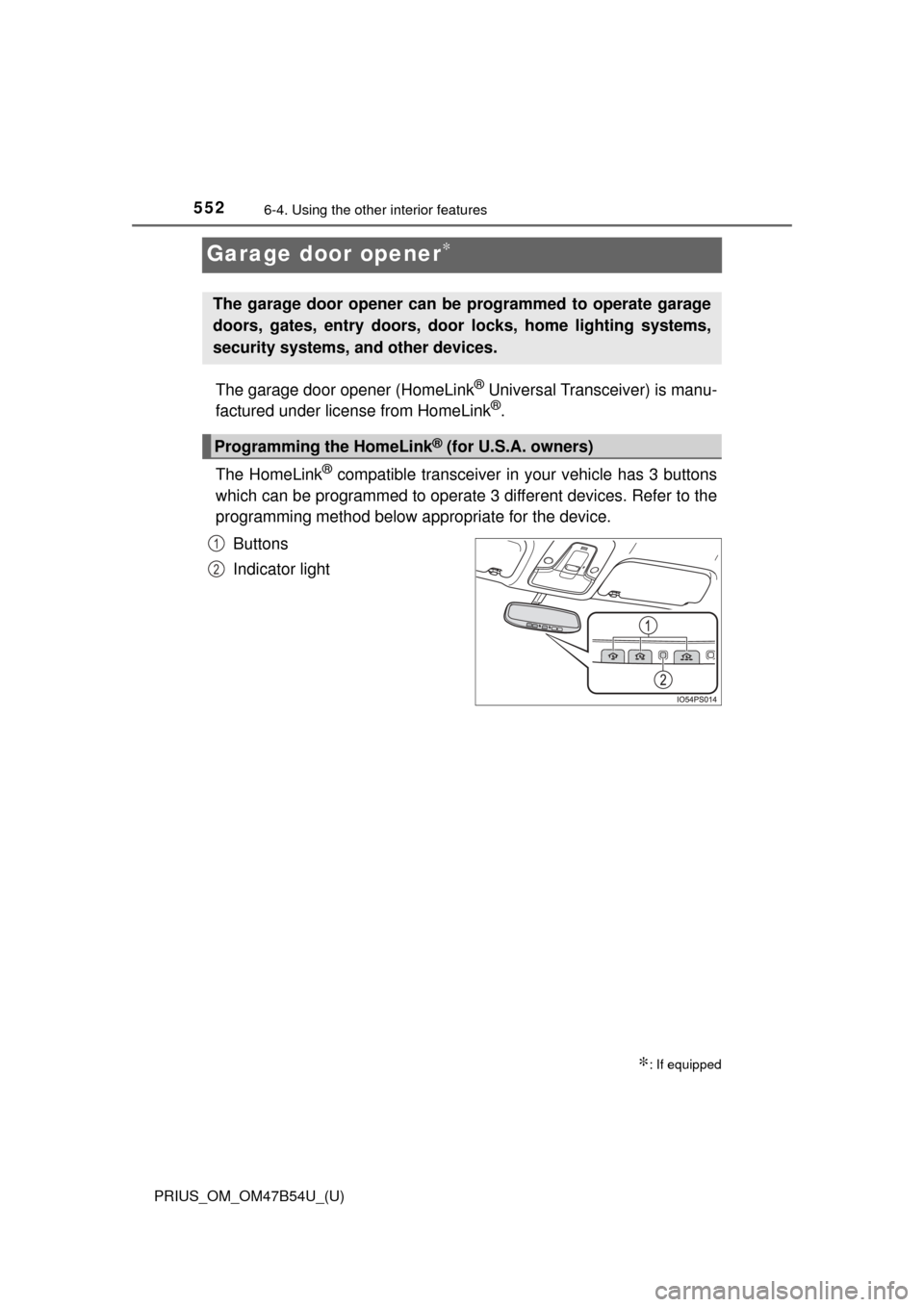
programming method below appropriate for the device.
Buttons
Indicator light
∗: If equipped
The garage door opener can be programmed to operate garage
doors, gates, entry doors, door locks, home lighting systems,
security systems, and other devices.
Programming the HomeLink® (for U.S.A. owners)
1
2
Page 553 of 796
PRIUS_OM_OM47B54U_(U)
5536-4. Using the other interior features
6
Interior features
■Programming HomeLink®
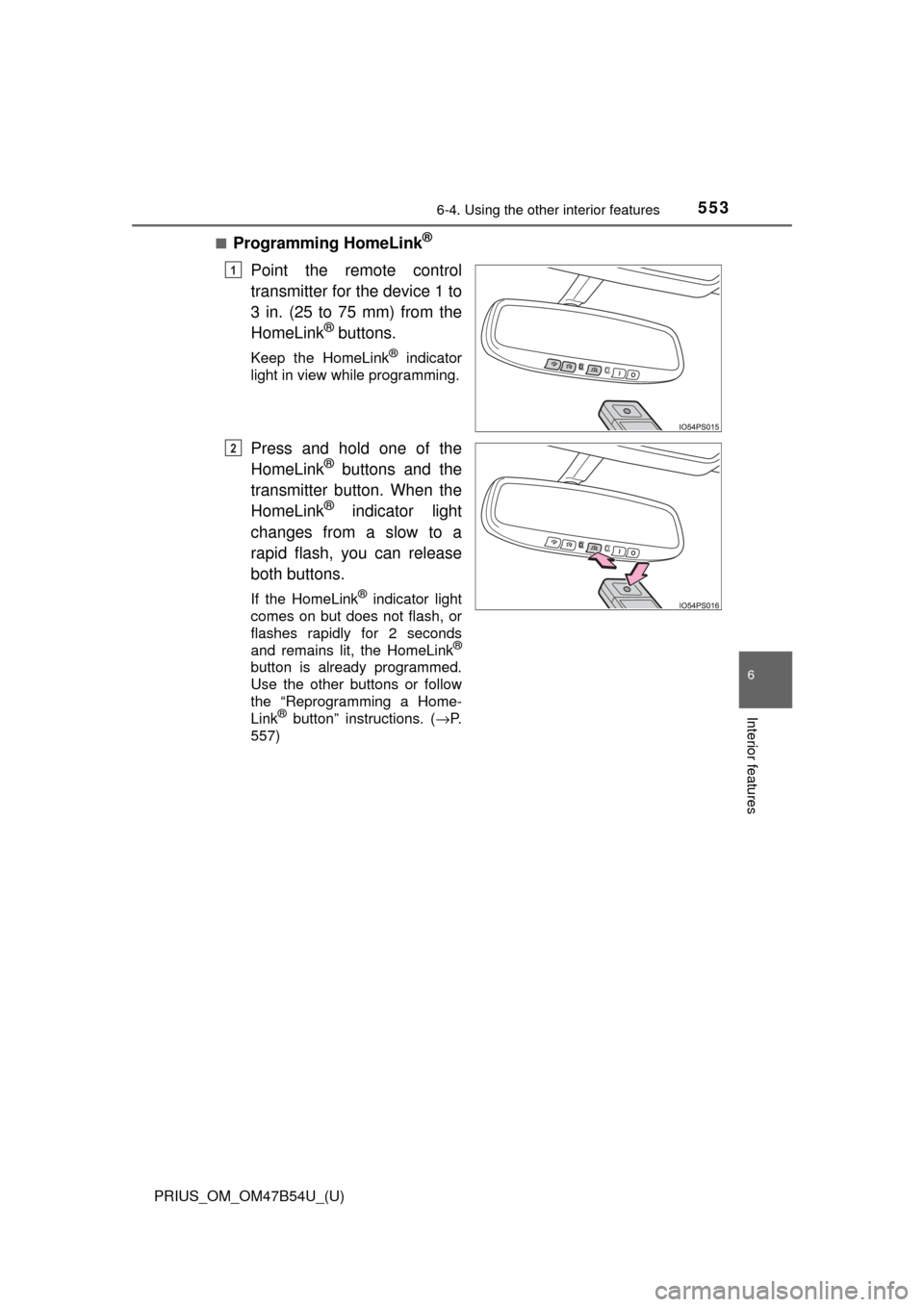
Point the remote control
transmitter for the device 1 to
3 in. (25 to 75 mm) from the
HomeLink
® buttons.
Keep the HomeLink® indicator
light in view while programming.
Press and hold one of the
HomeLink® buttons and the
transmitter button. When the
HomeLink
® indicator light
changes from a slow to a
rapid flash, you can release
both buttons.
If the HomeLink® indicator light
comes on but does not flash, or
flashes rapidly for 2 seconds
and remains lit, the HomeLink
®
button is already programmed.
Use the other buttons or follow
the “Reprogramming a Home-
Link
® button” instructions. ( →P.
557)
1
2
Page 554 of 796
554
PRIUS_OM_OM47B54U_(U)
6-4. Using the other interior features
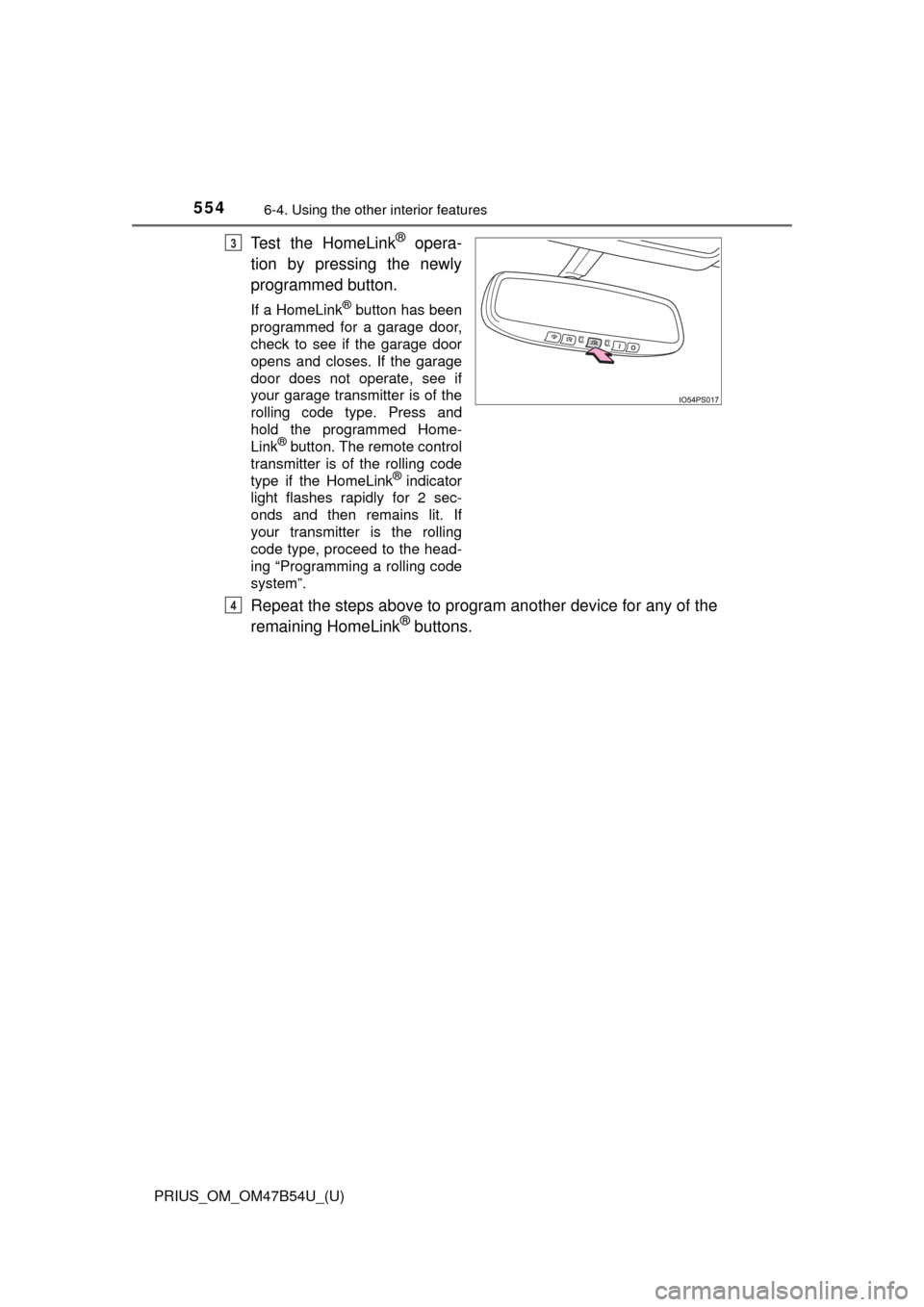
Test the HomeLink® opera-
tion by pressing the newly
programmed button.
If a HomeLink® button has been
programmed for a garage door,
check to see if the garage door
opens and closes. If the garage
door does not operate, see if
your garage transmitter is of the
rolling code type. Press and
hold the programmed Home-
Link
® button. The remote control
transmitter is of the rolling code
type if the HomeLink
® indicator
light flashes rapidly for 2 sec-
onds and then remains lit. If
your transmitter is the rolling
code type, proceed to the head-
ing “Programming a rolling code
system”.
Repeat the steps above to program another device for any of the
remaining HomeLink® buttons.
3
4
Page 555 of 796
PRIUS_OM_OM47B54U_(U)
5556-4. Using the other interior features
6
Interior features
■Programming a rolling code system (for U.S.A. owners)
If your device is rolling code eq uipped, follow the steps under the
heading “Programming HomeLink
®” before proceeding with the
steps listed below.
Locate the training button on the ceiling mounted garage door
opener motor. The exact location and color of the button may
vary by brand of garage door opener motor.
Refer to the operation manual supplied with the garage door opener for
the location of the training button.
Press the training button.
Following this step, you have 30 seconds in which to initiate step 3
below.
Press and hold the vehicle’s programmed HomeLink® button for
2 seconds and release it. Repea t this step once again. The
garage door may open.
If the garage door opens, the programming process is complete. If the
door does not open, press and hold the button a third time, and release
after 2 seconds. This third press and release will complete the program-
ming process by opening the garage door.
The ceiling mounted garage door opener motor should now recognize
the HomeLink
® signal and operate the garage door.
Repeat the steps above to program another rolling code system
for any of the remaining HomeLink® buttons.
1
2
3
4
Page 556 of 796
556
PRIUS_OM_OM47B54U_(U)
6-4. Using the other interior features
■Programming an entry gate (for U.S.A. owners)/Programming a
devices in the Canadian market
Place the remote control transmitter 1 to 3 in. (25 to 75 mm)
away from the HomeLink
® buttons.
Keep the HomeLink® indicator light in view while programming.
Press and hold the selected HomeLink® button.
Repeatedly press and release (cyc le) the remote control trans-
mitter for 2 seconds each until step 4 is completed.
When the HomeLink
® indicator light starts to flash rapidly,
release the buttons.
Test the HomeLink
® operation by pressing the newly pro-
grammed button. Check to see if the gate/device operates cor-
rectly.
Repeat the steps above to program another device for any of the
remaining HomeLink
® buttons.
■Programming other devices
To program other devices such as home security systems, home
door locks and lighting, contact your Toyota dealer for assistance.
■Reprogramming a button
The individual HomeLink
® buttons cannot be erased but can be
reprogrammed. To reprogram a button, follow the “Reprogramming
a HomeLink
® button” instructions.
Press the appropriate HomeLink
® button. The HomeLink® indicator
light should come on.
The HomeLink® compatible transceiver in your vehicle continues to send a
signal for up to 20 seconds as long as the button is pressed.
Operating HomeLink®
1
2
3
4
5
6
Page 557 of 796
PRIUS_OM_OM47B54U_(U)
5576-4. Using the other interior features
6
Interior features
Press and hold the desired HomeLink® button. After 20 seconds, the
HomeLink® indicator light will start flashing slowly. Keep pressing the
HomeLink® button and press and hold the transmitter button until the
HomeLink® indicator light changes from a slow to a rapid flash.
Release the buttons.
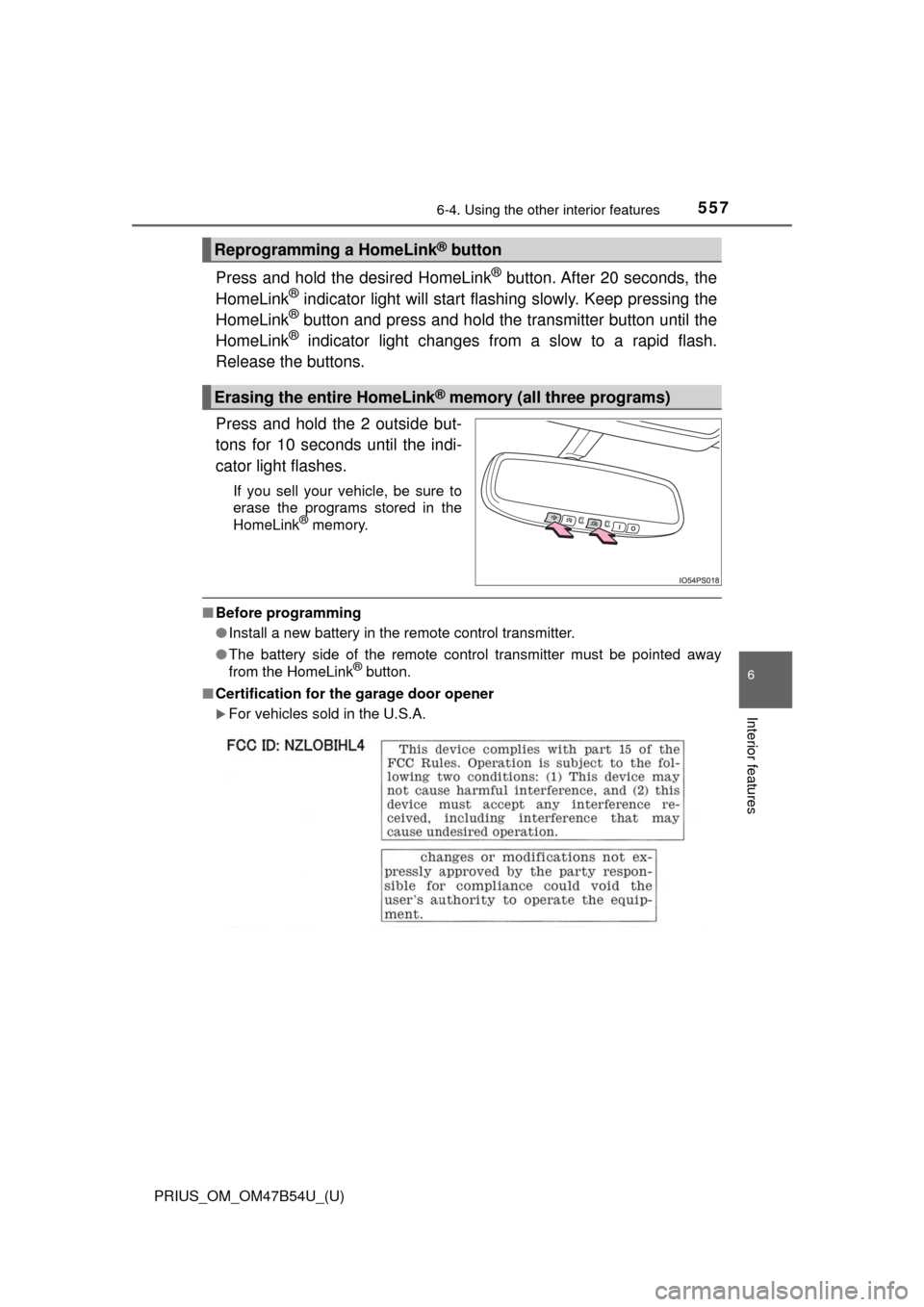
Press and hold the 2 outside but-
tons for 10 seconds until the indi-
cator light flashes.
If you sell your vehicle, be sure to
erase the programs stored in the
HomeLink
® memory.
■ Before programming
●Install a new battery in the remote control transmitter.
● The battery side of the remote control transmitter must be pointed away
from the HomeLink
® button.
■ Certification for the garage door opener
For vehicles sold in the U.S.A.
Reprogramming a HomeLink® button
Erasing the entire HomeLink® memory (all three programs)
Page 559 of 796
559
PRIUS_OM_OM47B54U_(U)
6-4. Using the other interior features
6
Interior features
Safety Connect∗
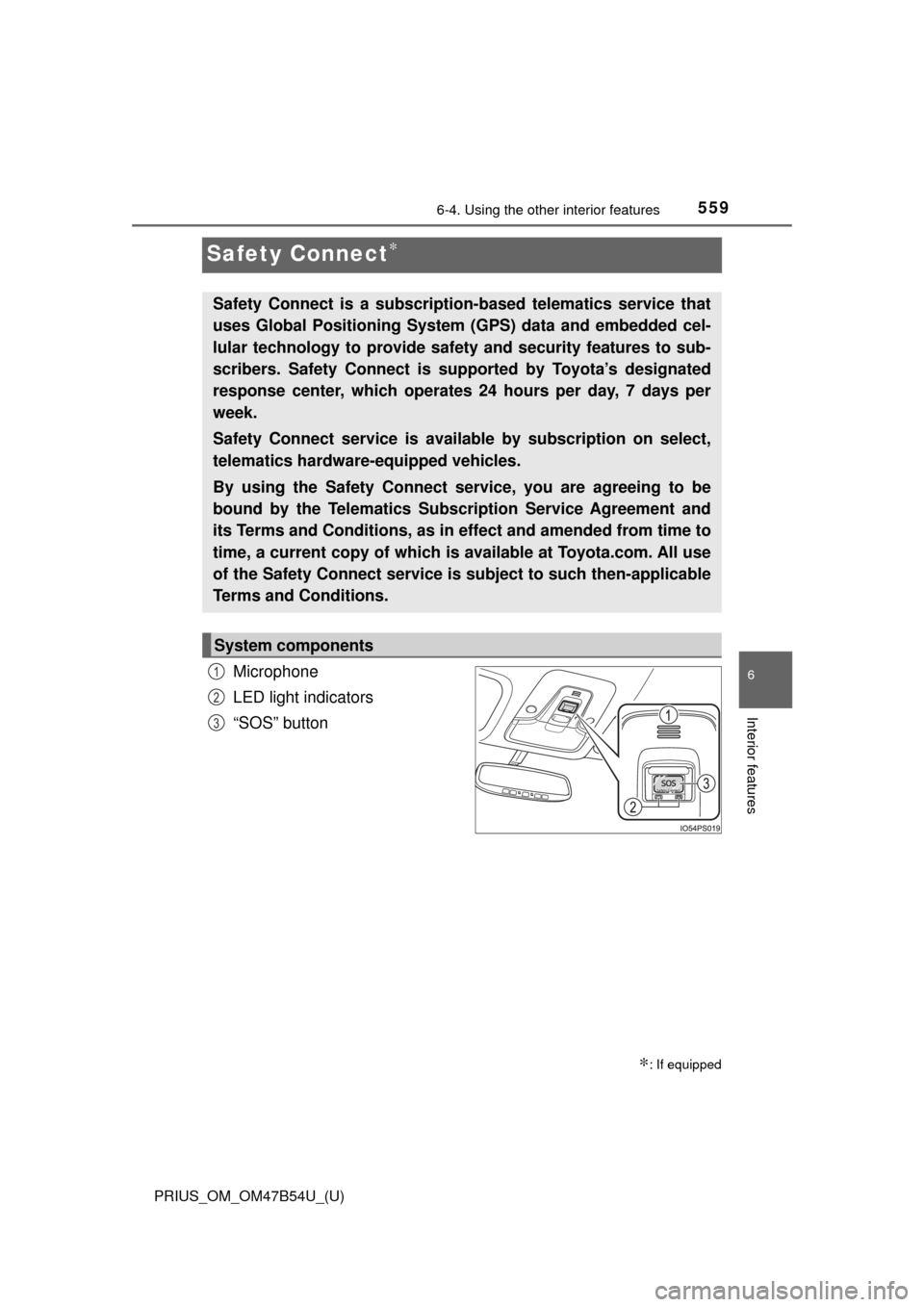
Microphone
LED light indicators
“SOS” button
∗: If equipped
Safety Connect is a subscription-based telematics service that
uses Global Positioning System (GPS) data and embedded cel-
lular technology to provide safety and security features to sub-
scribers. Safety Connect is s upported by Toyota’s designated
response center, which operates 24 hours per day, 7 days per
week.
Safety Connect service is avai lable by subscription on select,
telematics hardware-equipped vehicles.
By using the Safety Connect service, you are agreeing to be
bound by the Telematics Subscription Service Agreement and
its Terms and Conditions, as in ef fect and amended from time to
time, a current copy of which is available at Toyota.com. All use
of the Safety Connect service is subject to such then-applicable
Terms and Conditions.
System components
1
2
3
Page 560 of 796
560
PRIUS_OM_OM47B54U_(U)
6-4. Using the other interior features
Subscribers have the following Safety Connect services available:
●Automatic Collision Notification
*
Helps drivers receive necessary response from emergency service
providers. ( →P. 562)
*: U.S. Patent No. 7,508,298 B2
● Stolen Vehicle Location
Helps drivers in the event of vehicle theft. ( →P. 562)
● Emergency Assistanc e Button (SOS)
Connects drivers to response-center support. (→ P. 562)
● Enhanced Roadside Assistance
Provides drivers various on-road assistance. ( →P. 563)
After you have signed the Telemati cs Subscription Service Agreement
and are enrolled, you can begin receiving services.
A variety of subscription terms is available for purchase. Contact your
Toyota dealer, call 1-800-25-TOYOTA (1-800-255-3987) or push the
“SOS” button in your vehicle fo r further subscription details.
Services
Subscription