display TOYOTA PRIUS 2018 Accessories, Audio & Navigation (in English)
[x] Cancel search | Manufacturer: TOYOTA, Model Year: 2018, Model line: PRIUS, Model: TOYOTA PRIUS 2018Pages: 294, PDF Size: 4.43 MB
Page 57 of 294
57
2. Bluetooth® SETTINGS
PRIUS_Navi_OM47C01U_(U)
17.09.11 13:53
BASIC FUNCTION
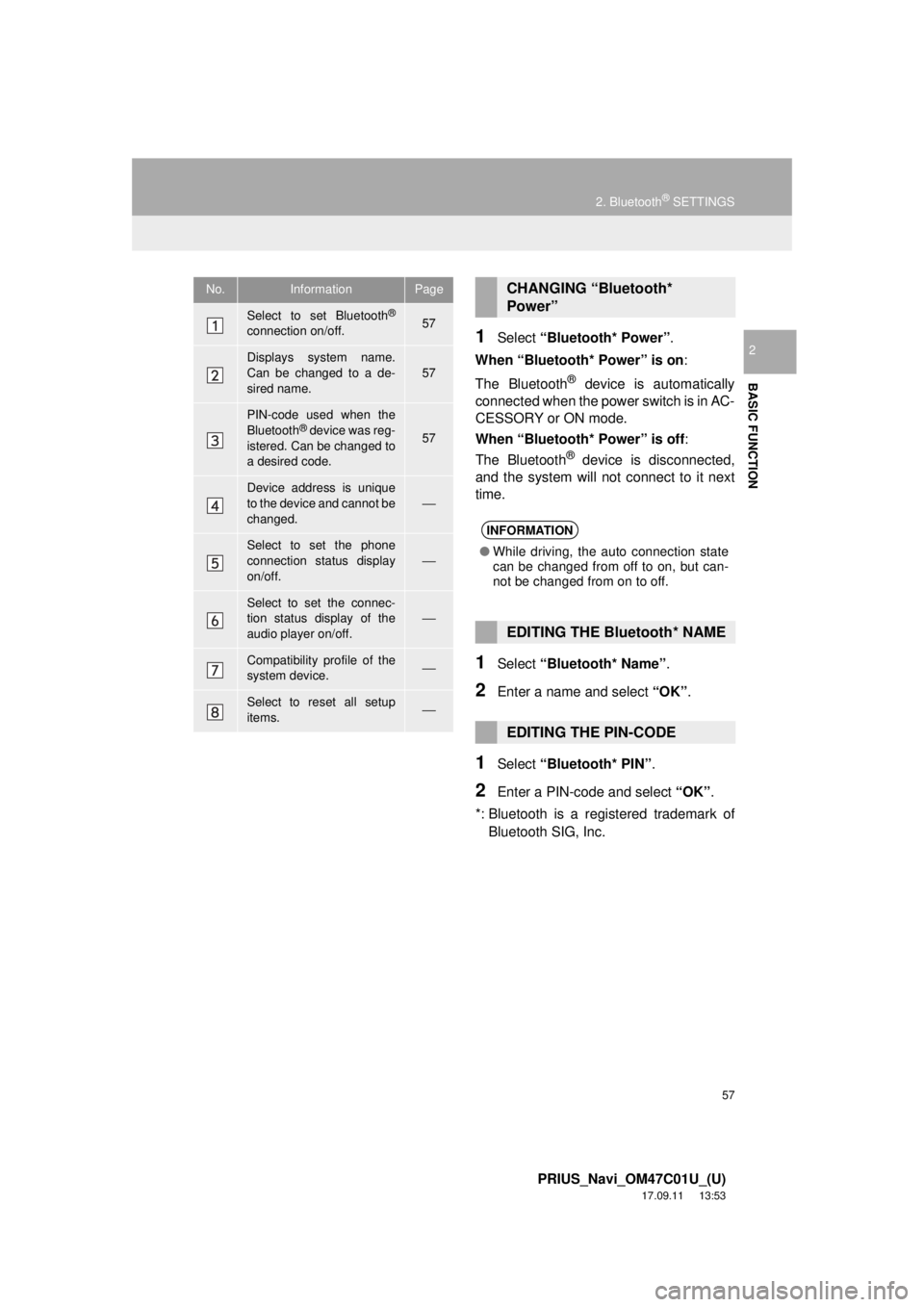
21Select “Bluetooth* Power” .
When “Bluetooth* Power” is on :
The Bluetooth
® device is automatically
connected when the power switch is in AC-
CESSORY or ON mode.
When “Bluetooth* Power” is off :
The Bluetooth
® device is disconnected,
and the system will not connect to it next
time.
1Select “Bluetooth* Name” .
2Enter a name and select “OK”.
1Select “Bluetooth* PIN” .
2Enter a PIN-code and select “OK”.
*: Bluetooth is a regi stered trademark of
Bluetooth SIG, Inc.
No.InformationPage
Select to set Bluetooth®
connection on/off.57
Displays system name.
Can be changed to a de-
sired name.57
PIN-code used when the
Bluetooth® device was reg-
istered. Can be changed to
a desired code.57
Device address is unique
to the device and cannot be
changed.⎯
Select to set the phone
connection status display
on/off.
⎯
Select to set the connec-
tion status display of the
audio player on/off.
⎯
Compatibility profile of the
system device.⎯
Select to reset all setup
items.⎯
CHANGING “Bluetooth*
Power”
INFORMATION
● While driving, the auto connection state
can be changed from off to on, but can-
not be changed from on to off.
EDITING THE Bluetooth* NAME
EDITING THE PIN-CODE
Page 59 of 294
59
3. OTHER SETTINGS
PRIUS_Navi_OM47C01U_(U)
17.08.28 17:21
BASIC FUNCTION
2
*: If equipped
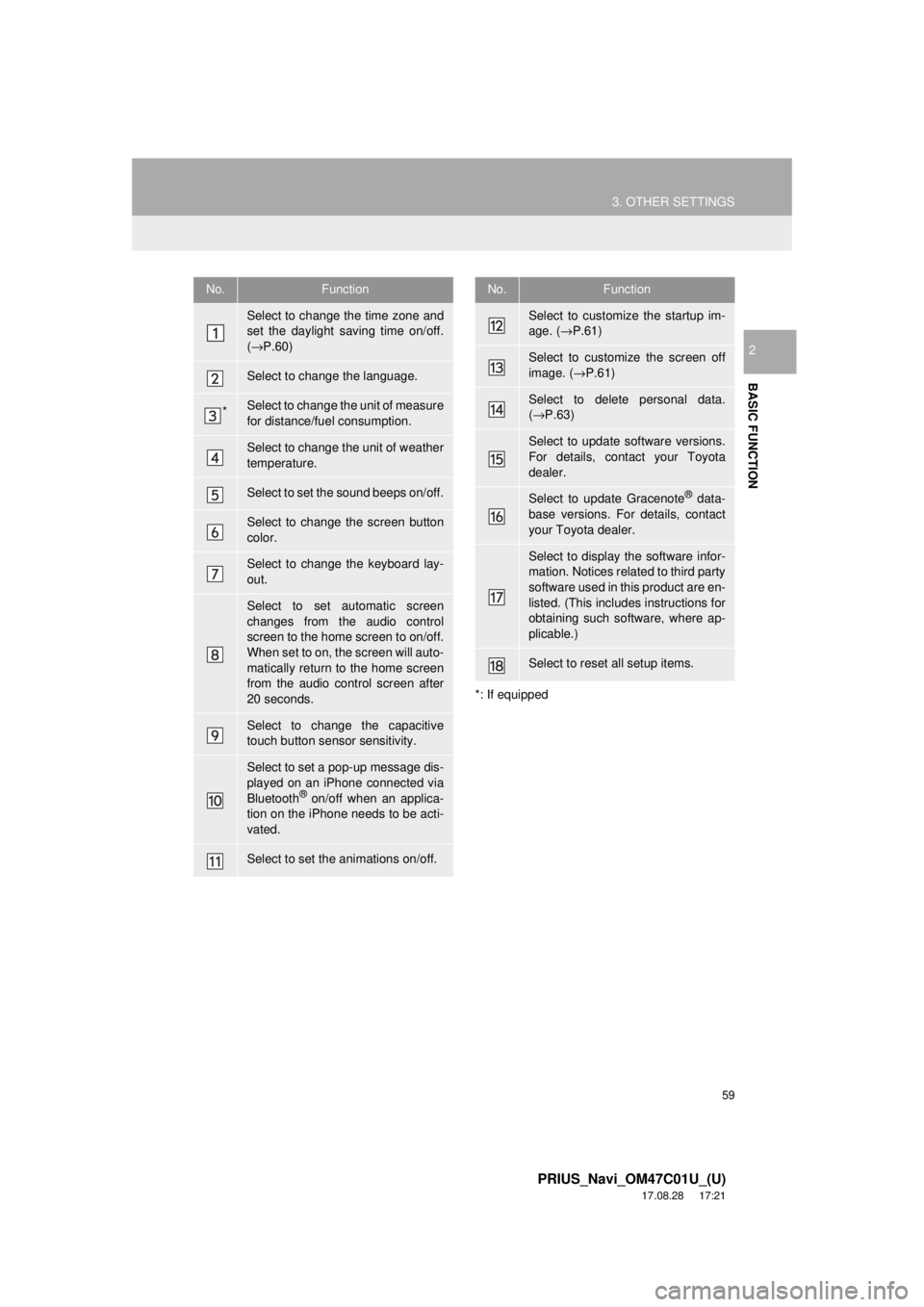
No.Function
Select to change the time zone and
set the daylight saving time on/off.
( → P.60)
Select to change the language.
*Select to change the unit of measure
for distance/fuel consumption.
Select to change the unit of weather
temperature.
Select to set the sound beeps on/off.
Select to change the screen button
color.
Select to change the keyboard lay-
out.
Select to set automatic screen
changes from the audio control
screen to the home screen to on/off.
When set to on, the screen will auto-
matically return to the home screen
from the audio control screen after
20 seconds.
Select to change the capacitive
touch button sensor sensitivity.
Select to set a pop-up message dis-
played on an iPhone connected via
Bluetooth
® on/off when an applica-
tion on the iPhone needs to be acti-
vated.
Select to set the animations on/off.
Select to customize the startup im-
age. ( →P.61)
Select to customize the screen off
image. ( →P.61)
Select to delete personal data.
(→ P.63)
Select to update software versions.
For details, contact your Toyota
dealer.
Select to update Gracenote® data-
base versions. For details, contact
your Toyota dealer.
Select to display the software infor-
mation. Notices related to third party
software used in this product are en-
listed. (This includes instructions for
obtaining such software, where ap-
plicable.)
Select to reset all setup items.
No.Function
Page 60 of 294
60
3. OTHER SETTINGS
PRIUS_Navi_OM47C01U_(U)
17.08.28 17:21
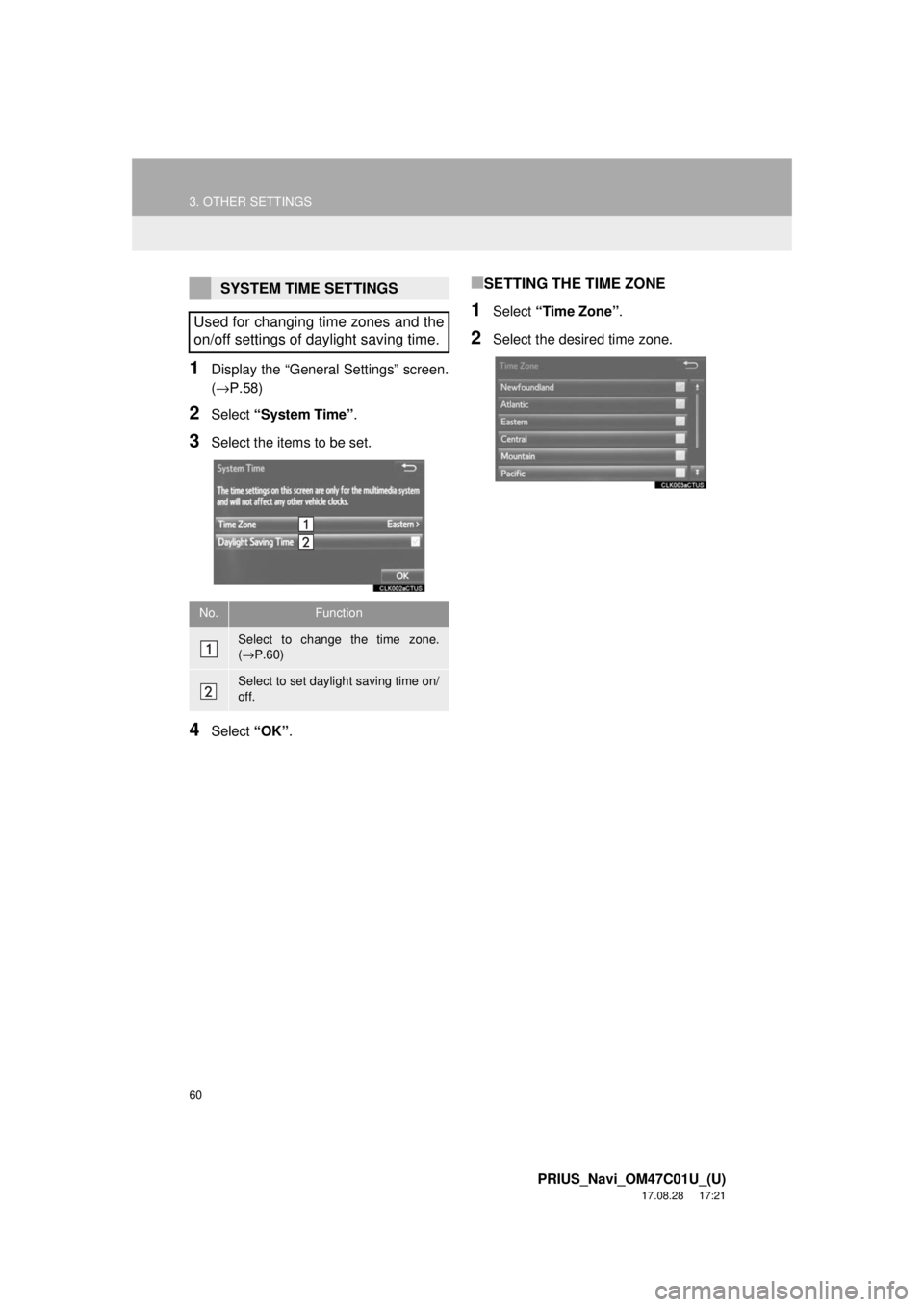
1Display the “General Settings” screen.
(→P.58)
2Select “System Time” .
3Select the items to be set.
4Select “OK”.
■SETTING THE TIME ZONE
1Select “Time Zone” .
2Select the desired time zone.
SYSTEM TIME SETTINGS
Used for changing time zones and the
on/off settings of daylight saving time.
No.Function
Select to change the time zone.
( → P.60)
Select to set daylight saving time on/
off.
Page 61 of 294
61
3. OTHER SETTINGS
PRIUS_Navi_OM47C01U_(U)
17.08.28 17:21
BASIC FUNCTION
2
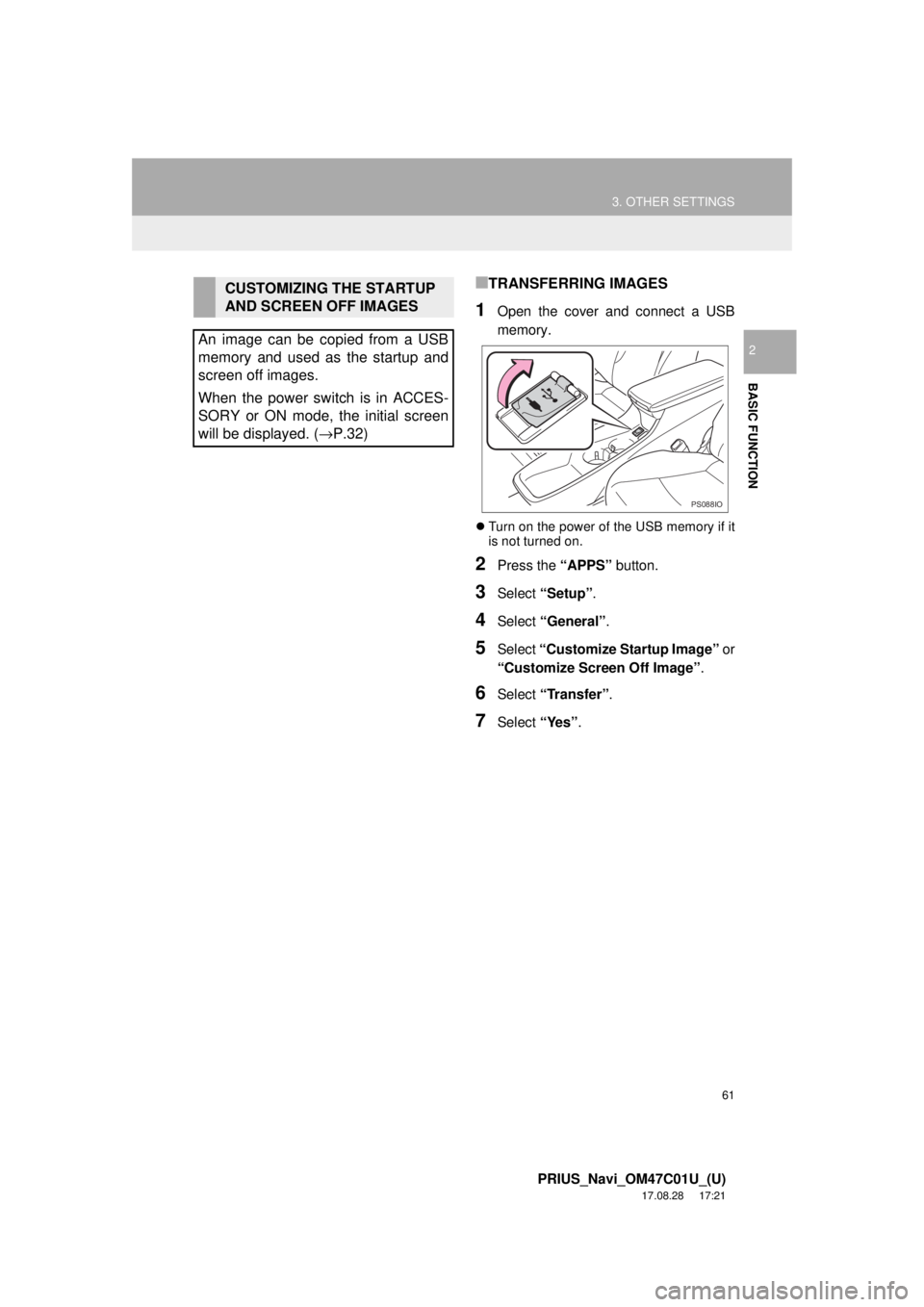
■TRANSFERRING IMAGES
1Open the cover and connect a USB
memory.
Turn on the power of the USB memory if it
is not turned on.
2Press the “APPS” button.
3Select “Setup” .
4Select “General” .
5Select “Customize Startup Image” or
“Customize Screen Off Image” .
6Select “Transfer”.
7Select “Yes”.
CUSTOMIZING THE STARTUP
AND SCREEN OFF IMAGES
An image can be copied from a USB
memory and used as the startup and
screen off images.
When the power switch is in ACCES-
SORY or ON mode, the initial screen
will be displayed. ( →P.32)
PS088IO
Page 62 of 294
62
3. OTHER SETTINGS
PRIUS_Navi_OM47C01U_(U)
17.08.28 17:21
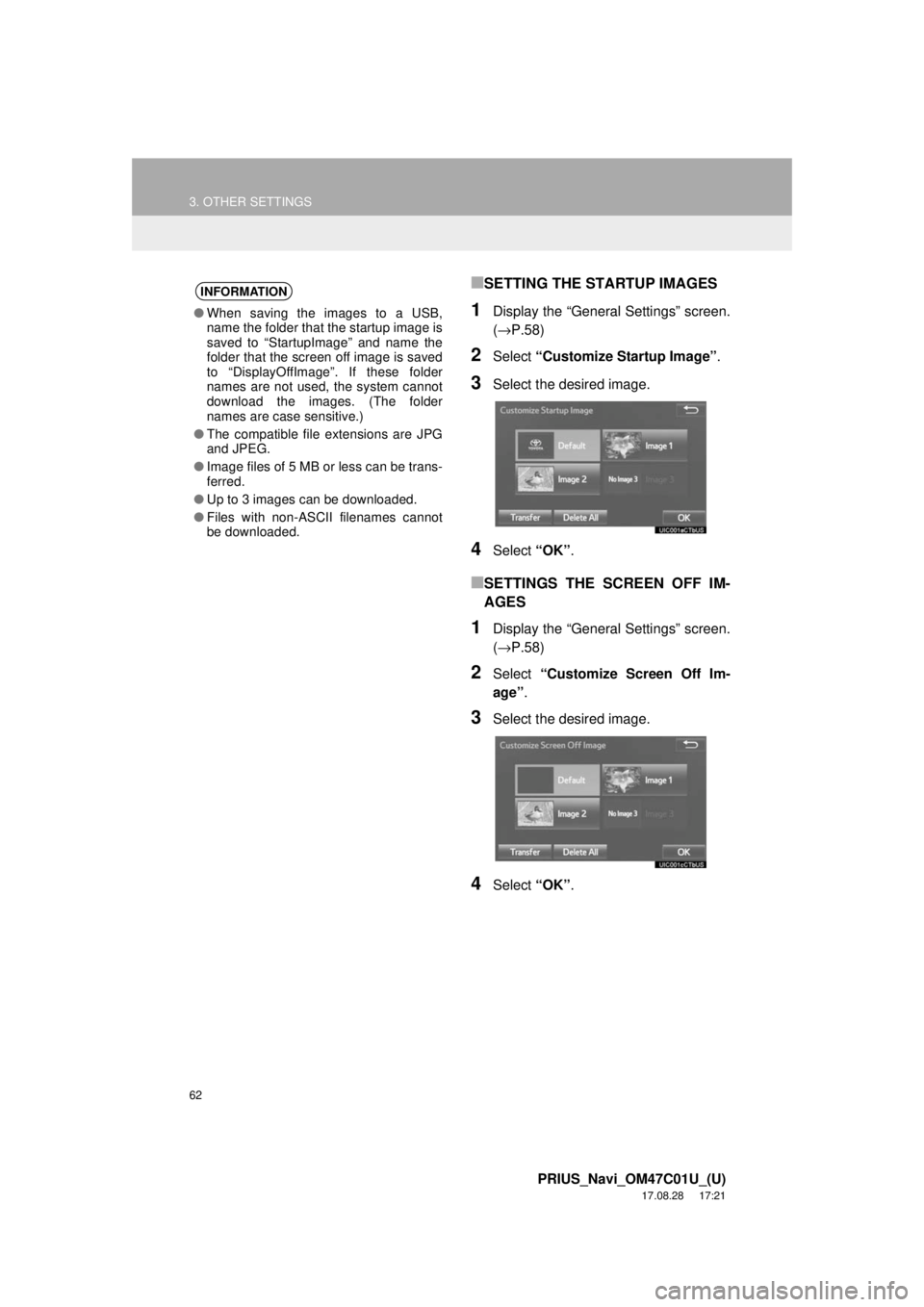
■SETTING THE STARTUP IMAGES
1Display the “General Settings” screen.
(→P.58)
2Select “Customize Startup Image” .
3Select the desired image.
4Select “OK”.
■SETTINGS THE SCREEN OFF IM-
AGES
1Display the “General Settings” screen.
(→P.58)
2Select “Customize Screen Off Im-
age” .
3Select the desired image.
4Select “OK”.
INFORMATION
●When saving the images to a USB,
name the folder that the startup image is
saved to “StartupImage” and name the
folder that the screen off image is saved
to “DisplayOffImage”. If these folder
names are not used, the system cannot
download the images. (The folder
names are case sensitive.)
● The compatible file extensions are JPG
and JPEG.
● Image files of 5 MB or less can be trans-
ferred.
● Up to 3 images can be downloaded.
● Files with non-ASCII filenames cannot
be downloaded.
Page 63 of 294
63
3. OTHER SETTINGS
PRIUS_Navi_OM47C01U_(U)
17.08.28 17:21
BASIC FUNCTION
2
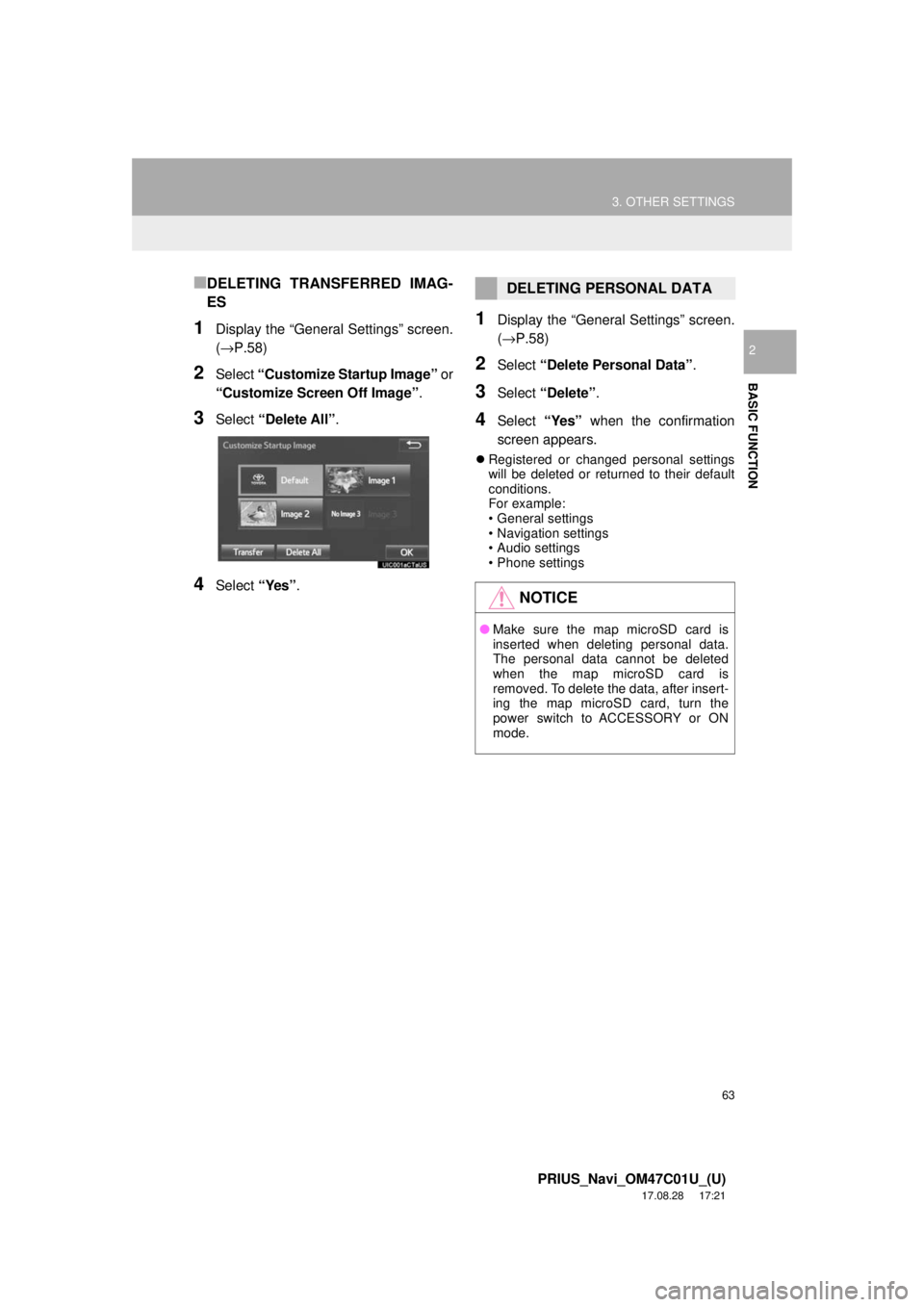
■DELETING TRANSFERRED IMAG-
ES
1Display the “General Settings” screen.
(→P.58)
2Select “Customize Startup Image” or
“Customize Screen Off Image” .
3Select “Delete All” .
4Select “Yes”.
1Display the “General Settings” screen.
(→P.58)
2Select “Delete Personal Data” .
3Select “Delete” .
4Select “Yes” when the confirmation
screen appears.
Registered or changed personal settings
will be deleted or returned to their default
conditions.
For example:
• General settings
• Navigation settings
• Audio settings
• Phone settings
DELETING PERSONAL DATA
NOTICE
● Make sure the map microSD card is
inserted when deleting personal data.
The personal data cannot be deleted
when the map microSD card is
removed. To delete the data, after insert-
ing the map microSD card, turn the
power switch to ACCESSORY or ON
mode.
Page 65 of 294
65
3. OTHER SETTINGS
PRIUS_Navi_OM47C01U_(U)
17.08.28 17:21
BASIC FUNCTION
2
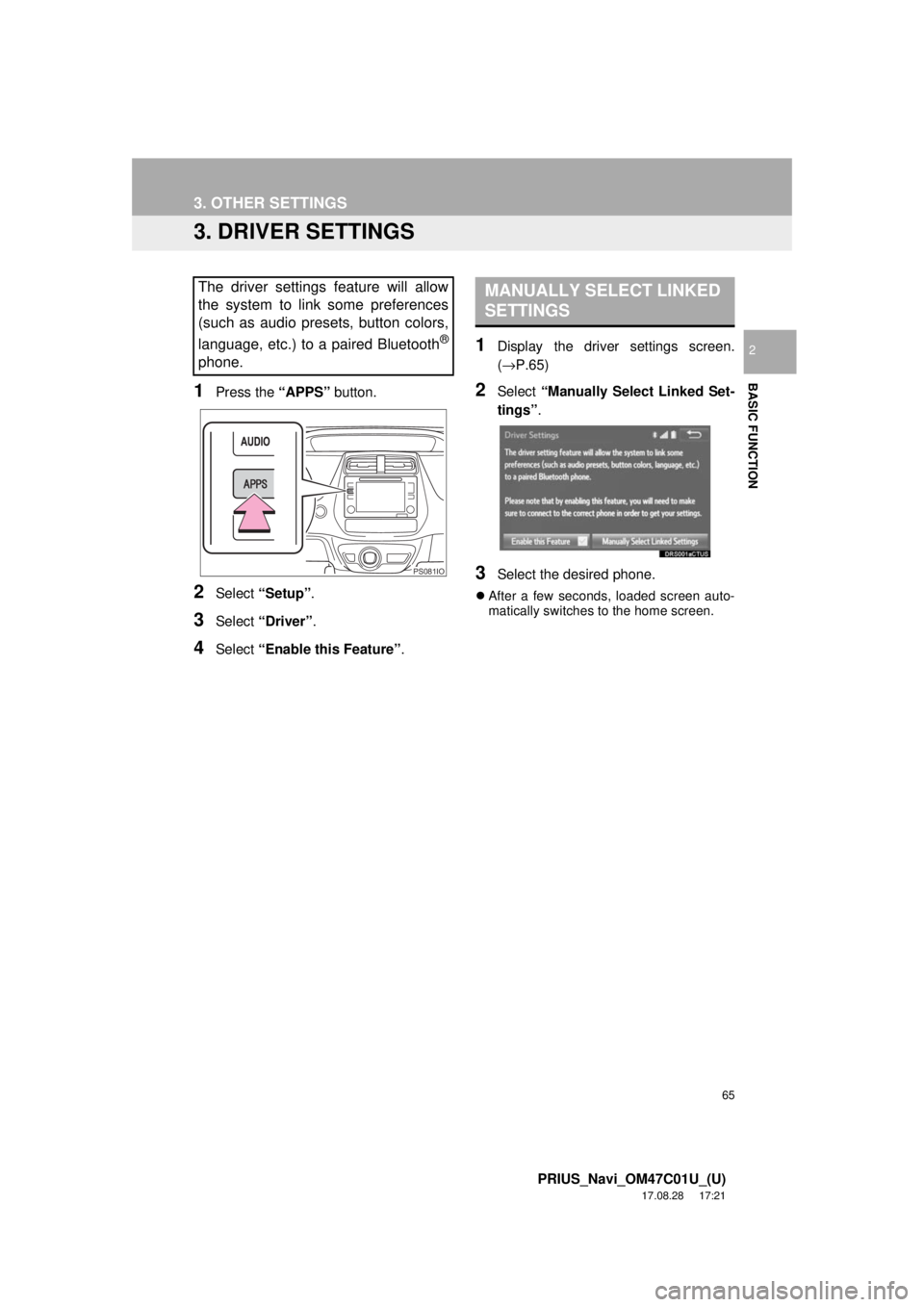
3. DRIVER SETTINGS
1Press the “APPS” button.
2Select “Setup” .
3Select “Driver” .
4Select “Enable this Feature” .
1Display the driver settings screen.
(→P.65)
2Select “Manually Select Linked Set-
tings” .
3Select the desired phone.
After a few seconds, loaded screen auto-
matically switches to the home screen.
The driver settings feature will allow
the system to link some preferences
(such as audio presets, button colors,
language, etc.) to a paired Bluetooth
®
phone.
PS081IO
MANUALLY SELECT LINKED
SETTINGS
Page 68 of 294
68
3. OTHER SETTINGS
PRIUS_Navi_OM47C01U_(U)
17.08.28 17:21
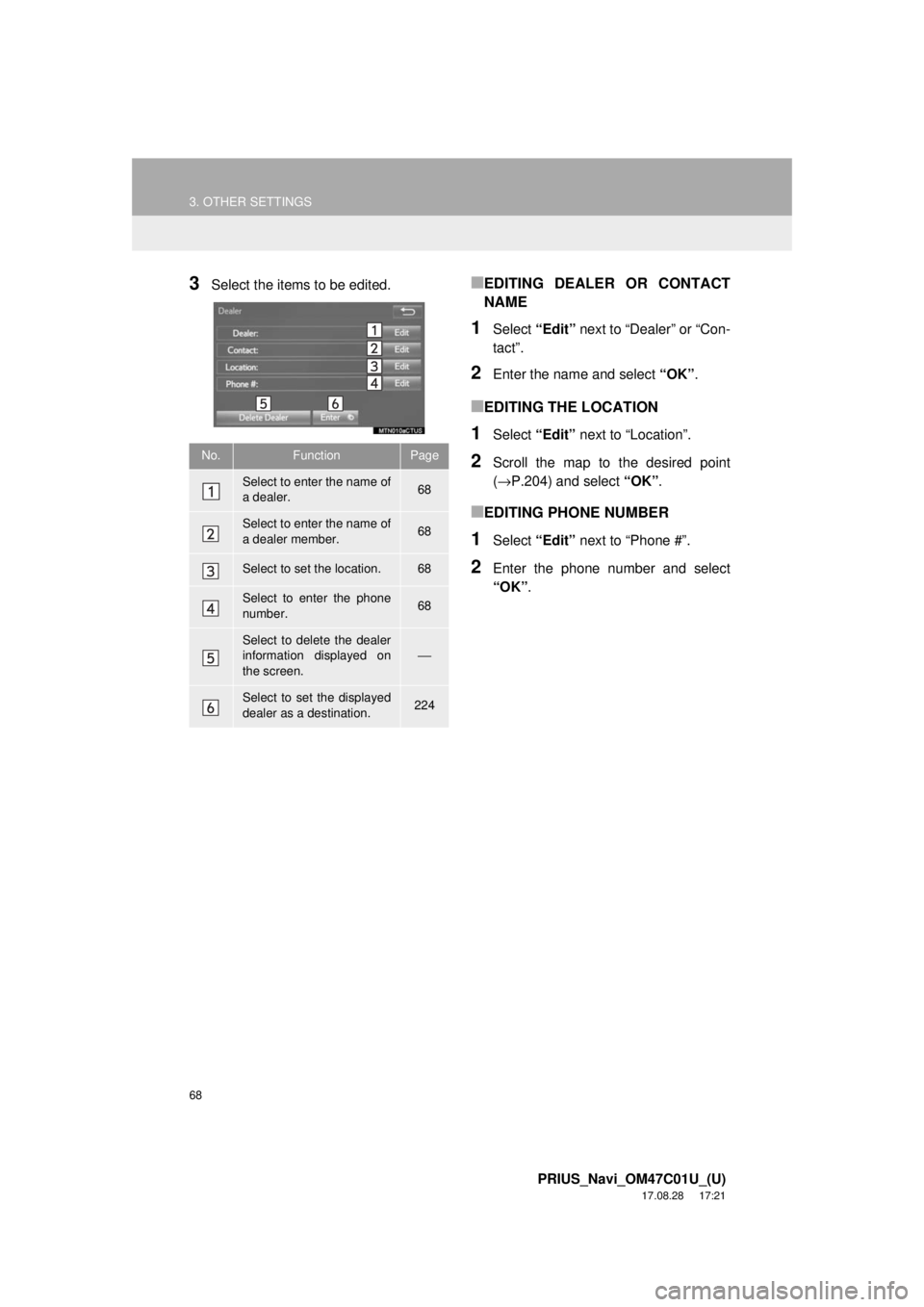
3Select the items to be edited.■EDITING DEALER OR CONTACT
NAME
1Select “Edit” next to “Dealer” or “Con-
tact”.
2Enter the name and select “OK”.
■EDITING THE LOCATION
1Select “Edit” next to “Location”.
2Scroll the map to the desired point
(→P.204) and select “OK”.
■EDITING PHONE NUMBER
1Select “Edit” next to “Phone #”.
2Enter the phone number and select
“OK”.
No.FunctionPage
Select to enter the name of
a dealer.68
Select to enter the name of
a dealer member.68
Select to set the location.68
Select to enter the phone
number.68
Select to delete the dealer
information displayed on
the screen.⎯
Select to set the displayed
dealer as a destination.224
Page 70 of 294
70
PRIUS_Navi_OM47C01U_(U)
17.08.28 17:48
1. QUICK REFERENCE ..................... 72
2. SOME BASICS............................... 73
TURNING THE SYSTEM ON AND OFF ..................................................... 73
SELECTING AN AUDIO SOURCE ........ 74
DISC SLOT ............................................ 75
USB/AUX PORT .................................... 76
SOUND SETTINGS ............................... 76
VOICE COMMAND SYSTEM ................ 78
1. AM/FM RADIO ............................... 79
OVERVIEW ............................................ 79
PRESETTING A STATION .................... 83
SELECTING A STATION FROM THE LIST ..................................................... 83
CACHING A RADIO PROGRAM ........... 84
RADIO BROADCAST DATA SYSTEM .............................................. 85
TRAFFIC ANNOUNCEMENT (FM RADIO) ......................................... 86
USING HD Radio™ TECHNOLOGY...... 87
AVAILABLE HD Radio™ TECHNOLOGY.................................... 87
TROUBLESHOOTING GUIDE ............... 89
2. XM Satellite Radio ........................ 90
OVERVIEW ............................................ 90
HOW TO SUBSCRIBE TO AN XM Satellite Radio ............................... 93
DISPLAYING THE RADIO ID................. 95
PRESETTING A CHANNEL ................... 95
SELECTING A CHANNEL FROM THE LIST ..................................................... 96
IF THE SATELLITE RADIO TUNER MALFUNCTIONS ................................ 97
3. INTERNET RADIO......................... 98
LISTENING TO INTERNET RADIO ....... 98
1BASIC OPERATION2RADIO OPERATION
3
AUDIO SYSTEM
Page 72 of 294
72
PRIUS_Navi_OM47C01U_(U)
17.08.28 17:21
1. BASIC OPERATION
1. QUICK REFERENCE
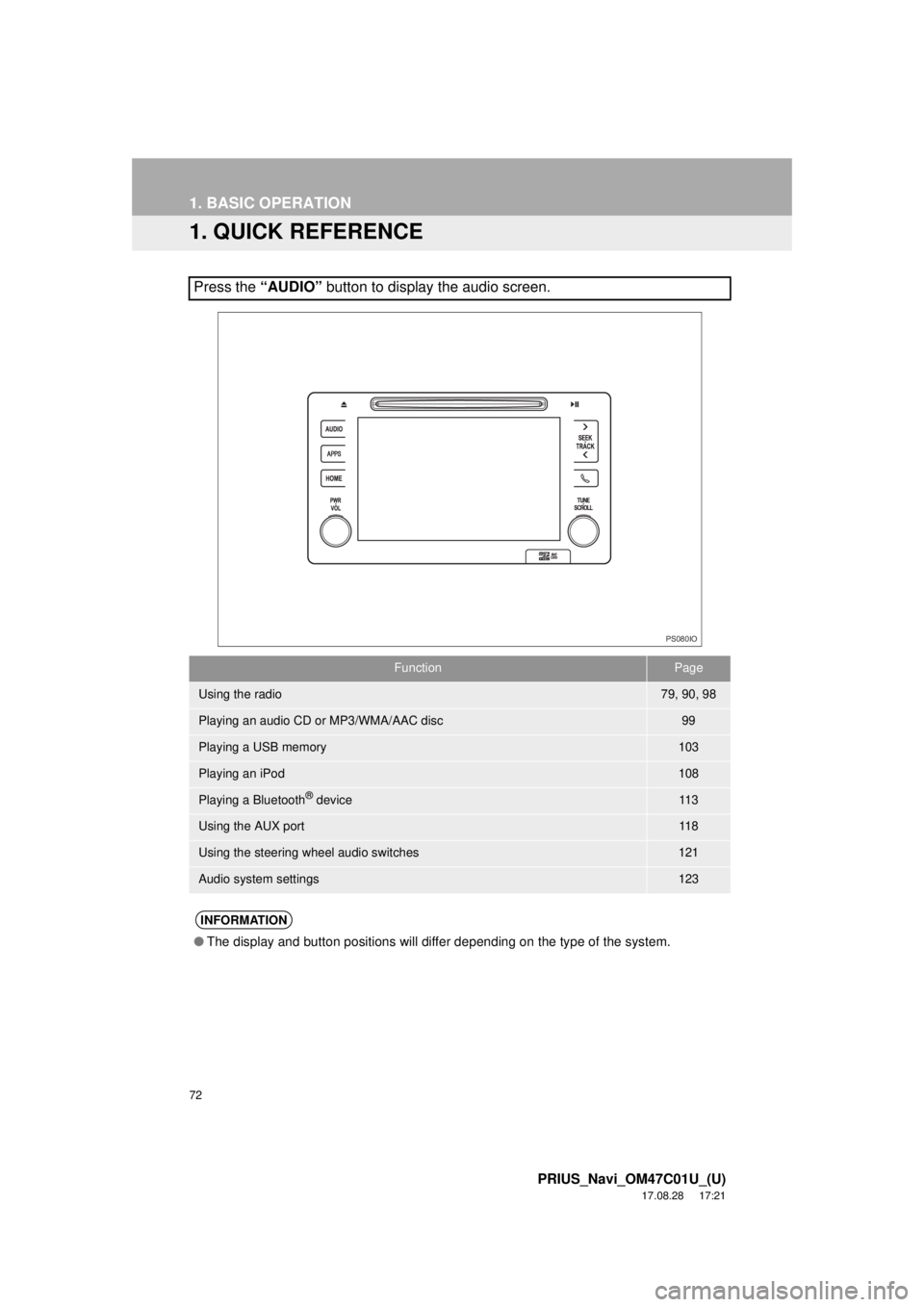
Press the “AUDIO” button to display the audio screen.
FunctionPage
Using the radio79, 90, 98
Playing an audio CD or MP3/WMA/AAC disc99
Playing a USB memory103
Playing an iPod108
Playing a Bluetooth® device11 3
Using the AUX port11 8
Using the steering wheel audio switches121
Audio system settings123
INFORMATION
●The display and button positions will differ depending on the type of the system.
PS080IO