display TOYOTA PRIUS 2018 Accessories, Audio & Navigation (in English)
[x] Cancel search | Manufacturer: TOYOTA, Model Year: 2018, Model line: PRIUS, Model: TOYOTA PRIUS 2018Pages: 294, PDF Size: 4.43 MB
Page 95 of 294
95
2. RADIO OPERATION
PRIUS_Navi_OM47C01U_(U)
17.08.28 17:21
AUDIO SYSTEM
3If “Ch 000” is selected using the
“TUNE SCROLL” knob, the ID code,
which is 8 alphanumeric characters, will
be displayed. If another channel is
selected, the ID code will no longer be dis-
played. The channel (000) alternates
between displaying the radio ID and the
specific radio code.
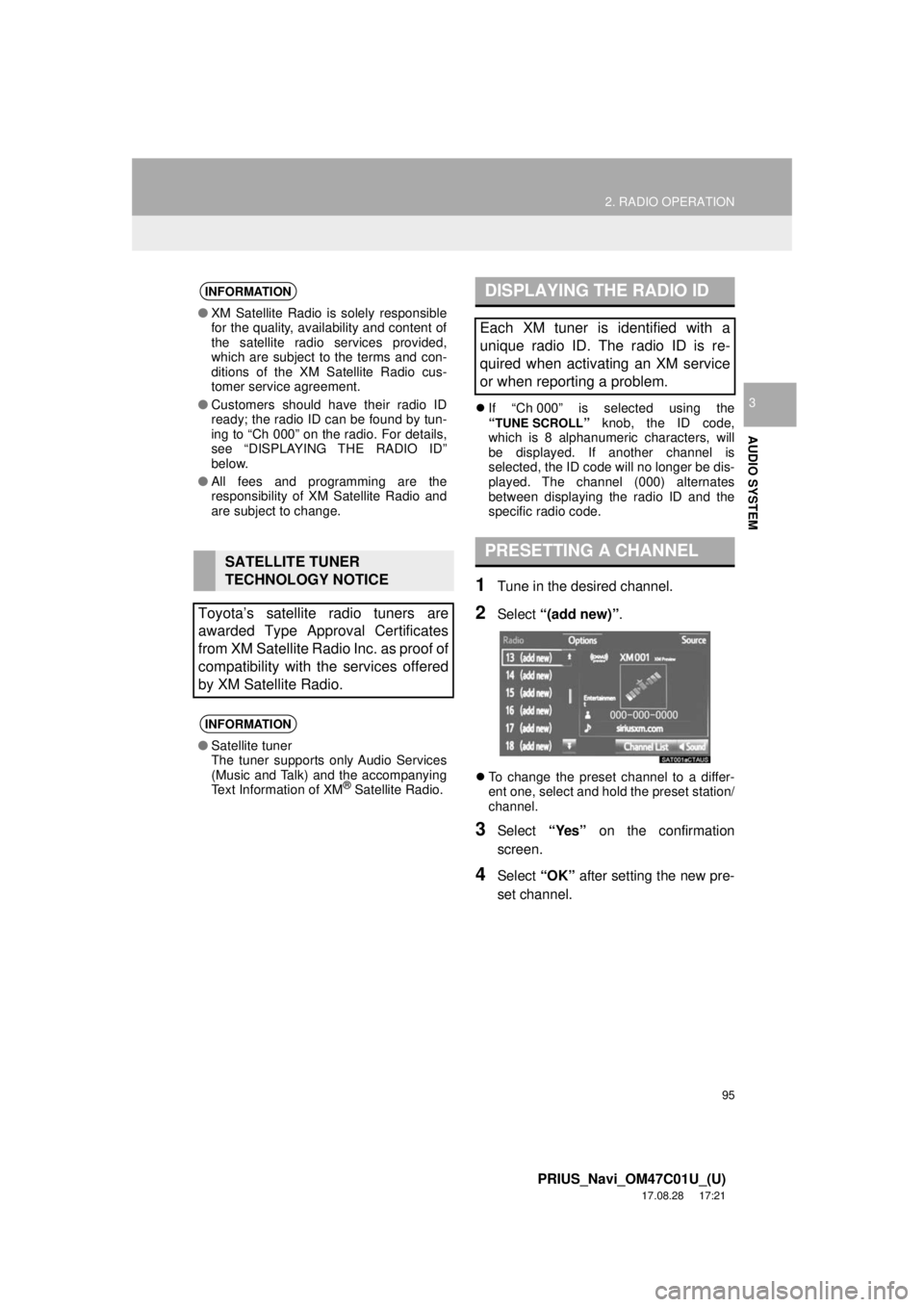
1Tune in the desired channel.
2Select “(add new)” .
To change the preset channel to a differ-
ent one, select and hold the preset station/
channel.
3Select “Yes” on the confirmation
screen.
4Select “OK” after setting the new pre-
set channel.
INFORMATION
● XM Satellite Radio is solely responsible
for the quality, availability and content of
the satellite radio services provided,
which are subject to the terms and con-
ditions of the XM Satellite Radio cus-
tomer service agreement.
● Customers should have their radio ID
ready; the radio ID can be found by tun-
ing to “Ch 000” on the radio. For details,
see “DISPLAYING THE RADIO ID”
below.
● All fees and programming are the
responsibility of XM Satellite Radio and
are subject to change.
SATELLITE TUNER
TECHNOLOGY NOTICE
Toyota’s satellite radio tuners are
awarded Type Approval Certificates
from XM Satellite Radio Inc. as proof of
compatibility with the services offered
by XM Satellite Radio.
INFORMATION
● Satellite tuner
The tuner supports only Audio Services
(Music and Talk) and the accompanying
Text Information of XM
® Satellite Radio.
DISPLAYING THE RADIO ID
Each XM tuner is identified with a
unique radio ID. The radio ID is re-
quired when activating an XM service
or when reporting a problem.
PRESETTING A CHANNEL
Page 98 of 294
98
2. RADIO OPERATION
PRIUS_Navi_OM47C01U_(U)
17.08.28 17:21
3. INTERNET RADIO
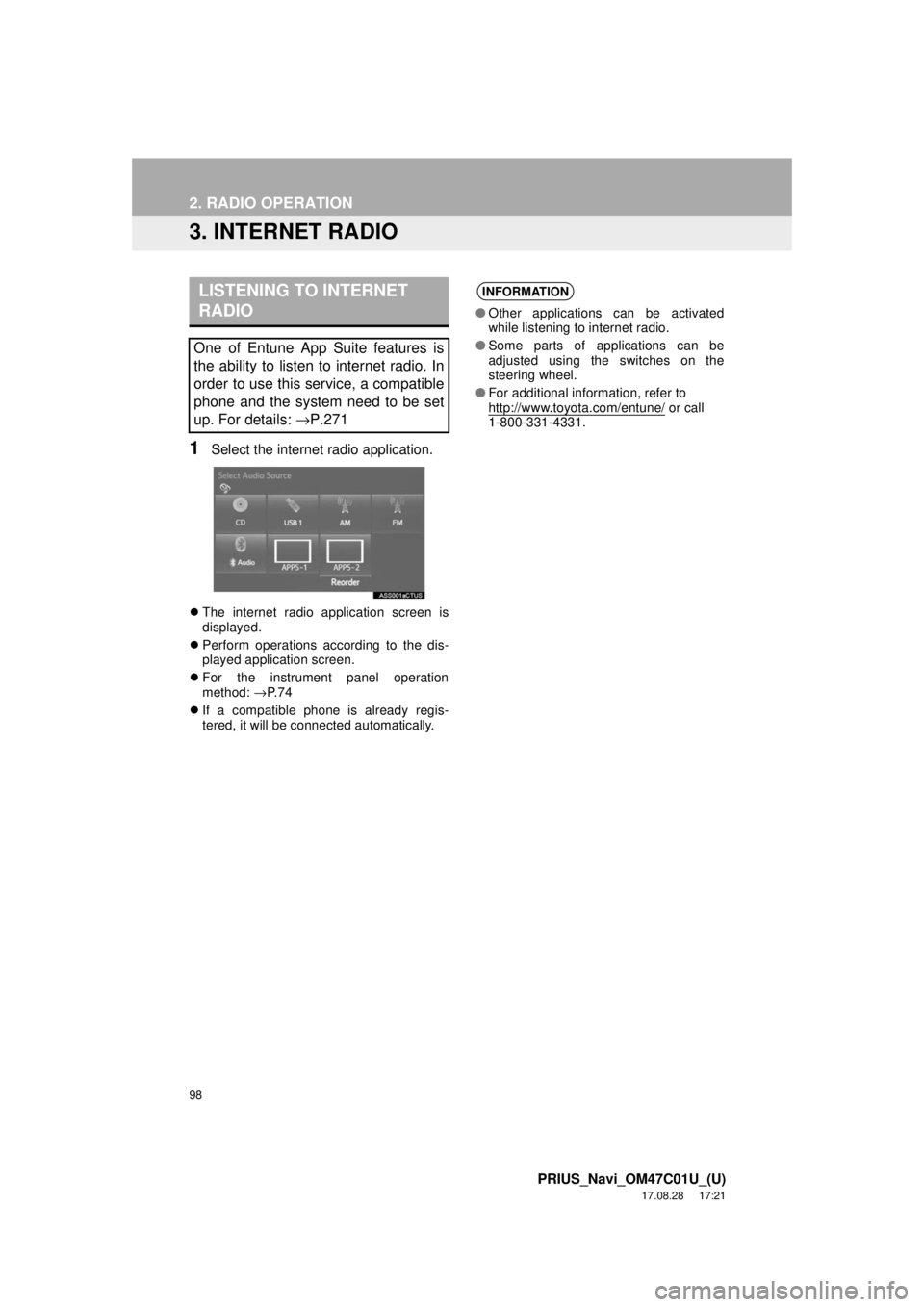
1Select the internet radio application.
The internet radio application screen is
displayed.
Perform operations according to the dis-
played application screen.
For the instrument panel operation
method: →P. 7 4
If a compatible phone is already regis-
tered, it will be connected automatically.
LISTENING TO INTERNET
RADIO
One of Entune App Suite features is
the ability to listen to internet radio. In
order to use this service, a compatible
phone and the system need to be set
up. For details: →P.271
INFORMATION
●Other applications can be activated
while listening to internet radio.
● Some parts of applications can be
adjusted using the switches on the
steering wheel.
● For additional information, refer to
http://www.toyota.com/entune/
or call
1-800-331-4331.
Page 101 of 294
101
3. MEDIA OPERATION
PRIUS_Navi_OM47C01U_(U)
17.08.28 17:21
AUDIO SYSTEM
3
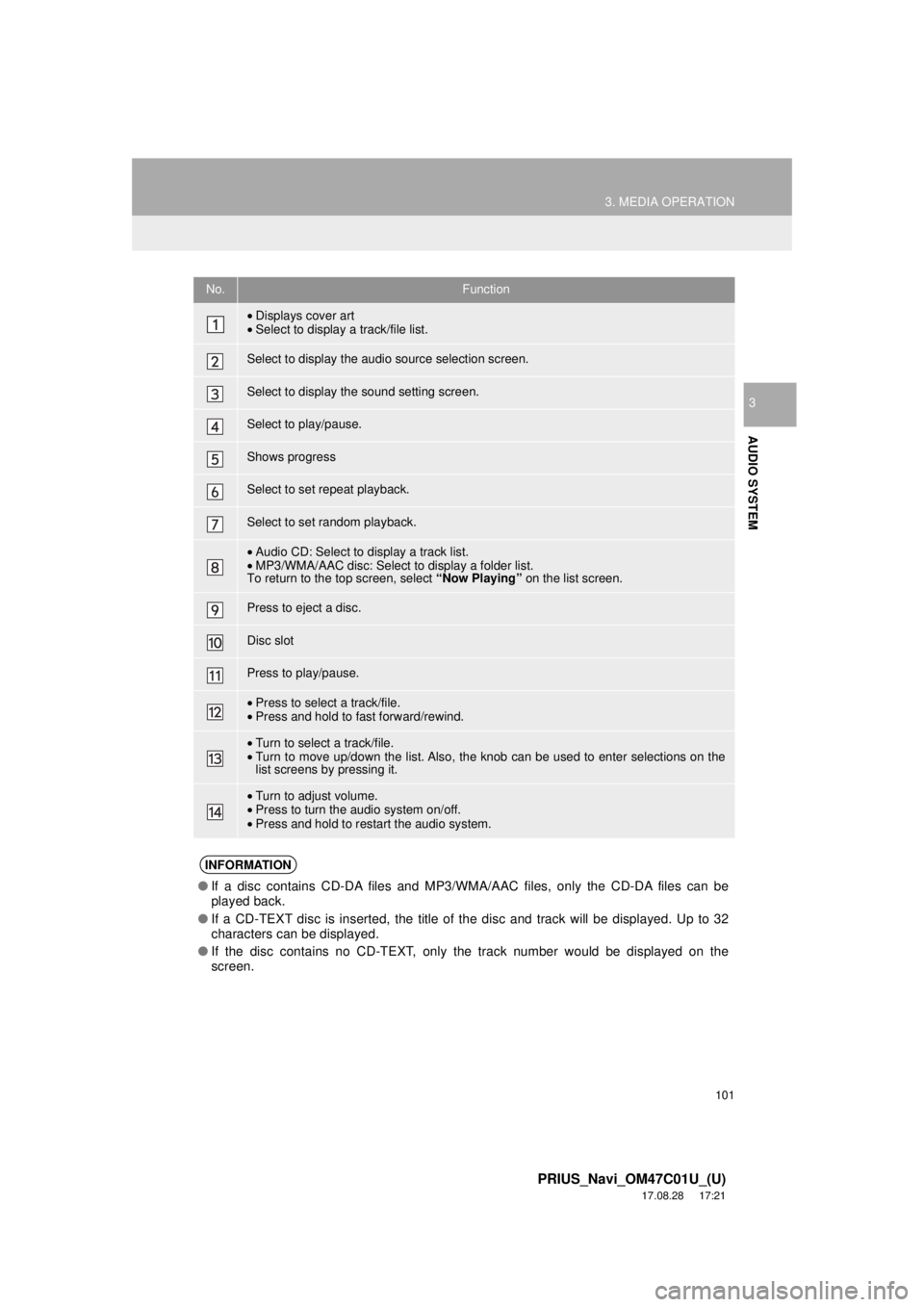
No.Function
•Displays cover art
• Select to display a track/file list.
Select to display the audio source selection screen.
Select to display the sound setting screen.
Select to play/pause.
Shows progress
Select to set repeat playback.
Select to set random playback.
•Audio CD: Select to display a track list.
• MP3/WMA/AAC disc: Select to display a folder list.
To return to the top screen, select “Now Playing” on the list screen.
Press to eject a disc.
Disc slot
Press to play/pause.
•Press to select a track/file.
• Press and hold to fast forward/rewind.
•Turn to select a track/file.
• Turn to move up/down the list. Also, the knob can be used to enter selections on the
list screens by pressing it.
•Turn to adjust volume.
• Press to turn the audio system on/off.
• Press and hold to restart the audio system.
INFORMATION
● If a disc contains CD-DA files and MP3/WMA/AAC files, only the CD-DA files can be
played back.
● If a CD-TEXT disc is inserted, the title of the disc and track will be displayed. Up to 32
characters can be displayed.
● If the disc contains no CD-TEXT, only the track number would be displayed on the
screen.
Page 105 of 294
105
3. MEDIA OPERATION
PRIUS_Navi_OM47C01U_(U)
17.08.28 17:21
AUDIO SYSTEM
3
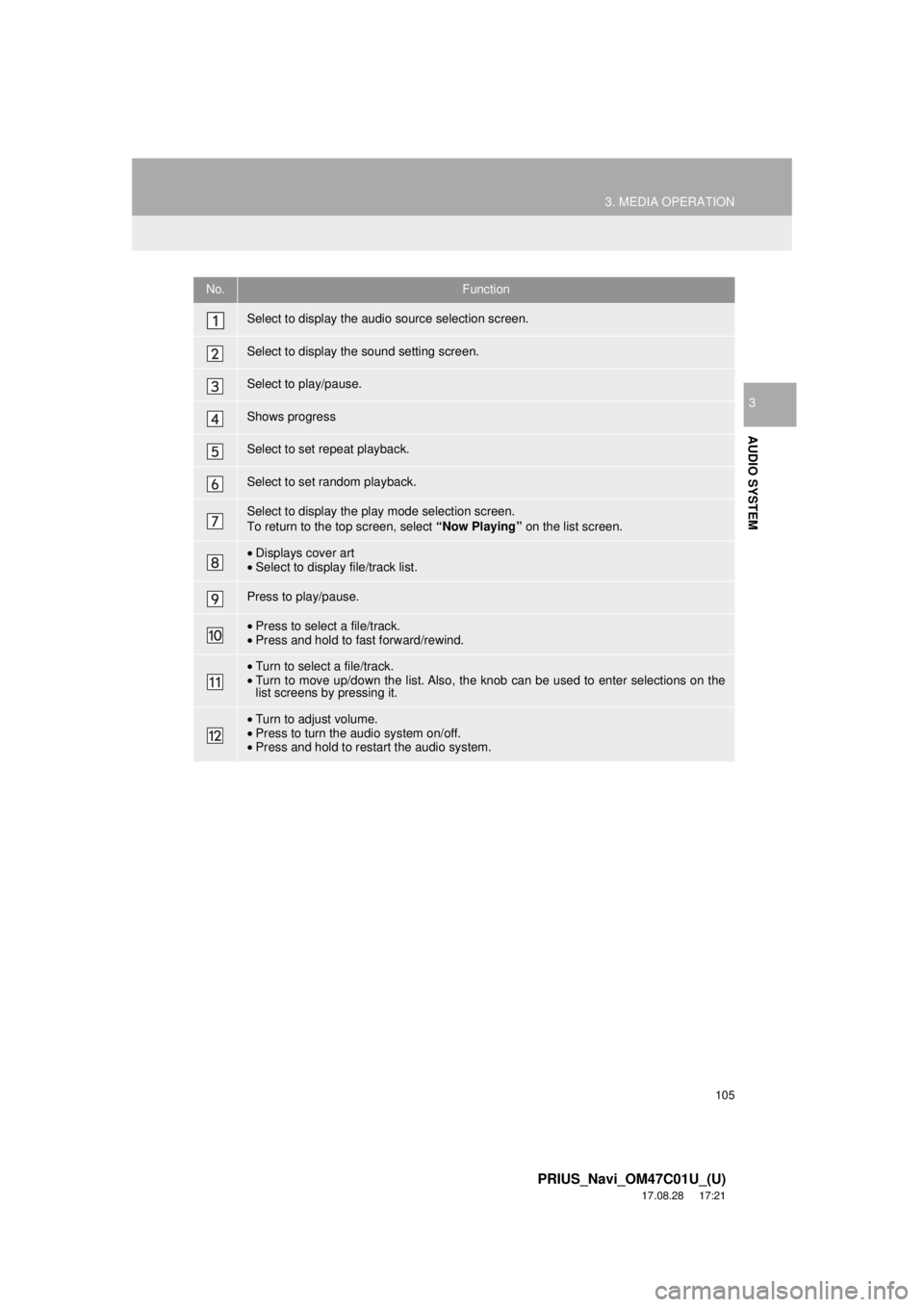
No.Function
Select to display the audio source selection screen.
Select to display the sound setting screen.
Select to play/pause.
Shows progress
Select to set repeat playback.
Select to set random playback.
Select to display the play mode selection screen.
To return to the top screen, select “Now Playing” on the list screen.
•Displays cover art
• Select to display file/track list.
Press to play/pause.
•Press to select a file/track.
• Press and hold to fast forward/rewind.
•Turn to select a file/track.
• Turn to move up/down the list. Also, the knob can be used to enter selections on the
list screens by pressing it.
•Turn to adjust volume.
• Press to turn the audio system on/off.
• Press and hold to restart the audio system.
Page 109 of 294
109
3. MEDIA OPERATION
PRIUS_Navi_OM47C01U_(U)
17.08.28 17:21
AUDIO SYSTEM
3
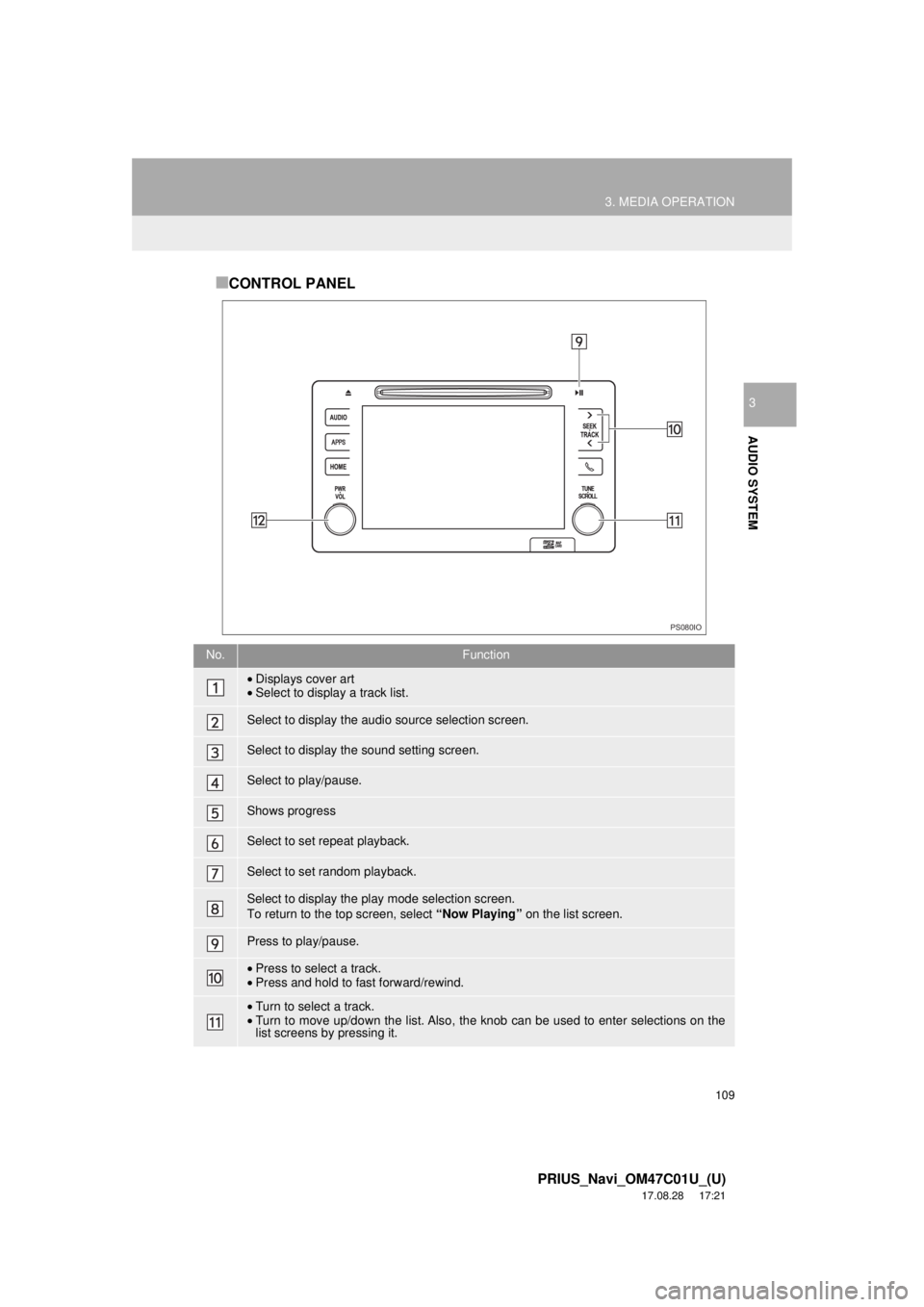
■CONTROL PANEL
No.Function
•Displays cover art
• Select to display a track list.
Select to display the audio source selection screen.
Select to display the sound setting screen.
Select to play/pause.
Shows progress
Select to set repeat playback.
Select to set random playback.
Select to display the play mode selection screen.
To return to the top screen, select “Now Playing” on the list screen.
Press to play/pause.
•Press to select a track.
• Press and hold to fast forward/rewind.
•Turn to select a track.
• Turn to move up/down the list. Also, the knob can be used to enter selections on the
list screens by pressing it.
PS080IO
Page 111 of 294
111
3. MEDIA OPERATION
PRIUS_Navi_OM47C01U_(U)
17.08.28 17:21
AUDIO SYSTEM
3
INFORMATION
●When an iPod is connected using a genuine iPod cable, the iPod starts charging its bat-
tery.
● Depending on the iPod, the video sound may not be able to be heard.
● Depending on the iPod and the songs in the iPod, iPod cover art may be displayed. This
function can be changed to on/off. ( →P.123) It may take time to display iPod cover art,
and the iPod may not be operated while the cover art display is in process.
● When an iPod is connected and the audio source is changed to iPod mode, the iPod will
resume playing from the same point it was last used.
● Depending on the iPod that is connected to the system, certain functions may not be
available.
● Files/tracks selected by operating a connected iPod may not be recognized or displayed
properly.
● If an iPhone is connected via Bluetooth
® and USB at the same time, system operation
may become unstable.
For known phone compatibility information, refer to http://www.toyota.com/entune/
.
Page 114 of 294
114
3. MEDIA OPERATION
PRIUS_Navi_OM47C01U_(U)
17.08.28 17:21
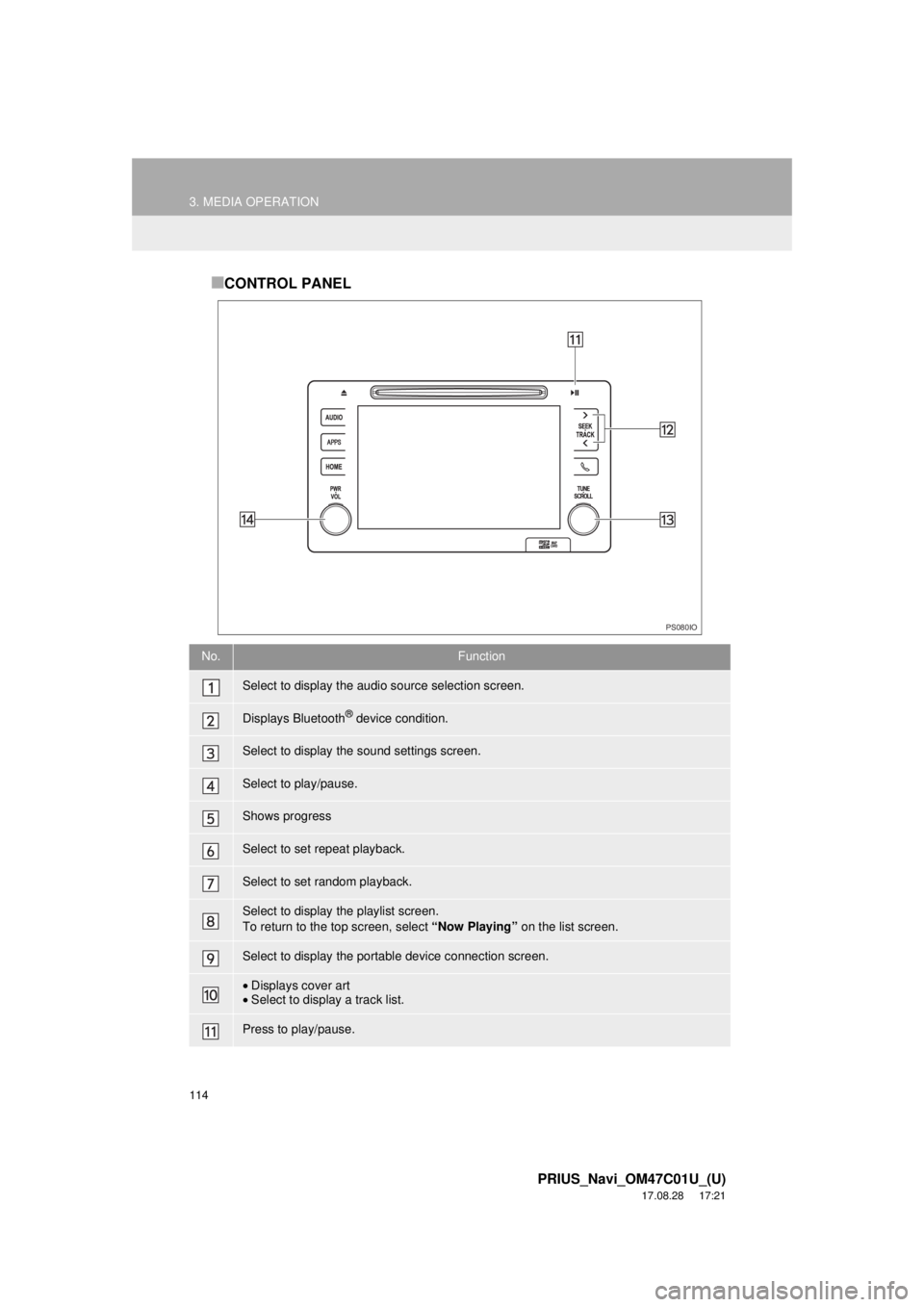
■CONTROL PANEL
No.Function
Select to display the audio source selection screen.
Displays Bluetooth® device condition.
Select to display the sound settings screen.
Select to play/pause.
Shows progress
Select to set repeat playback.
Select to set random playback.
Select to display the playlist screen.
To return to the top screen, select “Now Playing” on the list screen.
Select to display the portable device connection screen.
•Displays cover art
• Select to display a track list.
Press to play/pause.
PS080IO
Page 119 of 294
119
3. MEDIA OPERATION
PRIUS_Navi_OM47C01U_(U)
17.08.28 17:21
AUDIO SYSTEM
3
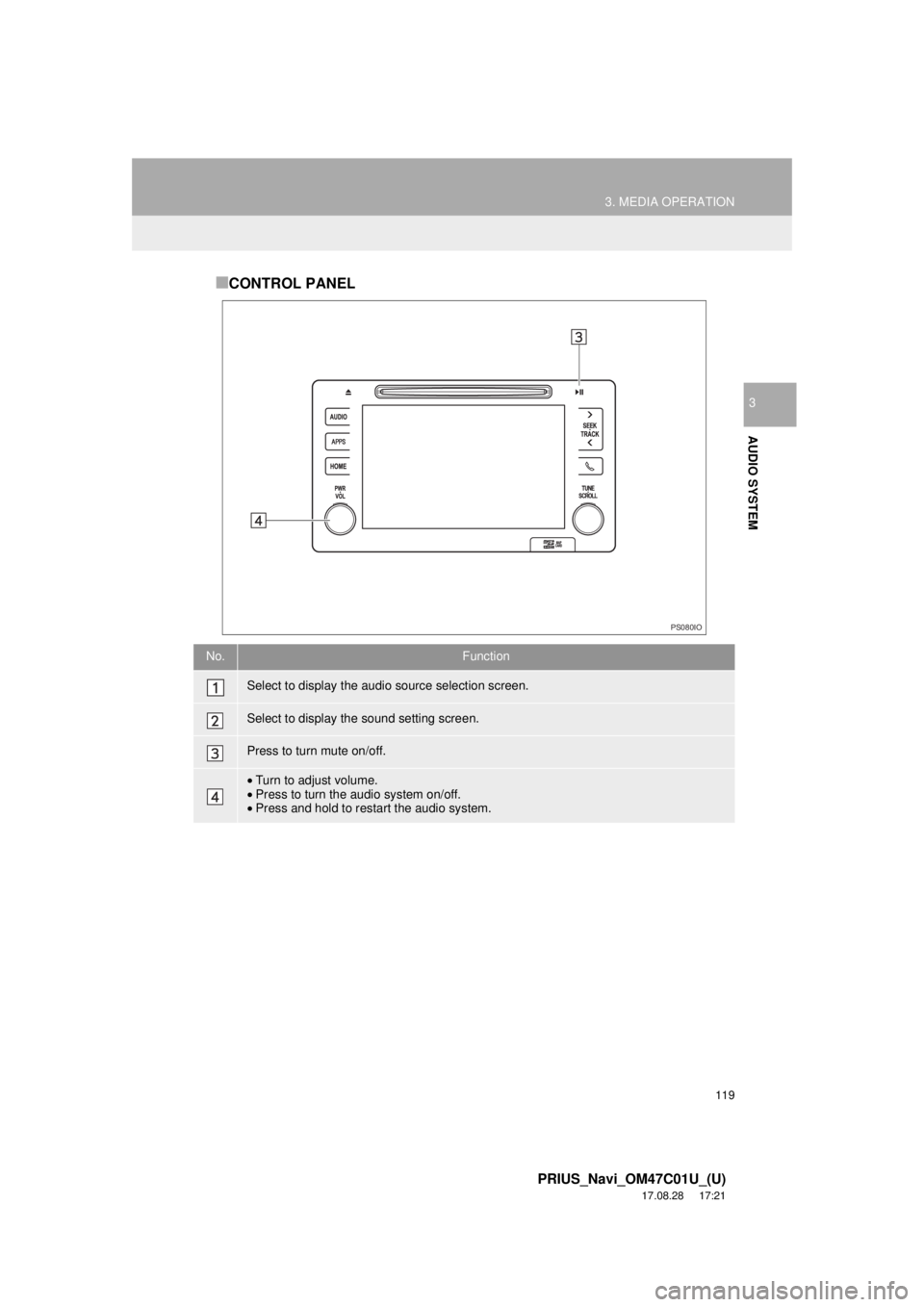
■CONTROL PANEL
No.Function
Select to display the audio source selection screen.
Select to display the sound setting screen.
Press to turn mute on/off.
•Turn to adjust volume.
• Press to turn the audio system on/off.
• Press and hold to restart the audio system.
PS080IO
Page 124 of 294
124
5. SETUP
PRIUS_Navi_OM47C01U_(U)
17.08.28 17:21
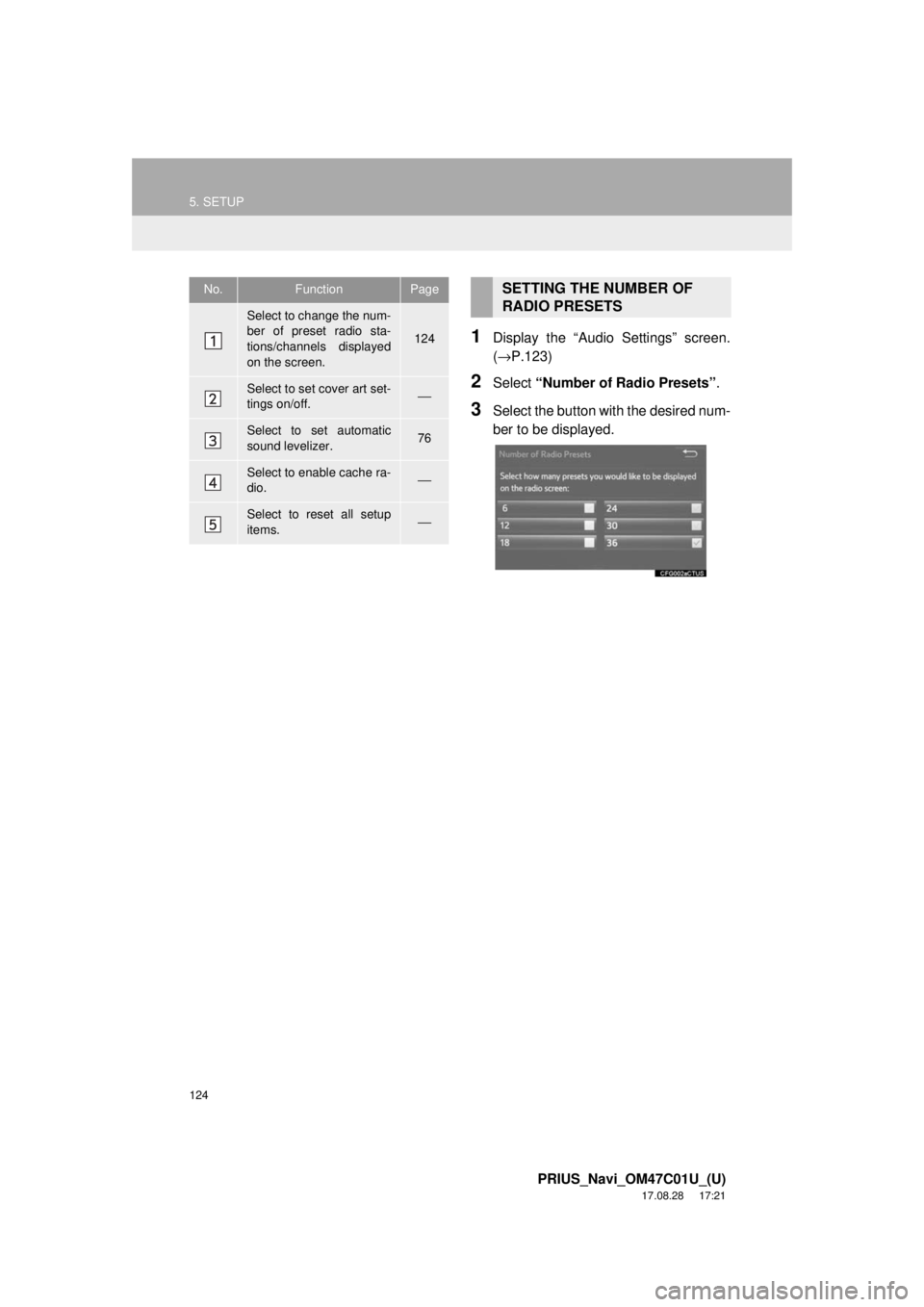
1Display the “Audio Settings” screen.
(→P.123)
2Select “Number of Radio Presets” .
3Select the button with the desired num-
ber to be displayed.
No.FunctionPage
Select to change the num-
ber of preset radio sta-
tions/channels displayed
on the screen.
124
Select to set cover art set-
tings on/off.⎯
Select to set automatic
sound levelizer.76
Select to enable cache ra-
dio.⎯
Select to reset all setup
items.⎯
SETTING THE NUMBER OF
RADIO PRESETS
Page 130 of 294
130
6. TIPS FOR OPERATING THE AUDIO SYSTEM
PRIUS_Navi_OM47C01U_(U)
17.08.28 17:21
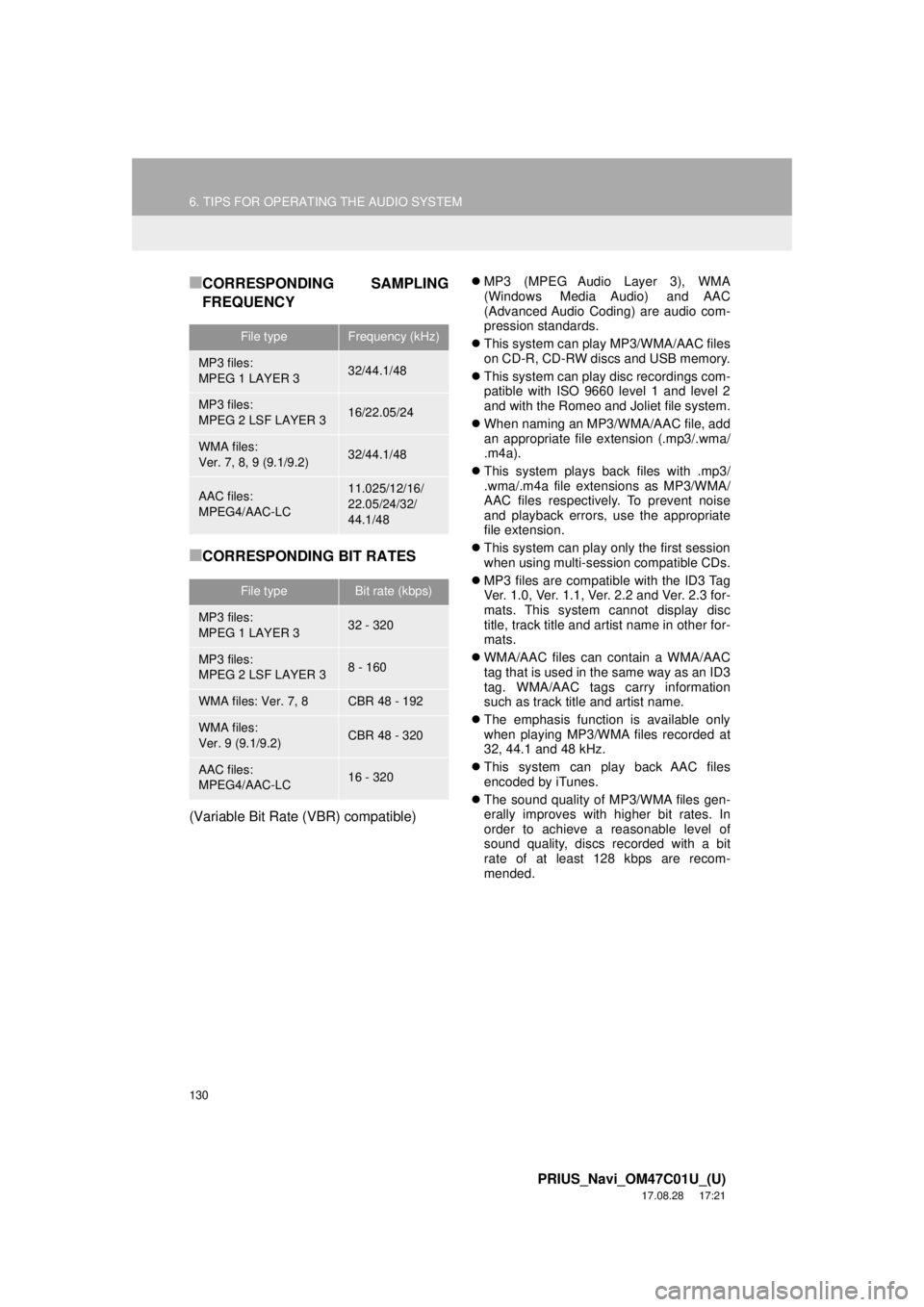
■CORRESPONDING SAMPLING
FREQUENCY
■CORRESPONDING BIT RATES
(Variable Bit Rate (VBR) compatible)
MP3 (MPEG Audio Layer 3), WMA
(Windows Media Audio) and AAC
(Advanced Audio Coding) are audio com-
pression standards.
This system can play MP3/WMA/AAC files
on CD-R, CD-RW discs and USB memory.
This system can play disc recordings com-
patible with ISO 9660 level 1 and level 2
and with the Romeo and Joliet file system.
When naming an MP3/WMA/AAC file, add
an appropriate file extension (.mp3/.wma/
.m4a).
This system plays back files with .mp3/
.wma/.m4a file extensions as MP3/WMA/
AAC files respectively. To prevent noise
and playback errors, use the appropriate
file extension.
This system can play only the first session
when using multi-session compatible CDs.
MP3 files are compatible with the ID3 Tag
Ver. 1.0, Ver. 1.1, Ver. 2.2 and Ver. 2.3 for-
mats. This system cannot display disc
title, track title and artist name in other for-
mats.
WMA/AAC files can contain a WMA/AAC
tag that is used in the same way as an ID3
tag. WMA/AAC tags carry information
such as track title and artist name.
The emphasis function is available only
when playing MP3/WMA files recorded at
32, 44.1 and 48 kHz.
This system can play back AAC files
encoded by iTunes.
The sound quality of MP3/WMA files gen-
erally improves with higher bit rates. In
order to achieve a reasonable level of
sound quality, discs recorded with a bit
rate of at least 128 kbps are recom-
mended.
File typeFrequency (kHz)
MP3 files:
MPEG 1 LAYER 332/44.1/48
MP3 files:
MPEG 2 LSF LAYER 316/22.05/24
WMA files:
Ver. 7, 8, 9 (9.1/9.2)32/44.1/48
AAC files:
MPEG4/AAC-LC11.025/12/16/
22.05/24/32/
44.1/48
File typeBit rate (kbps)
MP3 files:
MPEG 1 LAYER 332 - 320
MP3 files:
MPEG 2 LSF LAYER 38 - 160
WMA files: Ver. 7, 8CBR 48 - 192
WMA files:
Ver. 9 (9.1/9.2)CBR 48 - 320
AAC files:
MPEG4/AAC-LC16 - 320