display TOYOTA PRIUS 2018 Accessories, Audio & Navigation (in English)
[x] Cancel search | Manufacturer: TOYOTA, Model Year: 2018, Model line: PRIUS, Model: TOYOTA PRIUS 2018Pages: 294, PDF Size: 4.43 MB
Page 73 of 294
73
1. BASIC OPERATION
PRIUS_Navi_OM47C01U_(U)
17.08.28 17:21
AUDIO SYSTEM
3
2. SOME BASICS
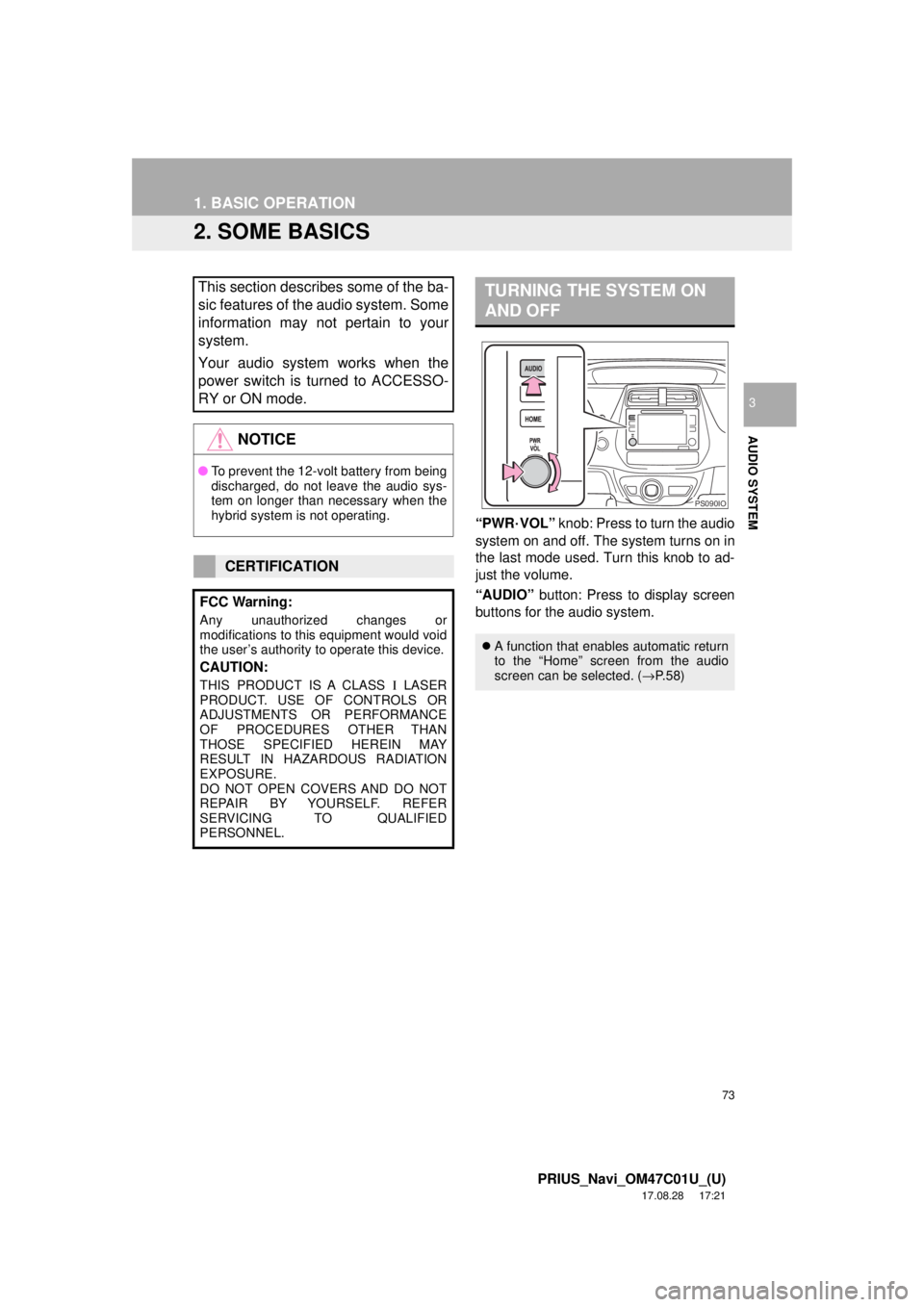
“PWR·VOL” knob: Press to turn the audio
system on and off. The system turns on in
the last mode used. Turn this knob to ad-
just the volume.
“AUDIO” button: Press to display screen
buttons for the audio system.
This section describes some of the ba-
sic features of the audio system. Some
information may not pertain to your
system.
Your audio system works when the
power switch is turned to ACCESSO-
RY or ON mode.
NOTICE
● To prevent the 12-volt battery from being
discharged, do not leave the audio sys-
tem on longer than necessary when the
hybrid system is not operating.
CERTIFICATION
FCC Warning:
Any unauthorized changes or
modifications to this equipment would void
the user’s authority to operate this device.
CAUTION:
THIS PRODUCT IS A CLASS Ι LASER
PRODUCT. USE OF CONTROLS OR
ADJUSTMENTS OR PERFORMANCE
OF PROCEDURES OTHER THAN
THOSE SPECIFIED HEREIN MAY
RESULT IN HAZARDOUS RADIATION
EXPOSURE.
DO NOT OPEN COVERS AND DO NOT
REPAIR BY YOURSELF. REFER
SERVICING TO QUALIFIED
PERSONNEL.
TURNING THE SYSTEM ON
AND OFF
A function that enables automatic return
to the “Home” screen from the audio
screen can be selected. ( →P.58)
PS090IO
Page 74 of 294
74
1. BASIC OPERATION
PRIUS_Navi_OM47C01U_(U)
17.08.28 17:21
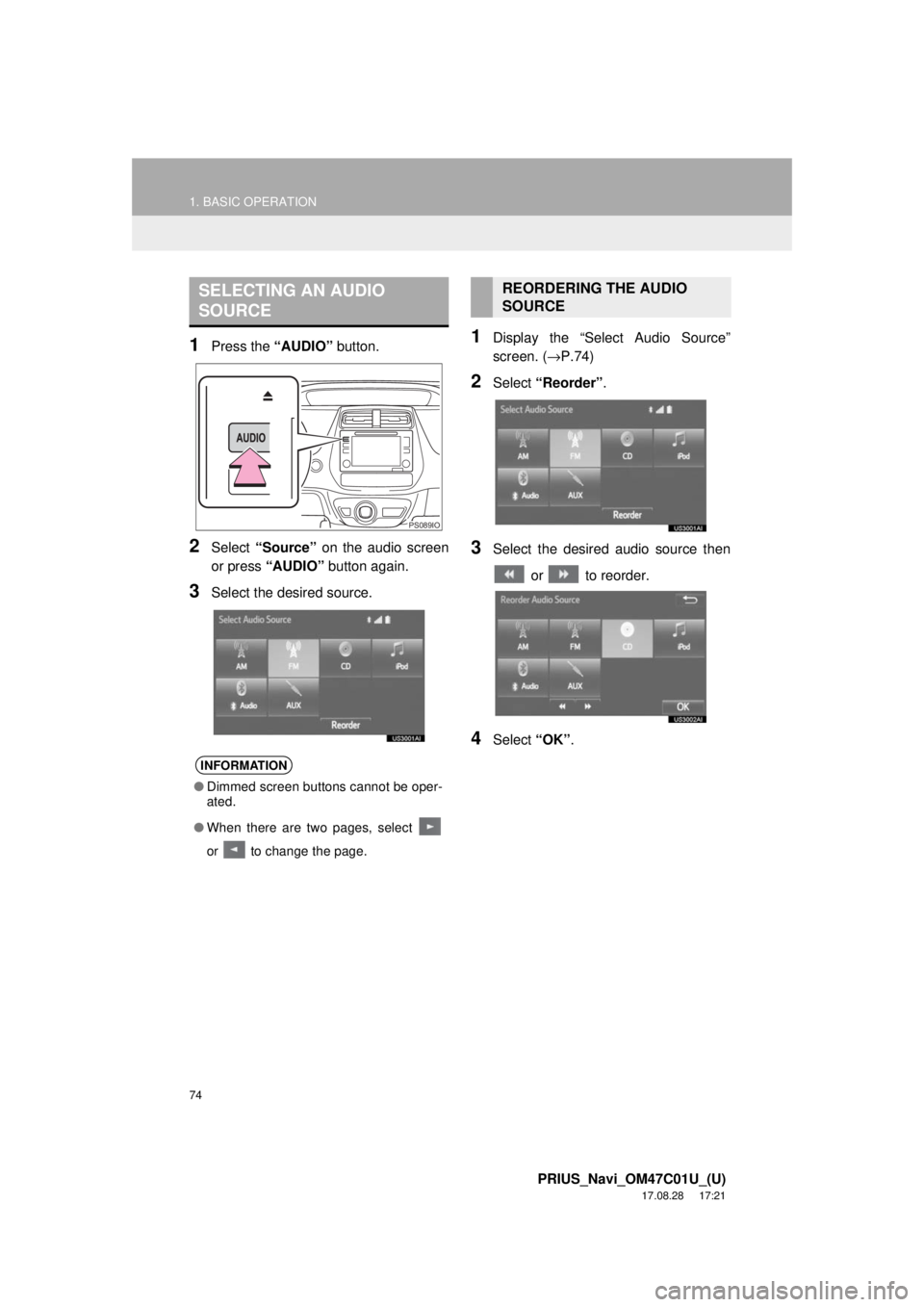
1Press the “AUDIO” button.
2Select “Source” on the audio screen
or press “AUDIO” button again.
3Select the desired source.
1Display the “Select Audio Source”
screen. (→P.74)
2Select “Reorder” .
3Select the desired audio source then
or to reorder.
4Select “OK”.
SELECTING AN AUDIO
SOURCE
INFORMATION
●Dimmed screen buttons cannot be oper-
ated.
● When there are two pages, select
or to change the page.
PS089IO
REORDERING THE AUDIO
SOURCE
Page 76 of 294
76
1. BASIC OPERATION
PRIUS_Navi_OM47C01U_(U)
17.08.28 17:21
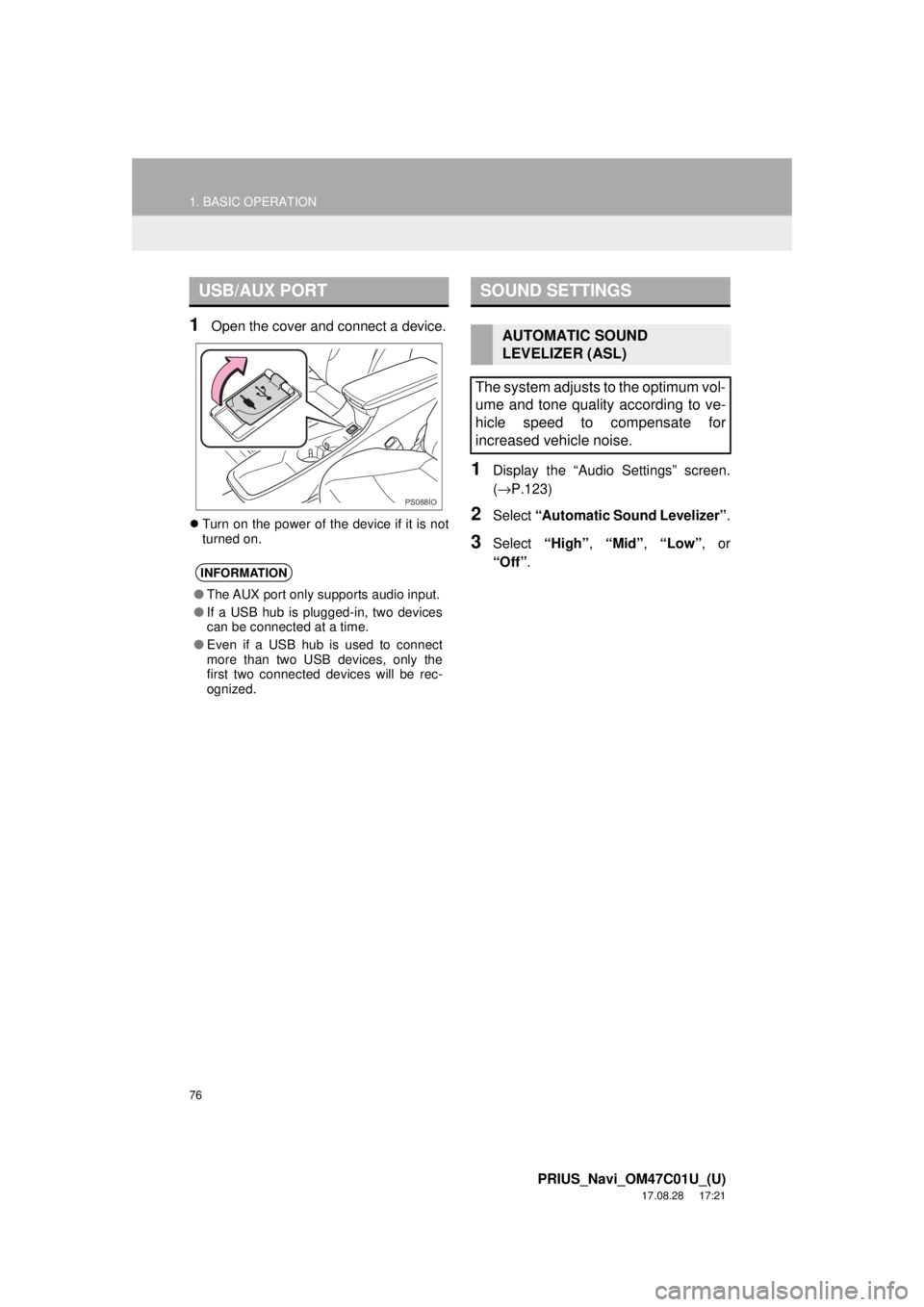
1Open the cover and connect a device.
Turn on the power of the device if it is not
turned on.
1Display the “Audio Settings” screen.
(→ P.123)
2Select “Automatic Sound Levelizer” .
3Select “High”, “Mid” , “Low” , or
“Off” .
USB/AUX PORT
INFORMATION
●The AUX port only supports audio input.
● If a USB hub is plugged-in, two devices
can be connected at a time.
● Even if a USB hub is used to connect
more than two USB devices, only the
first two connected devices will be rec-
ognized.
PS088IO
SOUND SETTINGS
AUTOMATIC SOUND
LEVELIZER (ASL)
The system adjusts to the optimum vol-
ume and tone quality according to ve-
hicle speed to compensate for
increased vehicle noise.
Page 81 of 294
81
2. RADIO OPERATION
PRIUS_Navi_OM47C01U_(U)
17.08.28 17:21
AUDIO SYSTEM
3
No.Function
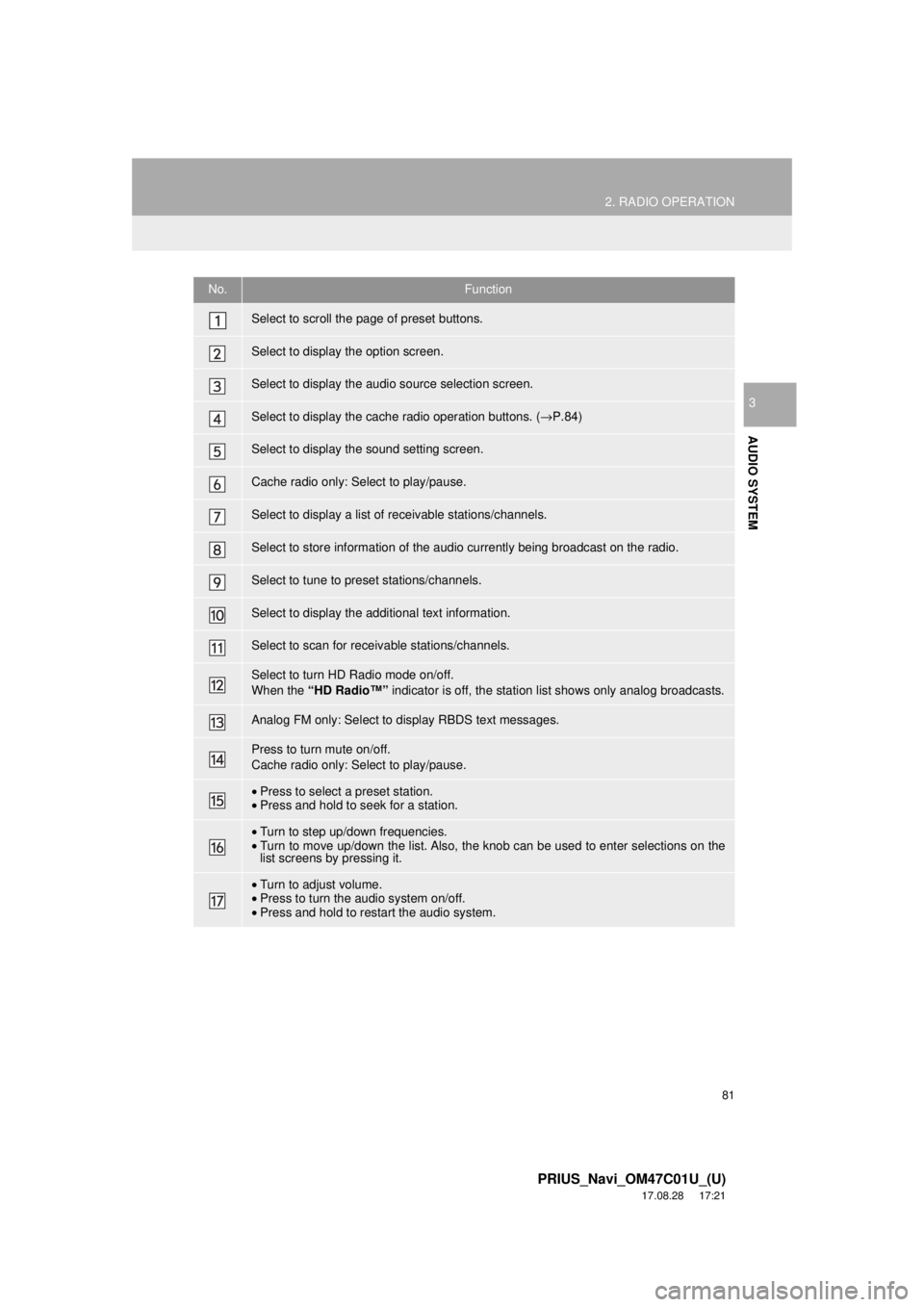
Select to scroll the page of preset buttons.
Select to display the option screen.
Select to display the audio source selection screen.
Select to display the cache radio operation buttons. (→P.84)
Select to display the sound setting screen.
Cache radio only: Select to play/pause.
Select to display a list of receivable stations/channels.
Select to store information of the audio currently being broadcast on the radio.
Select to tune to preset stations/channels.
Select to display the additional text information.
Select to scan for re ceivable stations/channels.
Select to turn HD Radio mode on/off.
When the “HD Radio™” indicator is off, the station list shows only analog broadcasts.
Analog FM only: Select to display RBDS text messages.
Press to turn mute on/off.
Cache radio only: Select to play/pause.
•Press to select a preset station.
• Press and hold to seek for a station.
•Turn to step up/down frequencies.
• Turn to move up/down the list. Also, the knob can be used to enter selections on the
list screens by pressing it.
•Turn to adjust volume.
• Press to turn the audio system on/off.
• Press and hold to restart the audio system.
Page 83 of 294
83
2. RADIO OPERATION
PRIUS_Navi_OM47C01U_(U)
17.08.28 17:21
AUDIO SYSTEM
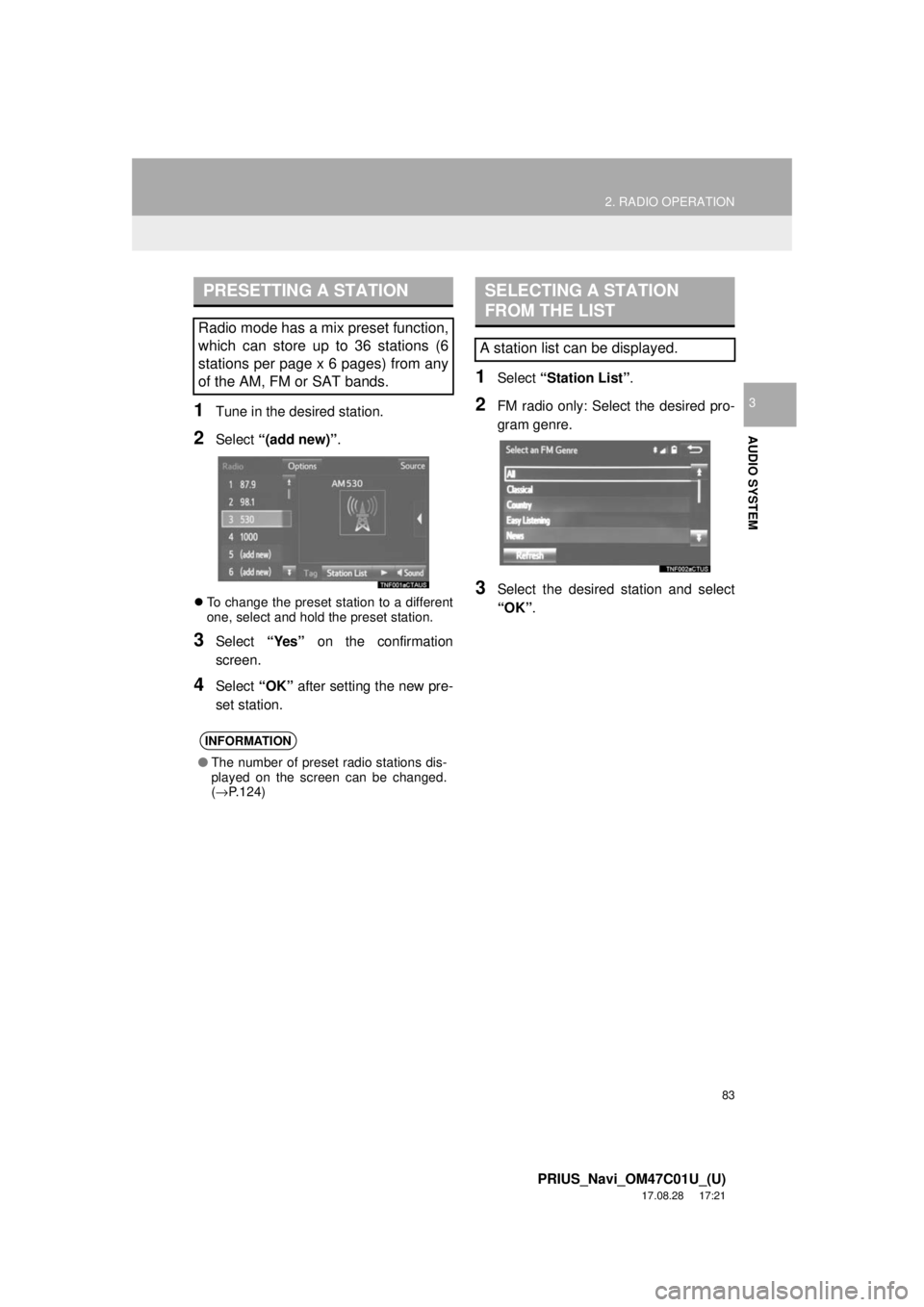
31Tune in the desired station.
2Select “(add new)” .
To change the preset station to a different
one, select and hold the preset station.
3Select “Yes” on the confirmation
screen.
4Select “OK” after setting the new pre-
set station.
1Select “Station List” .
2FM radio only: Select the desired pro-
gram genre.
3Select the desired station and select
“OK”.
PRESETTING A STATION
Radio mode has a mix preset function,
which can store up to 36 stations (6
stations per page x 6 pages) from any
of the AM, FM or SAT bands.
INFORMATION
●The number of preset radio stations dis-
played on the screen can be changed.
(→ P.124)
SELECTING A STATION
FROM THE LIST
A station list can be displayed.
Page 84 of 294
84
2. RADIO OPERATION
PRIUS_Navi_OM47C01U_(U)
17.08.28 17:21
■REFRESHING THE STATION LIST
1Select “Refresh” on the station list
screen and the following screen will be
displayed.
“Cancel Refresh” : Select to cancel the
refresh.
“Source” : Select to change to another au-
dio source while refreshing.
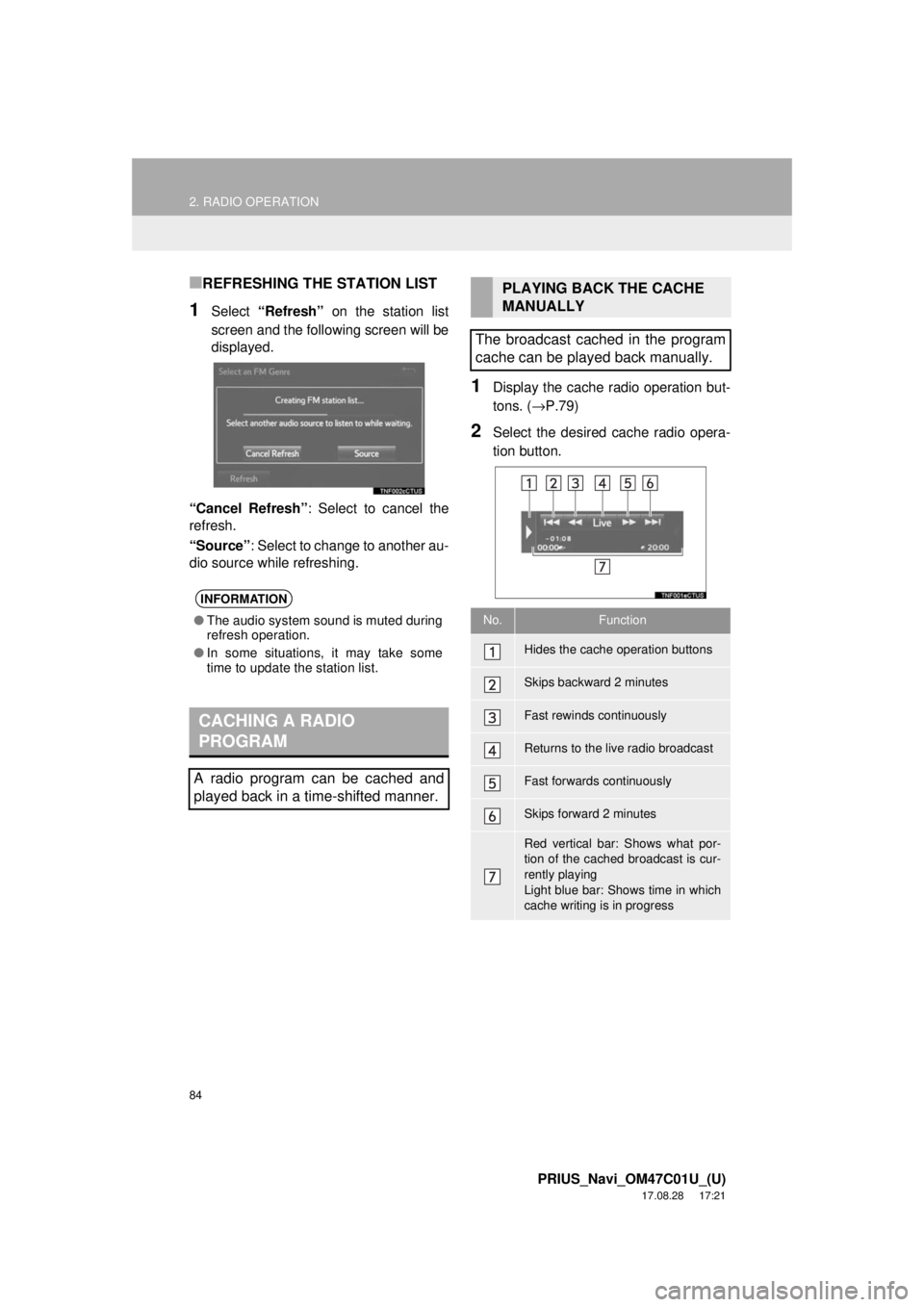
1Display the cache r adio operation but-
tons. ( →P.79)
2Select the desired cache radio opera-
tion button.
INFORMATION
●The audio system sound is muted during
refresh operation.
● In some situations, it may take some
time to update the station list.
CACHING A RADIO
PROGRAM
A radio program can be cached and
played back in a time-shifted manner.
PLAYING BACK THE CACHE
MANUALLY
The broadcast cached in the program
cache can be played back manually.
No.Function
Hides the cache operation buttons
Skips backward 2 minutes
Fast rewinds continuously
Returns to the live radio broadcast
Fast forwards continuously
Skips forward 2 minutes
Red vertical bar: Shows what por-
tion of the cached broadcast is cur-
rently playing
Light blue bar: Shows time in which
cache writing is in progress
Page 85 of 294
85
2. RADIO OPERATION
PRIUS_Navi_OM47C01U_(U)
17.08.28 17:21
AUDIO SYSTEM
3
AUTOMATIC PLAYBACK OF
THE CACHE
If the radio broadcast is interrupted by
another audio output, such as an
incoming phone call, the system will
automatically cache the interrupted
portion and perform time-shift
playback when the interruption ends.
To manually operate the cache
operation: ( →P.84)
INFORMATION
●The system can store up to 20 minutes.
Cached data will be erased when the
radio mode or station is changed or
when the audio system is turned off.
● If noise or silence occurs during the
caching process, cache writing will con-
tinue, with the noise or silence recorded
as is. In this case, the cached broadcast
will contain the noise or silence when
played back.
RADIO BROADCAST DATA
SYSTEM
This audio system is equipped with Ra-
dio Broadcast Data Systems (RBDS).
RBDS mode allows text messages to
be received from radio stations that uti-
lize RBDS transmitters.
When RBDS is on, the radio can
— only select stations of a particular
program type,
— display messages from radio sta-
tions,
— search for a stronger signal station.
RBDS features are available only
when listening to an FM station that
broadcasts RBDS information and the
“FM Info” indicator is on.
Page 86 of 294
86
2. RADIO OPERATION
PRIUS_Navi_OM47C01U_(U)
17.08.28 17:21
1Select “Station List” .
2FM radio only: Select a desired genre
of station and select a desired station.
The genre list is in the following order:
• Classical
• Country
• EasyLis (Easy Listening)
• Inform (Information)
•Jazz
•News
• Oldies
•Other
• Pop Music
•Religion
•Rock
• R&B (Rhythm and Blues)
• Sports
•Talk
• Traffic (Not available when “HD Radio™”
indicator is off.)
• Alert (Emergency Alert)1Select “Station List” .
2Select the desired traffic program sta-
tion.
SELECTING A DESIRED
GENRETRAFFIC ANNOUNCEMENT
(FM RADIO)
A station that regularly broadcasts traf-
fic information is automatically located.
INFORMATION
●If a traffic program station is found, the
name of the traffic program station will
be displayed for a while.
Page 88 of 294
88
2. RADIO OPERATION
PRIUS_Navi_OM47C01U_(U)
17.08.28 17:21
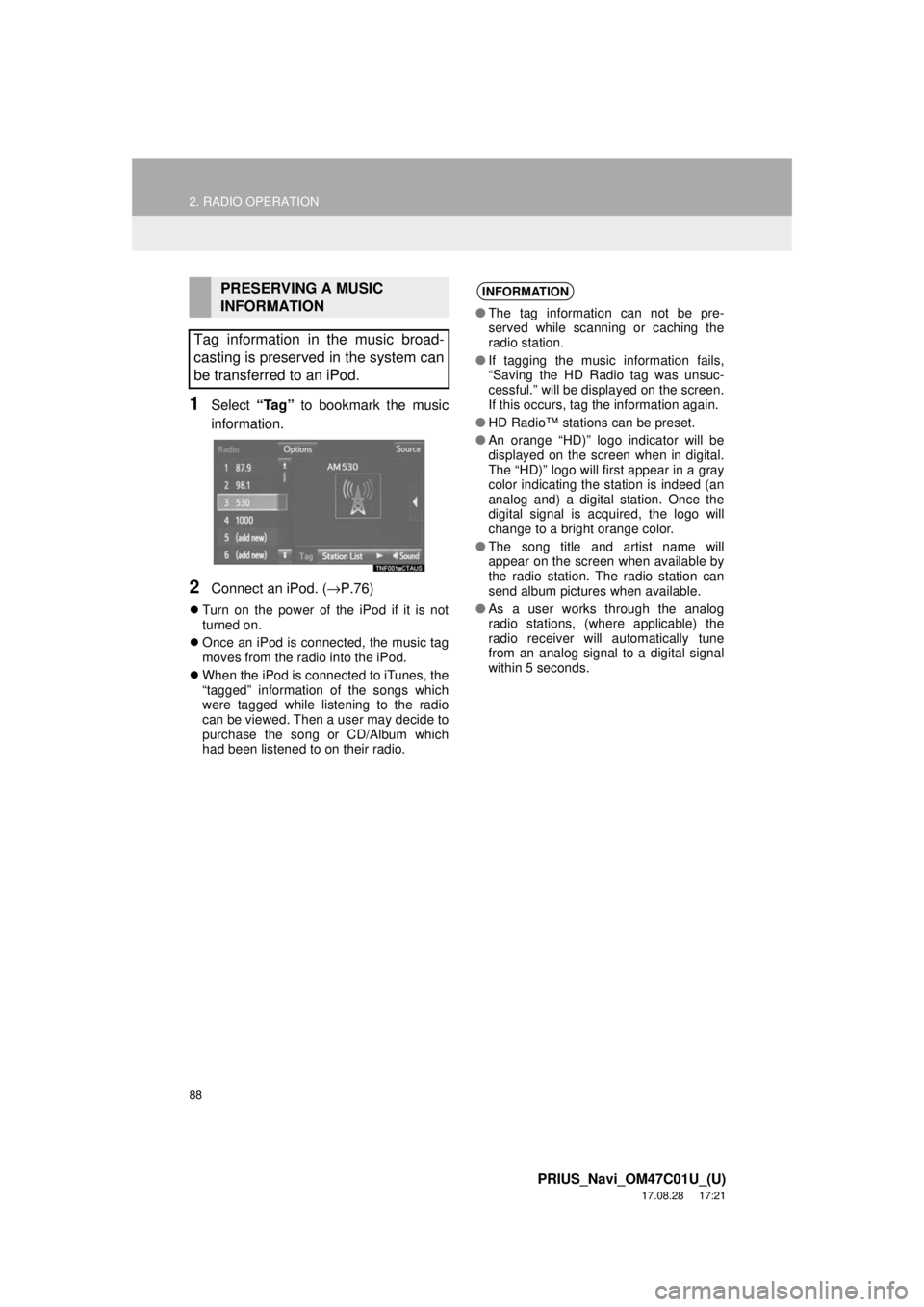
1Select “Tag” to bookmark the music
information.
2Connect an iPod. ( →P.76)
Turn on the power of the iPod if it is not
turned on.
Once an iPod is connected, the music tag
moves from the radio into the iPod.
When the iPod is connected to iTunes, the
“tagged” information of the songs which
were tagged while listening to the radio
can be viewed. Then a user may decide to
purchase the song or CD/Album which
had been listened to on their radio.
PRESERVING A MUSIC
INFORMATION
Tag information in the music broad-
casting is preserved in the system can
be transferred to an iPod.INFORMATION
● The tag information can not be pre-
served while scanning or caching the
radio station.
● If tagging the music information fails,
“Saving the HD Radio tag was unsuc-
cessful.” will be displayed on the screen.
If this occurs, tag the information again.
● HD Radio™ stations can be preset.
● An orange “HD)” logo indicator will be
displayed on the screen when in digital.
The “HD)” logo will first appear in a gray
color indicating the station is indeed (an
analog and) a digital station. Once the
digital signal is acquired, the logo will
change to a bright orange color.
● The song title and artist name will
appear on the screen when available by
the radio station. The radio station can
send album pictures when available.
● As a user works through the analog
radio stations, (where applicable) the
radio receiver will automatically tune
from an analog signal to a digital signal
within 5 seconds.
Page 92 of 294
92
2. RADIO OPERATION
PRIUS_Navi_OM47C01U_(U)
17.08.28 17:21
No.Function
Select to scroll the page of preset buttons.
Select to display the option screen.
•Select to scan for receivable channels.
• Select “Additional Information” to display the information.
Select to display the audio source selection screen.
Select to display the sound setting screen.
Select to display a list of receivable channels.
Select to tune to preset channels.
•Press to seek for a channel.
• Press and hold for continuous seek.
•Turn to step up/down channels.
• Turn to move up/down the list. Also, the k nob can be used to enter selections on the
list screens by pressing it.
• Turn to adjust volume.
• Press to turn the audio system on/off.
• Press and hold to restart the audio system.