remote control TOYOTA PRIUS PRIME 2017 2.G Owner's Manual
[x] Cancel search | Manufacturer: TOYOTA, Model Year: 2017, Model line: PRIUS PRIME, Model: TOYOTA PRIUS PRIME 2017 2.GPages: 784, PDF Size: 14.98 MB
Page 504 of 784
5046-1. Using the air conditioning system and defogger
PRIUS PRIME_OM_OM47A88U_(U)
■Heating
●In HV mode, the gasoline engine may operate in order to exhaust heat from
the engine coolant via the heater.
● In EV mode, heating is done by a heat pump system.
• When the outside temperature is low or it is snowing, compared to con-
ventional vehicles, heating may be less effective and warm air may not
come out.
• If frost has formed of the outside heat exchanger, the heating perfor- mance will decline. The frost can be removed from the outside heat
exchanger by operating the Remote Air Conditioning System before driv-
ing ( →P. 509). When frosted over, the heating operation of the Remote
Air Conditioning System starts after defrosting.
• When is turned on, the heating is controlled optimally. There- fore, the set heating performance may not be achieved even if the fan
speed setting is increased.
● In the following situations the gasoline engine may operate in order to
exhaust heat from the engine coolant via the heater even in EV mode.
• The outside temperature is extremely low
• is operating
■ Using automatic mode
Fan speed is adjusted automatically according to the temperature setting and
the ambient conditions.
Therefore, the fan may stop for a while until warm or cool air is ready to flow
immediately after is pressed.
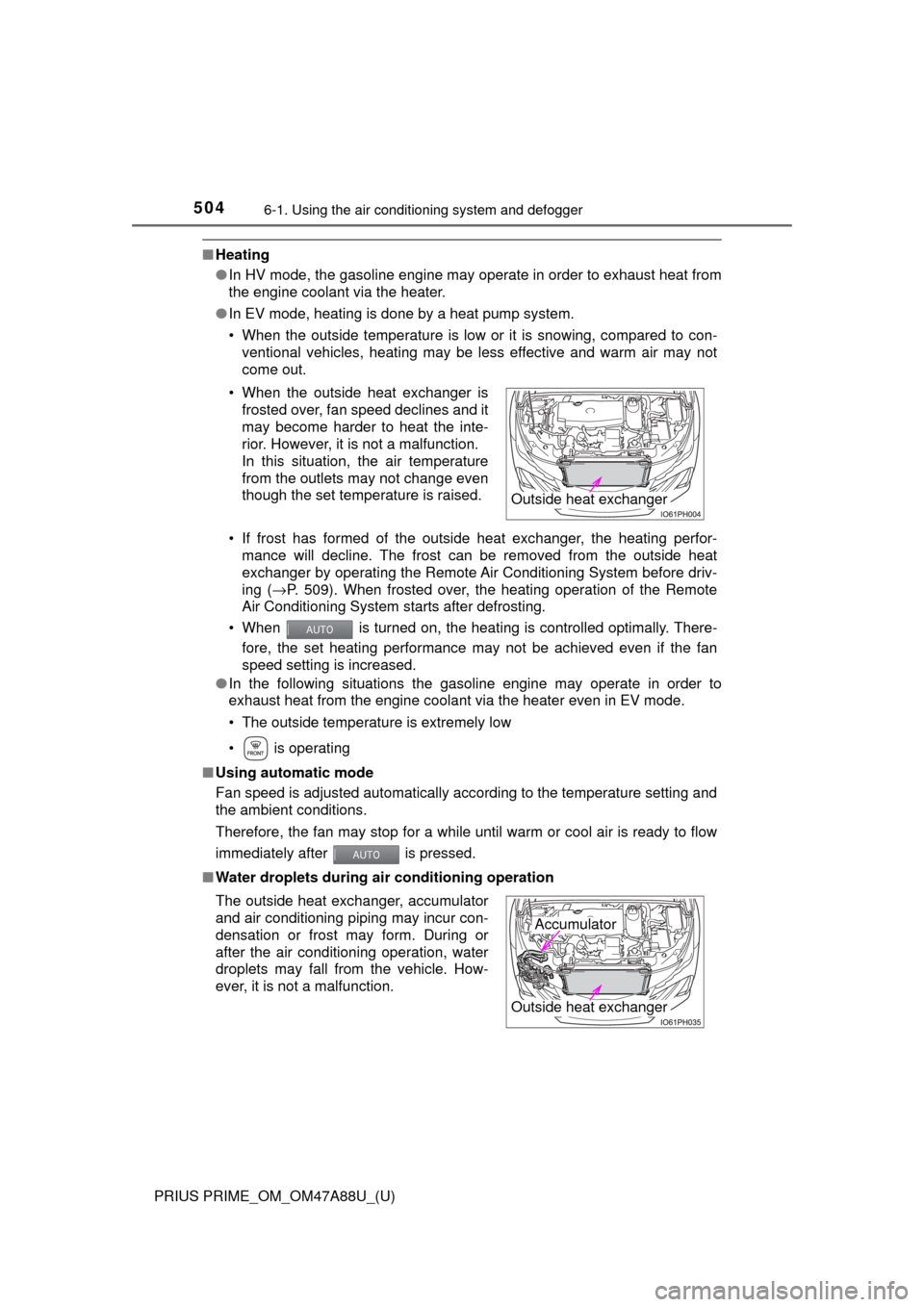
■ Water droplets during air conditioning operation• When the outside heat exchanger is
frosted over, fan speed declines and it
may become harder to heat the inte-
rior. However, it is not a malfunction.
In this situation, the air temperature
from the outlets may not change even
though the set temperature is raised.
The outside heat exchanger, accumulator
and air conditioning piping may incur con-
densation or frost may form. During or
after the air conditioning operation, water
droplets may fall from the vehicle. How-
ever, it is not a malfunction.
Outside heat exchanger
Outside heat exchanger
Accumulator
Page 509 of 784
509
PRIUS PRIME_OM_OM47A88U_(U)
6-1. Using the air conditioning system and defogger
6
Interior features
Remote Air Conditioning System
If the Remote Air Conditioning Sy stem is used while the charging
cable is connected to the vehicle, the reduction of charge in the hybrid
battery (traction battery) will be s uppressed to allow you to use elec-
tricity from an external power source.
Charging will be conducted automatically after the Remote Air Condition-
ing System is stopped.
Check the temperature setting of the air conditioning system.
( → P. 488, 499)
The Remote Air Conditioning System will operate in accordance with the
temperature settings of the air conditioning system.
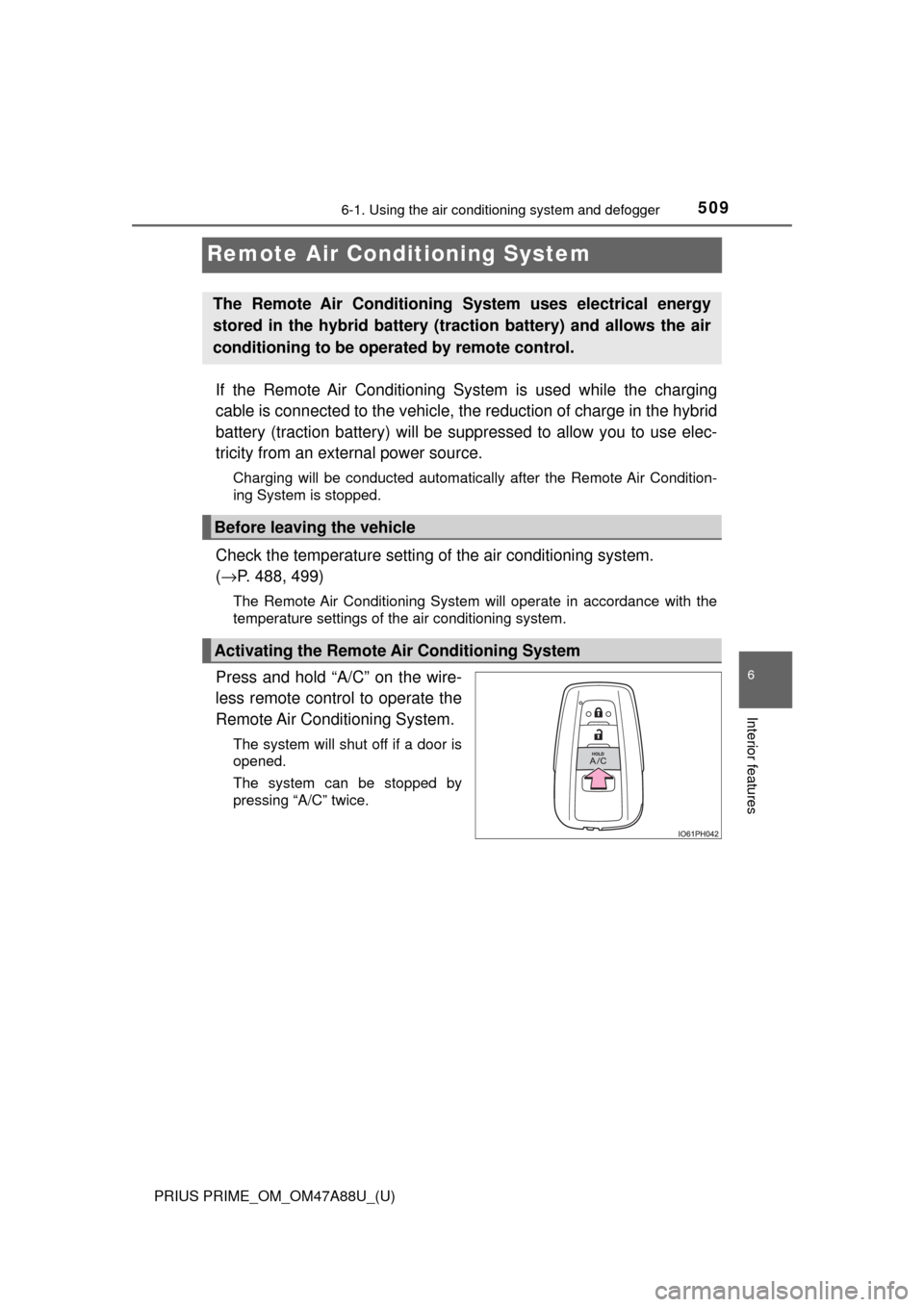
Press and hold “A/C” on the wire-
less remote control to operate the
Remote Air Conditioning System.
The system will shut off if a door is
opened.
The system can be stopped by
pressing “A/C” twice.
The Remote Air Conditioning System uses electrical energy
stored in the hybrid battery (traction battery) and allows the air
conditioning to be operat ed by remote control.
Before leaving the vehicle
Activating the Remote Air Conditioning System
Page 511 of 784
PRIUS PRIME_OM_OM47A88U_(U)
5116-1. Using the air conditioning system and defogger
6
Interior features
■Security feature
Any unlocked doors will be automatically locked when the system is operat-
ing. The buzzer sounds and the emergency flashers flash to indicate that the
doors have been locked or the system has been turned off.
(The doors locked: Once; The system turned off: Twice)
■ Conditions affecting operation
→P. 281
■ When using the Remote Air Conditioning System
A charging message will be displayed on the multi-information display. Differ-
ent messages will be displayed depending on when the Remote Air Condi-
tioning System was started (after charging or during charging).
■ While the Remote Air Conditioning System is operating
●Depending on the operating condition of the Remote Air Conditioning Sys-
tem, the electric fan may spin and an operating noise may be heard. How-
ever, this does not indicate a malfunction.
● The Remote Air Conditioning System may stop operating temporarily if
other features that use electricity (for example, the seat heater, lights, wind-
shield wipers) are in operation or if the charge level of the 12-volt battery
becomes low.
● The headlights, windshield wiper, combination meter, etc. will not operate
while the Remote Air Conditioning System is operating.
■ Electronic key battery depletion
→P. 264
■ When the electronic key battery is fully depleted
→P. 627
■ Customization
Setting (e.g. Operation using “A/C” on the wireless remote control) can be
changed. (Customizable features →P. 732)
■ Smartphone-linked op eration (vehicles with 11.6-inch display)
After applying to Entune, it is possible to use the smartphone application to
operate the Remote Air Conditioning System.
For details about Entune, refer to http://www.toyota.com/entune/.
Page 542 of 784
542
PRIUS PRIME_OM_OM47A88U_(U)
6-4. Using the other interior features
■Programming HomeLink®
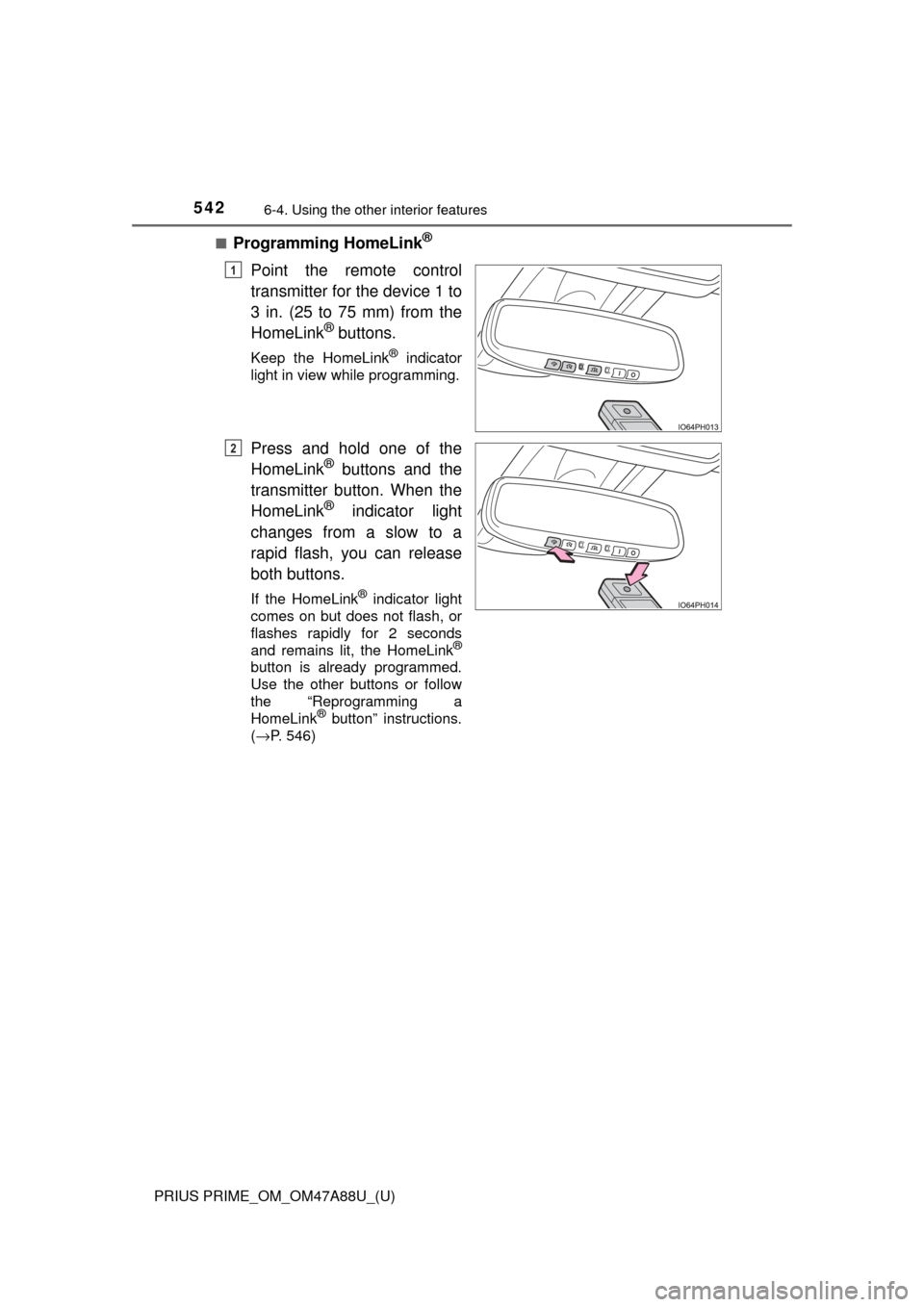
Point the remote control
transmitter for the device 1 to
3 in. (25 to 75 mm) from the
HomeLink
® buttons.
Keep the HomeLink® indicator
light in view while programming.
Press and hold one of the
HomeLink® buttons and the
transmitter button. When the
HomeLink
® indicator light
changes from a slow to a
rapid flash, you can release
both buttons.
If the HomeLink® indicator light
comes on but does not flash, or
flashes rapidly for 2 seconds
and remains lit, the HomeLink
®
button is already programmed.
Use the other buttons or follow
the “Reprogramming a
HomeLink
® button” instructions.
( →P. 546)
1
2
Page 543 of 784
PRIUS PRIME_OM_OM47A88U_(U)
5436-4. Using the other interior features
6
Interior features
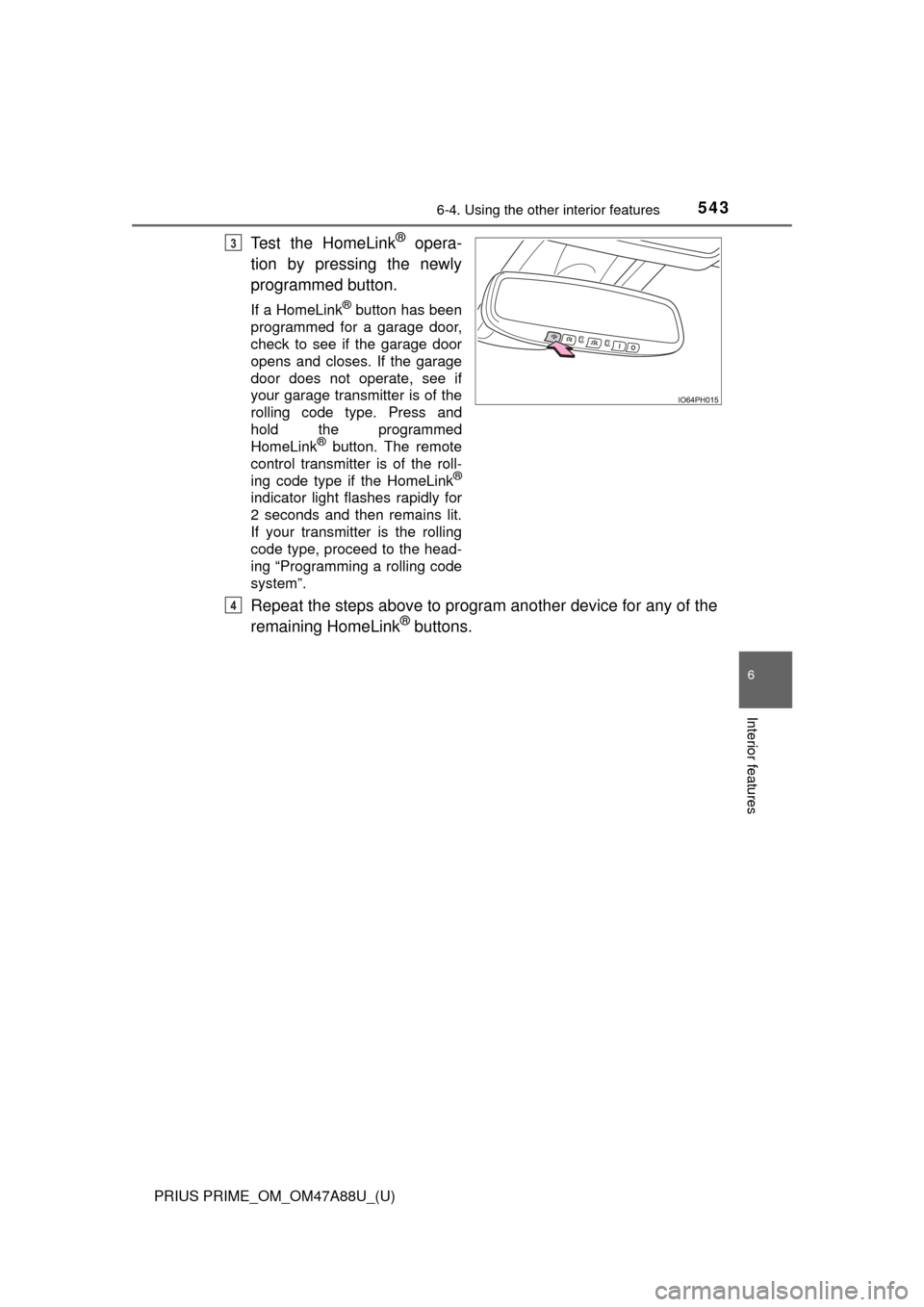
Test the HomeLink® opera-
tion by pressing the newly
programmed button.
If a HomeLink® button has been
programmed for a garage door,
check to see if the garage door
opens and closes. If the garage
door does not operate, see if
your garage transmitter is of the
rolling code type. Press and
hold the programmed
HomeLink
® button. The remote
control transmitter is of the roll-
ing code type if the HomeLink
®
indicator light flashes rapidly for
2 seconds and then remains lit.
If your transmitter is the rolling
code type, proceed to the head-
ing “Programming a rolling code
system”.
Repeat the steps above to program another device for any of the
remaining HomeLink® buttons.
3
4
Page 545 of 784
PRIUS PRIME_OM_OM47A88U_(U)
5456-4. Using the other interior features
6
Interior features
■Programming an entry gate (for U.S.A. owners)/Programming a
devices in the Canadian marketPlace the remote control transmitter 1 to 3 in. (25 to 75 mm)
away from the HomeLink
® buttons.
Keep the HomeLink® indicator light in view while programming.
Press and hold the selected HomeLink® button.
Repeatedly press and release (cyc le) the remote control trans-
mitter for 2 seconds each until step 4 is completed.
When the HomeLink
® indicator light starts to flash rapidly,
release the buttons.
Test the HomeLink
® operation by pressing the newly pro-
grammed button. Check to see if the gate/device operates cor-
rectly.
Repeat the steps above to program another device for any of the
remaining HomeLink
® buttons.
■Programming other devices
To program other devices such as home security systems, home
door locks and lighting, contact your Toyota dealer for assistance.
■Reprogramming a button
The individual HomeLink
® buttons cannot be erased but can be
reprogrammed. To reprogram a button, follow the “Reprogramming
a HomeLink
® button” instructions.
Press the appropriate HomeLink
® button. The HomeLink® indicator
light should come on.
The HomeLink® compatible transceiver in your vehicle continues to send a
signal for up to 20 seconds as long as the button is pressed.
Operating HomeLink®
1
2
3
4
5
6
Page 546 of 784
546
PRIUS PRIME_OM_OM47A88U_(U)
6-4. Using the other interior features
Press and hold the desired HomeLink® button. After 20 seconds, the
HomeLink® indicator light will start flashing slowly. Keep pressing the
HomeLink® button and press and hold the transmitter button until the
HomeLink® indicator light changes from a slow to a rapid flash.
Release the buttons.
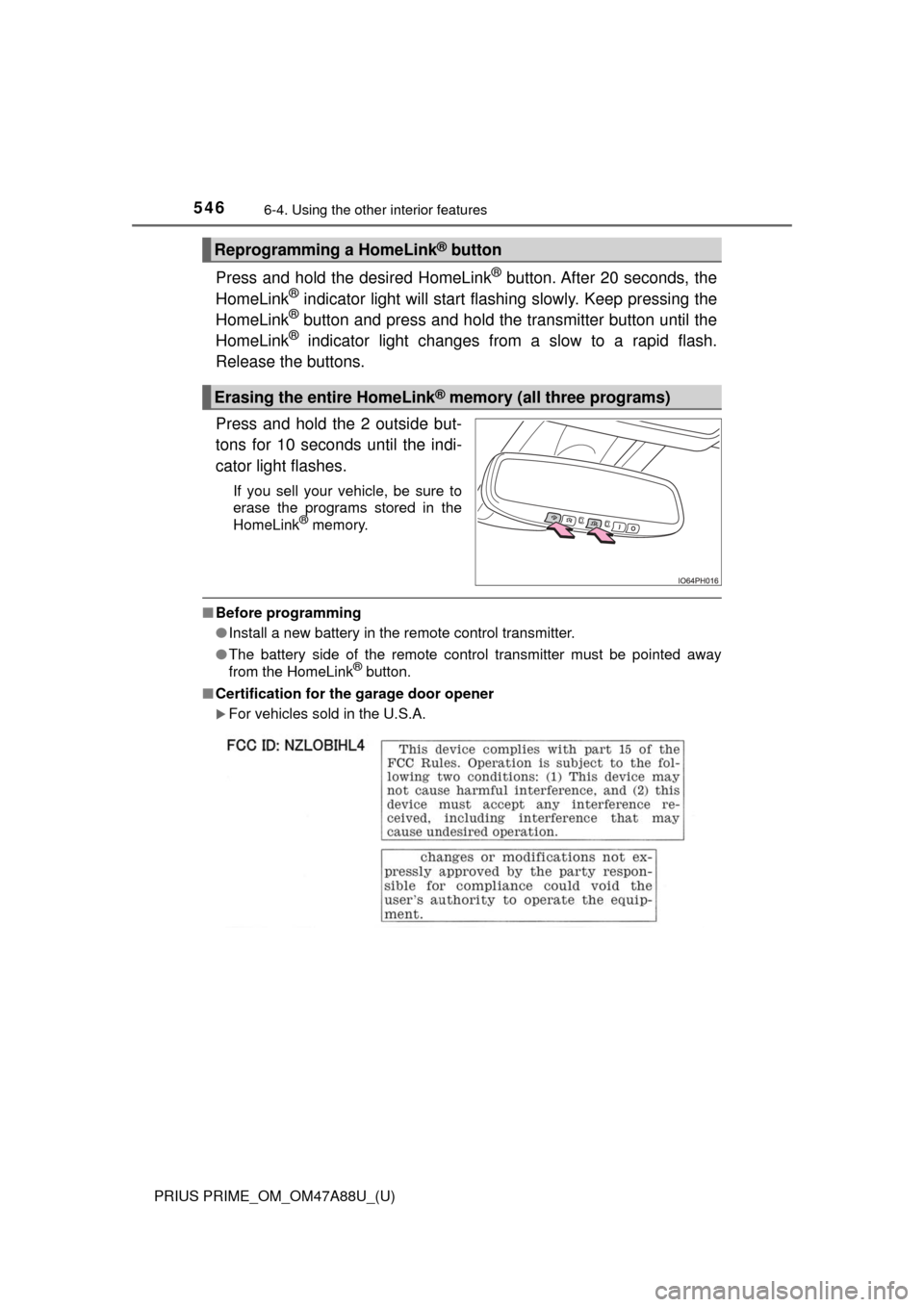
Press and hold the 2 outside but-
tons for 10 seconds until the indi-
cator light flashes.
If you sell your vehicle, be sure to
erase the programs stored in the
HomeLink
® memory.
■ Before programming
●Install a new battery in the remote control transmitter.
● The battery side of the remote control transmitter must be pointed away
from the HomeLink
® button.
■ Certification for the garage door opener
For vehicles sold in the U.S.A.
Reprogramming a HomeLink® button
Erasing the entire HomeLink® memory (all three programs)
Page 547 of 784
PRIUS PRIME_OM_OM47A88U_(U)
5476-4. Using the other interior features
6
Interior features
For vehicles sold in Canada
■ When support is necessary
Visit on the web at www.homelink.com
or call 1-800-355-3515.
WARNING
■When programming a garage door or other remote control device
The garage door or other device may operate, so ensure people and
objects are out of danger to prevent potential harm.
■ Conforming to federal safety standards
Do not use the HomeLink
® compatible transceiver with any garage door
opener or device that lacks safety stop and reverse features as required by
federal safety standards.
This includes any garage door that cannot detect an interfering object. A
door or device without these features increases the risk of death or ser\
ious
injury.
Page 588 of 784
588
PRIUS PRIME_OM_OM47A88U_(U)
7-3. Do-it-yourself maintenance
■After recharging/reconnect ing the 12-volt battery
● Unlocking the doors using the smart key system may not be possible imme-
diately after reconnecting the 12-volt battery. If this happens, use the wire-
less remote control or the mechanical key to lock/unlock the doors.
● Start the hybrid system with the power switch in ACCESSORY mode. The
hybrid system may not start with the power switch turned off. However, the
hybrid system will operate normally from the second attempt.
● The power switch mode is recorded by the vehicle. If the 12-volt battery is
reconnected, the vehicle will return the power switch mode to the status it
was in before the 12-volt battery was disconnected. Make sure to turn off
the power before disconnect the 12-volt battery. Take extra care when con-
necting the 12-volt battery if the power switch mode prior to discharge is
unknown.
If the system will not start even after multiple attempts at all methods above,
contact your Toyota dealer.
WARNING
■ Chemicals in the 12-volt battery
The 12-volt battery contains poisonous and corrosive sulfuric acid and may
produce hydrogen gas which is flammable and explosive. To reduce the risk
of death or serious injury, take the following precautions while working on or
near the 12-volt battery:
● Do not cause sparks by touching the 12-volt battery terminals with tools.
● Do not smoke or light a match near the 12-volt battery.
● Avoid contact with eyes, skin and clothes.
● Never inhale or swallow electrolyte.
● Wear protective safety glasses when working near the 12-volt battery.
● Keep children away from the 12-volt battery.
■ Where to safely charge the 12-volt battery
Always charge the 12-volt battery in an open area. Do not charge the
12-volt battery in a garage or closed room where there is insufficient ventila-
tion.
■ How to recharge th e 12-volt battery
Only perform a slow charge (5 A or less). The 12-volt battery may explode if
charged at a quicker rate.
Page 628 of 784
628
PRIUS PRIME_OM_OM47A88U_(U)
7-3. Do-it-yourself maintenance
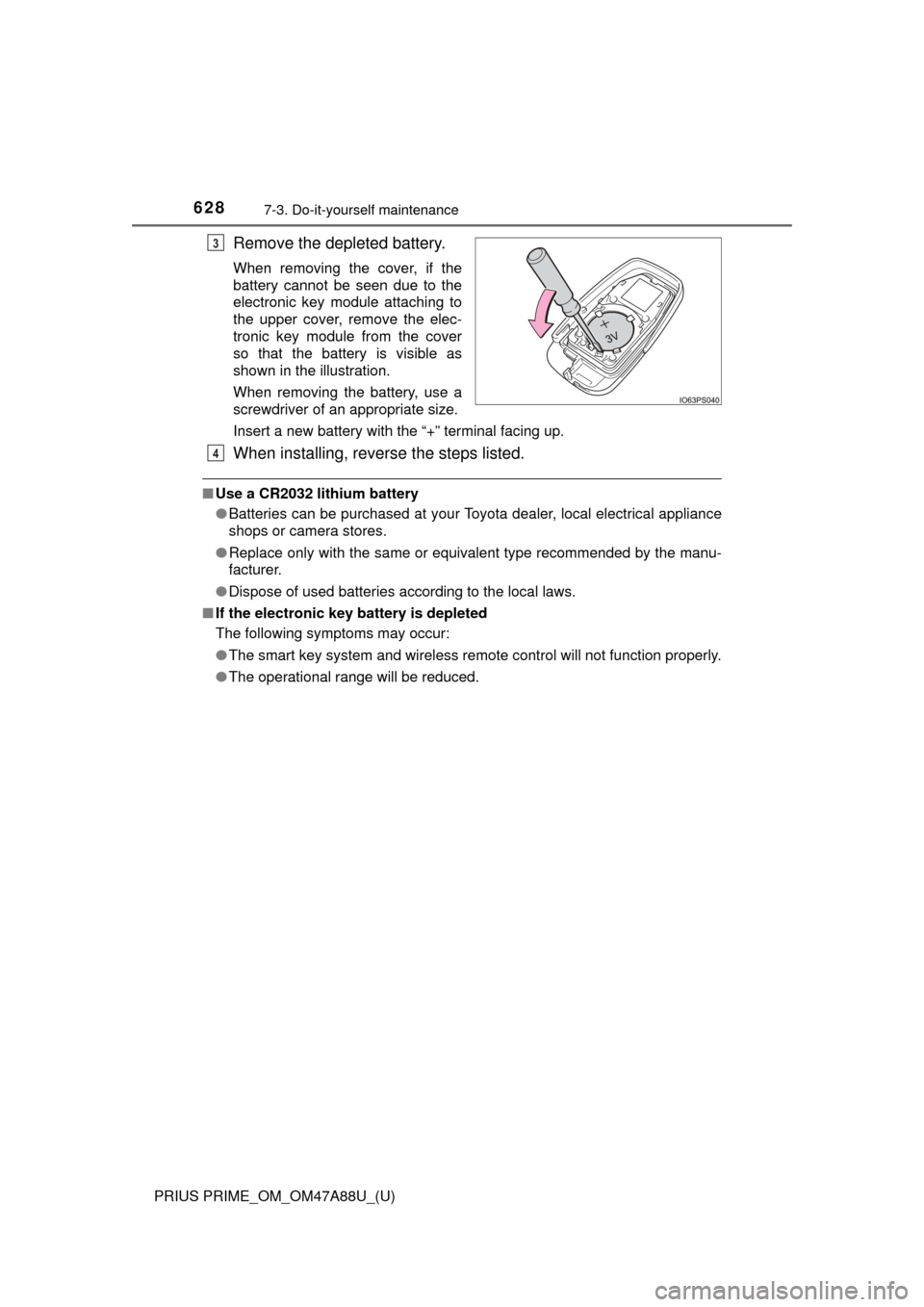
Remove the depleted battery.
When removing the cover, if the
battery cannot be seen due to the
electronic key module attaching to
the upper cover, remove the elec-
tronic key module from the cover
so that the battery is visible as
shown in the illustration.
When removing the battery, use a
screwdriver of an appropriate size.
Insert a new battery with the “+” terminal facing up.
When installing, reverse the steps listed.
■Use a CR2032 lithium battery
●Batteries can be purchased at your Toyota dealer, local electrical appliance
shops or camera stores.
● Replace only with the same or equivalent type recommended by the manu-
facturer.
● Dispose of used batteries according to the local laws.
■ If the electronic key battery is depleted
The following symptoms may occur:
●The smart key system and wireless remote control will not function properly.
● The operational range will be reduced.
3
4