display TOYOTA PRIUS PRIME 2022 Owners Manual
[x] Cancel search | Manufacturer: TOYOTA, Model Year: 2022, Model line: PRIUS PRIME, Model: TOYOTA PRIUS PRIME 2022Pages: 808, PDF Size: 14.72 MB
Page 408 of 808

408
PRIUS PRIME_OM_OM47E74U_(U)
5-5. Using the driving support systems
●A sign resembling a system compatible sign is recognized.
● Side road speed signs may be detected and displayed (if positio ned in sight
of the front camera) while the vehicle is traveling on the main road.
● Roundabout exit road speed signs may be detected and displayed (if posi-
tioned in sight of the front camera) while traveling on a round about.
● The front of the vehicle is raised or lowered due to the carried load
● The surrounding brightness is not sufficient or changes suddenly.
● When a sign intended for trucks, etc. is recognized.
● The speed information displayed on the meter and on the navigation system
may be different due to the navigation system using map data.
■ Speed limit sign display
If the power switch was last turned off while a speed limit sig n was displayed
on the main display or multi-information display, the same sign displays again
when the power switch is turned to ON mode.
■ If “RSA Malfunction Visit Your Dealer” is shown
The system may be malfunctioning. Have the vehicle inspected by your Toy-
ota dealer.
■ Customization
Some functions can be customized. (Customizable features: P. 749)
Page 409 of 808
409
PRIUS PRIME_OM_OM47E74U_(U)
5-5. Using the driving support systems
5
Driving
Dynamic radar cruise controlwith full-speed
range
In vehicle-to-vehicle distance control mode, the vehicle automa tically
accelerates, decelerates and st ops to match the speed changes o f the
preceding vehicle even if the acc elerator pedal is not depressed. In
constant speed control mode, t he vehicle runs at a fixed speed.
Use the dynamic radar cruise control with full-speed range on f ree-
ways and highways.
● Vehicle-to-vehicle distance control mode ( P. 413)
● Constant speed c ontrol mode (P. 420)
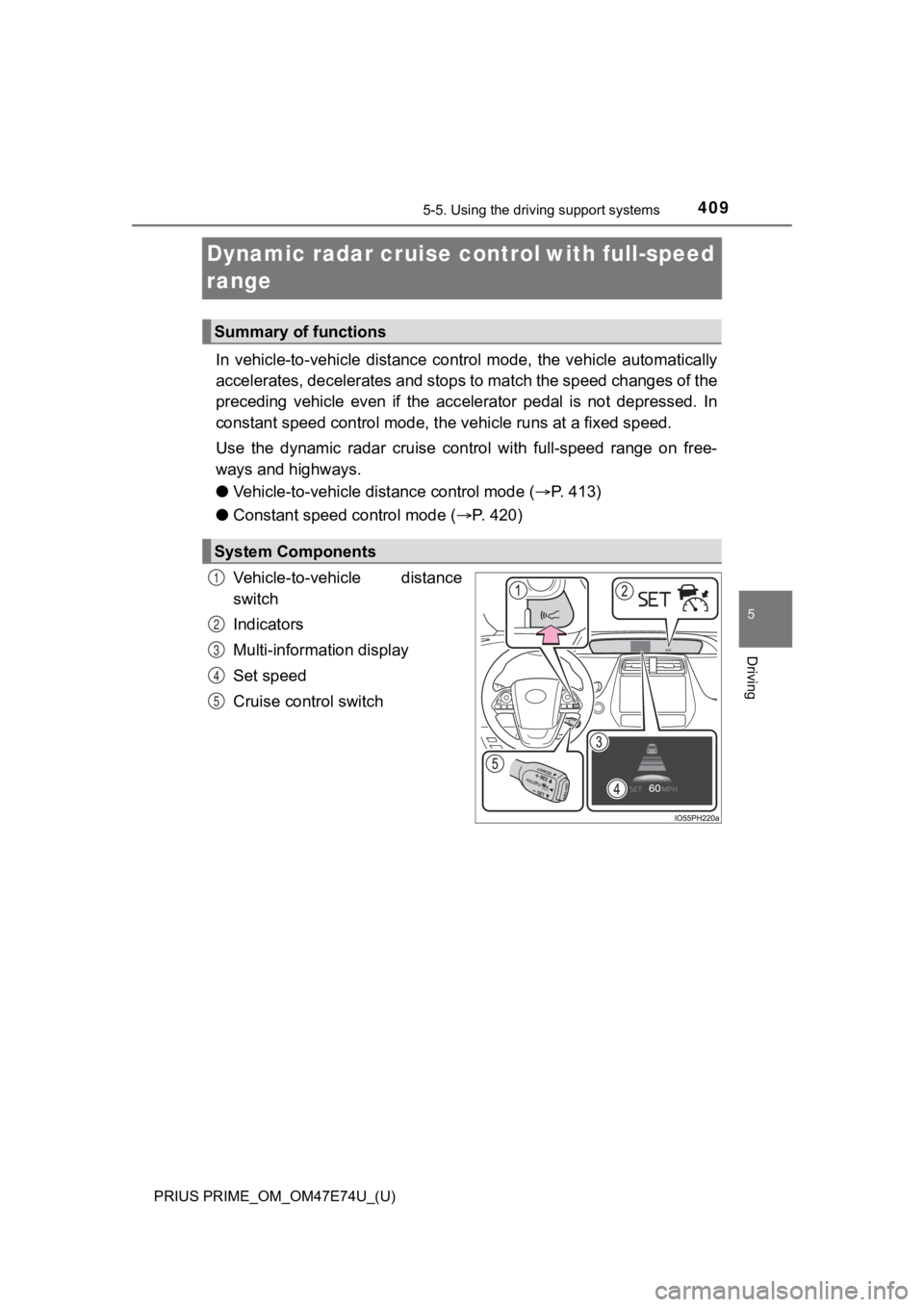
Vehicle-to-vehicle distance
switch
Indicators
Multi-information display
Set speed
Cruise control switch
Summary of functions
System Components
1
2
3
4
5
Page 415 of 808
PRIUS PRIME_OM_OM47E74U_(U)
4155-5. Using the driving support systems
5
Driving
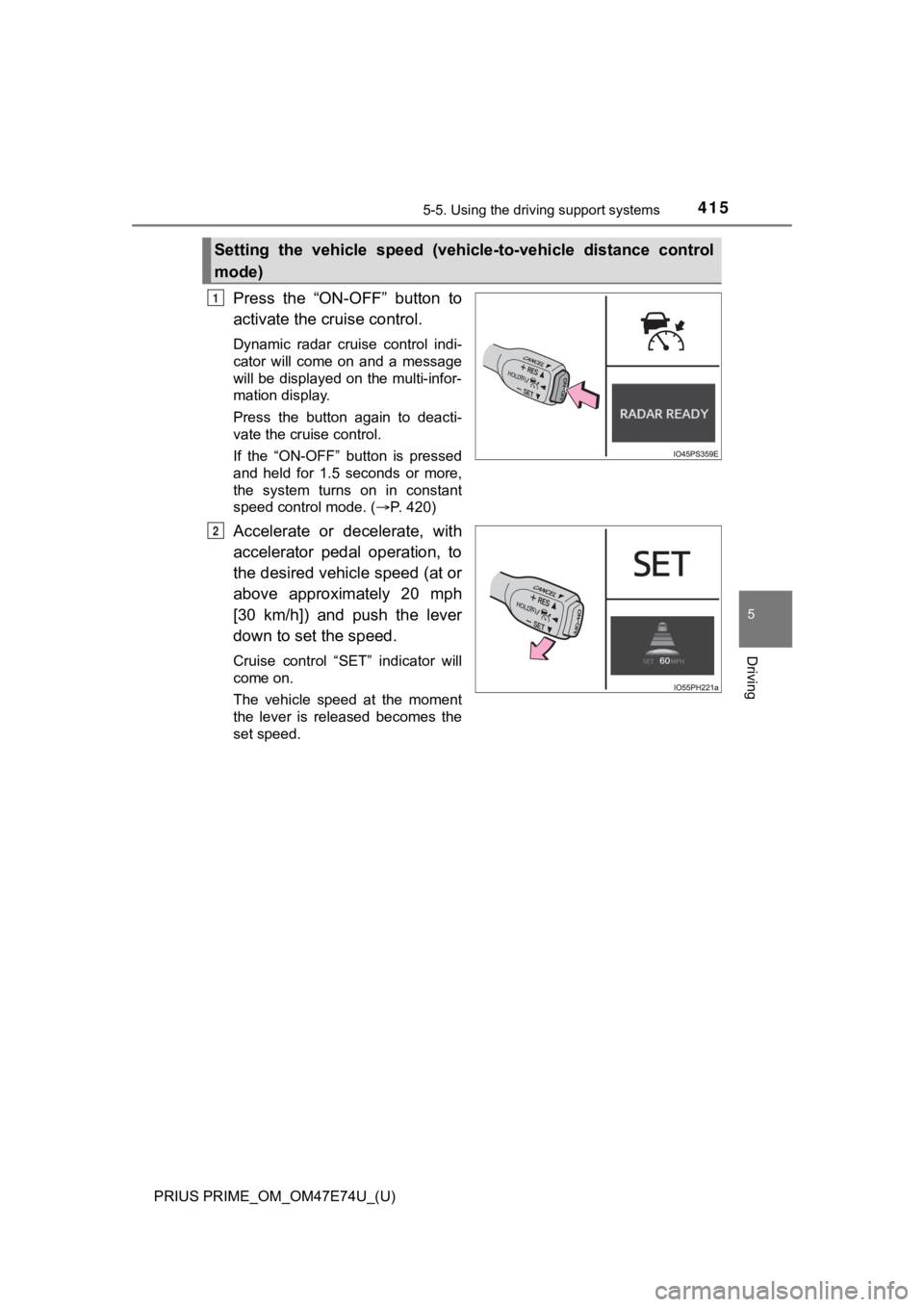
Press the “ON-OFF” button to
activate the cruise control.
Dynamic radar cruise control indi-
cator will come on and a message
will be displayed on the multi-infor-
mation display.
Press the button again to deacti-
vate the cruise control.
If the “ON-OFF” button is pressed
and held for 1.5 seconds or more,
the system turns on in constant
speed control mode. ( P. 420)
Accelerate or decelerate, with
accelerator pedal operation, to
the desired vehicle speed (at or
above approximately 20 mph
[30 km/h]) and push the lever
down to set the speed.
Cruise control “SET” indicator will
come on.
The vehicle speed at the moment
the lever is released becomes the
set speed.
Setting the vehicle speed (vehicle-to-vehicle distance control
mode)
1
2
Page 416 of 808
416
PRIUS PRIME_OM_OM47E74U_(U)
5-5. Using the driving support systems
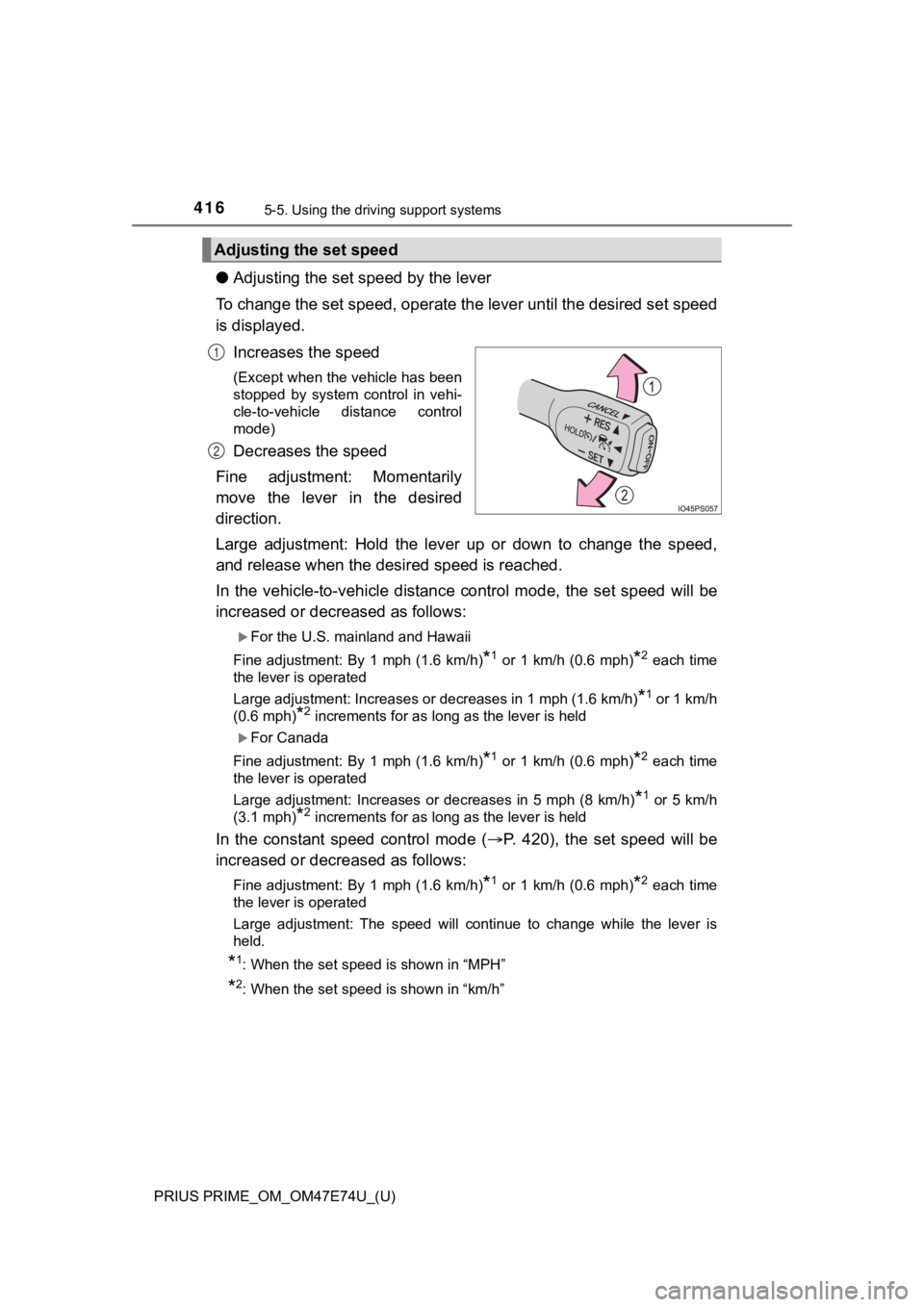
●Adjusting the set speed by the lever
To change the set speed, operate the lever until the desired se t speed
is displayed.
Increases the speed
(Except when the vehicle has been
stopped by system control in vehi-
cle-to-vehicle distance control
mode)
Decreases the speed
Fine adjustment: Momentarily
move the lever in the desired
direction.
Large adjustment: Hold the lever up or down to change the speed ,
and release when the des ired speed is reached.
In the vehicle-to-vehicle distance control mode, the set speed will be
increased or decreased as follows:
For the U.S. mainland and Hawaii
Fine adjustment: By 1 mph (1.6 km/h)
*1 or 1 km/h (0.6 mph)*2 each time
the lever is operated
Large adjustment: Increases or decreases in 1 mph (1.6 km/h)
*1 or 1 km/h
(0.6 mph)
*2 increments for as long as the lever is held
For Canada
Fine adjustment: By 1 mph (1.6 km/h)
*1 or 1 km/h (0.6 mph)*2 each time
the lever is operated
Large adjustment: Increases or decreases in 5 mph (8 km/h)
*1 or 5 km/h
(3.1 mph)
*2 increments for as long as the lever is held
In the constant speed control mode ( P. 420), the set speed will be
increased or decreased as follows:
Fine adjustment: By 1 mph (1.6 km/h)*1 or 1 km/h (0.6 mph)*2 each time
the lever is operated
Large adjustment: The speed will continue to change while the l ever is
held.
*1: When the set speed is shown in “MPH”
*2: When the set speed is shown in “km/h”
Adjusting the set speed
1
2
Page 419 of 808
PRIUS PRIME_OM_OM47E74U_(U)
4195-5. Using the driving support systems
5
Driving
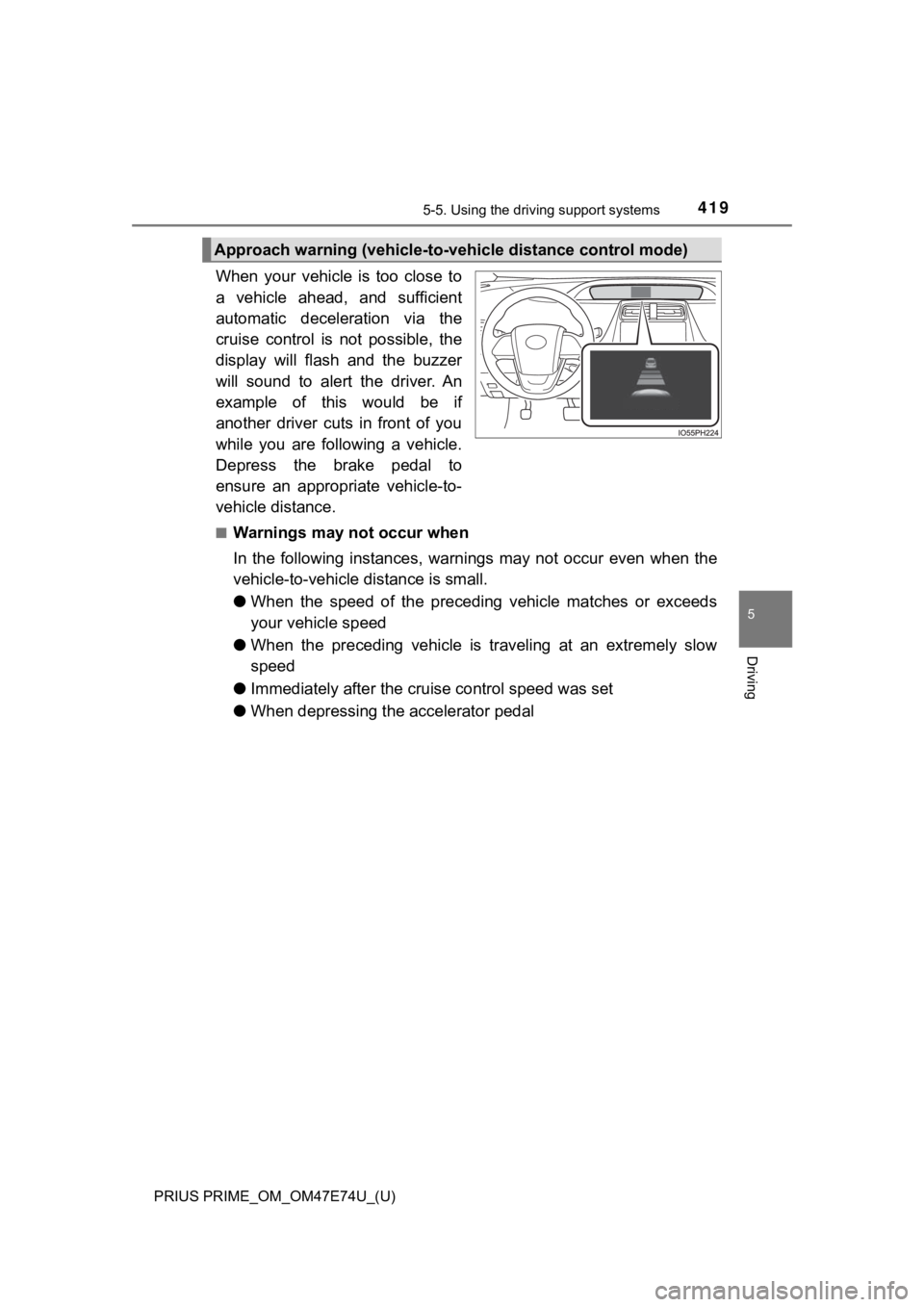
When your vehicle is too close to
a vehicle ahead, and sufficient
automatic deceleration via the
cruise control is not possible, the
display will flash and the buzzer
will sound to alert the driver. An
example of this would be if
another driver cuts in front of you
while you are following a vehicle.
Depress the brake pedal to
ensure an appropriate vehicle-to-
vehicle distance.
■Warnings may not occur when
In the following instances, war nings may not occur even when th e
vehicle-to-vehicle distance is small.
● When the speed of the preceding vehicle matches or exceeds
your vehicle speed
● When the preceding vehicle is traveling at an extremely slow
speed
● Immediately after the cruise control speed was set
● When depressing the accelerator pedal
Approach warning (vehicle-to-v ehicle distance control mode)
Page 422 of 808

422
PRIUS PRIME_OM_OM47E74U_(U)
5-5. Using the driving support systems
■Automatic cancelation of c onstant speed control mode
Constant speed control mode is automatically canceled in the following situa-
tions:
● Actual vehicle speed is more than approximately 10 mph (16 km/h ) below
the set vehicle speed.
● Actual vehicle speed falls below approximately 20 mph (30 km/h) .
● VSC is activated.
● TRAC is activated for a period of time.
● When the VSC or TRAC system is turned off.
● When the brake control or output restriction control of a driving support sys-
tem operates.
(For example: Pre-Collision System, Drive-Start Control)
If constant speed control mode is automatically canceled for any reasons
other than the above, there may be a malfunction in the system. Contact your
Toyota dealer.
■ Brake operation
A brake operation sound may be heard and the brake pedal response may
change, but these are not malfunctions.
■ Warning messages and buzzers for d ynamic radar cruise control with
full-speed range
Warning messages and buzzers are used to indicate a system malfunction or
to inform the driver of the need for caution while driving. If a warning message
is shown on the multi-information display, read the message and follow the
instructions. ( P. 376, 681)
Page 426 of 808

426
PRIUS PRIME_OM_OM47E74U_(U)
5-5. Using the driving support systems
Normal mode
Suitable for normal driving.
When normal mode is selected, the “ECO MODE” and “PWR MODE”
indicators turn off.
Power mode
Suitable for when crisp handling and enhanced accelerator
response are desired, such as when driving on mountainous roads .
When power mode is selected, the “PWR MODE” indicator will illu mi-
nate on the main display.
Eco drive mode
Suitable for driving that impro ves fuel economy by generating
torque in response to accelerator pedal operations more smoothl y
than in normal mode.
When Eco drive mode is selected, the “ECO MODE” indicator will illumi-
nate on the main display.
While the air conditioning is being used, the system automatically
switches to air conditioning eco mode (P. 511, 523), allowing for driv-
ing that leads to even better fuel economy.
■ The driving mode after turning the power switch off
The driving mode will not be changed automatically until the switch is
pressed, even if the power switch is turned off.
1
2
3
Page 428 of 808
428
PRIUS PRIME_OM_OM47E74U_(U)
5-5. Using the driving support systems
The Blind Spot Monitor o n/off screen and indicator
The Blind Spot Monitor function and Rear Cross Traffic Alert fu nction can
be switched on and off using the multi-information display. ( P. 246)
When switched on, the BSM indicator illuminates on the meter an d the
buzzer sounds.
Rear Cross Traffic Alert buzzer (Rear Cross Traffic Alert funct ion
only)
When a vehicle approaching from the right or left rear of the vehicle is
detected, a buzzer sounds from the driver’s side instrument pan el.
RCTA detection screen (RCTA function only)
If a vehicle approaching from the right or left at the rear of the vehicle is
detected, the RCTA detection screen will be shown on the multi- informa-
tion display.
The Blind Spot Monitor function and Rear Cross Traffic Alert function
can be enabled/disabled on the screen ( P. 246) of the multi-
information display.
Once the systems are disabled, the systems will not be enabled until they
are enabled by the screen of multi-information display again. (The
systems are not automatically enabled even when the hybrid syst em is
restarted.)
Changing settings of the Blind Spot Monitor function and Rear
Cross Traffic Alert function
2
3
4
Page 429 of 808
PRIUS PRIME_OM_OM47E74U_(U)
4295-5. Using the driving support systems
5
Driving
■The BSM outside rear view mi rror indicators visibility
When under strong sunlight, the outside rear view mirror indica tor may be dif-
ficult to see.
■ The Rear Cross Traffic Alert buzzer hearing
The Rear Cross Traffic Alert buzzer may be difficult to hear ov er loud noises
such as high audio volume.
■ When “Blind Spot Monitor Unavailable” is shown on the multi-inf orma-
tion display
The sensor voltage has become abnormal, water, snow mud, etc., may be
built up in the vicinity of the sensor area of bumper ( P. 431). Removing the
water, snow, mud, etc., from the vicinity of the sensor area bu mper should
return it to normal. Also, the sensor may not function normally when used in
extremely hot or cold weather.
■ When “Blind Spot Monitor System Malfunction Visit Your Dealer” is
shown on the multi-information display
There may be a sensor malfunction or misaligned. Have the vehicle
inspected by your Toyota dealer.
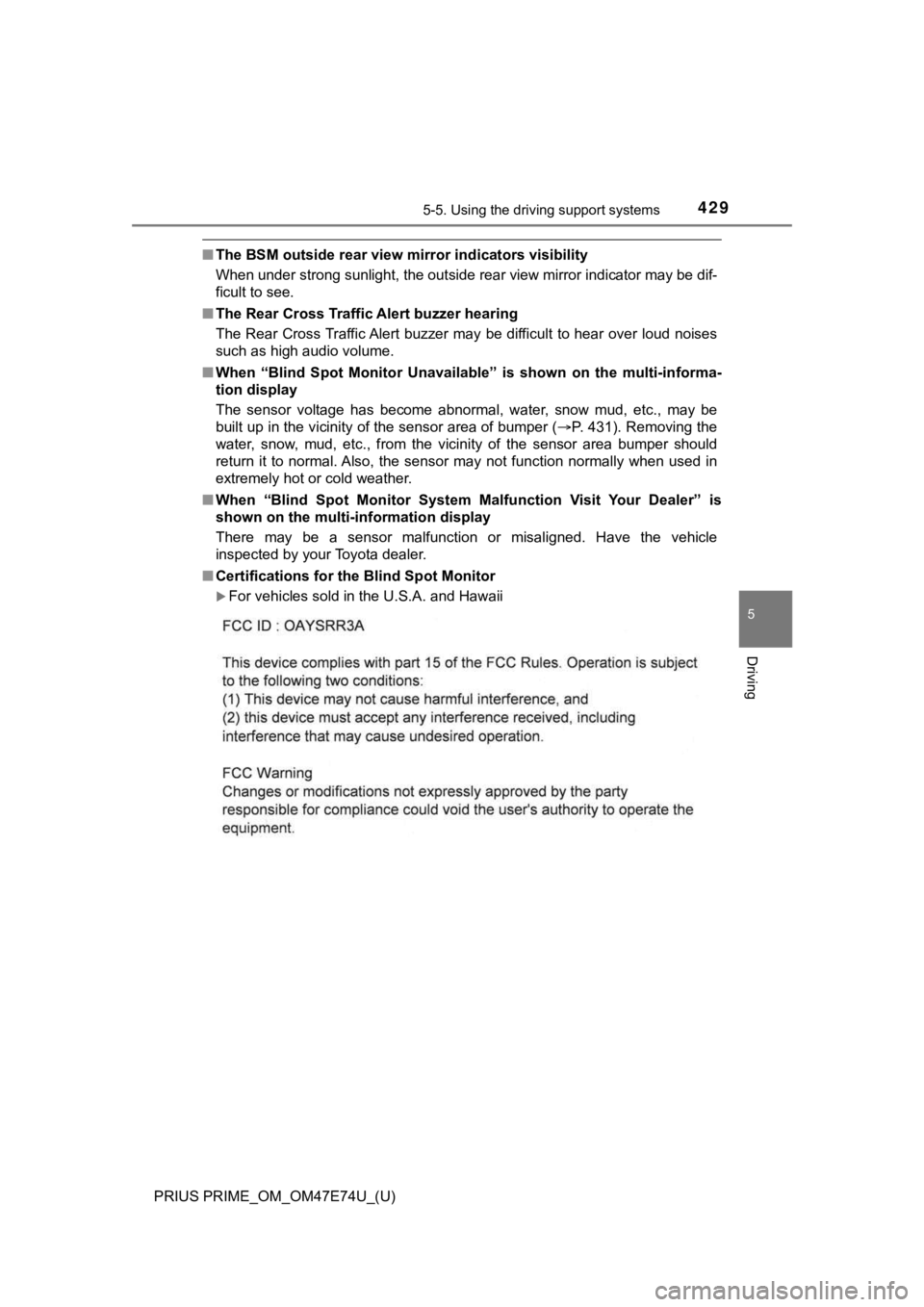
■ Certifications for t he Blind Spot Monitor
For vehicles sold in the U.S.A. and Hawaii
Page 441 of 808
441
PRIUS PRIME_OM_OM47E74U_(U)
5-5. Using the driving support systems
5
Driving
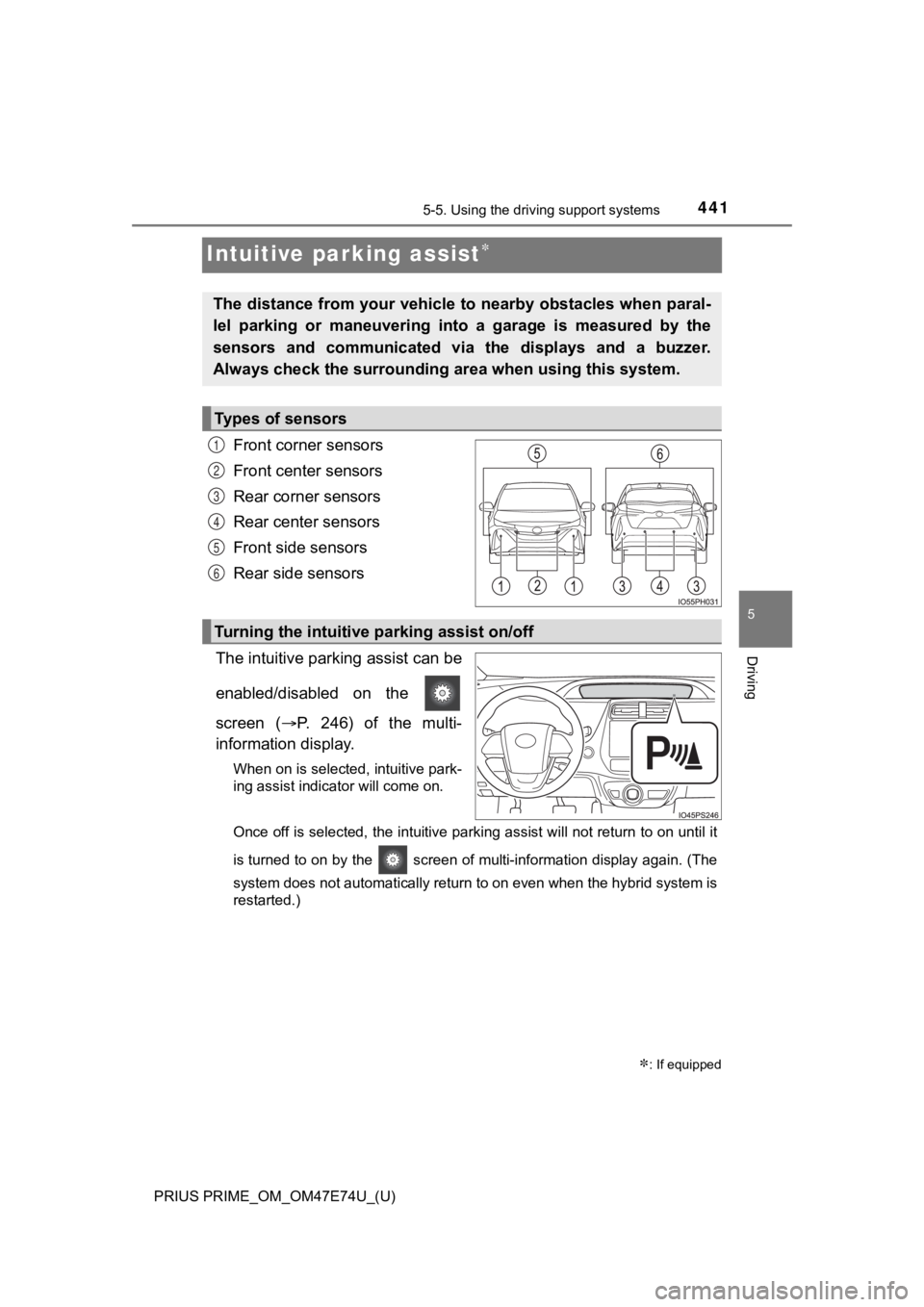
Intuitive parking assist
Front corner sensors
Front center sensors
Rear corner sensors
Rear center sensors
Front side sensors
Rear side sensors
The intuitive parking assist can be
enabled/disabled on the
screen ( P. 246) of the multi-
information display.
When on is selected, intuitive park-
ing assist indicator will come on.
Once off is selected, the intuitive parking assist will not return to on until it
is turned to on by the screen of multi-information display again. (The
system does not automatically return to on even when the hybrid system is
restarted.)
: If equipped
The distance from your vehicle to nearby obstacles when paral-
lel parking or maneuvering into a garage is measured by the
sensors and communicated via the displays and a buzzer.
Always check the surrounding ar ea when using this system.
Types of sensors
1
2
3
4
5
6
Turning the intuitive parking assist on/off