display TOYOTA PRIUS PRIME 2022 Owners Manual
[x] Cancel search | Manufacturer: TOYOTA, Model Year: 2022, Model line: PRIUS PRIME, Model: TOYOTA PRIUS PRIME 2022Pages: 808, PDF Size: 14.72 MB
Page 497 of 808
PRIUS PRIME_OM_OM47E74U_(U)
4975-5. Using the driving support systems
5
Driving
◆Hill-start assist control
Helps to reduce the backward movement of the vehicle when start -
ing on an uphill
◆EPS (Electric Power Steering)
Employs an electric motor to reduce the amount of effort needed to
turn the steering wheel.
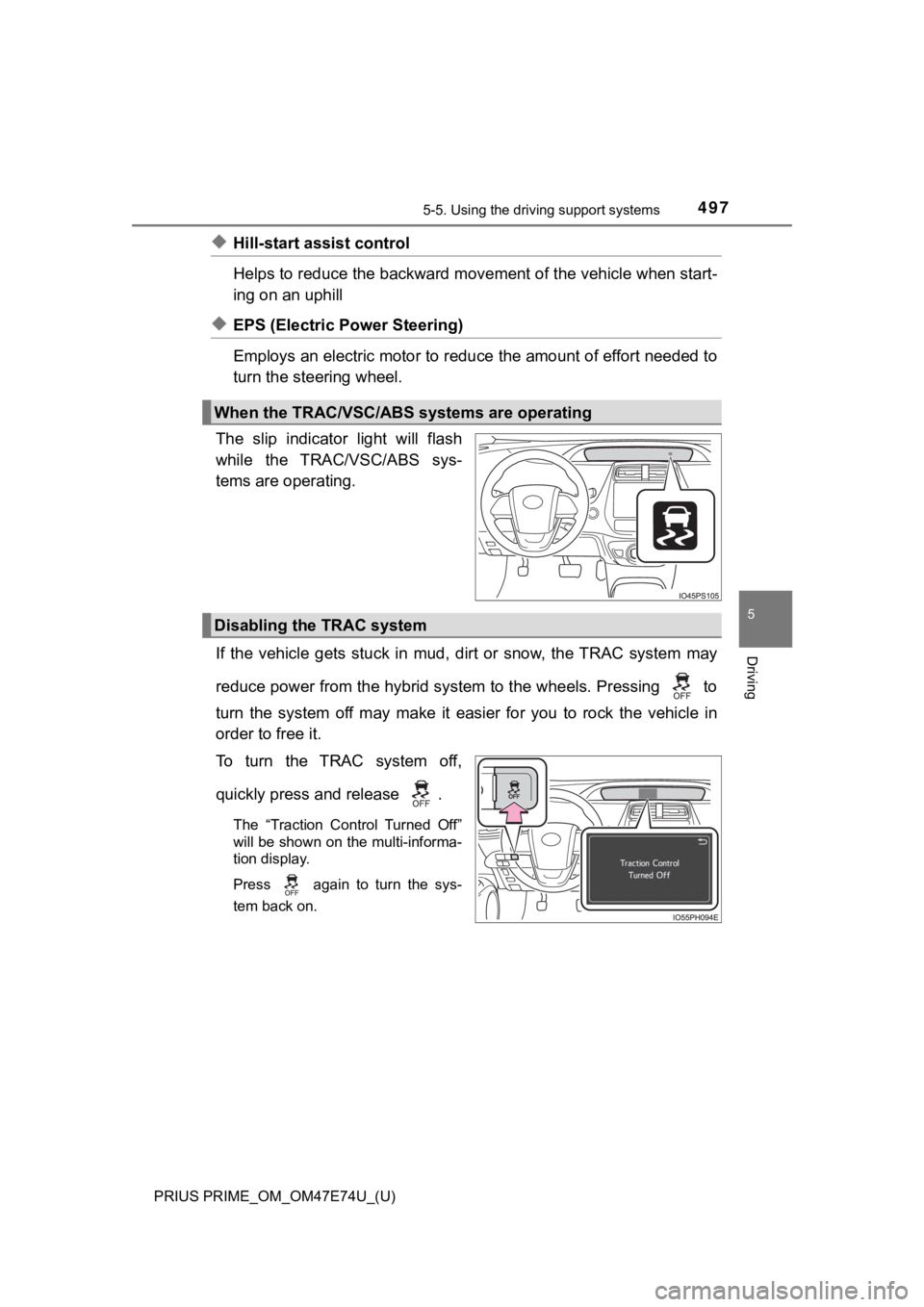
The slip indicator light will flash
while the TRAC/VSC/ABS sys-
tems are operating.
If the vehicle gets stuck in mud, dirt or snow, the TRAC system may
reduce power from the hybrid system to the wheels. Pressing to
turn the system off may make it easier for you to rock the vehicle in
order to free it.
To turn the TRAC system off,
quickly press and release .
The “Traction Control Turned Off”
will be shown on the multi-informa-
tion display.
Press
again to turn the sys-
tem back on.
When the TRAC/VSC/ABS systems are operating
Disabling the TRAC system
Page 498 of 808
498
PRIUS PRIME_OM_OM47E74U_(U)
5-5. Using the driving support systems
■Turning off both TRAC and VSC systems
To turn the TRAC and VSC systems off, press and hold for more than 3
seconds while the vehicle is stopped.
The VSC OFF indicator will come on and the “Traction Control Tu rned Off”
will be shown on the multi-information display.
*
Press again to turn the systems back on.
*: Pre-collision brake assist and pre-collision braking will also be disabled.
The PCS warning light will come on and the message will be show n on the
multi-information display. ( P. 6 7 2 )
■ When the message is displayed on the multi-information display show-
ing that TRAC has been disab led even if has not been pressed
TRAC is temporary deactivated. If the information continues to show, contact
your Toyota dealer.
■ Operating conditions of hill-start assist control
When the following four conditions are met, the hill-start assi st control will
operate:
● The shift position is in a position other than P or N (when sta rting off forward/
backward on an upward incline)
● The vehicle is stopped
● The accelerator pedal is not depressed
● The parking brake is not engaged
■ Automatic system cancelation of hill-start assist control
The hill-start assist control will turn off in any of the following situations:
● Shift the shift position to P or N
● The accelerator pedal is depressed
● The parking brake is engaged
● No more than 2 seconds have elapsed after the brake pedal is re leased.
■ Sounds and vibrations caused by the ABS, brake assist, VSC, TRAC and
hill-start assist control systems
●A sound may be heard from the engine compartment when the brake pedal
is depressed repeatedly, when the hybrid system is started or just after the
vehicle begins to move. This sound does not indicate that a mal function has
occurred in any of these systems.
● Any of the following conditions may occur when the above system s are
operating. None of these indicates that a malfunction has occur red.
• Vibrations may be felt through the vehicle body and steering.
• A motor sound may be heard also after the vehicle comes to a s top.
Page 507 of 808
507
PRIUS PRIME_OM_OM47E74U_(U)
6Interior features
6-1. Using the air conditioning system and defogger
Automatic air conditioning system (vehicles with
7-inch display) ................. 508
Automatic air conditioning system (vehicles with
11.6-inch display) ............ 520
Remote Air Conditioning System ............................ 531
Heated steering wheel/ seat heaters .................... 535 6-2. Using the interior lights
Interior lights list ................ 537• Front interior light .......... 538
• Front personal lights ..... 538
• Rear interior light .......... 539
6-3. Using the storage features List of storage features ..... 540• Glove box...................... 541
• Console box .................. 541
• Cup holders .................. 542
• Bottle holders/door pockets ................. 543
• Auxiliary boxes.............. 544
• Seat back pockets ........ 544
Luggage compartment features ........................... 545
6-4. Using the other interior features
Other interior features ....... 549 • Sun visors ..................... 549
• Vanity mirrors................ 549
• Power outlets ................ 550
• USB charging ports....... 551
• Wireless charger ........... 553
• Armrest ......................... 562
• Coat hooks.................... 562
• Assist grips ................... 563
Garage door opener.......... 564
Page 508 of 808
508
PRIUS PRIME_OM_OM47E74U_(U)
6-1. Using the air conditioning system and defogger
Automatic air conditioning system (vehi-
cles with 7-inch display)
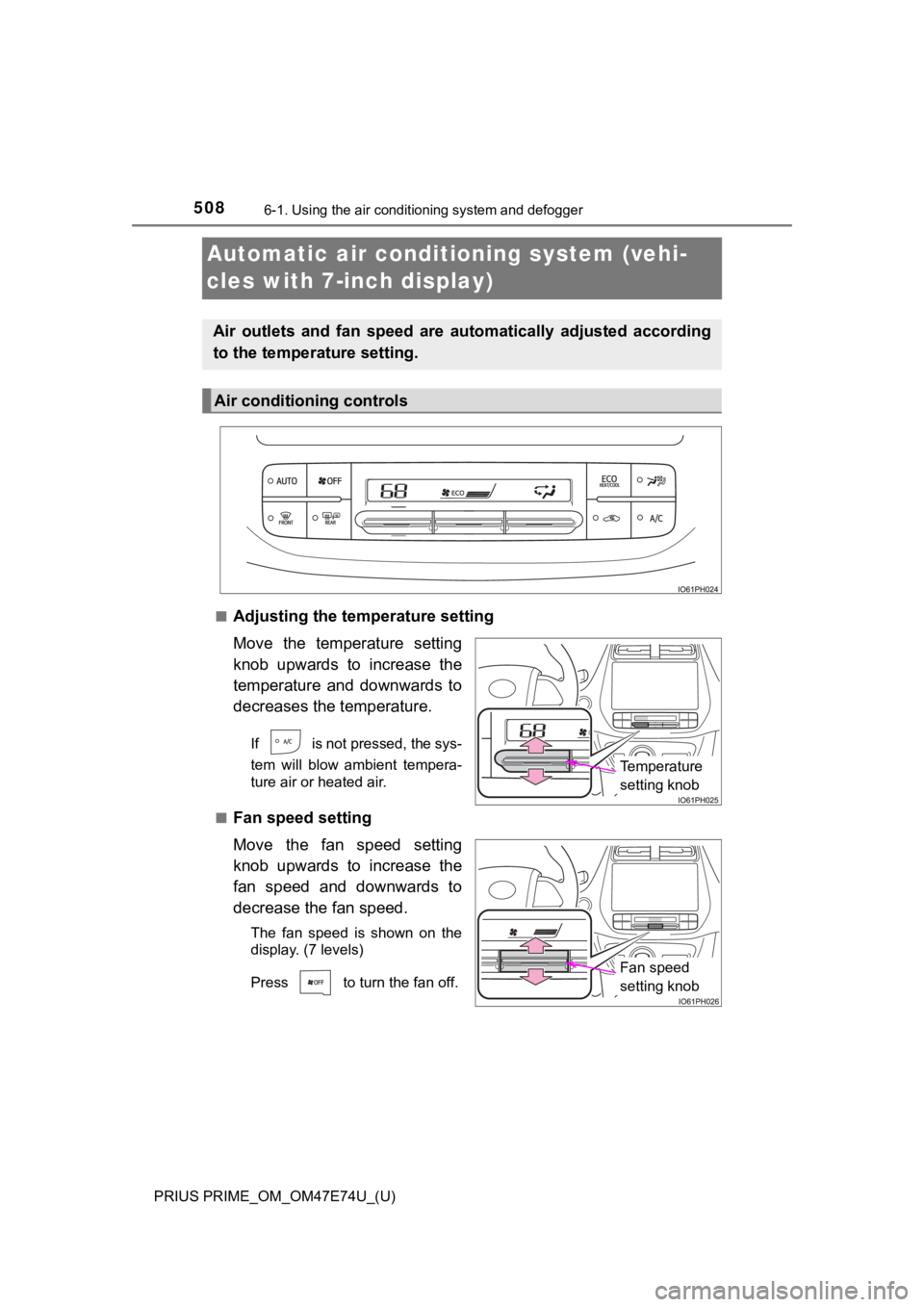
■Adjusting the temperature setting
Move the temperature setting
knob upwards to increase the
temperature and downwards to
decreases the temperature.
If is not pressed, the sys-
tem will blow ambient tempera-
ture air or heated air.
■
Fan speed setting
Move the fan speed setting
knob upwards to increase the
fan speed and downwards to
decrease the fan speed.
The fan speed is shown on the
display. (7 levels)
Press to turn the fan off.
Air outlets and fan speed are automatically adjusted according
to the temperature setting.
Air conditioning controls
Temperature
setting knob
Fan speed
setting knob
Page 511 of 808
PRIUS PRIME_OM_OM47E74U_(U)
5116-1. Using the air conditioning system and defogger
6
Interior features
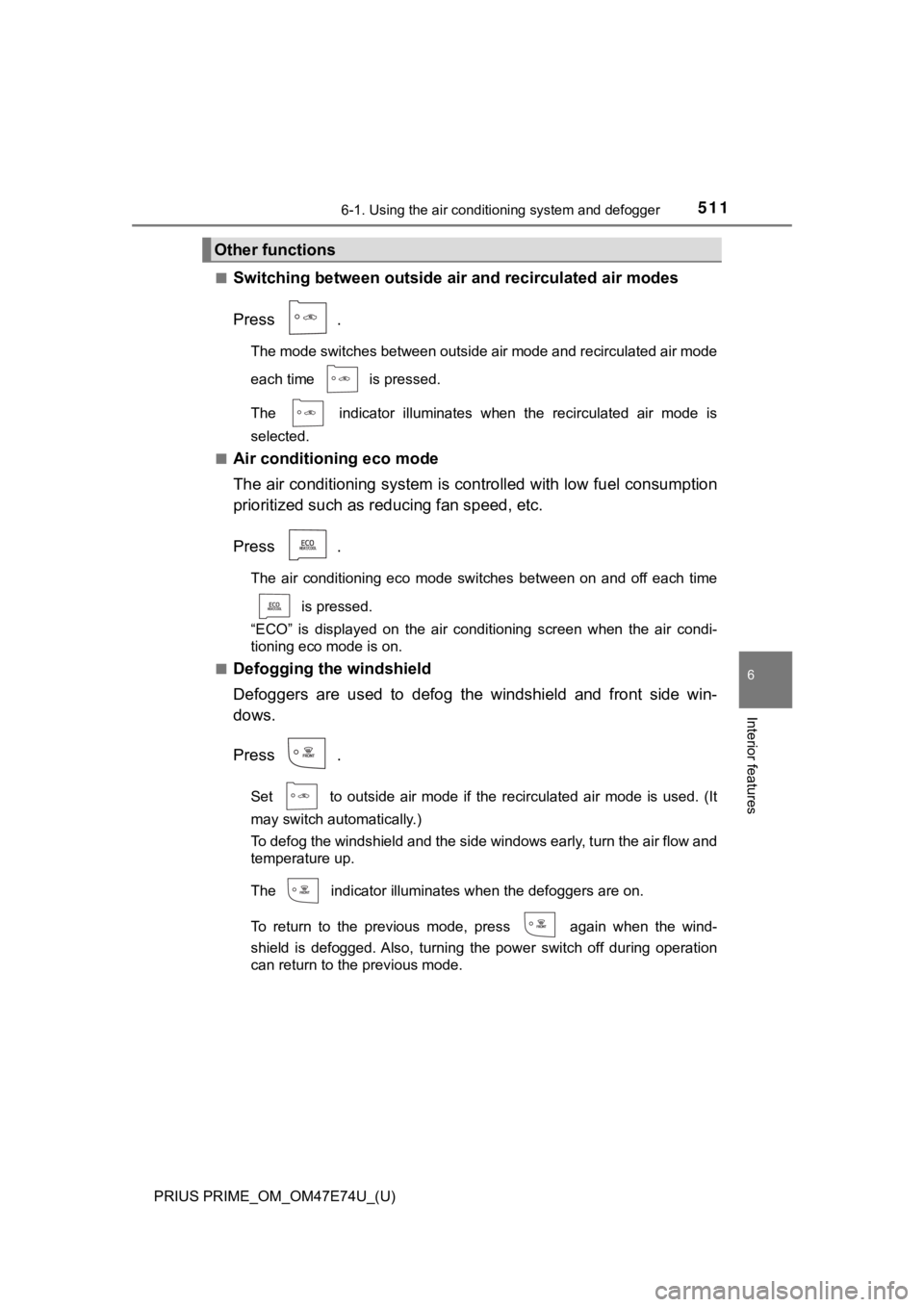
■Switching between outside air and recirculated air modes
Press .
The mode switches between outside air mode and recirculated air mode
each time is pressed.
The indicator illuminates when the recirculated air mode is
selected.
■
Air conditioning eco mode
The air conditioning system is c ontrolled with low fuel consumption
prioritized such as re ducing fan speed, etc.
Press .
The air conditioning eco mode switches between on and off each time
is pressed.
“ECO” is displayed on the air conditioning screen when the air condi-
tioning eco mode is on.
■
Defogging the windshield
Defoggers are used to defog the windshield and front side win-
dows.
Press .
Set to outside air mode if the recirculated air mode is used. (It
may switch automatically.)
To defog the windshield and the side windows early, turn the ai r flow and
temperature up.
The indicator illuminates when the defoggers are on.
To return to the previous mode, press again when the wind-
shield is defogged. Also, turning the power switch off during o peration
can return to the previous mode.
Other functions
Page 515 of 808
PRIUS PRIME_OM_OM47E74U_(U)
5156-1. Using the air conditioning system and defogger
6
Interior features
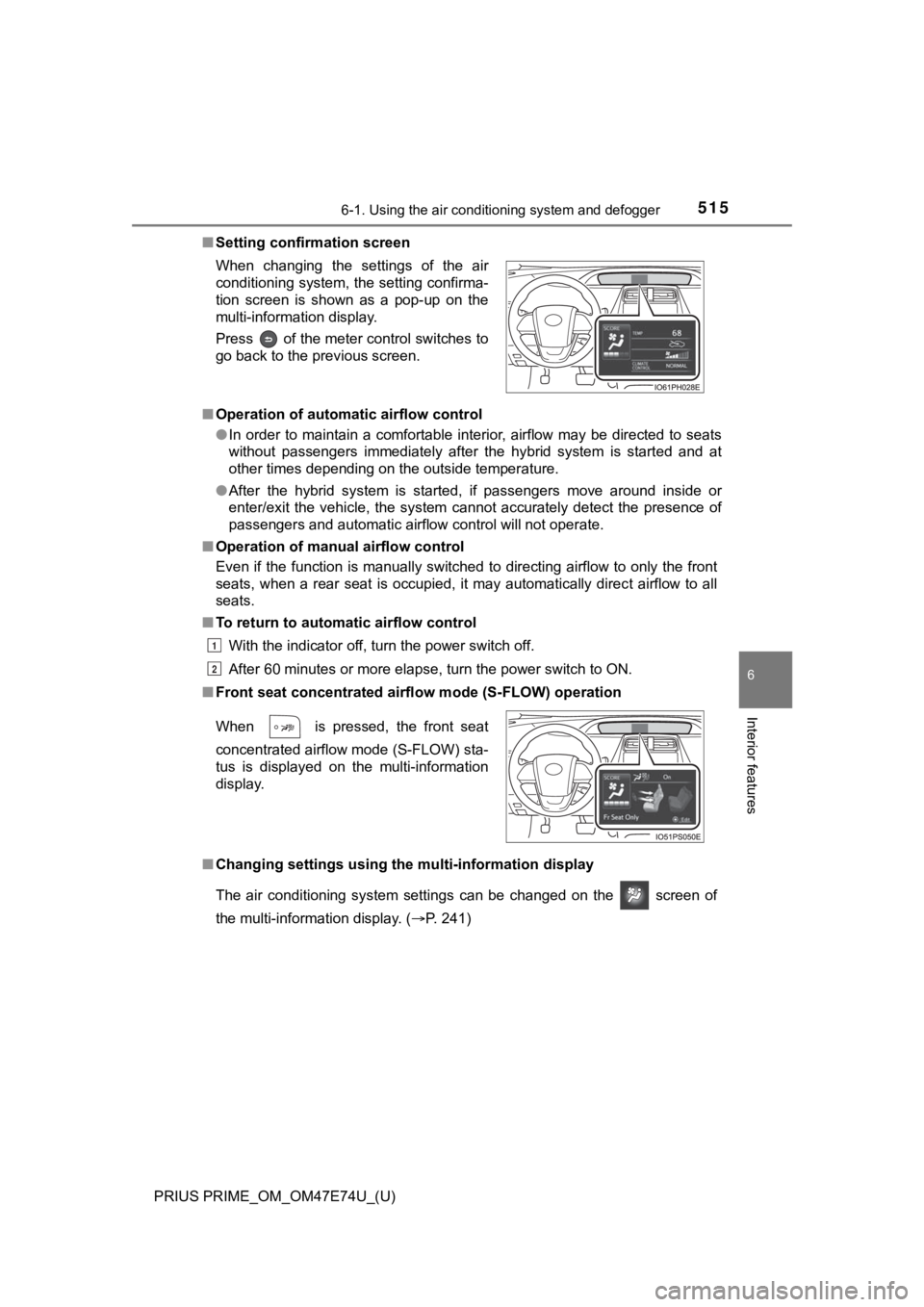
■Setting confirmation screen
■ Operation of automatic airflow control
●In order to maintain a comfortable interior, airflow may be directed to seats
without passengers immediately after the hybrid system is start ed and at
other times depending on the outside temperature.
● After the hybrid system is started, if passengers move around i nside or
enter/exit the vehicle, the system cannot accurately detect the presence of
passengers and automatic airflow control will not operate.
■ Operation of manual airflow control
Even if the function is manually switched to directing airflow to only the front
seats, when a rear seat is occupied, it may automatically direc t airflow to all
seats.
■ To return to automatic airflow control
With the indicator off, turn the power switch off.
After 60 minutes or more elapse, turn the power switch to ON.
■ Front seat concentrated airfl ow mode (S-FLOW) operation
■ Changing settings using the multi-information display
The air conditioning system settings can be changed on the scr een of
the multi-information display. ( P. 241)
When changing the settings of the air
conditioning system, the setting confirma-
tion screen is shown as a pop-up on the
multi-information display.
Press of the meter control switches to
go back to the previous screen.
When is pressed, the front seat
concentrated airflow mode (S-FLOW) sta-
tus is displayed on the multi-information
display.
1
2
Page 520 of 808
520
PRIUS PRIME_OM_OM47E74U_(U)
6-1. Using the air conditioning system and defogger
Automatic air conditioning system (vehi-
cles with 11.6-inch display)
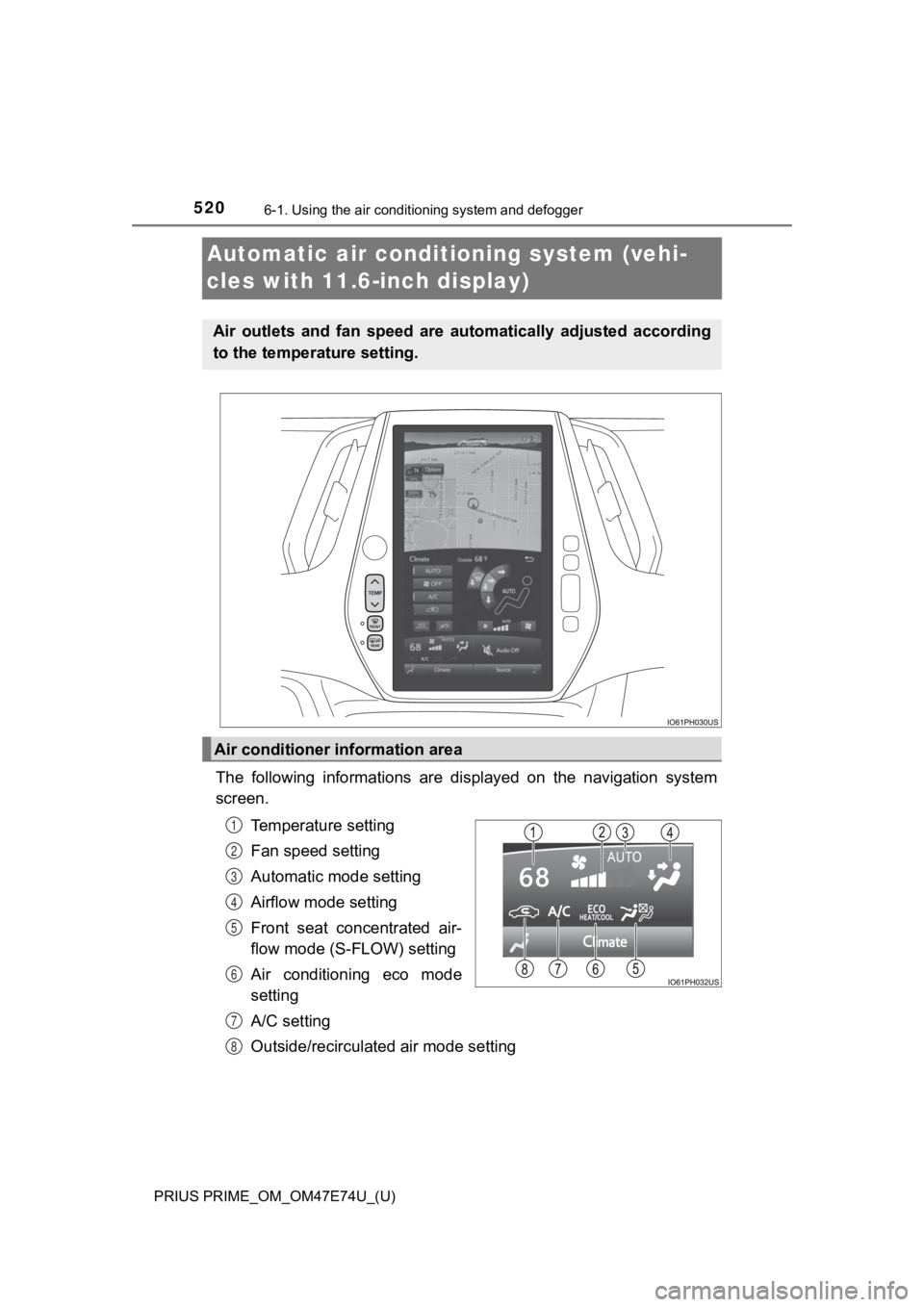
The following informations are displayed on the navigation syst em
screen.
Temperature setting
Fan speed setting
Automatic mode setting
Airflow mode setting
Front seat concentrated air-
flow mode (S-FLOW) setting
Air conditioning eco mode
setting
A/C setting
Outside/recirculated air mode setting
Air outlets and fan speed are automatically adjusted according
to the temperature setting.
Air conditioner information area
1
2
3
4
5
6
7
8
Page 521 of 808
PRIUS PRIME_OM_OM47E74U_(U)
5216-1. Using the air conditioning system and defogger
6
Interior features
The air conditioning control
screen can be displayed by touch-
ing the air conditioner information
area on the navigation system
screen.
■Adjusting the temperature setting
Press “ ” on to increase the temperature and “ ” to decrease
the temperature.
If the indicator is turned off, the system will blow ambient
temperature air or heated air.
■
Adjusting the fan speed setting
Select on the air conditioning control screen to increase the
fan speed and to decr ease the fan speed.
The fan speed is shown on the control screen. (7 levels)
Select to turn the fan off.
■
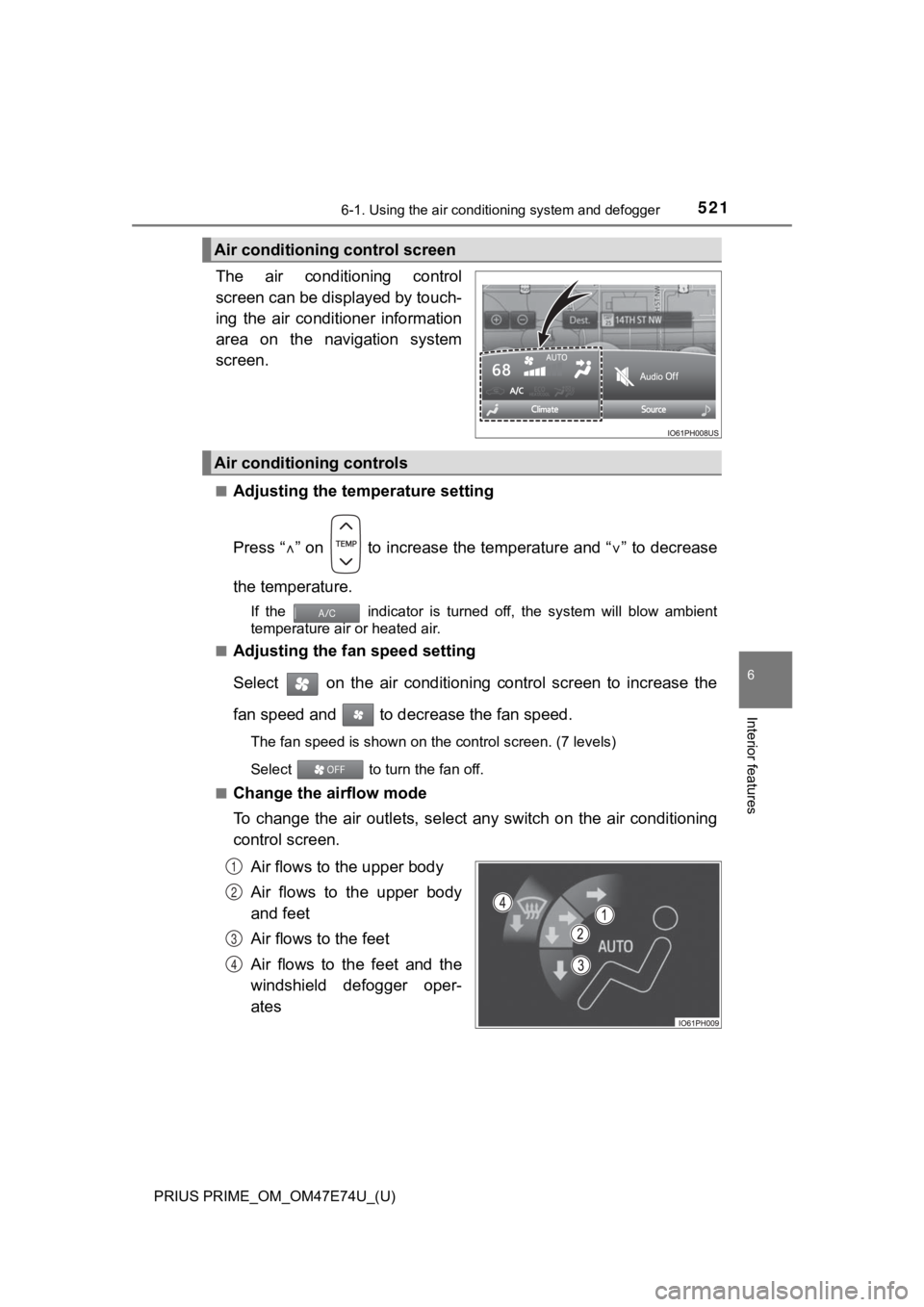
Change the airflow mode
To change the air outlets, select any switch on the air conditi oning
control screen.
Air flows to the upper body
Air flows to the upper body
and feet
Air flows to the feet
Air flows to the feet and the
windshield defogger oper-
ates
Air conditioning control screen
Air conditioning controls
1
2
3
4
Page 526 of 808
5266-1. Using the air conditioning system and defogger
PRIUS PRIME_OM_OM47E74U_(U)■
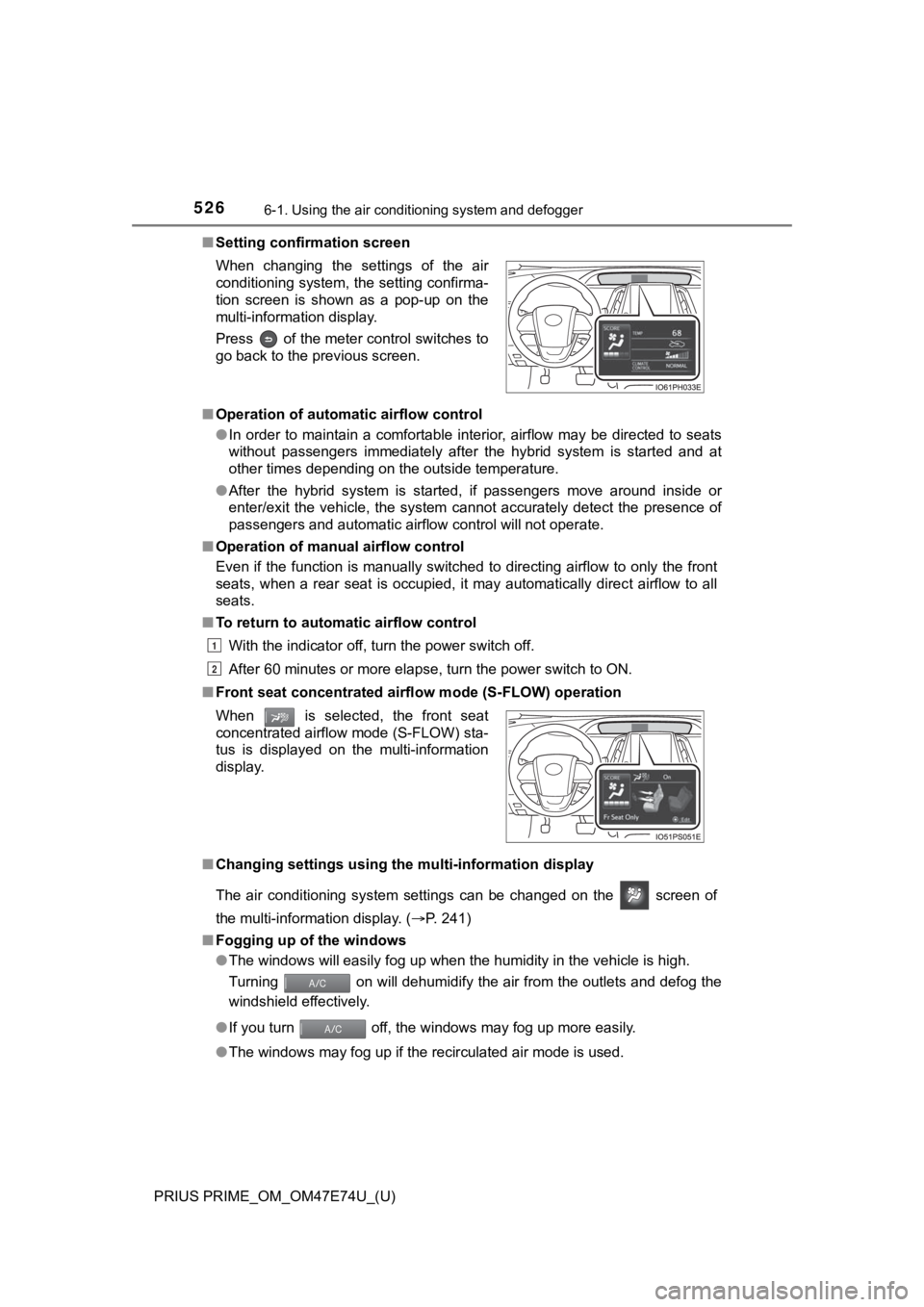
Setting confirmation screen
■ Operation of automatic airflow control
●In order to maintain a comfortable interior, airflow may be directed to seats
without passengers immediately after the hybrid system is start ed and at
other times depending on the outside temperature.
● After the hybrid system is started, if passengers move around i nside or
enter/exit the vehicle, the system cannot accurately detect the presence of
passengers and automatic airflow control will not operate.
■ Operation of manual airflow control
Even if the function is manually switched to directing airflow to only the front
seats, when a rear seat is occupied, it may automatically direc t airflow to all
seats.
■ To return to automatic airflow control
With the indicator off, turn the power switch off.
After 60 minutes or more elapse, turn the power switch to ON.
■ Front seat concentrated airfl ow mode (S-FLOW) operation
■ Changing settings using the multi-information display
The air conditioning system settings can be changed on the scr een of
the multi-information display. ( P. 241)
■ Fogging up of the windows
●The windows will easily fog up when the humidity in the vehicle is high.
Turning on will dehumidify the air from the outlets and defog the
windshield effectively.
● If you turn off, the windows may fog up more easily.
● The windows may fog up if the recirculated air mode is used.
When changing the settings of the air
conditioning system, the setting confirma-
tion screen is shown as a pop-up on the
multi-information display.
Press of the meter control switches to
go back to the previous screen.
When is selected, the front seat
concentrated airflow mode (S-FLOW) sta-
tus is displayed on the multi-information
display.
1
2
Page 533 of 808
PRIUS PRIME_OM_OM47E74U_(U)
5336-1. Using the air conditioning system and defogger
6
Interior features
■Security feature
Any unlocked doors will be automatically locked when the system is operat-
ing. The buzzer sounds and the emergency flashers flash to indi cate that the
doors have been locked or the system has been turned off.
(The doors locked: Once; The system turned off: Twice)
■ Conditions affecting operation
P. 293
■ When using the Remote A ir Conditioning System
A charging message will be displayed on the multi-information d isplay. Differ-
ent messages will be displayed depending on when the Remote Air Condi-
tioning System was started (after charging or during charging).
■ While the Remote Air Condit ioning System is operating
● Depending on the operating condition of the Remote Air Conditio ning Sys-
tem, the electric fan may spin and an operating noise may be heard. How-
ever, this does not indicate a malfunction.
● The Remote Air Conditioning System may stop operating temporari ly if
other features that use electricity (for example, the seat heater, lights, wind-
shield wipers) are in operation or if the charge level of the 1 2-volt battery
becomes low.
● The headlights, windshield wiper, combination meter, etc. will not operate
while the Remote Air Conditioning System is operating.
■ Electronic key battery depletion
P. 276
■ When the electronic key battery is fully depleted
P. 644
■ Customization
Setting (e.g. Operation using “A/C” on the wireless remote control) can be
changed. (Customizable features: P. 749)