display TOYOTA PRIUS PRIME 2023 Owners Manual
[x] Cancel search | Manufacturer: TOYOTA, Model Year: 2023, Model line: PRIUS PRIME, Model: TOYOTA PRIUS PRIME 2023Pages: 680, PDF Size: 14.97 MB
Page 260 of 680
2605-2. Driving procedures
1Operate the shift lever and
change the shift position to N
when the hybrid system is
operating.
2 Return the shift lever to its
regular position ( ).
3 Operate the shift lever to N
and hold it there until the
buzzer sounds.
4 Press the power switch within
5 seconds after the buzzer
sounds.
The hybrid system stops with the
shift position in N.*
Make sure to check that the buzzer
sounds and “Holding N Push P
Switch When Done” is displayed on
the multi-information display.
In order to shift to a position
other than N, first press the P
position switch to change the
shift position to P.
If the automatic P position
selection function is operated
with the hybrid system
stopped, the automatic P
position selection function
may not operate.
Always perform the operation
with the hybrid system
started.
*: To keep this state, do not operate
the power switch. If the power
switch is operated repeatedly, the
power switch will turn off after the
shift position has automatically
changed to P.
When the shift position is shifted
to B, the Regeneration Boost
operates and control of acceler-
ation and deceleration is per-
formed with the operation of the
accelerator pedal only, reduc-
ing the frequency of changing
from the accelerator pedal to
depress the brake pedal. The
deceleration can be set for when
the accelerator pedal is
released and the accelerator
pedal can be slowly released
without completely removing
your foot to enable smooth
deceleration.
■Changing Regeneration
Boost settings
Regenerative braking force can
be changed when the Regener-
ation Boost is operating by
selecting “ Vehicle Settings”
from on the multi-information
display and selecting “Regener-
ative Brake”. In addition, the
regenerative braking force that
was set can be stored by switch-
ing “Deceleration Memory” to
“ON”. ( P.166)
If “Deceleration Memory” is
switched to “OFF”, the regenerative
braking force will return to “Low”
whenever the power switch is
turned to ON.
■Regenerative braking force
settings display
When the shift position is shifted
Regeneration Boost
Page 261 of 680
2615-2. Driving procedures
5
Driving
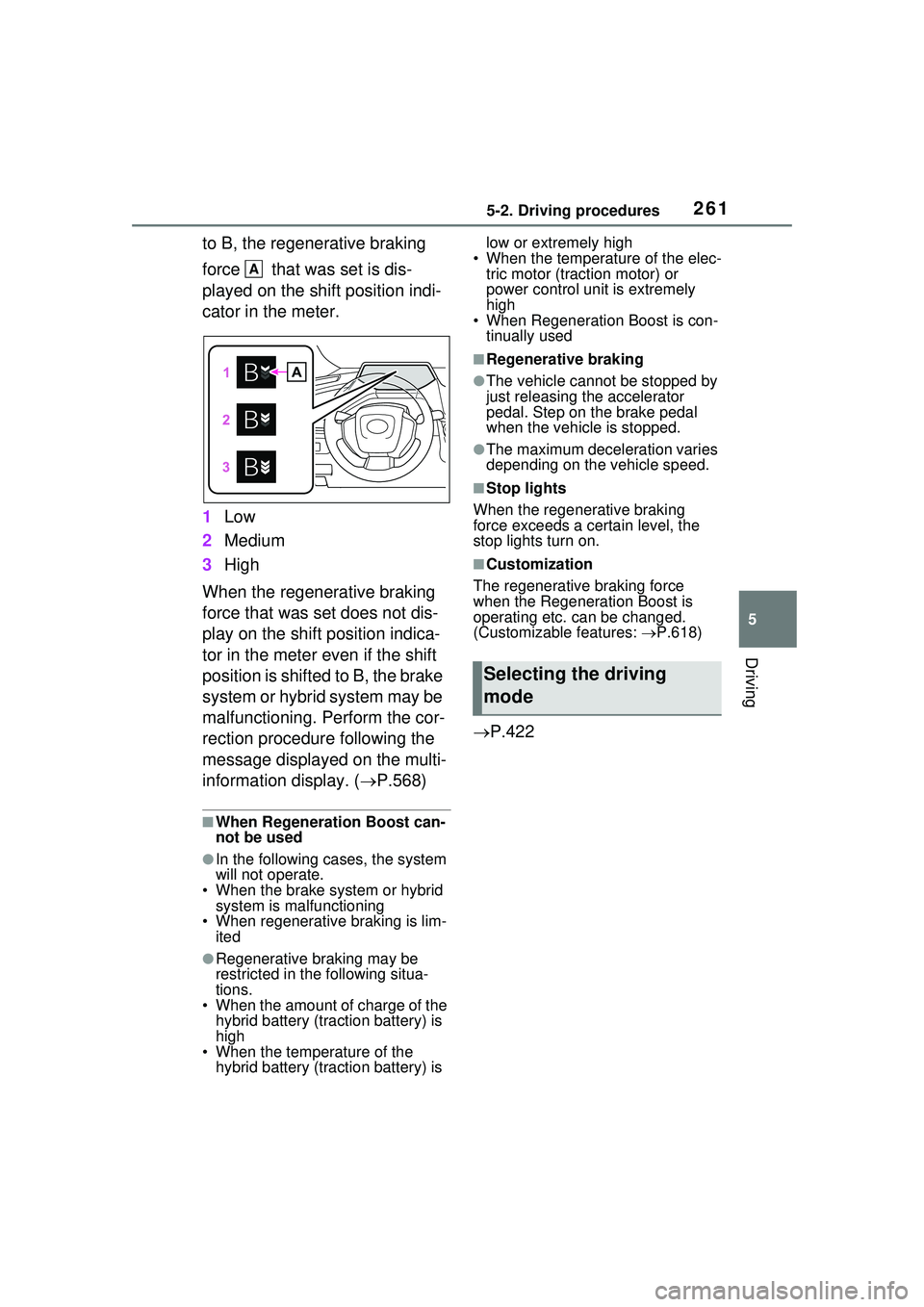
to B, the regenerative braking
force that was set is dis-
played on the shift position indi-
cator in the meter.
1Low
2 Medium
3 High
When the regenerative braking
force that was set does not dis-
play on the shift position indica-
tor in the meter even if the shift
position is shifted to B, the brake
system or hybrid system may be
malfunctioning. Perform the cor-
rection procedure following the
message displayed on the multi-
information display. ( P.568)
■When Regeneration Boost can-
not be used
●In the following cases, the system
will not operate.
• When the brake system or hybrid system is malfunctioning
• When regenerative braking is lim-
ited
●Regenerative braking may be
restricted in the following situa-
tions.
• When the amount of charge of the hybrid battery (traction battery) is
high
• When the temperature of the hybrid battery (traction battery) is low or extremely high
• When the temperature of the elec- tric motor (traction motor) or
power control unit is extremely
high
• When Regeneration Boost is con-
tinually used
■Regenerative braking
●The vehicle cannot be stopped by
just releasing the accelerator
pedal. Step on the brake pedal
when the vehicle is stopped.
●The maximum deceleration varies
depending on the vehicle speed.
■Stop lights
When the regenerative braking
force exceeds a certain level, the
stop lights turn on.
■Customization
The regenerative braking force
when the Regeneration Boost is
operating etc. can be changed.
(Customizable features: P.618)
P.422
A
Selecting the driving
mode
Page 263 of 680
2635-2. Driving procedures
5
Driving
■Using the manual mode
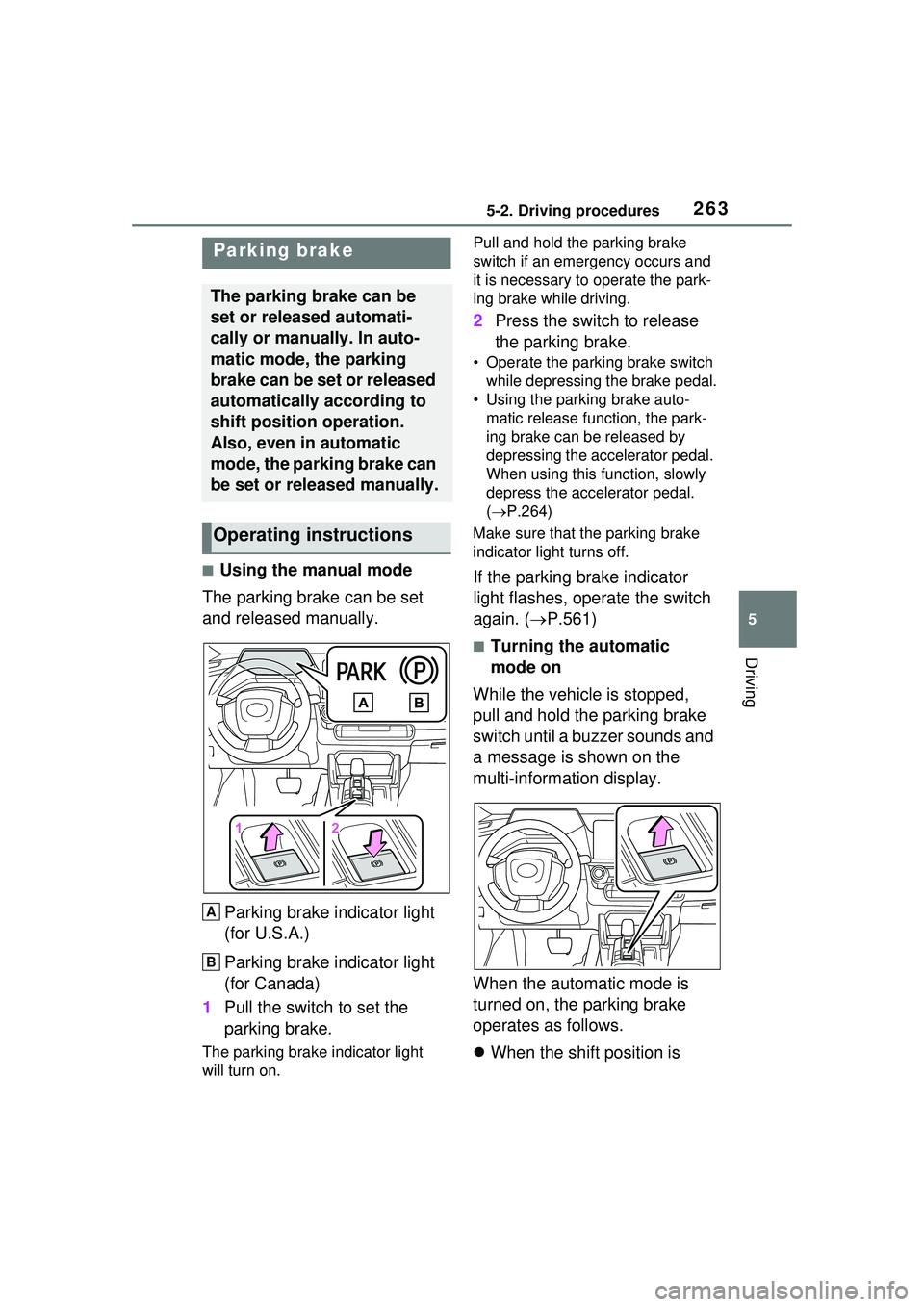
The parking brake can be set
and released manually.
Parking brake indicator light
(for U.S.A.)
Parking brake indicator light
(for Canada)
1 Pull the switch to set the
parking brake.
The parking brake indicator light
will turn on. Pull and hold the parking brake
switch if an emergency occurs and
it is necessary to operate the park-
ing brake while driving.
2
Press the switch to release
the parking brake.
• Operate the parking brake switch
while depressing the brake pedal.
• Using the parking brake auto- matic release function, the park-
ing brake can be released by
depressing the accelerator pedal.
When using this function, slowly
depress the accelerator pedal.
( P.264)
Make sure that the parking brake
indicator light turns off.
If the parking brake indicator
light flashes, operate the switch
again. ( P.561)
■Turning the automatic
mode on
While the vehicle is stopped,
pull and hold the parking brake
switch until a buzzer sounds and
a message is shown on the
multi-information display.
When the automatic mode is
turned on, the parking brake
operates as follows.
When the shift position is
Parking brake
The parking brake can be
set or released automati-
cally or manually. In auto-
matic mode, the parking
brake can be set or released
automatically according to
shift position operation.
Also, even in automatic
mode, the parking brake can
be set or released manually.
Operating instructions
A
B
Page 264 of 680
2645-2. Driving procedures
shifted from P, the parking
brake will be released, and
the parking brake indicator
light will turn off.
When the shift position is
shifted to P, the parking brake
will be set, and the parking
brake indicator light will turn
on.
Operate the shift position and P
position switch with the vehicle
stopped and the brake pedal
depressed.
The auto function may not operate
if the shift lever is moved extremely
quickly or the brake pedal is not
firmly depressed. In this situation,
apply the parking brake manually.
( P.263)
■Turning the automatic
mode off
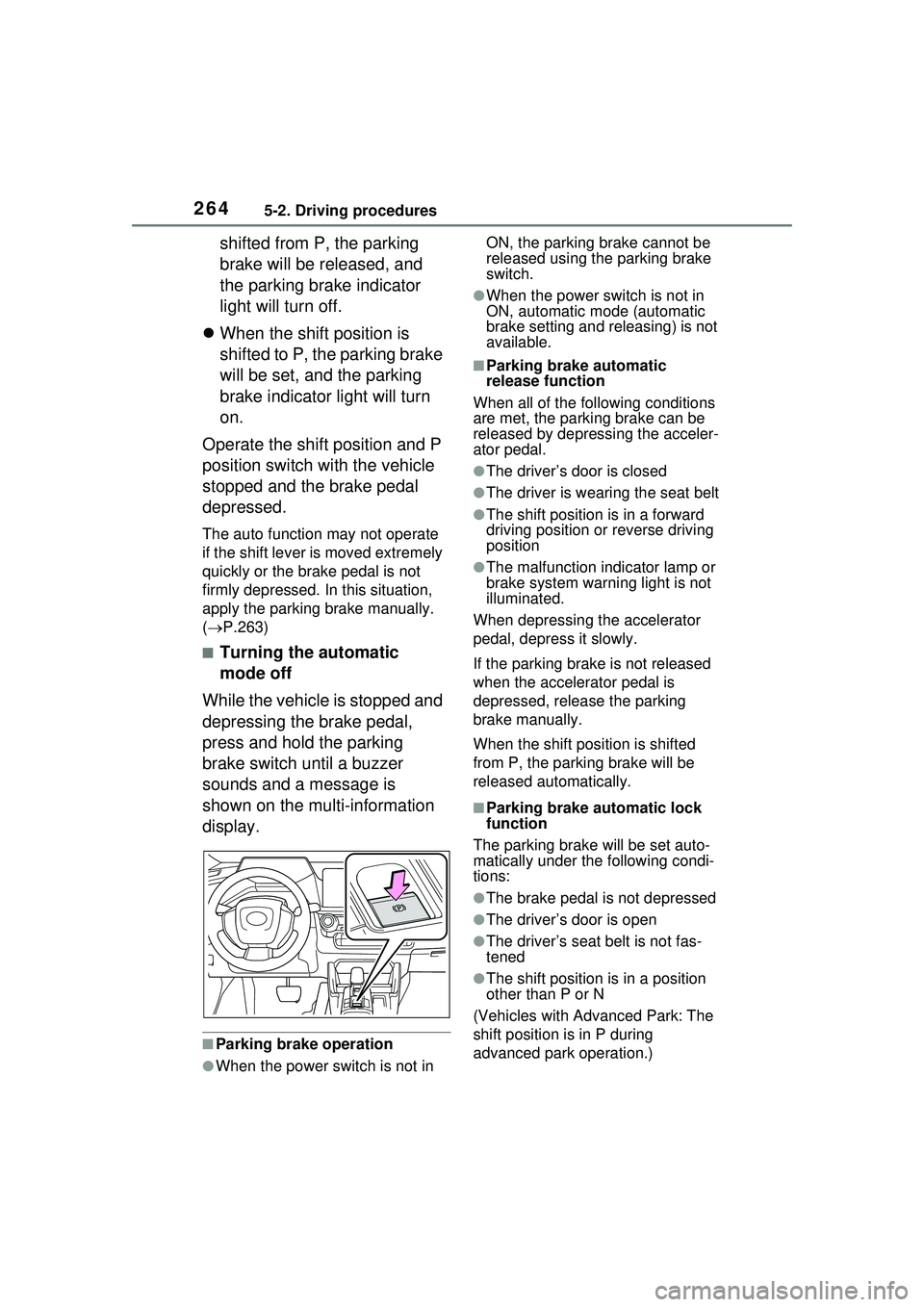
While the vehicle is stopped and
depressing the brake pedal,
press and hold the parking
brake switch until a buzzer
sounds and a message is
shown on the multi-information
display.
■Parking brake operation
●When the power switch is not in ON, the parking brake cannot be
released using the parking brake
switch.
●When the power switch is not in
ON, automatic mode (automatic
brake setting and releasing) is not
available.
■Parking brake automatic
release function
When all of the following conditions
are met, the parking brake can be
released by depressing the acceler-
ator pedal.
●The driver’s door is closed
●The driver is wearing the seat belt
●The shift position is in a forward
driving position or reverse driving
position
●The malfunction indicator lamp or
brake system warning light is not
illuminated.
When depressing the accelerator
pedal, depress it slowly.
If the parking brake is not released
when the accelerator pedal is
depressed, release the parking
brake manually.
When the shift position is shifted
from P, the parking brake will be
released automatically.
■Parking brake automatic lock
function
The parking brake will be set auto-
matically under the following condi-
tions:
●The brake pedal is not depressed
●The driver’s door is open
●The driver’s seat belt is not fas-
tened
●The shift position is in a position
other than P or N
(Vehicles with Advanced Park: The
shift position is in P during
advanced park operation.)
Page 265 of 680
2655-2. Driving procedures
5
Driving
●The malfunction indicator lamp
and brake system warning light
are not illuminated
■If “Parking Brake Temporarily
Unavailable” is displayed on
the multi-information display
If the parking brake is operated
repeatedly over a short period of
time, the system may restrict opera-
tion to prevent overheating. If this
happens, refrain from operating the
parking brake. Normal operation will
return after about 1 minute.
■If “Parking Brake Unavailable”
is displayed on the multi-infor-
mation display
Operate the parking brake switch. If
the message does not disappear
after operating the switch several
times, the system may be malfunc-
tioning. Have the vehicle inspected
by your Toyota dealer.
■Parking brake operation sound
When the parking brake operates, a
motor sound (whirring sound) may
be heard.
This does not indicate a malfunc-
tion.
■Parking brake indicator light
●Depending on the power switch
mode, the parking brake indicator
light will turn on and stay on as
described below:
ON: Comes on un til the parking
brake is released.
Not in ON: Stays on for approxi-
mately 15 seconds.
●When the power switch is turned
off with the parking brake set, the
parking brake indicator light will
stay on for about 15 seconds. This
does not indicate a malfunction.
■When the parking brake switch
malfunctions
Automatic mode (automatic brake
setting and releasing) will be turned
on automatically.
■Parking the vehicle
P.239
■Parking brake engaged warning
buzzer
A buzzer will sound if the vehicle is
driven with the parking brake
engaged.
“Parking Brake ON” is displayed on
the multi-information display (with
the vehicle reaching a speed of 3
mph [5 km/h]).
■If the brake system warning
light comes on
P.555
■Usage in winter time
P.430
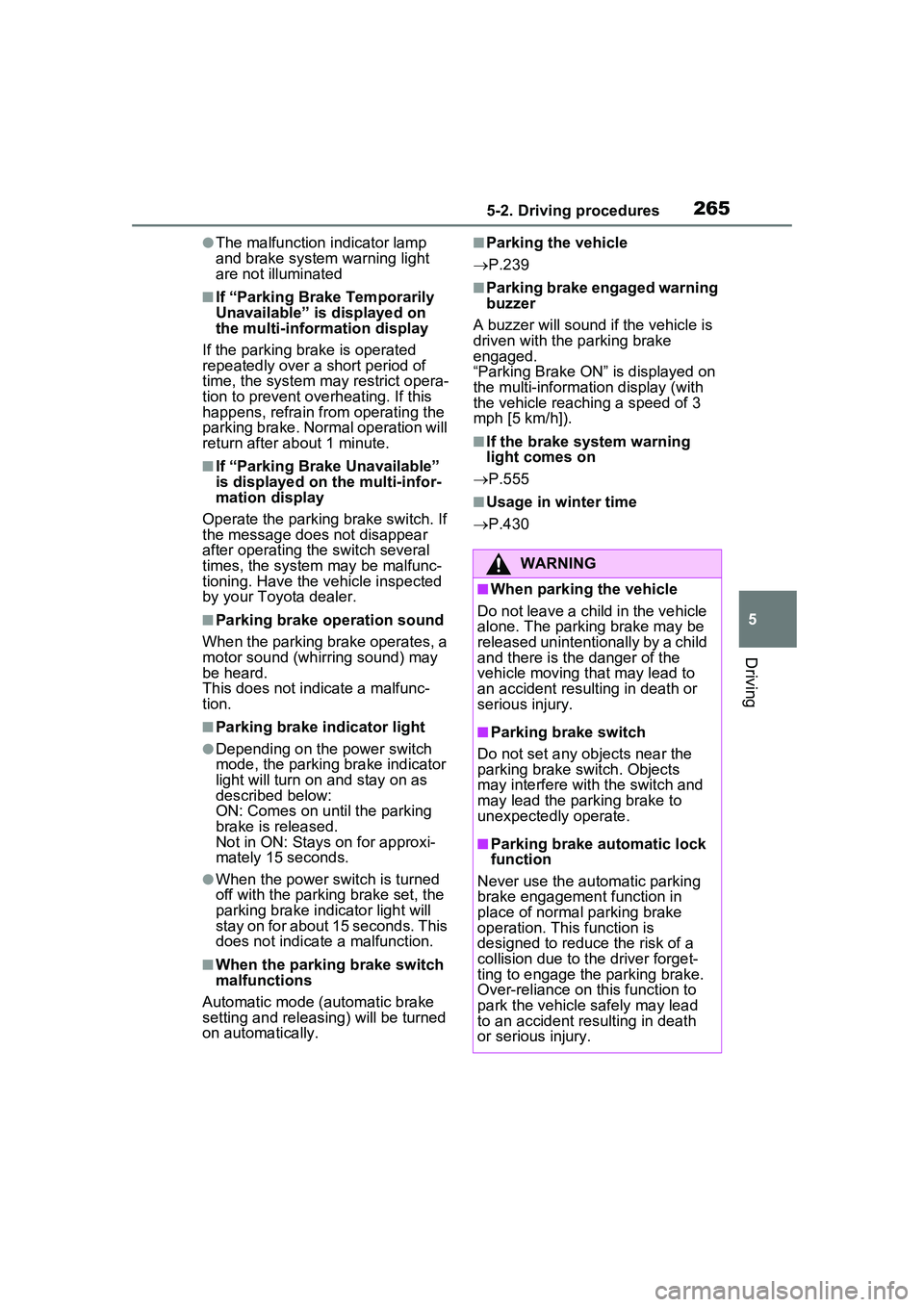
WARNING
■When parking the vehicle
Do not leave a child in the vehicle
alone. The parking brake may be
released unintentionally by a child
and there is the danger of the
vehicle moving that may lead to
an accident resulting in death or
serious injury.
■Parking brake switch
Do not set any objects near the
parking brake switch. Objects
may interfere with the switch and
may lead the parking brake to
unexpectedly operate.
■Parking brake automatic lock
function
Never use the automatic parking
brake engagement function in
place of normal parking brake
operation. This function is
designed to reduce the risk of a
collision due to the driver forget-
ting to engage the parking brake.
Over-reliance on this function to
park the vehicle safely may lead
to an accident resulting in death
or serious injury.
Page 267 of 680
2675-2. Driving procedures
5
Driving
●“Parking Brake Unavailable” or
“Parking Brake Malfunction Visit
Your Dealer” is displayed on the
multi-information display.
If any of the conditions above are
detected when the brake hold sys-
tem is enabled, the system will turn
off and the brake hold standby indi-
cator light will go off. In addition, if
any of the conditions are detected
while the system is holding the
brake, a warning buzzer will sound
and a message will be shown on the
multi-information display. The park-
ing brake will then be set automati-
cally.
■Brake hold function
●If the brake pedal is left released
for a period of about 3 minutes
after the system has started hold-
ing the brake, the parking brake
will be set automatically. In this
case, a warning buzzer sounds
and a message is shown on the
multi-informat ion display.
●To turn the system off while the
system is holding the brake, firmly
depress the brake pedal and
press the button again.
●The brake hold function may not
hold the vehicle when the vehicle
is on a steep incline. In this situa-
tion, it may be necessary for the
driver to apply the brakes. A warn-
ing buzzer will sound and the
multi-informatio n display will
inform the driver of this situation. If
a warning message is shown on
the multi-information display, read
the message and follow the
instructions.
●When do not wish for the parking
brake to operate automatically,
press and hold the brake hold
switch until the standby indicator
(green) turns off, and then turn the
power switch off.
■When the parking brake is set
automatically while the system
is holding the brakes
Perform any of the following opera- tions to release the parking brake.
●Depress the accelerator pedal.
(The parking brake will not be
released automatically if the seat
belt is not fastened.)
●Operate the parking brake switch
with the brake pedal depressed.
Make sure that the parking brake
indicator light goes off. ( P.263)
■When an inspection at your
Toyota dealer is necessary
When the brake hold standby indi-
cator (green) does not illuminate
even when the brake hold switch is
pressed with the brake hold system
operating conditions met, the sys-
tem may be malfunctioning. Have
the vehicle inspected at your Toyota
dealer.
■If “Brake Hold Malfunction
Press Brake to Deactivate Visit
Your Dealer” or “Brake Hold
Malfunction Visit Your Dealer”
is displayed on the multi-infor-
mation display
The system may be malfunctioning.
Have the vehicle inspected by your
Toyota dealer.
■Warning messages and buzzers
Warning messages and buzzers are
used to indicate a system malfunc-
tion or to inform the driver of the
need for caution. If a warning mes-
sage is shown on the multi-informa-
tion display, read the message and
follow the instructions.
■If the brake hold operated indi-
cator flashes
P.561
Page 271 of 680
2715-3. Operating the lights and wipers
5
Driving
■Automatic light off system
●When the headlights are on: The
lights turn off 30 seconds after the
power switch is turned to OFF and
a door is opened and closed. (The
lights turn off immediately if
on the key is pressed after all the
doors are closed.)
●When only the tail lights are on:
The tail lights turn off automati-
cally if the power switch is turned
to OFF and the driver’s door is
opened.
To turn the lights on again, turn the
power switch to ON, or turn the light
switch to the , or posi-
tion once and then back to the
or position.
■Light reminder buzzer
A buzzer sounds when the driver’s
door is opened while the lights are
turned on with the power switch in
OFF (except when the automatic
light off system is operated).
■12-volt battery-saving function
In order to prevent the 12-volt bat-
tery of the vehicle from discharging,
if the headlights and/or tail lights are
on when the power switch is turned
to OFF, the battery saving function
will operate and aut omatically turn
off all the lights after approximately
20 minutes.
When any of the following are per-
formed, the 12-volt battery-saving
function is canceled once and then
reactivated. All the lights will turn off
automatically 20 minutes after the
12-volt battery-saving function has
been reactivated:
●When the headlight switch is oper-
ated
●When a door is opened or closed
■Windshield wiper linked head-
light illumination (if equipped)
When driving during daytime with
the headlight switch is in the
position, if the windshield wipers are
used, the headlights will turn on
automatically after several seconds
to help enhance the visibility of your
vehicle.
■If “Headlight System Malfunc-
tion Visit Your Dealer” is dis-
played on the mu lti-information
display
The system may be malfunctioning.
Have the vehicle inspected by your
Toyota dealer.
■Customization
Settings (e.g. light sensor sensitiv-
ity) can be changed.
(Customizable features: P.618)
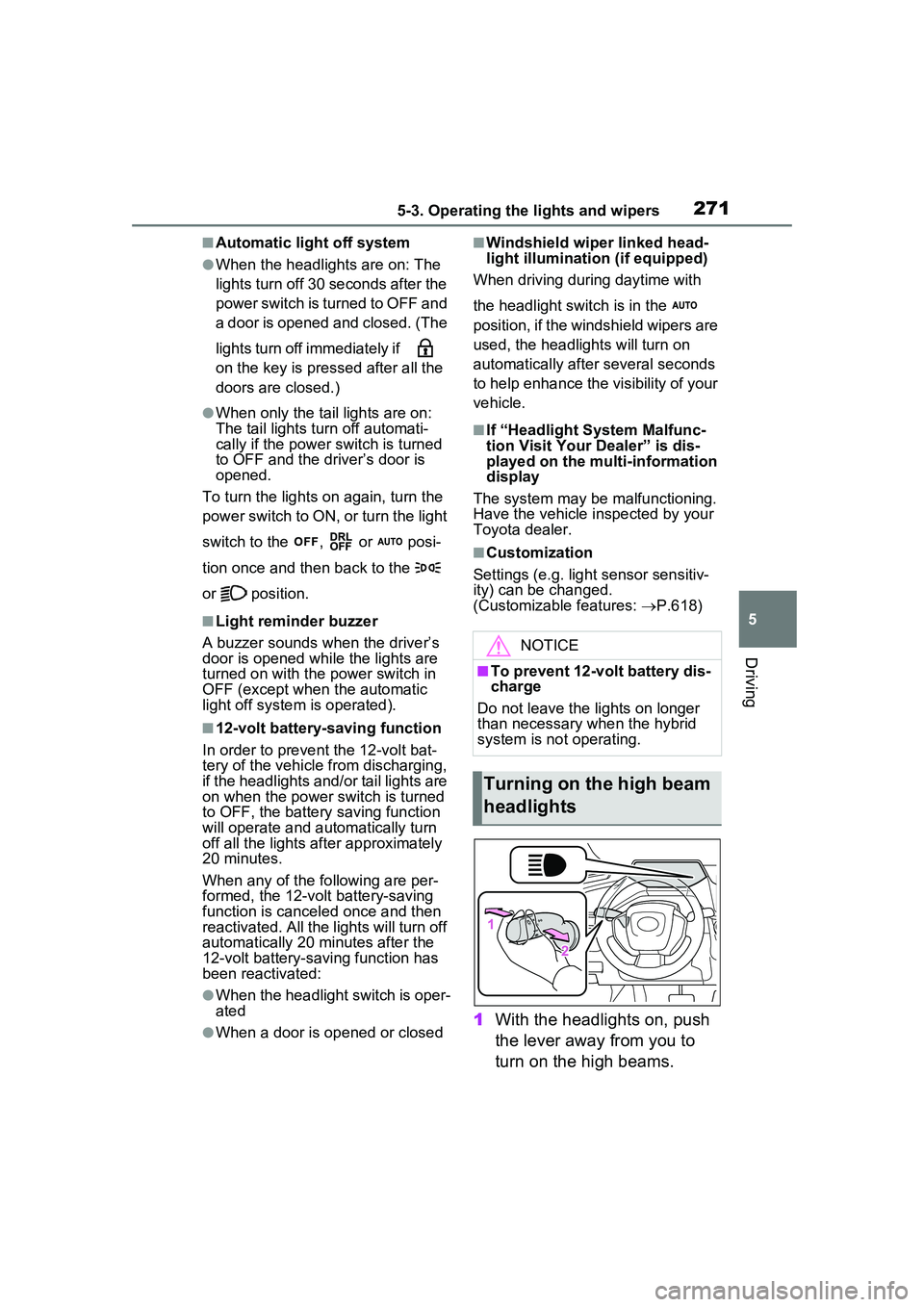
1 With the headlights on, push
the lever away from you to
turn on the high beams.
NOTICE
■To prevent 12-volt battery dis-
charge
Do not leave the lights on longer
than necessary when the hybrid
system is not operating.
Turning on the high beam
headlights
Page 280 of 680
2805-4. Refueling
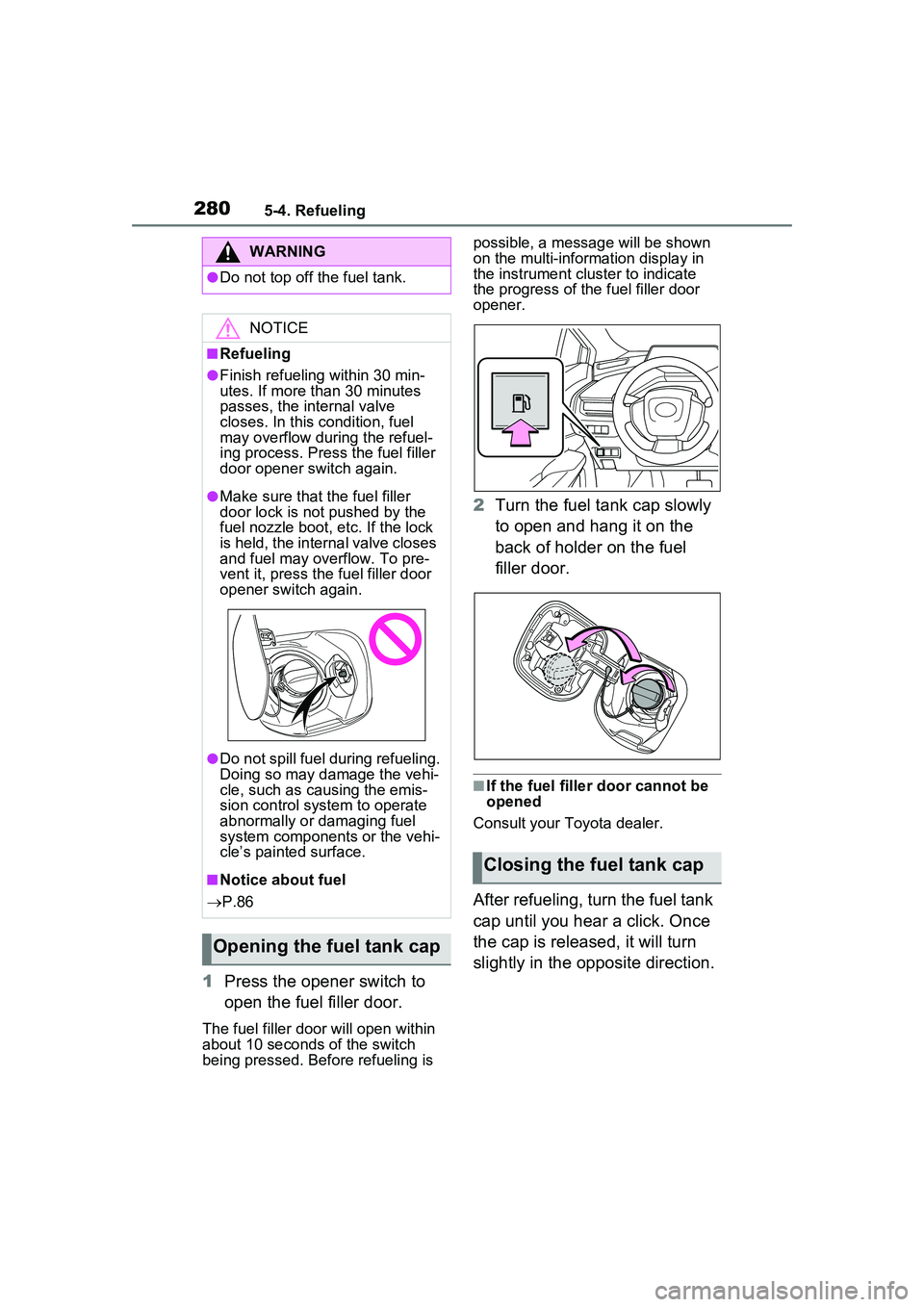
1Press the opener switch to
open the fuel filler door.
The fuel filler door will open within
about 10 seconds of the switch
being pressed. Before refueling is possible, a message will be shown
on the multi-information display in
the instrument clus
ter to indicate
the progress of the fuel filler door
opener.
2 Turn the fuel tank cap slowly
to open and hang it on the
back of holder on the fuel
filler door.
■If the fuel filler door cannot be
opened
Consult your Toyota dealer.
After refueling, turn the fuel tank
cap until you hear a click. Once
the cap is released, it will turn
slightly in the opposite direction.
WARNING
●Do not top off the fuel tank.
NOTICE
■Refueling
●Finish refueling within 30 min-
utes. If more than 30 minutes
passes, the internal valve
closes. In this condition, fuel
may overflow during the refuel-
ing process. Press the fuel filler
door opener switch again.
●Make sure that the fuel filler
door lock is not pushed by the
fuel nozzle boot, etc. If the lock
is held, the internal valve closes
and fuel may overflow. To pre-
vent it, press the fuel filler door
opener switch again.
●Do not spill fuel during refueling.
Doing so may damage the vehi-
cle, such as causing the emis-
sion control system to operate
abnormally or damaging fuel
system components or the vehi-
cle’s painted surface.
■Notice about fuel
P.86
Opening the fuel tank cap
Closing the fuel tank cap
Page 281 of 680
2815-4. Refueling
5
Driving
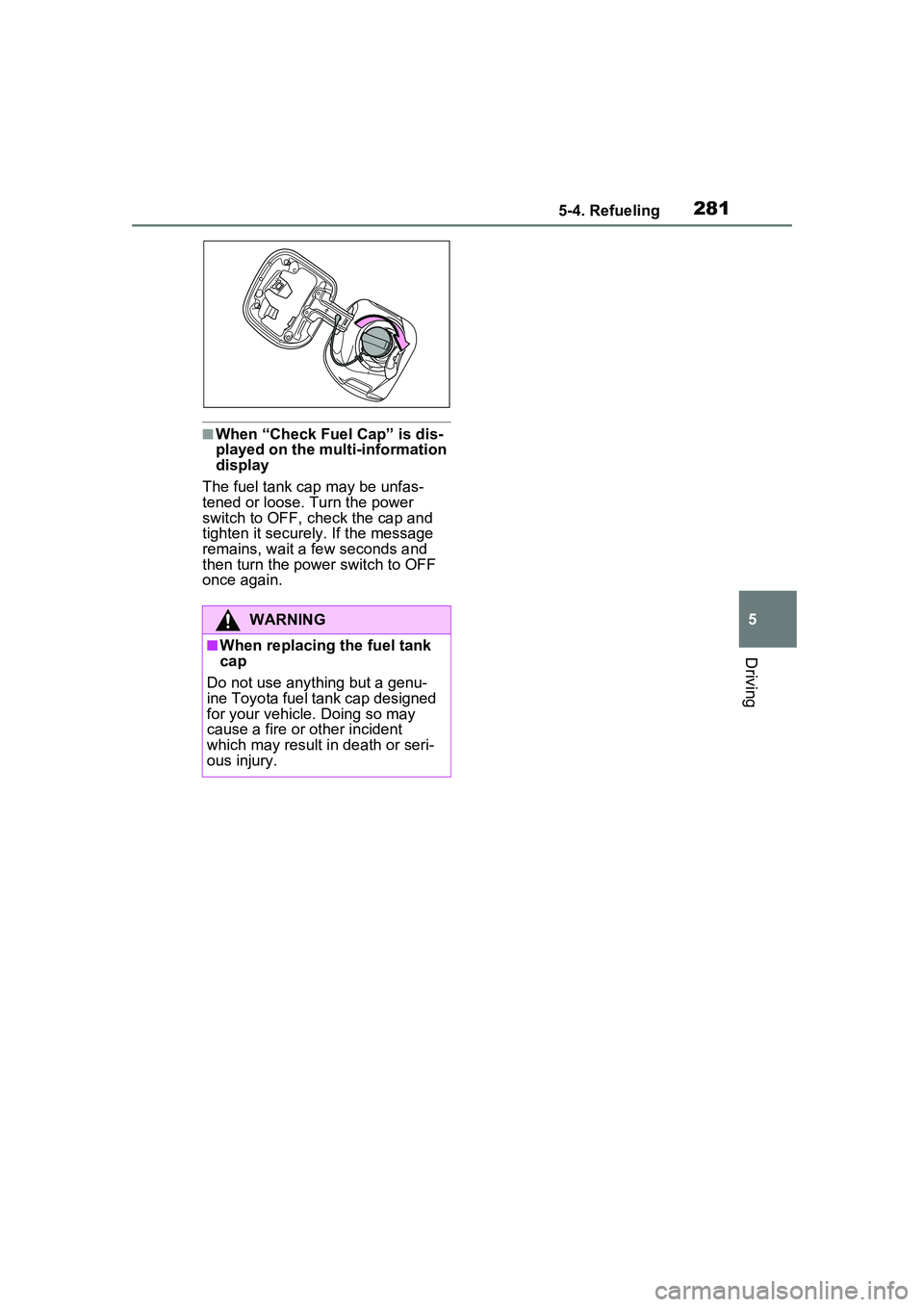
■When “Check Fuel Cap” is dis-
played on the multi-information
display
The fuel tank cap may be unfas-
tened or loose. Turn the power
switch to OFF, check the cap and
tighten it securely . If the message
remains, wait a few seconds and
then turn the power switch to OFF
once again.
WARNING
■When replacing the fuel tank
cap
Do not use anything but a genu-
ine Toyota fuel tank cap designed
for your vehicle. Doing so may
cause a fire or other incident
which may result in death or seri-
ous injury.
Page 283 of 680
2835-5. Using the driving support systems
5
Driving
■Selecting your vehicle’s
Toyota Safety Sense
3.0/Traffic Jam Assist ver-
sion
1 Access the following URL
using a computer or smart-
phone:
For U.S.A owners
https://www.toyo ta.com/owners/
resources/warr anty-owners-
manuals/
manual?om=om47e73u.
priusprime.2024.2303.phev.vh
For Canadian owners
https://www.toyota.ca/toyota/
owners/
manual?om=om47e73u.
priusprime.2024.2303.phev.vh
2 Select the file which includes
the previously checked sys-
tem version. If a software update is available,
a notification will be displayed
by OneApp. Follow the instruc-
tions displayed on the screen.
■Software update precautions
●After a software update has been
performed, it will not be possible
to revert to a previous version.
●Depending on the communication
environment and the content of an
update, a software update may
take several hours. Although an
update will be
suspended when
the power switch is turned off, it
will resume when the power
switch is changed back to ON.
●Toyota Safety Sense 3.0/Traffic
Jam Assist can still be used while
a software update is being per-
formed.
■What can be checked using the
OneApp
The following items can be checked
or performed.
●Software version, update details,
precautions, use methods, etc.
●Software update
Updating the software