display TOYOTA PRIUS PRIME 2023 Owners Manual
[x] Cancel search | Manufacturer: TOYOTA, Model Year: 2023, Model line: PRIUS PRIME, Model: TOYOTA PRIUS PRIME 2023Pages: 680, PDF Size: 14.97 MB
Page 284 of 680
2845-5. Using the driving support systems
Toyota Safety Sense
3.0
The Toyota Safety Sense 3.0
consists of the driving
assist systems and contrib-
utes to a safe and comfort-
able driving experience:
WARNING
■Toyota Safety Sense 3.0
The Toyota Safety Sense 3.0
operates under the assumption
that the driver will drive safely,
and is designed to help reduce
the impact to the occupants in a
collision and assist the driver
under normal driving conditions.
As there is a limit to the degree of
recognition accuracy and control
performance that this system can
provide, do not overly rely on this
system. The driver is solely
responsible for paying attention to
the vehicle’s surroundings and
driving safely.
■For safe use
●Do not overly rely on this sys-
tem. The driver is solely respon-
sible for paying attention to the
vehicle’s surroundings and driv-
ing safely. This system may not
operate in all situations and pro-
vided assistance is limited.
Over-reliance on this system to
drive the vehicle safely may
lead to an accident resulting in
death or serious injury.
●Do not attempt to test the oper-
ation of the system, as it may
not operate properly, possibly
leading to an accident.
●If attention is necessary while
performing driving operations or
a system malfunction occurs, a
warning message or warning
buzzer will be operated. If a
warning message is displayed
on the display, follow the
instructions displayed.
●Depending on external noise,
the volume of the audio system,
etc. it may be difficult to hear the
warning buzzer. Also, depend-
ing on the road conditions, it
may be difficult to recognize the
operation of the system.
■When it is necessary to dis-
able the system
In the following si tuations, make
sure to disable the system.
Failure to do so may lead to the
system not operating properly,
possibly leading to an accident
resulting in death or serious
injury.
●When the vehicle is tilted due to
being overloaded or having a
flat tire
●When driving at extremely high
speeds
●When towing another vehicle
●When the vehicle is being trans-
ported by a truck, ship, train,
etc.
●When the vehicle is raised on a
lift and the tires are allowed to
rotate freely
●When inspecting the vehicle
using a drum tester such as a
chassis dynamometer or speed-
ometer tester, or when using an
on vehicle wheel balancer
●When the vehicle is driven in a
sporty manner or off-road
Page 292 of 680
2925-5. Using the driving support systems
●When the driver is wearing a face
mask
●When the driver is laughing or
their eyes are only slightly open
●When the driver’s eyes, nose,
mouth, or shape of their face is
blocked
●When the driver is wearing
makeup which makes it difficult to
detect their eyes, nose, mouth, or
shape of their face
●When the driver’s eyes are
blocked by the frame of eye-
glasses, sunglasses, hair, etc.
●When there is a device inside the
vehicle that radiates near infrared
rays, such as a non-genuine
driver monitoring system.
*: If equipped
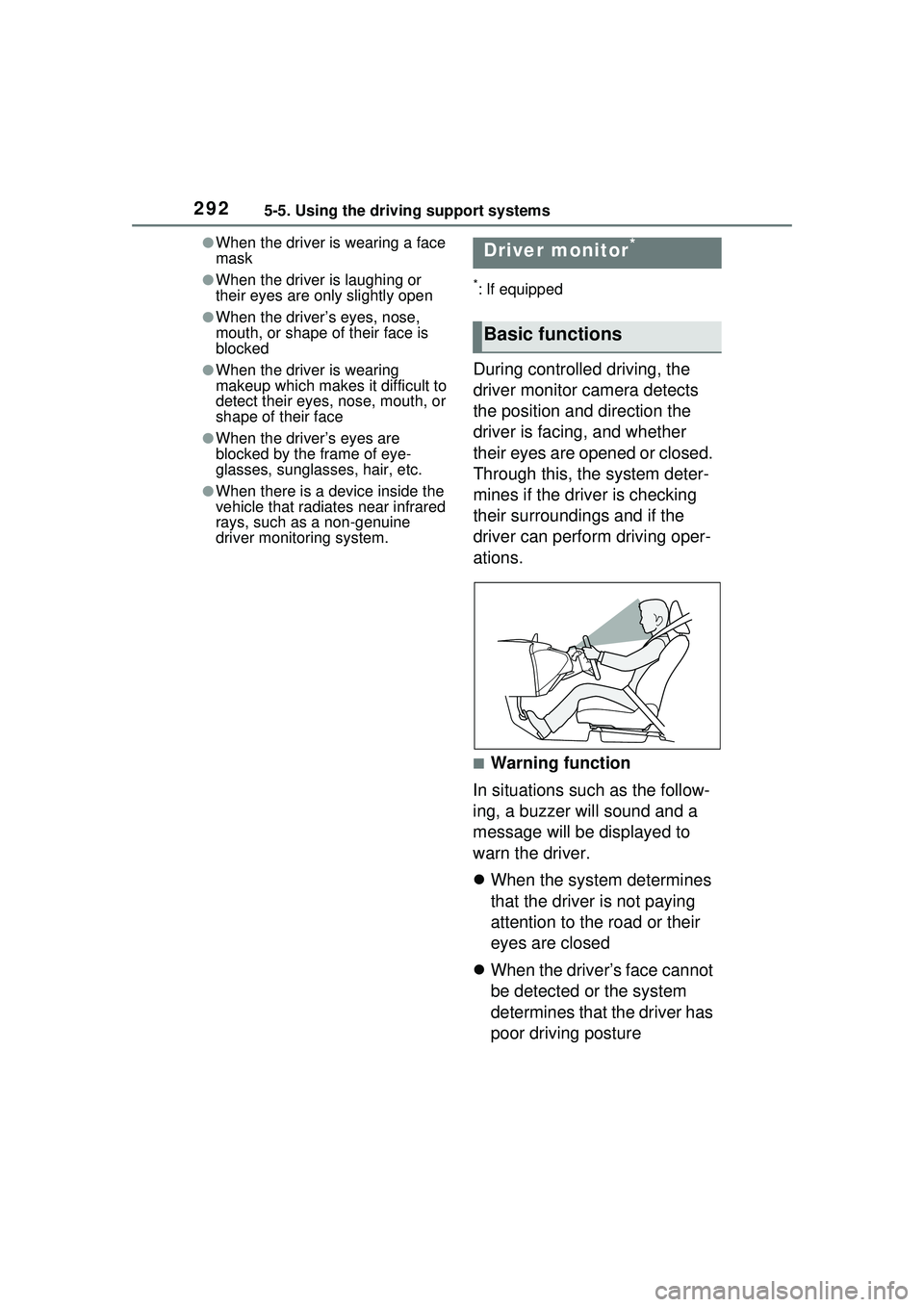
During controlled driving, the
driver monitor camera detects
the position and direction the
driver is facing, and whether
their eyes are opened or closed.
Through this, the system deter-
mines if the driver is checking
their surroundings and if the
driver can perform driving oper-
ations.
■Warning function
In situations such as the follow-
ing, a buzzer will sound and a
message will be displayed to
warn the driver.
When the system determines
that the driver is not paying
attention to the road or their
eyes are closed
When the driver’s face cannot
be detected or the system
determines that the driver has
poor driving posture
Driver monitor*
Basic functions
Page 294 of 680
2945-5. Using the driving support systems
The system can detect the fol-
lowing as detectable objects.
(Detectable objects differ
depending on the function.)
Vehicles
Bicycles
*
Pedestrians
Motorcycles
*
Walls
*: Detected as a detectable object
only when being ridden.
■Pre-collision warning
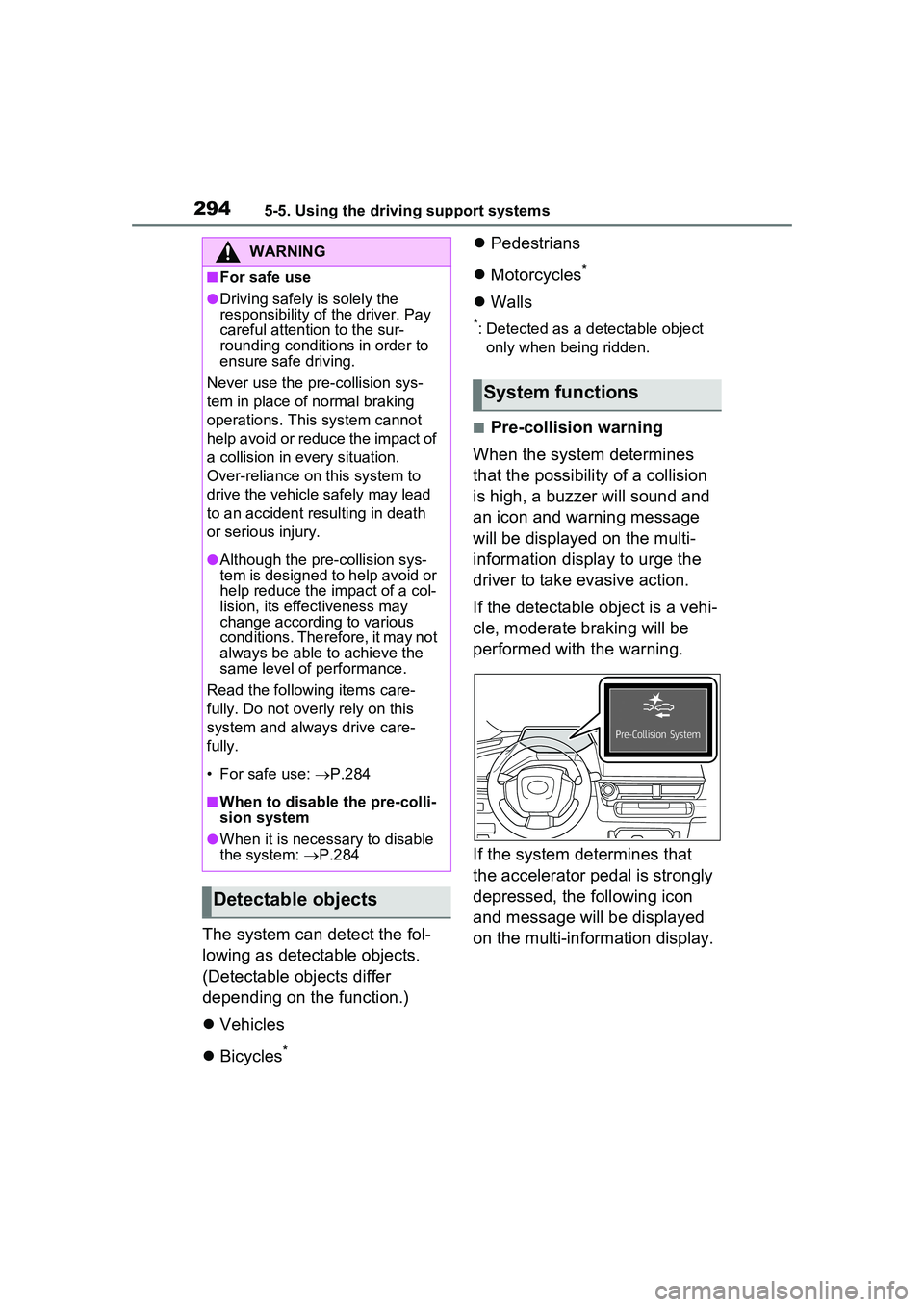
When the system determines
that the possibility of a collision
is high, a buzzer will sound and
an icon and warning message
will be displayed on the multi-
information display to urge the
driver to take evasive action.
If the detectable object is a vehi-
cle, moderate braking will be
performed with the warning.
If the system determines that
the accelerator pedal is strongly
depressed, the following icon
and message will be displayed
on the multi-information display.
WARNING
■For safe use
●Driving safely is solely the
responsibility of the driver. Pay
careful attention to the sur-
rounding conditions in order to
ensure safe driving.
Never use the pre-collision sys-
tem in place of normal braking
operations. This system cannot
help avoid or reduce the impact of
a collision in every situation.
Over-reliance on this system to
drive the vehicle safely may lead
to an accident resulting in death
or serious injury.
●Although the pre-collision sys-
tem is designed to help avoid or
help reduce the impact of a col-
lision, its effectiveness may
change according to various
conditions. Therefore, it may not
always be able to achieve the
same level of performance.
Read the following items care-
fully. Do not overly rely on this
system and always drive care-
fully.
• For safe use: P.284
■When to disable the pre-colli-
sion system
●When it is necessary to disable
the system: P.284
Detectable objects
System functions
Page 295 of 680
2955-5. Using the driving support systems
5
Driving
■Pre-collision brake assist
If the system determines that
the possibility of a collision is
high and the brake operation by
the driver is insufficient, the
braking power will be increased.
■Pre-collision brake control
If the system determines that
the possibility of a collision is
extremely high, the brakes are
automatically applied to help
avoid the collision or reduce the
impact of the collision.
■Emergency steering assist
If the system determines that
the following conditions are met,
assistance will be provided to
help enhance vehicle stability
and prevent lane departure.
During assistance, in addition to
the pre-collision warning, the fol-
lowing icon will be displayed on
the multi-information display.
The possibility of a collision is
high
There is sufficient space
within the lane to perform
evasive steering maneuvers
The driver is operating the steering wheel
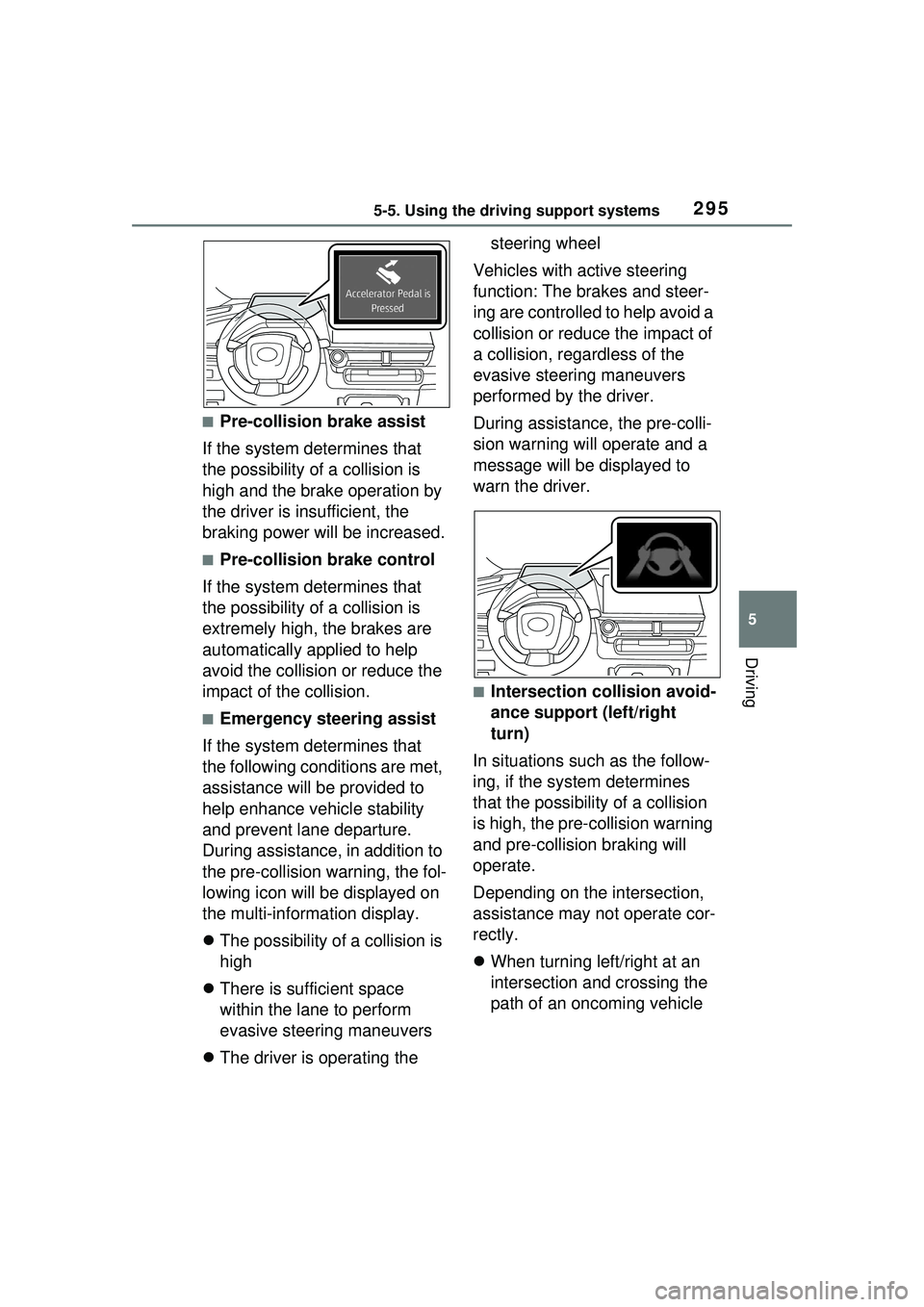
Vehicles with active steering
function: The brakes and steer-
ing are controlled to help avoid a
collision or reduce the impact of
a collision, regardless of the
evasive steering maneuvers
performed by the driver.
During assistance, the pre-colli-
sion warning will operate and a
message will be displayed to
warn the driver.
■Intersection collision avoid-
ance support (left/right
turn)
In situations such as the follow-
ing, if the system determines
that the possibility of a collision
is high, the pre-collision warning
and pre-collision braking will
operate.
Depending on the intersection,
assistance may not operate cor-
rectly.
When turning left/right at an
intersection and crossing the
path of an oncoming vehicle
Page 296 of 680
2965-5. Using the driving support systems
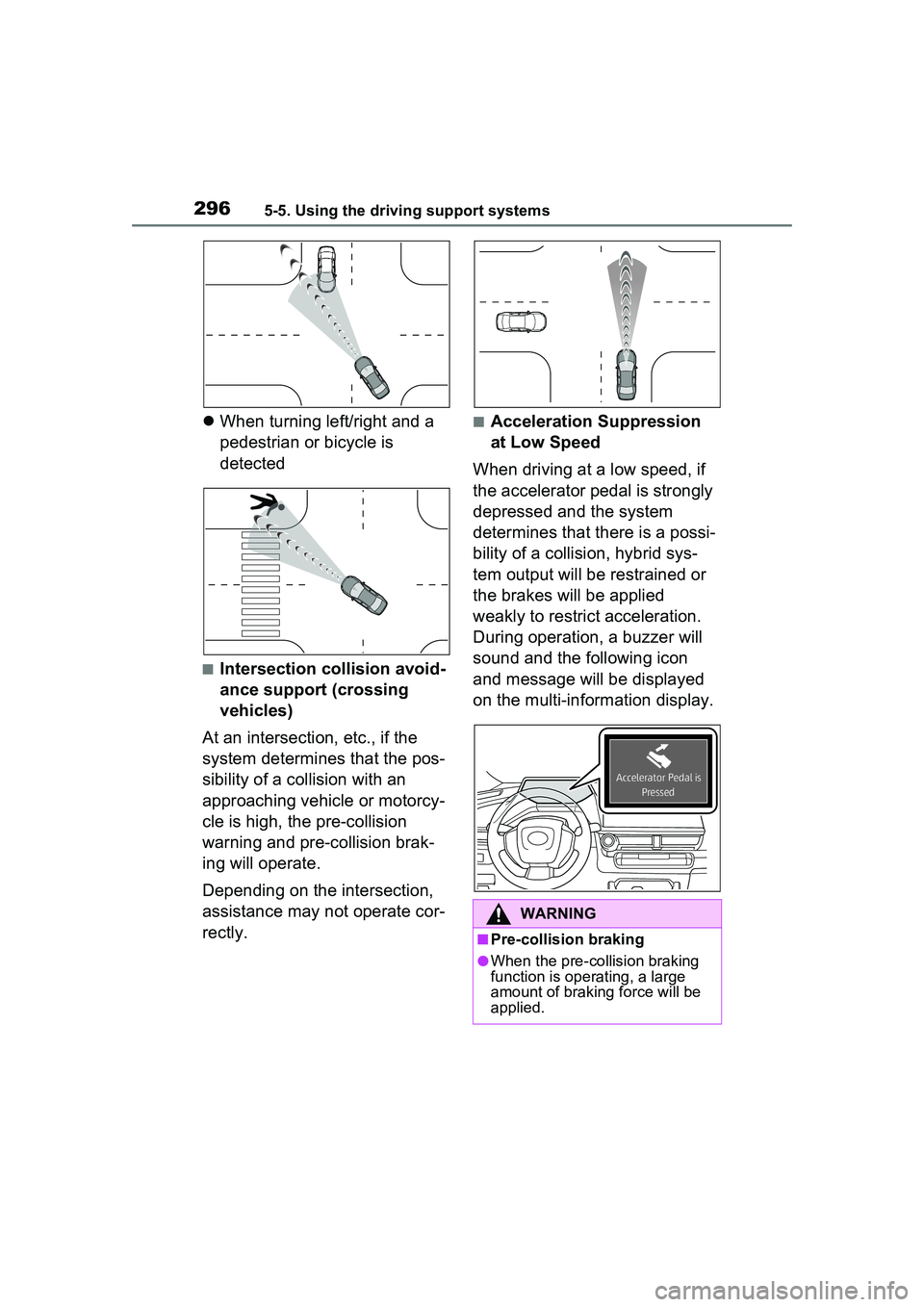
When turning left/right and a
pedestrian or bicycle is
detected
■Intersection collision avoid-
ance support (crossing
vehicles)
At an intersection, etc., if the
system determines that the pos-
sibility of a collision with an
approaching vehicle or motorcy-
cle is high, the pre-collision
warning and pre-collision brak-
ing will operate.
Depending on the intersection,
assistance may not operate cor-
rectly.
■Acceleration Suppression
at Low Speed
When driving at a low speed, if
the accelerator pedal is strongly
depressed and the system
determines that there is a possi-
bility of a collision, hybrid sys-
tem output will be restrained or
the brakes will be applied
weakly to restrict acceleration.
During operation, a buzzer will
sound and the following icon
and message will be displayed
on the multi-information display.
WARNING
■Pre-collision braking
●When the pre-co llision braking
function is operating, a large
amount of braking force will be
applied.
Page 304 of 680
3045-5. Using the driving support systems
vehicle
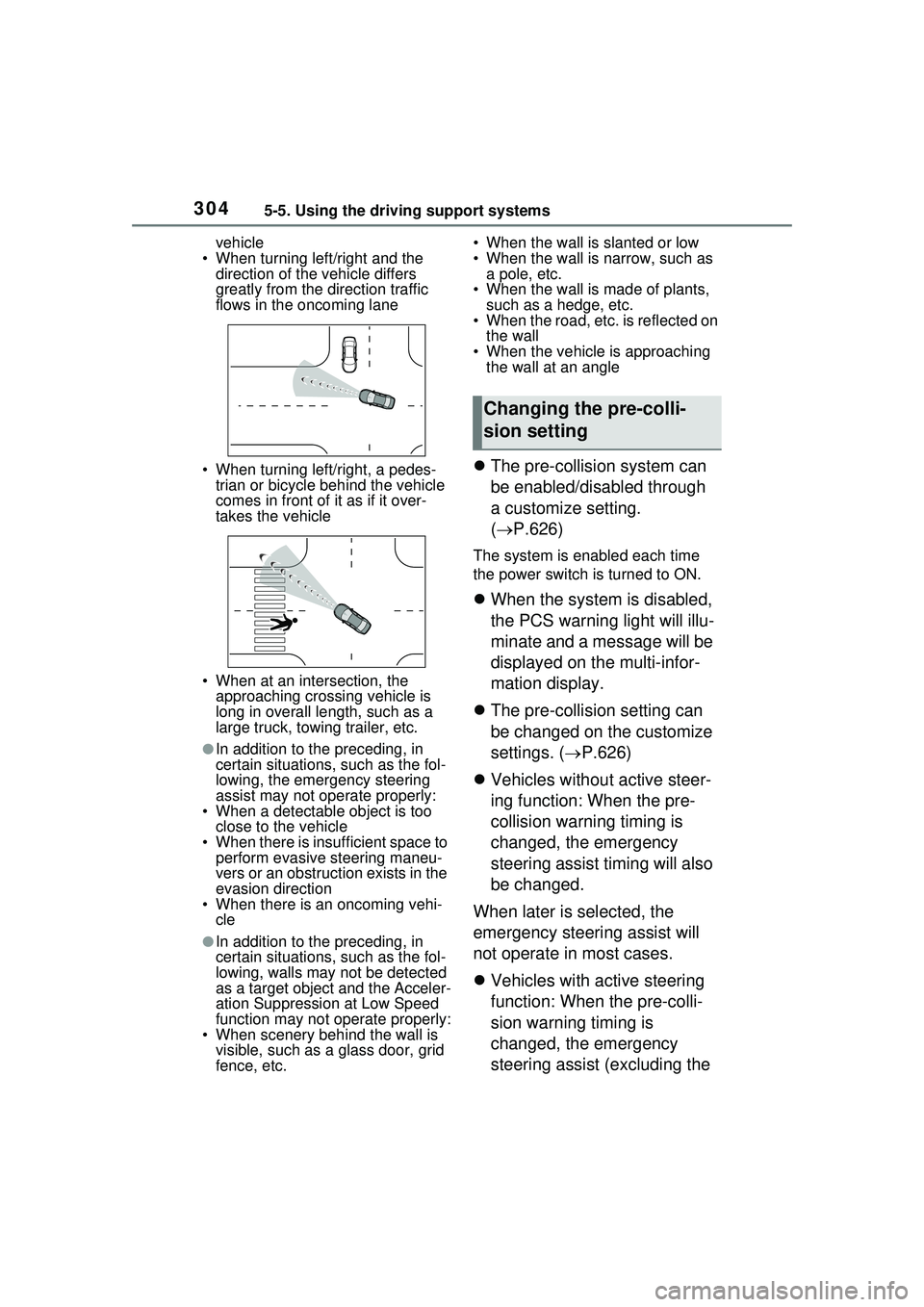
• When turning left/right and the direction of the vehicle differs
greatly from the direction traffic
flows in the oncoming lane
• When turning left/right, a pedes- trian or bicycle behind the vehicle
comes in front of it as if it over-
takes the vehicle
• When at an intersection, the approaching crossing vehicle is
long in overall le ngth, such as a
large truck, towing trailer, etc.
●In addition to the preceding, in
certain situations, such as the fol-
lowing, the emergency steering
assist may not operate properly:
• When a detectable object is too
close to the vehicle
• When there is insufficient space to perform evasive steering maneu-
vers or an obstruction exists in the
evasion direction
• When there is an oncoming vehi-
cle
●In addition to the preceding, in
certain situations, such as the fol-
lowing, walls may not be detected
as a target object and the Acceler-
ation Suppression at Low Speed
function may not operate properly:
• When scenery behind the wall is visible, such as a glass door, grid
fence, etc. • When the wall is slanted or low
• When the wall is narrow, such as
a pole, etc.
• When the wall is made of plants, such as a hedge, etc.
• When the road, etc. is reflected on
the wall
• When the vehicle is approaching the wall at an angle
The pre-collision system can
be enabled/disabled through
a customize setting.
( P.626)
The system is enabled each time
the power switch is turned to ON.
When the system is disabled,
the PCS warning light will illu-
minate and a message will be
displayed on the multi-infor-
mation display.
The pre-collision setting can
be changed on the customize
settings. ( P.626)
Vehicles without active steer-
ing function: When the pre-
collision warning timing is
changed, the emergency
steering assist timing will also
be changed.
When later is selected, the
emergency steering assist will
not operate in most cases.
Vehicles with active steering
function: When the pre-colli-
sion warning timing is
changed, the emergency
steering assist (excluding the
Changing the pre-colli-
sion setting
Page 306 of 680
3065-5. Using the driving support systems
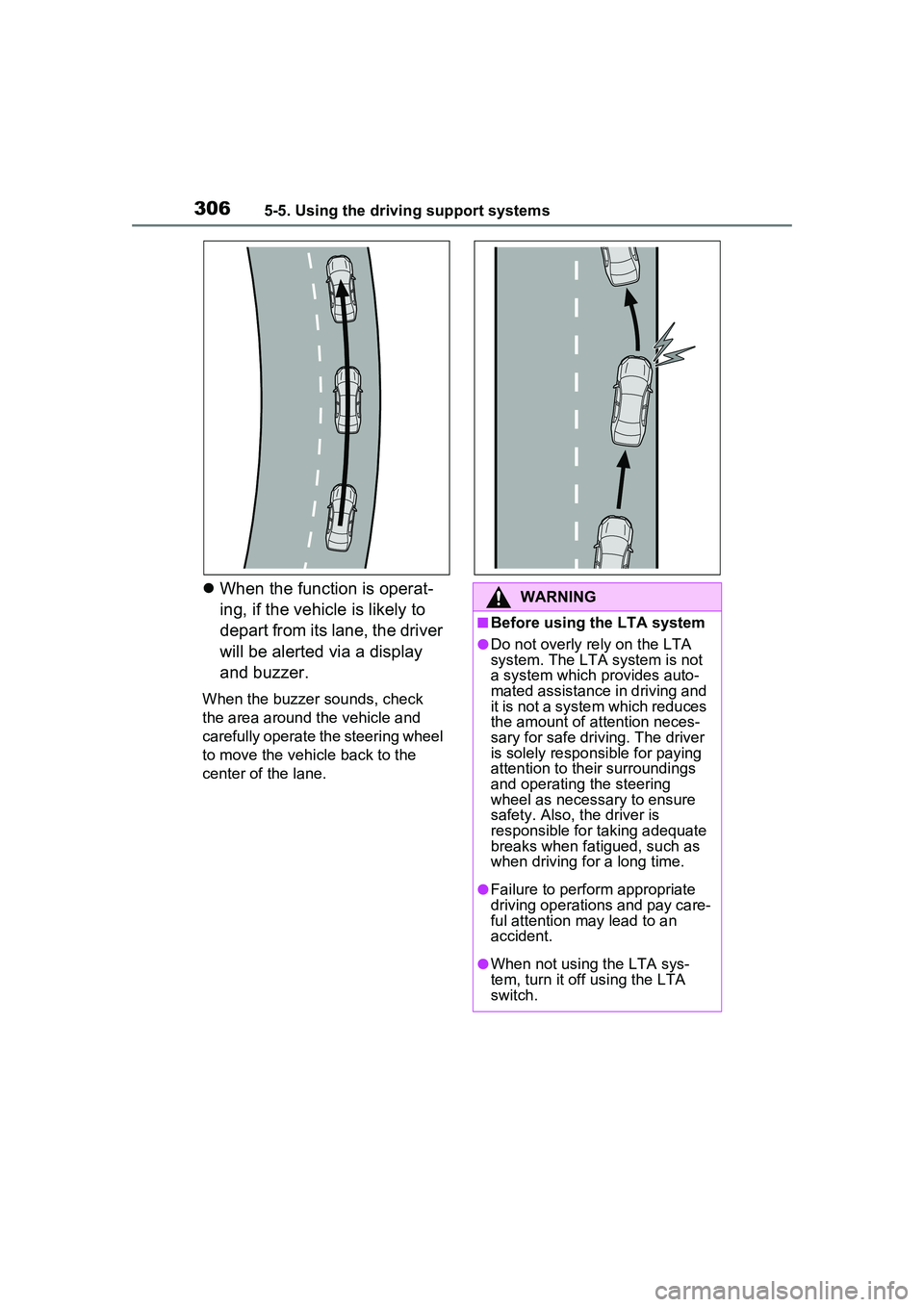
When the function is operat-
ing, if the vehicle is likely to
depart from its lane, the driver
will be alerted via a display
and buzzer.
When the buzzer sounds, check
the area around the vehicle and
carefully operate the steering wheel
to move the vehicle back to the
center of the lane.
WARNING
■Before using the LTA system
●Do not overly rely on the LTA
system. The LTA system is not
a system which provides auto-
mated assistance in driving and
it is not a system which reduces
the amount of attention neces-
sary for safe driv ing. The driver
is solely responsible for paying
attention to their surroundings
and operating the steering
wheel as necessary to ensure
safety. Also, the driver is
responsible for taking adequate
breaks when fatigued, such as
when driving for a long time.
●Failure to perform appropriate
driving operations and pay care-
ful attention may lead to an
accident.
●When not using the LTA sys-
tem, turn it off using the LTA
switch.
Page 307 of 680
3075-5. Using the driving support systems
5
Driving
■Operating conditions of func-
tion
This function is operable when all of
the following conditions are met:
●The LTA system detects lane lines
or the path of preceding or sur-
rounding vehicles.
●The dynamic radar cruise control
is operating.
●The lane width is approximately
10 to 13 ft. (3 to 4 m).
●The turn signal lever is not being
operated.
●The vehicle is not being driven
around a sharp curve.
●The vehicle is not accelerating or
decelerating more than a certain
amount.
●The steering wheel is not being
turned with a large force.
●The hands off steering wheel
warning ( P.307) is not operat-
ing.
●The vehicle is being driven in the
center of a lane.
■Temporary cancelation of func-
tions
●When the operating conditions are
no longer met, a function may be
temporarily canceled. However,
when the operation conditions are
met again, operation of the func-
tion will automatically be restored.
( P.307)
●If the operating conditions of a
function are no longer met while
the function is operating, a buzzer
may sound to indicate that the
function has been temporarily
canceled.
●The steering assist operation of
the function can be overridden by
the steering wheel operation of
the driver.
■Lane departure warning func-
tion when the LTA is operating
●Even if the LDA warning method is
changed to vibration of the steer-
ing wheel, if the vehicle deviates
from the lane while the LTA is
operating, the warning buzzer will
sound to alert the driver.
●If steering wheel operation equiv-
alent to that necessary for a lane
change is detected, the system
will determine the vehicle is not
deviating from the lane and the
warning will not operate.
■Hands off steering wheel warn-
ing operation
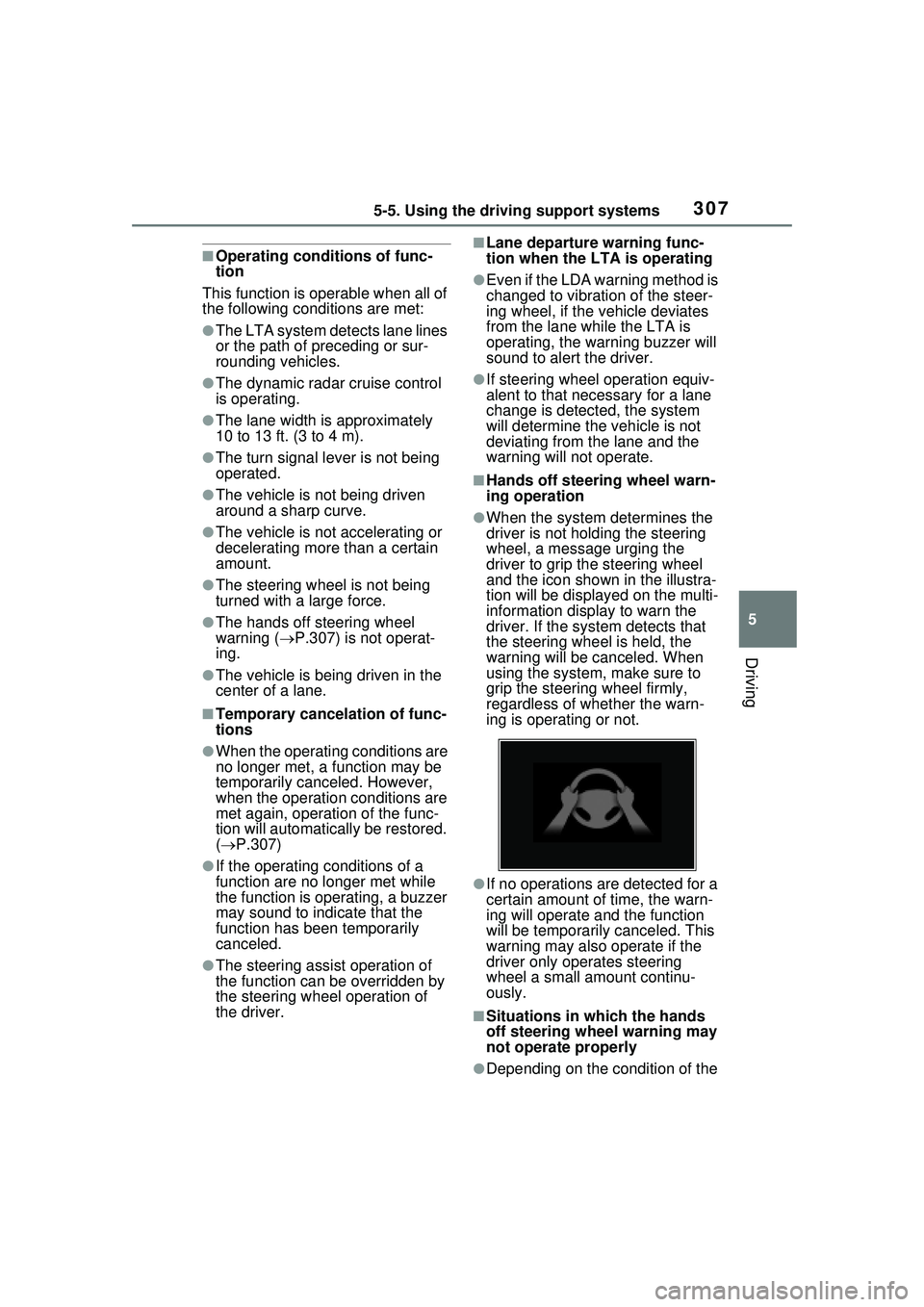
●When the system determines the
driver is not holding the steering
wheel, a message urging the
driver to grip the steering wheel
and the icon show n in the illustra-
tion will be displayed on the multi-
information display to warn the
driver. If the system detects that
the steering wheel is held, the
warning will be canceled. When
using the system, make sure to
grip the steering wheel firmly,
regardless of whether the warn-
ing is operating or not.
●If no operations are detected for a
certain amount of time, the warn-
ing will operate an d the function
will be temporarily canceled. This
warning may also operate if the
driver only operates steering
wheel a small amount continu-
ously.
■Situations in which the hands
off steering wheel warning may
not operate properly
●Depending on the condition of the
Page 309 of 680
3095-5. Using the driving support systems
5
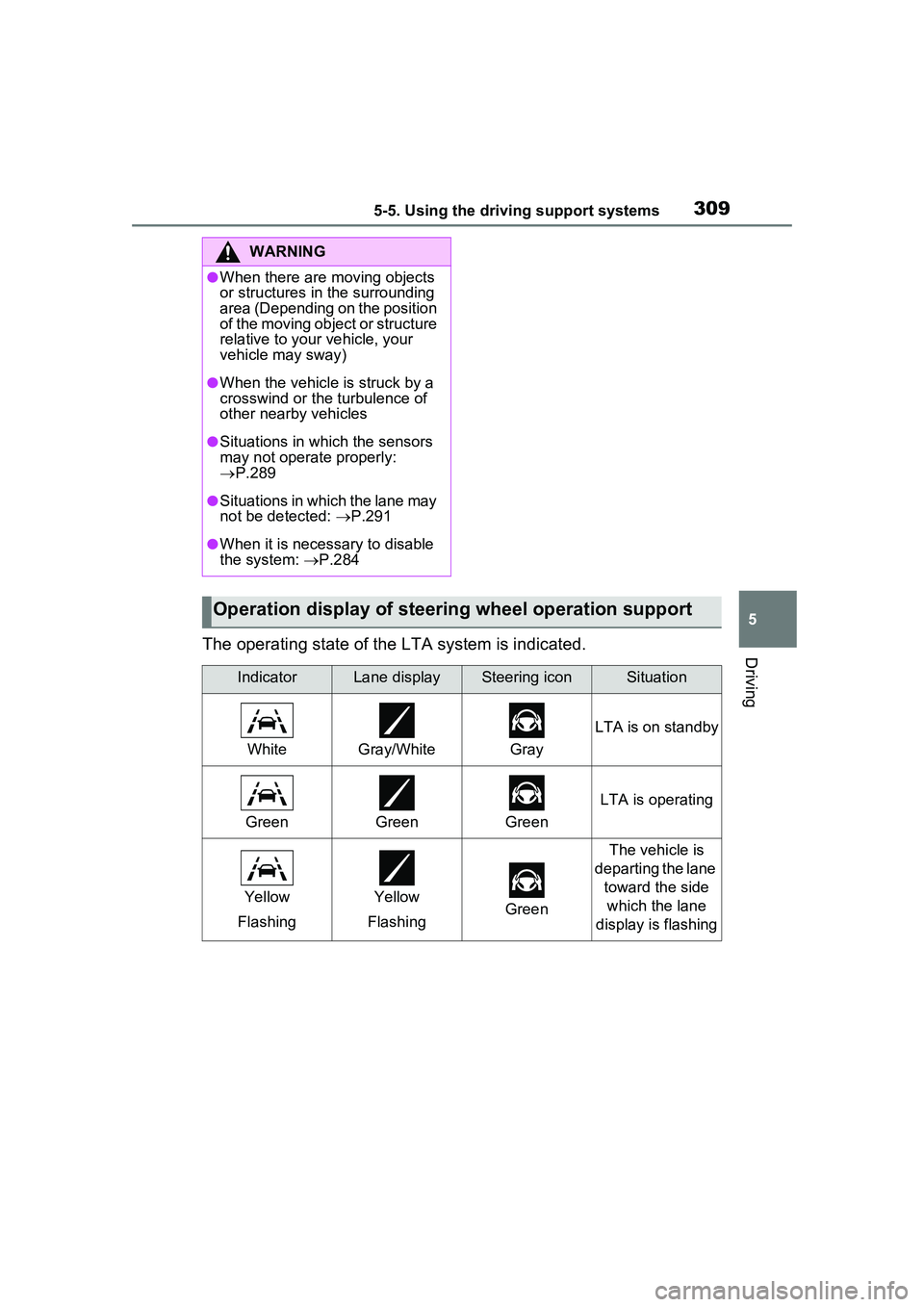
DrivingThe operating state of the LTA system is indicated.
WARNING
●When there are moving objects
or structures in the surrounding
area (Depending on the position
of the moving object or structure
relative to your vehicle, your
vehicle may sway)
●When the vehicle is struck by a
crosswind or the turbulence of
other nearby vehicles
●Situations in which the sensors
may not operate properly:
P.289
●Situations in which the lane may
not be detected: P.291
●When it is necessary to disable
the system: P.284
Operation display of steering wheel operation support
IndicatorLane displaySteering iconSituation
WhiteGray/WhiteGray
LTA is on standby
GreenGreenGreen
LTA is operating
Yellow
FlashingYellow
FlashingGreen
The vehicle is
departing the lane toward the side which the lane
display is flashing
Page 311 of 680
3115-5. Using the driving support systems
5
Driving
●The hands off steering wheel
warning (P.307) is not operat-
ing.
■Cancelation of functions
In the following situations, opera-
tion of the LCA may be canceled
with the display and buzzer:
●When the operating conditions
( P.307) are no longer met
●When the system can no longer
detect lane lines
●When the turn signal lever is oper-
ated to the second position
( P.311)
●When the turn signal lever is oper-
ated in the opposite direction of
the lane change
●When the system detects opera-
tion of the steering wheel, brake
pedal or accelerator pedal by the
driver
If the system detects that a vehicle
is quickly approaching in the lane
toward which the turn signal is oper-
ated a buzzer will sound and a mes-
sage will be displayed to alert the
driver. At the same time the steering
wheel may be slightly operated to
help keep the vehicle away from the
approaching vehicle.
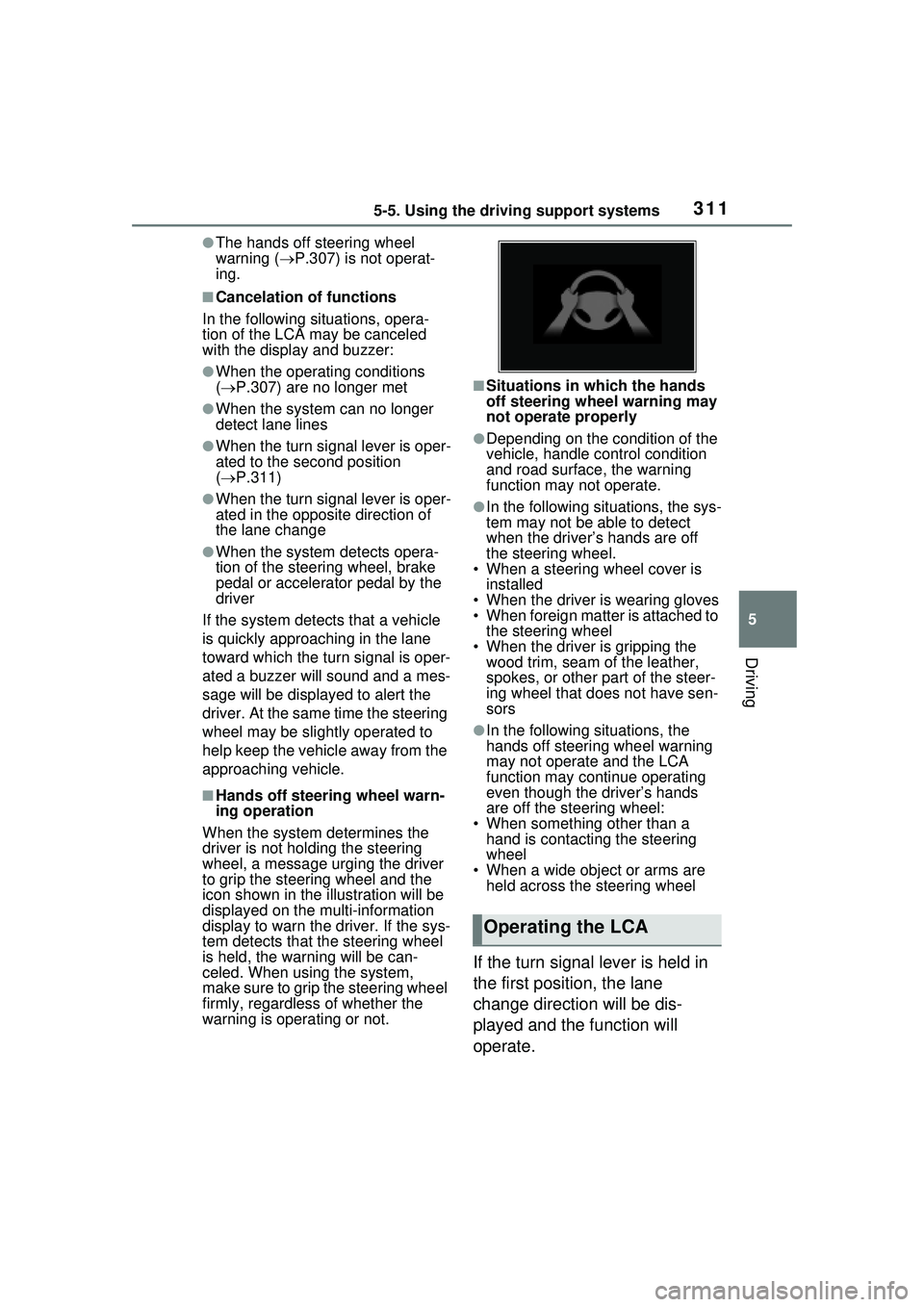
■Hands off steering wheel warn-
ing operation
When the system de termines the
driver is not holding the steering
wheel, a message urging the driver
to grip the steering wheel and the
icon shown in the illustration will be
displayed on the multi-information
display to warn the driver. If the sys-
tem detects that the steering wheel
is held, the warning will be can-
celed. When using the system,
make sure to grip the steering wheel
firmly, regardless of whether the
warning is operating or not.
■Situations in which the hands
off steering wheel warning may
not operate properly
●Depending on the condition of the
vehicle, handle control condition
and road surface, the warning
function may not operate.
●In the following situations, the sys-
tem may not be able to detect
when the driver’s hands are off
the steering wheel.
• When a steering wheel cover is installed
• When the driver is wearing gloves
• When foreign matter is attached to the steering wheel
• When the driver is gripping the wood trim, seam of the leather,
spokes, or other part of the steer-
ing wheel that does not have sen-
sors
●In the following situations, the
hands off steering wheel warning
may not operate and the LCA
function may continue operating
even though the driver’s hands
are off the steering wheel:
• When something other than a hand is contacting the steering
wheel
• When a wide object or arms are held across the steering wheel
If the turn signal lever is held in
the first position, the lane
change direction will be dis-
played and the function will
operate.
Operating the LCA