lights TOYOTA PRIUS PRIME 2023 Workshop Manual
[x] Cancel search | Manufacturer: TOYOTA, Model Year: 2023, Model line: PRIUS PRIME, Model: TOYOTA PRIUS PRIME 2023Pages: 680, PDF Size: 14.97 MB
Page 301 of 680
3015-5. Using the driving support systems
5
Driving
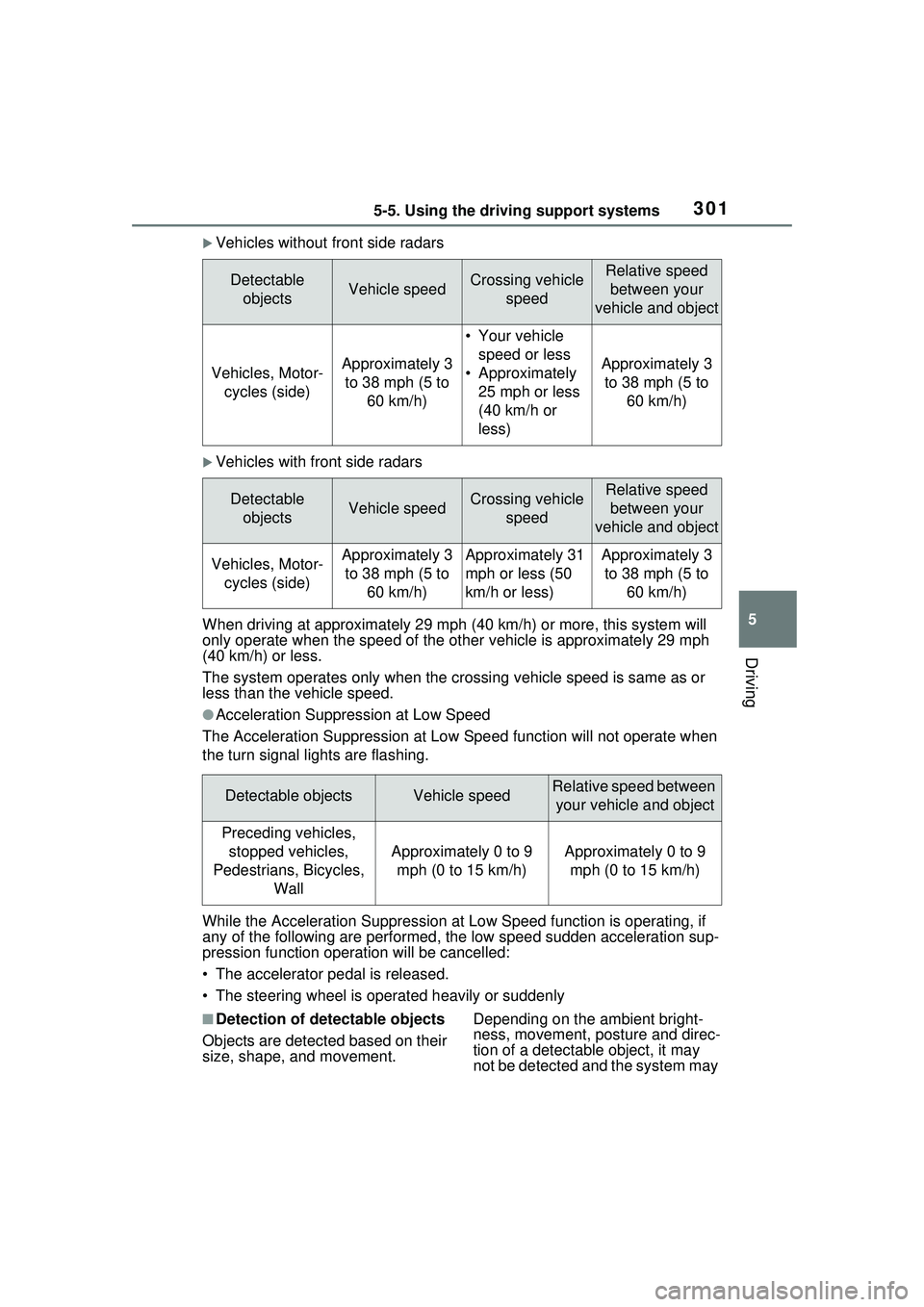
Vehicles without front side radars
Vehicles with front side radars
When driving at approximately 29 m ph (40 km/h) or more, this system will
only operate when the speed of the ot her vehicle is approximately 29 mph
(40 km/h) or less.
The system operates only when the crossing vehicle speed is same as or
less than the vehicle speed.
●Acceleration Suppression at Low Speed
The Acceleration Suppression at Low Speed function will not operate when
the turn signal lights are flashing.
While the Acceleration Suppression at Low Speed function is operating, if
any of the following are performed, the low speed sudden acceleration sup-
pression function operation will be cancelled:
• The accelerator pedal is released.
• The steering wheel is operated heavily or suddenly
■Detection of detectable objects
Objects are detected based on their
size, shape, and movement. Depending on the ambient bright-
ness, movement, posture and direc-
tion of a detectable object, it may
not be detected and the system may
Detectable
objectsVehicle speedCrossing vehicle speedRelative speed between your
vehicle and object
Vehicles, Motor- cycles (side)Approximately 3 to 38 mph (5 to 60 km/h)
• Your vehicle speed or less
• Approximately 25 mph or less
(40 km/h or
less)
Approximately 3 to 38 mph (5 to 60 km/h)
Detectable objectsVehicle speedCrossing vehicle speedRelative speed between your
vehicle and object
Vehicles, Motor- cycles (side)Approximately 3 to 38 mph (5 to 60 km/h)Approximately 31
mph or less (50
km/h or less)Approximately 3 to 38 mph (5 to 60 km/h)
Detectable objectsVehicle speedRelative speed between your vehicle and object
Preceding vehicles, stopped vehicles,
Pedestrians, Bicycles, Wall
Approximately 0 to 9 mph (0 to 15 km/h)Approximately 0 to 9 mph (0 to 15 km/h)
Page 323 of 680
3235-5. Using the driving support systems
5
Driving
rounding conditions
●In the following situations, system
operation may be canceled:
• When the brake control or output restriction control of a driving sup-
port system operates (For exam-
ple: PCS, drive-start control)
• When the system determines that
a detected object has moved
away from the vehicle
• When lane lines can no longer be
detected
• When the brake pedal has been depressed
• When the accelerator pedal has been depressed
• When the steering wheel has
been operated with more than a
certain amount of force
• When the turn signal lever is oper-
ated to the left/right turn position
WARNING
■Situations in which the sys-
tem may not operate properly
●Situations in which the lane may
not be detected: P.291
●When a detectable object stops
immediately before entering the
path of the vehicle
●When passing extremely close
to a detectable object behind a
guardrail, fence, etc.
●When changing lanes while
overtaking a detectable object
●When passing a detectable
object that is changing lanes or
turning left/right
●When there are objects (guard-
rails, power poles, trees, walls,
fences, poles, traffic cones,
mailboxes, etc.) in the surround-
ing area
●When there are patterns or a
painting ahead of the vehicle
that may be mistaken for a
detectable object
●When passing through a place
with a low structure above the
road (tunnel with a low ceiling,
traffic sign, signboard, etc.)
●When driving on snowy, icy, or
rutted roads
●When a detectable object is
approaching your vehicle
●When your vehicle or a detect-
able object is wandering
●When the movement of a
detectable object changes
(change in direction, sudden
acceleration or deceleration,
etc.)
●When suddenly approaching a
detectable object
●When a preceding vehicle or
motorcycle is not directly in front
of your vehicle
●When there is a structure above
a detectable object
●When part of a detectable
object is hidden by another
object (large luggage, umbrella,
guardrail, etc.)
●When multiple detectable
objects are overlapping
●When a bright light, such as the
sun or headlights of another
vehicle, is reflecting off of the
detectable object
●When the detectable object is
white and looks extremely bright
●When the color or brightness of
the detectable object causes it
to blend in with its surroundings
●When a detectable object cuts
in front of or emerges from
beside a vehicle
Page 327 of 680
3275-5. Using the driving support systems
5
Driving
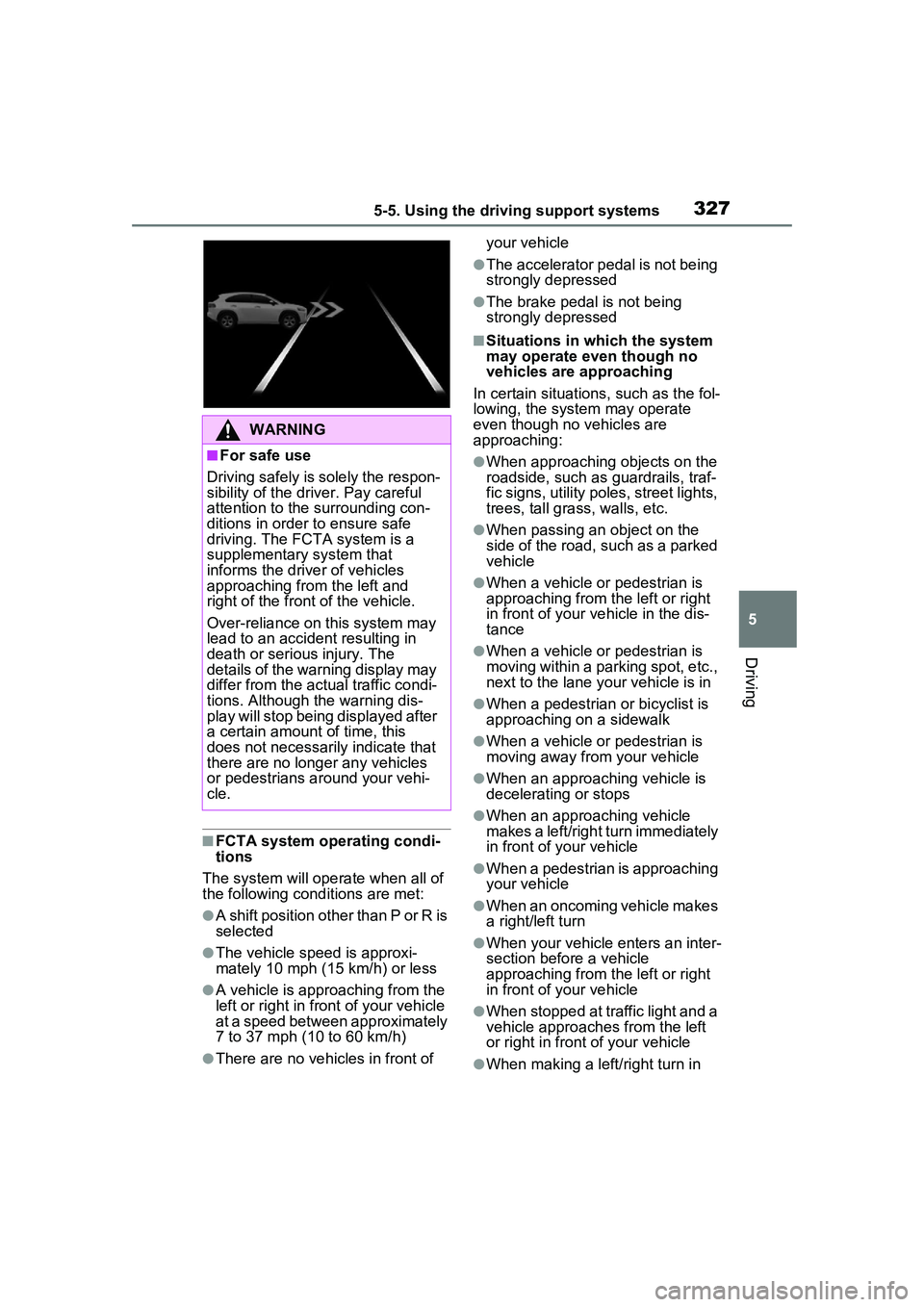
■FCTA system operating condi-
tions
The system will operate when all of
the following conditions are met:
●A shift position other than P or R is
selected
●The vehicle speed is approxi-
mately 10 mph (15 km/h) or less
●A vehicle is approaching from the
left or right in front of your vehicle
at a speed between approximately
7 to 37 mph (10 to 60 km/h)
●There are no vehicles in front of your vehicle
●The accelerator pedal is not being
strongly depressed
●The brake pedal is not being
strongly depressed
■Situations in which the system
may operate even though no
vehicles are approaching
In certain situations, such as the fol-
lowing, the system may operate
even though no vehicles are
approaching:
●When approaching objects on the
roadside, such as guardrails, traf-
fic signs, utility poles, street lights,
trees, tall grass, walls, etc.
●When passing an object on the
side of the road, such as a parked
vehicle
●When a vehicle or pedestrian is
approaching from the left or right
in front of your vehicle in the dis-
tance
●When a vehicle or pedestrian is
moving within a parking spot, etc.,
next to the lane your vehicle is in
●When a pedestrian or bicyclist is
approaching on a sidewalk
●When a vehicle or pedestrian is
moving away from your vehicle
●When an approaching vehicle is
decelerating or stops
●When an approaching vehicle
makes a left/right turn immediately
in front of your vehicle
●When a pedestrian is approaching
your vehicle
●When an oncoming vehicle makes
a right/left turn
●When your vehicle enters an inter-
section before a vehicle
approaching from the left or right
in front of your vehicle
●When stopped at traffic light and a
vehicle approaches from the left
or right in front of your vehicle
●When making a left/right turn in
WARNING
■For safe use
Driving safely is solely the respon-
sibility of the driver. Pay careful
attention to the surrounding con-
ditions in order to ensure safe
driving. The FCTA system is a
supplementary system that
informs the driver of vehicles
approaching from the left and
right of the front of the vehicle.
Over-reliance on this system may
lead to an accident resulting in
death or serious injury. The
details of the warning display may
differ from the actual traffic condi-
tions. Although the warning dis-
play will stop being displayed after
a certain amount of time, this
does not necessarily indicate that
there are no longer any vehicles
or pedestrians around your vehi-
cle.
Page 333 of 680
3335-5. Using the driving support systems
5
Driving
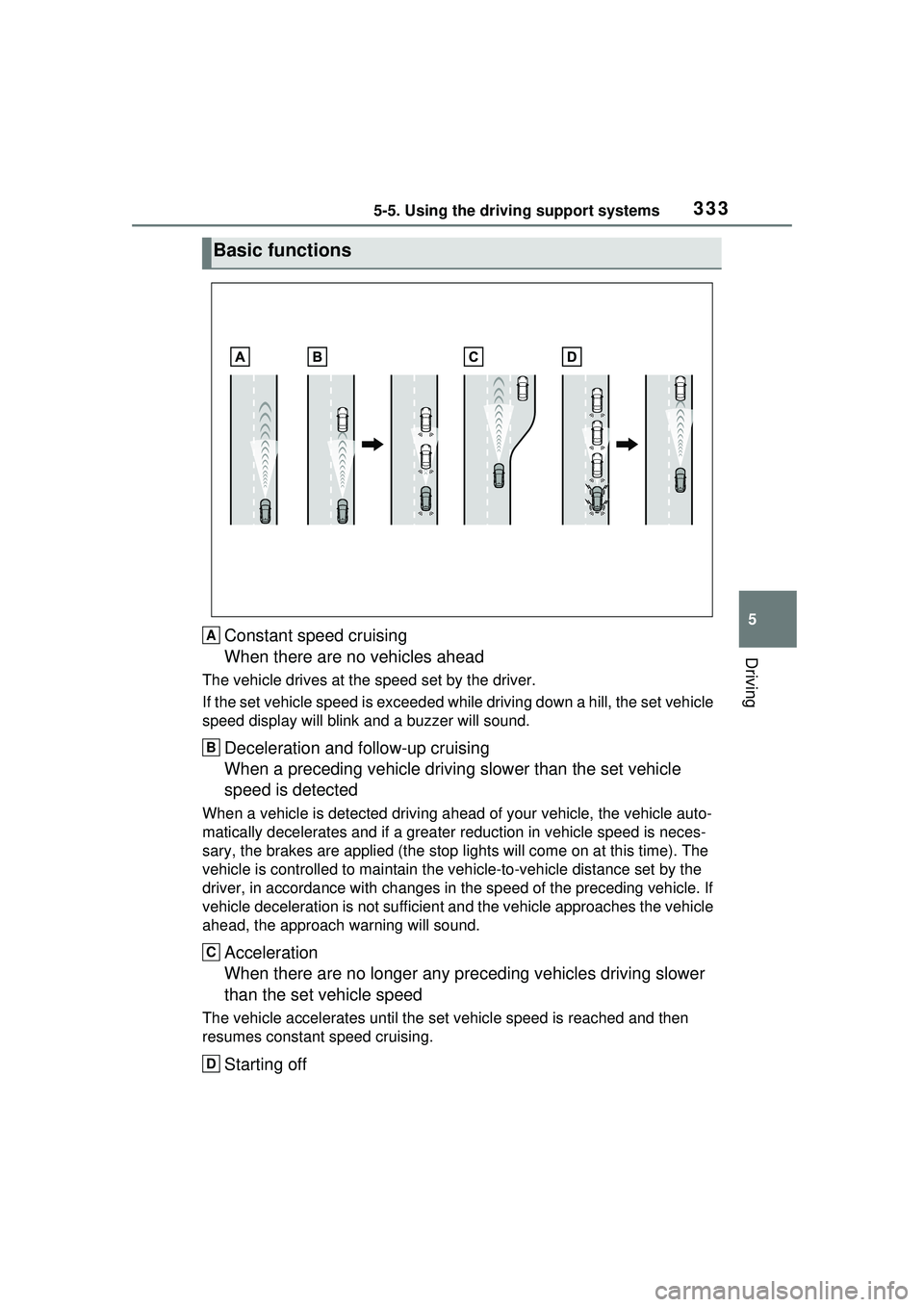
Constant speed cruising
When there are no vehicles ahead
The vehicle drives at the speed set by the driver.
If the set vehicle speed is exceeded while driving down a hill, the set vehicle
speed display will blink and a buzzer will sound.
Deceleration and follow-up cruising
When a preceding vehicle driving slower than the set vehicle
speed is detected
When a vehicle is detected driving ahead of your vehicle, the vehicle auto-
matically decelerates and if a greater reduction in vehicle speed is neces-
sary, the brakes are applied (the stop lights will come on at this time). The
vehicle is controlled to ma intain the vehicle-to-vehicle distance set by the
driver, in accordance with changes in the speed of the preceding vehicle. If
vehicle deceleration is not sufficient an d the vehicle approaches the vehicle
ahead, the ap proach warning will sound.
Acceleration
When there are no longer any pr eceding vehicles driving slower
than the set vehicle speed
The vehicle accelerates until the set vehicle speed is reached and then
resumes constant speed cruising.
Starting off
Basic functions
A
B
C
D
Page 347 of 680
3475-5. Using the driving support systems
5
Driving
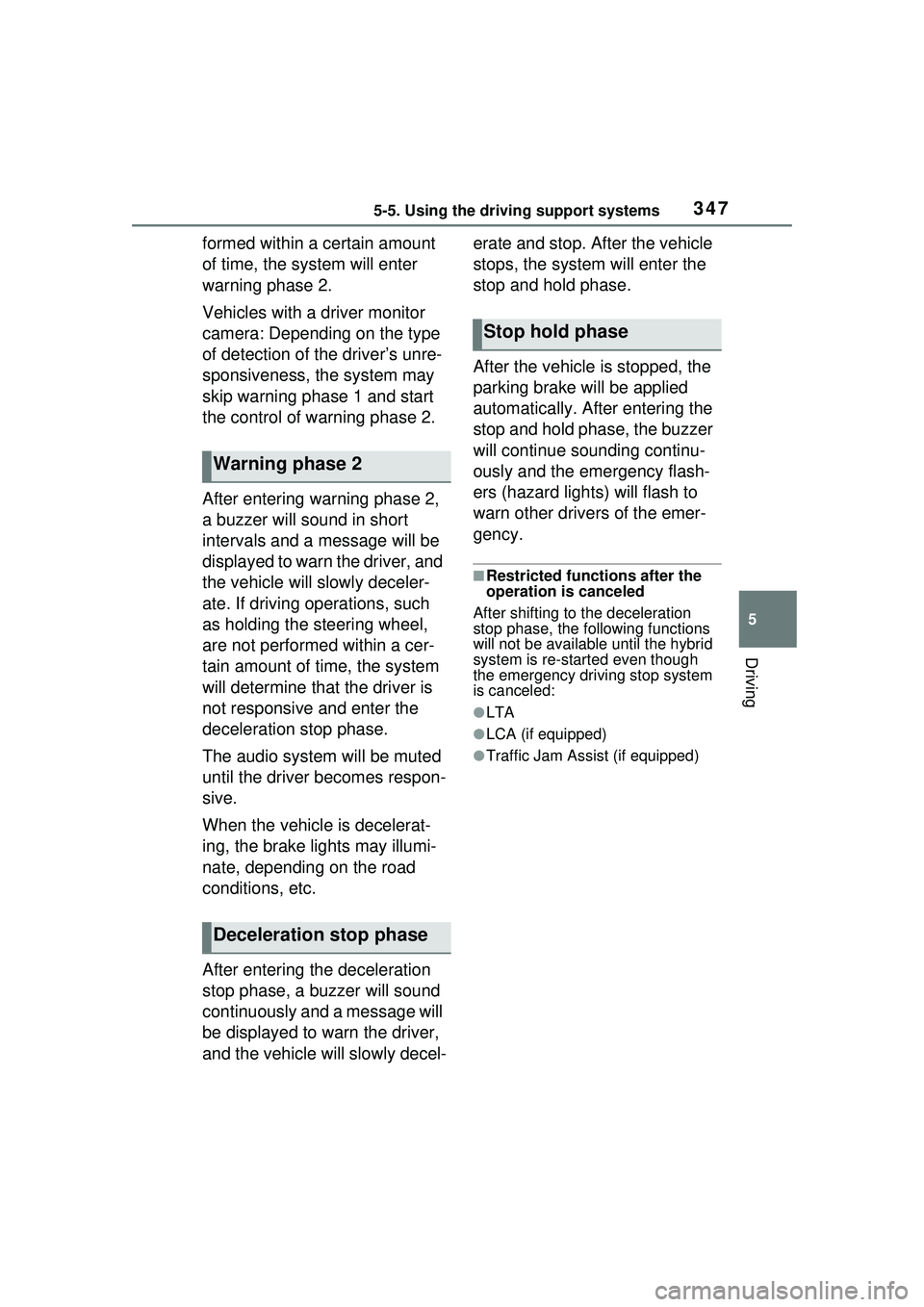
formed within a certain amount
of time, the system will enter
warning phase 2.
Vehicles with a driver monitor
camera: Depending on the type
of detection of the driver’s unre-
sponsiveness, the system may
skip warning phase 1 and start
the control of warning phase 2.
After entering warning phase 2,
a buzzer will sound in short
intervals and a message will be
displayed to warn the driver, and
the vehicle will slowly deceler-
ate. If driving operations, such
as holding the steering wheel,
are not performed within a cer-
tain amount of time, the system
will determine that the driver is
not responsive and enter the
deceleration stop phase.
The audio system will be muted
until the driver becomes respon-
sive.
When the vehicle is decelerat-
ing, the brake lights may illumi-
nate, depending on the road
conditions, etc.
After entering the deceleration
stop phase, a buzzer will sound
continuously and a message will
be displayed to warn the driver,
and the vehicle will slowly decel-erate and stop. After the vehicle
stops, the system will enter the
stop and hold phase.
After the vehicle is stopped, the
parking brake will be applied
automatically. After entering the
stop and hold phase, the buzzer
will continue sounding continu-
ously and the emergency flash-
ers (hazard lights) will flash to
warn other drivers of the emer-
gency.
■Restricted functions after the
operation is canceled
After shifting to the deceleration
stop phase, the following functions
will not be available until the hybrid
system is re-started even though
the emergency driving stop system
is canceled:
●LTA
●LCA (if equipped)
●Traffic Jam Assist (if equipped)
Warning phase 2
Deceleration stop phase
Stop hold phase
Page 364 of 680
3645-5. Using the driving support systems
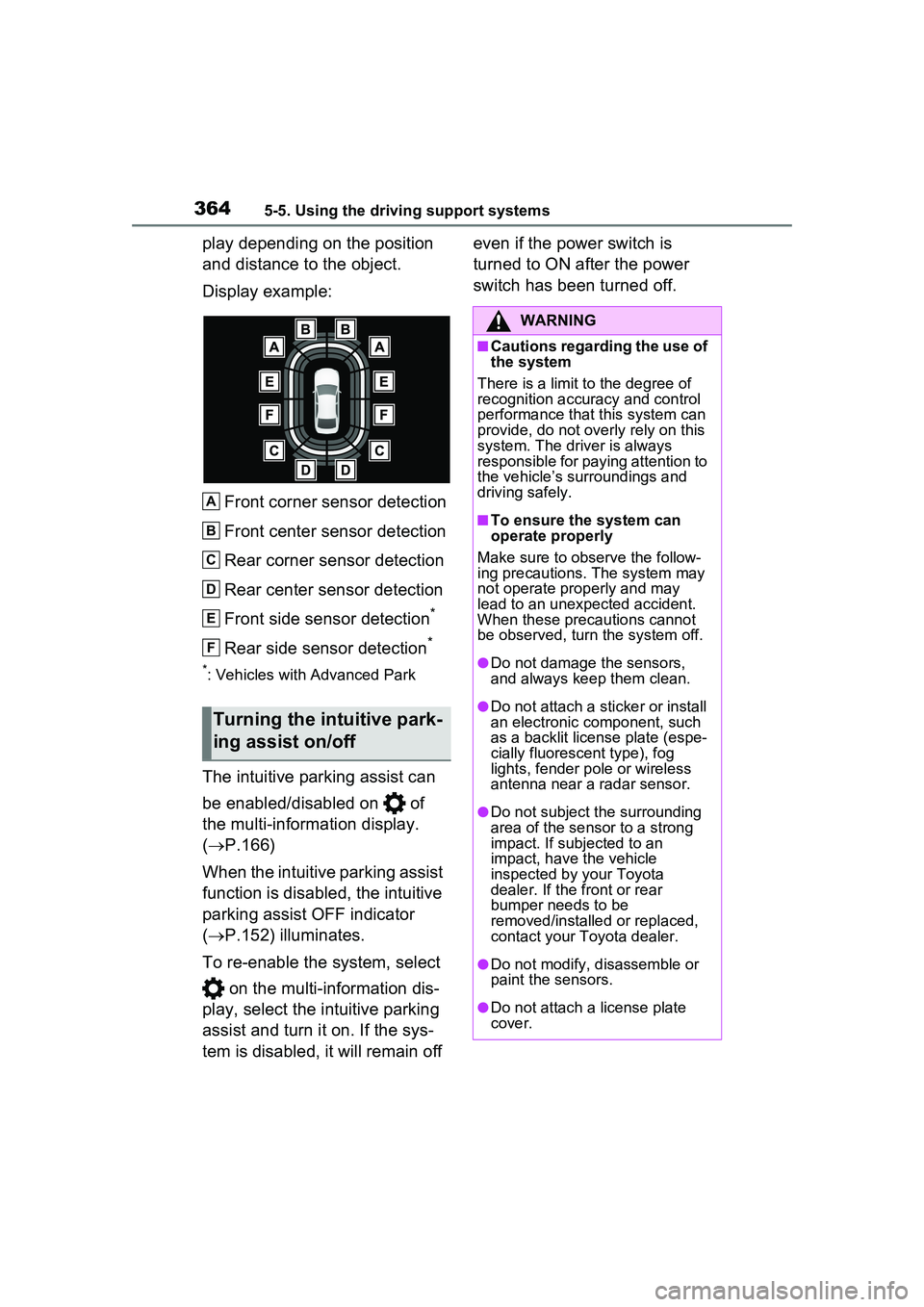
play depending on the position
and distance to the object.
Display example:Front corner sensor detection
Front center sensor detection
Rear corner sensor detection
Rear center sensor detection
Front side sensor detection
*
Rear side sensor detection*
*: Vehicles with Advanced Park
The intuitive parking assist can
be enabled/disabled on of
the multi-information display.
( P.166)
When the intuitive parking assist
function is disabled, the intuitive
parking assist OFF indicator
( P.152) illuminates.
To re-enable the system, select on the multi-information dis-
play, select the intuitive parking
assist and turn it on. If the sys-
tem is disabled, it will remain off even if the power switch is
turned to ON after the power
switch has been turned off.
Turning the intuitive park-
ing assist on/off
A
B
C
D
E
F
WARNING
■Cautions regarding the use of
the system
There is a limit to the degree of
recognition accuracy and control
performance that this system can
provide, do not overly rely on this
system. The driver is always
responsible for paying attention to
the vehicle’s surroundings and
driving safely.
■To ensure the system can
operate properly
Make sure to observe the follow-
ing precautions. The system may
not operate properly and may
lead to an unexpected accident.
When these precautions cannot
be observed, turn the system off.
●Do not damage the sensors,
and always keep them clean.
●Do not attach a st icker or install
an electronic component, such
as a backlit license plate (espe-
cially fluorescent type), fog
lights, fender pole or wireless
antenna near a radar sensor.
●Do not subject the surrounding
area of the sensor to a strong
impact. If subjected to an
impact, have the vehicle
inspected by your Toyota
dealer. If the front or rear
bumper needs to be
removed/installed or replaced,
contact your Toyota dealer.
●Do not modify, disassemble or
paint the sensors.
●Do not attach a license plate
cover.
Page 381 of 680
3815-5. Using the driving support systems
5
Driving
ward or squatting
• Pedestrians who are lying down
• Pedestrians who are running
• Pedestrians who suddenly appear from the shadow of the vehicle or
a building
• Pedestrians who are riding mov- ing objects such as a bicycle or
skateboard
• Pedestrians wearing oversized clothing such as a rain coat, long
skirt, etc., making their silhouette
obscure
• Pedestrians whose body is par- tially hidden by an object, such as
a cart or umbrella
• Pedestrians which are obscured by darkness, such as at night
●In some situations, such as the
following, pedestrians may not be
detected by the rear camera
detection function, preventing the
function from operating properly:
• When backing up in inclement weather (rain, snow, fog, etc.)
• When the rear camera is
obscured (dirt, snow, ice, etc. are
attached) or scratched
• When a very bright light, such as
the sun, or the headlights of
another vehicle, shines directly
into the rear camera
• When backing up in a place where the surrounding brightness
changes suddenly, such as at the
entrance or exit of a garage or
underground parking lot
• When backing up in a dim envi-
ronment such as during dusk or in
an underground parking lot
• When the camera position and
direction are deviated
• When a towing hook is attached
• When towing with the vehicle
• When water droplets are flowing on the camera lens
• When the vehicle height is extremely changed (nose up,
nose down, etc.)
• When tire chains or an emergency tire puncture repair kit are used
• When the suspension has been lowered or tires that have a differ-
ent size than the genuine tires are installed
• When an aftermarket electronic part (backlit license plate, fog
light, etc.) is insta lled near the rear
camera
• If a bumper protector, such as an
additional trim strip, is installed to
the rear bumper
■Situations in which the system
may operate unexpectedly
●Even though there are no pedes-
trians in the detection area, some
objects, such as the following,
may be detected, possibly caus-
ing the rear camera detection
function to operate.
• Three dimensional objects, such as a pole, traffic cone, fence, or
parked vehicle
• Moving objects, such as a car or motorcycle
• Objects moving toward your vehi- cle when backing up, such as
flags or puddles (or airborne mat-
ter, such as smoke, steam, rain, or
snow)
• Cobblestone or gravel roads, tram
rails, road repair s, white lines,
pedestrian crossings or fallen
leaves on the road
• Metal covers (gratings), such as those used for drainage ditches
• Objects reflected in a puddle or on
a wet road surface
• Shadows on the road
●In some situations, such as the
following, the rear camera detec-
tion function may operate even
though there are no pedestrians in
the detection area.
• When backing up toward the road-
side or a bump on the road
• When backing up toward an incline/decline
• When the vehicle height is extremely changed (nose up,
nose down, etc.)
• If a bumper protector, such as an
additional trim strip, is installed to
the rear bumper
• When an aftermarket electronic
part (backlit license plate, fog
light, etc.) is insta lled near the rear
Page 395 of 680
3955-5. Using the driving support systems
5
Driving
■Detection area of the Parking
Support Brake function (rear
pedestrians)
The detection area of the Parking
Support Brake function (rear pedes-
trians) differs from the detection
area of the RCD function ( P.378).
Therefore, even if the RCD function
detects a pedestrian and provides
an alert, the Parking Support Brake
function (rear pedestrians) may not
start operating.
■Situations in which the system
may not operate properly
P.380
■Situations in which the system
may operate unexpectedly
P.381
*: If equipped
The Advanced Park is a system
which assists in a safe and
smooth parking or exiting from a
parking space by displaying the
blind spots around the vehicle
and the target parking spot
through a bird’s eye view, deliv-
ering operation guidance
through displays and buzzer
operation, and changing the
shift position, operating the
steering wheel, accelerator
pedal, and brake pedal.
Additionally, the panoramic view
monitor
* can display the area in
front, behind, and from above
the vehicle, helping confirm the
condition of the area around the
vehicle.
The turn signal lights will blink
automatically when the parking
assistance starts until the vehi-
cle reaches the target parking
spot, to notify people around the
vehicle that parking is being per-
formed.
Depending on the condition of
the road surface or the vehicle,
the distance between the vehi-
cle and a parking space, etc., it
may not be possible to assist in
parking in the target space.
Toyota Teammate
Advanced Park*
Function description
Page 418 of 680
4185-5. Using the driving support systems
NOTICE
●In situations such as the follow-
ing, it may not be possible for
the system to provide assis-
tance to a registered parking
spot:
• When the appearance of the parking space is affected by the
shadow of the vehicle or trees
• When an object is detected in the registered parking space
• When a pedestrian or passing vehicle is detected during assis-
tance
• When the position the vehicle is stopped when assistance is
started differs from the position
when registration was per-
formed
• When the registered parking space cannot be reached due to
the existence of parking blocks,
etc.
• When the road surface around the parking space has changed
(road surface has degraded or
been resurfaced)
• When the sunlight conditions differ from when registration
was performed (due to weather
or time of day)
• When the sun is shining directly into a camera, such as in the
early morning or evening
• When the color or brightness of the road surface is uneven
• When a light is temporarily shined on the parking space
(lights of another vehicle, secu-
rity light, etc.)
• When the road surface around the parking space has the same
repeating pattern
• When there is a low protrusion on the road surface near the
parking space
• When the parking space is on a slope
• When a camera has been splashed by hot or cold water
and the lens has fogged up
• When a camera lens is dirty or covered with water droplets
• When accessories which obstruct the view of the camera
are installed
If assistance is ended during
registration, perform registration
again.
●When registering a parking
space to the memory function, if
the road surface cannot be
detected “No available parking
space to register” will be dis-
played.
●When using the memory func-
tion, make sure to stop immedi-
ately in front of the stop
position. Otherwise the parking
space may not be able to be
detected correctly or assis-
tance may not be provided to
the point that the vehicle is fully
parked.
●Do not use the memory function
if a camera has been subjected
to a strong impact or images of
the panoramic view monitor are
misaligned.
●If a camera has been replaced,
as the installation angle of the
camera will have c hanged, it will
be necessary to reregister park-
ing spaces of the memory func-
tion.
Page 425 of 680
4255-5. Using the driving support systems
5
Driving
wheel.
■The Secondary Collision
Brake
When the SRS airbag sensor
detects a collision and the sys-
tem operates, the brakes and
brake lights are automatically
controlled to reduce the vehicle
speed and help reduce the pos-
sibility of further damage due to
a secondary collision.
■When the TRAC/VSC/ABS sys-
tems are operating
The slip indicator light will flash
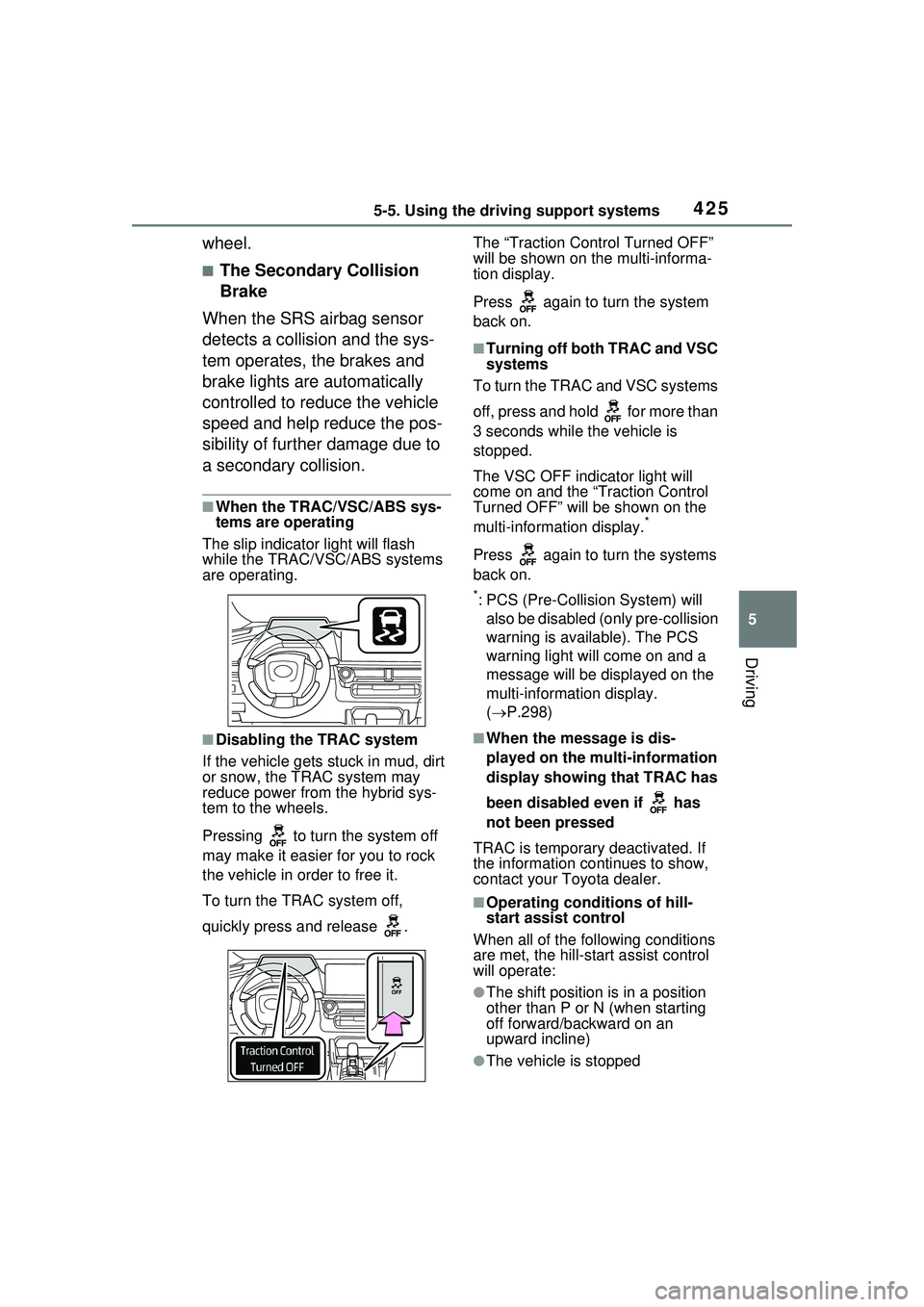
while the TRAC/VSC/ABS systems
are operating.
■Disabling the TRAC system
If the vehicle gets stuck in mud, dirt
or snow, the TRAC system may
reduce power from the hybrid sys-
tem to the wheels.
Pressing to turn the system off
may make it easier for you to rock
the vehicle in order to free it.
To turn the TRAC system off,
quickly press and release . The “Traction Control Turned OFF”
will be shown on the multi-informa-
tion display.
Press again to turn the system
back on.
■Turning off both TRAC and VSC
systems
To turn the TRAC and VSC systems
off, press and hold for more than
3 seconds while the vehicle is
stopped.
The VSC OFF indicator light will
come on and the “Traction Control
Turned OFF” will be shown on the
multi-informat ion display.
*
Press again to turn the systems
back on.
*: PCS (Pre-Collision System) will
also be disabled (only pre-collision
warning is available). The PCS
warning light will come on and a
message will be disp layed on the
multi-information display.
( P.298)
■When the message is dis-
played on the mu lti-information
display showing that TRAC has
been disabled even if has
not been pressed
TRAC is temporary deactivated. If
the information continues to show,
contact your Toyota dealer.
■Operating conditions of hill-
start assist control
When all of the following conditions
are met, the hill-start assist control
will operate:
●The shift position is in a position
other than P or N (when starting
off forward/backward on an
upward incline)
●The vehicle is stopped