flashes 4 times TOYOTA PRIUS PRIME 2023 Owners Manual
[x] Cancel search | Manufacturer: TOYOTA, Model Year: 2023, Model line: PRIUS PRIME, Model: TOYOTA PRIUS PRIME 2023Pages: 680, PDF Size: 14.97 MB
Page 125 of 680
1252-2. Charging
2
Plug-in hybrid system
time*
*
: For details regarding setting clock, refer to “MULTIMEDIA OWNER’S
MANUAL”.
●The calendar is set to the correct
date ( P.166)
●Check that the power switch is
turned off
●After registering the charging
schedule, connect the AC
charging connector
The charging start time is deter-
mined based on the charging
schedule at the time that the AC
charging connector was connected.
●Connect the AC charging connec-
tor before the start time
When the charging mode is set to
“Start” or “Start at set time”, if you
connect the AC charging connector
after the set start time, the next
charging schedule will be refer-
enced.
When the charging mode is set to
“Start-Stop” or “Start and stop at set
times”, if you connect the AC
charging connector after the start
time, charging will start immediately
and charging will be performed until
the stop time.
●After connecting the AC charging
connector, check that the
charging indicator of the charging
port flashes ( P.96)
●Do not use an outlet that has a
power cut off function (including a
charging schedule function)
Use an outlet that constantly sup-
plies electricity. For outlets where
the power is cut off due to a
charging schedule function, etc.,
charging may not be carried out
according to plan if the power is cut
off during the set time.
■When the AC charging connec-
tor remains connected to the
vehicle
●When the charging mode is set to
“Start” or “Start at set time”, even
if multiple consecutive charging
schedules are registered, the next
charge will not be carried out
according to the charging sched-
ule until the AC charging connec-
tor is removed and reconnected
after charging completes. Also,
when the hybrid battery (traction
battery) is fully charged, charging
according to the charging sched-
ule will not be carried out.
●If the charging stop time is
reached before the hybrid battery
(traction battery) is fully charged
and the charging mode is set to
“Start-Stop” or “Start and stop at
set times”, the nearest charging
schedule after the stop time is
updated as the next charging
schedule, and charging is
repeated until the battery is fully
charged.
■Smartphone-linked operation (if
equipped)
After applying to Toyota Apps, it is
possible to use the smartphone
application to change charging
schedule settings.
For details about Toyota Apps, refer
to http://www.toyota.com/
connectedservices in the United
States and
http://www.toyota.ca/connected
in
Canada.
■When charging schedules are
ignored
When the following operations are
performed while the charging
schedule is on standby, charging
schedule is temporarily canceled
and charging is started.
●When turning “My Room Mode”
on ( P.134)
●When turning “Charge Now” on
( P.128, 132)
Page 205 of 680
2054-2. Opening, closing and locking the doors
4
Before driving
an area of approximately 11.5 ft.
(3.5 m) of the outside of the vehi-
cle for 40 seconds or longer.
• The smart key system has not been used for 5 days or longer.
●If the smart key system has not
been used for 14 days or longer,
the doors cannot be unlocked at
any doors except the driver’s
door. In this case, take hold of the
driver’s door handle, or use the
wireless remote control or the
mechanical key, to unlock the
doors.
■Turning an electronic key to
battery-saving mode
●When battery-saving mode is set,
battery depletion is minimized by
stopping the electronic key from
receiving radio waves.
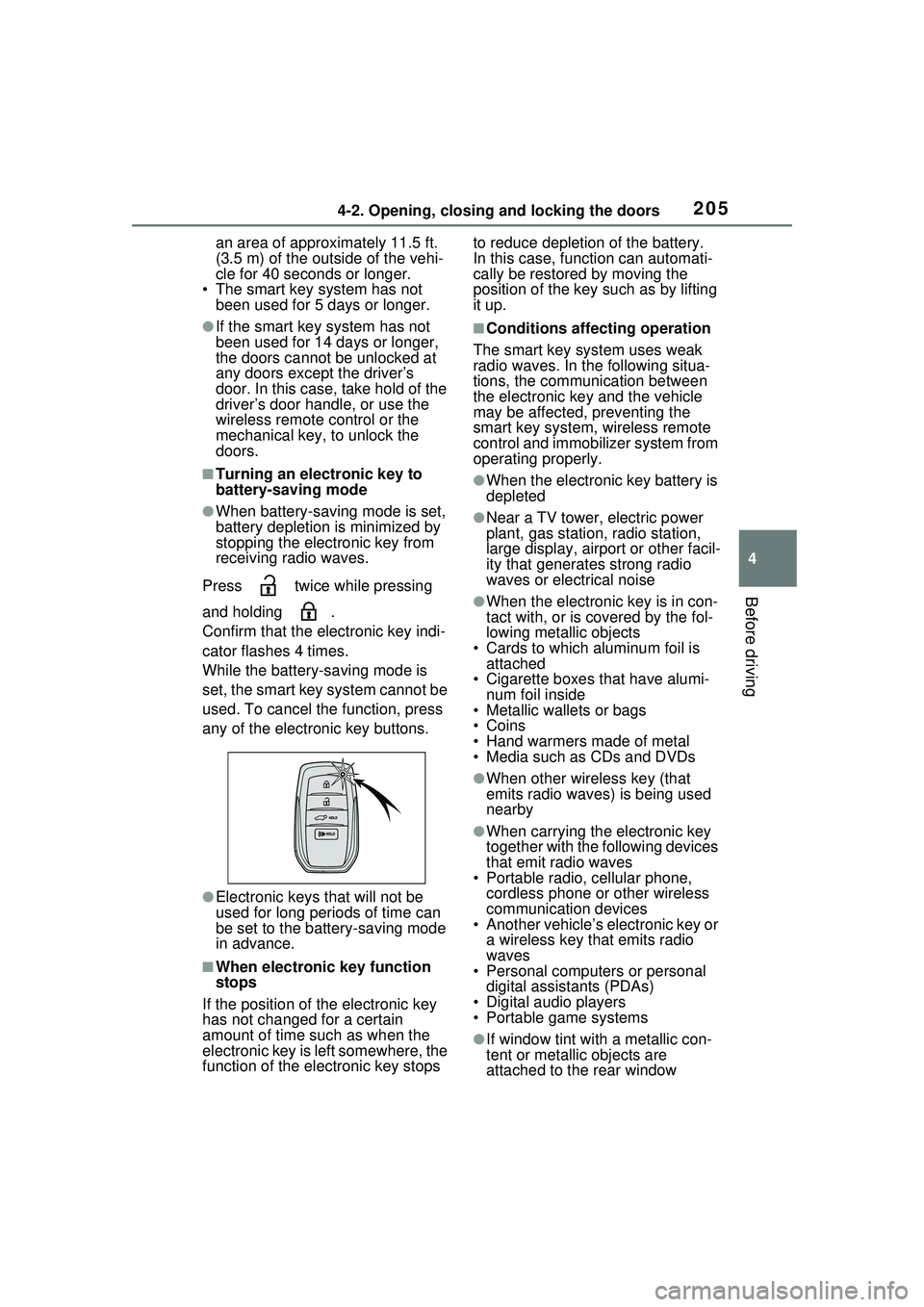
Press twice while pressing
and holding .
Confirm that the electronic key indi-
cator flashes 4 times.
While the battery-saving mode is
set, the smart key system cannot be
used. To cancel the function, press
any of the electronic key buttons.
●Electronic keys that will not be
used for long periods of time can
be set to the battery-saving mode
in advance.
■When electronic key function
stops
If the position of the electronic key
has not changed for a certain
amount of time such as when the
electronic key is left somewhere, the
function of the electronic key stops to reduce depletion of the battery.
In this case, function can automati-
cally be restored by moving the
position of the key such as by lifting
it up.
■Conditions affecting operation
The smart key system uses weak
radio waves. In the following situa-
tions, the communication between
the electronic key and the vehicle
may be affected, preventing the
smart key system, wireless remote
control and immobilizer system from
operating properly.
●When the electronic key battery is
depleted
●Near a TV tower, electric power
plant, gas station, radio station,
large display, airport or other facil-
ity that generates strong radio
waves or electrical noise
●When the electronic key is in con-
tact with, or is covered by the fol-
lowing metallic objects
• Cards to which aluminum foil is attached
• Cigarette boxes that have alumi-
num foil inside
• Metallic wallets or bags
•Coins
• Hand warmers made of metal
• Media such as CDs and DVDs
●When other wireless key (that
emits radio waves) is being used
nearby
●When carrying the electronic key
together with the following devices
that emit radio waves
• Portable radio, cellular phone, cordless phone or other wireless
communication devices
• Another vehicle’s electronic key or a wireless key that emits radio
waves
• Personal computers or personal digital assistants (PDAs)
• Digital audio players
• Portable game systems
●If window tint with a metallic con-
tent or metallic objects are
attached to the rear window
Page 262 of 680
2625-2. Driving procedures
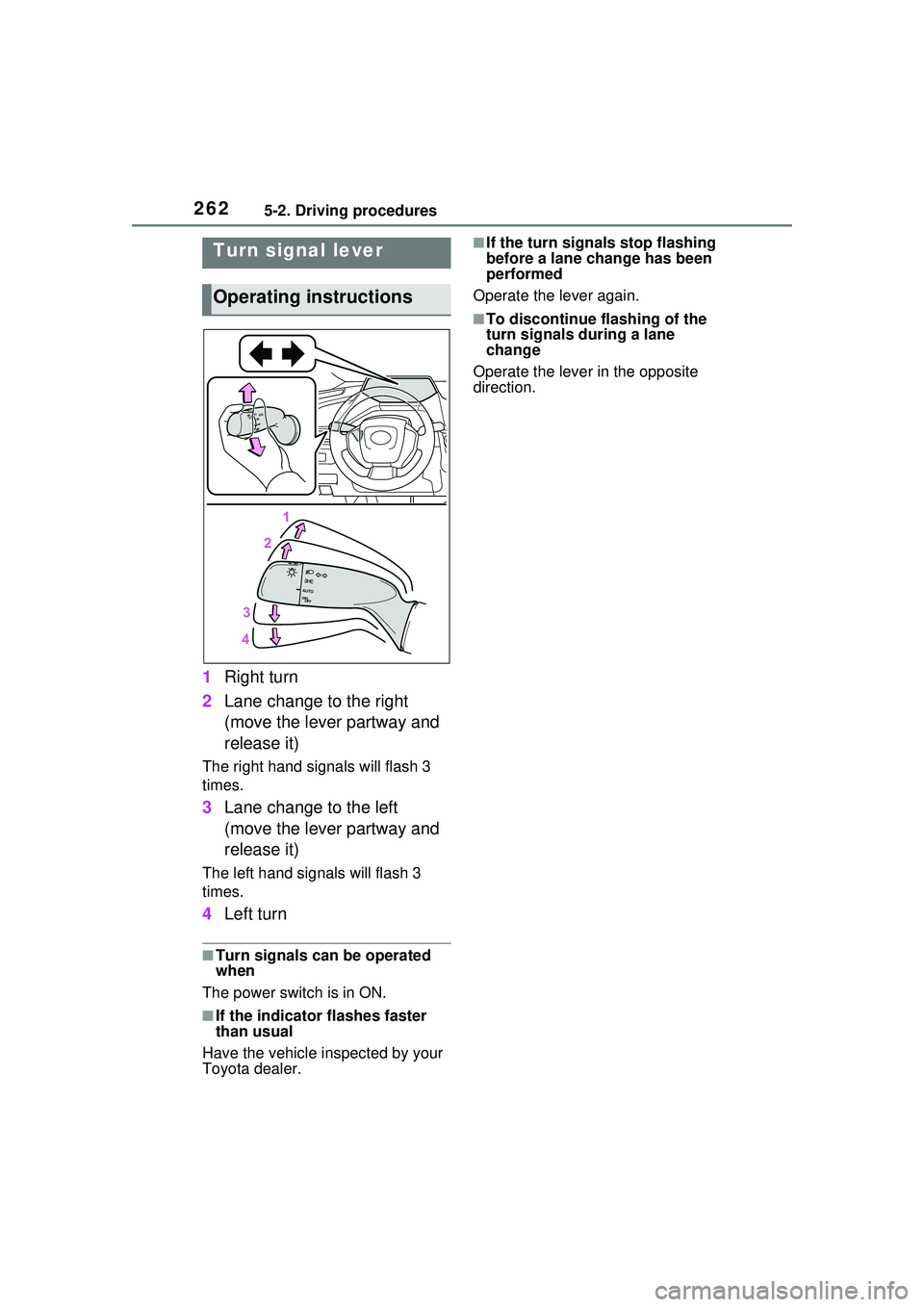
1Right turn
2 Lane change to the right
(move the lever partway and
release it)
The right hand signals will flash 3
times.
3Lane change to the left
(move the lever partway and
release it)
The left hand signals will flash 3
times.
4Left turn
■Turn signals can be operated
when
The power switch is in ON.
■If the indicator flashes faster
than usual
Have the vehicle inspected by your
Toyota dealer.
■If the turn signals stop flashing
before a lane change has been
performed
Operate the lever again.
■To discontinue flashing of the
turn signals during a lane
change
Operate the lever in the opposite
direction.
Turn signal lever
Operating instructions
Page 462 of 680
4626-4. Using the other interior features
■The wireless charger can be
operated when
The power switch is in ACC or ON.
■Usable smartphones
●Qi standard wireless charge stan-
dard can be used on compatible
devices. However, not all Qi stan- dard devices and compatibility are
guaranteed.
●This product is designed for use
with smartphones with a power
supply of 5 W or less.
●However, charging exceeding 5 W
is supported by the following
smartphones.
• Charging at 7.5 W or less is sup-
Orange (Repeatedly flashes 3 times
continuously)
Foreign substance detection:
The abnormal heating prevention
function for foreign substances
operated due to the presence of a
metallic foreign substance in the
charge area
Remove the foreign substance
from the charge area.
Smartphone misaligned:
The abnormal heating prevention
function for foreign substances
operated due to the charging coil
in the smartphone moving outside
of the charge area
Remove the smartphone from
the wireless charger, check that
the operation indicator light
changes back to green, and then
place the smartphone so that it
is near the center of the wireless
charger. Also, if a case or cover
is installed to the smartphone,
remove it. Also refer to “Situa-
tions in which the function may
not operate normally”. ( P.463)
Orange (Repeatedly flashes 4 times
continuously)
Safety shutdown resulting when
the temperature within the wireless
charger exceeded the set value
Remove the smartphone from
the charging area and start
charging after waiting for the
operation indicator light to
changes back to green.
Operation indicator lightSuspected causes/Handling method