battery TOYOTA PRIUS V 2013 Accessories, Audio & Navigation (in English)
[x] Cancel search | Manufacturer: TOYOTA, Model Year: 2013, Model line: PRIUS V, Model: TOYOTA PRIUS V 2013Pages: 411, PDF Size: 6.96 MB
Page 33 of 411
33
1. BASIC INFORMATION BEFORE OPERATION
2
BASIC FUNCTION
PRIUS_v_Navi_OM47828U_(U)
12.08.22 16:15
5. MAP SCREEN OPERATION
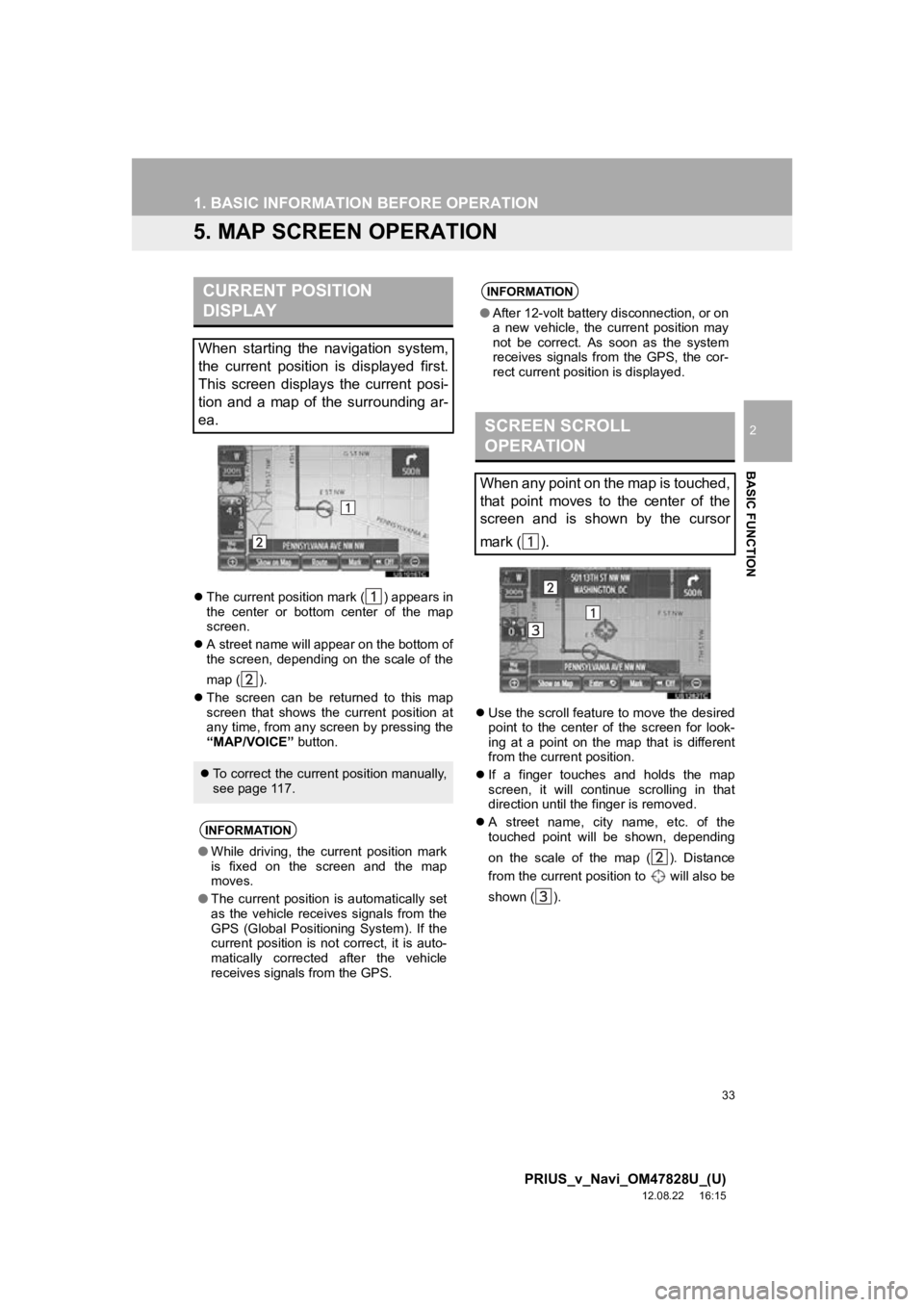
The current position mark ( ) appears in
the center or bottom center of the map
screen.
A street name will appear on the bottom of
the screen, depending on the scale of the
map ( ).
The screen can be returned to this map
screen that shows the current position at
any time, from any screen by pressing the
“MAP/VOICE” button.
Use the scroll feature to move the desired
point to the center of the screen for look-
ing at a point on the map that is different
from the current position.
If a finger touches and holds the map
screen, it will continue scrolling in that
direction until the finger is removed.
A street name, city name, etc. of the
touched point will be shown, depending
on the scale of the map ( ). Distance
from the current position to will also be
shown ( ).
CURRENT POSITION
DISPLAY
When starting the navigation system,
the current position is displayed first.
This screen displays the current posi-
tion and a map of the surrounding ar-
ea.
To correct the current position manually,
see page 117.
INFORMATION
●While driving, the current position mark
is fixed on the screen and the map
moves.
● The current position is automatically set
as the vehicle receives signals from the
GPS (Global Positioning System). If the
current position is not correct, it is auto-
matically corrected after the vehicle
receives signals from the GPS.
INFORMATION
● After 12-volt battery disconnection, or on
a new vehicle, the current position may
not be correct. As soon as the system
receives signals from the GPS, the cor-
rect current position is displayed.
SCREEN SCROLL
OPERATION
When any point on the map is touched,
that point moves to the center of the
screen and is shown by the cursor
mark ( ).
Page 121 of 411
121
4. SETUP
3
NAVIGATION SYSTEM
PRIUS_v_Navi_OM47828U_(U)
12.08.22 16:15
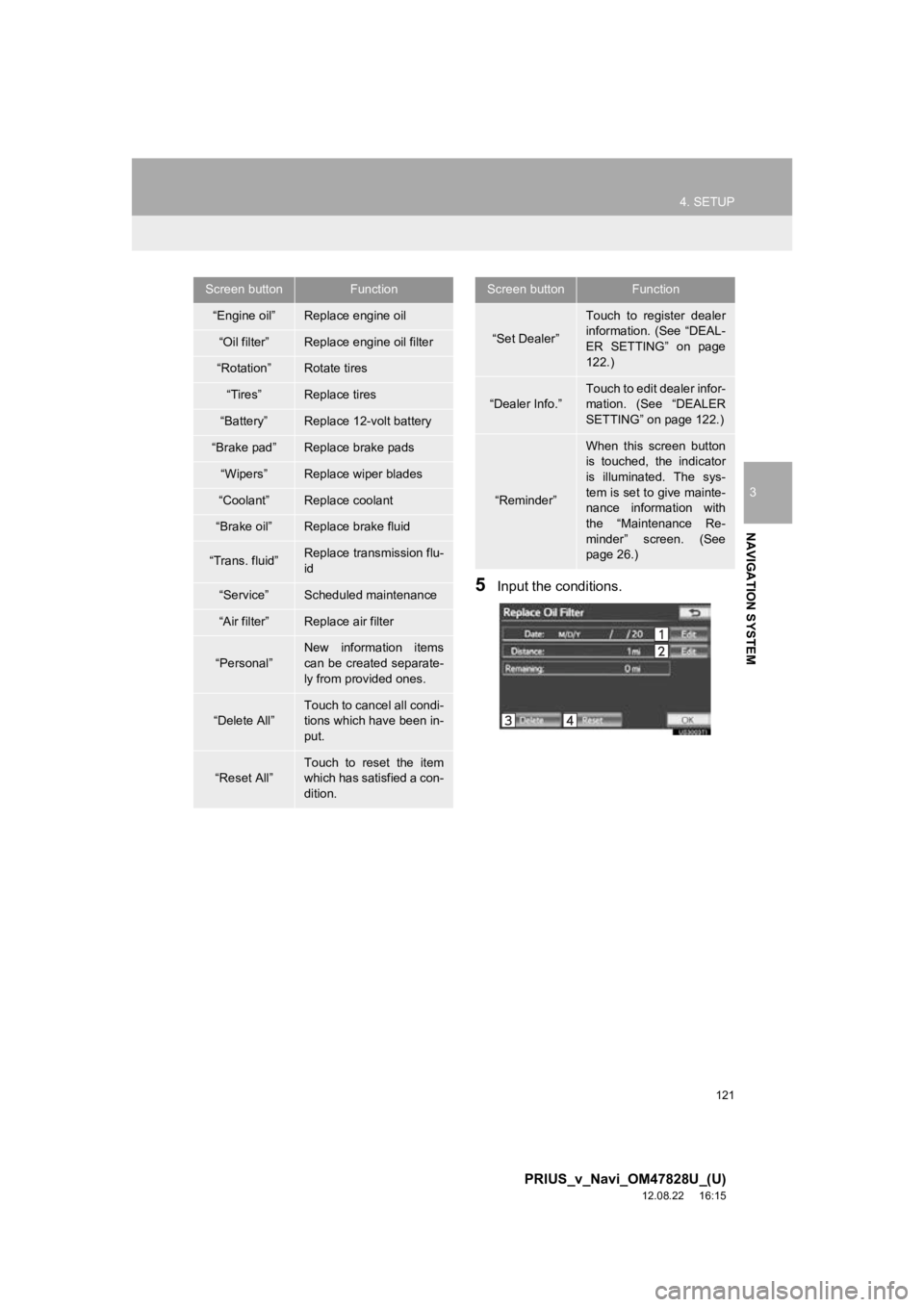
5Input the conditions.
Screen buttonFunction
“Engine oil”Replace engine oil
“Oil filter”Replace engine oil filter
“Rotation”Rotate tires
“Tires”Replace tires
“Battery”Replace 12-volt battery
“Brake pad”Replace brake pads
“Wipers”Replace wiper blades
“Coolant”Replace coolant
“Brake oil”Replace brake fluid
“Trans. fluid”Replace transmission flu-
id
“Service”Scheduled maintenance
“Air filter”Replace air filter
“Personal”
New information items
can be created separate-
ly from provided ones.
“Delete All”
Touch to cancel all condi-
tions which have been in-
put.
“Reset All”Touch to reset the item
which has satisfied a con-
dition.
“Set Dealer”
Touch to register dealer
information. (See “DEAL-
ER SETTING” on page
122.)
“Dealer Info.”
Touch to edit dealer infor-
mation. (See “DEALER
SETTING” on page 122.)
“Reminder”
When this screen button
is touched, the indicator
is illuminated. The sys-
tem is set to give mainte-
nance information with
the “Maintenance Re-
minder” screen. (See
page 26.)
Screen buttonFunction
Page 125 of 411
125
4. SETUP
3
NAVIGATION SYSTEM
PRIUS_v_Navi_OM47828U_(U)
12.08.22 16:15
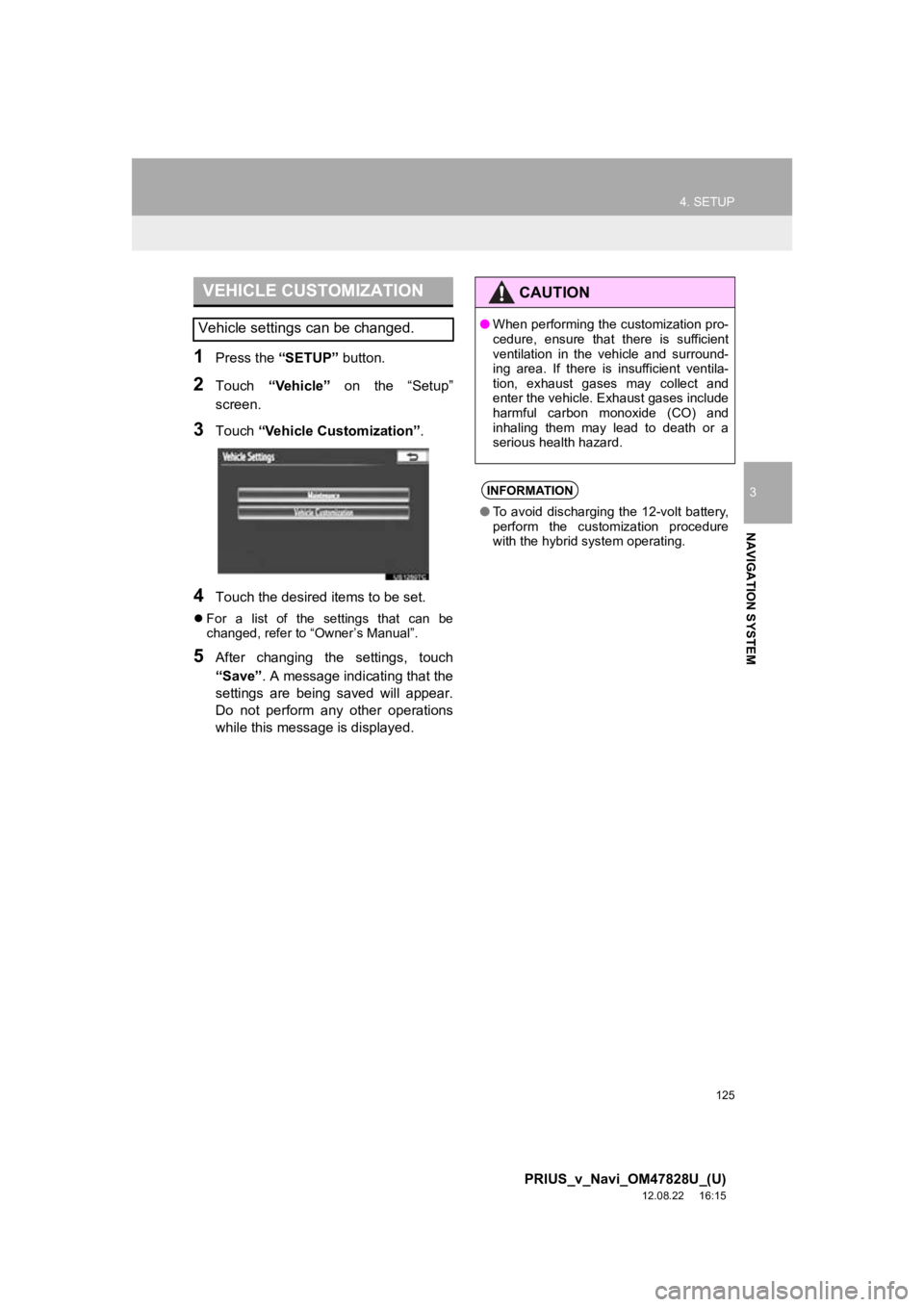
1Press the “SETUP” button.
2Touch “Vehicle” on the “Setup”
screen.
3Touch “Vehicle Customization” .
4Touch the desired items to be set.
For a list of the settings that can be
changed, refer to “Owner’s Manual”.
5After changing the settings, touch
“Save” . A message indicating that the
settings are being saved will appear.
Do not perform any other operations
while this message is displayed.
VEHICLE CUSTOMIZATION
Vehicle settings can be changed.
CAUTION
● When performing the customization pro-
cedure, ensure that there is sufficient
ventilation in the vehicle and surround-
ing area. If there is insufficient ventila-
tion, exhaust gases may collect and
enter the vehicle. Exhaust gases include
harmful carbon monoxide (CO) and
inhaling them may lead to death or a
serious health hazard.
INFORMATION
●To avoid discharging the 12-volt battery,
perform the customization procedure
with the hybrid system operating.
Page 131 of 411
131
1. PHONE OPERATION
4
PHONE
PRIUS_v_Navi_OM47828U_(U)
12.08.22 16:15
No.NameFunction
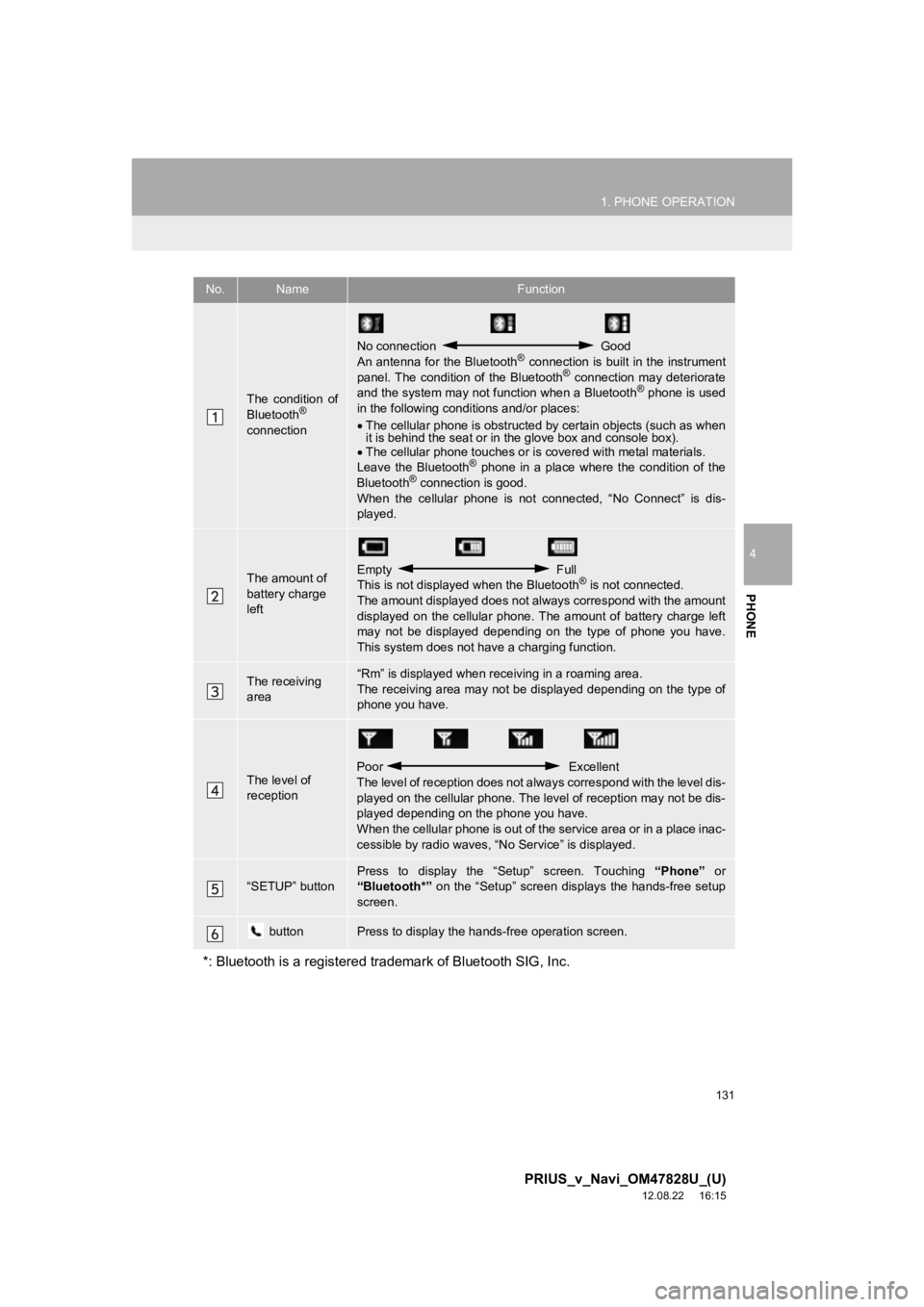
The condition of
Bluetooth®
connection
No connection Good
An antenna for the Bluetooth® connection is built in the instrument
panel. The condition of the Bluetooth® connection may deteriorate
and the system may not function when a Bluetooth® phone is used
in the following condi tions and/or places:
The cellular phone is obstructed by certain objects (such as when
it is behind the seat or in the glove box and console box).
The cellular phone touches or is covered with metal materials.
Leave the Bluetooth
® phone in a place where the condition of the
Bluetooth® connection is good.
When the cellular phone is not connected, “No Connect” is dis-
played.
The amount of
battery charge
leftEmpty Full
This is not displayed when the Bluetooth® is not connected.
The amount displayed does not al ways correspond with the amount
displayed on the cellular phone. The amount of battery charge left
may not be displayed depending on the type of phone you have.
This system does not have a charging function.
The receiving
area“Rm” is displayed when rece iving in a roaming area.
The receiving area may not be displayed depending on the type of
phone you have.
The level of
reception
Poor Excellent
The level of reception does not always correspond with the level dis-
played on the cellular phone. The level of reception may not be dis-
played depending on the phone you have.
When the cellular phone is out of t he service area or in a place inac-
cessible by radio waves, “N o Service” is displayed.
“SETUP” buttonPress to display the “Setup” screen. Touching “Phone” or
“Bluetooth*” on the “Setup” screen displays the hands-free setup
screen.
buttonPress to display the hands-free operation screen.
*: Bluetooth is a registered tr ademark of Bluetooth SIG, Inc.
Page 132 of 411
132
1. PHONE OPERATION
PRIUS_v_Navi_OM47828U_(U)
12.08.22 16:15
2. PHONE (HANDS-FREE SYSTEM FOR CELLULAR PHONE)
*: This profile is necessary when usingEntune. (See “ENTUNE SERVICE” on
page 304.)
The hands-free system enables calls
to be made and received without hav-
ing to take your hands off the steering
wheel.
This system supports Bluetooth
®.
Bluetooth
® is a wireless data system
that enables cellular phones to be used
without being connected by a cable or
placed in a cradle.
The operating procedure of the phone
is explained here.
For registering and setting of the phone,
see “PHONE SETTINGS” on page 155
and “Bluetooth
® SETTINGS” on page
177.
CAUTION
● While driving, do not use a cellular
phone or connect the Bluetooth® phone.
● Your audio unit is fitted with Bluetooth®
antennas. People with implanted pace-
makers or cardiac defibrillators should
maintain a reasonable distance between
themselves and the Bluetooth
® anten-
nas. The radio waves may affect the
operation of such devices.
● Before using Bluetooth
® devices, users
of any electrical medical device other
than implanted pacemakers and
implanted cardiac defibrillators should
consult the manufacturer of the device
for information about its operation under
the influence of radio waves. Radio
waves could have unexpected effects on
the operation of such medical devices.
NOTICE
● Do not leave your cellular phone in the
vehicle. The temperature inside may rise
to a level that could damage the phone.
INFORMATION
●If your cellular phone does not support
Bluetooth®, this system cannot function.
● In the following conditions, the system
may not function:
• The cellular phone is turned off.
• The current position is outside the
communication area.
• The cellular phone is not connected.
• The cellular phone has a low battery.
● When using Bluetooth
® audio and
hands-free at the same time, the follow-
ing problems may occur:
• The Bluetooth
® connection may be
cut.
• Noise may be heard on the Bluetooth
®
audio playback.
● This system supports the following ser-
vices:
•Bluetooth
® Specification
Ver.1.1 or higher
(Recommended: Ver.2.1 + EDR or
higher)
•Profiles HFP (Hands Free Profile)
Ver.1.0 or higher
(Recommended: Ver.1.5 or higher)
OPP (Object Push Profile)
Ver.1.1 or higher
PBAP (Phone Book Access Profile)
Ver.1.0 or higher
MAP (Message Access Profile)
Ver.1.0 or higher
SPP (Serial Port Profile)
Ver.1.1 or higher*
Page 192 of 411
192
1. AUDIO/VIDEO SYSTEM OPERATION
PRIUS_v_Navi_OM47828U_(U)
12.08.22 16:15
2. SOME BASICS
This section describes some of the ba-
sic features of the audio/video system.
Some information may not pertain to
your system.
Your audio/video system works when
the “POWER” switch is turned to AC-
CESSORY or ON mode.
CAUTION
●For vehicles sold in U.S.A. and Canada:
Part 15 of the FCC Rules
FCC Warning: Changes or modifications
in construction not expressly approved
by the party responsible for compliance
could void the user’s authority to operate
the equipment. Radio frequency expo-
sure. This device is approved for Mobile
Application only and, to comply with
applicable FCC radio frequency expo-
sure regulations, must be used with a
distance of at least 7.9 in. (20 cm)
between the antenna and the body of
any person at all time during use.
CAUTION
●Laser products
• Do not take this unit apart or attempt to
make any changes yourself. This is an
intricate unit that uses a laser pickup to
retrieve information from the surface of
compact discs. The laser is carefully
shielded so that its rays remain inside
the cabinet. Therefore, never try to dis-
assemble the player or alter any of its
parts since you may be exposed to
laser rays and dangerous voltages.
• This product utilizes a laser. Use of controls or adjustments or perfor-
mance of procedures other than those
specified herein may result in hazard-
ous radiation exposure.
NOTICE
● To prevent the 12-volt battery from being
discharged, do not leave the audio/video
system on longer than necessary when
the hybrid system is not operating.
Page 238 of 411
238
1. AUDIO/VIDEO SYSTEM OPERATION
PRIUS_v_Navi_OM47828U_(U)
12.08.22 16:15
9. iPod OPERATION
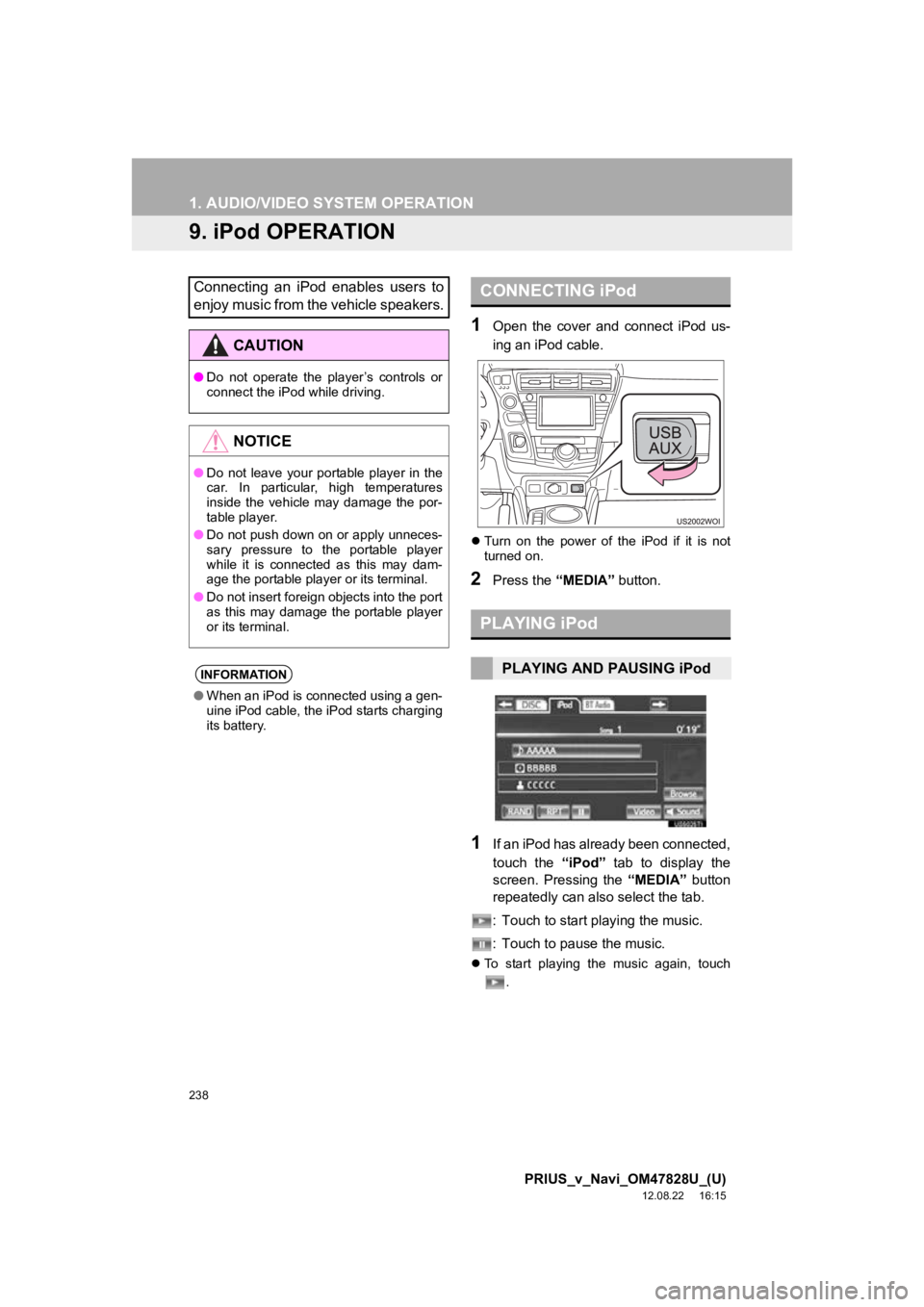
1Open the cover and connect iPod us-
ing an iPod cable.
Turn on the power of the iPod if it is not
turned on.
2Press the “MEDIA” button.
1If an iPod has already been connected,
touch the “iPod” tab to display the
screen. Pressing the “MEDIA” button
repeatedly can also select the tab.
: Touch to start playing the music.
: Touch to pause the music.
To start playing the music again, touch
.
Connecting an iPod enables users to
enjoy music from the vehicle speakers.
CAUTION
●Do not operate the player’s controls or
connect the iPod while driving.
NOTICE
●Do not leave your portable player in the
car. In particular, high temperatures
inside the vehicle may damage the por-
table player.
● Do not push down on or apply unneces-
sary pressure to the portable player
while it is connected as this may dam-
age the portable player or its terminal.
● Do not insert foreign objects into the port
as this may damage the portable player
or its terminal.
INFORMATION
●When an iPod is connected using a gen-
uine iPod cable, the iPod starts charging
its battery.
CONNECTING iPod
PLAYING iPod
PLAYING AND PAUSING iPod
Page 243 of 411
243
1. AUDIO/VIDEO SYSTEM OPERATION
5
AUDIO/VIDEO SYSTEM
PRIUS_v_Navi_OM47828U_(U)
12.08.22 16:15
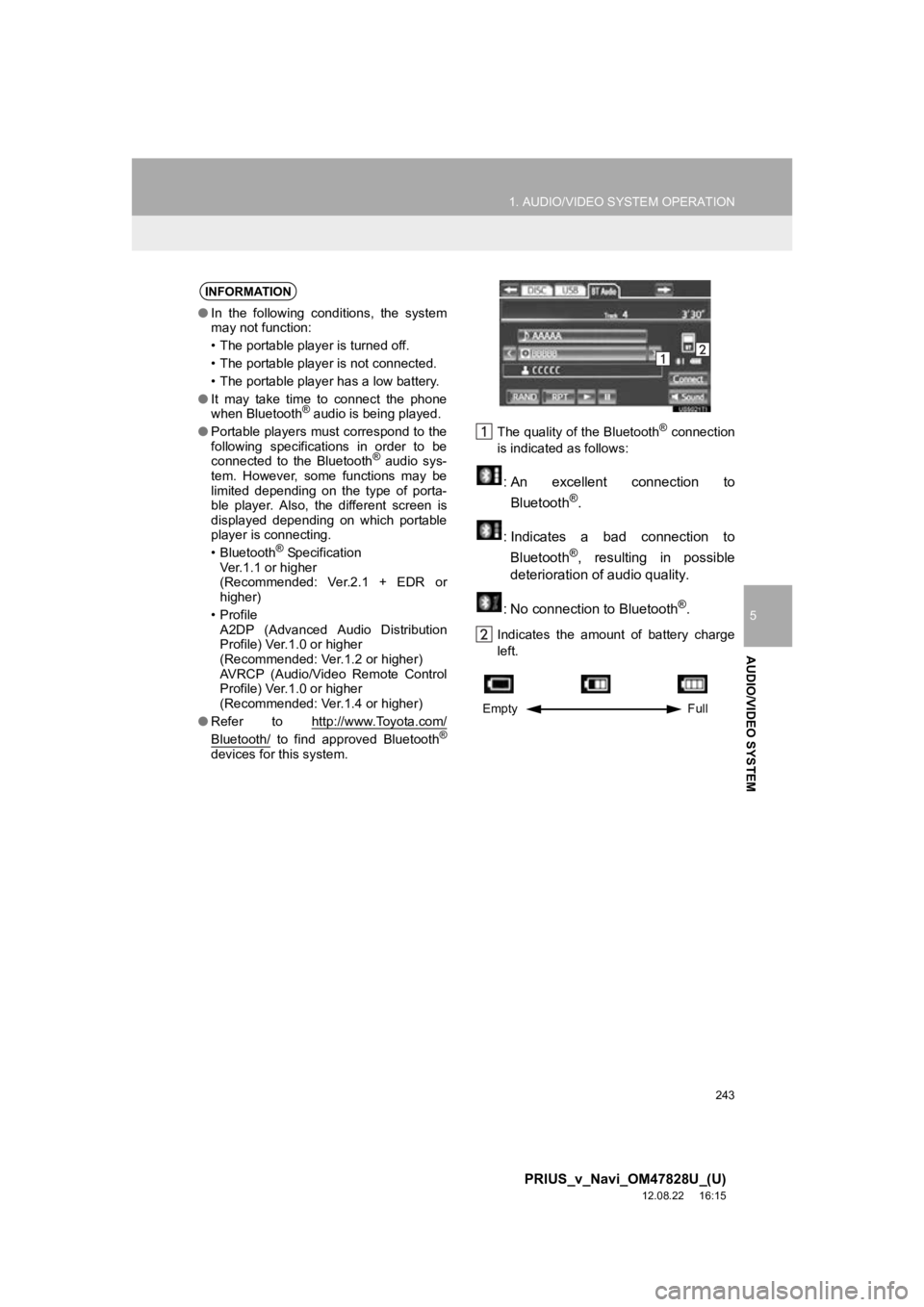
The quality of the Bluetooth® connection
is indicated as follows:
: An excellent connection to
Bluetooth®.
: Indicates a bad connection to Bluetooth
®, resulting in possible
deterioration of audio quality.
: No connection to Bluetooth
®.
Indicates the amount of battery charge
left.
INFORMATION
● In the following conditions, the system
may not function:
• The portable player is turned off.
• The portable player is not connected.
• The portable player has a low battery.
● It may take time to connect the phone
when Bluetooth
® audio is being played.
● Portable players must correspond to the
following specifications in order to be
connected to the Bluetooth
® audio sys-
tem. However, some functions may be
limited depending on the type of porta-
ble player. Also, the different screen is
displayed depending on which portable
player is connecting.
• Bluetooth
® Specification
Ver.1.1 or higher
(Recommended: Ver.2.1 + EDR or
higher)
•Profile A2DP (Advanced Audio Distribution
Profile) Ver.1.0 or higher
(Recommended: Ver.1.2 or higher)
AVRCP (Audio/Video Remote Control
Profile) Ver.1.0 or higher
(Recommended: Ver.1.4 or higher)
● Refer to http://www.Toyota.com/
Bluetooth/ to find approved Bluetooth®
devices for this system.
Empty Full
Page 375 of 411
375
2. ADVANCED PARKING GUIDANCE SYSTEM
9
PRIUS_v_Navi_OM47828U_(U)
12.08.22 16:15
PERIPHERAL MONITORING SYSTEM
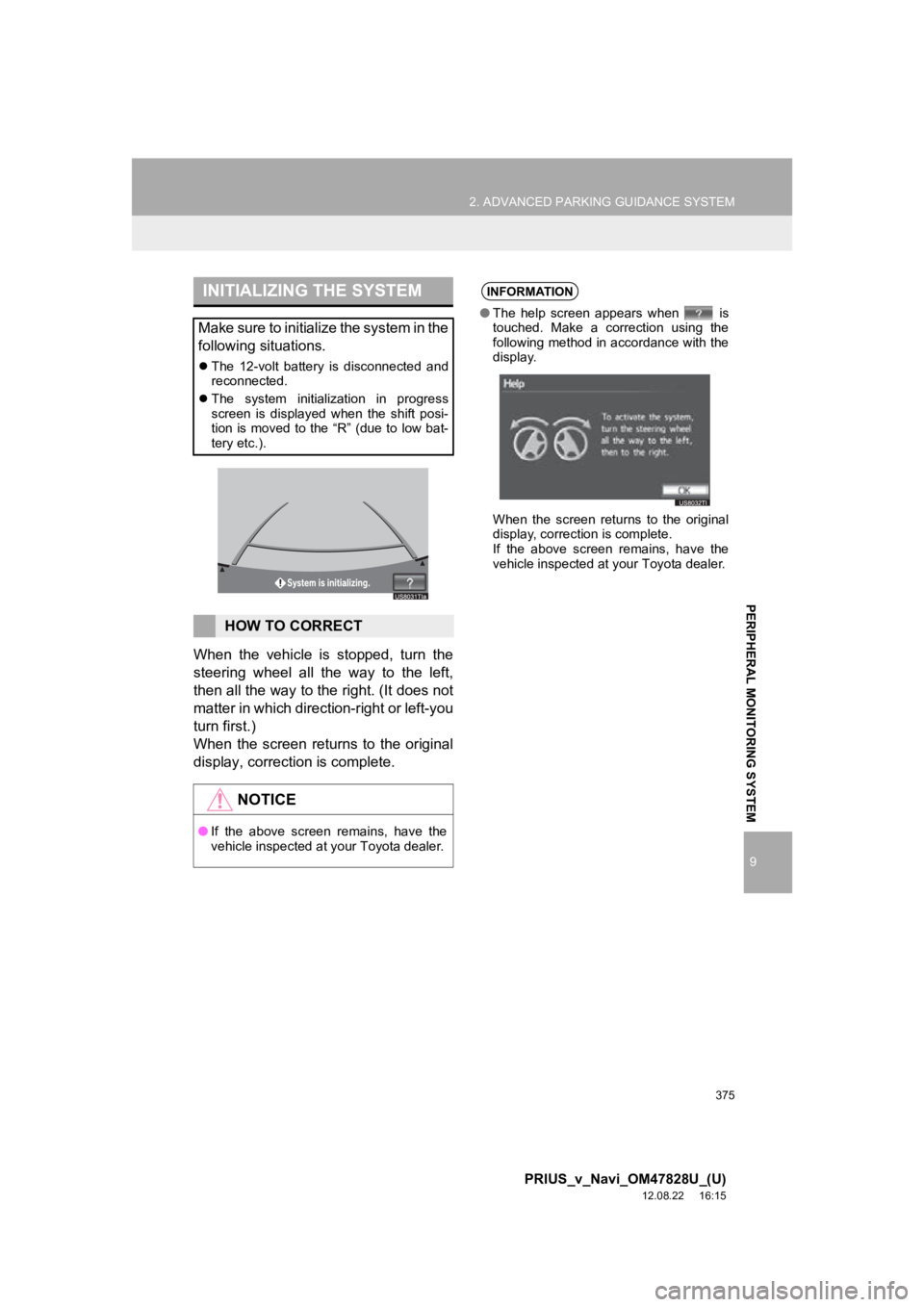
When the vehicle is stopped, turn the
steering wheel all the way to the left,
then all the way to the right. (It does not
matter in which direction-right or left-you
turn first.)
When the screen returns to the original
display, correction is complete.
INITIALIZING THE SYSTEM
Make sure to initialize the system in the
following situations.
The 12-volt battery is disconnected and
reconnected.
The system initialization in progress
screen is displayed when the shift posi-
tion is moved to the “R” (due to low bat-
tery etc.).
HOW TO CORRECT
NOTICE
●If the above screen remains, have the
vehicle inspected at your Toyota dealer.
INFORMATION
● The help screen appears when is
touched. Make a correction using the
following method in accordance with the
display.
When the screen returns to the original
display, correction is complete.
If the above screen remains, have the
vehicle inspected at your Toyota dealer.