lights TOYOTA PRIUS V 2013 Accessories, Audio & Navigation (in English)
[x] Cancel search | Manufacturer: TOYOTA, Model Year: 2013, Model line: PRIUS V, Model: TOYOTA PRIUS V 2013Pages: 411, PDF Size: 6.96 MB
Page 320 of 411
320
1. REAR VIEW MONITOR SYSTEM
PRIUS_v_Navi_OM47828U_(U)
12.08.22 16:15
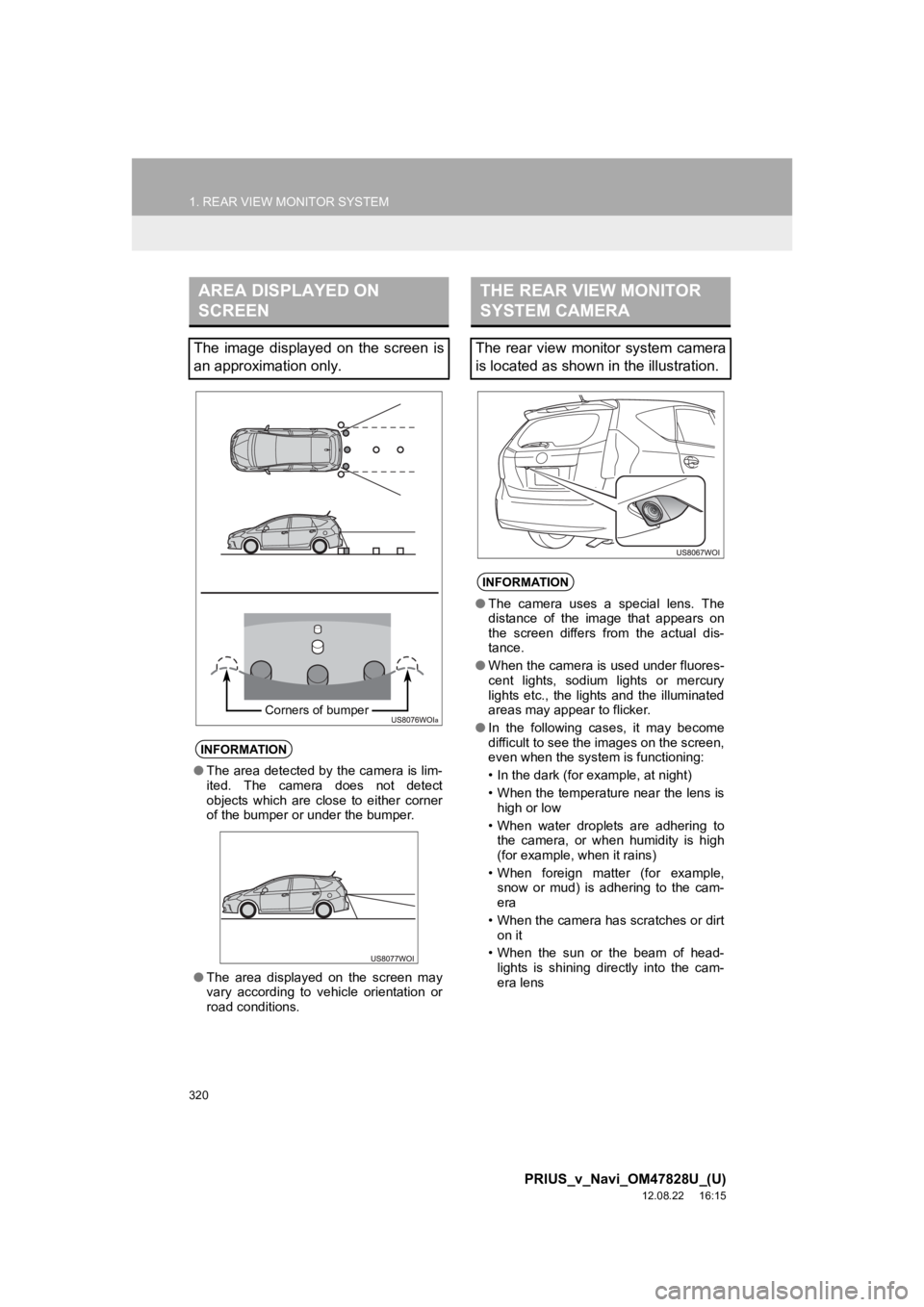
AREA DISPLAYED ON
SCREEN
The image displayed on the screen is
an approximation only.
INFORMATION
●The area detected by the camera is lim-
ited. The camera does not detect
objects which are close to either corner
of the bumper or under the bumper.
● The area displayed on the screen may
vary according to vehicle orientation or
road conditions.
Corners of bumper
THE REAR VIEW MONITOR
SYSTEM CAMERA
The rear view monitor system camera
is located as shown in the illustration.
INFORMATION
●The camera uses a special lens. The
distance of the image that appears on
the screen differs from the actual dis-
tance.
● When the camera is used under fluores-
cent lights, sodium lights or mercury
lights etc., the lights and the illuminated
areas may appear to flicker.
● In the following cases, it may become
difficult to see the images on the screen,
even when the system is functioning:
• In the dark (for example, at night)
• When the temperature near the lens is
high or low
• When water droplets are adhering to the camera, or when humidity is high
(for example, when it rains)
• When foreign matter (for example, snow or mud) is adhering to the cam-
era
• When the camera has scratches or dirt on it
• When the sun or the beam of head- lights is shining directly into the cam-
era lens
Page 368 of 411
368
2. ADVANCED PARKING GUIDANCE SYSTEM
PRIUS_v_Navi_OM47828U_(U)
12.08.22 16:15
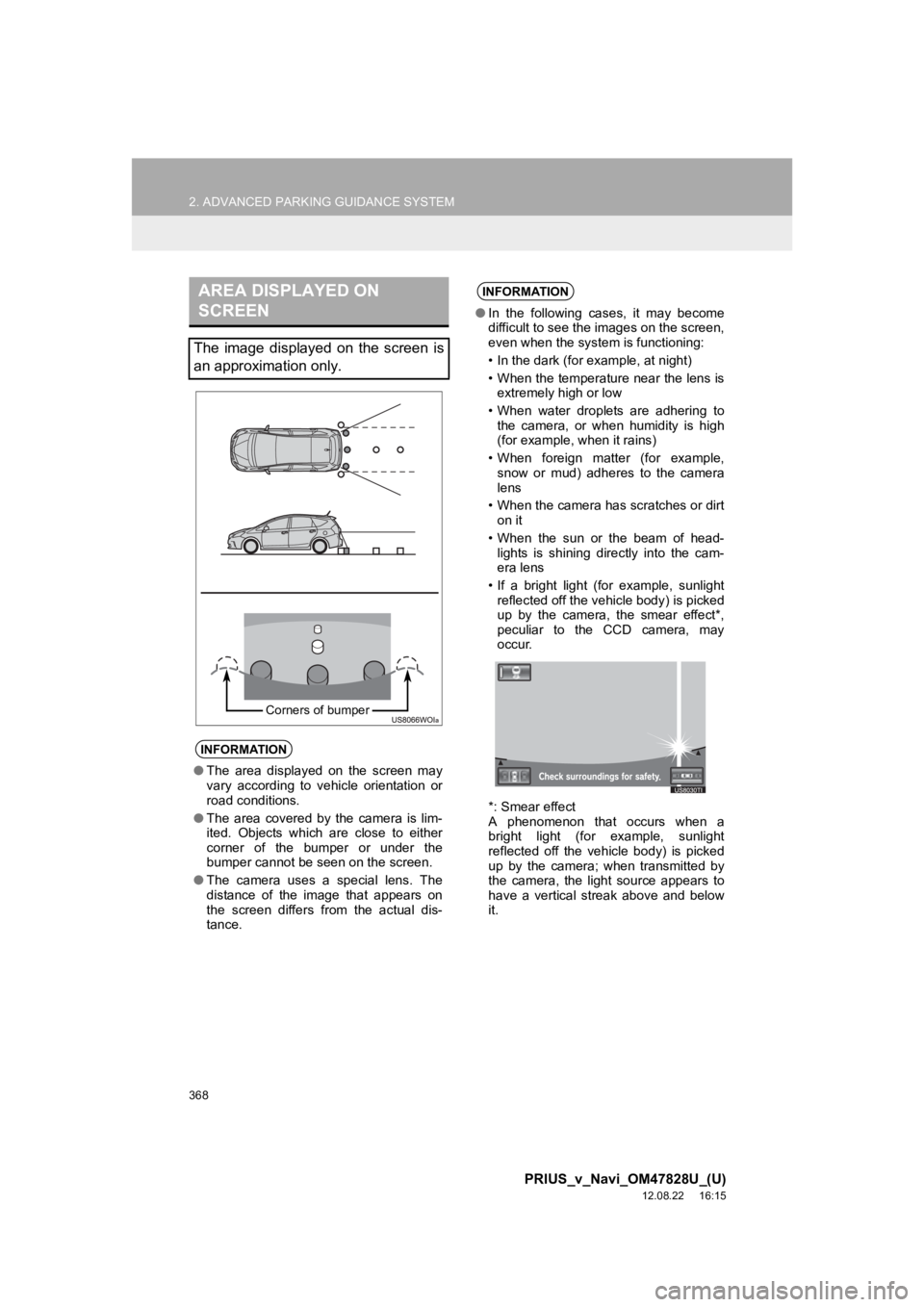
AREA DISPLAYED ON
SCREEN
The image displayed on the screen is
an approximation only.
INFORMATION
●The area displayed on the screen may
vary according to vehicle orientation or
road conditions.
● The area covered by the camera is lim-
ited. Objects which are close to either
corner of the bumper or under the
bumper cannot be seen on the screen.
● The camera uses a special lens. The
distance of the image that appears on
the screen differs from the actual dis-
tance.
Corners of bumper
INFORMATION
●In the following cases, it may become
difficult to see the images on the screen,
even when the system is functioning:
• In the dark (for example, at night)
• When the temperature near the lens is
extremely high or low
• When water droplets are adhering to the camera, or when humidity is high
(for example, when it rains)
• When foreign matter (for example, snow or mud) adheres to the camera
lens
• When the camera has scratches or dirt on it
• When the sun or the beam of head- lights is shining directly into the cam-
era lens
• If a bright light (for example, sunlight reflected off the vehicle body) is picked
up by the camera, the smear effect*,
peculiar to the CCD camera, may
occur.
*: Smear effect
A phenomenon that occurs when a
bright light (for example, sunlight
reflected off the vehicle body) is picked
up by the camera; when transmitted by
the camera, the light source appears to
have a vertical streak above and below
it.
Page 369 of 411
369
2. ADVANCED PARKING GUIDANCE SYSTEM
9
PRIUS_v_Navi_OM47828U_(U)
12.08.22 16:15
PERIPHERAL MONITORING SYSTEM
INFORMATION
●When the camera is used under fluores-
cent lights, sodium lights or mercury
lights etc., the lights and the illuminated
areas may appear to flicker.
● If you install the antenna of a wireless
device close to the camera, the screen
image may be affected by the electro-
magnetic waves, and the system may
not function correctly. Install an antenna
away from the camera.
● The method for adjusting the picture
quality of the advanced parking guid-
ance system is the same as that for the
navigation screen.
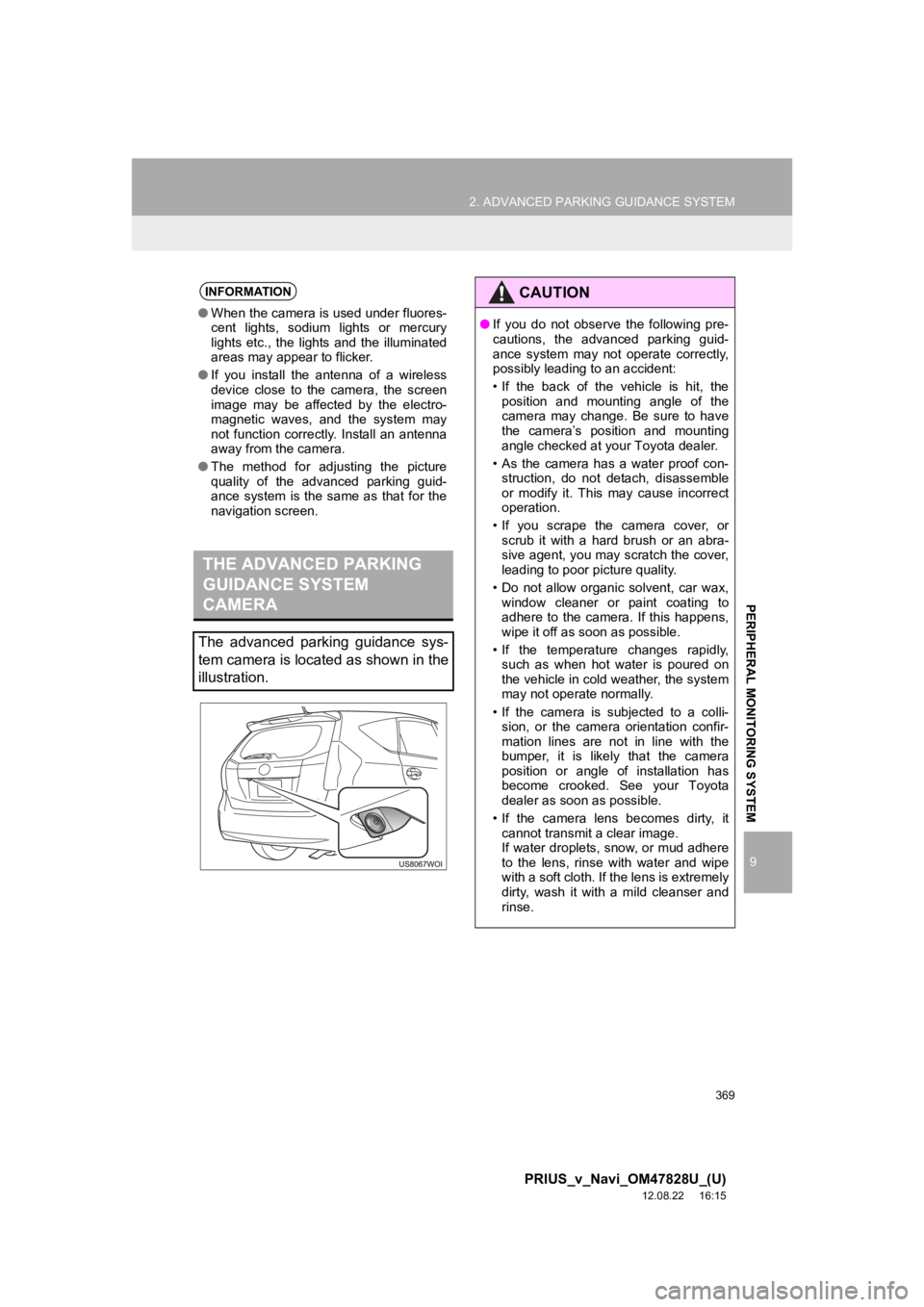
THE ADVANCED PARKING
GUIDANCE SYSTEM
CAMERA
The advanced parking guidance sys-
tem camera is located as shown in the
illustration.
CAUTION
● If you do not observe the following pre-
cautions, the advanced parking guid-
ance system may not operate correctly,
possibly leading to an accident:
• If the back of the vehicle is hit, the
position and mounting angle of the
camera may change. Be sure to have
the camera’s position and mounting
angle checked at your Toyota dealer.
• As the camera has a water proof con- struction, do not detach, disassemble
or modify it. This may cause incorrect
operation.
• If you scrape the camera cover, or scrub it with a hard brush or an abra-
sive agent, you may scratch the cover,
leading to poor picture quality.
• Do not allow organic solvent, car wax, window cleaner or paint coating to
adhere to the camera. If this happens,
wipe it off as soon as possible.
• If the temperature changes rapidly, such as when hot water is poured on
the vehicle in cold weather, the system
may not operate normally.
• If the camera is subjected to a colli- sion, or the camera orientation confir-
mation lines are not in line with the
bumper, it is likely that the camera
position or angle of installation has
become crooked. See your Toyota
dealer as soon as possible.
• If the camera lens becomes dirty, it cannot transmit a clear image.
If water droplets, snow, or mud adhere
to the lens, rinse with water and wipe
with a soft cloth. If the lens is extremely
dirty, wash it with a mild cleanser and
rinse.